Overview of Microsoft Project Server EPM Solutions Greg
- Slides: 40
Overview of Microsoft Project Server EPM Solutions Greg Winterhalter
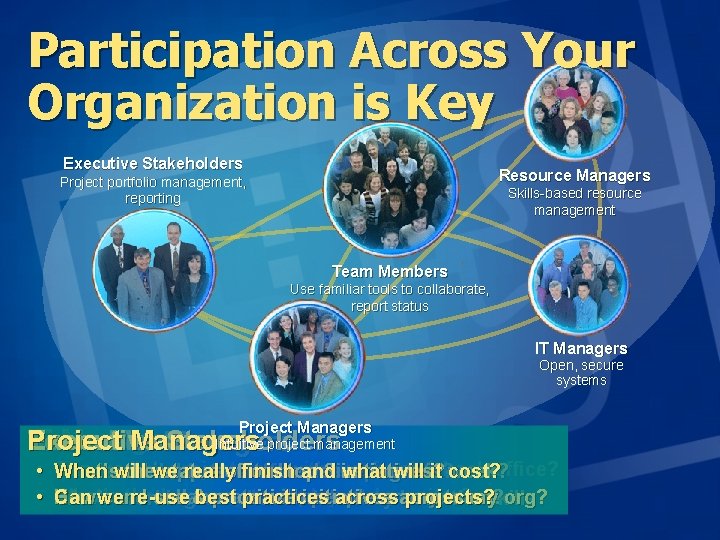
Participation Across Your Organization is Key Executive Stakeholders Resource Managers Project portfolio management, reporting Skills-based resource management Team Members Use familiar tools to collaborate, report status IT Managers Open, secure systems Project Managers IT Managers Intuitive project management Project Managers Team Executive Members Stakeholders Resource Managers Can we link project data with front &itback office? When will really finish and what will cost? • What’s What am the I we supposed status our to be top delivering 3 our initiatives? this week? Who’s available toofstaff our new projects? What’s the best& way towith deploy and monitor? • Can we re-use best practices across projects? How can I see collaborate prioritize initiatives people on across my team? my org? Who's working on what and do they have the skills?
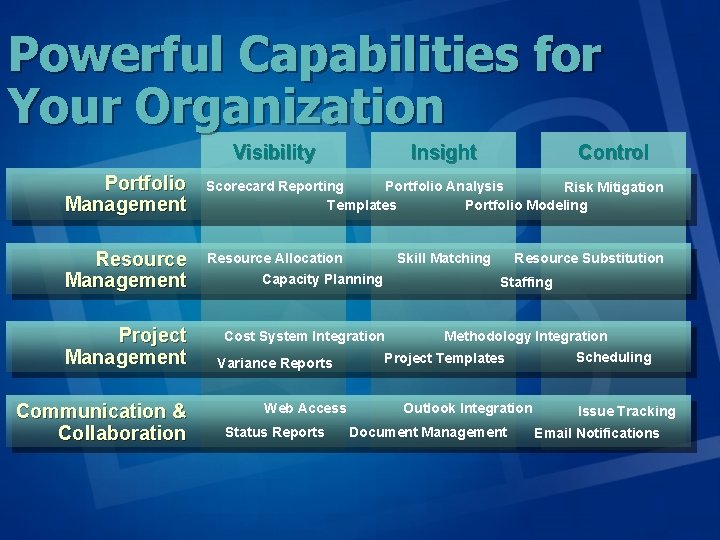
Powerful Capabilities for Your Organization Visibility Insight Control Portfolio Management Scorecard Reporting Portfolio Analysis Risk Mitigation Templates Portfolio Modeling Resource Management Resource Allocation Capacity Planning Project Management Cost System Integration Communication & Collaboration Variance Reports Web Access Status Reports Skill Matching Resource Substitution Staffing Methodology Integration Project Templates Outlook Integration Document Management Scheduling Issue Tracking Email Notifications
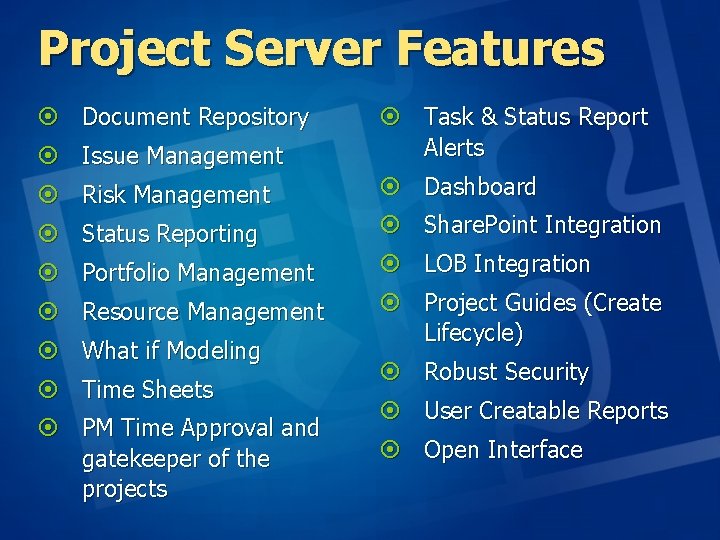
Project Server Features ¤ Document Repository ¤ Issue Management ¤ Task & Status Report Alerts ¤ Risk Management ¤ Dashboard ¤ Status Reporting ¤ Share. Point Integration ¤ Portfolio Management ¤ LOB Integration ¤ Resource Management ¤ Project Guides (Create Lifecycle) ¤ What if Modeling ¤ Time Sheets ¤ PM Time Approval and gatekeeper of the projects ¤ Robust Security ¤ User Creatable Reports ¤ Open Interface
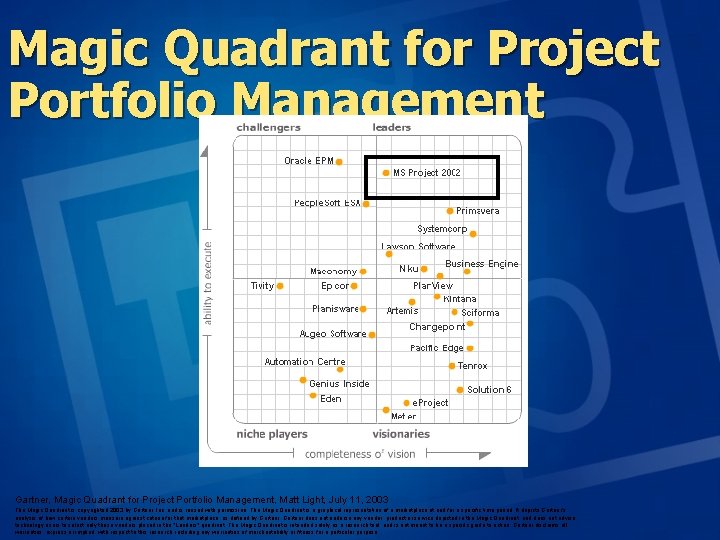
Magic Quadrant for Project Portfolio Management Gartner, Magic Quadrant for Project Portfolio Management, Matt Light, July 11, 2003 The Magic Quadrant is copyrighted 2003 by Gartner, Inc. and is reused with permission. The Magic Quadrant is a graphical representation of a marketplace at and for a specific time period. It depicts Gartner's analysis of how certain vendors measure against criteria for that marketplace, as defined by Gartner does not endorse any vendor, product or service depicted in the Magic Quadrant, and does not advise technology users to select only those vendors placed in the "Leaders" quadrant. The Magic Quadrant is intended solely as a research tool, and is not meant to be a specific guide to action. Gartner disclaims all warranties, express or implied, with respect to this research, including any warranties of merchantability or fitness for a particular purpose.
Overview of EPK-Suite EPM Solutions Greg Winterhalter
Project Server Strategic Gaps ¤ ¤ ¤ ¤ No Rollups of Risk Issues No Rollups of Groups of Project Tasks No Timesheet Delegation Time/Progress Lock Requires Project Schedule No Budget tracking No Project Initiation Life Cycle No Scorecard Measurement
Design Goals ¤ Value for each user role in business process ¤ ALL work ¤ Handle range of PM maturity levels included mixed ¤ On Project Server 2003 platform in PWA ¤ Customizable and extensible ¤ Payback in 90 days as well as longer term gains with EPM
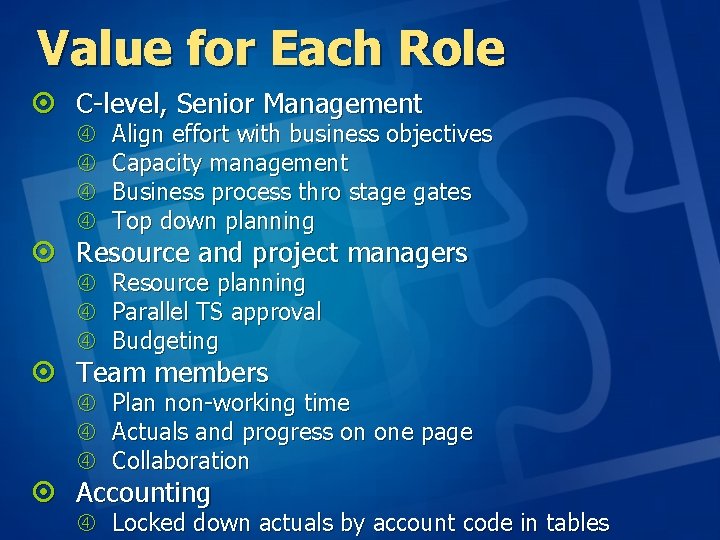
Value for Each Role ¤ C-level, Senior Management Align effort with business objectives Capacity management Business process thro stage gates Top down planning Resource planning Parallel TS approval Budgeting Plan non-working time Actuals and progress on one page Collaboration ¤ Resource and project managers ¤ Team members ¤ Accounting Locked down actuals by account code in tables
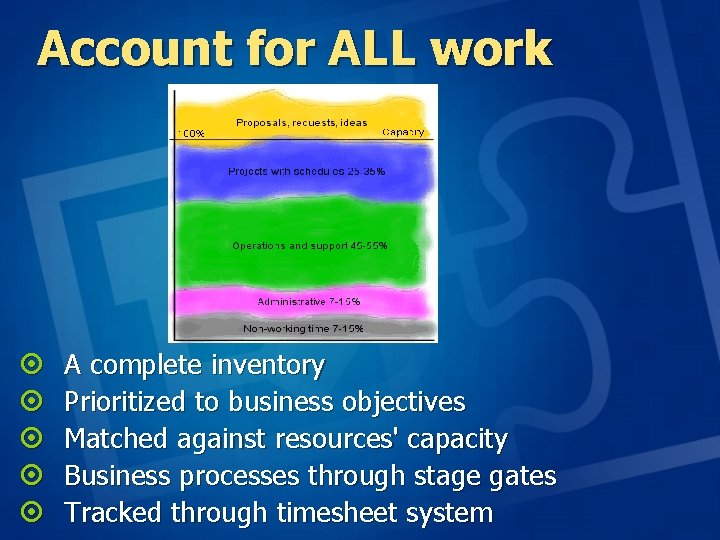
Account for ALL work ¤ ¤ ¤ A complete inventory Prioritized to business objectives Matched against resources' capacity Business processes through stage gates Tracked through timesheet system
Overview of Product Line Full system built on MS Project Server platform ¤ Seamlessly integrated with Project Server/Project Web Access Users have a single User Interface and single DB for all functions ¤ EPK modules obey all PWA security ¤ EPK objects controlled by normal PWA Administrative functions ¤ Performance/scalability improvements
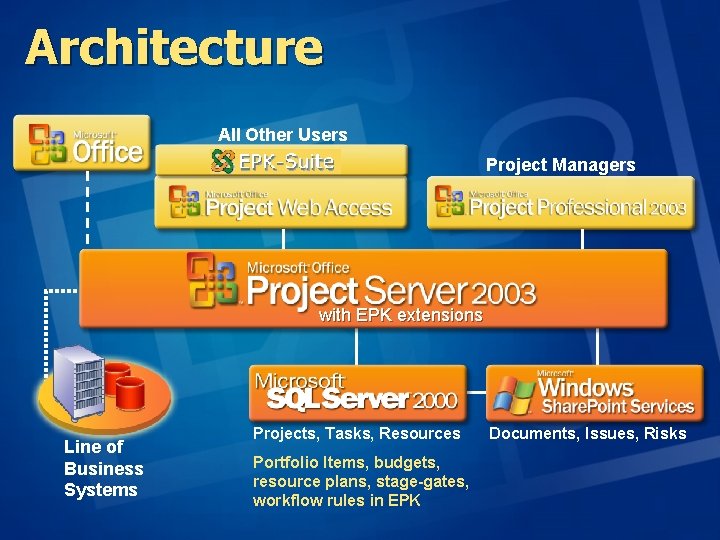
Architecture All Other Users Project Managers with EPK extensions Line of Business Systems Projects, Tasks, Resources Portfolio Items, budgets, resource plans, stage-gates, workflow rules in EPK Documents, Issues, Risks
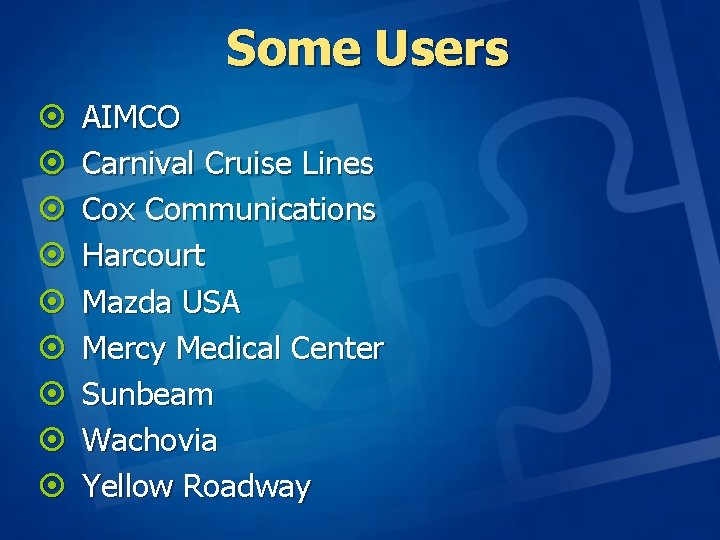
Some Users ¤ ¤ ¤ ¤ ¤ AIMCO Carnival Cruise Lines Cox Communications Harcourt Mazda USA Mercy Medical Center Sunbeam Wachovia Yellow Roadway
EPK-Suite™ ¤ Portfolio - through your business process from wish list item to close out, align efforts with corp objectives, top-down planning and budgeting, benefits management, reporting ¤ Resources - resource planning and management at item/project level ¤ Timesheets - full functionality timesheet for task status and billing/chargeback/project accounting ¤ Collaborate - WSS integration across items and projects for views that can be filtered and grouped on PI/project attributes
Portfolio ¤ Handles ALL effort Projects Support/Operations Initiatives, proposals, investment opportunities ¤ “Stage-gate” based workflow ¤ Custom metadata such as alignment with corporate objectives ¤ Roll-up of milestones and graphical indicators ¤ “Drill-down” into multiple projects via http ¤ User definable views with advanced sorting, grouping, filtering, color patterns, symbology ¤ Create projects w/o Windows client ¤ Top-down budgeting by hours, headcount (FTEs), cost
EPK Portfolio ¤ Portfolio items that need not be associated with Microsoft Project schedules, for example as proposed projects before a schedule is created ¤ Portfolio custom fields including URLs that can be used to integrate with other web systems ¤ Top-down planning of initiatives ¤ Project initiation from PWA ¤ Any number of cost type – by quantity, cost, hrs/FTEs – for top down estimating, budgeting, resource planning, forecast values from schedules, and even external data fed into the EPK database ¤ Viewing formats that include a balanced scorecard, gantt chart, multiple cost types, graphical indicators and more
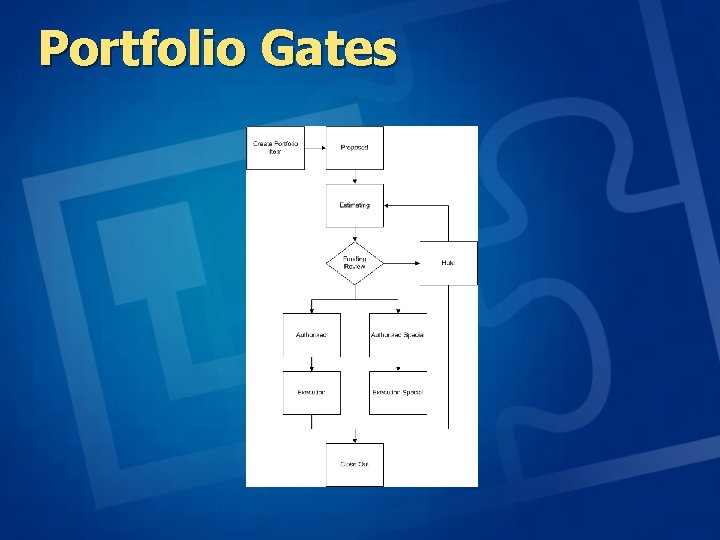
Portfolio Gates
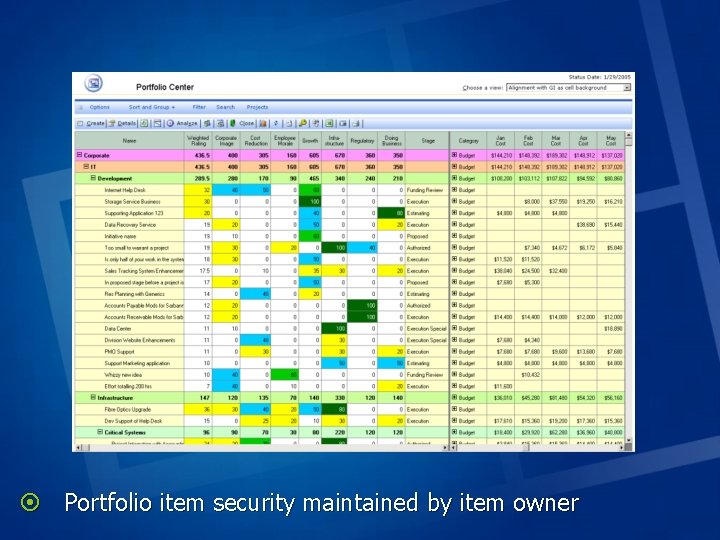
¤ Portfolio item security maintained by item owner
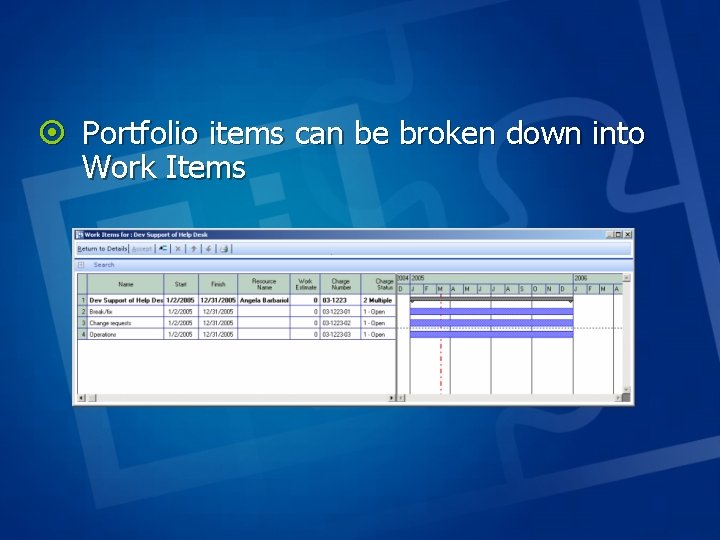
¤ Portfolio items can be broken down into Work Items
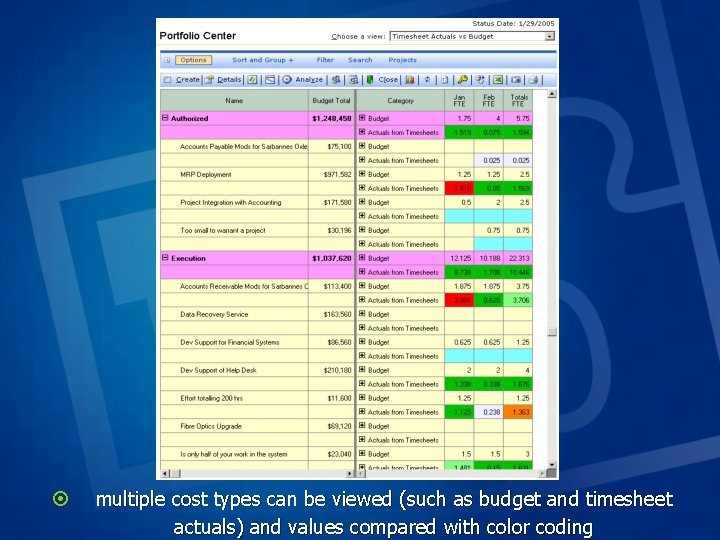
¤ multiple cost types can be viewed (such as budget and timesheet actuals) and values compared with color coding
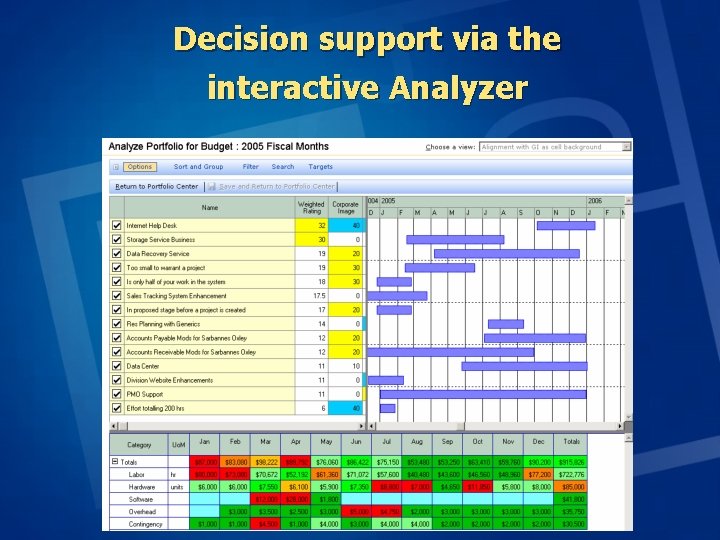
Decision support via the interactive Analyzer
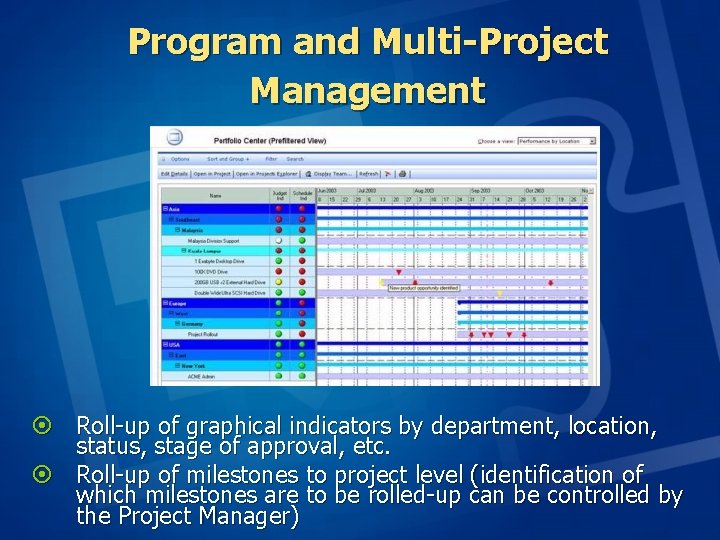
Program and Multi-Project Management ¤ Roll-up of graphical indicators by department, location, status, stage of approval, etc. ¤ Roll-up of milestones to project level (identification of which milestones are to be rolled-up can be controlled by the Project Manager)
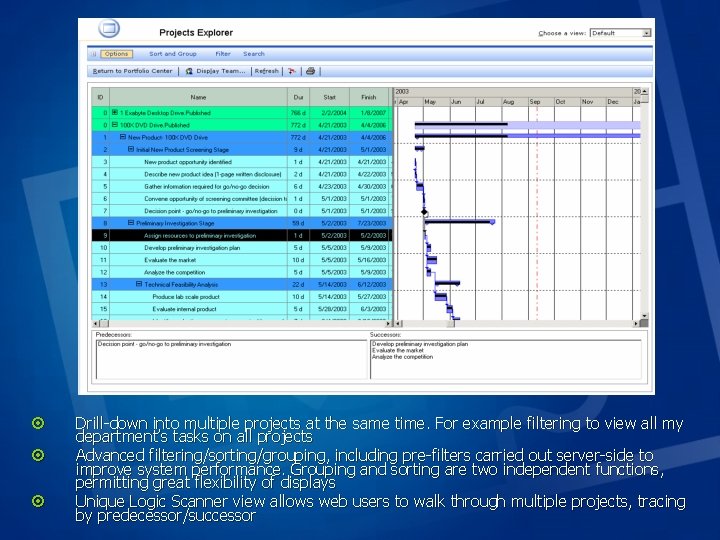
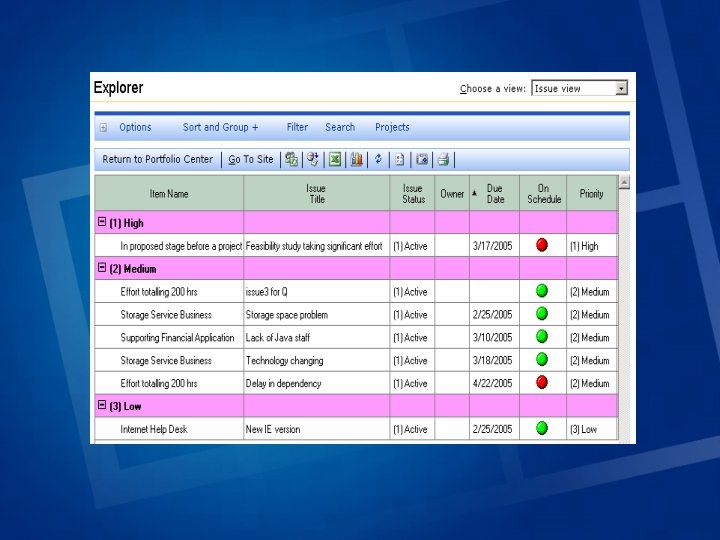
¤ ¤ ¤ Drill-down into multiple projects at the same time. For example filtering to view all my department’s tasks on all projects Advanced filtering/sorting/grouping, including pre-filters carried out server-side to improve system performance. Grouping and sorting are two independent functions, permitting great flexibility of displays Unique Logic Scanner view allows web users to walk through multiple projects, tracing by predecessor/successor
Project Portfolio Views ¤ “Top-down” portfolio management, including project inventory, “stages”-based workflow/approval, web- based project initiation, budgeting in $/work-hours/FTEs. ¤ Views can be easily designed including “rules” for roll-ups, gantt bar styles, graphical symbols, etc. ¤ Printing/Print Preview of any Portfolio Center or Projects Explorer view
Resources ¤Includes all work including non-working time and operational and support ¤“Contract” between RM and PM at PI level ¤Spreadsheet metaphor for resource planning ¤Planning of non-working time in future ¤Can compare with rolled up MS Project assignments ¤Assists the “negotiation” process of staffing all work (both project and operational)
EPK Resource ¤ The EPK-Resources™ module provides comprehensive facilities to assist all managers with the process of planning and balancing their staff workload
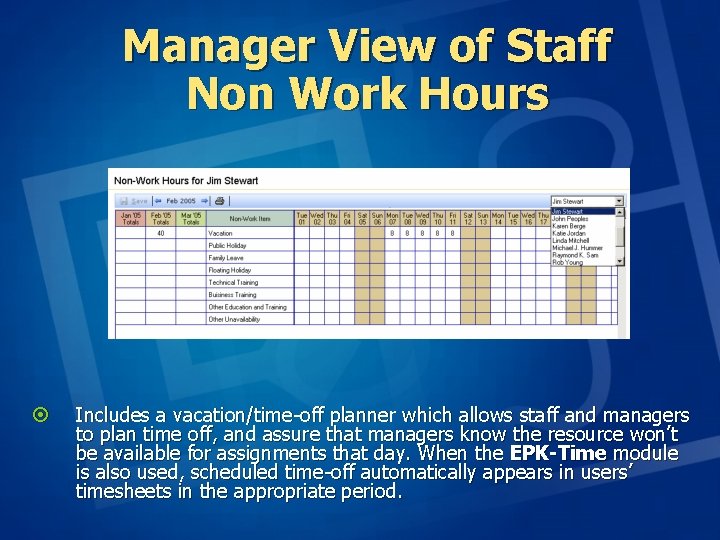
Manager View of Staff Non Work Hours ¤ Includes a vacation/time-off planner which allows staff and managers to plan time off, and assure that managers know the resource won’t be available for assignments that day. When the EPK-Time module is also used, scheduled time-off automatically appears in users’ timesheets in the appropriate period.
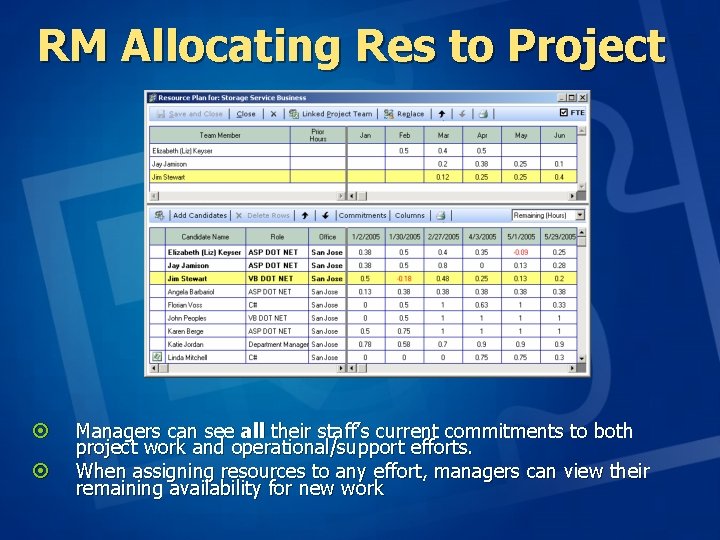
RM Allocating Res to Project ¤ ¤ Managers can see all their staff’s current commitments to both project work and operational/support efforts. When assigning resources to any effort, managers can view their remaining availability for new work
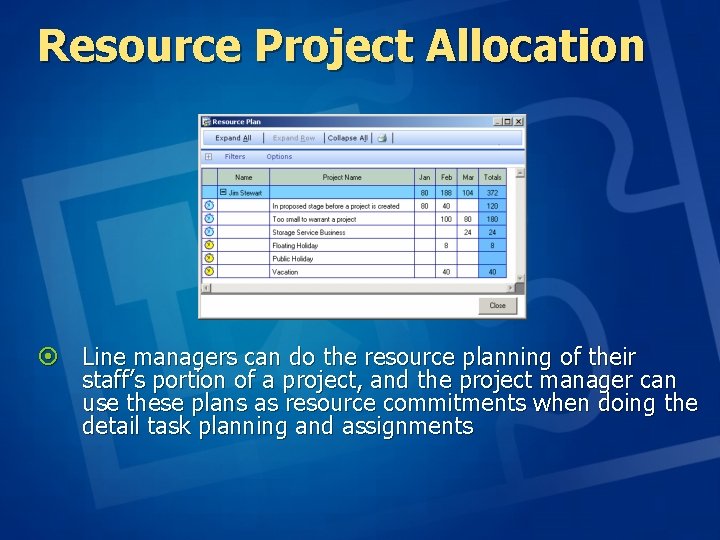
Resource Project Allocation ¤ Line managers can do the resource planning of their staff’s portion of a project, and the project manager can use these plans as resource commitments when doing the detail task planning and assignments
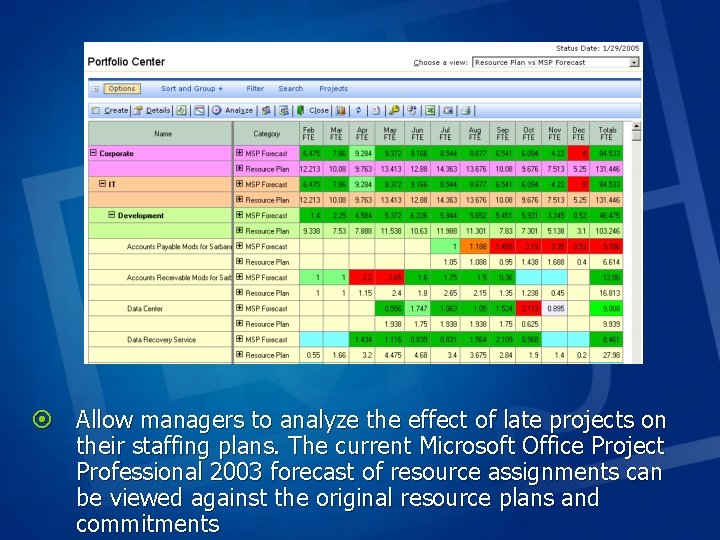
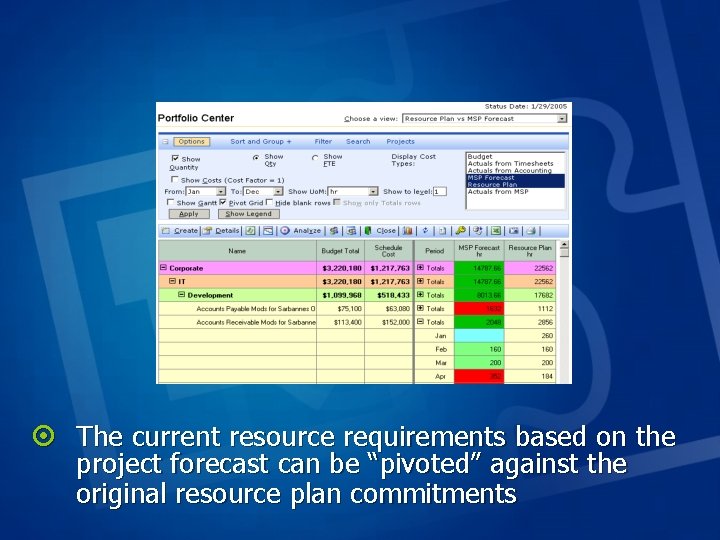
¤ Allow managers to analyze the effect of late projects on their staffing plans. The current Microsoft Office Project Professional 2003 forecast of resource assignments can be viewed against the original resource plans and commitments
¤ The current resource requirements based on the project forecast can be “pivoted” against the original resource plan commitments
Timesheets ¤ Timesheet covers all effort, not just “projects” ¤ Task status and hours are independent ¤ Allows charge of hours at project/phase level rather than only detail tasks ¤ Charge time without requiring task assignments ¤ Fiscal period reporting/interfacing of actual hours/costs ¤ True dual approval. RM+PM for hours, + PM for task status. ¤ Vacation/non-working time planner ¤ Interface with external systems (accounting, chargeback, billing) ¤ Both “lock-down” of individual/department timesheets and administrative “close out” ¤ High performance
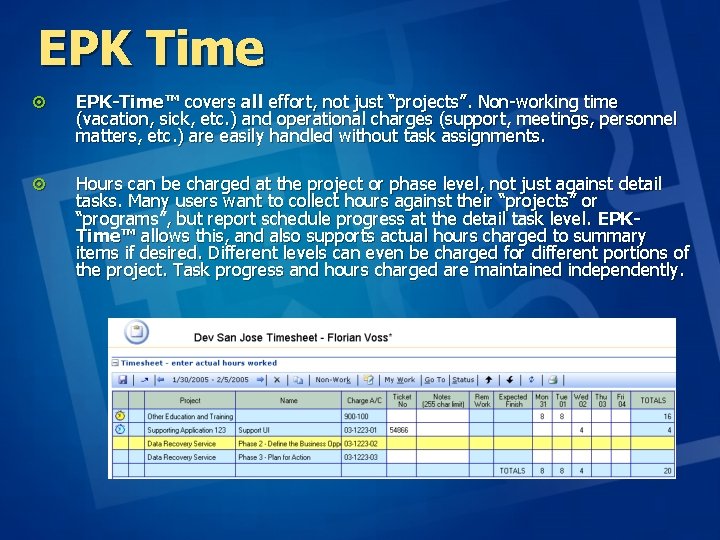
EPK Time ¤ EPK-Time™ covers all effort, not just “projects”. Non-working time (vacation, sick, etc. ) and operational charges (support, meetings, personnel matters, etc. ) are easily handled without task assignments. ¤ Hours can be charged at the project or phase level, not just against detail tasks. Many users want to collect hours against their “projects” or “programs”, but report schedule progress at the detail task level. EPKTime™ allows this, and also supports actual hours charged to summary items if desired. Different levels can even be charged for different portions of the project. Task progress and hours charged are maintained independently.
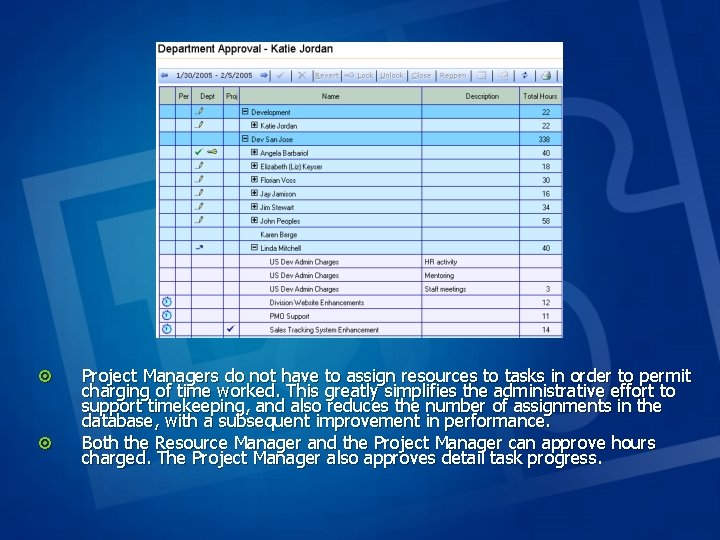
¤ ¤ Project Managers do not have to assign resources to tasks in order to permit charging of time worked. This greatly simplifies the administrative effort to support timekeeping, and also reduces the number of assignments in the database, with a subsequent improvement in performance. Both the Resource Manager and the Project Manager can approve hours charged. The Project Manager also approves detail task progress.
EPK Time ¤ ¤ ¤ ¤ Managers control the opening and closing of items for charging, thus preventing improper charges to both future and closed work items. Resource Managers can approve all timesheets from their department with a single click, or they can individually approve/reject as desired. A notes capability is provided, allowing easy communication between team members, resource managers, and department managers on specific timesheet issues. Managers can view timesheet data from team members even before the timesheet is submitted. This allows them to track how things are going during the week. Managers can also lock timesheets, preventing further edits. This lock can be by individual resource/time period. The Timesheet Administrator can close a period, preventing edits, additions, or status changes by anyone. Approvals, rejections, submitted, recall, locked, and closed status are clearly indicated with graphical symbols in all timesheet views.
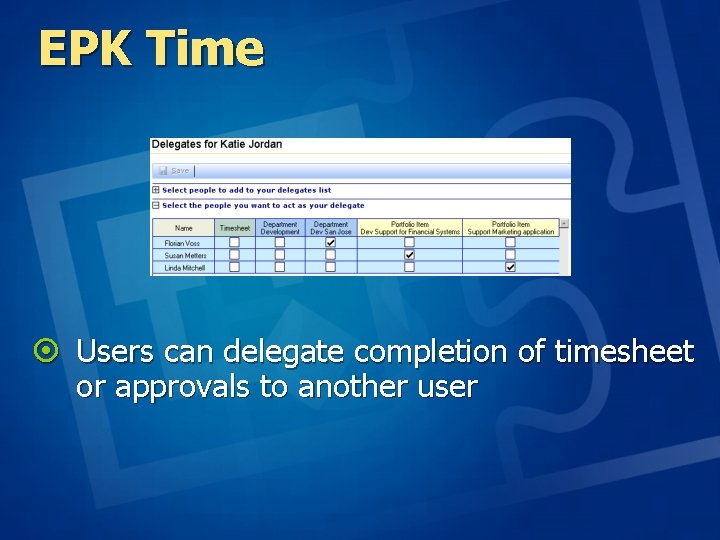
EPK Time ¤ Users can delegate completion of timesheet or approvals to another user
EPK-Collaborate ¤ Rollup of all Issues to Enterpise Level ¤ Rollup of all Risks to Enterprise Level
EPK Collaborate ¤ Manage Windows Share. Point Services sites for portfolio items and Project schedules ¤ Standardized WSS list fields can be set up across sites made with different template versions for use in Explorer views ¤ Users can go to WSS sites from links in the Portfolio Center and team members can access sites from their timesheet ¤ WSS list items can be viewed from multiple portfolio items and projects in one Explorer view ¤ List item attributes can be used for sorting and filtering in Explorer views
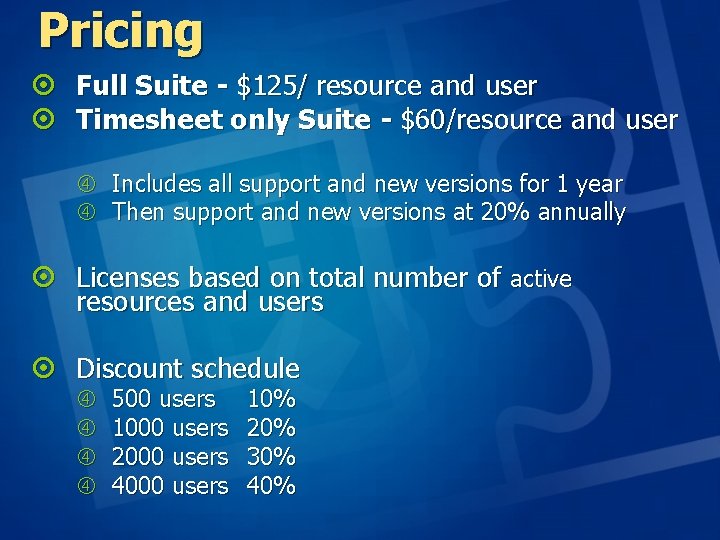
Pricing ¤ Full Suite - $125/ resource and user ¤ Timesheet only Suite - $60/resource and user Includes all support and new versions for 1 year Then support and new versions at 20% annually ¤ Licenses based on total number of active resources and users ¤ Discount schedule 500 users 1000 users 2000 users 4000 users 10% 20% 30% 40%