MSD 1 Group P 14546 VIRTUAL REALITY DATA





- Slides: 48
MSD 1 Group P 14546 VIRTUAL REALITY DATA GLOVE Final Detailed Design Review
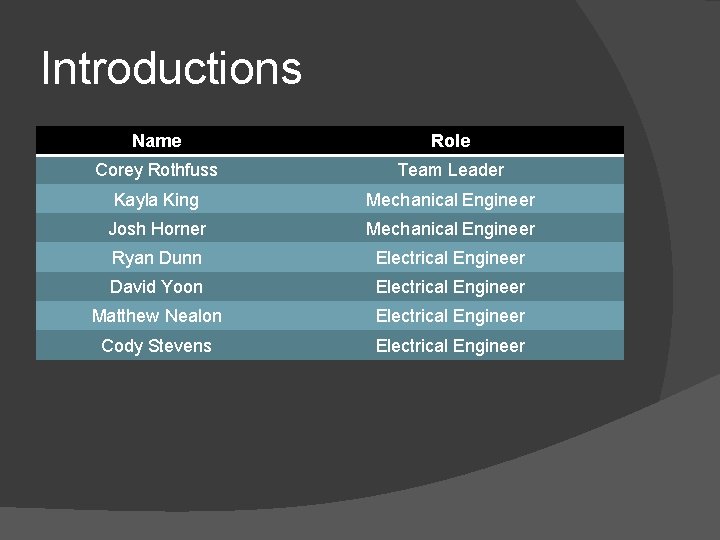
Introductions Name Role Corey Rothfuss Team Leader Kayla King Mechanical Engineer Josh Horner Mechanical Engineer Ryan Dunn Electrical Engineer David Yoon Electrical Engineer Matthew Nealon Electrical Engineer Cody Stevens Electrical Engineer
Agenda � � � � � Project Overview – Brief Explanation Action Items from last review Detailed system layout Mechanical Design Electrical Design BOM - Costs Risk Assessment Test Plan Project Plan for remainder of semester and MSD II
Project Overview
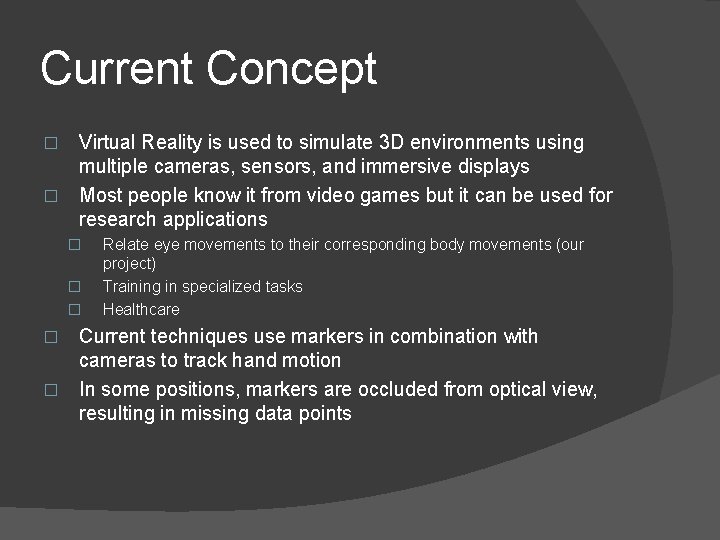
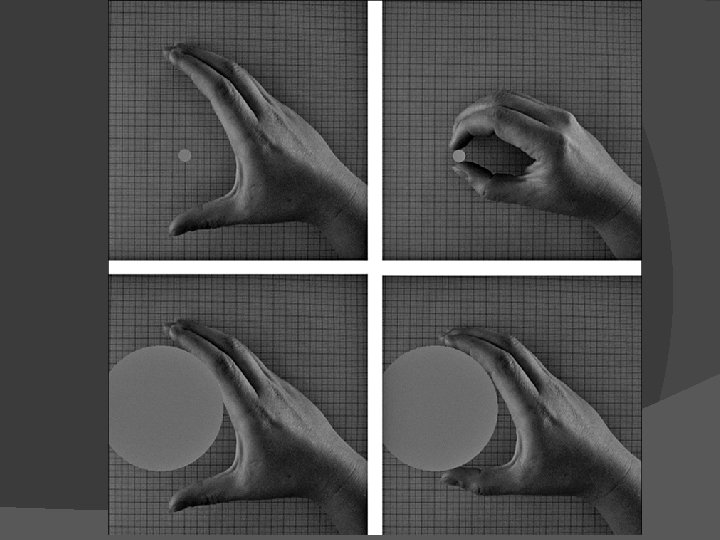
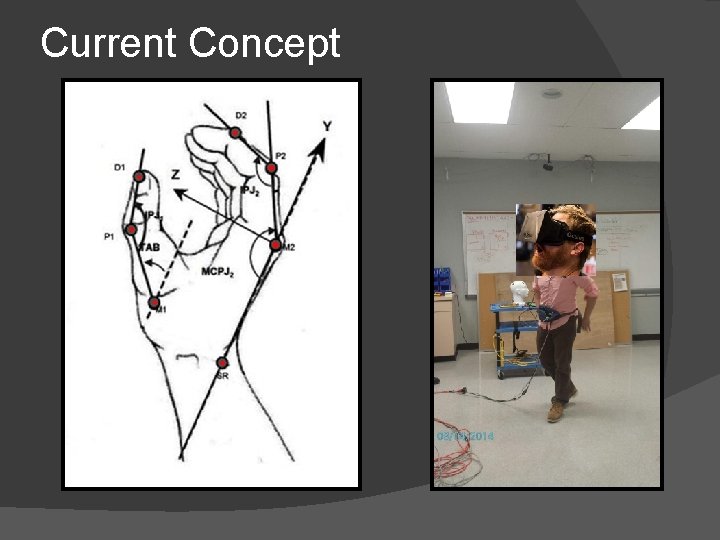
Current Concept Virtual Reality is used to simulate 3 D environments using multiple cameras, sensors, and immersive displays � Most people know it from video games but it can be used for research applications � � Relate eye movements to their corresponding body movements (our project) Training in specialized tasks Healthcare Current techniques use markers in combination with cameras to track hand motion � In some positions, markers are occluded from optical view, resulting in missing data points �
Current Concept
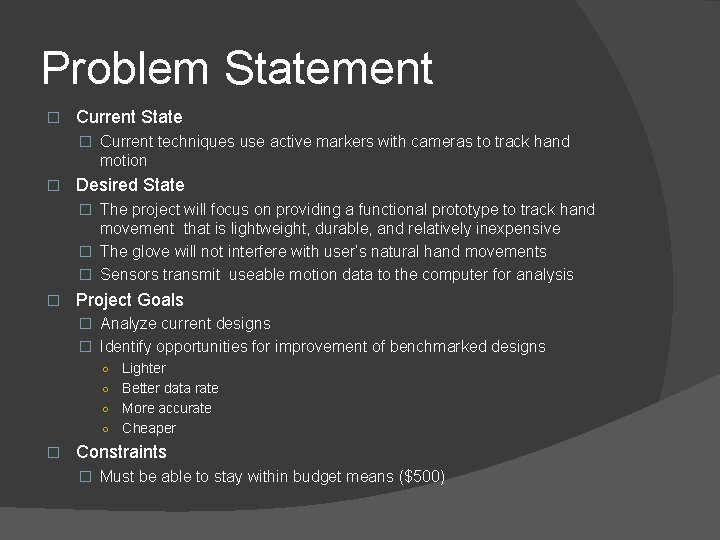
Problem Statement � Current State � Current techniques use active markers with cameras to track hand motion � Desired State � The project will focus on providing a functional prototype to track hand movement that is lightweight, durable, and relatively inexpensive � The glove will not interfere with user’s natural hand movements � Sensors transmit useable motion data to the computer for analysis � Project Goals � Analyze current designs � Identify opportunities for improvement of benchmarked designs Lighter ○ Better data rate ○ More accurate ○ Cheaper ○ � Constraints � Must be able to stay within budget means ($500)
Additional Deliverables Functional Prototype that will be used in the center for imaging science for the Virtual Reality room � Test Data verifying correct operation � User manual for operation �
Stakeholder(s) Primary Customer: Gabriel Diaz � Contact: Gabriel. Diaz@rit. edu 585 -317 -3595 � Secondary Customer: Susan Farnard � Contact: Farnard@cis. rit. edu 585 -475 -4567 � Faculty Guide: Ed Hanzlik � Contact: echeee@rit. edu 585 -475 -7428 � Sponsor (financial support): RIT �
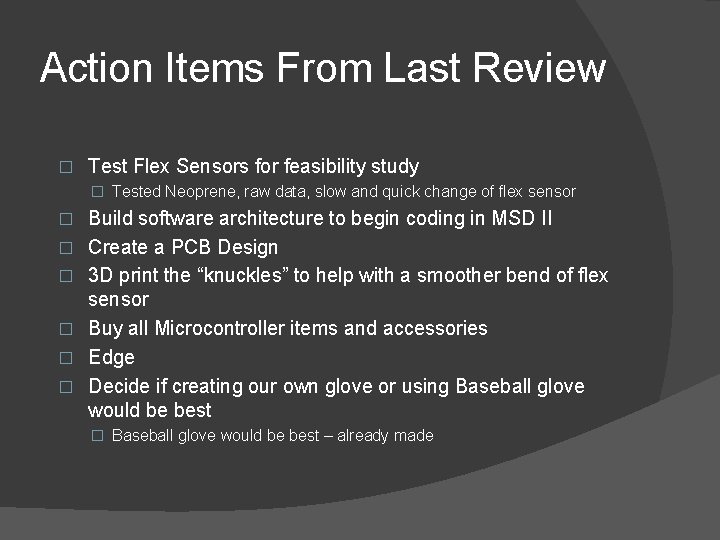
Action Items From Last Review � Test Flex Sensors for feasibility study � Tested Neoprene, raw data, slow and quick change of flex sensor � � � Build software architecture to begin coding in MSD II Create a PCB Design 3 D print the “knuckles” to help with a smoother bend of flex sensor Buy all Microcontroller items and accessories Edge Decide if creating our own glove or using Baseball glove would be best � Baseball glove would be best – already made
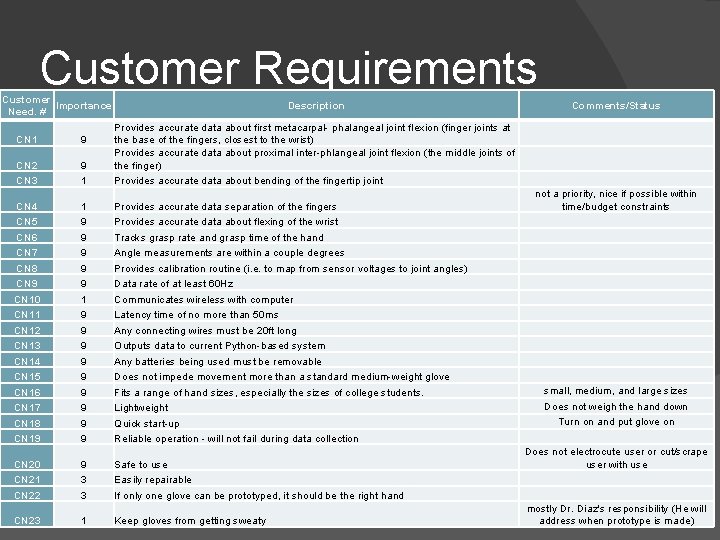
Customer Requirements Customer Importance Need. # Description CN 1 9 CN 2 CN 3 9 1 Provides accurate data about first metacarpal- phalangeal joint flexion (finger joints at the base of the fingers, closest to the wrist) Provides accurate data about proximal inter-phlangeal joint flexion (the middle joints of the finger) Provides accurate data about bending of the fingertip joint CN 4 CN 5 CN 6 CN 7 CN 8 CN 9 CN 10 CN 11 CN 12 CN 13 CN 14 CN 15 CN 16 CN 17 CN 18 CN 19 1 9 9 9 9 Provides accurate data separation of the fingers Provides accurate data about flexing of the wrist Tracks grasp rate and grasp time of the hand Angle measurements are within a couple degrees Provides calibration routine (i. e. to map from sensor voltages to joint angles) Data rate of at least 60 Hz Communicates wireless with computer Latency time of no more than 50 ms Any connecting wires must be 20 ft long Outputs data to current Python-based system Any batteries being used must be removable Does not impede movement more than a standard medium-weight glove Fits a range of hand sizes, especially the sizes of college students. Lightweight Quick start-up Reliable operation - will not fail during data collection CN 20 CN 21 CN 22 9 3 3 Safe to use Easily repairable If only one glove can be prototyped, it should be the right hand CN 23 1 Keep gloves from getting sweaty Comments/Status not a priority, nice if possible within time/budget constraints small, medium, and large sizes Does not weigh the hand down Turn on and put glove on Does not electrocute user or cut/scrape user with use mostly Dr. Diaz's responsibility (He will address when prototype is made)
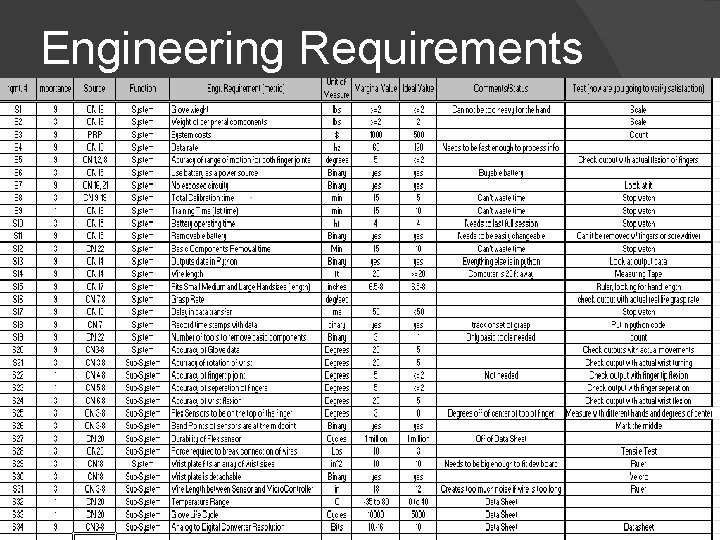
Engineering Requirements
System Design
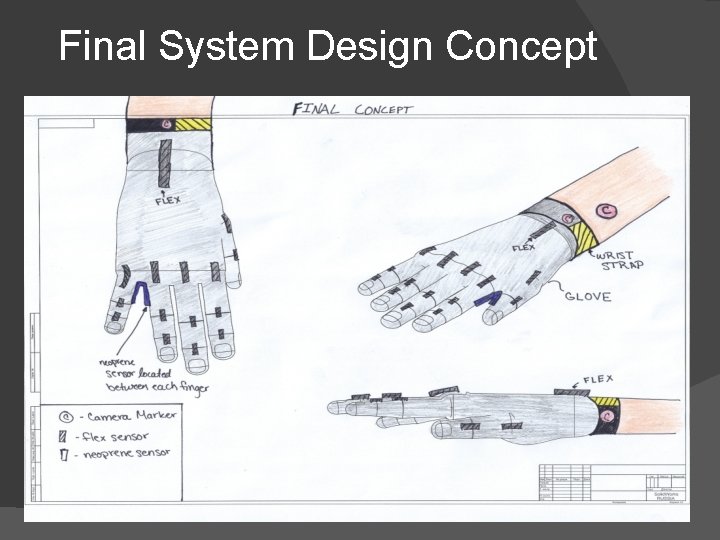
Final System Design Concept
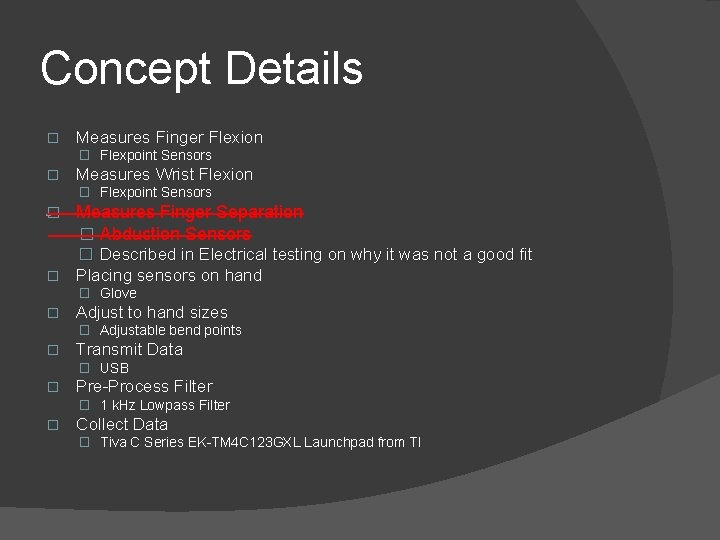
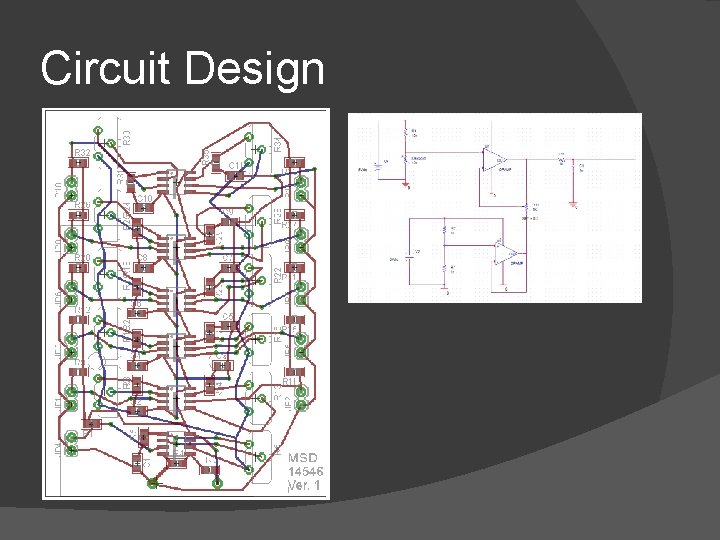
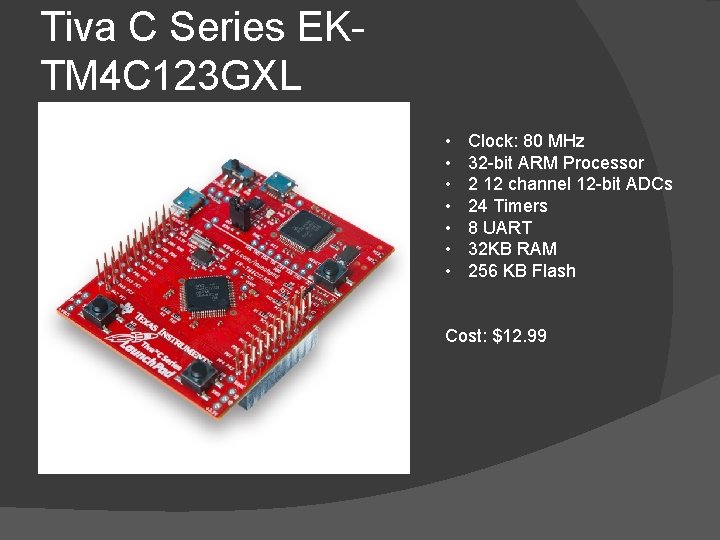
Concept Details � Measures Finger Flexion � Flexpoint Sensors � Measures Wrist Flexion � Flexpoint Sensors � Measures Finger Separation � Abduction Sensors � Described in Electrical testing on why it was not a good fit � Placing sensors on hand � Glove � Adjust to hand sizes � Adjustable bend points � Transmit Data � USB � Pre-Process Filter � 1 k. Hz Lowpass Filter � Collect Data � Tiva C Series EK-TM 4 C 123 GXL Launchpad from TI
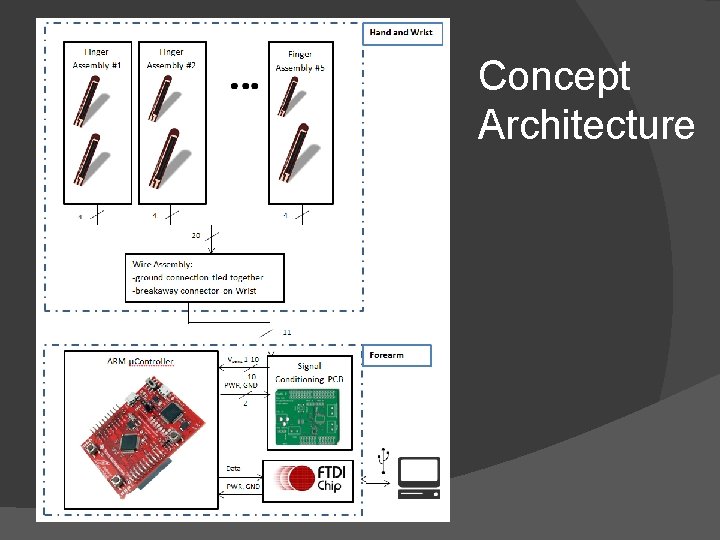
Concept Architecture
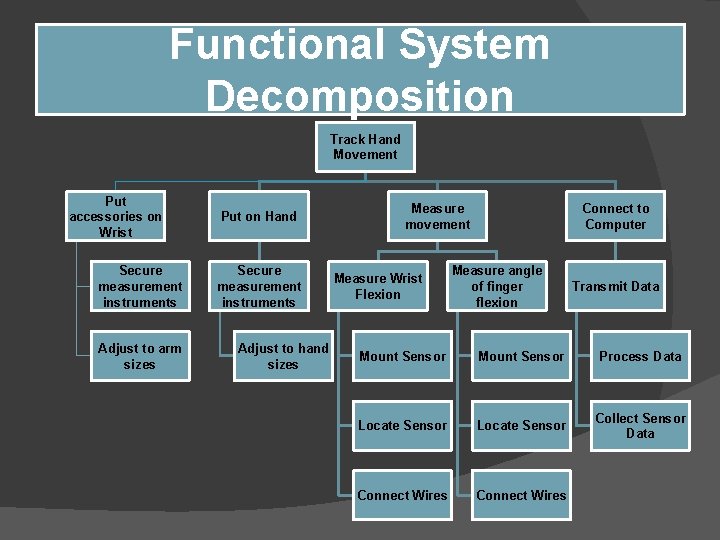
Functional System Decomposition Track Hand Movement Put accessories on Wrist Secure measurement instruments Adjust to arm sizes Put on Hand Secure measurement instruments Adjust to hand sizes Measure movement Measure Wrist Flexion Connect to Computer Measure angle of finger flexion Transmit Data Mount Sensor Process Data Locate Sensor Collect Sensor Data Connect Wires
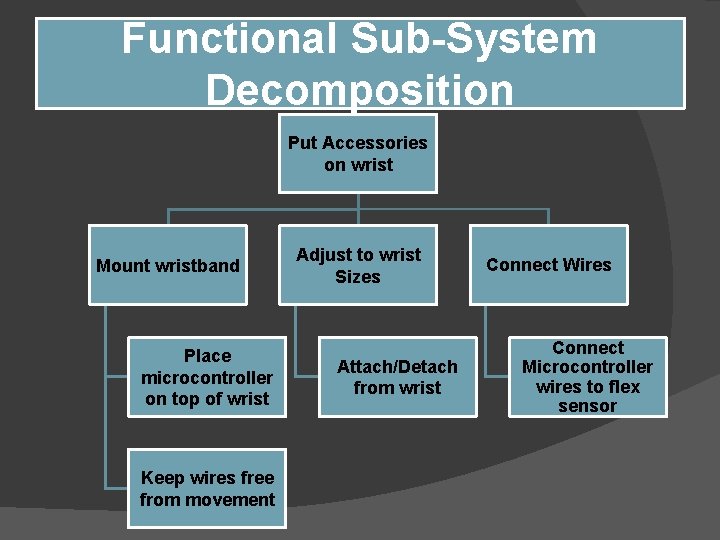
Functional Sub-System Decomposition Put Accessories on wrist Mount wristband Place microcontroller on top of wrist Keep wires free from movement Adjust to wrist Sizes Attach/Detach from wrist Connect Wires Connect Microcontroller wires to flex sensor
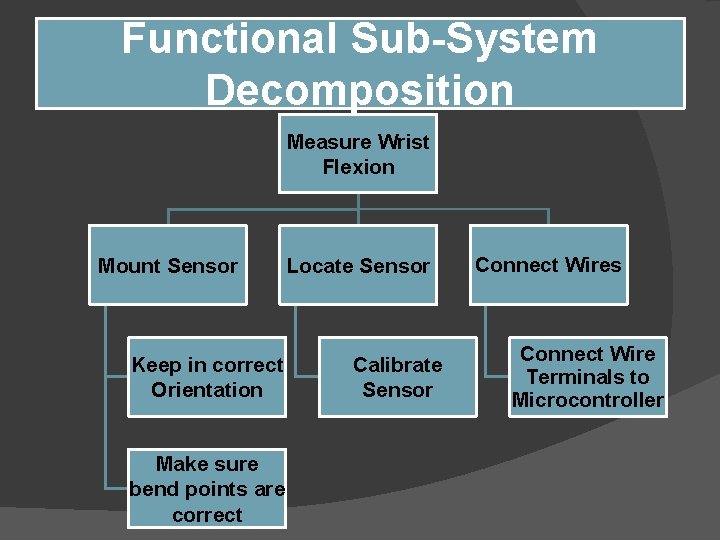
Functional Sub-System Decomposition Measure Wrist Flexion Mount Sensor Keep in correct Orientation Make sure bend points are correct Locate Sensor Calibrate Sensor Connect Wires Connect Wire Terminals to Microcontroller
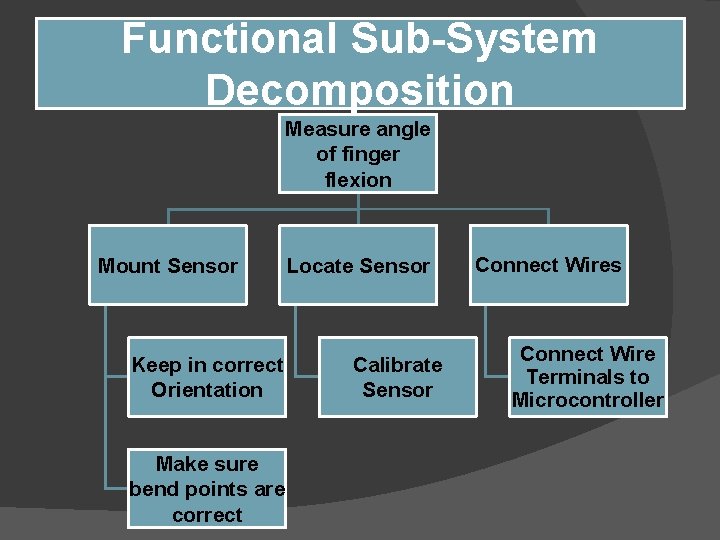
Functional Sub-System Decomposition Measure angle of finger flexion Mount Sensor Keep in correct Orientation Make sure bend points are correct Locate Sensor Calibrate Sensor Connect Wires Connect Wire Terminals to Microcontroller
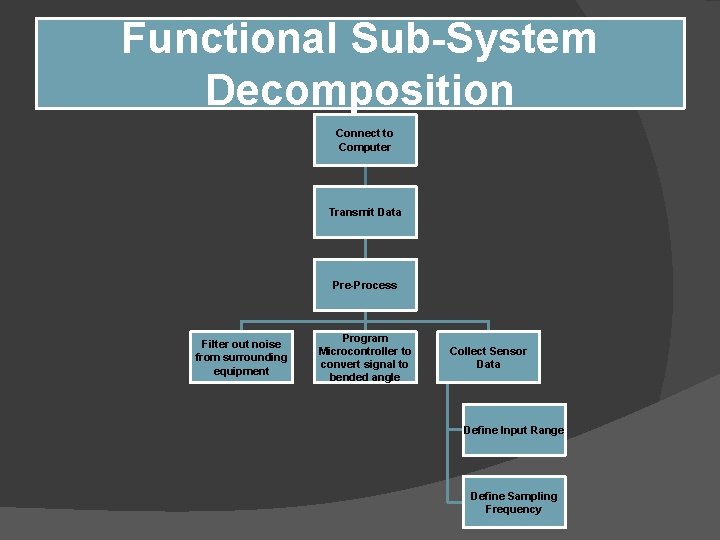
Functional Sub-System Decomposition Connect to Computer Transmit Data Pre-Process Filter out noise from surrounding equipment Program Microcontroller to convert signal to bended angle Collect Sensor Data Define Input Range Define Sampling Frequency
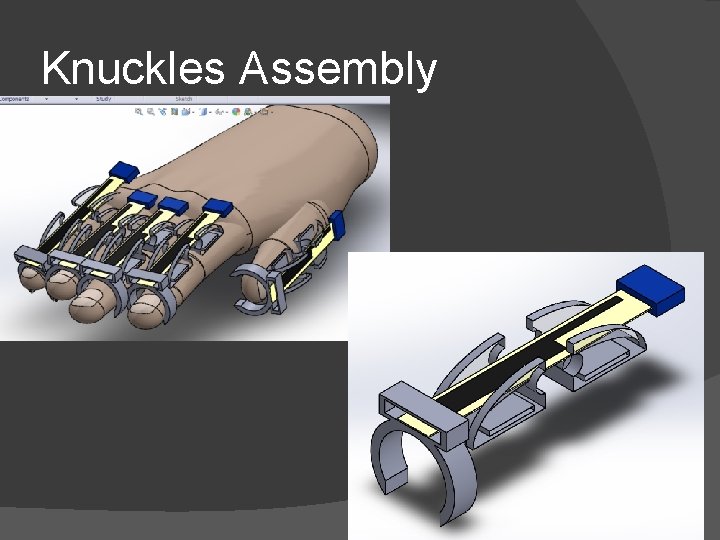
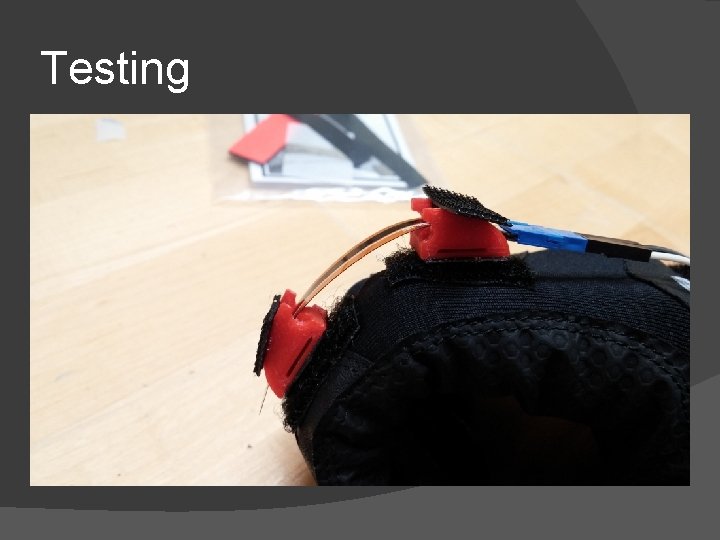
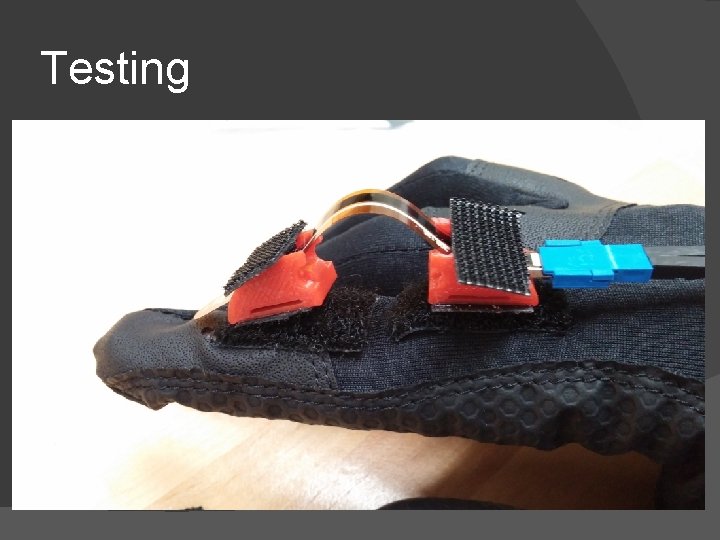
Mechanical Design � Glove � First had issues putting sensors onto gloves with the glove already pre-stitched. � Creating 3 D-printed parts that would connect to the fingers and glove through stitching and velcro � Using baseball glove, “knuckles”, and “ring” (shown on the next slide) the sensors will be placed on top of the fingers to give it a smoother bend radius � Using a baseball glove as the glove of choice instead of our own made
Mechanical Design � Glove Design � Open Finger design to allow for various hand lengths � “Ring” will slot in to keep the flex sensor at the same height above the fingers � “knuckles” create a more rounded curve and raises the sensor above the finger These will hold the sensors in the correct orientation and in place � A fabric will be placed over the sensors so that is detachable so wires will not be showing �
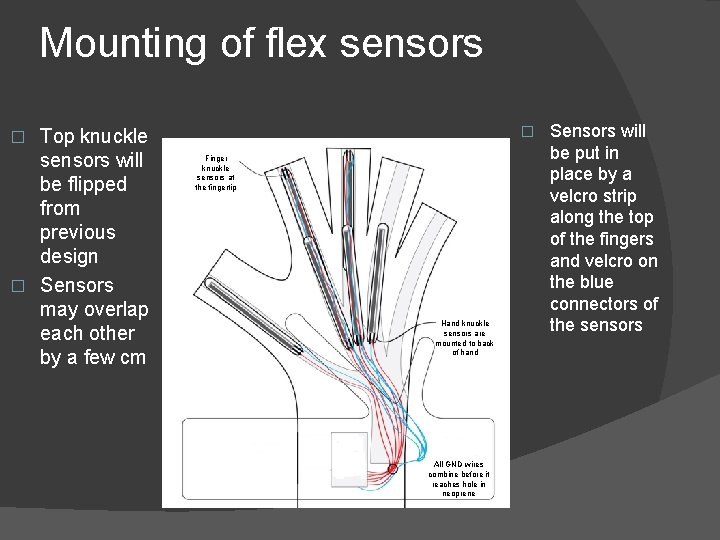
Mounting of flex sensors Top knuckle sensors will be flipped from previous design � Sensors may overlap each other by a few cm � � Finger knuckle sensors at the fingertip Hand knuckle sensors are mounted to back of hand All GND wires combine before it reaches hole in neoprene Sensors will be put in place by a velcro strip along the top of the fingers and velcro on the blue connectors of the sensors
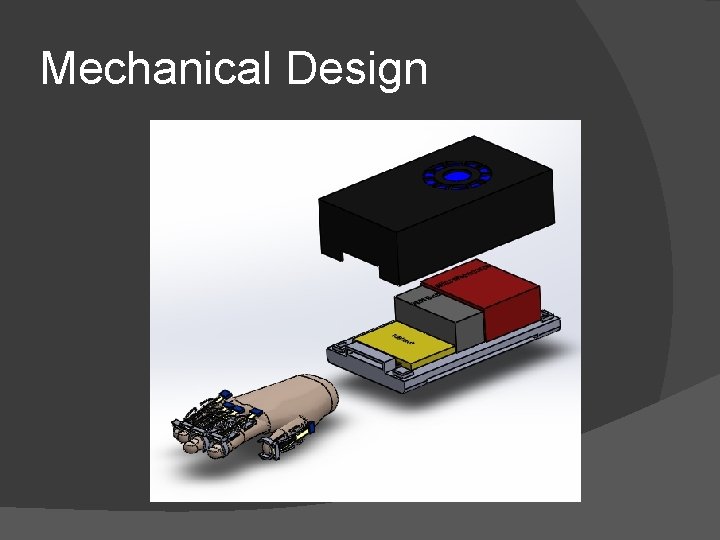
Mechanical Design
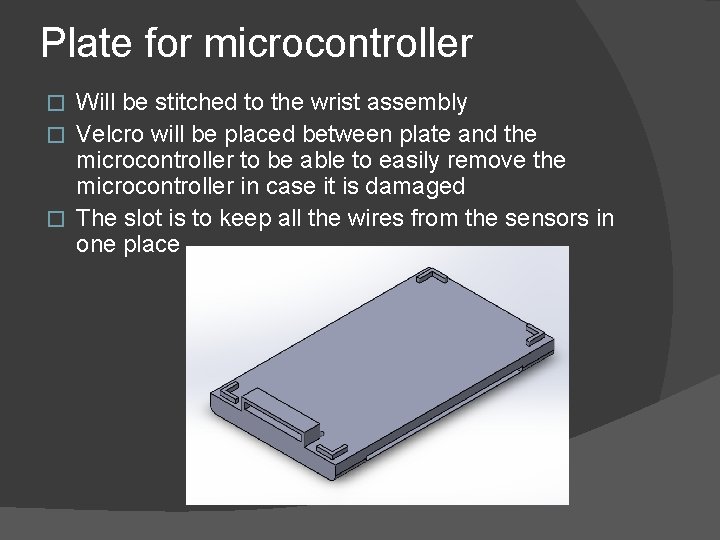
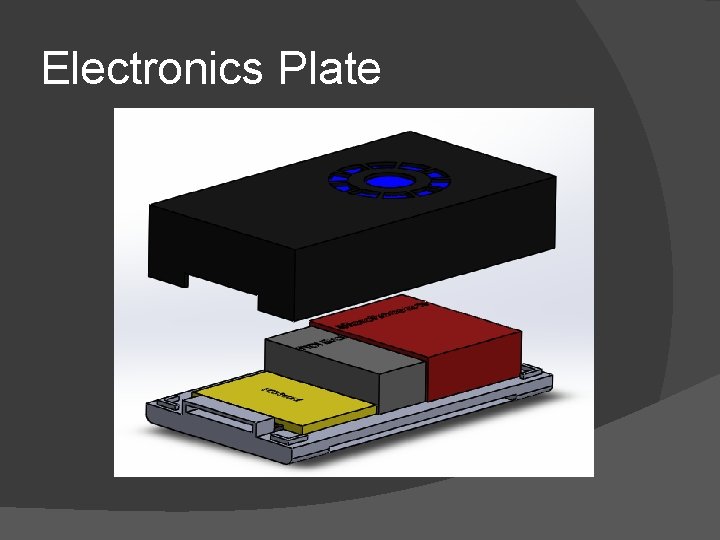
Plate for microcontroller Will be stitched to the wrist assembly � Velcro will be placed between plate and the microcontroller to be able to easily remove the microcontroller in case it is damaged � The slot is to keep all the wires from the sensors in one place �
Electronics Plate
Knuckles Assembly
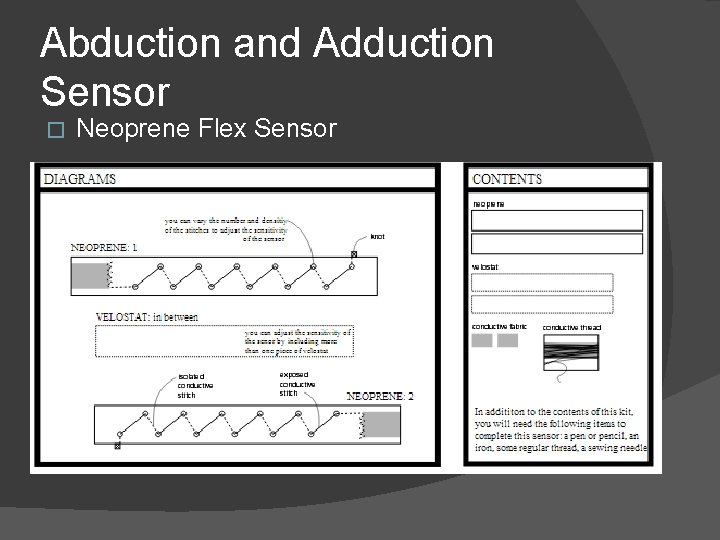
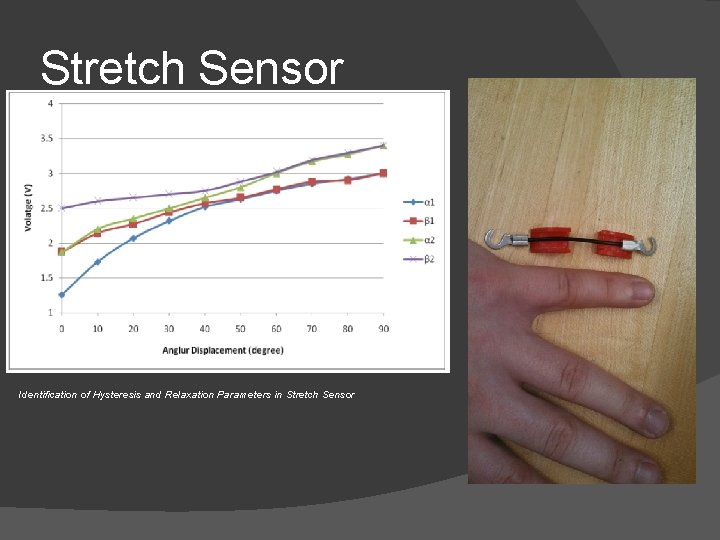
Abduction and Adduction Sensor � Neoprene Flex Sensor
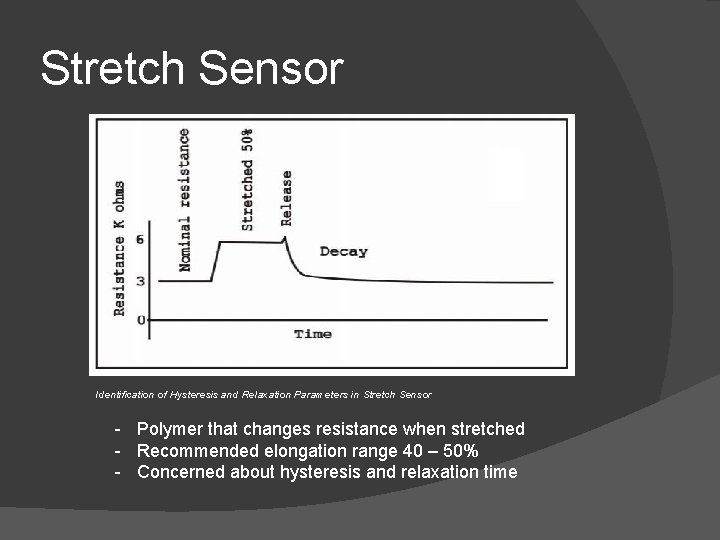
Stretch Sensor Identification of Hysteresis and Relaxation Parameters in Stretch Sensor - Polymer that changes resistance when stretched - Recommended elongation range 40 – 50% - Concerned about hysteresis and relaxation time
Stretch Sensor Identification of Hysteresis and Relaxation Parameters in Stretch Sensor
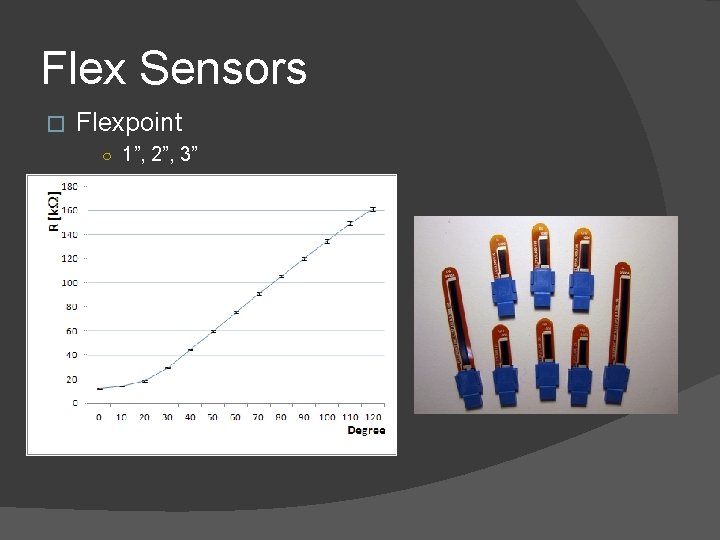
Flex Sensors � Flexpoint ○ 1”, 2”, 3”
Test Results
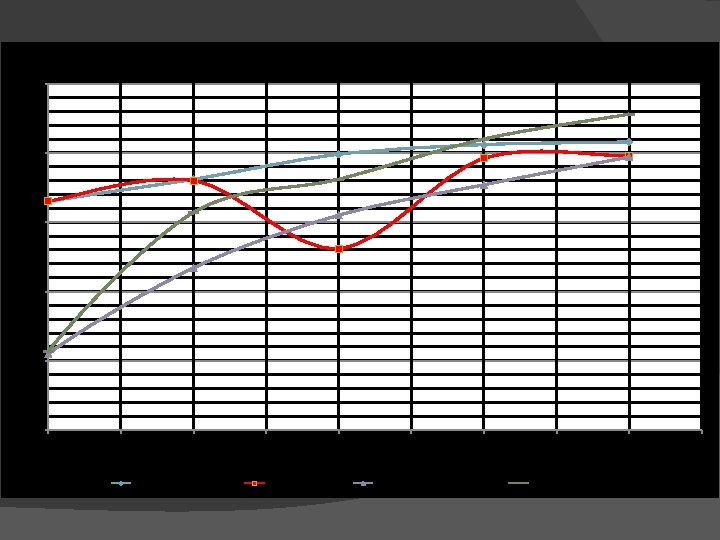
Flex Sensor Evaluation 4. 5 Voltage Output 4 3. 5 3 2. 5 2 0 10 20 Flex (fixed bend radius) 30 40 50 Bend Angle (deg. ) Flex with Padding 60 Flexpoint (fixed bend radius) 70 Flexpoint on hand 80 90
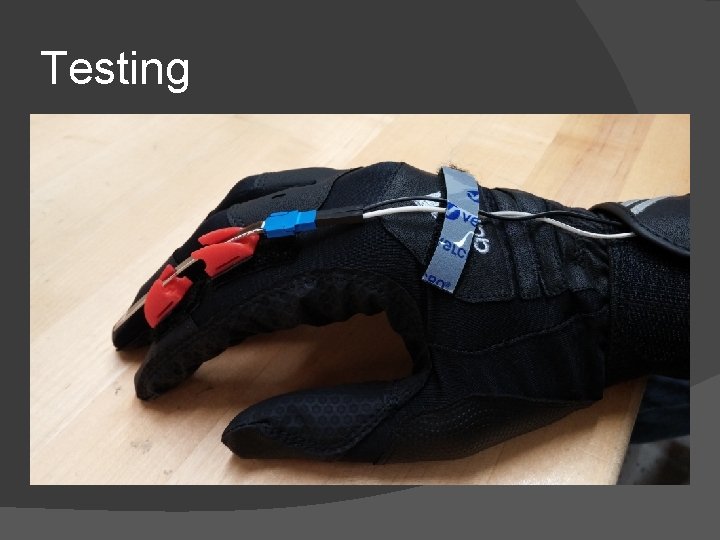
Testing
Testing
Testing
Circuit Design
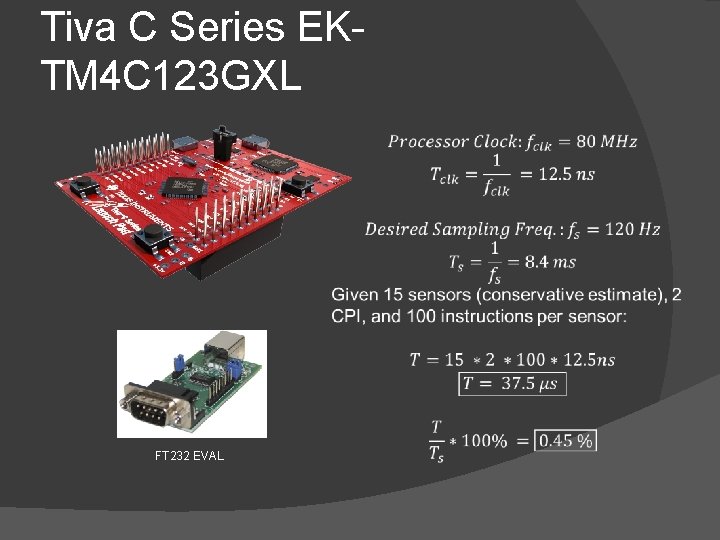
Tiva C Series EKTM 4 C 123 GXL • • Clock: 80 MHz 32 -bit ARM Processor 2 12 channel 12 -bit ADCs 24 Timers 8 UART 32 KB RAM 256 KB Flash Cost: $12. 99
Tiva C Series EKTM 4 C 123 GXL FT 232 EVAL
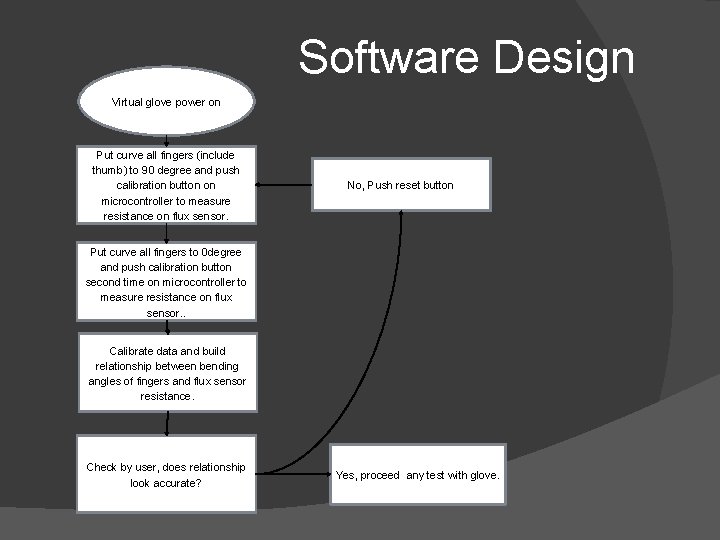
Software Design Virtual glove power on Put curve all fingers (include thumb) to 90 degree and push calibration button on microcontroller to measure resistance on flux sensor. No, Push reset button Put curve all fingers to 0 degree and push calibration button second time on microcontroller to measure resistance on flux sensor. . Calibrate data and build relationship between bending angles of fingers and flux sensor resistance. Check by user, does relationship look accurate? Yes, proceed any test with glove.
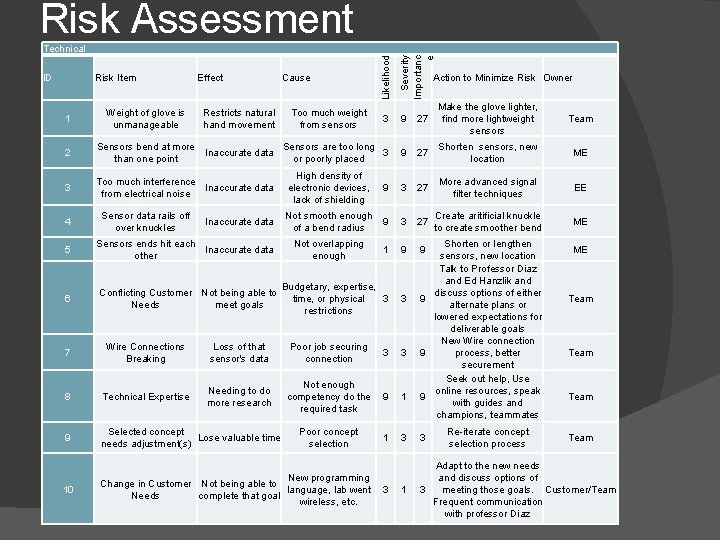
Risk Assessment Likelihood Severity Importanc e Technical 3 9 27 Make the glove lighter, find more lightweight sensors Team 2 Sensors bend at more Sensors are too long Inaccurate data 3 than one point or poorly placed 9 27 Shorten sensors, new location ME 3 Too much interference Inaccurate data from electrical noise 9 3 27 More advanced signal filter techniques EE Not smooth enough 9 of a bend radius 3 27 Create aritificial knuckle to create smoother bend ME 1 9 9 Budgetary, expertise, time, or physical 3 restrictions 3 ID Risk Item 1 4 Weight of glove is unmanageable Sensor data rails off over knuckles Effect Restricts natural hand movement Inaccurate data 5 Sensors ends hit each Inaccurate data other 6 Conflicting Customer Not being able to Needs meet goals Cause Too much weight from sensors High density of electronic devices, lack of shielding Not overlapping enough 7 Wire Connections Breaking Loss of that sensor's data Poor job securing connection 8 Technical Expertise Needing to do more research 9 Selected concept Lose valuable time needs adjustment(s) 10 New programming Change in Customer Not being able to language, lab went 3 Needs complete that goal wireless, etc. Action to Minimize Risk Owner 3 3 Not enough competency do the 9 required task 1 Poor concept selection 1 Shorten or lengthen sensors, new location Talk to Professor Diaz and Ed Hanzlik and discuss options of either 9 alternate plans or lowered expectations for deliverable goals New Wire connection 9 process, better securement Seek out help, Use online resources, speak 9 with guides and champions, teammates Re-iterate concept selection process ME Team 3 3 Team 1 Adapt to the new needs and discuss options of 3 meeting those goals. Customer/Team Frequent communication with professor Diaz
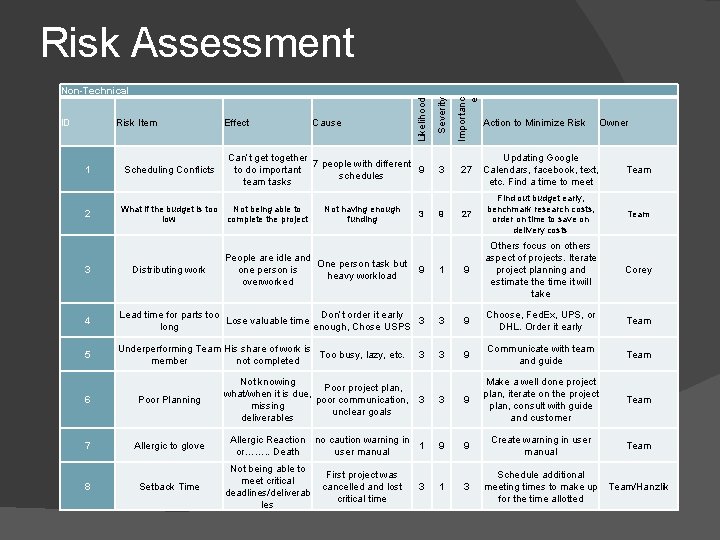
Risk Assessment 1 2 Scheduling Conflicts Effect Cause Can’t get together 7 people with different to do important 9 schedules team tasks What if the budget is too Not being able to low complete the project Not having enough funding 3 Importanc e Risk Item Severity ID Likelihood Non-Technical 3 27 Updating Google Calendars, facebook, text, etc. Find a time to meet Team 27 Find out budget early, benchmark research costs, order on time to save on delivery costs Team Corey 9 Action to Minimize Risk Owner People are idle and One person task but one person is 9 heavy workload overworked 1 9 Others focus on others aspect of projects. Iterate project planning and estimate the time it will take 4 Lead time for parts too Don’t order it early Lose valuable time 3 long enough, Chose USPS 3 9 Choose, Fed. Ex, UPS, or DHL. Order it early Team 5 Underperforming Team His share of work is Too busy, lazy, etc. member not completed 3 9 Communicate with team and guide Team 3 Distributing work 6 Poor Planning 7 Allergic to glove 8 Setback Time 3 Not knowing Poor project plan, what/when it is due, poor communication, 3 missing unclear goals deliverables 3 9 Make a well done project plan, iterate on the project plan, consult with guide and customer Allergic Reaction no caution warning in 1 or……. . Death user manual 9 9 Create warning in user manual 1 3 Not being able to meet critical deadlines/deliverab les First project was cancelled and lost critical time 3 Schedule additional meeting times to make up Team/Hanzlik for the time allotted
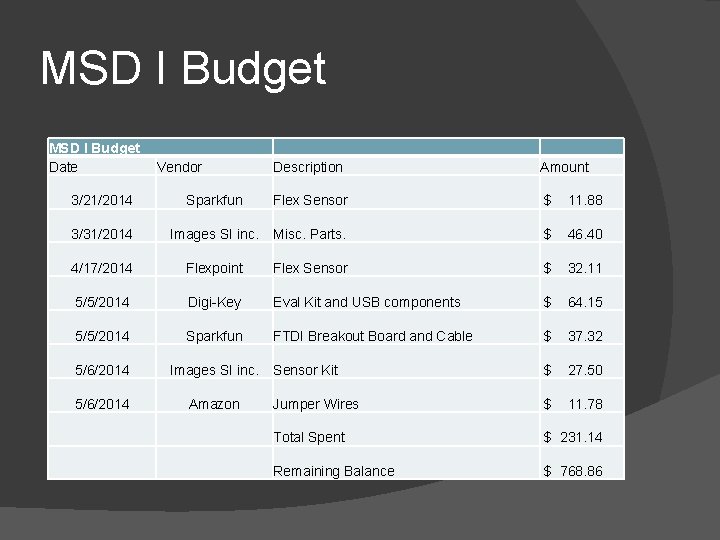
MSD I Budget Date 3/21/2014 3/31/2014 Vendor Description Amount Flex Sensor $ 11. 88 Images SI inc. Misc. Parts. $ 46. 40 Sparkfun 4/17/2014 Flexpoint Flex Sensor $ 32. 11 5/5/2014 Digi-Key Eval Kit and USB components $ 64. 15 5/5/2014 Sparkfun FTDI Breakout Board and Cable $ 37. 32 5/6/2014 Images SI inc. Sensor Kit Amazon $ 27. 50 Jumper Wires $ 11. 78 Total Spent $ 231. 14 Remaining Balance $ 768. 86
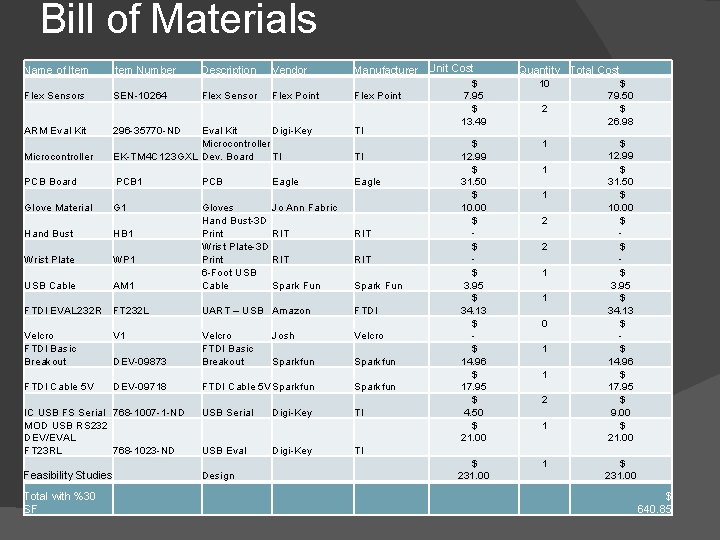
Bill of Materials IC USB FS Serial 768 -1007 -1 -ND MOD USB RS 232 DEV/EVAL FT 23 RL 768 -1023 -ND USB Serial Digi-Key USB Eval Digi-Key Feasibility Studies Design Manufacturer Unit Cost Quantity Total Cost $ 10 $ Flex Point 7. 95 79. 50 $ 2 $ 13. 49 26. 98 TI 1 $ 12. 99 TI $ 1 $ Eagle 31. 50 $ 1 $ 10. 00 $ 2 $ - - RIT $ 1 $ Spark Fun 3. 95 $ 1 $ FTDI 34. 13 $ 0 $ Velcro - - $ 1 $ Sparkfun 14. 96 $ 1 $ Sparkfun 17. 95 $ 2 $ TI 4. 50 9. 00 $ 1 $ 21. 00 TI $ 1 $ 231. 00 $ 640. 85 Name of Item Number Description Vendor Flex Sensors SEN-10264 Flex Sensor Flex Point ARM Eval Kit 296 -35770 -ND Microcontroller Eval Kit Digi-Key Microcontroller EK-TM 4 C 123 GXL Dev. Board TI PCB Board PCB 1 PCB Glove Material G 1 Hand Bust HB 1 Wrist Plate WP 1 USB Cable AM 1 Gloves Jo Ann Fabric Hand Bust-3 D Print RIT Wrist Plate-3 D Print RIT 6 -Foot USB Cable Spark Fun FTDI EVAL 232 R FT 232 L UART – USB Amazon Velcro FTDI Basic Breakout V 1 DEV-09873 Velcro FTDI Basic Breakout FTDI Cable 5 V DEV-09718 FTDI Cable 5 V Sparkfun Total with %30 SF Eagle Josh Sparkfun
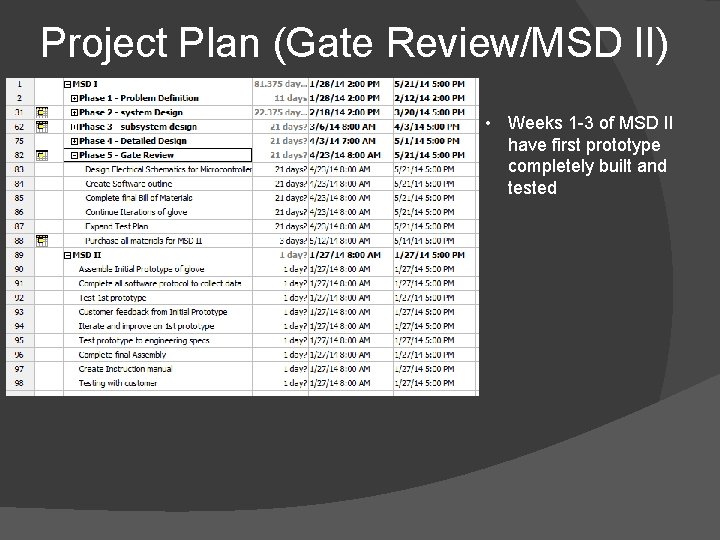
Project Plan (Gate Review/MSD II) • Weeks 1 -3 of MSD II have first prototype completely built and tested
Questions?