
Best of Breed Unified Communications Virtual Platform Solutions
Best of Breed Unified Communications Virtual Platform Solutions for GCAAU Steve Boston Convergence Engineer
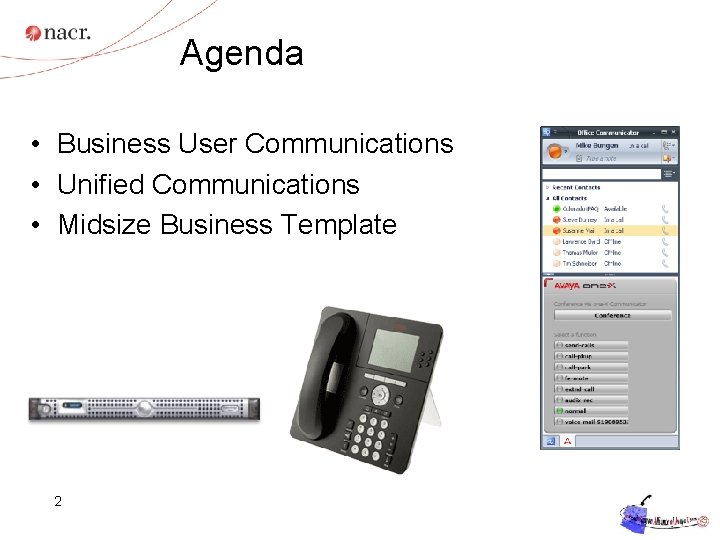
Agenda • Business User Communications • Unified Communications • Midsize Business Template 2
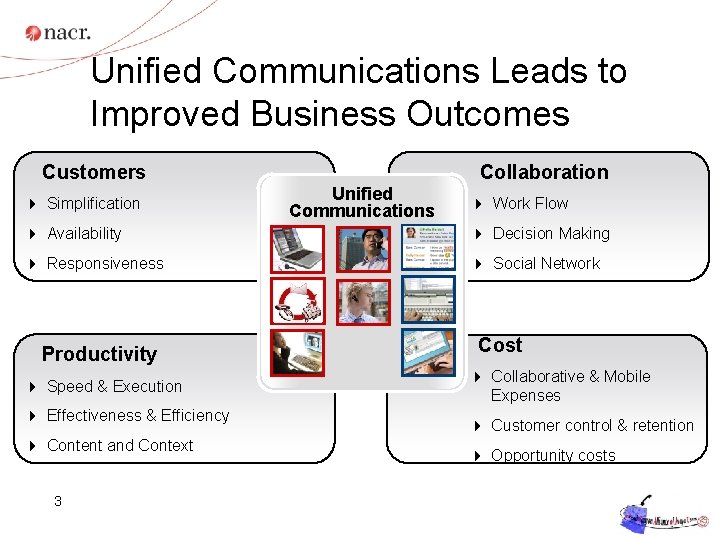
Unified Communications Leads to Improved Business Outcomes Collaboration Customers 4 Simplification Unified Communications 4 Work Flow 4 Availability 4 Decision Making 4 Responsiveness 4 Social Network Productivity 4 Speed & Execution 4 Effectiveness & Efficiency 4 Content and Context 3 Cost 4 Collaborative & Mobile Expenses 4 Customer control & retention 4 Opportunity costs
What are your current challenges? • Reduce the IT Budget • Remain competitive • Prepare for the future • Mergers and acquisitions, downsizing

Business and Operations Continuity Business continuity planning is driving Unified Communications as a “contingency” solution • Business Continuity Planning – – Should be integral part of Continuity Planning Uninterrupted operations in crisis or planned event FIRE Capabilities are in place before you need them Employees have full access to their office communications and information at alternate location F L O O D Severe – Includes all employees • essential personnel , • remote Small Office Home Office (SOHO) teleworkers • On the go mobility workers Weather Earthquake Tornado
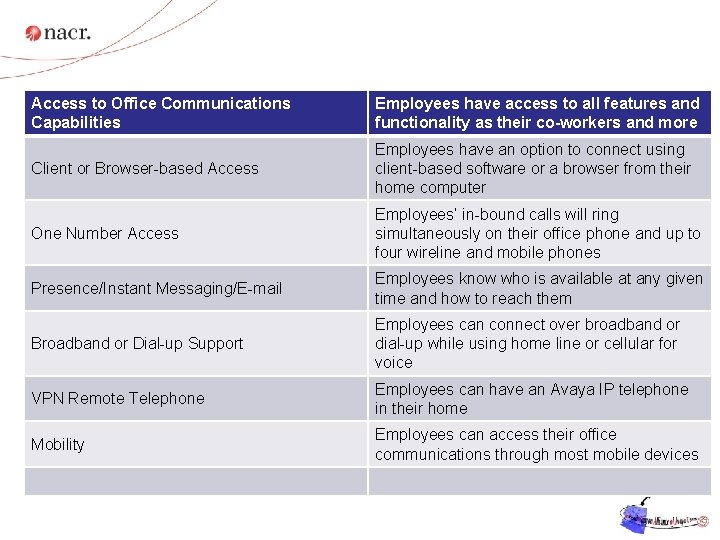
Access to Office Communications Capabilities Employees have access to all features and functionality as their co-workers and more Employees have an option to connect using Unified Communications client-based software or a browser from their Client or Browser-based Access home computer Enables the Effective “Anywhere” Worker One Number Access Employees’ in-bound calls will ring simultaneously on their office phone and up to four wireline and mobile phones Presence/Instant Messaging/E-mail Employees know who is available at any given time and how to reach them Broadband or Dial-up Support Employees can connect over broadband or dial-up while using home line or cellular for voice VPN Remote Telephone Employees can have an Avaya IP telephone in their home Mobility Employees can access their office communications through most mobile devices
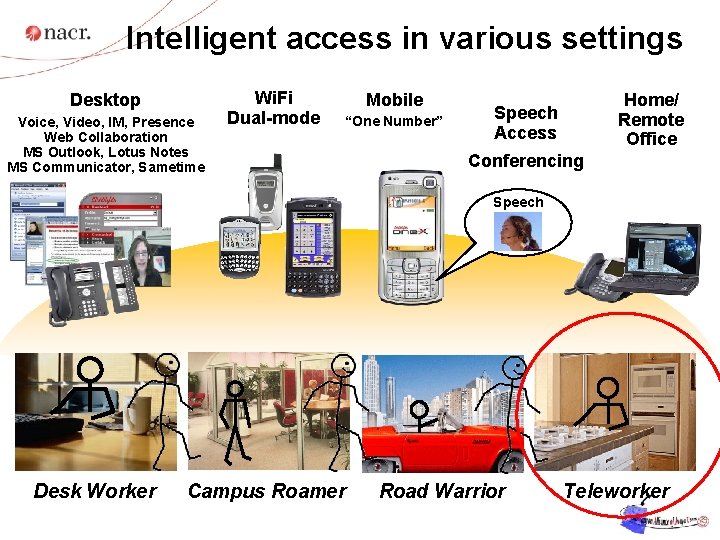
Intelligent access in various settings Desktop Voice, Video, IM, Presence Web Collaboration MS Outlook, Lotus Notes MS Communicator, Sametime Wi. Fi Dual-mode Mobile “One Number” Home/ Remote Office Speech Access Conferencing Speech Desk Worker Campus Roamer Road Warrior Teleworker
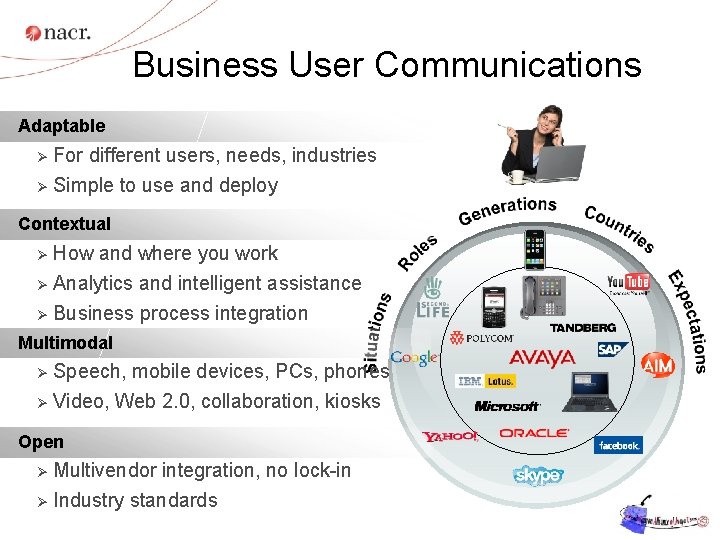
Business User Communications Adaptable Ø For different users, needs, industries Ø Simple to use and deploy Contextual How and where you work Ø Analytics and intelligent assistance Ø Business process integration Ø Multimodal Speech, mobile devices, PCs, phones Ø Video, Web 2. 0, collaboration, kiosks Ø Open Multivendor integration, no lock-in Ø Industry standards Ø
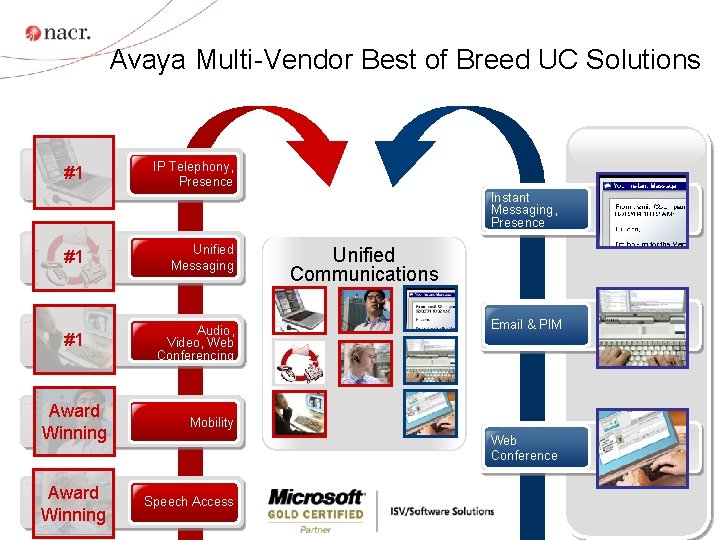
Avaya Multi-Vendor Best of Breed UC Solutions #1 IP Telephony, Presence Instant Messaging, Presence #1 Unified Messaging #1 Audio, Video, Web Conferencing Award Winning Mobility Award 9 Winning Speech Access Unified Communications Email & PIM Web Conference
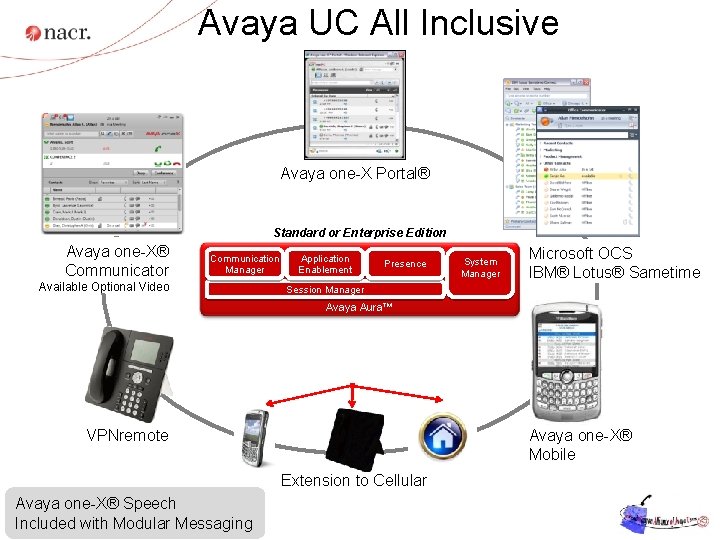
Avaya UC All Inclusive Avaya one-X Portal® Standard or Enterprise Edition Avaya one-X® Communicator Communication Manager Available Optional Video Application Enablement Presence System Manager Microsoft OCS IBM® Lotus® Sametime Session Manager Avaya Aura™ VPNremote Avaya one-X® Mobile Extension to Cellular Avaya 10 one-X® Speech Included with Modular Messaging
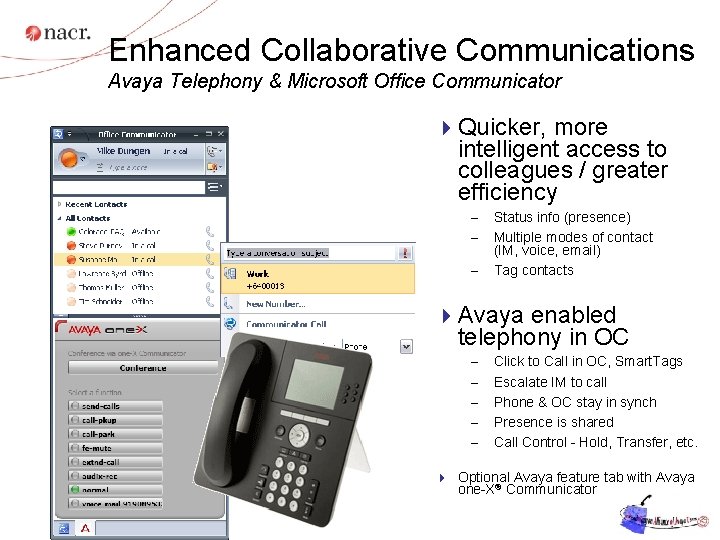
Enhanced Collaborative Communications Avaya Telephony & Microsoft Office Communicator 4 Quicker, more intelligent access to colleagues / greater efficiency – – – Status info (presence) Multiple modes of contact (IM, voice, email) Tag contacts 4 Avaya enabled telephony in OC – – – Click to Call in OC, Smart. Tags Escalate IM to call Phone & OC stay in synch Presence is shared Call Control - Hold, Transfer, etc. 4 Optional Avaya feature tab with Avaya 11 one-X® Communicator
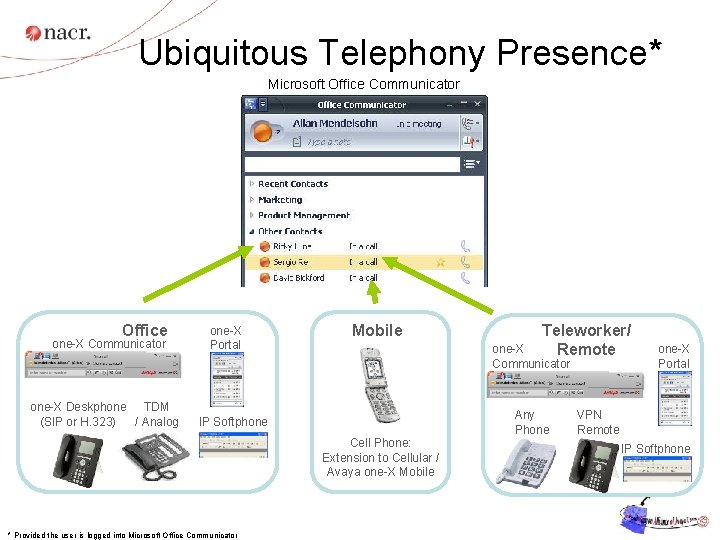
Ubiquitous Telephony Presence* Microsoft Office Communicator Office one-X Communicator one-X Deskphone TDM (SIP or H. 323) / Analog one-X Portal Mobile one-X Communicator Any Phone IP Softphone Cell Phone: Extension to Cellular / Avaya one-X Mobile * Provided the user is logged into Microsoft Office Communicator Teleworker/ Remote one-X Portal VPN Remote IP Softphone
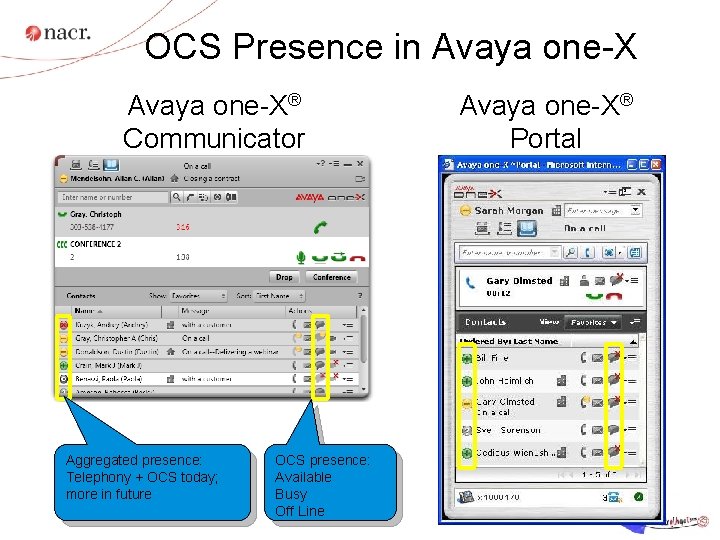
OCS Presence in Avaya one-X® Communicator Aggregated presence: Telephony + OCS today; more in future OCS presence: Available Busy Off Line Avaya one-X® Portal
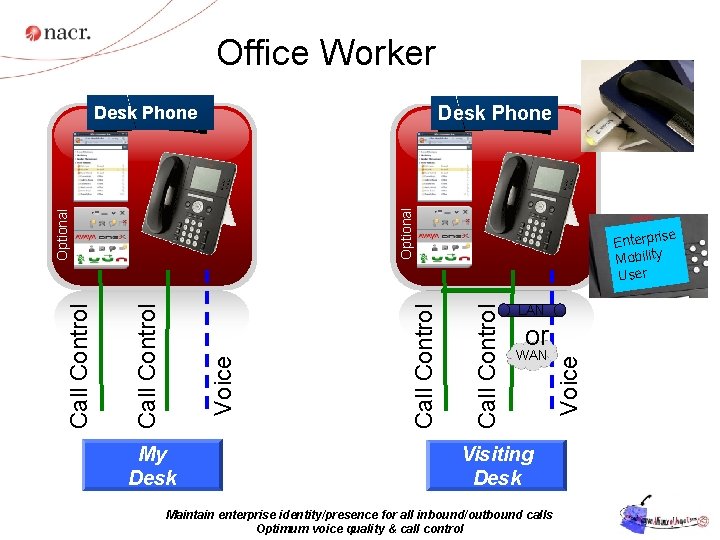
Office Worker Desk Phone My Desk e Enterpris Mobility User LAN or WAN Visiting Desk Maintain enterprise identity/presence for all inbound/outbound calls Optimum voice quality & call control Voice Call Control Optional Desk Phone
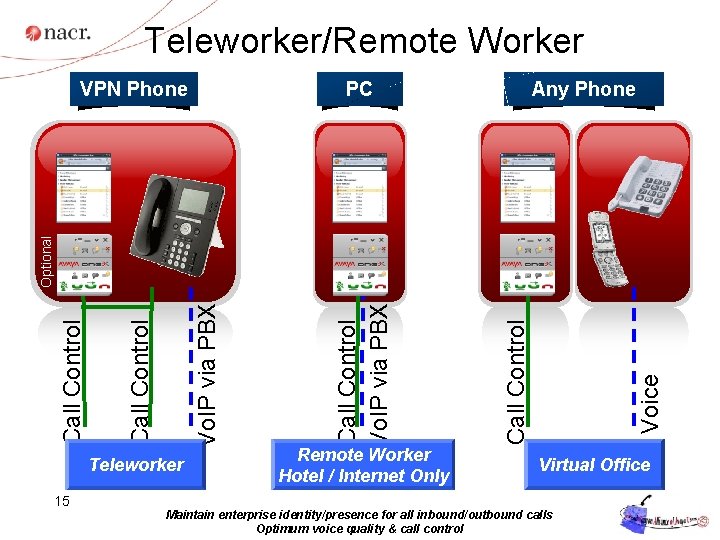
Teleworker/Remote Worker PC Any Phone Teleworker 15 Remote Worker Hotel / Internet Only Voice Call Control Vo. IP via PBX Call Control Optional VPN Phone Virtual Office Maintain enterprise identity/presence for all inbound/outbound calls Optimum voice quality & call control
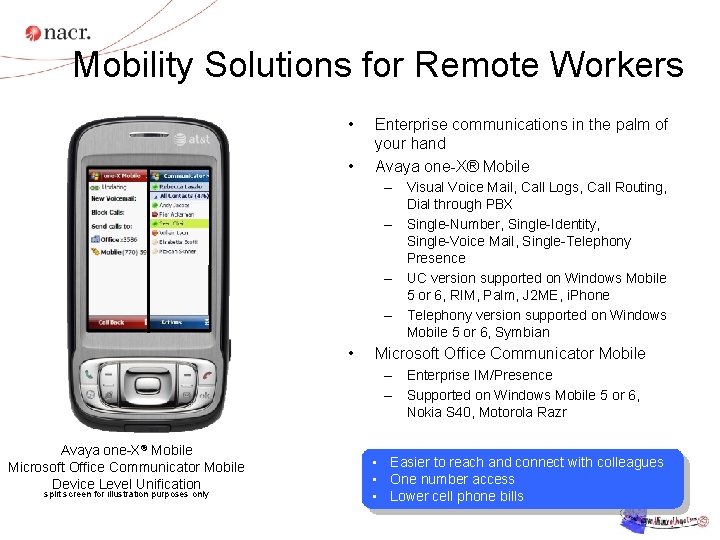
Mobility Solutions for Remote Workers • • Enterprise communications in the palm of your hand Avaya one-X® Mobile – Visual Voice Mail, Call Logs, Call Routing, Dial through PBX – Single-Number, Single-Identity, Single-Voice Mail, Single-Telephony Presence – UC version supported on Windows Mobile 5 or 6, RIM, Palm, J 2 ME, i. Phone – Telephony version supported on Windows Mobile 5 or 6, Symbian • Microsoft Office Communicator Mobile – Enterprise IM/Presence – Supported on Windows Mobile 5 or 6, Nokia S 40, Motorola Razr Avaya one-X® Mobile Microsoft Office Communicator Mobile Device Level Unification split screen for illustration purposes only • Easier to reach and connect with colleagues • One number access • Lower cell phone bills
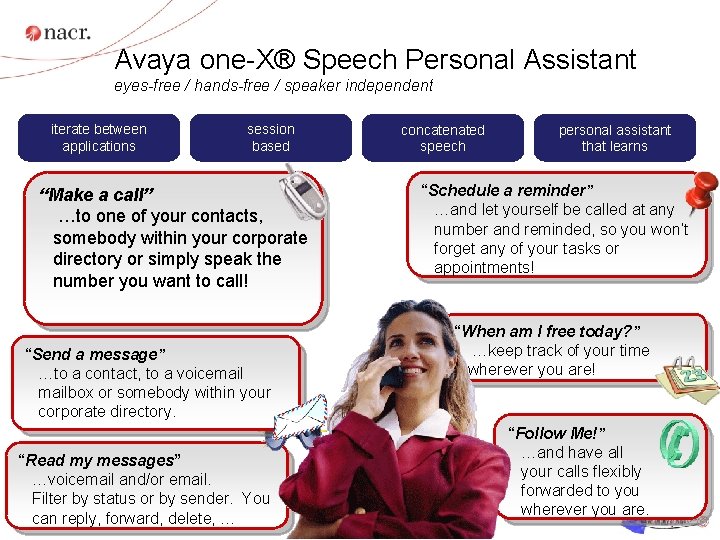
Avaya one-X® Speech Personal Assistant eyes-free / hands-free / speaker independent iterate between applications session based “Make a call” …to one of your contacts, somebody within your corporate directory or simply speak the number you want to call! “Send a message” …to a contact, to a voicemailbox or somebody within your corporate directory. “Read my messages” …voicemail and/or email. 17 Filter by status or by sender. You can reply, forward, delete, … concatenated speech personal assistant that learns “Schedule a reminder” …and let yourself be called at any number and reminded, so you won’t forget any of your tasks or appointments! “When am I free today? ” …keep track of your time wherever you are! “Follow Me!” …and have all your calls flexibly forwarded to you wherever you are.
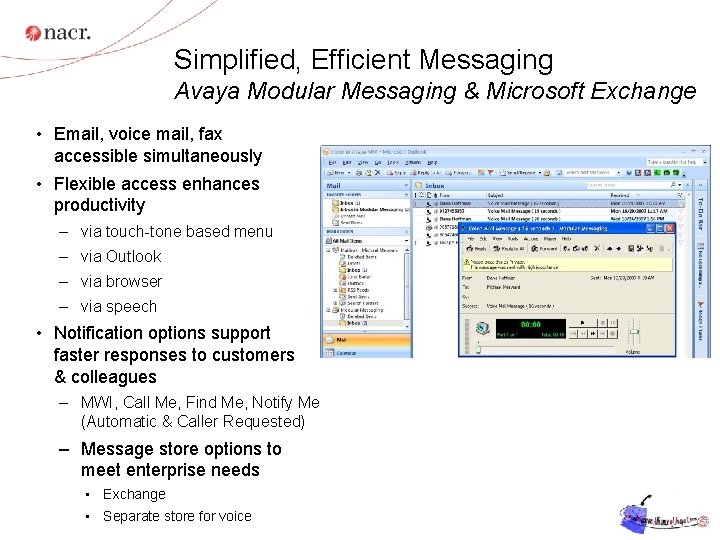
Simplified, Efficient Messaging Avaya Modular Messaging & Microsoft Exchange • Email, voice mail, fax accessible simultaneously • Flexible access enhances productivity – via touch-tone based menu – via Outlook – via browser – via speech • Notification options support faster responses to customers & colleagues – MWI, Call Me, Find Me, Notify Me (Automatic & Caller Requested) – Message store options to meet enterprise needs • Exchange • Separate store for voice
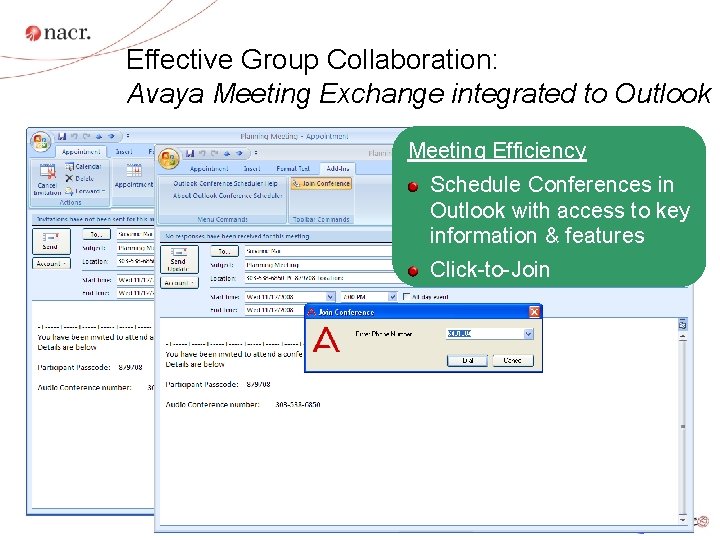
Effective Group Collaboration: Avaya Meeting Exchange integrated to Outlook Meeting Efficiency Schedule Conferences in Outlook with access to key information & features Click-to-Join
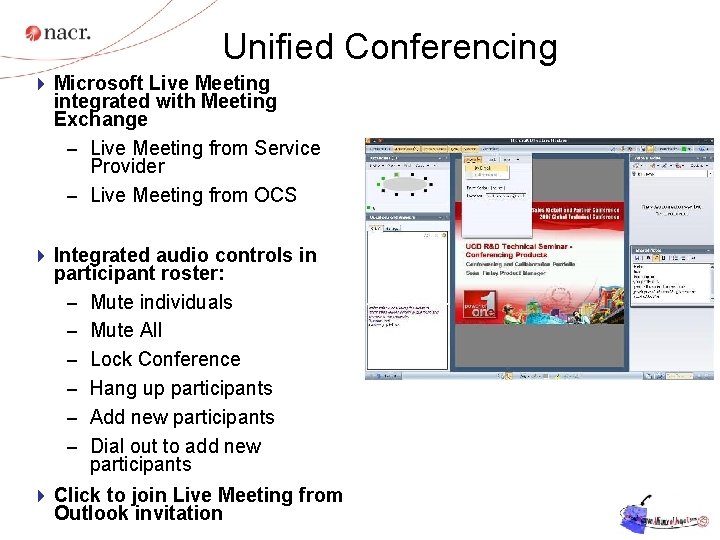
Unified Conferencing 4 Microsoft Live Meeting integrated with Meeting Exchange – Live Meeting from Service Provider – Live Meeting from OCS 4 Integrated audio controls in participant roster: – Mute individuals – Mute All – Lock Conference – Hang up participants – Add new participants – Dial out to add new participants 4 Click to join Live Meeting from Outlook invitation
Making Communications Simpler and More Cost Effective for Enterprises of All Sizes Avaya Aura™ for Midsize Enterprises with System Platform technology 21 © 2009 Avaya Inc. All rights reserved. 21
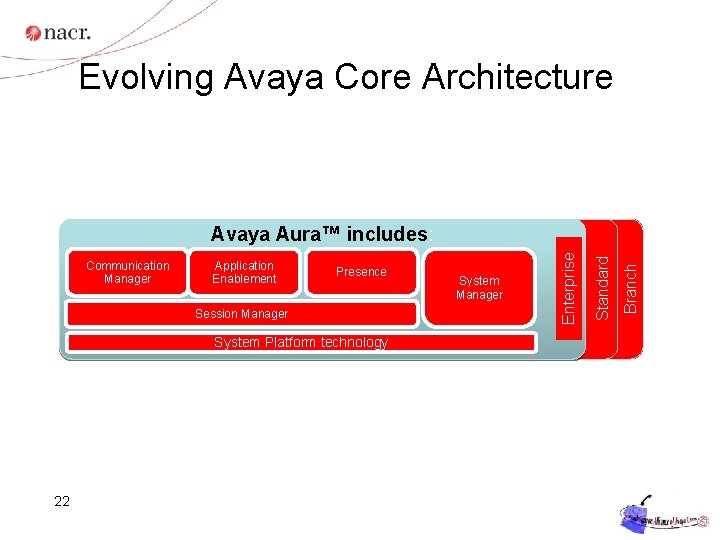
Evolving Avaya Core Architecture Presence Session Manager System Platform technology 22 System Manager Branch Application Enablement Standard Communication Manager Enterprise Avaya Aura™ includes:
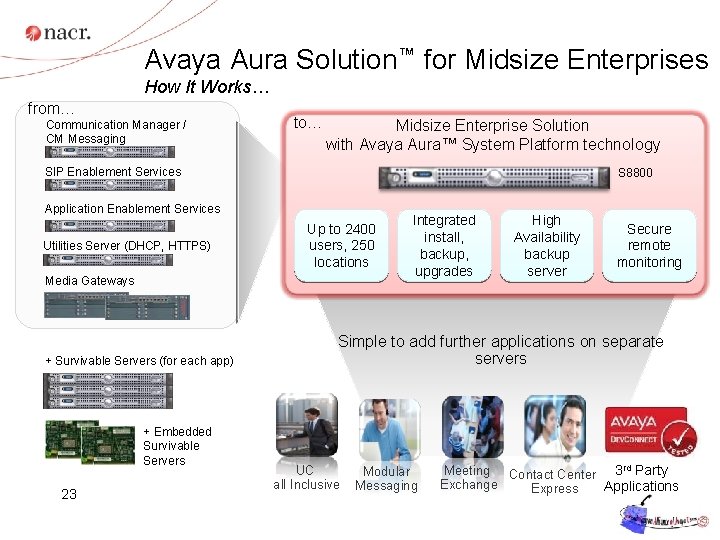
Avaya Aura Solution™ for Midsize Enterprises How It Works… from… Communication Manager / CM Messaging to… Midsize Enterprise Solution with Avaya Aura™ System Platform technology SIP Enablement Services S 8800 Application Enablement Services Utilities Server (DHCP, HTTPS) Up to 2400 users, 250 locations Media Gateways + Survivable Servers (for each app) + Embedded Survivable Servers 23 Integrated install, backup, upgrades High Availability backup server Secure remote monitoring Simple to add further applications on separate servers UC all Inclusive Modular Messaging Meeting Contact Center 3 rd Party Exchange Applications Express
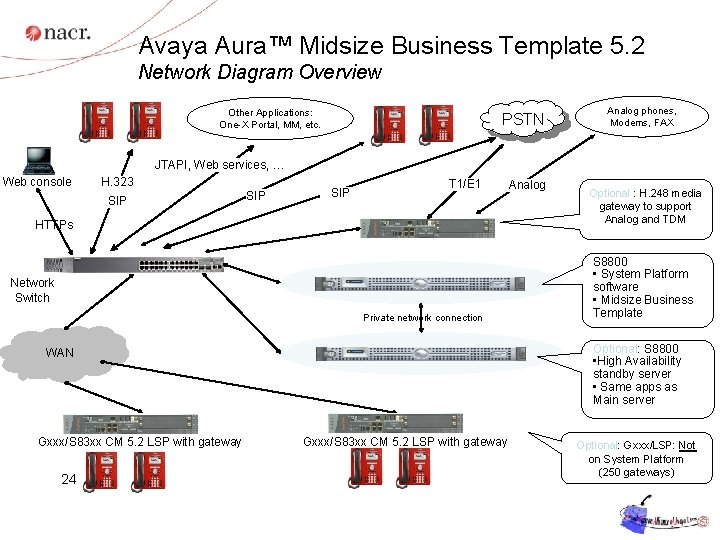
Avaya Aura™ Midsize Business Template 5. 2 Network Diagram Overview Other Applications: One-X Portal, MM, etc. PSTN Analog phones, Modems, FAX JTAPI, Web services, … Web console H. 323 SIP SIP T 1/E 1 HTTPs Network Switch Private network connection 24 Optional : H. 248 media gateway to support Analog and TDM S 8800 • System Platform software • Midsize Business Template Optional: S 8800 • High Availability standby server • Same apps as Main server WAN Gxxx/S 83 xx CM 5. 2 LSP with gateway Analog Gxxx/S 83 xx CM 5. 2 LSP with gateway Optional: Gxxx/LSP: Not on System Platform (250 gateways)
Thank You!
- Slides: 25