Milstats 101 Introduction to Milstats Innovative Users Group
- Slides: 51
Milstats 101: Introduction to Milstats Innovative Users Group 2008 Annual Conference Washington, D. C. Corey Seeman Kresge Business Administration Library University of Michigan http: //mblog. lib. umich. edu/~cseeman Milstats 101 - IUG 2008
Program Overview • • Statistical Universe of Millennium Using Milstats Milstat General Hints Some Basic Searches Milstats 101 - IUG 2008
Statistical Universe of Millennium • Milstats is one statistical package from Millennium • Statistics are the bread and butter of INNOPAC/Millennium Systems. • Milstats are available in all Millennium logins. Access is controlled by Login Manager & Authorizations. • Milstat’s primary job is to count • Milstat’s primary ability is to count what is there! Milstats 101 - IUG 2008
Statistical Universe of Millennium Major Types of Library Statistics • Transaction Based – Circulation Statistics • Extensive Circulation Reports - Kept for 37 months • Items can be deleted, but stats still count – WEBPAC Searching Statistics • Searches kept for 10 days*** – WAM/SUSHI Statistics • Transactions tracking downloads (WAM) Milstats 101 - IUG 2008
Statistical Universe of Millennium • Financially Based – Financial Reports in Mil. Acq • Acquisition Financial Reports • Records are very important, but you can also adjust fund balances (cannot replicate between financial reports and Milstats) • Compilation Based – Vendor Stats • Tracking Vendor performance based on current order records Milstats 101 - IUG 2008
Statistical Universe of Millennium • Compilation Based – Milstats (*YOU ARE HERE*) • Can be rerun to reflect changes & new codes. • No record…no stat! • Current Records ONLY Milstats 101 - IUG 2008
Using Milstats • Milstats Rule of Three: – Name it! (what you will call the result set) – Grab it! (what records will be used) – Filter it! (how it will be treated) • When it is finished running - View it! Milstats 101 - IUG 2008
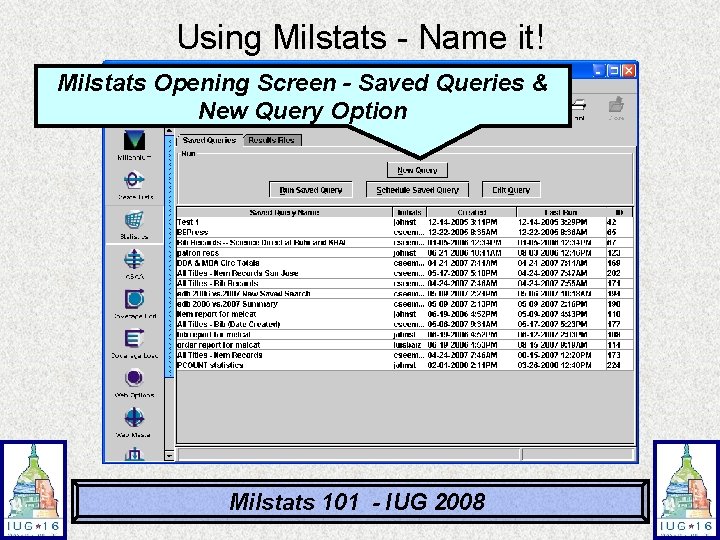
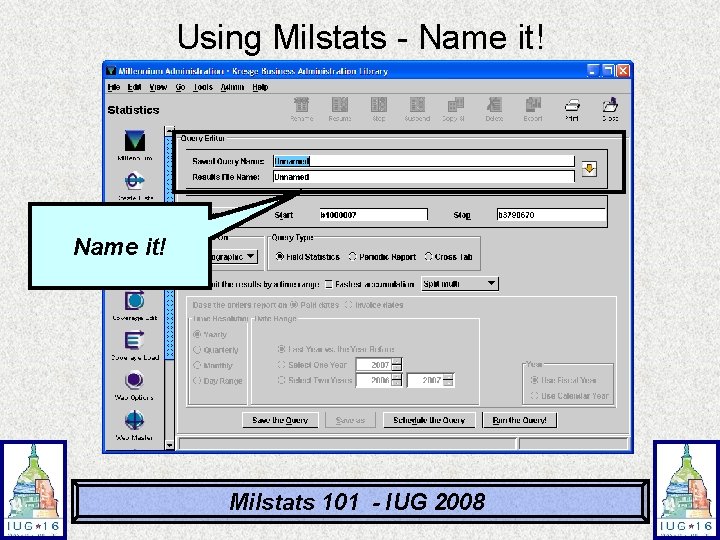
Using Milstats - Name it! Milstats Opening Screen - Saved Queries & New Query Option Milstats 101 - IUG 2008
Using Milstats - Name it! Milstats 101 - IUG 2008
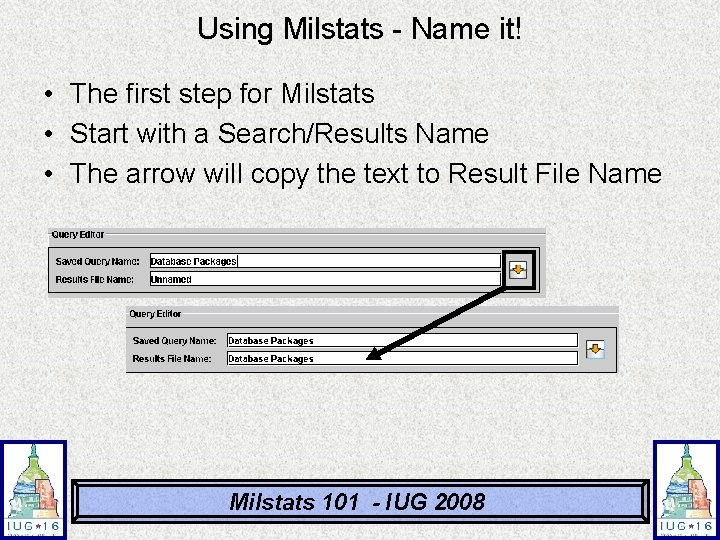
Using Milstats - Name it! • The first step for Milstats • Start with a Search/Results Name • The arrow will copy the text to Result File Name Milstats 101 - IUG 2008
Using Milstats - Name it! Naming Hints and Tricks • You can have many named “Unnamed” • You can change the names at any time • You do not need to save the query when you run a file (you can extract it later) • You might have many named with the same title - rely on the dates to help determine which file is most current • When you run a report, you can add the date to the Results File Name Milstats 101 - IUG 2008
Using Milstats - Grab it! Milstats 101 - IUG 2008
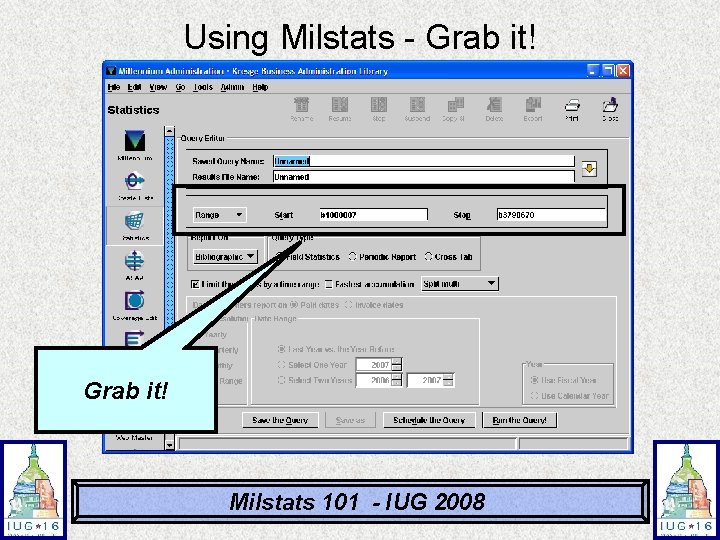
Using Milstats - Grab it! • Four different ways to grab records – Range of Records – Review File (Create Lists) – Index Search – Advanced Keyword Search Milstats 101 - IUG 2008
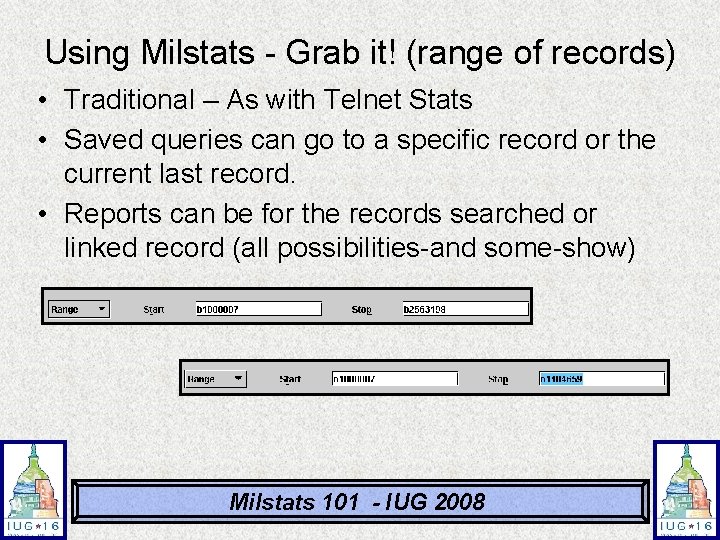
Using Milstats - Grab it! (range of records) • Traditional – As with Telnet Stats • Saved queries can go to a specific record or the current last record. • Reports can be for the records searched or linked record (all possibilities-and some-show) Milstats 101 - IUG 2008
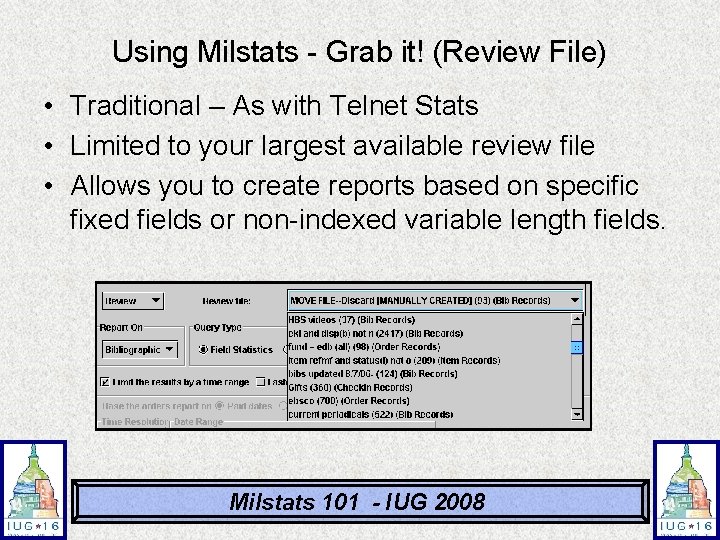
Using Milstats - Grab it! (Review File) • Traditional – As with Telnet Stats • Limited to your largest available review file • Allows you to create reports based on specific fixed fields or non-indexed variable length fields. Milstats 101 - IUG 2008
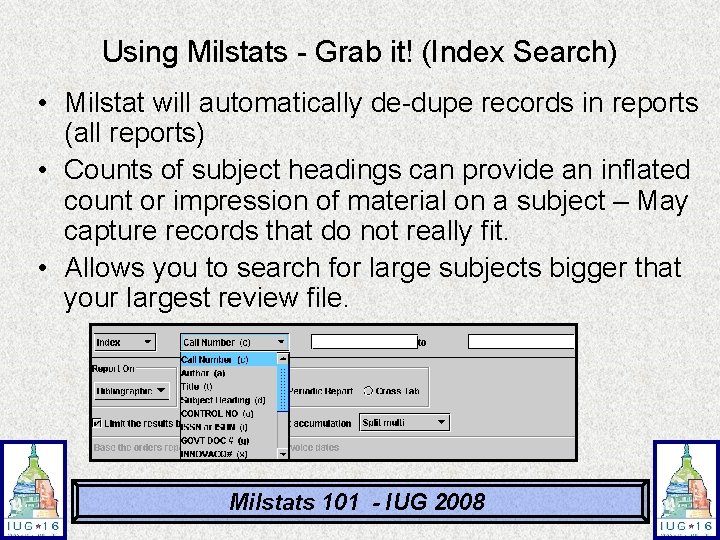
Using Milstats - Grab it! (Index Search) • Milstat will automatically de-dupe records in reports (all reports) • Counts of subject headings can provide an inflated count or impression of material on a subject – May capture records that do not really fit. • Allows you to search for large subjects bigger that your largest review file. Milstats 101 - IUG 2008
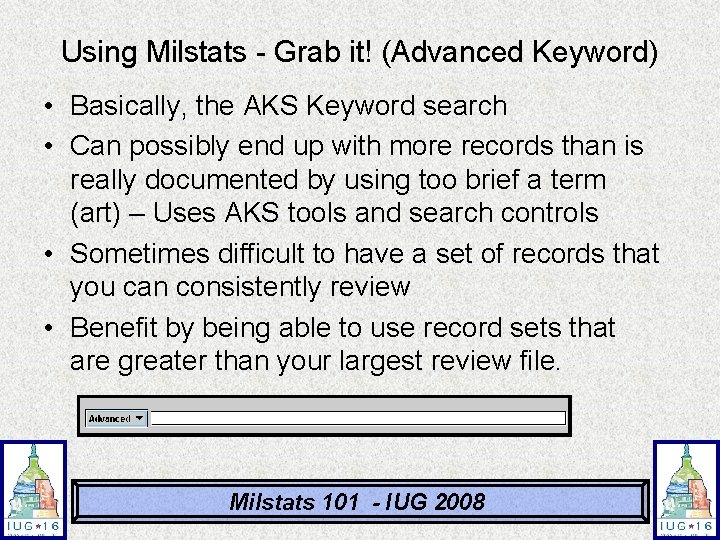
Using Milstats - Grab it! (Advanced Keyword) • Basically, the AKS Keyword search • Can possibly end up with more records than is really documented by using too brief a term (art) – Uses AKS tools and search controls • Sometimes difficult to have a set of records that you can consistently review • Benefit by being able to use record sets that are greater than your largest review file. Milstats 101 - IUG 2008
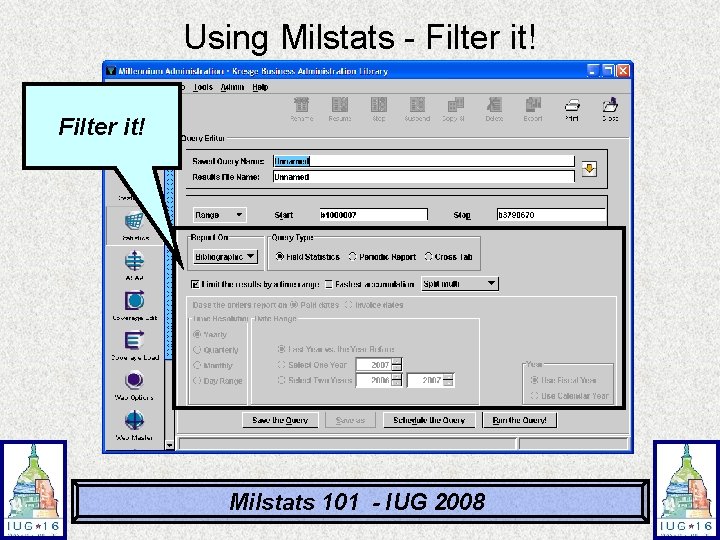
Using Milstats - Filter it! Milstats 101 - IUG 2008
Using Milstats - Filter it! • This is where you determine what type of report to run – Field Statistics – Periodic Report – Cross Tab Milstats 101 - IUG 2008
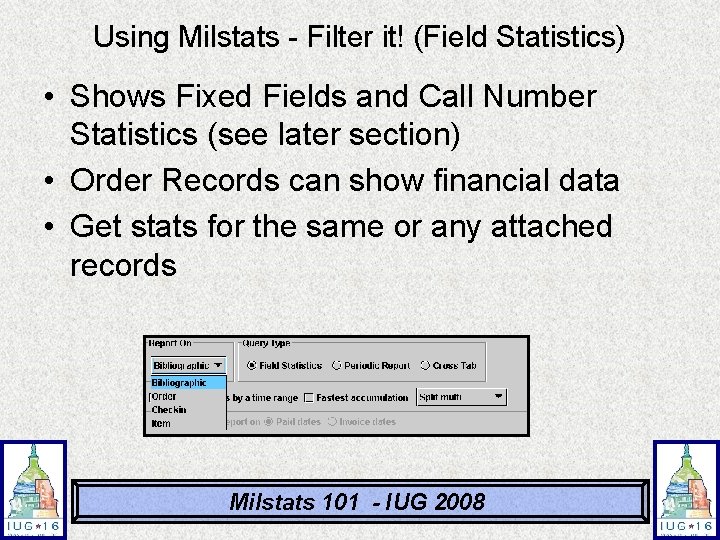
Using Milstats - Filter it! (Field Statistics) • Shows Fixed Fields and Call Number Statistics (see later section) • Order Records can show financial data • Get stats for the same or any attached records Milstats 101 - IUG 2008
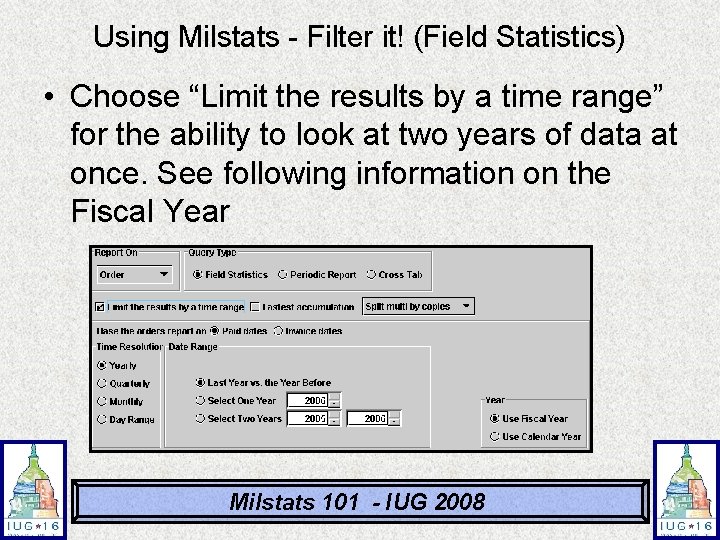
Using Milstats - Filter it! (Field Statistics) • Choose “Limit the results by a time range” for the ability to look at two years of data at once. See following information on the Fiscal Year Milstats 101 - IUG 2008
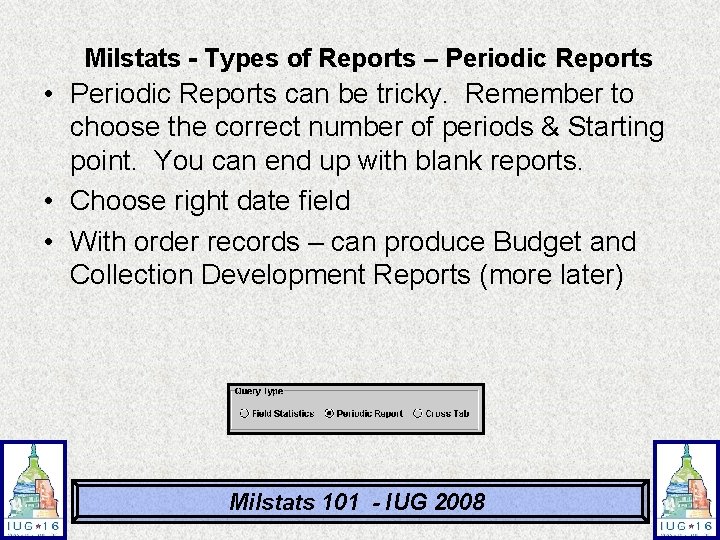
Milstats - Types of Reports – Periodic Reports • Periodic Reports can be tricky. Remember to choose the correct number of periods & Starting point. You can end up with blank reports. • Choose right date field • With order records – can produce Budget and Collection Development Reports (more later) Milstats 101 - IUG 2008
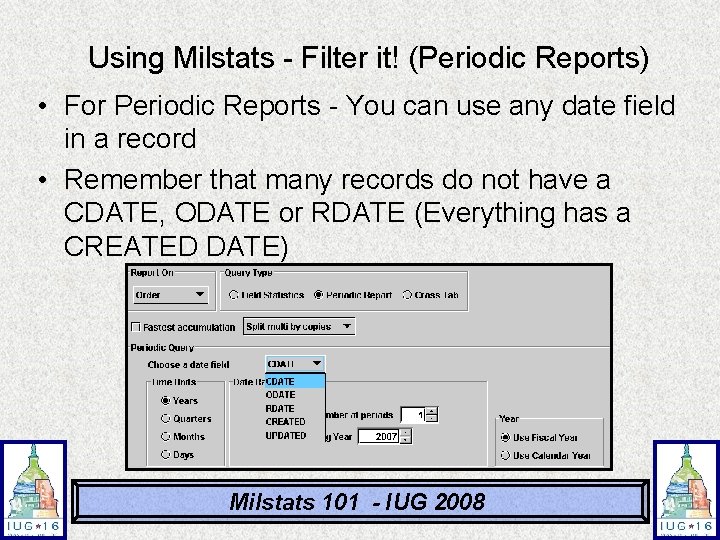
Using Milstats - Filter it! (Periodic Reports) • For Periodic Reports - You can use any date field in a record • Remember that many records do not have a CDATE, ODATE or RDATE (Everything has a CREATED DATE) Milstats 101 - IUG 2008
Using Milstats - Filter it! (Periodic Reports) • • Fiscal year Hints Setup via helpdesk - default is calendar Trust your gut - is it setup? Year chosen for FY is FIRST year: – FY July - June – 2006 July 2006 - June 2007 – 2007 July 2007 - June 2008 Milstats 101 - IUG 2008
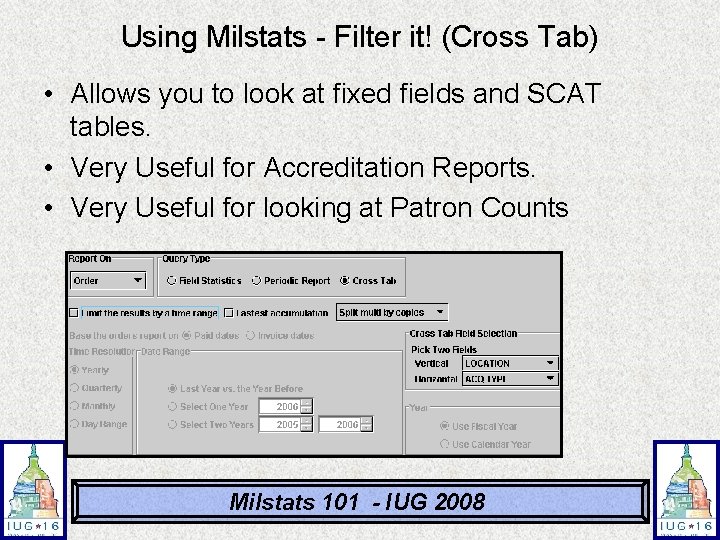
Using Milstats - Filter it! (Cross Tab) • Allows you to look at fixed fields and SCAT tables. • Very Useful for Accreditation Reports. • Very Useful for looking at Patron Counts Milstats 101 - IUG 2008
Using Milstats - Filter it! • Fastest Accumulation – Checking this option will not send updated to your screen. Can make a big difference for large reports Milstats 101 - IUG 2008
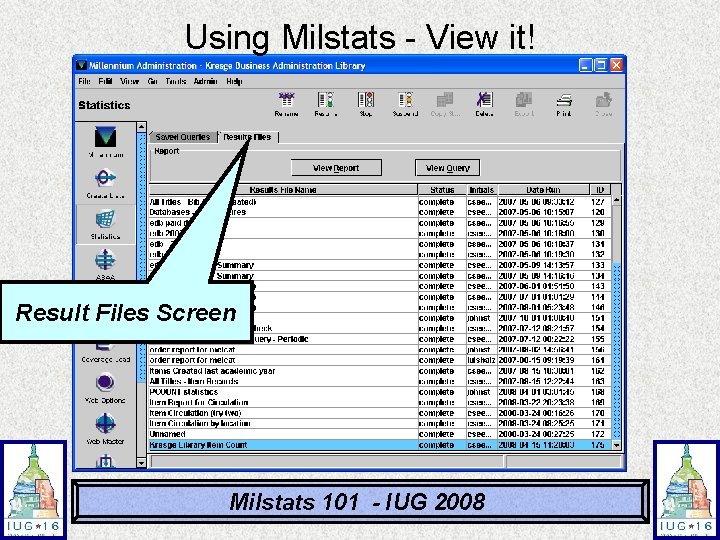
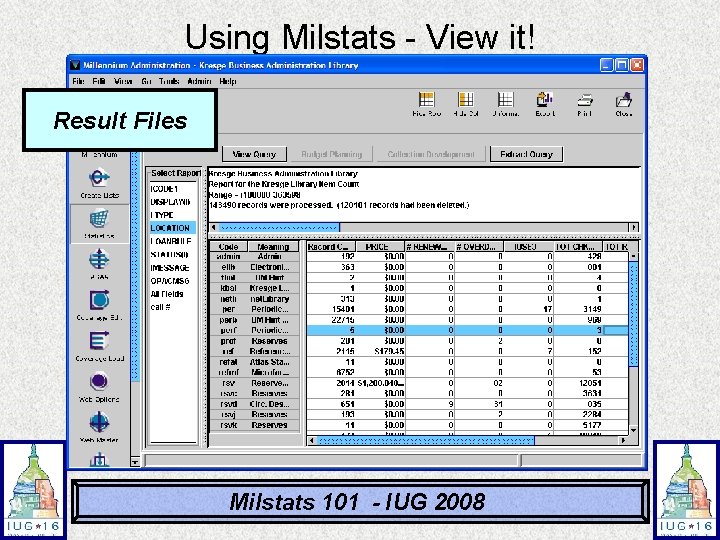
Using Milstats - View it! Result Files Screen Milstats 101 - IUG 2008
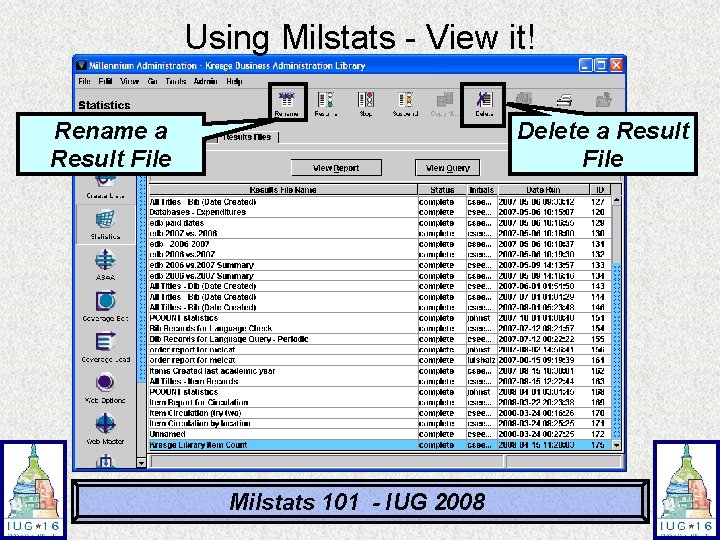
Using Milstats - View it! Rename a Result File Delete a Result File Milstats 101 - IUG 2008
Using Milstats - View it! Result Files Milstats 101 - IUG 2008
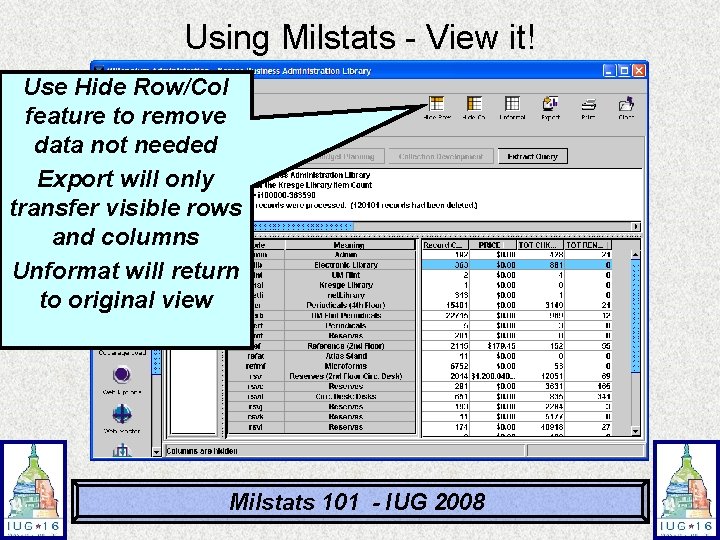
Using Milstats - View it! Use Hide Row/Col feature to remove data not needed Export will only transfer visible rows and columns Unformat will return to original view Milstats 101 - IUG 2008
Milstat General Hints • Use Fixed Fields for Stats when possible – Provides excellent consistency between reports • You can rename and reuse most fixed fields to your needs. • Keep records clean -- remove blank or redundant codes (space or – for base value) • Rely on the system to serve as a central repository. Try to avoid spreadsheets on someone’s PC or hash marks. • Stats are like ingredients…good ingredients lead to good dishes! • Statistics (from Milstats) are driven by records in the system. They can be run and run again and again…. Milstats 101 - IUG 2008
Accurate Stats Value of having the records in the system for generating stats: 1. Print Collection is still relevant! 2. that you can recreate the statistics if needed. 3. You can have consistent statistics for the following month, year, etc (compare apples to apples) – these can be scheduled 4. Allows greater confidence of your statistics. 5. Allows the generation of new reports more quickly. Milstats 101 - IUG 2008
Some Basic Searches • How many items do I have? • How many items do I have by language? • How many active subscriptions do I have in print? • How many active book orders are outstanding? Milstats 101 - IUG 2008
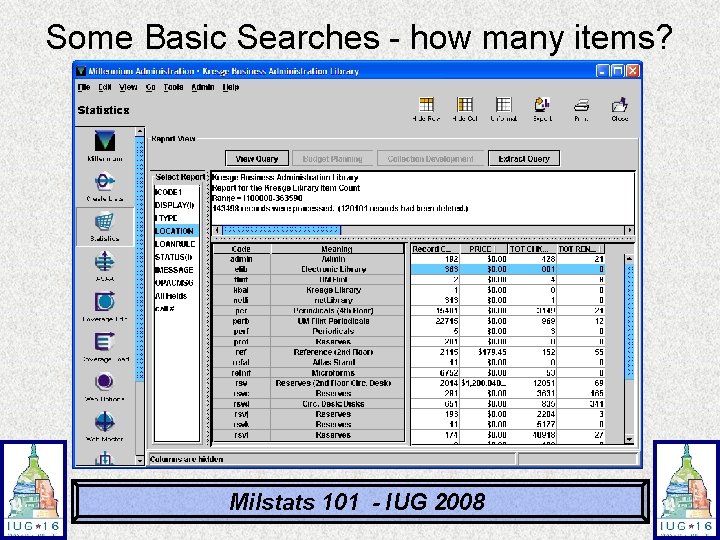
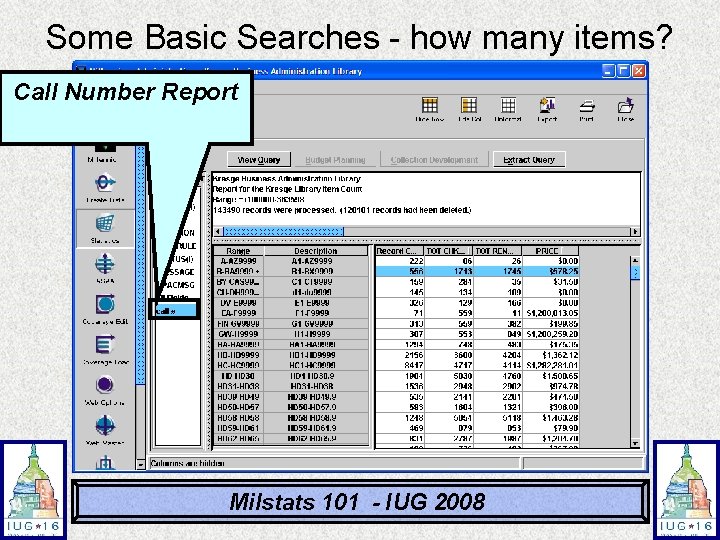
Some Basic Searches - how many items? • • • How many items do I have? Broken down by location? Easy Search! Search all item records Run Field Statistics View Report Milstats 101 - IUG 2008
Some Basic Searches - how many items? Milstats 101 - IUG 2008
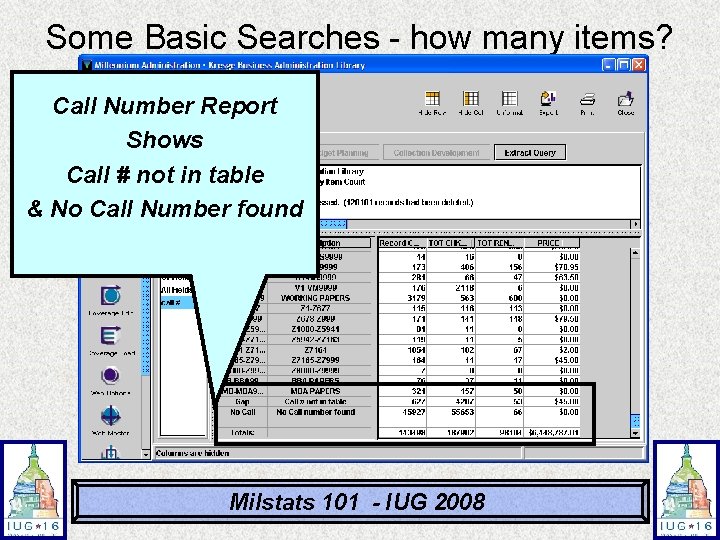
Some Basic Searches - how many items? • Report remains in the system • Serves as a snapshot when the report was run. • Can look at any report (based on fixed fields) and Call Number (SCAT) Milstats 101 - IUG 2008
Some Basic Searches - how many items? Call Number Report Milstats 101 - IUG 2008
Some Basic Searches - how many items? Call Number Report Shows Call # not in table & No Call Number found Milstats 101 - IUG 2008
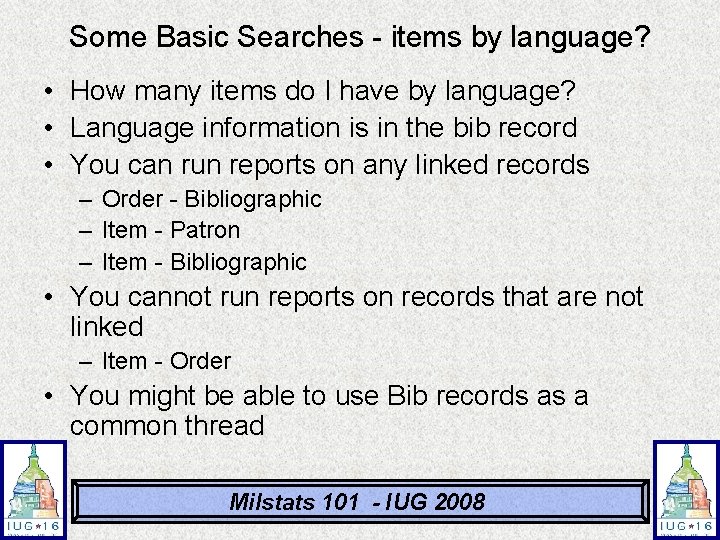
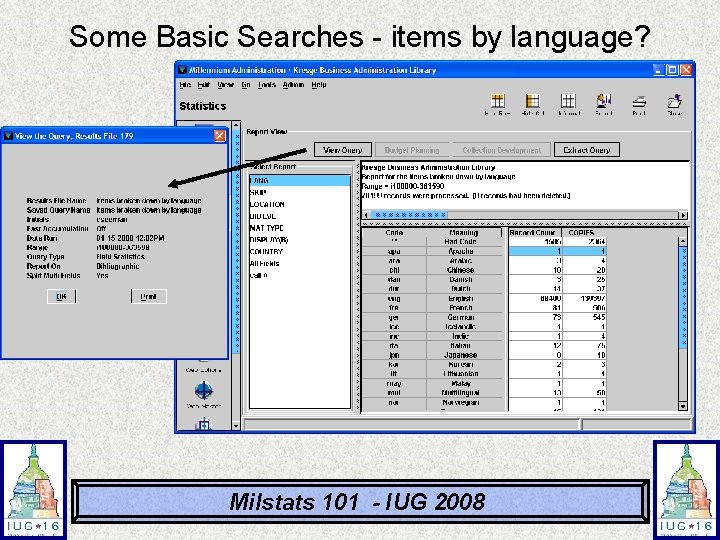
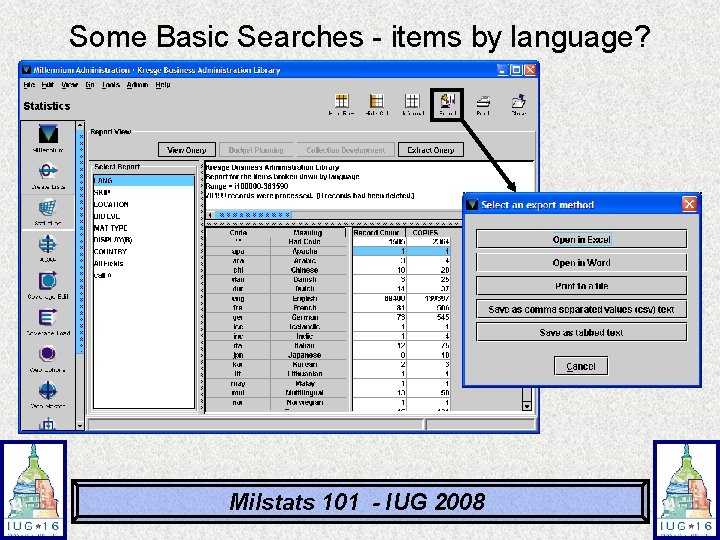
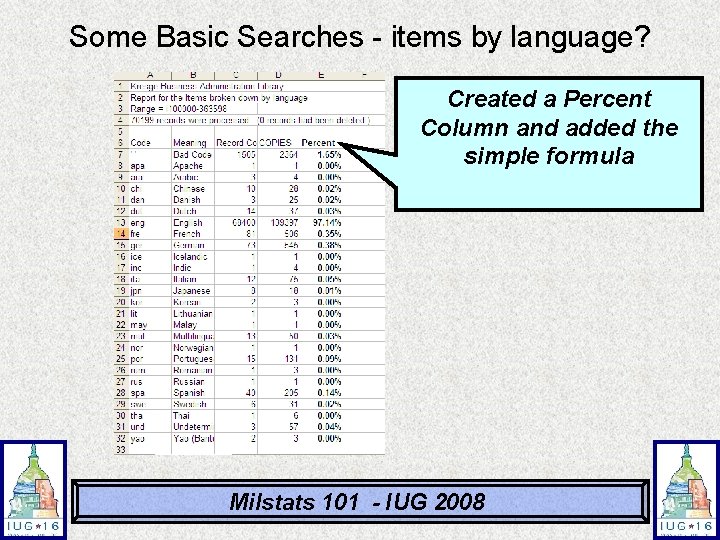
Some Basic Searches - items by language? • How many items do I have by language? • Language information is in the bib record • You can run reports on any linked records – Order - Bibliographic – Item - Patron – Item - Bibliographic • You cannot run reports on records that are not linked – Item - Order • You might be able to use Bib records as a common thread Milstats 101 - IUG 2008
Some Basic Searches - items by language? Milstats 101 - IUG 2008
Some Basic Searches - items by language? Milstats 101 - IUG 2008
Some Basic Searches - items by language? Created a Percent Column and added the simple formula Milstats 101 - IUG 2008
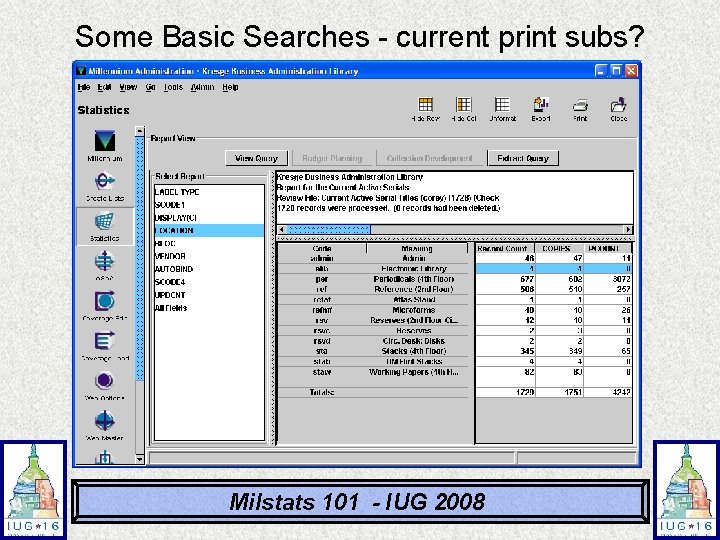
Some Basic Searches - current print subs? • How many active subscriptions do I have in print - broken down by location? • Will use a review file • Create a list of Checkin Cards where the Card Status is “Active” • Use that review file as the data for the statistical report Milstats 101 - IUG 2008
Some Basic Searches - current print subs? Milstats 101 - IUG 2008
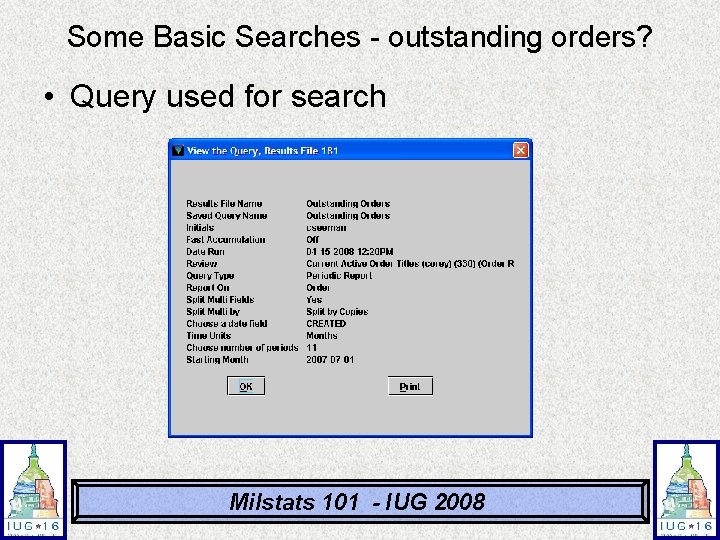
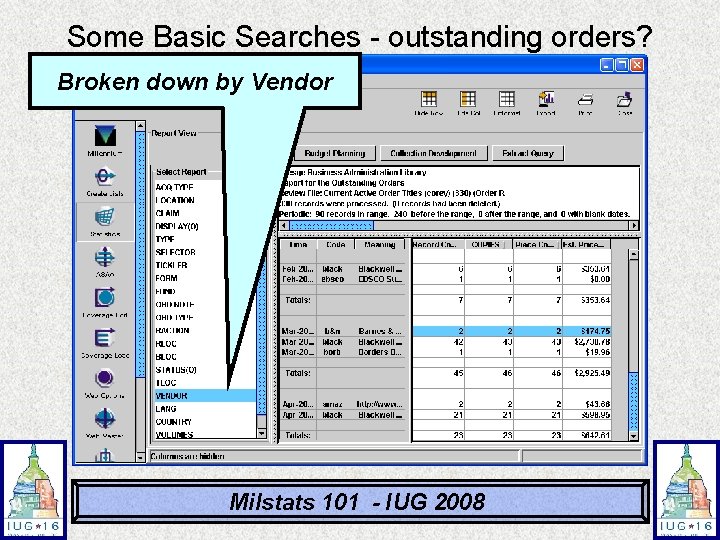
Some Basic Searches - outstanding orders? • How many active book orders are outstanding and when were they ordered? • Create a review file of status “o” or status “q” order records • Run a periodic report based on Created date. • Look at results monthly since the beginning of the fiscal year Milstats 101 - IUG 2008
Some Basic Searches - outstanding orders? • Query used for search Milstats 101 - IUG 2008
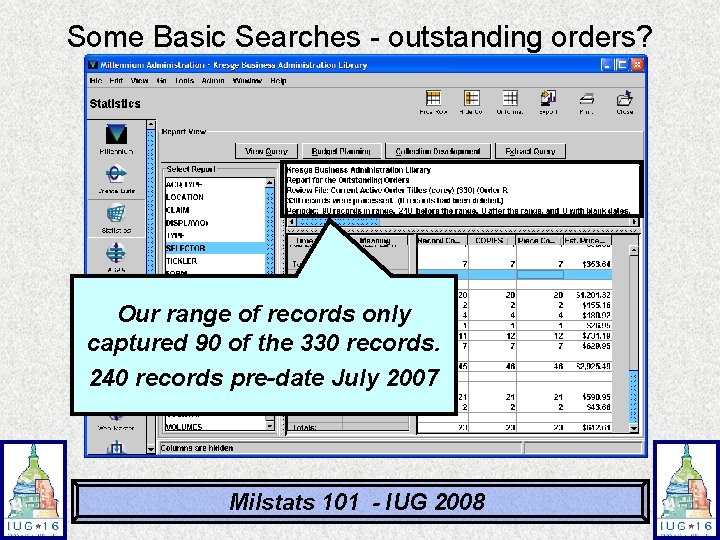
Some Basic Searches - outstanding orders? Our range of records only captured 90 of the 330 records. 240 records pre-date July 2007 Milstats 101 - IUG 2008
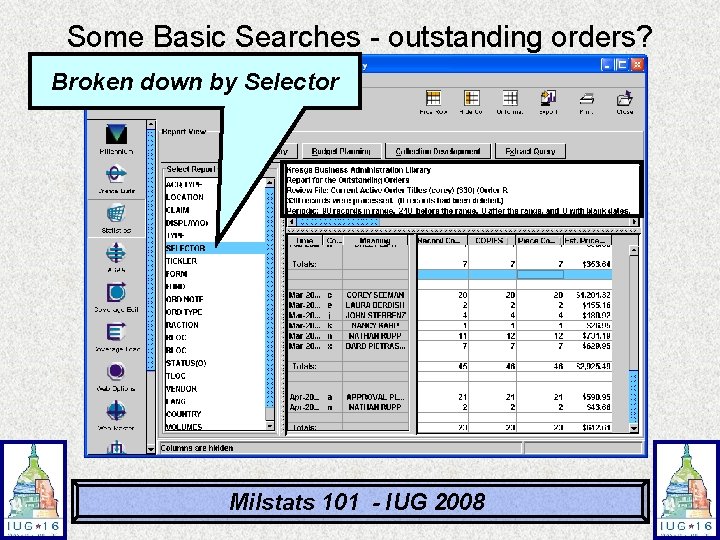
Some Basic Searches - outstanding orders? Broken down by Selector Milstats 101 - IUG 2008
Some Basic Searches - outstanding orders? Broken down by Vendor Milstats 101 - IUG 2008
Statistics - Resources • Innovative Interfaces (Milstats) - Resources – Users Manual - Page # 105586 – Users Manual - Page # 105588 • (Creating and Editing Queries) • IUG Presentations (including this one) • Open Milstat and PLAY!!!! Milstats 101 - IUG 2008
Questions? Corey Seeman Kresge Business Administration Library The University of Michigan cseeman@umich. edu Milstats 101 - IUG 2008