Lecture 7 C Programming Arne Kutzner Hanyang University
![Pointers and Arrays (cont. ) • You can even use the [ ] operator](https://slidetodoc.com/presentation_image_h/2d0191adde6b486905ee1c6e9c1e910c/image-29.jpg "Pointers and Arrays (cont. ) • You can even use the [ ] operator")
![printing an array n void print_array(int a[], int len) { o i rs e](https://slidetodoc.com/presentation_image_h/2d0191adde6b486905ee1c6e9c1e910c/image-31.jpg "printing an array n void print_array(int a[], int len) { o i rs e")
- Slides: 42
Lecture 7 C++ Programming Arne Kutzner Hanyang University / Seoul Korea
Function overloading
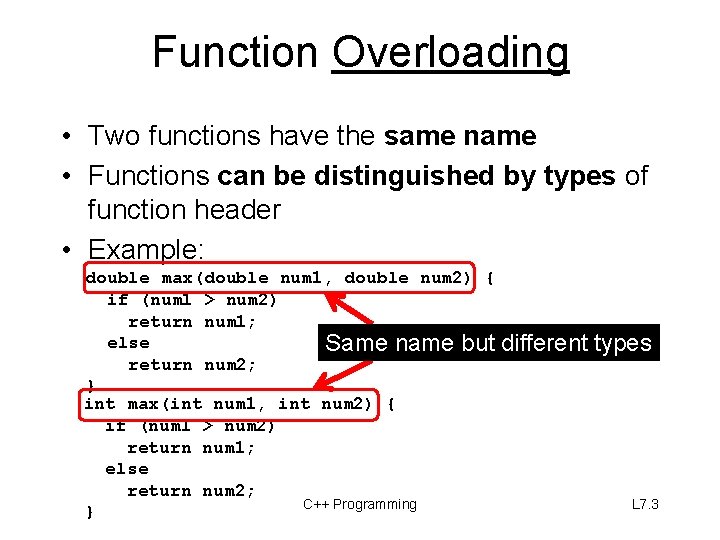
Function Overloading • Two functions have the same name • Functions can be distinguished by types of function header • Example: double max(double num 1, double num 2) { if (num 1 > num 2) return num 1; else Same name but return num 2; } int max(int num 1, int num 2) { if (num 1 > num 2) return num 1; else return num 2; C++ Programming } different types L 7. 3
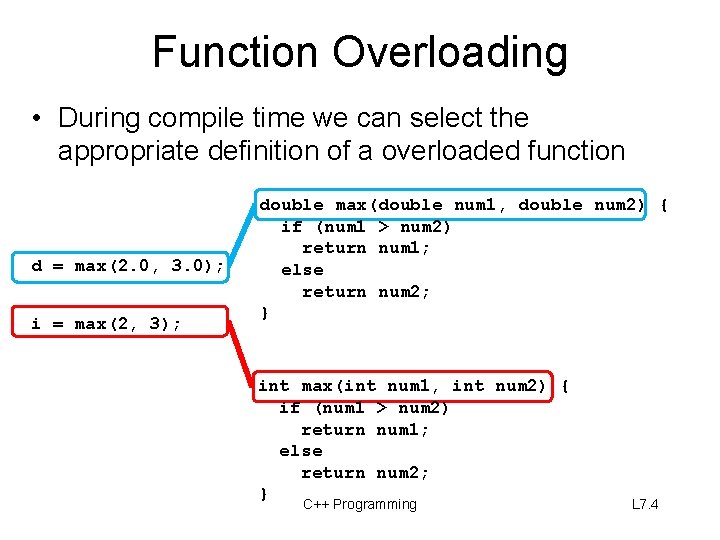
Function Overloading • During compile time we can select the appropriate definition of a overloaded function d = max(2. 0, 3. 0); i = max(2, 3); double max(double num 1, double num 2) { if (num 1 > num 2) return num 1; else return num 2; } int max(int num 1, int num 2) { if (num 1 > num 2) return num 1; else return num 2; } C++ Programming L 7. 4
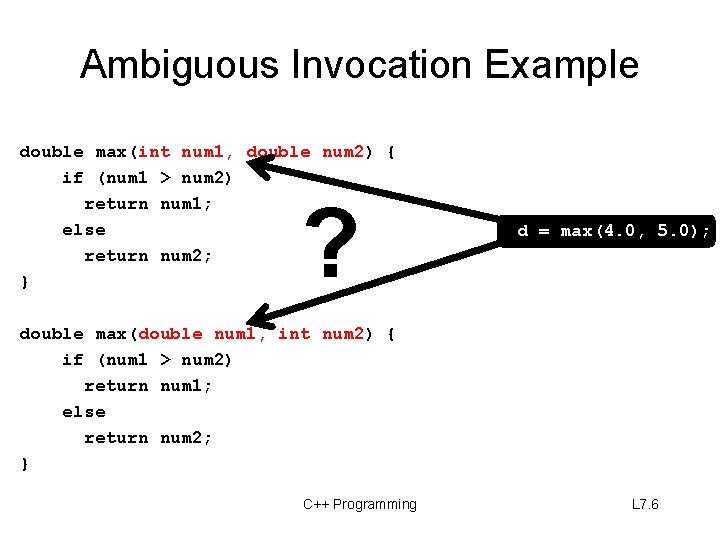
Warning: Ambiguous Invocation • Sometimes there may be two or more possible matches for an invocation of a method, but the compiler cannot determine the most specific match. • This is referred to as ambiguous invocation. • Ambiguous invocation is a compilation error, but can be resolved by a type-cast. C++ Programming L 7. 5
Ambiguous Invocation Example double max(int num 1, double num 2) { if (num 1 > num 2) return num 1; else return num 2; } ? d = max(4. 0, 5. 0); double max(double num 1, int num 2) { if (num 1 > num 2) return num 1; else return num 2; } C++ Programming L 7. 6
Pointers / Introduction
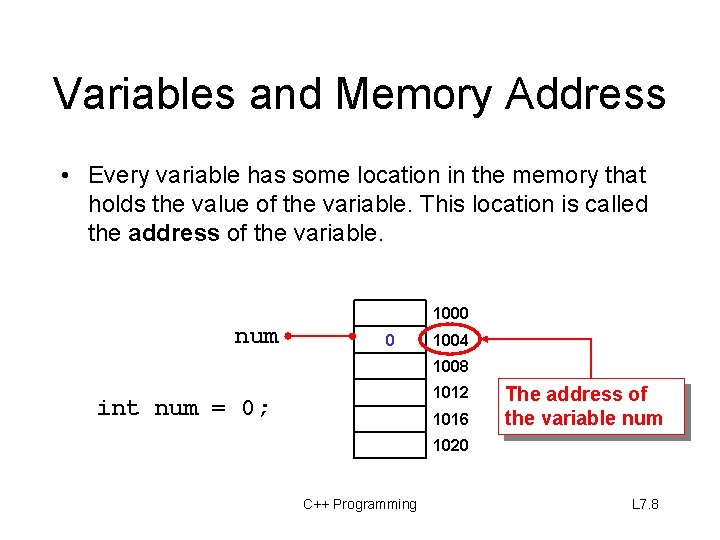
Variables and Memory Address • Every variable has some location in the memory that holds the value of the variable. This location is called the address of the variable. 1000 num 0 1004 1008 1012 int num = 0; 1016 The address of the variable num 1020 C++ Programming L 7. 8
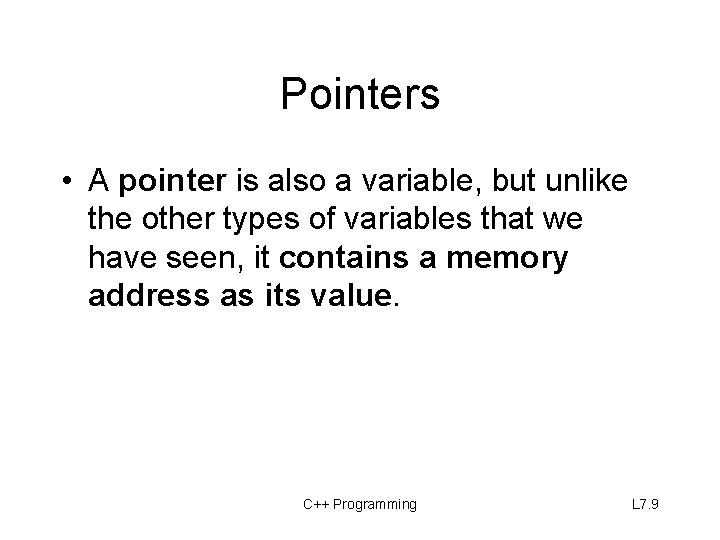
Pointers • A pointer is also a variable, but unlike the other types of variables that we have seen, it contains a memory address as its value. C++ Programming L 7. 9
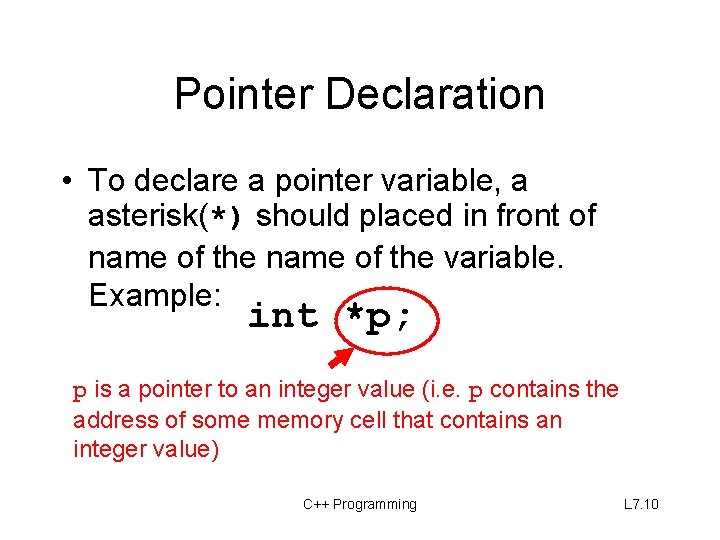
Pointer Declaration • To declare a pointer variable, a asterisk(*) should placed in front of name of the variable. Example: int *p; p is a pointer to an integer value (i. e. p contains the address of some memory cell that contains an integer value) C++ Programming L 7. 10
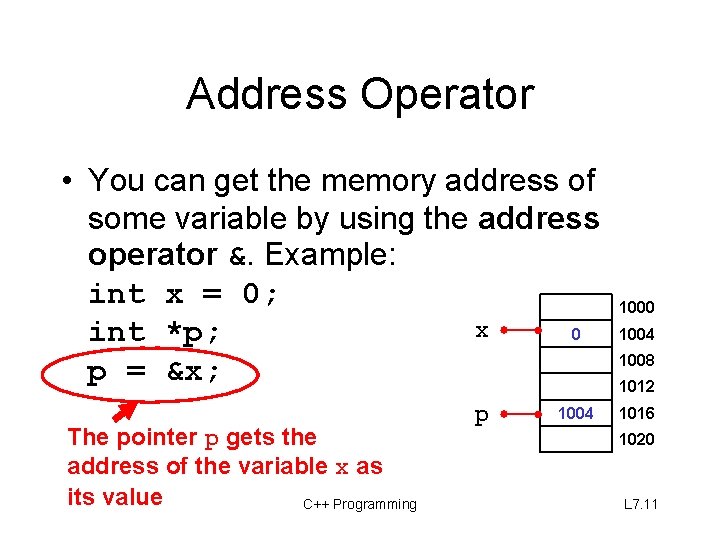
Address Operator • You can get the memory address of some variable by using the address operator &. Example: int x = 0; x 0 int *p; p = &x; The pointer p gets the address of the variable x as its value C++ Programming p 1004 1000 1004 1008 1012 1016 1020 L 7. 11
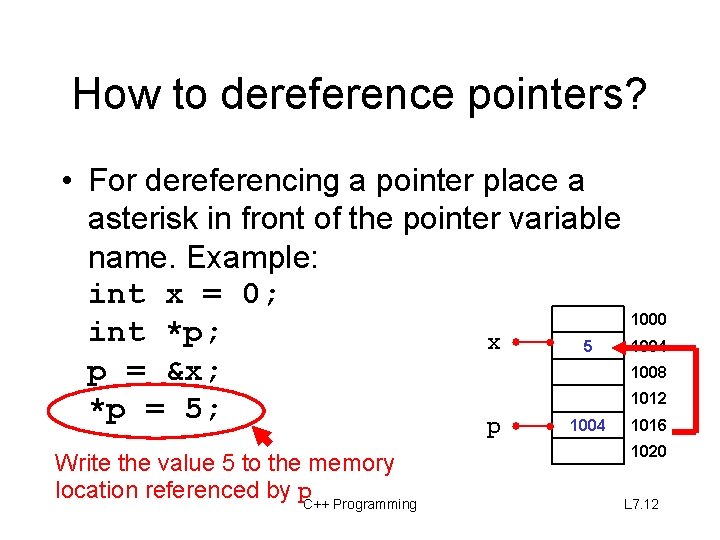
How to dereference pointers? • For dereferencing a pointer place a asterisk in front of the pointer variable name. Example: int x = 0; int *p; x 5 p = &x; *p = 5; 1004 p Write the value 5 to the memory location referenced by p. C++ Programming 1000 1004 1008 1012 1016 1020 L 7. 12
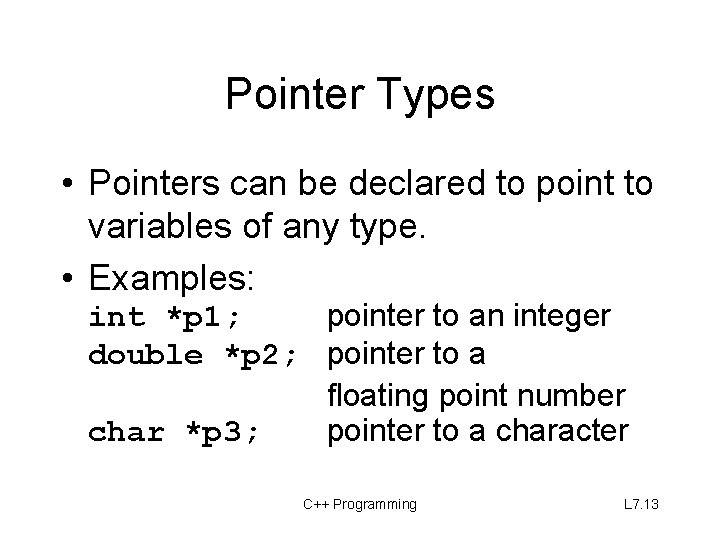
Pointer Types • Pointers can be declared to point to variables of any type. • Examples: int *p 1; pointer to an integer double *p 2; pointer to a floating point number char *p 3; pointer to a character C++ Programming L 7. 13
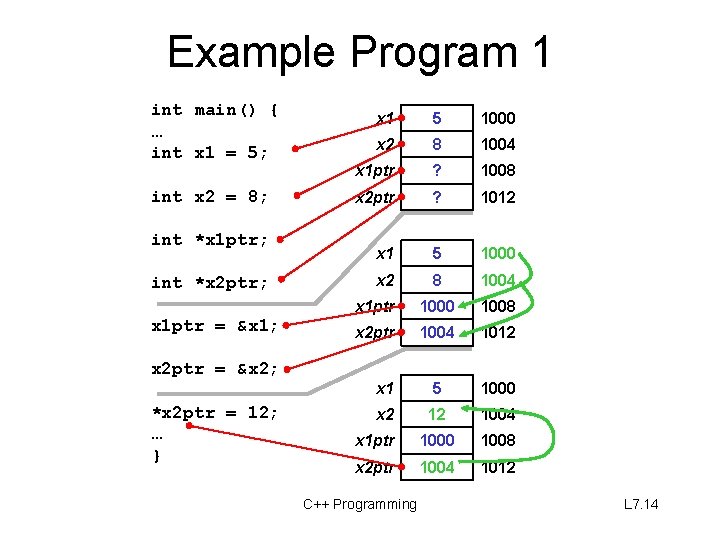
Example Program 1 int main() { … int x 1 = 5; int x 2 = 8; int *x 1 ptr; int *x 2 ptr; x 1 ptr = &x 1; x 2 ptr = &x 2; *x 2 ptr = 12; … } x 1 5 1000 x 2 8 1004 x 1 ptr ? 1008 x 2 ptr ? 1012 x 1 5 1000 x 2 8 1004 x 1 ptr 1000 1008 x 2 ptr 1004 1012 x 1 5 1000 x 2 12 1004 x 1 ptr 1000 1008 x 2 ptr 1004 1012 C++ Programming L 7. 14
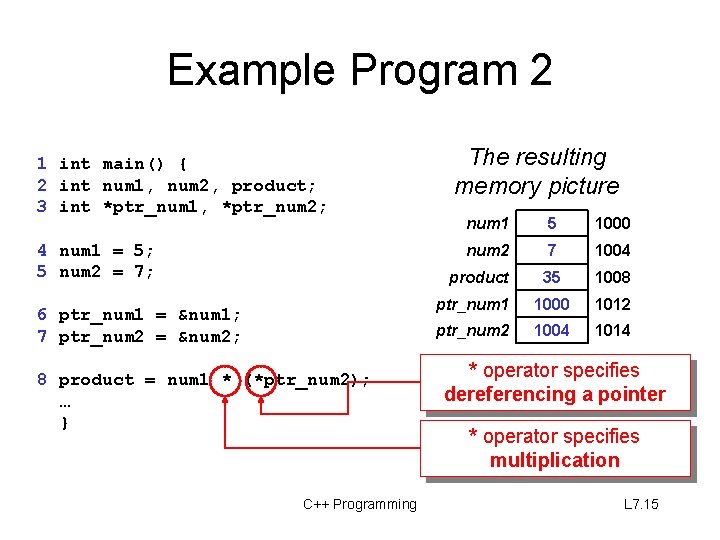
Example Program 2 1 int main() { 2 int num 1, num 2, product; 3 int *ptr_num 1, *ptr_num 2; 4 num 1 = 5; 5 num 2 = 7; 6 ptr_num 1 = &num 1; 7 ptr_num 2 = &num 2; 8 product = num 1 * (*ptr_num 2); … } C++ Programming The resulting memory picture num 1 5 1000 num 2 7 1004 product 35 1008 ptr_num 1 1000 1012 ptr_num 2 1004 1014 * operator specifies dereferencing a pointer * operator specifies multiplication L 7. 15
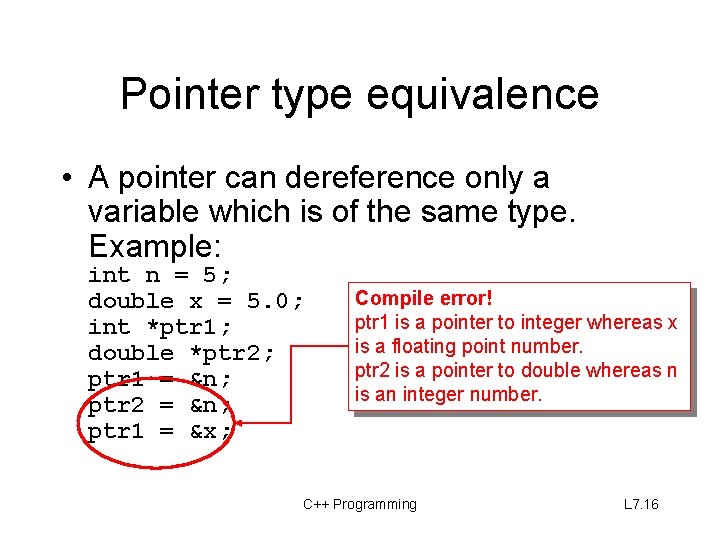
Pointer type equivalence • A pointer can dereference only a variable which is of the same type. Example: int n = 5; double x = 5. 0; int *ptr 1; double *ptr 2; ptr 1 = &n; ptr 2 = &n; ptr 1 = &x; Compile error! ptr 1 is a pointer to integer whereas x is a floating point number. ptr 2 is a pointer to double whereas n is an integer number. C++ Programming L 7. 16
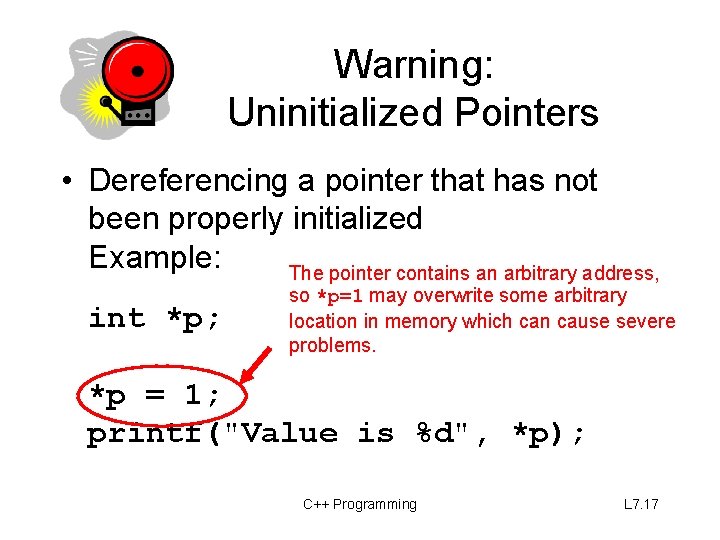
Warning: Uninitialized Pointers • Dereferencing a pointer that has not been properly initialized Example: The pointer contains an arbitrary address, int *p; so *p=1 may overwrite some arbitrary location in memory which can cause severe problems. *p = 1; printf("Value is %d", *p); C++ Programming L 7. 17
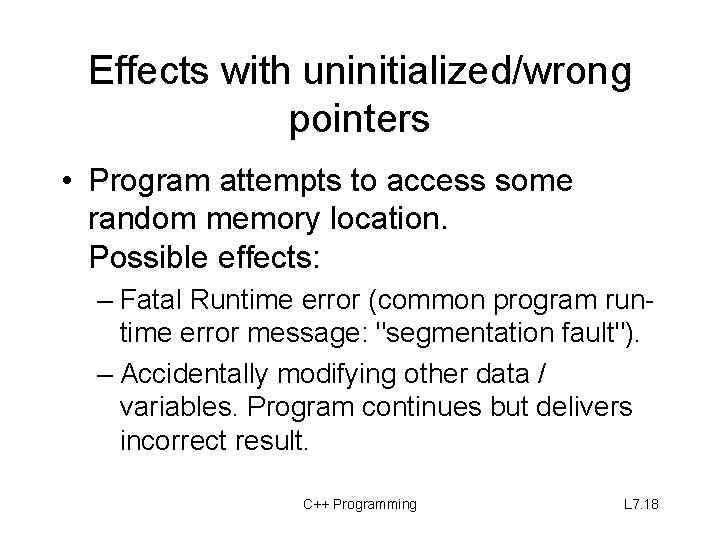
Effects with uninitialized/wrong pointers • Program attempts to access some random memory location. Possible effects: – Fatal Runtime error (common program runtime error message: "segmentation fault"). – Accidentally modifying other data / variables. Program continues but delivers incorrect result. C++ Programming L 7. 18
Functions and Pointers
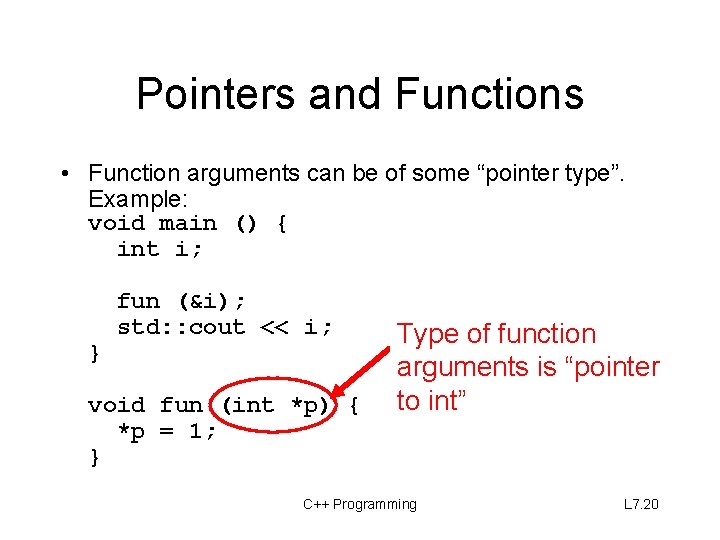
Pointers and Functions • Function arguments can be of some “pointer type”. Example: void main () { int i; } fun (&i); std: : cout << i; void fun (int *p) { *p = 1; } Type of function arguments is “pointer to int” C++ Programming L 7. 20
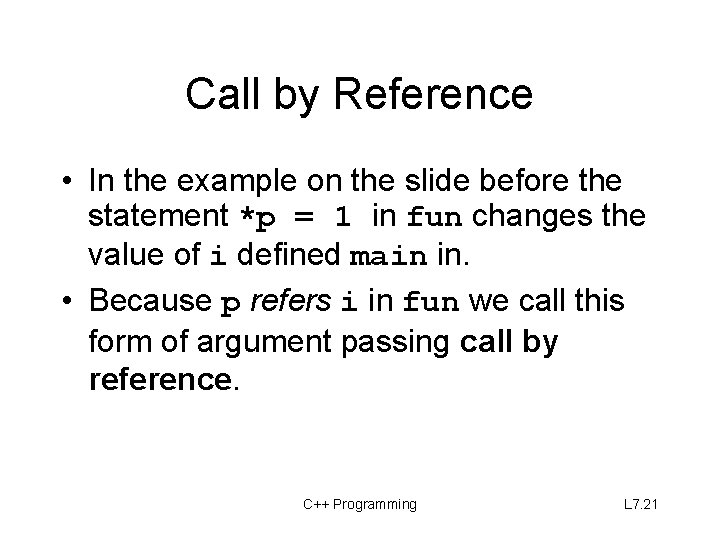
Call by Reference • In the example on the slide before the statement *p = 1 in fun changes the value of i defined main in. • Because p refers i in fun we call this form of argument passing call by reference. C++ Programming L 7. 21
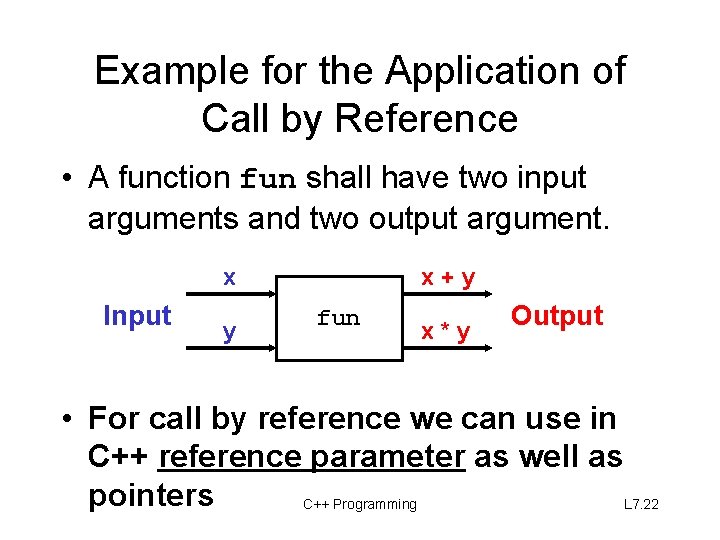
Example for the Application of Call by Reference • A function fun shall have two input arguments and two output argument. x Input y x+y fun x*y Output • For call by reference we can use in C++ reference parameter as well as pointers C++ Programming L 7. 22
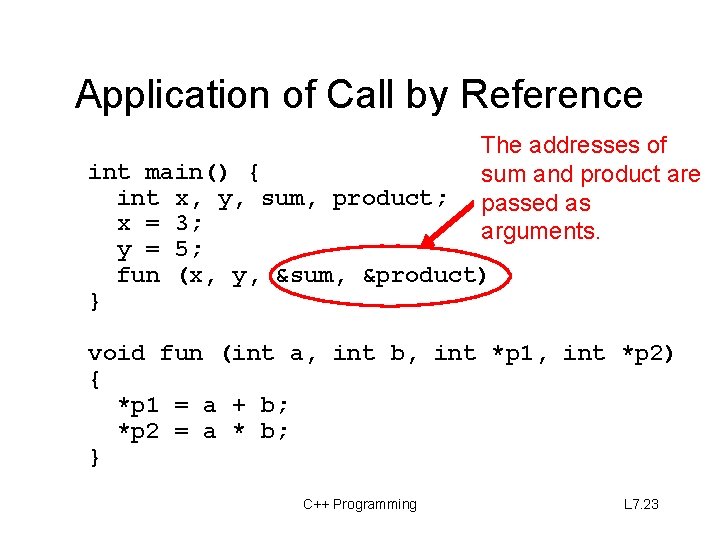
Application of Call by Reference The addresses of sum and product are passed as arguments. int main() { int x, y, sum, product; x = 3; y = 5; fun (x, y, &sum, &product) } void fun (int a, int b, int *p 1, int *p 2) { *p 1 = a + b; *p 2 = a * b; } C++ Programming L 7. 23
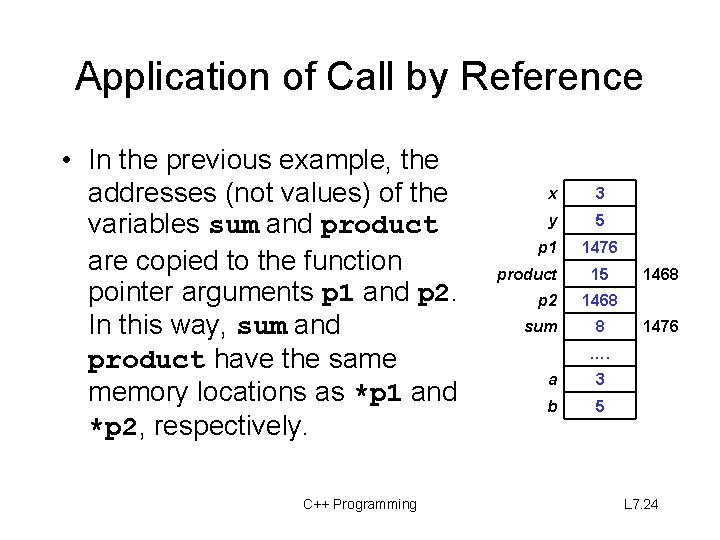
Application of Call by Reference • In the previous example, the addresses (not values) of the variables sum and product are copied to the function pointer arguments p 1 and p 2. In this way, sum and product have the same memory locations as *p 1 and *p 2, respectively. C++ Programming x 3 y 5 p 1 product p 2 sum 1476 15 1468 8 1476 …. a 3 b 5 L 7. 24
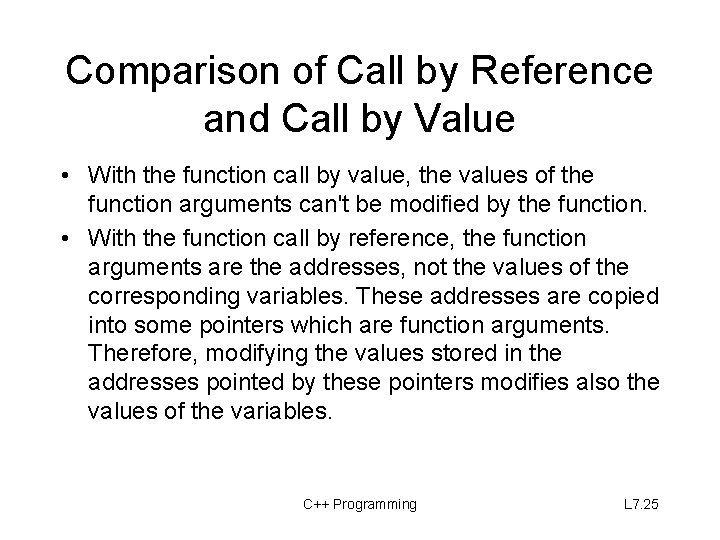
Comparison of Call by Reference and Call by Value • With the function call by value, the values of the function arguments can't be modified by the function. • With the function call by reference, the function arguments are the addresses, not the values of the corresponding variables. These addresses are copied into some pointers which are function arguments. Therefore, modifying the values stored in the addresses pointed by these pointers modifies also the values of the variables. C++ Programming L 7. 25
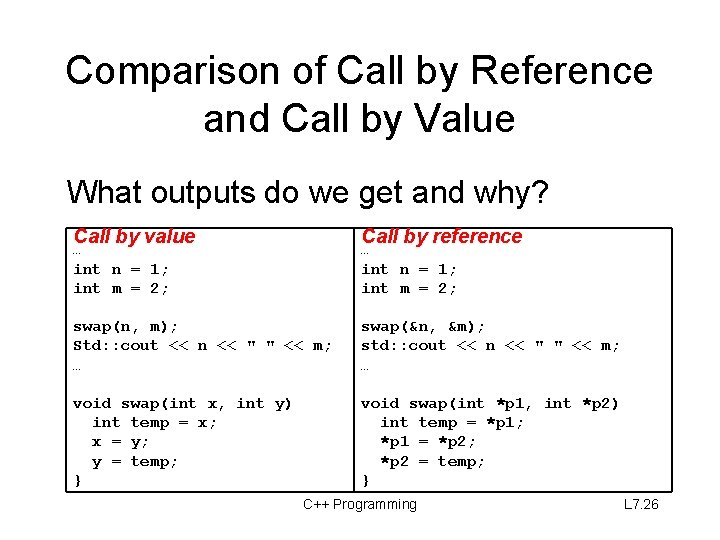
Comparison of Call by Reference and Call by Value What outputs do we get and why? Call by value Call by reference swap(n, m); Std: : cout << n << " " << m; … swap(&n, &m); std: : cout << n << " " << m; … void swap(int x, int y) int temp = x; x = y; y = temp; } void swap(int *p 1, int *p 2) int temp = *p 1; *p 1 = *p 2; *p 2 = temp; } … int n = 1; int m = 2; C++ Programming L 7. 26
Pointers and Arrays / Pointer Arithmetic
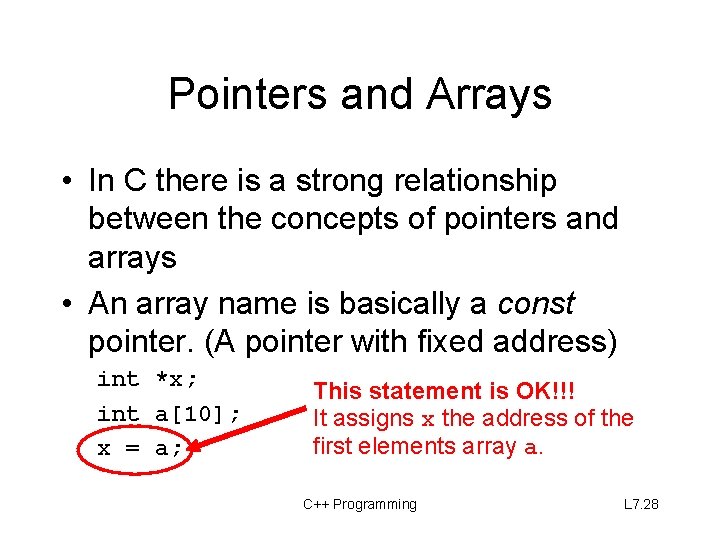
Pointers and Arrays • In C there is a strong relationship between the concepts of pointers and arrays • An array name is basically a const pointer. (A pointer with fixed address) int *x; int a[10]; x = a; This statement is OK!!! It assigns x the address of the first elements array a. C++ Programming L 7. 28
Pointers and Arrays (cont. ) • You can even use the [ ] operator with a pointer: int *x; int a[10]; x gets “the address of x = a; the first element of a” std: : cout << x[2]; is identical to a[2] C++ Programming L 7. 29
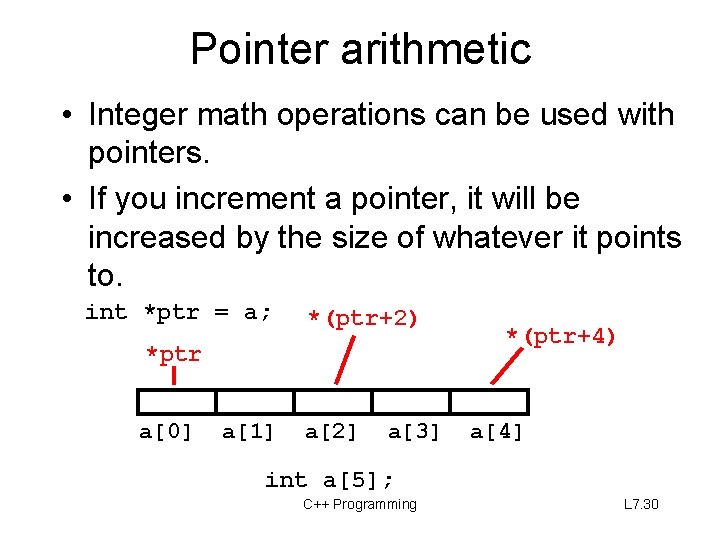
Pointer arithmetic • Integer math operations can be used with pointers. • If you increment a pointer, it will be increased by the size of whatever it points to. int *ptr = a; *(ptr+2) *ptr a[0] a[1] a[2] a[3] *(ptr+4) a[4] int a[5]; C++ Programming L 7. 30
printing an array n void print_array(int a[], int len) { o i rs e v for (int i = 0; i < len; i++) y a r r std: : cout << i << " " << a[i]; a } void print_array(int *a, int len) { r e t in for (int i = 0; i < len; i++) o p std: : cout << i << " " << *a++; } C++ Programming n o i rs e v L 7. 31
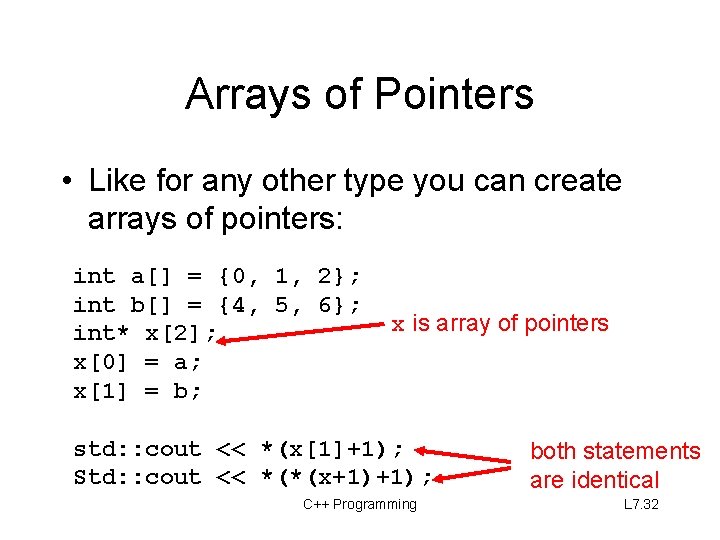
Arrays of Pointers • Like for any other type you can create arrays of pointers: int a[] = {0, 1, 2}; int b[] = {4, 5, 6}; int* x[2]; x[0] = a; x[1] = b; x is array of pointers std: : cout << *(x[1]+1); Std: : cout << *(*(x+1)+1); C++ Programming both statements are identical L 7. 32
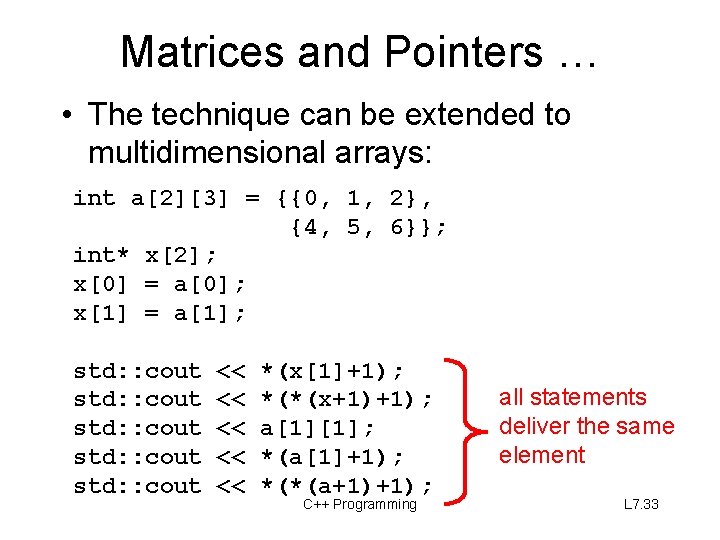
Matrices and Pointers … • The technique can be extended to multidimensional arrays: int a[2][3] = {{0, 1, 2}, {4, 5, 6}}; int* x[2]; x[0] = a[0]; x[1] = a[1]; std: : cout std: : cout << << << *(x[1]+1); *(*(x+1)+1); a[1][1]; *(a[1]+1); *(*(a+1)+1); C++ Programming all statements deliver the same element L 7. 33
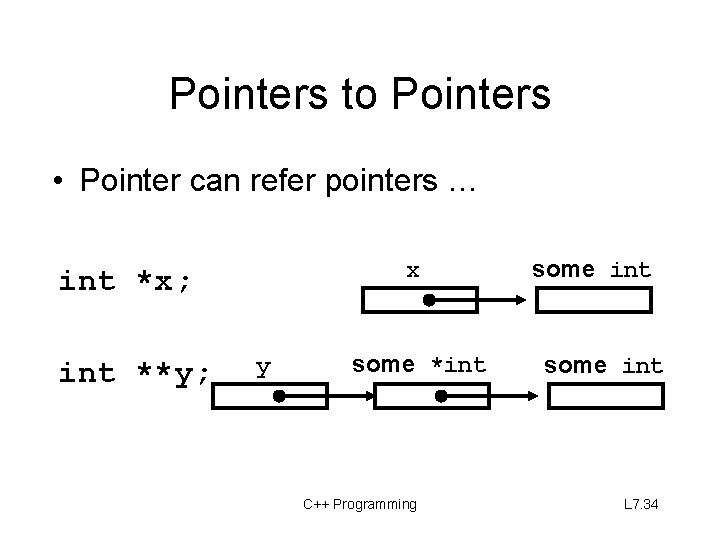
Pointers to Pointers • Pointer can refer pointers … x int *x; int **y; y some *int C++ Programming some int L 7. 34
Mixed Topics … C-Strings in C++/ The Heap / Dynamic Memory Allocation /
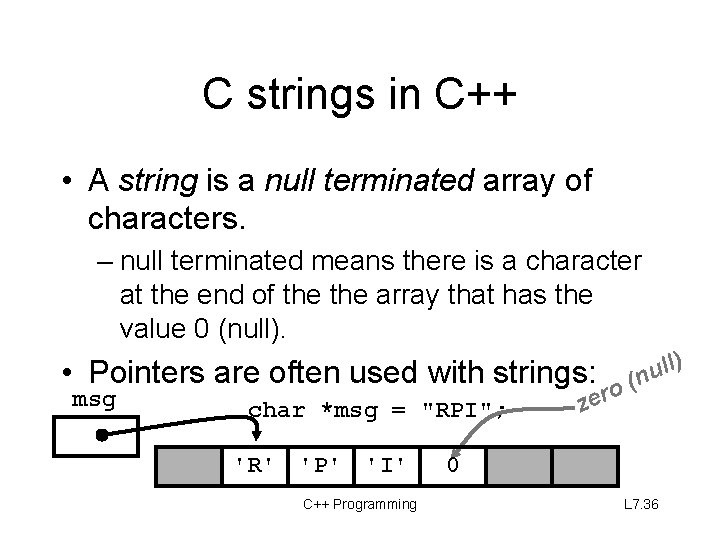
C strings in C++ • A string is a null terminated array of characters. – null terminated means there is a character at the end of the array that has the value 0 (null). • Pointers are often used with strings: msg char *msg = "RPI"; 'R' 'P' 'I' C++ Programming o r e z ll) u (n 0 L 7. 36
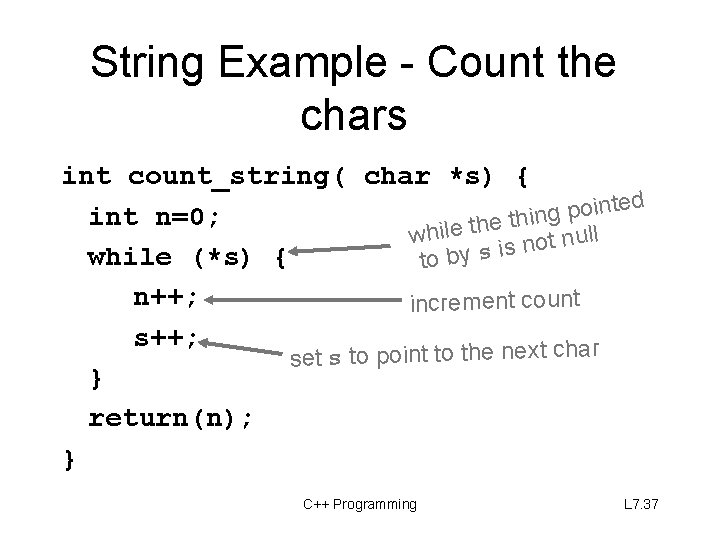
String Example - Count the chars int count_string( char *s) { ted n i o p g n int n=0; thi e h t e l i wh ull n t o n s i while (*s) { to by s n++; increment count s++; set s to point to the next char } return(n); } C++ Programming L 7. 37
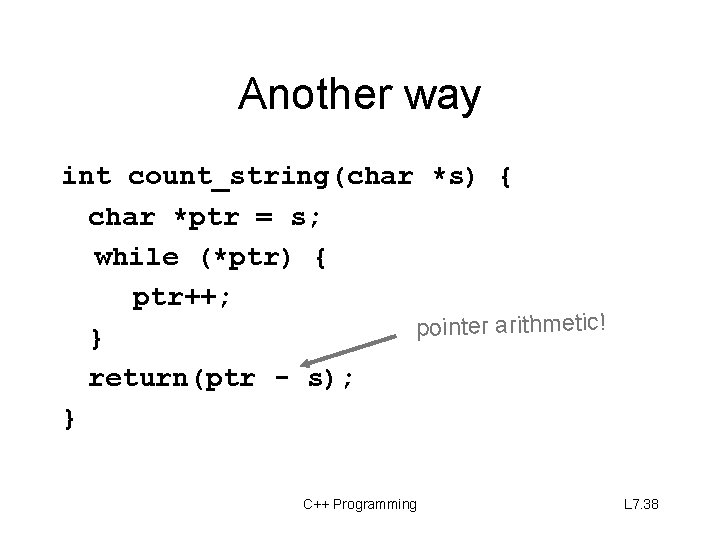
Another way int count_string(char *s) { char *ptr = s; while (*ptr) { ptr++; arithmetic! r te in po } return(ptr - s); } C++ Programming L 7. 38
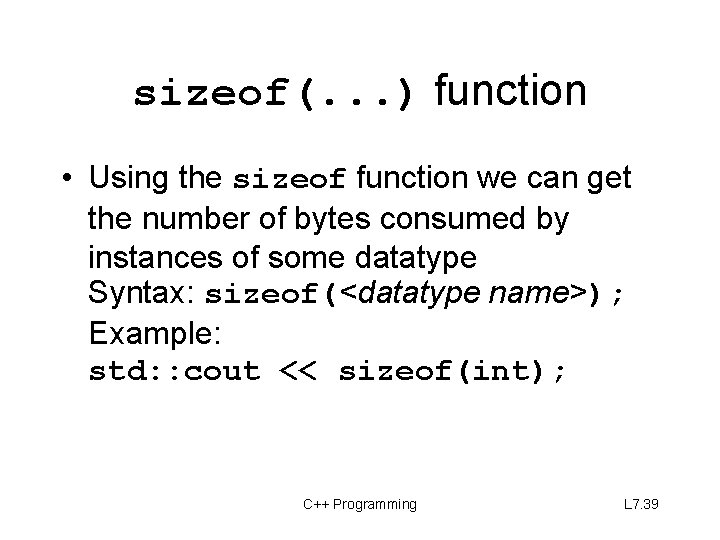
sizeof(. . . ) function • Using the sizeof function we can get the number of bytes consumed by instances of some datatype Syntax: sizeof(<datatype name>); Example: std: : cout << sizeof(int); C++ Programming L 7. 39
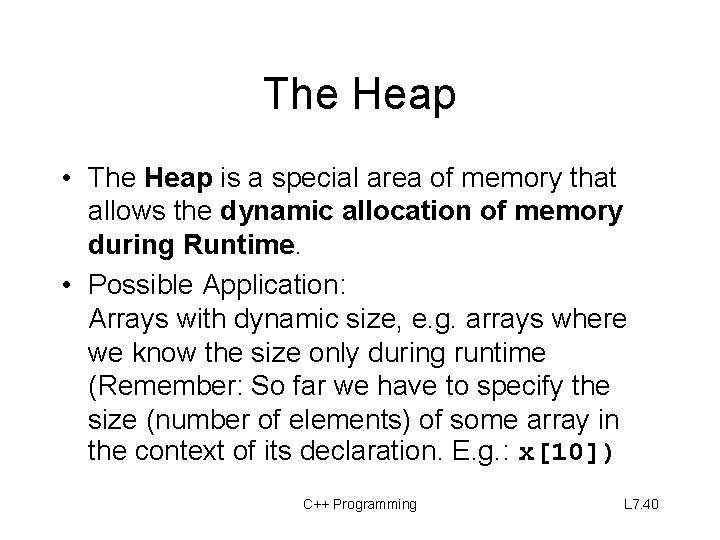
The Heap • The Heap is a special area of memory that allows the dynamic allocation of memory during Runtime. • Possible Application: Arrays with dynamic size, e. g. arrays where we know the size only during runtime (Remember: So far we have to specify the size (number of elements) of some array in the context of its declaration. E. g. : x[10]) C++ Programming L 7. 40
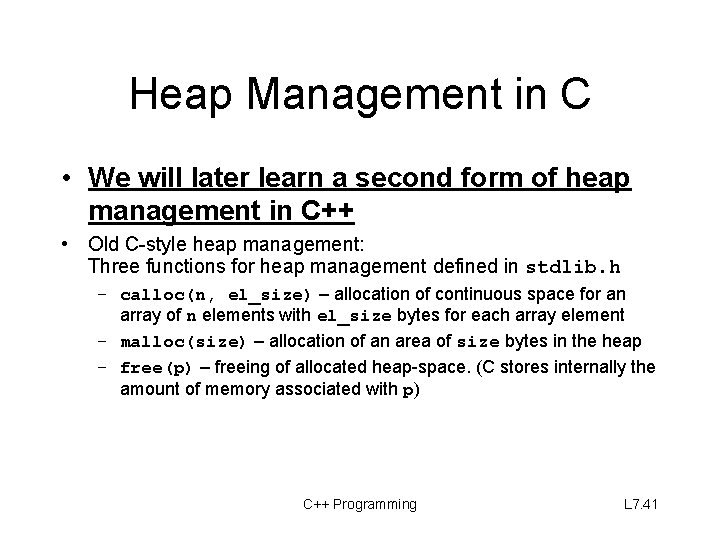
Heap Management in C • We will later learn a second form of heap management in C++ • Old C-style heap management: Three functions for heap management defined in stdlib. h – calloc(n, el_size) – allocation of continuous space for an array of n elements with el_size bytes for each array element – malloc(size) – allocation of an area of size bytes in the heap – free(p) – freeing of allocated heap-space. (C stores internally the amount of memory associated with p) C++ Programming L 7. 41
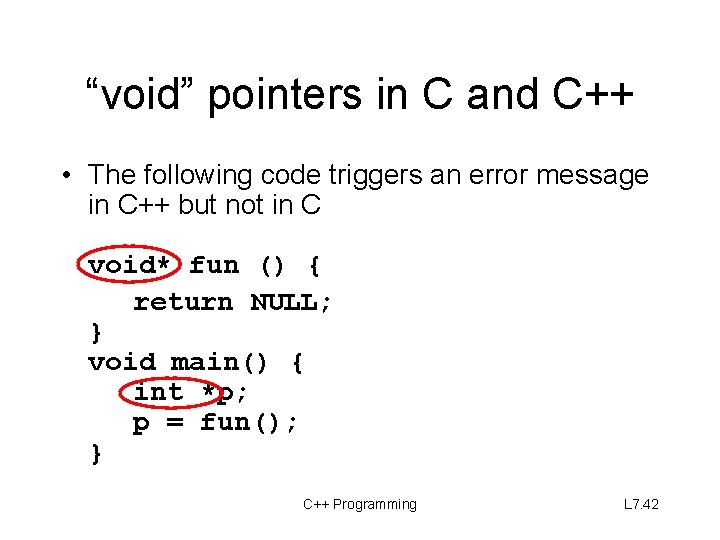
“void” pointers in C and C++ • The following code triggers an error message in C++ but not in C void* fun () { return NULL; } void main() { int *p; p = fun(); } C++ Programming L 7. 42