Layout Strategies 9 Power Point presentation to accompany

- Slides: 69
Layout Strategies 9 Power. Point presentation to accompany Heizer and Render Operations Management, Eleventh Edition Principles of Operations Management, Ninth Edition Power. Point slides by Jeff Heyl © 2014 Pearson Education, Inc. © 2014 Pearson Education, 9 -1
Outline ► ► ► Global Company Profile: Mc. Donald’s The Strategic Importance of Layout Decisions Types of Layout Office Layout Retail Layout Warehousing and Storage Layouts © 2014 Pearson Education, Inc. 9 -2
Outline - Continued ► ► Fixed-Position Layout Process-Oriented Layout Work Cells Repetitive and Product. Oriented Layout © 2014 Pearson Education, Inc. 9 -3
Learning Objectives When you complete this chapter you should be able to: 1. Discuss important issues in office layout 2. Define the objectives of retail layout 3. Discuss modern warehouse management and terms such as ASRS, cross-docking, and random stocking 4. Identify when fixed-position layouts are appropriate © 2014 Pearson Education, Inc. 9 -4
Learning Objectives When you complete this chapter you should be able to: 5. Explain how to achieve a good processoriented facility layout 6. Define work cell and the requirements of a work cell 7. Define product-oriented layout 8. Explain how to balance production flow in a repetitive or product-oriented facility © 2014 Pearson Education, Inc. 9 -5
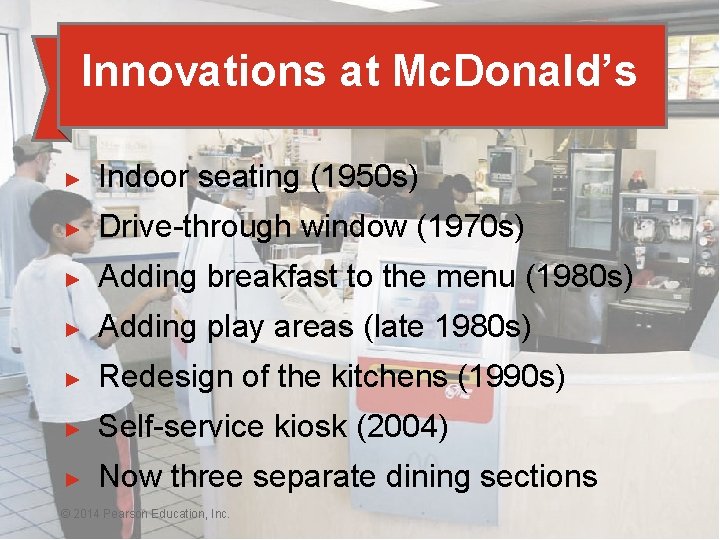
Innovations at Mc. Donald’s ► Indoor seating (1950 s) ► Drive-through window (1970 s) ► Adding breakfast to the menu (1980 s) ► Adding play areas (late 1980 s) ► Redesign of the kitchens (1990 s) ► Self-service kiosk (2004) ► Now three separate dining sections © 2014 Pearson Education, Inc. © 2014 Pearson Education, 9 -6
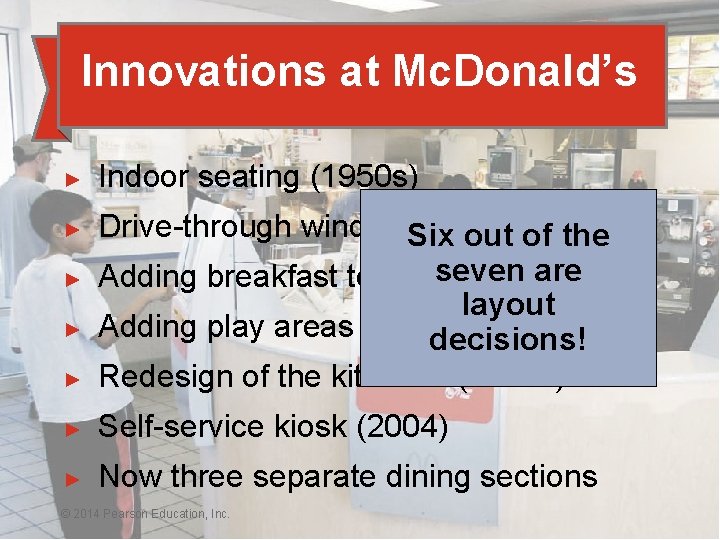
Innovations at Mc. Donald’s ► Indoor seating (1950 s) ► Drive-through window. Six (1970 s) out of the are Adding breakfast to the seven menu (1980 s) layout Adding play areas (late decisions! 1980 s) Redesign of the kitchens (1990 s) ► Self-service kiosk (2004) ► Now three separate dining sections ► ► ► © 2014 Pearson Education, Inc. © 2014 Pearson Education, 9 -7
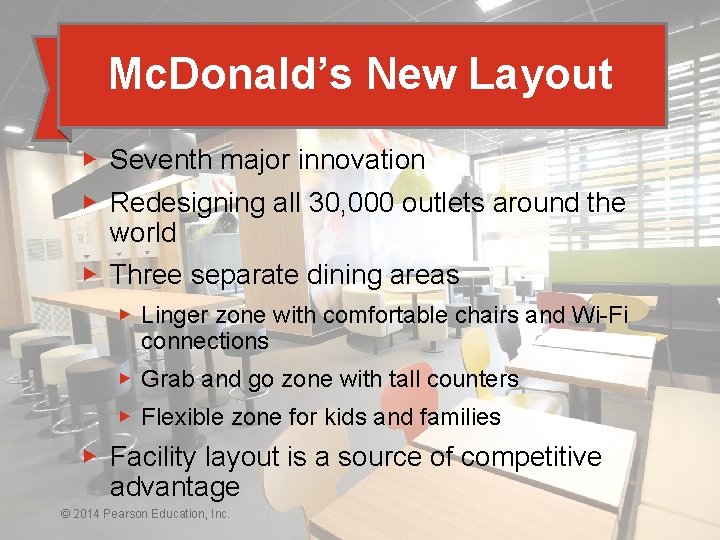
Mc. Donald’s New Layout ▶ Seventh major innovation ▶ Redesigning all 30, 000 outlets around the world ▶ Three separate dining areas ▶ Linger zone with comfortable chairs and Wi-Fi connections ▶ Grab and go zone with tall counters ▶ Flexible zone for kids and families ▶ Facility layout is a source of competitive advantage © 2014 Pearson Education, Inc. © 2014 Pearson Education, 9 -8
Strategic Importance of Layout Decisions The objective of layout strategy is to develop an effective and efficient layout that will meet the firm’s competitive requirements © 2014 Pearson Education, Inc. 9 -9
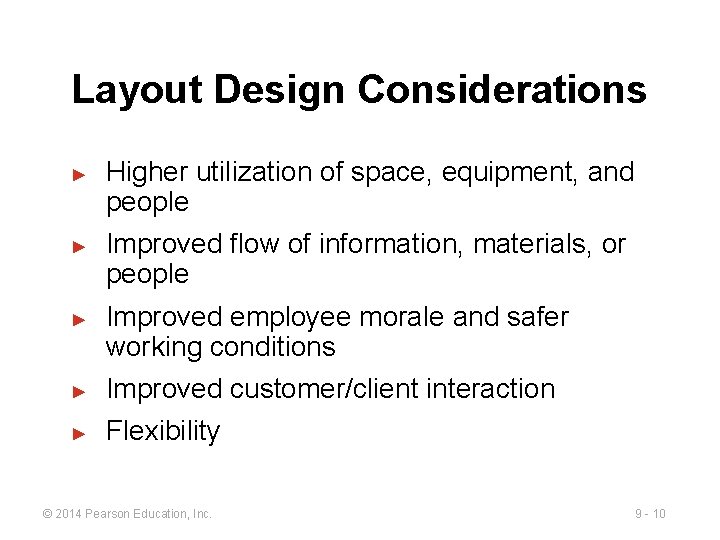
Layout Design Considerations ► ► ► Higher utilization of space, equipment, and people Improved flow of information, materials, or people Improved employee morale and safer working conditions ► Improved customer/client interaction ► Flexibility © 2014 Pearson Education, Inc. 9 - 10
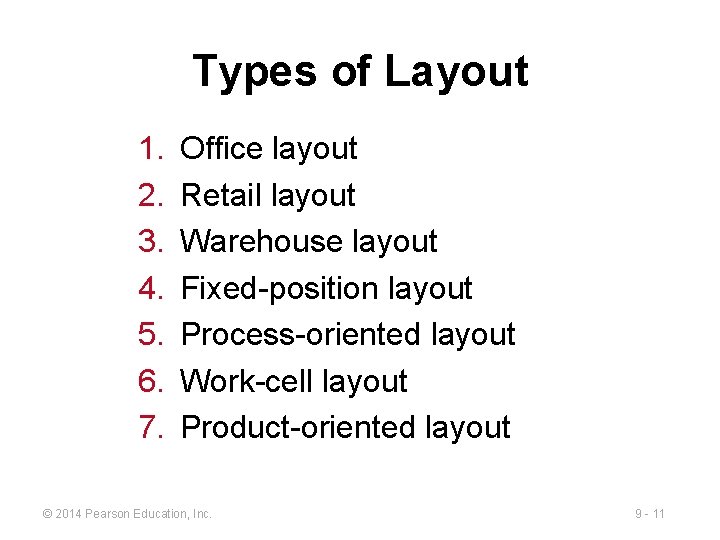
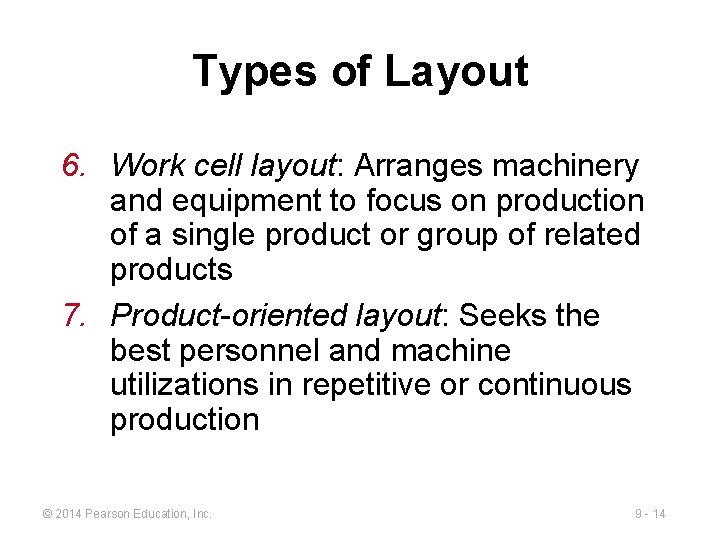
Types of Layout 1. 2. 3. 4. 5. 6. 7. Office layout Retail layout Warehouse layout Fixed-position layout Process-oriented layout Work-cell layout Product-oriented layout © 2014 Pearson Education, Inc. 9 - 11
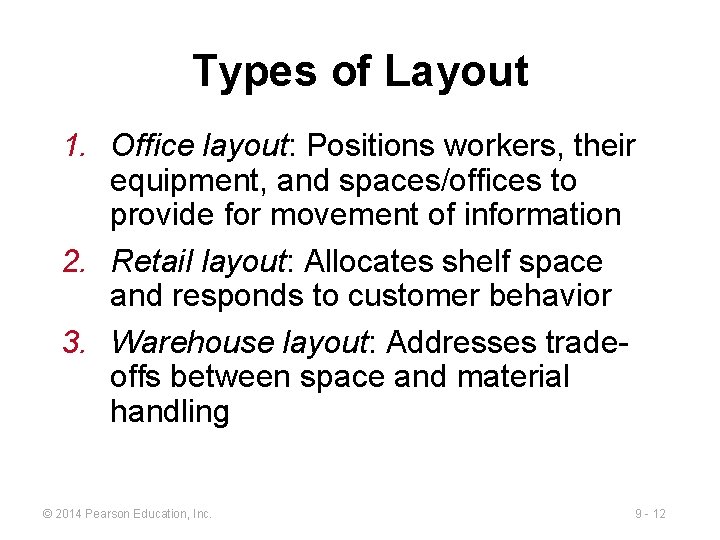
Types of Layout 1. Office layout: Positions workers, their equipment, and spaces/offices to provide for movement of information 2. Retail layout: Allocates shelf space and responds to customer behavior 3. Warehouse layout: Addresses tradeoffs between space and material handling © 2014 Pearson Education, Inc. 9 - 12
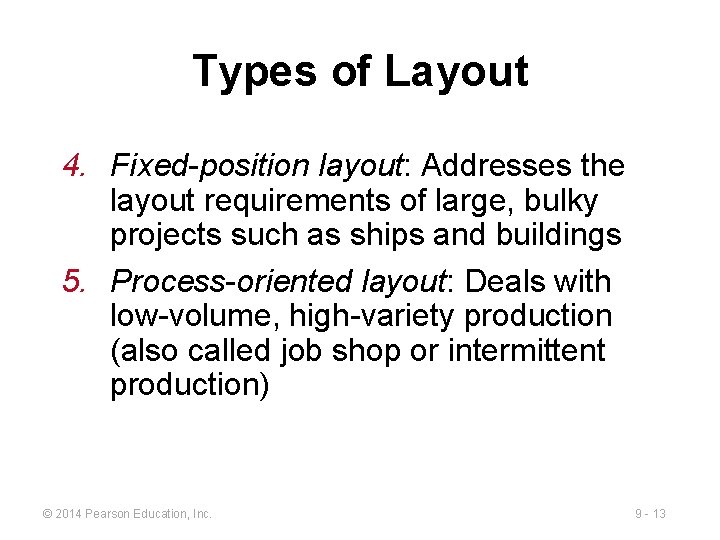
Types of Layout 4. Fixed-position layout: Addresses the layout requirements of large, bulky projects such as ships and buildings 5. Process-oriented layout: Deals with low-volume, high-variety production (also called job shop or intermittent production) © 2014 Pearson Education, Inc. 9 - 13
Types of Layout 6. Work cell layout: Arranges machinery and equipment to focus on production of a single product or group of related products 7. Product-oriented layout: Seeks the best personnel and machine utilizations in repetitive or continuous production © 2014 Pearson Education, Inc. 9 - 14
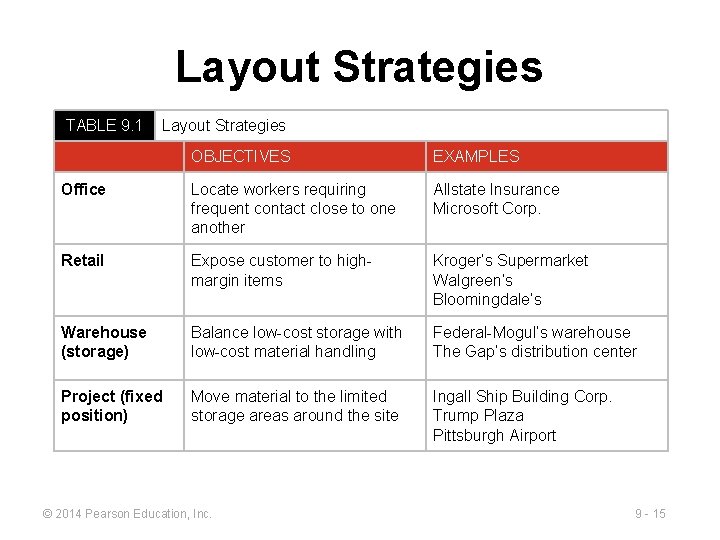
Layout Strategies TABLE 9. 1 Layout Strategies OBJECTIVES EXAMPLES Office Locate workers requiring frequent contact close to one another Allstate Insurance Microsoft Corp. Retail Expose customer to highmargin items Kroger’s Supermarket Walgreen’s Bloomingdale’s Warehouse (storage) Balance low-cost storage with low-cost material handling Federal-Mogul’s warehouse The Gap’s distribution center Project (fixed position) Move material to the limited storage areas around the site Ingall Ship Building Corp. Trump Plaza Pittsburgh Airport © 2014 Pearson Education, Inc. 9 - 15
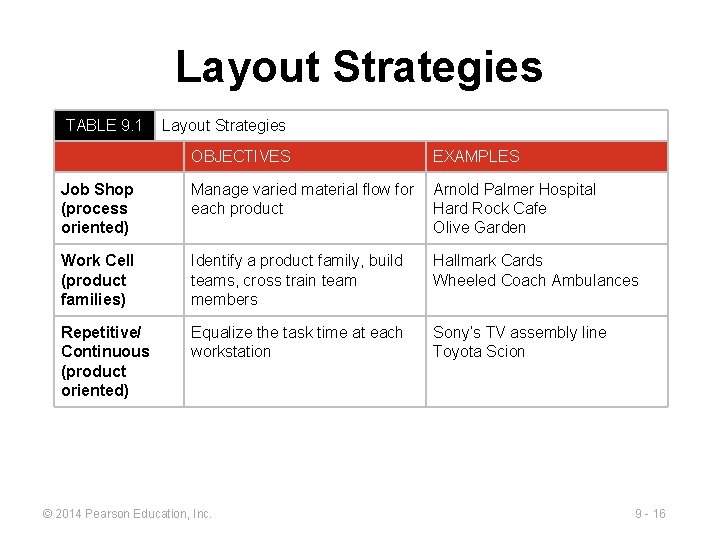
Layout Strategies TABLE 9. 1 Layout Strategies OBJECTIVES EXAMPLES Job Shop (process oriented) Manage varied material flow for each product Arnold Palmer Hospital Hard Rock Cafe Olive Garden Work Cell (product families) Identify a product family, build teams, cross train team members Hallmark Cards Wheeled Coach Ambulances Repetitive/ Continuous (product oriented) Equalize the task time at each workstation Sony’s TV assembly line Toyota Scion © 2014 Pearson Education, Inc. 9 - 16
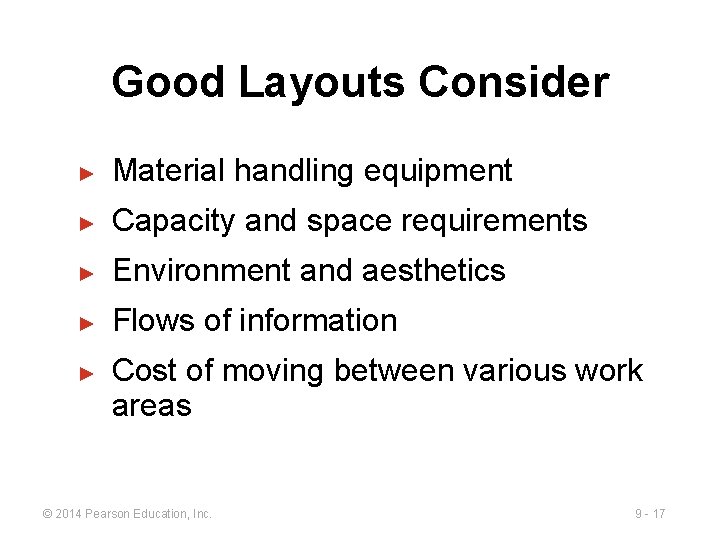
Good Layouts Consider ► Material handling equipment ► Capacity and space requirements ► Environment and aesthetics ► Flows of information ► Cost of moving between various work areas © 2014 Pearson Education, Inc. 9 - 17
Office Layout ► ► ► Grouping of workers, their equipment, and spaces to provide comfort, safety, and movement of information Movement of information is main distinction Typically in state of flux due to frequent technological changes © 2014 Pearson Education, Inc. 9 - 18
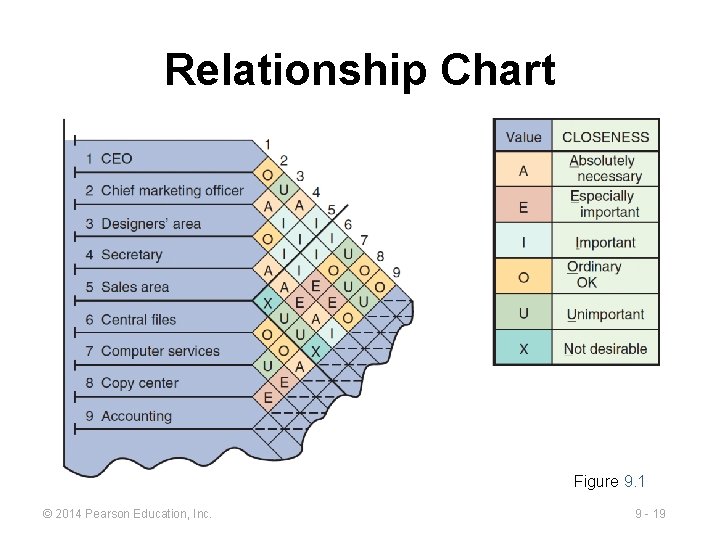
Relationship Chart Figure 9. 1 © 2014 Pearson Education, Inc. 9 - 19
Office Layout ► ► Three physical and social aspects ► Proximity ► Privacy ► Permission Two major trends ► Information technology ► Dynamic needs for space and services © 2014 Pearson Education, Inc. 9 - 20
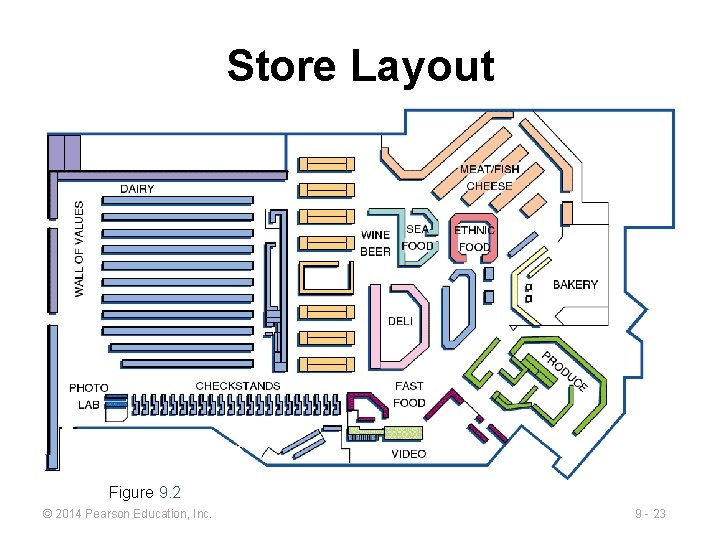
Supermarket Retail Layout ▶ Objective is to maximize profitability per square foot of floor space ▶ Sales and profitability vary directly with customer exposure © 2014 Pearson Education, Inc. 9 - 21
Five Helpful Ideas for Supermarket Layout 1. Locate high-draw items around the periphery of the store 2. Use prominent locations for high-impulse and high-margin items 3. Distribute power items to both sides of an aisle and disperse them to increase viewing of other items 4. Use end-aisle locations 5. Convey mission of store through careful positioning of lead-off department © 2014 Pearson Education, Inc. 9 - 22
Store Layout Figure 9. 2 © 2014 Pearson Education, Inc. 9 - 23
Retail Slotting ▶ Manufacturers pay fees to retailers to get the retailers to display (slot) their product ▶ Contributing factors ▶ Limited shelf space ▶ An increasing number of new products ▶ Better information about sales through POS data collection ▶ Closer control of inventory © 2014 Pearson Education, Inc. 9 - 24
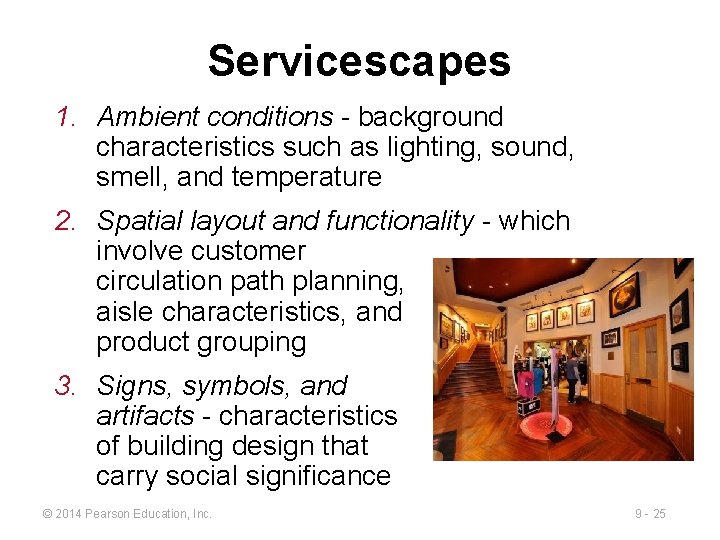
Servicescapes 1. Ambient conditions - background characteristics such as lighting, sound, smell, and temperature 2. Spatial layout and functionality - which involve customer circulation path planning, aisle characteristics, and product grouping 3. Signs, symbols, and artifacts - characteristics of building design that carry social significance © 2014 Pearson Education, Inc. 9 - 25
Warehousing and Storage Layouts ▶ Objective is to optimize trade-offs between handling costs and costs associated with warehouse space ▶ Maximize the total “cube” of the warehouse – utilize its full volume while maintaining low material handling costs © 2014 Pearson Education, Inc. 9 - 26
Warehousing and Storage Layouts Material Handling Costs ► All costs associated with the transaction ► Incoming transport ► Storage ► Finding and moving material ► Outgoing transport ► ► Equipment, people, material, supervision, insurance, depreciation Minimize damage and spoilage © 2014 Pearson Education, Inc. 9 - 27
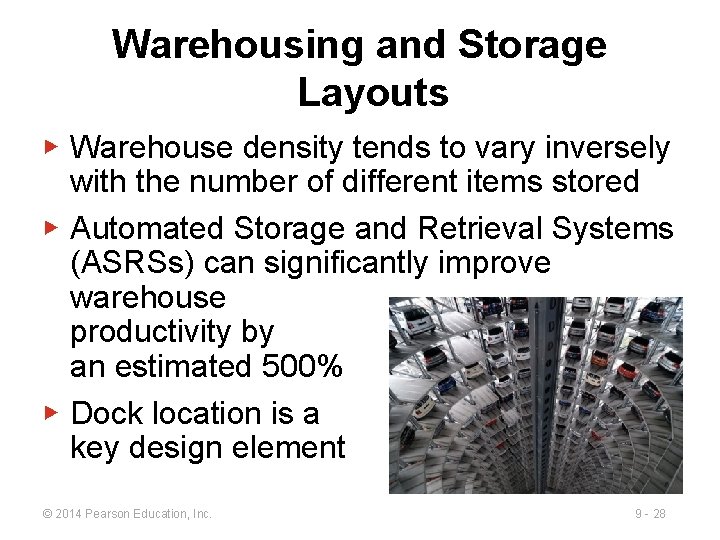
Warehousing and Storage Layouts ▶ Warehouse density tends to vary inversely with the number of different items stored ▶ Automated Storage and Retrieval Systems (ASRSs) can significantly improve warehouse productivity by an estimated 500% ▶ Dock location is a key design element © 2014 Pearson Education, Inc. 9 - 28
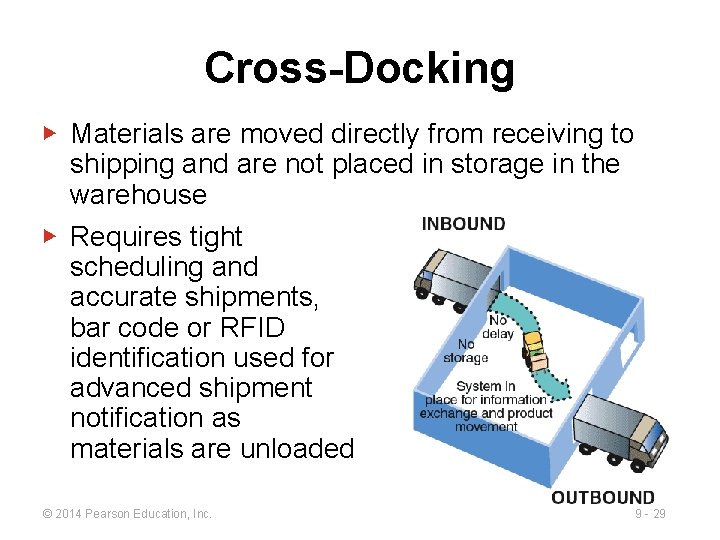
Cross-Docking ▶ Materials are moved directly from receiving to shipping and are not placed in storage in the warehouse ▶ Requires tight scheduling and accurate shipments, bar code or RFID identification used for advanced shipment notification as materials are unloaded © 2014 Pearson Education, Inc. 9 - 29
Random Stocking ► Typically requires automatic identification systems (AISs) and effective information systems ► Allows more efficient use of space ► Key tasks 1. Maintain list of open locations 2. Maintain accurate records 3. Sequence items to minimize travel, pick time 4. Combine picking orders 5. Assign classes of items to particular areas © 2014 Pearson Education, Inc. 9 - 30
Customizing ▶ Value-added activities performed at the warehouse ▶ Enable low cost and rapid response strategies ▶ Assembly of components ▶ Loading software ▶ Repairs ▶ Customized labeling and packaging © 2014 Pearson Education, Inc. 9 - 31
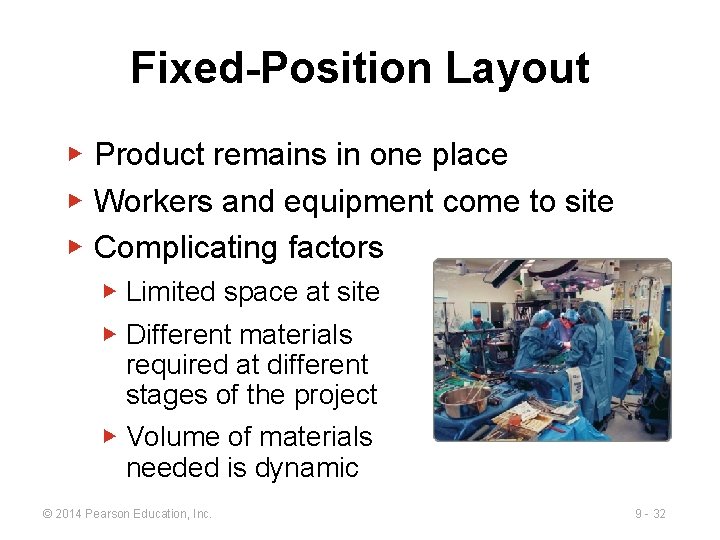
Fixed-Position Layout ▶ Product remains in one place ▶ Workers and equipment come to site ▶ Complicating factors ▶ Limited space at site ▶ Different materials required at different stages of the project ▶ Volume of materials needed is dynamic © 2014 Pearson Education, Inc. 9 - 32
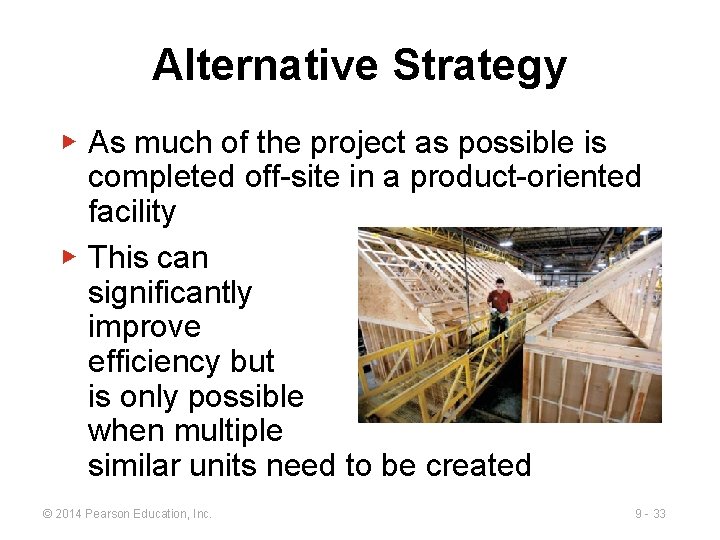
Alternative Strategy ▶ As much of the project as possible is completed off-site in a product-oriented facility ▶ This can significantly improve efficiency but is only possible when multiple similar units need to be created © 2014 Pearson Education, Inc. 9 - 33
Process-Oriented Layout ▶ Like machines and equipment are grouped together ▶ Flexible and capable of handling a wide variety of products or services ▶ Scheduling can be difficult and setup, material handling, and labor costs can be high © 2014 Pearson Education, Inc. 9 - 34
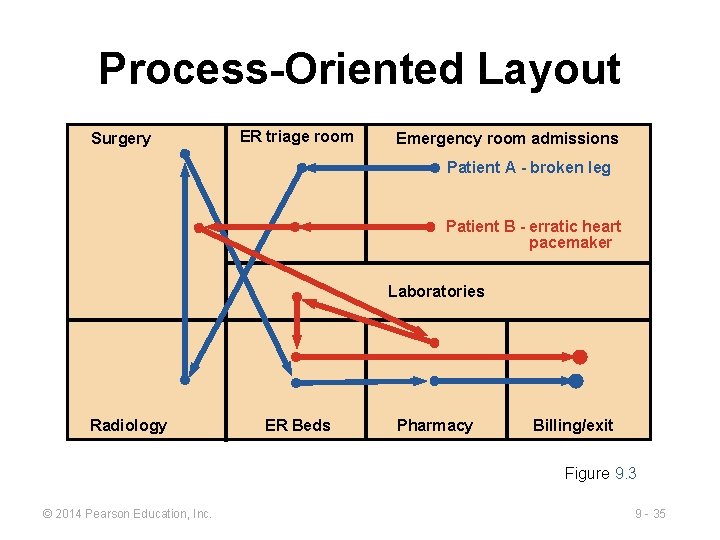
Process-Oriented Layout Surgery ER triage room Emergency room admissions Patient A - broken leg Patient B - erratic heart pacemaker Laboratories Radiology ER Beds Pharmacy Billing/exit Figure 9. 3 © 2014 Pearson Education, Inc. 9 - 35
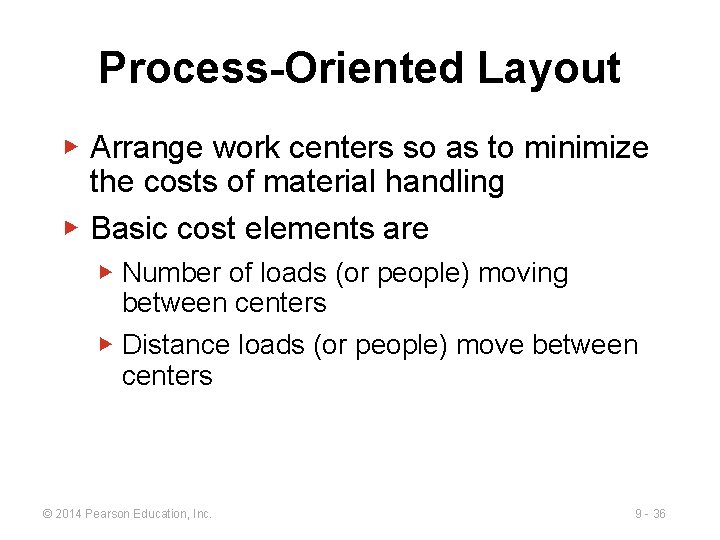
Process-Oriented Layout ▶ Arrange work centers so as to minimize the costs of material handling ▶ Basic cost elements are ▶ Number of loads (or people) moving between centers ▶ Distance loads (or people) move between centers © 2014 Pearson Education, Inc. 9 - 36
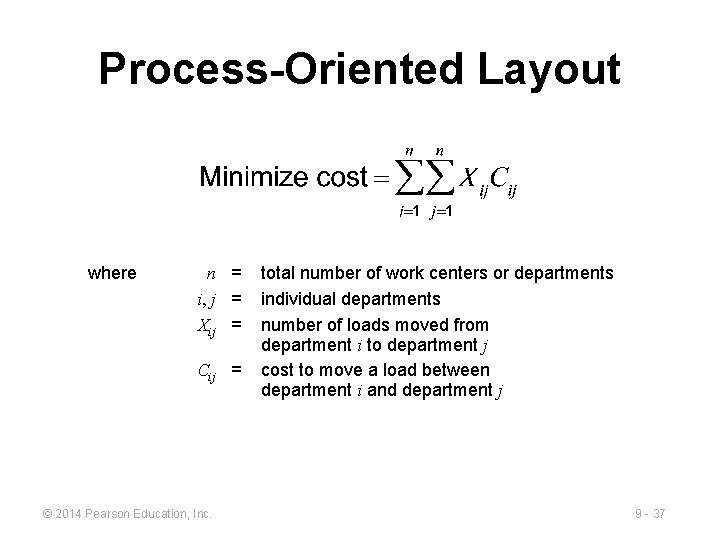
Process-Oriented Layout where n = i, j = Xij = Cij = © 2014 Pearson Education, Inc. total number of work centers or departments individual departments number of loads moved from department i to department j cost to move a load between department i and department j 9 - 37
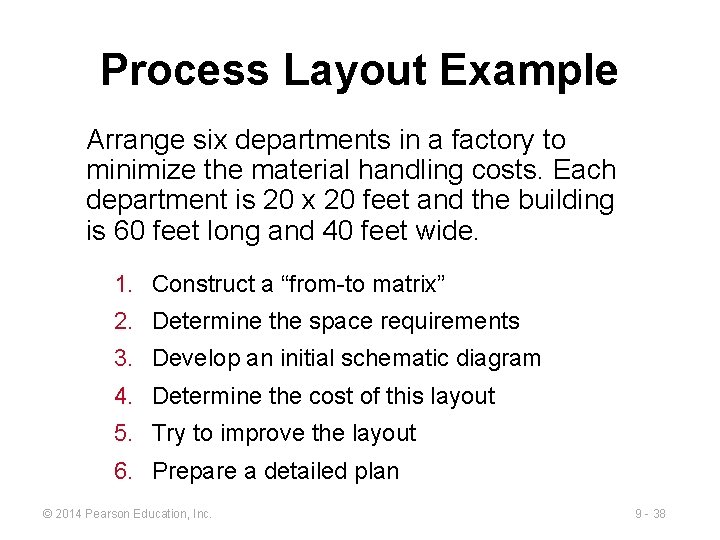
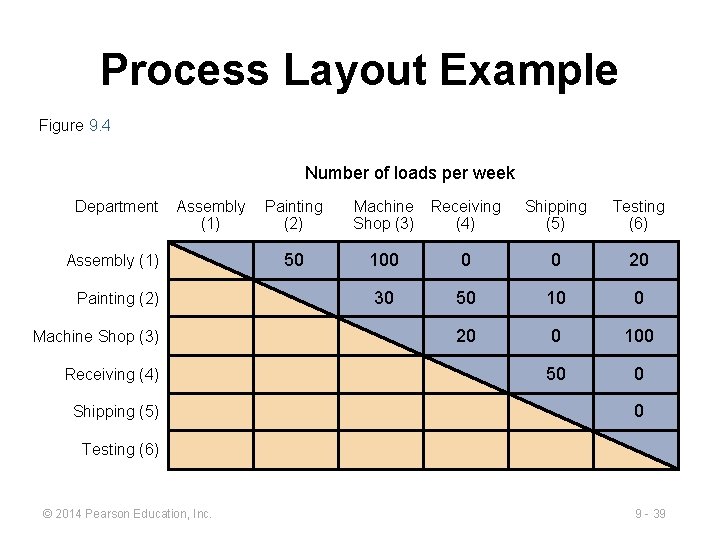
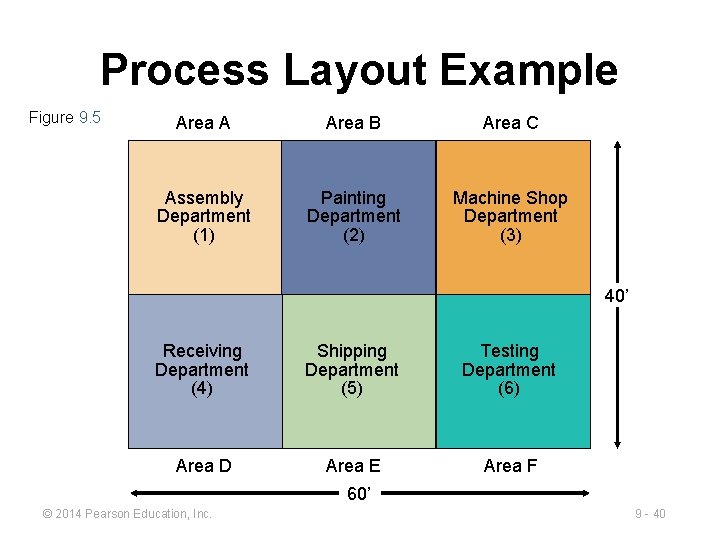
Process Layout Example Arrange six departments in a factory to minimize the material handling costs. Each department is 20 x 20 feet and the building is 60 feet long and 40 feet wide. 1. Construct a “from-to matrix” 2. Determine the space requirements 3. Develop an initial schematic diagram 4. Determine the cost of this layout 5. Try to improve the layout 6. Prepare a detailed plan © 2014 Pearson Education, Inc. 9 - 38
Process Layout Example Figure 9. 4 Number of loads per week Department Assembly (1) Painting (2) Machine Shop (3) Receiving (4) Shipping (5) Testing (6) 50 100 0 0 20 30 50 10 0 20 0 100 50 0 0 Testing (6) © 2014 Pearson Education, Inc. 9 - 39
Process Layout Example Figure 9. 5 Area A Area B Area C Assembly Department (1) Painting Department (2) Machine Shop Department (3) 40’ Receiving Department (4) Shipping Department (5) Testing Department (6) Area D Area E Area F 60’ © 2014 Pearson Education, Inc. 9 - 40
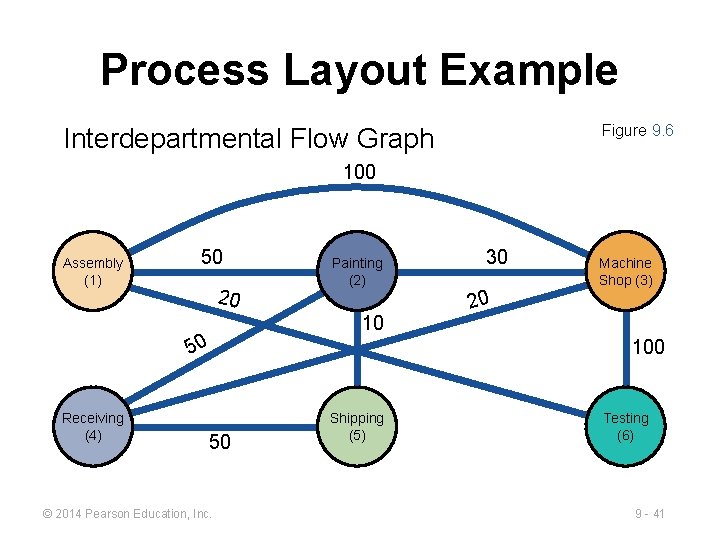
Process Layout Example Figure 9. 6 Interdepartmental Flow Graph 100 Assembly (1) 50 20 10 50 Receiving (4) Painting (2) 30 Machine Shop (3) 20 100 50 © 2014 Pearson Education, Inc. Shipping (5) Testing (6) 9 - 41
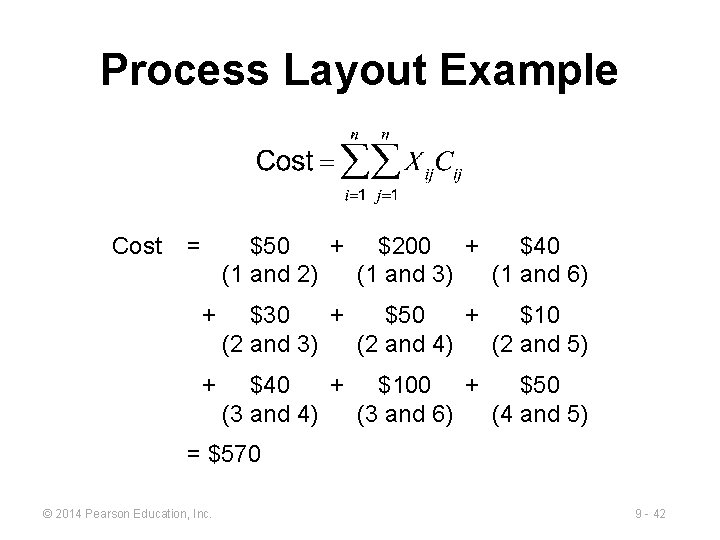
Process Layout Example Cost = $50 + $200 + $40 (1 and 2) (1 and 3) (1 and 6) + $30 + $50 + $10 (2 and 3) (2 and 4) (2 and 5) + $40 + $100 + $50 (3 and 4) (3 and 6) (4 and 5) = $570 © 2014 Pearson Education, Inc. 9 - 42
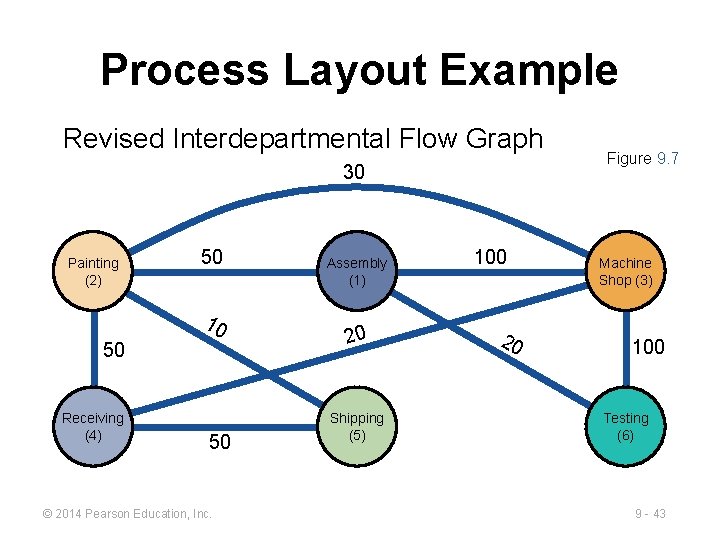
Process Layout Example Revised Interdepartmental Flow Graph 30 Painting (2) 50 10 50 Receiving (4) 50 © 2014 Pearson Education, Inc. Assembly (1) 20 Shipping (5) 100 20 Figure 9. 7 Machine Shop (3) 100 Testing (6) 9 - 43
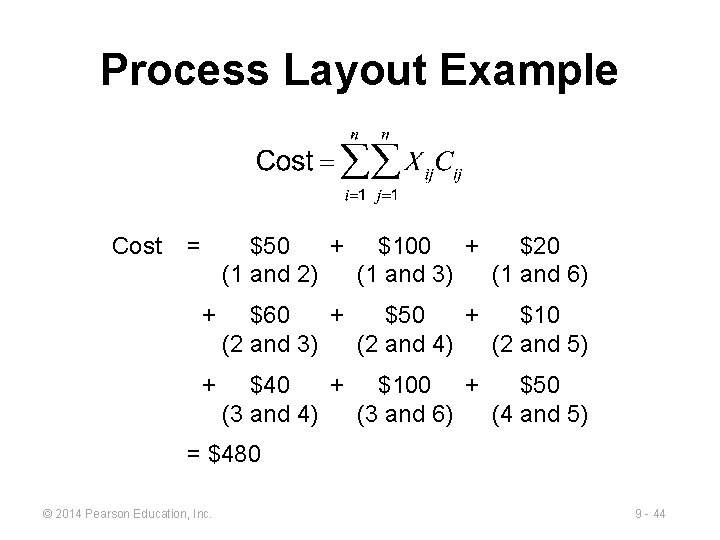
Process Layout Example Cost = $50 + $100 + $20 (1 and 2) (1 and 3) (1 and 6) + $60 + $50 + $10 (2 and 3) (2 and 4) (2 and 5) + $40 + $100 + $50 (3 and 4) (3 and 6) (4 and 5) = $480 © 2014 Pearson Education, Inc. 9 - 44
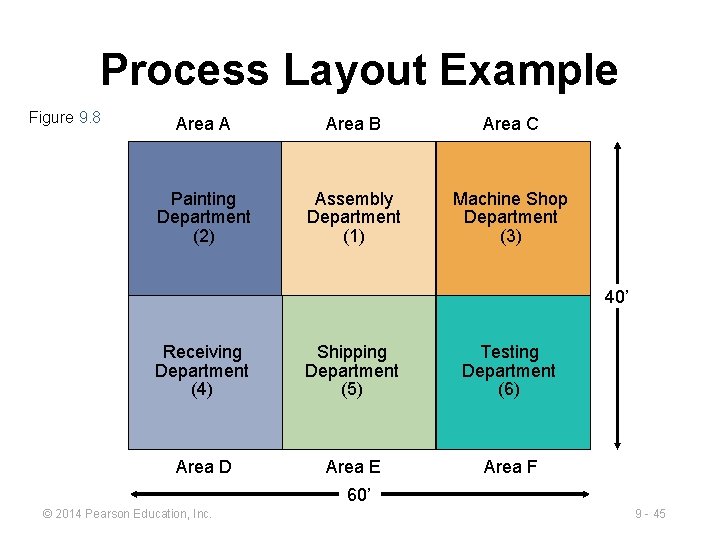
Process Layout Example Figure 9. 8 Area A Area B Area C Painting Department (2) Assembly Department (1) Machine Shop Department (3) 40’ Receiving Department (4) Shipping Department (5) Testing Department (6) Area D Area E Area F 60’ © 2014 Pearson Education, Inc. 9 - 45
Computer Software ▶ Graphical approach only works for small problems ▶ Computer programs are available to solve bigger problems ► CRAFT ► Factory Flow ► ALDEP ► Proplanner ► CORELAP © 2014 Pearson Education, Inc. 9 - 46
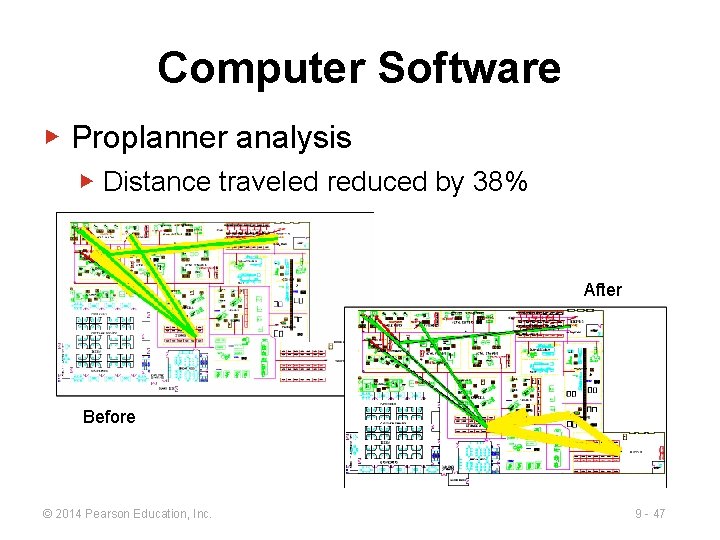
Computer Software ▶ Proplanner analysis ▶ Distance traveled reduced by 38% After Before © 2014 Pearson Education, Inc. 9 - 47
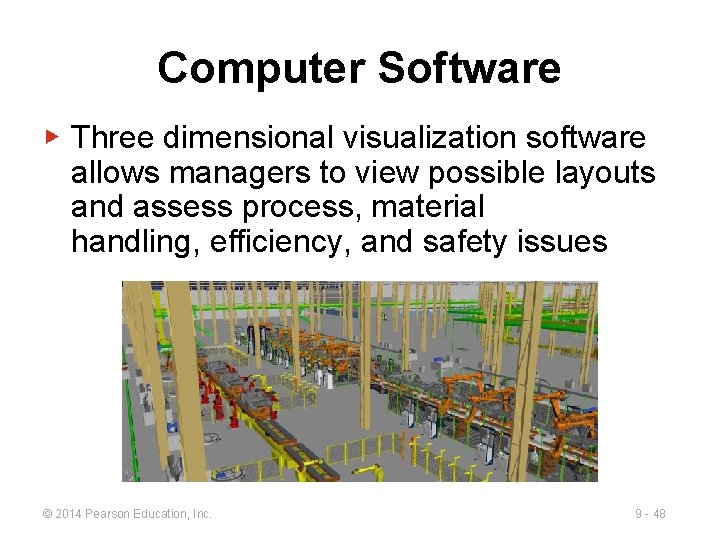
Computer Software ▶ Three dimensional visualization software allows managers to view possible layouts and assess process, material handling, efficiency, and safety issues © 2014 Pearson Education, Inc. 9 - 48
Work Cells ▶ Reorganizes people and machines into groups to focus on single products or product groups ▶ Group technology identifies products that have similar characteristics for particular cells ▶ Volume must justify cells ▶ Cells can be reconfigured as designs or volume changes © 2014 Pearson Education, Inc. 9 - 49
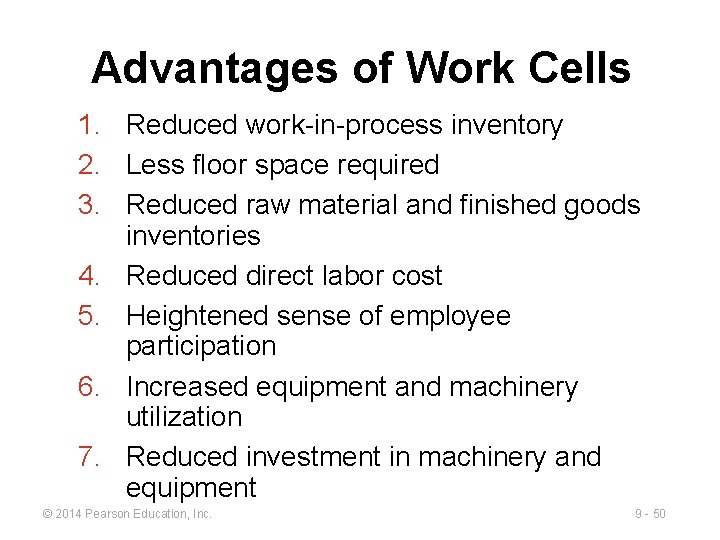
Advantages of Work Cells 1. Reduced work-in-process inventory 2. Less floor space required 3. Reduced raw material and finished goods inventories 4. Reduced direct labor cost 5. Heightened sense of employee participation 6. Increased equipment and machinery utilization 7. Reduced investment in machinery and equipment © 2014 Pearson Education, Inc. 9 - 50
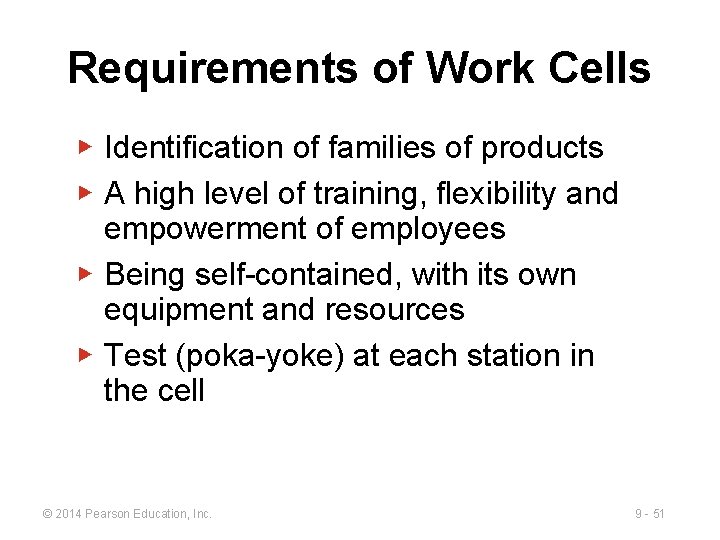
Requirements of Work Cells ▶ Identification of families of products ▶ A high level of training, flexibility and empowerment of employees ▶ Being self-contained, with its own equipment and resources ▶ Test (poka-yoke) at each station in the cell © 2014 Pearson Education, Inc. 9 - 51
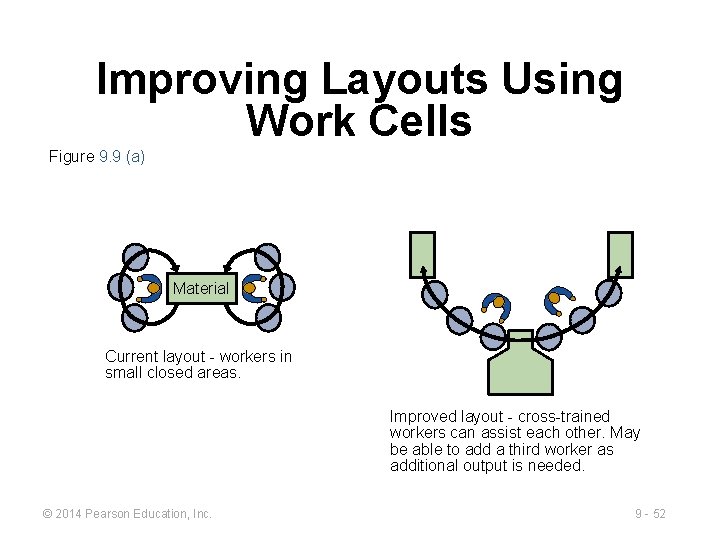
Improving Layouts Using Work Cells Figure 9. 9 (a) Material Current layout - workers in small closed areas. Improved layout - cross-trained workers can assist each other. May be able to add a third worker as additional output is needed. © 2014 Pearson Education, Inc. 9 - 52
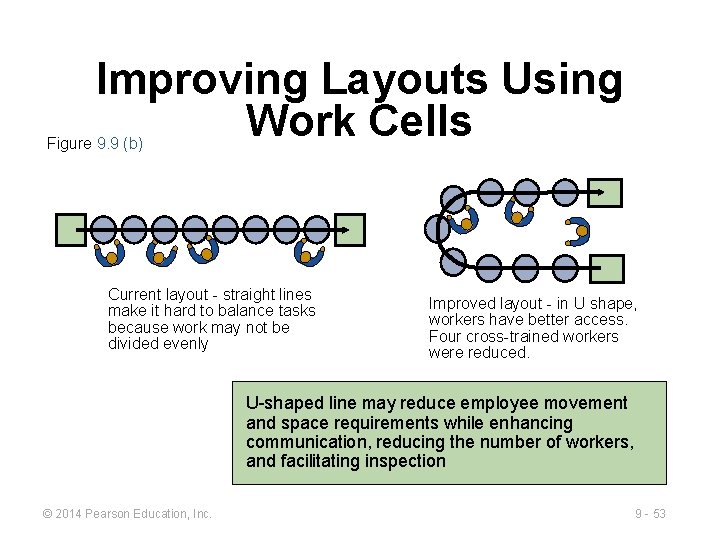
Improving Layouts Using Work Cells Figure 9. 9 (b) Current layout - straight lines make it hard to balance tasks because work may not be divided evenly Improved layout - in U shape, workers have better access. Four cross-trained workers were reduced. U-shaped line may reduce employee movement and space requirements while enhancing communication, reducing the number of workers, and facilitating inspection © 2014 Pearson Education, Inc. 9 - 53
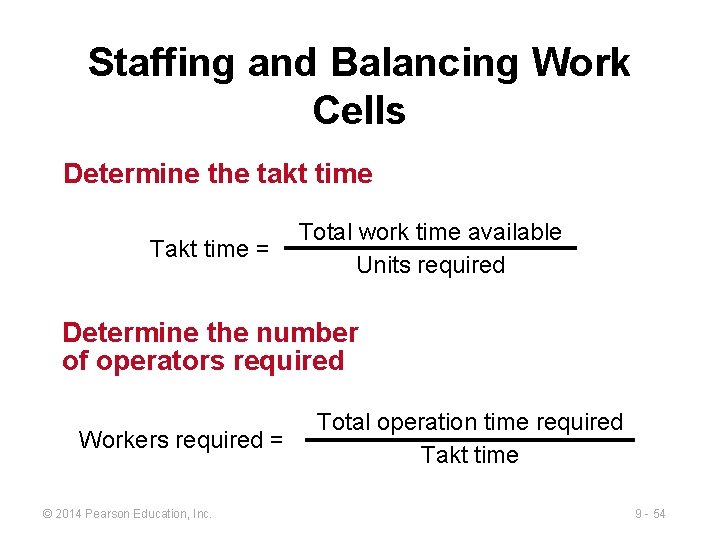
Staffing and Balancing Work Cells Determine the takt time Takt time = Total work time available Units required Determine the number of operators required Workers required = © 2014 Pearson Education, Inc. Total operation time required Takt time 9 - 54
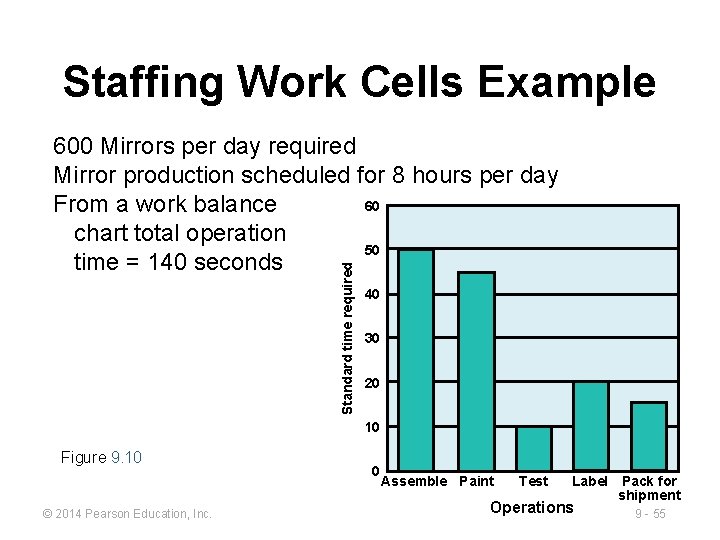
Staffing Work Cells Example Standard time required 600 Mirrors per day required Mirror production scheduled for 8 hours per day 60 From a work balance chart total operation 50 time = 140 seconds 40 30 20 10 Figure 9. 10 © 2014 Pearson Education, Inc. 0 Assemble Paint Test Label Pack for shipment Operations 9 - 55
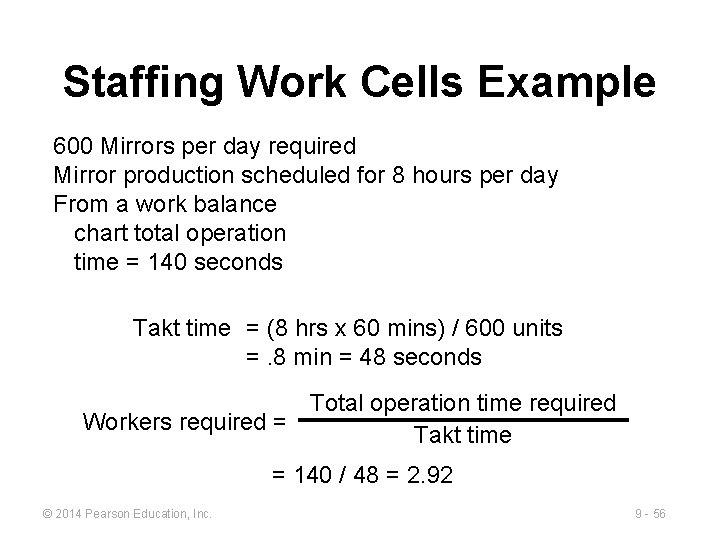
Staffing Work Cells Example 600 Mirrors per day required Mirror production scheduled for 8 hours per day From a work balance chart total operation time = 140 seconds Takt time = (8 hrs x 60 mins) / 600 units =. 8 min = 48 seconds Total operation time required Workers required = Takt time = 140 / 48 = 2. 92 © 2014 Pearson Education, Inc. 9 - 56
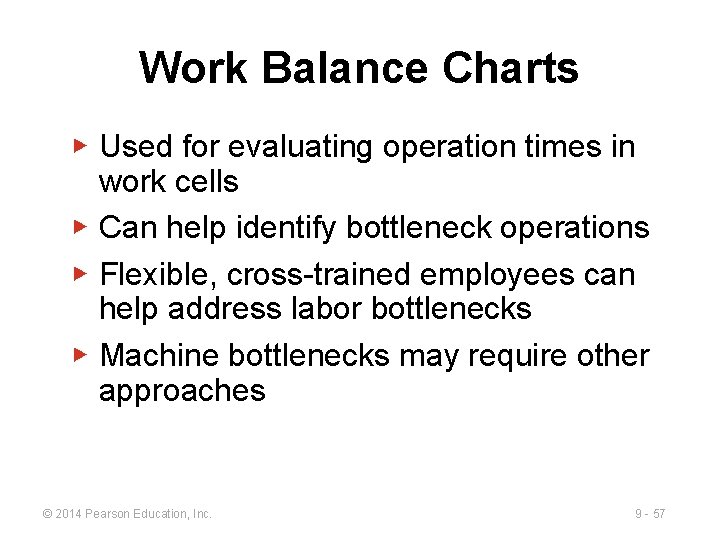
Work Balance Charts ▶ Used for evaluating operation times in work cells ▶ Can help identify bottleneck operations ▶ Flexible, cross-trained employees can help address labor bottlenecks ▶ Machine bottlenecks may require other approaches © 2014 Pearson Education, Inc. 9 - 57
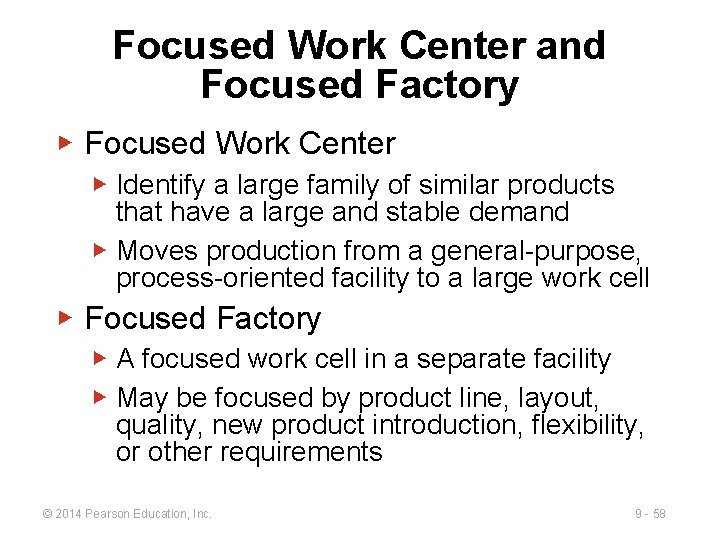
Focused Work Center and Focused Factory ▶ Focused Work Center ▶ Identify a large family of similar products that have a large and stable demand ▶ Moves production from a general-purpose, process-oriented facility to a large work cell ▶ Focused Factory ▶ A focused work cell in a separate facility ▶ May be focused by product line, layout, quality, new product introduction, flexibility, or other requirements © 2014 Pearson Education, Inc. 9 - 58
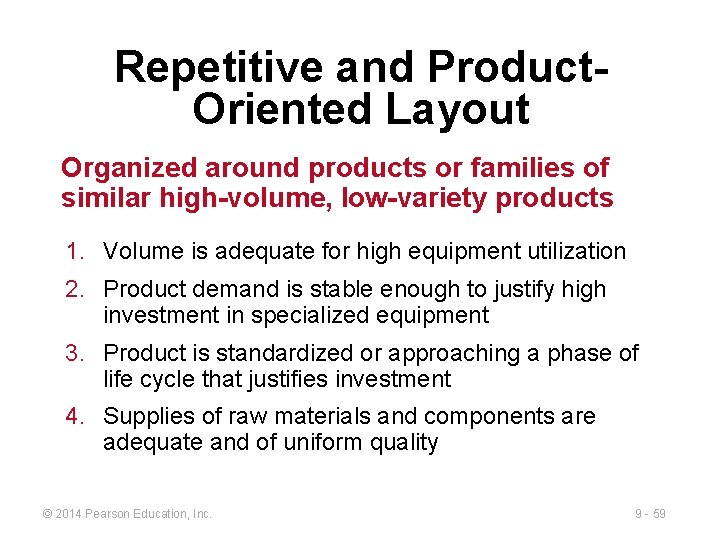
Repetitive and Product. Oriented Layout Organized around products or families of similar high-volume, low-variety products 1. Volume is adequate for high equipment utilization 2. Product demand is stable enough to justify high investment in specialized equipment 3. Product is standardized or approaching a phase of life cycle that justifies investment 4. Supplies of raw materials and components are adequate and of uniform quality © 2014 Pearson Education, Inc. 9 - 59
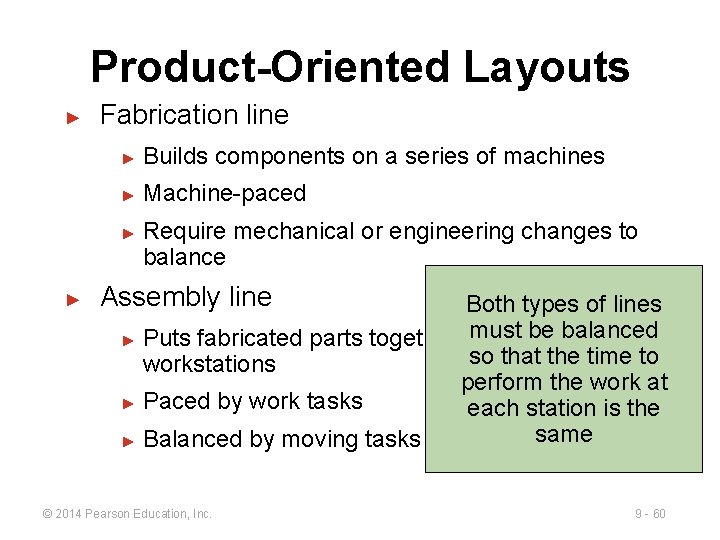
Product-Oriented Layouts ► Fabrication line ► Builds components on a series of machines ► Machine-paced ► ► Require mechanical or engineering changes to balance Assembly line Both types of lines must be balanced ► Puts fabricated parts together at a series of so that the time to workstations perform the work at ► Paced by work tasks each station is the same ► Balanced by moving tasks © 2014 Pearson Education, Inc. 9 - 60
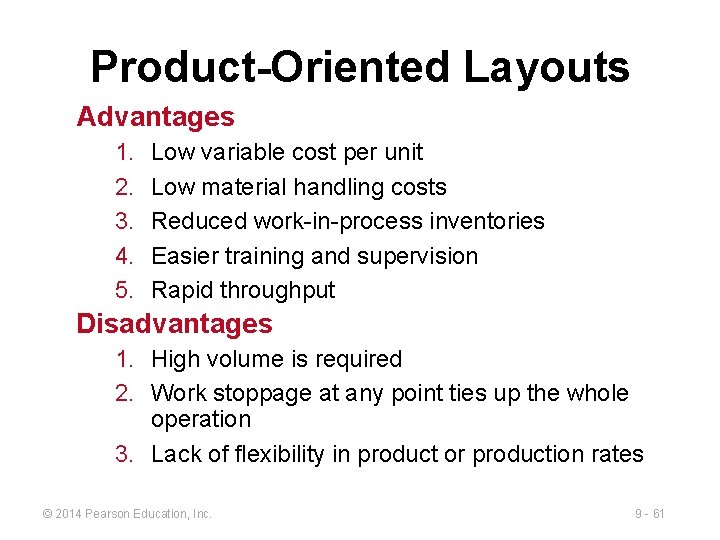
Product-Oriented Layouts Advantages 1. 2. 3. 4. 5. Low variable cost per unit Low material handling costs Reduced work-in-process inventories Easier training and supervision Rapid throughput Disadvantages 1. High volume is required 2. Work stoppage at any point ties up the whole operation 3. Lack of flexibility in product or production rates © 2014 Pearson Education, Inc. 9 - 61
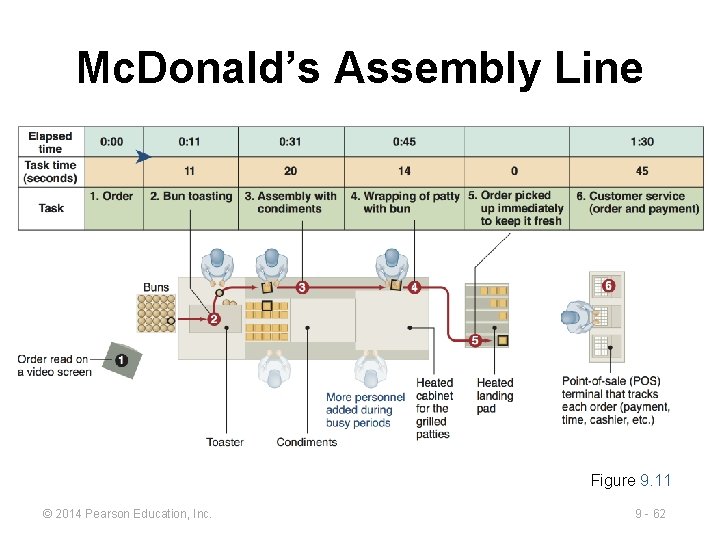
Mc. Donald’s Assembly Line Figure 9. 11 © 2014 Pearson Education, Inc. 9 - 62
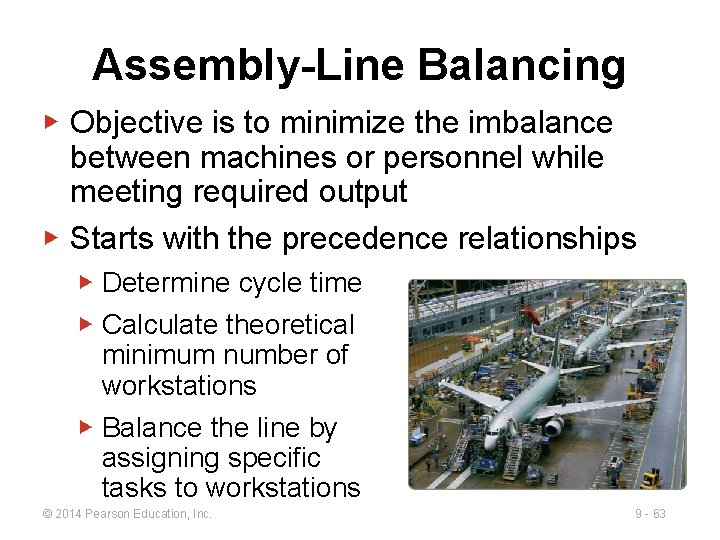
Assembly-Line Balancing ▶ Objective is to minimize the imbalance between machines or personnel while meeting required output ▶ Starts with the precedence relationships ▶ Determine cycle time ▶ Calculate theoretical minimum number of workstations ▶ Balance the line by assigning specific tasks to workstations © 2014 Pearson Education, Inc. 9 - 63
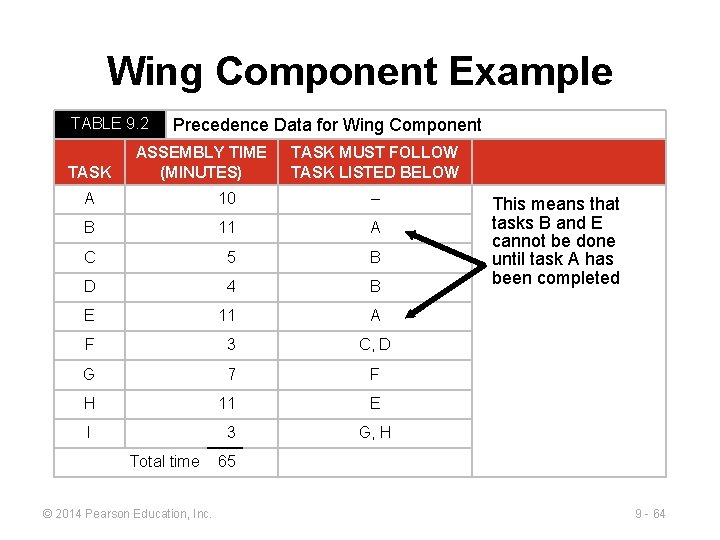
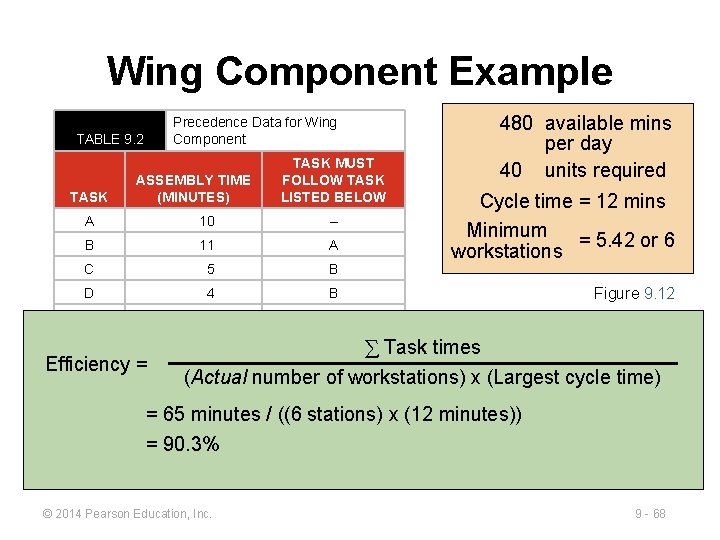
Wing Component Example TABLE 9. 2 TASK Precedence Data for Wing Component ASSEMBLY TIME (MINUTES) TASK MUST FOLLOW TASK LISTED BELOW A 10 – B 11 A C 5 B D 4 B E 11 A F 3 C, D G 7 F H 11 E I 3 G, H Total time © 2014 Pearson Education, Inc. This means that tasks B and E cannot be done until task A has been completed 65 9 - 64
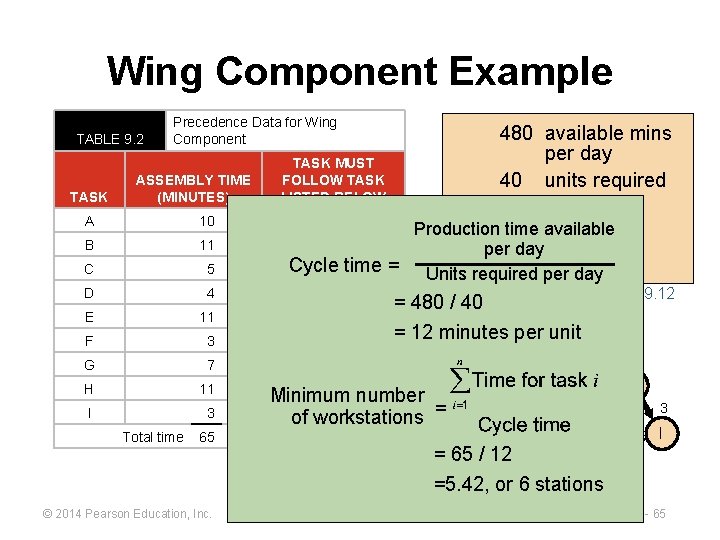
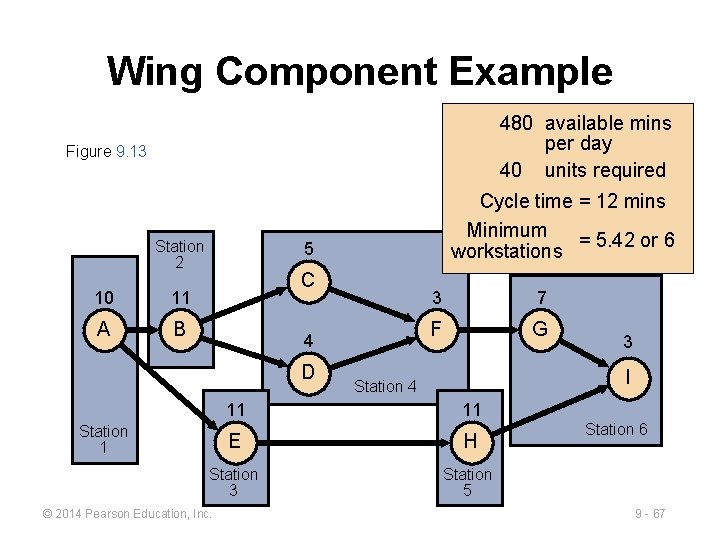
Wing Component Example TABLE 9. 2 TASK Precedence Data for Wing Component ASSEMBLY TIME (MINUTES) TASK MUST FOLLOW TASK LISTED BELOW A 10 B 11 C 5 D 4 B E 11 A F 3 C, D G 7 H 11 I 3 Total time 65 © 2014 Pearson Education, Inc. 480 available mins per day 40 units required – Production time available A per day Cycle B time = Units required per day F = 480 / 40 5 = 12 minutes per unit 10 11 A B E Minimum number G, H of workstations 11 C 4 D Figure 9. 12 3 7 F G 3 11 = 65 E/ 12 H =5. 42, or 6 stations I 9 - 65
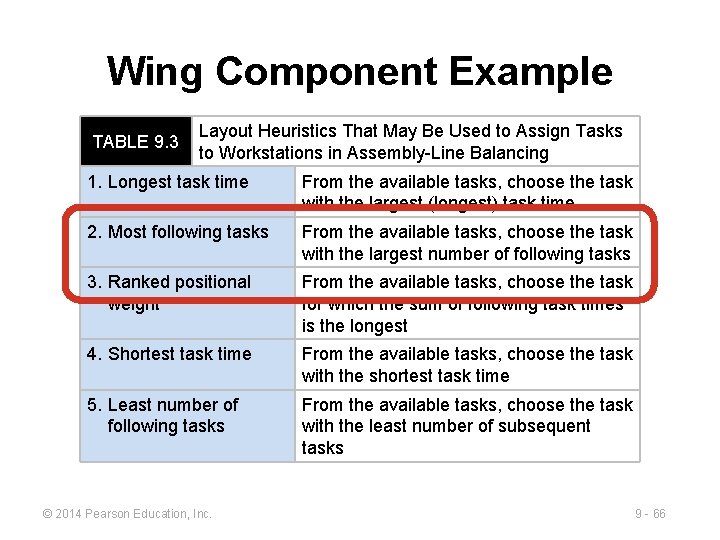
Wing Component Example TABLE 9. 3 Layout Heuristics That May Be Used to Assign Tasks to Workstations in Assembly-Line Balancing 1. Longest task time From the available tasks, choose the task with the largest (longest) task time 2. Most following tasks From the available tasks, choose the task with the largest number of following tasks 3. Ranked positional weight From the available tasks, choose the task for which the sum of following task times is the longest 4. Shortest task time From the available tasks, choose the task with the shortest task time 5. Least number of following tasks From the available tasks, choose the task with the least number of subsequent tasks © 2014 Pearson Education, Inc. 9 - 66
Wing Component Example 480 available mins per day 40 units required Figure 9. 13 Station 2 10 11 A B Cycle time = 12 mins Minimum = 5. 42 or 6 workstations 5 C 4 D 3 7 F G Station 3 Station 4 I 11 11 E H Station 3 Station 5 Station 1 © 2014 Pearson Education, Inc. 3 Station 6 6 Station 9 - 67
Wing Component Example TABLE 9. 2 TASK ASSEMBLY TIME (MINUTES) TASK MUST FOLLOW TASK LISTED BELOW A 10 – B 11 A C 5 B D 4 B E 11 A F 3 C, D G Efficiency = H I 480 available mins per day 40 units required Precedence Data for Wing Component 7 F Cycle time = 12 mins Minimum = 5. 42 or 6 workstations Figure 9. 12 5 ∑ Task times 10 11 C 3 7 (Actual number of workstations) time) A B x (Largest cycle G F 11 E 3 minutes = 65 Total time 65 = 90. 3% © 2014 Pearson Education, Inc. / ((6 G, H stations) 4 3 x (12 minutes)) 11 E D 11 I H 9 - 68
All rights reserved. No part of this publication may be reproduced, stored in a retrieval system, or transmitted, in any form or by any means, electronic, mechanical, photocopying, recording, or otherwise, without the prior written permission of the publisher. Printed in the United States of America. © 2014 Pearson Education, Inc. 9 - 69