ITEC 1000 Introduction to Information Technology Lecture 9
- Slides: 81
ITEC 1000 “Introduction to Information Technology” Lecture 9 Input/Output 1
Lecture Template: I/O Devices n I/O Modules n I/O Configurations n Types of I/O n Polling and Interrupts in I/O n Types of Information Systems n I/O System Architecture n Interface Buses and Ports n 2
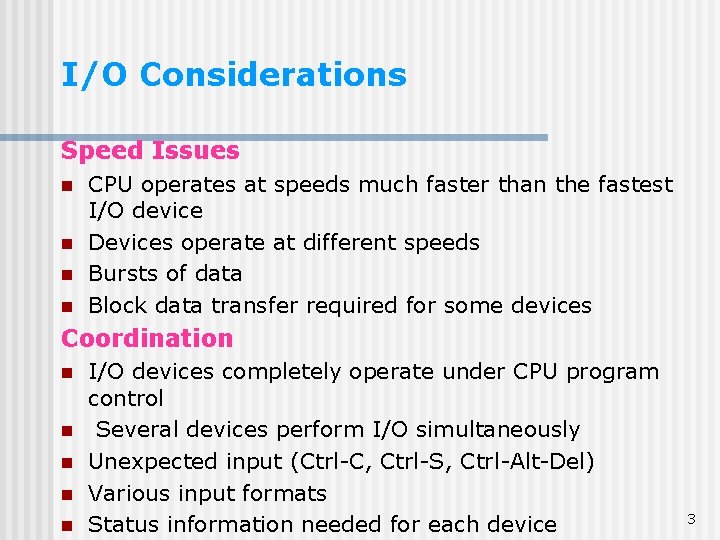
I/O Considerations Speed Issues n n CPU operates at speeds much faster than the fastest I/O device Devices operate at different speeds Bursts of data Block data transfer required for some devices Coordination n n I/O devices completely operate under CPU program control Several devices perform I/O simultaneously Unexpected input (Ctrl-C, Ctrl-S, Ctrl-Alt-Del) Various input formats Status information needed for each device 3
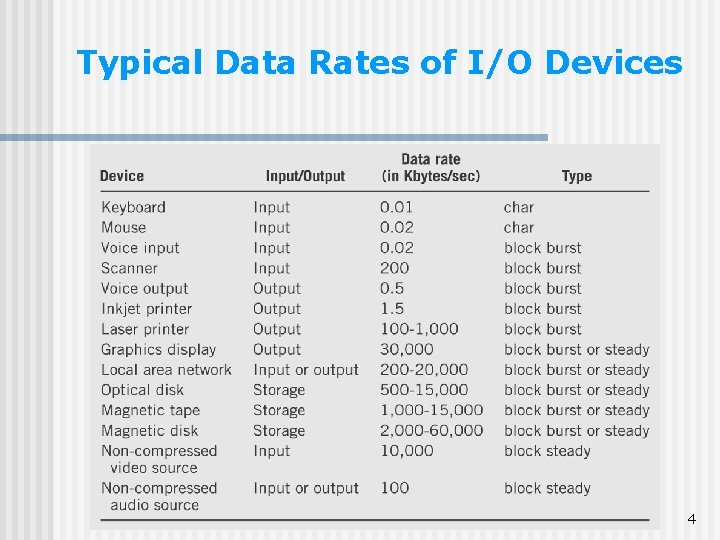
Typical Data Rates of I/O Devices 4
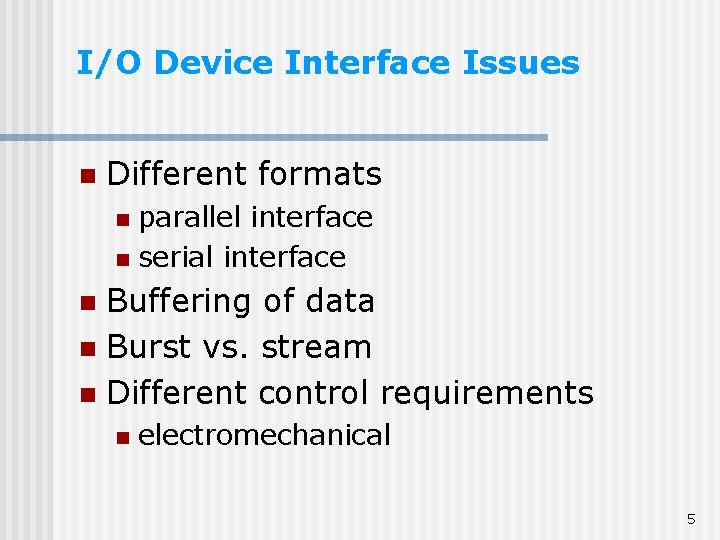
I/O Device Interface Issues n Different formats parallel interface n serial interface n Buffering of data n Burst vs. stream n Different control requirements n n electromechanical 5
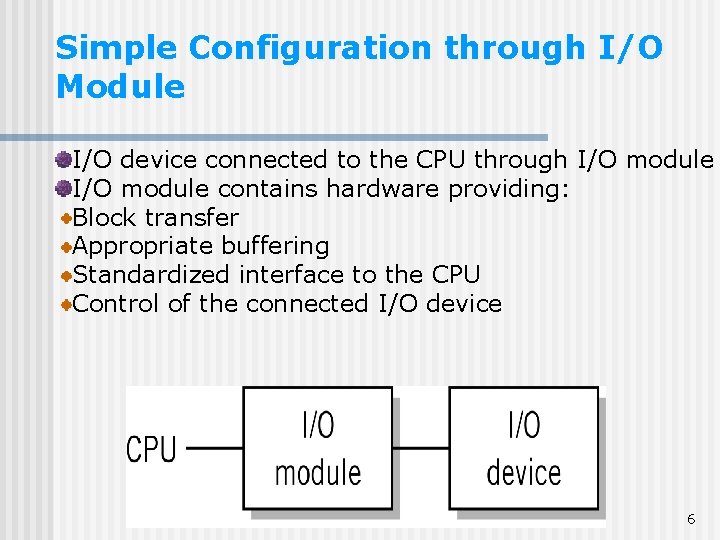
Simple Configuration through I/O Module I/O device connected to the CPU through I/O module contains hardware providing: Block transfer Appropriate buffering Standardized interface to the CPU Control of the connected I/O device 6
I/O Module Functions Recognizes messages from device(s) addressed to it and accepts commands from the CPU n Provides a buffer where the data from memory can be held until it can be transferred to the disk n Provides the necessary registers and controls to perform a direct memory transfer n Physically controls the device n Copies data from its buffer to the device/from the CPU to its buffer n Notifies with interrupts n 7
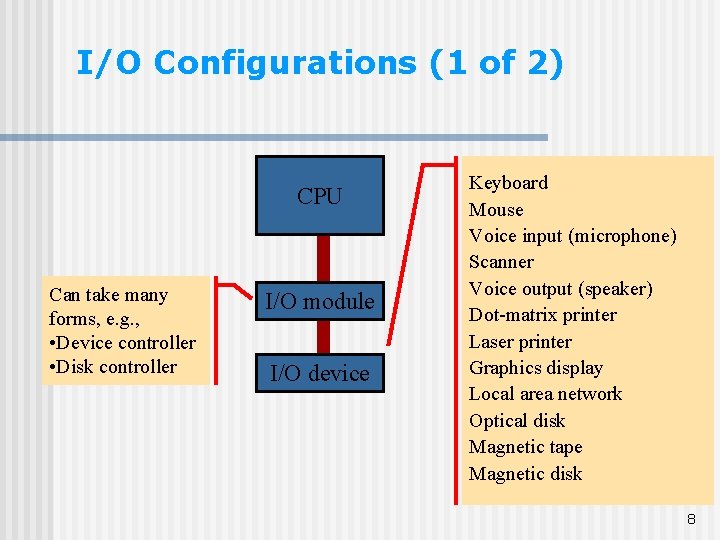
I/O Configurations (1 of 2) CPU Can take many forms, e. g. , • Device controller • Disk controller I/O module I/O device Keyboard Mouse Voice input (microphone) Scanner Voice output (speaker) Dot-matrix printer Laser printer Graphics display Local area network Optical disk Magnetic tape Magnetic disk 8
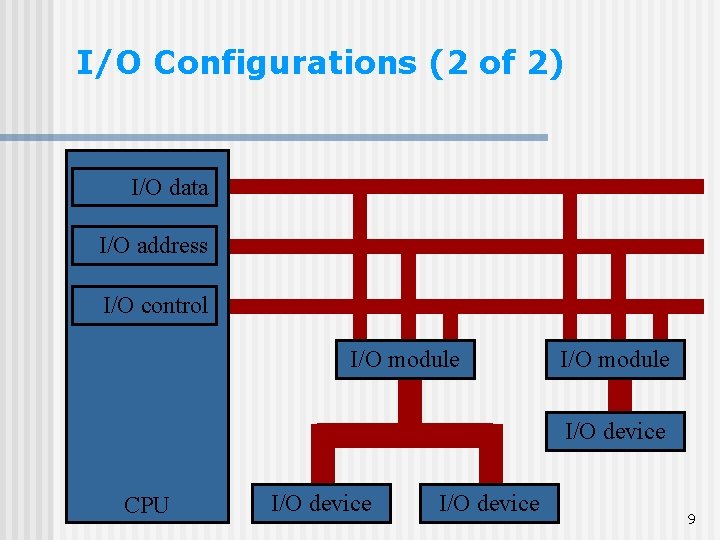
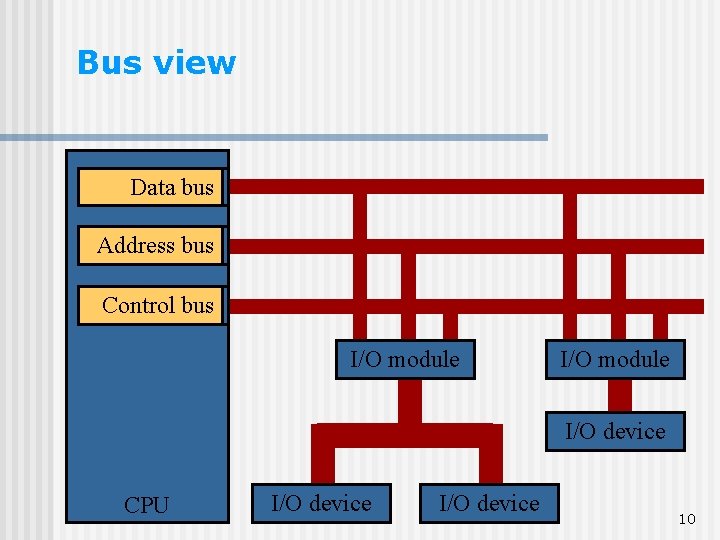
I/O Configurations (2 of 2) I/O data I/O address I/O control I/O module I/O device CPU I/O device 9
Bus view Data I/O data bus Address I/O address bus Control I/O control bus I/O module I/O device CPU I/O device 10
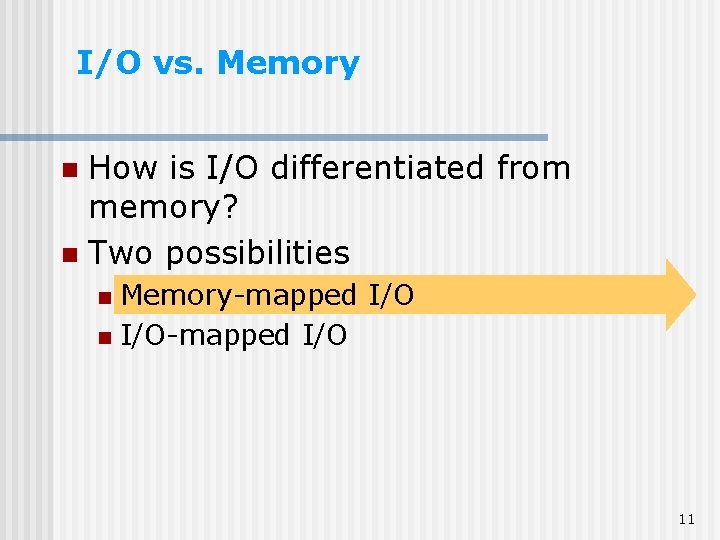
I/O vs. Memory How is I/O differentiated from memory? n Two possibilities n Memory-mapped I/O n I/O-mapped I/O n 11
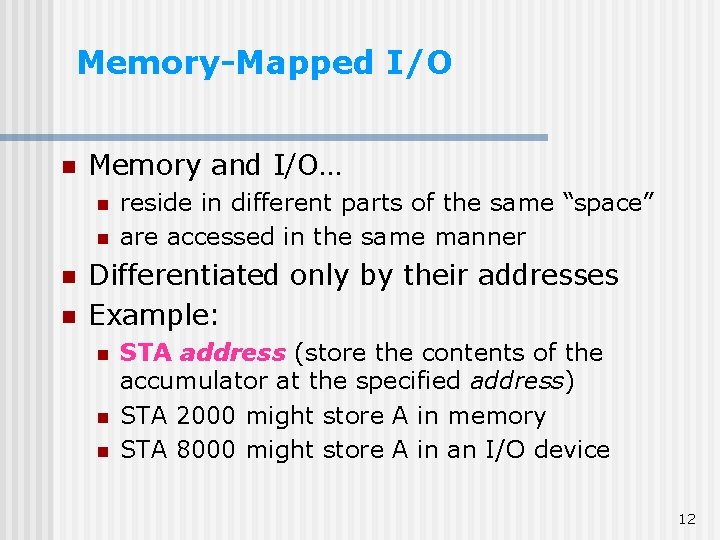
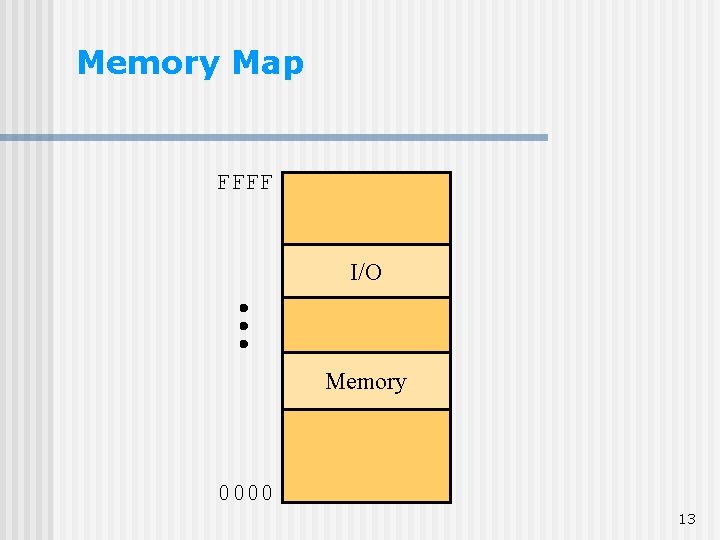
Memory-Mapped I/O n Memory and I/O… n n reside in different parts of the same “space” are accessed in the same manner Differentiated only by their addresses Example: n n n STA address (store the contents of the accumulator at the specified address) STA 2000 might store A in memory STA 8000 might store A in an I/O device 12
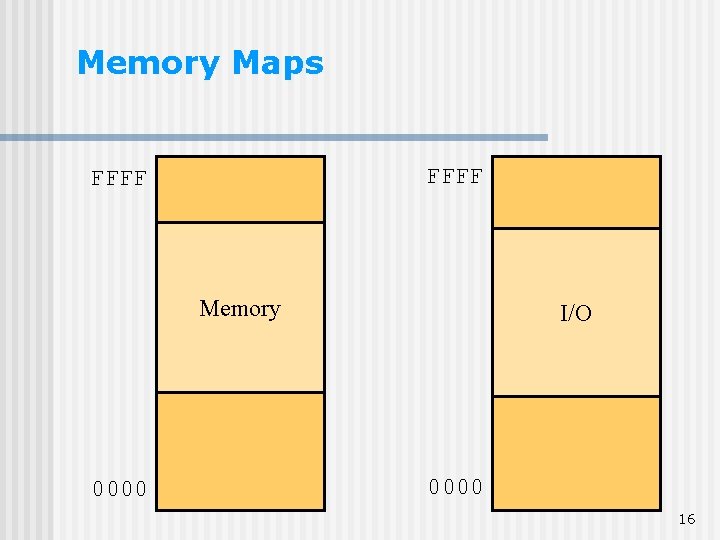
Memory Map FFFF I/O Memory 0000 13
I/O vs. Memory How is I/O differentiated from memory? n Two possibilities n Memory-mapped I/O n I/O-mapped I/O n 14
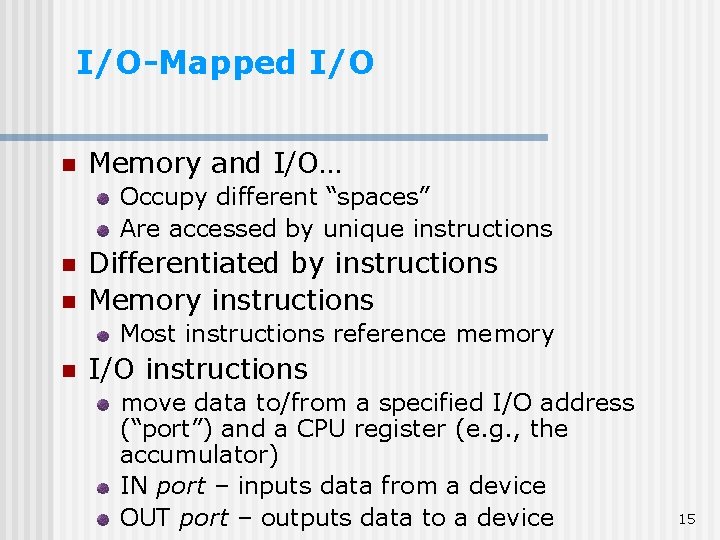
I/O-Mapped I/O n Memory and I/O… Occupy different “spaces” Are accessed by unique instructions n n Differentiated by instructions Memory instructions Most instructions reference memory n I/O instructions move data to/from a specified I/O address (“port”) and a CPU register (e. g. , the accumulator) IN port – inputs data from a device OUT port – outputs data to a device 15
Memory Maps FFFF Memory 0000 I/O 0000 16
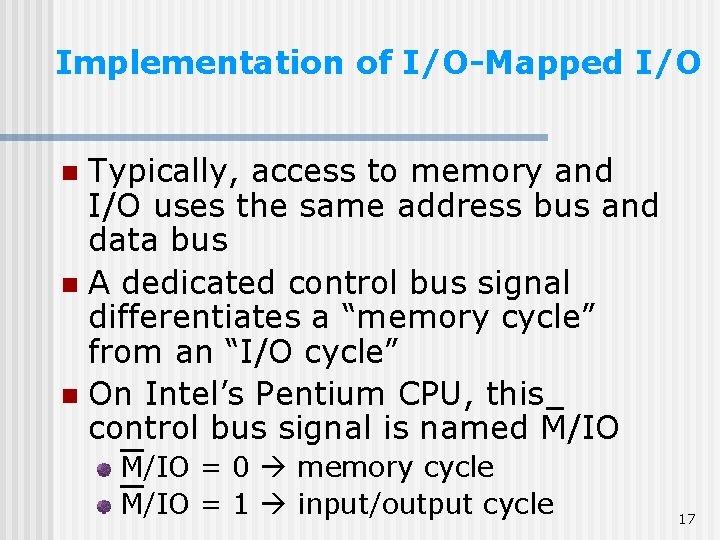
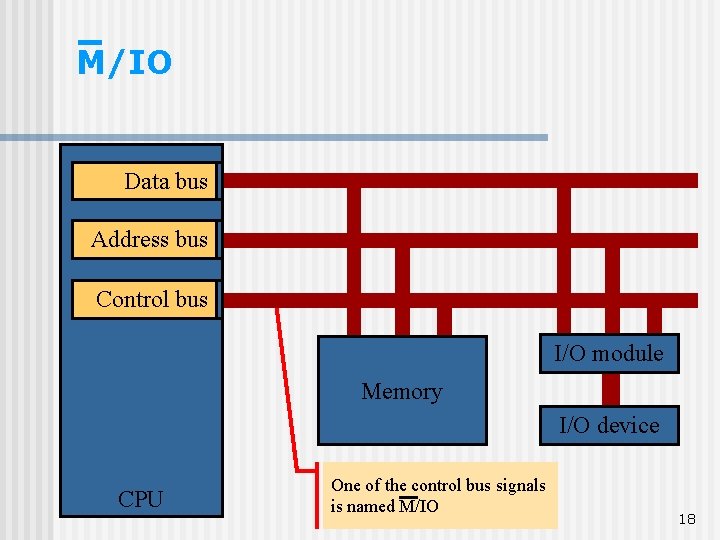
Implementation of I/O-Mapped I/O Typically, access to memory and I/O uses the same address bus and data bus n A dedicated control bus signal differentiates a “memory cycle” from an “I/O cycle” n On Intel’s Pentium CPU, this control bus signal is named M/IO n M/IO = 0 memory cycle M/IO = 1 input/output cycle 17
M/IO Data I/O data bus Address I/O address bus Control I/O control bus I/O module Memory I/O device CPU One of the control bus signals is named M/IO 18
Types of I/O Programmed I/O n Interrupt-driven I/O n Direct memory access (DMA) n 19
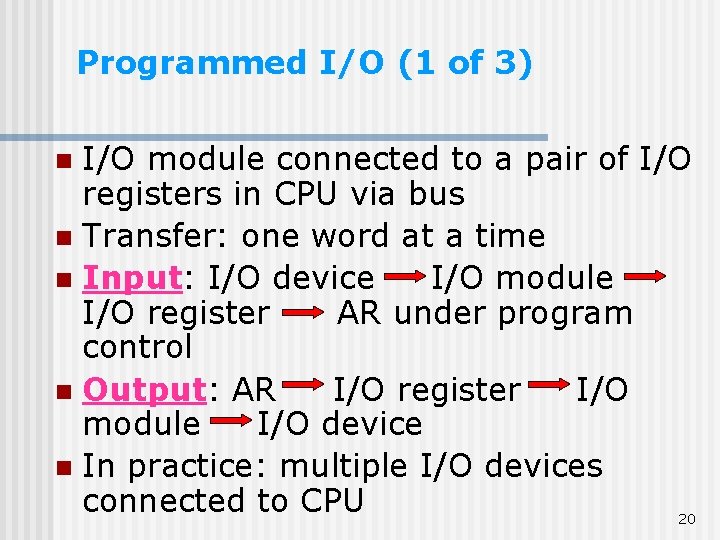
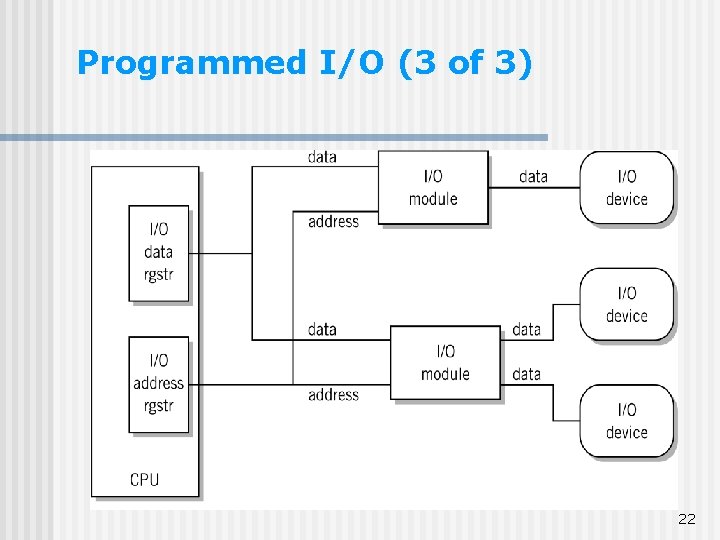
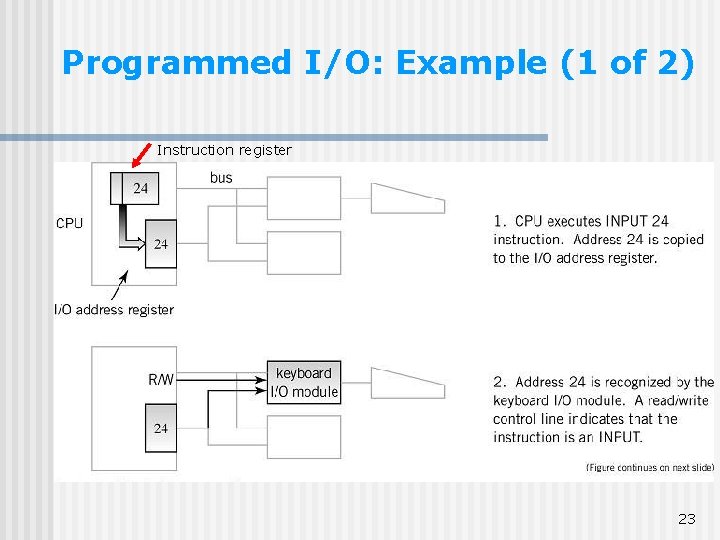
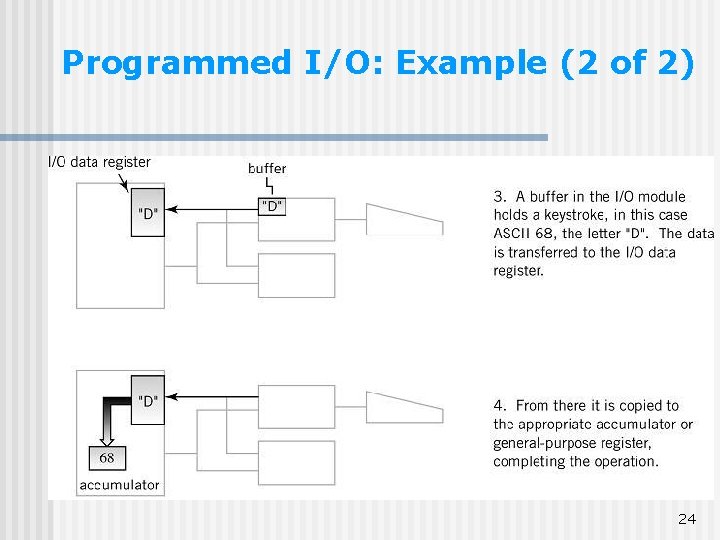
Programmed I/O (1 of 3) I/O module connected to a pair of I/O registers in CPU via bus n Transfer: one word at a time n Input: I/O device I/O module I/O register AR under program control n Output: AR I/O register I/O module I/O device n In practice: multiple I/O devices connected to CPU 20 n
Programmed I/O (2 of 3) n n n I/O data and address registers in CPU: work similarly to MAR and MDR Address information must be sent with the I/O instruction in the address field Requires full instruction fetch/execute cycle for each word data transfer Very slow Primary use: keyboards communication with I/O modules to control I/O operations (see DMA) 21
Programmed I/O (3 of 3) 22
Programmed I/O: Example (1 of 2) Instruction register 23
Programmed I/O: Example (2 of 2) 24
Polling n n A form of programmed I/O, wherein device “status” is checked to determine if an I/O operation is needed E. g. , A keyboard can be polled to determine if a key has been struck and a code is waiting to be read n Useful when there a lot of similar devices connected to one system (e. g. , hundreds of terminals) 25
Types of I/O Programmed I/O n Interrupt-driven I/O n Direct memory access (DMA) n 26
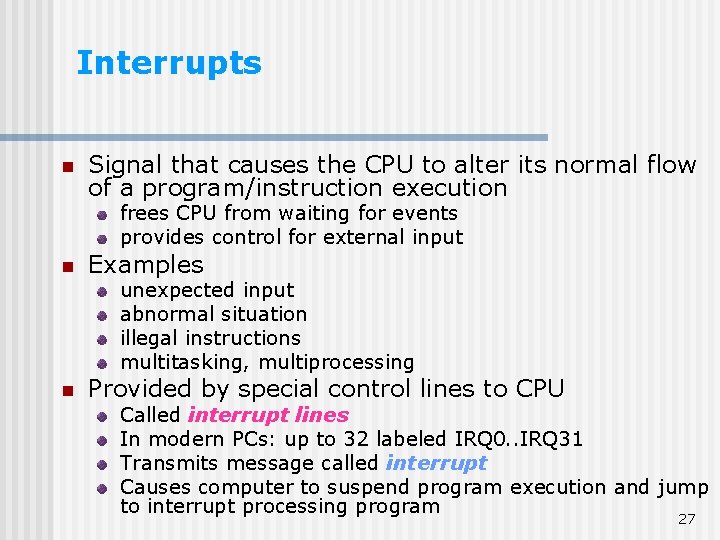
Interrupts n Signal that causes the CPU to alter its normal flow of a program/instruction execution frees CPU from waiting for events provides control for external input n Examples unexpected input abnormal situation illegal instructions multitasking, multiprocessing n Provided by special control lines to CPU Called interrupt lines In modern PCs: up to 32 labeled IRQ 0. . IRQ 31 Transmits message called interrupt Causes computer to suspend program execution and jump to interrupt processing program 27
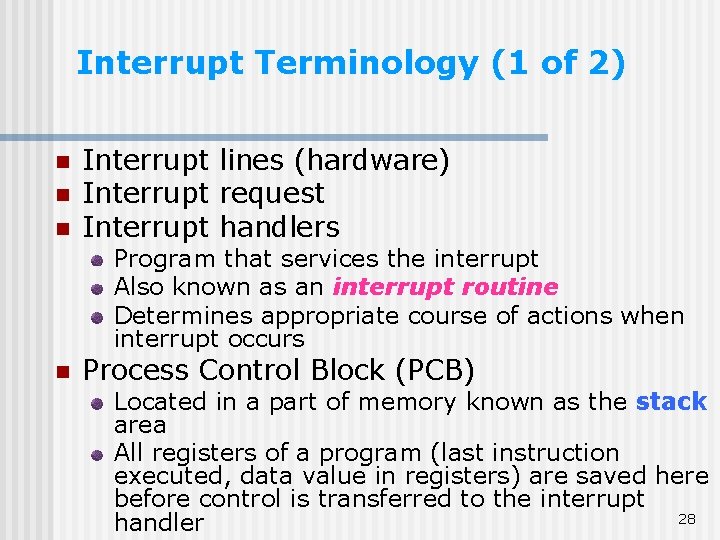
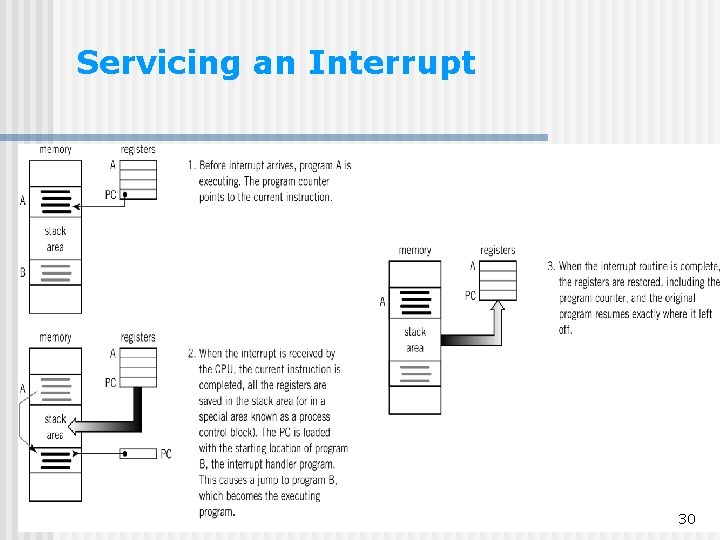
Interrupt Terminology (1 of 2) n n n Interrupt lines (hardware) Interrupt request Interrupt handlers Program that services the interrupt Also known as an interrupt routine Determines appropriate course of actions when interrupt occurs n Process Control Block (PCB) Located in a part of memory known as the stack area All registers of a program (last instruction executed, data value in registers) are saved here before control is transferred to the interrupt 28 handler
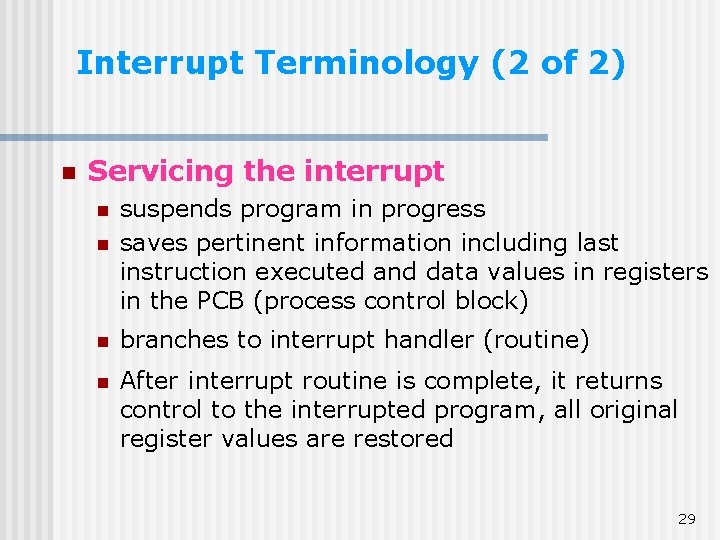
Interrupt Terminology (2 of 2) n Servicing the interrupt n suspends program in progress saves pertinent information including last instruction executed and data values in registers in the PCB (process control block) n branches to interrupt handler (routine) n After interrupt routine is complete, it returns control to the interrupted program, all original register values are restored n 29
Servicing an Interrupt 30
Saving Registers n n For the interrupted program to resume, the CPU status and data registers must be saved (because they will change during the ISR) They are saved before the ISR executes They are restored after the ISR executes They are saved either On the stack (a special area of memory to temporarily hold information), or In a process control block (PCB) 31
Use of Interrupts As n an external event notifier a completion signal a means of allocating CPU time an abnormal event indicator 32
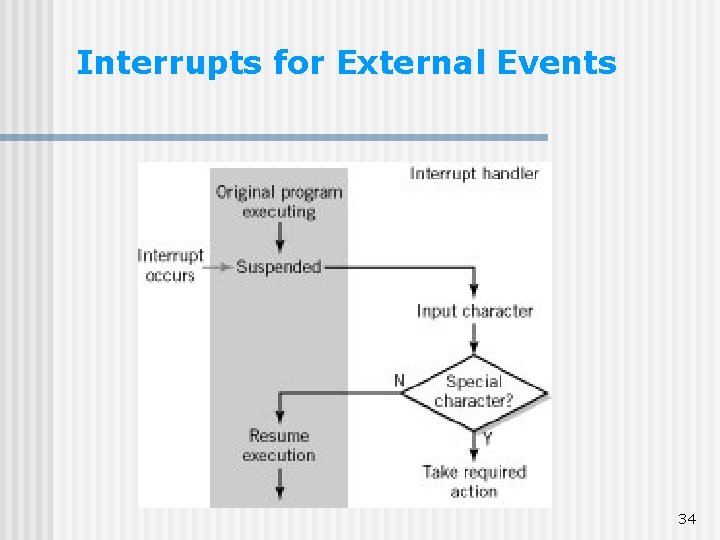
Interrupts for External Events An interrupt signal occurs when an “external event” occurs in a device – an event that requires the CPU’s attention n E. g. , n Keyboard: a key has been hit (the ISR reads the code for the key) n Notebook computer cover: the cover is closed (the ISR puts the computer in standby mode) n 33
Interrupts for External Events 34
Use of Interrupts As n an external event notifier a completion signal a means of allocating CPU time an abnormal event indicator 35
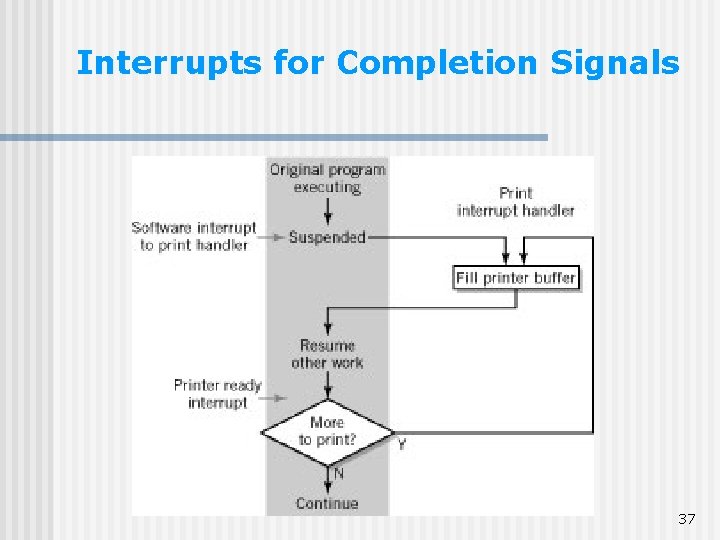
Interrupts for Completion Signals An interrupt signal occurs when a device has completed an operation – and the CPU should know about it n E. g. , n Printer: the output buffer is empty (the CPU can send more data) Scanner: a data transfer is complete (the CPU/application can proceed to process the image data) 36
Interrupts for Completion Signals 37
Use of Interrupts As n an external event notifier a completion signal a means of allocating CPU time an abnormal event indicator 38
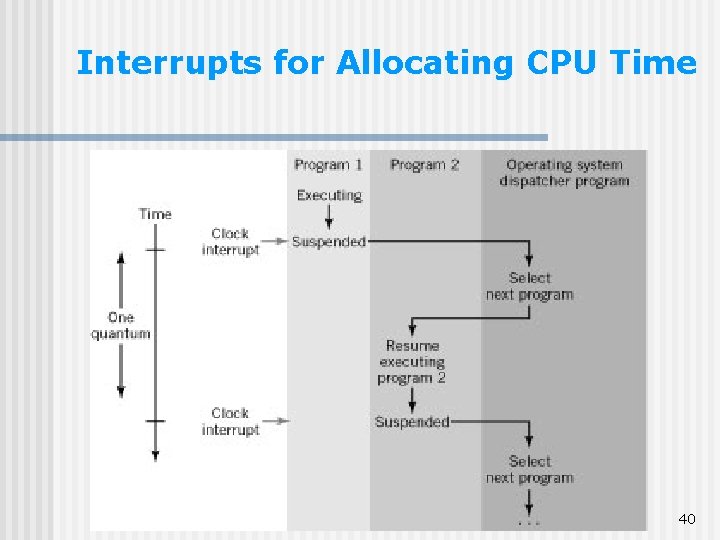
Interrupts for Allocating CPU Time n n Useful on multi-tasking systems – systems that can execute more than one program at a time E. g. , n n n A timer is programmed to interrupt the CPU every 100 µs (for example) The ISR is a “dispatcher program” Execution switches to another program (for 100 µs), etc. 39
Interrupts for Allocating CPU Time 40
Use of Interrupts As n an external event notifier a completion signal a means of allocating CPU time an abnormal event indicator 41
Interrupts for Abnormal Events An interrupt signal occurs when an abnormal event occurs that needs immediate system attention n E. g. , n n A heat sensor near the CPU chip – if the temperature is too high, an interrupt is generated, the ISR activates the fan near the CPU chip 42
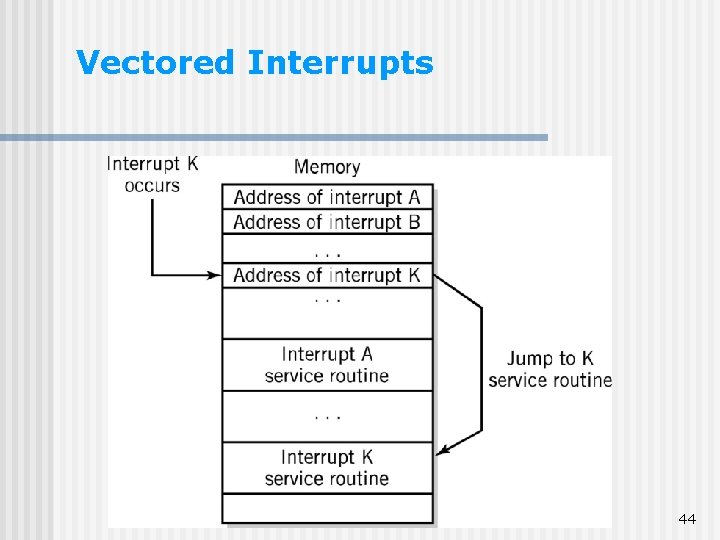
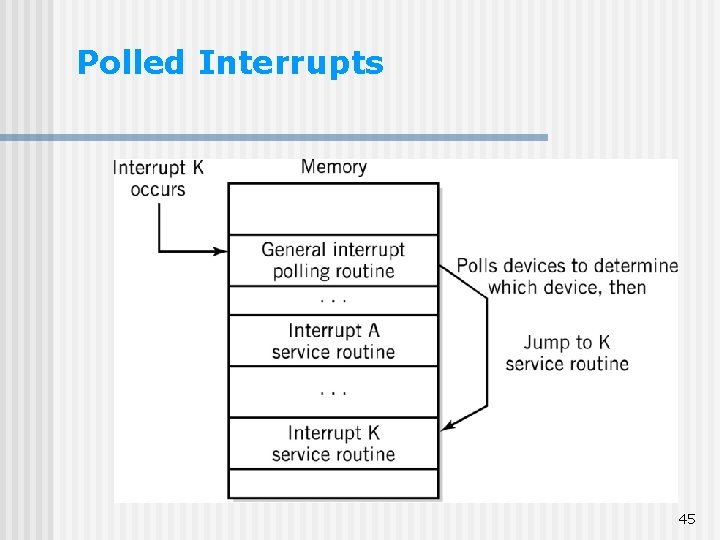
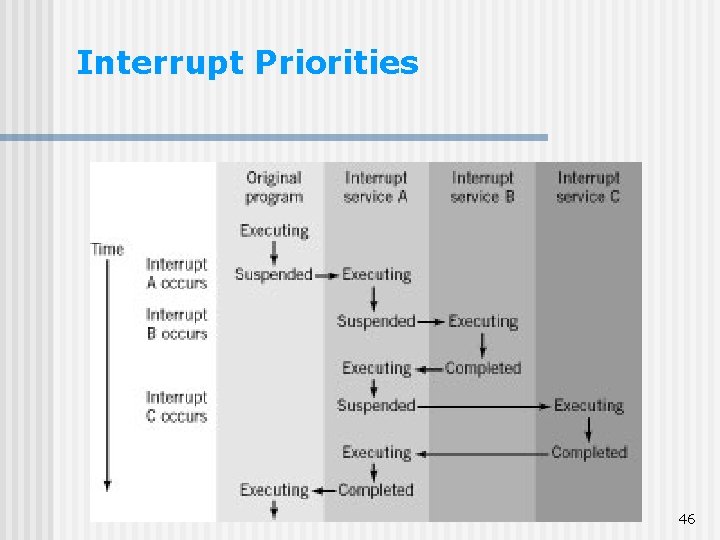
Multiple Interrupts n In a real computer system n n n Identifying devices caused interrupt by: n n n Polling (checking for input in rotation) Vectored interrupts (include address of interrupting device as part of the interrupt) Interrupt priorities n n Many I/O devices Multiple interrupts occur Loss of data vs. task completion Maskable (disabled) interrupts 43
Vectored Interrupts 44
Polled Interrupts 45
Interrupt Priorities 46
Types of I/O Programmed I/O n Interrupt-driven I/O n Direct memory access (DMA) n 47
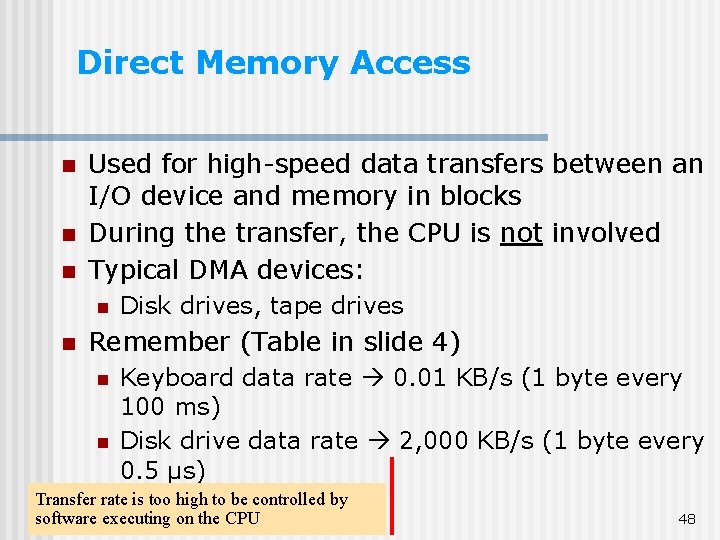
Direct Memory Access n n n Used for high-speed data transfers between an I/O device and memory in blocks During the transfer, the CPU is not involved Typical DMA devices: n n Disk drives, tape drives Remember (Table in slide 4) n n Keyboard data rate 0. 01 KB/s (1 byte every 100 ms) Disk drive data rate 2, 000 KB/s (1 byte every 0. 5 µs) Transfer rate is too high to be controlled by software executing on the CPU 48
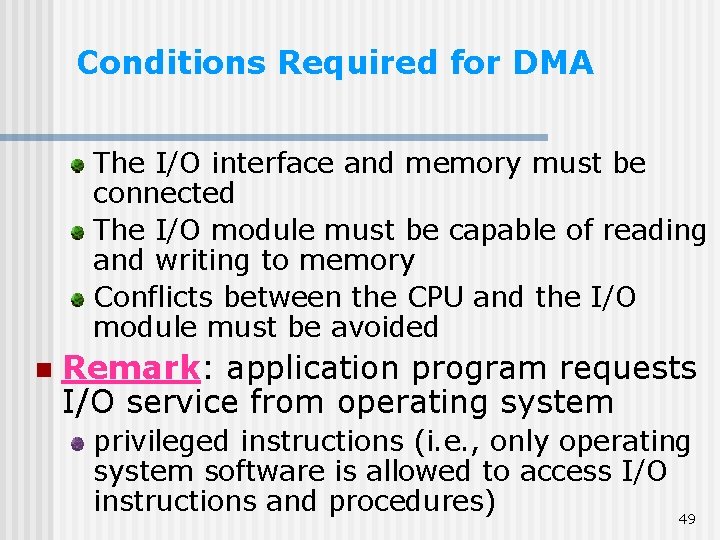
Conditions Required for DMA The I/O interface and memory must be connected The I/O module must be capable of reading and writing to memory Conflicts between the CPU and the I/O module must be avoided n Remark: application program requests I/O service from operating system privileged instructions (i. e. , only operating system software is allowed to access I/O instructions and procedures) 49
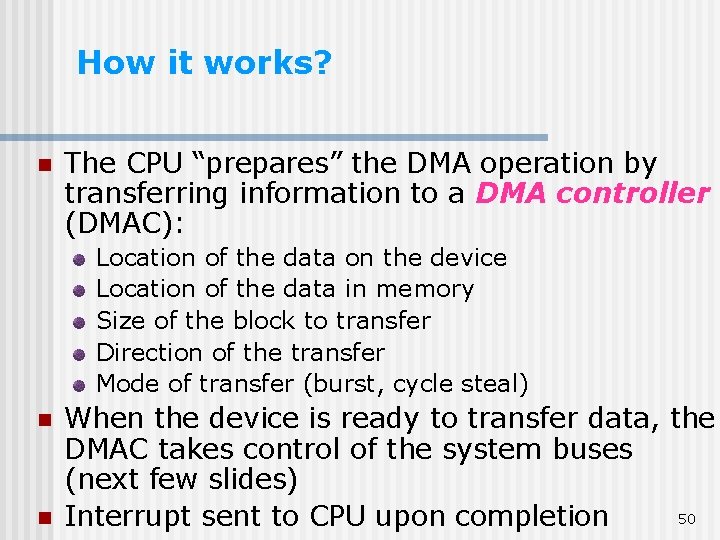
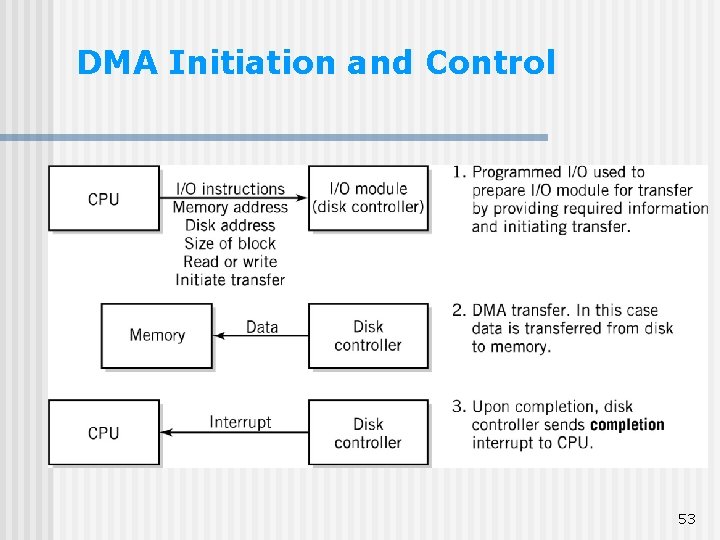
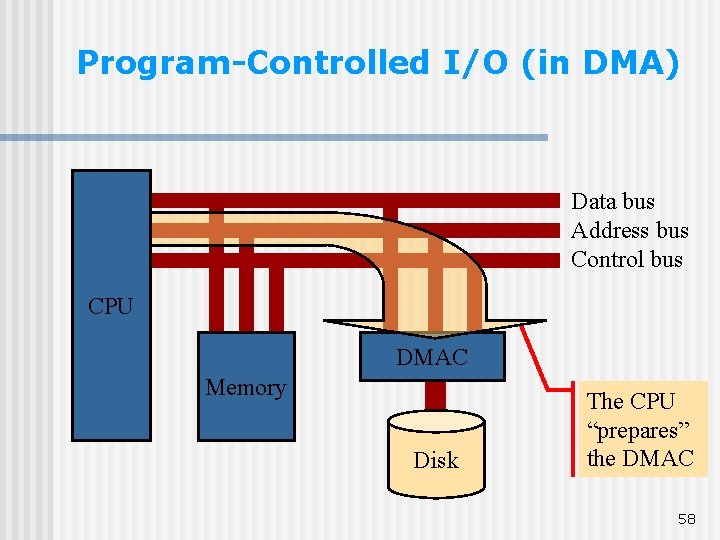
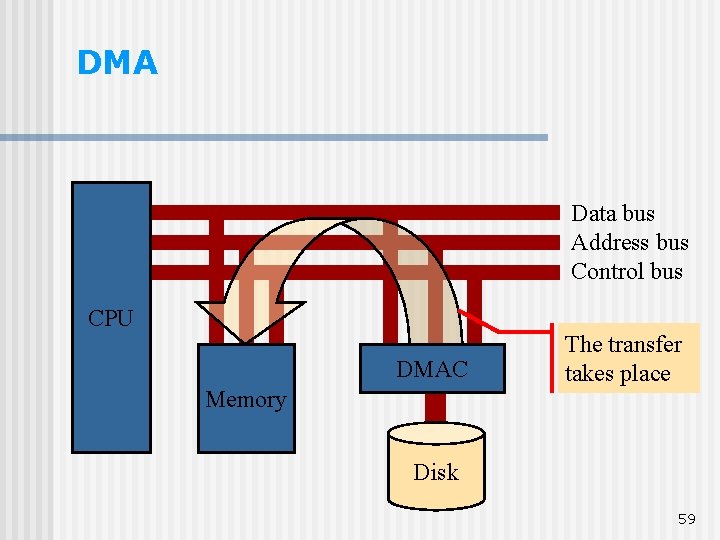
How it works? n The CPU “prepares” the DMA operation by transferring information to a DMA controller (DMAC): Location of the data on the device Location of the data in memory Size of the block to transfer Direction of the transfer Mode of transfer (burst, cycle steal) n n When the device is ready to transfer data, the DMAC takes control of the system buses (next few slides) 50 Interrupt sent to CPU upon completion
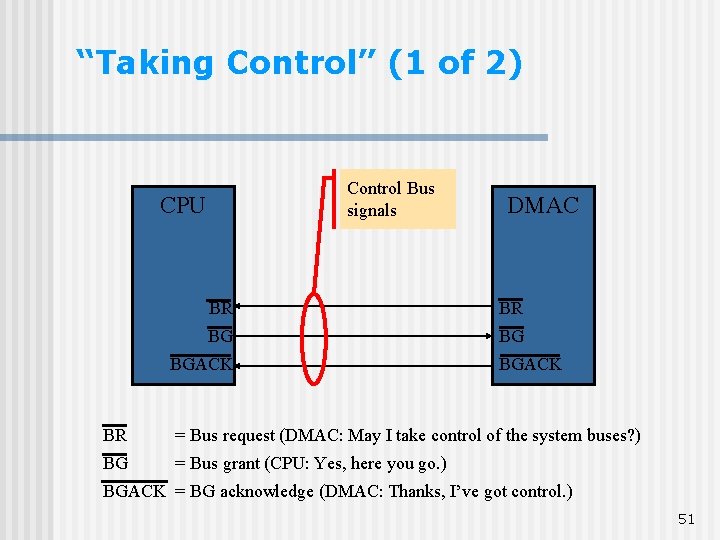
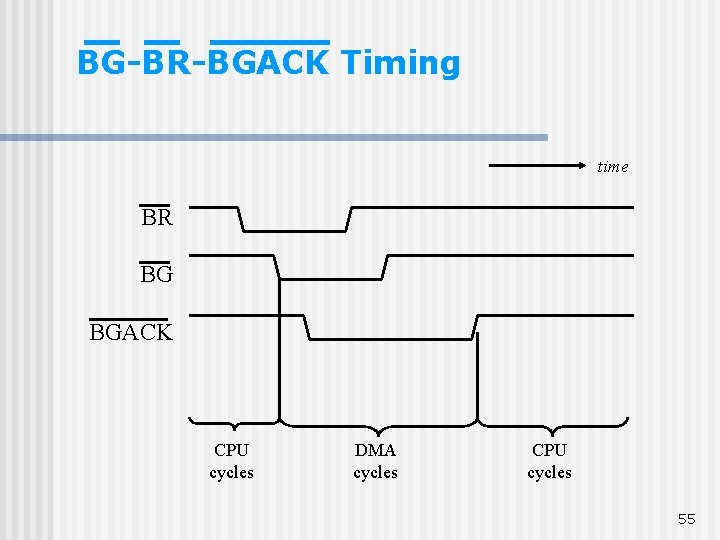
“Taking Control” (1 of 2) Control Bus signals CPU DMAC BR BR BG BG BGACK BR = Bus request (DMAC: May I take control of the system buses? ) BG = Bus grant (CPU: Yes, here you go. ) BGACK = BG acknowledge (DMAC: Thanks, I’ve got control. ) 51
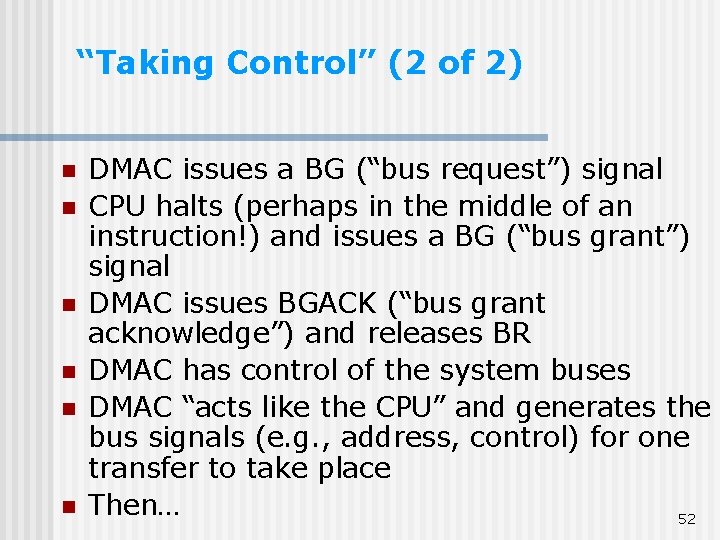
“Taking Control” (2 of 2) n n n DMAC issues a BG (“bus request”) signal CPU halts (perhaps in the middle of an instruction!) and issues a BG (“bus grant”) signal DMAC issues BGACK (“bus grant acknowledge”) and releases BR DMAC has control of the system buses DMAC “acts like the CPU” and generates the bus signals (e. g. , address, control) for one transfer to take place Then… 52
DMA Initiation and Control 53
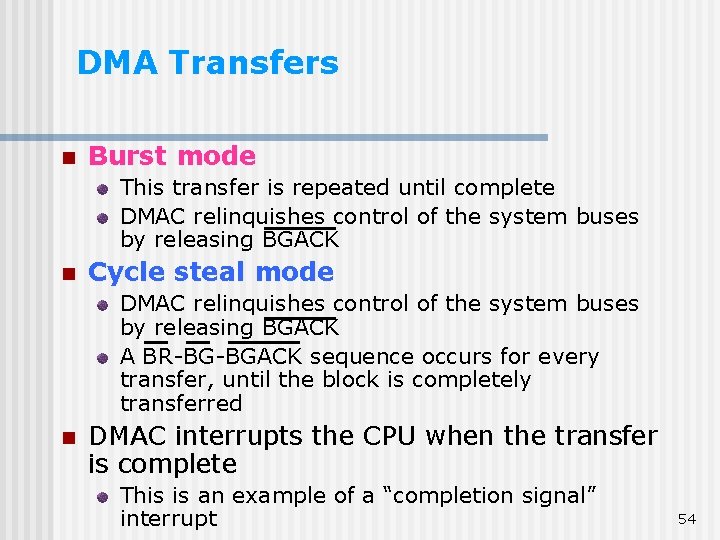
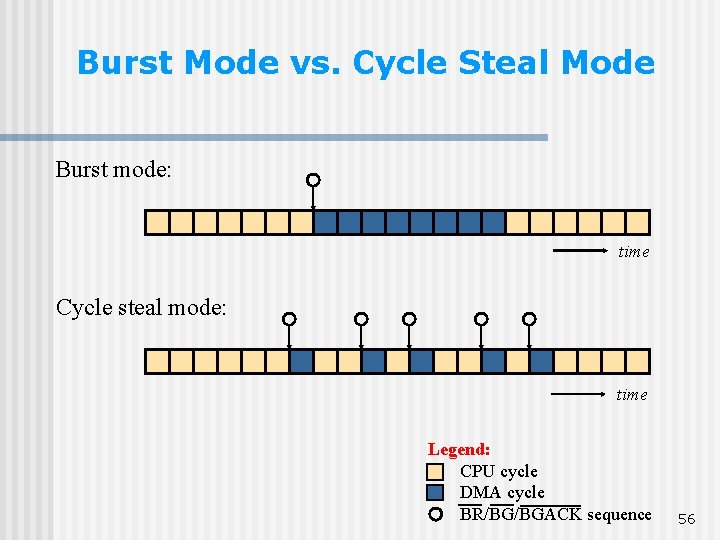
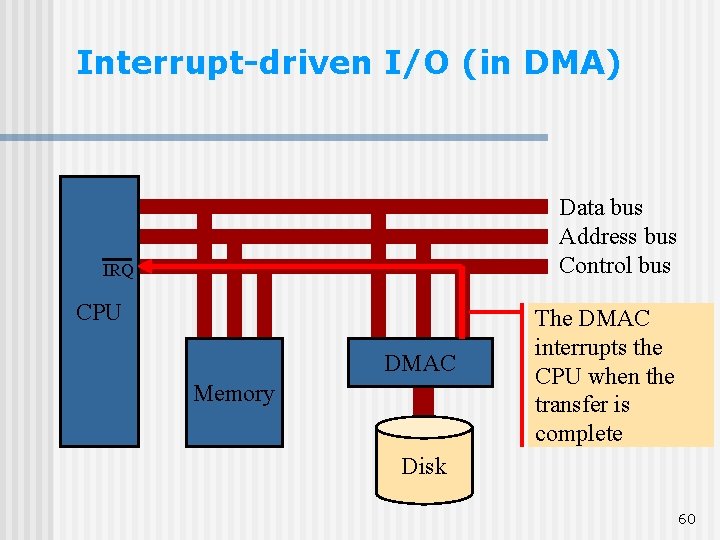
DMA Transfers n Burst mode This transfer is repeated until complete DMAC relinquishes control of the system buses by releasing BGACK n Cycle steal mode DMAC relinquishes control of the system buses by releasing BGACK A BR-BG-BGACK sequence occurs for every transfer, until the block is completely transferred n DMAC interrupts the CPU when the transfer is complete This is an example of a “completion signal” interrupt 54
BG-BR-BGACK Timing time BR BG BGACK CPU cycles DMA cycles CPU cycles 55
Burst Mode vs. Cycle Steal Mode Burst mode: time Cycle steal mode: time Legend: CPU cycle DMA cycle BR/BG/BGACK sequence 56
Types of I/O Programmed I/O n Interrupt-driven I/O n Direct memory access (DMA) n DMA includes all three types of I/O. Let’s see… 57
Program-Controlled I/O (in DMA) Data bus Address bus Control bus CPU DMAC Memory Disk The CPU “prepares” the DMAC 58
DMA Data bus Address bus Control bus CPU DMAC Memory The transfer takes place Disk 59
Interrupt-driven I/O (in DMA) Data bus Address bus Control bus IRQ CPU DMAC Memory The DMAC interrupts the CPU when the transfer is complete Disk 60
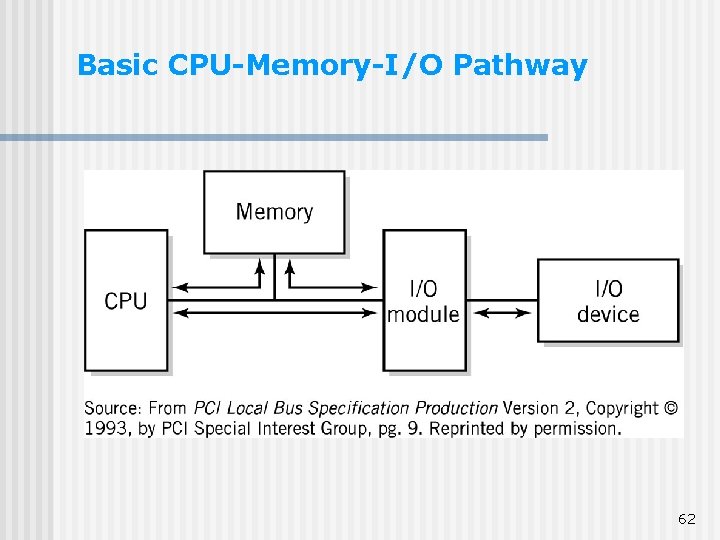
CPU-Memory-I/O Architectures: 5 Basic Components CPU n I/O peripheral device n Memory n One or more I/O modules (act as an interface between CPU, memory, I/O devices) n Buses connecting components together n 61
Basic CPU-Memory-I/O Pathway 62
I/O System Architectures Bus architecture n Channel architecture n 63
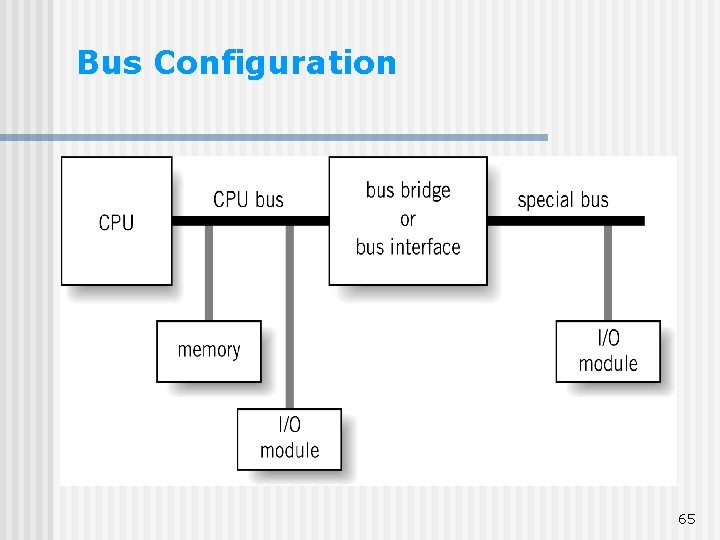
Bus Architecture n Simplest form Single system bus connects CPU to memory and modules n More commonly Number of different interconnected buses Bus interfaces (expansion bus interface, bus bridges) – convert bus signals from different buses Possibility to use together Multiple vendors and industry-standard buses Open architecture 64
Bus Configuration 65
Signal Control and Implementation Multiplexing – address and data share the same lines (e. g. PCI bus) n Burst – transfer of several pieces of data in a rapid sequence once a starting address is established n 66
Bus Characteristics n n n n Data width in bits carried simultaneously Throughput, i. e. , data transfer rate in bits per second Topology: Topology Point-to-Point vs. Multipoint Parallel (simultaneous transfer i. e. , individual lines for each bit of data, address and control) vs. Serial (sequential transfer on a single data line) Use: internal (e. g. , within CPU) vs. external Distance: short (parallel) Protocol 67
External Interface Buses and Ports n n n Peripherals - external I/O devices Port – a connector at the end of the bus to connect a peripheral device Port controller – general control for the port Connected to standard buses, e. g. , PCI or ISA n n n Device control is built into a controller within device and into computer software program (device drivers) drivers Device drivers – built into operating system or supplement to it Types of external ports: Parallel Serial High-speed general interface bus port 68
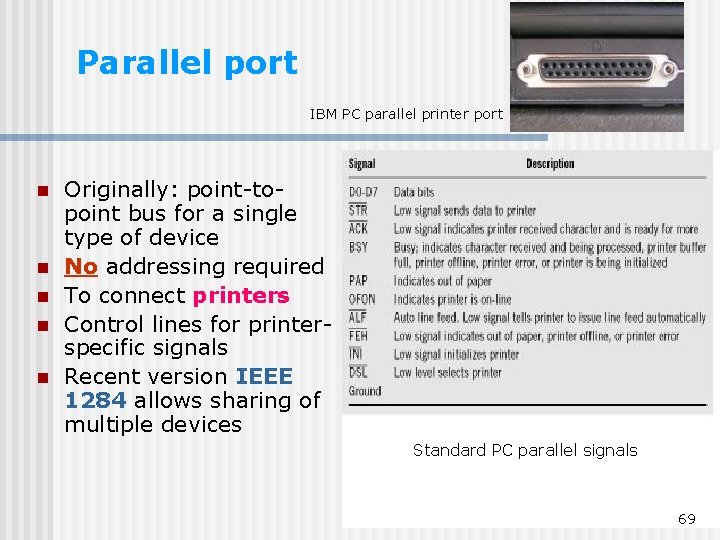
Parallel port IBM PC parallel printer port n n n Originally: point-topoint bus for a single type of device No addressing required To connect printers Control lines for printerspecific signals Recent version IEEE 1284 allows sharing of multiple devices Standard PC parallel signals 69
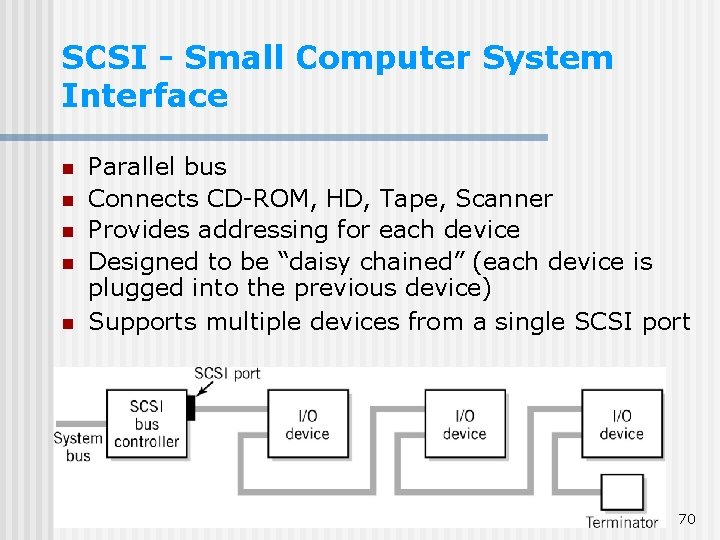
SCSI - Small Computer System Interface n n n Parallel bus Connects CD-ROM, HD, Tape, Scanner Provides addressing for each device Designed to be “daisy chained” (each device is plugged into the previous device) Supports multiple devices from a single SCSI port 70
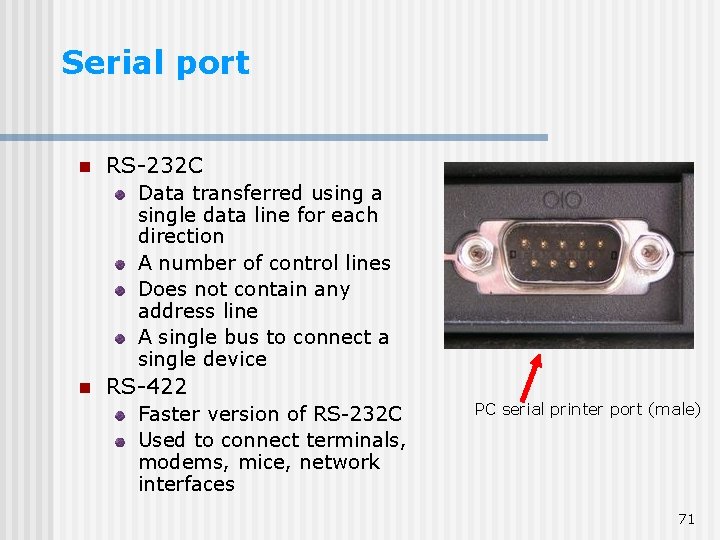
Serial port n RS-232 C Data transferred using a single data line for each direction A number of control lines Does not contain any address line A single bus to connect a single device n RS-422 Faster version of RS-232 C Used to connect terminals, modems, mice, network interfaces PC serial printer port (male) 71
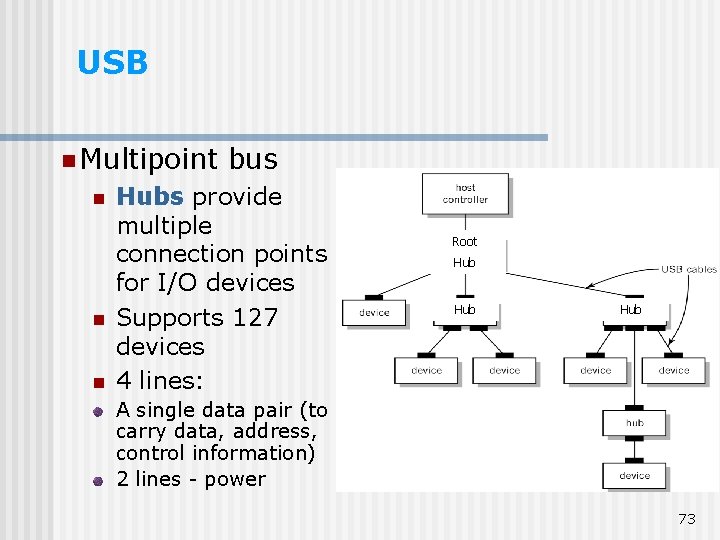
Universal Serial Bus - USB n n n Replaces standard serial port Much faster: transfer rate – up to 480 Mega bits/sec Multipoint bus uses hierarchical connection system Hubs provide multiple connection points for I/O devices (up to 127 devices) devices Data are transferred in packets: packets Device identifier Small set of data Cannot tie up the system Delivered at regular time intervals – isochronous data transfer 72
USB n Multipoint n n n bus Hubs provide multiple connection points for I/O devices Supports 127 devices 4 lines: Root Hub Hub A single data pair (to carry data, address, control information) 2 lines - power 73
Fire. Wire (i. link) n n n n Serial multipoint bus Designed for extremely fast data transfer – up to 3. 2 Gigabits/sec Fire. Wire devices can be “daisy-chained” or connected together with hubs Cable of two data pairs and an optional pair of power lines Each segment of the bus can handle up to 63 devices Each device controller is independent, no host bus controller is required Devices can communicate with each other without a computer Control capabilities must be built into every I/O module 74
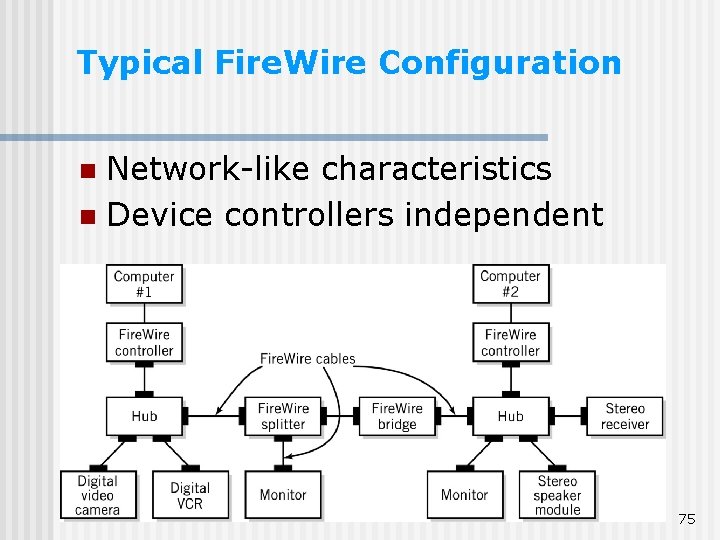
Typical Fire. Wire Configuration Network-like characteristics n Device controllers independent n 75
USB and Fire. Wire (IEEE 1394) Both serial, multipoint bus specifications n Add/remove devices w/o powering down n Packet protocol for isochronous data transfer n Isochronous: delivery at regular time intervals n Guarantee specified throughput n 76
USB vs. Fire. Wire n USB: slow to medium speed data transfer applications, i. e. , storage devices 12 Mbits/sec n USB-2: high-speed data transfer 480 Mbits/sec n Fire. Wire: high-speed data transfer, i. e. , full motion video with sound 400 Mbits/sec to 3. 2 Gbits/sec 77
I/O System Architectures Bus architecture n Channel architecture n 78
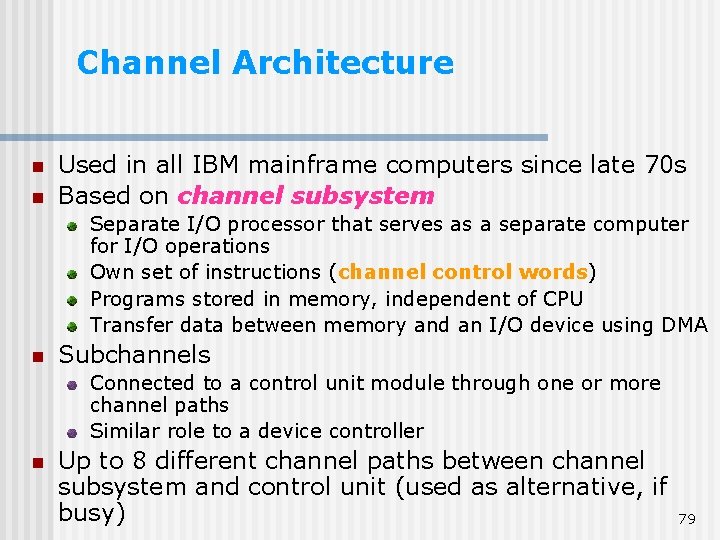
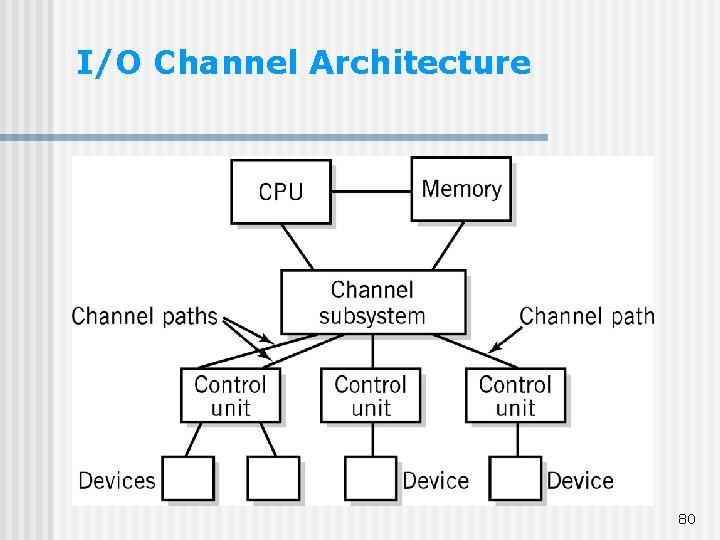
Channel Architecture n n Used in all IBM mainframe computers since late 70 s Based on channel subsystem Separate I/O processor that serves as a separate computer for I/O operations Own set of instructions (channel control words) words Programs stored in memory, independent of CPU Transfer data between memory and an I/O device using DMA n Subchannels Connected to a control unit module through one or more channel paths Similar role to a device controller n Up to 8 different channel paths between channel subsystem and control unit (used as alternative, if busy) 79
I/O Channel Architecture 80
More Computer humour http: //www. funnyhumor. com/pictures/206. php 81