
ITEC 1000 Introduction to Information Technologies Fall 2014
- Slides: 68
ITEC 1000 Introduction to Information Technologies Fall 2014 ITEC 1000 Introduction to Information Technologies 1
Textbook The Architecture of Computer Hardware and Systems Software An Information Technology Approach 5 th Edition, 2000 Irv Englander John Wiley & Sons ITEC 1000 Introduction to Information Technologies 2
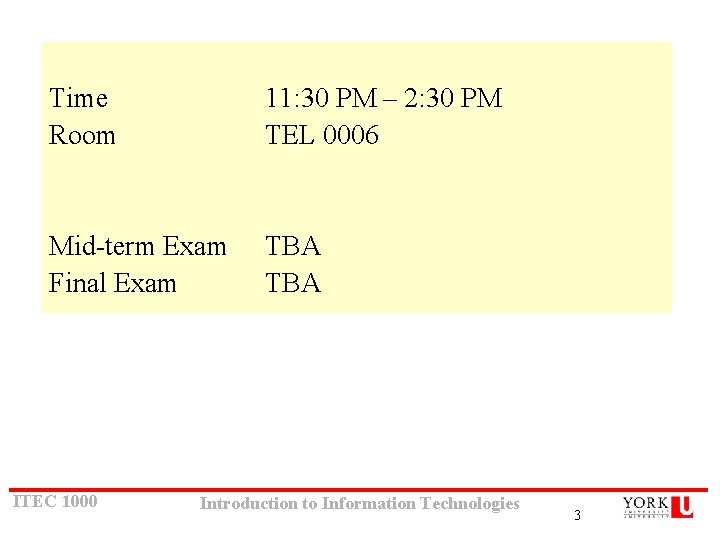
Time Room 11: 30 PM – 2: 30 PM TEL 0006 Mid-term Exam Final Exam TBA ITEC 1000 Introduction to Information Technologies 3
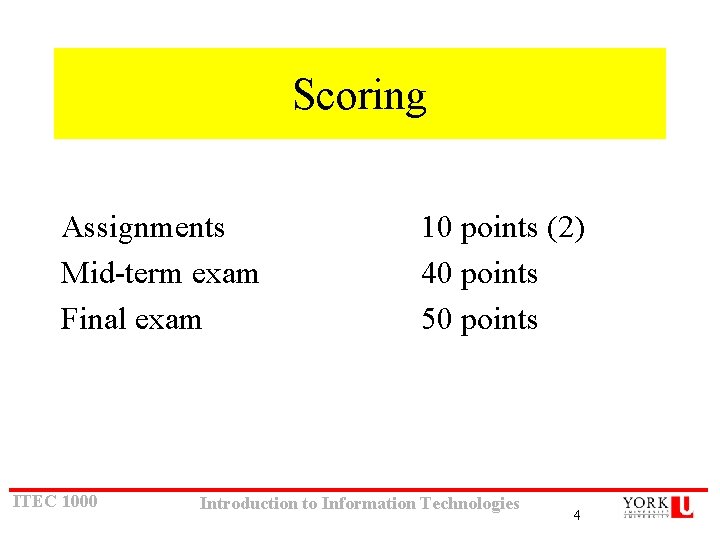
Scoring Assignments Mid-term exam Final exam ITEC 1000 10 points (2) 40 points 50 points Introduction to Information Technologies 4
Assignments Policy Due dates To be specified • Late Assignments Late assignments will face a 15% penalty for each day after due day. Hence, one day later means 85% is your maximum, 2 days means 70% is your maximum and so on. Saturday and Sunday count also. • Assignments are optional. If you decide not to do them, the weight of the first one will be transferred to the midterm and the second one to the final exam. ITEC 1000 Introduction to Information Technologies 5
Directions email office cysneiro@yorku. ca TEL Building 3053 http: //www. yorku. ca/cysneiro/courses. html TA: TBA ITEC 1000 Introduction to Information Technologies 6
1. What is a Computer? ITEC 1000 Introduction to Information Technologies 7
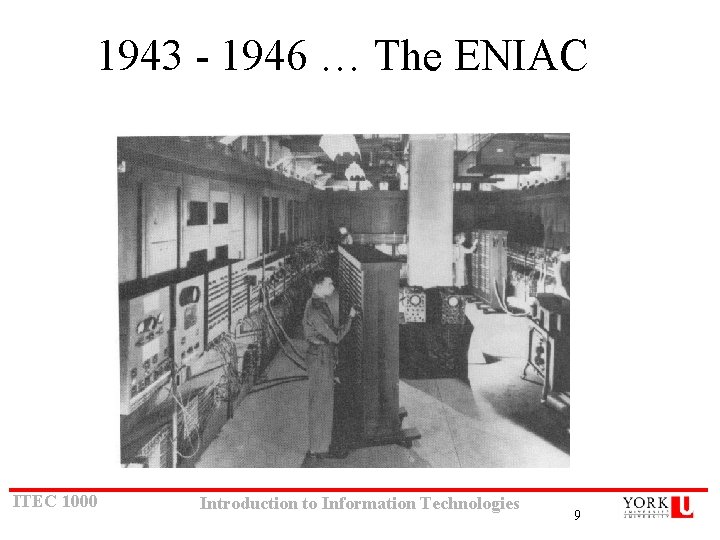
Modern Computer Development • 1937: Mark I is built (Aiken, Harvard University, IBM). – First electronic computer using relays • 1939: Atanasoff-Berry Computer (ABC) is built – First fully electronic digital computer; used vacuum tubes • 1943 -46: ENIAC (Mauchly, Eckert, University of Pennsylvania). – First general purpose digital computer • 1945: Von Neumann architecture proposed – Still the standard for present day computers • 1947: Creation of the transistor – (Bardeen, Shockley, Brattain, Bell Labs) • 1951 -2: EDVAC and IAS ITEC 1000 Introduction to Information Technologies 1 -8
1943 - 1946 … The ENIAC ITEC 1000 Introduction to Information Technologies 9
Vacuum tubes ITEC 1000 Introduction to Information Technologies 10
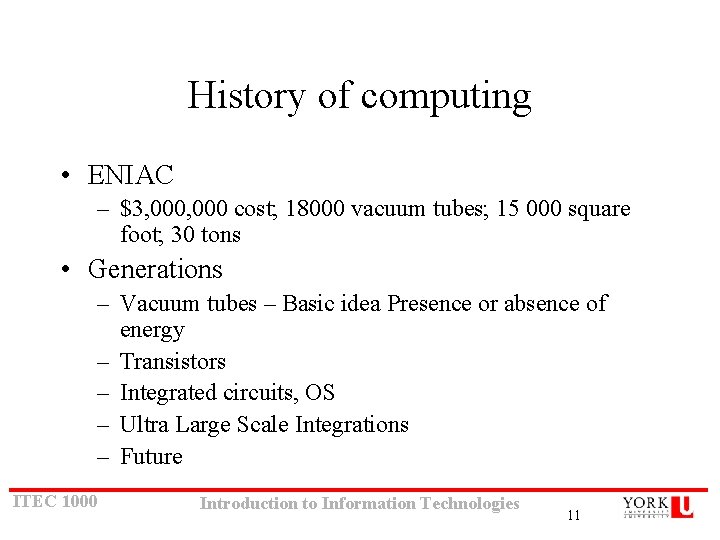
History of computing • ENIAC – $3, 000 cost; 18000 vacuum tubes; 15 000 square foot; 30 tons • Generations – Vacuum tubes – Basic idea Presence or absence of energy – Transistors – Integrated circuits, OS – Ultra Large Scale Integrations – Future ITEC 1000 Introduction to Information Technologies 11
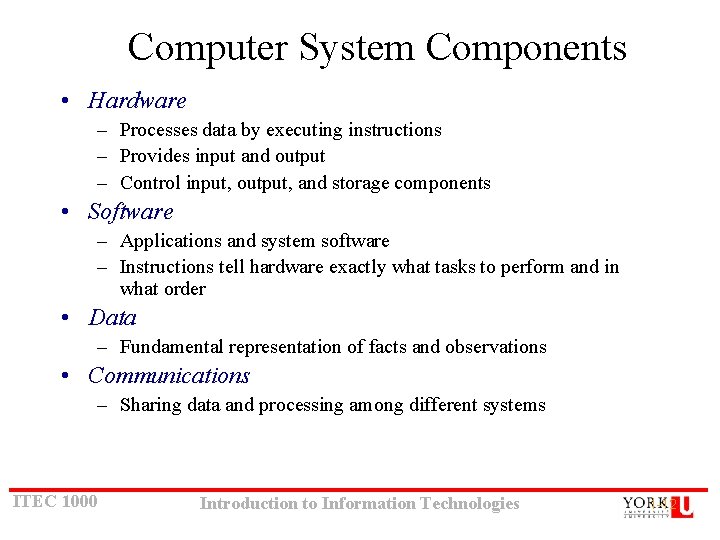
Computer System Components • Hardware – Processes data by executing instructions – Provides input and output – Control input, output, and storage components • Software – Applications and system software – Instructions tell hardware exactly what tasks to perform and in what order • Data – Fundamental representation of facts and observations • Communications – Sharing data and processing among different systems ITEC 1000 Introduction to Information Technologies 1 -12
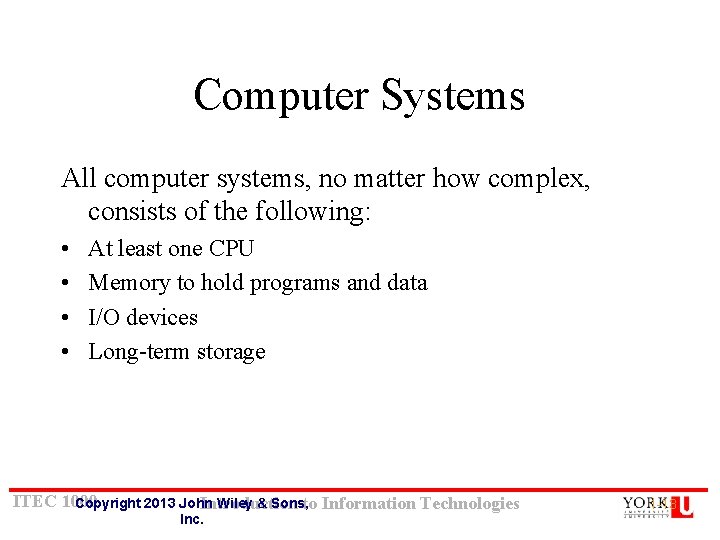
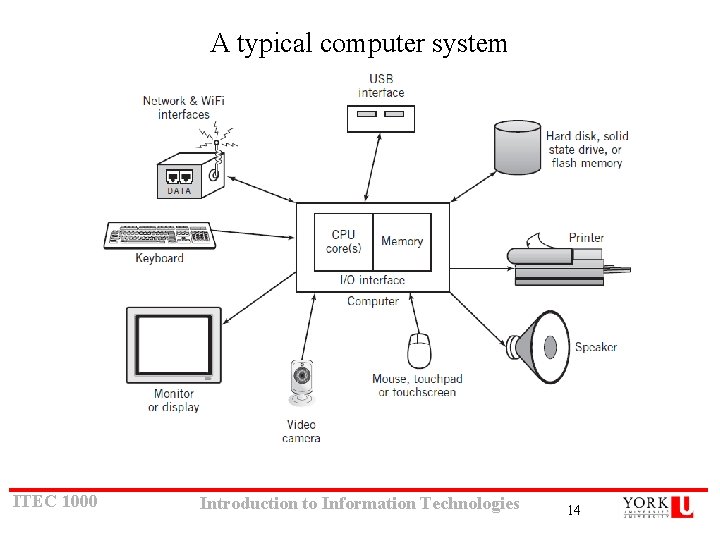
Computer Systems All computer systems, no matter how complex, consists of the following: • • At least one CPU Memory to hold programs and data I/O devices Long-term storage ITEC 1000 Copyright 2013 John Wiley & Sons, Introduction to Information Technologies Inc. 1 -13
A typical computer system ITEC 1000 Introduction to Information Technologies 14
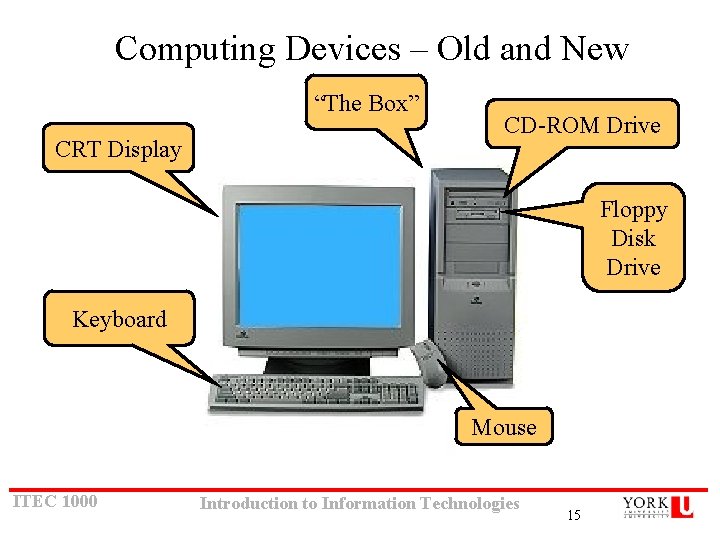
Computing Devices – Old and New “The Box” CRT Display CD-ROM Drive Floppy Disk Drive Keyboard Mouse ITEC 1000 Introduction to Information Technologies 15
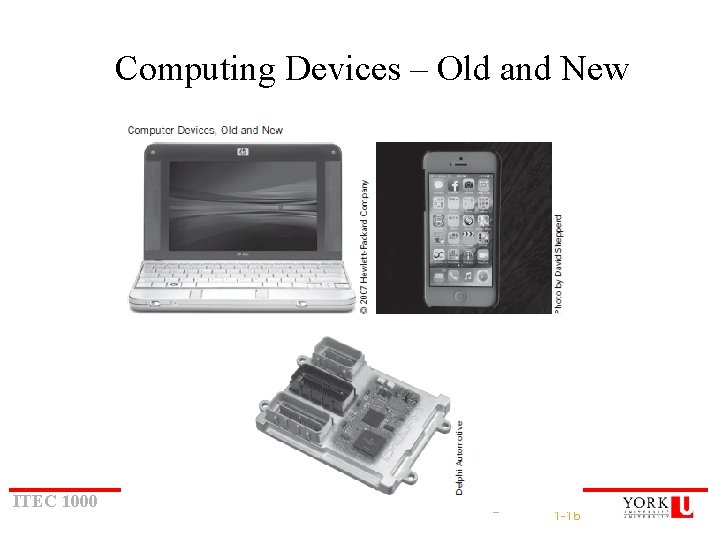
Computing Devices – Old and New ITEC 1000 Introduction to Information Technologies 1 -16
Operating System Development • 1963: Master Control Program (MCP) by Burroughs – Included many modern OS features • 1964: OS/360 by IBM – Included batch processing of programs • 1962: MIT Project MAC created a time-sharing OS called CTSS – Shortly afterwards, MIT, Bell Labs, and GE developed Multics (Multiplexed Information and Computing Services) ITEC 1000 Copyright 2013 John Wiley & Sons, Introduction to Information Technologies Inc. 1 -17
System Software History • Early computers had no operating systems and were single user systems – Programs were entered using switches for each bit or by plugging wires into a panel • 1953 -54: First operating system was built by General Motors Research Laboratories for their IBM 701 computer • Other early systems – FORTRAN Monitor System (FMS) – IBSYS – Share Operating System (SOS) ITEC 1000 Introduction to Information Technologies 1 -18
UNIX • After Bell Labs withdrew from the Multics project, Ken Thompson developed a personal operating system called UNIX using assembly language • Dennis Ritchie developed the programming language C which was used to rewrite much of UNIX in a high-level language • UNIX introduced – – ITEC 1000 A hierarchical file system The shell concept Document production and formatting Tools for networked and distributed processing Introduction to Information Technologies 1 -19
Graphical User Interfaces • 1960 s: Doug Englebart (Stanford Research Institute) – Invented windows and a mouse interface • 1970 s: Xerox PARC – Creates a practical windowing system for the Dynabook project • 1980 s: Steve Jobs (Apple) – Developed the Apple Lisa and Mac. Intosh ITEC 1000 Introduction to Information Technologies 1 -20
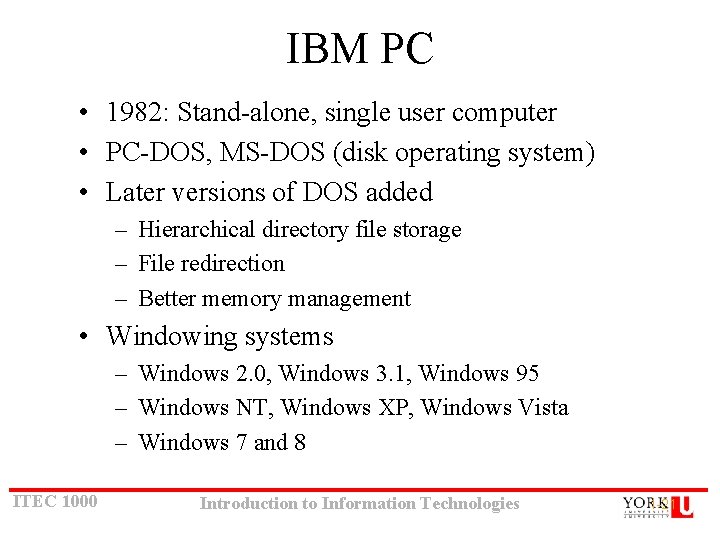
IBM PC • 1982: Stand-alone, single user computer • PC-DOS, MS-DOS (disk operating system) • Later versions of DOS added – Hierarchical directory file storage – File redirection – Better memory management • Windowing systems – Windows 2. 0, Windows 3. 1, Windows 95 – Windows NT, Windows XP, Windows Vista – Windows 7 and 8 ITEC 1000 Introduction to Information Technologies 1 -21
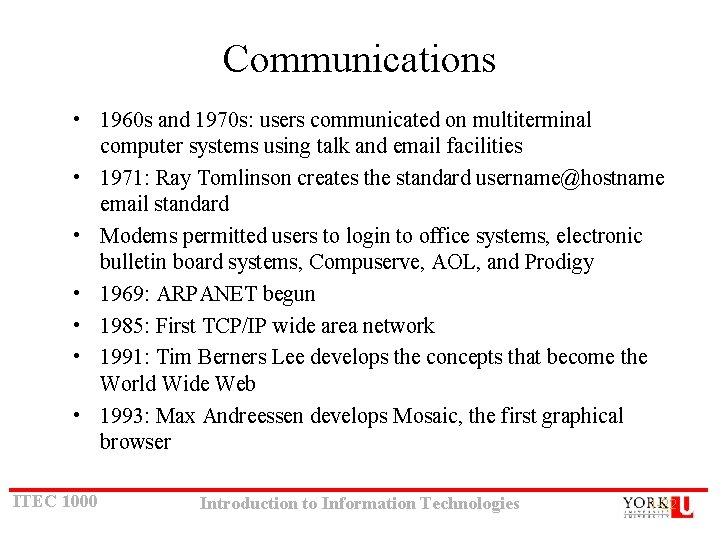
Communications • 1960 s and 1970 s: users communicated on multiterminal computer systems using talk and email facilities • 1971: Ray Tomlinson creates the standard username@hostname email standard • Modems permitted users to login to office systems, electronic bulletin board systems, Compuserve, AOL, and Prodigy • 1969: ARPANET begun • 1985: First TCP/IP wide area network • 1991: Tim Berners Lee develops the concepts that become the World Wide Web • 1993: Max Andreessen develops Mosaic, the first graphical browser ITEC 1000 Introduction to Information Technologies 1 -22
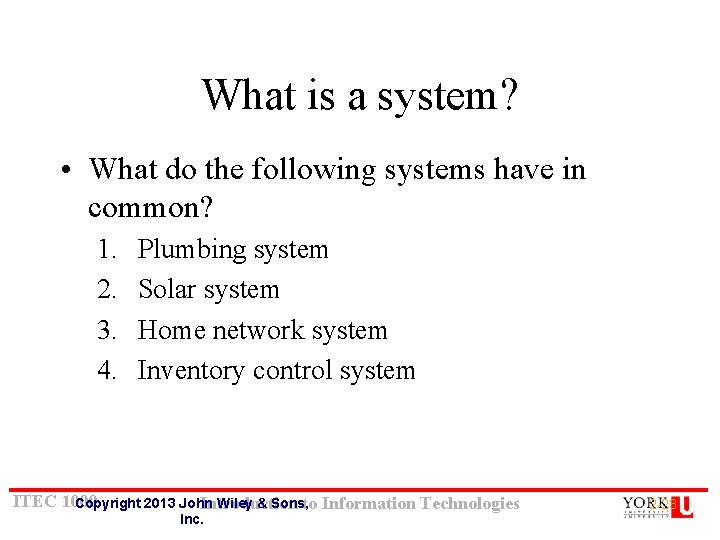
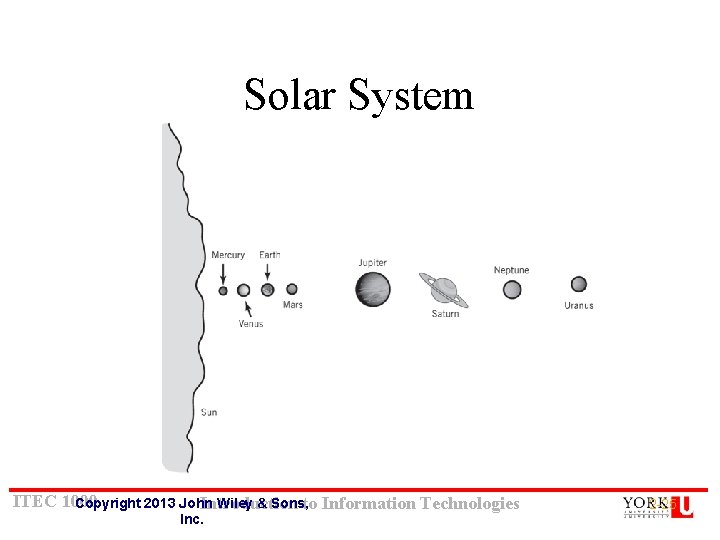
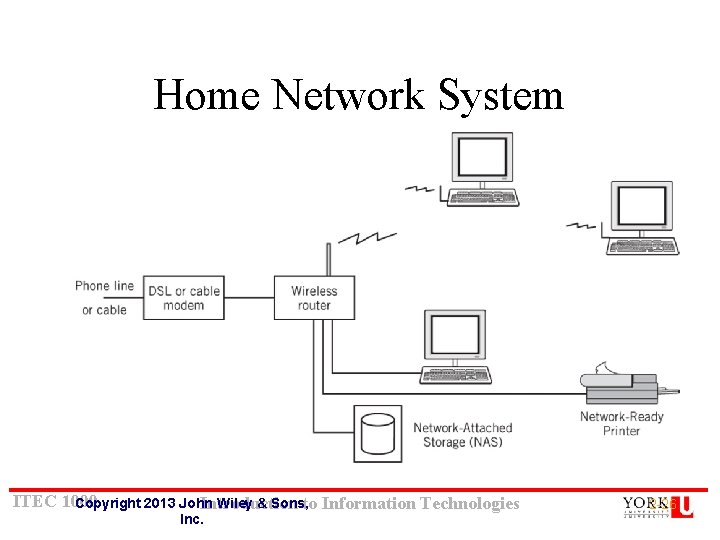
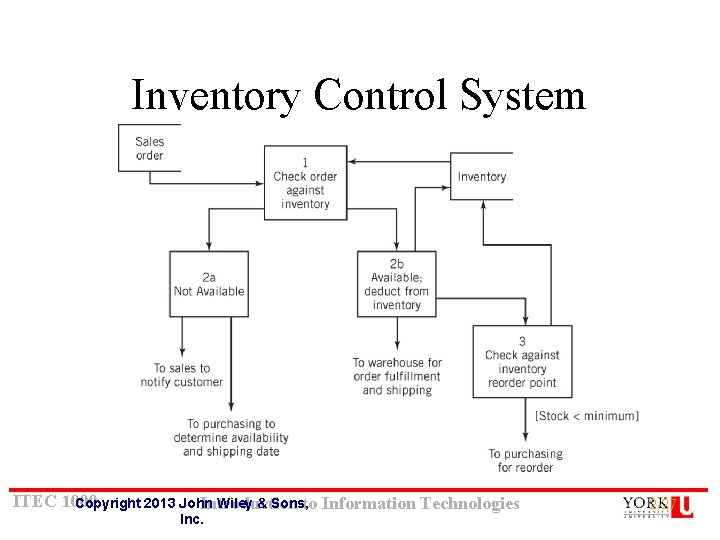
What is a system? • What do the following systems have in common? 1. 2. 3. 4. Plumbing system Solar system Home network system Inventory control system ITEC 1000 Copyright 2013 John Wiley & Sons, Introduction to Information Technologies Inc. 2 -23
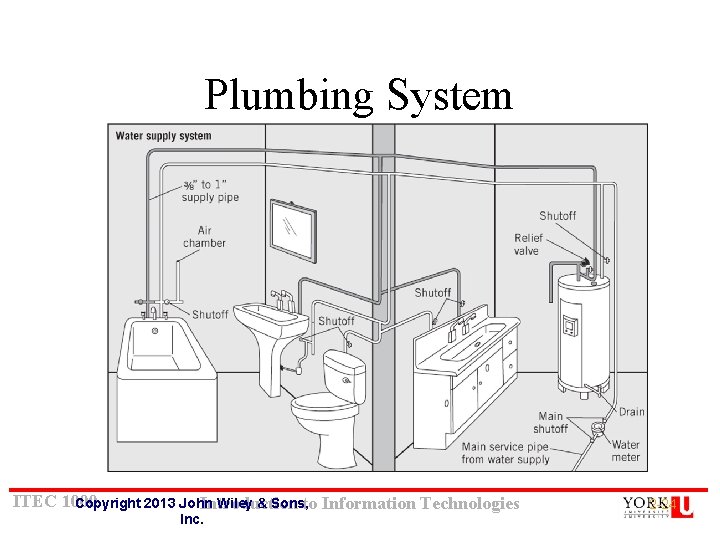
Plumbing System ITEC 1000 Copyright 2013 John Wiley & Sons, Introduction to Information Technologies Inc. 2 -24
Solar System ITEC 1000 Copyright 2013 John Wiley & Sons, Introduction to Information Technologies Inc. 2 -25
Home Network System ITEC 1000 Copyright 2013 John Wiley & Sons, Introduction to Information Technologies Inc. 2 -26
Inventory Control System ITEC 1000 Copyright 2013 John Wiley & Sons, Introduction to Information Technologies Inc. 2 -27
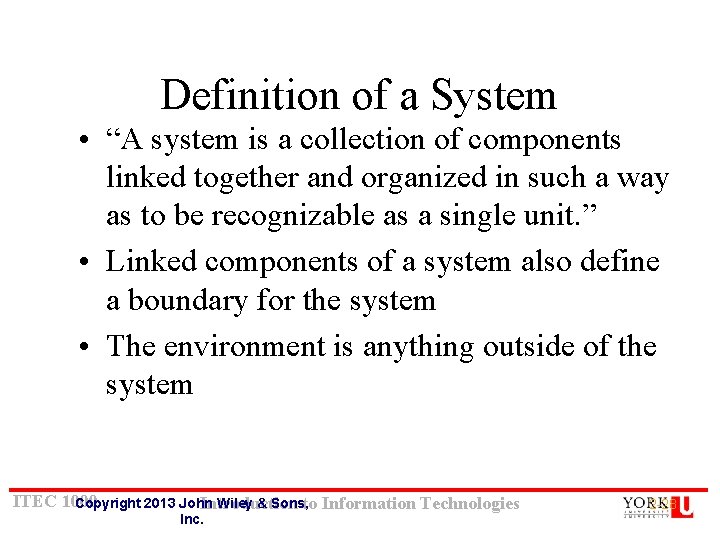
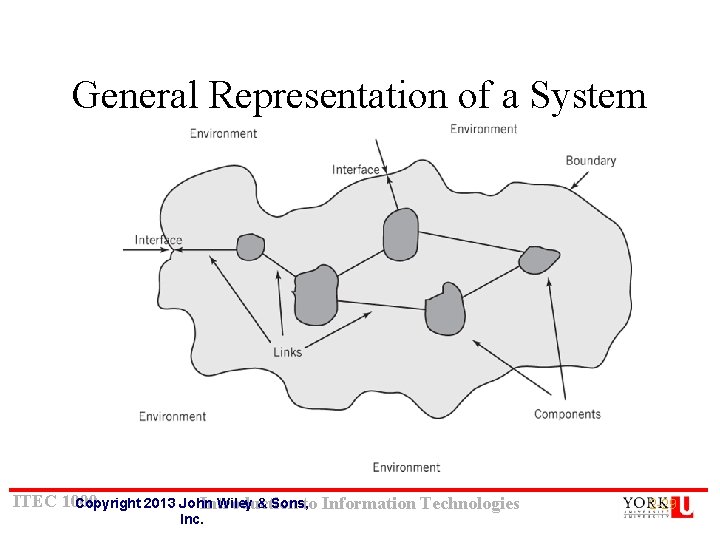
Definition of a System • “A system is a collection of components linked together and organized in such a way as to be recognizable as a single unit. ” • Linked components of a system also define a boundary for the system • The environment is anything outside of the system ITEC 1000 Copyright 2013 John Wiley & Sons, Introduction to Information Technologies Inc. 2 -28
General Representation of a System ITEC 1000 Copyright 2013 John Wiley & Sons, Introduction to Information Technologies Inc. 2 -29
System Decomposition • Components – May be irreducible or – May be subsystems • Decomposition – The division of a system into its components and linkages – Hierarchical ITEC 1000 Copyright 2013 John Wiley & Sons, Introduction to Information Technologies Inc. 2 -30
System Architecture “The fundamental properties, and the patterns of relationships, connections, constraints, and linkages among the components and between the system and its environment are known collectively as the architecture of the system” ITEC 1000 Copyright 2013 John Wiley & Sons, Introduction to Information Technologies Inc. 2 -31
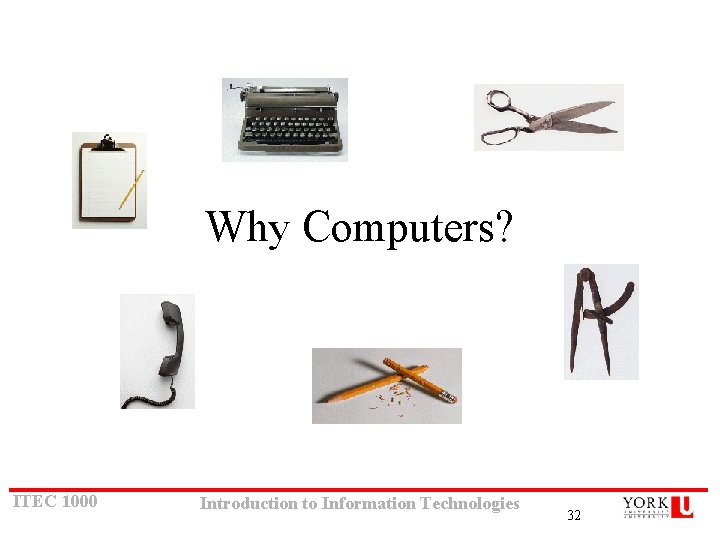
Why Computers? ITEC 1000 Introduction to Information Technologies 32
Autonomous Cab • https: //www. youtube. com/watch? feature=pl ayer_embedded&v=Kyk 1 VLTSH_U ITEC 1000 Introduction to Information Technologies 33
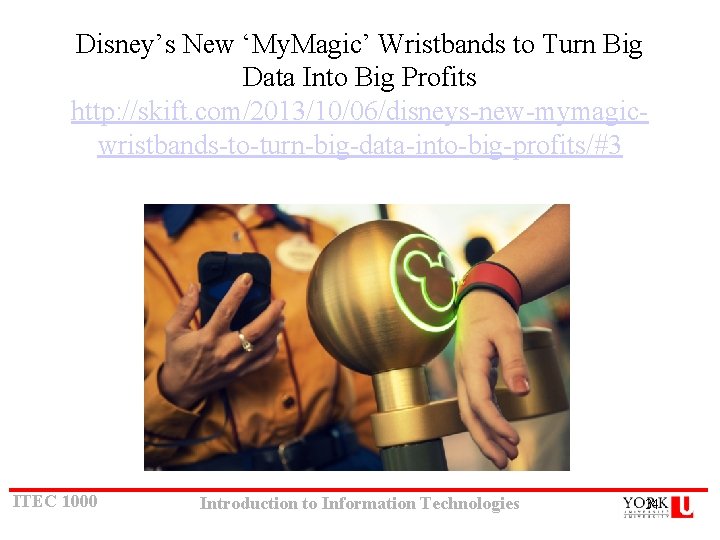
Disney’s New ‘My. Magic’ Wristbands to Turn Big Data Into Big Profits http: //skift. com/2013/10/06/disneys-new-mymagicwristbands-to-turn-big-data-into-big-profits/#3 ITEC 1000 Introduction to Information Technologies 34
Why Study Computer System Architecture? • User – Understand system capabilities, strengths, and limitations – Make better informed decisions – Improve communications with information technology professionals • Programmer – Create efficient application software for specific processing needs • Systems Architect or Systems Analyst – Specify computer systems and architecture to meet application requirements – Make intelligent decisions about system strategy ITEC 1000 Introduction to Information Technologies 1 -35
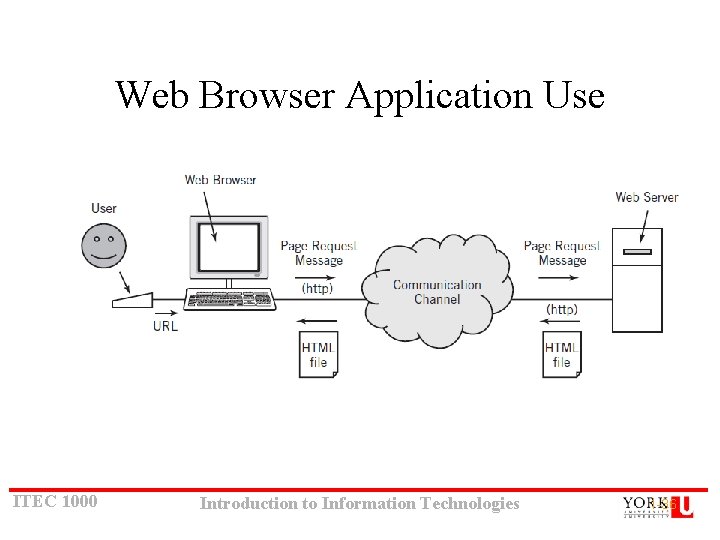
Web Browser Application Use ITEC 1000 Introduction to Information Technologies 1 -36
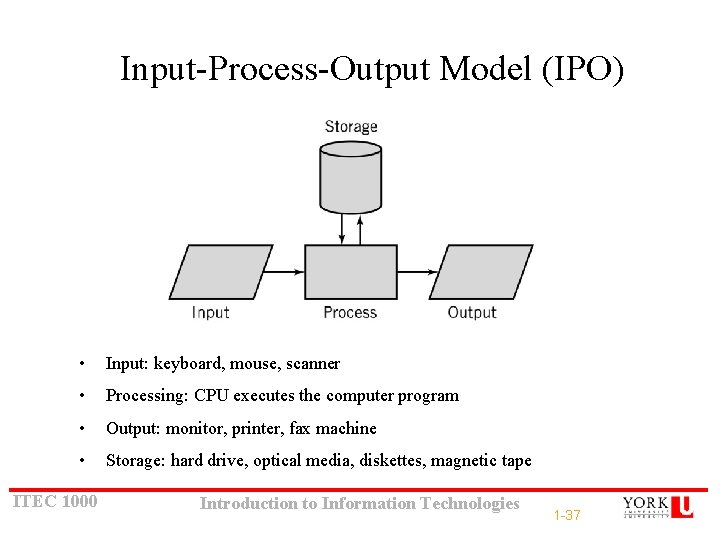
Input-Process-Output Model (IPO) • Input: keyboard, mouse, scanner • Processing: CPU executes the computer program • Output: monitor, printer, fax machine • Storage: hard drive, optical media, diskettes, magnetic tape ITEC 1000 Introduction to Information Technologies 1 -37
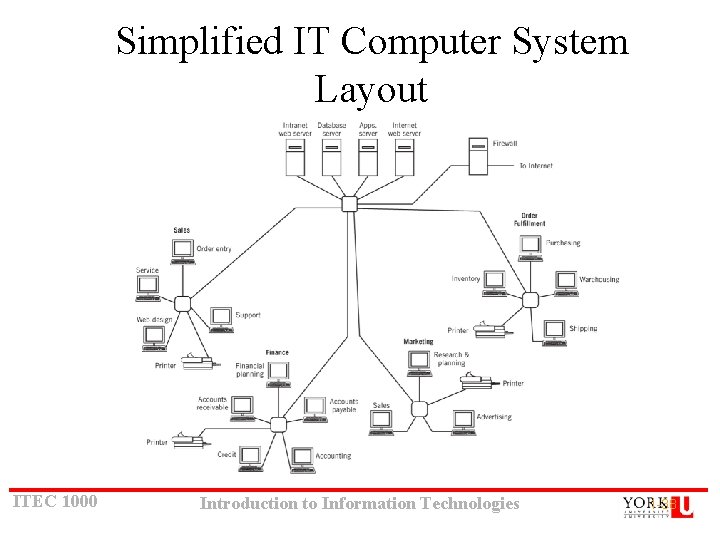
Simplified IT Computer System Layout ITEC 1000 Introduction to Information Technologies 1 -38
Bits, data and operations • Computer operation = Data processing – Read / write – Arithmetic operations – Comparisons / evaluations of expressions ITEC 1000 Introduction to Information Technologies 39
Number systems • Importance – Humans use them to count – Computers use them to represent data • Basics – Base: number of different digits used in the number system – Weight / position: rightmost position is that of B 0 Positional: ITEC 1000 Value depends on position: e. g: Decimal system: 54 = 5 x 10 + 4 x 1 Introduction to Information Technologies 40
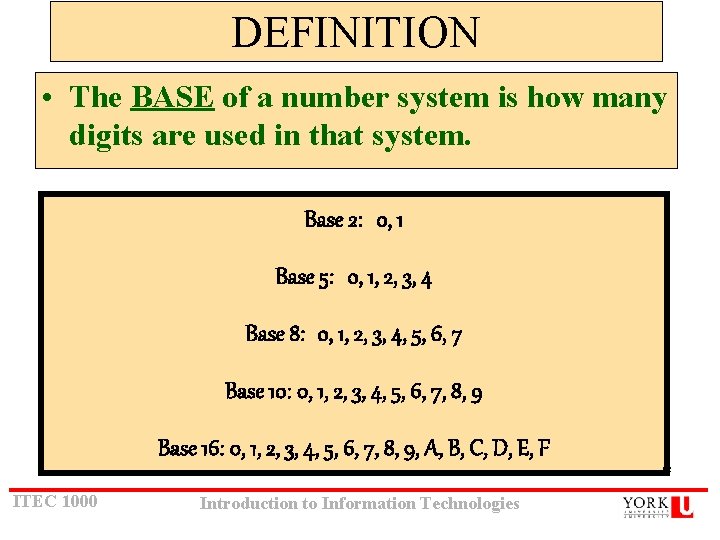
DEFINITION • The BASE of a number system is how many digits are used in that system. Base 2: 0, 1 Base 5: 0, 1, 2, 3, 4 Base 8: 0, 1, 2, 3, 4, 5, 6, 7 Base 10: 0, 1, 2, 3, 4, 5, 6, 7, 8, 9 Base 16: 0, 1, 2, 3, 4, 5, 6, 7, 8, 9, A, B, C, D, E, F KC ITEC 1000 Introduction to Information Technologies
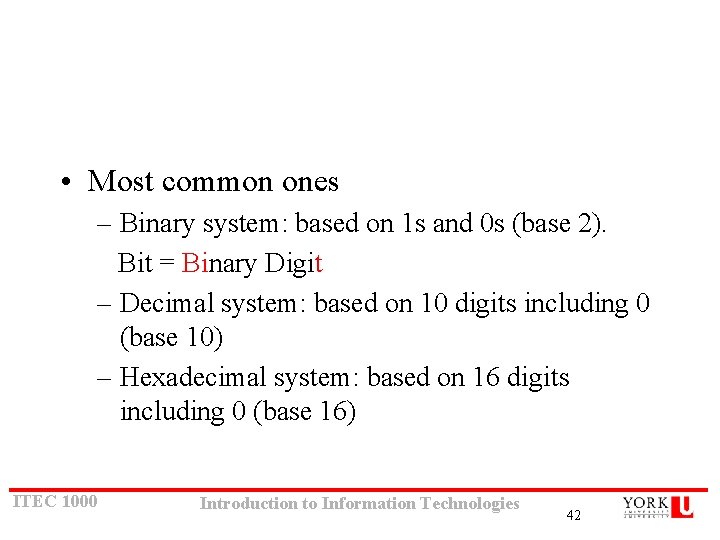
• Most common ones – Binary system: based on 1 s and 0 s (base 2). Bit = Binary Digit – Decimal system: based on 10 digits including 0 (base 10) – Hexadecimal system: based on 16 digits including 0 (base 16) ITEC 1000 Introduction to Information Technologies 42
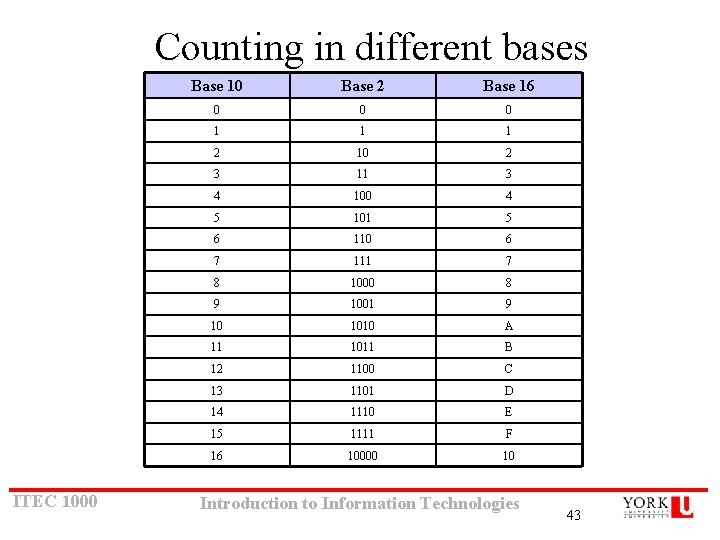
Counting in different bases ITEC 1000 Base 10 Base 2 Base 16 0 0 0 1 1 1 2 10 2 3 11 3 4 100 4 5 101 5 6 110 6 7 111 7 8 1000 8 9 1001 9 10 1010 A 11 1011 B 12 1100 C 13 1101 D 14 1110 E 15 1111 F 16 10000 10 Introduction to Information Technologies 43
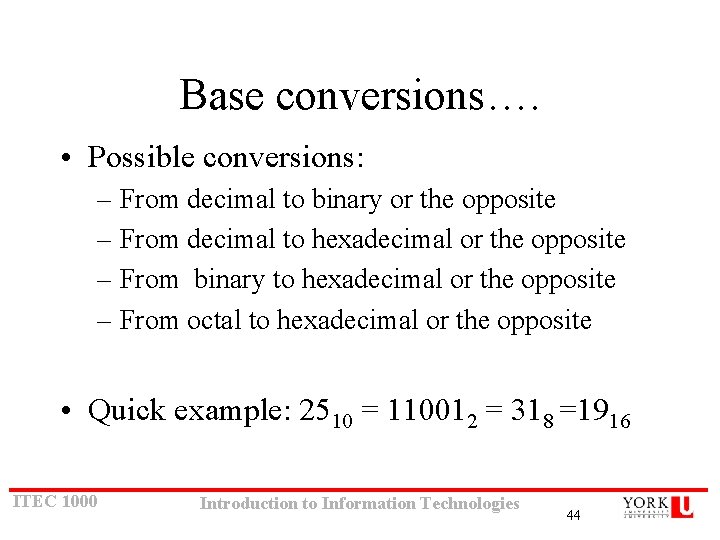
Base conversions…. • Possible conversions: – From decimal to binary or the opposite – From decimal to hexadecimal or the opposite – From binary to hexadecimal or the opposite – From octal to hexadecimal or the opposite • Quick example: 2510 = 110012 = 318 =1916 ITEC 1000 Introduction to Information Technologies 44
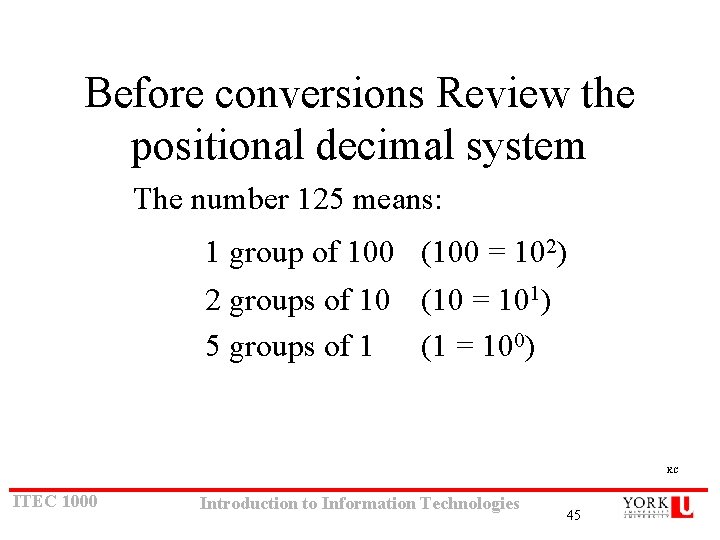
Before conversions Review the positional decimal system The number 125 means: 1 group of 100 (100 = 102) 2 groups of 10 (10 = 101) 5 groups of 1 (1 = 100) KC ITEC 1000 Introduction to Information Technologies 45
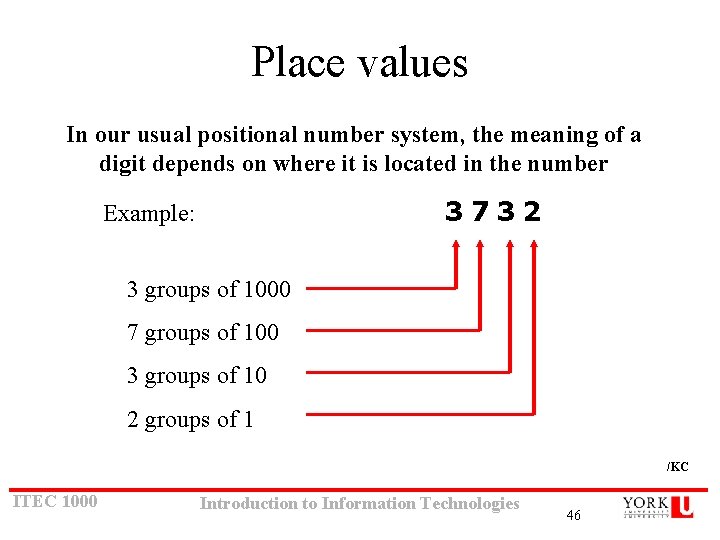
Place values In our usual positional number system, the meaning of a digit depends on where it is located in the number 3732 Example: 3 groups of 1000 7 groups of 100 3 groups of 10 2 groups of 1 /KC ITEC 1000 Introduction to Information Technologies 46
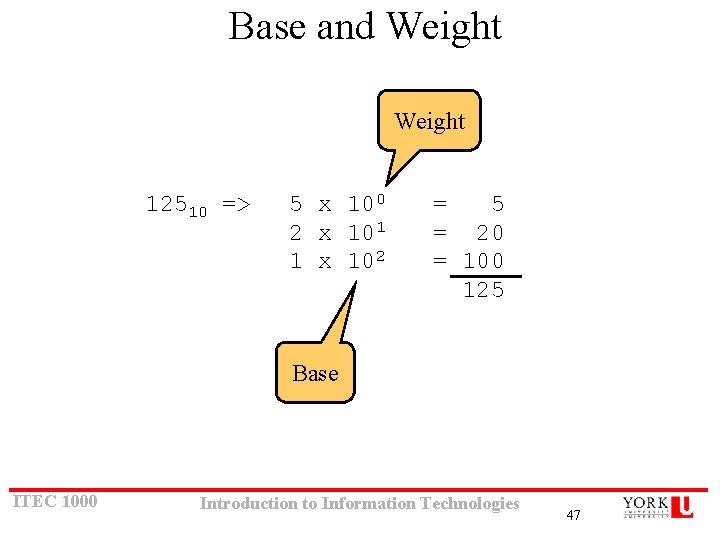
Base and Weight 12510 => 5 x 100 2 x 101 1 x 102 = 5 = 20 = 100 125 Base ITEC 1000 Introduction to Information Technologies 47
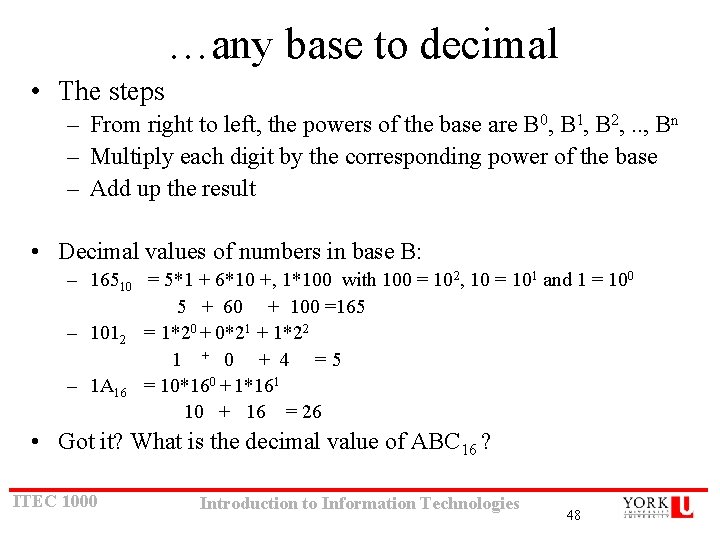
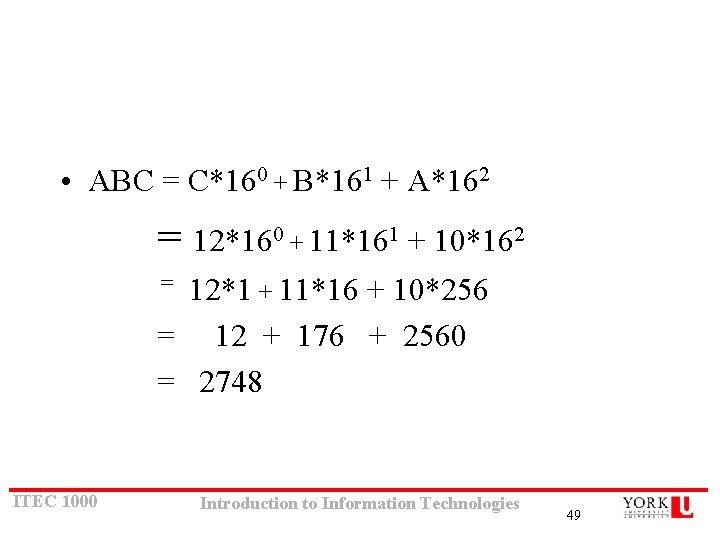
…any base to decimal • The steps – From right to left, the powers of the base are B 0, B 1, B 2, . . , Bn – Multiply each digit by the corresponding power of the base – Add up the result • Decimal values of numbers in base B: – 16510 = 5*1 + 6*10 +, 1*100 with 100 = 102, 10 = 101 and 1 = 100 5 + 60 + 100 =165 – 1012 = 1*20 + 0*21 + 1*22 1 + 0 + 4 =5 – 1 A 16 = 10*160 + 1*161 10 + 16 = 26 • Got it? What is the decimal value of ABC 16 ? ITEC 1000 Introduction to Information Technologies 48
• ABC = C*160 + B*161 + A*162 = 12*160 + 11*161 + 10*162 12*1 + 11*16 + 10*256 = 12 + 176 + 2560 = 2748 = ITEC 1000 Introduction to Information Technologies 49
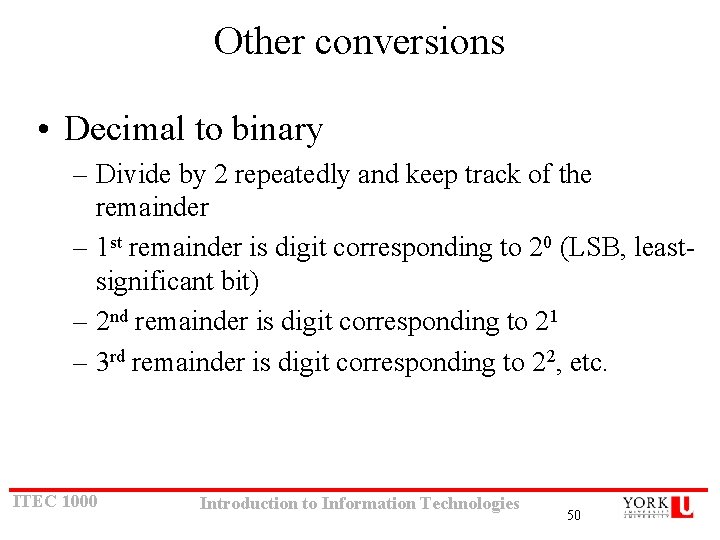
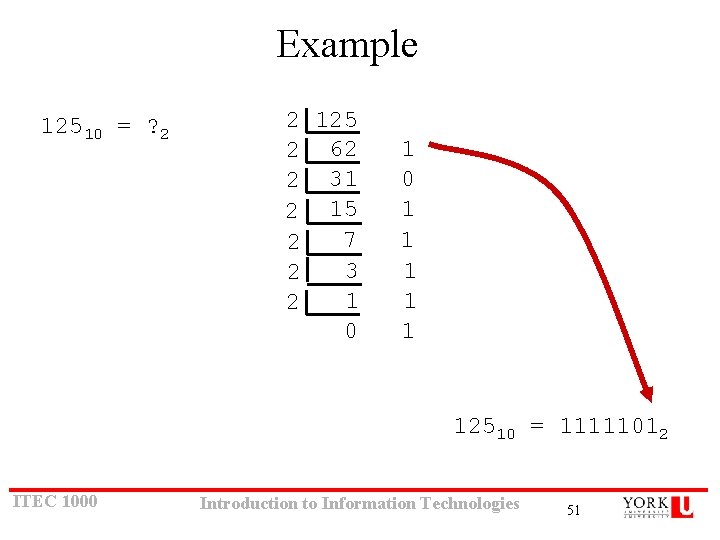
Other conversions • Decimal to binary – Divide by 2 repeatedly and keep track of the remainder – 1 st remainder is digit corresponding to 20 (LSB, leastsignificant bit) – 2 nd remainder is digit corresponding to 21 – 3 rd remainder is digit corresponding to 22, etc. ITEC 1000 Introduction to Information Technologies 50
Example 12510 = ? 2 2 125 2 62 2 31 2 15 7 2 3 2 1 2 0 1 1 1 12510 = 11111012 ITEC 1000 Introduction to Information Technologies 51
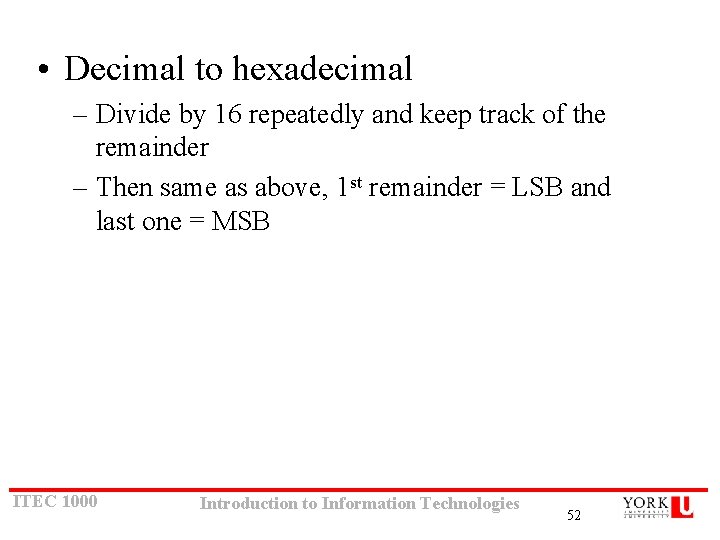
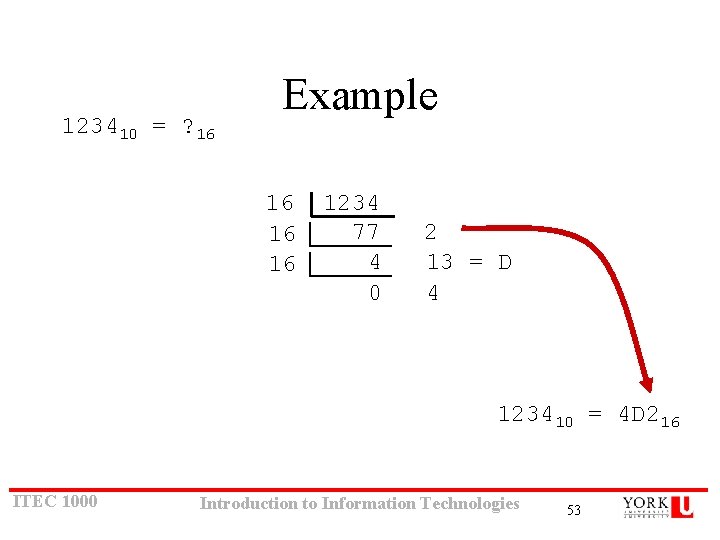
• Decimal to hexadecimal – Divide by 16 repeatedly and keep track of the remainder – Then same as above, 1 st remainder = LSB and last one = MSB ITEC 1000 Introduction to Information Technologies 52
123410 = ? 16 Example 16 16 16 1234 77 4 0 2 13 = D 4 123410 = 4 D 216 ITEC 1000 Introduction to Information Technologies 53
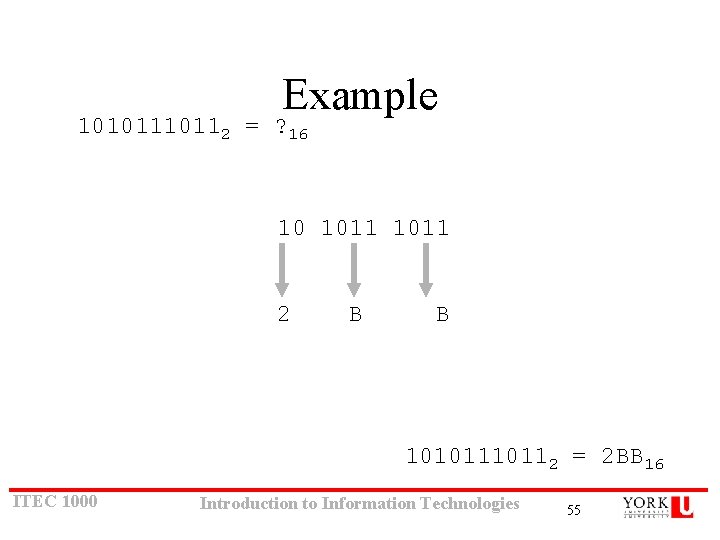
• Binary to hexadecimal – Group bits in fours, starting on right – Convert each group to an hexadecimal digit ITEC 1000 Introduction to Information Technologies 54
Example 1010112 = ? 16 10 1011 2 B B 1010112 = 2 BB 16 ITEC 1000 Introduction to Information Technologies 55
• Hexadecimal to binary – Convert each hexadecimal digit to a 4 -bit equivalent binary representation ITEC 1000 Introduction to Information Technologies 56
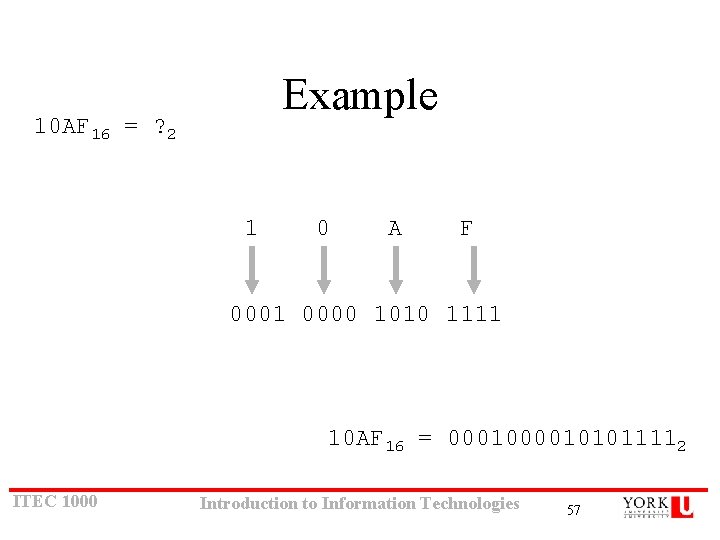
Example 10 AF 16 = ? 2 1 0 A F 0001 0000 1010 1111 10 AF 16 = 000101011112 ITEC 1000 Introduction to Information Technologies 57
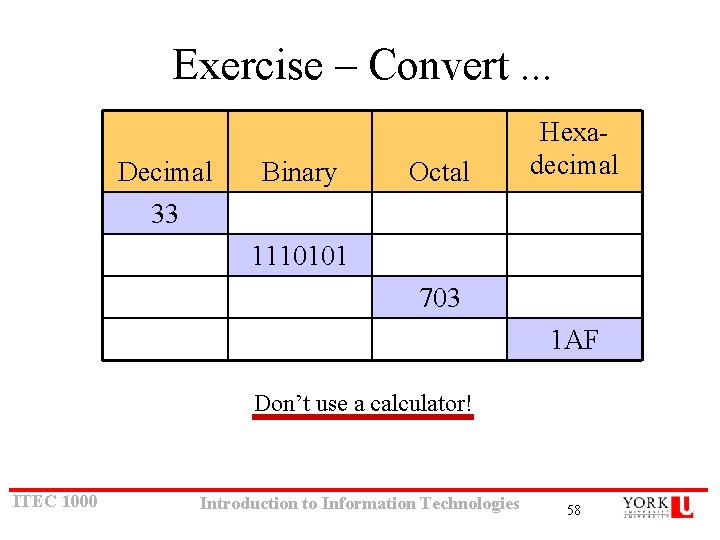
Exercise – Convert. . . Decimal 33 Binary Octal Hexadecimal 1110101 703 1 AF Don’t use a calculator! ITEC 1000 Introduction to Information Technologies 58
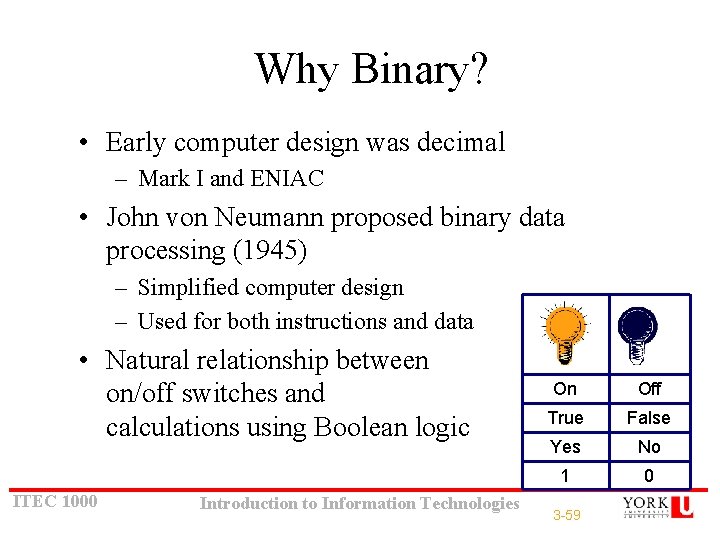
Why Binary? • Early computer design was decimal – Mark I and ENIAC • John von Neumann proposed binary data processing (1945) – Simplified computer design – Used for both instructions and data • Natural relationship between on/off switches and calculations using Boolean logic ITEC 1000 Introduction to Information Technologies On Off True False Yes No 1 0 3 -59
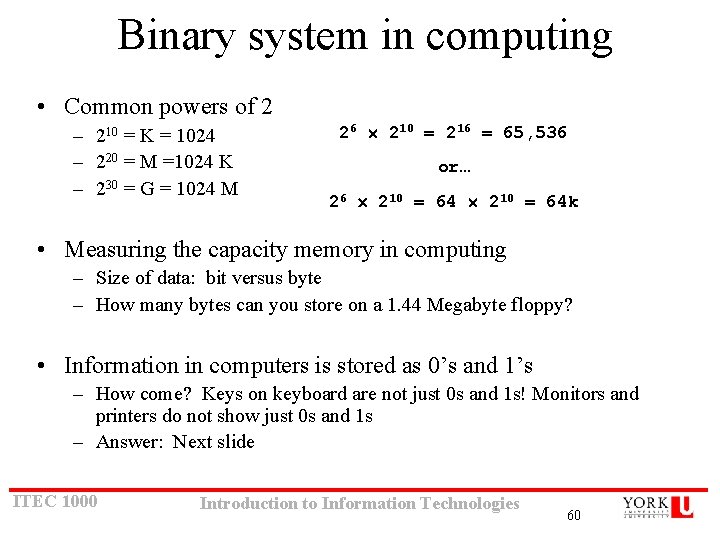
Binary system in computing • Common powers of 2 – 210 = K = 1024 – 220 = M =1024 K – 230 = G = 1024 M 26 210 = 216 = 65, 536 or… 26 210 = 64 k • Measuring the capacity memory in computing – Size of data: bit versus byte – How many bytes can you store on a 1. 44 Megabyte floppy? • Information in computers is stored as 0’s and 1’s – How come? Keys on keyboard are not just 0 s and 1 s! Monitors and printers do not show just 0 s and 1 s – Answer: Next slide ITEC 1000 Introduction to Information Technologies 60
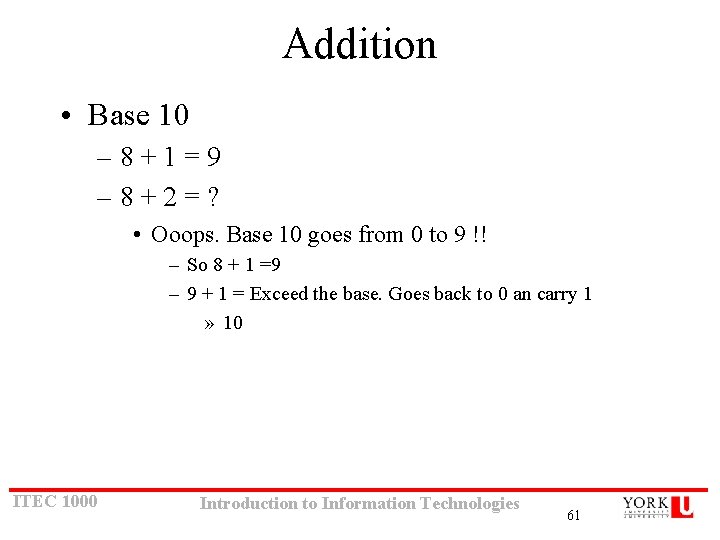
Addition • Base 10 – 8+1=9 – 8+2=? • Ooops. Base 10 goes from 0 to 9 !! – So 8 + 1 =9 – 9 + 1 = Exceed the base. Goes back to 0 an carry 1 » 10 ITEC 1000 Introduction to Information Technologies 61
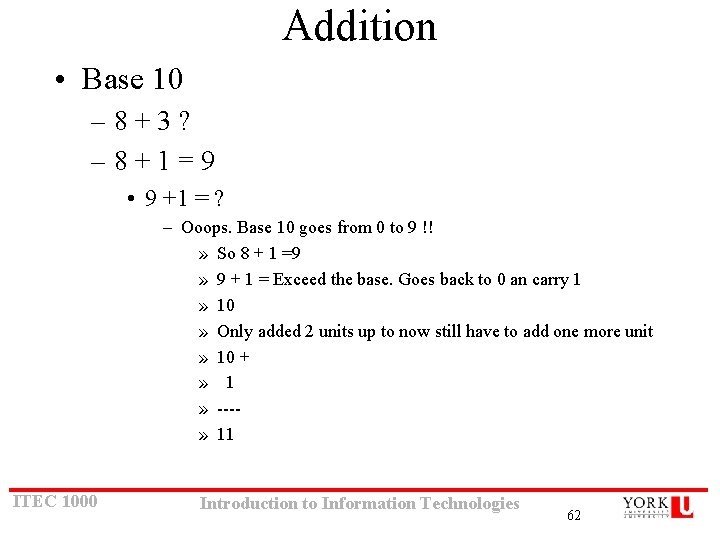
Addition • Base 10 – 8+3? – 8+1=9 • 9 +1 = ? – Ooops. Base 10 goes from 0 to 9 !! » So 8 + 1 =9 » 9 + 1 = Exceed the base. Goes back to 0 an carry 1 » 10 » Only added 2 units up to now still have to add one more unit » 10 + » 1 » ---» 11 ITEC 1000 Introduction to Information Technologies 62
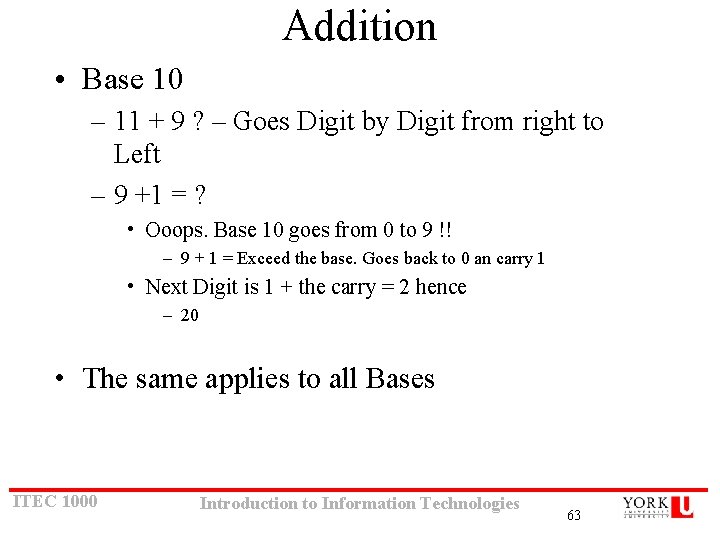
Addition • Base 10 – 11 + 9 ? – Goes Digit by Digit from right to Left – 9 +1 = ? • Ooops. Base 10 goes from 0 to 9 !! – 9 + 1 = Exceed the base. Goes back to 0 an carry 1 • Next Digit is 1 + the carry = 2 hence – 20 • The same applies to all Bases ITEC 1000 Introduction to Information Technologies 63
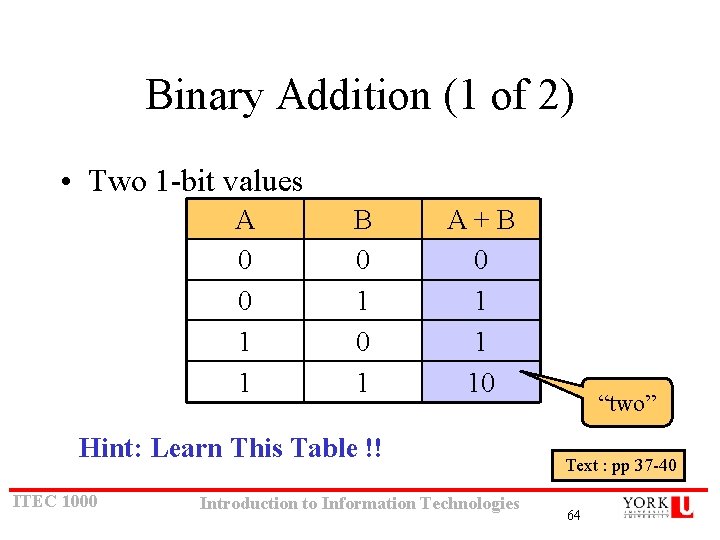
Binary Addition (1 of 2) • Two 1 -bit values A 0 0 1 1 B 0 1 A+B 0 1 1 10 Hint: Learn This Table !! ITEC 1000 Introduction to Information Technologies “two” Text : pp 37 -40 64
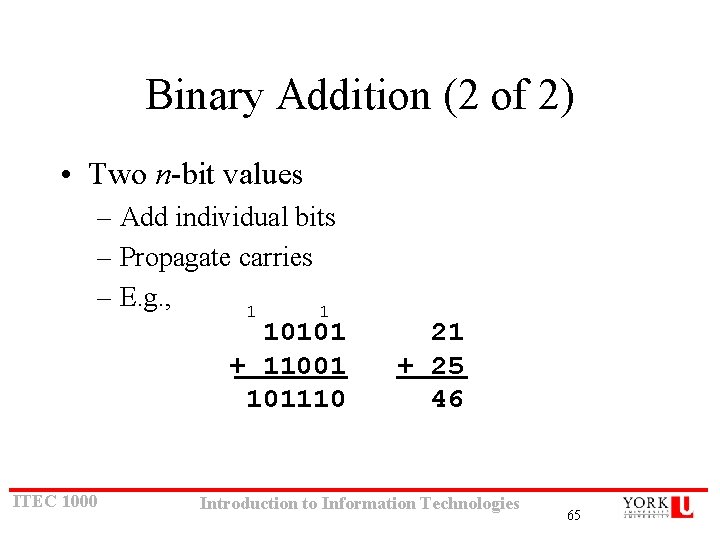
Binary Addition (2 of 2) • Two n-bit values – Add individual bits – Propagate carries – E. g. , 1 1 10101 + 11001 101110 ITEC 1000 21 + 25 46 Introduction to Information Technologies 65
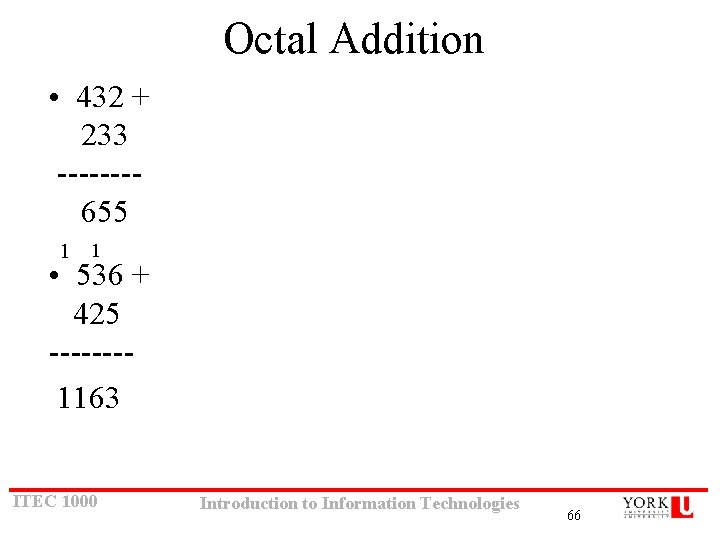
Octal Addition • 432 + 233 -------655 1 1 • 536 + 425 -------1163 ITEC 1000 Introduction to Information Technologies 66
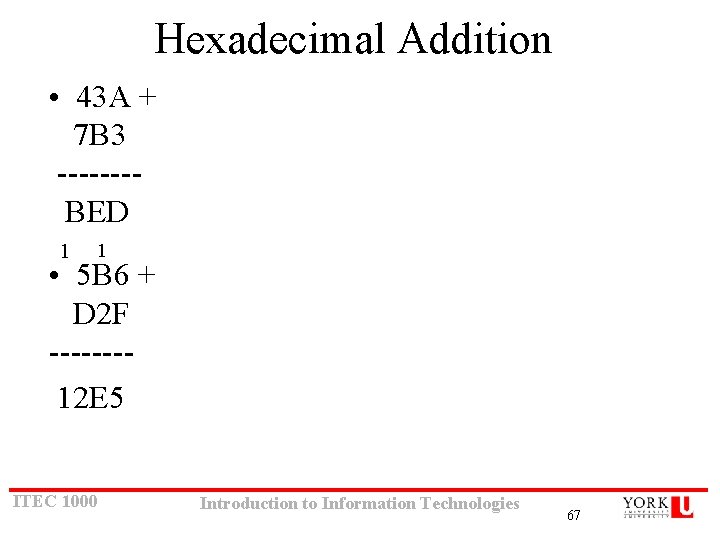
Hexadecimal Addition • 43 A + 7 B 3 -------BED 1 1 • 5 B 6 + D 2 F -------12 E 5 ITEC 1000 Introduction to Information Technologies 67
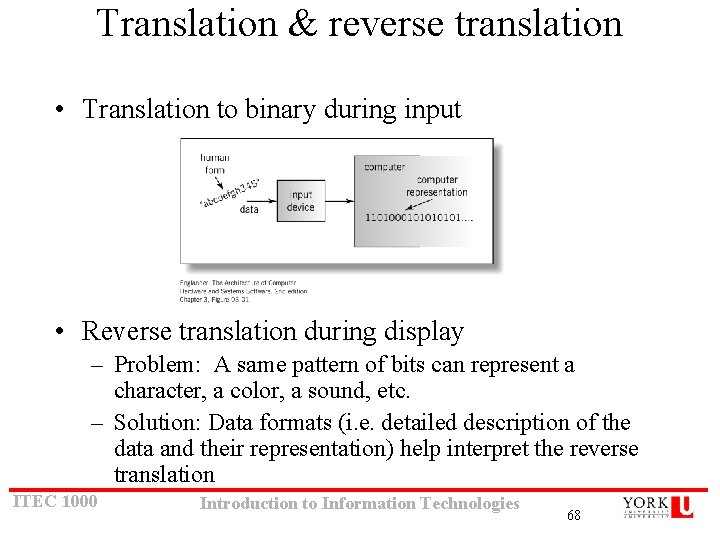
Translation & reverse translation • Translation to binary during input • Reverse translation during display – Problem: A same pattern of bits can represent a character, a color, a sound, etc. – Solution: Data formats (i. e. detailed description of the data and their representation) help interpret the reverse translation ITEC 1000 Introduction to Information Technologies 68