File Operations in C 1 Starting Out with
![Program Screen Output with Example Input Enter a file name: hownow. txt [Enter] File](https://slidetodoc.com/presentation_image/578b5022db7667c4264956441248e215/image-59.jpg "Program Screen Output with Example Input Enter a file name: hownow. txt [Enter] File")
- Slides: 90
File Operations in C++ 1 Starting Out with C++, 3 rd Edition
1. What is a File? • A file is a collection on information, usually stored on a computer’s disk. Information can be saved to files and then later reused. 2 Starting Out with C++, 3 rd Edition
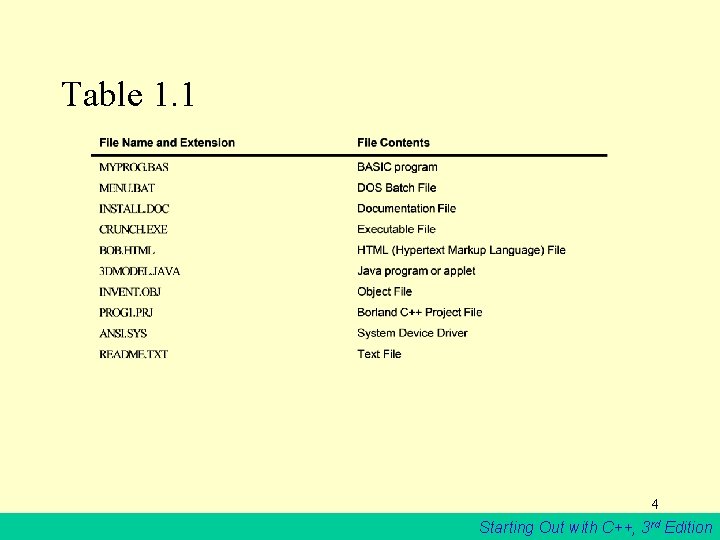
2. File Names • All files are assigned a name that is used for identification purposes by the operating system and the user. 3 Starting Out with C++, 3 rd Edition
Table 1. 1 4 Starting Out with C++, 3 rd Edition
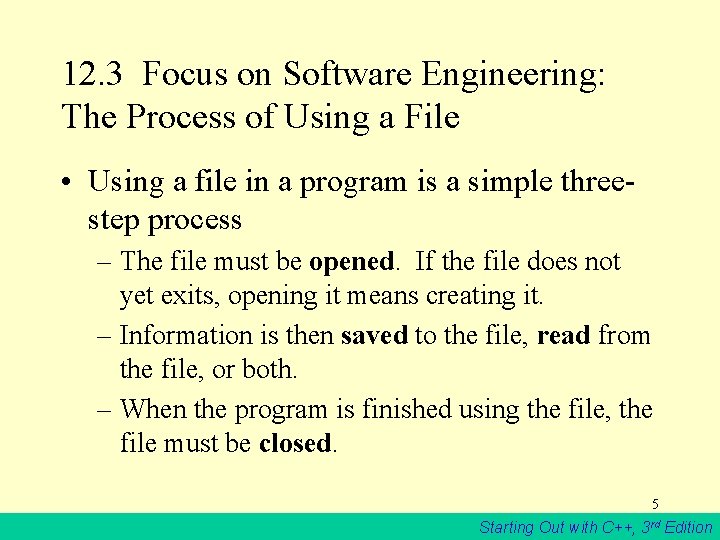
12. 3 Focus on Software Engineering: The Process of Using a File • Using a file in a program is a simple threestep process – The file must be opened. If the file does not yet exits, opening it means creating it. – Information is then saved to the file, read from the file, or both. – When the program is finished using the file, the file must be closed. 5 Starting Out with C++, 3 rd Edition
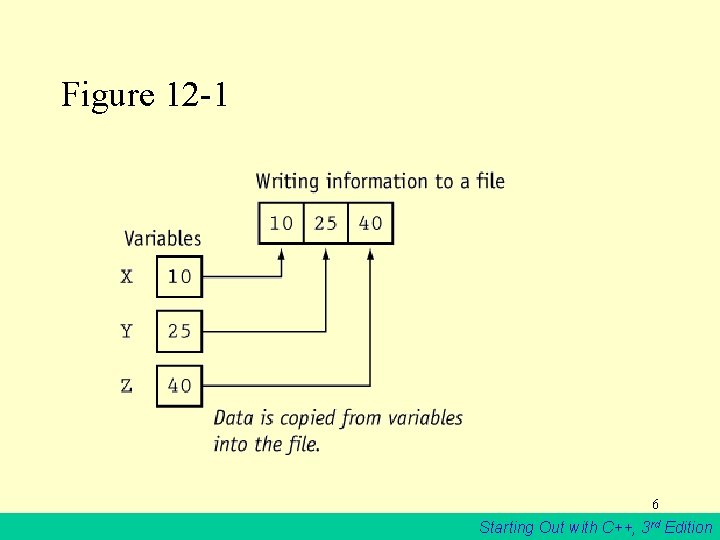
Figure 12 -1 6 Starting Out with C++, 3 rd Edition
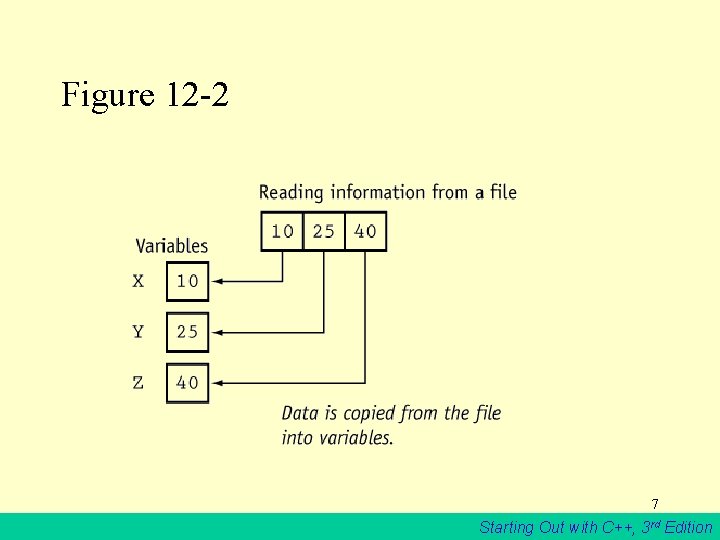
Figure 12 -2 7 Starting Out with C++, 3 rd Edition
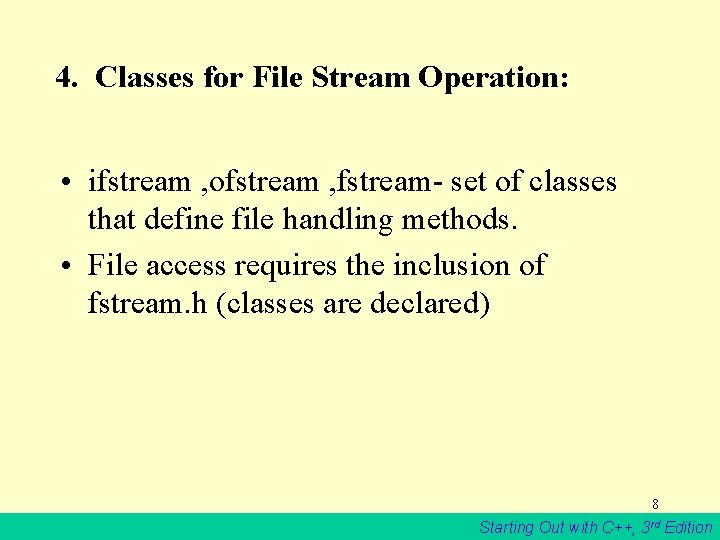
4. Classes for File Stream Operation: • ifstream , ofstream , fstream- set of classes that define file handling methods. • File access requires the inclusion of fstream. h (classes are declared) 8 Starting Out with C++, 3 rd Edition
Table 12 -3 fstream Provides support for simultaneous input and output operations. 9 Starting Out with C++, 3 rd Edition
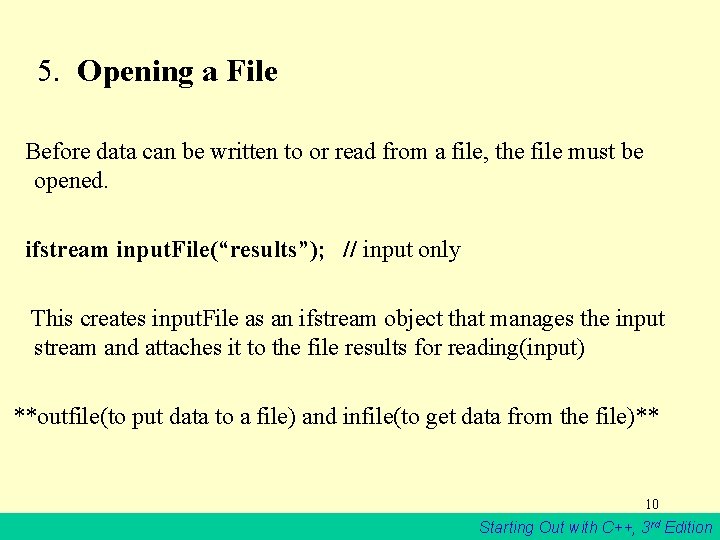
5. Opening a File Before data can be written to or read from a file, the file must be opened. ifstream input. File(“results”); // input only This creates input. File as an ifstream object that manages the input stream and attaches it to the file results for reading(input) **outfile(to put data to a file) and infile(to get data from the file)** 10 Starting Out with C++, 3 rd Edition
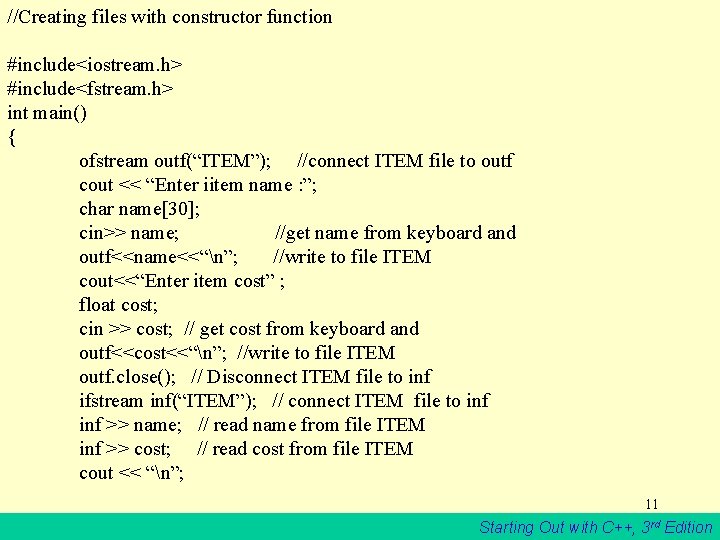
//Creating files with constructor function #include<iostream. h> #include<fstream. h> int main() { ofstream outf(“ITEM”); //connect ITEM file to outf cout << “Enter iitem name : ”; char name[30]; cin>> name; //get name from keyboard and outf<<name<<“n”; //write to file ITEM cout<<“Enter item cost” ; float cost; cin >> cost; // get cost from keyboard and outf<<cost<<“n”; //write to file ITEM outf. close(); // Disconnect ITEM file to inf ifstream inf(“ITEM”); // connect ITEM file to inf >> name; // read name from file ITEM inf >> cost; // read cost from file ITEM cout << “n”; 11 Starting Out with C++, 3 rd Edition
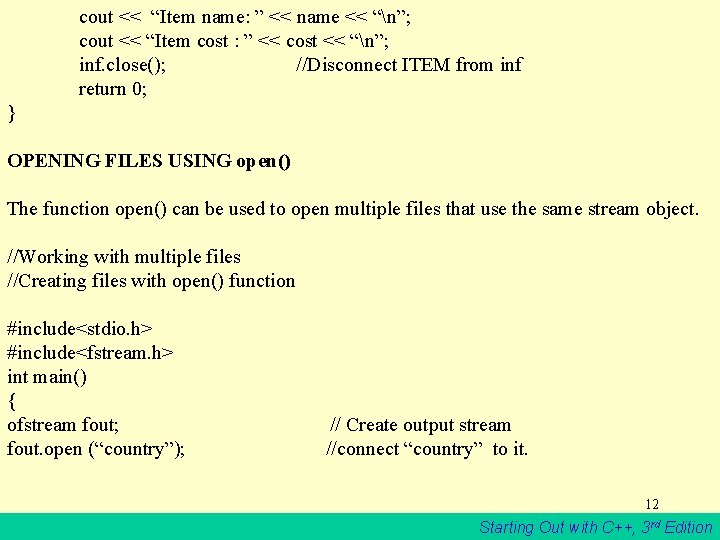
cout << “Item name: ” << name << “n”; cout << “Item cost : ” << cost << “n”; inf. close(); //Disconnect ITEM from inf return 0; } OPENING FILES USING open() The function open() can be used to open multiple files that use the same stream object. //Working with multiple files //Creating files with open() function #include<stdio. h> #include<fstream. h> int main() { ofstream fout; fout. open (“country”); // Create output stream //connect “country” to it. 12 Starting Out with C++, 3 rd Edition
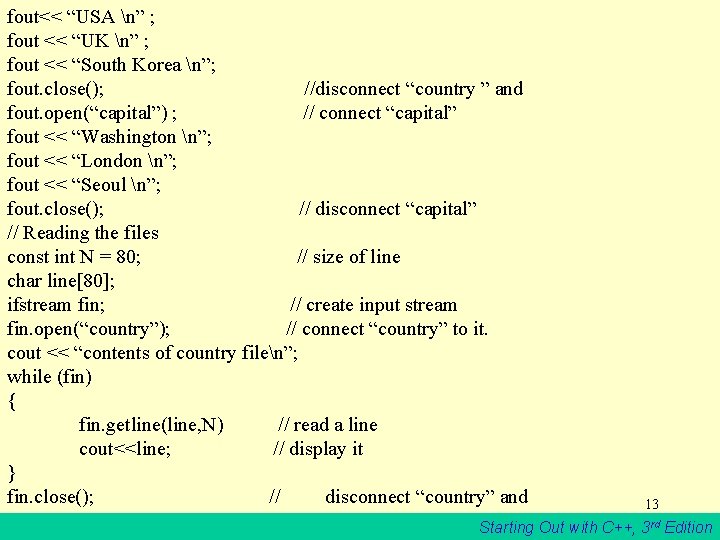
fout<< “USA n” ; fout << “UK n” ; fout << “South Korea n”; fout. close(); //disconnect “country ” and fout. open(“capital”) ; // connect “capital” fout << “Washington n”; fout << “London n”; fout << “Seoul n”; fout. close(); // disconnect “capital” // Reading the files const int N = 80; // size of line char line[80]; ifstream fin; // create input stream fin. open(“country”); // connect “country” to it. cout << “contents of country filen”; while (fin) { fin. getline(line, N) // read a line cout<<line; // display it } fin. close(); // disconnect “country” and 13 Starting Out with C++, 3 rd Edition
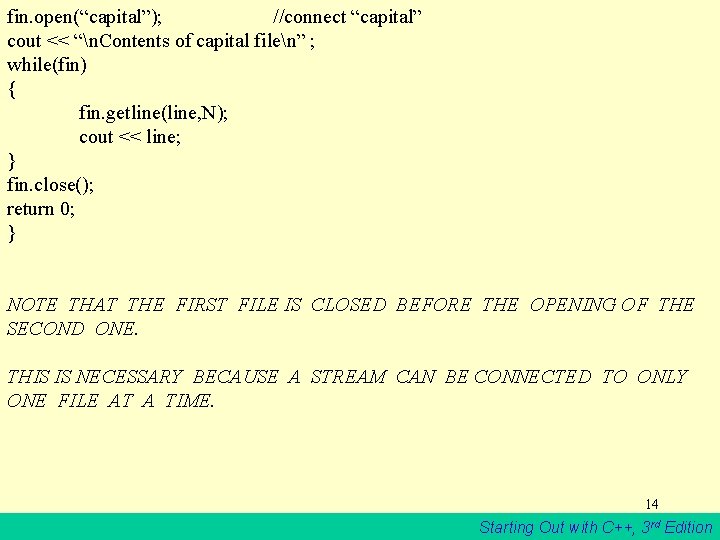
fin. open(“capital”); //connect “capital” cout << “n. Contents of capital filen” ; while(fin) { fin. getline(line, N); cout << line; } fin. close(); return 0; } NOTE THAT THE FIRST FILE IS CLOSED BEFORE THE OPENING OF THE SECOND ONE. THIS IS NECESSARY BECAUSE A STREAM CAN BE CONNECTED TO ONLY ONE FILE AT A TIME. 14 Starting Out with C++, 3 rd Edition
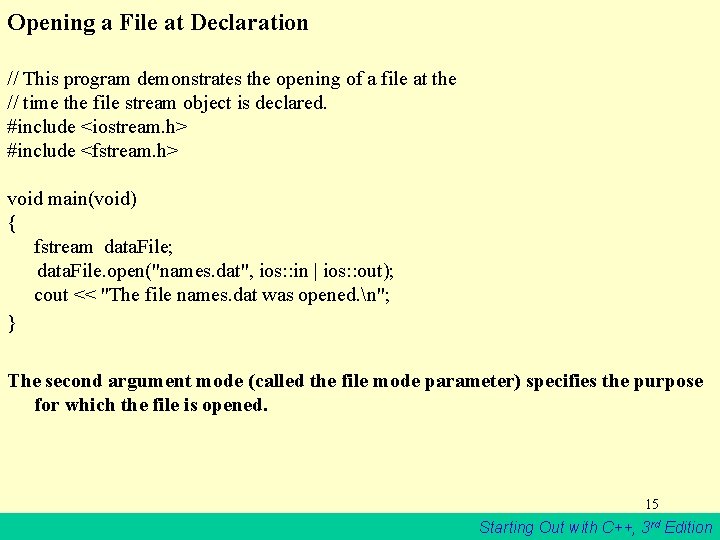
Opening a File at Declaration // This program demonstrates the opening of a file at the // time the file stream object is declared. #include <iostream. h> #include <fstream. h> void main(void) { fstream data. File; data. File. open("names. dat", ios: : in | ios: : out); cout << "The file names. dat was opened. n"; } The second argument mode (called the file mode parameter) specifies the purpose for which the file is opened. 15 Starting Out with C++, 3 rd Edition
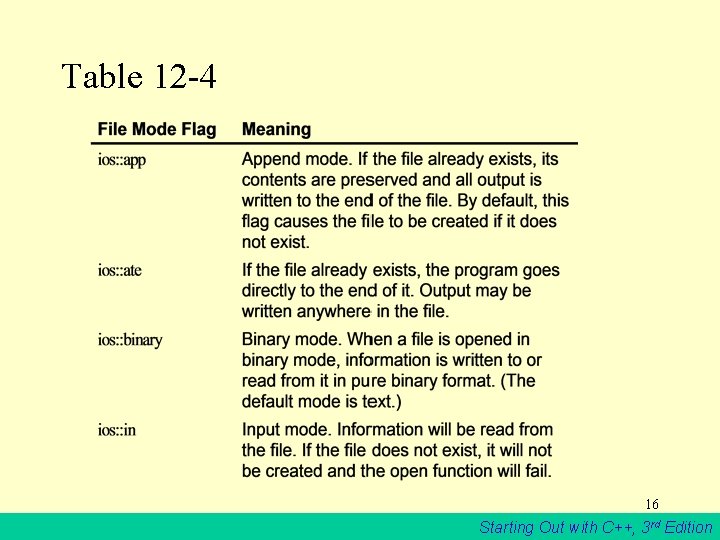
Table 12 -4 16 Starting Out with C++, 3 rd Edition
Table 12 -4 continued 17 Starting Out with C++, 3 rd Edition
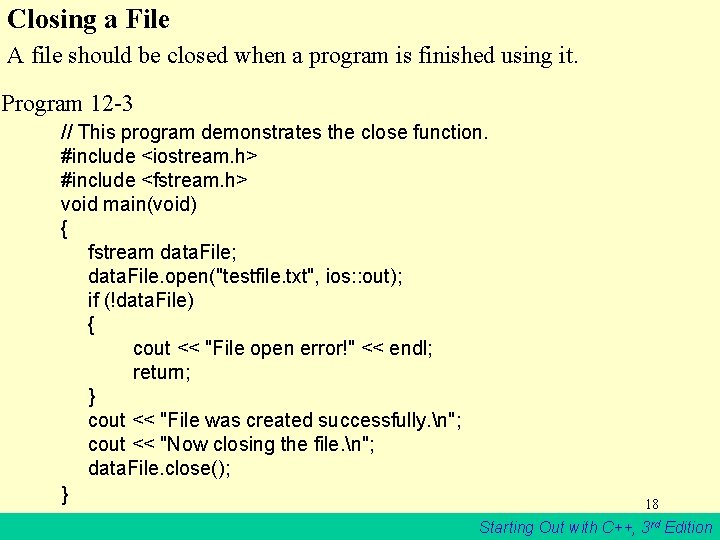
Closing a File A file should be closed when a program is finished using it. Program 12 -3 // This program demonstrates the close function. #include <iostream. h> #include <fstream. h> void main(void) { fstream data. File; data. File. open("testfile. txt", ios: : out); if (!data. File) { cout << "File open error!" << endl; return; } cout << "File was created successfully. n"; cout << "Now closing the file. n"; data. File. close(); } 18 Starting Out with C++, 3 rd Edition
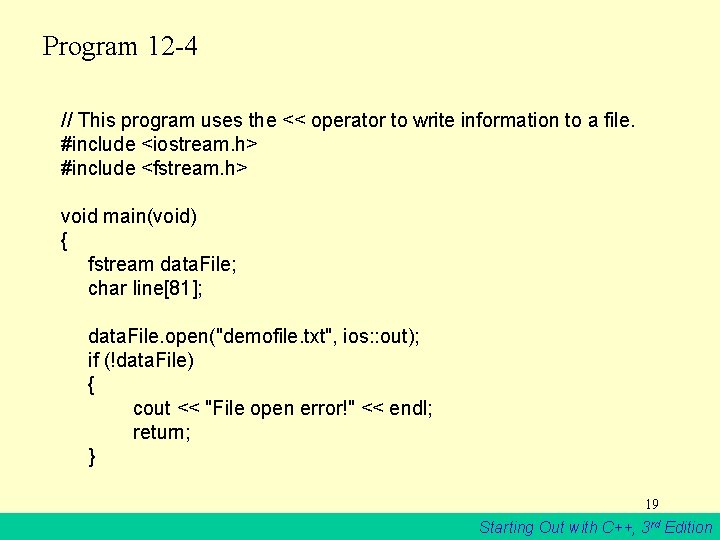
Program 12 -4 // This program uses the << operator to write information to a file. #include <iostream. h> #include <fstream. h> void main(void) { fstream data. File; char line[81]; data. File. open("demofile. txt", ios: : out); if (!data. File) { cout << "File open error!" << endl; return; } 19 Starting Out with C++, 3 rd Edition
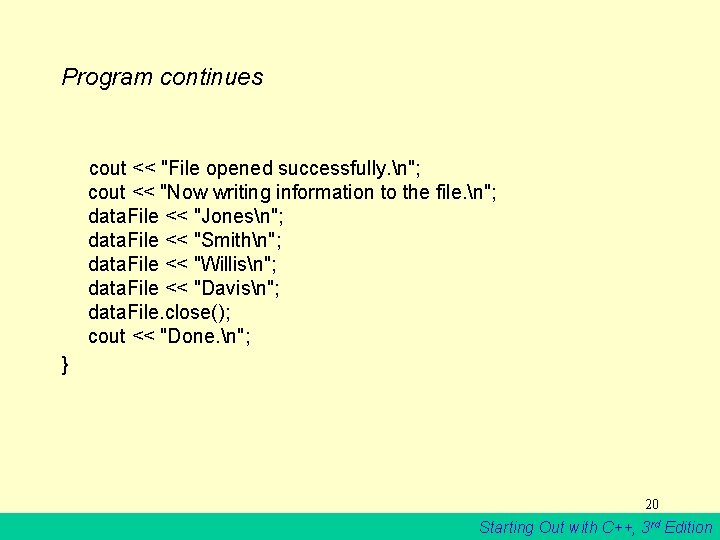
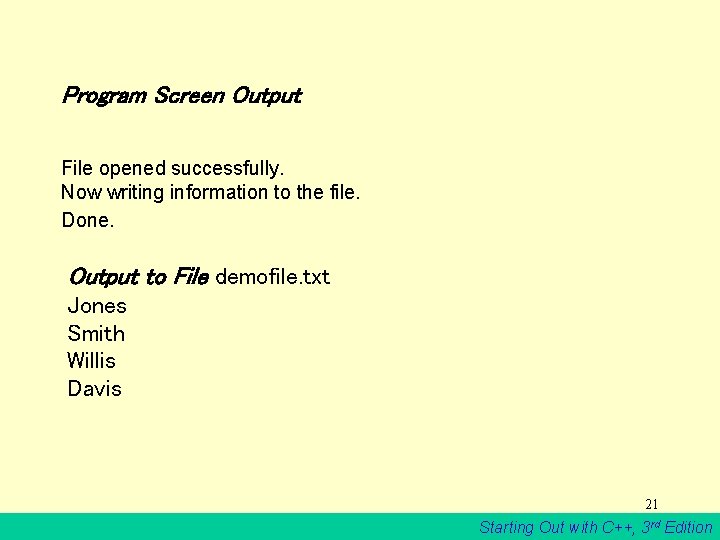
Program continues cout << "File opened successfully. n"; cout << "Now writing information to the file. n"; data. File << "Jonesn"; data. File << "Smithn"; data. File << "Willisn"; data. File << "Davisn"; data. File. close(); cout << "Done. n"; } 20 Starting Out with C++, 3 rd Edition
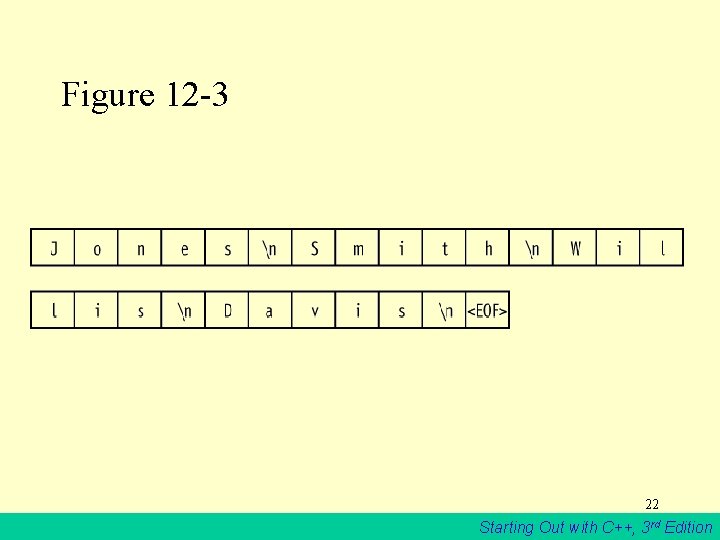
Program Screen Output File opened successfully. Now writing information to the file. Done. Output to File demofile. txt Jones Smith Willis Davis 21 Starting Out with C++, 3 rd Edition
Figure 12 -3 22 Starting Out with C++, 3 rd Edition
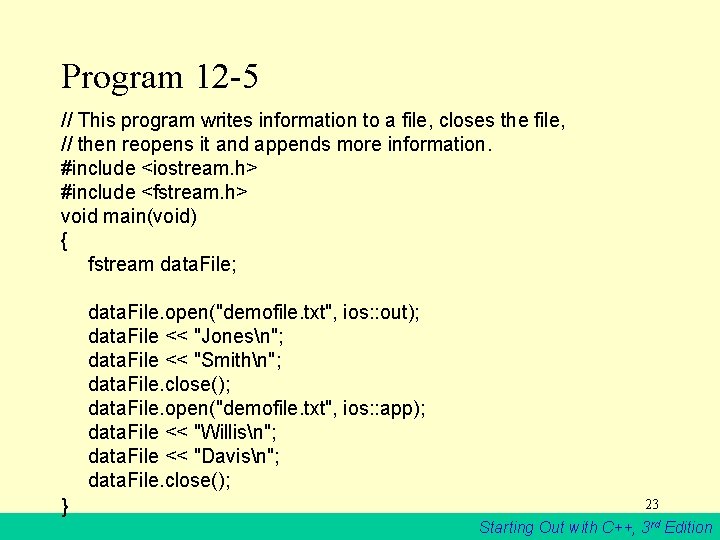
Program 12 -5 // This program writes information to a file, closes the file, // then reopens it and appends more information. #include <iostream. h> #include <fstream. h> void main(void) { fstream data. File; data. File. open("demofile. txt", ios: : out); data. File << "Jonesn"; data. File << "Smithn"; data. File. close(); data. File. open("demofile. txt", ios: : app); data. File << "Willisn"; data. File << "Davisn"; data. File. close(); } 23 Starting Out with C++, 3 rd Edition
12. 9 Using >> to Read Information from a File • The stream extraction operator (>>) may be used to read information from a file. 24 Starting Out with C++, 3 rd Edition
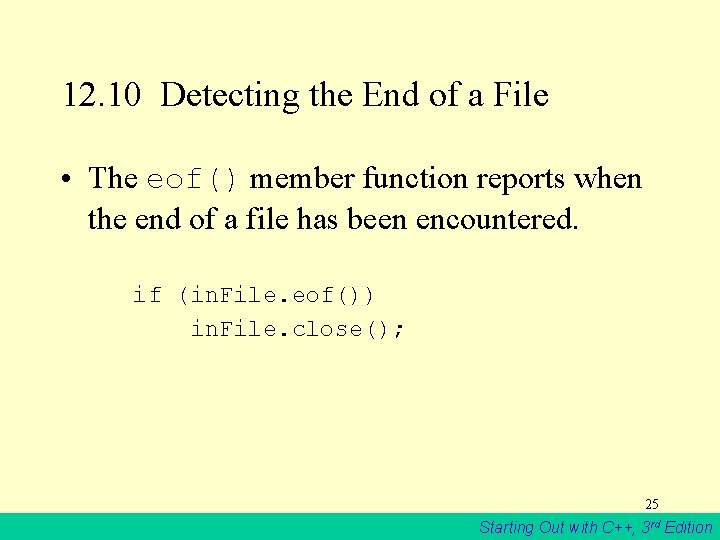
12. 10 Detecting the End of a File • The eof() member function reports when the end of a file has been encountered. if (in. File. eof()) in. File. close(); 25 Starting Out with C++, 3 rd Edition
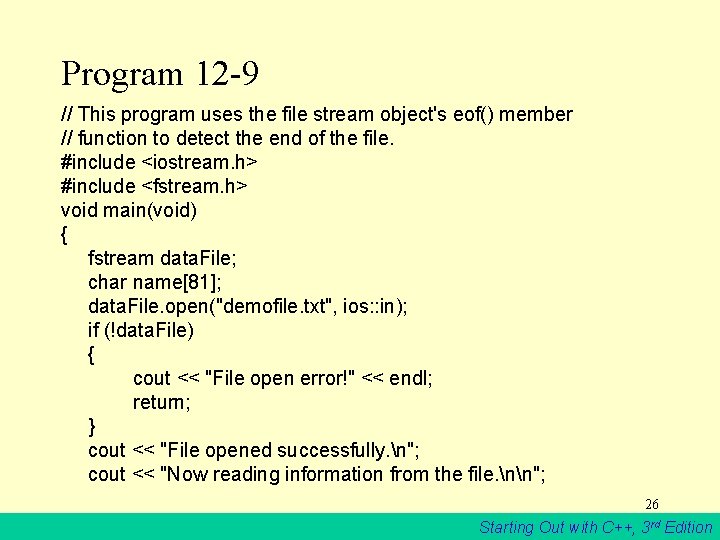
Program 12 -9 // This program uses the file stream object's eof() member // function to detect the end of the file. #include <iostream. h> #include <fstream. h> void main(void) { fstream data. File; char name[81]; data. File. open("demofile. txt", ios: : in); if (!data. File) { cout << "File open error!" << endl; return; } cout << "File opened successfully. n"; cout << "Now reading information from the file. nn"; 26 Starting Out with C++, 3 rd Edition
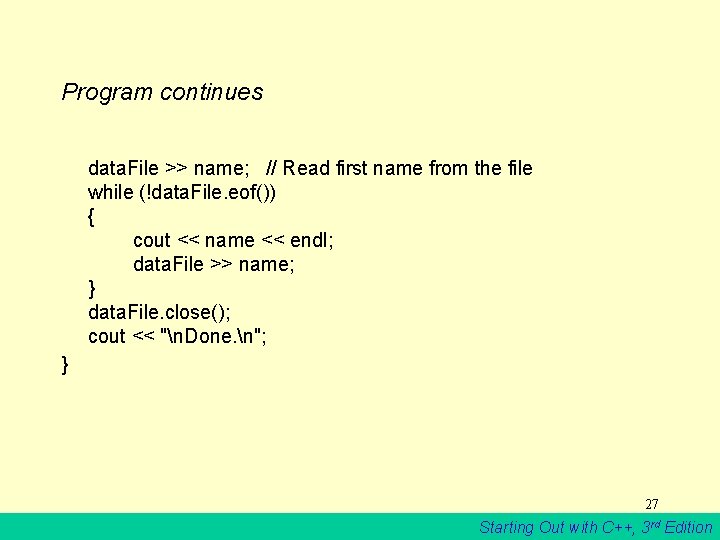
Program continues data. File >> name; // Read first name from the file while (!data. File. eof()) { cout << name << endl; data. File >> name; } data. File. close(); cout << "n. Done. n"; } 27 Starting Out with C++, 3 rd Edition
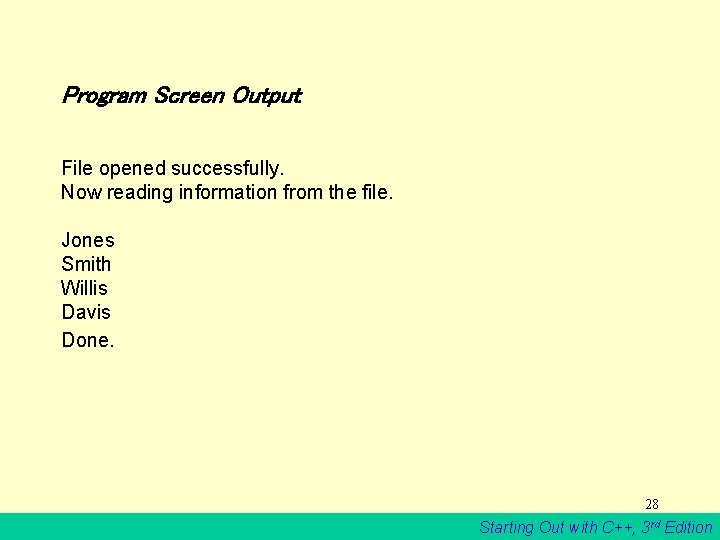
Program Screen Output File opened successfully. Now reading information from the file. Jones Smith Willis Davis Done. 28 Starting Out with C++, 3 rd Edition
Note on eof() • In C++, “end of file” doesn’t mean the program is at the last piece of information in the file, but beyond it. The eof() function returns true when there is no more information to be read. 29 Starting Out with C++, 3 rd Edition
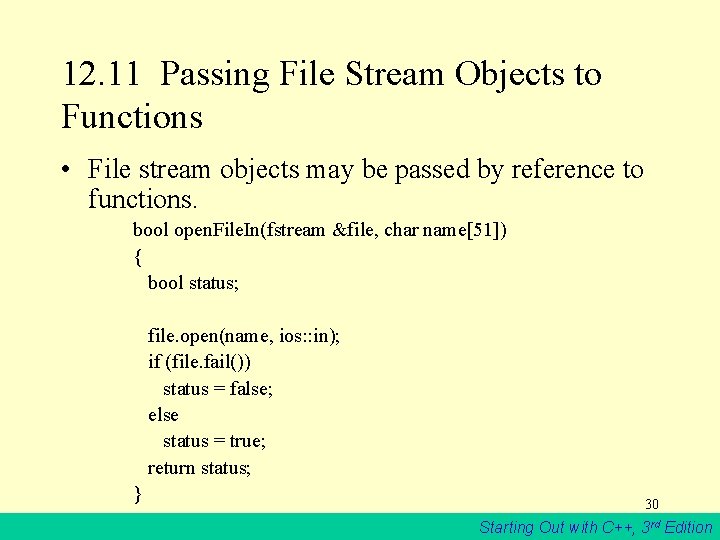
12. 11 Passing File Stream Objects to Functions • File stream objects may be passed by reference to functions. bool open. File. In(fstream &file, char name[51]) { bool status; file. open(name, ios: : in); if (file. fail()) status = false; else status = true; return status; } 30 Starting Out with C++, 3 rd Edition
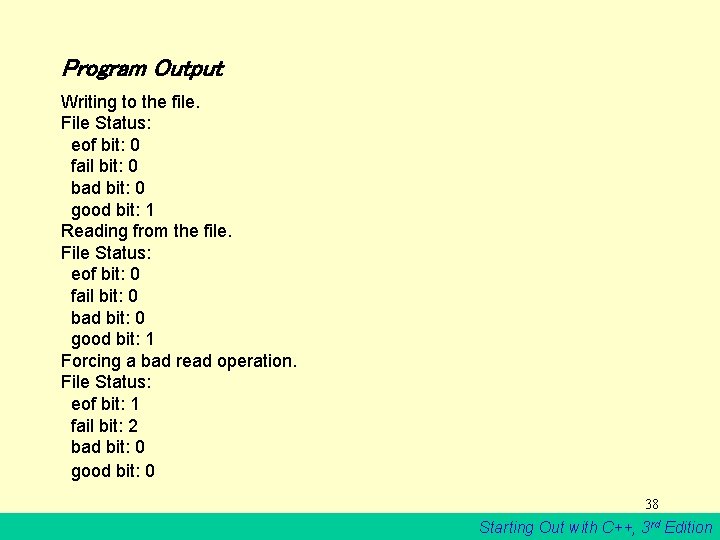
12. 12 More Detailed Error Testing • All stream objects have error state bits that indicate the condition of the stream. 31 Starting Out with C++, 3 rd Edition
Table 12 -5 32 Starting Out with C++, 3 rd Edition
Table 12 -6 33 Starting Out with C++, 3 rd Edition
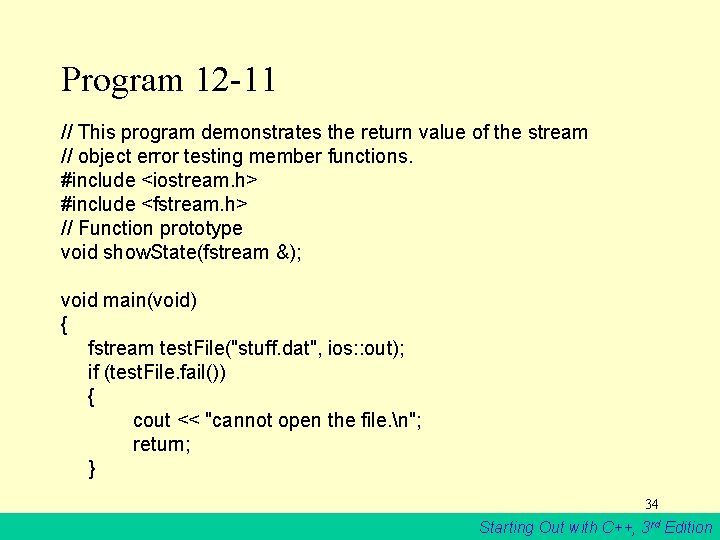
Program 12 -11 // This program demonstrates the return value of the stream // object error testing member functions. #include <iostream. h> #include <fstream. h> // Function prototype void show. State(fstream &); void main(void) { fstream test. File("stuff. dat", ios: : out); if (test. File. fail()) { cout << "cannot open the file. n"; return; } 34 Starting Out with C++, 3 rd Edition
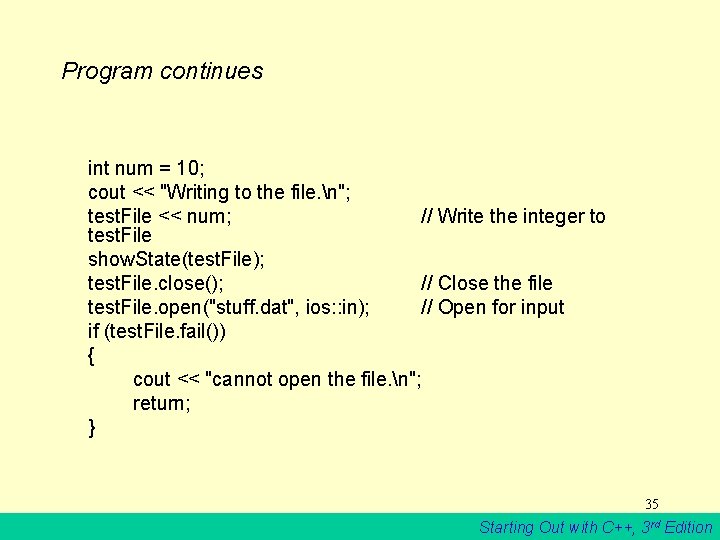
Program continues int num = 10; cout << "Writing to the file. n"; test. File << num; // Write the integer to test. File show. State(test. File); test. File. close(); // Close the file test. File. open("stuff. dat", ios: : in); // Open for input if (test. File. fail()) { cout << "cannot open the file. n"; return; } 35 Starting Out with C++, 3 rd Edition
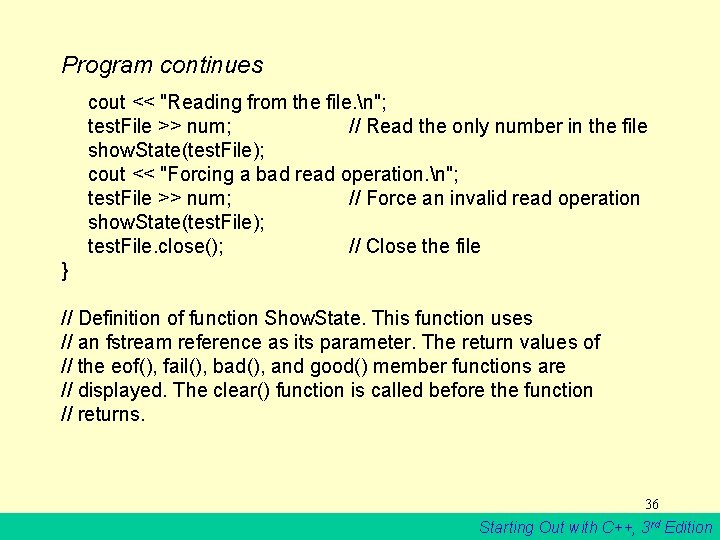
Program continues cout << "Reading from the file. n"; test. File >> num; // Read the only number in the file show. State(test. File); cout << "Forcing a bad read operation. n"; test. File >> num; // Force an invalid read operation show. State(test. File); test. File. close(); // Close the file } // Definition of function Show. State. This function uses // an fstream reference as its parameter. The return values of // the eof(), fail(), bad(), and good() member functions are // displayed. The clear() function is called before the function // returns. 36 Starting Out with C++, 3 rd Edition
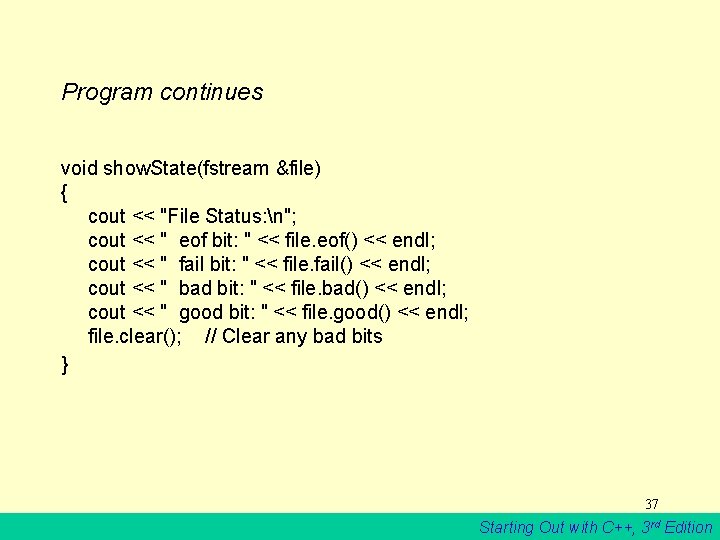
Program continues void show. State(fstream &file) { cout << "File Status: n"; cout << " eof bit: " << file. eof() << endl; cout << " fail bit: " << file. fail() << endl; cout << " bad bit: " << file. bad() << endl; cout << " good bit: " << file. good() << endl; file. clear(); // Clear any bad bits } 37 Starting Out with C++, 3 rd Edition
Program Output Writing to the file. File Status: eof bit: 0 fail bit: 0 bad bit: 0 good bit: 1 Reading from the file. File Status: eof bit: 0 fail bit: 0 bad bit: 0 good bit: 1 Forcing a bad read operation. File Status: eof bit: 1 fail bit: 2 bad bit: 0 good bit: 0 38 Starting Out with C++, 3 rd Edition
12. 13 Member Functions for Reading and Writing Files • File stream objects have member functions for more specialized file reading and writing. 39 Starting Out with C++, 3 rd Edition
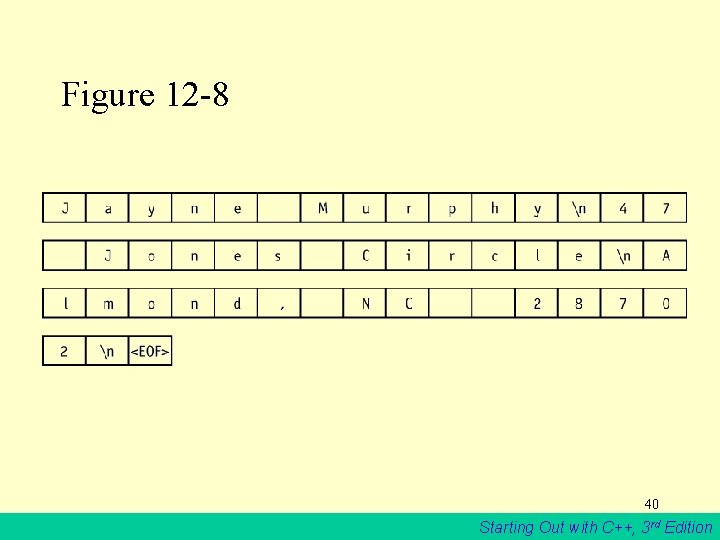
Figure 12 -8 40 Starting Out with C++, 3 rd Edition
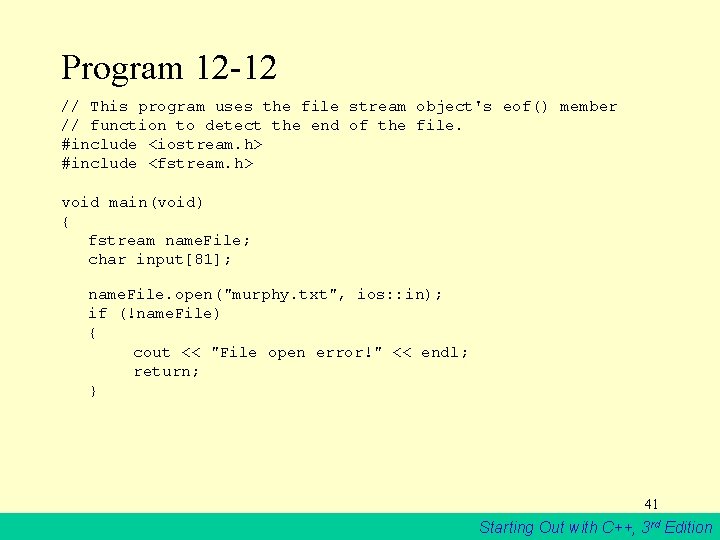
Program 12 -12 // This program uses the file stream object's eof() member // function to detect the end of the file. #include <iostream. h> #include <fstream. h> void main(void) { fstream name. File; char input[81]; name. File. open("murphy. txt", ios: : in); if (!name. File) { cout << "File open error!" << endl; return; } 41 Starting Out with C++, 3 rd Edition
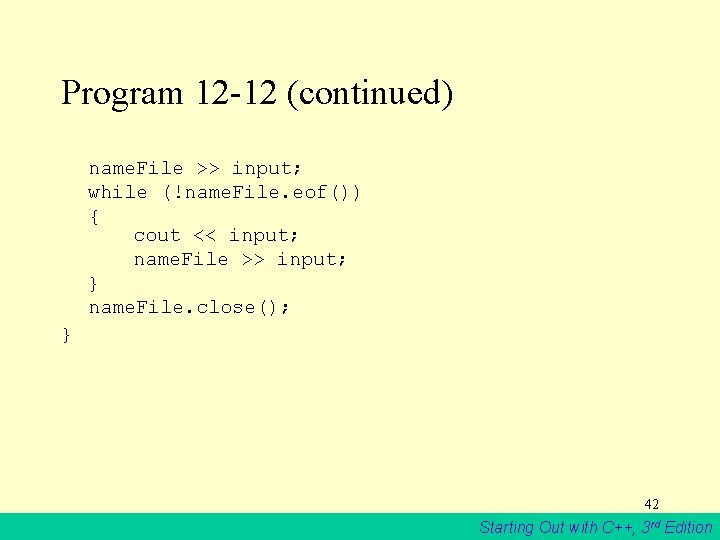
Program 12 -12 (continued) name. File >> input; while (!name. File. eof()) { cout << input; name. File >> input; } name. File. close(); } 42 Starting Out with C++, 3 rd Edition
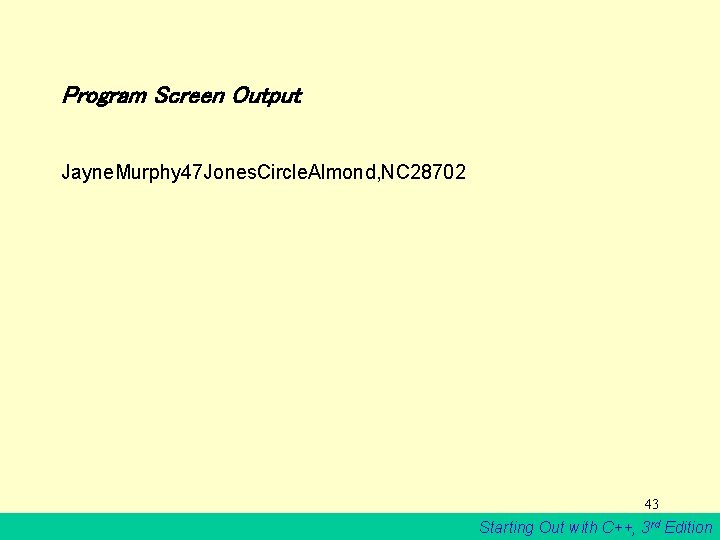
Program Screen Output Jayne. Murphy 47 Jones. Circle. Almond, NC 28702 43 Starting Out with C++, 3 rd Edition
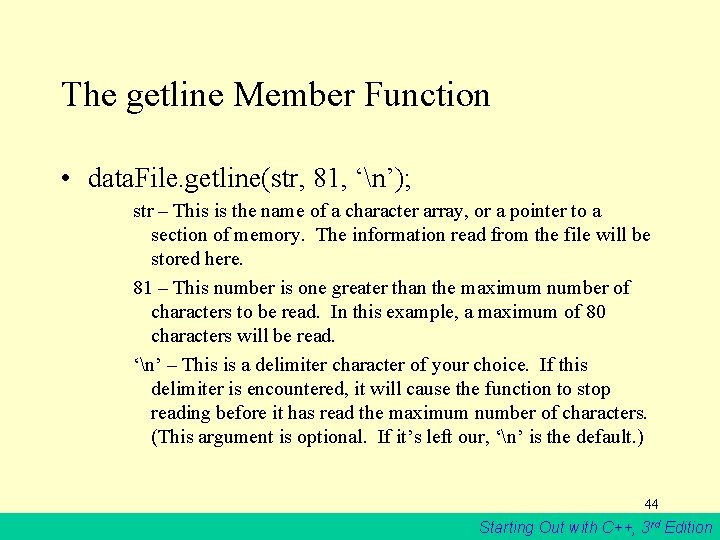
The getline Member Function • data. File. getline(str, 81, ‘n’); str – This is the name of a character array, or a pointer to a section of memory. The information read from the file will be stored here. 81 – This number is one greater than the maximum number of characters to be read. In this example, a maximum of 80 characters will be read. ‘n’ – This is a delimiter character of your choice. If this delimiter is encountered, it will cause the function to stop reading before it has read the maximum number of characters. (This argument is optional. If it’s left our, ‘n’ is the default. ) 44 Starting Out with C++, 3 rd Edition
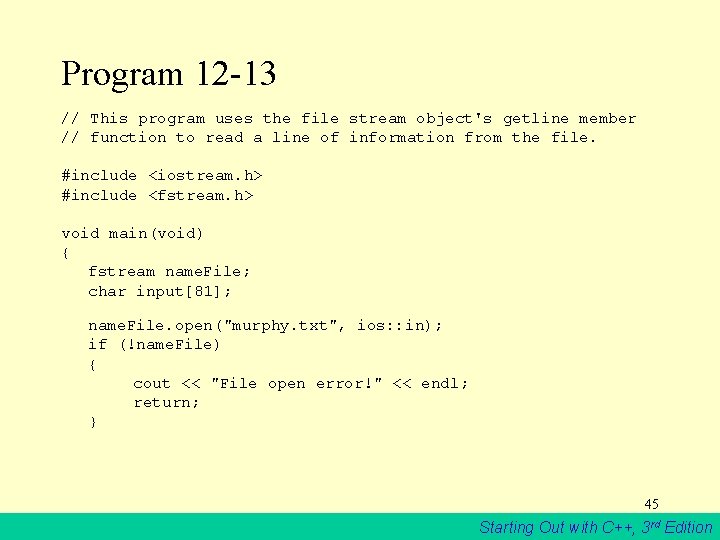
Program 12 -13 // This program uses the file stream object's getline member // function to read a line of information from the file. #include <iostream. h> #include <fstream. h> void main(void) { fstream name. File; char input[81]; name. File. open("murphy. txt", ios: : in); if (!name. File) { cout << "File open error!" << endl; return; } 45 Starting Out with C++, 3 rd Edition
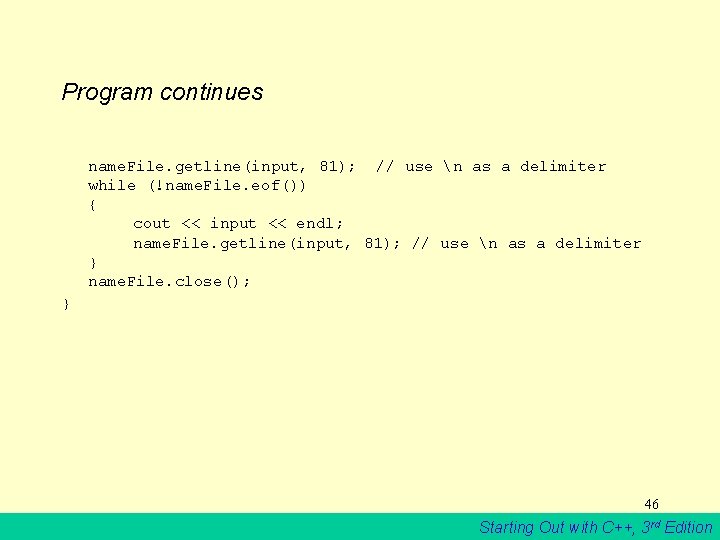
Program continues name. File. getline(input, 81); // use n as a delimiter while (!name. File. eof()) { cout << input << endl; name. File. getline(input, 81); // use n as a delimiter } name. File. close(); } 46 Starting Out with C++, 3 rd Edition
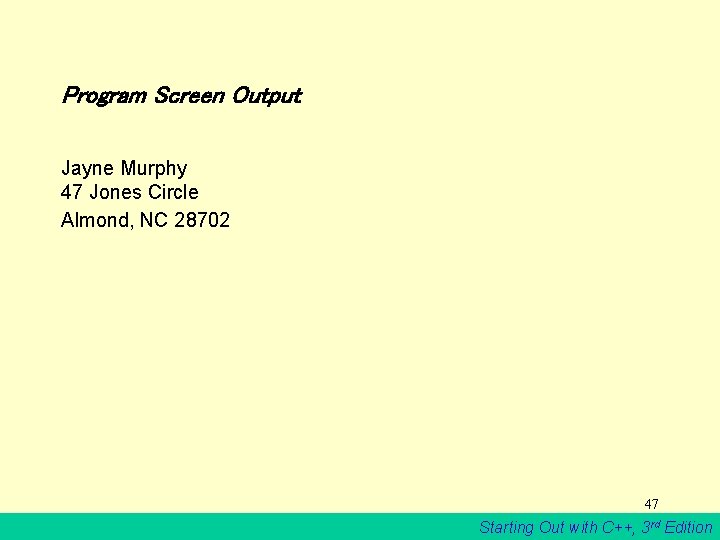
Program Screen Output Jayne Murphy 47 Jones Circle Almond, NC 28702 47 Starting Out with C++, 3 rd Edition
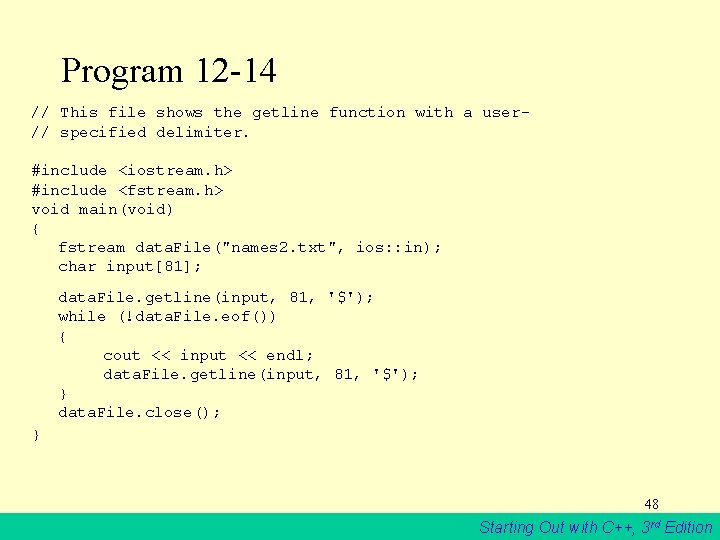
Program 12 -14 // This file shows the getline function with a user// specified delimiter. #include <iostream. h> #include <fstream. h> void main(void) { fstream data. File("names 2. txt", ios: : in); char input[81]; data. File. getline(input, 81, '$'); while (!data. File. eof()) { cout << input << endl; data. File. getline(input, 81, '$'); } data. File. close(); } 48 Starting Out with C++, 3 rd Edition
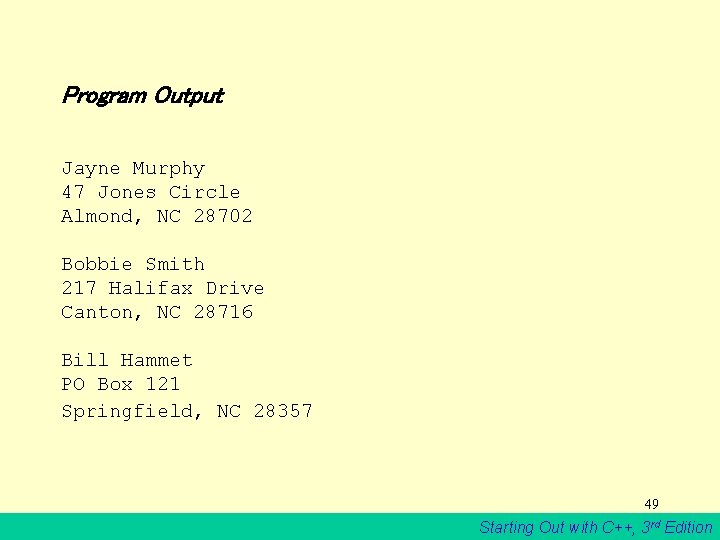
Program Output Jayne Murphy 47 Jones Circle Almond, NC 28702 Bobbie Smith 217 Halifax Drive Canton, NC 28716 Bill Hammet PO Box 121 Springfield, NC 28357 49 Starting Out with C++, 3 rd Edition
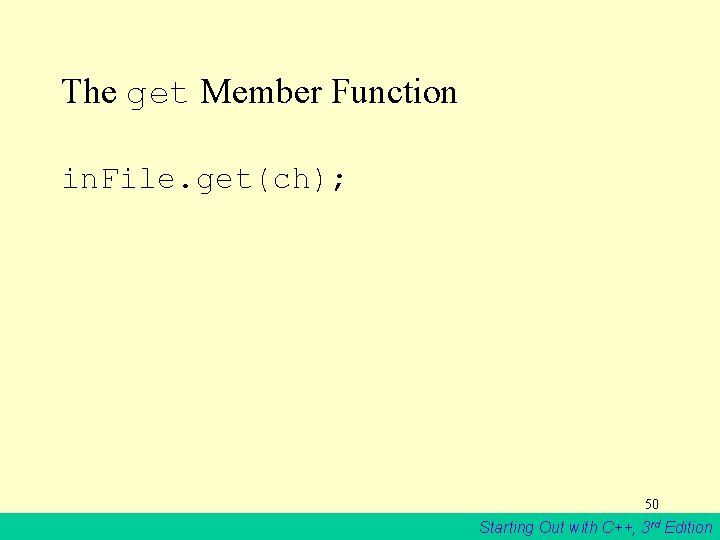
The get Member Function in. File. get(ch); 50 Starting Out with C++, 3 rd Edition
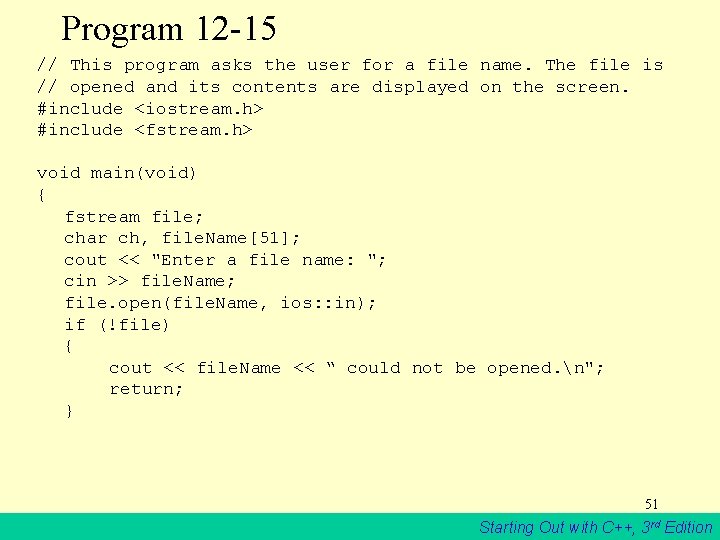
Program 12 -15 // This program asks the user for a file name. The file is // opened and its contents are displayed on the screen. #include <iostream. h> #include <fstream. h> void main(void) { fstream file; char ch, file. Name[51]; cout << "Enter a file name: "; cin >> file. Name; file. open(file. Name, ios: : in); if (!file) { cout << file. Name << “ could not be opened. n"; return; } 51 Starting Out with C++, 3 rd Edition
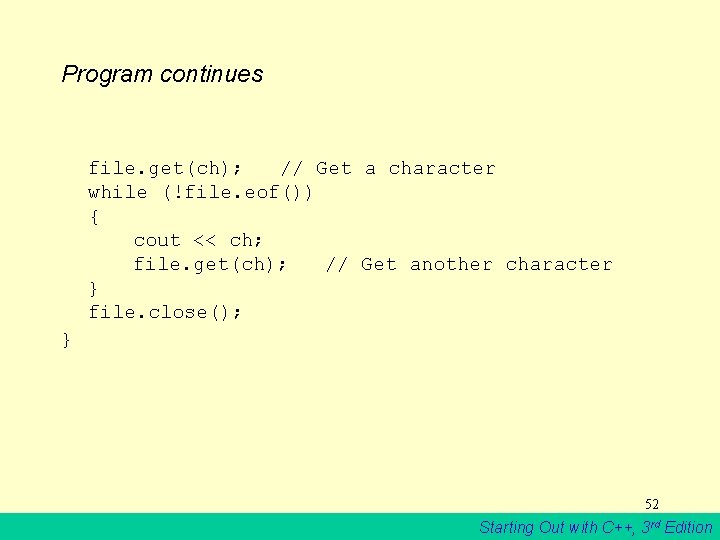
Program continues file. get(ch); // Get a character while (!file. eof()) { cout << ch; file. get(ch); // Get another character } file. close(); } 52 Starting Out with C++, 3 rd Edition
The put Member Function • out. File. put(ch); 53 Starting Out with C++, 3 rd Edition
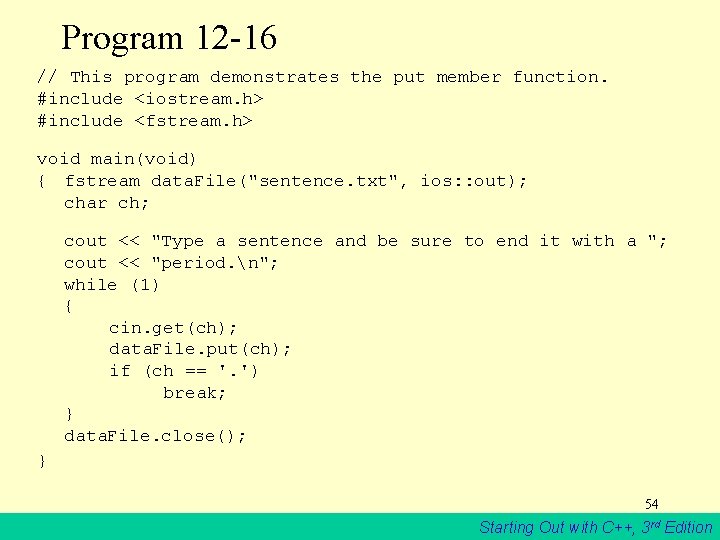
Program 12 -16 // This program demonstrates the put member function. #include <iostream. h> #include <fstream. h> void main(void) { fstream data. File("sentence. txt", ios: : out); char ch; cout << "Type a sentence and be sure to end it with a "; cout << "period. n"; while (1) { cin. get(ch); data. File. put(ch); if (ch == '. ') break; } data. File. close(); } 54 Starting Out with C++, 3 rd Edition
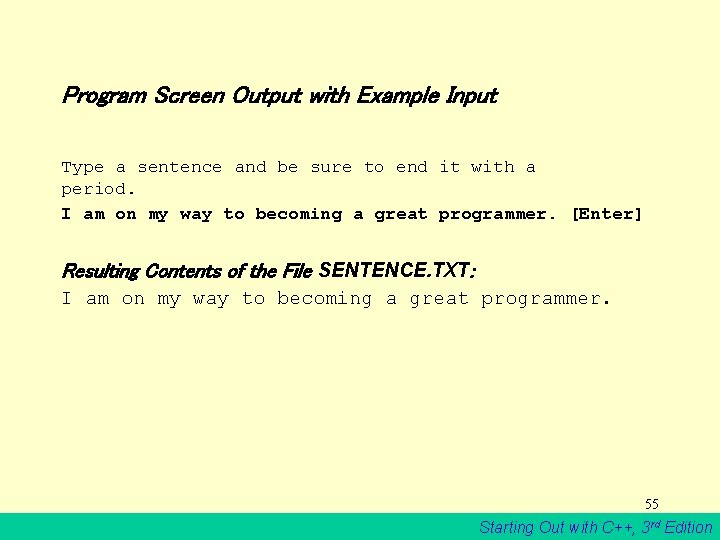
Program Screen Output with Example Input Type a sentence and be sure to end it with a period. I am on my way to becoming a great programmer. [Enter] Resulting Contents of the File SENTENCE. TXT: I am on my way to becoming a great programmer. 55 Starting Out with C++, 3 rd Edition
12. 14 Focus on Software Engineering: Working with Multiple Files • It’s possible to have more than one file open at once in a program. 56 Starting Out with C++, 3 rd Edition
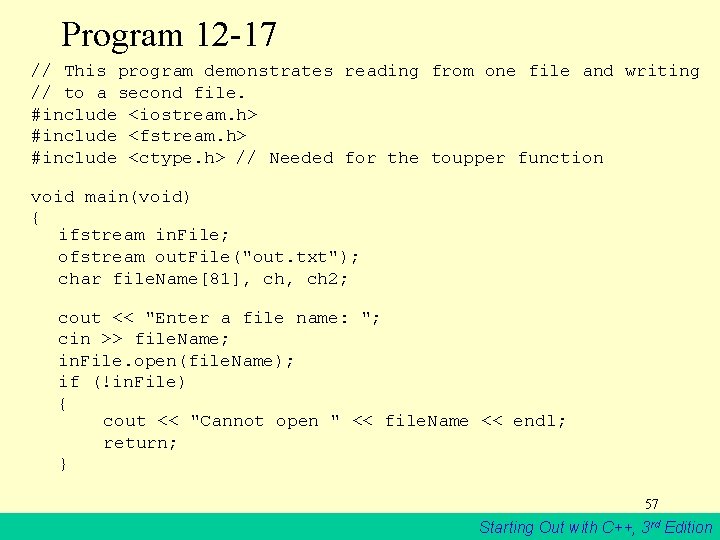
Program 12 -17 // This program demonstrates reading from one file and writing // to a second file. #include <iostream. h> #include <fstream. h> #include <ctype. h> // Needed for the toupper function void main(void) { ifstream in. File; ofstream out. File("out. txt"); char file. Name[81], ch 2; cout << "Enter a file name: "; cin >> file. Name; in. File. open(file. Name); if (!in. File) { cout << "Cannot open " << file. Name << endl; return; } 57 Starting Out with C++, 3 rd Edition
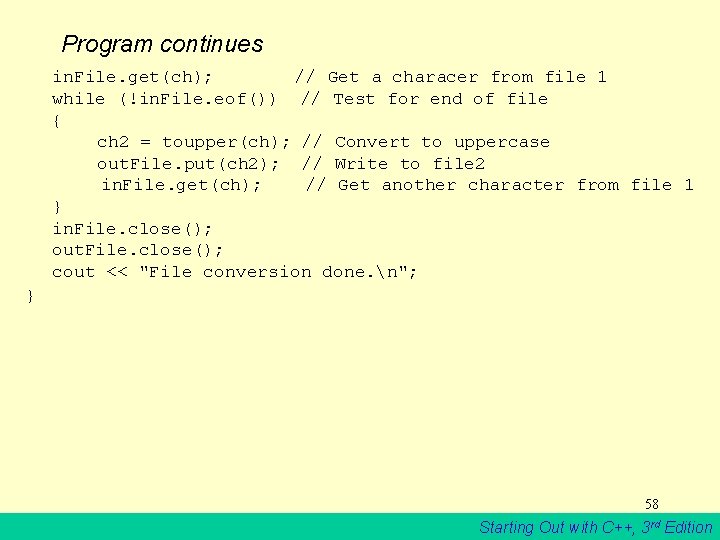
Program continues in. File. get(ch); // Get a characer from file 1 while (!in. File. eof()) // Test for end of file { ch 2 = toupper(ch); // Convert to uppercase out. File. put(ch 2); // Write to file 2 in. File. get(ch); // Get another character from file 1 } in. File. close(); out. File. close(); cout << "File conversion done. n"; } 58 Starting Out with C++, 3 rd Edition
Program Screen Output with Example Input Enter a file name: hownow. txt [Enter] File conversion done. Contents of hownow. txt: how now brown cow. How Now? Resulting Contents of out. txt: HOW NOW BROWN COW. HOW NOW? 59 Starting Out with C++, 3 rd Edition
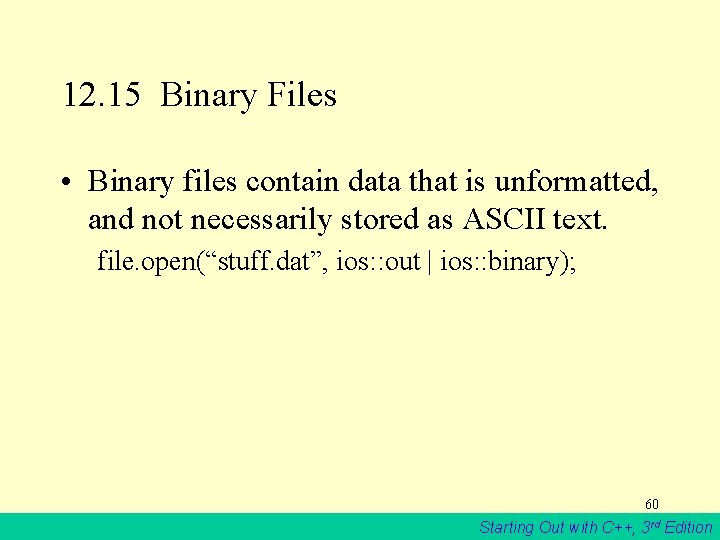
12. 15 Binary Files • Binary files contain data that is unformatted, and not necessarily stored as ASCII text. file. open(“stuff. dat”, ios: : out | ios: : binary); 60 Starting Out with C++, 3 rd Edition
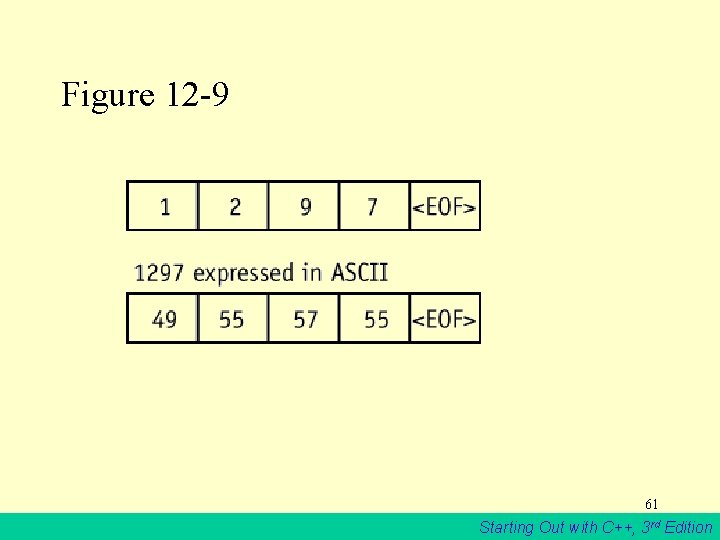
Figure 12 -9 61 Starting Out with C++, 3 rd Edition
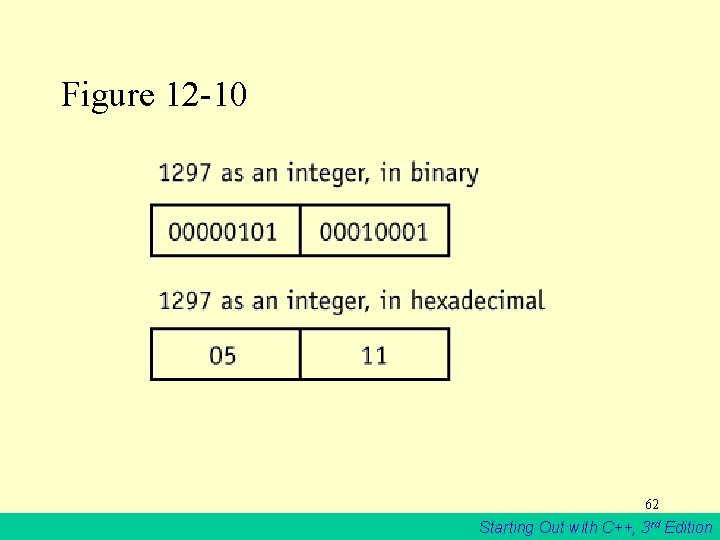
Figure 12 -10 62 Starting Out with C++, 3 rd Edition
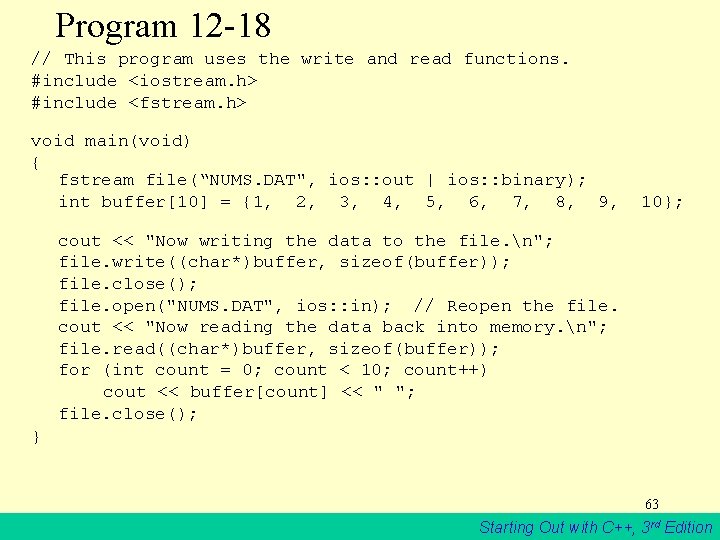
Program 12 -18 // This program uses the write and read functions. #include <iostream. h> #include <fstream. h> void main(void) { fstream file(“NUMS. DAT", ios: : out | ios: : binary); int buffer[10] = {1, 2, 3, 4, 5, 6, 7, 8, 9, 10}; cout << "Now writing the data to the file. n"; file. write((char*)buffer, sizeof(buffer)); file. close(); file. open("NUMS. DAT", ios: : in); // Reopen the file. cout << "Now reading the data back into memory. n"; file. read((char*)buffer, sizeof(buffer)); for (int count = 0; count < 10; count++) cout << buffer[count] << " "; file. close(); } 63 Starting Out with C++, 3 rd Edition
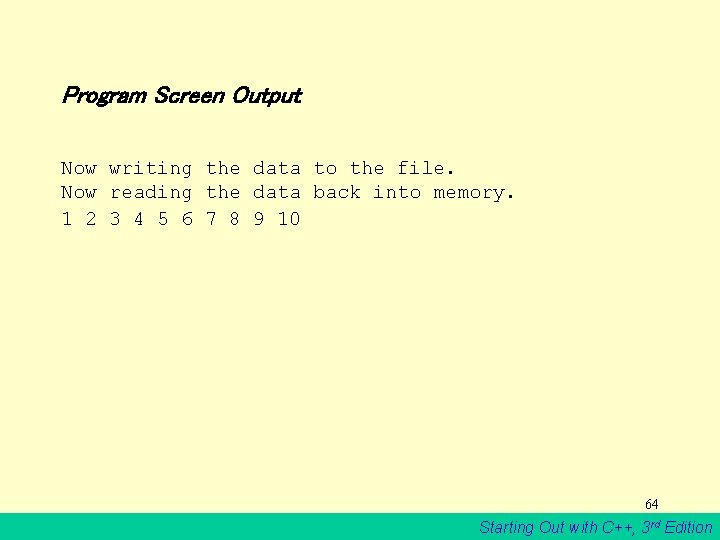
Program Screen Output Now writing the data to the file. Now reading the data back into memory. 1 2 3 4 5 6 7 8 9 10 64 Starting Out with C++, 3 rd Edition
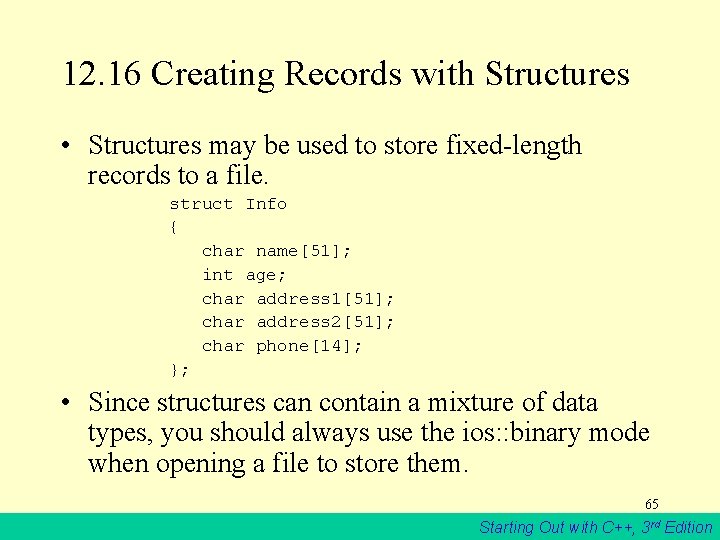
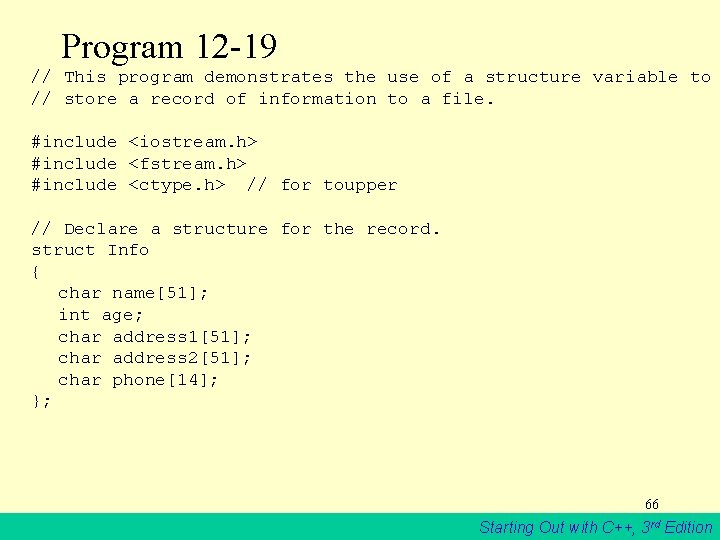
12. 16 Creating Records with Structures • Structures may be used to store fixed-length records to a file. struct Info { char name[51]; int age; char address 1[51]; char address 2[51]; char phone[14]; }; • Since structures can contain a mixture of data types, you should always use the ios: : binary mode when opening a file to store them. 65 Starting Out with C++, 3 rd Edition
Program 12 -19 // This program demonstrates the use of a structure variable to // store a record of information to a file. #include <iostream. h> #include <fstream. h> #include <ctype. h> // for toupper // Declare a structure for the record. struct Info { char name[51]; int age; char address 1[51]; char address 2[51]; char phone[14]; }; 66 Starting Out with C++, 3 rd Edition
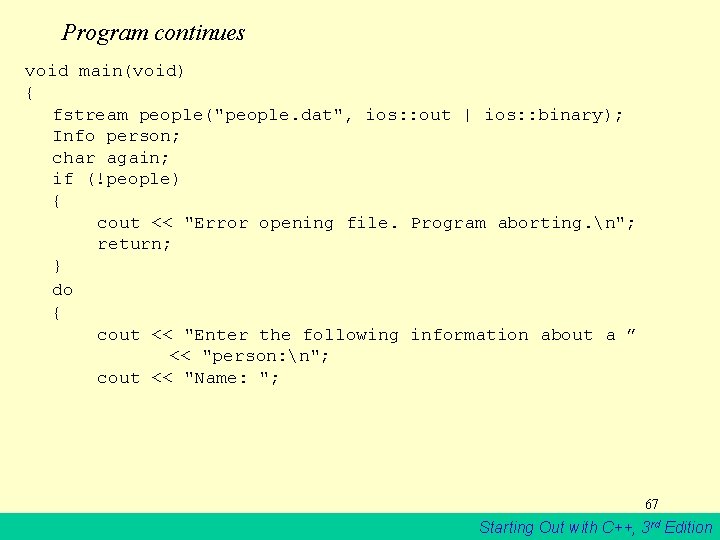
Program continues void main(void) { fstream people("people. dat", ios: : out | ios: : binary); Info person; char again; if (!people) { cout << "Error opening file. Program aborting. n"; return; } do { cout << "Enter the following information about a ” << "person: n"; cout << "Name: "; 67 Starting Out with C++, 3 rd Edition
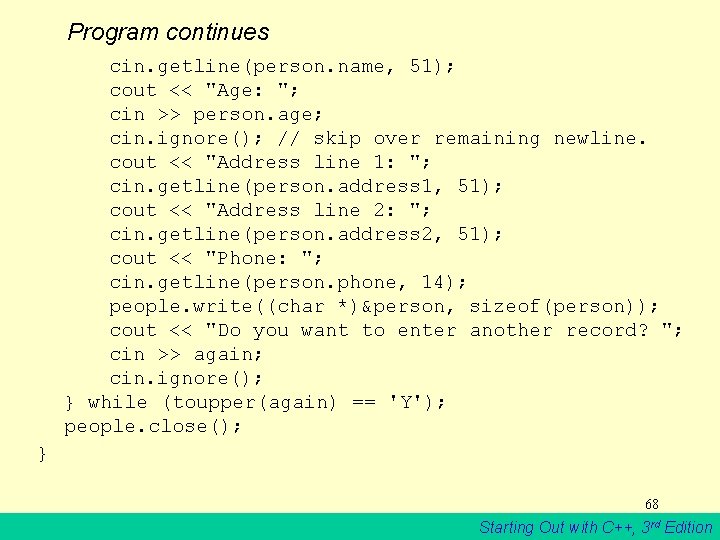
Program continues cin. getline(person. name, 51); cout << "Age: "; cin >> person. age; cin. ignore(); // skip over remaining newline. cout << "Address line 1: "; cin. getline(person. address 1, 51); cout << "Address line 2: "; cin. getline(person. address 2, 51); cout << "Phone: "; cin. getline(person. phone, 14); people. write((char *)&person, sizeof(person)); cout << "Do you want to enter another record? "; cin >> again; cin. ignore(); } while (toupper(again) == 'Y'); people. close(); } 68 Starting Out with C++, 3 rd Edition
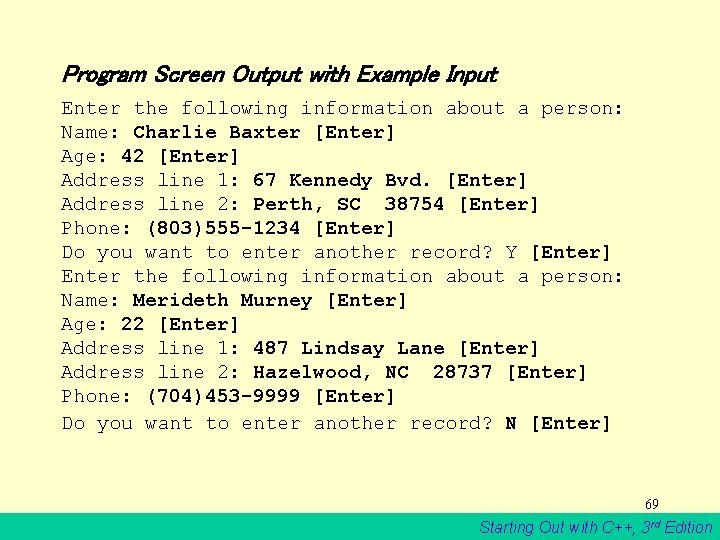
Program Screen Output with Example Input Enter the following information about a person: Name: Charlie Baxter [Enter] Age: 42 [Enter] Address line 1: 67 Kennedy Bvd. [Enter] Address line 2: Perth, SC 38754 [Enter] Phone: (803)555 -1234 [Enter] Do you want to enter another record? Y [Enter] Enter the following information about a person: Name: Merideth Murney [Enter] Age: 22 [Enter] Address line 1: 487 Lindsay Lane [Enter] Address line 2: Hazelwood, NC 28737 [Enter] Phone: (704)453 -9999 [Enter] Do you want to enter another record? N [Enter] 69 Starting Out with C++, 3 rd Edition
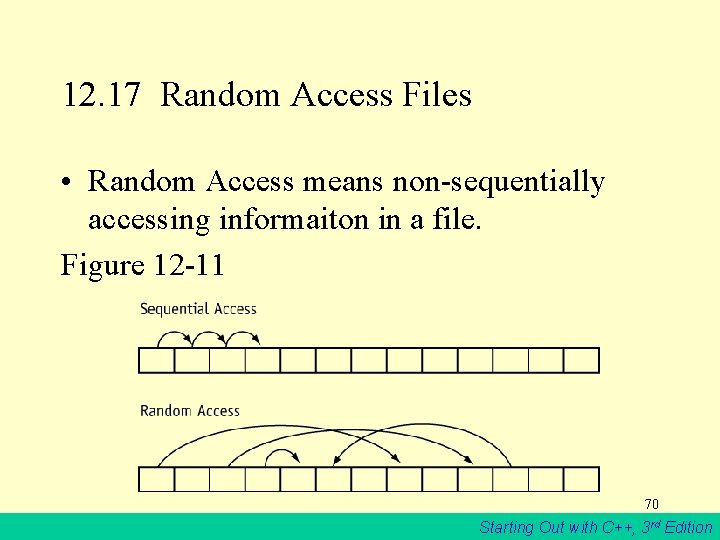
12. 17 Random Access Files • Random Access means non-sequentially accessing informaiton in a file. Figure 12 -11 70 Starting Out with C++, 3 rd Edition
Table 12 -7 71 Starting Out with C++, 3 rd Edition
Table 12 -8 72 Starting Out with C++, 3 rd Edition
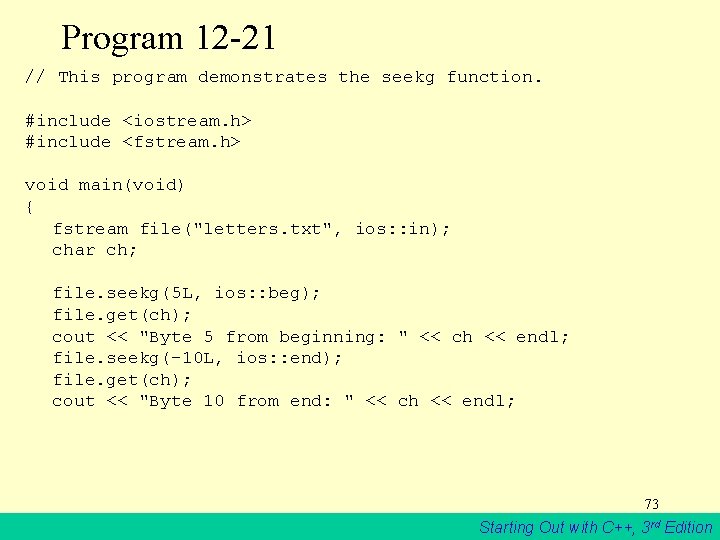
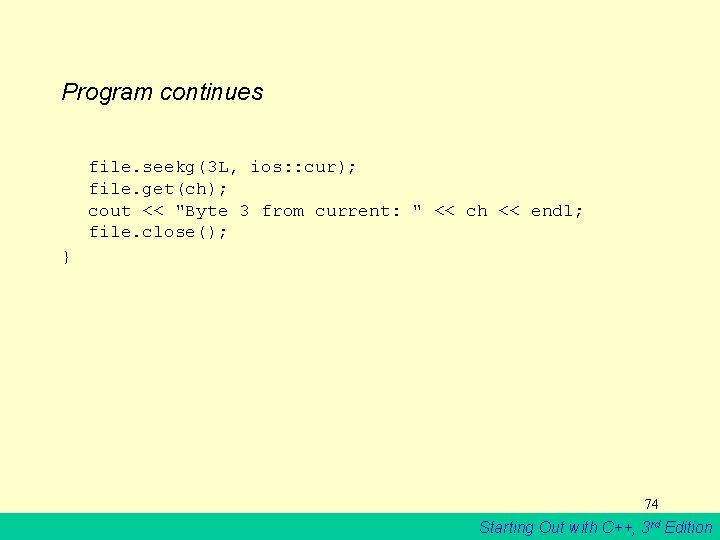
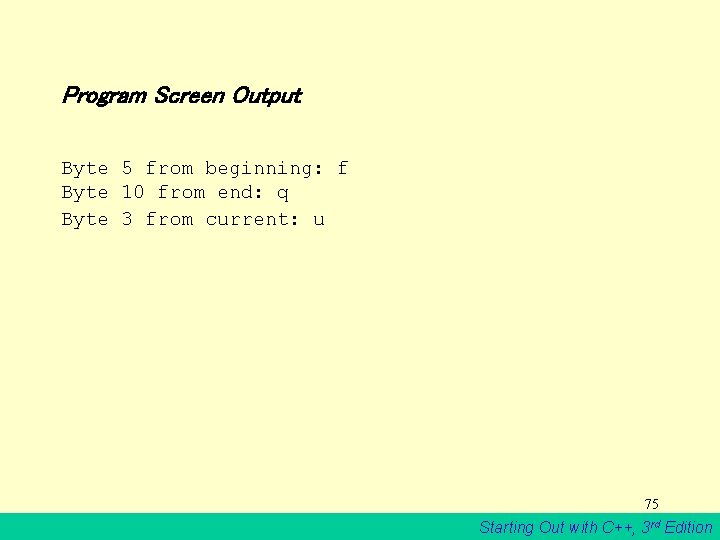
Program 12 -21 // This program demonstrates the seekg function. #include <iostream. h> #include <fstream. h> void main(void) { fstream file("letters. txt", ios: : in); char ch; file. seekg(5 L, ios: : beg); file. get(ch); cout << "Byte 5 from beginning: " << ch << endl; file. seekg(-10 L, ios: : end); file. get(ch); cout << "Byte 10 from end: " << ch << endl; 73 Starting Out with C++, 3 rd Edition
Program continues file. seekg(3 L, ios: : cur); file. get(ch); cout << "Byte 3 from current: " << ch << endl; file. close(); } 74 Starting Out with C++, 3 rd Edition
Program Screen Output Byte 5 from beginning: f Byte 10 from end: q Byte 3 from current: u 75 Starting Out with C++, 3 rd Edition
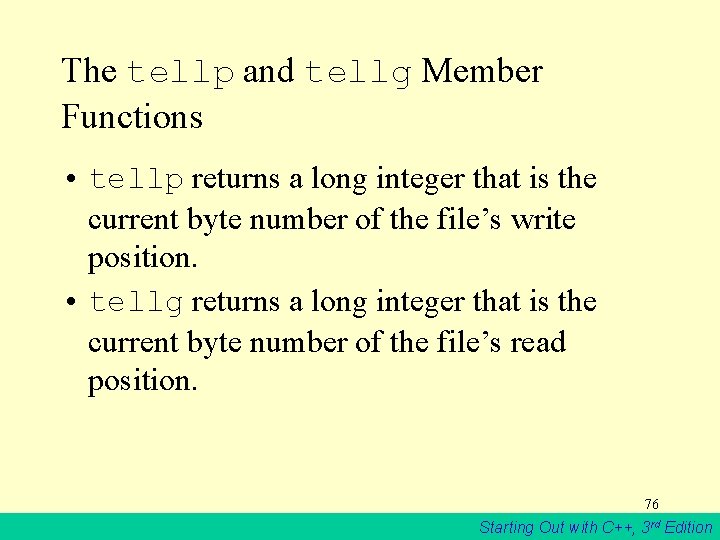
The tellp and tellg Member Functions • tellp returns a long integer that is the current byte number of the file’s write position. • tellg returns a long integer that is the current byte number of the file’s read position. 76 Starting Out with C++, 3 rd Edition
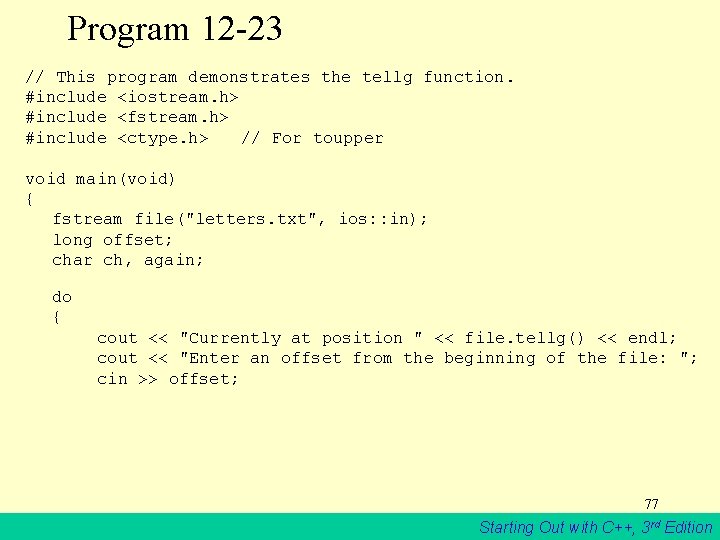
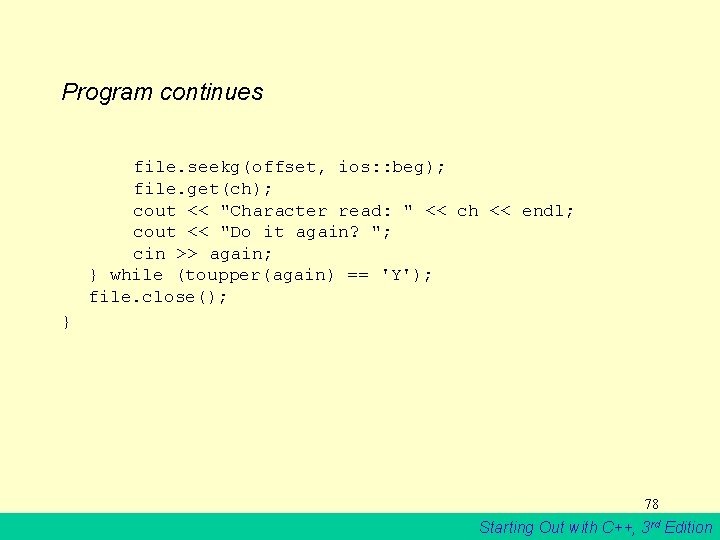
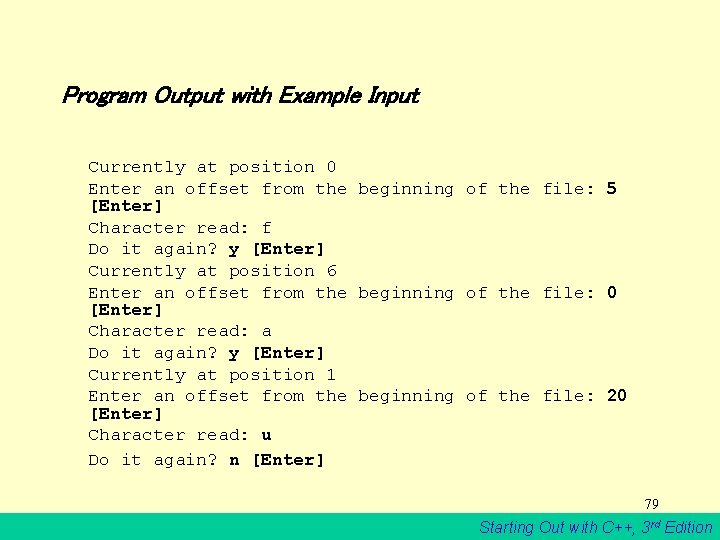
Program 12 -23 // This program demonstrates the tellg function. #include <iostream. h> #include <fstream. h> #include <ctype. h> // For toupper void main(void) { fstream file("letters. txt", ios: : in); long offset; char ch, again; do { cout << "Currently at position " << file. tellg() << endl; cout << "Enter an offset from the beginning of the file: "; cin >> offset; 77 Starting Out with C++, 3 rd Edition
Program continues file. seekg(offset, ios: : beg); file. get(ch); cout << "Character read: " << ch << endl; cout << "Do it again? "; cin >> again; } while (toupper(again) == 'Y'); file. close(); } 78 Starting Out with C++, 3 rd Edition
Program Output with Example Input Currently at position 0 Enter an offset from the beginning of the file: 5 [Enter] Character read: f Do it again? y [Enter] Currently at position 6 Enter an offset from the beginning of the file: 0 [Enter] Character read: a Do it again? y [Enter] Currently at position 1 Enter an offset from the beginning of the file: 20 [Enter] Character read: u Do it again? n [Enter] 79 Starting Out with C++, 3 rd Edition
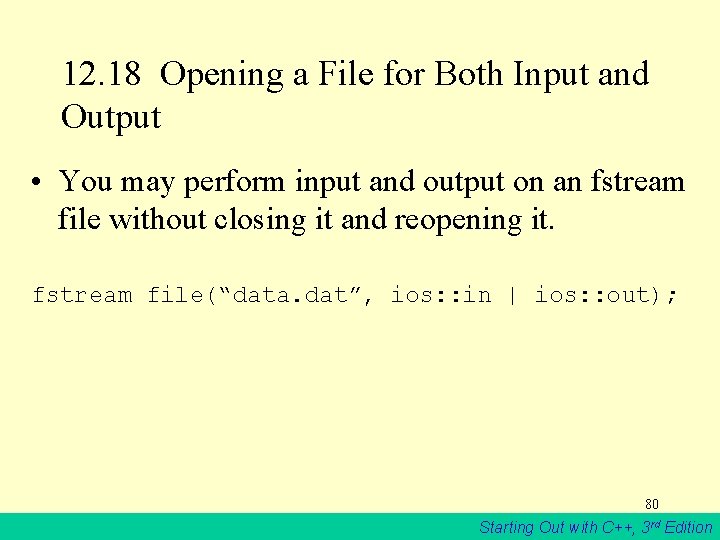
12. 18 Opening a File for Both Input and Output • You may perform input and output on an fstream file without closing it and reopening it. fstream file(“data. dat”, ios: : in | ios: : out); 80 Starting Out with C++, 3 rd Edition
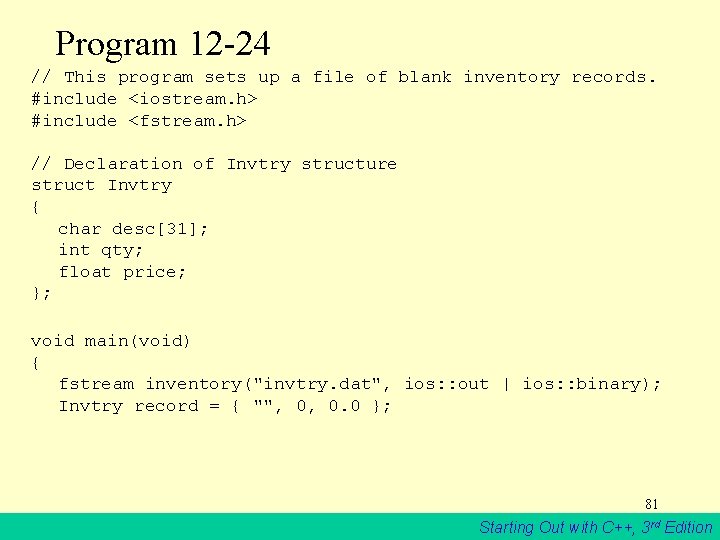
Program 12 -24 // This program sets up a file of blank inventory records. #include <iostream. h> #include <fstream. h> // Declaration of Invtry structure struct Invtry { char desc[31]; int qty; float price; }; void main(void) { fstream inventory("invtry. dat", ios: : out | ios: : binary); Invtry record = { "", 0, 0. 0 }; 81 Starting Out with C++, 3 rd Edition
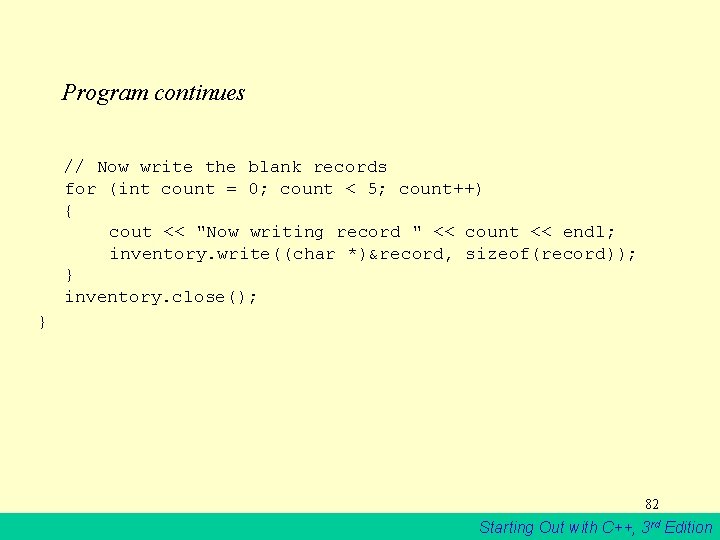
Program continues // Now write the blank records for (int count = 0; count < 5; count++) { cout << "Now writing record " << count << endl; inventory. write((char *)&record, sizeof(record)); } inventory. close(); } 82 Starting Out with C++, 3 rd Edition
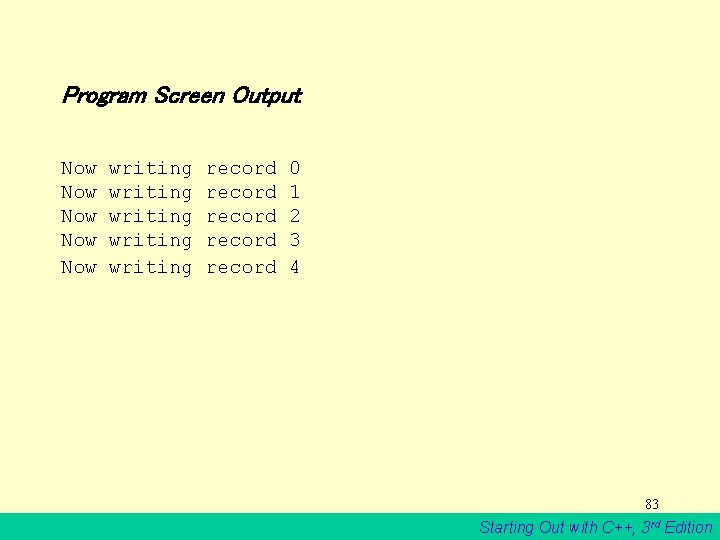
Program Screen Output Now Now Now writing writing record record 0 1 2 3 4 83 Starting Out with C++, 3 rd Edition
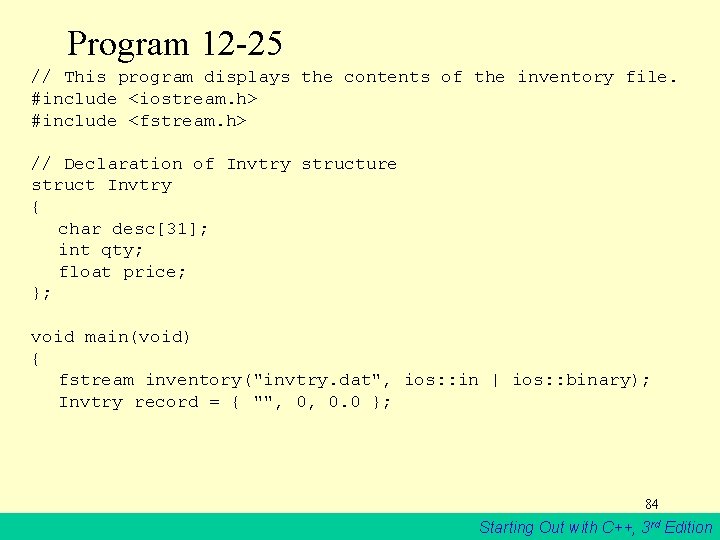
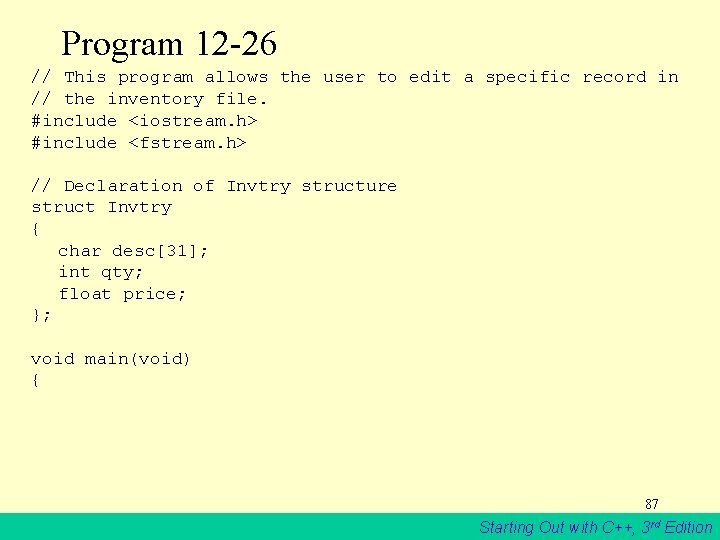
Program 12 -25 // This program displays the contents of the inventory file. #include <iostream. h> #include <fstream. h> // Declaration of Invtry structure struct Invtry { char desc[31]; int qty; float price; }; void main(void) { fstream inventory("invtry. dat", ios: : in | ios: : binary); Invtry record = { "", 0, 0. 0 }; 84 Starting Out with C++, 3 rd Edition
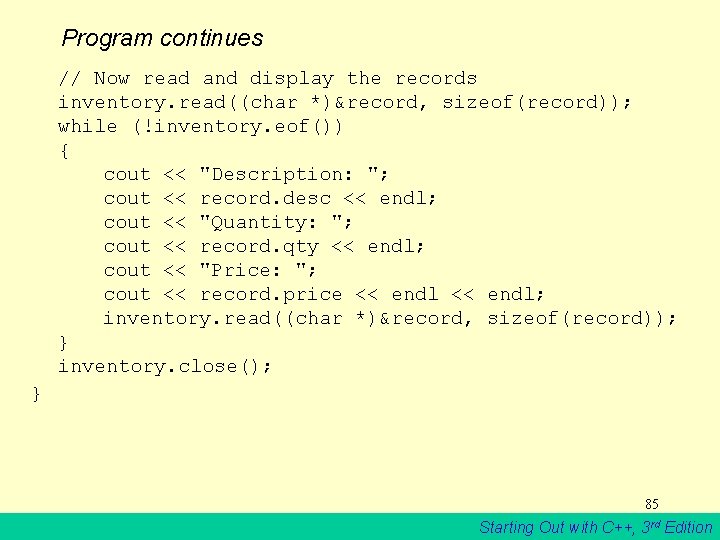
Program continues // Now read and display the records inventory. read((char *)&record, sizeof(record)); while (!inventory. eof()) { cout << "Description: "; cout << record. desc << endl; cout << "Quantity: "; cout << record. qty << endl; cout << "Price: "; cout << record. price << endl; inventory. read((char *)&record, sizeof(record)); } inventory. close(); } 85 Starting Out with C++, 3 rd Edition
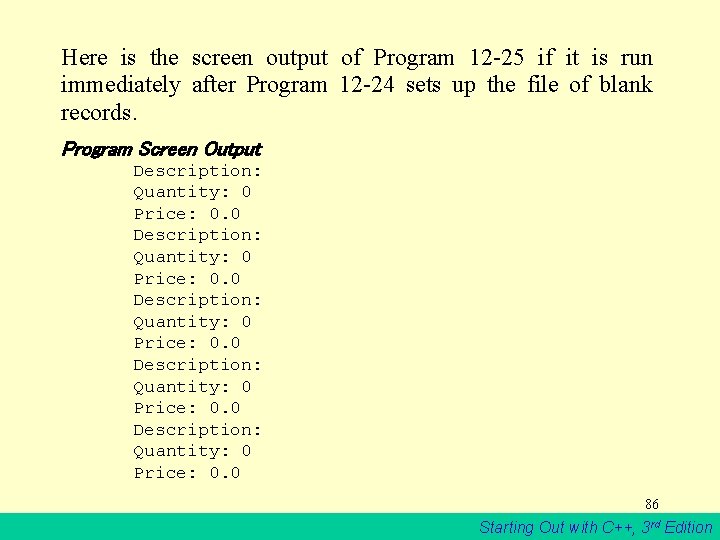
Here is the screen output of Program 12 -25 if it is run immediately after Program 12 -24 sets up the file of blank records. Program Screen Output Description: Quantity: 0 Price: 0. 0 86 Starting Out with C++, 3 rd Edition
Program 12 -26 // This program allows the user to edit a specific record in // the inventory file. #include <iostream. h> #include <fstream. h> // Declaration of Invtry structure struct Invtry { char desc[31]; int qty; float price; }; void main(void) { 87 Starting Out with C++, 3 rd Edition
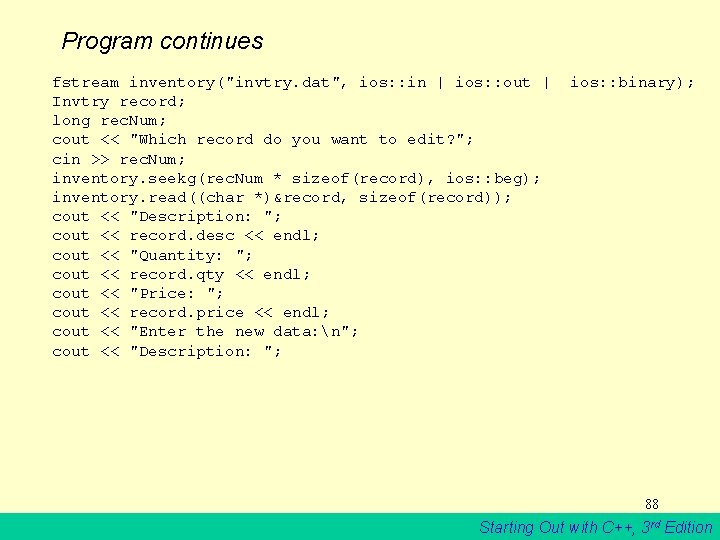
Program continues fstream inventory("invtry. dat", ios: : in | ios: : out | Invtry record; long rec. Num; cout << "Which record do you want to edit? "; cin >> rec. Num; inventory. seekg(rec. Num * sizeof(record), ios: : beg); inventory. read((char *)&record, sizeof(record)); cout << "Description: "; cout << record. desc << endl; cout << "Quantity: "; cout << record. qty << endl; cout << "Price: "; cout << record. price << endl; cout << "Enter the new data: n"; cout << "Description: "; ios: : binary); 88 Starting Out with C++, 3 rd Edition
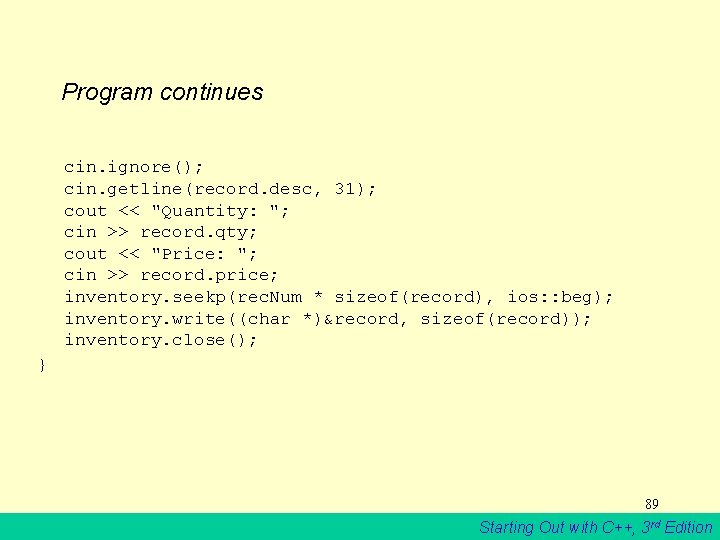
Program continues cin. ignore(); cin. getline(record. desc, 31); cout << "Quantity: "; cin >> record. qty; cout << "Price: "; cin >> record. price; inventory. seekp(rec. Num * sizeof(record), ios: : beg); inventory. write((char *)&record, sizeof(record)); inventory. close(); } 89 Starting Out with C++, 3 rd Edition
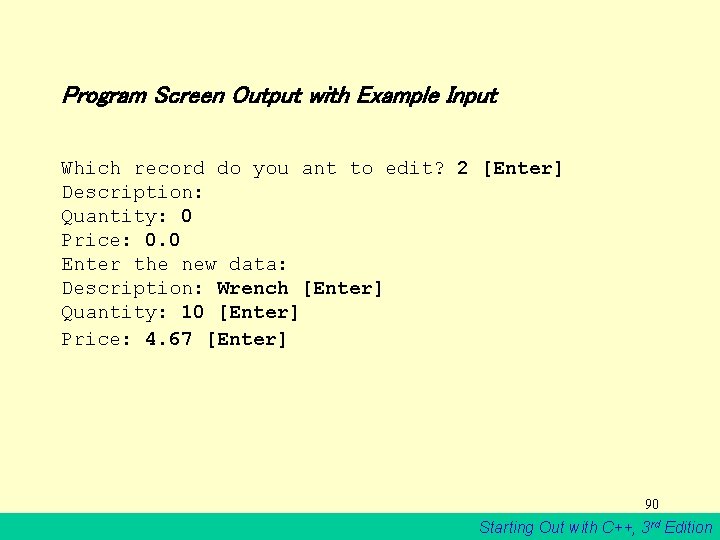
Program Screen Output with Example Input Which record do you ant to edit? 2 [Enter] Description: Quantity: 0 Price: 0. 0 Enter the new data: Description: Wrench [Enter] Quantity: 10 [Enter] Price: 4. 67 [Enter] 90 Starting Out with C++, 3 rd Edition