DESIGN PATTERNS Design as tradeoffs Holder Pattern Proxy
- Slides: 48
DESIGN PATTERNS • Design as trade-offs • Holder Pattern • Proxy Pattern • Delegation • State Pattern (optional: slides are online) Design Patterns 1 of 48 © 2006 Pearson Education
Design in a Nutshell • Up to now, we mainly focused on how to program – but CS is not simply programming • Now we can learn about good design – some designs are better than others – “better” means: • more efficient in space or time required (traditional criteria) • more robust • more extensible • more reusable • more understandable – these are central concerns of Software Engineering • There are trade-offs to make everywhere – architect balances aesthetics, functionality, cost – mechanical engineer balances manufacturability, strength, maintainability, cost • Need to defend your trade-offs – no perfect solution, no exact rules – up to now, designs have been straight-forward Design Patterns 2 of 48 © 2006 Pearson Education
Designing Takes Experience • Experience is gained by – doing – using – seeing examples (good and bad) • Rarely find final design on first try – like writing: you always find a “better” way • remember designing Alien as a reusable class – no one ever stops learning • you never stop practicing music, sports • But why is experience useful? – gives sense of what to do in certain circumstances – recognize problems you’ve solved before – can remember previous solutions and reuse them • i. e. , recognizing programming patterns • As a jump-start, why not make a catalog of good designs you could read and learn from? Design Patterns 3 of 48 © 2006 Pearson Education
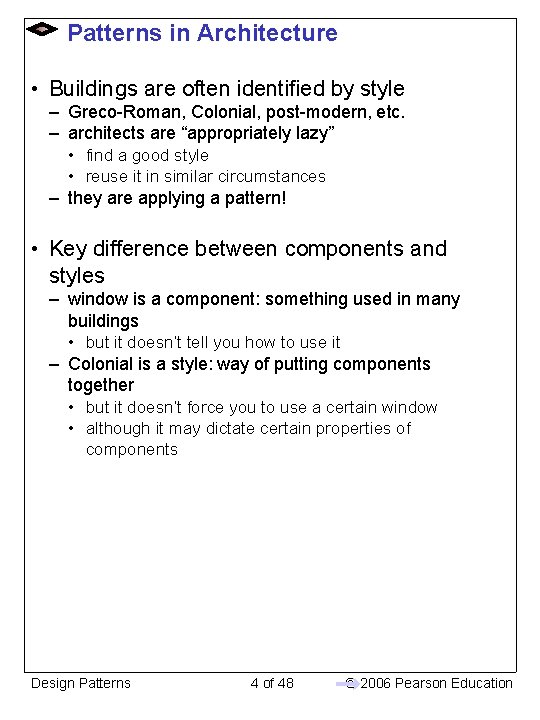
Patterns in Architecture • Buildings are often identified by style – Greco-Roman, Colonial, post-modern, etc. – architects are “appropriately lazy” • find a good style • reuse it in similar circumstances – they are applying a pattern! • Key difference between components and styles – window is a component: something used in many buildings • but it doesn’t tell you how to use it – Colonial is a style: way of putting components together • but it doesn’t force you to use a certain window • although it may dictate certain properties of components Design Patterns 4 of 48 © 2006 Pearson Education
Design Pattern Bibles • The two “bibles” of Design Patterns: – The Timeless Way of Building by Christopher Alexander (1979) • Design patterns in architecture • Alexander’s patterns in architecture initiated the study of design patterns in software – Design Patterns by Erich Gamma, Richard Helm, Ralph Johnson, John Vlissides (1994) Design Patterns 5 of 48 © 2006 Pearson Education
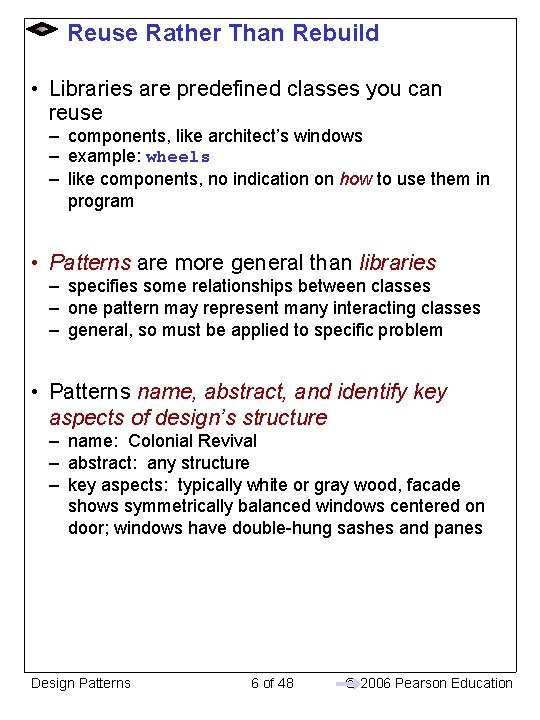
Reuse Rather Than Rebuild • Libraries are predefined classes you can reuse – components, like architect’s windows – example: wheels – like components, no indication on how to use them in program • Patterns are more general than libraries – specifies some relationships between classes – one pattern may represent many interacting classes – general, so must be applied to specific problem • Patterns name, abstract, and identify key aspects of design’s structure – name: Colonial Revival – abstract: any structure – key aspects: typically white or gray wood, facade shows symmetrically balanced windows centered on door; windows have double-hung sashes and panes Design Patterns 6 of 48 © 2006 Pearson Education
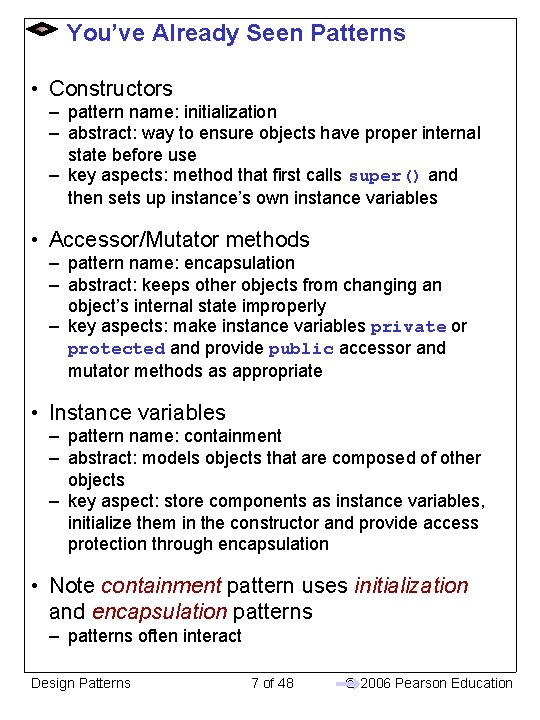
You’ve Already Seen Patterns • Constructors – pattern name: initialization – abstract: way to ensure objects have proper internal state before use – key aspects: method that first calls super() and then sets up instance’s own instance variables • Accessor/Mutator methods – pattern name: encapsulation – abstract: keeps other objects from changing an object’s internal state improperly – key aspects: make instance variables private or protected and provide public accessor and mutator methods as appropriate • Instance variables – pattern name: containment – abstract: models objects that are composed of other objects – key aspect: store components as instance variables, initialize them in the constructor and provide access protection through encapsulation • Note containment pattern uses initialization and encapsulation patterns – patterns often interact Design Patterns 7 of 48 © 2006 Pearson Education
Design Patterns (again) • Design Patterns are proven solutions to common problems – used successfully before by others – refined by experience – generally language-independent • Form catalog of collected knowledge – only introducing you to a few patterns this year – well over 100 have been cataloged by experts • many more on the way – formatting and content is key • need to find pattern among many • need to document uses, trade-offs • Time for an example! Design Patterns 8 of 48 © 2006 Pearson Education
Example: Colorized App Specification: Create a frame with one ellipse, a column of three buttons, and a quit button. One button should be labeled “Red”, the second “Green”, and the third “Blue”. Clicking on a button should set the corresponding color to be the current color for drawing the ellipse: any time the user clicks on the ellipse after clicking a color button, the color of the ellipse should be set to the specified current color. Design Patterns 9 of 48 © 2006 Pearson Education
Analyzing the New Specification • To start off, let’s find nouns in specification to determine needed objects – good way to begin designing a program – helps you get understanding of what objects you need to build or use Create a frame with one ellipse, a column of three buttons, and a quit button. One button should be labeled “Red”, the second “Green”, and the third “Blue”. Clicking on a button should set the corresponding color to be the current color for drawing the ellipse: anytime the user clicks on the ellipse after clicking a color button, the color of the ellipse should be set to the specified current color. • Some of this we already know how to do: – creating frames, colors, ellipses, buttons – labeling buttons • What don’t we know? – how to model the “current color” – what swing objects can help us – what objects we must create ourselves • Let’s define a panel (a row, to be specific) called Shape. Color. Changer that will hold the shape and the buttons Design Patterns 10 of 48 © 2006 Pearson Education
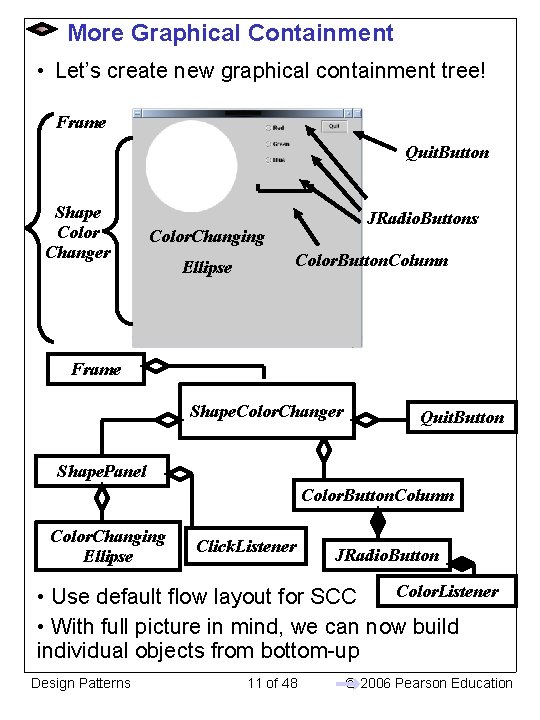
More Graphical Containment • Let’s create new graphical containment tree! Frame Quit. Button Shape Color Changer JRadio. Buttons Color. Changing Ellipse Color. Button. Column Frame Shape. Color. Changer Quit. Button Shape. Panel Color. Button. Column Color. Changing Ellipse Click. Listener JRadio. Button Color. Listener • Use default flow layout for SCC • With full picture in mind, we can now build individual objects from bottom-up Design Patterns 11 of 48 © 2006 Pearson Education
What Type of Buttons? • We’ll start with buttons — this time for Red, Green and Blue colors • Should we use JButton or JRadio. Button? – JButtons are used to perform one-time action – JRadio. Buttons are used to set semi-permanent choice (choice stays same until explicitly changed by pressing different JRadio. Button); also enforces only one choice selected at a time – Remember this question from last time? • JRadio. Buttons are more appropriate for this situation (only want one color for our ellipse) • Want to make single generic class instead of separate subclasses – each button has same behavior, but differs in actual color it sets Design Patterns 12 of 48 © 2006 Pearson Education
Modeling “Specified” Color • How do we model concept of “specified” color? – i. e. , how do we find out what was the last color clicked? • Challenge: Colors are immutable. Once created, color which the Color instance models cannot be changed • JRadio. Buttons need to refer to object instance which is mutable • Demos. Colorable is an interface for objects which have mutable color – two methods: get. Color and set. Color • Remember when we had you think about a very similar problem for Lite. Brite? • Solution: Define mutable object which implements Colorable (called Color. Holder) and models concept of current color – More generic than in Lite. Brite, where Palette had its own instance variable for the current color Design Patterns 13 of 48 © 2006 Pearson Education
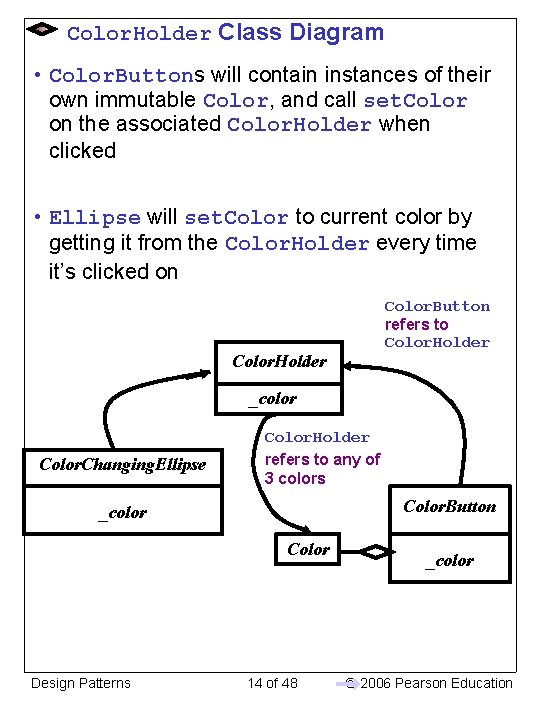
Color. Holder Class Diagram • Color. Buttons will contain instances of their own immutable Color, and call set. Color on the associated Color. Holder when clicked • Ellipse will set. Color to current color by getting it from the Color. Holder every time it’s clicked on Color. Button refers to Color. Holder _color Color. Changing. Ellipse Color. Holder refers to any of 3 colors Color. Button _color Color Design Patterns 14 of 48 _color © 2006 Pearson Education
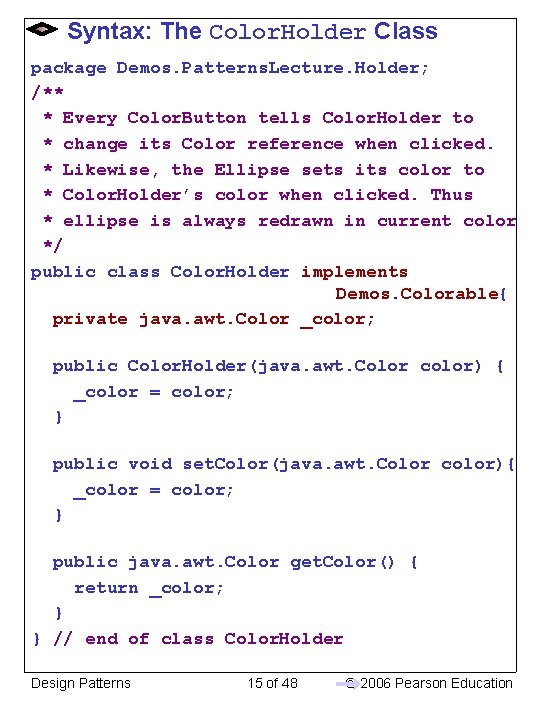
Syntax: The Color. Holder Class package Demos. Patterns. Lecture. Holder; /** * Every Color. Button tells Color. Holder to * change its Color reference when clicked. * Likewise, the Ellipse sets its color to * Color. Holder’s color when clicked. Thus * ellipse is always redrawn in current color */ public class Color. Holder implements Demos. Colorable{ private java. awt. Color _color; public Color. Holder(java. awt. Color color) { _color = color; } public void set. Color(java. awt. Color color){ _color = color; } public java. awt. Color get. Color() { return _color; } } // end of class Color. Holder Design Patterns 15 of 48 © 2006 Pearson Education
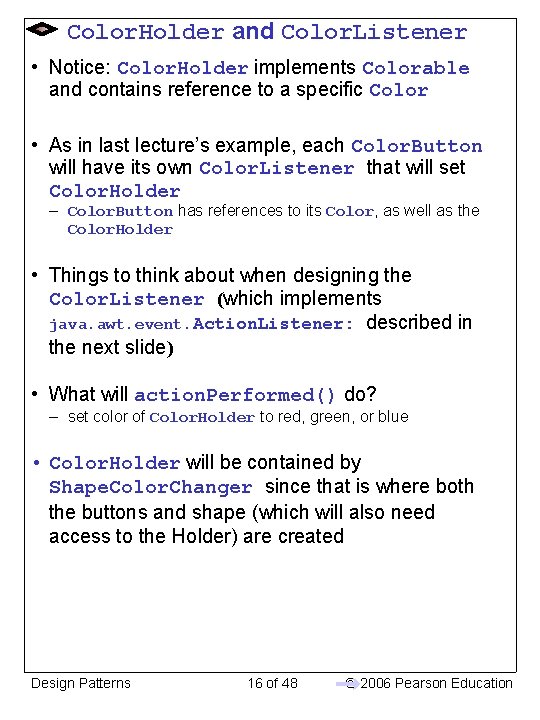
Color. Holder and Color. Listener • Notice: Color. Holder implements Colorable and contains reference to a specific Color • As in last lecture’s example, each Color. Button will have its own Color. Listener that will set Color. Holder – Color. Button has references to its Color, as well as the Color. Holder • Things to think about when designing the Color. Listener (which implements java. awt. event. Action. Listener: described in the next slide) • What will action. Performed() do? – set color of Color. Holder to red, green, or blue • Color. Holder will be contained by Shape. Color. Changer since that is where both the buttons and shape (which will also need access to the Holder) are created Design Patterns 16 of 48 © 2006 Pearson Education
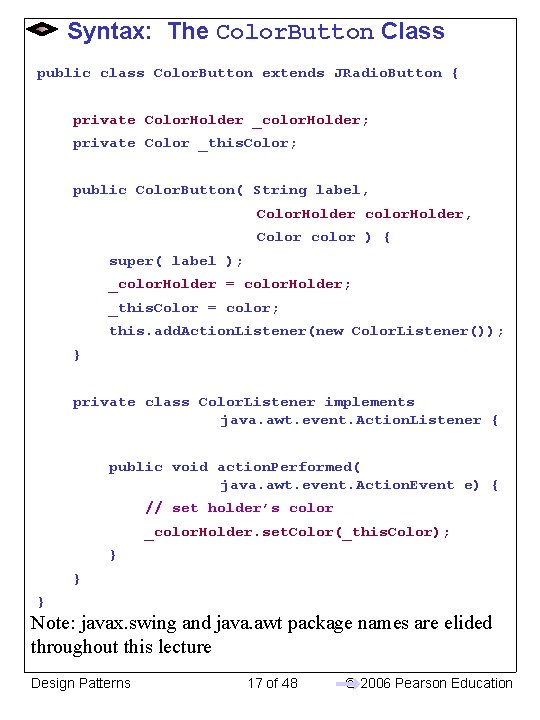
Syntax: The Color. Button Class public class Color. Button extends JRadio. Button { private Color. Holder _color. Holder; private Color _this. Color; public Color. Button( String label, Color. Holder color. Holder, Color color ) { super( label ); _color. Holder = color. Holder; _this. Color = color; this. add. Action. Listener(new Color. Listener()); } private class Color. Listener implements java. awt. event. Action. Listener { public void action. Performed( java. awt. event. Action. Event e) { // set holder’s color _color. Holder. set. Color(_this. Color); } } } Note: javax. swing and java. awt package names are elided throughout this lecture Design Patterns 17 of 48 © 2006 Pearson Education
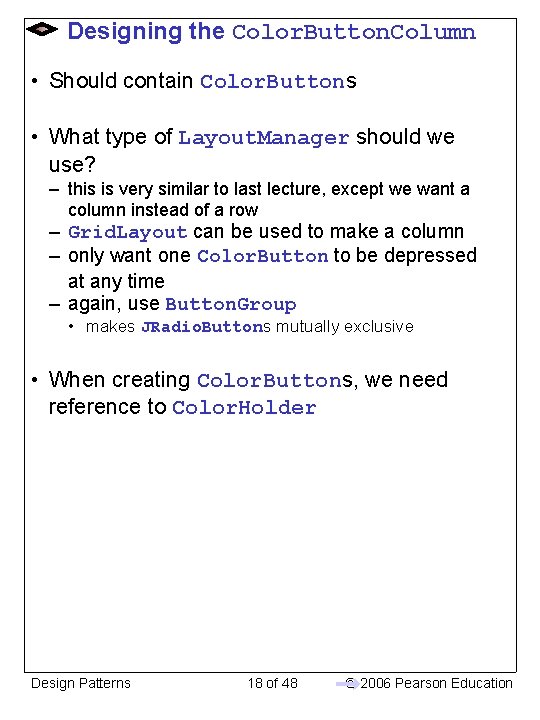
Designing the Color. Button. Column • Should contain Color. Buttons • What type of Layout. Manager should we use? – this is very similar to last lecture, except we want a column instead of a row – Grid. Layout can be used to make a column – only want one Color. Button to be depressed at any time – again, use Button. Group • makes JRadio. Buttons mutually exclusive • When creating Color. Buttons, we need reference to Color. Holder Design Patterns 18 of 48 © 2006 Pearson Education
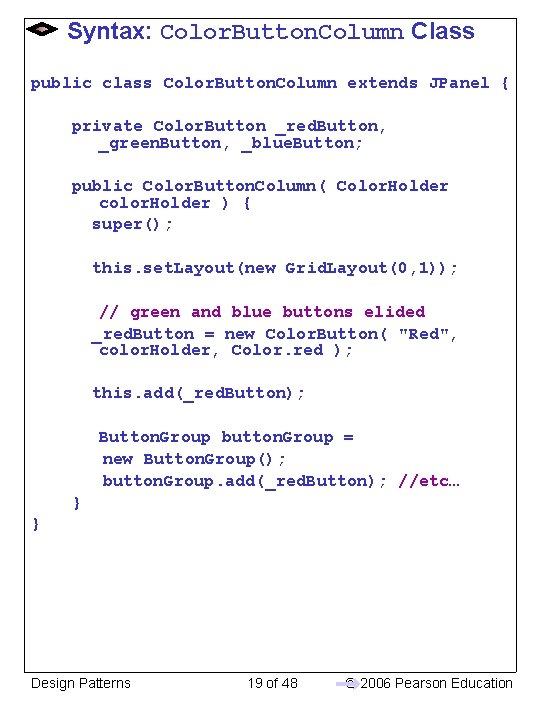
Syntax: Color. Button. Column Class public class Color. Button. Column extends JPanel { private Color. Button _red. Button, _green. Button, _blue. Button; public Color. Button. Column( Color. Holder color. Holder ) { super(); this. set. Layout(new Grid. Layout(0, 1)); // green and blue buttons elided _red. Button = new Color. Button( "Red", color. Holder, Color. red ); this. add(_red. Button); Button. Group button. Group = new Button. Group(); button. Group. add(_red. Button); //etc… } } Design Patterns 19 of 48 © 2006 Pearson Education
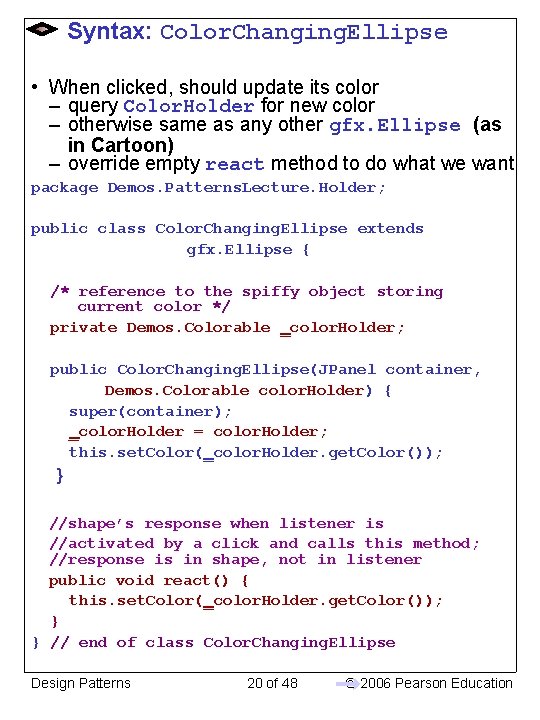
Syntax: Color. Changing. Ellipse • When clicked, should update its color – query Color. Holder for new color – otherwise same as any other gfx. Ellipse (as in Cartoon) – override empty react method to do what we want package Demos. Patterns. Lecture. Holder; public class Color. Changing. Ellipse extends gfx. Ellipse { /* reference to the spiffy object storing current color */ private Demos. Colorable _color. Holder; public Color. Changing. Ellipse(JPanel container, Demos. Colorable color. Holder) { super(container); _color. Holder = color. Holder; this. set. Color(_color. Holder. get. Color()); } //shape’s response when listener is //activated by a click and calls this method; //response is in shape, not in listener public void react() { this. set. Color(_color. Holder. get. Color()); } } // end of class Color. Changing. Ellipse Design Patterns 20 of 48 © 2006 Pearson Education
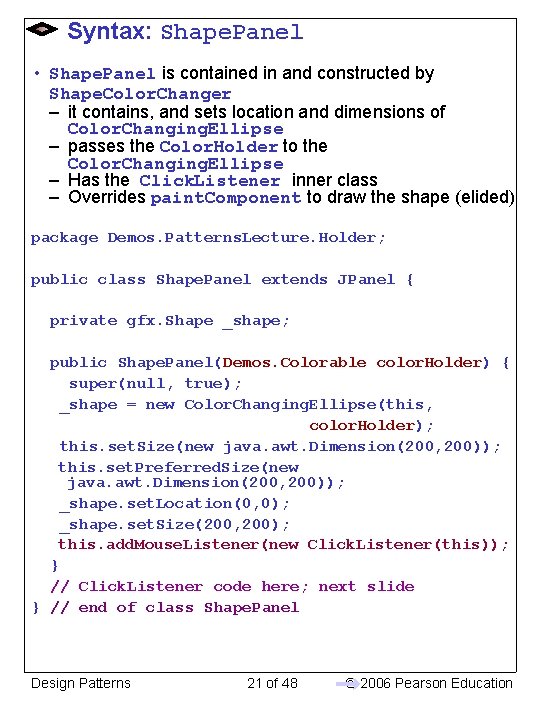
Syntax: Shape. Panel • Shape. Panel is contained in and constructed by Shape. Color. Changer – it contains, and sets location and dimensions of Color. Changing. Ellipse – passes the Color. Holder to the Color. Changing. Ellipse – Has the Click. Listener inner class – Overrides paint. Component to draw the shape (elided) package Demos. Patterns. Lecture. Holder; public class Shape. Panel extends JPanel { private gfx. Shape _shape; public Shape. Panel(Demos. Colorable color. Holder) { super(null, true); _shape = new Color. Changing. Ellipse(this, color. Holder); this. set. Size(new java. awt. Dimension(200, 200)); this. set. Preferred. Size(new java. awt. Dimension(200, 200)); _shape. set. Location(0, 0); _shape. set. Size(200, 200); this. add. Mouse. Listener(new Click. Listener(this)); } // Click. Listener code here; next slide } // end of class Shape. Panel Design Patterns 21 of 48 © 2006 Pearson Education
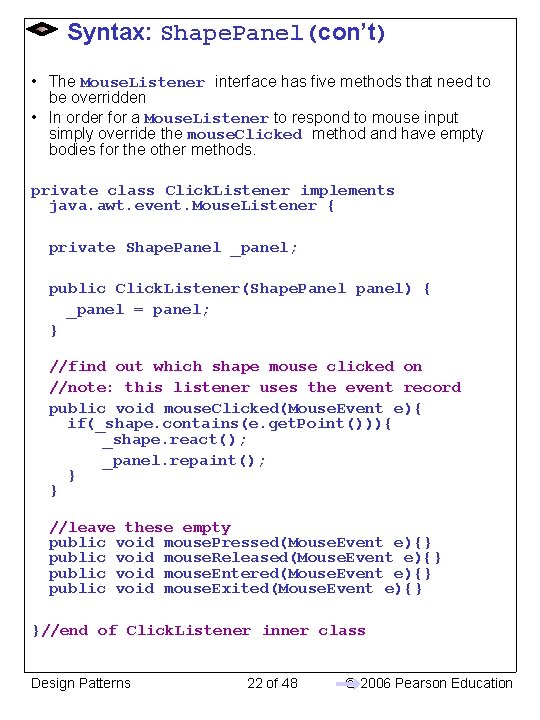
Syntax: Shape. Panel(con’t) • The Mouse. Listener interface has five methods that need to be overridden • In order for a Mouse. Listener to respond to mouse input simply override the mouse. Clicked method and have empty bodies for the other methods. private class Click. Listener implements java. awt. event. Mouse. Listener { private Shape. Panel _panel; public Click. Listener(Shape. Panel panel) { _panel = panel; } //find out which shape mouse clicked on //note: this listener uses the event record public void mouse. Clicked(Mouse. Event e){ if(_shape. contains(e. get. Point())){ _shape. react(); _panel. repaint(); } } //leave these empty public void mouse. Pressed(Mouse. Event e){} public void mouse. Released(Mouse. Event e){} public void mouse. Entered(Mouse. Event e){} public void mouse. Exited(Mouse. Event e){} }//end of Click. Listener inner class Design Patterns 22 of 48 © 2006 Pearson Education
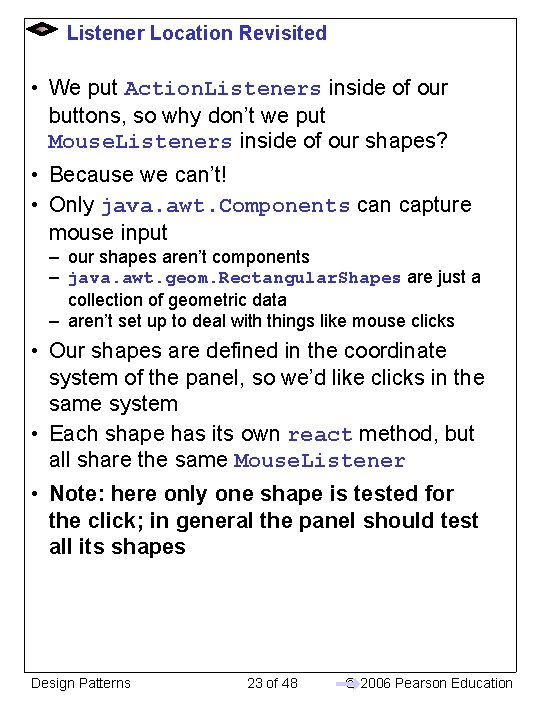
Listener Location Revisited • We put Action. Listeners inside of our buttons, so why don’t we put Mouse. Listeners inside of our shapes? • Because we can’t! • Only java. awt. Components can capture mouse input – our shapes aren’t components – java. awt. geom. Rectangular. Shapes are just a collection of geometric data – aren’t set up to deal with things like mouse clicks • Our shapes are defined in the coordinate system of the panel, so we’d like clicks in the same system • Each shape has its own react method, but all share the same Mouse. Listener • Note: here only one shape is tested for the click; in general the panel should test all its shapes Design Patterns 23 of 48 © 2006 Pearson Education
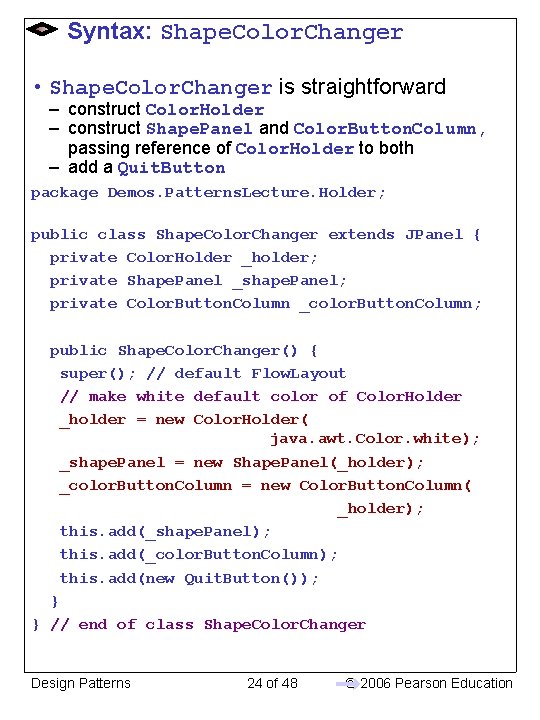
Syntax: Shape. Color. Changer • Shape. Color. Changer is straightforward – construct Color. Holder – construct Shape. Panel and Color. Button. Column, passing reference of Color. Holder to both – add a Quit. Button package Demos. Patterns. Lecture. Holder; public class Shape. Color. Changer extends JPanel { private Color. Holder _holder; private Shape. Panel _shape. Panel; private Color. Button. Column _color. Button. Column; public Shape. Color. Changer() { super(); // default Flow. Layout // make white default color of Color. Holder _holder = new Color. Holder( java. awt. Color. white); _shape. Panel = new Shape. Panel(_holder); _color. Button. Column = new Color. Button. Column( _holder); this. add(_shape. Panel); this. add(_color. Button. Column); this. add(new Quit. Button()); } } // end of class Shape. Color. Changer Design Patterns 24 of 48 © 2006 Pearson Education
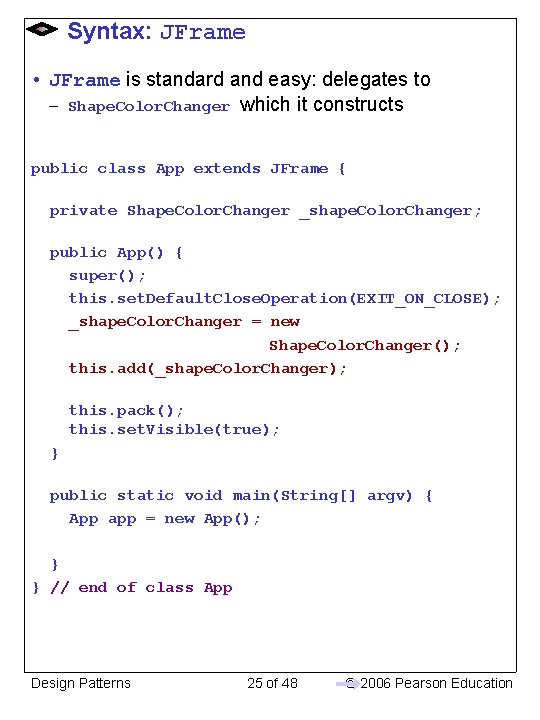
Syntax: JFrame • JFrame is standard and easy: delegates to – Shape. Color. Changer which it constructs public class App extends JFrame { private Shape. Color. Changer _shape. Color. Changer; public App() { super(); this. set. Default. Close. Operation(EXIT_ON_CLOSE); _shape. Color. Changer = new Shape. Color. Changer(); this. add(_shape. Color. Changer); this. pack(); this. set. Visible(true); } public static void main(String[] argv) { App app = new App(); } } // end of class App Design Patterns 25 of 48 © 2006 Pearson Education
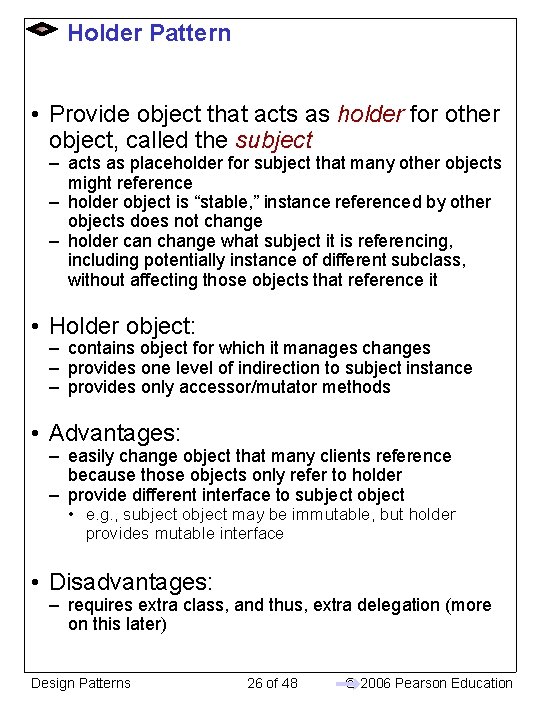
Holder Pattern • Provide object that acts as holder for other object, called the subject – acts as placeholder for subject that many other objects might reference – holder object is “stable, ” instance referenced by other objects does not change – holder can change what subject it is referencing, including potentially instance of different subclass, without affecting those objects that reference it • Holder object: – contains object for which it manages changes – provides one level of indirection to subject instance – provides only accessor/mutator methods • Advantages: – easily change object that many clients reference because those objects only refer to holder – provide different interface to subject object • e. g. , subject object may be immutable, but holder provides mutable interface • Disadvantages: – requires extra class, and thus, extra delegation (more on this later) Design Patterns 26 of 48 © 2006 Pearson Education
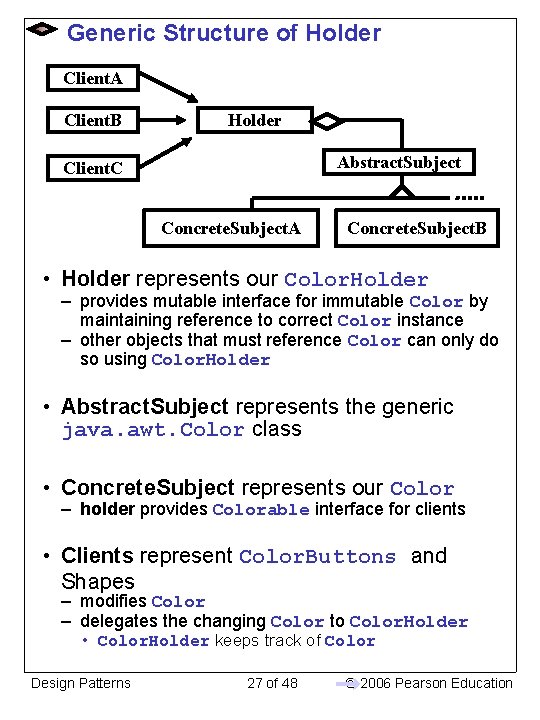
Generic Structure of Holder Client. A Client. B Holder Abstract. Subject Client. C Concrete. Subject. A Concrete. Subject. B • Holder represents our Color. Holder – provides mutable interface for immutable Color by maintaining reference to correct Color instance – other objects that must reference Color can only do so using Color. Holder • Abstract. Subject represents the generic java. awt. Color class • Concrete. Subject represents our Color – holder provides Colorable interface for clients • Clients represent Color. Buttons and Shapes – modifies Color – delegates the changing Color to Color. Holder • Color. Holder keeps track of Color Design Patterns 27 of 48 © 2006 Pearson Education
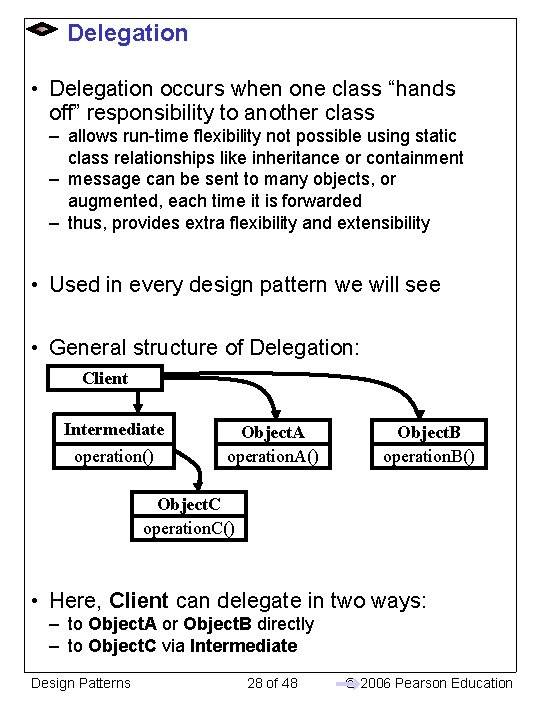
Delegation • Delegation occurs when one class “hands off” responsibility to another class – allows run-time flexibility not possible using static class relationships like inheritance or containment – message can be sent to many objects, or augmented, each time it is forwarded – thus, provides extra flexibility and extensibility • Used in every design pattern we will see • General structure of Delegation: Client Intermediate operation() Object. A operation. A() Object. B operation. B() Object. C operation. C() • Here, Client can delegate in two ways: – to Object. A or Object. B directly – to Object. C via Intermediate Design Patterns 28 of 48 © 2006 Pearson Education
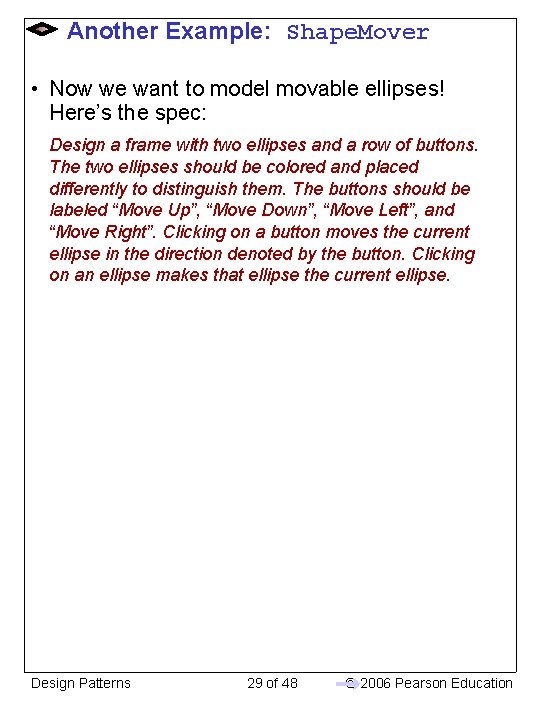
Another Example: Shape. Mover • Now we want to model movable ellipses! Here’s the spec: Design a frame with two ellipses and a row of buttons. The two ellipses should be colored and placed differently to distinguish them. The buttons should be labeled “Move Up”, “Move Down”, “Move Left”, and “Move Right”. Clicking on a button moves the current ellipse in the direction denoted by the button. Clicking on an ellipse makes that ellipse the current ellipse. Design Patterns 29 of 48 © 2006 Pearson Education
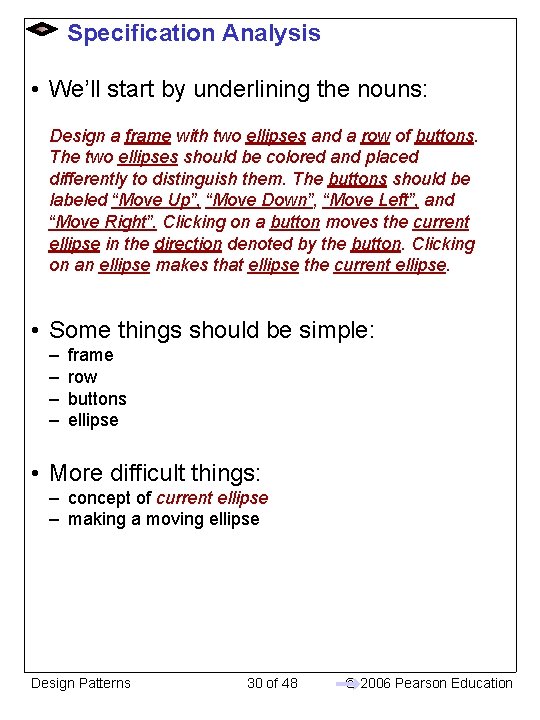
Specification Analysis • We’ll start by underlining the nouns: Design a frame with two ellipses and a row of buttons. The two ellipses should be colored and placed differently to distinguish them. The buttons should be labeled “Move Up”, “Move Down”, “Move Left”, and “Move Right”. Clicking on a button moves the current ellipse in the direction denoted by the button. Clicking on an ellipse makes that ellipse the current ellipse. • Some things should be simple: – – frame row buttons ellipse • More difficult things: – concept of current ellipse – making a moving ellipse Design Patterns 30 of 48 © 2006 Pearson Education
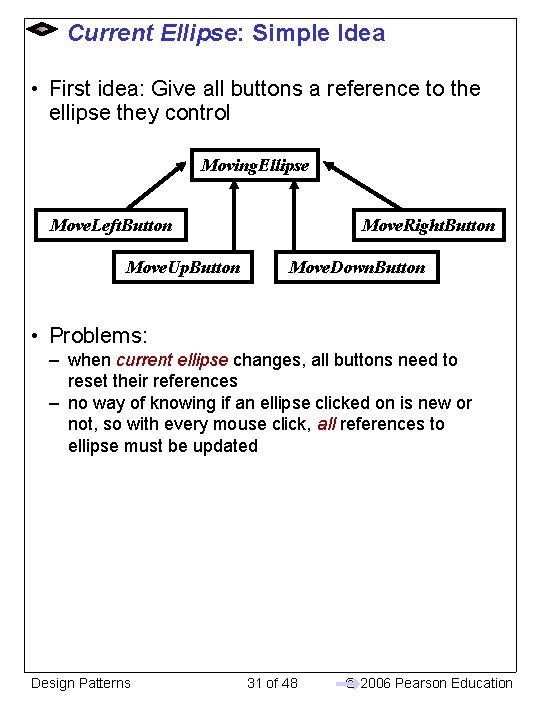
Current Ellipse: Simple Idea • First idea: Give all buttons a reference to the ellipse they control Moving. Ellipse Move. Left. Button Move. Up. Button Move. Right. Button Move. Down. Button • Problems: – when current ellipse changes, all buttons need to reset their references – no way of knowing if an ellipse clicked on is new or not, so with every mouse click, all references to ellipse must be updated Design Patterns 31 of 48 © 2006 Pearson Education
The Proxy Pattern • Current ellipse sounds like current color from the holder pattern example! – could use an Ellipse. Holder. . . – ellipses would put themselves in holder when clicked on – buttons would get current ellipse from holder and call messages on it • From a design perspective, gives a lot of work to the buttons – would like to avoid having buttons get current ellipse in order to call methods on it – buttons should be simple classes, usually just delegating on to another class • Alternative: Use a Proxy! • Proxy acts on behalf of another subject – – – proxy has reference to actual instance of subject that reference can change all client objects know about proxy has methods that match those of subject clients call methods on proxy which forwards them on to subject Design Patterns 32 of 48 © 2006 Pearson Education
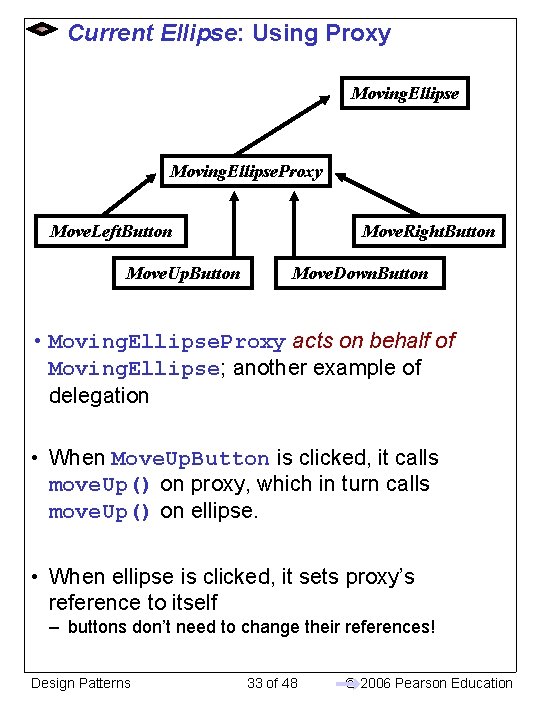
Current Ellipse: Using Proxy Moving. Ellipse. Proxy Move. Left. Button Move. Up. Button Move. Right. Button Move. Down. Button • Moving. Ellipse. Proxy acts on behalf of Moving. Ellipse; another example of delegation • When Move. Up. Button is clicked, it calls move. Up() on proxy, which in turn calls move. Up() on ellipse. • When ellipse is clicked, it sets proxy’s reference to itself – buttons don’t need to change their references! Design Patterns 33 of 48 © 2006 Pearson Education
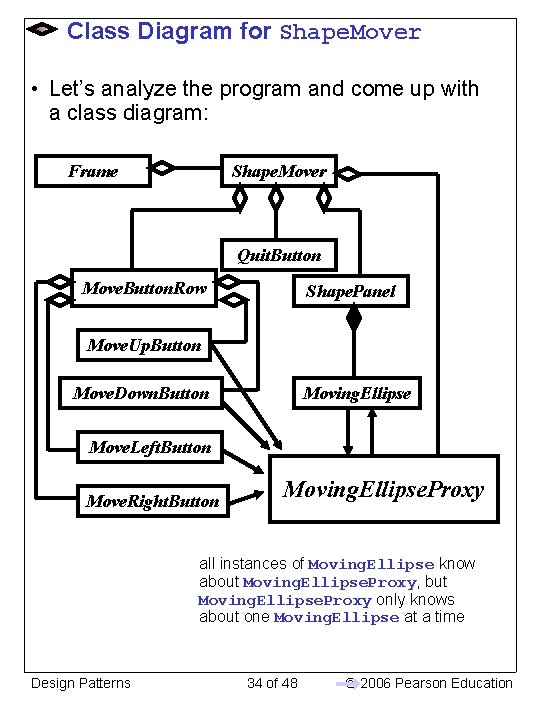
Class Diagram for Shape. Mover • Let’s analyze the program and come up with a class diagram: Frame Shape. Mover Quit. Button Move. Button. Row Shape. Panel Move. Up. Button Move. Down. Button Moving. Ellipse Move. Left. Button Move. Right. Button Moving. Ellipse. Proxy all instances of Moving. Ellipse know about Moving. Ellipse. Proxy, but Moving. Ellipse. Proxy only knows about one Moving. Ellipse at a time Design Patterns 34 of 48 © 2006 Pearson Education
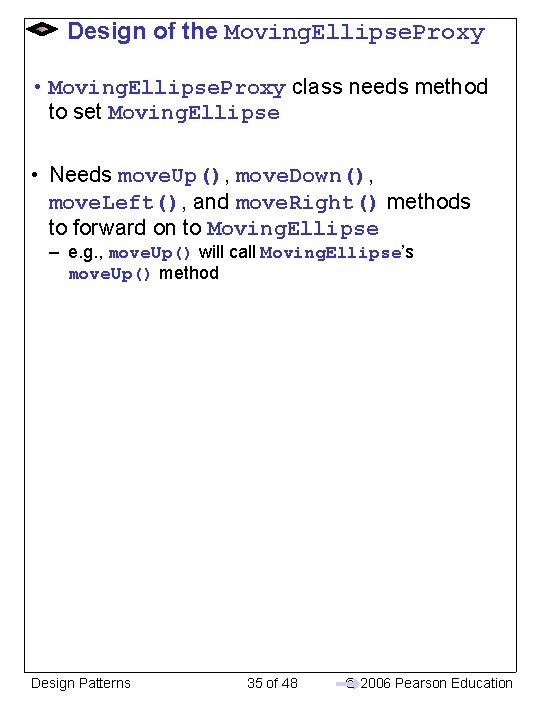
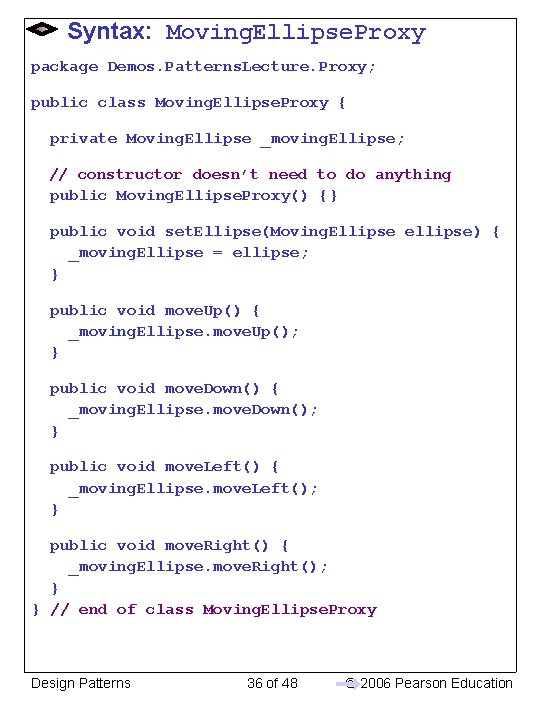
Design of the Moving. Ellipse. Proxy • Moving. Ellipse. Proxy class needs method to set Moving. Ellipse • Needs move. Up(), move. Down(), move. Left(), and move. Right() methods to forward on to Moving. Ellipse – e. g. , move. Up() will call Moving. Ellipse’s move. Up() method Design Patterns 35 of 48 © 2006 Pearson Education
Syntax: Moving. Ellipse. Proxy package Demos. Patterns. Lecture. Proxy; public class Moving. Ellipse. Proxy { private Moving. Ellipse _moving. Ellipse; // constructor doesn’t need to do anything public Moving. Ellipse. Proxy() {} public void set. Ellipse(Moving. Ellipse ellipse) { _moving. Ellipse = ellipse; } public void move. Up() { _moving. Ellipse. move. Up(); } public void move. Down() { _moving. Ellipse. move. Down(); } public void move. Left() { _moving. Ellipse. move. Left(); } public void move. Right() { _moving. Ellipse. move. Right(); } } // end of class Moving. Ellipse. Proxy Design Patterns 36 of 48 © 2006 Pearson Education
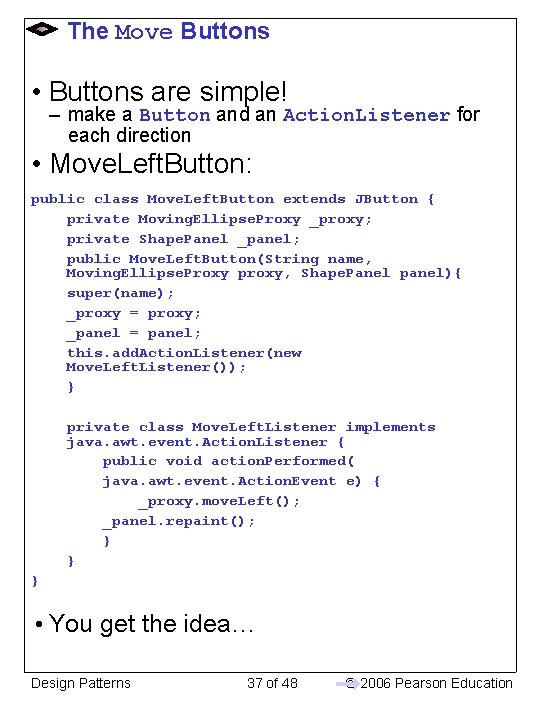
The Move Buttons • Buttons are simple! – make a Button and an Action. Listener for each direction • Move. Left. Button: public class Move. Left. Button extends JButton { private Moving. Ellipse. Proxy _proxy; private Shape. Panel _panel; public Move. Left. Button(String name, Moving. Ellipse. Proxy proxy, Shape. Panel panel){ super(name); _proxy = proxy; _panel = panel; this. add. Action. Listener(new Move. Left. Listener()); } private class Move. Left. Listener implements java. awt. event. Action. Listener { public void action. Performed( java. awt. event. Action. Event e) { _proxy. move. Left(); _panel. repaint(); } } } • You get the idea… Design Patterns 37 of 48 © 2006 Pearson Education
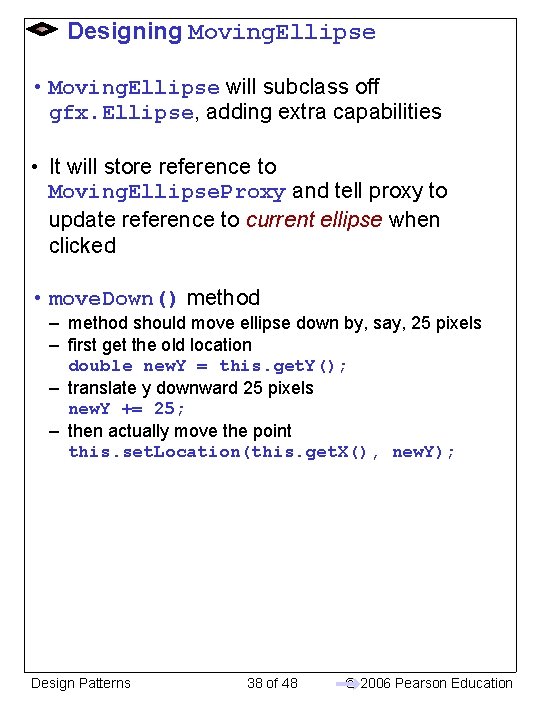
Designing Moving. Ellipse • Moving. Ellipse will subclass off gfx. Ellipse, adding extra capabilities • It will store reference to Moving. Ellipse. Proxy and tell proxy to update reference to current ellipse when clicked • move. Down() method – method should move ellipse down by, say, 25 pixels – first get the old location double new. Y = this. get. Y(); – translate y downward 25 pixels new. Y += 25; – then actually move the point this. set. Location(this. get. X(), new. Y); Design Patterns 38 of 48 © 2006 Pearson Education
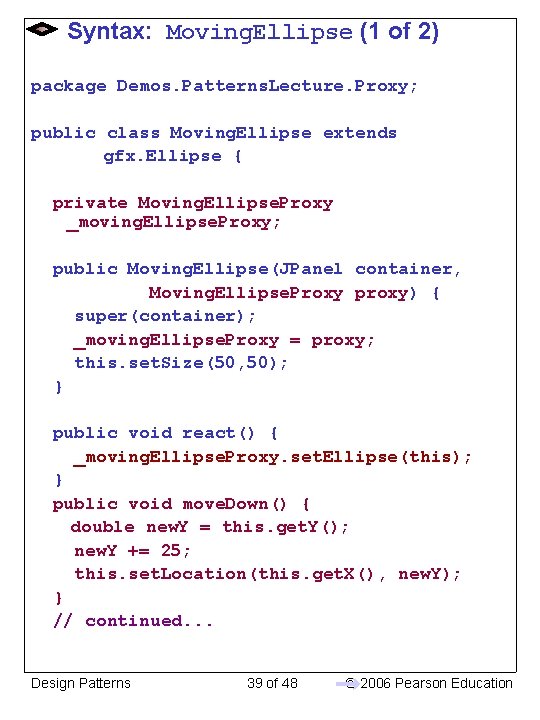
Syntax: Moving. Ellipse (1 of 2) package Demos. Patterns. Lecture. Proxy; public class Moving. Ellipse extends gfx. Ellipse { private Moving. Ellipse. Proxy _moving. Ellipse. Proxy; public Moving. Ellipse(JPanel container, Moving. Ellipse. Proxy proxy) { super(container); _moving. Ellipse. Proxy = proxy; this. set. Size(50, 50); } public void react() { _moving. Ellipse. Proxy. set. Ellipse(this); } public void move. Down() { double new. Y = this. get. Y(); new. Y += 25; this. set. Location(this. get. X(), new. Y); } // continued. . . Design Patterns 39 of 48 © 2006 Pearson Education
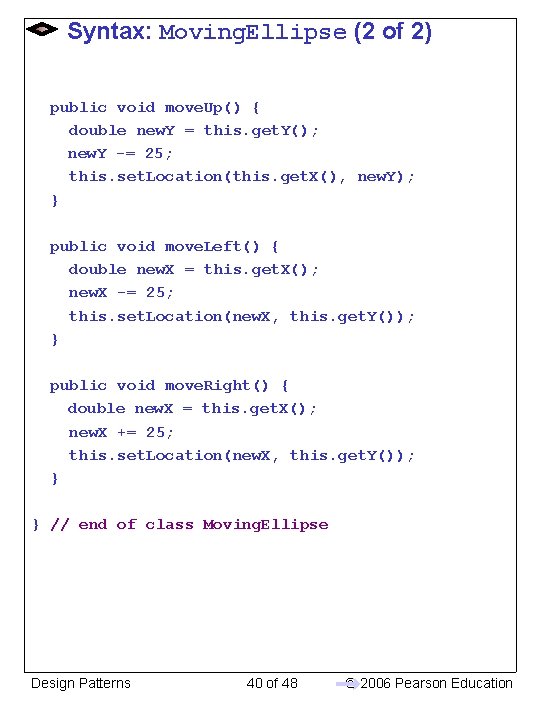
Syntax: Moving. Ellipse (2 of 2) public void move. Up() { double new. Y = this. get. Y(); new. Y -= 25; this. set. Location(this. get. X(), new. Y); } public void move. Left() { double new. X = this. get. X(); new. X -= 25; this. set. Location(new. X, this. get. Y()); } public void move. Right() { double new. X = this. get. X(); new. X += 25; this. set. Location(new. X, this. get. Y()); } } // end of class Moving. Ellipse Design Patterns 40 of 48 © 2006 Pearson Education
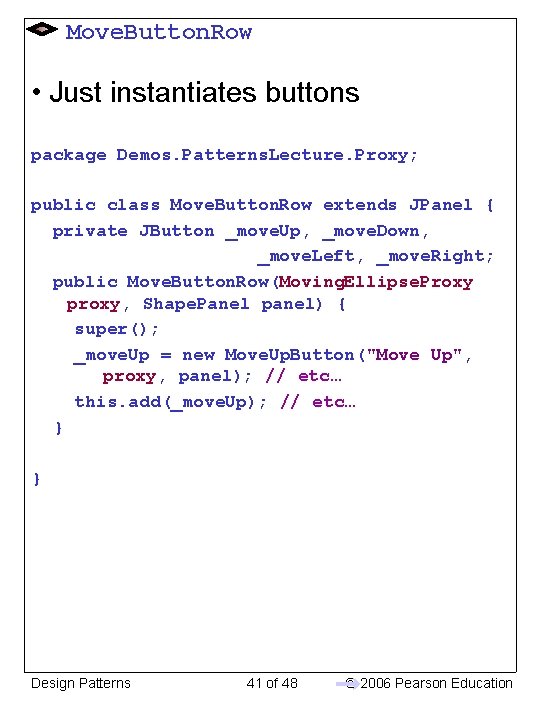
Move. Button. Row • Just instantiates buttons package Demos. Patterns. Lecture. Proxy; public class Move. Button. Row extends JPanel { private JButton _move. Up, _move. Down, _move. Left, _move. Right; public Move. Button. Row(Moving. Ellipse. Proxy proxy, Shape. Panel panel) { super(); _move. Up = new Move. Up. Button("Move Up", proxy, panel); // etc… this. add(_move. Up); // etc… } } Design Patterns 41 of 48 © 2006 Pearson Education
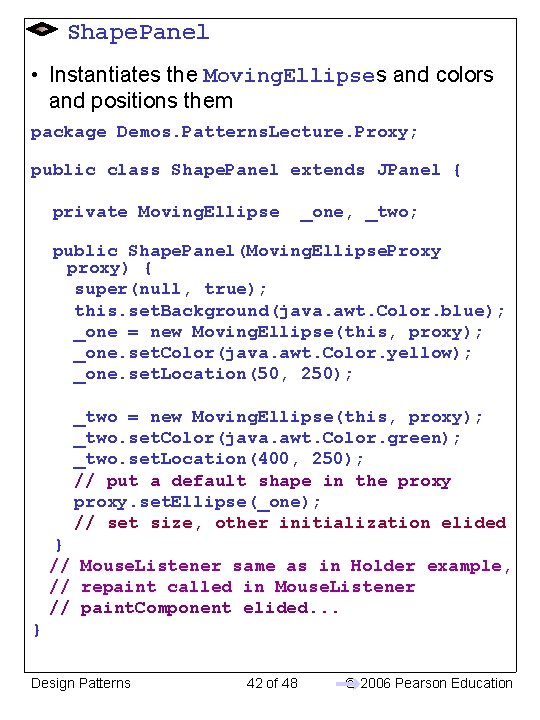
Shape. Panel • Instantiates the Moving. Ellipses and colors and positions them package Demos. Patterns. Lecture. Proxy; public class Shape. Panel extends JPanel { private Moving. Ellipse _one, _two; public Shape. Panel(Moving. Ellipse. Proxy proxy) { super(null, true); this. set. Background(java. awt. Color. blue); _one = new Moving. Ellipse(this, proxy); _one. set. Color(java. awt. Color. yellow); _one. set. Location(50, 250); _two = new Moving. Ellipse(this, proxy); _two. set. Color(java. awt. Color. green); _two. set. Location(400, 250); // put a default shape in the proxy. set. Ellipse(_one); // set size, other initialization elided } // Mouse. Listener same as in Holder example, // repaint called in Mouse. Listener // paint. Component elided. . . } Design Patterns 42 of 48 © 2006 Pearson Education
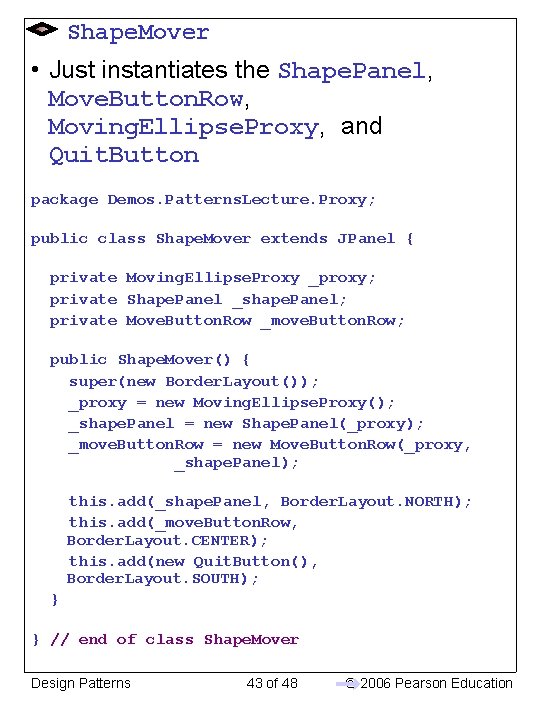
Shape. Mover • Just instantiates the Shape. Panel, Move. Button. Row, Moving. Ellipse. Proxy, and Quit. Button package Demos. Patterns. Lecture. Proxy; public class Shape. Mover extends JPanel { private Moving. Ellipse. Proxy _proxy; private Shape. Panel _shape. Panel; private Move. Button. Row _move. Button. Row; public Shape. Mover() { super(new Border. Layout()); _proxy = new Moving. Ellipse. Proxy(); _shape. Panel = new Shape. Panel(_proxy); _move. Button. Row = new Move. Button. Row(_proxy, _shape. Panel); this. add(_shape. Panel, Border. Layout. NORTH); this. add(_move. Button. Row, Border. Layout. CENTER); this. add(new Quit. Button(), Border. Layout. SOUTH); } } // end of class Shape. Mover Design Patterns 43 of 48 © 2006 Pearson Education
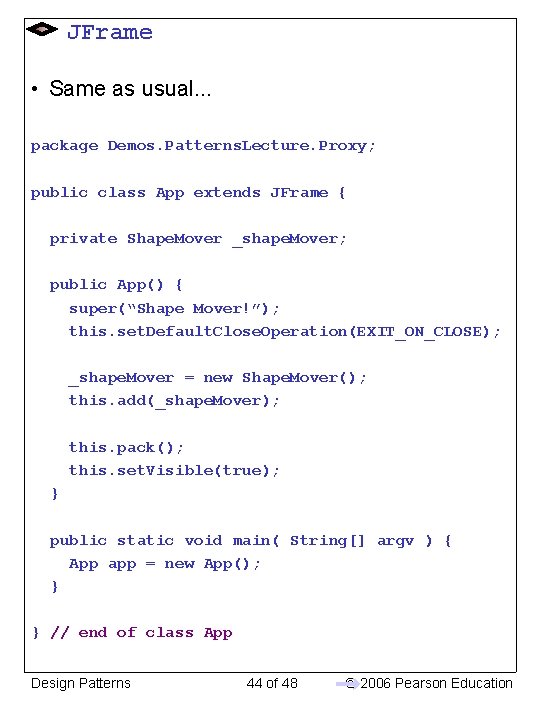
JFrame • Same as usual. . . package Demos. Patterns. Lecture. Proxy; public class App extends JFrame { private Shape. Mover _shape. Mover; public App() { super(“Shape Mover!”); this. set. Default. Close. Operation(EXIT_ON_CLOSE); _shape. Mover = new Shape. Mover(); this. add(_shape. Mover); this. pack(); this. set. Visible(true); } public static void main( String[] argv ) { App app = new App(); } } // end of class App Design Patterns 44 of 48 © 2006 Pearson Education
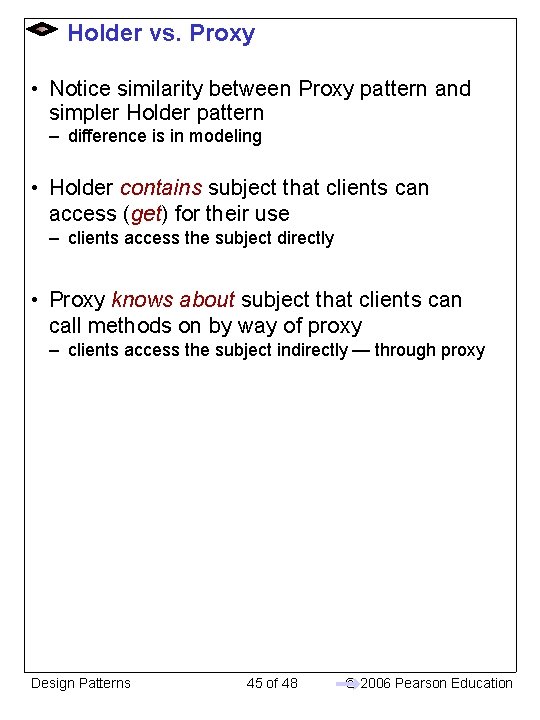
Holder vs. Proxy • Notice similarity between Proxy pattern and simpler Holder pattern – difference is in modeling • Holder contains subject that clients can access (get) for their use – clients access the subject directly • Proxy knows about subject that clients can call methods on by way of proxy – clients access the subject indirectly — through proxy Design Patterns 45 of 48 © 2006 Pearson Education
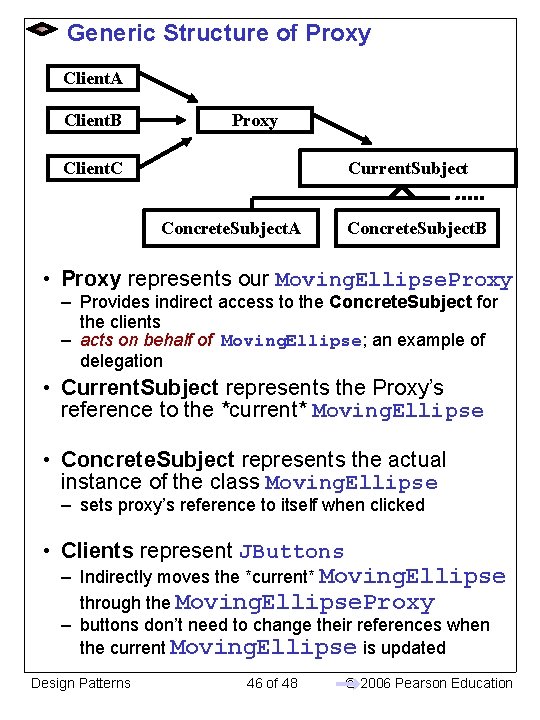
Generic Structure of Proxy Client. A Client. B Proxy Client. C Current. Subject Concrete. Subject. A Concrete. Subject. B • Proxy represents our Moving. Ellipse. Proxy – Provides indirect access to the Concrete. Subject for the clients – acts on behalf of Moving. Ellipse; an example of delegation • Current. Subject represents the Proxy’s reference to the *current* Moving. Ellipse • Concrete. Subject represents the actual instance of the class Moving. Ellipse – sets proxy’s reference to itself when clicked • Clients represent JButtons – Indirectly moves the *current* Moving. Ellipse through the Moving. Ellipse. Proxy – buttons don’t need to change their references when the current Moving. Ellipse is updated Design Patterns 46 of 48 © 2006 Pearson Education
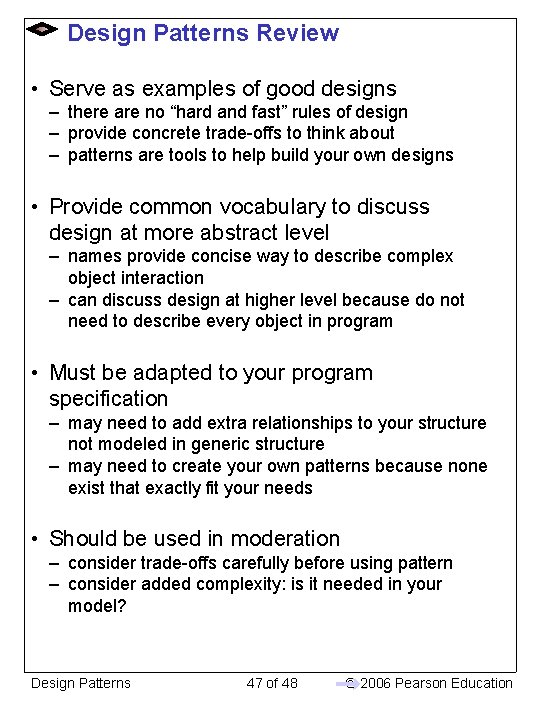
Design Patterns Review • Serve as examples of good designs – there are no “hard and fast” rules of design – provide concrete trade-offs to think about – patterns are tools to help build your own designs • Provide common vocabulary to discuss design at more abstract level – names provide concise way to describe complex object interaction – can discuss design at higher level because do not need to describe every object in program • Must be adapted to your program specification – may need to add extra relationships to your structure not modeled in generic structure – may need to create your own patterns because none exist that exactly fit your needs • Should be used in moderation – consider trade-offs carefully before using pattern – consider added complexity: is it needed in your model? Design Patterns 47 of 48 © 2006 Pearson Education
Design Patterns 48 of 48 © 2006 Pearson Education