Agile Metrics that Matter Prachi Maini Manager QA

- Slides: 25
Agile Metrics that Matter Prachi Maini Manager, QA Engineering Morningstar, Inc. © 2015 Morningstar, Inc. All rights reserved.
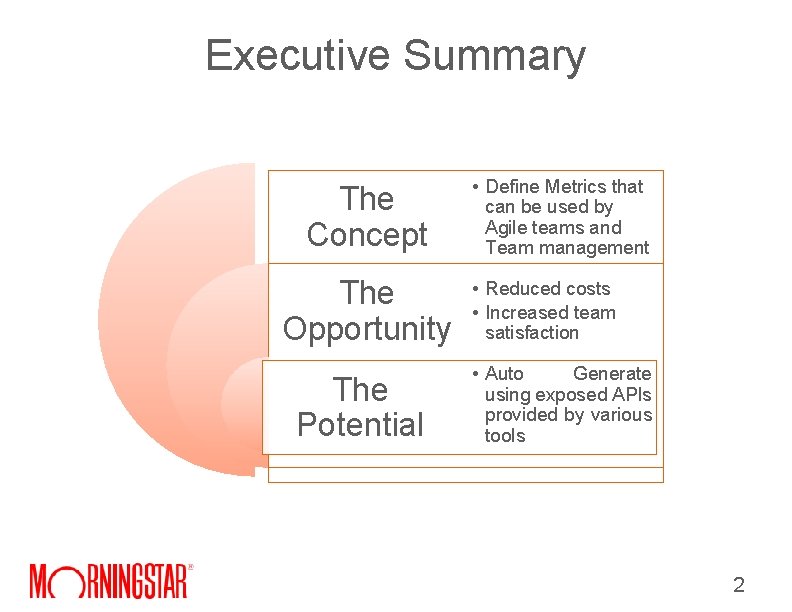
Executive Summary The Concept The Opportunity The Potential • Define Metrics that can be used by Agile teams and Team management • Reduced costs • Increased team satisfaction • Auto Generate using exposed APIs provided by various tools 2
Ø Independent investment research & management firm headquartered in Chicago. Ø Consumer report for securities. Ø Agile Squads (5 -7 dev, 1 -2 QA, product owner, scrum master, designer). Ø Two week sprints. Ø Toolset • • QAC for test case management Selenium for functional automation Ready. API for webservices Webload for Performance 3
Why Do We Need Metrics Ø Drive strategy and direction. Ø Provide measurable data and trend to the project team and management. Ø Ensure that the project remains on track. Ø Quantify risk and process improvements. Ø Ensure customer satisfaction with the deployed product. Ø Assist with resource/budget estimation and forecasting. 4
Effective Metrics Ø Metrics should be clearly defined so the team or organization can benchmark its success. Ø Secure buy-in from management and employees. Ø Have clearly defined data and collection process. Ø Are measurable and shared. Ø Can be automatically generated and scheduled. 5
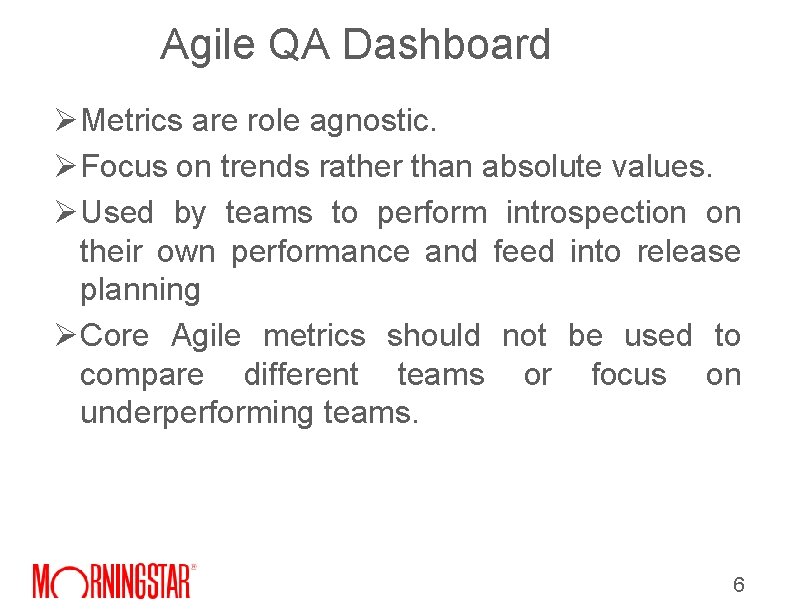
Agile QA Dashboard Ø Metrics are role agnostic. Ø Focus on trends rather than absolute values. Ø Used by teams to perform introspection on their own performance and feed into release planning Ø Core Agile metrics should not be used to compare different teams or focus on underperforming teams. 6
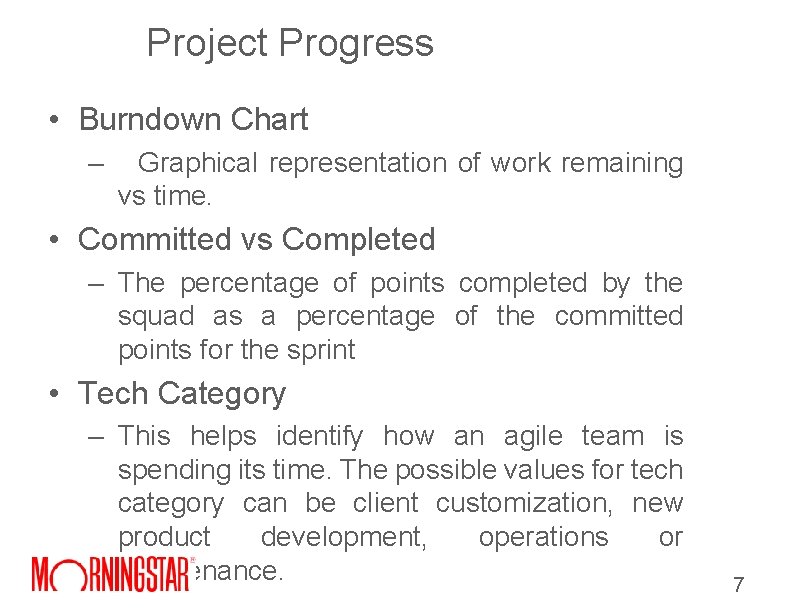
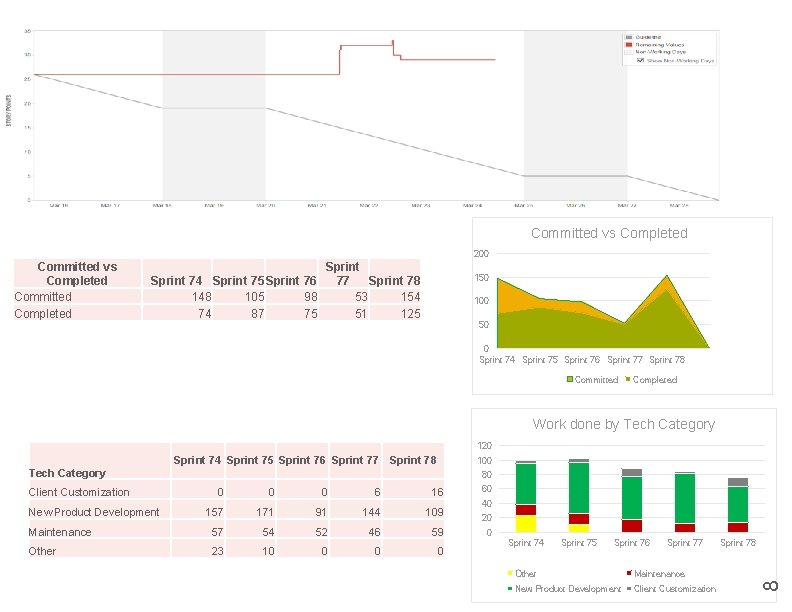
Project Progress • Burndown Chart – Graphical representation of work remaining vs time. • Committed vs Completed – The percentage of points completed by the squad as a percentage of the committed points for the sprint • Tech Category – This helps identify how an agile team is spending its time. The possible values for tech category can be client customization, new product development, operations or maintenance. 7
Committed vs Completed 200 Committed vs Completed Committed Completed Sprint 74 Sprint 75 Sprint 76 77 Sprint 78 148 105 98 53 154 74 87 75 51 125 150 100 50 0 Sprint 74 Sprint 75 Sprint 76 Sprint 77 Sprint 78 Committed Completed Work done by Tech Category 120 Client Customization 100 80 0 6 16 157 171 91 144 109 Maintenance 57 54 52 46 59 Other 23 10 0 New Product Development 60 40 20 0 Sprint 74 Sprint 75 Sprint 76 Sprint 77 Other Maintenance New Product Development Client Customization Sprint 78 8 Tech Category Sprint 74 Sprint 75 Sprint 76 Sprint 77 Sprint 78
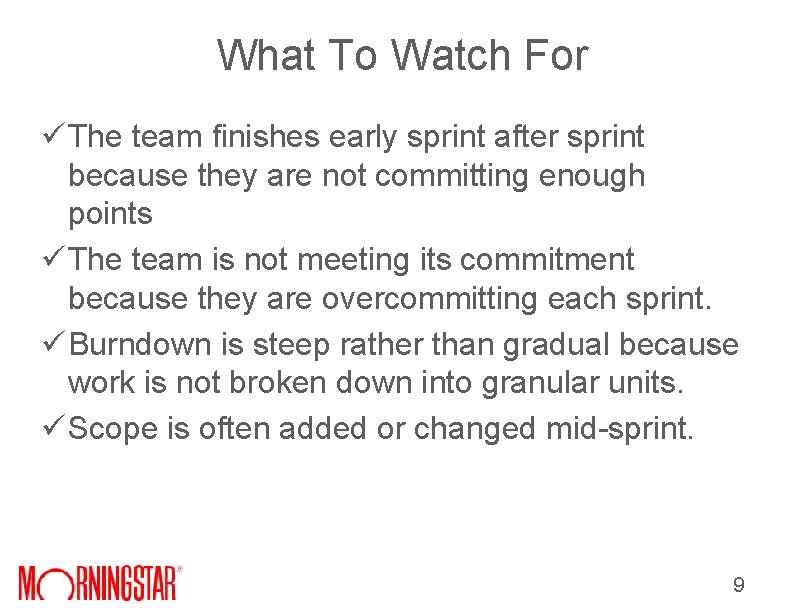
What To Watch For ü The team finishes early sprint after sprint because they are not committing enough points ü The team is not meeting its commitment because they are overcommitting each sprint. ü Burndown is steep rather than gradual because work is not broken down into granular units. ü Scope is often added or changed mid-sprint. 9
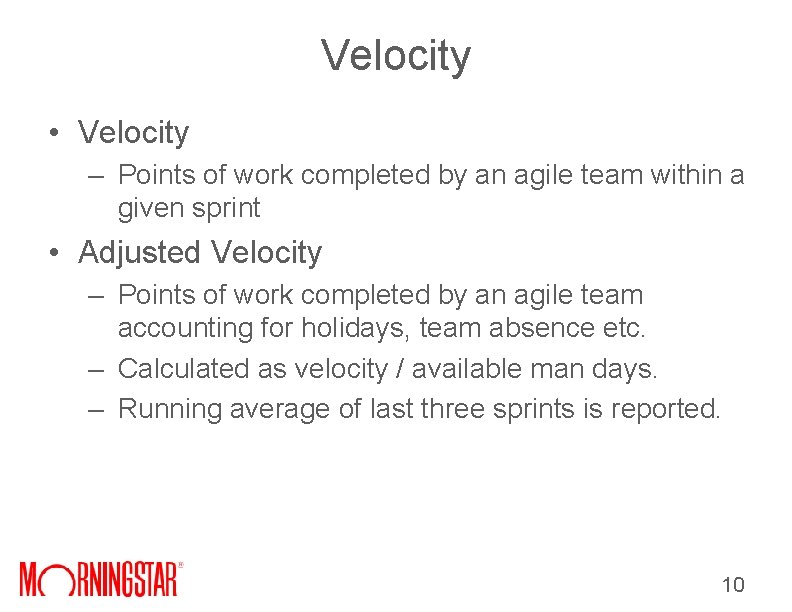
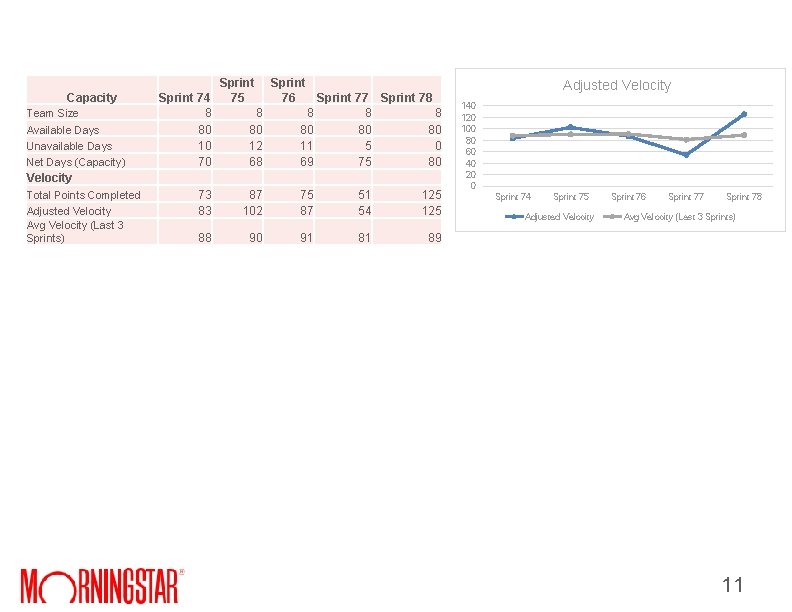
Velocity • Velocity – Points of work completed by an agile team within a given sprint • Adjusted Velocity – Points of work completed by an agile team accounting for holidays, team absence etc. – Calculated as velocity / available man days. – Running average of last three sprints is reported. 10
Capacity Team Size Available Days Unavailable Days Net Days (Capacity) Velocity Total Points Completed Adjusted Velocity Avg Velocity (Last 3 Sprints) Sprint 74 8 80 10 70 73 83 88 Sprint 75 76 Sprint 77 Sprint 78 8 8 80 80 12 11 5 0 68 69 75 80 87 75 51 125 102 87 54 125 90 91 81 Adjusted Velocity 140 120 100 80 60 40 20 0 Sprint 74 Sprint 75 Adjusted Velocity Sprint 76 Sprint 77 Sprint 78 Avg Velocity (Last 3 Sprints) 89 11
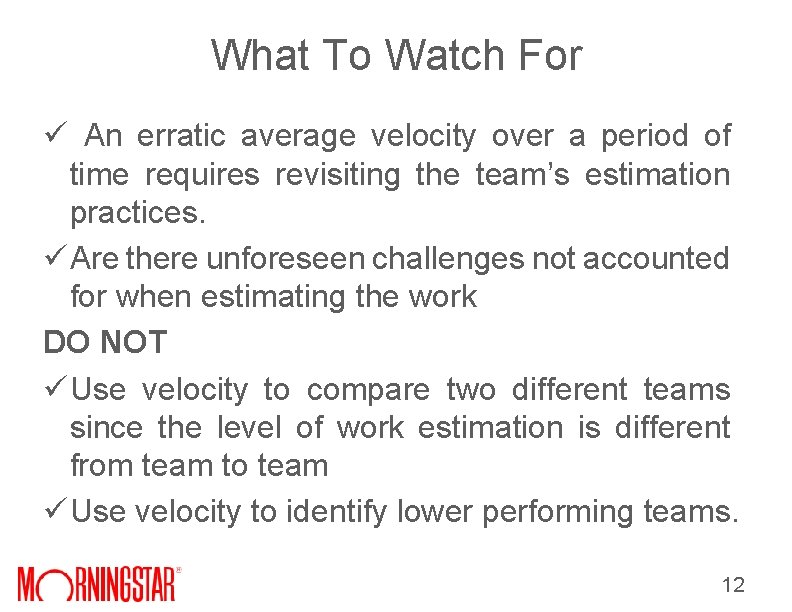
What To Watch For ü An erratic average velocity over a period of time requires revisiting the team’s estimation practices. ü Are there unforeseen challenges not accounted for when estimating the work DO NOT ü Use velocity to compare two different teams since the level of work estimation is different from team to team ü Use velocity to identify lower performing teams. 12
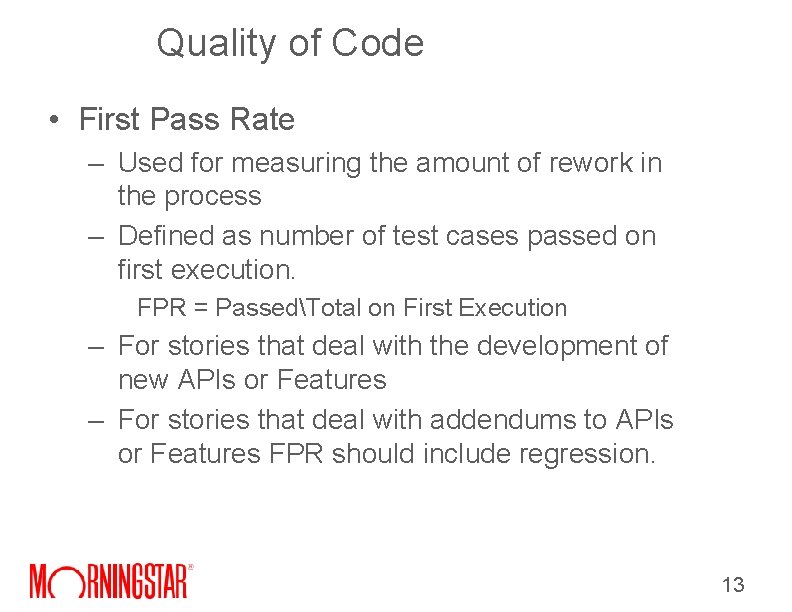
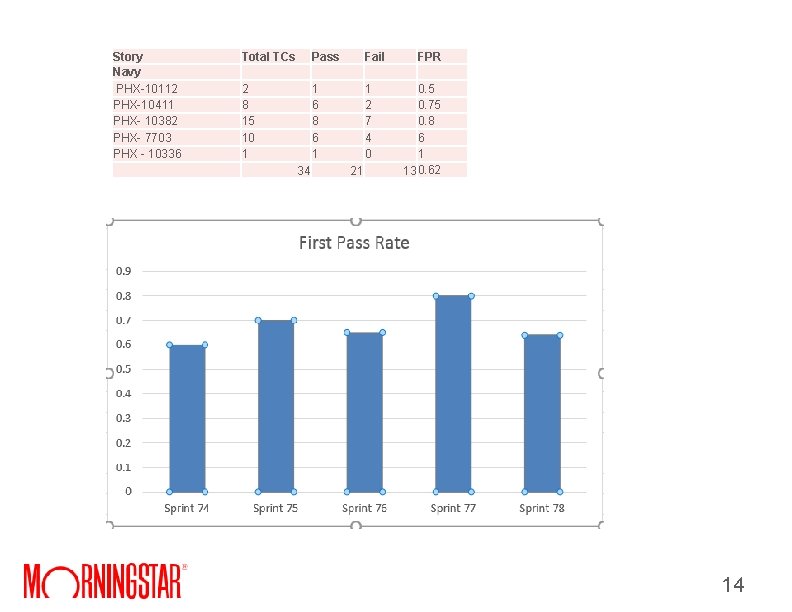
Quality of Code • First Pass Rate – Used for measuring the amount of rework in the process – Defined as number of test cases passed on first execution. FPR = PassedTotal on First Execution – For stories that deal with the development of new APIs or Features – For stories that deal with addendums to APIs or Features FPR should include regression. 13
Story Navy PHX-10112 PHX-10411 PHX- 10382 PHX- 7703 PHX - 10336 Total TCs 2 8 15 10 1 Pass 1 6 8 6 1 34 Fail 1 2 7 4 0 21 FPR 0. 5 0. 75 0. 8 6 1 13 0. 62 14
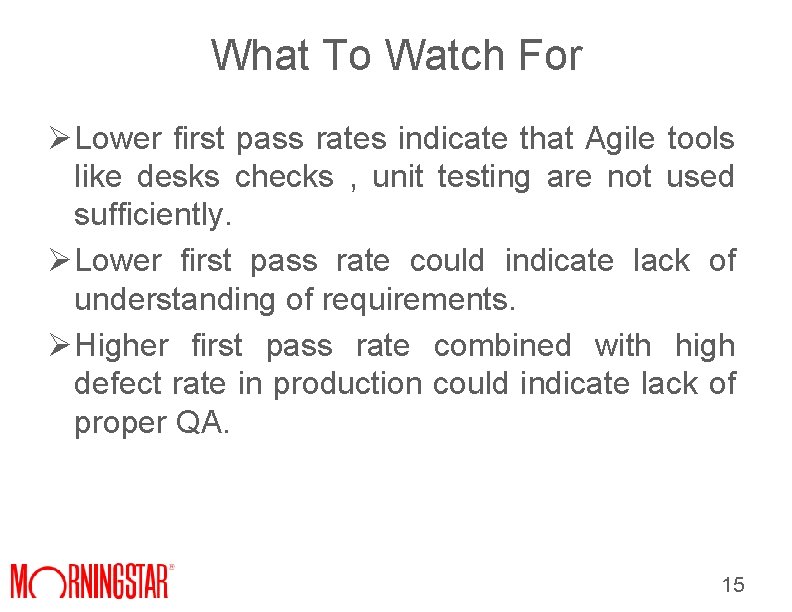
What To Watch For Ø Lower first pass rates indicate that Agile tools like desks checks , unit testing are not used sufficiently. Ø Lower first pass rate could indicate lack of understanding of requirements. Ø Higher first pass rate combined with high defect rate in production could indicate lack of proper QA. 15
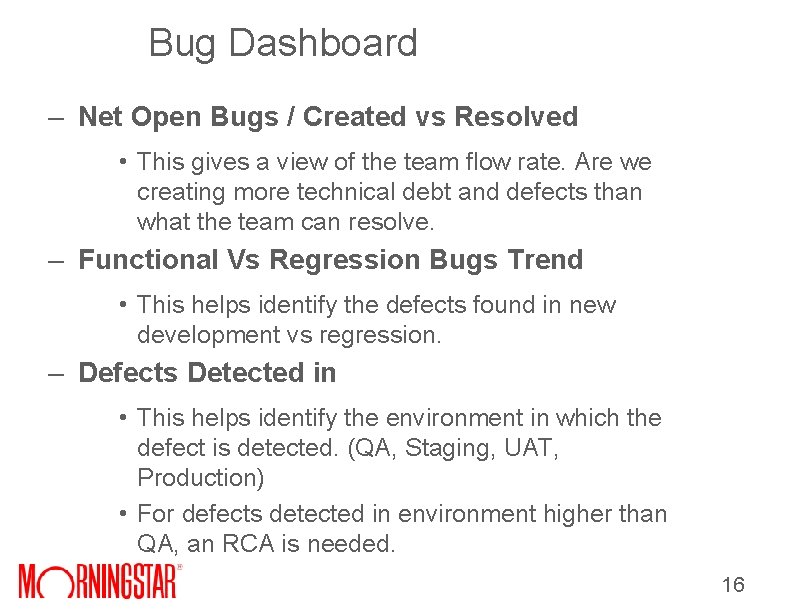
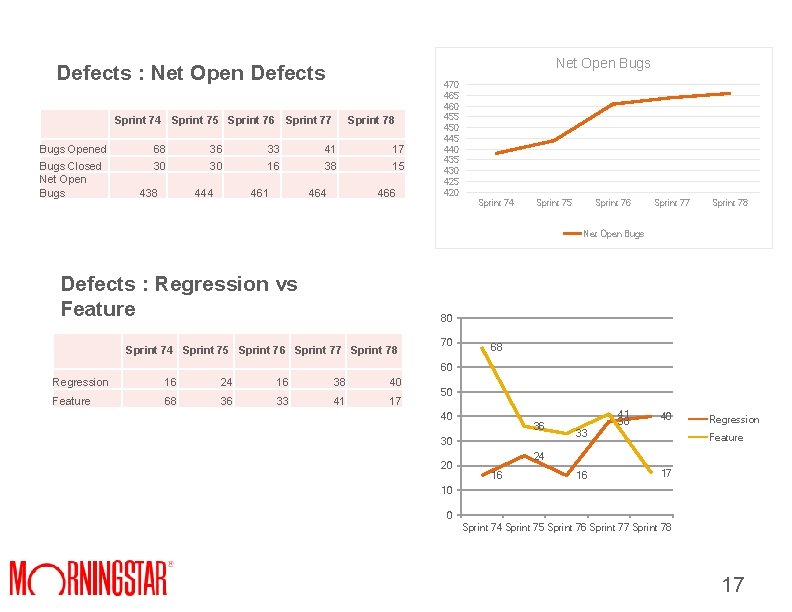
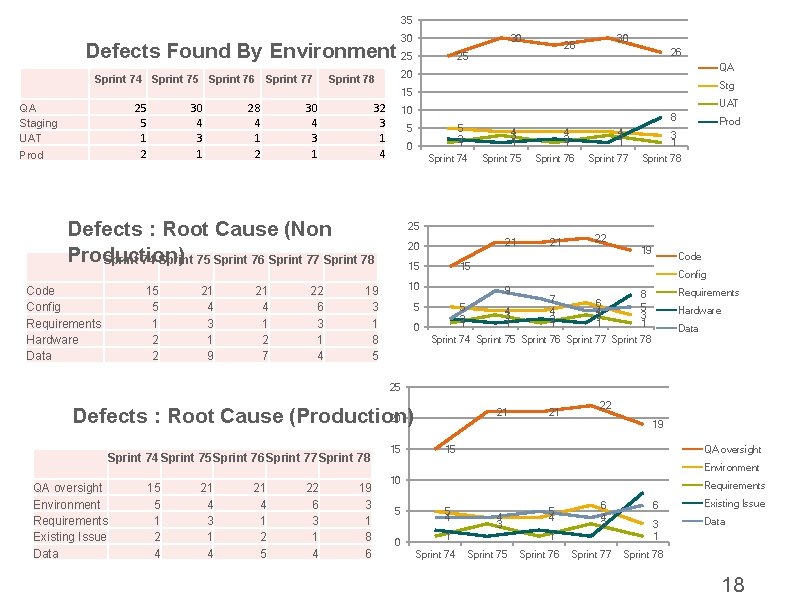
Bug Dashboard – Net Open Bugs / Created vs Resolved • This gives a view of the team flow rate. Are we creating more technical debt and defects than what the team can resolve. – Functional Vs Regression Bugs Trend • This helps identify the defects found in new development vs regression. – Defects Detected in • This helps identify the environment in which the defect is detected. (QA, Staging, UAT, Production) • For defects detected in environment higher than QA, an RCA is needed. 16
Net Open Bugs Defects : Net Open Defects Sprint 74 Sprint 75 Sprint 76 Sprint 77 Sprint 78 17 15 Bugs Opened 68 36 33 41 Bugs Closed 30 30 16 38 Net Open Bugs 438 444 461 464 466 470 465 460 455 450 445 440 435 430 425 420 Sprint 74 Sprint 75 Sprint 76 Sprint 77 Sprint 78 Net Open Bugs Defects : Regression vs Feature 80 Sprint 74 Sprint 75 Sprint 76 Sprint 77 Sprint 78 Regression 16 24 16 38 40 Feature 68 36 33 41 17 70 68 60 50 40 36 30 20 41 38 40 33 Regression Feature 24 16 16 17 10 0 Sprint 74 Sprint 75 Sprint 76 Sprint 77 Sprint 78 17
35 30 30 Defects Found By Environment 25 Sprint 74 Sprint 75 Sprint 76 Sprint 77 QA Staging UAT Prod 25 5 1 2 30 4 3 1 28 4 1 2 15 5 1 2 2 21 4 3 1 9 21 4 1 2 7 22 6 3 1 4 26 QA Stg 15 32 3 1 4 UAT 10 5 8 5 2 1 0 4 3 1 Sprint 74 Defects : Root Cause (Non Production) Sprint 74 Sprint 75 Sprint 76 Sprint 77 Sprint 78 Code Config Requirements Hardware Data 25 20 Sprint 78 30 4 3 1 30 28 4 2 1 Sprint 75 4 3 1 Sprint 76 Prod 3 1 Sprint 77 Sprint 78 25 21 20 15 22 19 Code 15 Config 10 19 3 1 8 5 21 9 5 5 2 1 0 4 3 1 7 4 2 1 6 4 3 1 Requirements 8 5 3 1 Hardware Data Sprint 74 Sprint 75 Sprint 76 Sprint 77 Sprint 78 25 20 Defects : Root Cause (Production) Sprint 74 Sprint 75 Sprint 76 Sprint 77 Sprint 78 QA oversight 15 21 21 22 19 Environment 5 4 4 6 3 Requirements 1 3 1 Existing Issue 2 1 8 Data 4 4 5 4 6 15 21 21 22 19 15 QA oversight Environment 10 5 0 Requirements 5 4 4 3 1 Sprint 74 5 4 6 4 3 1 Sprint 75 Sprint 76 Sprint 77 6 Existing Issue 3 1 Data Sprint 78 18
What To Watch For Ø An increase in regression bug count indicates the impact of code refactoring. Ø An increase bug count in non-QA environment due to environment differences requires revisiting the environment strategy. Ø An increase bug count in non-QA environment due to QA oversight requires revisiting the testing strategy. 19
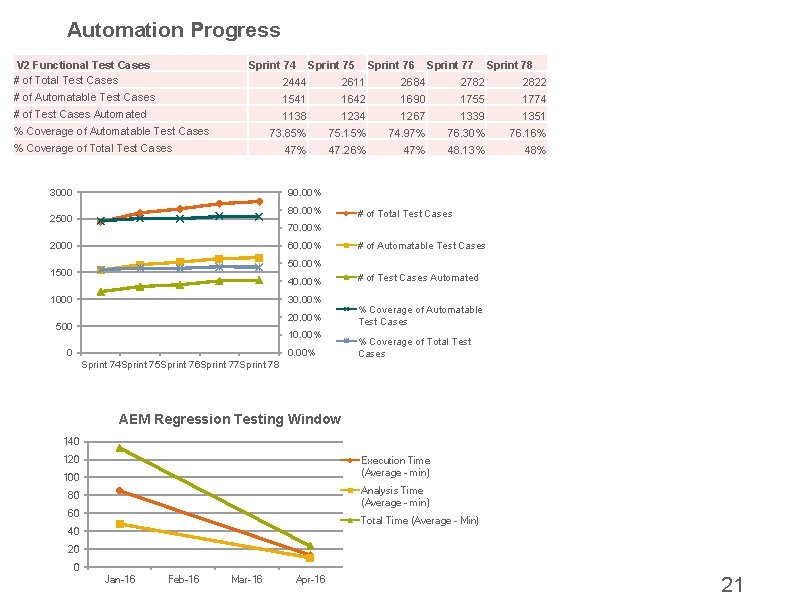
Automation • Number of automated test cases – Percentage of automated test cases as part of total automation candidates – Percentage of automated test cases as part of total test cases – Can be reported separately for API , Functional , Migration testing • Defects Found by Automation – Number of defects found via automation and manual testing 20
Automation Progress V 2 Functional Test Cases # of Total Test Cases Sprint 74 Sprint 75 Sprint 76 Sprint 77 Sprint 78 2444 2611 2684 2782 2822 # of Automatable Test Cases 1541 1642 1690 1755 1774 # of Test Cases Automated 1138 1234 1267 1339 1351 73. 85% 75. 15% 74. 97% 76. 30% 76. 16% 47. 26% 47% 48. 13% 48% % Coverage of Automatable Test Cases % Coverage of Total Test Cases 3000 90. 00% 80. 00% 2500 # of Total Test Cases 70. 00% 2000 60. 00% # of Automatable Test Cases 50. 00% 1500 40. 00% 1000 30. 00% 20. 00% 500 10. 00% 0 0. 00% # of Test Cases Automated % Coverage of Automatable Test Cases % Coverage of Total Test Cases Sprint 74 Sprint 75 Sprint 76 Sprint 77 Sprint 78 AEM Regression Testing Window 140 120 Execution Time (Average - min) 100 Analysis Time (Average - min) 80 60 Total Time (Average - Min) 40 20 0 Jan-16 Feb-16 Mar-16 Apr-16 21
What to watch for Ø A decrease in automation coverage could indicate that a lot of automation capacity is being spent in script maintenance. Ø The coverage helps in identifying the percentage of application that can be effectively monitored and regressed on a recurring basis 22
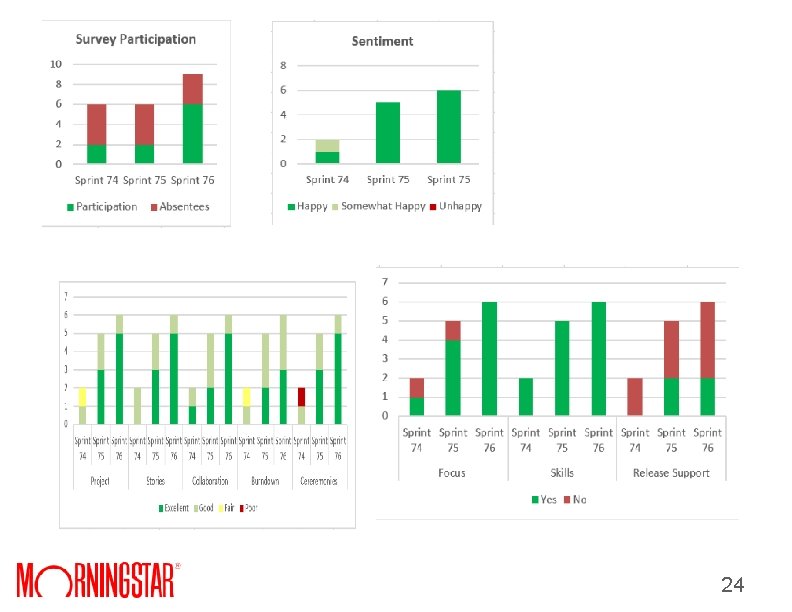
Team Sentiments • Survey questions distributed to Agile Teams – Team members are anonymously asked to rate on a scale of 1 to 10 on questions pertinent to the project. Example of question include but are not limited to • Understanding of the vision of the project • Quality of the user stories • Collaboration between team members – Responses are tabulated and shared with the team – Trends are noted over time to identify teams alignment with the company and project vision and general satisfaction with the project and 23
24
Thank You!! • • • Questions Prachi Maini prachi. maini@morningstar. com pmaini@gmail. com https: //www. linkedin. com/in/prachimaini Phone: 630 -818 -6472 25