Advanced Topics for Altiris Deployment Server 6 X
- Slides: 31
Advanced Topics for Altiris Deployment Server 6. X Baltimore Altiris User Group Mercy Health Services
Introduction • Mercy Health Services • Integrating Altiris solutions for 6 years • Tyson Rydl, Sr. Systems Engineer • 6 years of Altiris Solution Implementations • Aiding in hot fix and service pack generation • • • • • • • • • • • • • • • • • • •
Today’s Topic Altiris Deployment Server 6. x • Overview of Deployment Server – It’s a tool box • Variable Replacement • Replication – Duplicate what works • Troubleshooting – It broke, now what? • How Mercy Does This • • • • • • • • • • • • • • • • • • •
Deployment Server Overview • Imaging – Workstations – Servers • Application Distribution – MSI and EXE – Scripts • Remote Control • “Lite” Inventory • Migration Helper • • • • • • • • • • • • • • • • • • •
Deployment Server Overview (Cont) • Database – SQL based for easy interaction • Console – Job Creation and Execution – Allows disjoint access • Agents – Platform Agnostic • System Developers Kit • Web Services • • • • • • • • • • • • • • • • • • •
Taking the plunge Deep Dive • Variable Replacement – Tokens • Replication – Duplicating Jobs – Copy the Library – PXE • Troubleshooting – Where to look • Mercy Health Services • • • • • • • • • • • • • • • • • • •
Variable Replacement Tokens • Deployment Server Specific Tags – Based on gathered database values – Use SQL Server Management Studio for discovery – Canned or customized • Useful in – Answer Files – Deployment Server jobs, tasks, and conditions • Require – Knowing where to look – How to use them • • • • • • • • • • • • • • • • • • •
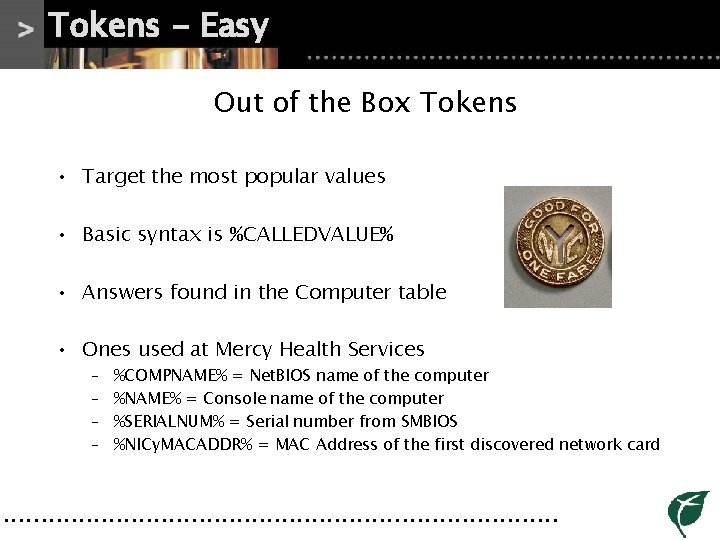
Tokens - Easy Out of the Box Tokens • Target the most popular values • Basic syntax is %CALLEDVALUE% • Answers found in the Computer table • Ones used at Mercy Health Services – – %COMPNAME% = Net. BIOS name of the computer %NAME% = Console name of the computer %SERIALNUM% = Serial number from SMBIOS %NICy. MACADDR% = MAC Address of the first discovered network card • • • • • • • • • • • • • • • • • • •
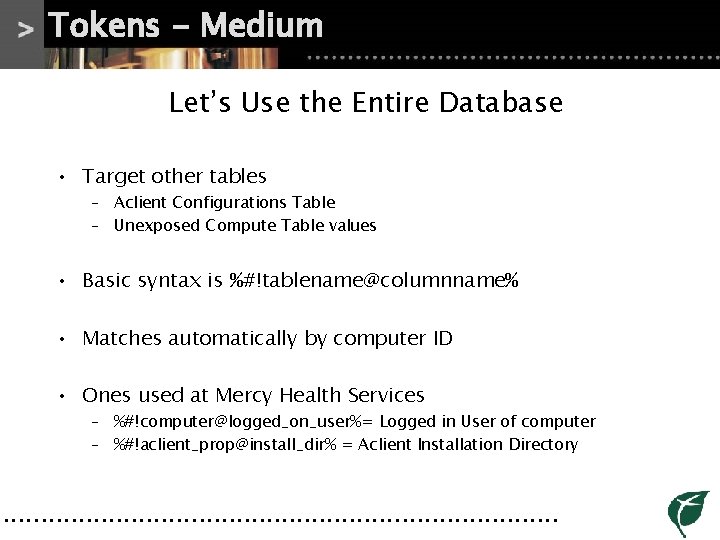
Tokens - Medium Let’s Use the Entire Database • Target other tables – Aclient Configurations Table – Unexposed Compute Table values • Basic syntax is %#!tablename@columnname% • Matches automatically by computer ID • Ones used at Mercy Health Services – %#!computer@logged_on_user%= Logged in User of computer – %#!aclient_prop@install_dir% = Aclient Installation Directory • • • • • • • • • • • • • • • • • • •
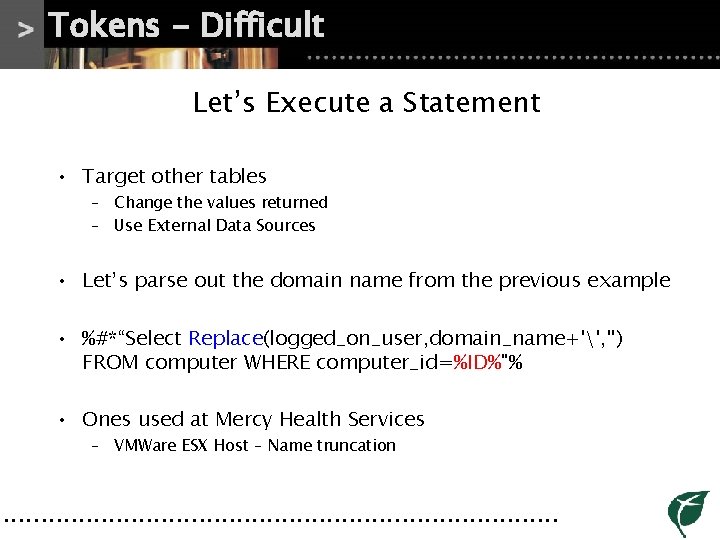
Tokens - Difficult Let’s Execute a Statement • Target other tables – Change the values returned – Use External Data Sources • Let’s parse out the domain name from the previous example • %#*“Select Replace(logged_on_user, domain_name+'', '') FROM computer WHERE computer_id=%ID%"% • Ones used at Mercy Health Services – VMWare ESX Host – Name truncation • • • • • • • • • • • • • • • • • • •
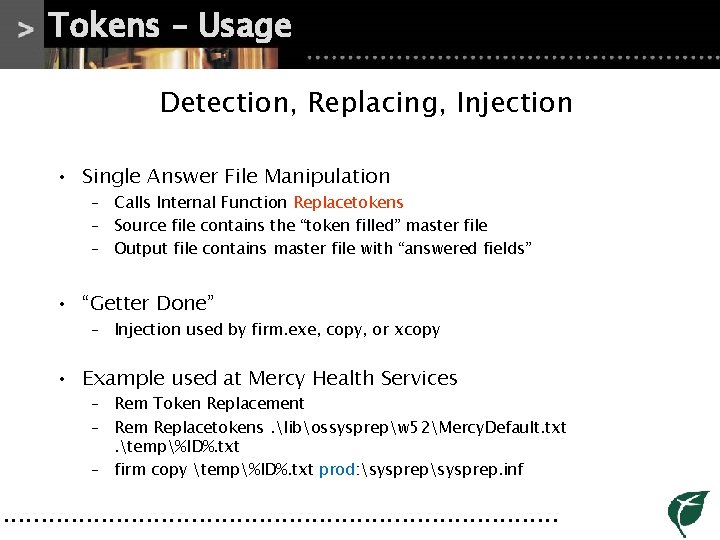
Tokens – Usage Detection, Replacing, Injection • Single Answer File Manipulation – Calls Internal Function Replacetokens – Source file contains the “token filled” master file – Output file contains master file with “answered fields” • “Getter Done” – Injection used by firm. exe, copy, or xcopy • Example used at Mercy Health Services – Rem Token Replacement – Rem Replacetokens. libossysprepw 52Mercy. Default. txt. temp%ID%. txt – firm copy temp%ID%. txt prod: sysprep. inf • • • • • • • • • • • • • • • • • • •
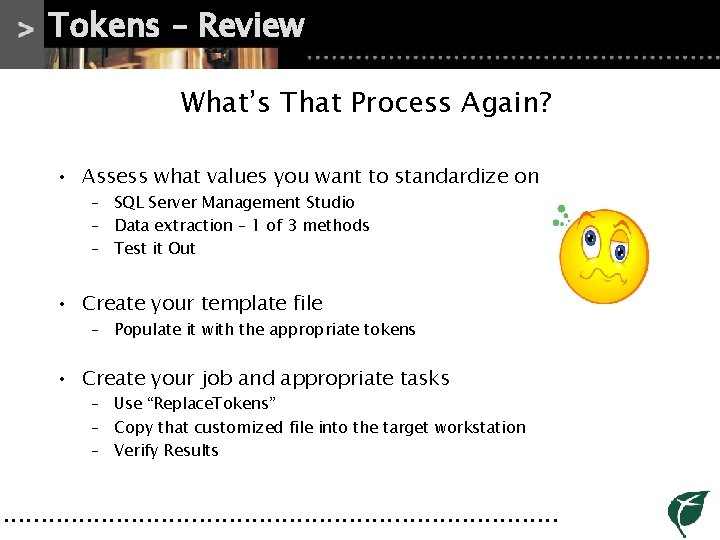
Tokens – Review What’s That Process Again? • Assess what values you want to standardize on – SQL Server Management Studio – Data extraction – 1 of 3 methods – Test it Out • Create your template file – Populate it with the appropriate tokens • Create your job and appropriate tasks – Use “Replace. Tokens” – Copy that customized file into the target workstation – Verify Results • • • • • • • • • • • • • • • • • • •
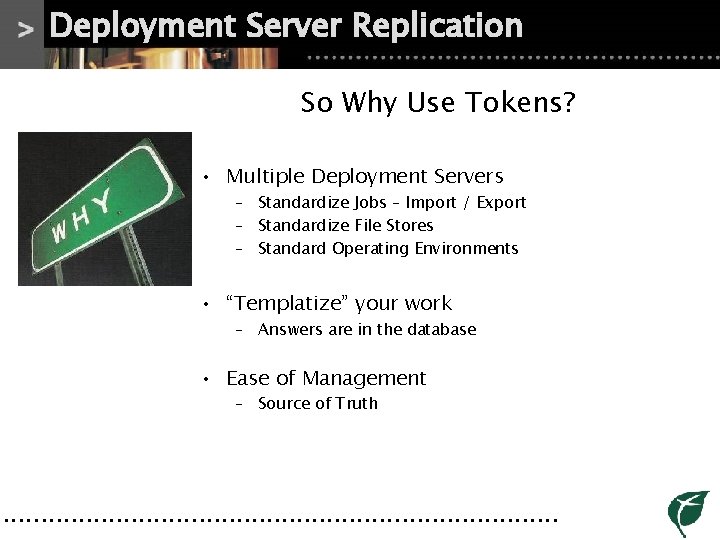
Deployment Server Replication So Why Use Tokens? • Multiple Deployment Servers – Standardize Jobs – Import / Export – Standardize File Stores – Standard Operating Environments • “Templatize” your work – Answers are in the database • Ease of Management – Source of Truth • • • • • • • • • • • • • • • • • • •
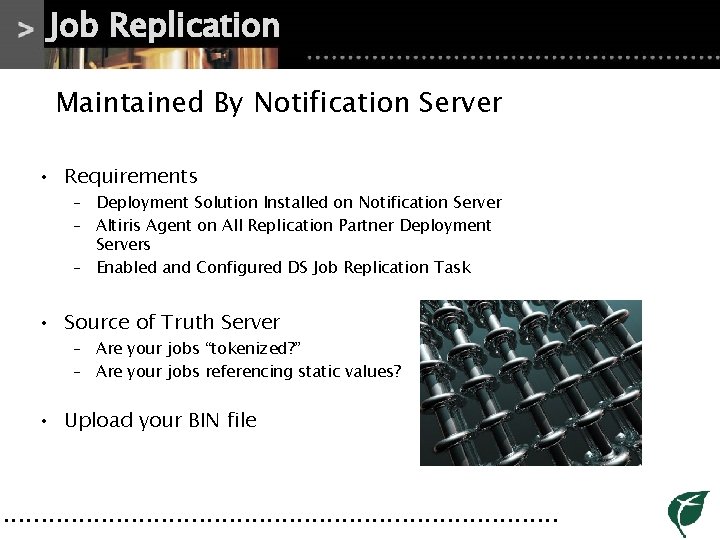
Job Replication Maintained By Notification Server • Requirements – Deployment Solution Installed on Notification Server – Altiris Agent on All Replication Partner Deployment Servers – Enabled and Configured DS Job Replication Task • Source of Truth Server – Are your jobs “tokenized? ” – Are your jobs referencing static values? • Upload your BIN file • • • • • • • • • • • • • • • • • • •
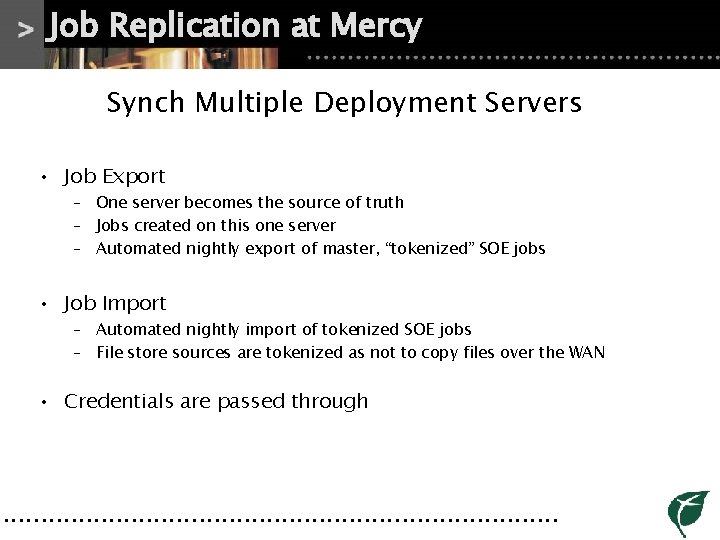
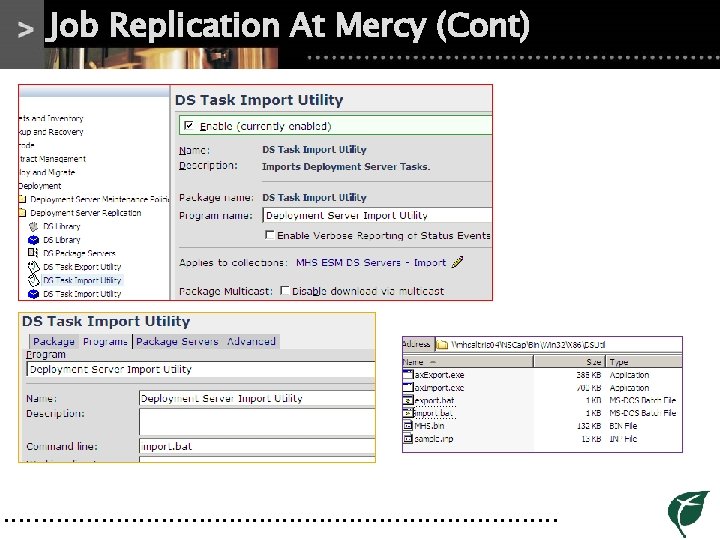
Job Replication at Mercy Synch Multiple Deployment Servers • Job Export – One server becomes the source of truth – Jobs created on this one server – Automated nightly export of master, “tokenized” SOE jobs • Job Import – Automated nightly import of tokenized SOE jobs – File store sources are tokenized as not to copy files over the WAN • Credentials are passed through • • • • • • • • • • • • • • • • • • •
Library Replication Synch Your Relevant Files • Based off the Notification Server Package Server Framework • Images and Applications – Distribution becomes throttled with checkpoint recovery – Version Control – Use Tokens as location variables • Standardize your Image shares for the automation environments • • • • • • • • • • • • • • • • • • •
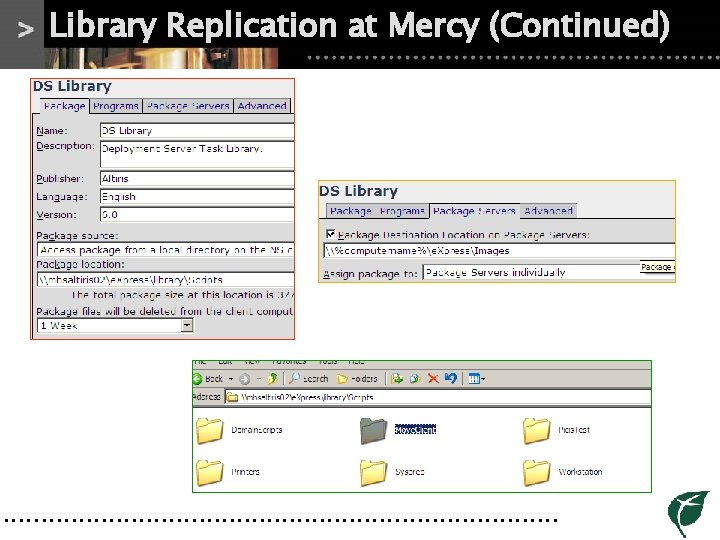
Library Replication at Mercy Synching Our Scripts • Only Migrating Our Script Repository • Quantity of Deployment Server Sites – Reduces need to replicate images and application – Space situations at remote sites limit amount to be replicated • We replicate what becomes “tokenized” – Replacetokens does not work over UNC paths • • • • • • • • • • • • • • • • • • •
PXE Redirection - Lite Remote Site Imaging • Centralized Deployment Server • • Remote Site PXE servers to provide automation environments Generally configured on a Package Server • Job Execution Process Flow – Central Deployment Server Executes Job – Remote PXE server offers automation environments – Upon automation environment load, client connects to central DS • Leverages – Library Replication – “Tokenized” Jobs • • • • • • • • • • • • • • • • • • •
Extended Function Review Replication, Distribution, and Tokens • Deployment Server Job Replication • • Leverage Notification Server and Command Line tools Uses a Parent – Child Relationship • Deployment Server Library Replication – Centralized File Store to be Duplicated – Version Control Your Application and Images • Deployment Server PXE Redirection – Remote Site Imaging • • • • • • • • • • • • • • • • • • •
Troubleshooting Coming up for air … • Isolation • • SQL Database Review Is my variable call correct? • Job Execution – Client Log Viewing – Server Log Viewing – Test Job Execution • • • • • • • • • • • • • • • • • • •
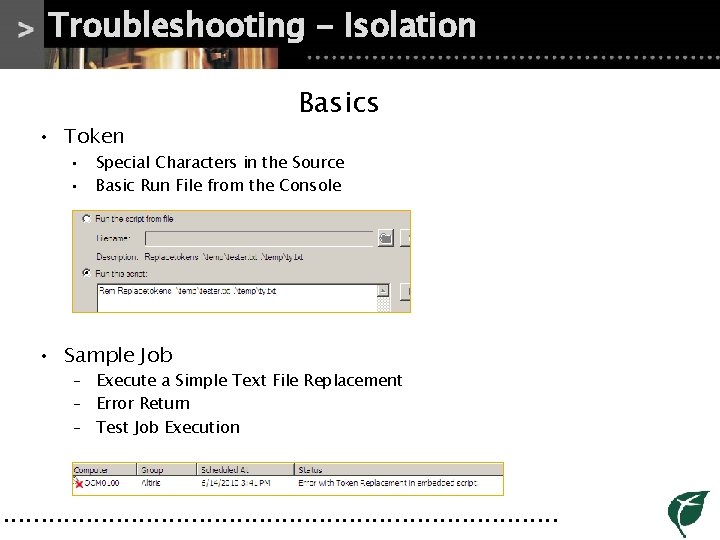
Troubleshooting - Isolation • Token • • Basics Special Characters in the Source Basic Run File from the Console • Sample Job – Execute a Simple Text File Replacement – Error Return – Test Job Execution • • • • • • • • • • • • • • • • • • •
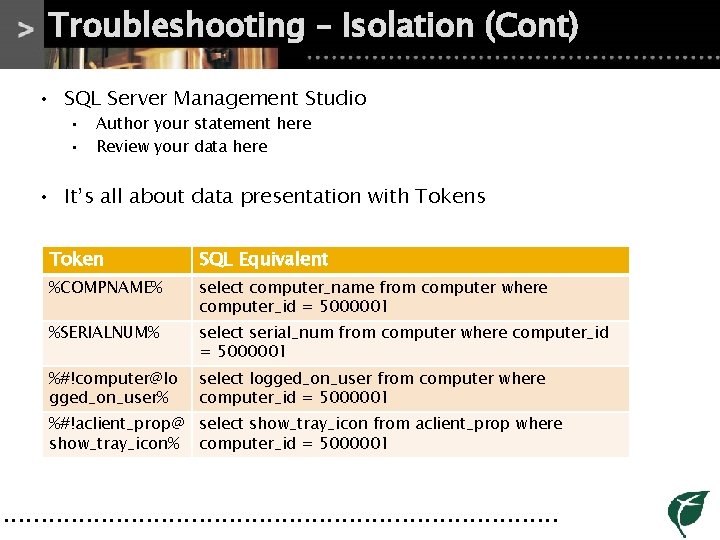
Troubleshooting – Isolation (Cont) • SQL Server Management Studio • • Author your statement here Review your data here • It’s all about data presentation with Tokens Token SQL Equivalent %COMPNAME% select computer_name from computer where computer_id = 5000001 %SERIALNUM% select serial_num from computer where computer_id = 5000001 %#!computer@lo gged_on_user% select logged_on_user from computer where computer_id = 5000001 %#!aclient_prop@ select show_tray_icon from aclient_prop where show_tray_icon% computer_id = 5000001 • • • • • • • • • • • • • • • • • • •
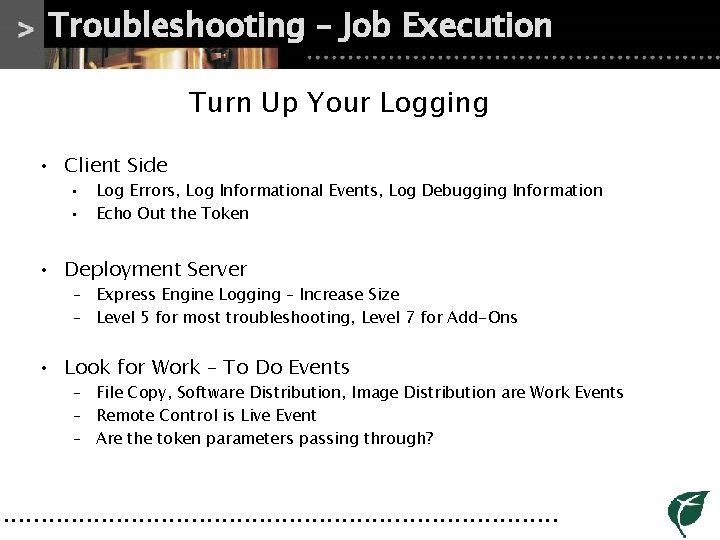
Troubleshooting – Job Execution Turn Up Your Logging • Client Side • • Log Errors, Log Informational Events, Log Debugging Information Echo Out the Token • Deployment Server – Express Engine Logging – Increase Size – Level 5 for most troubleshooting, Level 7 for Add-Ons • Look for Work – To Do Events – File Copy, Software Distribution, Image Distribution are Work Events – Remote Control is Live Event – Are the token parameters passing through? • • • • • • • • • • • • • • • • • • •
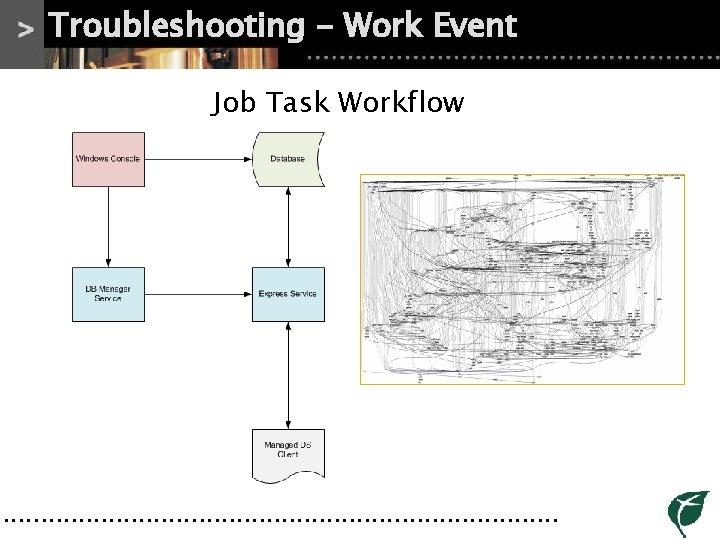
Troubleshooting - Work Event Job Task Workflow • • • • • • • • • • • • • • • • • • •
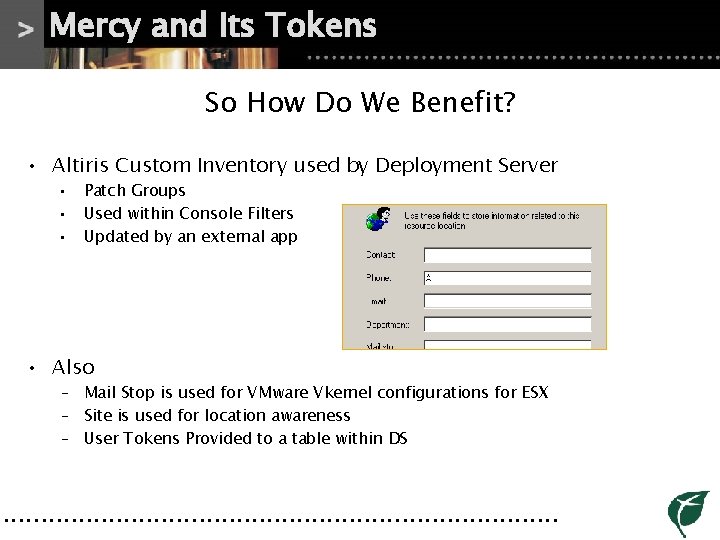
Mercy and Its Tokens So How Do We Benefit? • Altiris Custom Inventory used by Deployment Server • • • Patch Groups Used within Console Filters Updated by an external app • Also – Mail Stop is used for VMware Vkernel configurations for ESX – Site is used for location awareness – User Tokens Provided to a table within DS • • • • • • • • • • • • • • • • • • •
Mercy and Its Tokens (Cont) So How Do We Benefit? • Synchronized Staging Environments • • 1 Parent Deployment Server Several Child Deployment Servers • Standardized Deployment Environments – Replicated Scripts Library • Tokenized Answer Files – Simplified file source paths for images and setup files – All “answers” stored within the database • • • • • • • • • • • • • • • • • • •
You can start too Great, so where do I begin? • Assess your environment • • • Do I need to support a single “answer” file? Do I maintain a distributed DS architecture? Am I targeting application, images, both? • Test and verify your results • Look for Help – http: //kb. altiris. com – http: //www. symantec. com/connect – http: //www. altirigos. com • • • • • • • • • • • • • • • • • • •
In Review Deployment Server Tokens and Uses • Simple Overview of the “toolbox” concept • Defined Variables used by Deployment Server • • • Simple to Complex Tokens Uses in Application Uses in Replication • Replications – Job Replication – Library Replication – PXE Redirection • Troubleshooting methodologies and processes • • • • • • • • • • • • • • • • • • •
Thank you Questions and Comments