URI Dialing Unity Connection 10 5 Presenter Isha

- Slides: 28
URI Dialing Unity Connection 10. 5 Presenter – Isha Gautam (igautam) April 2, 2014 © 2014 Cisco and/or its affiliates. All rights reserved. Cisco Confidential 1
Notice The information in this presentation is provided under Non. Disclosure agreement and should be treated as Cisco Confidential. Under no circumstances is this information to be shared further without the express consent of Cisco. Any roadmap item is subject to change at the sole discretion of Cisco, and Cisco will have no liability for delay in the delivery or failure to deliver any of the products or features set forth in this document. © 2014 Cisco and/or its affiliates. All rights reserved. Cisco Confidential 2
ü URI Overview ü URI Dialing support as an Alternate Extension ü URI Provisioning üCUCA and REST API üImport from LDAP Directory üImport from Cisco Unified Communication Manager ü URI for CUC Clients : üVMO üWeb Inbox üCPCA/Media Master ü URI support over Notification Devices ü Call flow ü Troubleshooting © 2014 Cisco and/or its affiliates. All rights reserved. Cisco Confidential 3
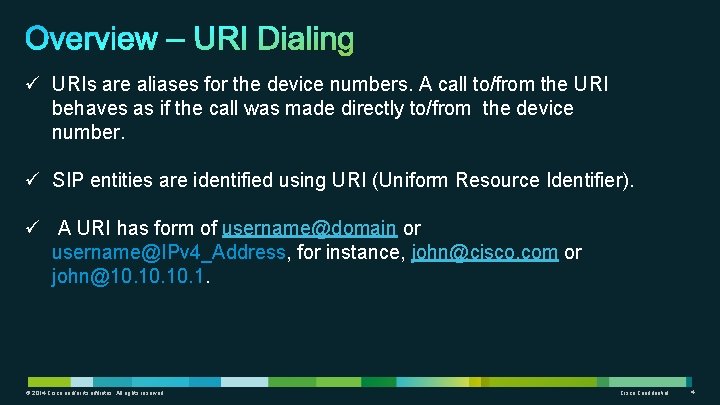
ü URIs are aliases for the device numbers. A call to/from the URI behaves as if the call was made directly to/from the device number. ü SIP entities are identified using URI (Uniform Resource Identifier). ü A URI has form of username@domain or username@IPv 4_Address, for instance, john@cisco. com or john@10. 10. 1. © 2014 Cisco and/or its affiliates. All rights reserved. Cisco Confidential 4
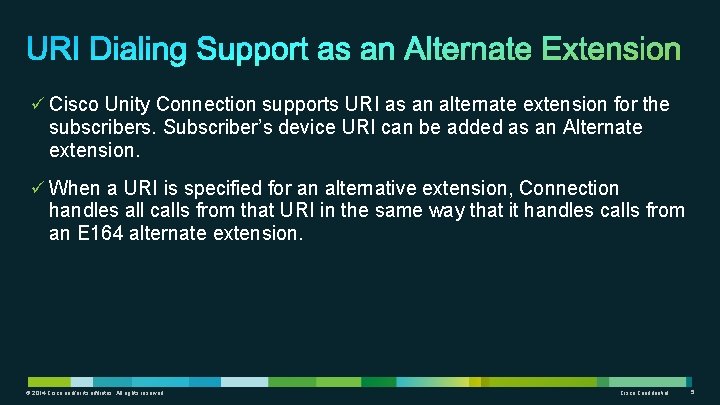
ü Cisco Unity Connection supports URI as an alternate extension for the subscribers. Subscriber’s device URI can be added as an Alternate extension. ü When a URI is specified for an alternative extension, Connection handles all calls from that URI in the same way that it handles calls from an E 164 alternate extension. © 2014 Cisco and/or its affiliates. All rights reserved. Cisco Confidential 5
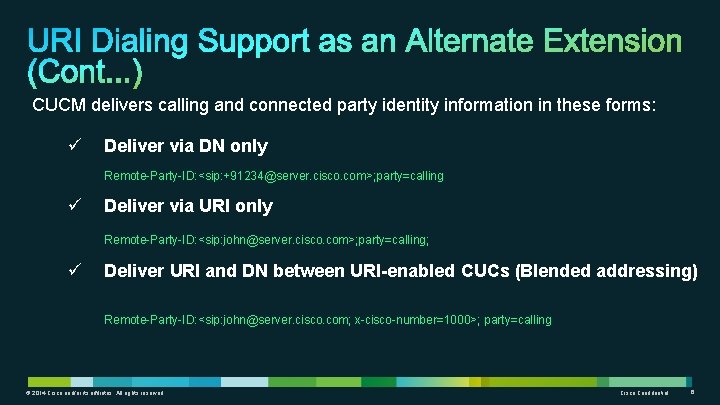
CUCM delivers calling and connected party identity information in these forms: ü Deliver via DN only Remote-Party-ID: <sip: +91234@server. cisco. com>; party=calling ü Deliver via URI only Remote-Party-ID: <sip: john@server. cisco. com>; party=calling; ü Deliver URI and DN between URI-enabled CUCs (Blended addressing) Remote-Party-ID: <sip: john@server. cisco. com; x-cisco-number=1000>; party=calling © 2014 Cisco and/or its affiliates. All rights reserved. Cisco Confidential 6
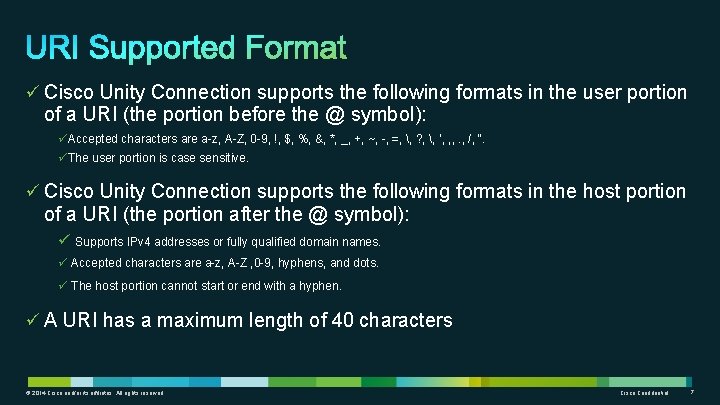
ü Cisco Unity Connection supports the following formats in the user portion of a URI (the portion before the @ symbol): üAccepted characters are a-z, A-Z, 0 -9, !, $, %, &, *, _, +, ~, -, =, , ? , , ‘, , , . , /, “. üThe user portion is case sensitive. ü Cisco Unity Connection supports the following formats in the host portion of a URI (the portion after the @ symbol): ü Supports IPv 4 addresses or fully qualified domain names. ü Accepted characters are a-z, A-Z , 0 -9, hyphens, and dots. ü The host portion cannot start or end with a hyphen. ü A URI has a maximum length of 40 characters © 2014 Cisco and/or its affiliates. All rights reserved. Cisco Confidential 7
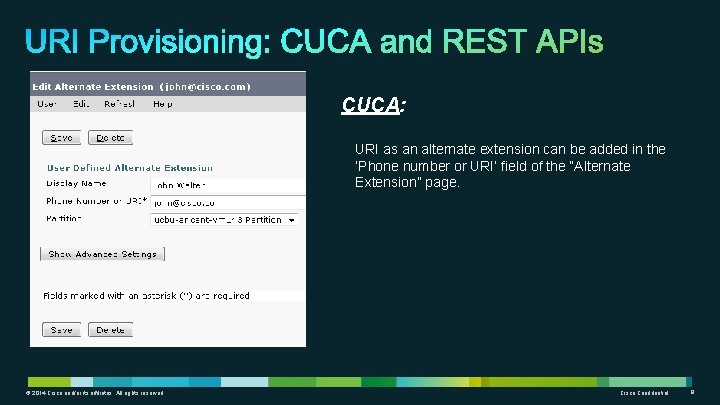
CUCA: URI as an alternate extension can be added in the ‘Phone number or URI’ field of the “Alternate Extension” page. © 2014 Cisco and/or its affiliates. All rights reserved. Cisco Confidential 8
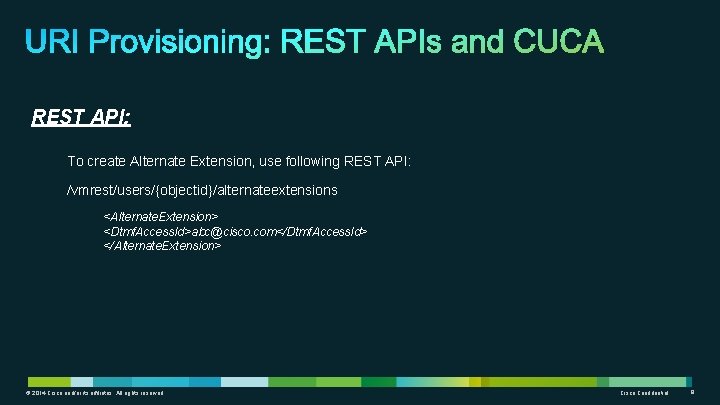
REST API: To create Alternate Extension, use following REST API: /vmrest/users/{objectid}/alternateextensions <Alternate. Extension> <Dtmf. Access. Id>abc@cisco. com</Dtmf. Access. Id> </Alternate. Extension> © 2014 Cisco and/or its affiliates. All rights reserved. Cisco Confidential 9
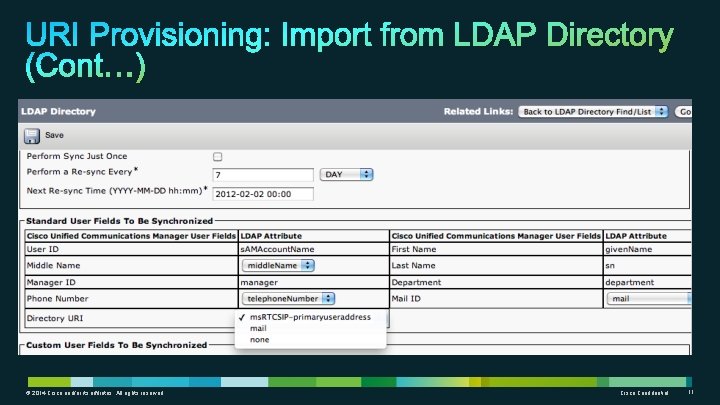
ü LDAP Directory URI field synchronizes with Directory URI on the User Basic page and also as an Alternate extension of the User. ü Directory URI gets synced via LDAP with following settings: ü ms. RTCSIP-primaryuseraddress (in case of Active Directory) ü mail © 2014 Cisco and/or its affiliates. All rights reserved. Cisco Confidential 10
© 2014 Cisco and/or its affiliates. All rights reserved. Cisco Confidential 11
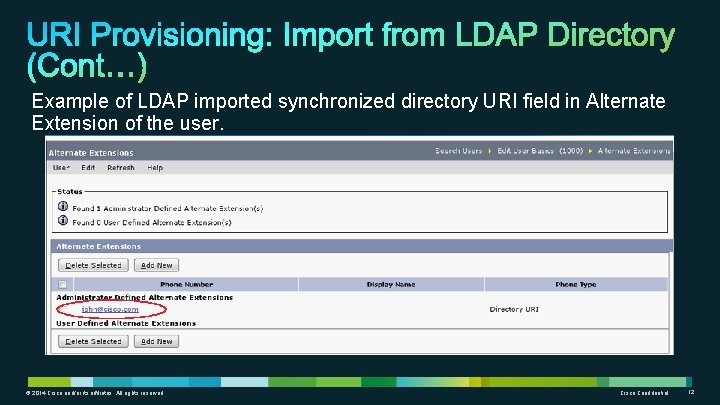
Example of LDAP imported synchronized directory URI field in Alternate Extension of the user. © 2014 Cisco and/or its affiliates. All rights reserved. Cisco Confidential 12
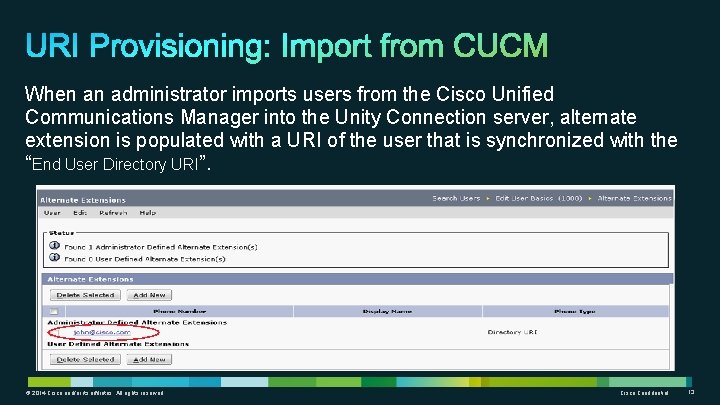
When an administrator imports users from the Cisco Unified Communications Manager into the Unity Connection server, alternate extension is populated with a URI of the user that is synchronized with the “End User Directory URI”. © 2014 Cisco and/or its affiliates. All rights reserved. Cisco Confidential 13
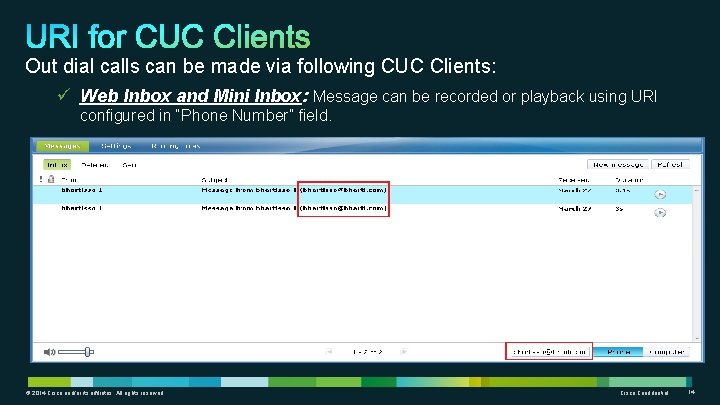
Out dial calls can be made via following CUC Clients: ü Web Inbox and Mini Inbox: Message can be recorded or playback using URI configured in “Phone Number” field. © 2014 Cisco and/or its affiliates. All rights reserved. Cisco Confidential 14
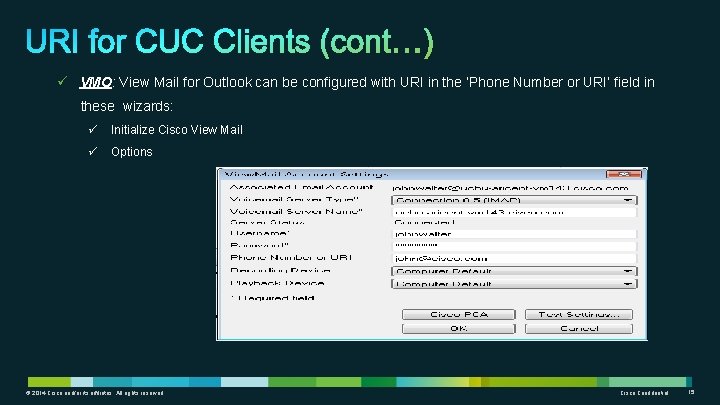
ü VMO: View Mail for Outlook can be configured with URI in the ‘Phone Number or URI’ field in these wizards: ü Initialize Cisco View Mail ü Options © 2014 Cisco and/or its affiliates. All rights reserved. Cisco Confidential 15
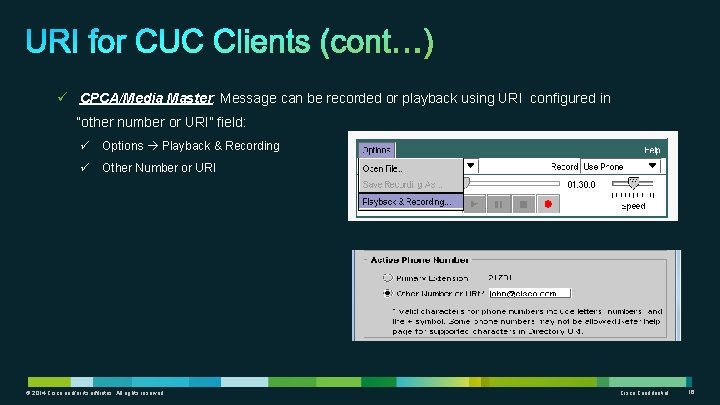
ü CPCA/Media Master: Message can be recorded or playback using URI configured in “other number or URI” field: ü Options Playback & Recording ü Other Number or URI © 2014 Cisco and/or its affiliates. All rights reserved. Cisco Confidential 16
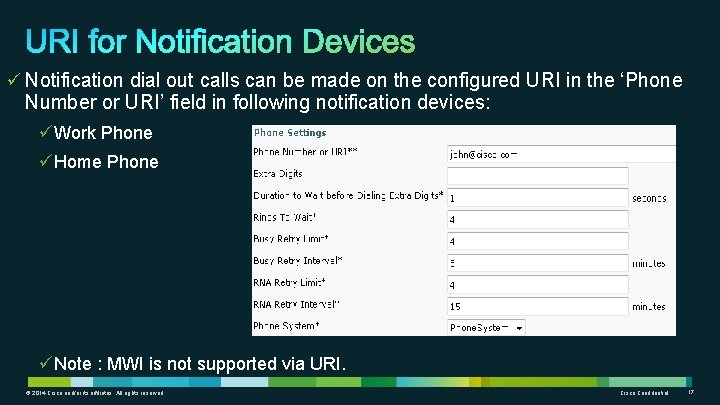
ü Notification dial out calls can be made on the configured URI in the ‘Phone Number or URI’ field in following notification devices: üWork Phone üHome Phone üNote : MWI is not supported via URI. © 2014 Cisco and/or its affiliates. All rights reserved. Cisco Confidential 17
• Alternate Extension URI field can be replicated over HTTPS, Digital and CCI Network to all the remote nodes being on version 10. 5 and above and will not be replicated on nodes with version 10. 0 and below. • This can be used for Cross server Sign In and Cross server transfer. © 2014 Cisco and/or its affiliates. All rights reserved. Cisco Confidential 18
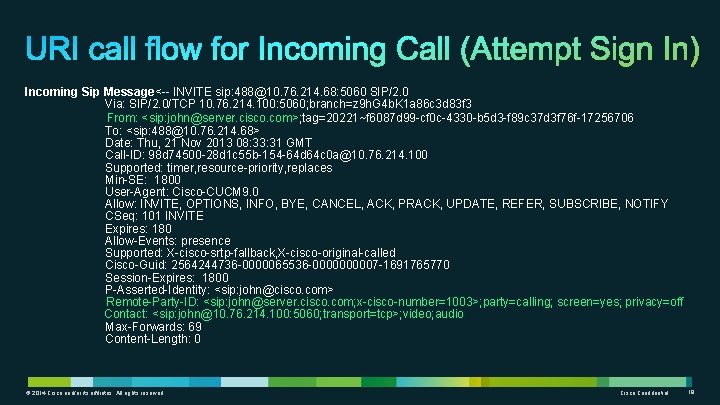
Incoming Sip Message<-- INVITE sip: 488@10. 76. 214. 68: 5060 SIP/2. 0 Via: SIP/2. 0/TCP 10. 76. 214. 100: 5060; branch=z 9 h. G 4 b. K 1 a 86 c 3 d 83 f 3 From: <sip: john@server. cisco. com>; tag=20221~f 6087 d 99 -cf 0 c-4330 -b 5 d 3 -f 89 c 37 d 3 f 76 f-17256706 To: <sip: 488@10. 76. 214. 68> Date: Thu, 21 Nov 2013 08: 33: 31 GMT Call-ID: 98 d 74500 -28 d 1 c 55 b-154 -64 d 64 c 0 a@10. 76. 214. 100 Supported: timer, resource-priority, replaces Min-SE: 1800 User-Agent: Cisco-CUCM 9. 0 Allow: INVITE, OPTIONS, INFO, BYE, CANCEL, ACK, PRACK, UPDATE, REFER, SUBSCRIBE, NOTIFY CSeq: 101 INVITE Expires: 180 Allow-Events: presence Supported: X-cisco-srtp-fallback, X-cisco-original-called Cisco-Guid: 2564244736 -0000065536 -000007 -1691765770 Session-Expires: 1800 P-Asserted-Identity: <sip: john@cisco. com> Remote-Party-ID: <sip: john@server. cisco. com; x-cisco-number=1003>; party=calling; screen=yes; privacy=off Contact: <sip: john@10. 76. 214. 100: 5060; transport=tcp>; video; audio Max-Forwards: 69 Content-Length: 0 © 2014 Cisco and/or its affiliates. All rights reserved. Cisco Confidential 19
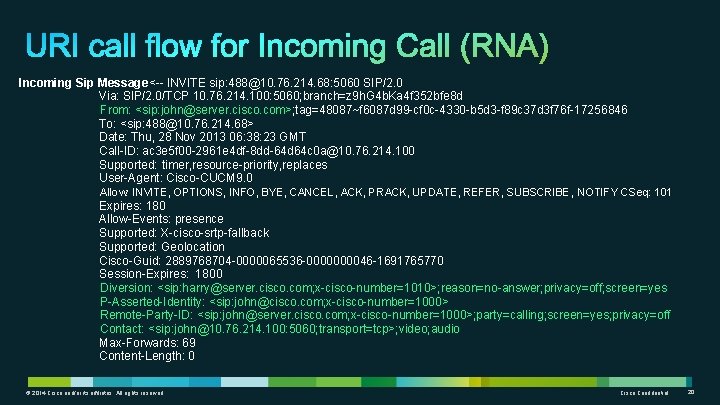
Incoming Sip Message<-- INVITE sip: 488@10. 76. 214. 68: 5060 SIP/2. 0 Via: SIP/2. 0/TCP 10. 76. 214. 100: 5060; branch=z 9 h. G 4 b. Ka 4 f 352 bfe 8 d From: <sip: john@server. cisco. com>; tag=48087~f 6087 d 99 -cf 0 c-4330 -b 5 d 3 -f 89 c 37 d 3 f 76 f-17256846 To: <sip: 488@10. 76. 214. 68> Date: Thu, 28 Nov 2013 06: 38: 23 GMT Call-ID: ac 3 e 5 f 00 -2961 e 4 df-8 dd-64 d 64 c 0 a@10. 76. 214. 100 Supported: timer, resource-priority, replaces User-Agent: Cisco-CUCM 9. 0 Allow: INVITE, OPTIONS, INFO, BYE, CANCEL, ACK, PRACK, UPDATE, REFER, SUBSCRIBE, NOTIFY CSeq: 101 Expires: 180 Allow-Events: presence Supported: X-cisco-srtp-fallback Supported: Geolocation Cisco-Guid: 2889768704 -0000065536 -000046 -1691765770 Session-Expires: 1800 Diversion: <sip: harry@server. cisco. com; x-cisco-number=1010>; reason=no-answer; privacy=off; screen=yes P-Asserted-Identity: <sip: john@cisco. com; x-cisco-number=1000> Remote-Party-ID: <sip: john@server. cisco. com; x-cisco-number=1000>; party=calling; screen=yes; privacy=off Contact: <sip: john@10. 76. 214. 100: 5060; transport=tcp>; video; audio Max-Forwards: 69 Content-Length: 0 © 2014 Cisco and/or its affiliates. All rights reserved. Cisco Confidential 20
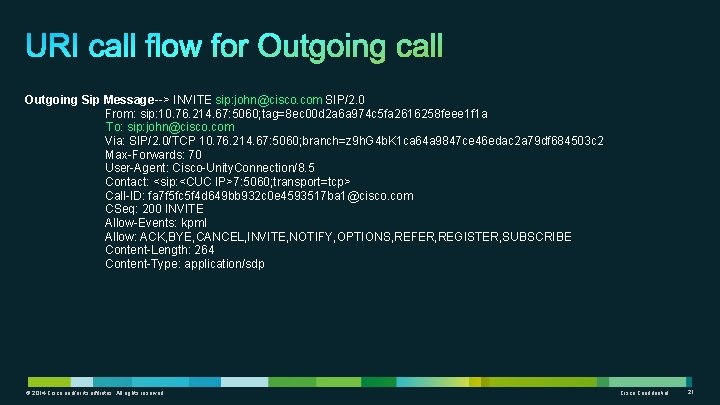
Outgoing Sip Message--> INVITE sip: john@cisco. com SIP/2. 0 From: sip: 10. 76. 214. 67: 5060; tag=8 ec 00 d 2 a 6 a 974 c 5 fa 2616258 feee 1 f 1 a To: sip: john@cisco. com Via: SIP/2. 0/TCP 10. 76. 214. 67: 5060; branch=z 9 h. G 4 b. K 1 ca 64 a 9847 ce 46 edac 2 a 79 df 684503 c 2 Max-Forwards: 70 User-Agent: Cisco-Unity. Connection/8. 5 Contact: <sip: <CUC IP>7: 5060; transport=tcp> Call-ID: fa 7 f 5 fc 5 f 4 d 649 bb 932 c 0 e 4593517 ba 1@cisco. com CSeq: 200 INVITE Allow-Events: kpml Allow: ACK, BYE, CANCEL, INVITE, NOTIFY, OPTIONS, REFER, REGISTER, SUBSCRIBE Content-Length: 264 Content-Type: application/sdp © 2014 Cisco and/or its affiliates. All rights reserved. Cisco Confidential 21
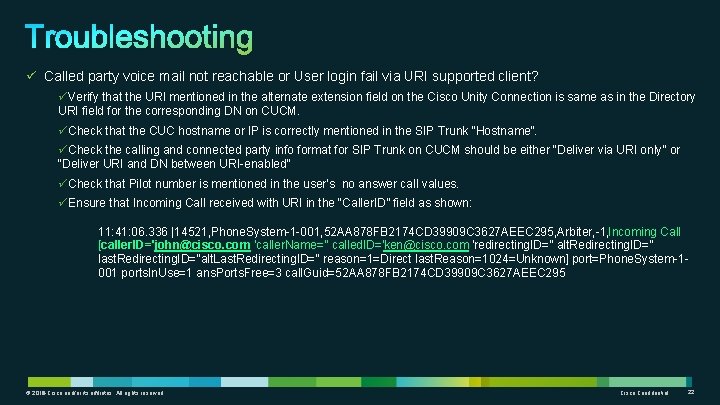
ü Called party voice mail not reachable or User login fail via URI supported client? üVerify that the URI mentioned in the alternate extension field on the Cisco Unity Connection is same as in the Directory URI field for the corresponding DN on CUCM. üCheck that the CUC hostname or IP is correctly mentioned in the SIP Trunk “Hostname”. üCheck the calling and connected party info format for SIP Trunk on CUCM should be either “Deliver via URI only” or “Deliver URI and DN between URI-enabled” üCheck that Pilot number is mentioned in the user’s no answer call values. üEnsure that Incoming Call received with URI in the “Caller. ID” field as shown: 11: 41: 06. 336 |14521, Phone. System-1 -001, 52 AA 878 FB 2174 CD 39909 C 3627 AEEC 295, Arbiter, -1, Incoming Call [caller. ID='john@cisco. com 'caller. Name='' called. ID='ken@cisco. com 'redirecting. ID='' alt. Redirecting. ID='' last. Redirecting. ID=''alt. Last. Redirecting. ID='' reason=1=Direct last. Reason=1024=Unknown] port=Phone. System-1001 ports. In. Use=1 ans. Ports. Free=3 call. Guid=52 AA 878 FB 2174 CD 39909 C 3627 AEEC 295 © 2012 Cisco and/or its affiliates. All rights reserved. © 2014 Cisco and/or its affiliates. All rights reserved. Cisco Confidential 22
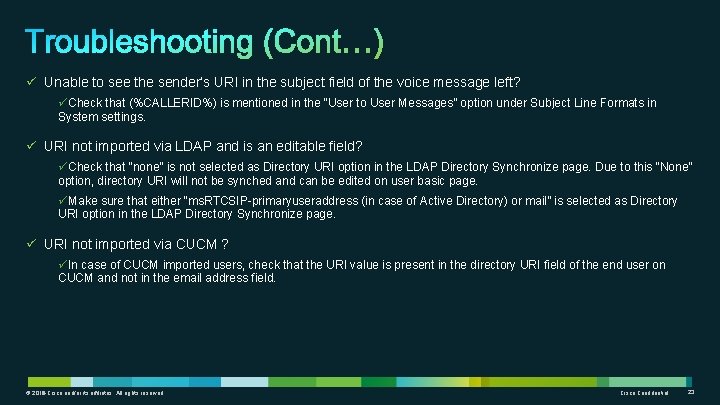
ü Unable to see the sender’s URI in the subject field of the voice message left? üCheck that (%CALLERID%) is mentioned in the “User to User Messages” option under Subject Line Formats in System settings. ü URI not imported via LDAP and is an editable field? üCheck that “none” is not selected as Directory URI option in the LDAP Directory Synchronize page. Due to this “None” option, directory URI will not be synched and can be edited on user basic page. üMake sure that either “ms. RTCSIP-primaryuseraddress (in case of Active Directory) or mail” is selected as Directory URI option in the LDAP Directory Synchronize page. ü URI not imported via CUCM ? üIn case of CUCM imported users, check that the URI value is present in the directory URI field of the end user on CUCM and not in the email address field. © 2012 Cisco and/or its affiliates. All rights reserved. © 2014 Cisco and/or its affiliates. All rights reserved. Cisco Confidential 23
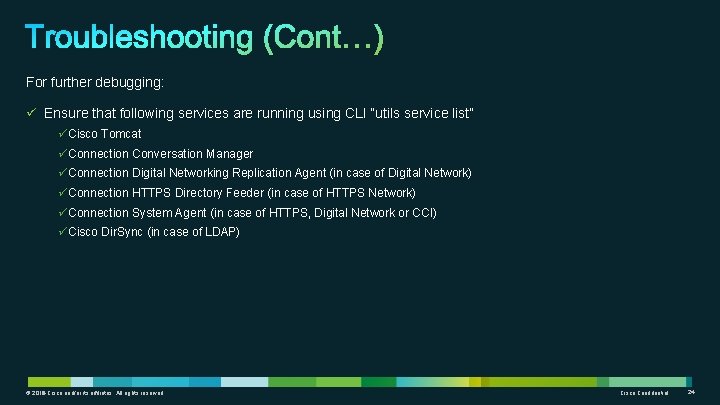
For further debugging: ü Ensure that following services are running using CLI “utils service list” üCisco Tomcat üConnection Conversation Manager üConnection Digital Networking Replication Agent (in case of Digital Network) üConnection HTTPS Directory Feeder (in case of HTTPS Network) üConnection System Agent (in case of HTTPS, Digital Network or CCI) üCisco Dir. Sync (in case of LDAP) © 2012 Cisco and/or its affiliates. All rights reserved. © 2014 Cisco and/or its affiliates. All rights reserved. Cisco Confidential 24
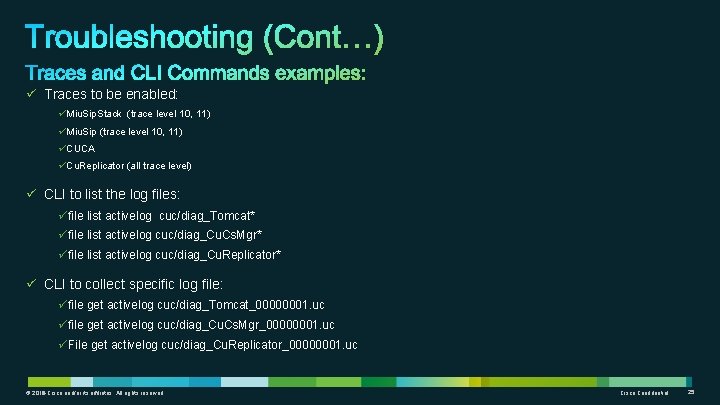
ü Traces to be enabled: üMiu. Sip. Stack (trace level 10, 11) üMiu. Sip (trace level 10, 11) üCUCA üCu. Replicator (all trace level) ü CLI to list the log files: üfile list activelog cuc/diag_Tomcat* üfile list activelog cuc/diag_Cu. Cs. Mgr* üfile list activelog cuc/diag_Cu. Replicator* ü CLI to collect specific log file: üfile get activelog cuc/diag_Tomcat_00000001. uc üfile get activelog cuc/diag_Cu. Cs. Mgr_00000001. uc üFile get activelog cuc/diag_Cu. Replicator_00000001. uc © 2012 Cisco and/or its affiliates. All rights reserved. © 2014 Cisco and/or its affiliates. All rights reserved. Cisco Confidential 25
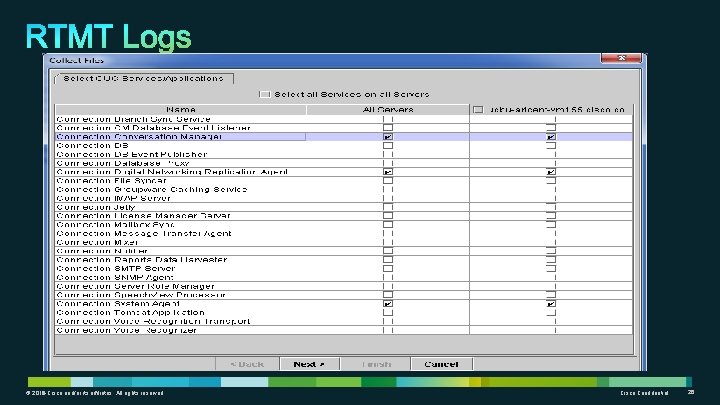
ü © 2012 Cisco and/or its affiliates. All rights reserved. © 2014 Cisco and/or its affiliates. All rights reserved. Cisco Confidential 26
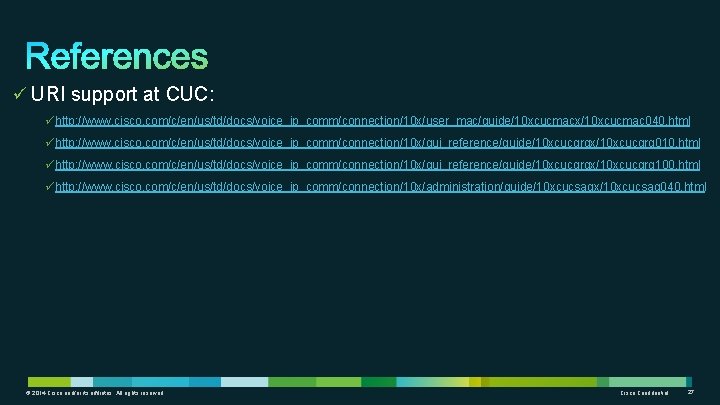
ü URI support at CUC: ühttp: //www. cisco. com/c/en/us/td/docs/voice_ip_comm/connection/10 x/user_mac/guide/10 xcucmacx/10 xcucmac 040. html ühttp: //www. cisco. com/c/en/us/td/docs/voice_ip_comm/connection/10 x/gui_reference/guide/10 xcucgrgx/10 xcucgrg 010. html ühttp: //www. cisco. com/c/en/us/td/docs/voice_ip_comm/connection/10 x/gui_reference/guide/10 xcucgrgx/10 xcucgrg 100. html ühttp: //www. cisco. com/c/en/us/td/docs/voice_ip_comm/connection/10 x/administration/guide/10 xcucsagx/10 xcucsag 040. html © 2014 Cisco and/or its affiliates. All rights reserved. Cisco Confidential 27
Thank you. © 2014 Cisco and/or its affiliates. All rights reserved. Cisco Confidential 28