Pengenalan kepada HTML Isi Kandungan 3 1 Pengenalan
- Slides: 22
Pengenalan kepada HTML Isi Kandungan 3. 1 Pengenalan 3. 2 Mengedit HTML 3. 3 Contoh HTML pertama 3. 4 Servis Pengesahan HTML oleh W 3 C 3. 5 ‘Headers’ 3. 6 Sambungan 3. 7 Gambar 3. 8 Karaktor istimewa dan lagi contoh ‘Line Breaks’ 3. 9 Senarai ‘Unordered’ 3. 10 Senarai ‘Nested’ dan ‘Ordered’ 3. 11 Bahan-bahan dari internet 1
Objektif Di dalam bab ini, anda akan mempelajari: l l Memahami komponen utama dalam dokumen HTML. Menggunakan HTML untuk mereka laman web. Mengetahui bagaimana menambah imej ke dalam laman web. Memahami bagaimana untuk mencipta dan menggunakan ‘hyperlinks’ untuk melayari laman web. 2
3. 1 Pengenalan l HTML = Hyper. Text Markup Language l Bahasa ‘markup’ l Teknologi oleh ‘World Wide Web Consortium’ (W 3 C) 3
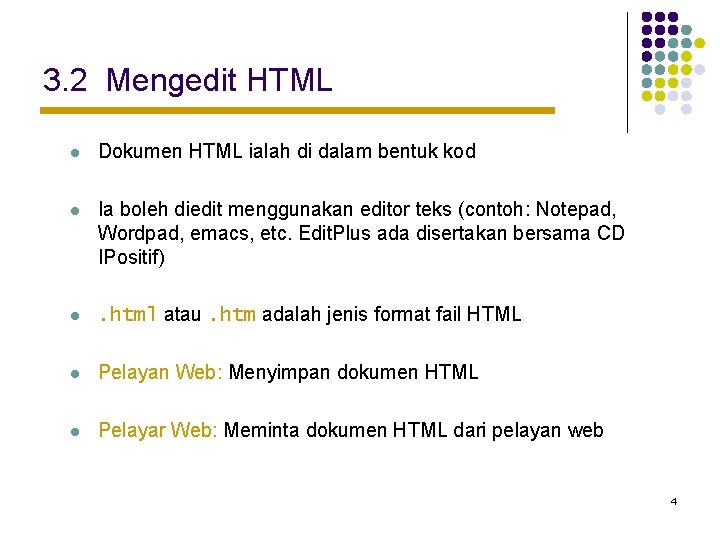
3. 2 Mengedit HTML l Dokumen HTML ialah di dalam bentuk kod l Ia boleh diedit menggunakan editor teks (contoh: Notepad, Wordpad, emacs, etc. Edit. Plus ada disertakan bersama CD IPositif) l . html atau. htm adalah jenis format fail HTML l Pelayan Web: Menyimpan dokumen HTML l Pelayar Web: Meminta dokumen HTML dari pelayan web 4
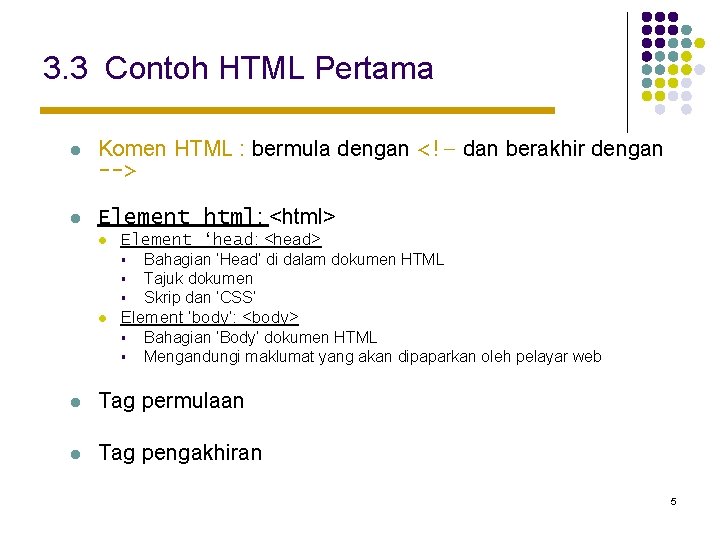
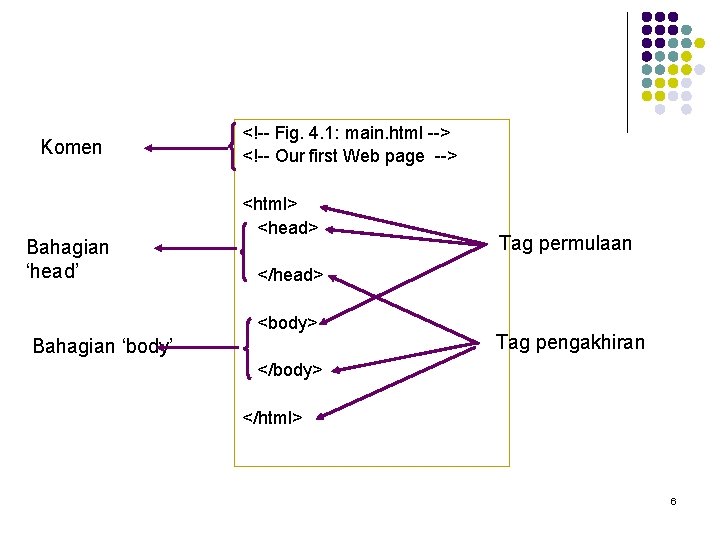
3. 3 Contoh HTML Pertama l Komen HTML : bermula dengan <!– dan berakhir dengan --> l Element html: <html> l Element ‘head: <head> § § § l Bahagian ‘Head’ di dalam dokumen HTML Tajuk dokumen Skrip dan ‘CSS’ Element ‘body’: <body> § § Bahagian ‘Body’ dokumen HTML Mengandungi maklumat yang akan dipaparkan oleh pelayar web l Tag permulaan l Tag pengakhiran 5
Komen Bahagian ‘head’ <!-- Fig. 4. 1: main. html --> <!-- Our first Web page --> <html> <head> Tag permulaan </head> <body> Bahagian ‘body’ Tag pengakhiran </body> </html> 6
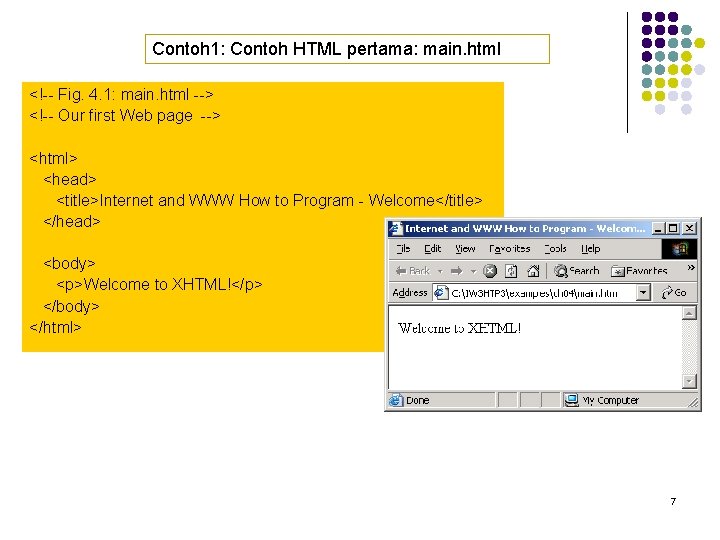
Contoh 1: Contoh HTML pertama: main. html <!-- Fig. 4. 1: main. html --> <!-- Our first Web page --> <html> <head> <title>Internet and WWW How to Program - Welcome</title> </head> <body> <p>Welcome to XHTML!</p> </body> </html> 7
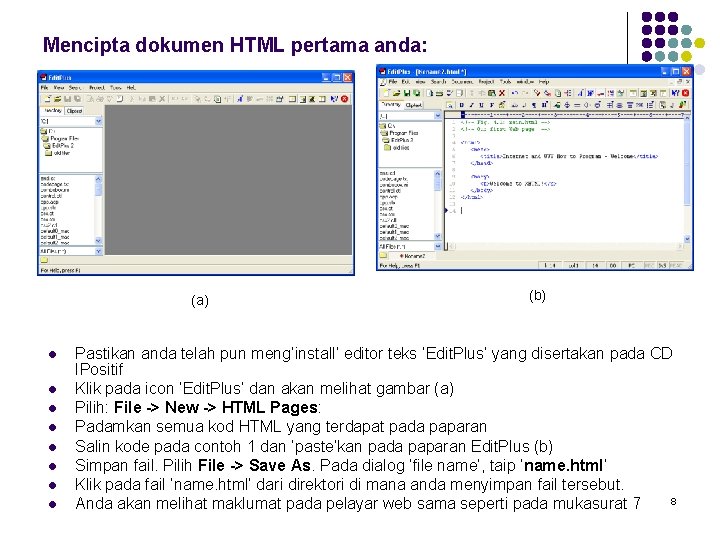
Mencipta dokumen HTML pertama anda: (a) l l l l (b) Pastikan anda telah pun meng’install’ editor teks ‘Edit. Plus’ yang disertakan pada CD IPositif Klik pada icon ‘Edit. Plus’ dan akan melihat gambar (a) Pilih: File -> New -> HTML Pages: Padamkan semua kod HTML yang terdapat pada paparan Salin kode pada contoh 1 dan ‘paste’kan pada paparan Edit. Plus (b) Simpan fail. Pilih File -> Save As. Pada dialog ‘file name’, taip ‘name. html’ Klik pada fail ‘name. html’ dari direktori di mana anda menyimpan fail tersebut. 8 Anda akan melihat maklumat pada pelayar web sama seperti pada mukasurat 7
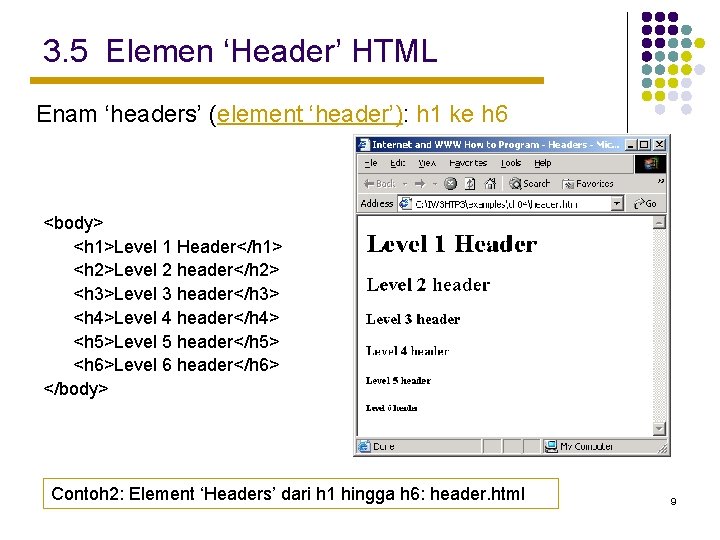
3. 5 Elemen ‘Header’ HTML Enam ‘headers’ (element ‘header’): h 1 ke h 6 <body> <h 1>Level 1 Header</h 1> <h 2>Level 2 header</h 2> <h 3>Level 3 header</h 3> <h 4>Level 4 header</h 4> <h 5>Level 5 header</h 5> <h 6>Level 6 header</h 6> </body> Contoh 2: Element ‘Headers’ dari h 1 hingga h 6: header. html 9
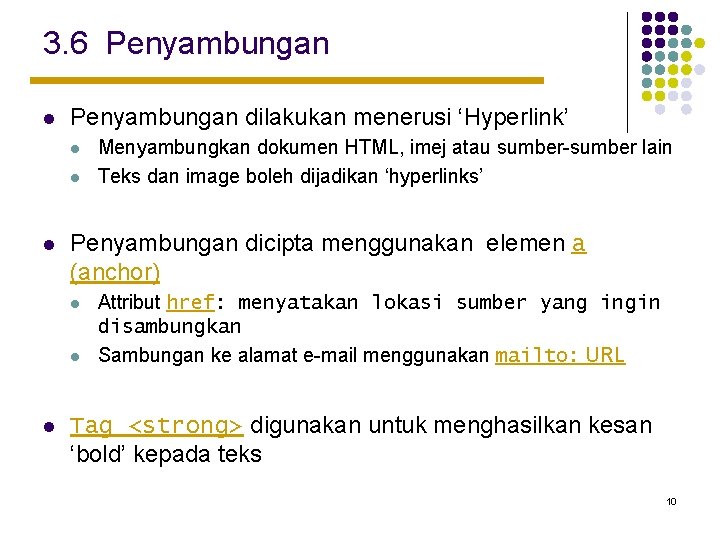
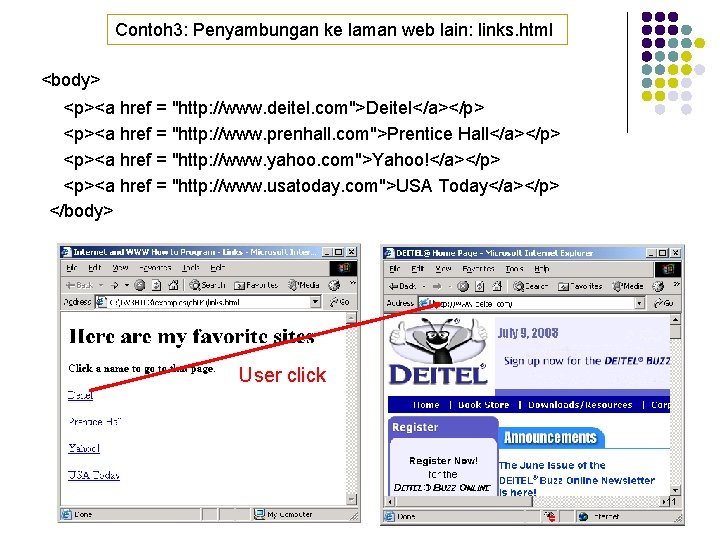
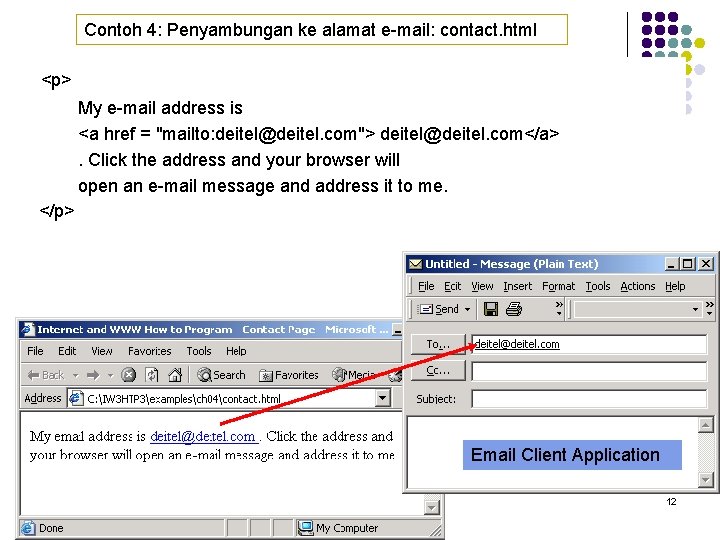
3. 6 Penyambungan l Penyambungan dilakukan menerusi ‘Hyperlink’ l l l Penyambungan dicipta menggunakan elemen a (anchor) l l l Menyambungkan dokumen HTML, imej atau sumber-sumber lain Teks dan image boleh dijadikan ‘hyperlinks’ Attribut href: menyatakan lokasi sumber yang ingin disambungkan Sambungan ke alamat e-mail menggunakan mailto: URL Tag <strong> digunakan untuk menghasilkan kesan ‘bold’ kepada teks 10
Contoh 3: Penyambungan ke laman web lain: links. html <body> <p><a href = "http: //www. deitel. com">Deitel</a></p> <p><a href = "http: //www. prenhall. com">Prentice Hall</a></p> <p><a href = "http: //www. yahoo. com">Yahoo!</a></p> <p><a href = "http: //www. usatoday. com">USA Today</a></p> </body> User click 11
Contoh 4: Penyambungan ke alamat e-mail: contact. html <p> My e-mail address is <a href = "mailto: deitel@deitel. com"> deitel@deitel. com</a>. Click the address and your browser will open an e-mail message and address it to me. </p> Email Client Application 12
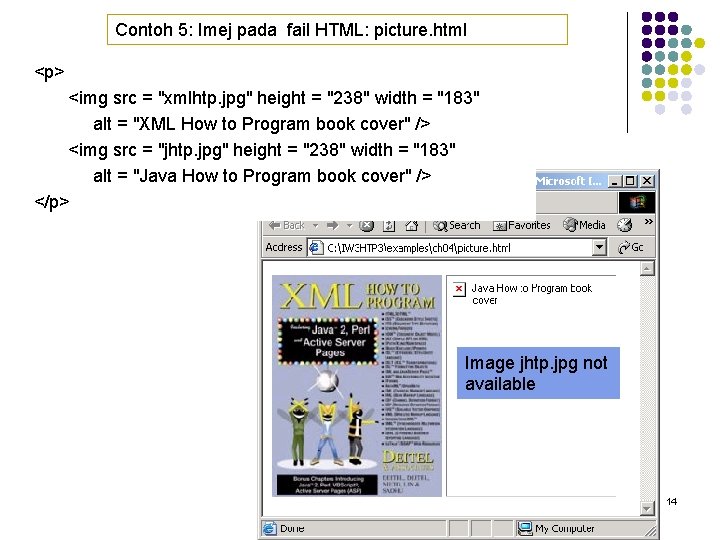
3. 7 Imej l Tiga format yang paling popular: l l Element Image: <img /> l l l Graphics Interchange Format (GIF) Joint Photographic Experts Group (JPEG) Portable Network Graphics (PNG) Attribut src : menyatakan lokasi fail imej Attribut width dan height : diukur melalui ‘pixels’ (‘picture elements’) Element kosong l Dimatikan dengan karaktor ‘/’ pada penutup kanan ‘angle bracket’ (>), atau dengan menyertakan tag pengakhiran 13
Contoh 5: Imej pada fail HTML: picture. html <p> <img src = "xmlhtp. jpg" height = "238" width = "183" alt = "XML How to Program book cover" /> <img src = "jhtp. jpg" height = "238" width = "183" alt = "Java How to Program book cover" /> </p> Image jhtp. jpg not available 14
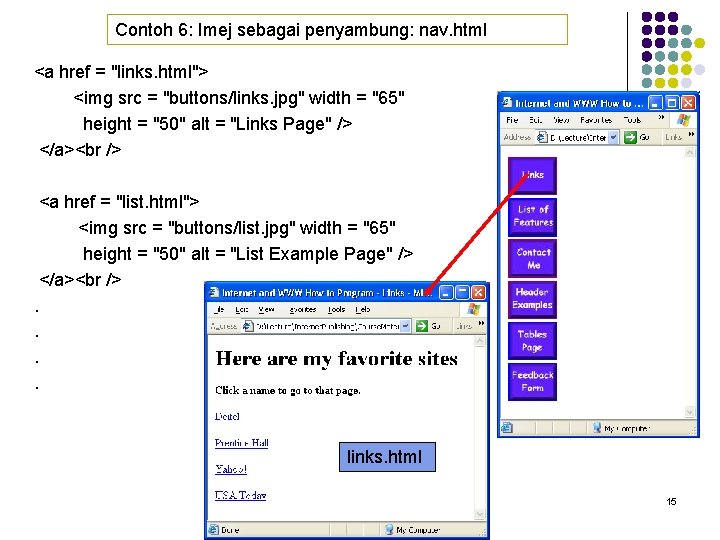
Contoh 6: Imej sebagai penyambung: nav. html <a href = "links. html"> <img src = "buttons/links. jpg" width = "65" height = "50" alt = "Links Page" /> </a> <a href = "list. html"> <img src = "buttons/list. jpg" width = "65" height = "50" alt = "List Example Page" /> </a> . . links. html 15
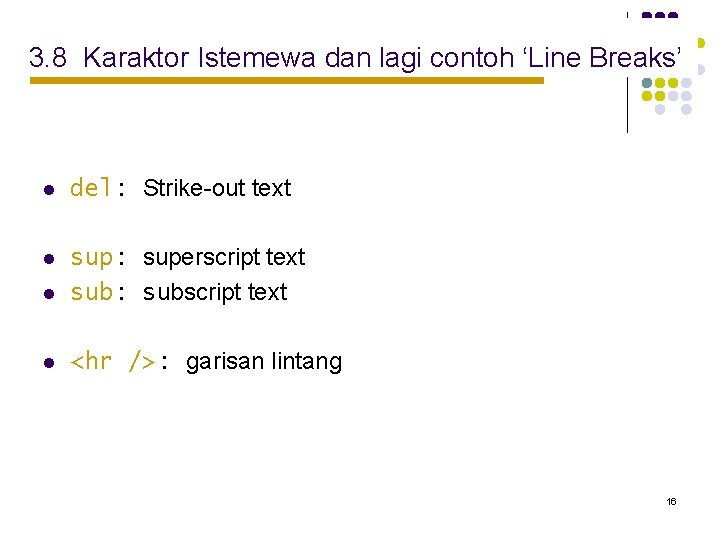
3. 8 Karaktor Istemewa dan lagi contoh ‘Line Breaks’ l del: Strike-out text l l sup: superscript text sub: subscript text l <hr />: garisan lintang 16
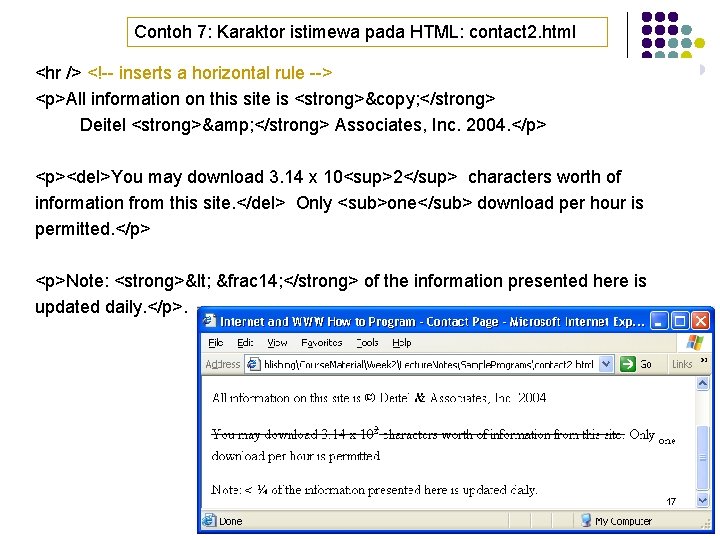
Contoh 7: Karaktor istimewa pada HTML: contact 2. html <hr /> <!-- inserts a horizontal rule --> <p>All information on this site is <strong>© </strong> Deitel <strong>& </strong> Associates, Inc. 2004. </p> <p><del>You may download 3. 14 x 10<sup>2</sup> characters worth of information from this site. </del> Only <sub>one</sub> download per hour is permitted. </p> <p>Note: <strong>< &frac 14; </strong> of the information presented here is updated daily. </p>. 17
3. 9 Senarai ‘Unordered’ l Element senarai ‘Unordered’: ul l Mencipta senarai di mana setiap item bermula dengan simbol ‘bullet’ (juga dipanggil ‘disc’) l li (list item) l Permulaan kepada senarai ‘unordered’ 18
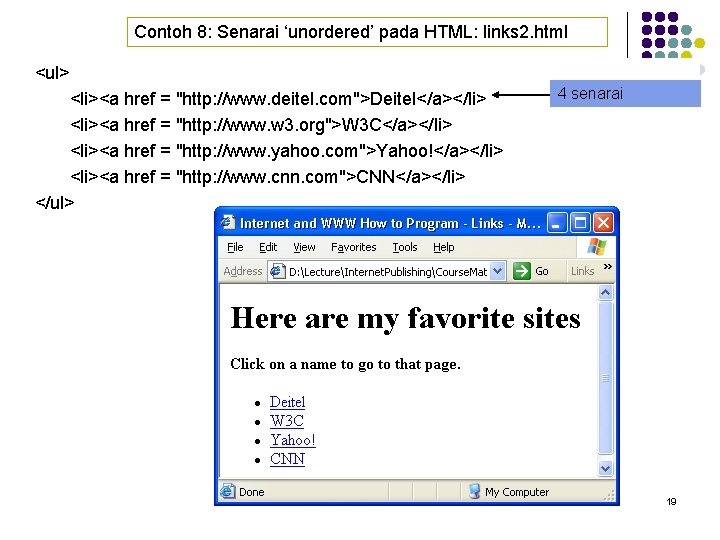
Contoh 8: Senarai ‘unordered’ pada HTML: links 2. html <ul> <li><a href = "http: //www. deitel. com">Deitel</a></li> <li><a href = "http: //www. w 3. org">W 3 C</a></li> <li><a href = "http: //www. yahoo. com">Yahoo!</a></li> <li><a href = "http: //www. cnn. com">CNN</a></li> </ul> 4 senarai 19
3. 10 Senarai ‘Nested’ dan ‘Ordered’ l Melambangkan hubungan hirarki l Senarai ‘ordered’: ol l Mencipta senarai dengan setiap item dimulakan dengan nombor 20
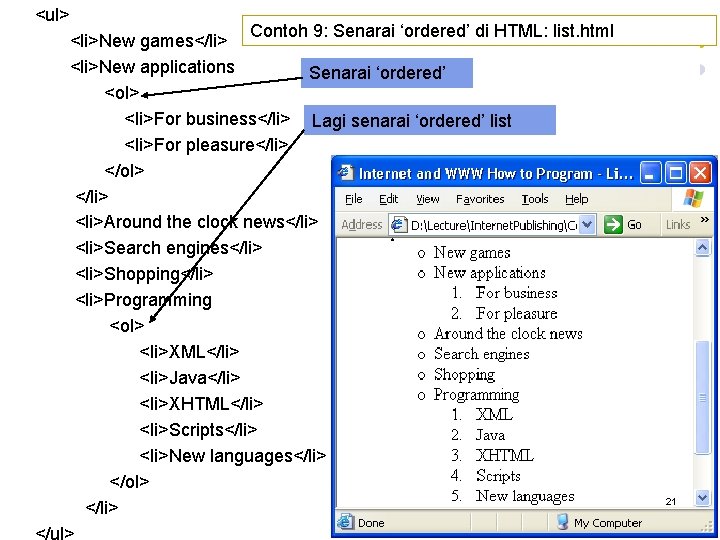
<ul> Contoh 9: Senarai ‘ordered’ di HTML: list. html <li>New games</li> <li>New applications Senarai ‘ordered’ <ol> <li>For business</li> Lagi senarai ‘ordered’ list <li>For pleasure</li> </ol> </li> <li>Around the clock news</li> <li>Search engines</li> <li>Shopping</li> <li>Programming <ol> <li>XML</li> <li>Java</li> <li>XHTML</li> <li>Scripts</li> <li>New languages</li> </ol> </li> </ul> 21
3. 11 Rujukan Web l l l l www. w 3. org/TR/xhtml 11 www. xhtml. org www. w 3 schools. com/xhtml/default. asp validator. w 3. org hotwired. lycos. com/webmonkey/00/50/index 2 a. html wdvl. com/Authoring/Languages/XML/XHTML www. w 3. org/TR/2001/REC-xhtml 11 -20010531 22