
Parts Functions of a Computer Functions of a
- Slides: 45
Parts & Functions of a Computer
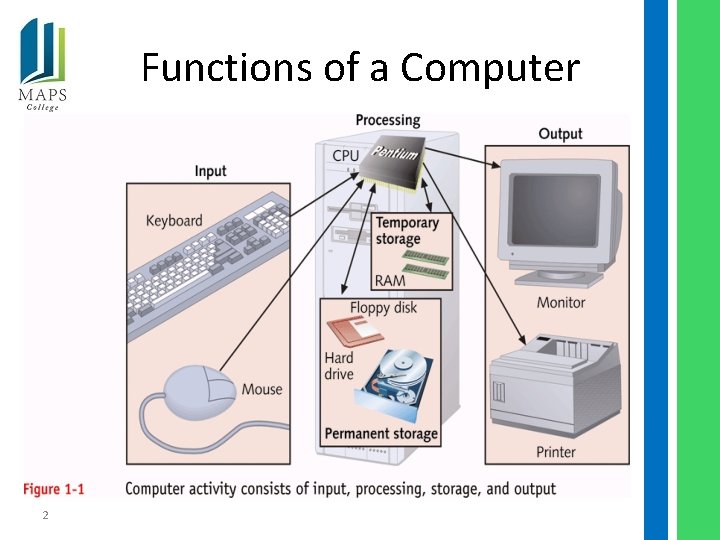
Functions of a Computer 2
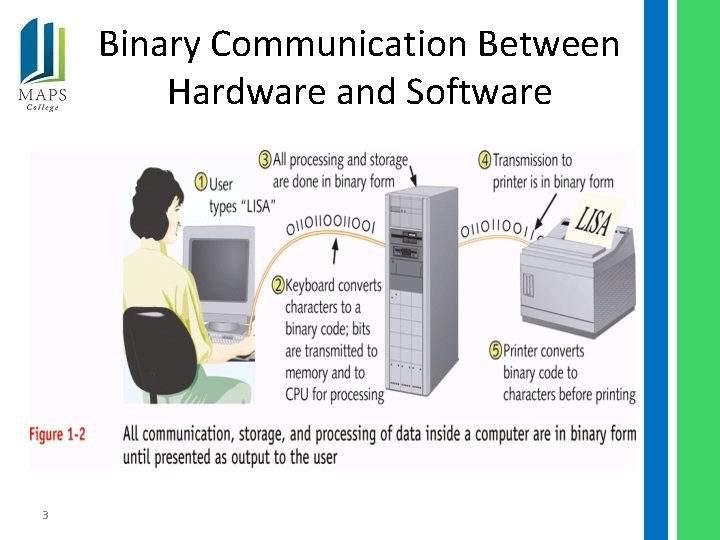
Binary Communication Between Hardware and Software 3
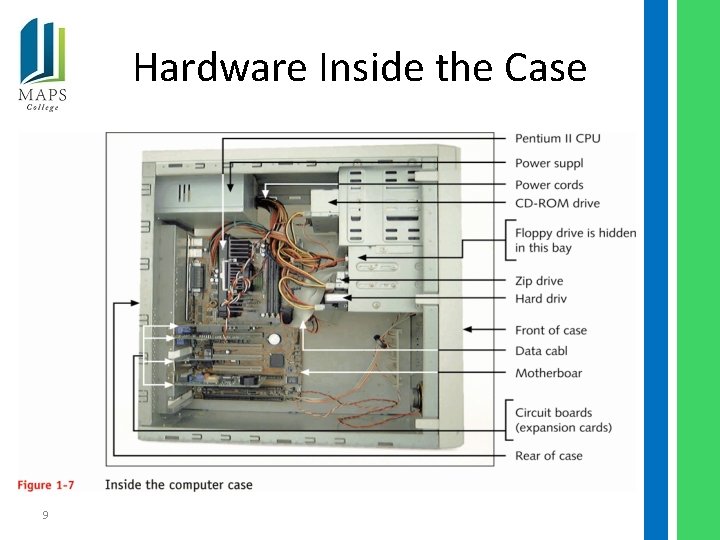
PC Hardware Components • Outside computer case: input/output devices • Inside the case: processing and storage – CPU – most important component • Requirements of a hardware device – Method for CPU to communicate with it – Software to instruct and control it – Electricity to power it 4
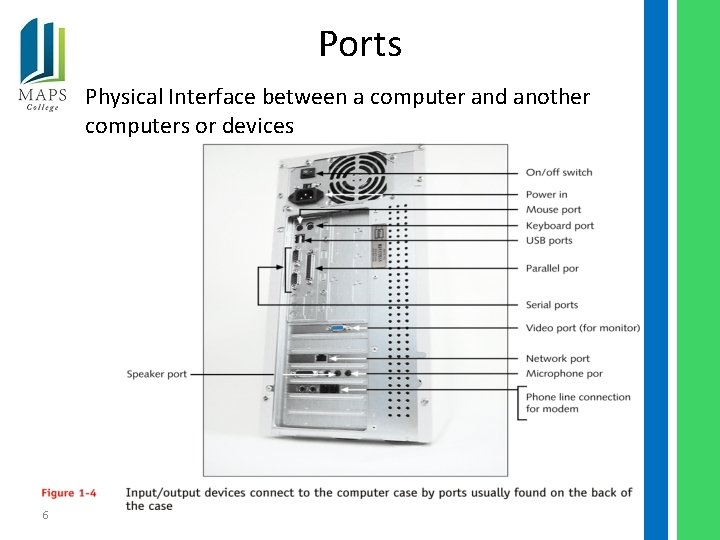
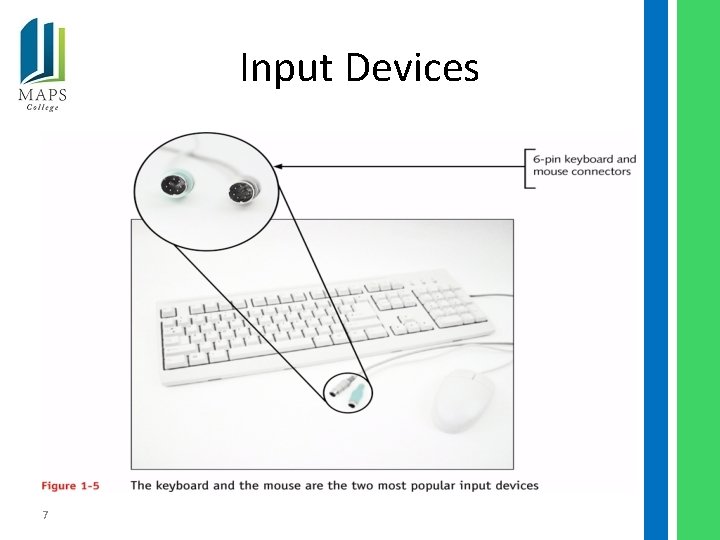
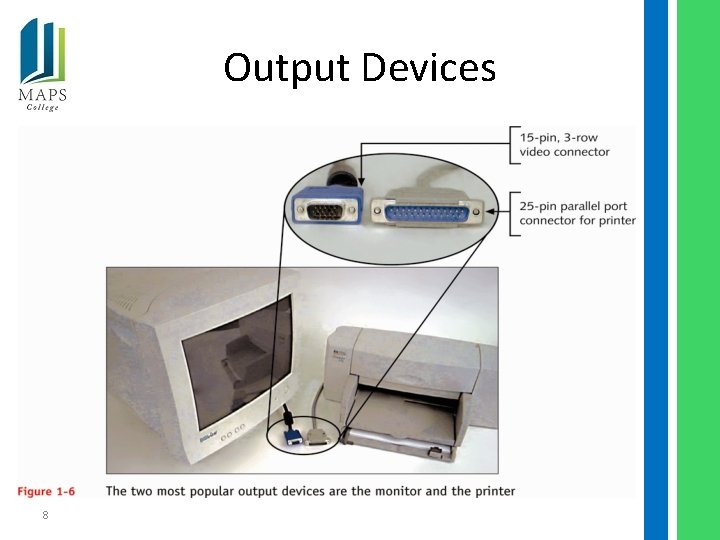
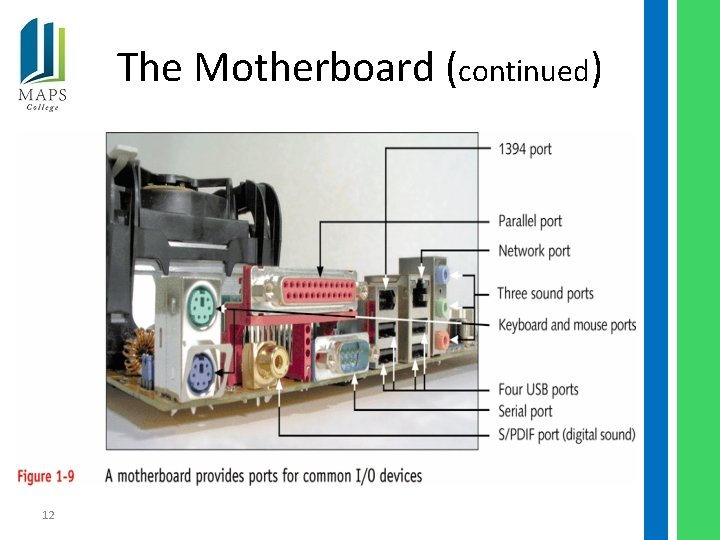
Hardware Used for Input and Output • Connects to computer case by ports (eg, serial, parallel, USB, game, keyboard, mouse) • Popular input devices: – Keyboard – Mouse • Popular output devices: – Monitor – Printer 5
Ports Physical Interface between a computer and another computers or devices 6
Input Devices 7
Output Devices 8
Hardware Inside the Case 9
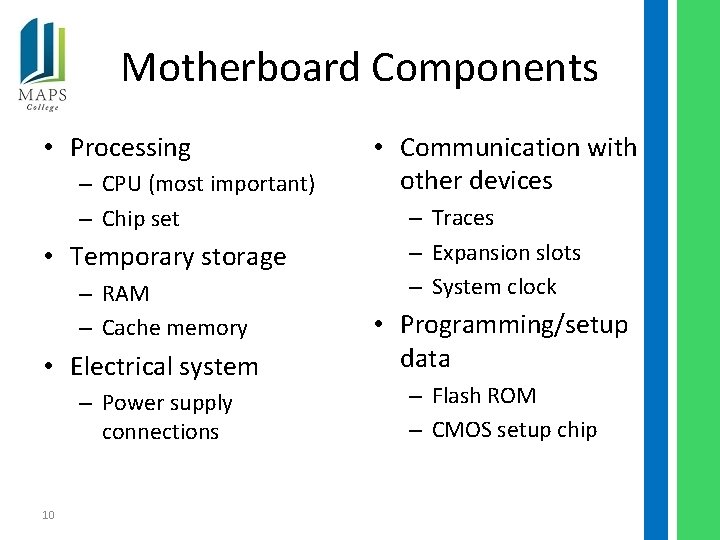
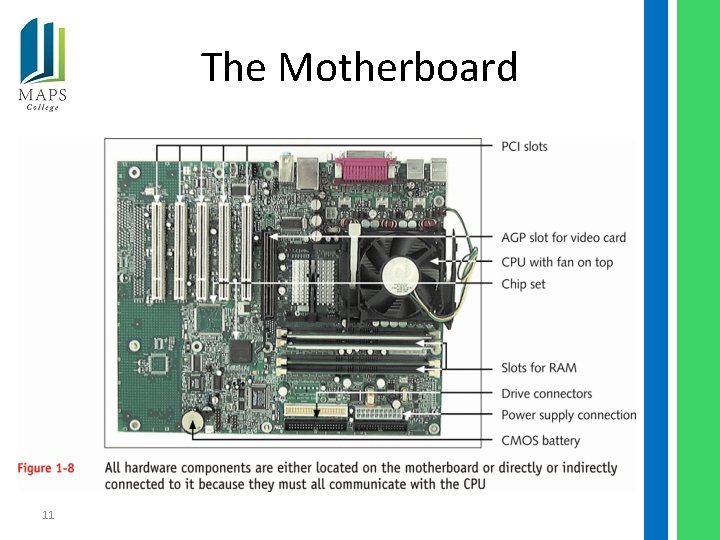
Motherboard Components • Processing – CPU (most important) – Chip set • Temporary storage – RAM – Cache memory • Electrical system – Power supply connections 10 • Communication with other devices – Traces – Expansion slots – System clock • Programming/setup data – Flash ROM – CMOS setup chip
The Motherboard 11
The Motherboard (continued) 12
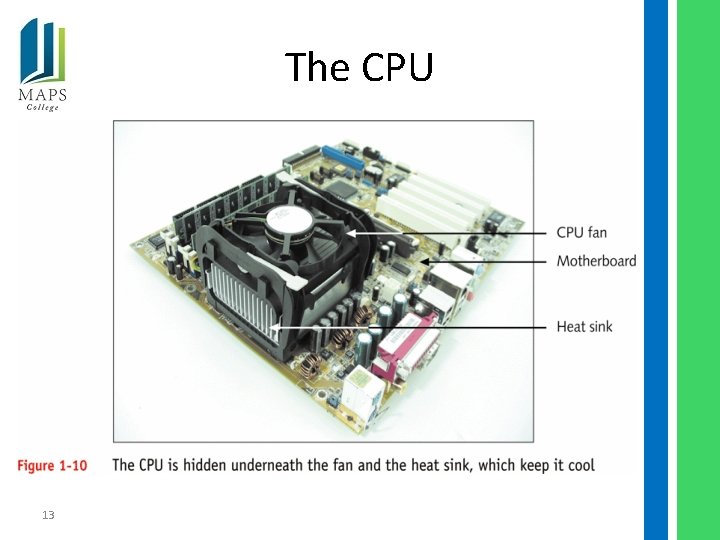
The CPU 13
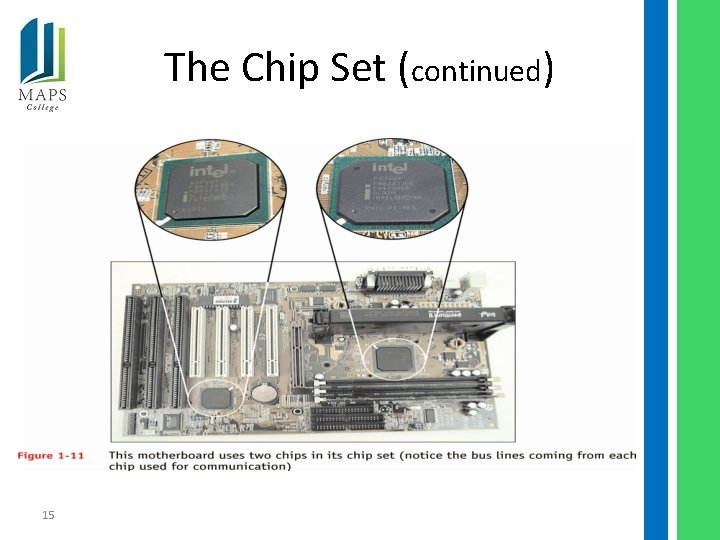
The Chip Set • Controls most activities on the motherboard • Includes several device controllers – USB controller – Memory controller – IDE controller 14
The Chip Set (continued) 15
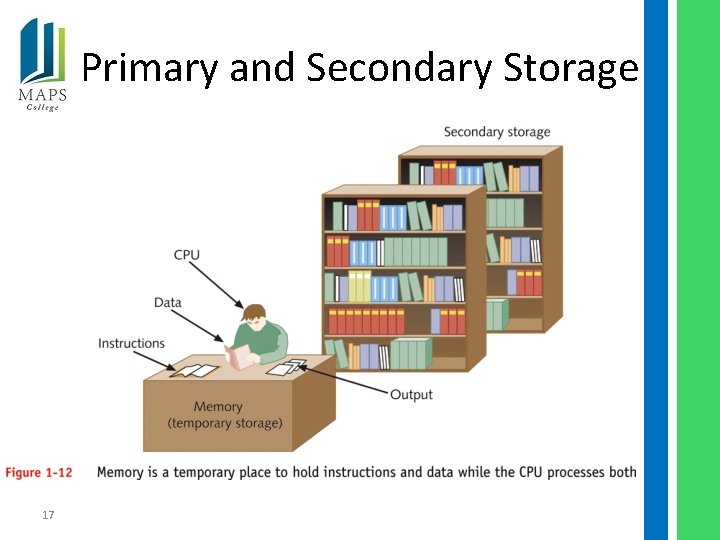
Storage Devices • Temporary (primary storage, or memory) – Temporarily holds data and instructions while processing them – Faster to access than permanent storage • Permanent (secondary storage) – Data and instructions must be copied into primary storage (RAM) for processing 16
Primary and Secondary Storage 17
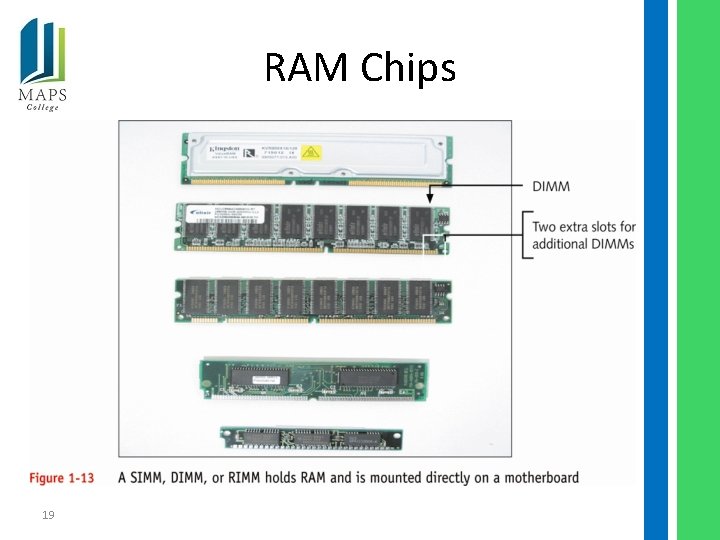
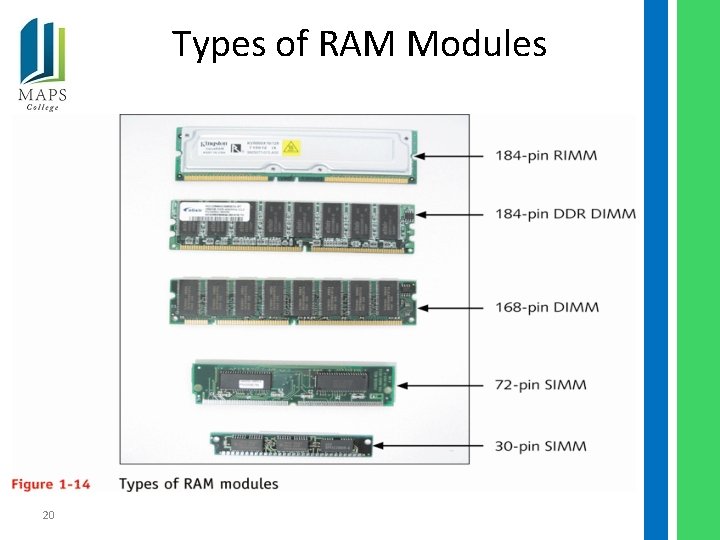
Primary Storage Devices • Memory, or RAM, located on motherboard and other circuit boards – Volatile versus nonvolatile (or ROM) memory • Types of boards that hold memory chips – SIMMs – DIMMs – RIMMs 18
RAM Chips 19
Types of RAM Modules 20
Secondary Storage Devices • Hard drives • CD-ROM drives • DVD drives • Zip drives • Floppy drives 21
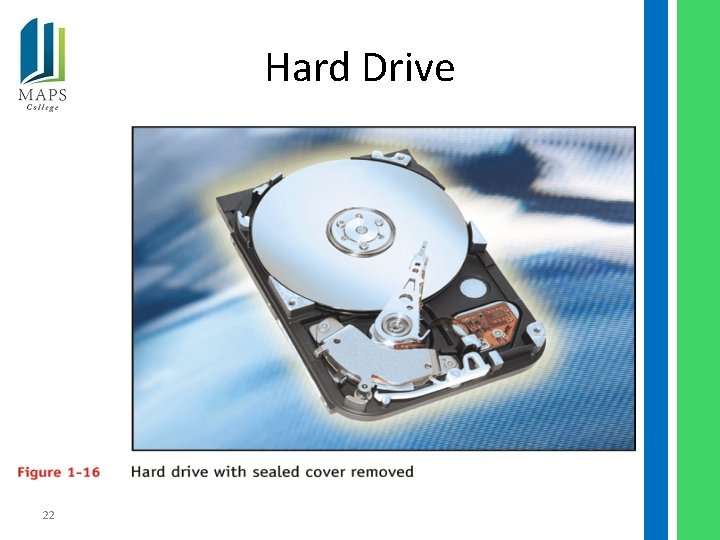
Hard Drive 22
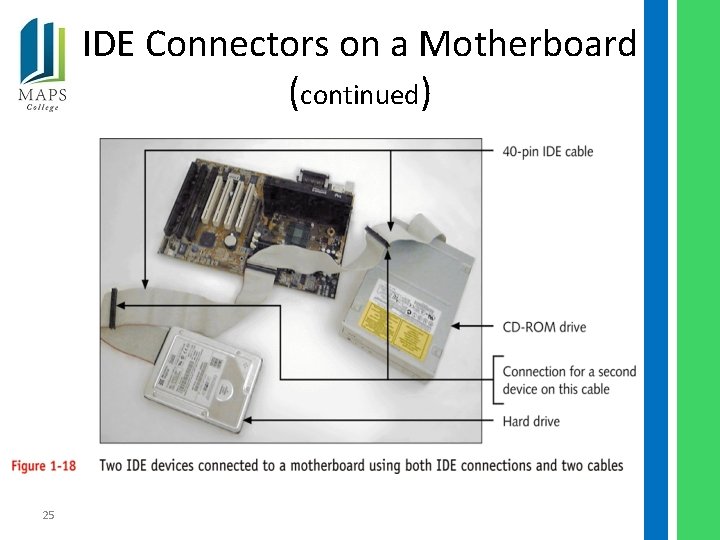
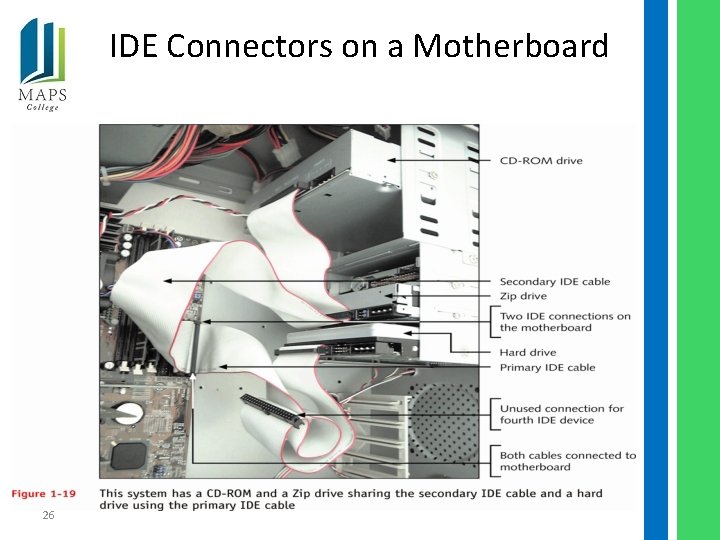
EIDE Technology • Used by most hard drives, CD-ROM drives, and DVD drives • Can accommodate up to four EIDE devices on one system 23
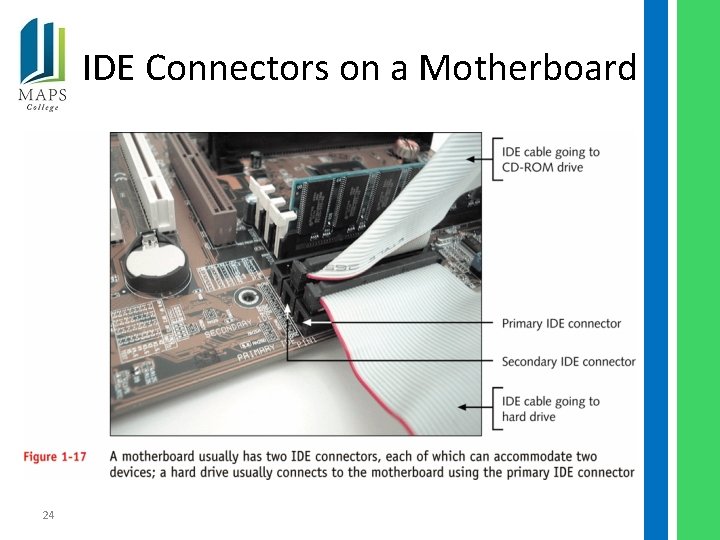
IDE Connectors on a Motherboard 24
IDE Connectors on a Motherboard (continued) 25
IDE Connectors on a Motherboard 26
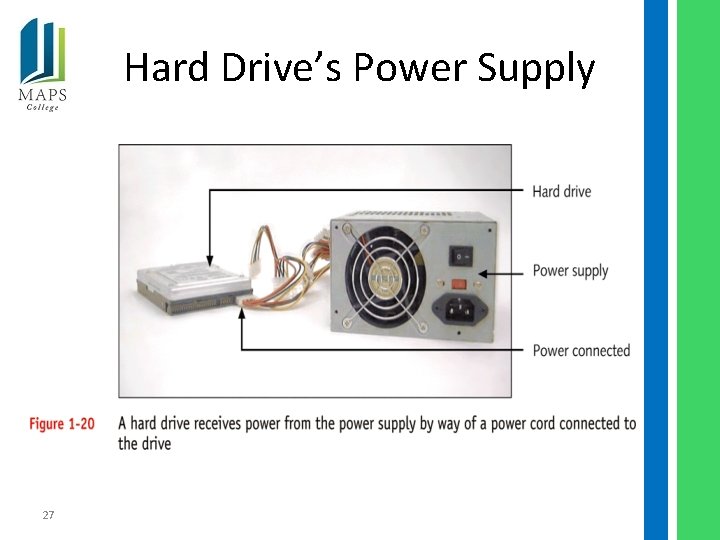
Hard Drive’s Power Supply 27
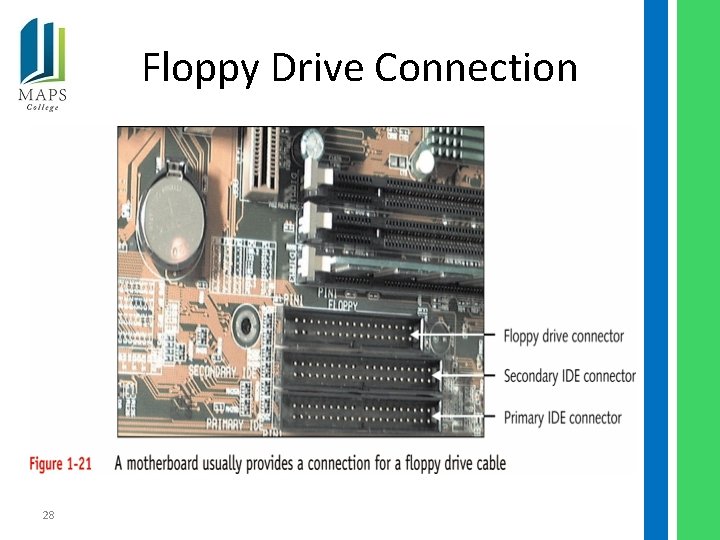
Floppy Drive Connection 28
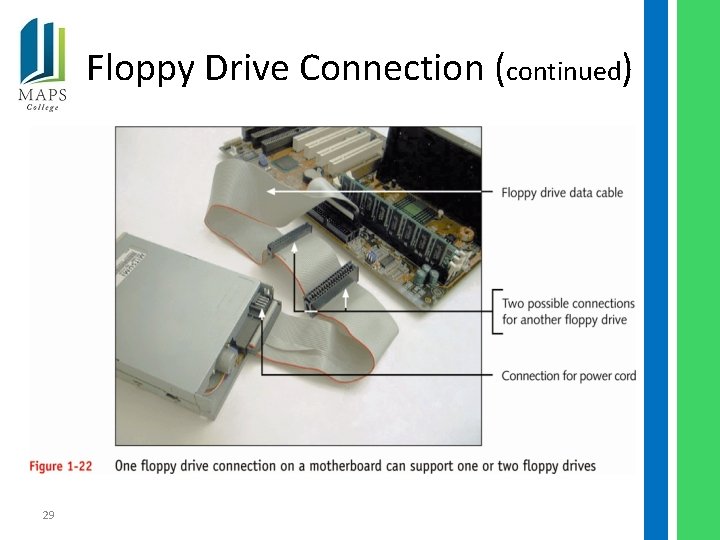
Floppy Drive Connection (continued) 29
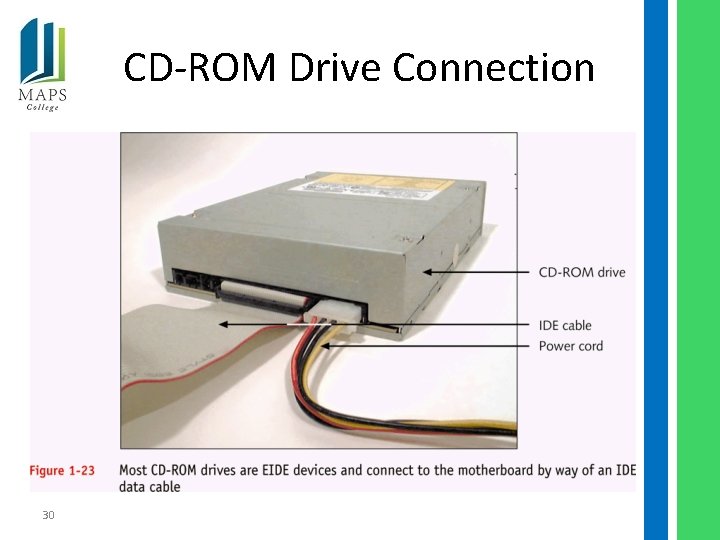
CD-ROM Drive Connection 30
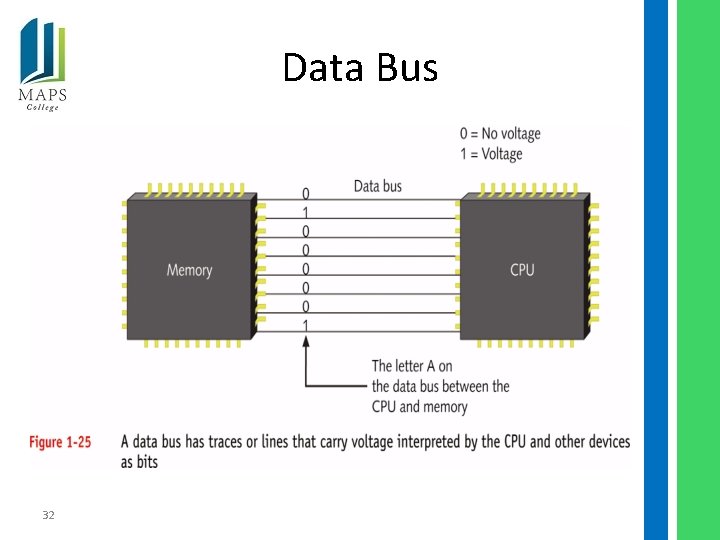
Motherboard Components Used for Communication Among Devices • The data bus – bus is a subsystem that transfers data between computer components inside a computer or between computers 31
Data Bus 32
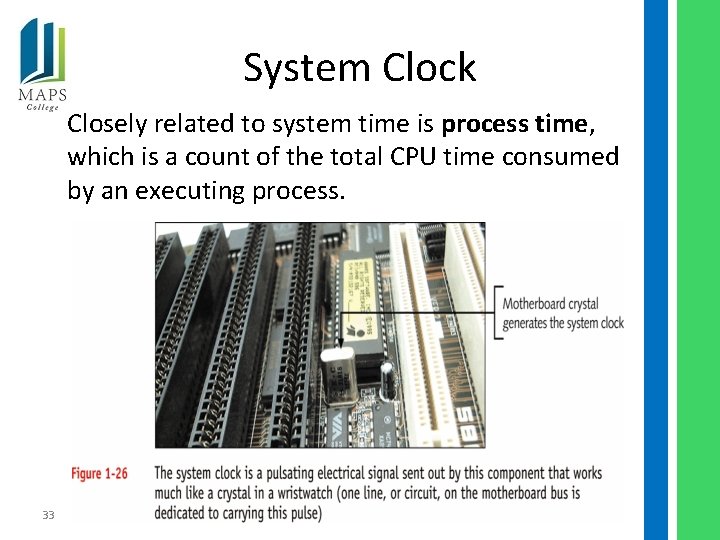
System Clock Closely related to system time is process time, which is a count of the total CPU time consumed by an executing process. 33
Clock Speed • Of motherboard – Measured in megahertz (MHz) • Of CPU – Measured in gigahertz (GHz) 34
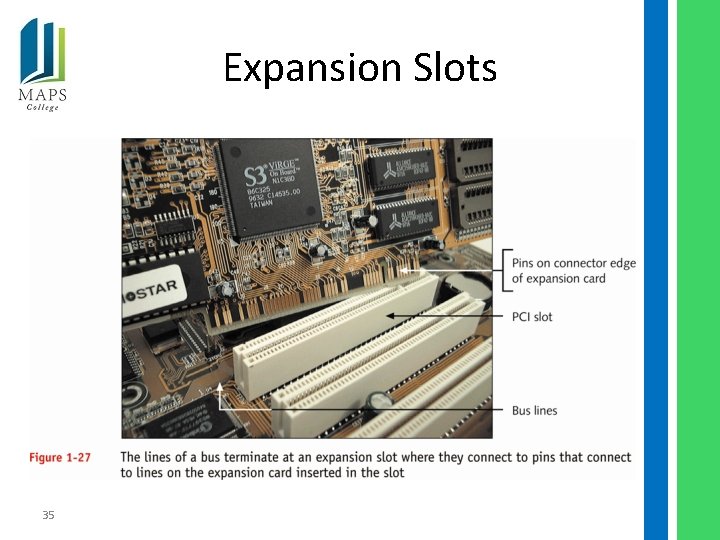
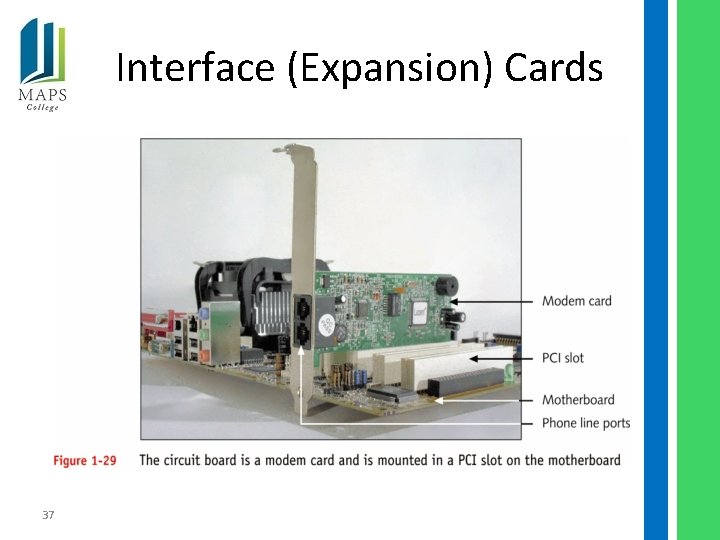
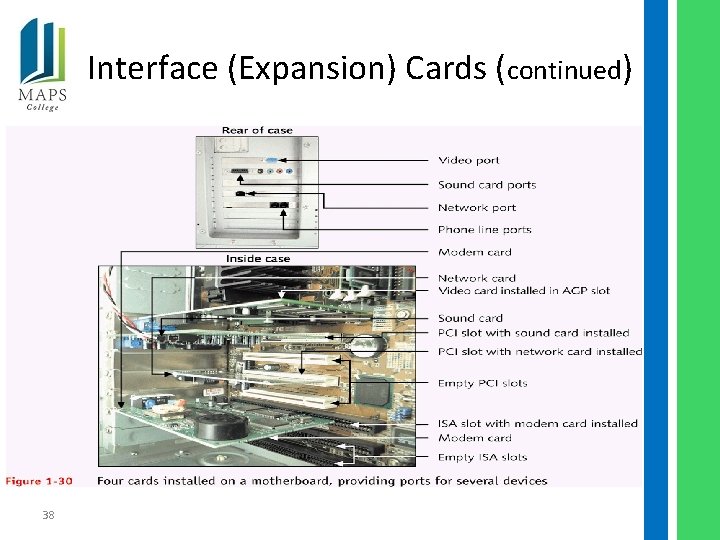
Expansion Slots 35
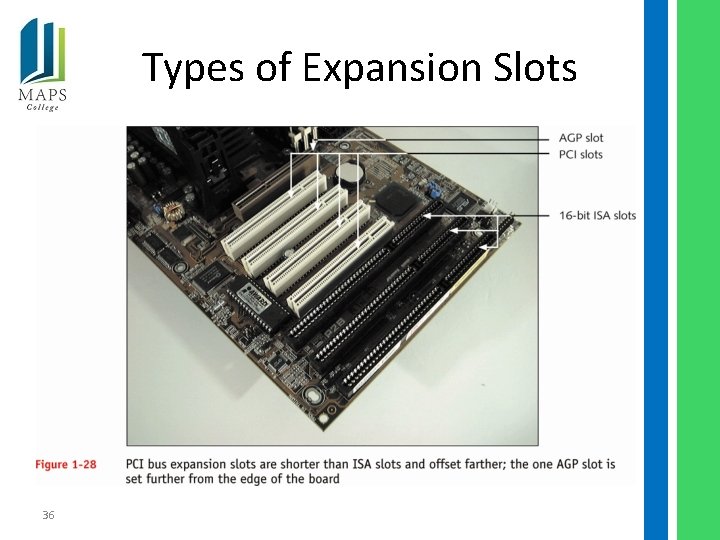
Types of Expansion Slots 36
Interface (Expansion) Cards 37
Interface (Expansion) Cards (continued) 38
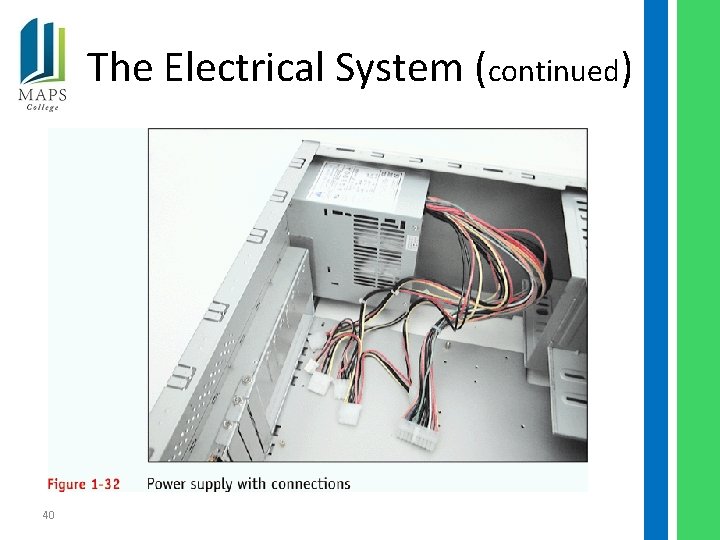
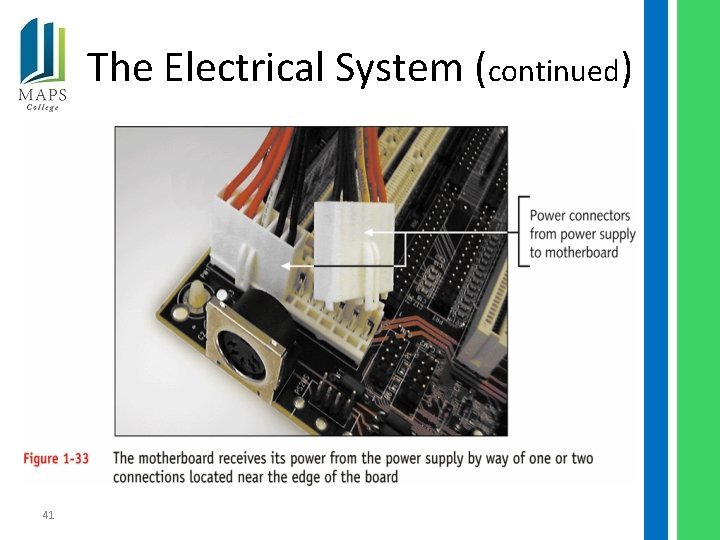
The Electrical System • Power supply – Most important component of computer’s electrical system – Converts/reduces electricity to voltage the computer can handle – Runs a fan directly from electrical output voltage to cool inside of computer case 39
The Electrical System (continued) 40
The Electrical System (continued) 41
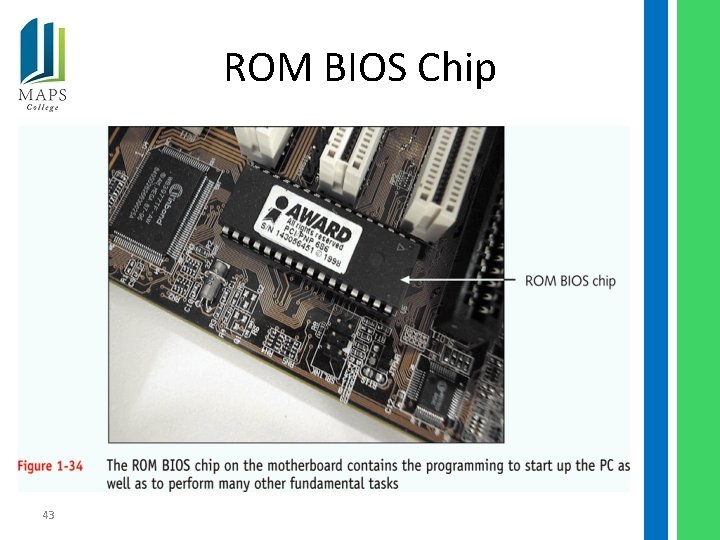
Instructions Stored on the Motherboard • ROM BIOS (most are flash ROM) – System BIOS – Startup BIOS – CMOS setup 42
ROM BIOS Chip 43
Motherboard Configuration Settings • CMOS chip – Stores setup (configuration) information – Powered by a battery on motherboard when power is off 44
Summary • Introduction to hardware components of a computer system • Initial insight into how hardware works 45