Particle Rendering in Para View pvmeshless a plugin
- Slides: 21
Particle Rendering in Para. View/ pv-meshless a plugin John Biddiscombe CSCS Swiss National Supercomputing Centre
Why pv-meshless? pv-meshless is a (slightly) customized version of Para. View Couldn’t add a new mapper as a plugin (resolved? ) Experimental platform for development Particle renderer uses some widgets from Vis. It for opacity control Will be added to Para. View main. Eventually.
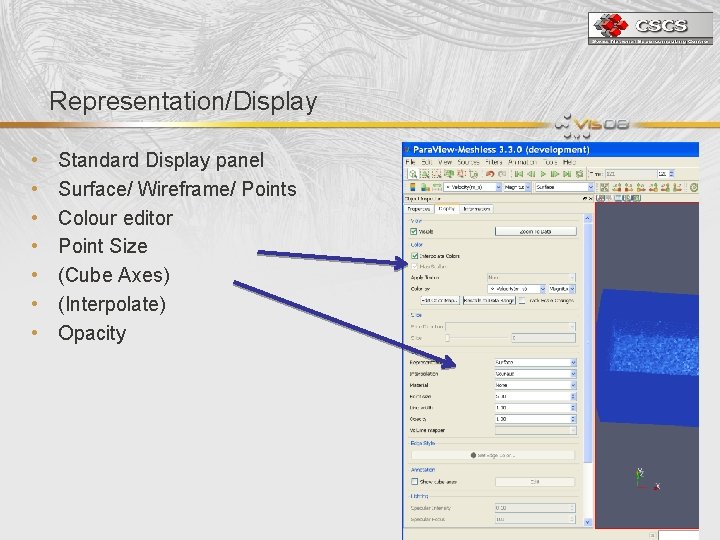
Representation/Display • • Standard Display panel Surface/ Wireframe/ Points Colour editor Point Size (Cube Axes) (Interpolate) Opacity
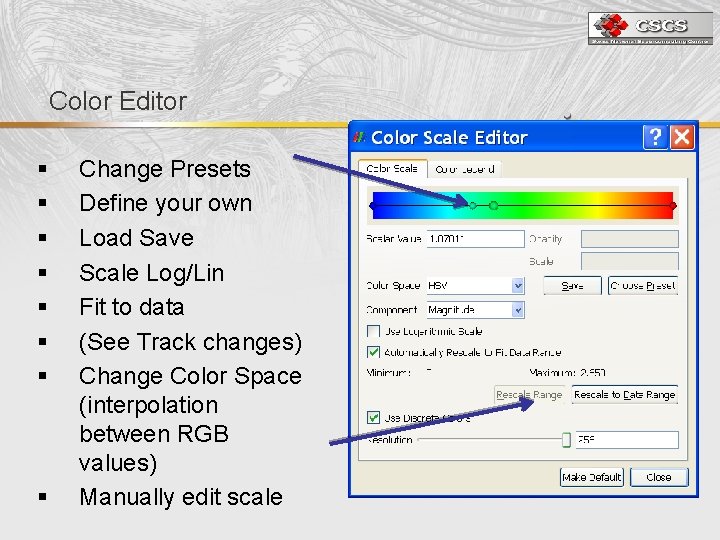
Color Editor § § § § Change Presets Define your own Load Save Scale Log/Lin Fit to data (See Track changes) Change Color Space (interpolation between RGB values) Manually edit scale
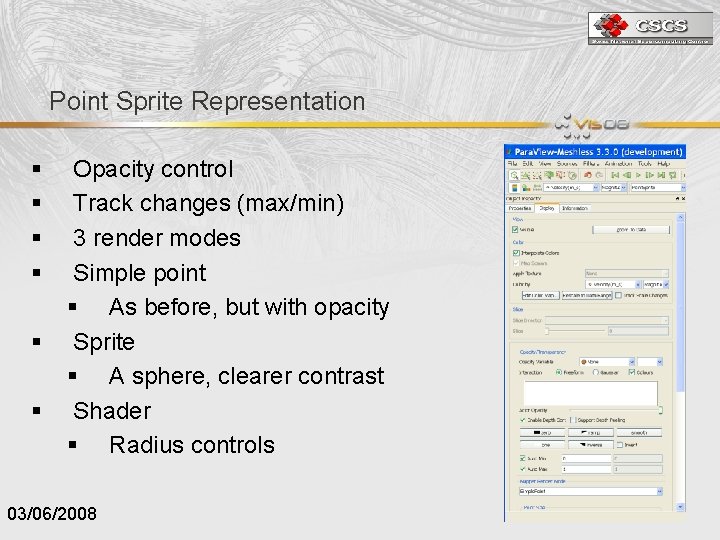
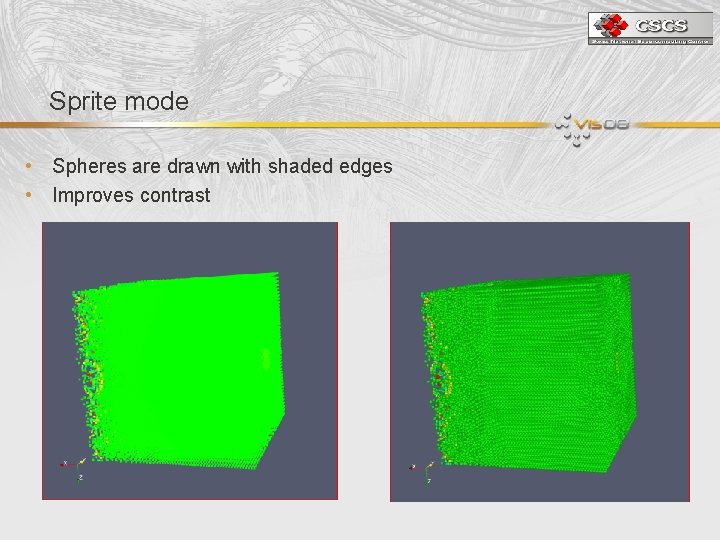
Point Sprite Representation § § § Opacity control Track changes (max/min) 3 render modes Simple point § As before, but with opacity Sprite § A sphere, clearer contrast Shader § Radius controls 03/06/2008
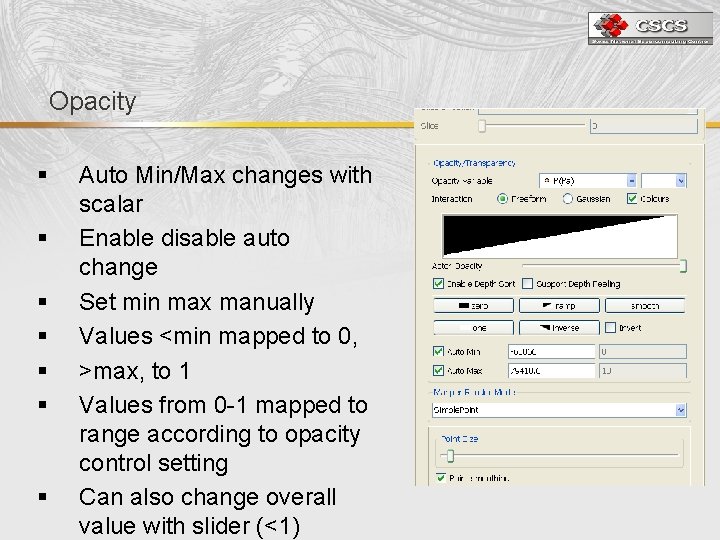
Opacity § § § § Auto Min/Max changes with scalar Enable disable auto change Set min max manually Values <min mapped to 0, >max, to 1 Values from 0 -1 mapped to range according to opacity control setting Can also change overall value with slider (<1)
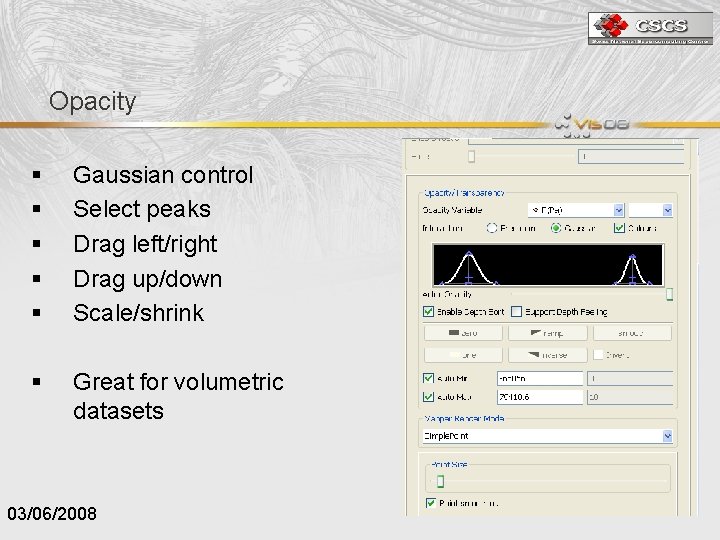
Opacity § § § Gaussian control Select peaks Drag left/right Drag up/down Scale/shrink § Great for volumetric datasets 03/06/2008
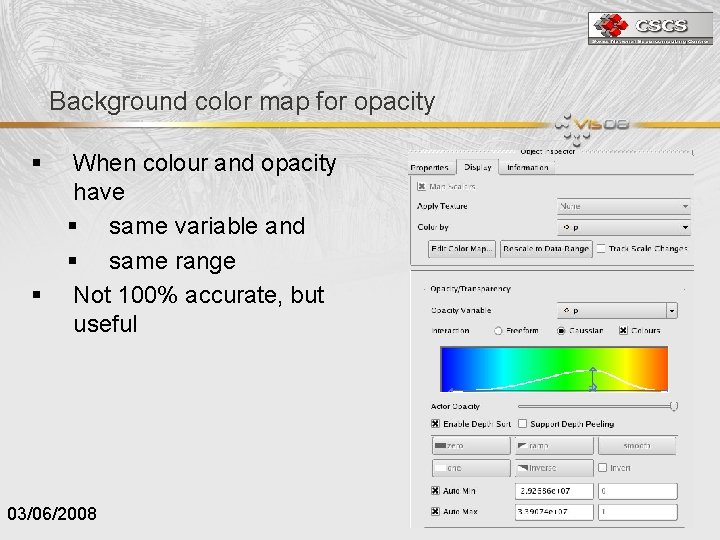
Background color map for opacity § § When colour and opacity have § same variable and § same range Not 100% accurate, but useful 03/06/2008
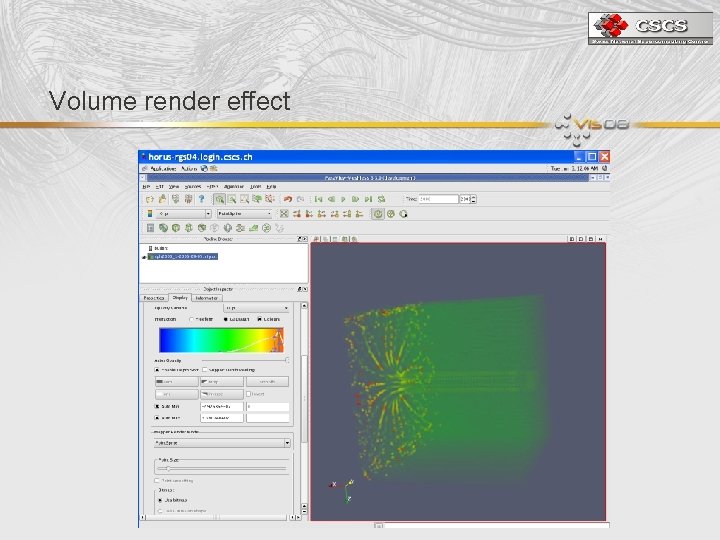
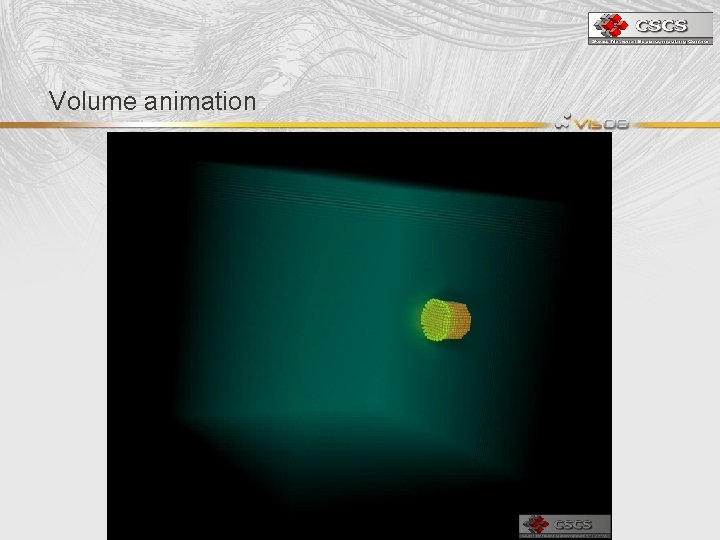
Volume render effect
Volume animation
Point. Size Change size according to taste All particles the same No perspective (well actually yes, but not accurate) No relative scale between particles Try zooming in/out Point smoothing changes particles to rounded squares/ almost circles NB. Bug. If Point Sprite selected, then simple point selected, size clamped.
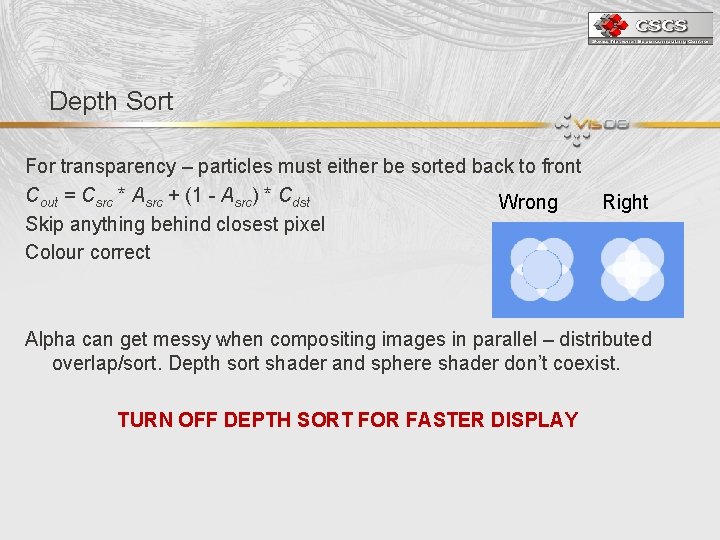
Depth Sort For transparency – particles must either be sorted back to front Cout = Csrc * Asrc + (1 - Asrc) * Cdst Wrong Skip anything behind closest pixel Colour correct Right Alpha can get messy when compositing images in parallel – distributed overlap/sort. Depth sort shader and sphere shader don’t coexist. TURN OFF DEPTH SORT FOR FASTER DISPLAY
Depth Peeling • • • Instead of sorting every object and drawing back to front Draw everything once and save the image Then draw it again, but only items in front of last one Then do it again, and again in ‘peels’ Objects are not sorted, but each pass renders stuff in front, gradually the final image is built up. Not bad for brains/bones Awful for lots of particles Uses advanced shaders which mess up our renderer Work in progress is getting depth peeling working with our renderer
Sprite mode • Spheres are drawn with shaded edges • Improves contrast
Shader mode • • • Better for smaller datasets Where a parameter is to be highlighted Radius can be controlled 2 shaders possible in current implementation Fast. Sphere • Computes size based on radius, then shades as sphere • Exact. Sphere • • Computes size based on radius, then shades as sphere Also computes depth so that overlapping spheres look correct Much slower Only useful in small datasets or hi-zoom display
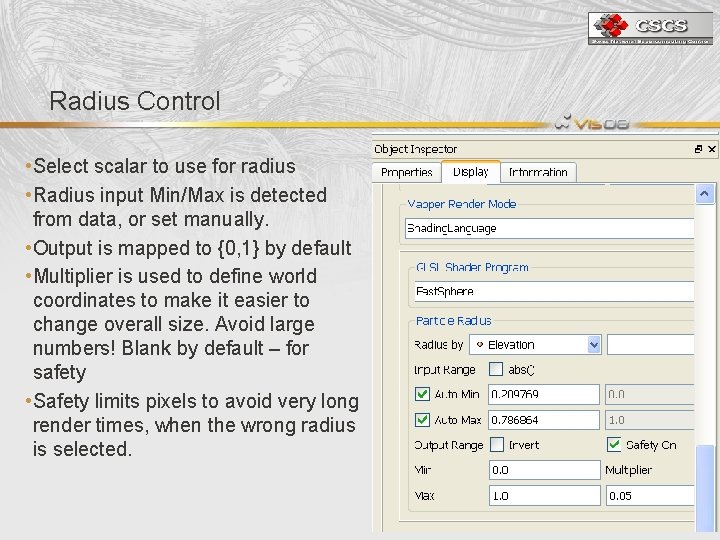
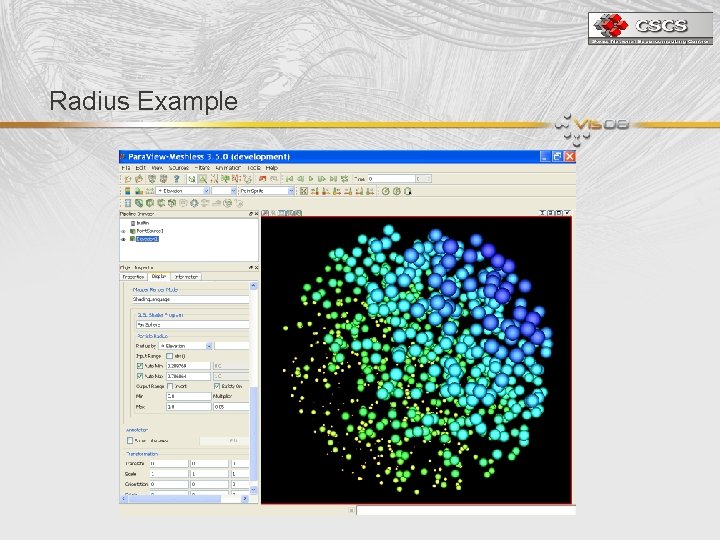
Radius Control • Select scalar to use for radius • Radius input Min/Max is detected from data, or set manually. • Output is mapped to {0, 1} by default • Multiplier is used to define world coordinates to make it easier to change overall size. Avoid large numbers! Blank by default – for safety • Safety limits pixels to avoid very long render times, when the wrong radius is selected.
Radius Example
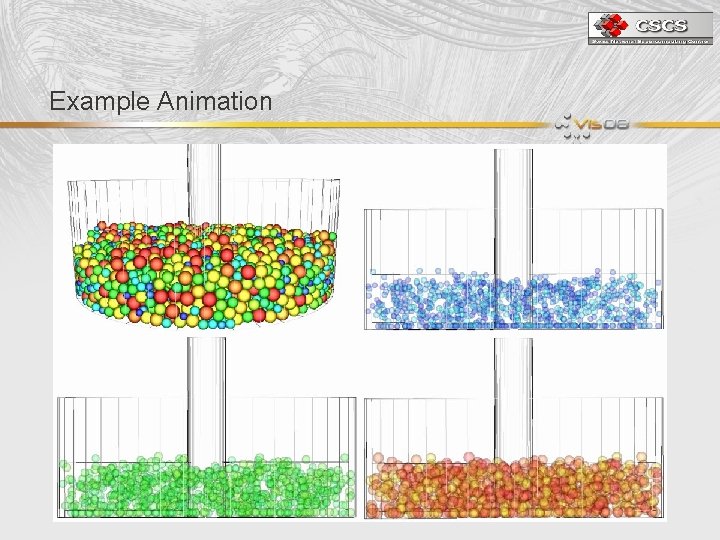
Example Animation
Large Datasets • Runs in parallel, if opacity is not used • Sub. Proxy is vtk. Cell. Points. Filter instead of vtk. Geometry. Filter, so it can be used on any datatype. • This dataset is 40 million particles, rendered on 16 GPUs. Frame speed 1 -3 fps typically – should be much faster – still debugging • Very interactive – for drilling down etc. • (Beats Mat. Lab etc)
Future Work • Ellipsoids : Quadrics • New shaders can be added easily • tricky part is mapping scalars to shader parameters • Better Parallelism • Track down slowness in certain circumstances • Opacity fixes. • Need fast rendering with opacity in parallel • New modes?
EXAMPLE ANIMATION Ellipsoids : Quadrics : To be continued