MDP Software Update H 4 2 Improvements and

- Slides: 33
MDP Software Update H 4. 2 Improvements and Added Capabilities UNCLASSIFIED
Overview • Addition of color display support (MFCD) • But TW-1 is not getting color until ~FY 16 • • • CALT Option HUD Changes/Additions Steering Options HSI, Waypoint, and Sequence Changes/Additions Command Heading Marker Advisories 2 UNCLASSIFIED
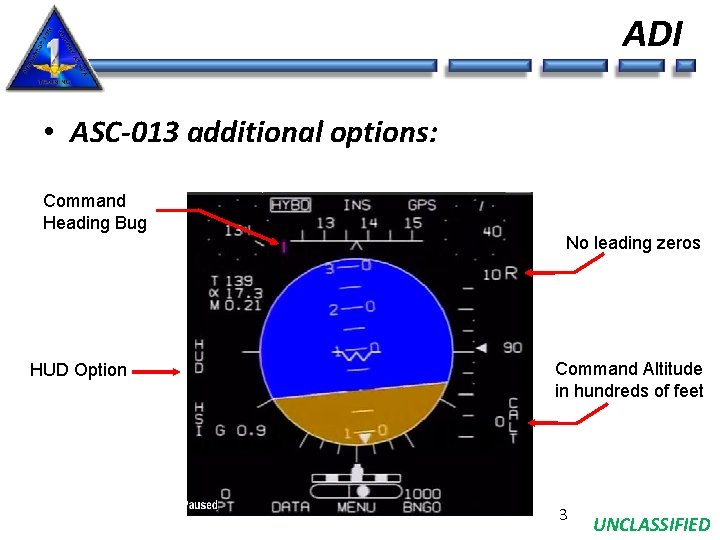
ADI • ASC-013 additional options: Command Heading Bug No leading zeros HUD Option Command Altitude in hundreds of feet 3 UNCLASSIFIED
CALT Option • Commanded Altitude • Allows aircrew to enter an altitude via the DEP in increments of 100 feet from 0 to 40, 000 feet • No connections to other systems / simply allows crew to display altitude assigned • Displayed next to CALT option • Used like we use the HDG Bug right now for altitudes 4 UNCLASSIFIED
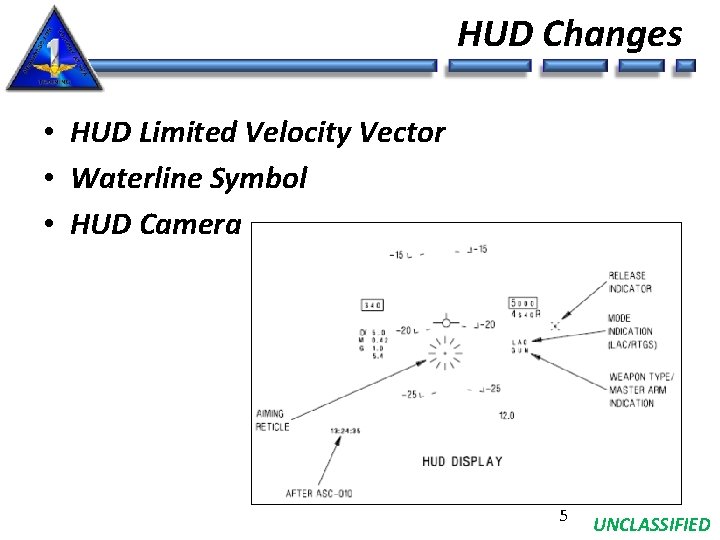
HUD Changes • HUD Limited Velocity Vector • Waterline Symbol • HUD Camera 5 UNCLASSIFIED
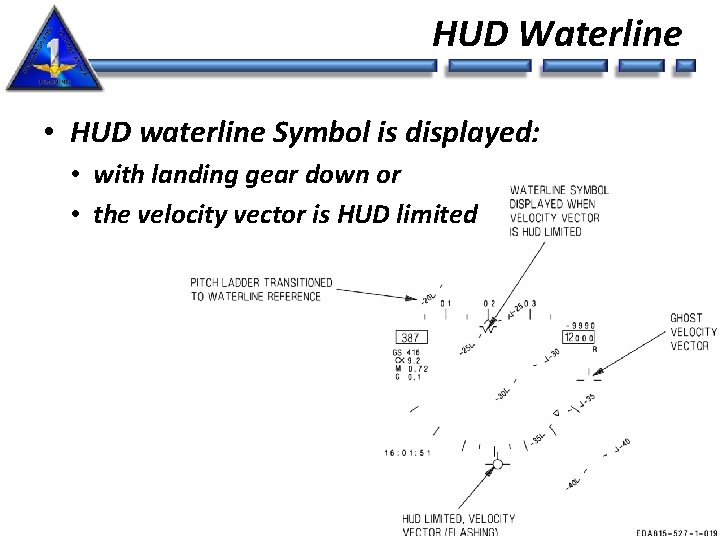
HUD Waterline • HUD waterline Symbol is displayed: • with landing gear down or • the velocity vector is HUD limited 6 UNCLASSIFIED
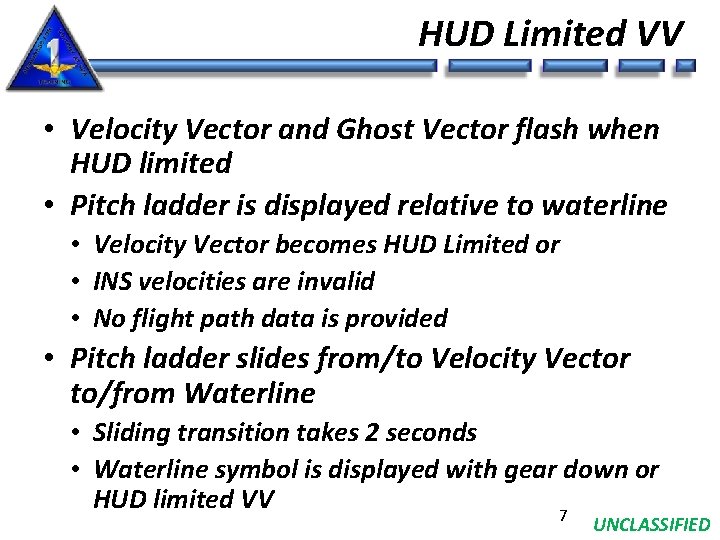
HUD Limited VV • Velocity Vector and Ghost Vector flash when HUD limited • Pitch ladder is displayed relative to waterline • Velocity Vector becomes HUD Limited or • INS velocities are invalid • No flight path data is provided • Pitch ladder slides from/to Velocity Vector to/from Waterline • Sliding transition takes 2 seconds • Waterline symbol is displayed with gear down or HUD limited VV 7 UNCLASSIFIED
HUD Repeater • “HUD” Option on ADI allows viewing raw HUD data directly on an MFD by selecting “HUD” on the ADI • HUD video camera input on MFD can be “turned off” in order to view only HUD symbology and data by deselecting “CAM” 8 UNCLASSIFIED
HUD Repeater (cont’d) 9 UNCLASSIFIED
HSI Changes • HSI Symbology • 45 deg tics Removed, Mark Points, GREF • • Increased Waypoints (from 11 to 61) Additional Lat/Long formats Waypoint Offset PLAN/CDI Steering Support for up to 3 Flight Plans / SEQs • Sequential Waypoint Programming • AUT 1, AUT 2, AUT 3 available • Additional scale options on HSI • Fuel remaining at waypoint overfly • Command Heading Marker 10 UNCLASSIFIED
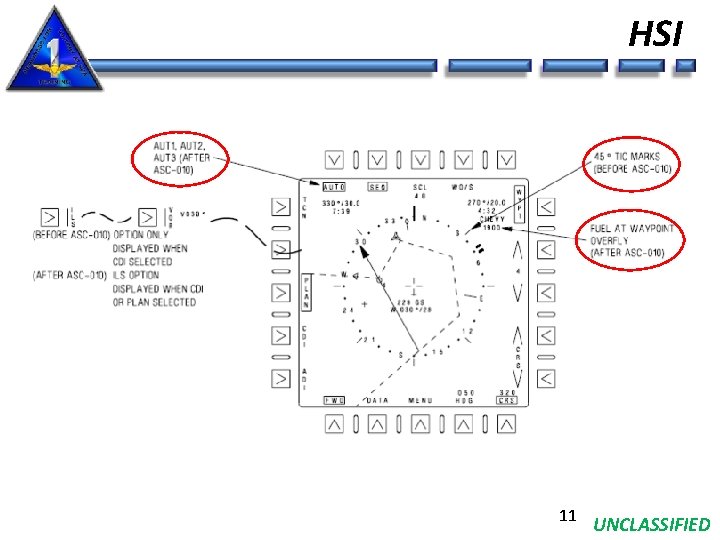
HSI 11 UNCLASSIFIED
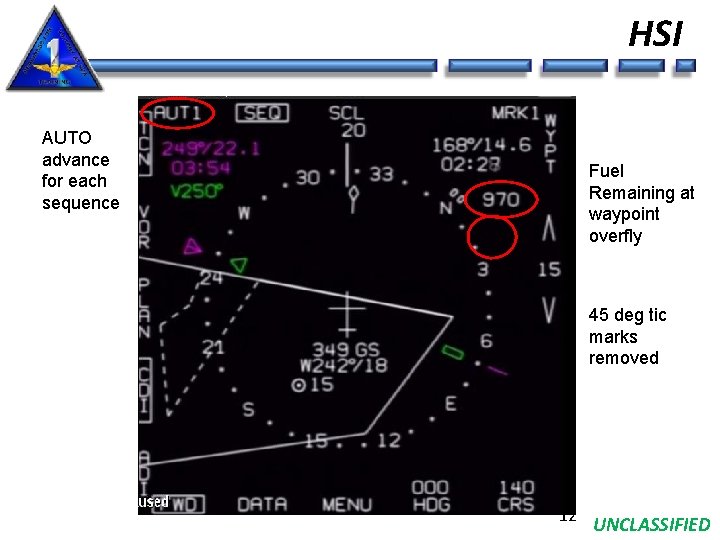
HSI AUTO advance for each sequence Fuel Remaining at waypoint overfly 45 deg tic marks removed 12 UNCLASSIFIED
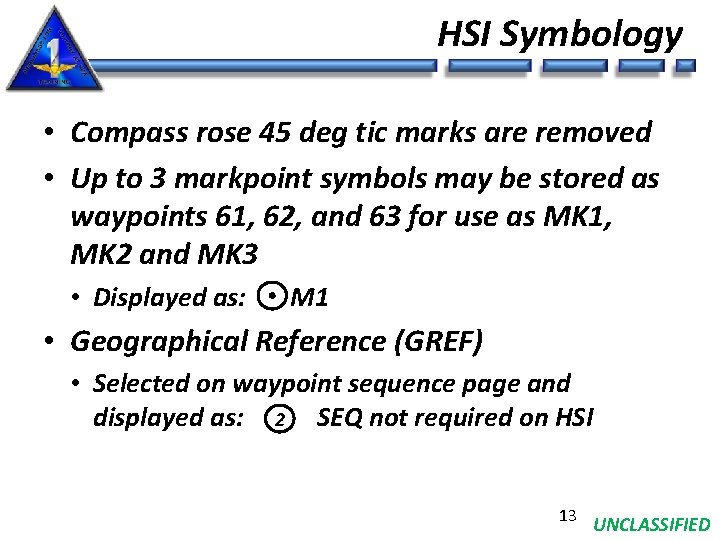
HSI Symbology • Compass rose 45 deg tic marks are removed • Up to 3 markpoint symbols may be stored as waypoints 61, 62, and 63 for use as MK 1, MK 2 and MK 3 • Displayed as: M 1 • Geographical Reference (GREF) • Selected on waypoint sequence page and displayed as: 2 SEQ not required on HSI 13 UNCLASSIFIED
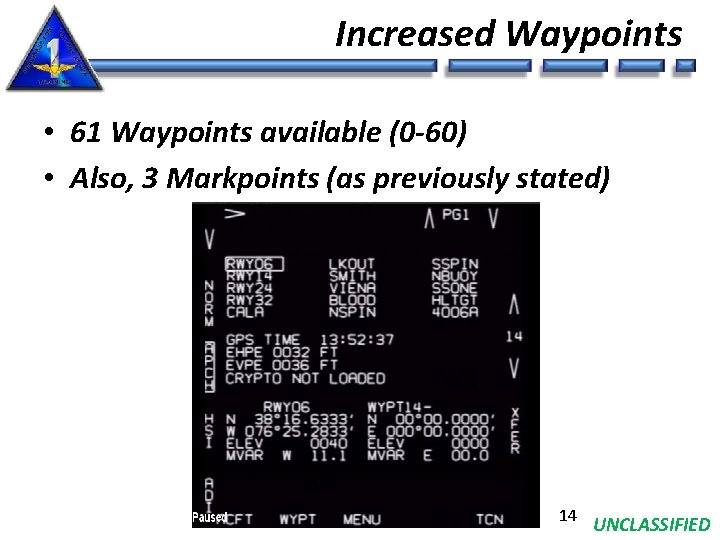
Increased Waypoints • 61 Waypoints available (0 -60) • Also, 3 Markpoints (as previously stated) 14 UNCLASSIFIED
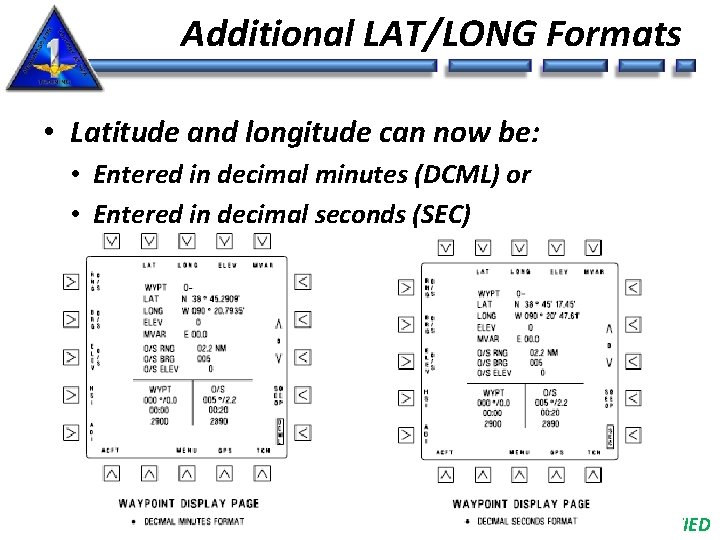
Additional LAT/LONG Formats • Latitude and longitude can now be: • Entered in decimal minutes (DCML) or • Entered in decimal seconds (SEC) 15 UNCLASSIFIED
Waypoint Offset PLAN /CDI Steering • Entered by selecting PLAN then WO/S • Course is entered using CRS option • Command steering marker is displayed on the ADI and HUD 16 UNCLASSIFIED
TACAN Offset Steering • Similar to waypoint offset, but now to a TACAN station • Provides TACAN offset steering in either the PLAN or CDI modes and displayed as a cross symbol on HSI • Select TACAN display page to enter offset information • Select TCN option from waypoint, aircraft or GPS display pages • Offset information includes: • • TACAN station elevation Offset range (RNG) Offset bearing (BRG) Elevation for offset location (ELEV) • Offset information is retained and applied (when TO/S selected) for any TACAN station selected until offset information is changed 17 UNCLASSIFIED
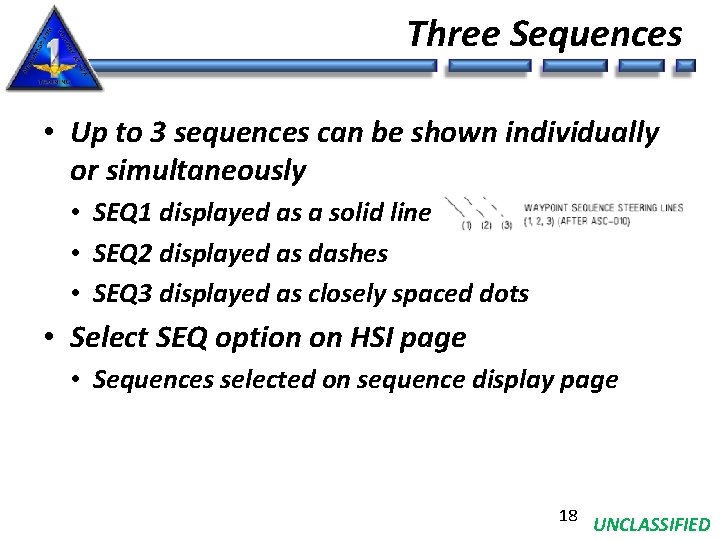
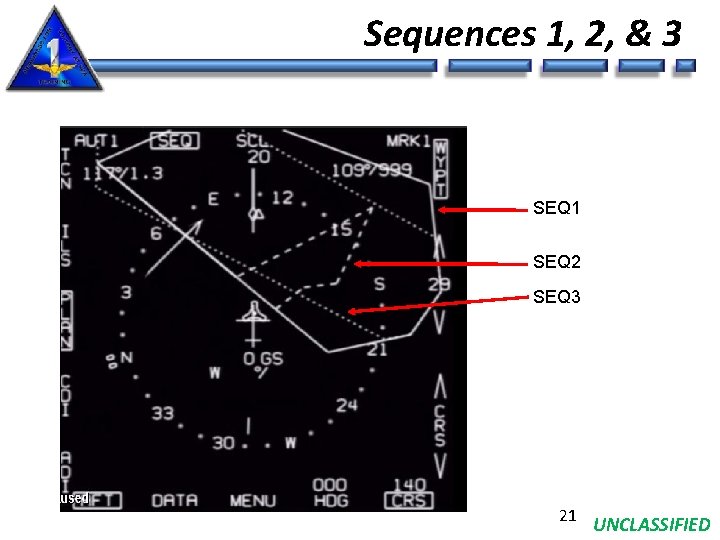
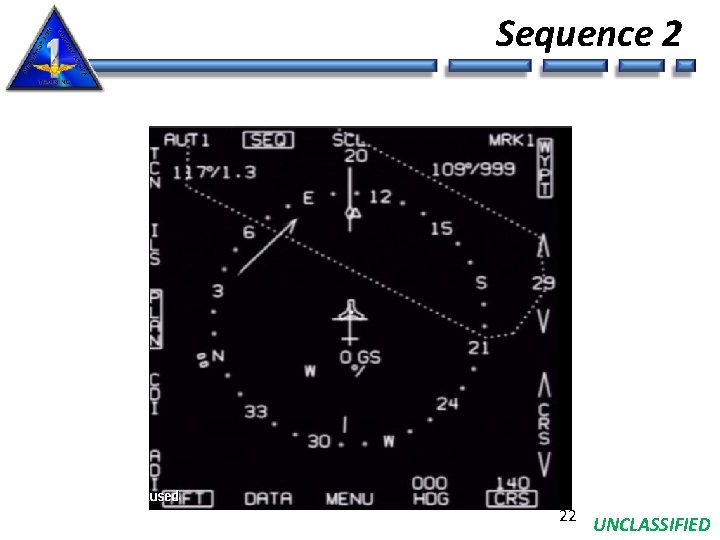
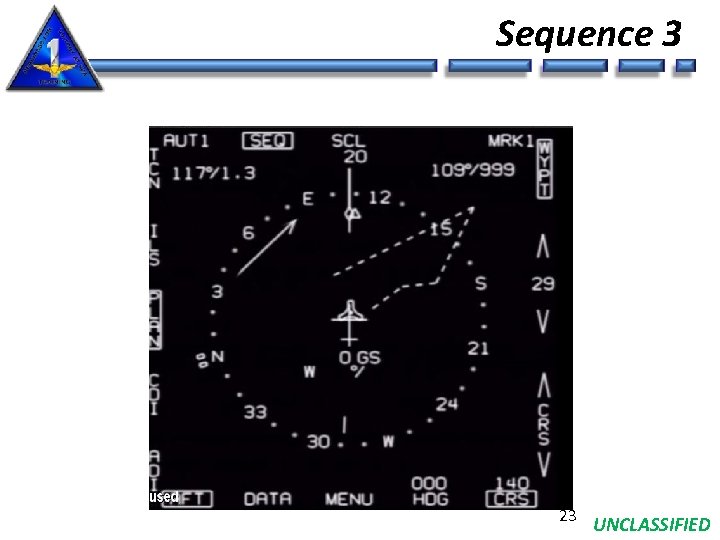
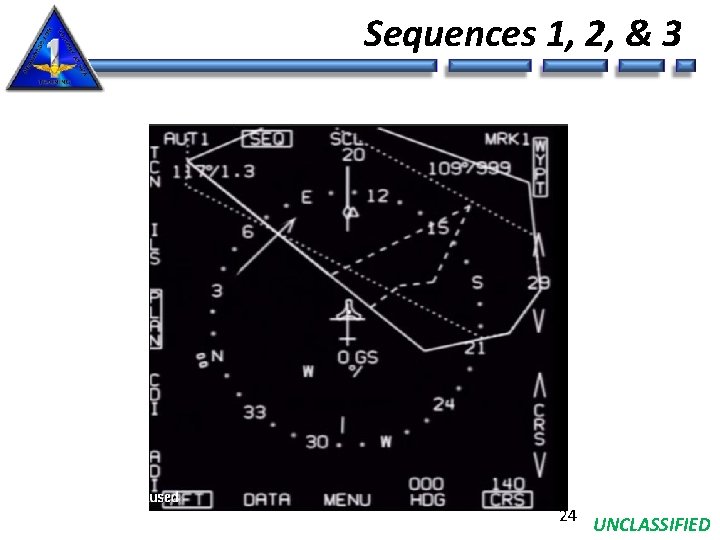
Three Sequences • Up to 3 sequences can be shown individually or simultaneously • SEQ 1 displayed as a solid line • SEQ 2 displayed as dashes • SEQ 3 displayed as closely spaced dots • Select SEQ option on HSI page • Sequences selected on sequence display page 18 UNCLASSIFIED
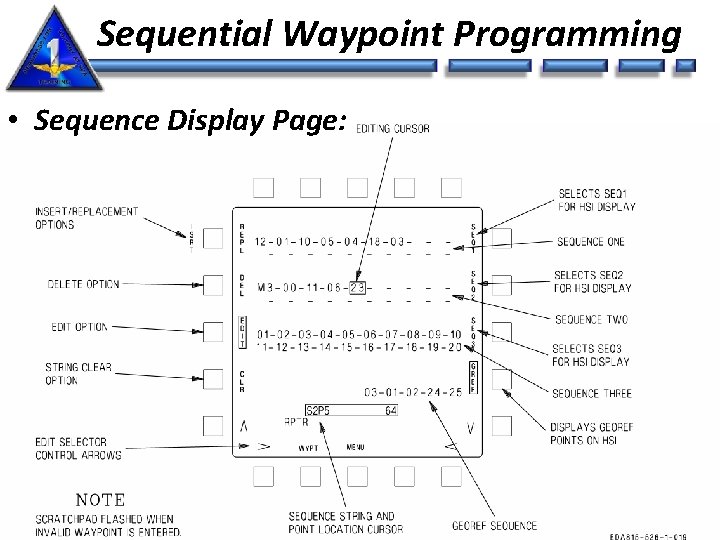
Sequential Waypoint Programming • Sequence Display Page: 19 UNCLASSIFIED
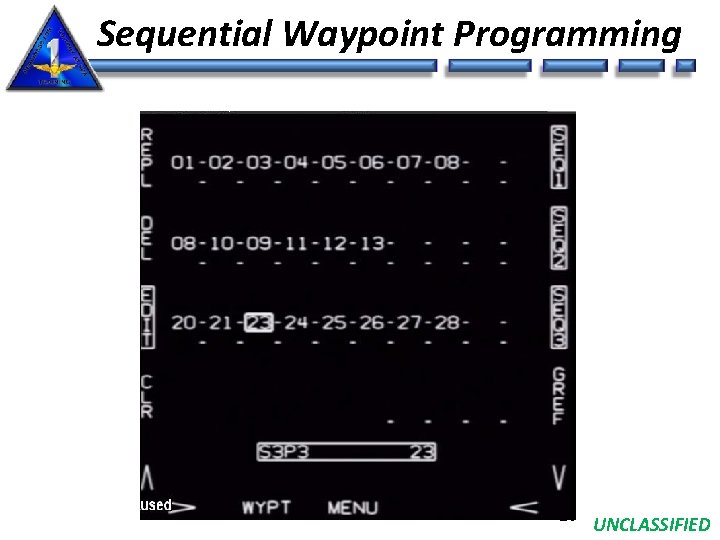
Sequential Waypoint Programming 20 UNCLASSIFIED
Sequences 1, 2, & 3 SEQ 1 SEQ 2 SEQ 3 21 UNCLASSIFIED
Sequence 2 22 UNCLASSIFIED
Sequence 3 23 UNCLASSIFIED
Sequences 1, 2, & 3 24 UNCLASSIFIED
Sequential Waypoint Programming • Selected by pressing SEQ option on waypoint display page • Up to 20 waypoints in each sequence • Up to 5 waypoints in GREF sequence • Waypoints can be inserted (ISRT), replaced (REPL) or deleted (DEL) by selecting EDIT option • Use edit selector control arrows to box desired waypoint number in sequence for above actions • Box SEQ 1, SEQ 2, and/or SEQ 3 in order to display on HSI page when SEQ is selected on HSI page • Can select AUT 1, AUT 2, AUT 3 corresponding to SEQ 1, SEQ 2, SEQ 3 respectively 25 UNCLASSIFIED
HSI Scale Options • Range scales now available: • 5, 10, 20, 40, 80, 160, and 320 • 5 and 320 were added 26 UNCLASSIFIED
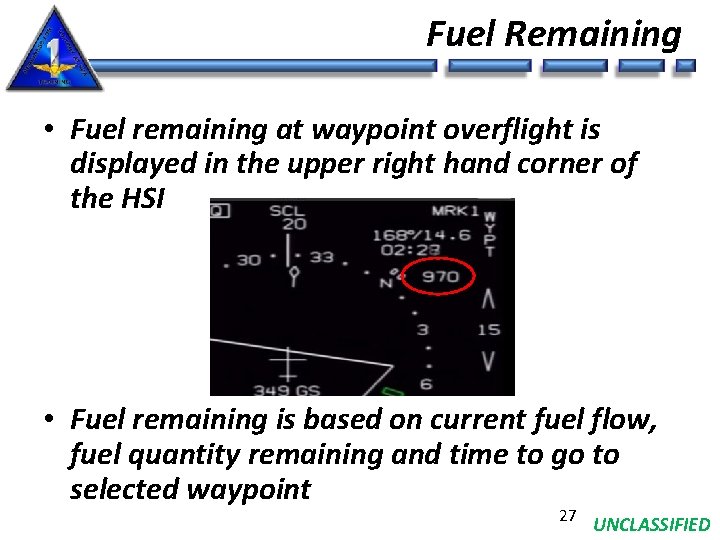
Fuel Remaining • Fuel remaining at waypoint overflight is displayed in the upper right hand corner of the HSI • Fuel remaining is based on current fuel flow, fuel quantity remaining and time to go to selected waypoint 27 UNCLASSIFIED
Command Heading Marker • ILS or no steering selected: • Marker indicates selected heading • Marker is NOT wind corrected in ADI and HUD • Steering selected • Marker is wind corrected on ADI and HUD • VOR: location is based on VOR bearing • TACAN, TACAN offset, waypoint or waypoint offset: great circle steering to the NAVAID position • Displayed anytime the steering arrow is displayed 28 UNCLASSIFIED
Miscompare Advisory • Advisory cue when INS and GPS outputs do not agree within threshold • Approx 6. 5 ft/sec and 2, 000 ft for about 25 sec • MISCOMPARE now displayed on ADI • Removed when REJ option is selected • GINA will indicate DEGD on BIT page until INS and GPS velocities are within threshold 29 UNCLASSIFIED
Failure Indications • WRA BIT legend is flashed for 3 seconds in the lower right portion of the MFD • If more than one failure occurs AV BIT is displayed WRA BIT Legend Failure and indication are the same for the following: RALT, GINA, DEU, HUD, ADR, IFF, SADS, YDS, MDL, ECA, VCR Failure LFWD MFD RFWD MFD LAFT MFD RAFT MFD Indication LF MFD RF MFD LA MFD RA MFD 30 UNCLASSIFIED
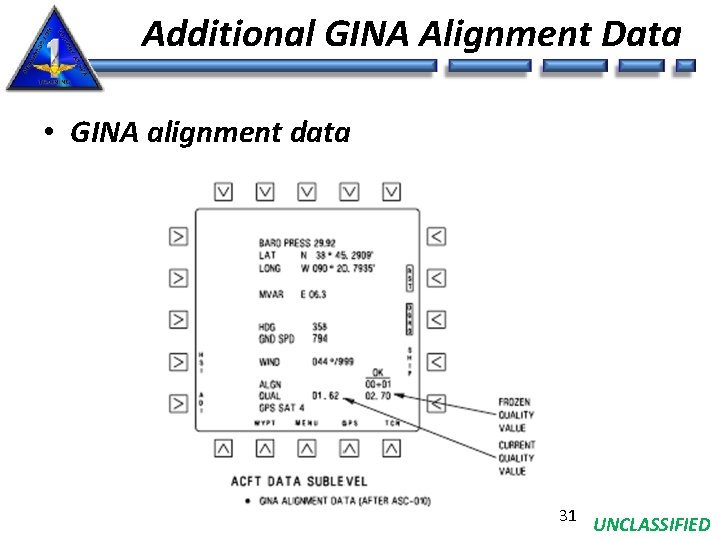
Additional GINA Alignment Data • GINA alignment data 31 UNCLASSIFIED
GINA SHIP Option • Boxing SHIP option now begins ship alignment and boxes RST (restart) • No need to manually restart GINA • Must have: • weight-on-wheels • Incomplete alignment or • DGRO (directional gyro) option selected w/ weight-onwheels and true heading invalid 32 UNCLASSIFIED
Questions? 33 UNCLASSIFIED