Lecture 17 Chamfer Distance for Handshape Detection and
- Slides: 33
Lecture 17 Chamfer Distance for Handshape Detection and Recognition CSE 6367 – Computer Vision Spring 2010 Vassilis Athitsos University of Texas at Arlington
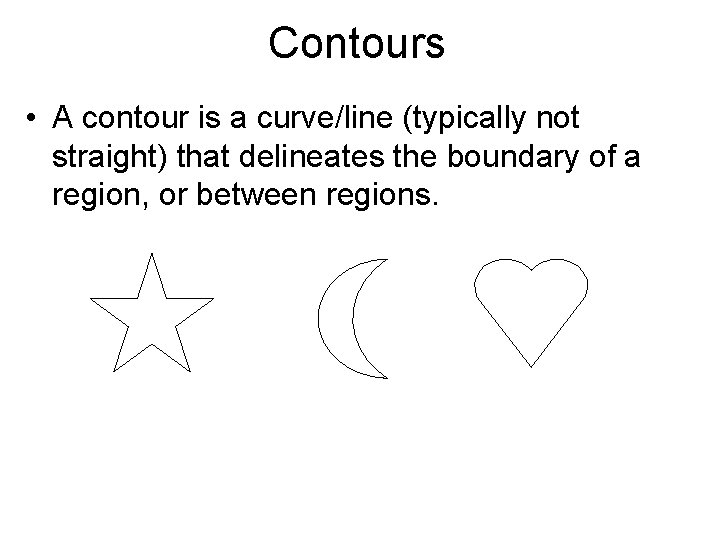
Contours • A contour is a curve/line (typically not straight) that delineates the boundary of a region, or between regions.
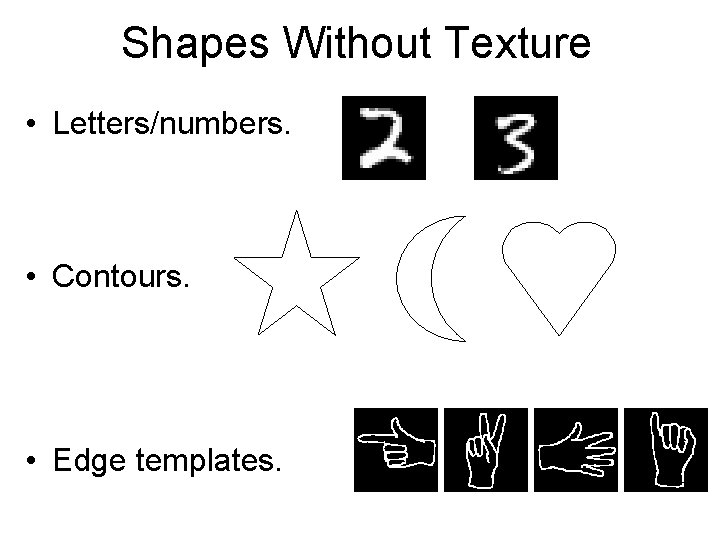
Shapes Without Texture • Letters/numbers. • Contours. • Edge templates.
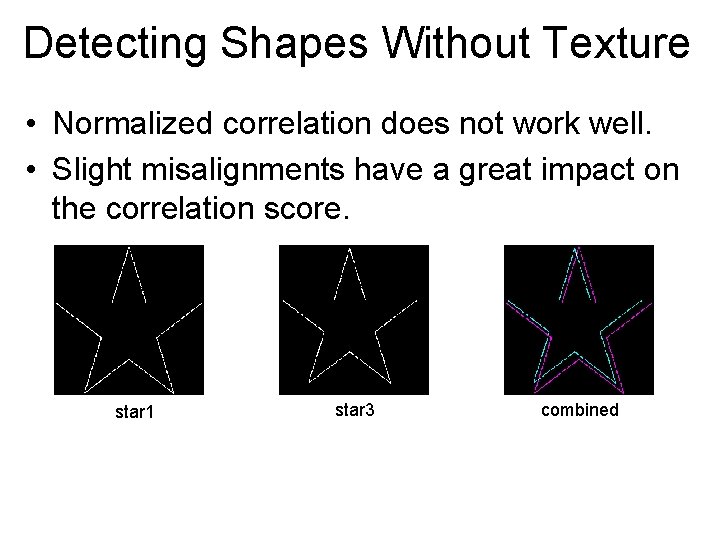
Detecting Shapes Without Texture • Normalized correlation does not work well. • Slight misalignments have a great impact on the correlation score. star 1 star 3 combined
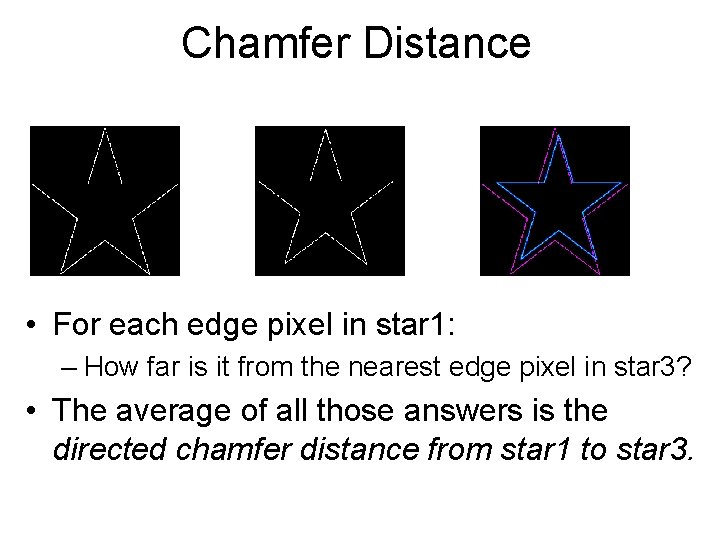
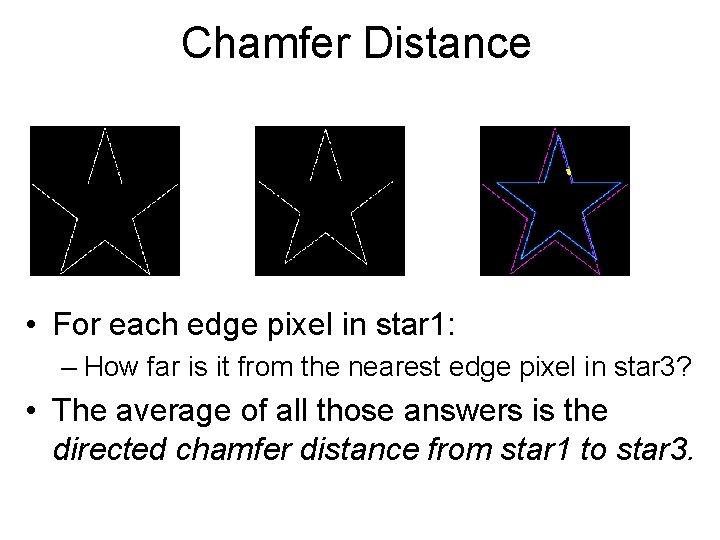
Chamfer Distance • For each edge pixel in star 1: – How far is it from the nearest edge pixel in star 3? • The average of all those answers is the directed chamfer distance from star 1 to star 3.
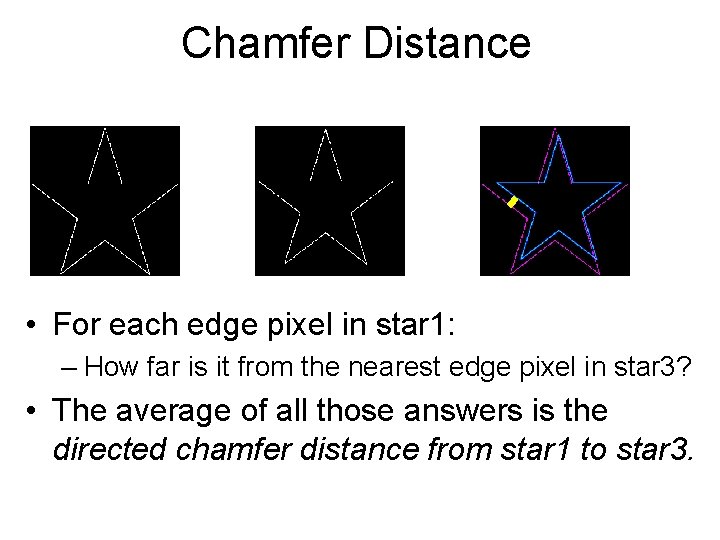
Chamfer Distance • For each edge pixel in star 1: – How far is it from the nearest edge pixel in star 3? • The average of all those answers is the directed chamfer distance from star 1 to star 3.
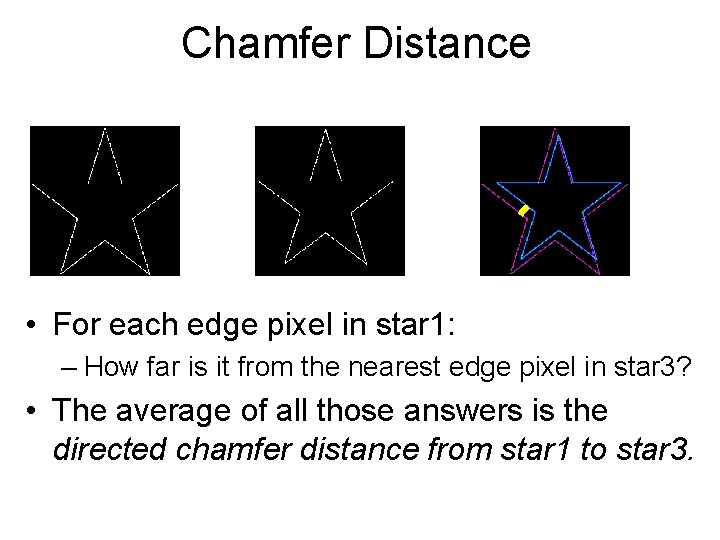
Chamfer Distance • For each edge pixel in star 1: – How far is it from the nearest edge pixel in star 3? • The average of all those answers is the directed chamfer distance from star 1 to star 3.
Chamfer Distance • For each edge pixel in star 1: – How far is it from the nearest edge pixel in star 3? • The average of all those answers is the directed chamfer distance from star 1 to star 3.
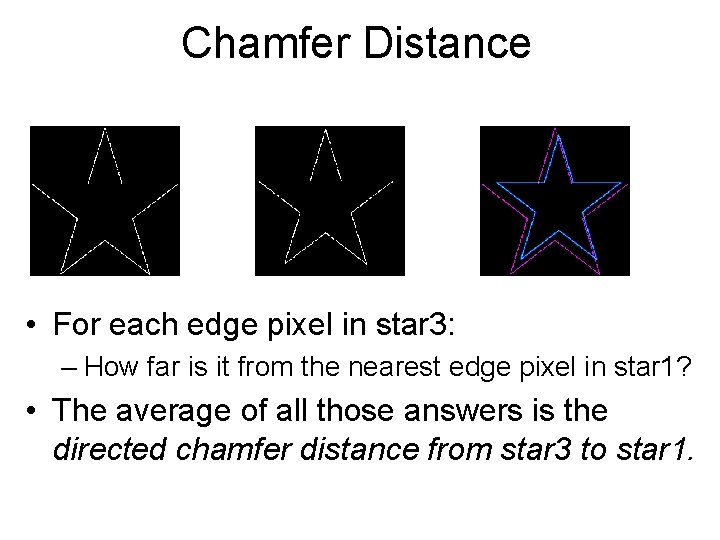
Chamfer Distance • For each edge pixel in star 3: – How far is it from the nearest edge pixel in star 1? • The average of all those answers is the directed chamfer distance from star 3 to star 1.
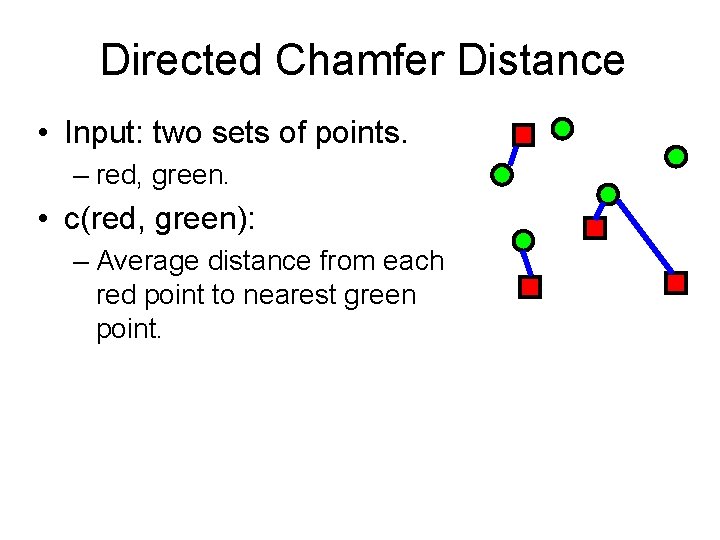
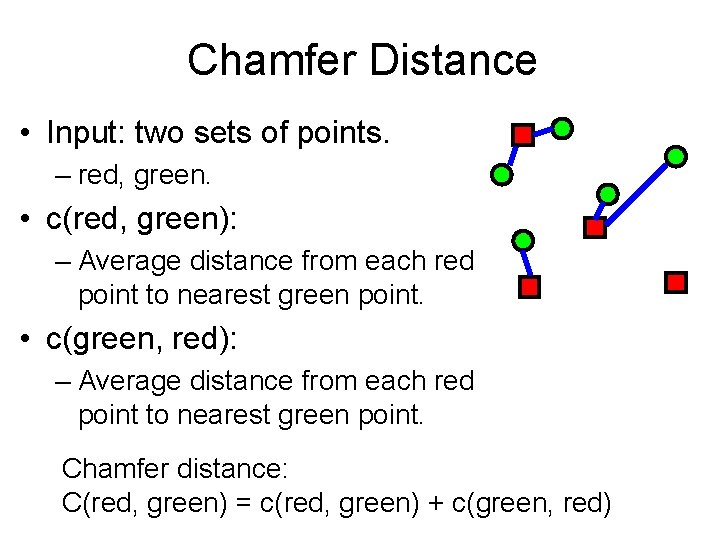
Directed Chamfer Distance • Input: two sets of points. – red, green. • c(red, green): – Average distance from each red point to nearest green point.
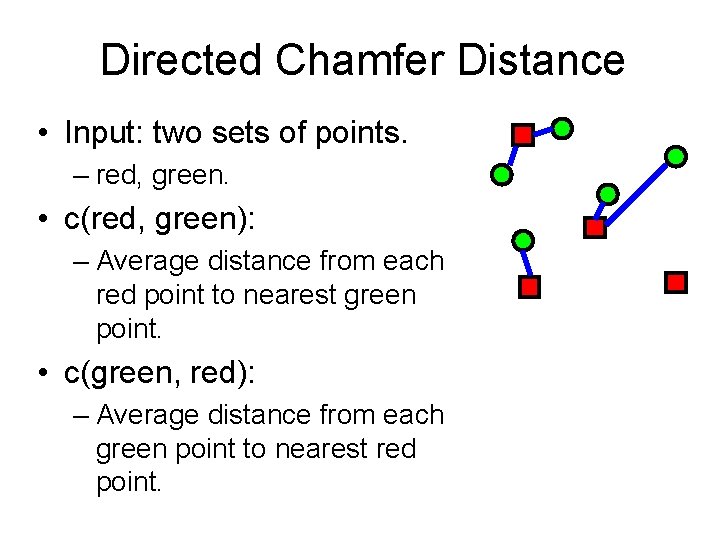
Directed Chamfer Distance • Input: two sets of points. – red, green. • c(red, green): – Average distance from each red point to nearest green point. • c(green, red): – Average distance from each green point to nearest red point.
Chamfer Distance • Input: two sets of points. – red, green. • c(red, green): – Average distance from each red point to nearest green point. • c(green, red): – Average distance from each red point to nearest green point. Chamfer distance: C(red, green) = c(red, green) + c(green, red)
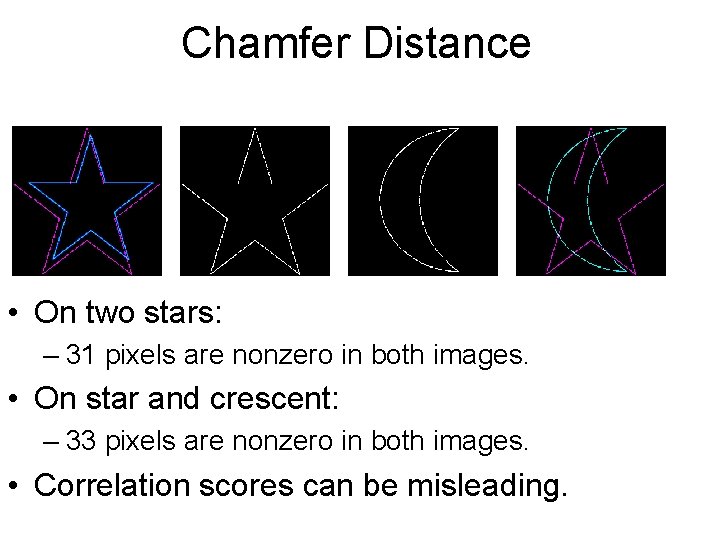
Chamfer Distance • On two stars: – 31 pixels are nonzero in both images. • On star and crescent: – 33 pixels are nonzero in both images. • Correlation scores can be misleading.
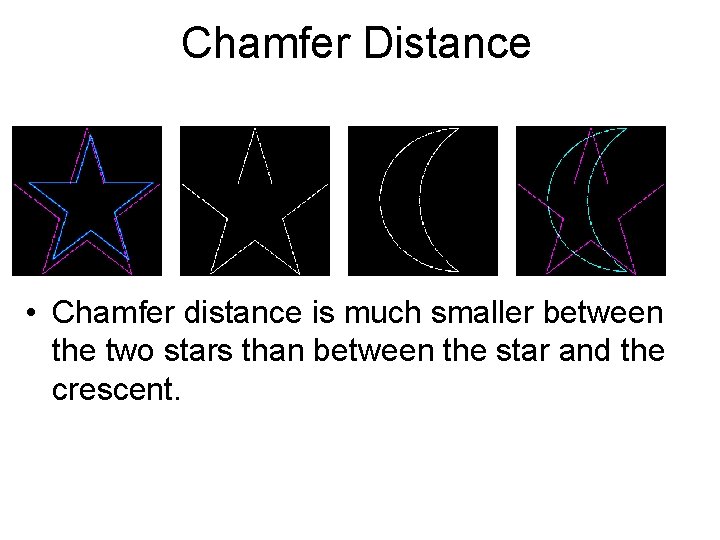
Chamfer Distance • Chamfer distance is much smaller between the two stars than between the star and the crescent.
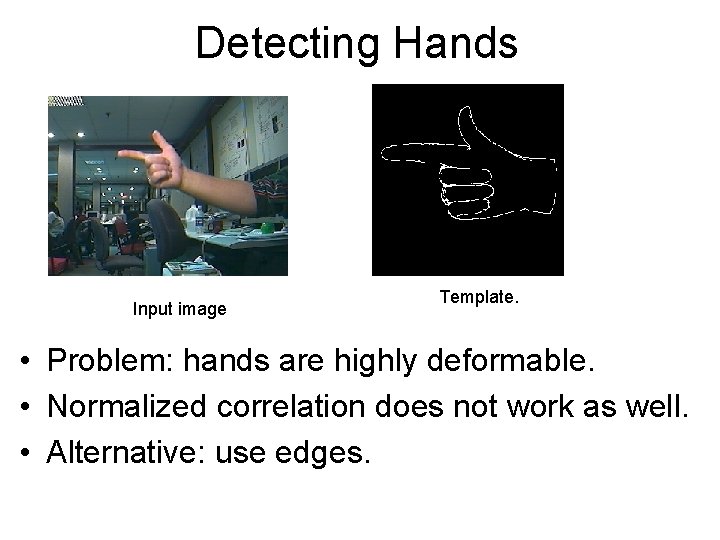
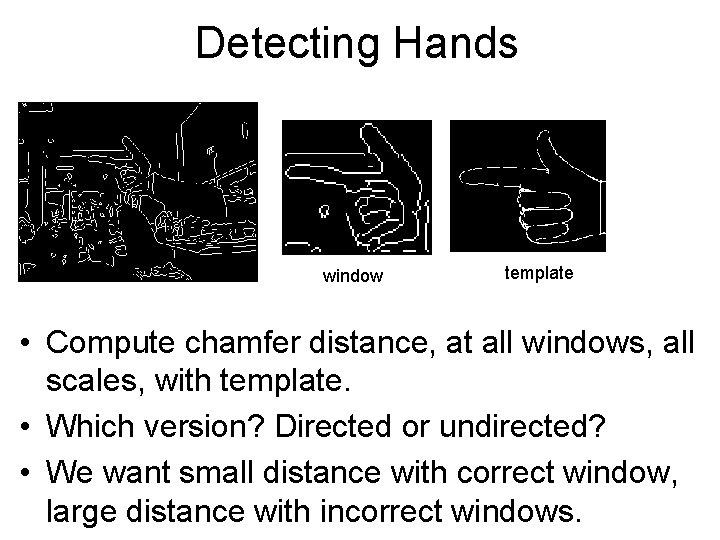
Detecting Hands Input image Template. • Problem: hands are highly deformable. • Normalized correlation does not work as well. • Alternative: use edges.
Detecting Hands window template • Compute chamfer distance, at all windows, all scales, with template. • Which version? Directed or undirected? • We want small distance with correct window, large distance with incorrect windows.
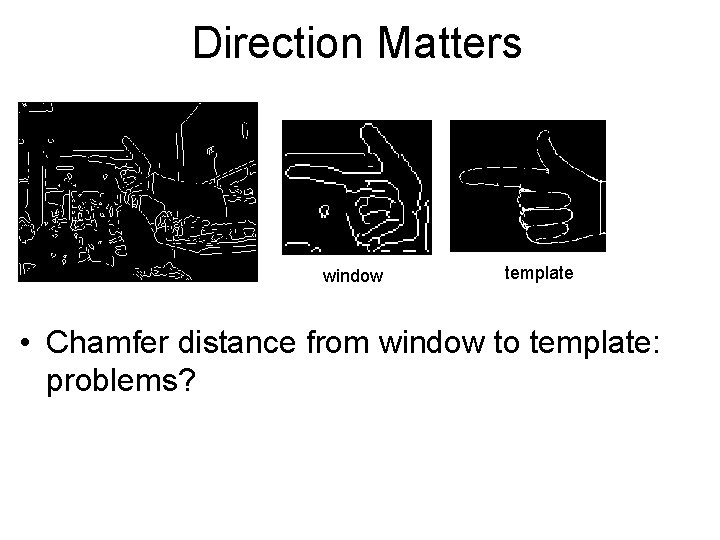
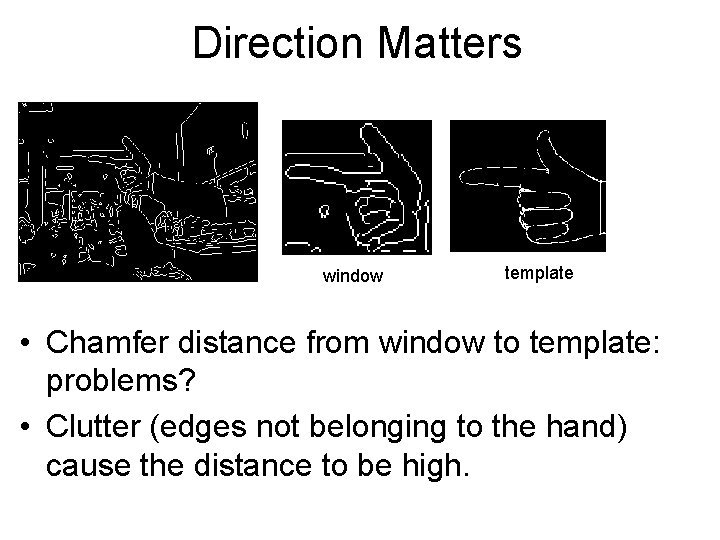
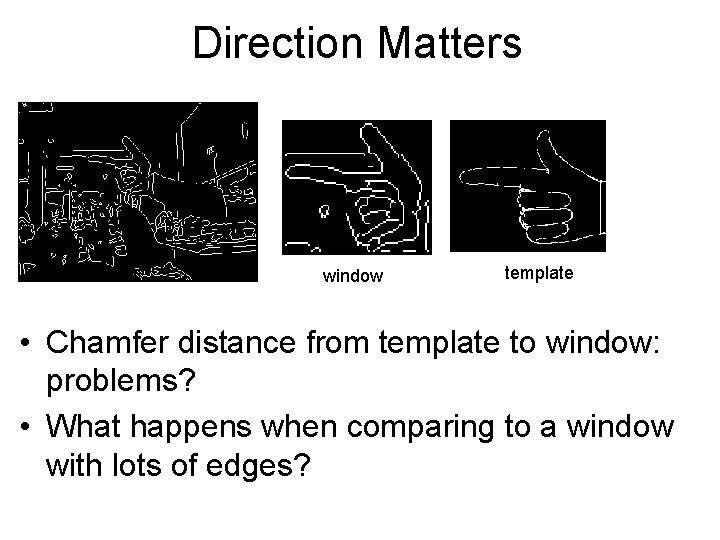
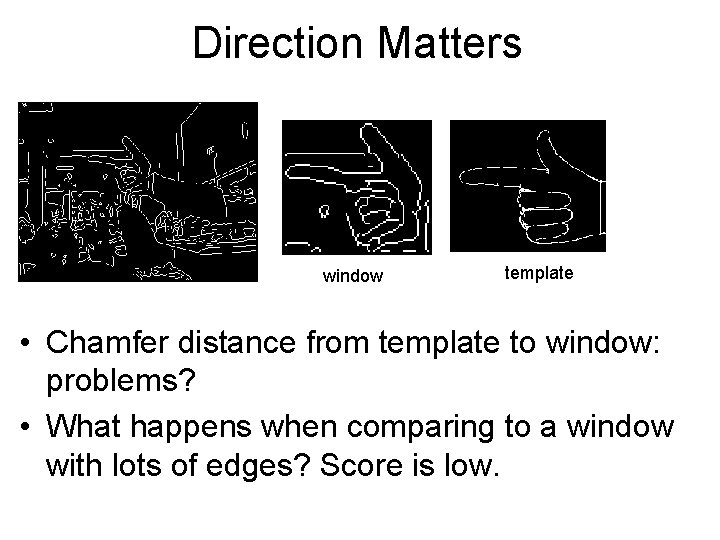
Direction Matters window template • Chamfer distance from window to template: problems?
Direction Matters window template • Chamfer distance from window to template: problems? • Clutter (edges not belonging to the hand) cause the distance to be high.
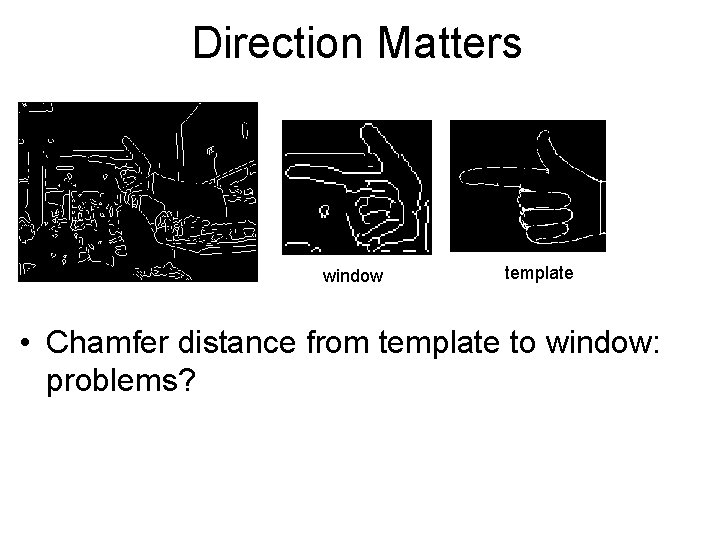
Direction Matters window template • Chamfer distance from template to window: problems?
Direction Matters window template • Chamfer distance from template to window: problems? • What happens when comparing to a window with lots of edges?
Direction Matters window template • Chamfer distance from template to window: problems? • What happens when comparing to a window with lots of edges? Score is low.
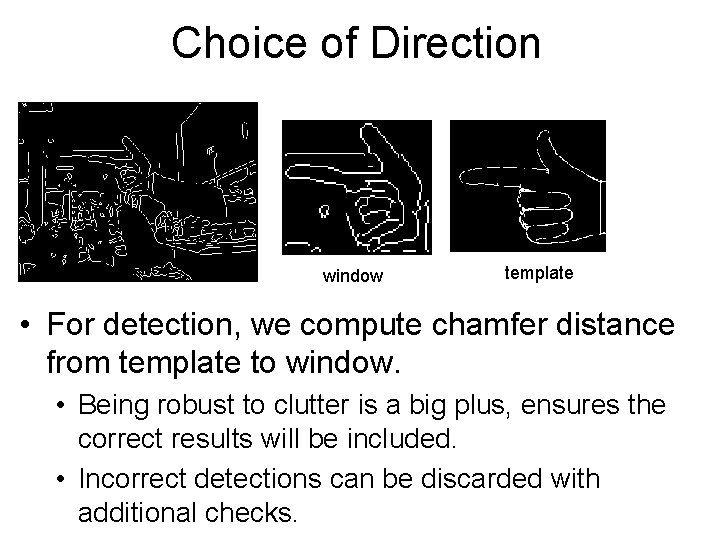
Choice of Direction window template • For detection, we compute chamfer distance from template to window. • Being robust to clutter is a big plus, ensures the correct results will be included. • Incorrect detections can be discarded with additional checks.
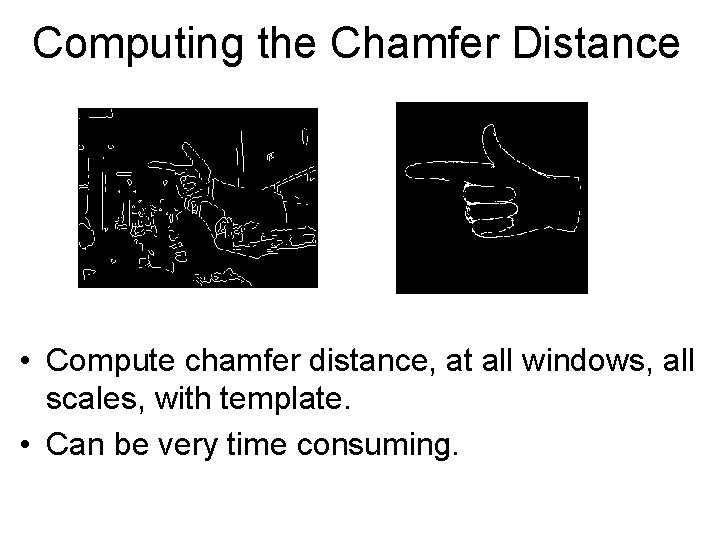
Computing the Chamfer Distance • Compute chamfer distance, at all windows, all scales, with template. • Can be very time consuming.
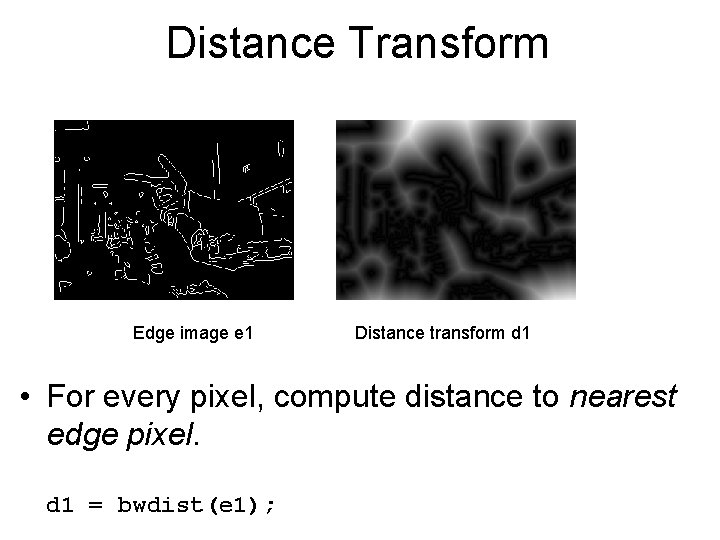
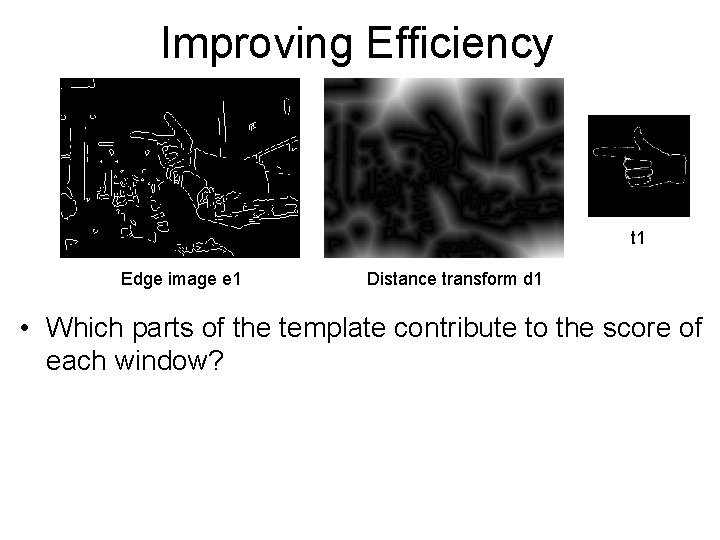
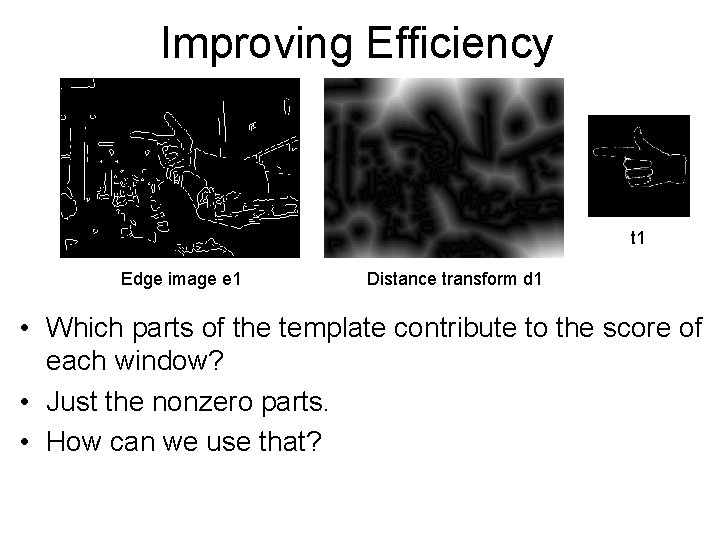
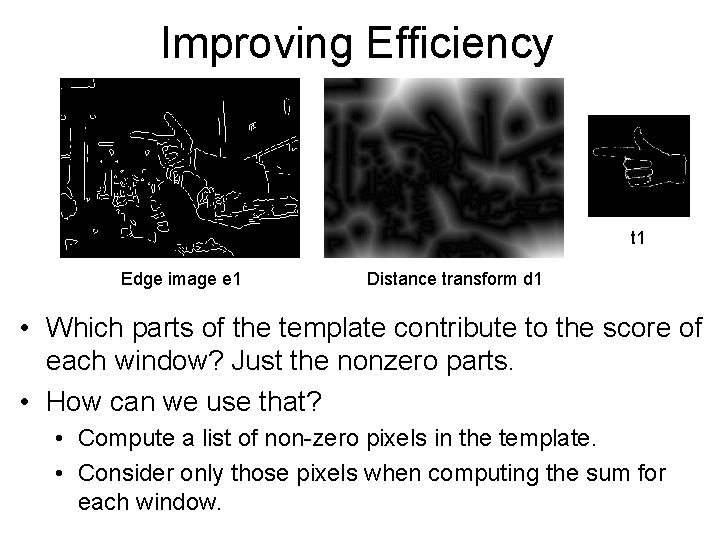
Distance Transform Edge image e 1 Distance transform d 1 • For every pixel, compute distance to nearest edge pixel. d 1 = bwdist(e 1);
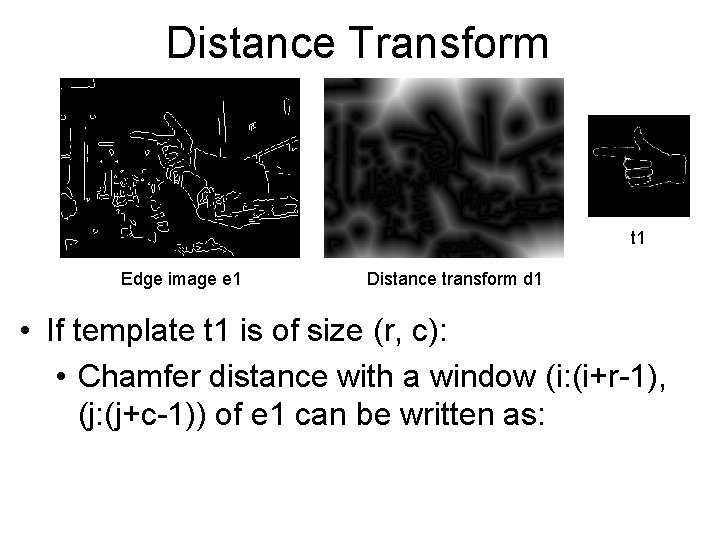
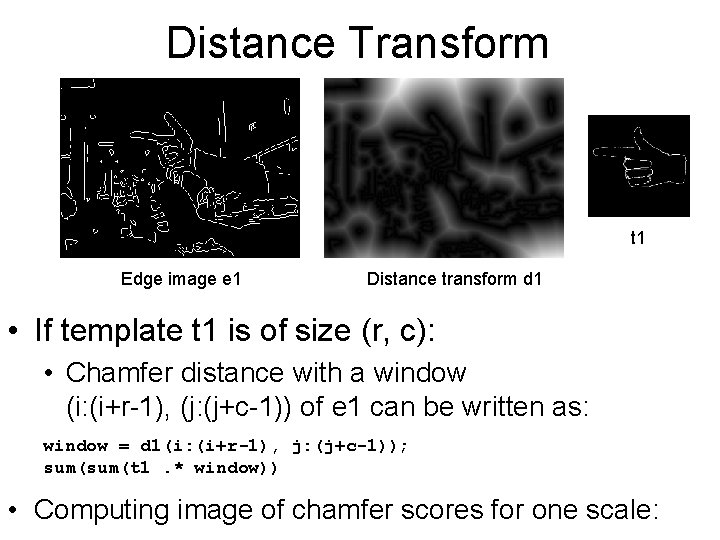
Distance Transform t 1 Edge image e 1 Distance transform d 1 • If template t 1 is of size (r, c): • Chamfer distance with a window (i: (i+r-1), (j: (j+c-1)) of e 1 can be written as:
Distance Transform t 1 Edge image e 1 Distance transform d 1 • If template t 1 is of size (r, c): • Chamfer distance with a window (i: (i+r-1), (j: (j+c-1)) of e 1 can be written as: window = d 1(i: (i+r-1), j: (j+c-1)); sum(t 1. * window)) • Computing image of chamfer scores for one scale:
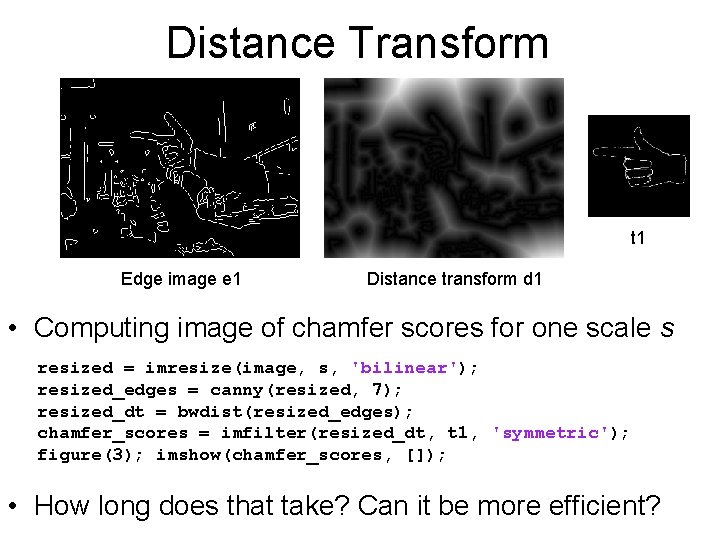
Distance Transform t 1 Edge image e 1 Distance transform d 1 • Computing image of chamfer scores for one scale s resized = imresize(image, s, 'bilinear'); resized_edges = canny(resized, 7); resized_dt = bwdist(resized_edges); chamfer_scores = imfilter(resized_dt, t 1, 'symmetric'); figure(3); imshow(chamfer_scores, []); • How long does that take? Can it be more efficient?
Improving Efficiency t 1 Edge image e 1 Distance transform d 1 • Which parts of the template contribute to the score of each window?
Improving Efficiency t 1 Edge image e 1 Distance transform d 1 • Which parts of the template contribute to the score of each window? • Just the nonzero parts. • How can we use that?
Improving Efficiency t 1 Edge image e 1 Distance transform d 1 • Which parts of the template contribute to the score of each window? Just the nonzero parts. • How can we use that? • Compute a list of non-zero pixels in the template. • Consider only those pixels when computing the sum for each window.
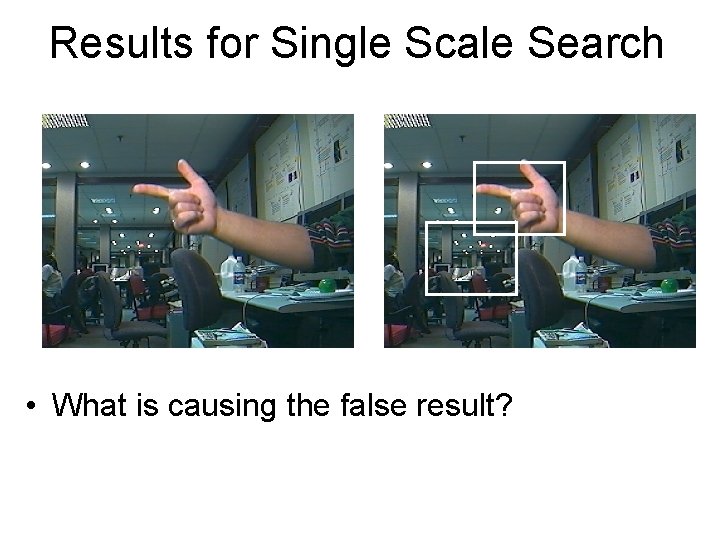
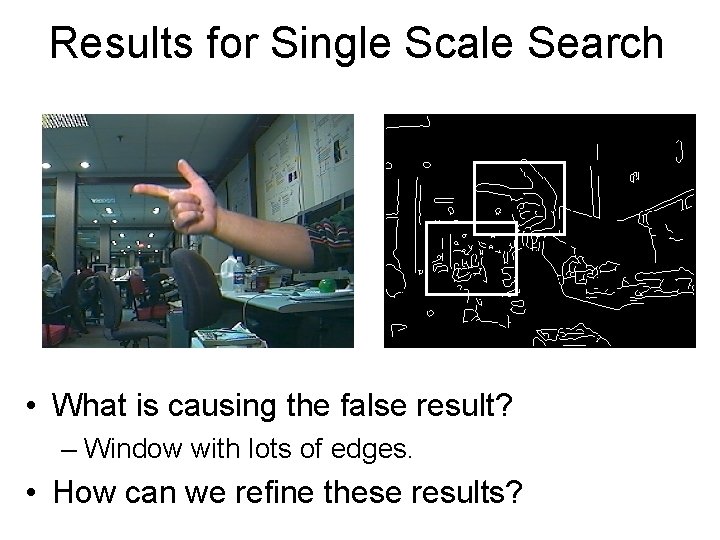
Results for Single Scale Search • What is causing the false result?
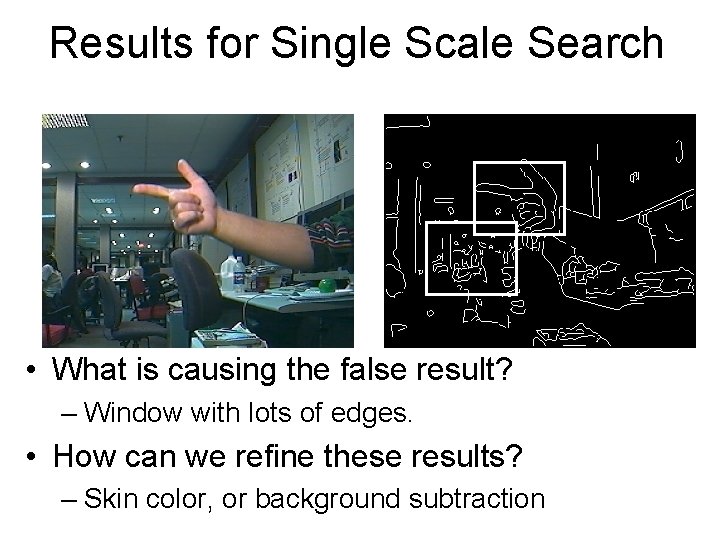
Results for Single Scale Search • What is causing the false result? – Window with lots of edges. • How can we refine these results?
Results for Single Scale Search • What is causing the false result? – Window with lots of edges. • How can we refine these results? – Skin color, or background subtraction