Last lecture Edges primer Edge detection to identify
![Corner Detection: Mathematics Change in appearance of window w(x, y) for shift [u, v]:](https://slidetodoc.com/presentation_image_h/27e5c6c4f9b9ed7a243effc7d0b1c87e/image-38.jpg "Corner Detection: Mathematics Change in appearance of window w(x, y) for shift [u, v]:")
![James Hays Harris Detector [Harris 88] • Second moment matrix 1. Image derivatives (optionally,](https://slidetodoc.com/presentation_image_h/27e5c6c4f9b9ed7a243effc7d0b1c87e/image-58.jpg "James Hays Harris Detector [Harris 88] • Second moment matrix 1. Image derivatives (optionally,")
- Slides: 64
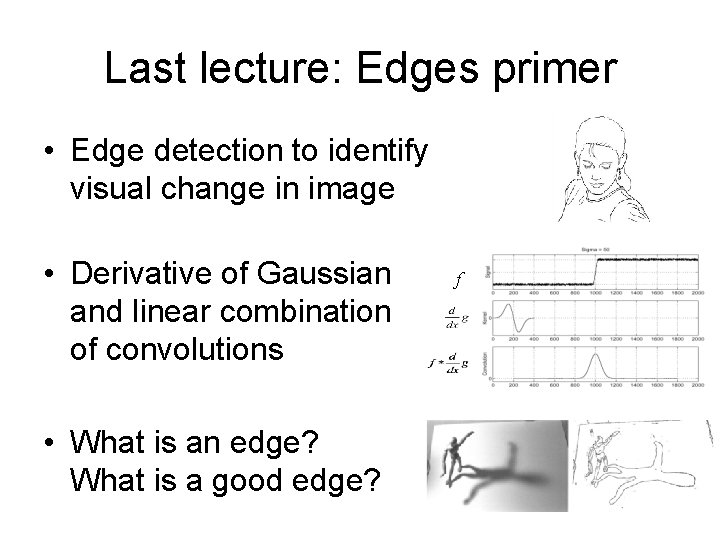
Last lecture: Edges primer • Edge detection to identify visual change in image • Derivative of Gaussian and linear combination of convolutions • What is an edge? What is a good edge? f
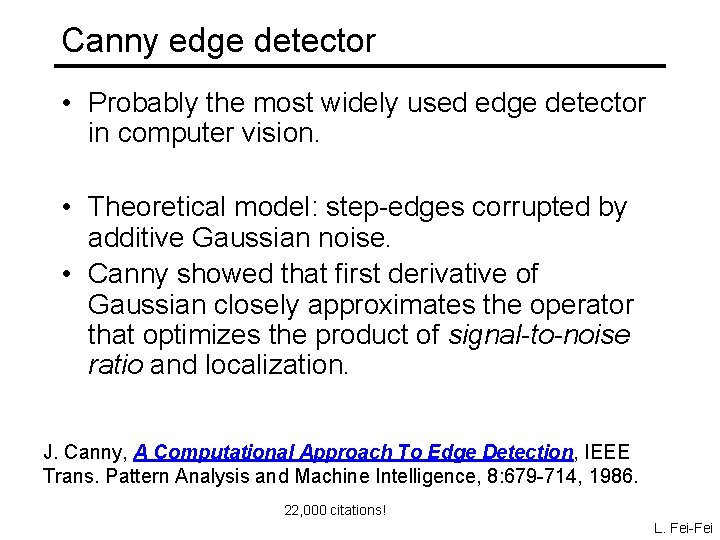
Canny edge detector • Probably the most widely used edge detector in computer vision. • Theoretical model: step-edges corrupted by additive Gaussian noise. • Canny showed that first derivative of Gaussian closely approximates the operator that optimizes the product of signal-to-noise ratio and localization. J. Canny, A Computational Approach To Edge Detection, IEEE Trans. Pattern Analysis and Machine Intelligence, 8: 679 -714, 1986. 22, 000 citations! L. Fei-Fei
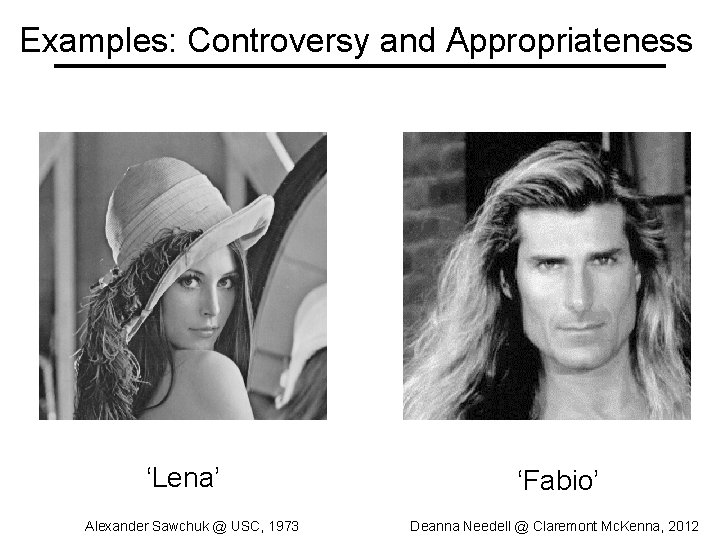
Examples: Controversy and Appropriateness ‘Lena’ Alexander Sawchuk @ USC, 1973 ‘Fabio’ Deanna Needell @ Claremont Mc. Kenna, 2012
If it wasn’t clear from class… Use of Lena is now generally considered inappropriate, as it is not inclusive. If you wish to include models, then please respect diversity. We will approach diversity issues in more detail when we start to talk about machine learning and datasets.
Canny edge detector 1. Filter image with x, y derivatives of Gaussian Source: D. Lowe, L. Fei-Fei
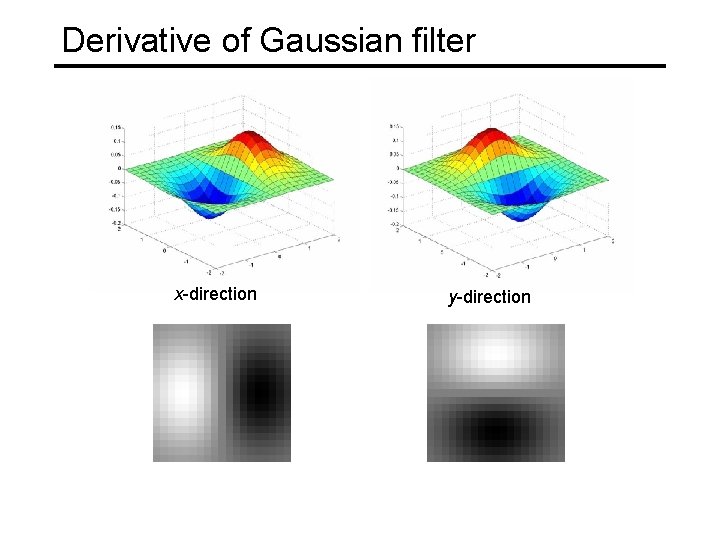
Derivative of Gaussian filter x-direction y-direction
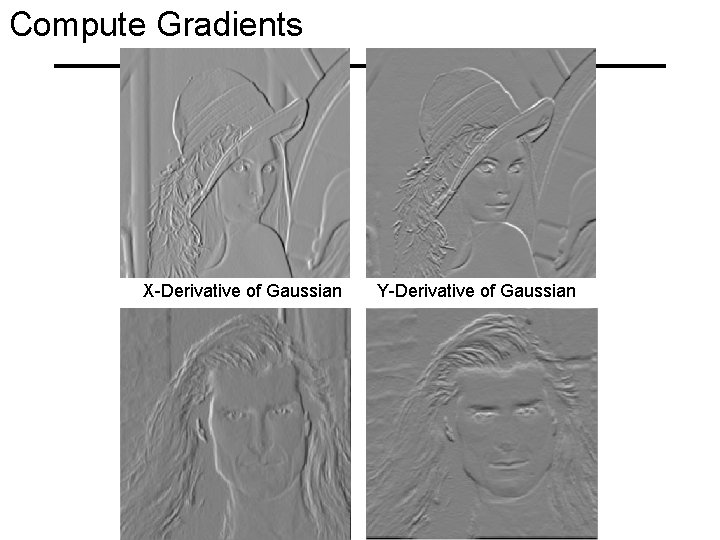
Compute Gradients X-Derivative of Gaussian Y-Derivative of Gaussian
Canny edge detector 1. Filter image with x, y derivatives of Gaussian 2. Find magnitude and orientation of gradient Source: D. Lowe, L. Fei-Fei
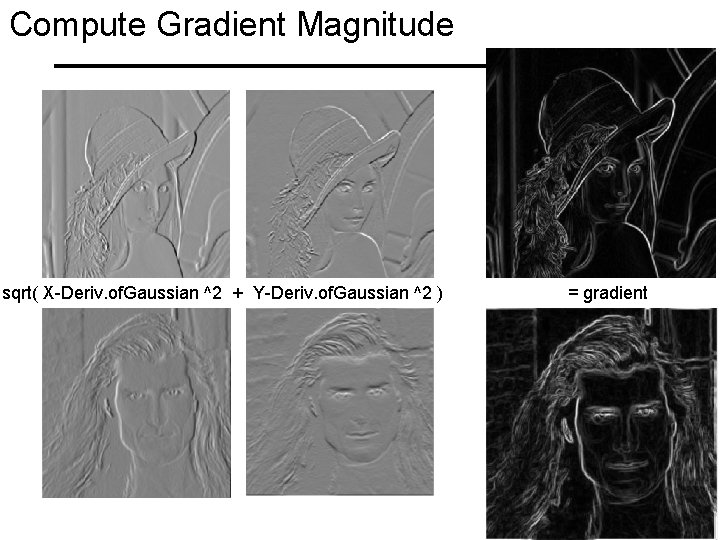
Compute Gradient Magnitude sqrt( X-Deriv. of. Gaussian ^2 + Y-Deriv. of. Gaussian ^2 ) = gradient magnitude
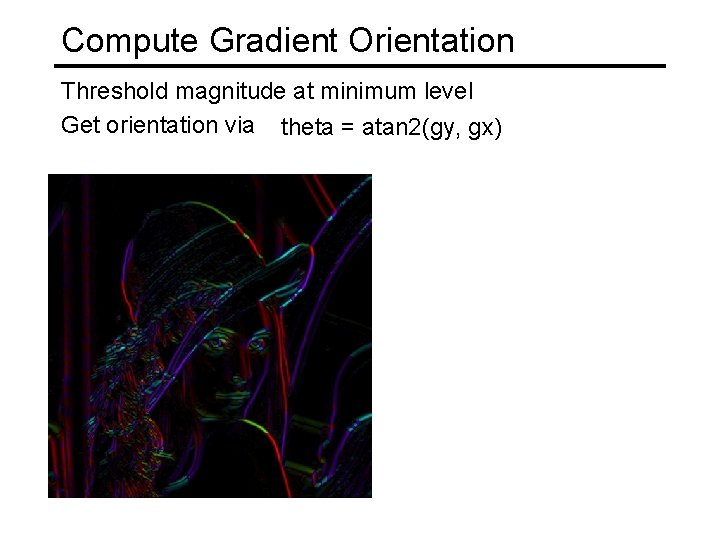
Compute Gradient Orientation Threshold magnitude at minimum level Get orientation via theta = atan 2(gy, gx)
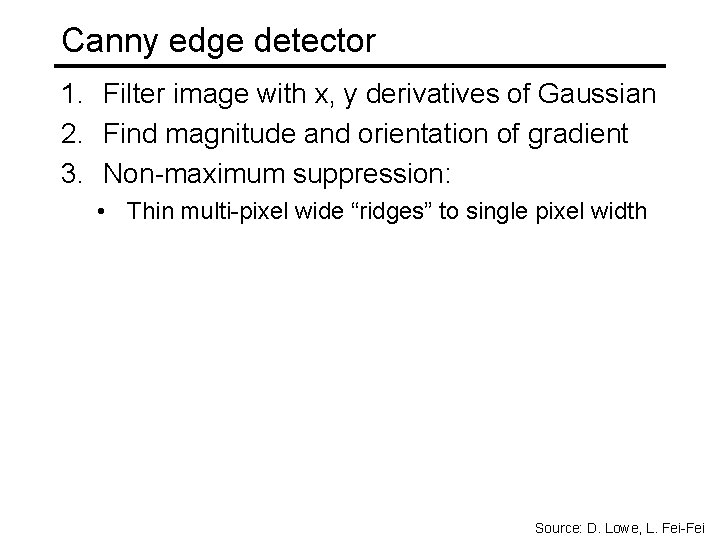
Canny edge detector 1. Filter image with x, y derivatives of Gaussian 2. Find magnitude and orientation of gradient 3. Non-maximum suppression: • Thin multi-pixel wide “ridges” to single pixel width Source: D. Lowe, L. Fei-Fei
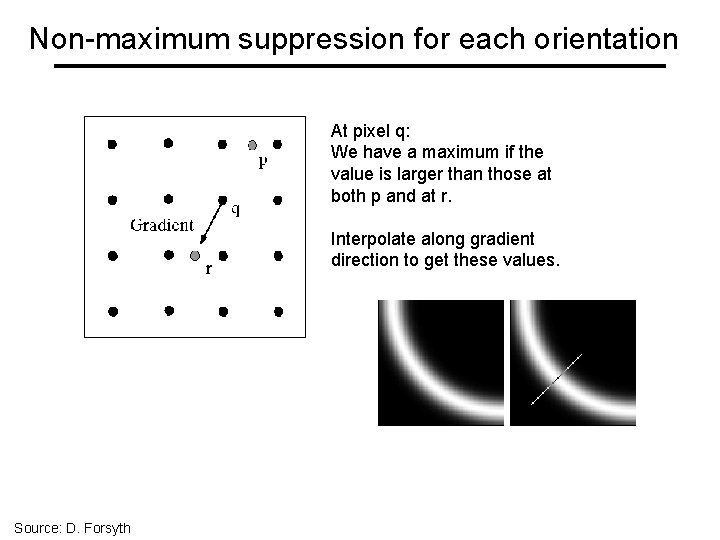
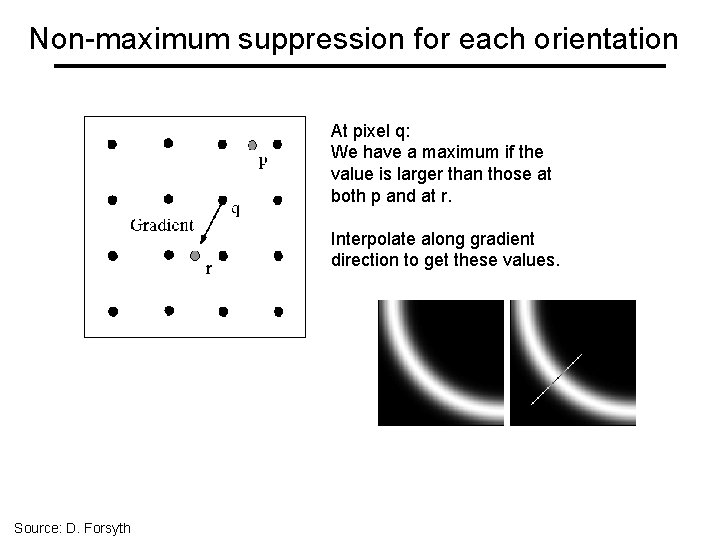
Non-maximum suppression for each orientation At pixel q: We have a maximum if the value is larger than those at both p and at r. Interpolate along gradient direction to get these values. Source: D. Forsyth
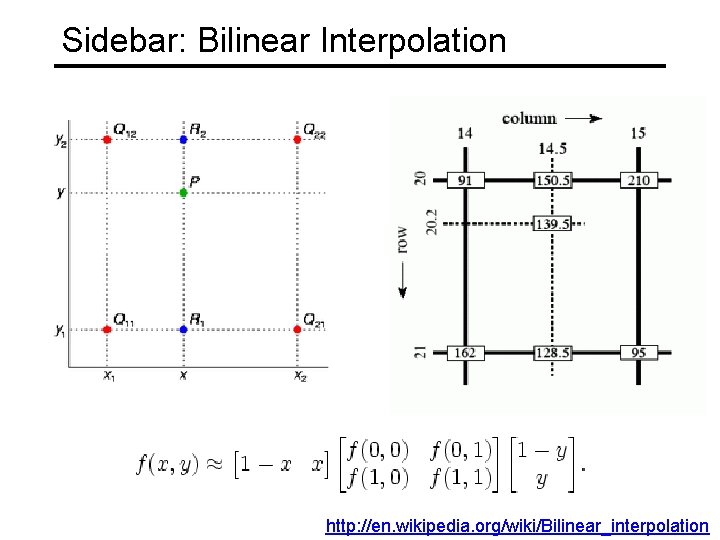
Sidebar: Bilinear Interpolation http: //en. wikipedia. org/wiki/Bilinear_interpolation
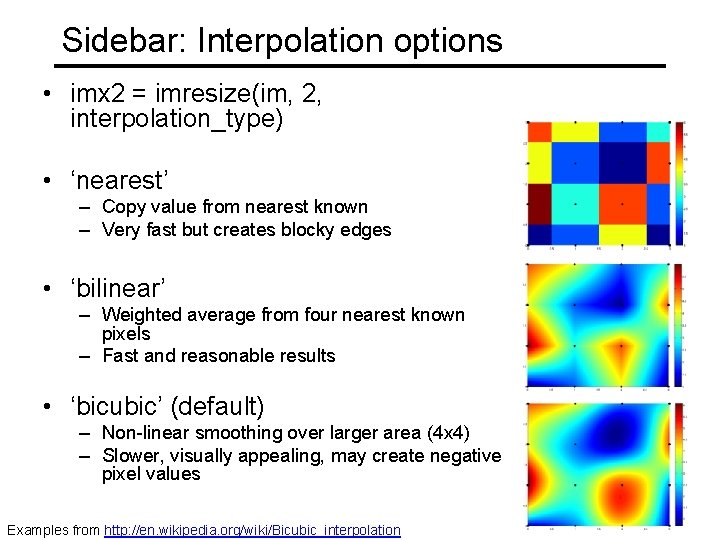
Sidebar: Interpolation options • imx 2 = imresize(im, 2, interpolation_type) • ‘nearest’ – Copy value from nearest known – Very fast but creates blocky edges • ‘bilinear’ – Weighted average from four nearest known pixels – Fast and reasonable results • ‘bicubic’ (default) – Non-linear smoothing over larger area (4 x 4) – Slower, visually appealing, may create negative pixel values Examples from http: //en. wikipedia. org/wiki/Bicubic_interpolation
Non-maximum suppression for each orientation At pixel q: We have a maximum if the value is larger than those at both p and at r. Interpolate along gradient direction to get these values. Source: D. Forsyth
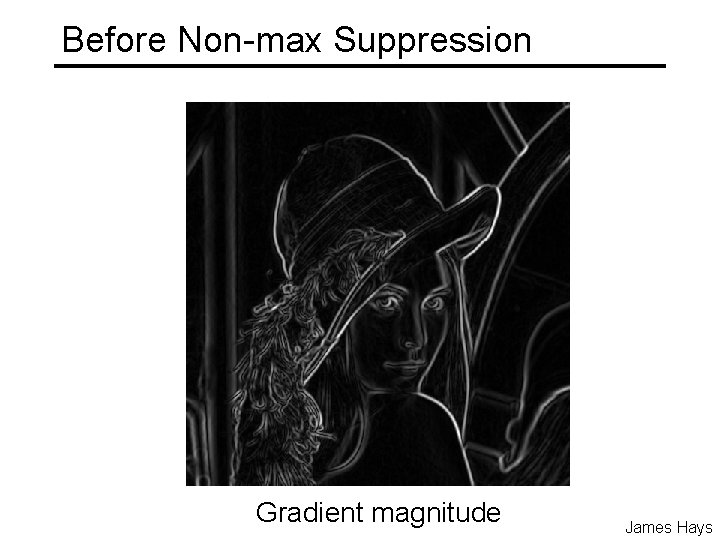
Before Non-max Suppression Gradient magnitude James Hays
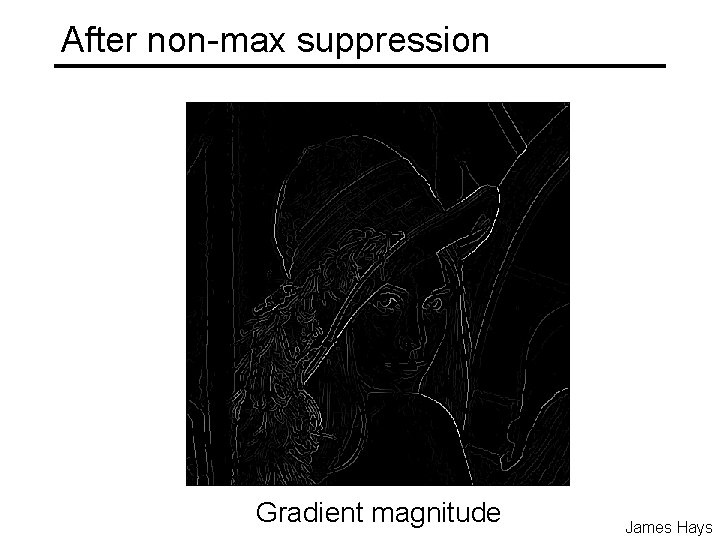
After non-max suppression Gradient magnitude James Hays
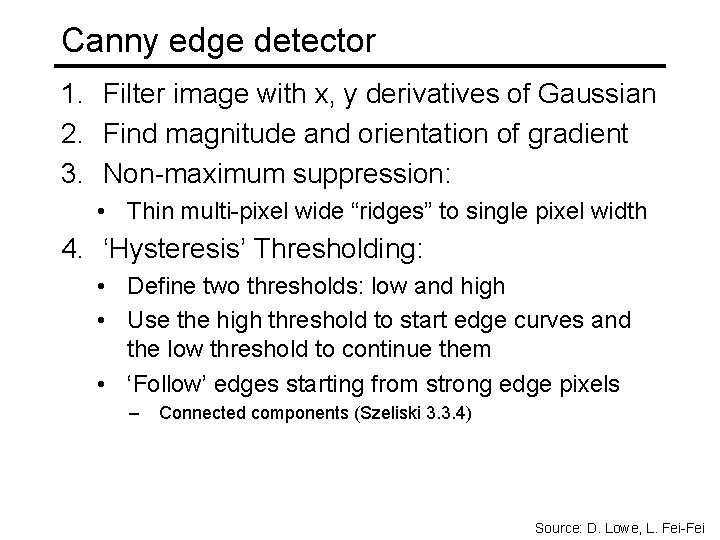
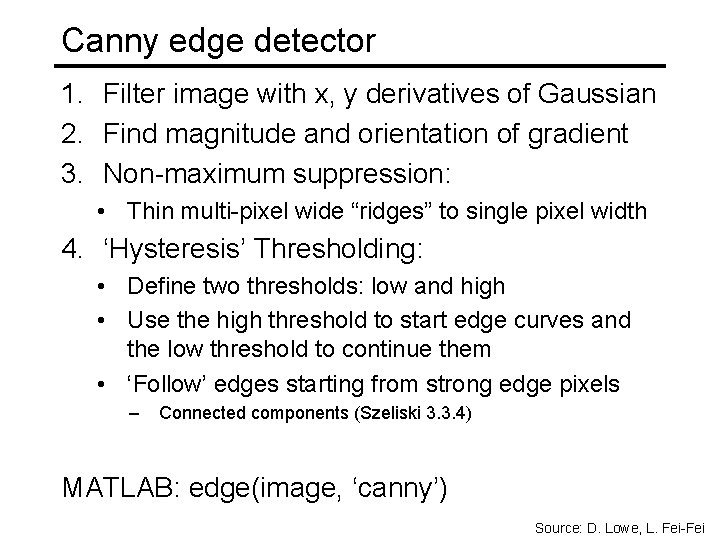
Canny edge detector 1. Filter image with x, y derivatives of Gaussian 2. Find magnitude and orientation of gradient 3. Non-maximum suppression: • Thin multi-pixel wide “ridges” to single pixel width 4. ‘Hysteresis’ Thresholding: • Define two thresholds: low and high • Use the high threshold to start edge curves and the low threshold to continue them • ‘Follow’ edges starting from strong edge pixels – Connected components (Szeliski 3. 3. 4) Source: D. Lowe, L. Fei-Fei
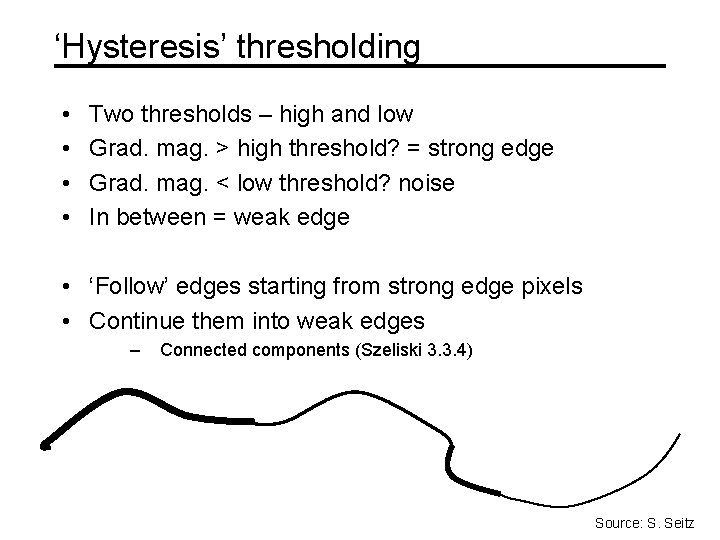
‘Hysteresis’ thresholding • • Two thresholds – high and low Grad. mag. > high threshold? = strong edge Grad. mag. < low threshold? noise In between = weak edge • ‘Follow’ edges starting from strong edge pixels • Continue them into weak edges – Connected components (Szeliski 3. 3. 4) Source: S. Seitz
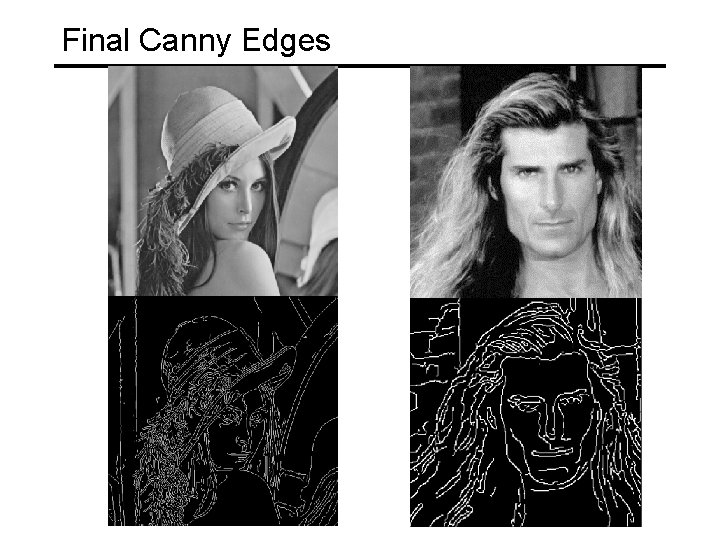
Final Canny Edges
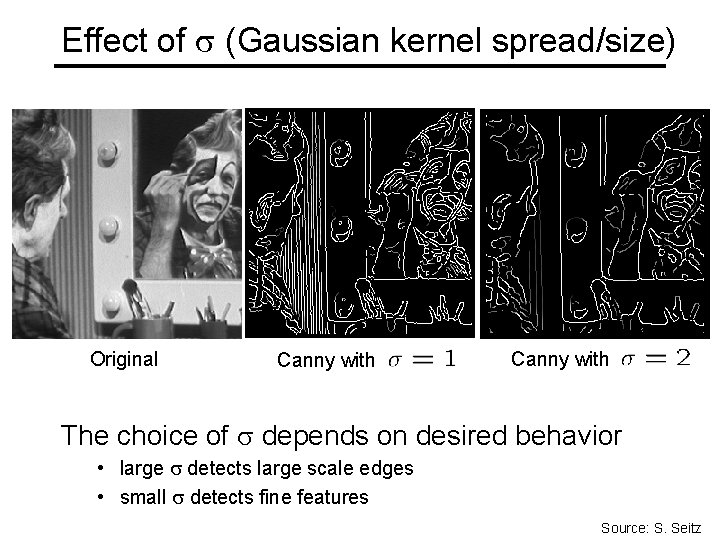
Effect of (Gaussian kernel spread/size) Original Canny with The choice of depends on desired behavior • large detects large scale edges • small detects fine features Source: S. Seitz
Canny edge detector 1. Filter image with x, y derivatives of Gaussian 2. Find magnitude and orientation of gradient 3. Non-maximum suppression: • Thin multi-pixel wide “ridges” to single pixel width 4. ‘Hysteresis’ Thresholding: • Define two thresholds: low and high • Use the high threshold to start edge curves and the low threshold to continue them • ‘Follow’ edges starting from strong edge pixels – Connected components (Szeliski 3. 3. 4) MATLAB: edge(image, ‘canny’) Source: D. Lowe, L. Fei-Fei
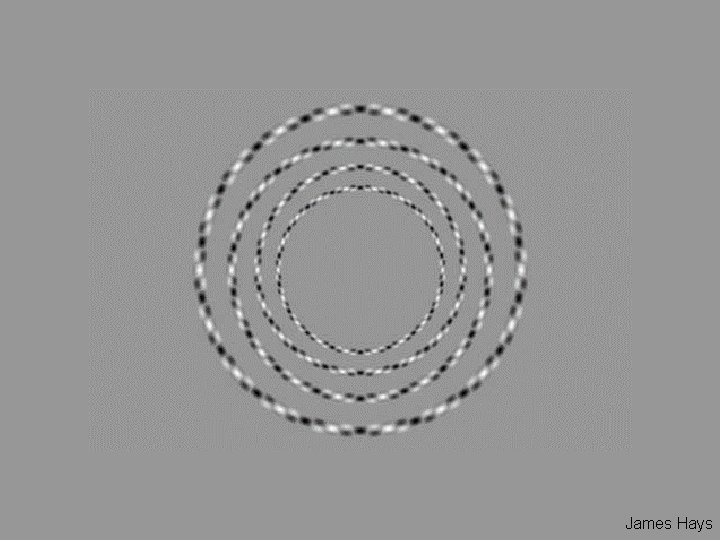
James Hays
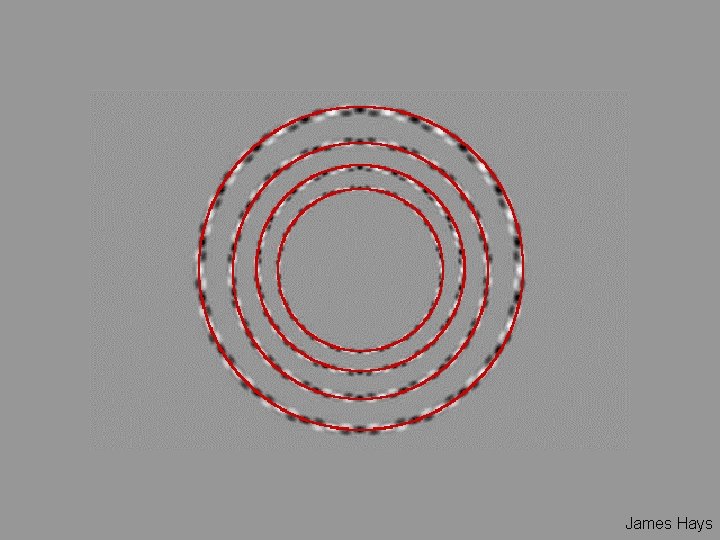
James Hays
Interest Points and Corners Szeliski 4. 1 “Interest points” = “keypoints” Sometimes called “features” Slides from Rick Szeliski, Svetlana Lazebnik, Derek Hoiem and Grauman&Leibe 2008 AAAI Tutorial
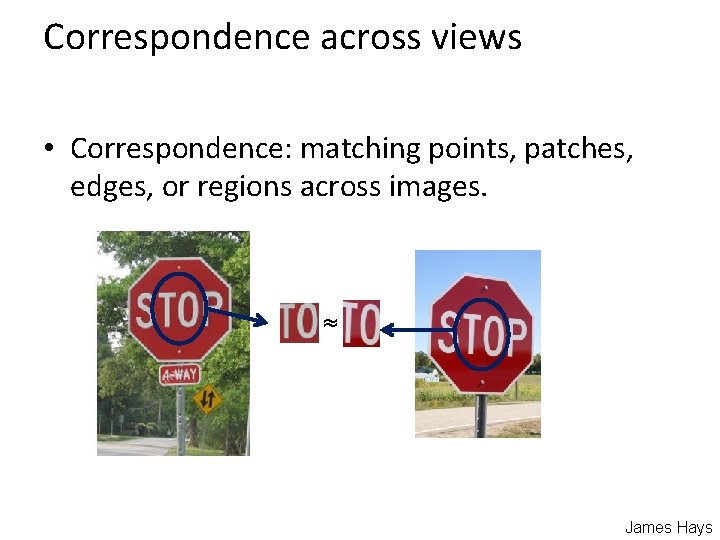
Correspondence across views • Correspondence: matching points, patches, edges, or regions across images. ≈ James Hays
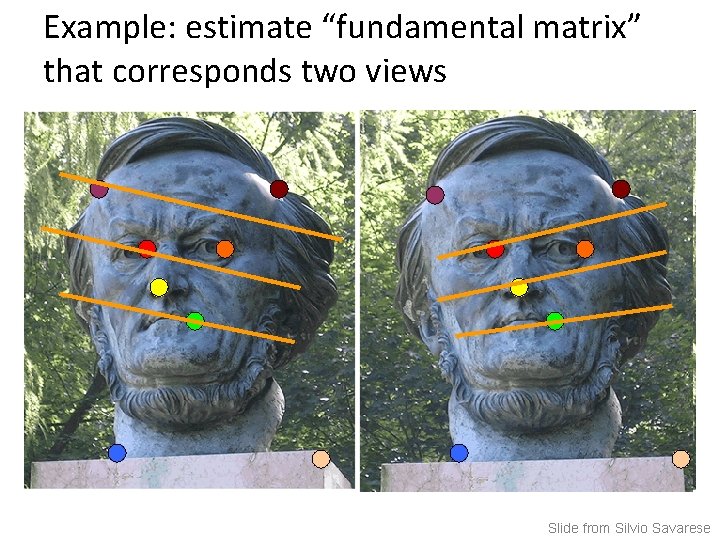
Example: estimate “fundamental matrix” that corresponds two views Slide from Silvio Savarese
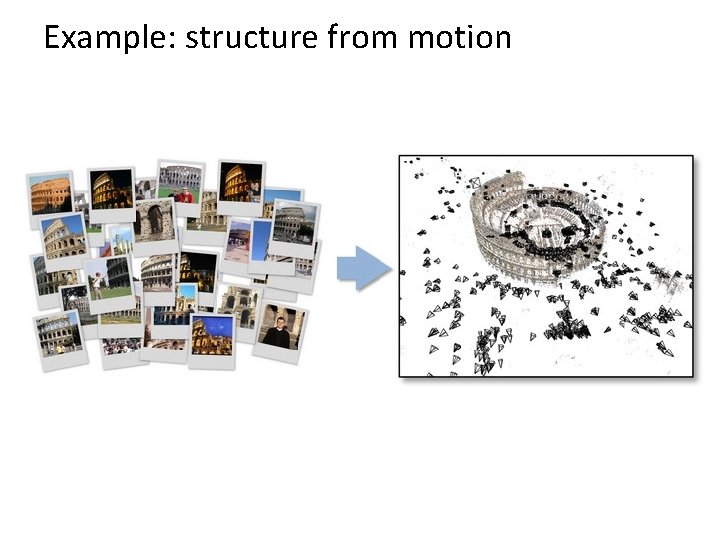
Example: structure from motion
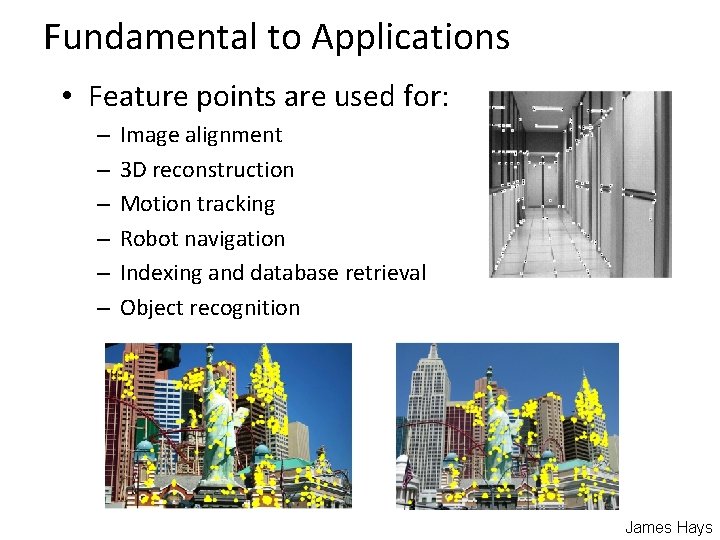
Fundamental to Applications • Feature points are used for: – – – Image alignment 3 D reconstruction Motion tracking Robot navigation Indexing and database retrieval Object recognition James Hays
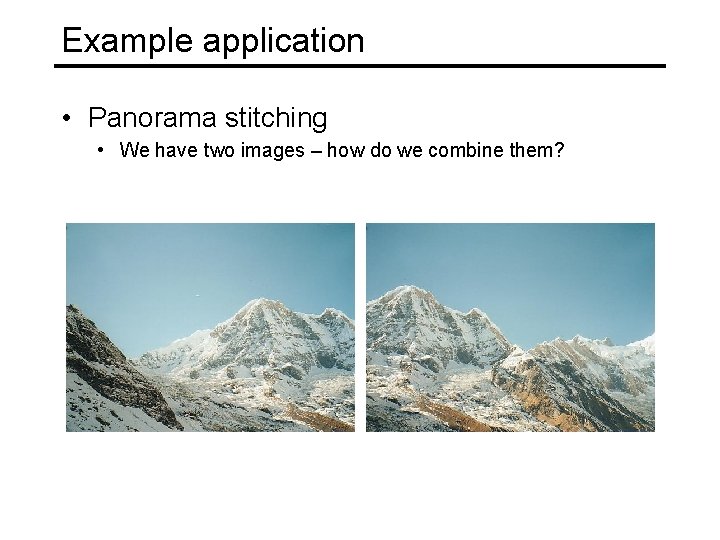
Example application • Panorama stitching • We have two images – how do we combine them?
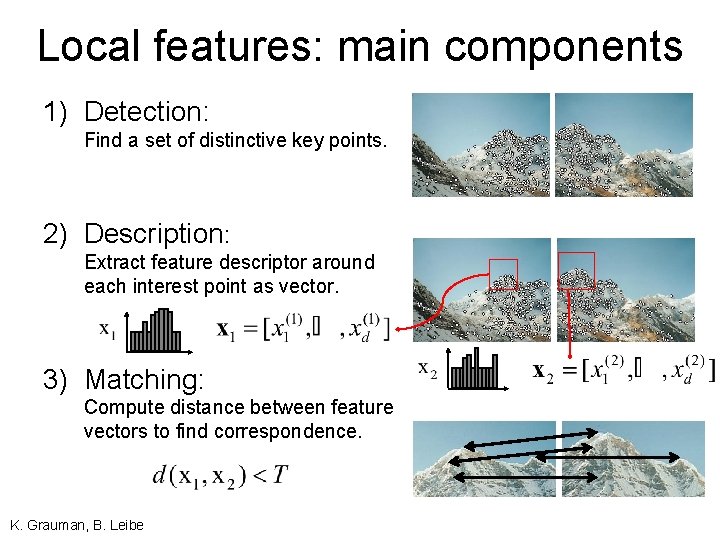
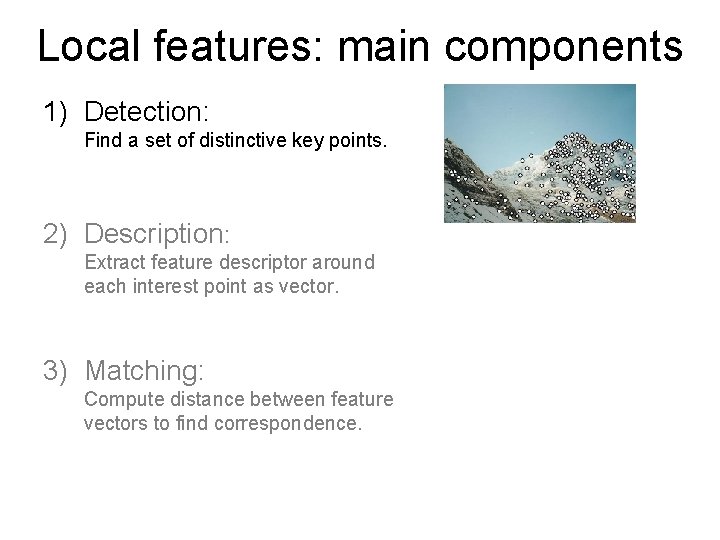
Local features: main components 1) Detection: Find a set of distinctive key points. 2) Description: Extract feature descriptor around each interest point as vector. 3) Matching: Compute distance between feature vectors to find correspondence. K. Grauman, B. Leibe
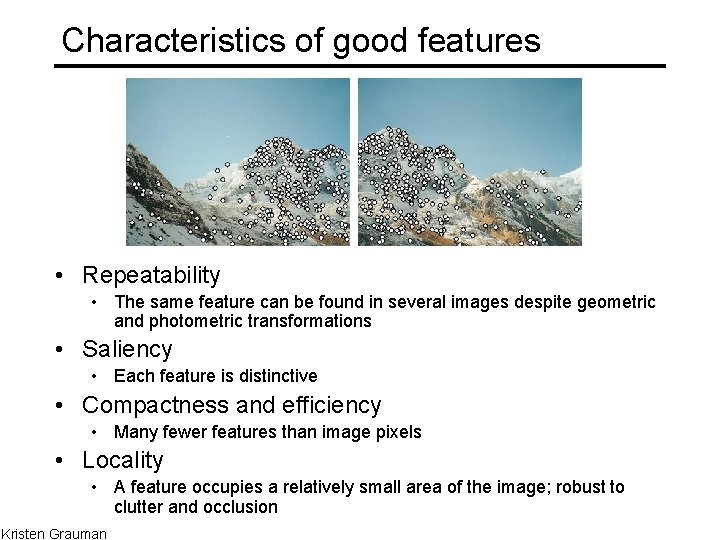
Characteristics of good features • Repeatability • The same feature can be found in several images despite geometric and photometric transformations • Saliency • Each feature is distinctive • Compactness and efficiency • Many fewer features than image pixels • Locality • A feature occupies a relatively small area of the image; robust to clutter and occlusion Kristen Grauman
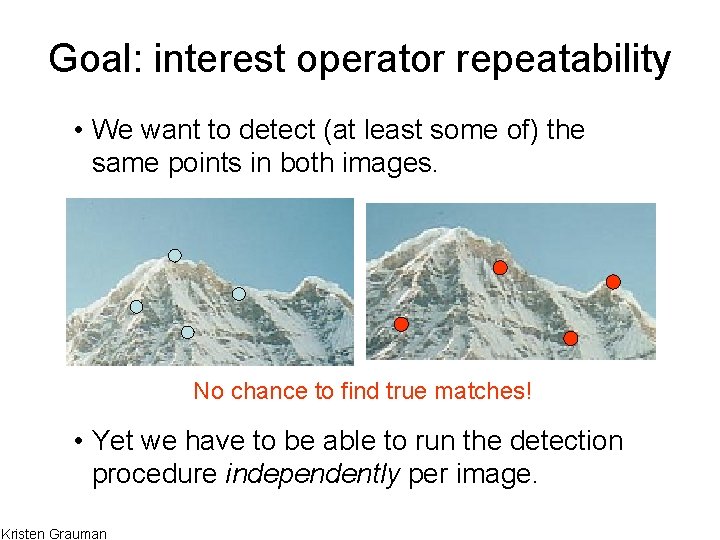
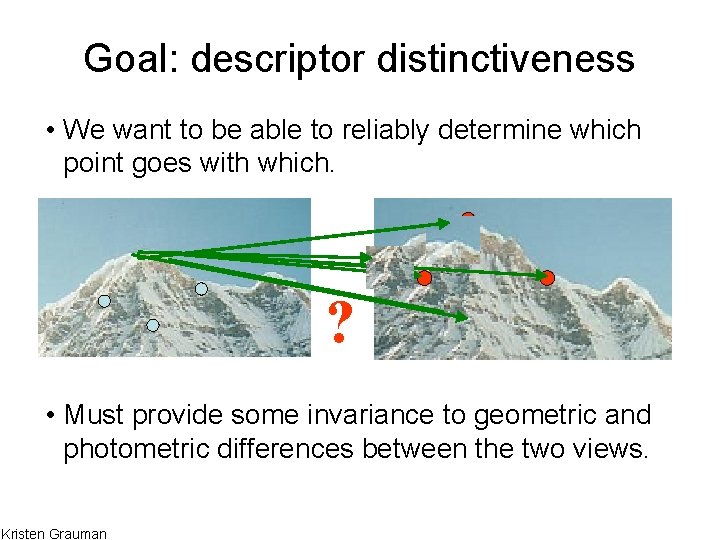
Goal: interest operator repeatability • We want to detect (at least some of) the same points in both images. No chance to find true matches! • Yet we have to be able to run the detection procedure independently per image. Kristen Grauman
Goal: descriptor distinctiveness • We want to be able to reliably determine which point goes with which. ? • Must provide some invariance to geometric and photometric differences between the two views. Kristen Grauman
Local features: main components 1) Detection: Find a set of distinctive key points. 2) Description: Extract feature descriptor around each interest point as vector. 3) Matching: Compute distance between feature vectors to find correspondence.
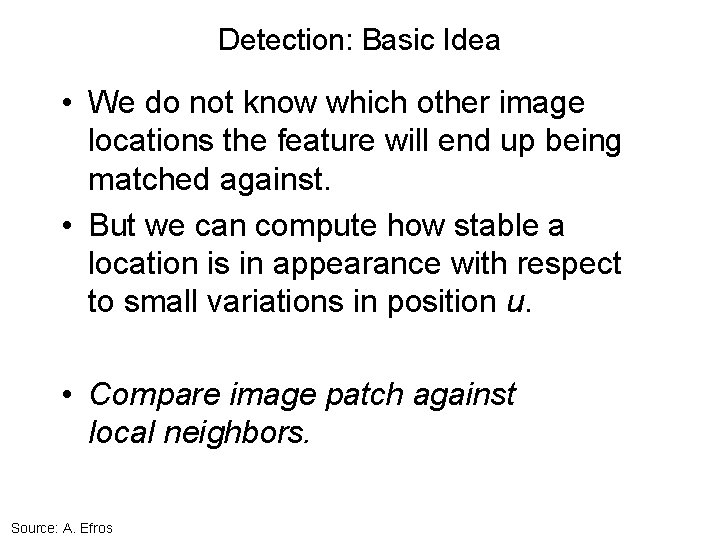
Detection: Basic Idea • We do not know which other image locations the feature will end up being matched against. • But we can compute how stable a location is in appearance with respect to small variations in position u. • Compare image patch against local neighbors. Source: A. Efros
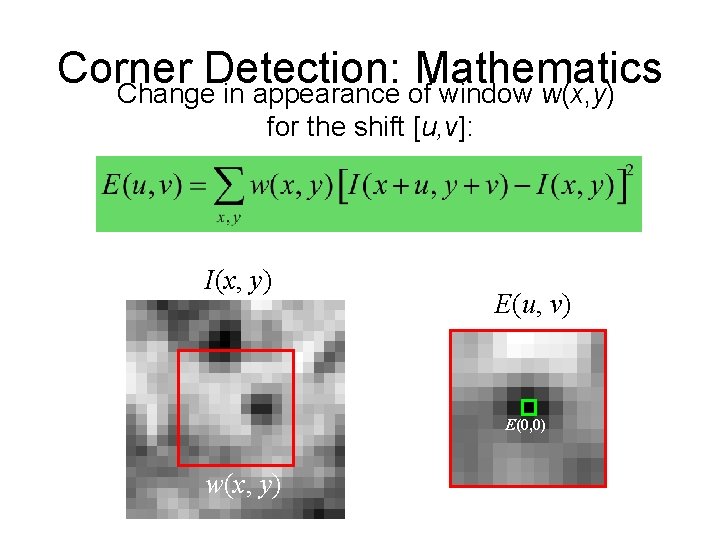
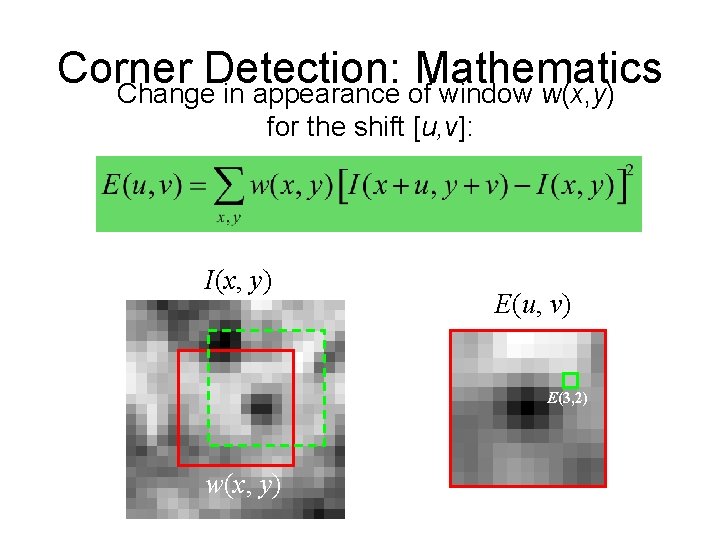
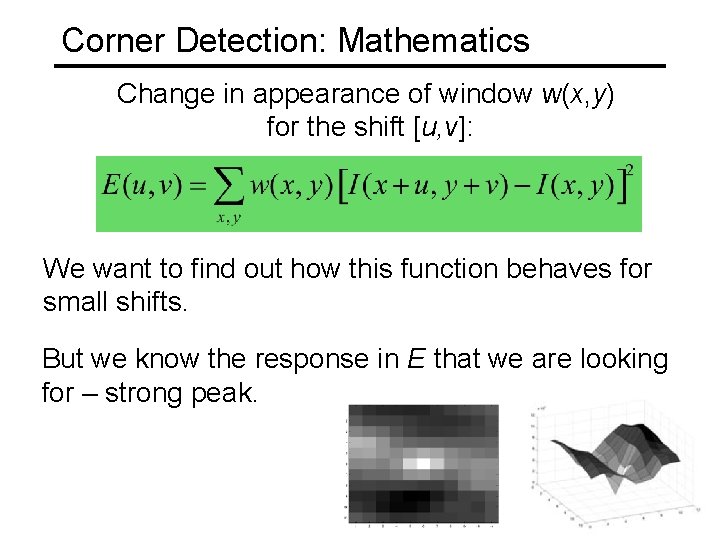
Corner Detection: Mathematics Change in appearance of window w(x, y) for shift [u, v]: Window function Shifted intensity Window function w(x, y) = Intensity or 1 in window, 0 outside Gaussian Source: R. Szeliski
Corner Detection: Mathematics Change in appearance of window w(x, y) for the shift [u, v]: I(x, y) E(u, v) E(0, 0) w(x, y)
Corner Detection: Mathematics Change in appearance of window w(x, y) for the shift [u, v]: I(x, y) E(u, v) E(3, 2) w(x, y)
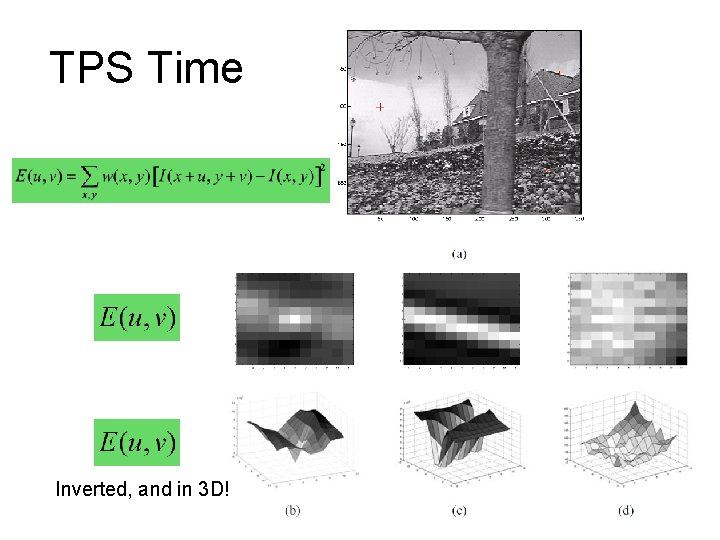
TPS Time Inverted, and in 3 D!
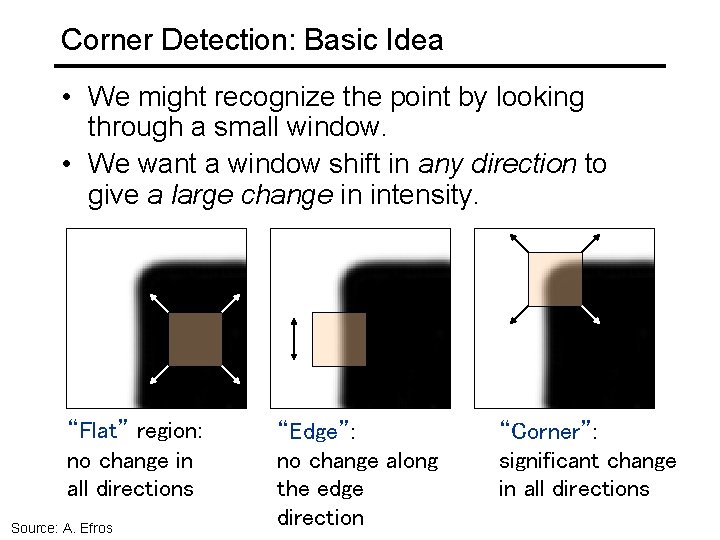
Corner Detection: Basic Idea • We might recognize the point by looking through a small window. • We want a window shift in any direction to give a large change in intensity. “Flat” region: no change in all directions Source: A. Efros “Edge”: no change along the edge direction “Corner”: significant change in all directions
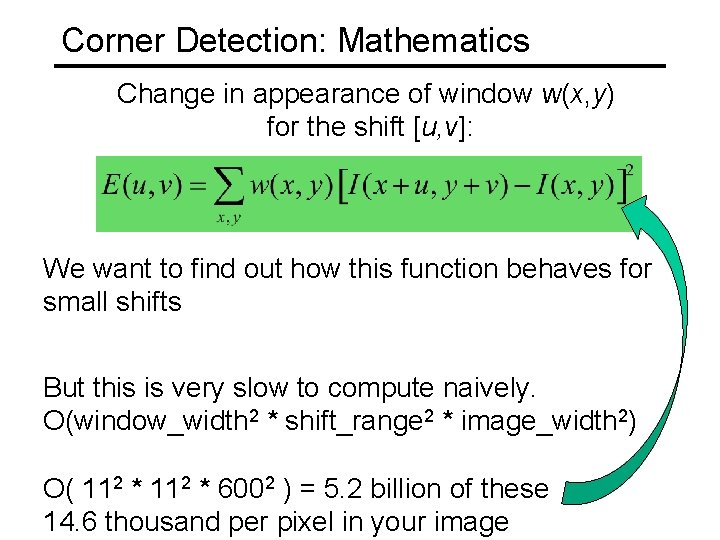
Corner Detection: Mathematics Change in appearance of window w(x, y) for the shift [u, v]: We want to find out how this function behaves for small shifts But this is very slow to compute naively. O(window_width 2 * shift_range 2 * image_width 2) O( 112 * 6002 ) = 5. 2 billion of these 14. 6 thousand per pixel in your image
Corner Detection: Mathematics Change in appearance of window w(x, y) for the shift [u, v]: We want to find out how this function behaves for small shifts. But we know the response in E that we are looking for – strong peak.
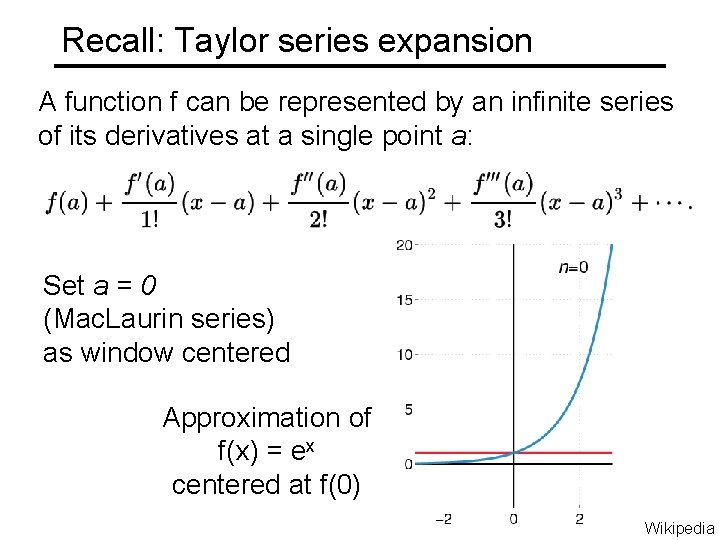
Recall: Taylor series expansion A function f can be represented by an infinite series of its derivatives at a single point a: Set a = 0 (Mac. Laurin series) as window centered Approximation of f(x) = ex centered at f(0) Wikipedia
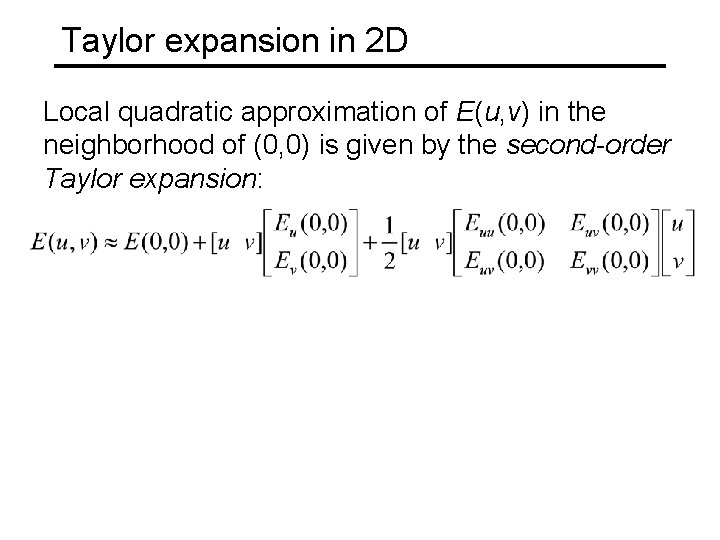
Taylor expansion in 2 D Local quadratic approximation of E(u, v) in the neighborhood of (0, 0) is given by the second-order Taylor expansion:
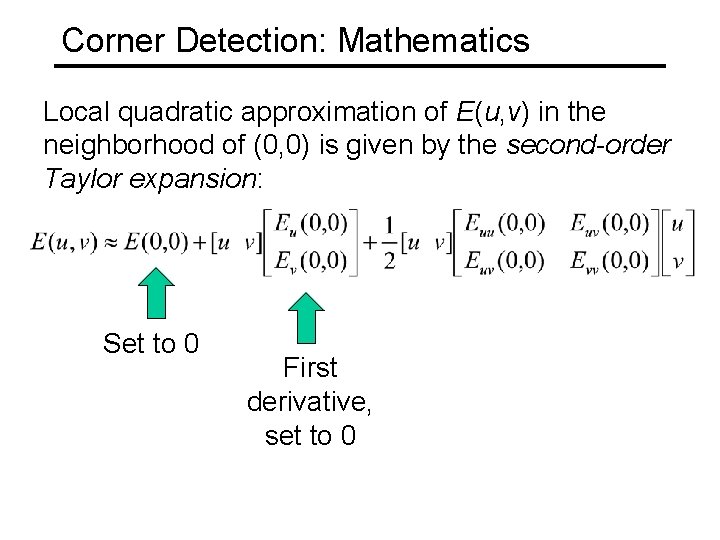
Corner Detection: Mathematics Local quadratic approximation of E(u, v) in the neighborhood of (0, 0) is given by the second-order Taylor expansion: Set to 0 First derivative, set to 0
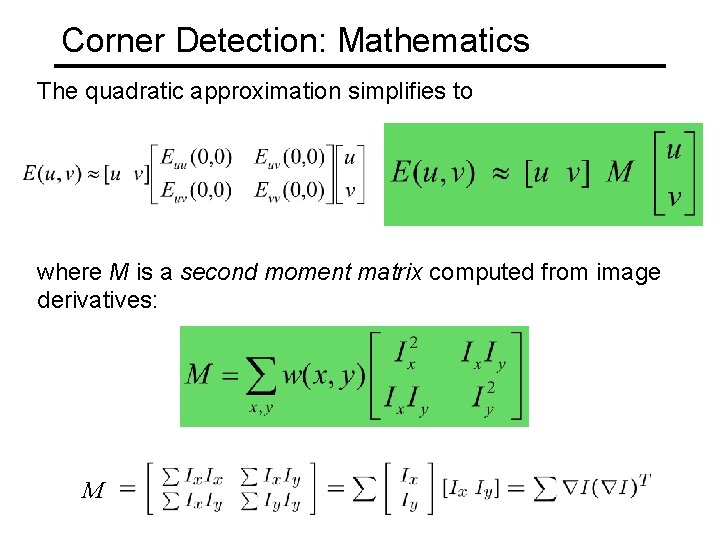
Corner Detection: Mathematics The quadratic approximation simplifies to where M is a second moment matrix computed from image derivatives: M
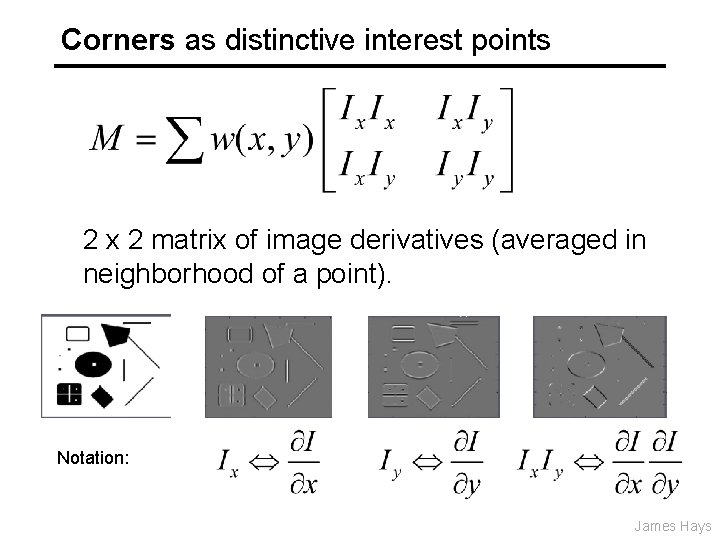
Corners as distinctive interest points 2 x 2 matrix of image derivatives (averaged in neighborhood of a point). Notation: James Hays
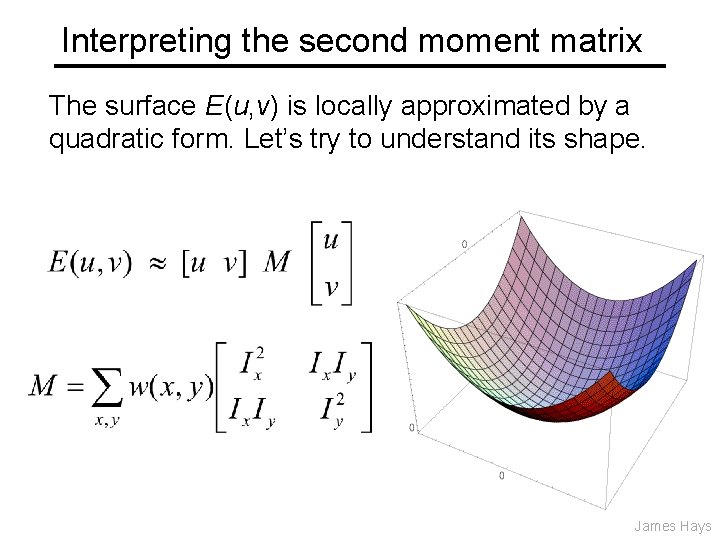
Interpreting the second moment matrix The surface E(u, v) is locally approximated by a quadratic form. Let’s try to understand its shape. James Hays
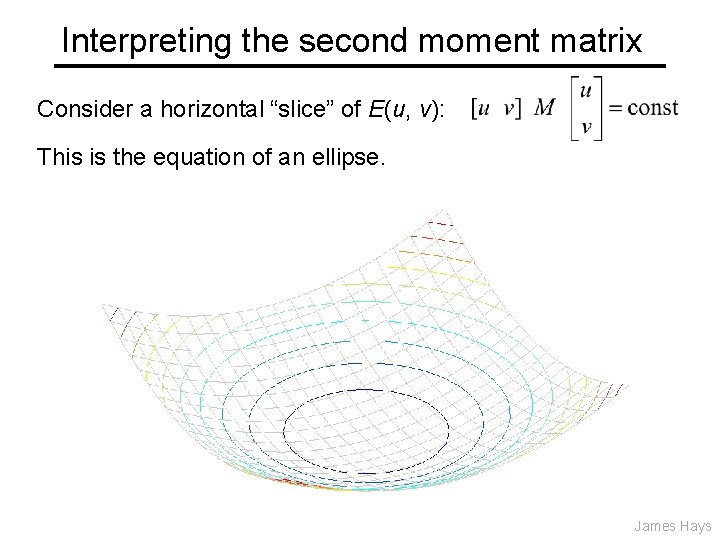
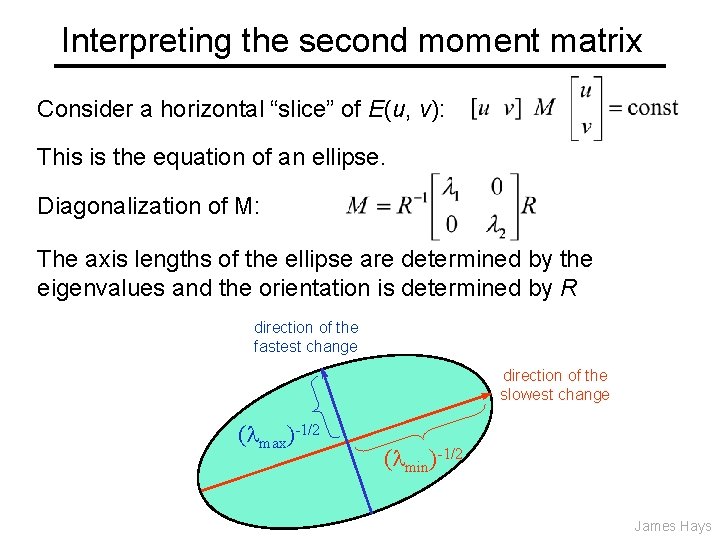
Interpreting the second moment matrix Consider a horizontal “slice” of E(u, v): This is the equation of an ellipse. James Hays
Interpreting the second moment matrix Consider a horizontal “slice” of E(u, v): This is the equation of an ellipse. Diagonalization of M: The axis lengths of the ellipse are determined by the eigenvalues and the orientation is determined by R direction of the fastest change direction of the slowest change ( max)-1/2 ( min)-1/2 James Hays
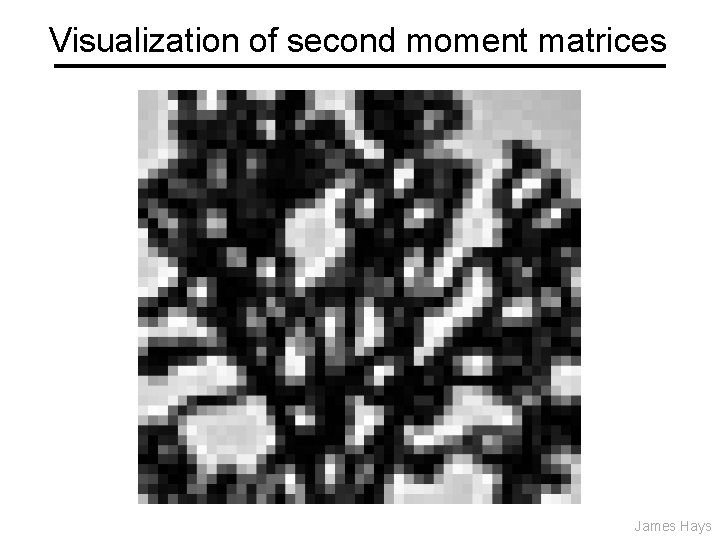
Visualization of second moment matrices James Hays
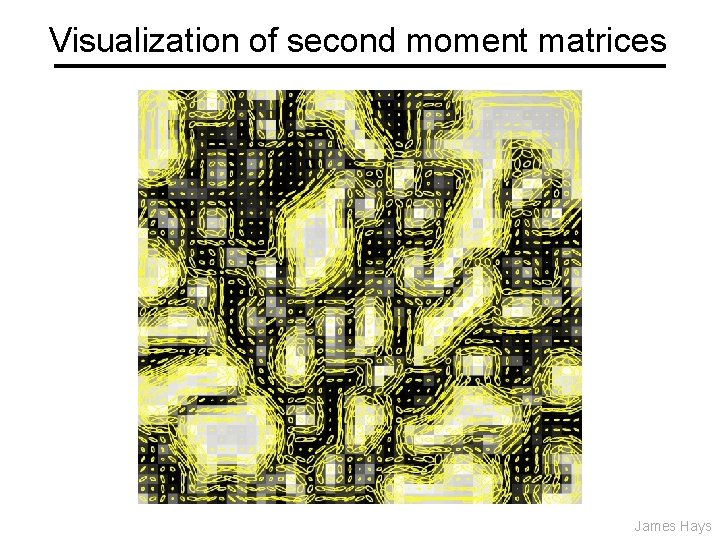
Visualization of second moment matrices James Hays
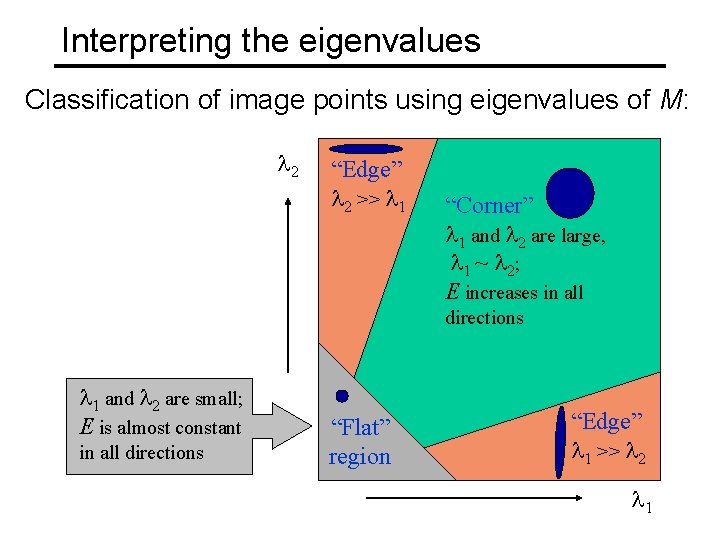
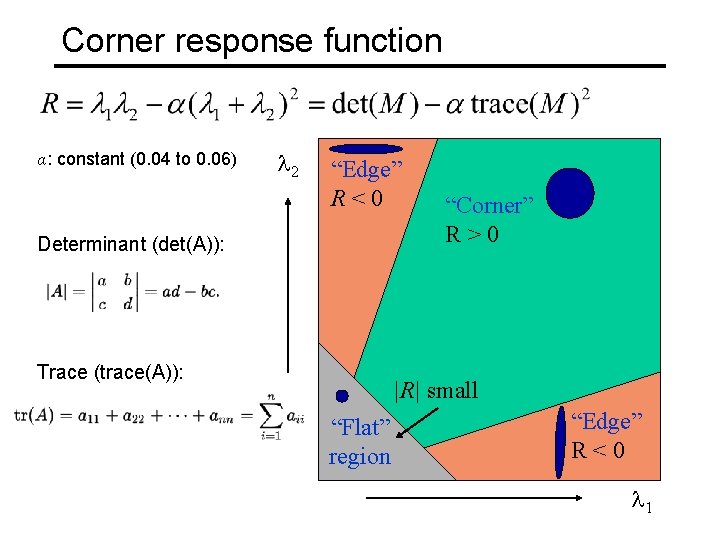
Interpreting the eigenvalues Classification of image points using eigenvalues of M: 2 “Edge” 2 >> 1 “Corner” 1 and 2 are large, 1 ~ 2; E increases in all directions 1 and 2 are small; E is almost constant in all directions “Flat” region “Edge” 1 >> 2 1
Corner response function α: constant (0. 04 to 0. 06) 2 “Edge” R<0 Determinant (det(A)): Trace (trace(A)): “Corner” R>0 |R| small “Flat” region “Edge” R<0 1
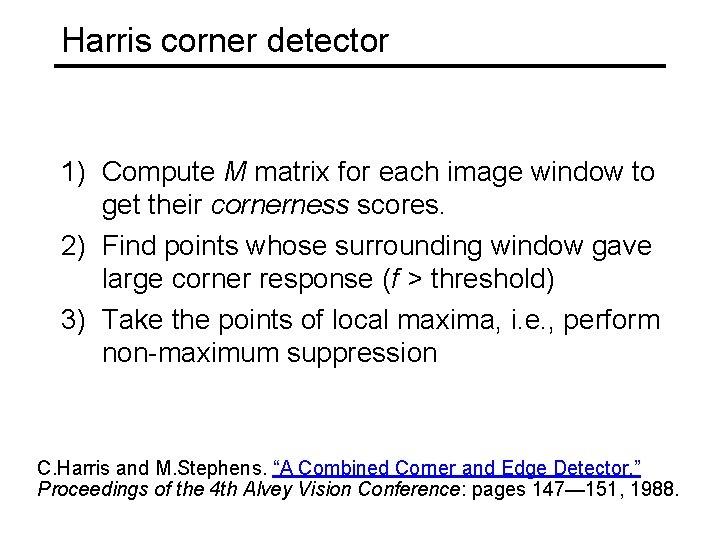
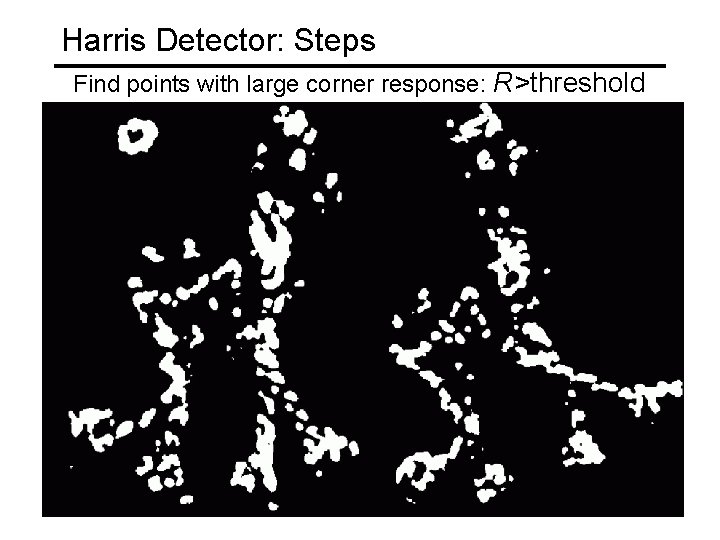
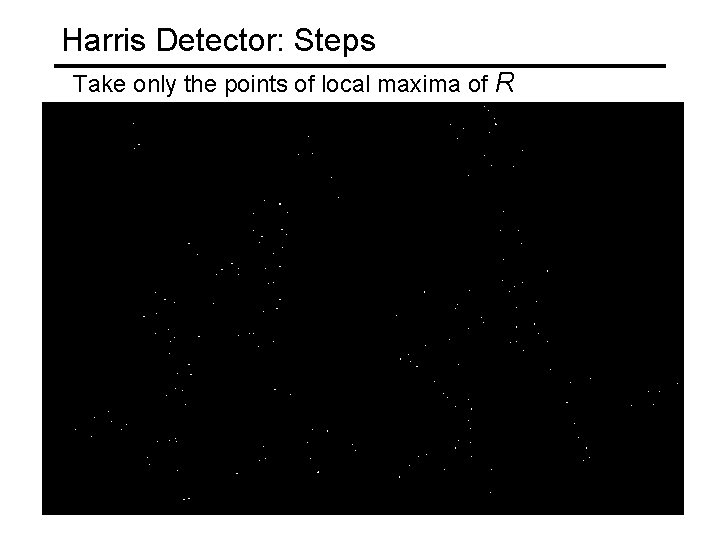
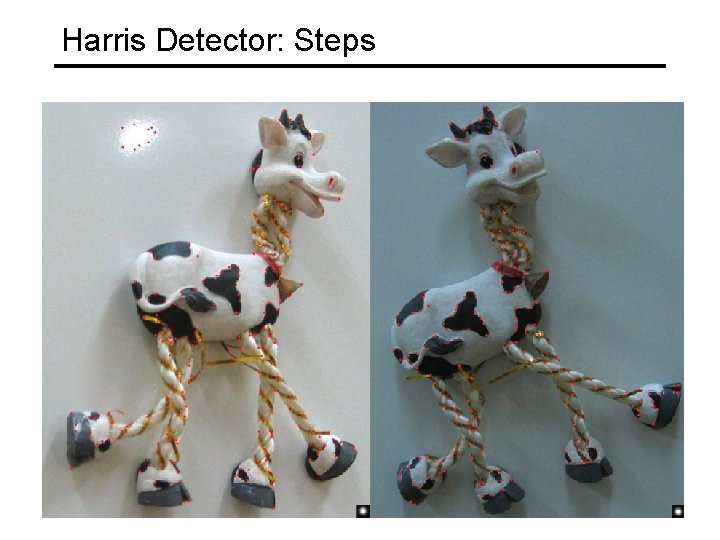
Harris corner detector 1) Compute M matrix for each image window to get their cornerness scores. 2) Find points whose surrounding window gave large corner response (f > threshold) 3) Take the points of local maxima, i. e. , perform non-maximum suppression C. Harris and M. Stephens. “A Combined Corner and Edge Detector. ” Proceedings of the 4 th Alvey Vision Conference: pages 147— 151, 1988.
James Hays Harris Detector [Harris 88] • Second moment matrix 1. Image derivatives (optionally, blur first) Ix Iy Ix 2 Iy 2 Ix Iy g(Ix 2) g(Iy 2) g(Ix. Iy) 2. Square of derivatives 3. Gaussian filter g(s. I) 4. Cornerness function – both eigenvalues are strong 5. Non-maxima suppression 67 har
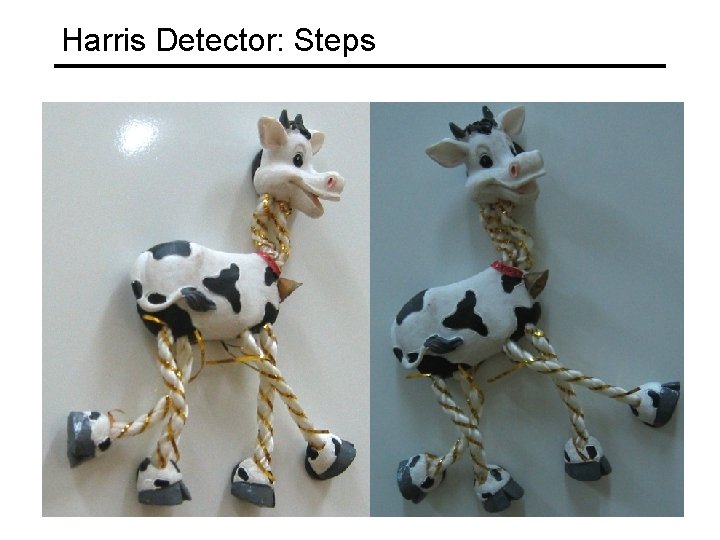
Harris Detector: Steps
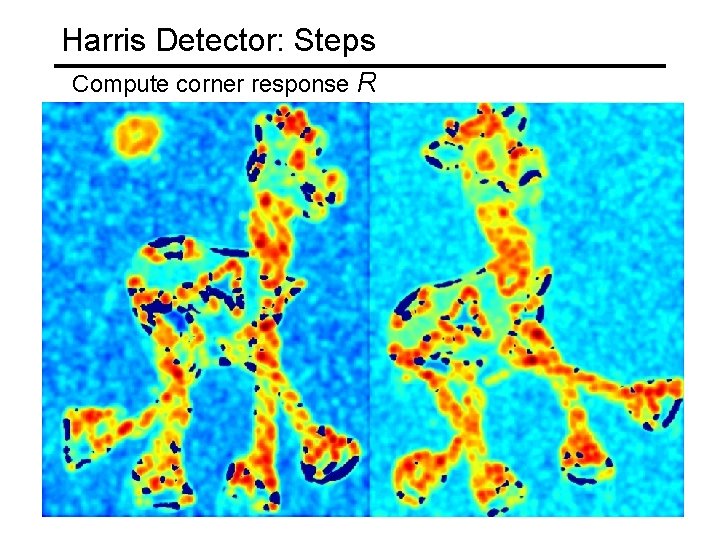
Harris Detector: Steps Compute corner response R
Harris Detector: Steps Find points with large corner response: R>threshold
Harris Detector: Steps Take only the points of local maxima of R
Harris Detector: Steps
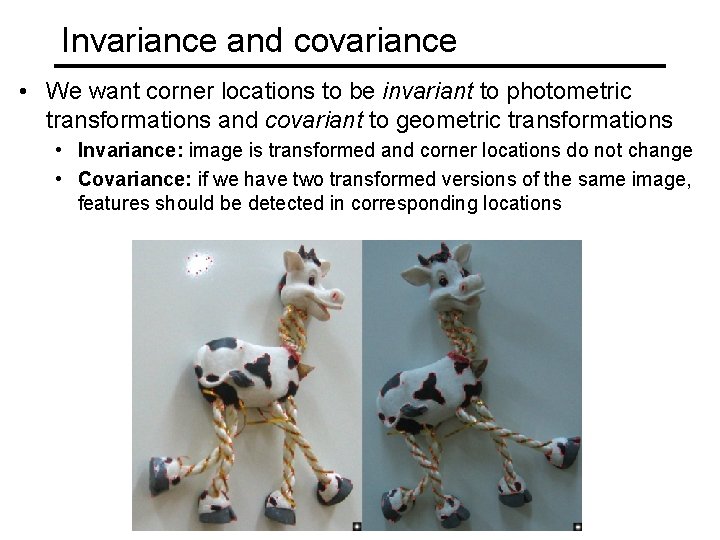
Invariance and covariance • We want corner locations to be invariant to photometric transformations and covariant to geometric transformations • Invariance: image is transformed and corner locations do not change • Covariance: if we have two transformed versions of the same image, features should be detected in corresponding locations