Incident Free Contractor Portal User Guide Generic Version


- Slides: 19
Incident Free Contractor Portal User Guide: Generic Version 1. 0
Guide to: 1. Access HSE Golden Rules e-learning- Slide 3 2. Access other Incident Free materials- Slide 14
1. Access HSE Golden Rules e-learning
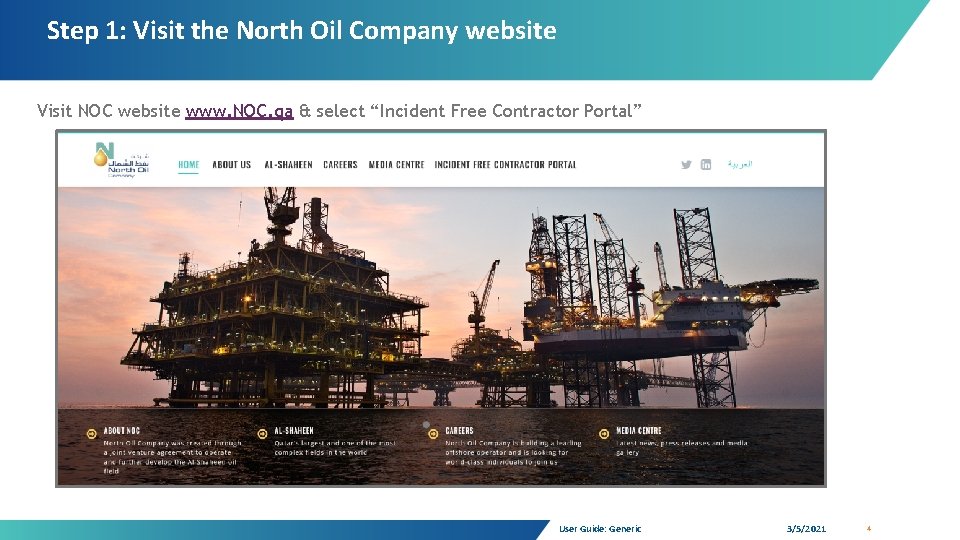
Step 1: Visit the North Oil Company website Visit NOC website www. NOC. qa & select “Incident Free Contractor Portal” User Guide: Generic 3/5/2021 4
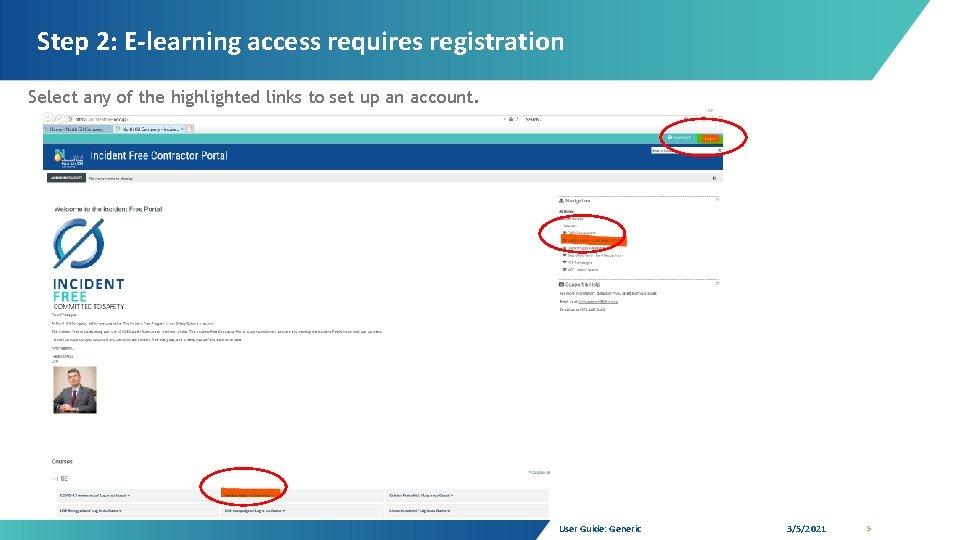
Step 2: E-learning access requires registration Select any of the highlighted links to set up an account. User Guide: Generic 3/5/2021 5
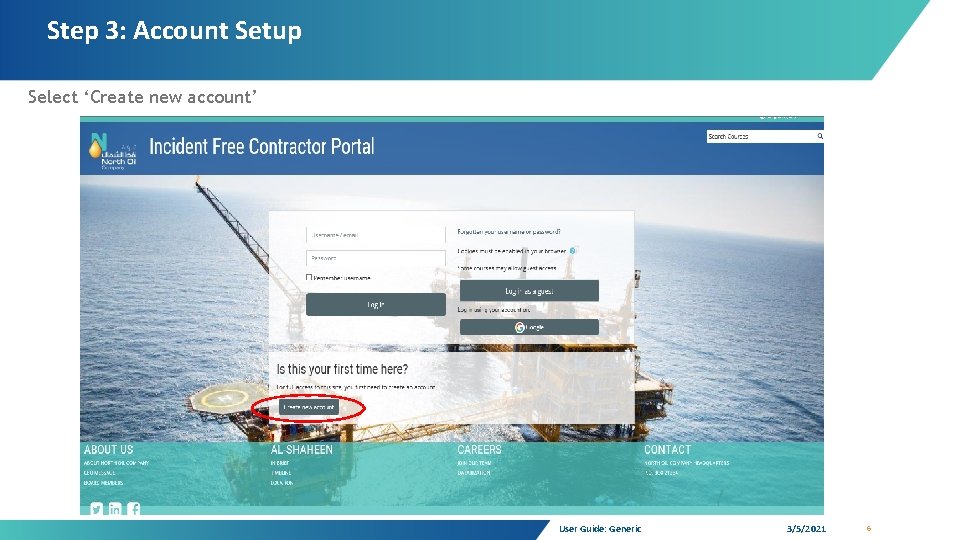
Step 3: Account Setup Select ‘Create new account’ User Guide: Generic 3/5/2021 6
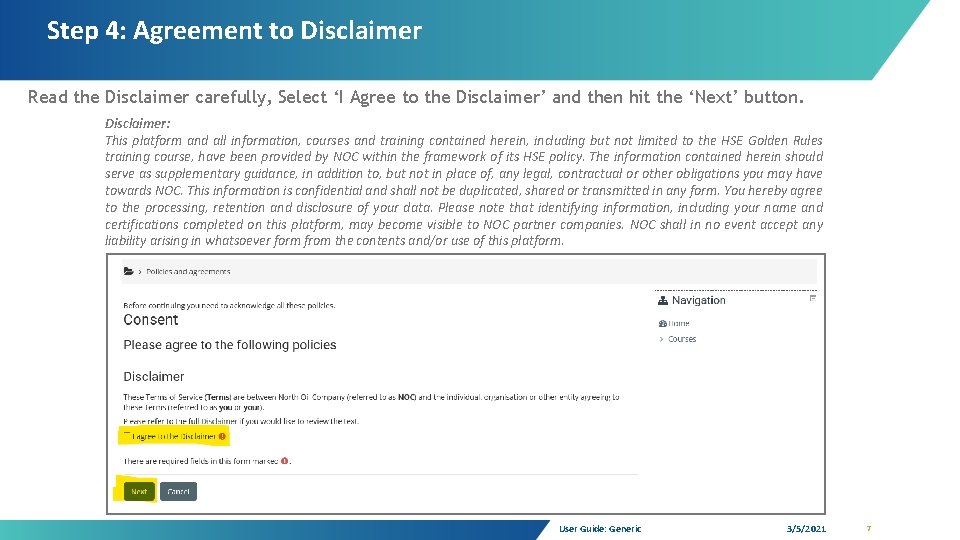
Step 4: Agreement to Disclaimer Read the Disclaimer carefully, Select ‘I Agree to the Disclaimer’ and then hit the ‘Next’ button. Disclaimer: This platform and all information, courses and training contained herein, including but not limited to the HSE Golden Rules training course, have been provided by NOC within the framework of its HSE policy. The information contained herein should serve as supplementary guidance, in addition to, but not in place of, any legal, contractual or other obligations you may have towards NOC. This information is confidential and shall not be duplicated, shared or transmitted in any form. You hereby agree to the processing, retention and disclosure of your data. Please note that identifying information, including your name and certifications completed on this platform, may become visible to NOC partner companies. NOC shall in no event accept any liability arising in whatsoever form from the contents and/or use of this platform. User Guide: Generic 3/5/2021 7
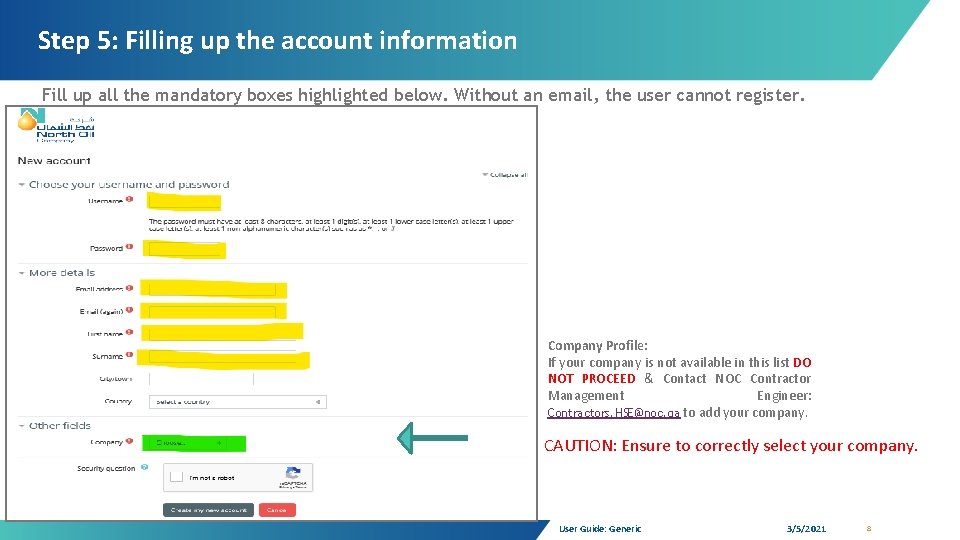
Step 5: Filling up the account information Fill up all the mandatory boxes highlighted below. Without an email, the user cannot register. Company Profile: If your company is not available in this list DO NOT PROCEED & Contact NOC Contractor Management Engineer: Contractors. HSE@noc. qa to add your company. CAUTION: Ensure to correctly select your company. User Guide: Generic 3/5/2021 8
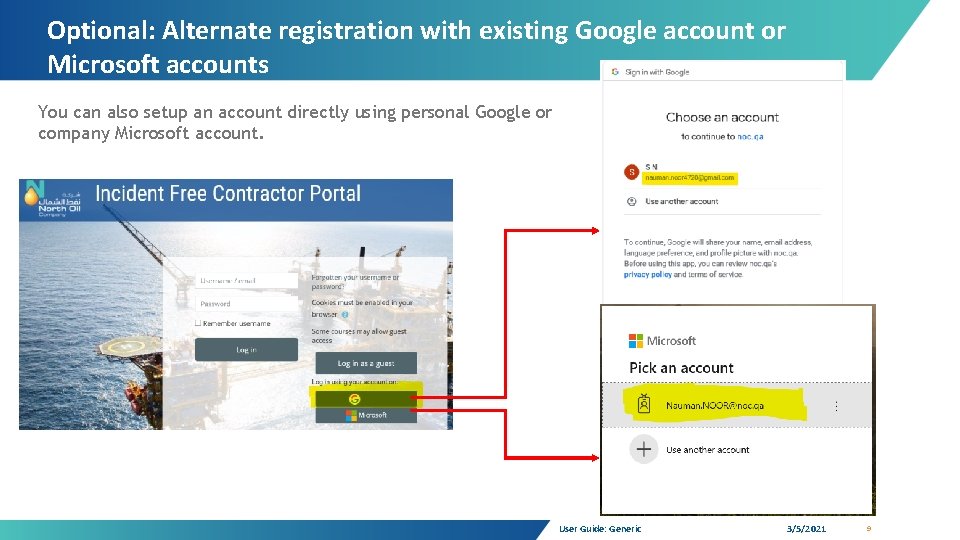
Optional: Alternate registration with existing Google account or Microsoft accounts You can also setup an account directly using personal Google or company Microsoft account. User Guide: Generic 3/5/2021 9
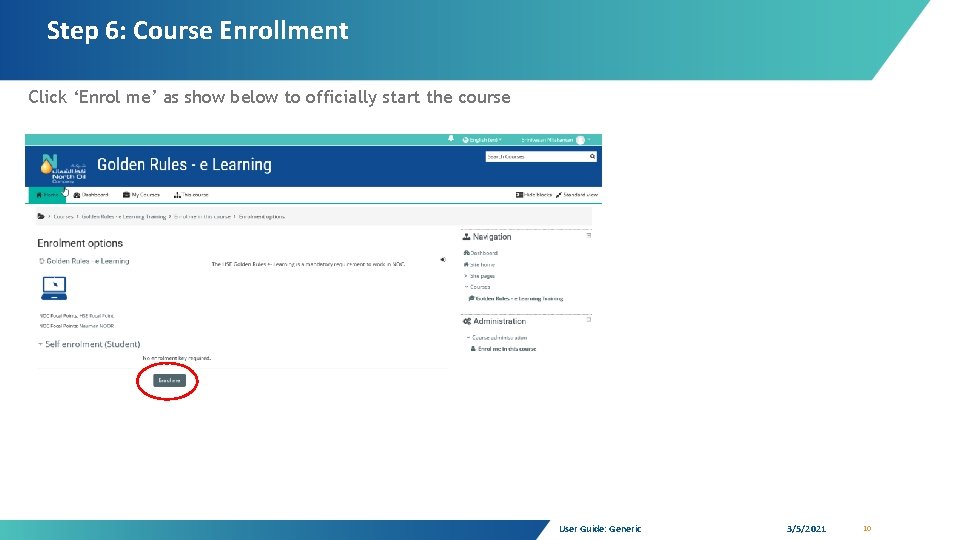
Step 6: Course Enrollment Click ‘Enrol me’ as show below to officially start the course User Guide: Generic 3/5/2021 10
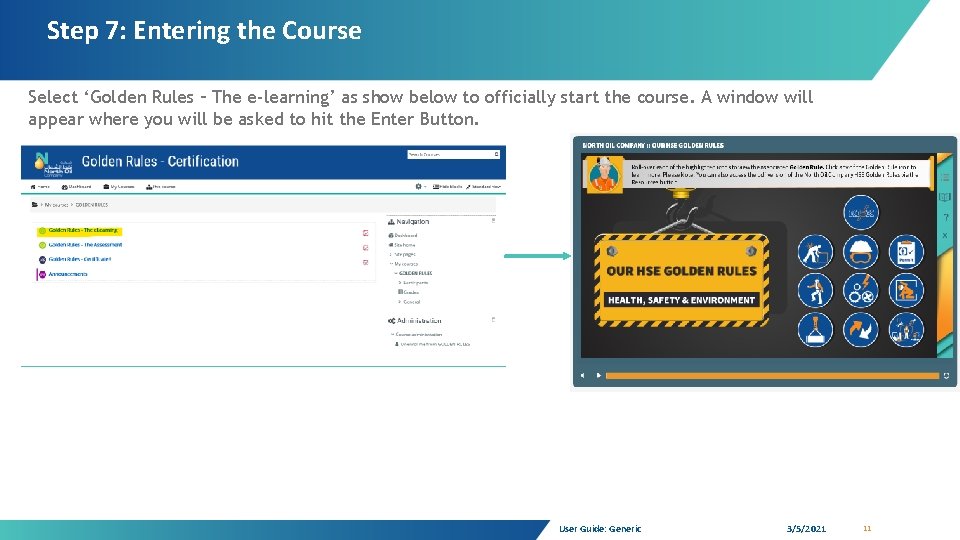
Step 7: Entering the Course Select ‘Golden Rules – The e-learning’ as show below to officially start the course. A window will appear where you will be asked to hit the Enter Button. User Guide: Generic 3/5/2021 11
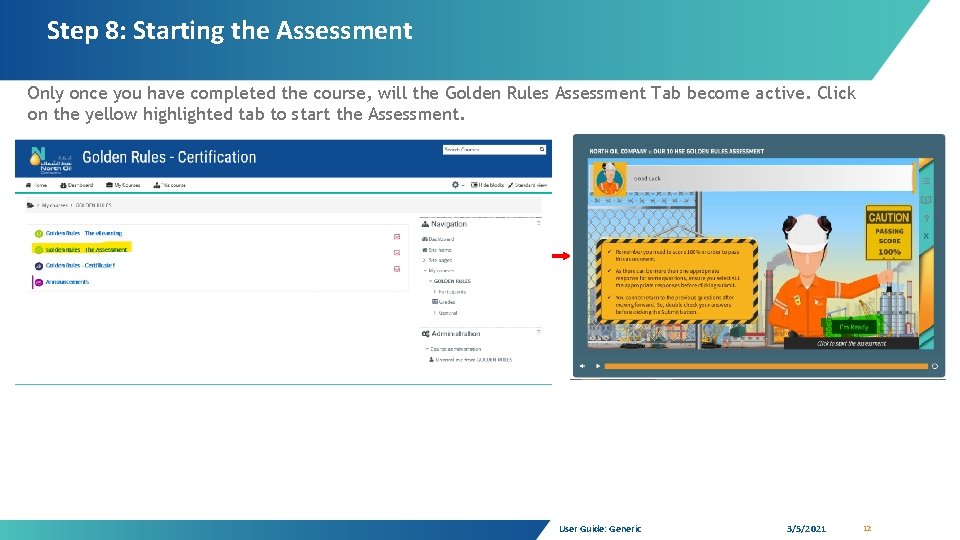
Step 8: Starting the Assessment Only once you have completed the course, will the Golden Rules Assessment Tab become active. Click on the yellow highlighted tab to start the Assessment. User Guide: Generic 3/5/2021 12
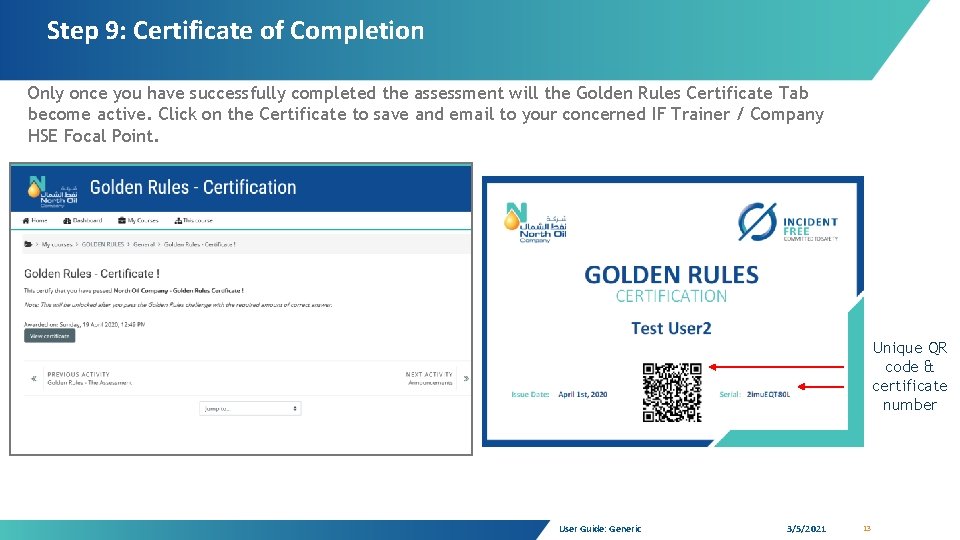
Step 9: Certificate of Completion Only once you have successfully completed the assessment will the Golden Rules Certificate Tab become active. Click on the Certificate to save and email to your concerned IF Trainer / Company HSE Focal Point. Unique QR code & certificate number User Guide: Generic 3/5/2021 13
2. To access other HSE Material
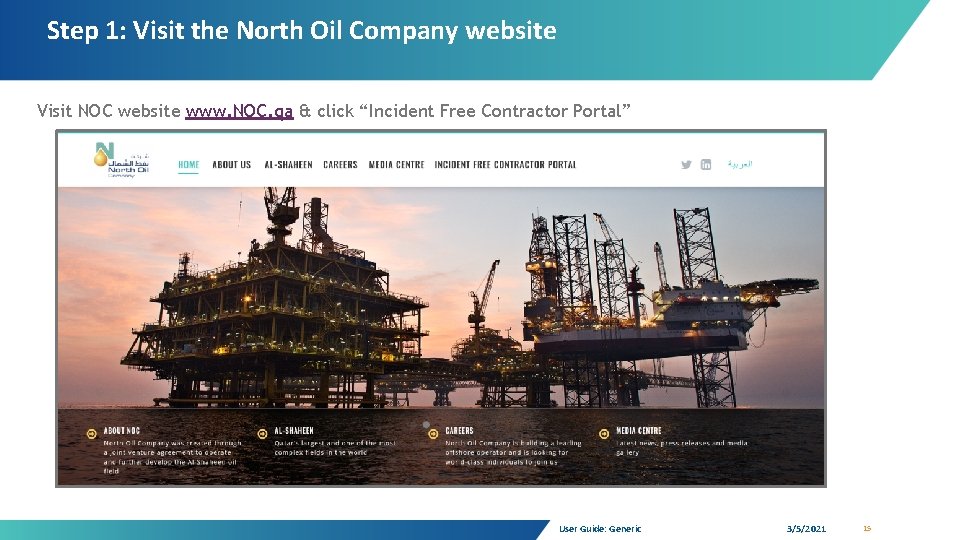
Step 1: Visit the North Oil Company website Visit NOC website www. NOC. qa & click “Incident Free Contractor Portal” User Guide: Generic 3/5/2021 15
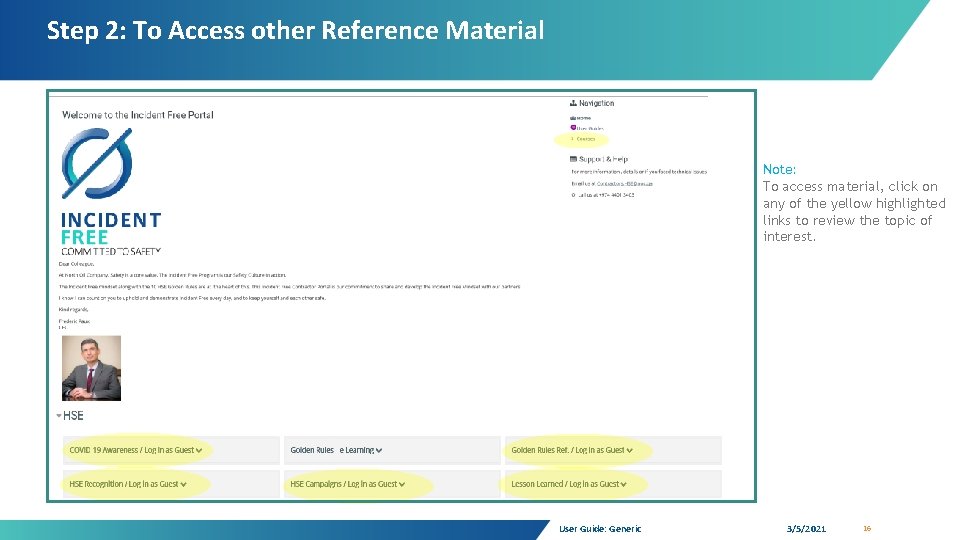
Step 2: To Access other Reference Material Note: To access material, click on any of the yellow highlighted links to review the topic of interest. User Guide: Generic 3/5/2021 16
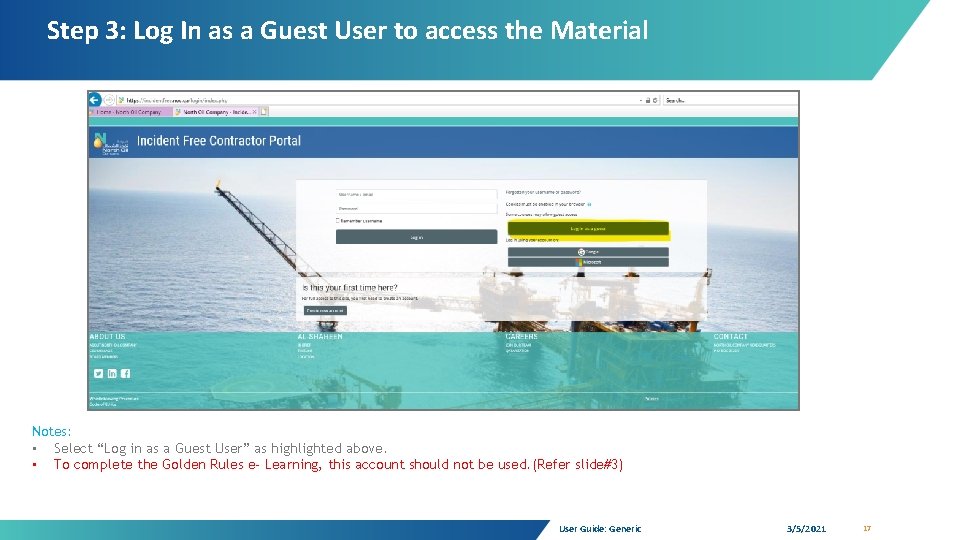
Step 3: Log In as a Guest User to access the Material Notes: • Select “Log in as a Guest User” as highlighted above. • To complete the Golden Rules e- Learning, this account should not be used. (Refer slide#3) User Guide: Generic 3/5/2021 17
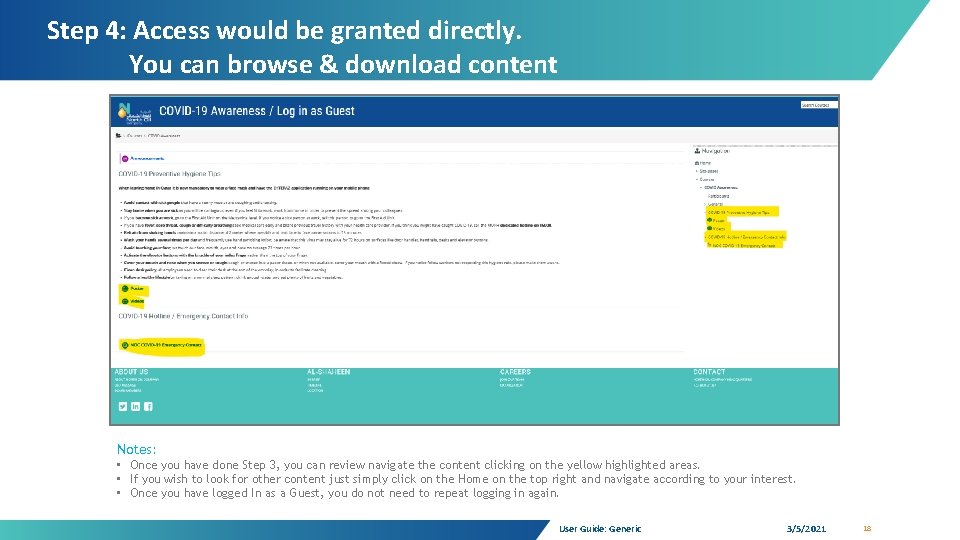
Step 4: Access would be granted directly. You can browse & download content Notes: • Once you have done Step 3, you can review navigate the content clicking on the yellow highlighted areas. • If you wish to look for other content just simply click on the Home on the top right and navigate according to your interest. • Once you have logged In as a Guest, you do not need to repeat logging in again. User Guide: Generic 3/5/2021 18
For any faced technical support or feedback please contact us: Email: Contractors. HSE@noc. qa Or Call: +974 4401 3403