Digital Signatures Why Digital Signatures To provide Authenticity

- Slides: 38
Digital Signatures
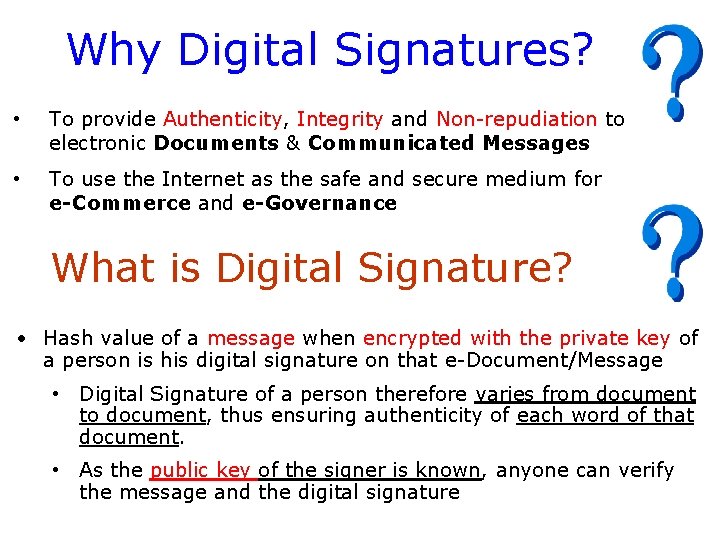
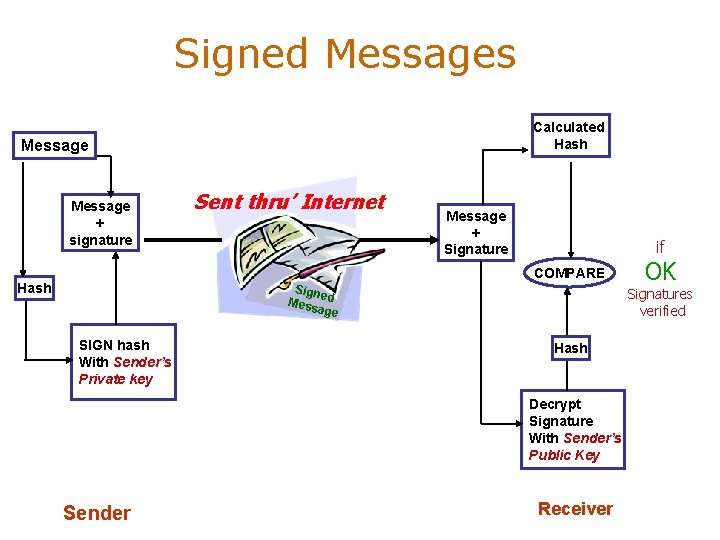
Why Digital Signatures? • To provide Authenticity, Integrity and Non-repudiation to electronic Documents & Communicated Messages • To use the Internet as the safe and secure medium for e-Commerce and e-Governance What is Digital Signature? • Hash value of a message when encrypted with the private key of a person is his digital signature on that e-Document/Message • Digital Signature of a person therefore varies from document to document, thus ensuring authenticity of each word of that document. • As the public key of the signer is known, anyone can verify the message and the digital signature
Signed Messages Calculated Hash Message + signature Sent thru’ Internet Message + Signature if COMPARE Hash Sign e Mess d age SIGN hash With Sender’s Private key Signatures verified Hash Decrypt Signature With Sender’s Public Key Sender OK Receiver
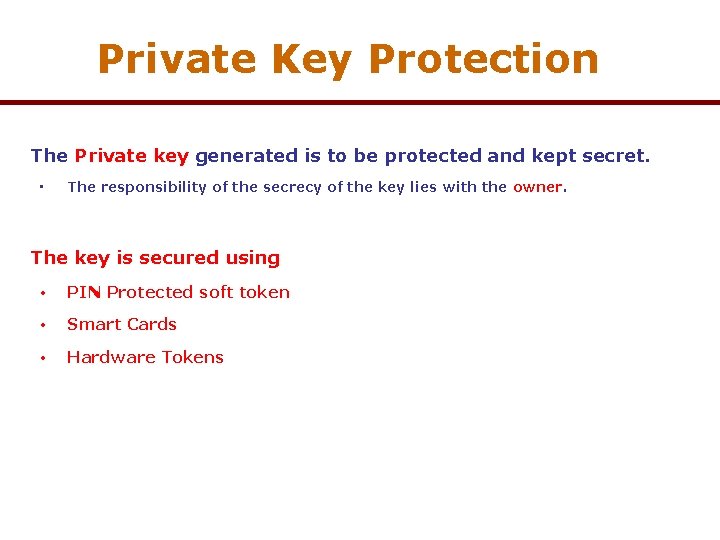
Private Key Protection The Private key generated is to be protected and kept secret. • The responsibility of the secrecy of the key lies with the owner. The key is secured using • PIN Protected soft token • Smart Cards • Hardware Tokens
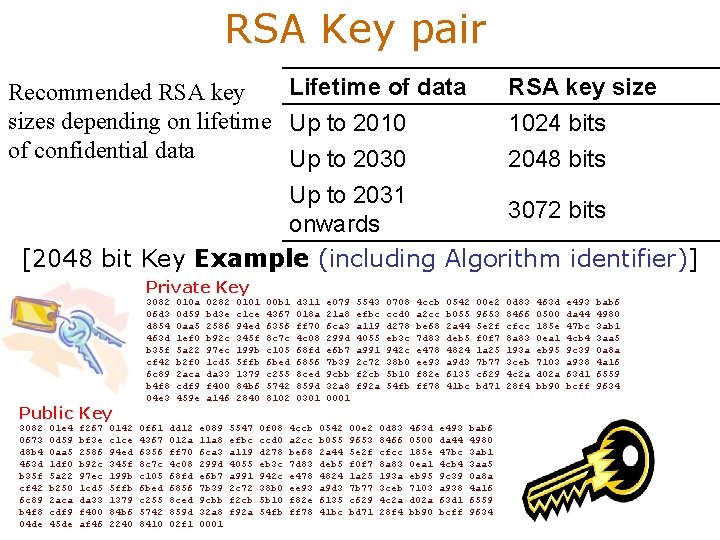
RSA Key pair Lifetime of data RSA key size Recommended RSA key sizes depending on lifetime Up to 2010 1024 bits of confidential data Up to 2030 2048 bits Up to 2031 3072 bits onwards [2048 bit Key Example (including Algorithm identifier)] Private Key Public Key 3082 0673 d 8 b 4 463 d b 35 f cf 42 6 c 89 b 4 f 8 04 de 01 e 4 0 d 59 0 aa 5 1 df 0 5 a 22 b 250 2 aca cdf 9 45 de f 267 bf 3 e 2586 b 92 c 97 ec 1 cd 5 da 33 f 400 af 46 0142 c 1 ce 94 ed 345 f 199 b 5 ffb 1379 84 b 6 2240 3082 06 d 3 d 854 463 d b 35 f cf 42 6 c 89 b 4 f 8 04 e 3 0 f 61 4367 6356 8 c 7 c c 105 6 bed c 255 5742 8410 010 a 0 d 59 0 aa 5 1 ef 0 5 a 22 b 2 f 0 2 aca cdf 9 459 e dd 12 012 a ff 70 4 c 08 68 fd 6856 8 ced 859 d 02 f 1 0282 bd 3 e 2586 b 92 c 97 ec 1 cd 5 da 33 f 400 a 146 e 089 11 a 8 6 ca 3 299 d e 6 b 7 7 b 39 9 cbb 32 a 8 0001 0101 c 1 ce 94 ed 345 f 199 b 5 ffb 1379 84 b 6 2840 5547 efbc a 119 4055 a 991 2 c 72 f 2 cb f 92 a 00 b 1 4367 6356 8 c 7 c c 105 6 bed c 255 5742 8102 0 f 08 ccd 0 d 278 eb 3 c 942 c 38 b 0 5 b 10 54 fb d 311 018 a ff 70 4 c 08 68 fd 6856 8 ced 859 d 0301 4 ccb a 2 cc be 68 7 d 83 e 478 ee 93 f 82 e ff 78 e 079 21 a 8 6 ca 3 299 d e 6 b 7 7 b 39 9 cbb 32 a 8 0001 0542 b 055 2 a 44 deb 5 4824 a 9 d 3 6135 41 bc 5543 efbc a 119 4055 a 991 2 c 72 f 2 cb f 92 a 00 e 2 9653 5 e 2 f f 0 f 7 1 a 25 7 b 77 c 629 bd 71 0708 ccd 0 d 278 eb 3 c 942 c 38 b 0 5 b 10 54 fb 0 d 83 8466 cfcc 8 a 83 193 a 3 ceb 4 c 2 a 28 f 4 4 ccb a 2 cc be 68 7 d 83 e 478 ee 93 f 82 e ff 78 463 d 0500 185 e 0 ea 1 eb 95 7103 d 02 a bb 90 0542 b 055 2 a 44 deb 5 4824 a 9 d 3 6135 41 bc e 493 da 44 47 bc 4 cb 4 9 c 39 a 938 63 d 1 bcff 00 e 2 9653 5 e 2 f f 0 f 7 1 a 25 7 b 77 c 629 bd 71 bab 6 4980 3 ab 1 3 aa 5 0 a 8 a 4 a 16 6559 9634 0 d 83 8466 cfcc 8 a 83 193 a 3 ceb 4 c 2 a 28 f 4 463 d 0500 185 e 0 ea 1 eb 95 7103 d 02 a bb 90 e 493 da 44 47 bc 4 cb 4 9 c 39 a 938 63 d 1 bcff bab 6 4980 3 ab 1 3 aa 5 0 a 8 a 4 a 16 6559 9634
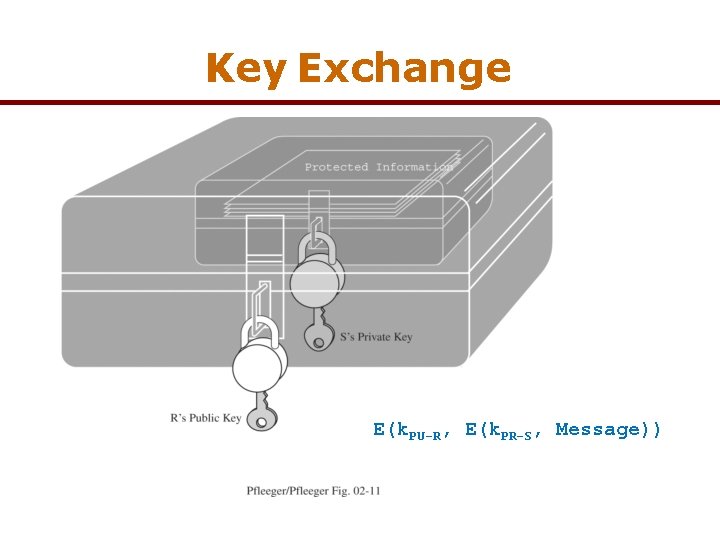
Key Exchange E(k. PU-R, E(k. PR-S, Message))
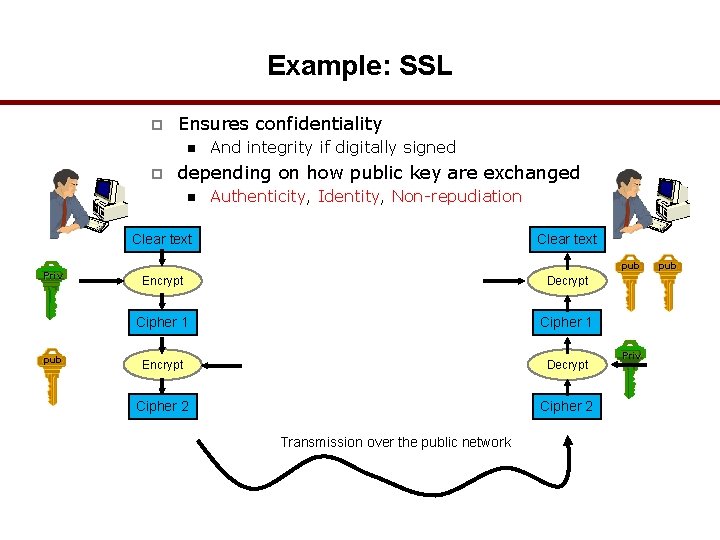
Example: SSL p Ensures confidentiality n p And integrity if digitally signed depending on how public key are exchanged n Authenticity, Identity, Non-repudiation Clear text Priv pub Clear text pub Encrypt Decrypt Cipher 1 Encrypt Decrypt Cipher 2 Transmission over the public network Priv pub
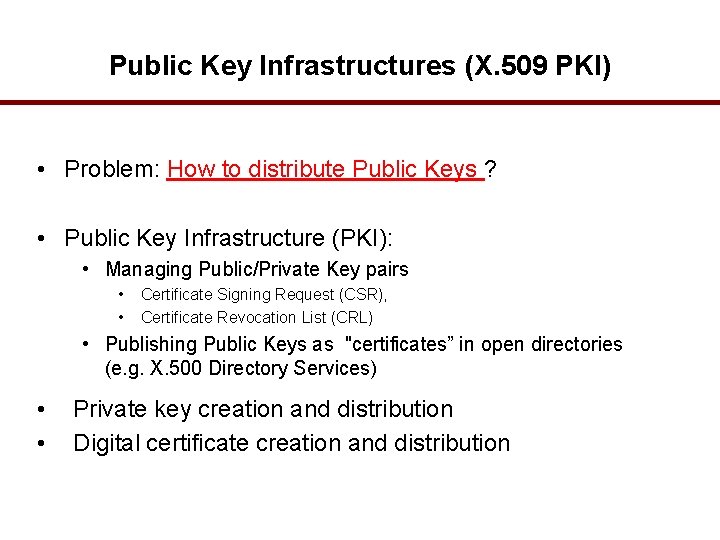
Public Key Infrastructures (X. 509 PKI) • Problem: How to distribute Public Keys ? • Public Key Infrastructure (PKI): • Managing Public/Private Key pairs • • Certificate Signing Request (CSR), Certificate Revocation List (CRL) • Publishing Public Keys as "certificates” in open directories (e. g. X. 500 Directory Services) • • Private key creation and distribution Digital certificate creation and distribution
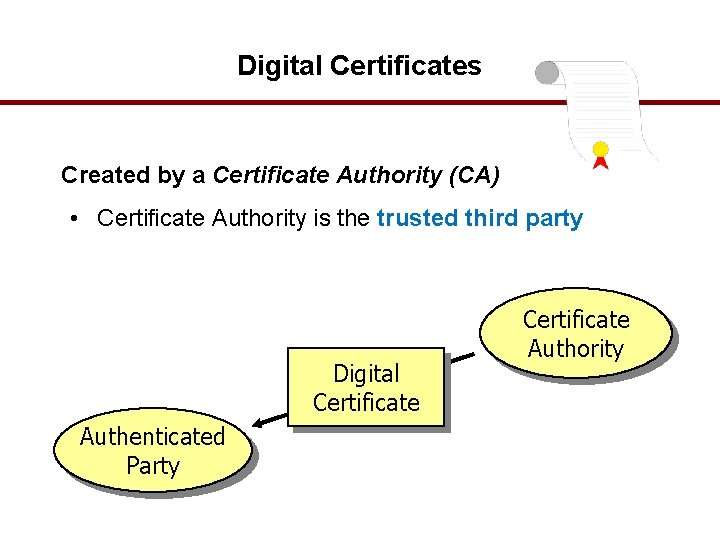
Digital Certificates Created by a Certificate Authority (CA) • Certificate Authority is the trusted third party Digital Certificate Authenticated Party Certificate Authority
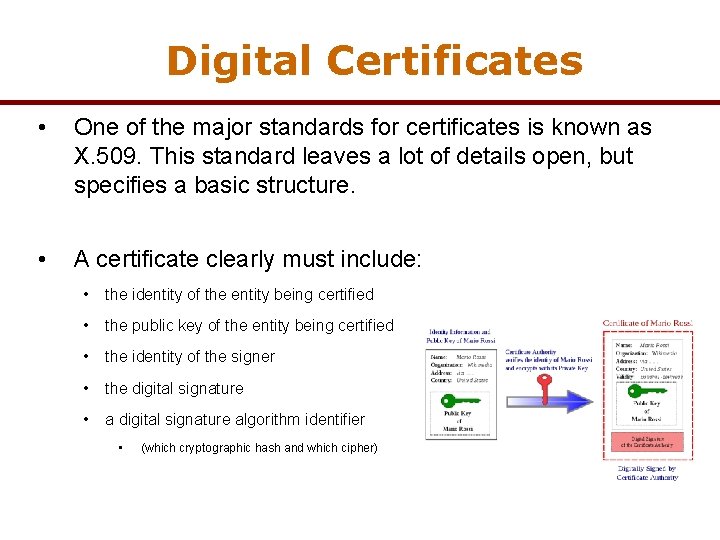
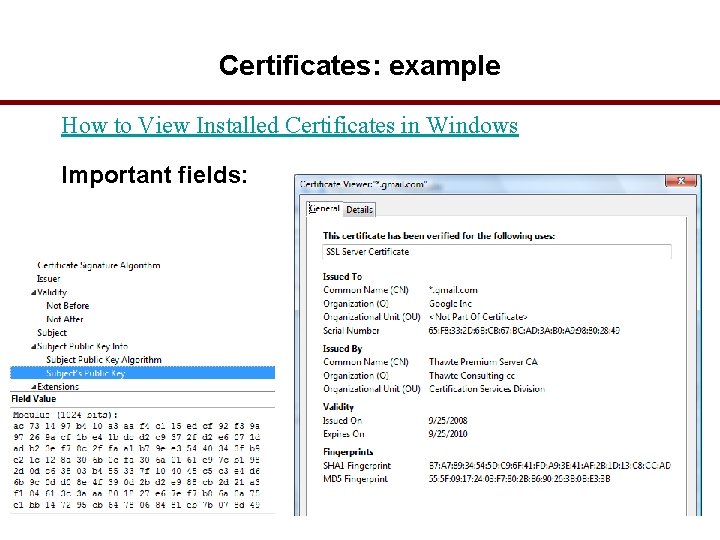
Digital Certificates • One of the major standards for certificates is known as X. 509. This standard leaves a lot of details open, but specifies a basic structure. • A certificate clearly must include: • the identity of the entity being certified • the public key of the entity being certified • the identity of the signer • the digital signature • a digital signature algorithm identifier • (which cryptographic hash and which cipher)
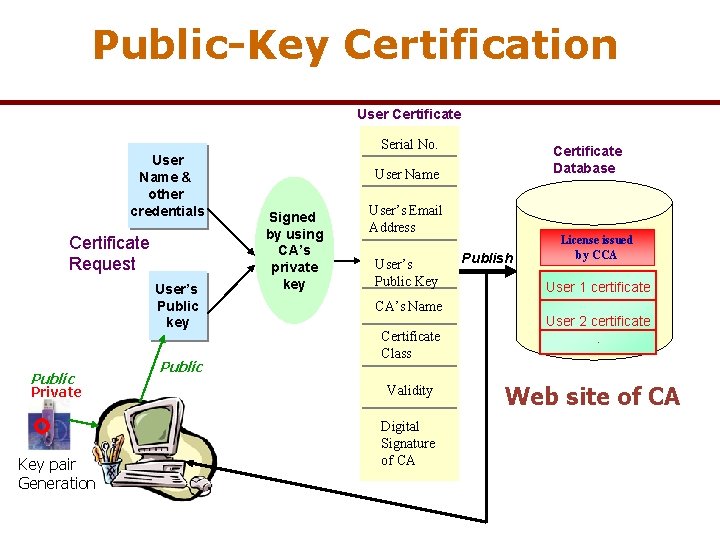
Public-Key Certification User Certificate Serial No. User Name & other credentials Certificate Request User’s Public key Public Private Key pair Generation Public Certificate Database User Name Signed by using CA’s private key User’s Email Address User’s Public Key CA’s Name Certificate Class Validity Digital Signature of CA Publish License issued by CCA User 1 certificate User 2 certificate. Web site of CA
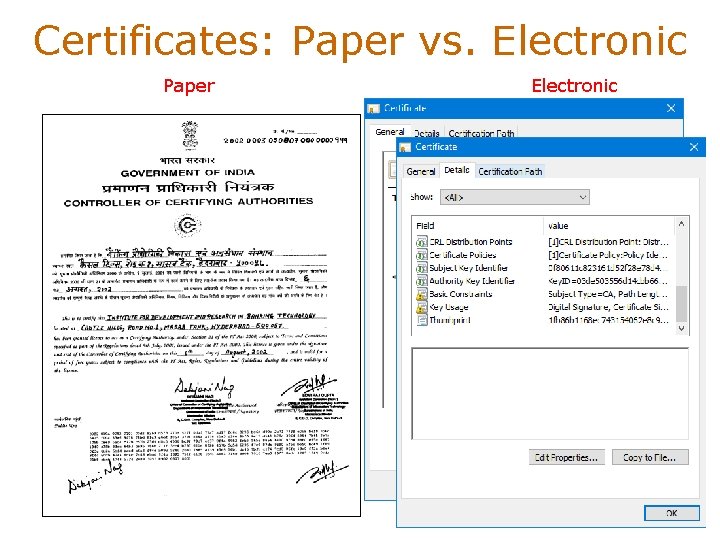
Certificates: Paper vs. Electronic Paper Electronic
Digital Certificates § A public key and user’s identity are bound together in a certificate, which is then signed by someone called a Certificate Authority (CA) § Certifying the accuracy of the binding. § The algorithms to generate a matched pair of public and private keys are publicly known, and software that does it is widely available. § So if Alice wanted to use a public key cipher, she could generate her own pair of public and private keys, § keep the private key hidden, and publicize the public key. § But how can she publicize her public key— assert that it belongs to her— in such a way that other participants can be sure it really belongs to her?
Digital Certificates • A complete scheme for certifying bindings between public keys & identities • What key belongs to who is called a Public Key Infrastructure (PKI). • E. g. if Alice and Bob are individuals who know each other, then they could get together in the same room and Alice could give her public key to Bob directly, perhaps on a business card. • But • If Bob is an organization, Alice the individual could present conventional identification, perhaps involving a photograph or fingerprints. • If Alice and Bob are computers owned by the same company, then a system administrator could configure Bob with Alice’s public key. • A digitally signed statement of a public key binding is called a public key certificate, or simply a Certificate
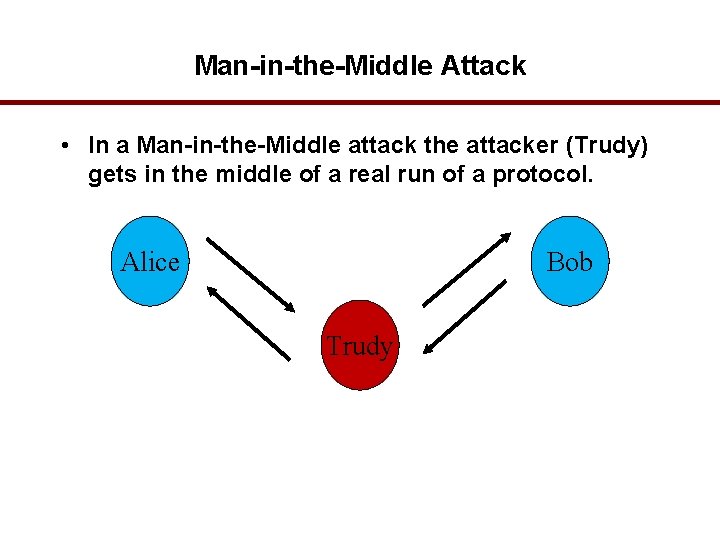
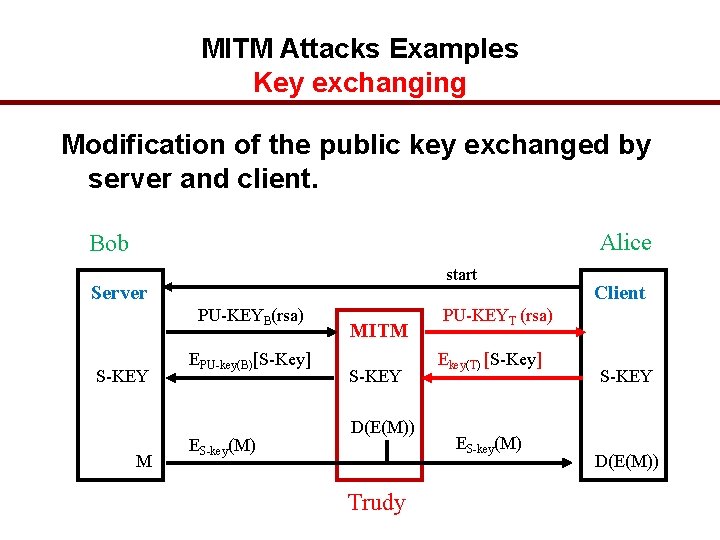
Man-in-the-Middle Attack • In a Man-in-the-Middle attack the attacker (Trudy) gets in the middle of a real run of a protocol. Alice Bob Trudy
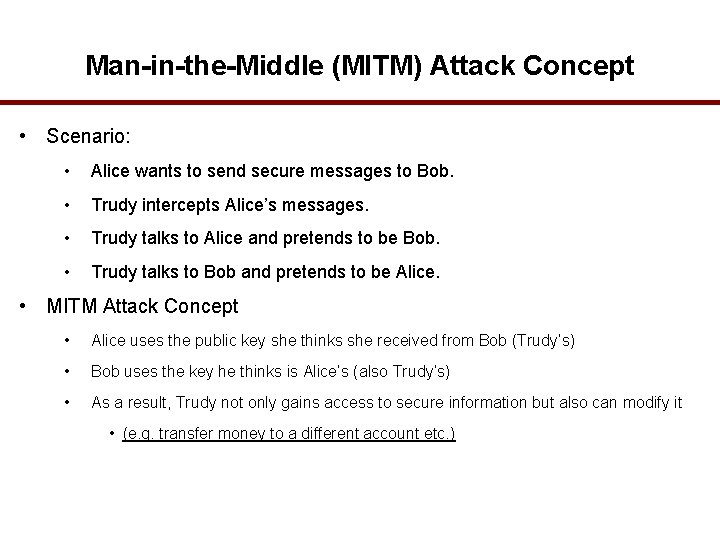
Man-in-the-Middle (MITM) Attack Concept • Scenario: • Alice wants to send secure messages to Bob. • Trudy intercepts Alice’s messages. • Trudy talks to Alice and pretends to be Bob. • Trudy talks to Bob and pretends to be Alice. • MITM Attack Concept • Alice uses the public key she thinks she received from Bob (Trudy’s) • Bob uses the key he thinks is Alice’s (also Trudy’s) • As a result, Trudy not only gains access to secure information but also can modify it • (e. g. transfer money to a different account etc. )
MITM Attacks Examples Key exchanging Modification of the public key exchanged by server and client. Alice Bob start Server PU-KEYB(rsa) S-KEY M EPU-key(B)[S-Key] ES-key(M) MITM S-KEY D(E(M)) Trudy Client PU-KEYT (rsa) Ekey(T) [S-Key] ES-key(M) S-KEY D(E(M))
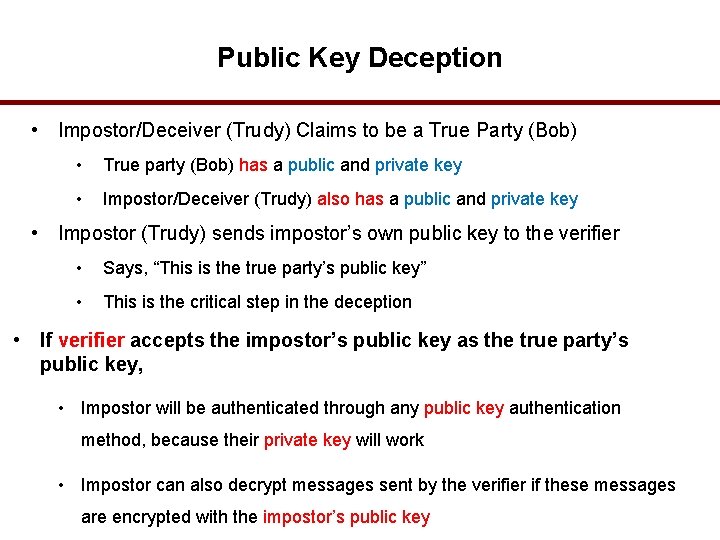
Public Key Deception • Impostor/Deceiver (Trudy) Claims to be a True Party (Bob) • True party (Bob) has a public and private key • Impostor/Deceiver (Trudy) also has a public and private key • Impostor (Trudy) sends impostor’s own public key to the verifier • Says, “This is the true party’s public key” • This is the critical step in the deception • If verifier accepts the impostor’s public key as the true party’s public key, • Impostor will be authenticated through any public key authentication method, because their private key will work • Impostor can also decrypt messages sent by the verifier if these messages are encrypted with the impostor’s public key
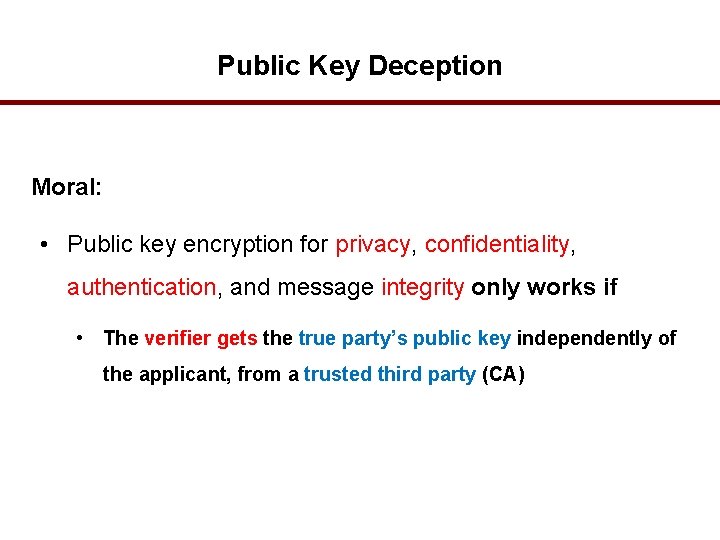
Public Key Deception Moral: • Public key encryption for privacy, confidentiality, authentication, and message integrity only works if • The verifier gets the true party’s public key independently of the applicant, from a trusted third party (CA)
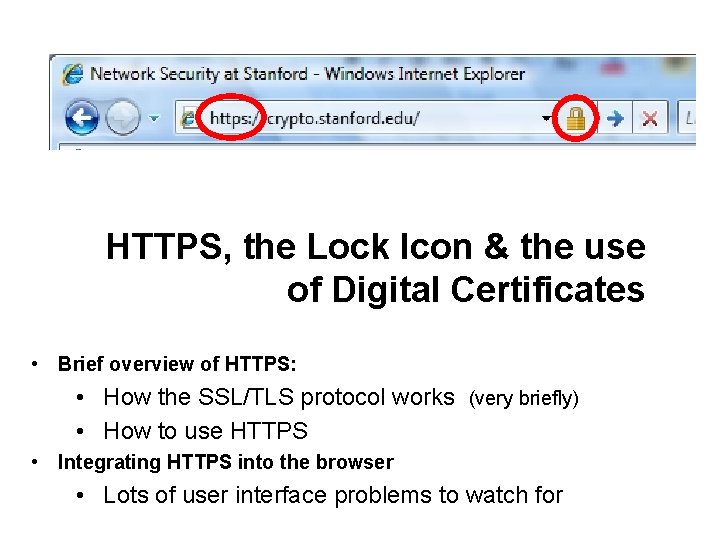
HTTPS, the Lock Icon & the use of Digital Certificates • Brief overview of HTTPS: • How the SSL/TLS protocol works (very briefly) • How to use HTTPS • Integrating HTTPS into the browser • Lots of user interface problems to watch for
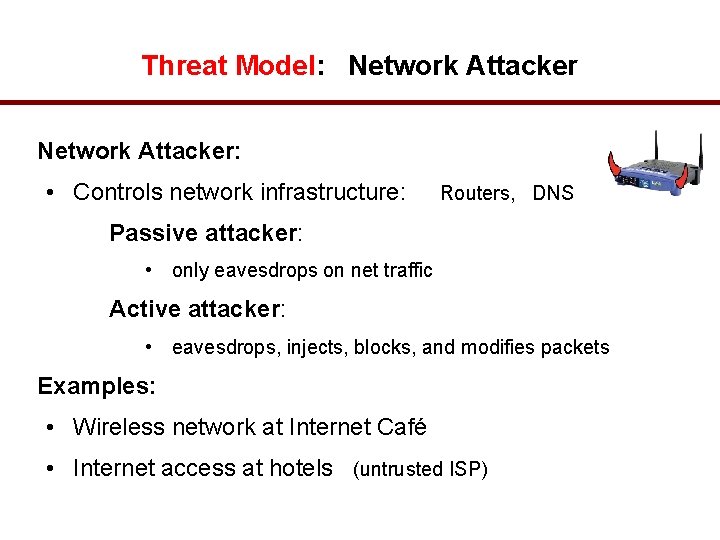
Threat Model: Network Attacker: • Controls network infrastructure: Routers, DNS Passive attacker: • only eavesdrops on net traffic Active attacker: • eavesdrops, injects, blocks, and modifies packets Examples: • Wireless network at Internet Café • Internet access at hotels (untrusted ISP)
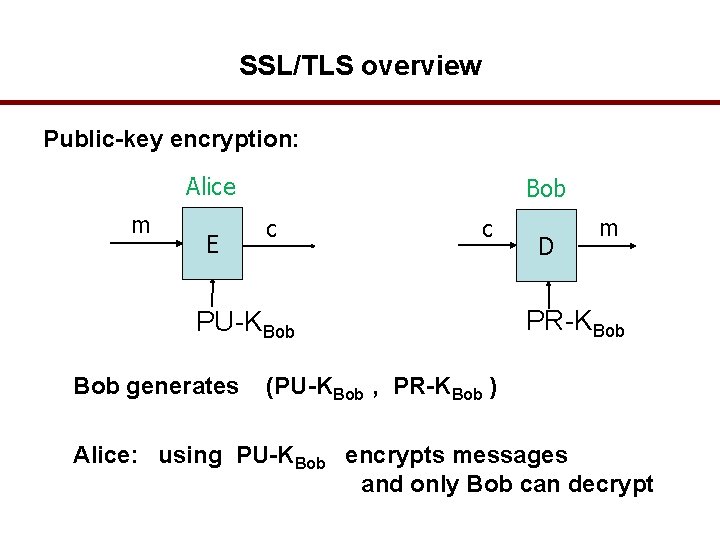
SSL/TLS overview Public-key encryption: Alice m E Bob c c PU-KBob generates D m PR-KBob (PU-KBob , PR-KBob ) Alice: using PU-KBob encrypts messages and only Bob can decrypt
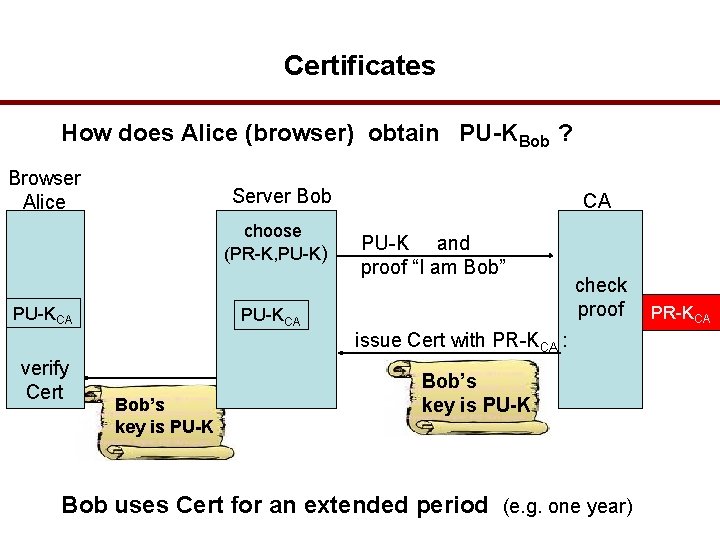
Certificates How does Alice (browser) obtain PU-KBob ? Browser Alice Server Bob choose (PR-K, PU-K) PU-KCA CA PU-K and proof “I am Bob” PU-KCA check proof issue Cert with PR-KCA : verify Cert Bob’s key is PU-K Bob uses Cert for an extended period (e. g. one year) PR-KCA
Certificates: example How to View Installed Certificates in Windows Important fields:
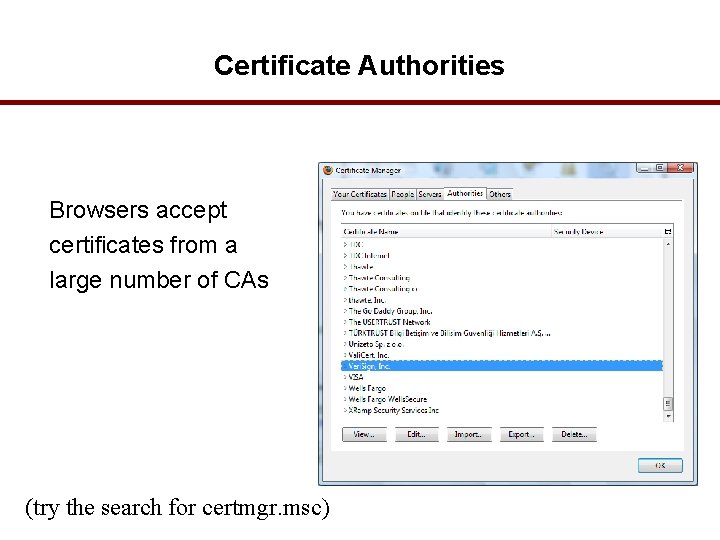
Certificate Authorities Browsers accept certificates from a large number of CAs (try the search for certmgr. msc)
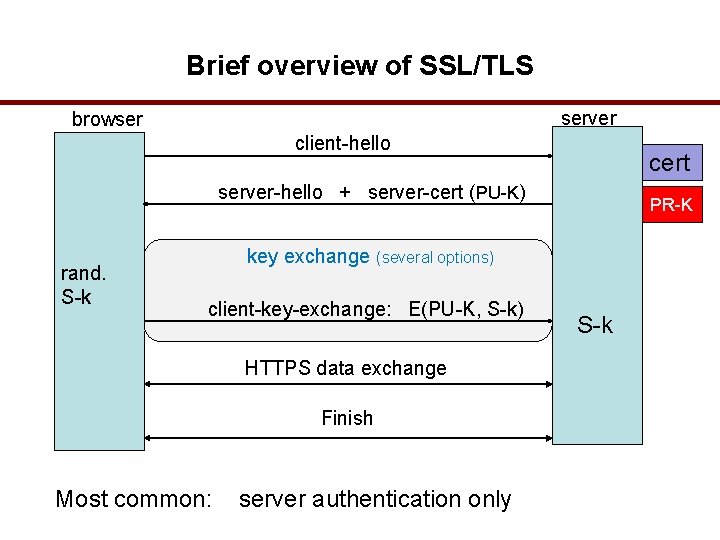
Brief overview of SSL/TLS server browser client-hello cert server-hello + server-cert (PU-K) rand. S-k PR-K key exchange (several options) client-key-exchange: E(PU-K, S-k) HTTPS data exchange Finish Most common: server authentication only S-k
Secure Connections • Use Public-Key Algorithm only to Exchange a Shared/Session Key or verify a Digital Signature • Use Symmetric Key Block Cipher (3 DES) to encrypt data • Save Public Key or Certificate for use in subsequent sessions • Why is HTTPS not used for all web traffic? • Slows down web servers • Breaks Internet caching • ISPs cannot cache HTTPS traffic • Results in increased traffic at web site • Incompatible with virtual hosting (older browsers)
HTTPS in the Browser
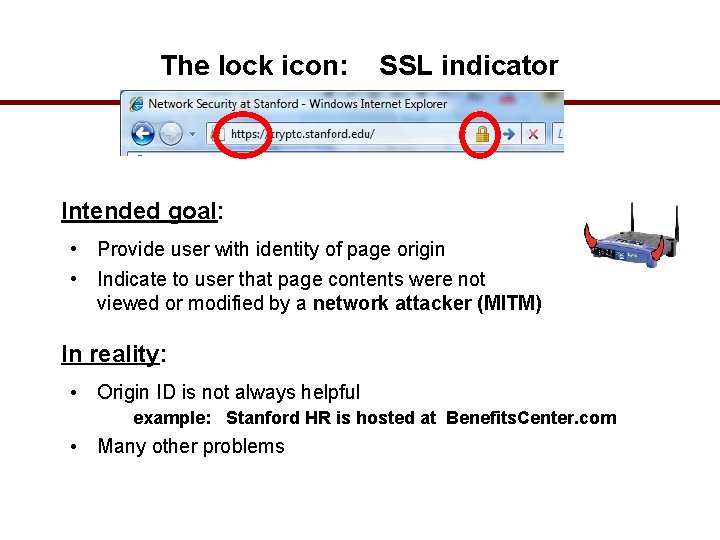
The lock icon: SSL indicator Intended goal: • Provide user with identity of page origin • Indicate to user that page contents were not viewed or modified by a network attacker (MITM) In reality: • Origin ID is not always helpful example: Stanford HR is hosted at Benefits. Center. com • Many other problems
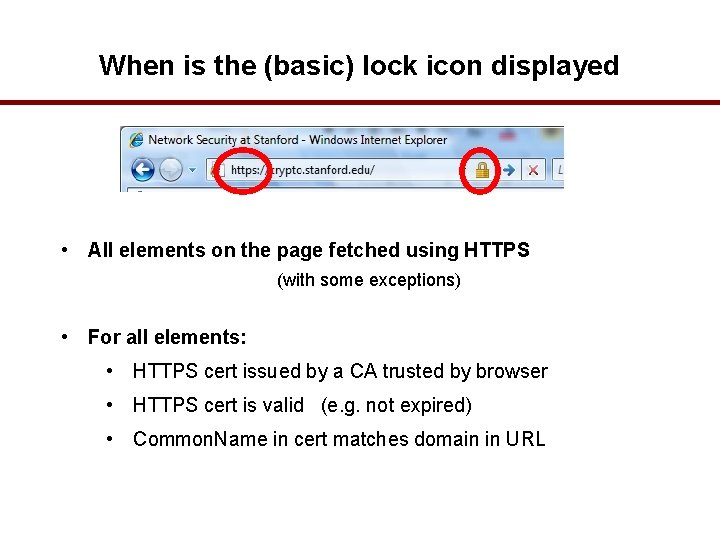
When is the (basic) lock icon displayed • All elements on the page fetched using HTTPS (with some exceptions) • For all elements: • HTTPS cert issued by a CA trusted by browser • HTTPS cert is valid (e. g. not expired) • Common. Name in cert matches domain in URL
How does HTTPS work? • HTTPS is based on public/private-key cryptography. • This means that there is a key pair: public-key (PU-K) is used for encryption and the secret private-key (PR-K) is required for decryption • A certificate is basically a public-key with a label identifying the owner. • So when your browser connects to an HTTPS server, the server will answer with its certificate. • The browser checks if the certificate is valid: • the owner information need to match the server name that the user requested. • the certificate needs to be signed by a trusted certification authority (CA). • If one of these conditions is not met, the user is informed about the problem. • After the verification, the browser extracts the public-key and uses it to encrypt some information before sending it to the server. • The server can decrypt it because the server has the matching private-key.
How does HTTPS prevent MITM attacks? • The certificate is the public-key with the label. • The webserver will send it to anyone who connects to it. • Thus, the certificate contains the public-key of the webserver. • The malicious proxy (MITM) is not in the possession of the matching private key. • So if the proxy forwards the real certificate to the client, it cannot decrypt information the client sends to the webserver. • But, the proxy server (MITM) may try to forge the certificate and provide his own public-key instead. • This will, however, destroy the signature of the certification authorities. • The browser will warn about the invalid certificate.
THE END
Why E-Commerce • E-Commerce heavily relies on Public-key-based protocols • Examples: • HTTPS (HTTP over SSL/TLS) • Secure Electronic Transactions (SET) developed by Visa/Master. Card specifically for electronic/on-line transactions • MITM Attack on E-Commerce • Trust in HTTPS/SSL/TLS • Until IPSEC/DNSSEC are widely deployed, • E-Commerce security is questionable • User aspect
Users under Attack: Secure Browsers User is typically presented with a menu asking whether to accept new [root] certificate Usually, users click on “Yes” and accept new certificate without even thinking about the consequences ~ 60 Root Certificates in my machine. Did I verify each one of them thoroughly ?
MITM Attacker’s Toolbox • • • dsniff Contains several ready-to-use utilities to do MITM attacks, namely: sshmitm, webmitm, dnsspoof, and arpspoof. Allows attackers to hijack / sniff / analyze HTTPS and SSHv 1 traffic Libnet: Packet construction and handling libpcap: Packet capturing library libnids: tcp stream assembly, defragmentation sw-mitm: Redirects Layer 2 traffic Open. SSL: Open Source implementation of SSLv 2/3 and TLSv 1 ‘openssl’ • Command line tool, creates RSA/DH/DSA key parameters, CSRs, CRLs, X. 509 Certificates, MDs, Encrypts/Decrypts using various ciphers etc.
Is there a way a proxy server can read HTTPS? • If the administrator of your computer cooperates, it is possible for a proxy server to sniff https connections. This is used in some companies in order to scan for viruses and to enforce guidelines of acceptable use. • A local certification authority is setup and the administrator tells your browser that this CA is trustworthy. The proxy server uses this CA to sign his forged certificates. • Oh and of course, user tend to click security warnings away
Man in the middle attack prevention • Blocking MITM attacks requires several practical steps on the part of users, as well as a combination of encryption and verification methods for applications. • For users, this means: • Avoiding Wi. Fi connections that aren’t password protected. • Paying attention to browser notifications reporting a website as being unsecured. • Immediately logging out of a secure application when it’s not in use. • Not using public networks (e. g. , coffee shops, hotels) when conducting sensitive transactions. • For website operators • secure communication protocols, including TLS and HTTPS, help mitigate spoofing attacks by robustly encrypting and authenticating transmitted data. Doing so prevents the interception of site traffic and blocks the decryption of sensitive data, such as authentication tokens. • It is considered best practice for applications to use SSL/TLS to secure every page of their site and not just the pages that require users to log in. Doing so helps decreases the chance of an attacker stealing session cookies from a user browsing on an unsecured section of a website while logged in. ’