Control Structures Repetition Topics to cover here Introduction
- Slides: 71
Control Structures (Repetition) Topics to cover here: • • • Introduction to Repetition FOR. . DO Statement WHILE. . DO Statement DO. . WHILE Statement Nested Loops BREAK and CONTINUE Statements Programming Fundamentals 1
Repetition: An Introduction • You can repeat many steps in an algorithm. • Repetition of a sequence of steps in an algorithm is called a loop. • Types of loops: - Counter-controlled loops (e. g. WHILE. . DO, FOR. . DO, DO. . WHILE) - Conditional loops (e. g. WHILE. . DO, DO. . WHILE) - Sentinel-controlled loops (e. g. WHILE. . DO, DO. . WHILE) - Flag-controlled loops (e. g. WHILE. . DO, DO. . WHILE) Programming Fundamentals 2
Counter-Controlled Loop • The repetition of this loop is controlled by a loop control variable (lcv) whose value represents a count. • This type of loops is used when you can determine prior to loop execution exactly how many loop repetitions will be needed to solve a problem. • The lcv should be incremented as the final statement of the loop. • NOTE: All types of repetition statements could be used as counter -controlled loops. The FOR statement is based suited for this type of looping. Programming Fundamentals 3
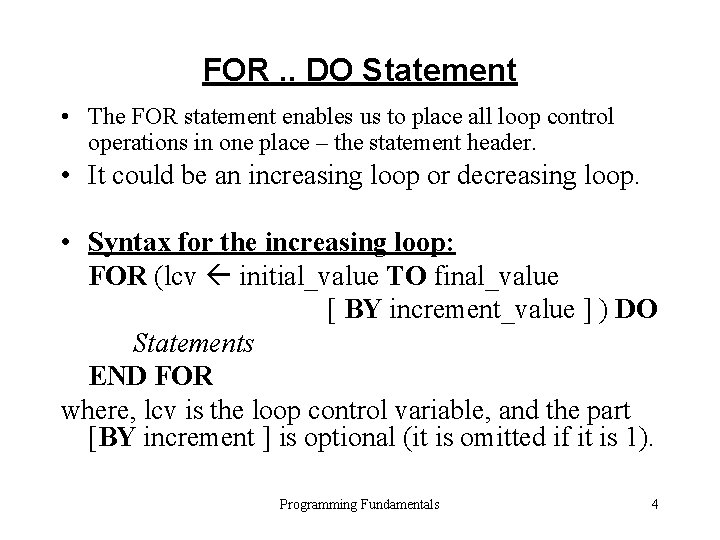
FOR. . DO Statement • The FOR statement enables us to place all loop control operations in one place – the statement header. • It could be an increasing loop or decreasing loop. • Syntax for the increasing loop: FOR (lcv initial_value TO final_value [ BY increment_value ] ) DO Statements END FOR where, lcv is the loop control variable, and the part [BY increment ] is optional (it is omitted if it is 1). Programming Fundamentals 4
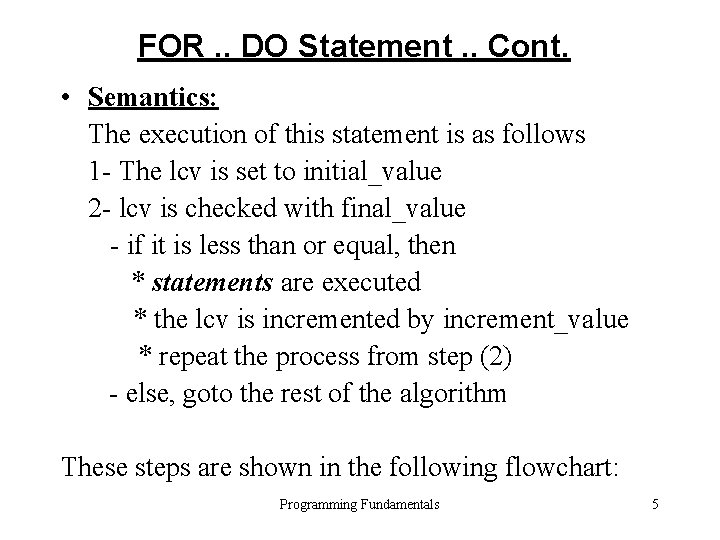
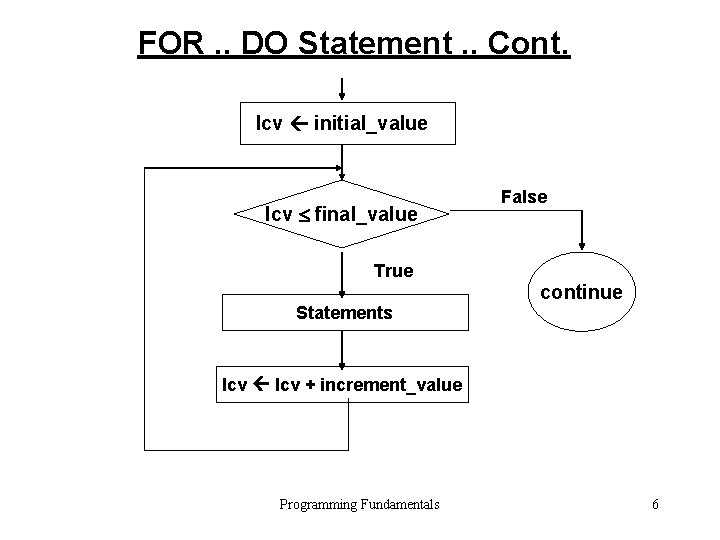
FOR. . DO Statement. . Cont. • Semantics: The execution of this statement is as follows 1 - The lcv is set to initial_value 2 - lcv is checked with final_value - if it is less than or equal, then * statements are executed * the lcv is incremented by increment_value * repeat the process from step (2) - else, goto the rest of the algorithm These steps are shown in the following flowchart: Programming Fundamentals 5
FOR. . DO Statement. . Cont. lcv initial_value lcv final_value False True Statements continue lcv + increment_value Programming Fundamentals 6
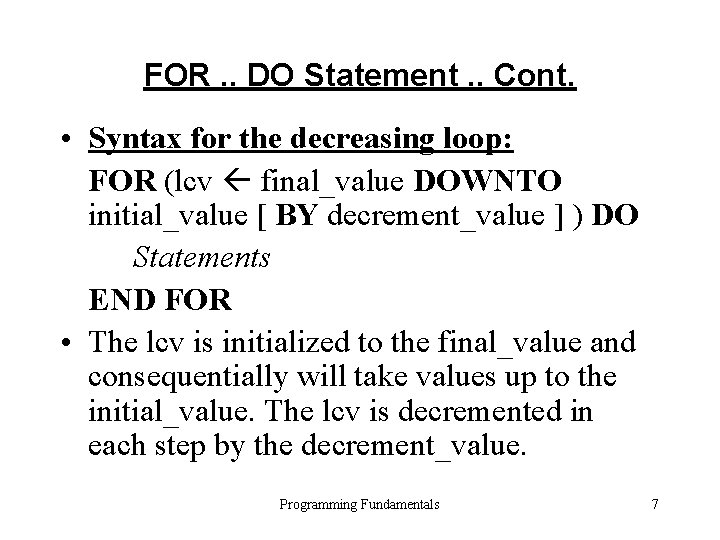
FOR. . DO Statement. . Cont. • Syntax for the decreasing loop: FOR (lcv final_value DOWNTO initial_value [ BY decrement_value ] ) DO Statements END FOR • The lcv is initialized to the final_value and consequentially will take values up to the initial_value. The lcv is decremented in each step by the decrement_value. Programming Fundamentals 7
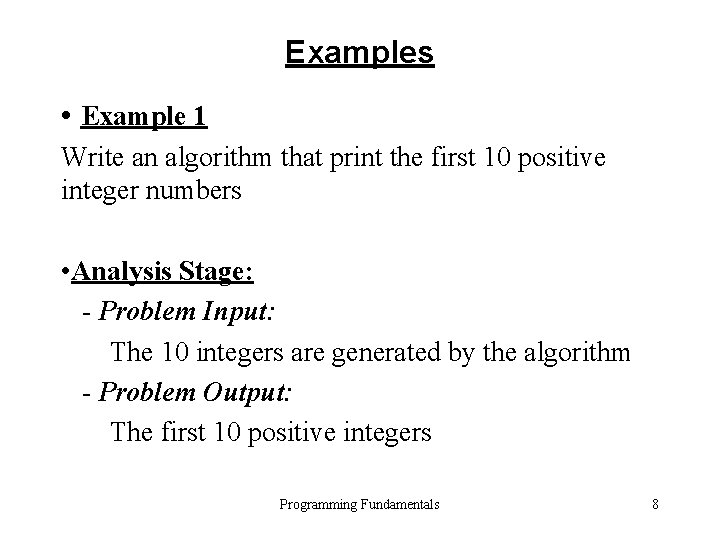
Examples • Example 1 Write an algorithm that print the first 10 positive integer numbers • Analysis Stage: - Problem Input: The 10 integers are generated by the algorithm - Problem Output: The first 10 positive integers Programming Fundamentals 8
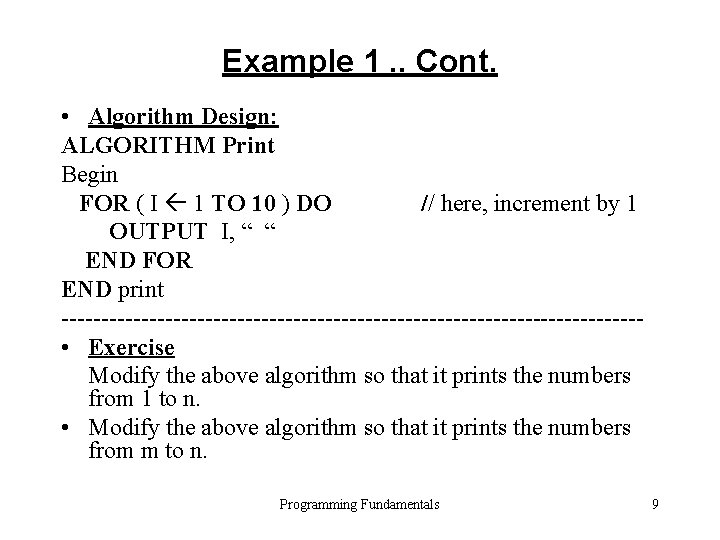
Example 1. . Cont. • Algorithm Design: ALGORITHM Print Begin FOR ( I 1 TO 10 ) DO // here, increment by 1 OUTPUT I, “ “ END FOR END print ------------------------------------ • Exercise Modify the above algorithm so that it prints the numbers from 1 to n. • Modify the above algorithm so that it prints the numbers from m to n. Programming Fundamentals 9
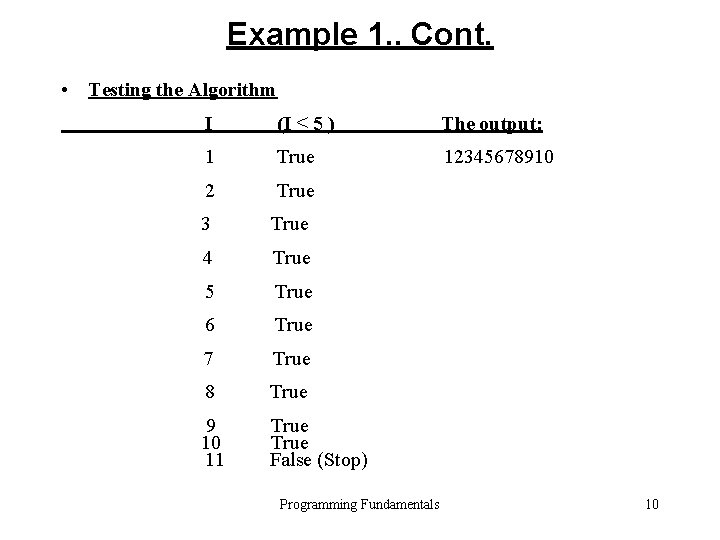
Example 1. . Cont. • Testing the Algorithm I (I ≤ 5 ) The output: 1 True 12345678910 2 True 3 True 4 True 5 True 6 True 7 True 8 True 9 10 11 True False (Stop) Programming Fundamentals 10
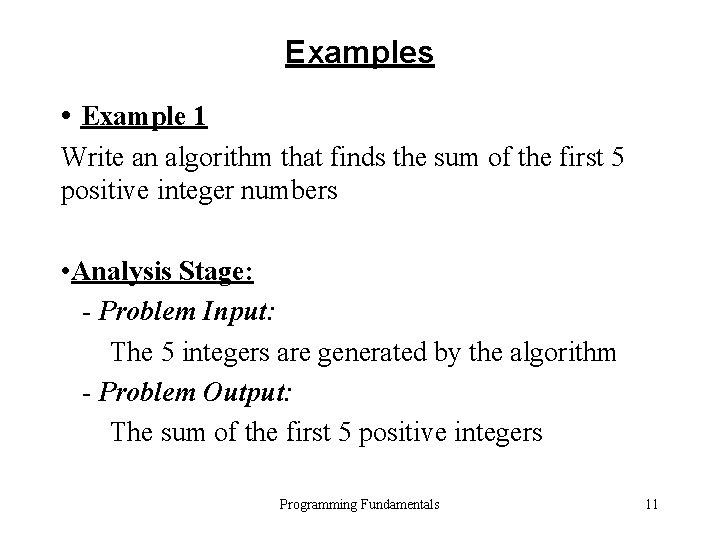
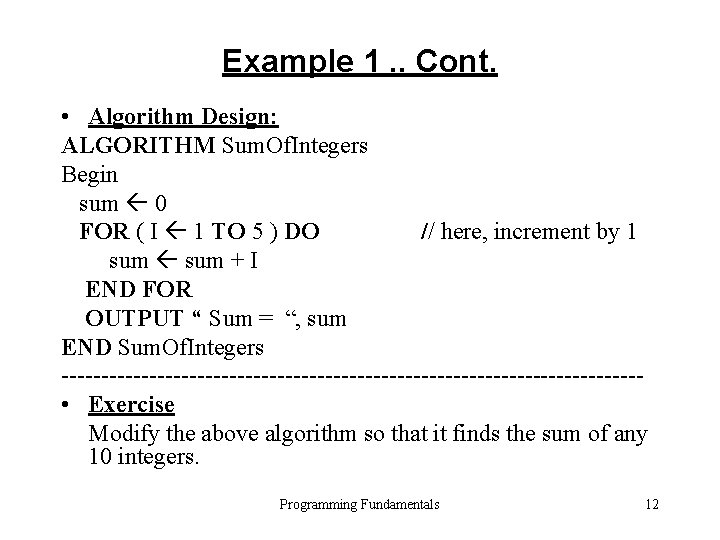
Examples • Example 1 Write an algorithm that finds the sum of the first 5 positive integer numbers • Analysis Stage: - Problem Input: The 5 integers are generated by the algorithm - Problem Output: The sum of the first 5 positive integers Programming Fundamentals 11
Example 1. . Cont. • Algorithm Design: ALGORITHM Sum. Of. Integers Begin sum 0 FOR ( I 1 TO 5 ) DO // here, increment by 1 sum + I END FOR OUTPUT “ Sum = “, sum END Sum. Of. Integers ------------------------------------ • Exercise Modify the above algorithm so that it finds the sum of any 10 integers. Programming Fundamentals 12
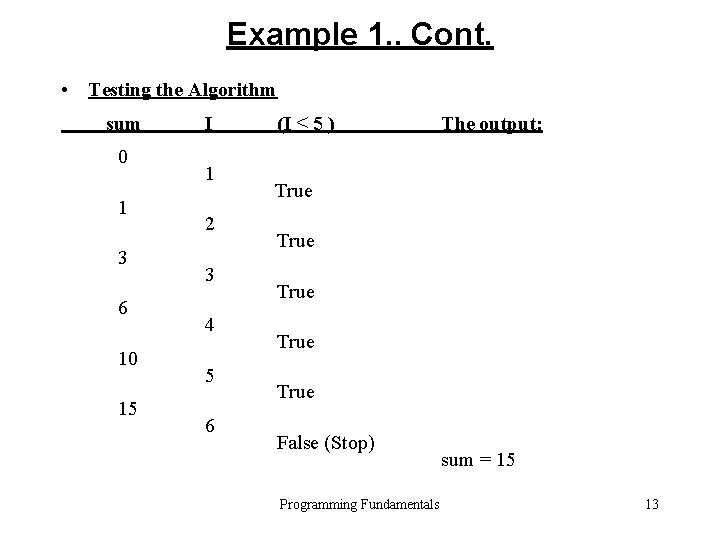
Example 1. . Cont. • Testing the Algorithm sum 0 1 3 6 10 15 I 1 2 3 4 5 6 (I ≤ 5 ) The output: True True False (Stop) Programming Fundamentals sum = 15 13
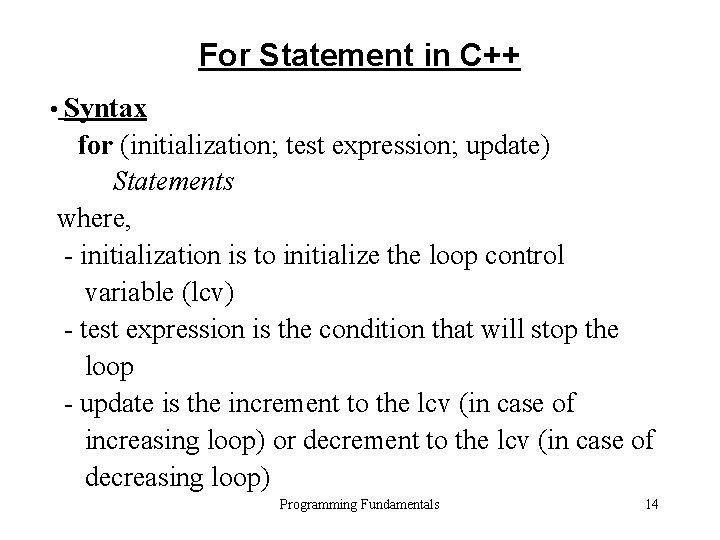
For Statement in C++ • Syntax for (initialization; test expression; update) Statements where, - initialization is to initialize the loop control variable (lcv) - test expression is the condition that will stop the loop - update is the increment to the lcv (in case of increasing loop) or decrement to the lcv (in case of decreasing loop) Programming Fundamentals 14
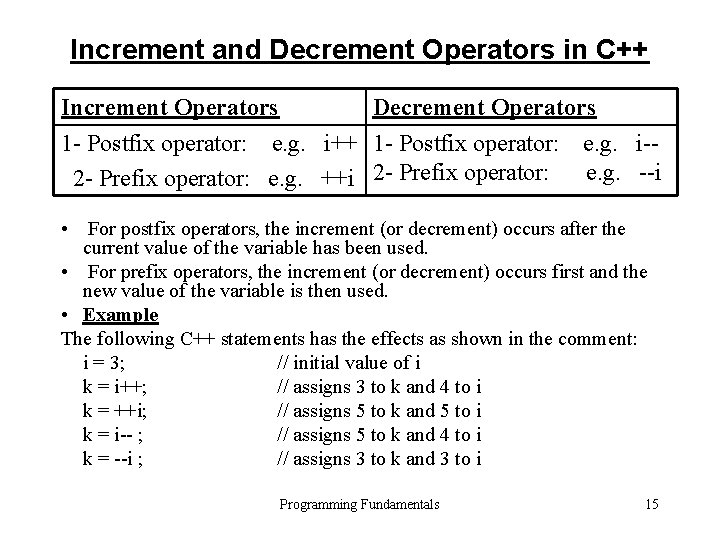
Increment and Decrement Operators in C++ Increment Operators Decrement Operators 1 - Postfix operator: e. g. i++ 1 - Postfix operator: e. g. i-e. g. --i 2 - Prefix operator: e. g. ++i 2 - Prefix operator: • For postfix operators, the increment (or decrement) occurs after the current value of the variable has been used. • For prefix operators, the increment (or decrement) occurs first and the new value of the variable is then used. • Example The following C++ statements has the effects as shown in the comment: i = 3; // initial value of i k = i++; // assigns 3 to k and 4 to i k = ++i; // assigns 5 to k and 5 to i k = i-- ; // assigns 5 to k and 4 to i k = --i ; // assigns 3 to k and 3 to i Programming Fundamentals 15
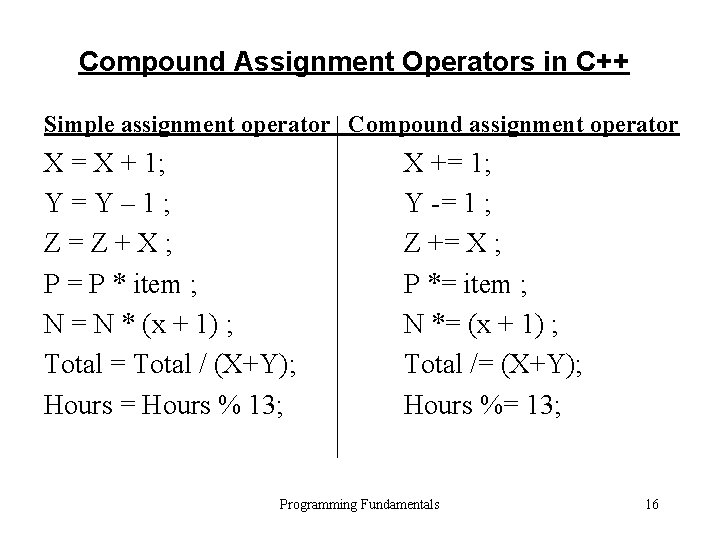
Compound Assignment Operators in C++ Simple assignment operator Compound assignment operator X = X + 1; Y=Y– 1; Z=Z+X; P = P * item ; N = N * (x + 1) ; Total = Total / (X+Y); Hours = Hours % 13; X += 1; Y -= 1 ; Z += X ; P *= item ; N *= (x + 1) ; Total /= (X+Y); Hours %= 13; Programming Fundamentals 16
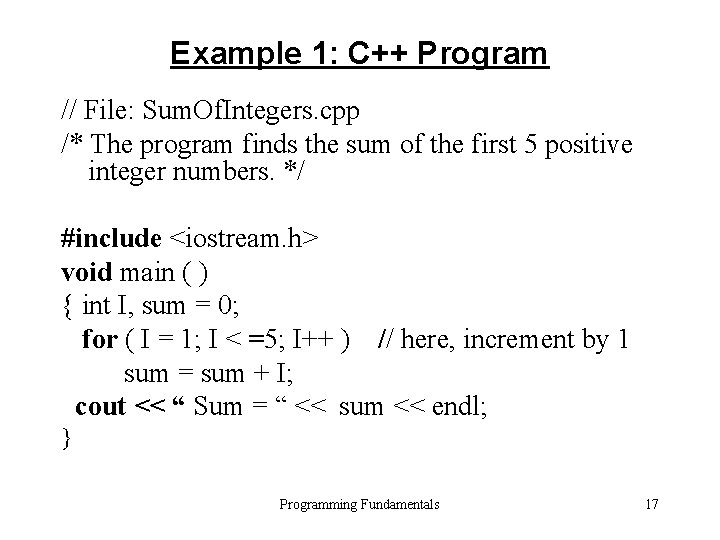
Example 1: C++ Program // File: Sum. Of. Integers. cpp /* The program finds the sum of the first 5 positive integer numbers. */ #include <iostream. h> void main ( ) { int I, sum = 0; for ( I = 1; I < =5; I++ ) // here, increment by 1 sum = sum + I; cout << “ Sum = “ << sum << endl; } Programming Fundamentals 17
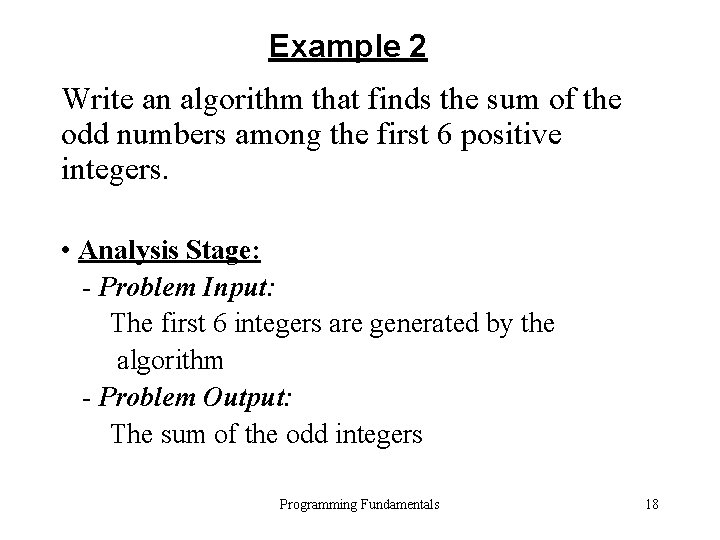
Example 2 Write an algorithm that finds the sum of the odd numbers among the first 6 positive integers. • Analysis Stage: - Problem Input: The first 6 integers are generated by the algorithm - Problem Output: The sum of the odd integers Programming Fundamentals 18
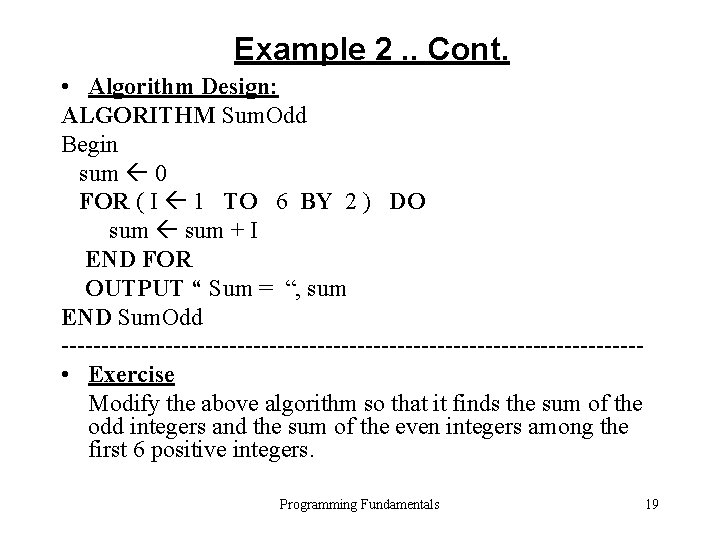
Example 2. . Cont. • Algorithm Design: ALGORITHM Sum. Odd Begin sum 0 FOR ( I 1 TO 6 BY 2 ) DO sum + I END FOR OUTPUT “ Sum = “, sum END Sum. Odd ------------------------------------ • Exercise Modify the above algorithm so that it finds the sum of the odd integers and the sum of the even integers among the first 6 positive integers. Programming Fundamentals 19
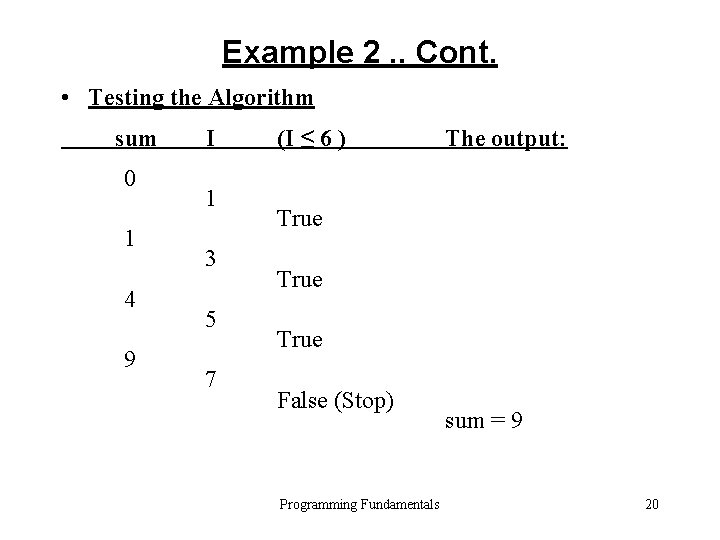
Example 2. . Cont. • Testing the Algorithm sum 0 1 4 9 I 1 3 5 7 (I ≤ 6 ) The output: True False (Stop) Programming Fundamentals sum = 9 20
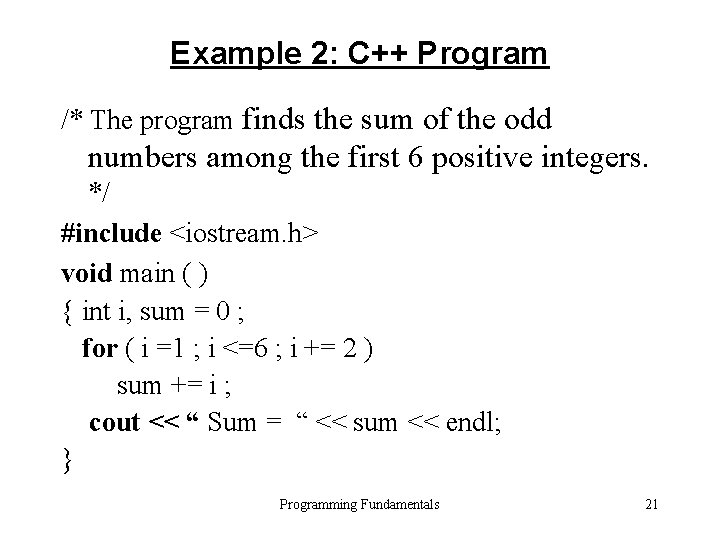
Example 2: C++ Program /* The program finds the sum of the odd numbers among the first 6 positive integers. */ #include <iostream. h> void main ( ) { int i, sum = 0 ; for ( i =1 ; i <=6 ; i += 2 ) sum += i ; cout << “ Sum = “ << sum << endl; } Programming Fundamentals 21
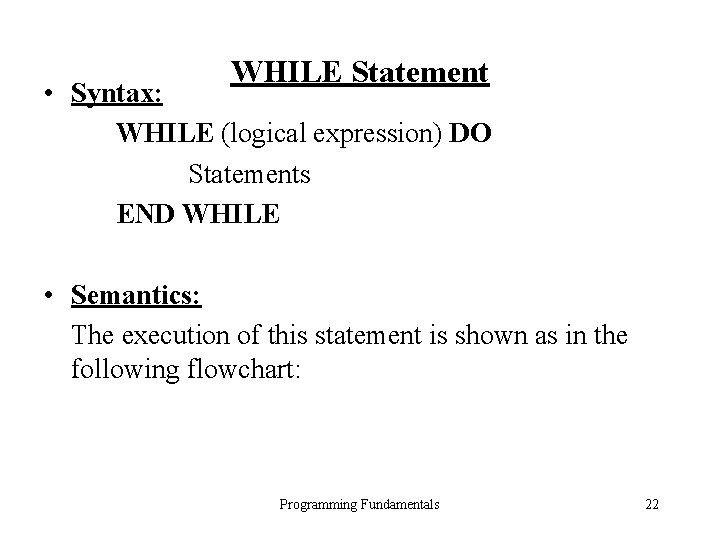
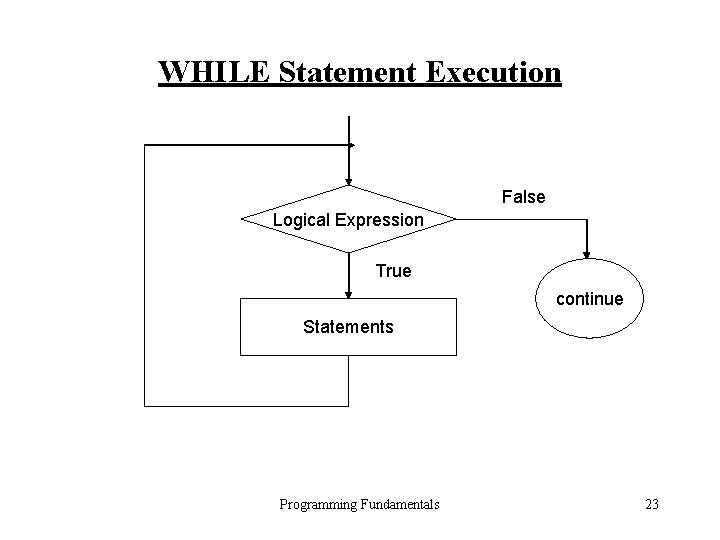
WHILE Statement • Syntax: WHILE (logical expression) DO Statements END WHILE • Semantics: The execution of this statement is shown as in the following flowchart: Programming Fundamentals 22
WHILE Statement Execution False Logical Expression True continue Statements Programming Fundamentals 23
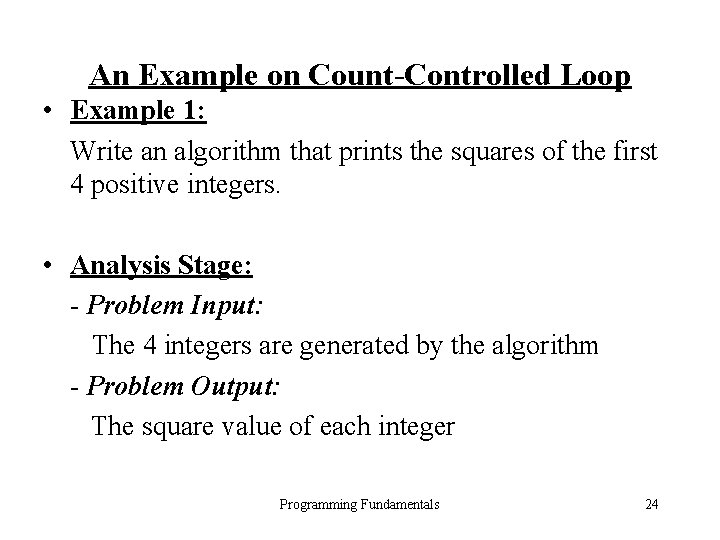
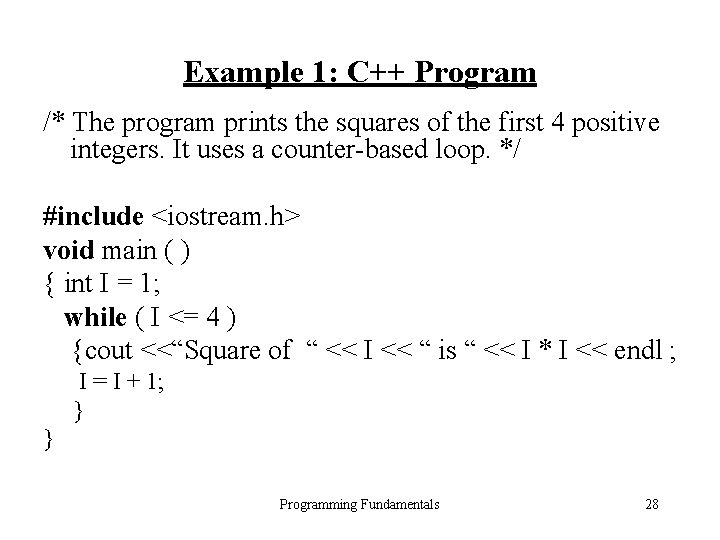
An Example on Count-Controlled Loop • Example 1: Write an algorithm that prints the squares of the first 4 positive integers. • Analysis Stage: - Problem Input: The 4 integers are generated by the algorithm - Problem Output: The square value of each integer Programming Fundamentals 24
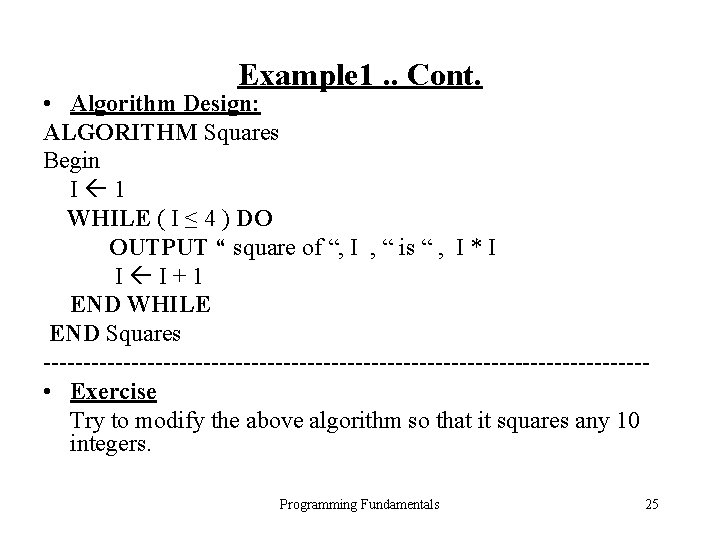
Example 1. . Cont. • Algorithm Design: ALGORITHM Squares Begin I 1 WHILE ( I ≤ 4 ) DO OUTPUT “ square of “, I , “ is “ , I * I I I+1 END WHILE END Squares -------------------------------------- • Exercise Try to modify the above algorithm so that it squares any 10 integers. Programming Fundamentals 25
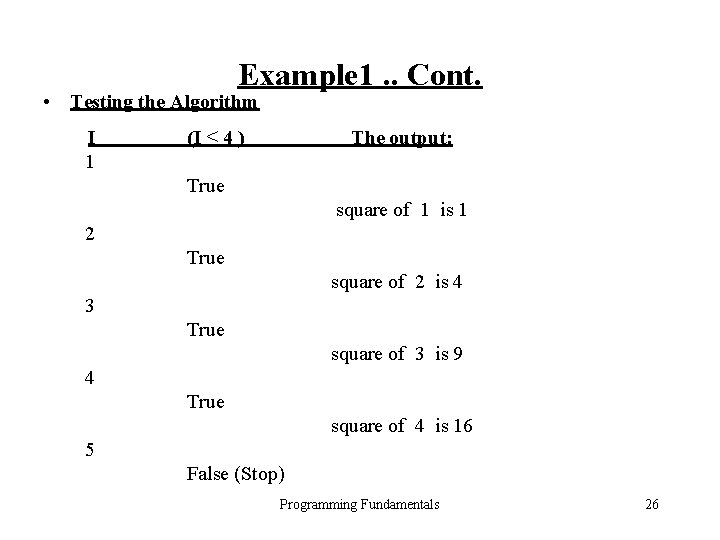
Example 1. . Cont. • Testing the Algorithm I 1 (I ≤ 4 ) The output: True square of 1 is 1 2 True square of 2 is 4 3 True square of 3 is 9 4 True square of 4 is 16 5 False (Stop) Programming Fundamentals 26
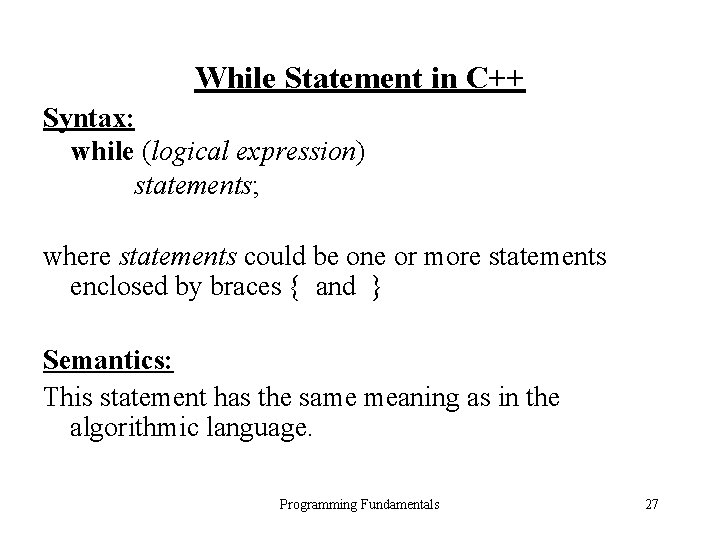
While Statement in C++ Syntax: while (logical expression) statements; where statements could be one or more statements enclosed by braces { and } Semantics: This statement has the same meaning as in the algorithmic language. Programming Fundamentals 27
Example 1: C++ Program /* The program prints the squares of the first 4 positive integers. It uses a counter-based loop. */ #include <iostream. h> void main ( ) { int I = 1; while ( I <= 4 ) {cout <<“Square of “ << I << “ is “ << I * I << endl ; I = I + 1; } } Programming Fundamentals 28
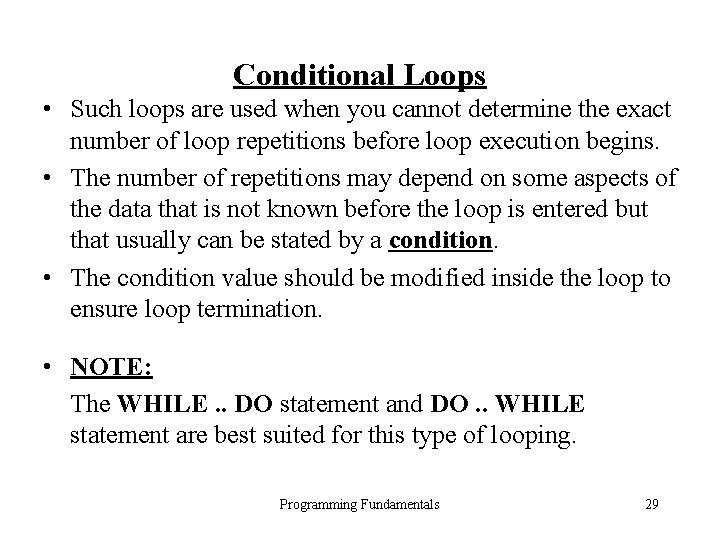
Conditional Loops • Such loops are used when you cannot determine the exact number of loop repetitions before loop execution begins. • The number of repetitions may depend on some aspects of the data that is not known before the loop is entered but that usually can be stated by a condition. • The condition value should be modified inside the loop to ensure loop termination. • NOTE: The WHILE. . DO statement and DO. . WHILE statement are best suited for this type of looping. Programming Fundamentals 29
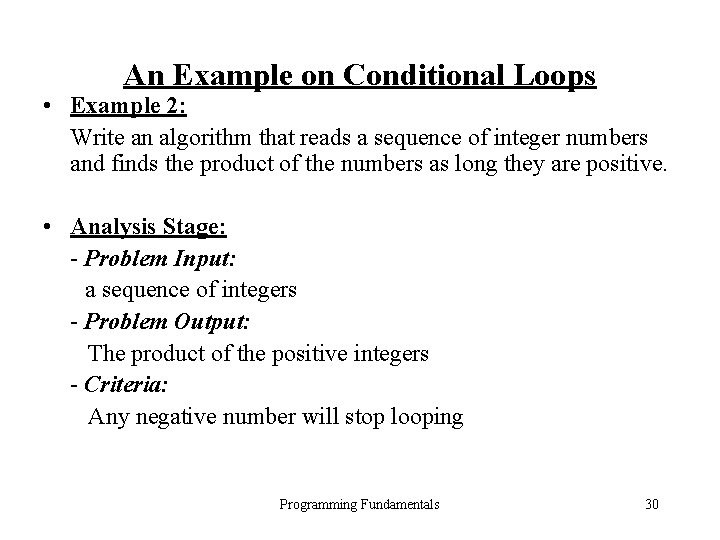
An Example on Conditional Loops • Example 2: Write an algorithm that reads a sequence of integer numbers and finds the product of the numbers as long they are positive. • Analysis Stage: - Problem Input: a sequence of integers - Problem Output: The product of the positive integers - Criteria: Any negative number will stop looping Programming Fundamentals 30
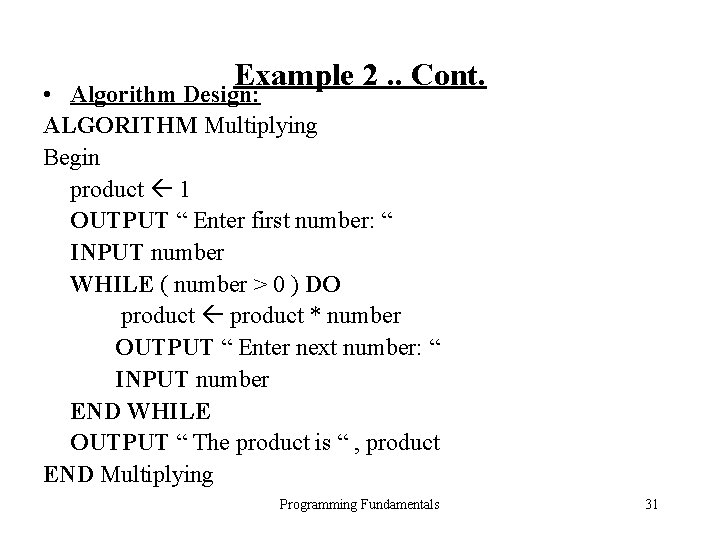
Example 2. . Cont. • Algorithm Design: ALGORITHM Multiplying Begin product 1 OUTPUT “ Enter first number: “ INPUT number WHILE ( number > 0 ) DO product * number OUTPUT “ Enter next number: “ INPUT number END WHILE OUTPUT “ The product is “ , product END Multiplying Programming Fundamentals 31
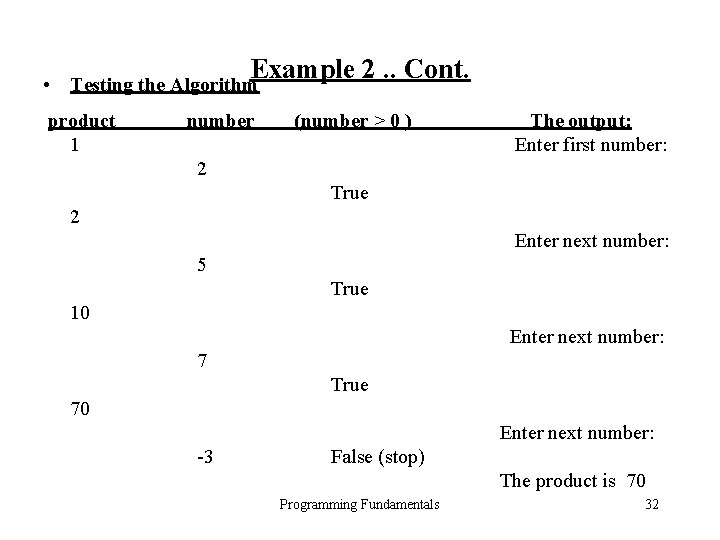
Example 2. . Cont. • Testing the Algorithm product 1 number (number > 0 ) The output: Enter first number: 2 True 2 Enter next number: 5 True 10 Enter next number: 7 True 70 Enter next number: -3 False (stop) The product is 70 Programming Fundamentals 32
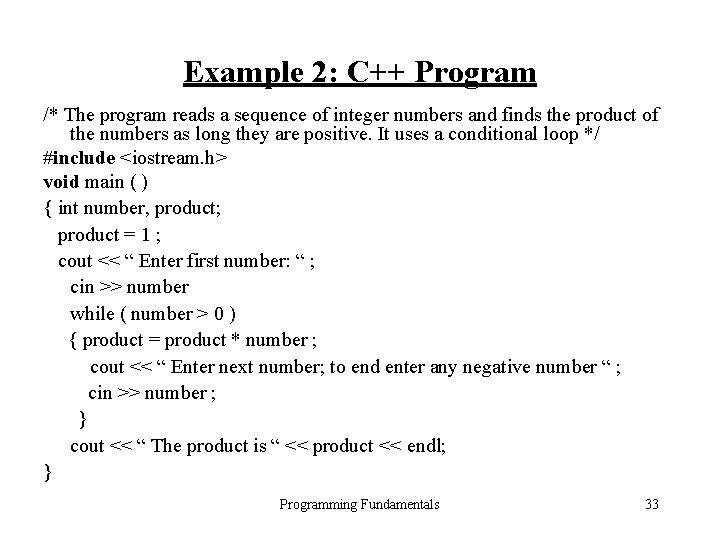
Example 2: C++ Program /* The program reads a sequence of integer numbers and finds the product of the numbers as long they are positive. It uses a conditional loop */ #include <iostream. h> void main ( ) { int number, product; product = 1 ; cout << “ Enter first number: “ ; cin >> number while ( number > 0 ) { product = product * number ; cout << “ Enter next number; to end enter any negative number “ ; cin >> number ; } cout << “ The product is “ << product << endl; } Programming Fundamentals 33
Sentinel-Controlled Loops • This type of loops is used when you don’t know exactly how many data items a loop will process before it begins execution. • One way to handle this situation is to instruct the user to enter a unique data value, called a sentinel value, as the last data item. • The sentinel value should be carefully chosen and must be a value that cannot possibly occur data. • NOTE: The WHILE. . DO statement and DO. . WHILE statement are can be used for this type of looping. Programming Fundamentals 34
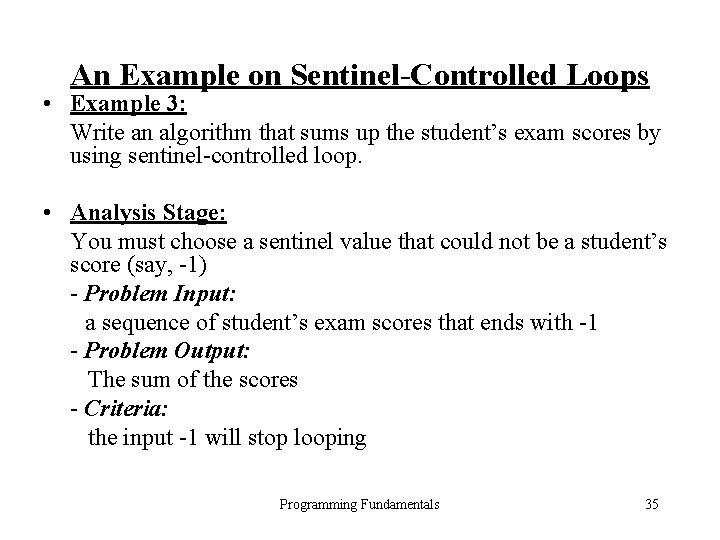
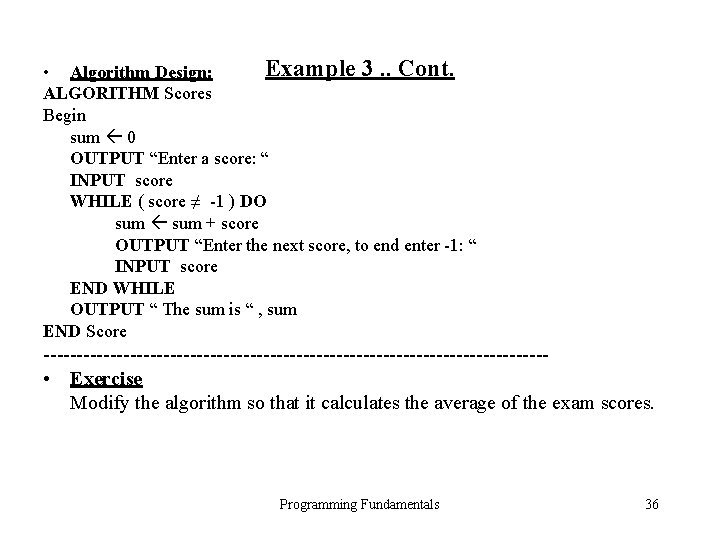
An Example on Sentinel-Controlled Loops • Example 3: Write an algorithm that sums up the student’s exam scores by using sentinel-controlled loop. • Analysis Stage: You must choose a sentinel value that could not be a student’s score (say, -1) - Problem Input: a sequence of student’s exam scores that ends with -1 - Problem Output: The sum of the scores - Criteria: the input -1 will stop looping Programming Fundamentals 35
Example 3. . Cont. • Algorithm Design: ALGORITHM Scores Begin sum 0 OUTPUT “Enter a score: “ INPUT score WHILE ( score ≠ -1 ) DO sum + score OUTPUT “Enter the next score, to end enter -1: “ INPUT score END WHILE OUTPUT “ The sum is “ , sum END Score -------------------------------------- • Exercise Modify the algorithm so that it calculates the average of the exam scores. Programming Fundamentals 36
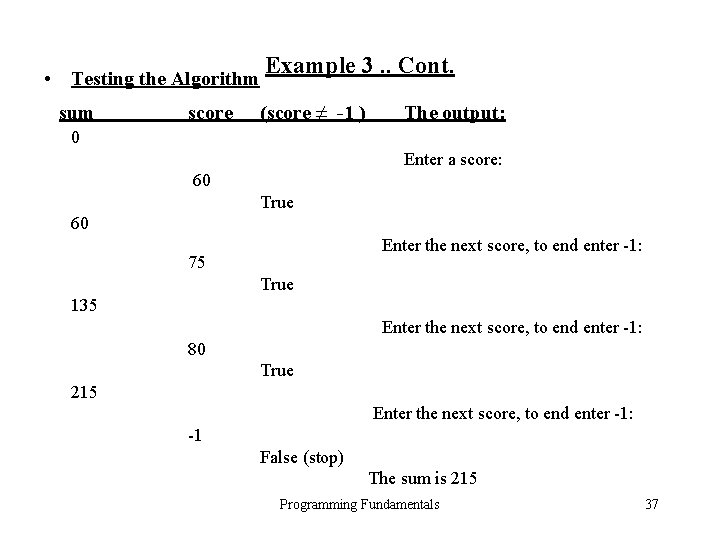
• Testing the Algorithm sum score Example 3. . Cont. (score ≠ -1 ) The output: 0 Enter a score: 60 True 60 Enter the next score, to end enter -1: 75 True 135 Enter the next score, to end enter -1: 80 True 215 Enter the next score, to end enter -1: -1 False (stop) The sum is 215 Programming Fundamentals 37
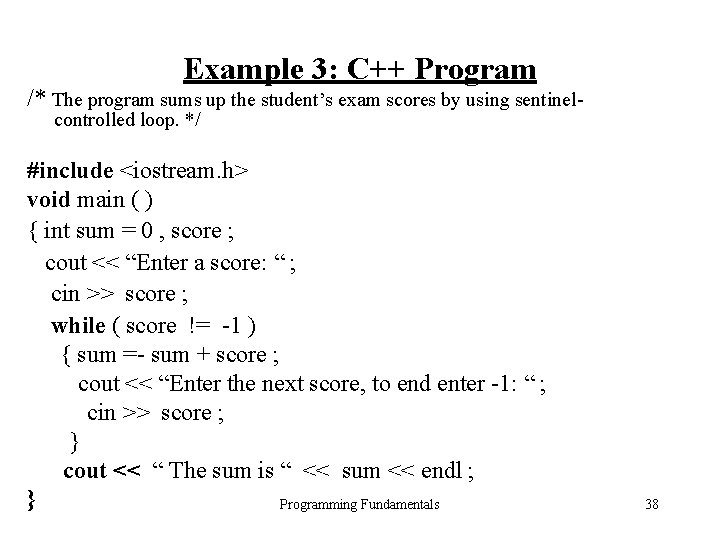
Example 3: C++ Program /* The program sums up the student’s exam scores by using sentinelcontrolled loop. */ #include <iostream. h> void main ( ) { int sum = 0 , score ; cout << “Enter a score: “ ; cin >> score ; while ( score != -1 ) { sum =- sum + score ; cout << “Enter the next score, to end enter -1: “ ; cin >> score ; } cout << “ The sum is “ << sum << endl ; } Programming Fundamentals 38
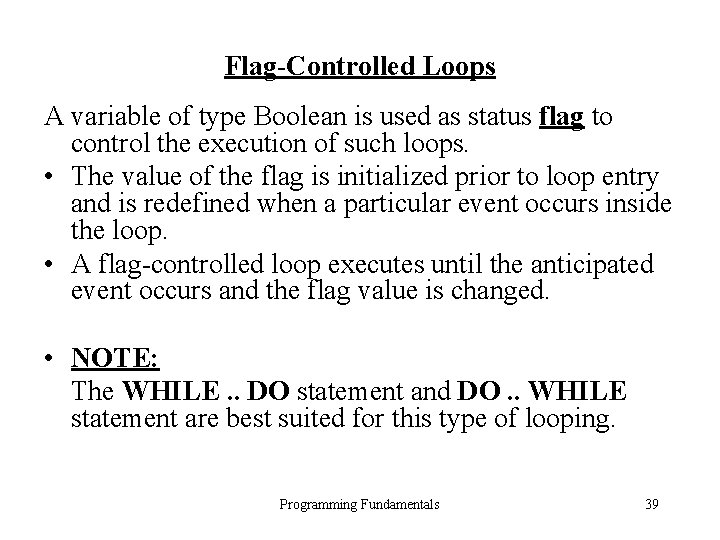
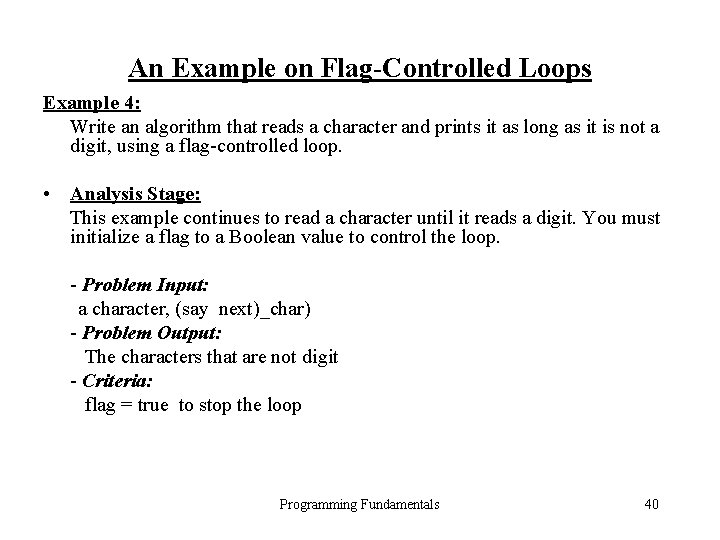
Flag-Controlled Loops A variable of type Boolean is used as status flag to control the execution of such loops. • The value of the flag is initialized prior to loop entry and is redefined when a particular event occurs inside the loop. • A flag-controlled loop executes until the anticipated event occurs and the flag value is changed. • NOTE: The WHILE. . DO statement and DO. . WHILE statement are best suited for this type of looping. Programming Fundamentals 39
An Example on Flag-Controlled Loops Example 4: Write an algorithm that reads a character and prints it as long as it is not a digit, using a flag-controlled loop. • Analysis Stage: This example continues to read a character until it reads a digit. You must initialize a flag to a Boolean value to control the loop. - Problem Input: a character, (say next)_char) - Problem Output: The characters that are not digit - Criteria: flag = true to stop the loop Programming Fundamentals 40
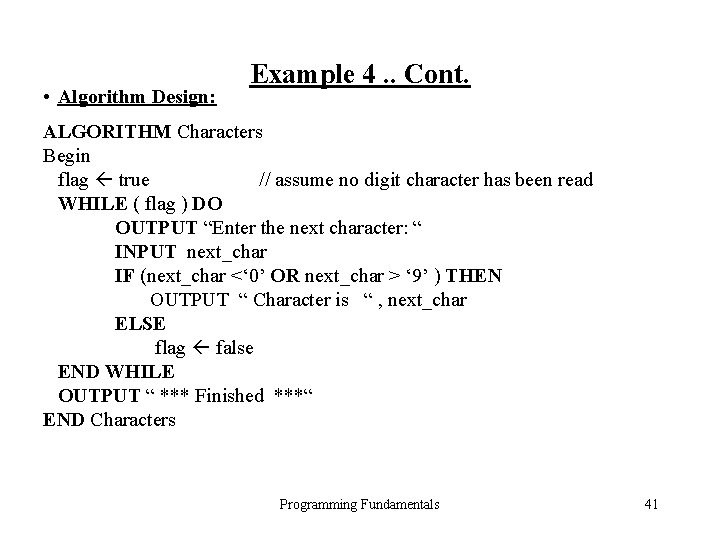
• Algorithm Design: Example 4. . Cont. ALGORITHM Characters Begin flag true // assume no digit character has been read WHILE ( flag ) DO OUTPUT “Enter the next character: “ INPUT next_char IF (next_char <‘ 0’ OR next_char > ‘ 9’ ) THEN OUTPUT “ Character is “ , next_char ELSE flag false END WHILE OUTPUT “ *** Finished ***“ END Characters Programming Fundamentals 41
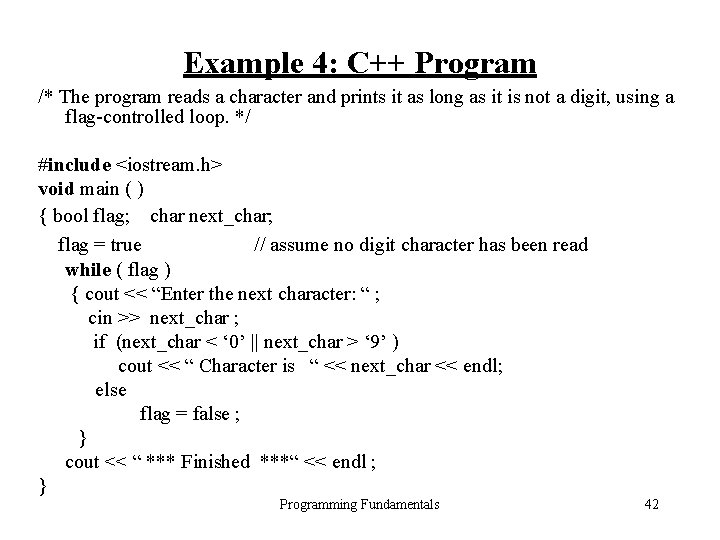
Example 4: C++ Program /* The program reads a character and prints it as long as it is not a digit, using a flag-controlled loop. */ #include <iostream. h> void main ( ) { bool flag; char next_char; flag = true // assume no digit character has been read while ( flag ) { cout << “Enter the next character: “ ; cin >> next_char ; if (next_char < ‘ 0’ || next_char > ‘ 9’ ) cout << “ Character is “ << next_char << endl; else flag = false ; } cout << “ *** Finished ***“ << endl ; } Programming Fundamentals 42
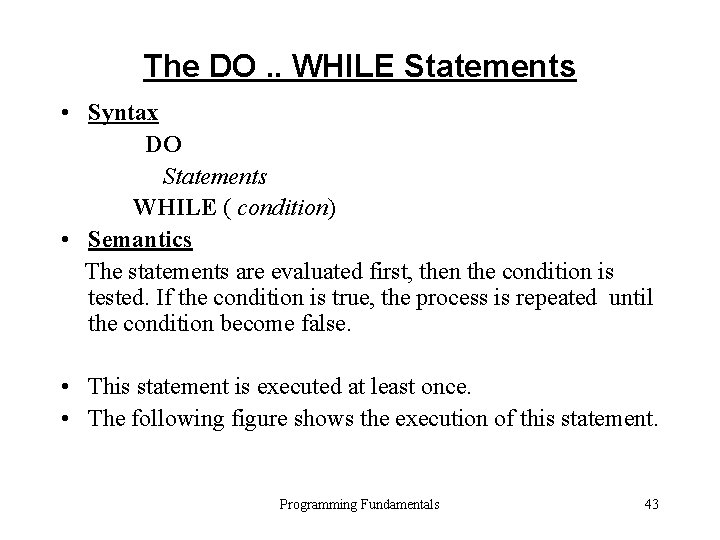
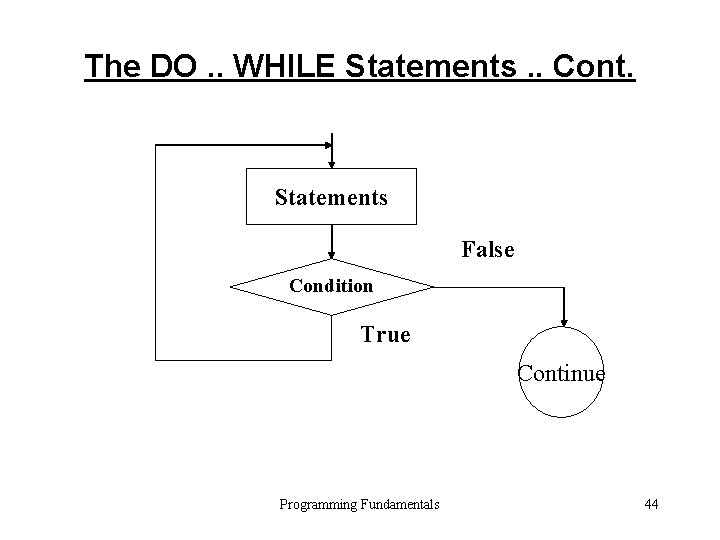
The DO. . WHILE Statements • Syntax DO Statements WHILE ( condition) • Semantics The statements are evaluated first, then the condition is tested. If the condition is true, the process is repeated until the condition become false. • This statement is executed at least once. • The following figure shows the execution of this statement. Programming Fundamentals 43
The DO. . WHILE Statements. . Cont. Statements False Condition True Continue Programming Fundamentals 44
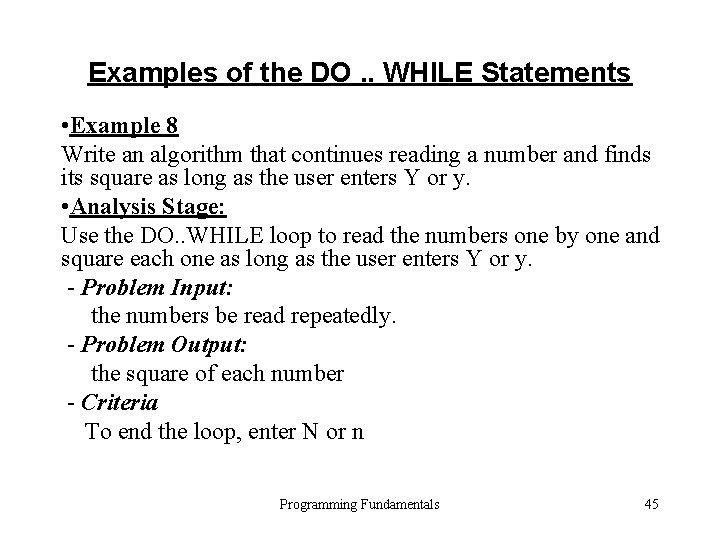
Examples of the DO. . WHILE Statements • Example 8 Write an algorithm that continues reading a number and finds its square as long as the user enters Y or y. • Analysis Stage: Use the DO. . WHILE loop to read the numbers one by one and square each one as long as the user enters Y or y. - Problem Input: the numbers be read repeatedly. - Problem Output: the square of each number - Criteria To end the loop, enter N or n Programming Fundamentals 45
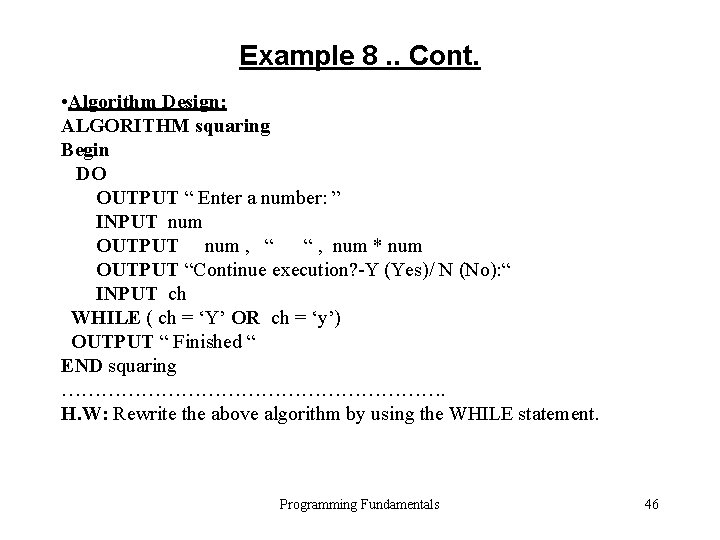
Example 8. . Cont. • Algorithm Design: ALGORITHM squaring Begin DO OUTPUT “ Enter a number: ” INPUT num OUTPUT num , “ “ , num * num OUTPUT “Continue execution? -Y (Yes)/ N (No): “ INPUT ch WHILE ( ch = ‘Y’ OR ch = ‘y’) OUTPUT “ Finished “ END squaring …………………………. H. W: Rewrite the above algorithm by using the WHILE statement. Programming Fundamentals 46
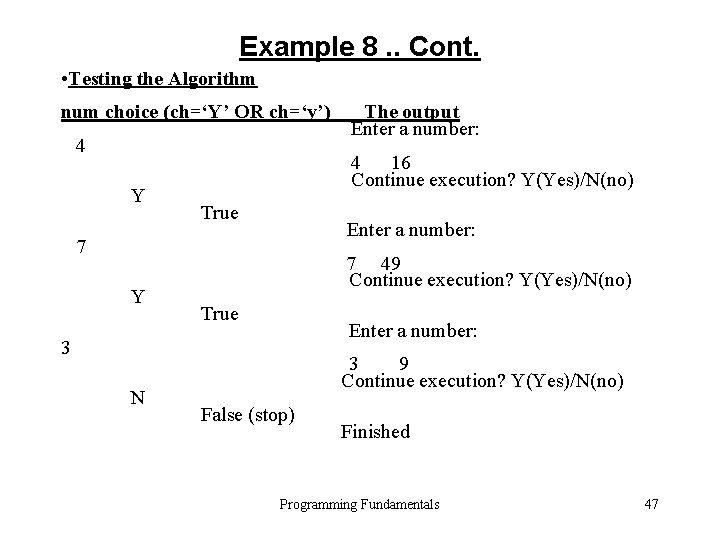
Example 8. . Cont. • Testing the Algorithm num choice (ch=‘Y’ OR ch=‘y’) 4 Y 4 16 Continue execution? Y(Yes)/N(no) True Enter a number: 7 Y 7 49 Continue execution? Y(Yes)/N(no) True Enter a number: 3 N The output Enter a number: 3 9 Continue execution? Y(Yes)/N(no) False (stop) Finished Programming Fundamentals 47
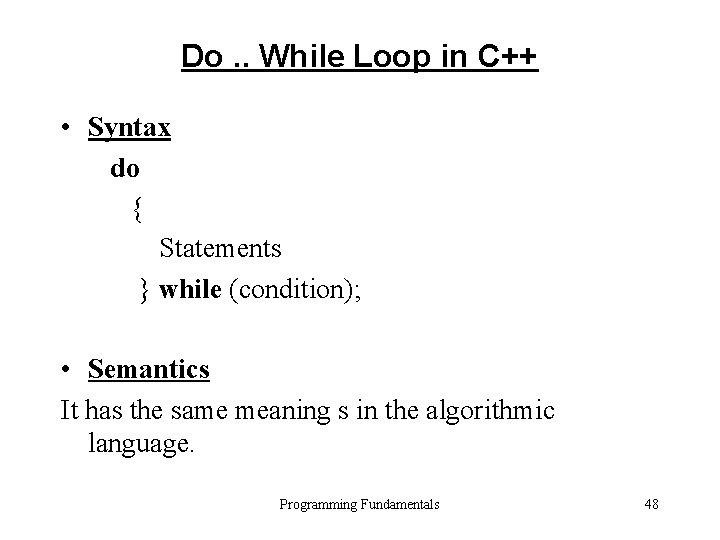
Do. . While Loop in C++ • Syntax do { Statements } while (condition); • Semantics It has the same meaning s in the algorithmic language. Programming Fundamentals 48
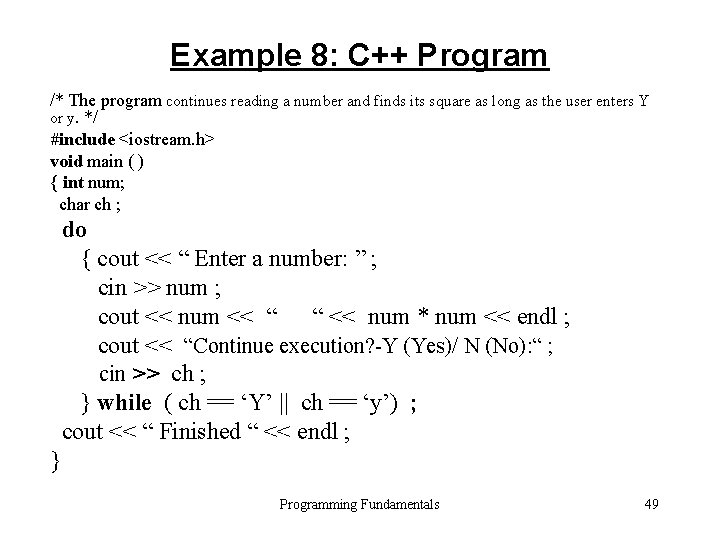
Example 8: C++ Program /* The program continues reading a number and finds its square as long as the user enters Y or y. */ #include <iostream. h> void main ( ) { int num; char ch ; do { cout << “ Enter a number: ” ; cin >> num ; cout << num << “ “ << num * num << endl ; cout << “Continue execution? -Y (Yes)/ N (No): “ ; cin >> ch ; } while ( ch == ‘Y’ || ch == ‘y’) ; cout << “ Finished “ << endl ; } Programming Fundamentals 49
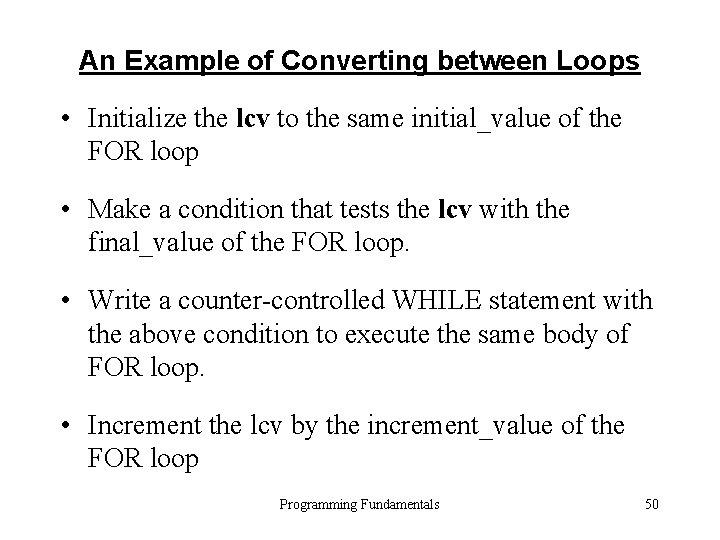
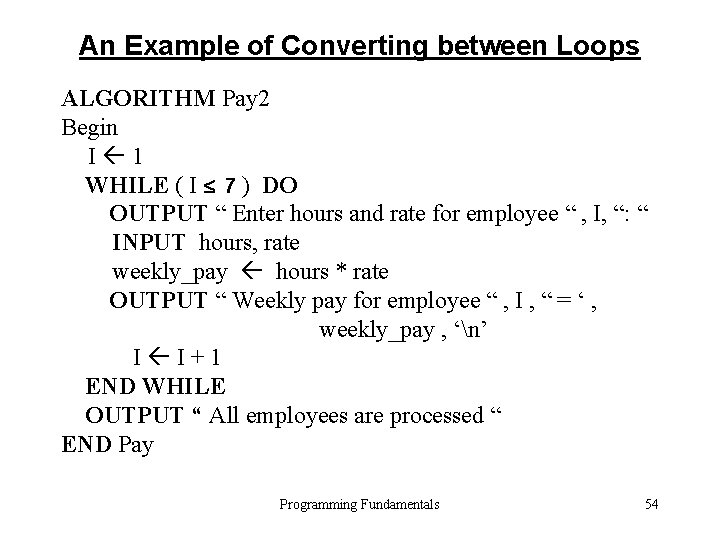
An Example of Converting between Loops • Initialize the lcv to the same initial_value of the FOR loop • Make a condition that tests the lcv with the final_value of the FOR loop. • Write a counter-controlled WHILE statement with the above condition to execute the same body of FOR loop. • Increment the lcv by the increment_value of the FOR loop Programming Fundamentals 50
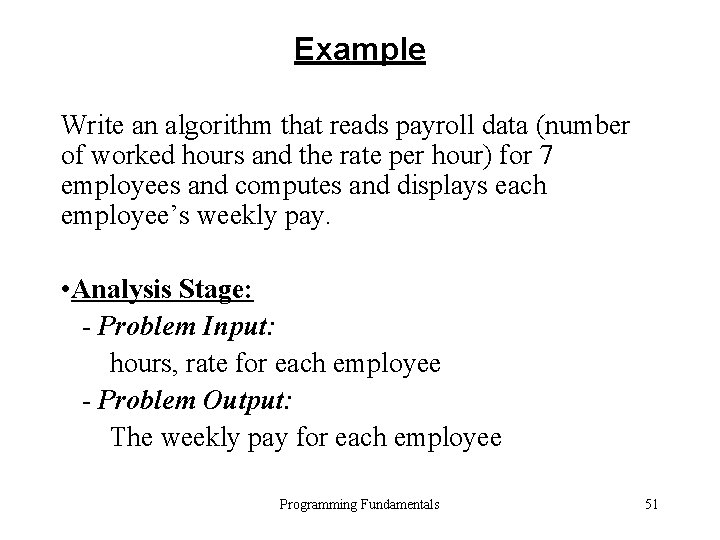
Example Write an algorithm that reads payroll data (number of worked hours and the rate per hour) for 7 employees and computes and displays each employee’s weekly pay. • Analysis Stage: - Problem Input: hours, rate for each employee - Problem Output: The weekly pay for each employee Programming Fundamentals 51
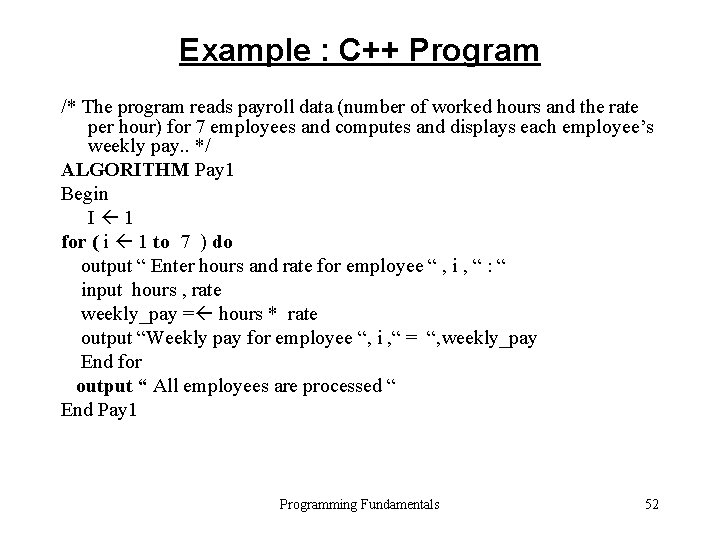
Example : C++ Program /* The program reads payroll data (number of worked hours and the rate per hour) for 7 employees and computes and displays each employee’s weekly pay. . */ ALGORITHM Pay 1 Begin I 1 for ( i 1 to 7 ) do output “ Enter hours and rate for employee “ , i , “ : “ input hours , rate weekly_pay = hours * rate output “Weekly pay for employee “, i , “ = “, weekly_pay End for output “ All employees are processed “ End Pay 1 Programming Fundamentals 52
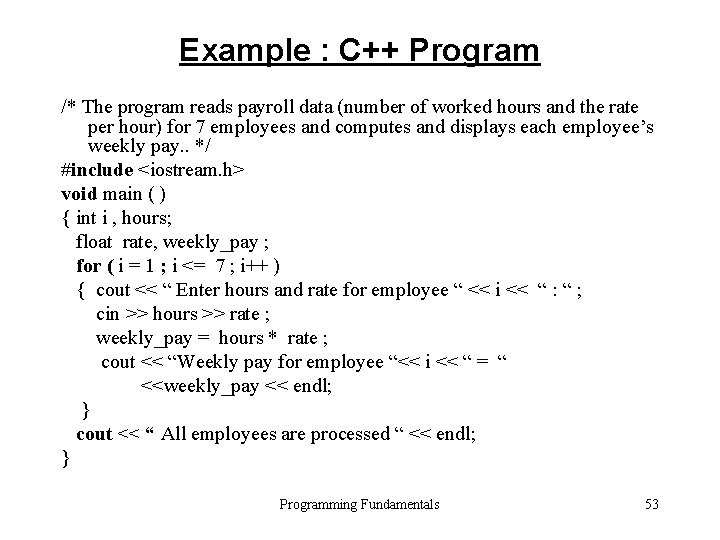
Example : C++ Program /* The program reads payroll data (number of worked hours and the rate per hour) for 7 employees and computes and displays each employee’s weekly pay. . */ #include <iostream. h> void main ( ) { int i , hours; float rate, weekly_pay ; for ( i = 1 ; i <= 7 ; i++ ) { cout << “ Enter hours and rate for employee “ << i << “ : “ ; cin >> hours >> rate ; weekly_pay = hours * rate ; cout << “Weekly pay for employee “<< i << “ = “ <<weekly_pay << endl; } cout << “ All employees are processed “ << endl; } Programming Fundamentals 53
An Example of Converting between Loops ALGORITHM Pay 2 Begin I 1 WHILE ( I 7 ) DO OUTPUT “ Enter hours and rate for employee “ , I, “: “ INPUT hours, rate weekly_pay hours * rate OUTPUT “ Weekly pay for employee “ , I , “ = ‘ , weekly_pay , ‘n’ I I+1 END WHILE OUTPUT “ All employees are processed “ END Pay Programming Fundamentals 54
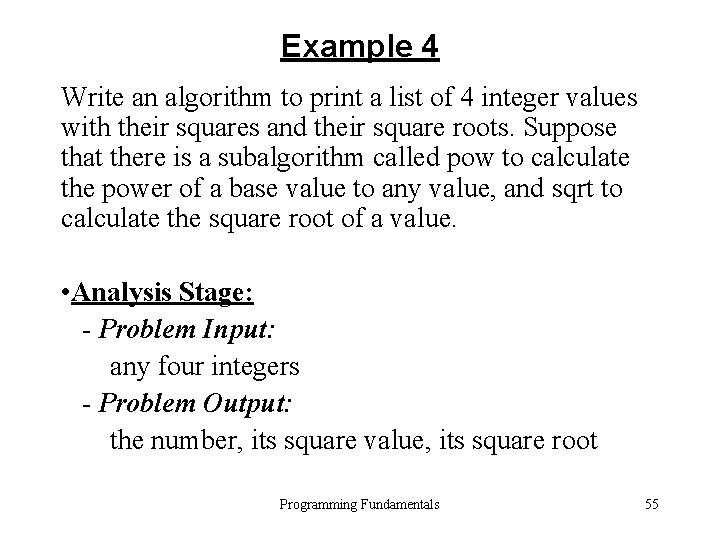
Example 4 Write an algorithm to print a list of 4 integer values with their squares and their square roots. Suppose that there is a subalgorithm called pow to calculate the power of a base value to any value, and sqrt to calculate the square root of a value. • Analysis Stage: - Problem Input: any four integers - Problem Output: the number, its square value, its square root Programming Fundamentals 55
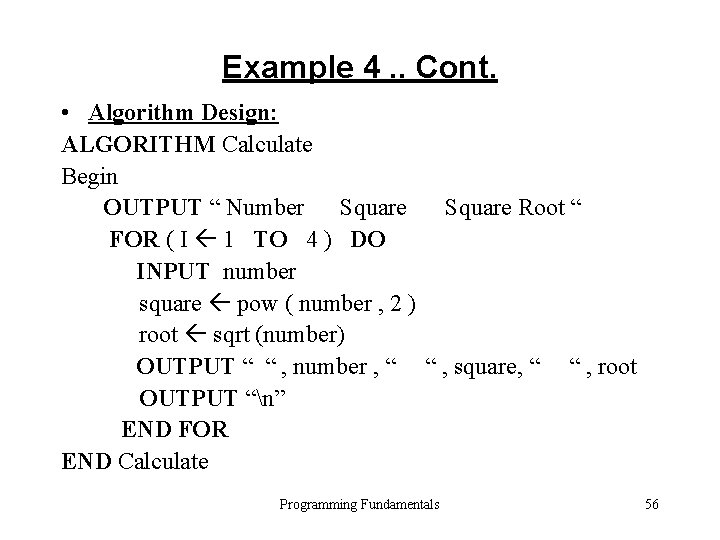
Example 4. . Cont. • Algorithm Design: ALGORITHM Calculate Begin OUTPUT “ Number Square Root “ FOR ( I 1 TO 4 ) DO INPUT number square pow ( number , 2 ) root sqrt (number) OUTPUT “ “ , number , “ “ , square, “ “ , root OUTPUT “n” END FOR END Calculate Programming Fundamentals 56
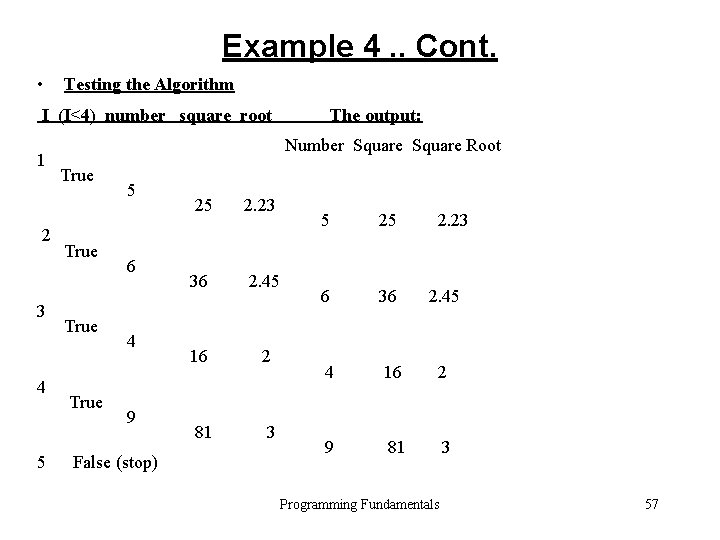
Example 4. . Cont. • Testing the Algorithm I (I≤ 4) number square root 1 2 3 4 5 The output: Number Square Root True 5 6 4 9 False (stop) 25 2. 23 36 2. 45 16 2 81 3 5 25 2. 23 6 36 2. 45 4 16 2 9 81 3 Programming Fundamentals 57
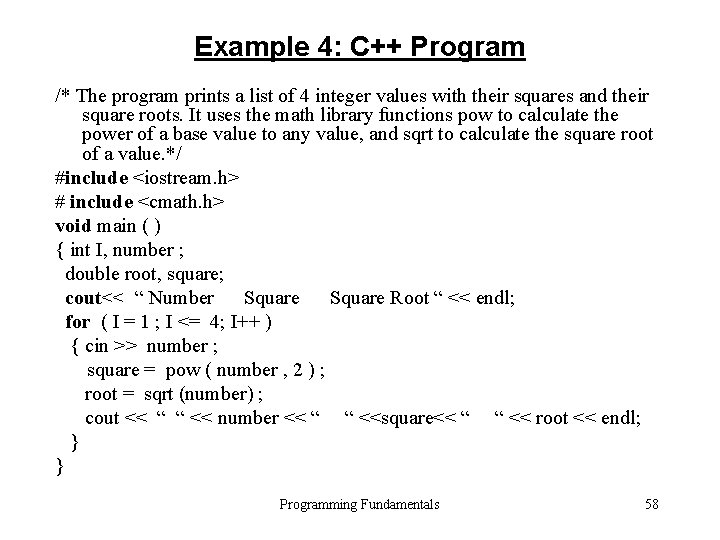
Example 4: C++ Program /* The program prints a list of 4 integer values with their squares and their square roots. It uses the math library functions pow to calculate the power of a base value to any value, and sqrt to calculate the square root of a value. */ #include <iostream. h> # include <cmath. h> void main ( ) { int I, number ; double root, square; cout<< “ Number Square Root “ << endl; for ( I = 1 ; I <= 4; I++ ) { cin >> number ; square = pow ( number , 2 ) ; root = sqrt (number) ; cout << “ “ << number << “ “ <<square<< “ “ << root << endl; } } Programming Fundamentals 58
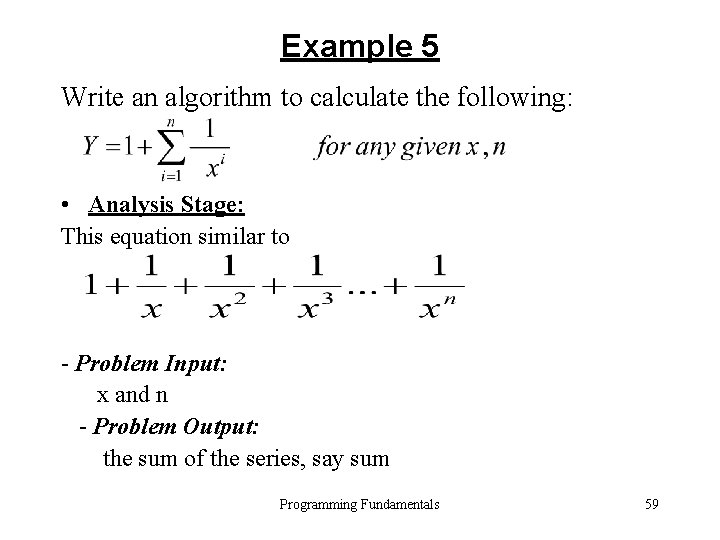
Example 5 Write an algorithm to calculate the following: • Analysis Stage: This equation similar to - Problem Input: x and n - Problem Output: the sum of the series, say sum Programming Fundamentals 59
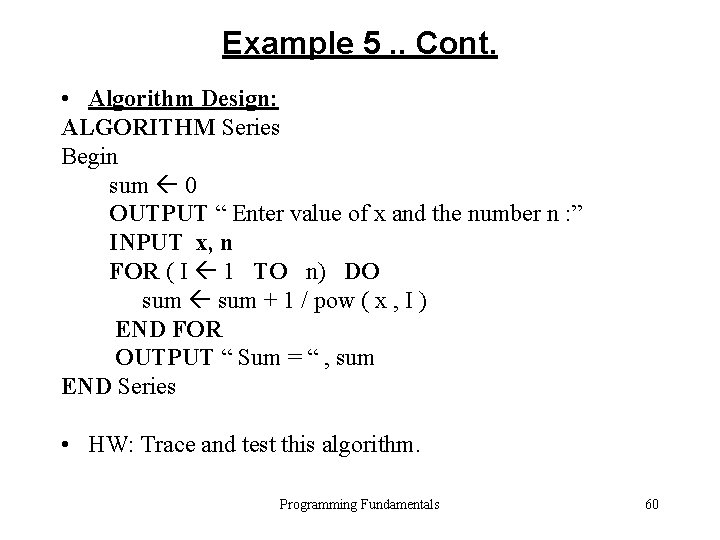
Example 5. . Cont. • Algorithm Design: ALGORITHM Series Begin sum 0 OUTPUT “ Enter value of x and the number n : ” INPUT x, n FOR ( I 1 TO n) DO sum + 1 / pow ( x , I ) END FOR OUTPUT “ Sum = “ , sum END Series • HW: Trace and test this algorithm. Programming Fundamentals 60
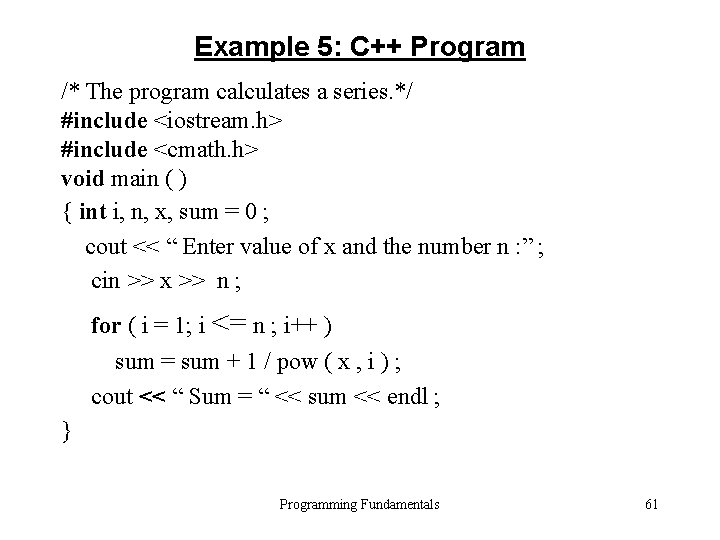
Example 5: C++ Program /* The program calculates a series. */ #include <iostream. h> #include <cmath. h> void main ( ) { int i, n, x, sum = 0 ; cout << “ Enter value of x and the number n : ” ; cin >> x >> n ; for ( i = 1; i <= n ; i++ ) sum = sum + 1 / pow ( x , i ) ; cout << “ Sum = “ << sum << endl ; } Programming Fundamentals 61
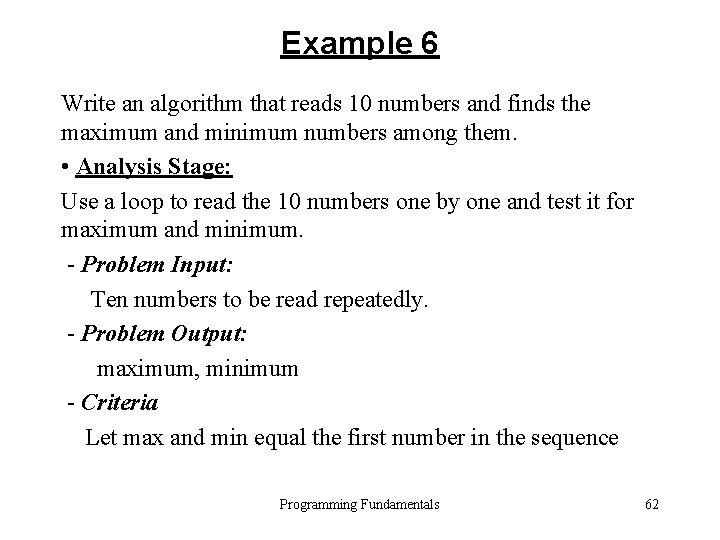
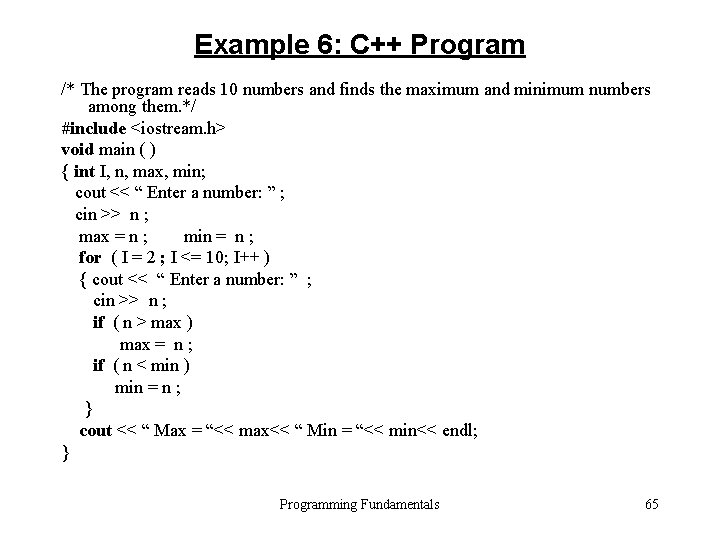
Example 6 Write an algorithm that reads 10 numbers and finds the maximum and minimum numbers among them. • Analysis Stage: Use a loop to read the 10 numbers one by one and test it for maximum and minimum. - Problem Input: Ten numbers to be read repeatedly. - Problem Output: maximum, minimum - Criteria Let max and min equal the first number in the sequence Programming Fundamentals 62
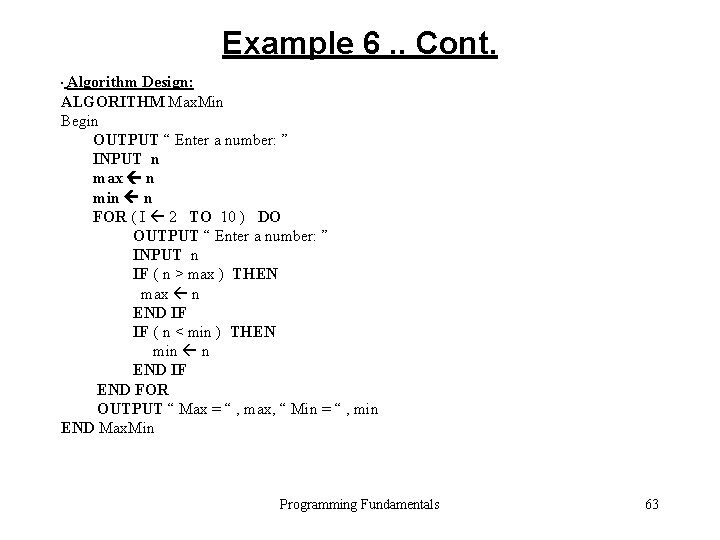
Example 6. . Cont. • Algorithm Design: ALGORITHM Max. Min Begin OUTPUT “ Enter a number: ” INPUT n max n min n FOR ( I 2 TO 10 ) DO OUTPUT “ Enter a number: ” INPUT n IF ( n > max ) THEN max n END IF IF ( n < min ) THEN min n END IF END FOR OUTPUT “ Max = “ , max, “ Min = “ , min END Max. Min Programming Fundamentals 63
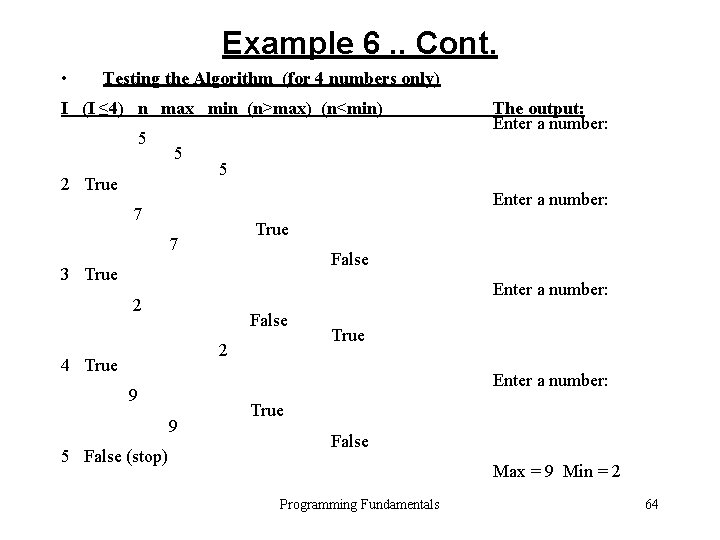
Example 6. . Cont. • Testing the Algorithm (for 4 numbers only) I (I ≤ 4) n max min (n>max) (n<min) 5 5 2 True 5 Enter a number: 7 True 7 False 3 True Enter a number: 2 False 2 4 True Enter a number: 9 9 5 False (stop) The output: Enter a number: True False Max = 9 Min = 2 Programming Fundamentals 64
Example 6: C++ Program /* The program reads 10 numbers and finds the maximum and minimum numbers among them. */ #include <iostream. h> void main ( ) { int I, n, max, min; cout << “ Enter a number: ” ; cin >> n ; max = n ; min = n ; for ( I = 2 ; I <= 10; I++ ) { cout << “ Enter a number: ” ; cin >> n ; if ( n > max ) max = n ; if ( n < min ) min = n ; } cout << “ Max = “<< max<< “ Min = “<< min<< endl; } Programming Fundamentals 65
Nested Loops • When you write a loop inside another loop, then it is called a nested loop. • You can use FOR loop inside another FOR loop • You can use WHILE loop inside a FOR loop or vise versa. Programming Fundamentals 66
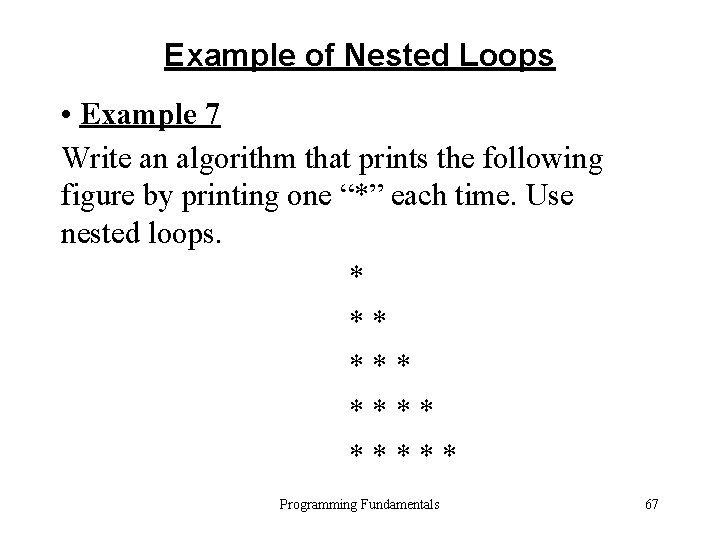
Example of Nested Loops • Example 7 Write an algorithm that prints the following figure by printing one “*” each time. Use nested loops. * ** ***** Programming Fundamentals 67
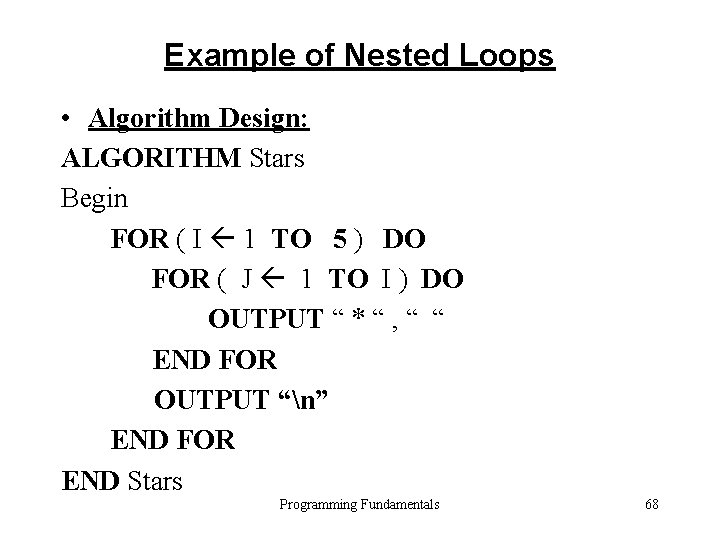
Example of Nested Loops • Algorithm Design: ALGORITHM Stars Begin FOR ( I 1 TO 5 ) DO FOR ( J 1 TO I ) DO OUTPUT “ * “ , “ “ END FOR OUTPUT “n” END FOR END Stars Programming Fundamentals 68
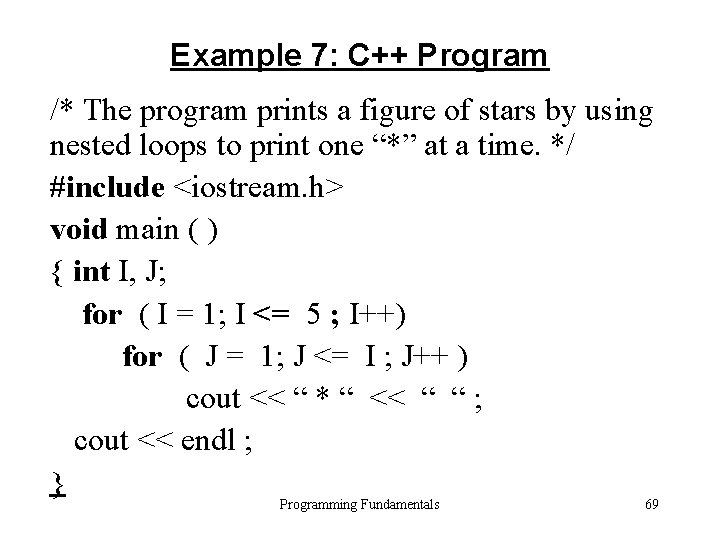
Example 7: C++ Program /* The program prints a figure of stars by using nested loops to print one “*” at a time. */ #include <iostream. h> void main ( ) { int I, J; for ( I = 1; I <= 5 ; I++) for ( J = 1; J <= I ; J++ ) cout << “ * “ << “ “ ; cout << endl ; } Programming Fundamentals 69
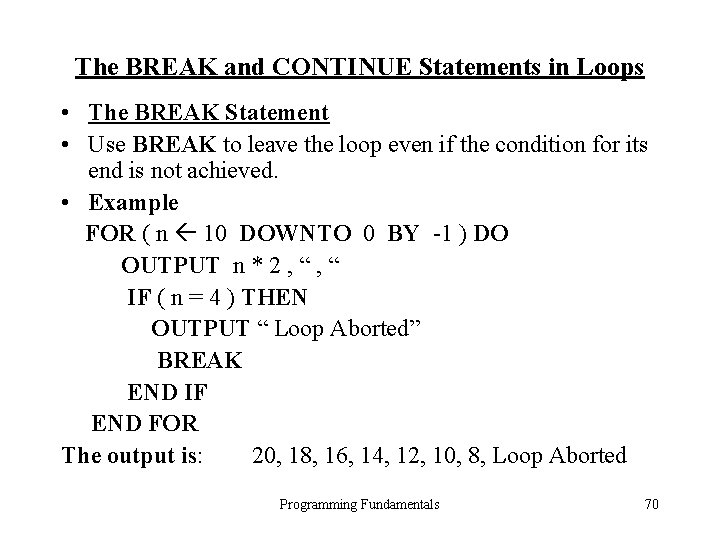
The BREAK and CONTINUE Statements in Loops • The BREAK Statement • Use BREAK to leave the loop even if the condition for its end is not achieved. • Example FOR ( n 10 DOWNTO 0 BY -1 ) DO OUTPUT n * 2 , “ IF ( n = 4 ) THEN OUTPUT “ Loop Aborted” BREAK END IF END FOR The output is: 20, 18, 16, 14, 12, 10, 8, Loop Aborted Programming Fundamentals 70
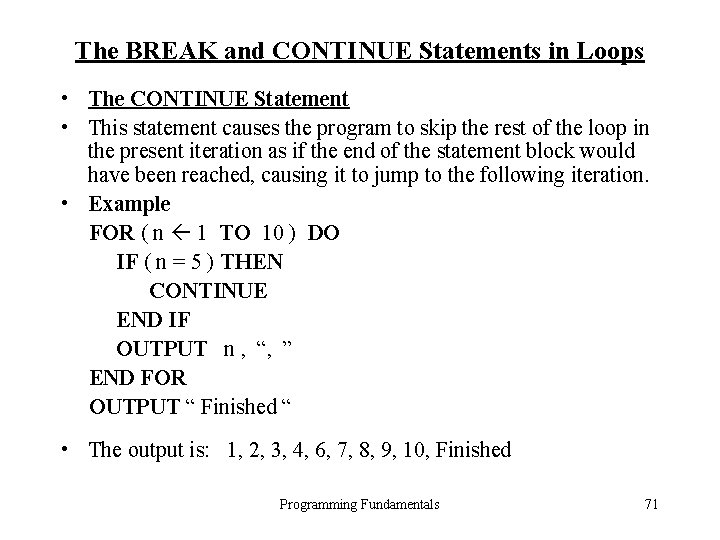
The BREAK and CONTINUE Statements in Loops • The CONTINUE Statement • This statement causes the program to skip the rest of the loop in the present iteration as if the end of the statement block would have been reached, causing it to jump to the following iteration. • Example FOR ( n 1 TO 10 ) DO IF ( n = 5 ) THEN CONTINUE END IF OUTPUT n , “, ” END FOR OUTPUT “ Finished “ • The output is: 1, 2, 3, 4, 6, 7, 8, 9, 10, Finished Programming Fundamentals 71