Computer Architecture CPSC 321 Andreas Klappenecker Early History

- Slides: 37
Computer Architecture CPSC 321 Andreas Klappenecker
Early History One of the first calculation tools was the abacus, presumably invented sometime between 1000 -500 B. C.
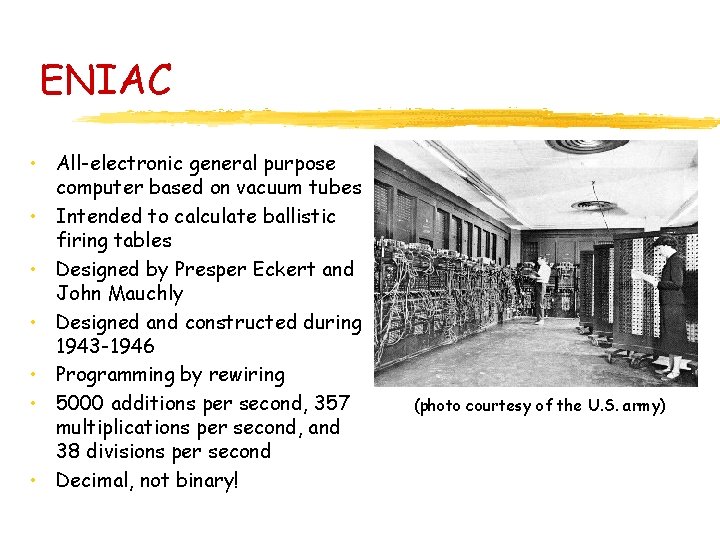
ENIAC • All-electronic general purpose computer based on vacuum tubes • Intended to calculate ballistic firing tables • Designed by Presper Eckert and John Mauchly • Designed and constructed during 1943 -1946 • Programming by rewiring • 5000 additions per second, 357 multiplications per second, and 38 divisions per second • Decimal, not binary! (photo courtesy of the U. S. army)
Key Inventions • 1948 Brattain, Shockley and Bardeen invent the transistor (and receive the Nobel price in 1956) • 1952 The ferrite core memory is invented and replaces the vacuum tube memories. • 1957 Jack Kilby and Robert Noyce invent the silicon wafer. • 1961 Steven Hofstein develops the Field Effect Transistor that will be used in the MOS integrated circuits
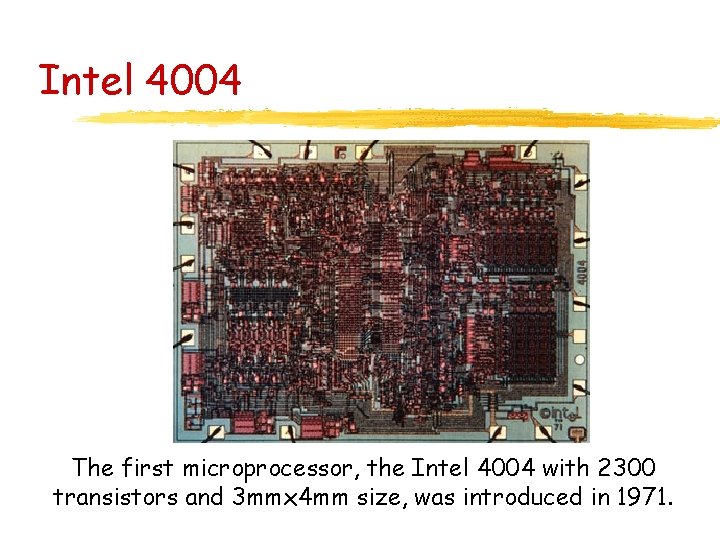
Intel 4004 The first microprocessor, the Intel 4004 with 2300 transistors and 3 mmx 4 mm size, was introduced in 1971.
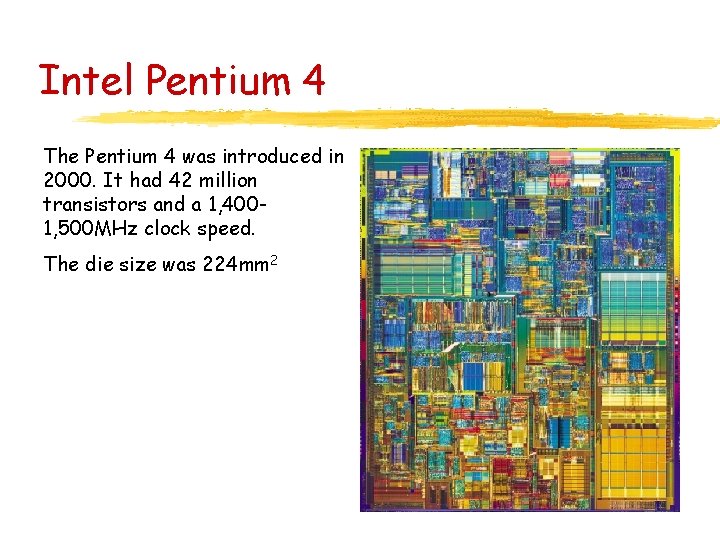
Intel Pentium 4 The Pentium 4 was introduced in 2000. It had 42 million transistors and a 1, 4001, 500 MHz clock speed. The die size was 224 mm 2
Some Observations • The main conceptual ideas underlying the computer have not changed dramatically from Z 3 or EDVAC to modern computers. • The stored program concepts that was popularized by von Neumann is still is common to almost all the computers of our time. • The technology underwent some dramatic changes that made the devices much more energy efficient and significantly smaller.
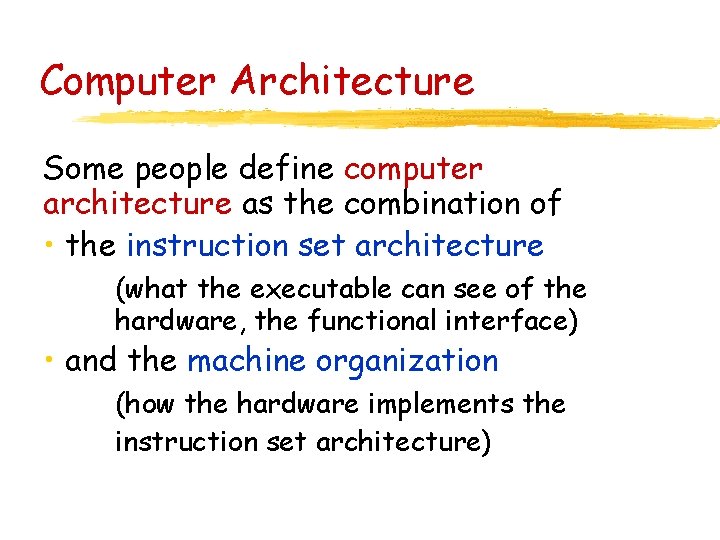
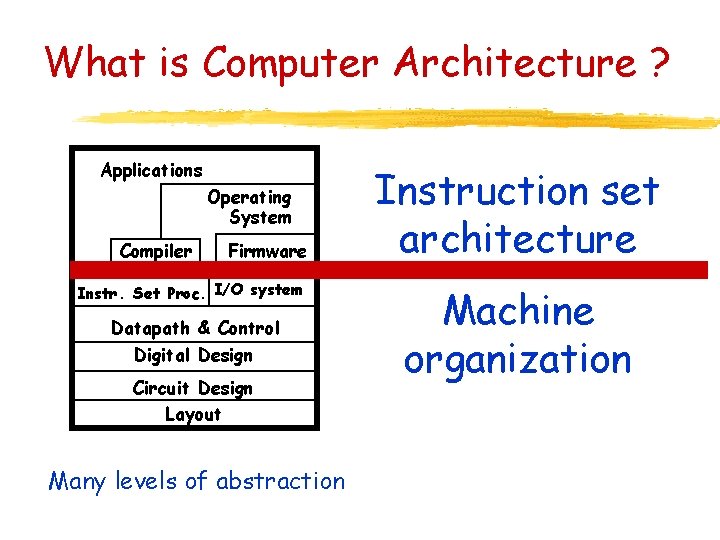
Computer Architecture Some people define computer architecture as the combination of • the instruction set architecture (what the executable can see of the hardware, the functional interface) • and the machine organization (how the hardware implements the instruction set architecture)
What is Computer Architecture ? Applications Operating System Compiler Firmware Instr. Set Proc. I/O system Datapath & Control Digital Design Circuit Design Layout Many levels of abstraction Instruction set architecture Machine organization
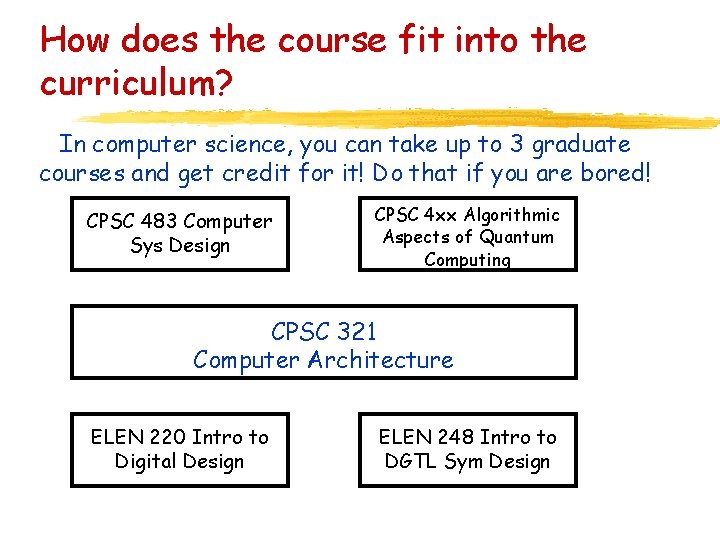
How does the course fit into the curriculum? In computer science, you can take up to 3 graduate courses and get credit for it! Do that if you are bored! CPSC 483 Computer Sys Design CPSC 4 xx Algorithmic Aspects of Quantum Computing CPSC 321 Computer Architecture ELEN 220 Intro to Digital Design ELEN 248 Intro to DGTL Sym Design
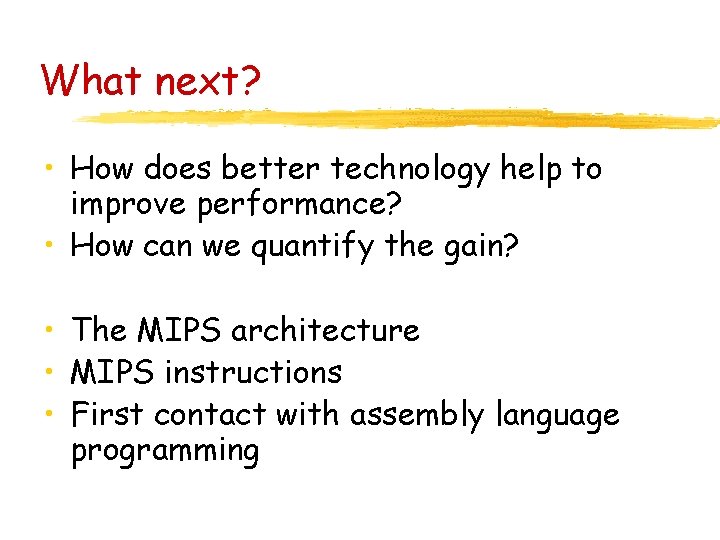
What next? • How does better technology help to improve performance? • How can we quantify the gain? • The MIPS architecture • MIPS instructions • First contact with assembly language programming
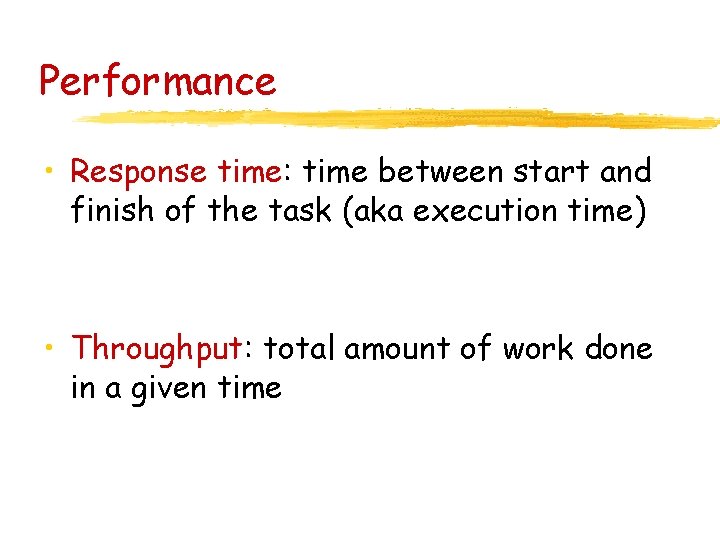
Performance • Response time: time between start and finish of the task (aka execution time) • Throughput: total amount of work done in a given time
Question • Suppose that we replace the processor in a computer by a faster model • Does this improve the response time? • How about the throughput?
Question • Suppose we add an additional processor to a system that uses separate processors for separate tasks. • Does this improve the response time? • Does this improve throughput?
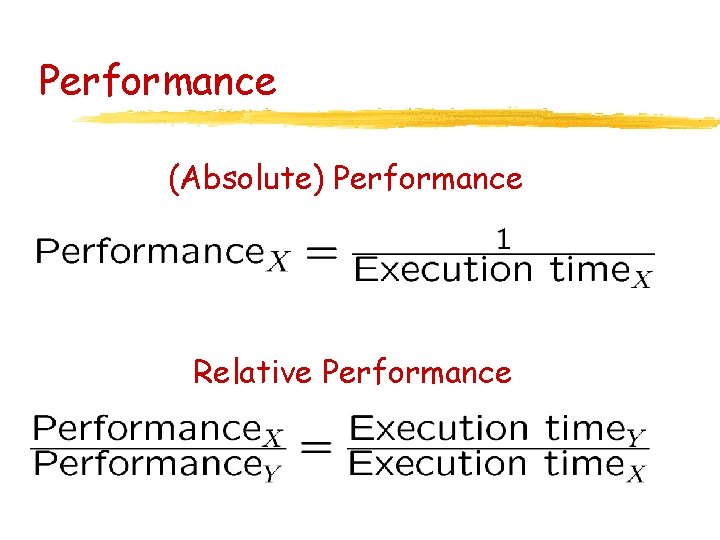
Performance (Absolute) Performance Relative Performance
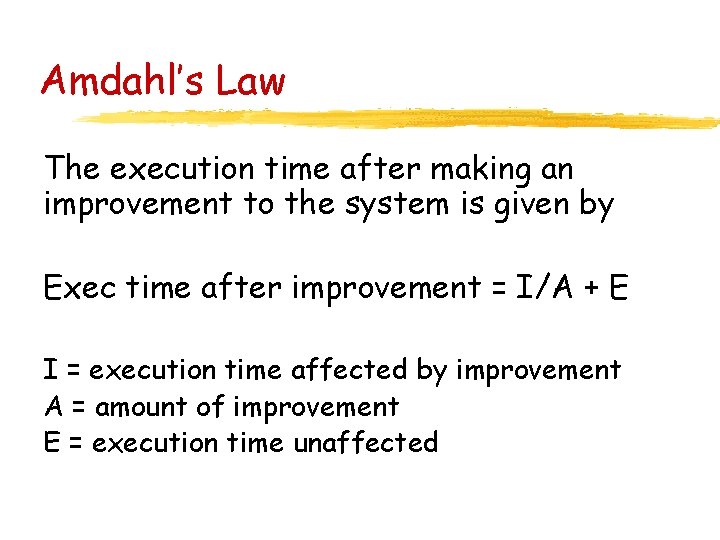
Amdahl’s Law The execution time after making an improvement to the system is given by Exec time after improvement = I/A + E I = execution time affected by improvement A = amount of improvement E = execution time unaffected
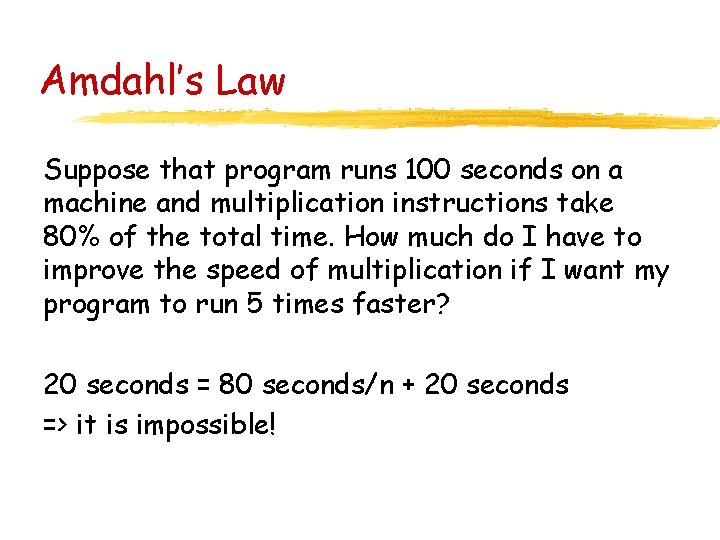
Amdahl’s Law Suppose that program runs 100 seconds on a machine and multiplication instructions take 80% of the total time. How much do I have to improve the speed of multiplication if I want my program to run 5 times faster? 20 seconds = 80 seconds/n + 20 seconds => it is impossible!
MIPS Assembly Language CPSC 321 Computer Architecture Andreas Klappenecker
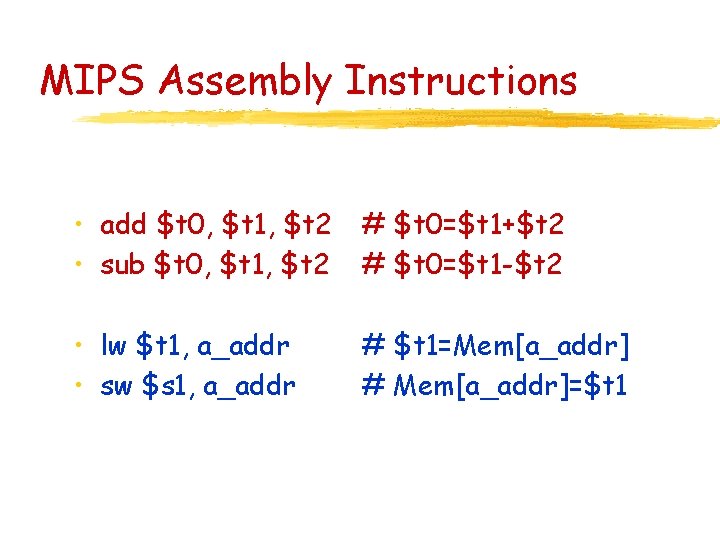
MIPS Assembly Instructions • add $t 0, $t 1, $t 2 • sub $t 0, $t 1, $t 2 # $t 0=$t 1+$t 2 # $t 0=$t 1 -$t 2 • lw $t 1, a_addr • sw $s 1, a_addr # $t 1=Mem[a_addr] # Mem[a_addr]=$t 1
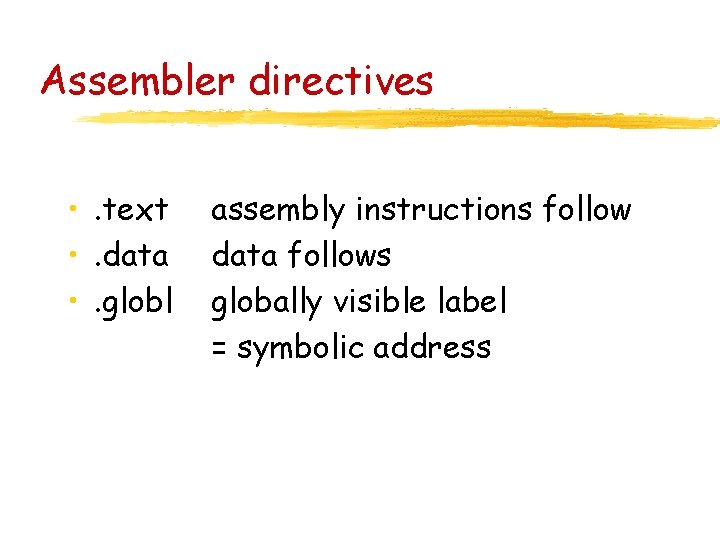
Assembler directives • . text • . data • . globl assembly instructions follow data follows globally visible label = symbolic address
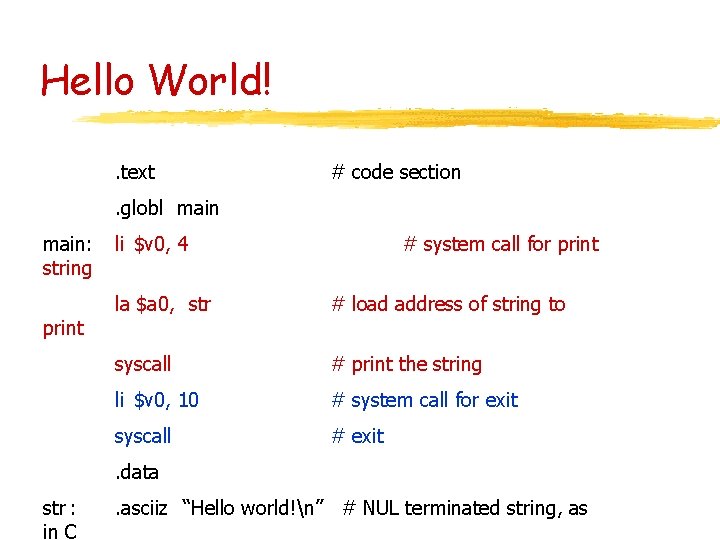
Hello World!. text # code section . globl main: string print li $v 0, 4 # system call for print la $a 0, str # load address of string to syscall # print the string li $v 0, 10 # system call for exit syscall # exit . data str : in C . asciiz “Hello world!n” # NUL terminated string, as
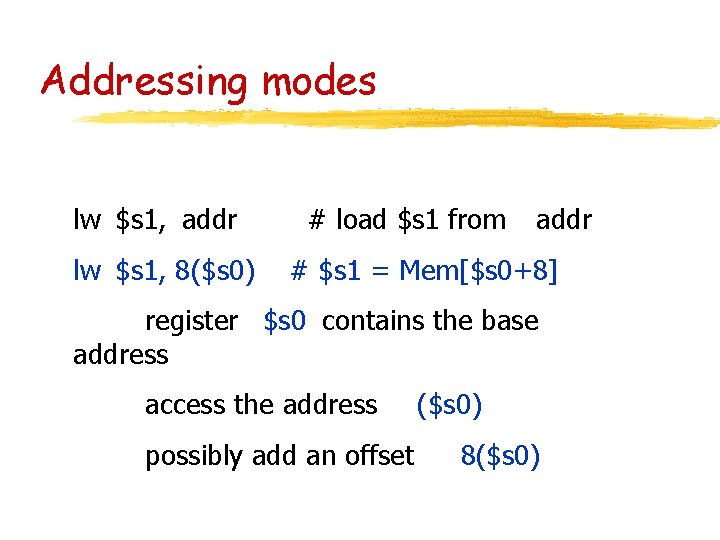
Addressing modes lw $s 1, addr lw $s 1, 8($s 0) # load $s 1 from addr # $s 1 = Mem[$s 0+8] register $s 0 contains the base address access the address possibly add an offset ($s 0) 8($s 0)
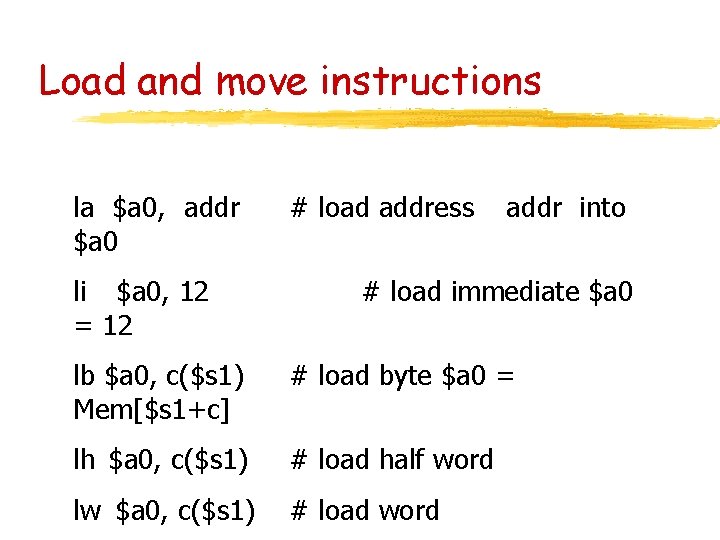
Load and move instructions la $a 0, addr $a 0 li $a 0, 12 = 12 # load address addr into # load immediate $a 0 lb $a 0, c($s 1) Mem[$s 1+c] # load byte $a 0 = lh $a 0, c($s 1) # load half word lw $a 0, c($s 1) # load word
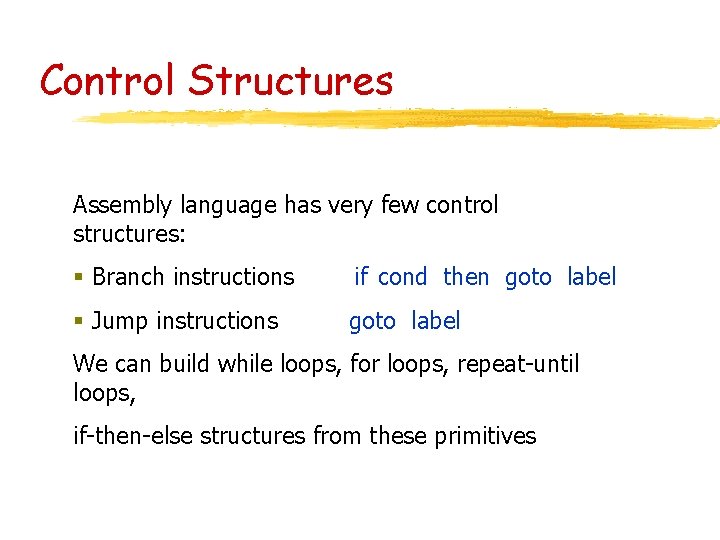
Control Structures Assembly language has very few control structures: § Branch instructions if cond then goto label § Jump instructions goto label We can build while loops, for loops, repeat-until loops, if-then-else structures from these primitives
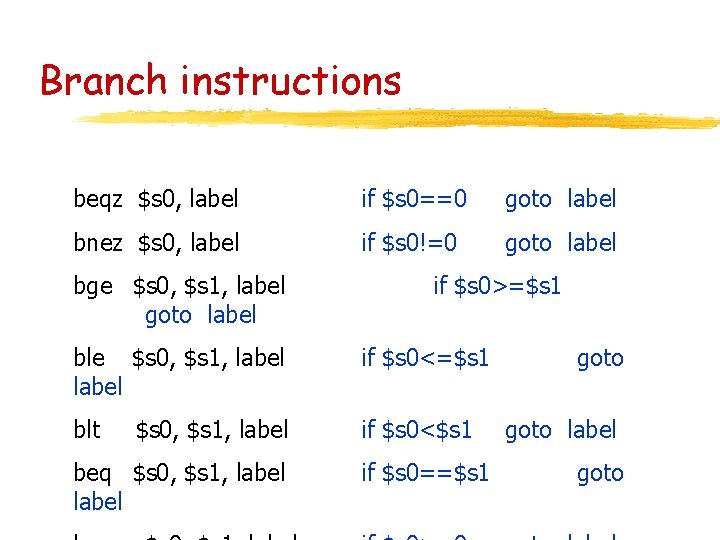
Branch instructions beqz $s 0, label if $s 0==0 goto label bnez $s 0, label if $s 0!=0 goto label bge $s 0, $s 1, label goto label if $s 0>=$s 1 ble $s 0, $s 1, label if $s 0<=$s 1 blt if $s 0<$s 1 $s 0, $s 1, label beq $s 0, $s 1, label if $s 0==$s 1 goto label goto
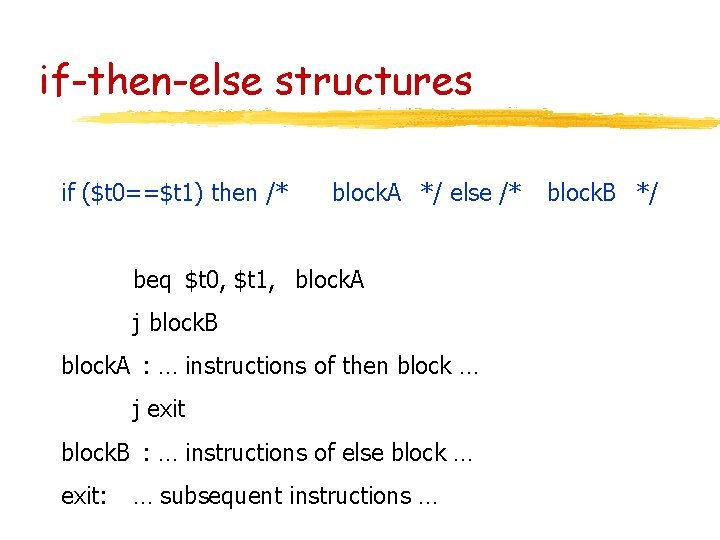
if-then-else structures if ($t 0==$t 1) then /* block. A */ else /* beq $t 0, $t 1, block. A j block. B block. A : … instructions of then block … j exit block. B : … instructions of else block … exit: … subsequent instructions … block. B */
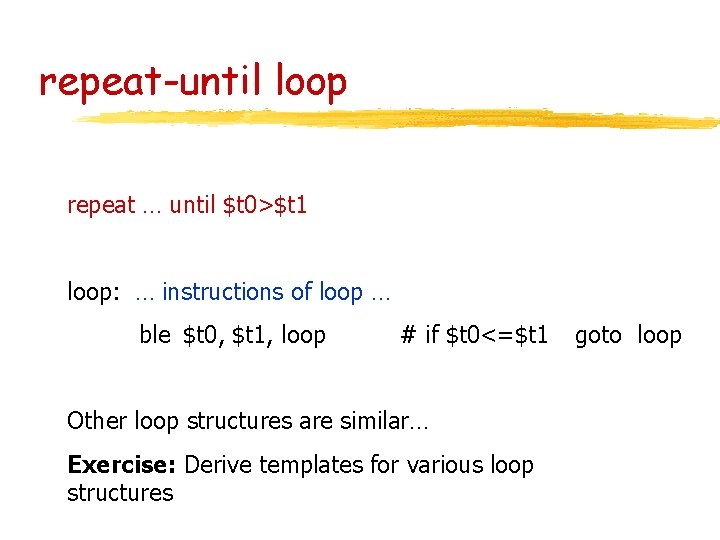
repeat-until loop repeat … until $t 0>$t 1 loop: … instructions of loop … ble $t 0, $t 1, loop # if $t 0<=$t 1 Other loop structures are similar… Exercise: Derive templates for various loop structures goto loop
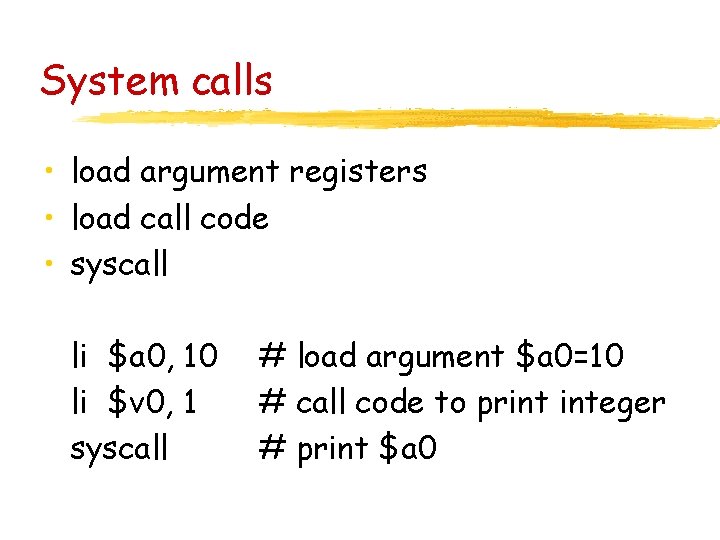
System calls • load argument registers • load call code • syscall li $a 0, 10 li $v 0, 1 syscall # load argument $a 0=10 # call code to print integer # print $a 0
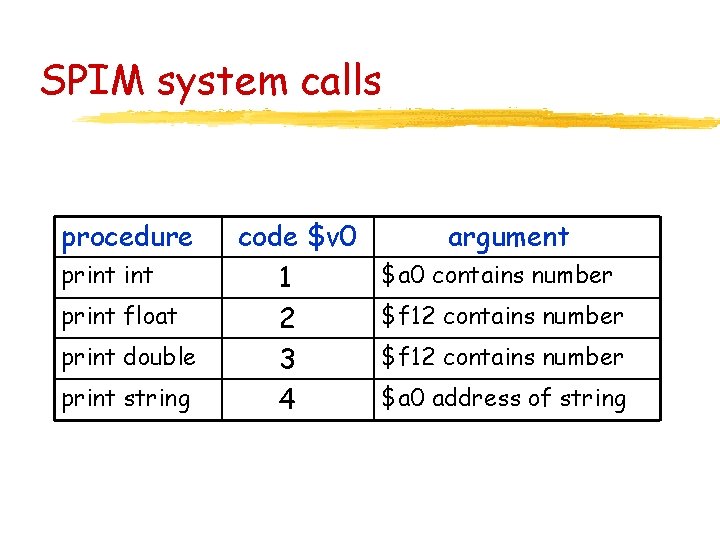
SPIM system calls procedure print float print double print string code $v 0 1 2 3 4 argument $a 0 contains number $f 12 contains number $a 0 address of string
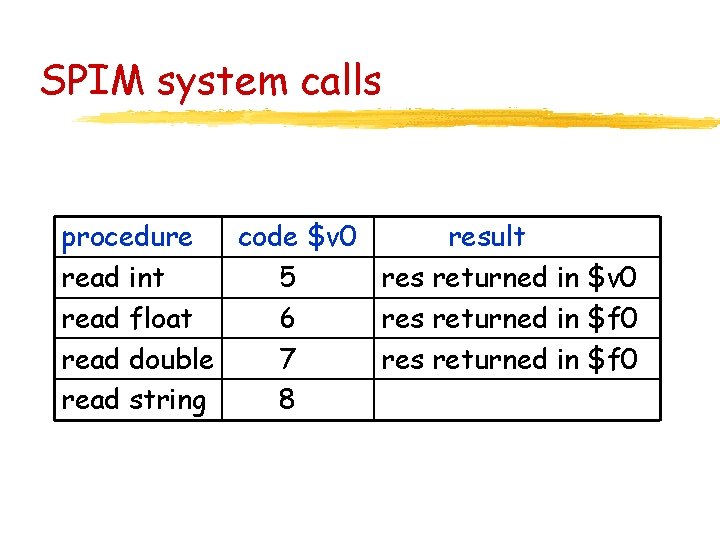
SPIM system calls procedure code $v 0 result read int 5 res returned in $v 0 read float 6 res returned in $f 0 read double 7 res returned in $f 0 read string 8
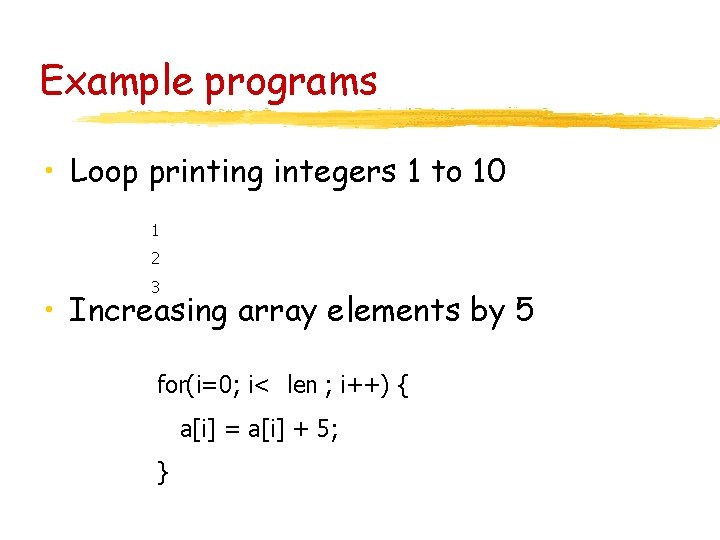
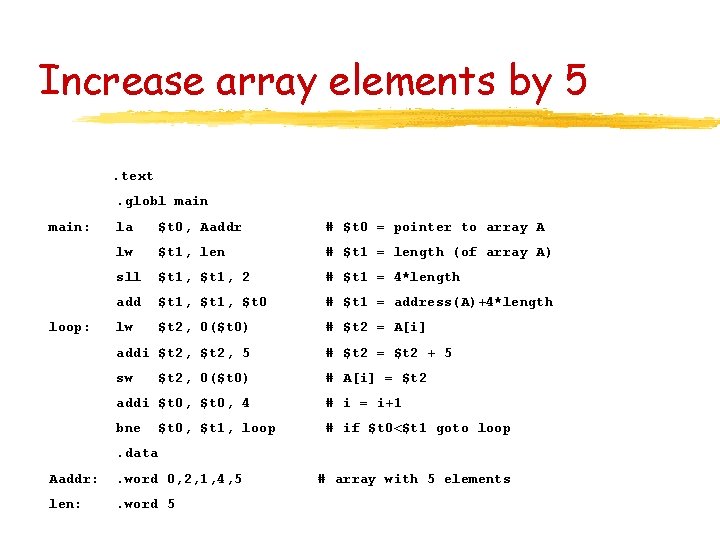
Example programs • Loop printing integers 1 to 10 1 2 3 • Increasing array elements by 5 for(i=0; i< len ; i++) { a[i] = a[i] + 5; }
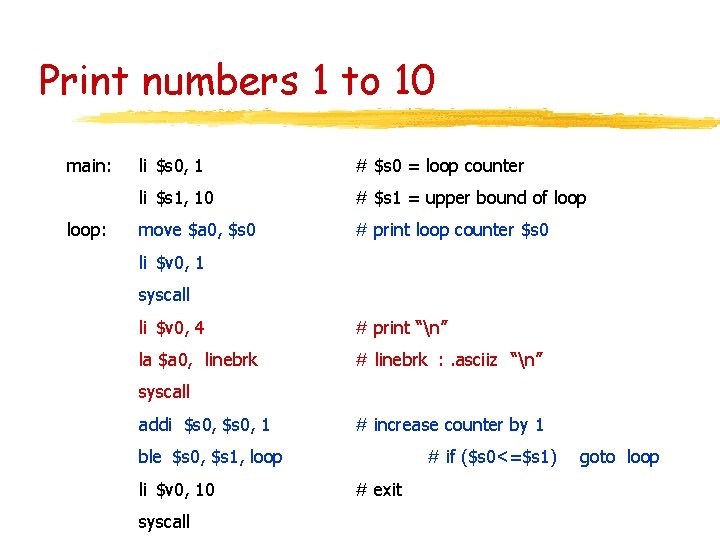
Print numbers 1 to 10 main: loop: li $s 0, 1 # $s 0 = loop counter li $s 1, 10 # $s 1 = upper bound of loop move $a 0, $s 0 # print loop counter $s 0 li $v 0, 1 syscall li $v 0, 4 # print “n” la $a 0, linebrk # linebrk : . asciiz “n” syscall addi $s 0, 1 # increase counter by 1 ble $s 0, $s 1, loop li $v 0, 10 syscall # if ($s 0<=$s 1) # exit goto loop
Increase array elements by 5. text. globl main: loop: la $t 0, Aaddr # $t 0 = pointer to array A lw $t 1, len # $t 1 = length (of array A) sll $t 1, 2 # $t 1 = 4*length add $t 1, $t 0 # $t 1 = address(A)+4*length lw $t 2, 0($t 0) # $t 2 = A[i] addi $t 2, 5 # $t 2 = $t 2 + 5 sw # A[i] = $t 2, 0($t 0) addi $t 0, 4 # i = i+1 bne # if $t 0<$t 1 goto loop $t 0, $t 1, loop . data Aaddr: . word 0, 2, 1, 4, 5 len: . word 5 # array with 5 elements
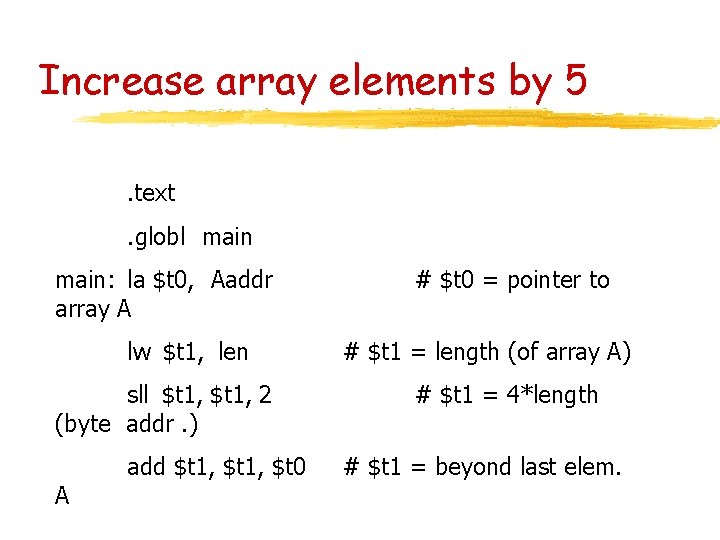
Increase array elements by 5. text. globl main: la $t 0, Aaddr array A lw $t 1, len sll $t 1, 2 (byte addr. ) A add $t 1, $t 0 # $t 0 = pointer to # $t 1 = length (of array A) # $t 1 = 4*length # $t 1 = beyond last elem.
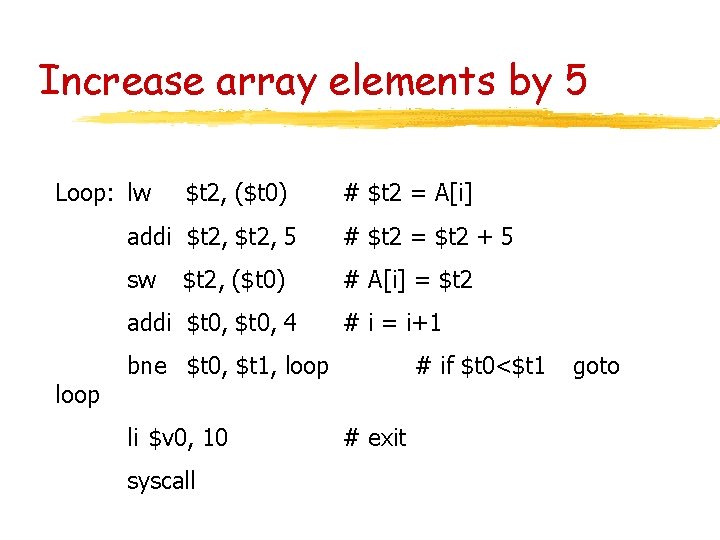
Increase array elements by 5 Loop: lw $t 2, ($t 0) addi $t 2, 5 # $t 2 = $t 2 + 5 sw # A[i] = $t 2, ($t 0) addi $t 0, 4 loop # $t 2 = A[i] # i = i+1 bne $t 0, $t 1, loop li $v 0, 10 syscall # if $t 0<$t 1 # exit goto
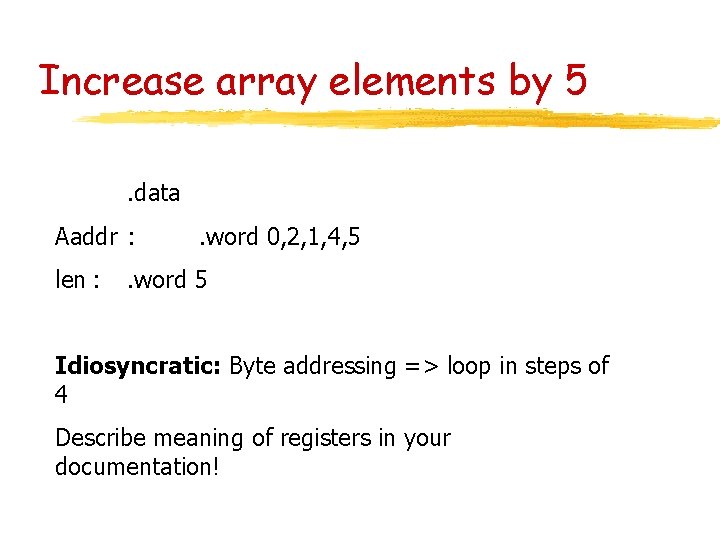
Increase array elements by 5. data Aaddr : len : . word 0, 2, 1, 4, 5 . word 5 Idiosyncratic: Byte addressing => loop in steps of 4 Describe meaning of registers in your documentation!
Conclusion • Read Chapter 2 in Patterson, Hennessy, 2 nd edition • Lab 0 requires you to become familiar with the lab environment • Do some exercises on your own! • Read Appendix A in 2 nd edition