COMP 561 Computer Networks Fall 2005 Introduction 1

- Slides: 71
COMP 561 Computer Networks Fall 2005 Introduction 1
Overview q Introduction: course description & calendar q Answers to frequently asked questions q Prerequisites Introduction 2
Who’s Who q Instructors: 1. 2. 3. 4. 1. Dr. Liu, Yunhao Email: liu@cs. ust. hk Office: Room 3548 Phone: 2358 -7019 Course web site 1. http: //www. cs. ust. hk/~liu/comp 561/index. htm Introduction 3
Topics q Computer Networks and the Internet q Application Layer q Transport Layer q Network Layer and Routing q Link Layer and Local Area Networks q Multimedia Networking q Internet Security q Peer-to-peer and grid computing q Sensor network q Mobile Computing Introduction 4
Grading q 3 Homework Assignments: 15 points q Presentation: 15 points m I will distribute a list of papers from major conferences and journals. m Each project group (consisting of one or two students) will give a 30 minute presentation on one of the papers they select. q 1 Project: 35 points q Final Examination: 35 points Introduction 5
Conduct in the Classroom 1. Please try to be on-time to class. When you come in late, you disrupt your class. As a general rule, if you are more than 10 minutes late, you should not enter the classroom. If you arrive late, but need to see the instructor or pick up lecture notes, please return at the end of the class period. Introduction 6
Conduct in the Classroom 2. Please do not talk while in class except to raise questions. You should not do things during class that disrupt the class or distract your classmates. If you have a pager or cellular phone, turn if off when you are in class. And please pay attention to the signs that tell you not to eat or drink in the classrooms. Introduction 7
Conduct in the Classroom 3. Cheating will be punished. You should not copy assignments, projects, or allow your work to be copied by others. Cheating in exams are forbidden. Each must do his/her own work. You will get zero mark for the work if caught cheating for the first time. For the second time, you will FAIL the course and be reported to the University Disciplinary Committee for further action. Introduction 8
Conduct in the Classroom You are investing several years of your life in your university education. Learning to accept responsibility is an important part of that education. The classroom is a good place to begin showing that you are ready for the responsibilities of being an adult. Introduction 9
Comp 561: Introduction 10
Chapter 1: Introduction Our goal: Overview: q get “feel” and q what’s the Internet terminology q more depth, detail later in course q approach: m use Internet as example q what’s a protocol? q network edge q network core q access net, physical media q Internet/ISP structure q performance: loss, delay q protocol layers, service models q network modeling Introduction 11
Chapter 1: roadmap 1. 1 What is the Internet? 1. 2 Network edge 1. 3 Network core 1. 4 Network access and physical media 1. 5 Internet structure and ISPs 1. 6 Delay & loss in packet-switched networks 1. 7 Protocol layers, service models 1. 8 History Introduction 12
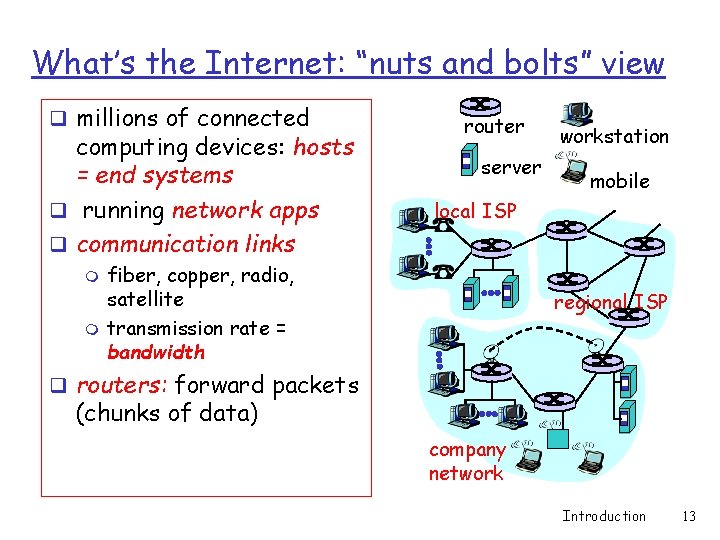
What’s the Internet: “nuts and bolts” view q millions of connected computing devices: hosts = end systems q running network apps q communication links m m router server workstation mobile local ISP fiber, copper, radio, satellite transmission rate = bandwidth regional ISP q routers: forward packets (chunks of data) company network Introduction 13
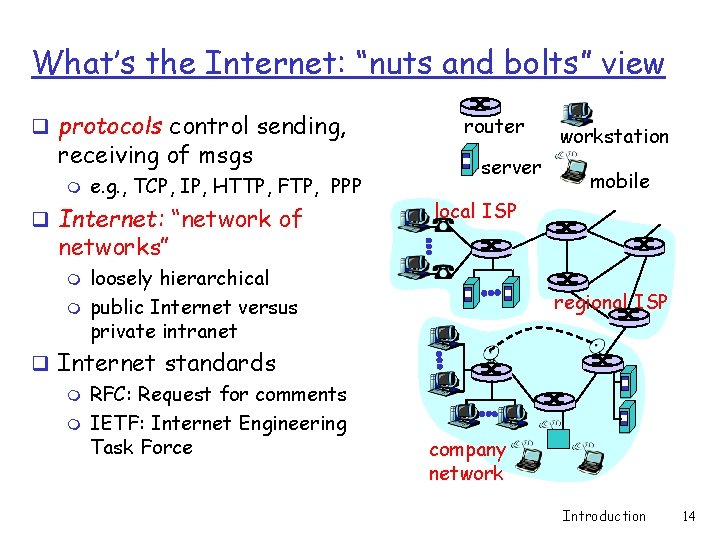
What’s the Internet: “nuts and bolts” view q protocols control sending, receiving of msgs m e. g. , TCP, IP, HTTP, FTP, PPP q Internet: “network of router server workstation mobile local ISP networks” m m loosely hierarchical public Internet versus private intranet q Internet standards m RFC: Request for comments m IETF: Internet Engineering Task Force regional ISP company network Introduction 14
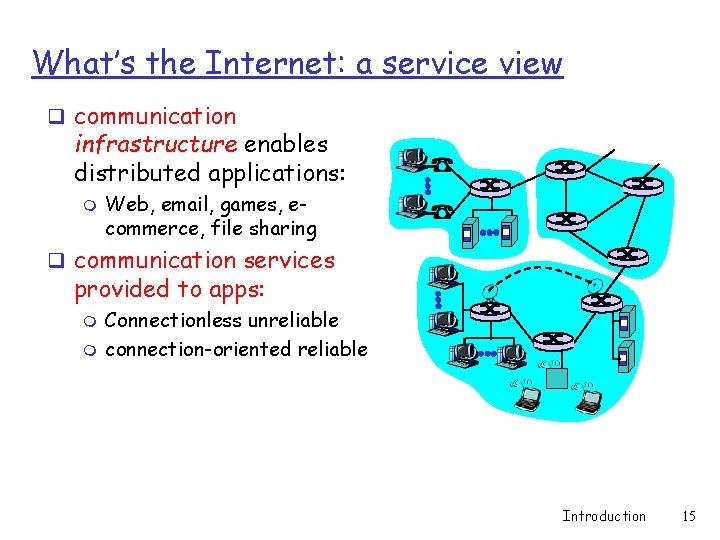
What’s the Internet: a service view q communication infrastructure enables distributed applications: m Web, email, games, ecommerce, file sharing q communication services provided to apps: m m Connectionless unreliable connection-oriented reliable Introduction 15
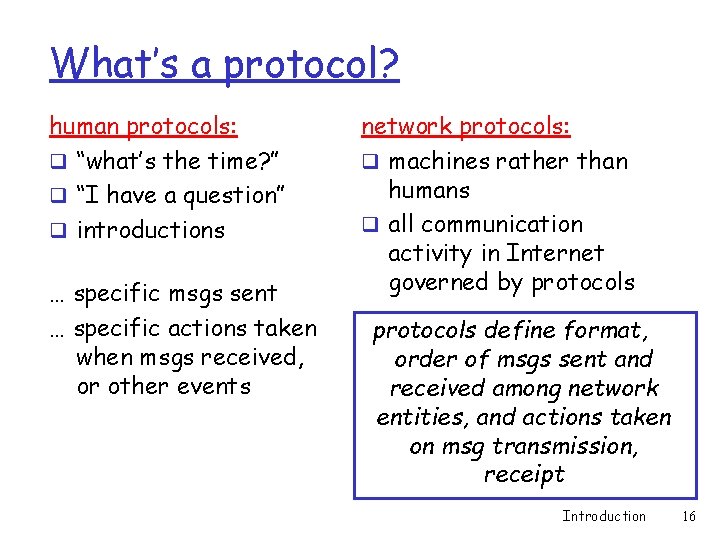
What’s a protocol? human protocols: q “what’s the time? ” q “I have a question” q introductions … specific msgs sent … specific actions taken when msgs received, or other events network protocols: q machines rather than humans q all communication activity in Internet governed by protocols define format, order of msgs sent and received among network entities, and actions taken on msg transmission, receipt Introduction 16
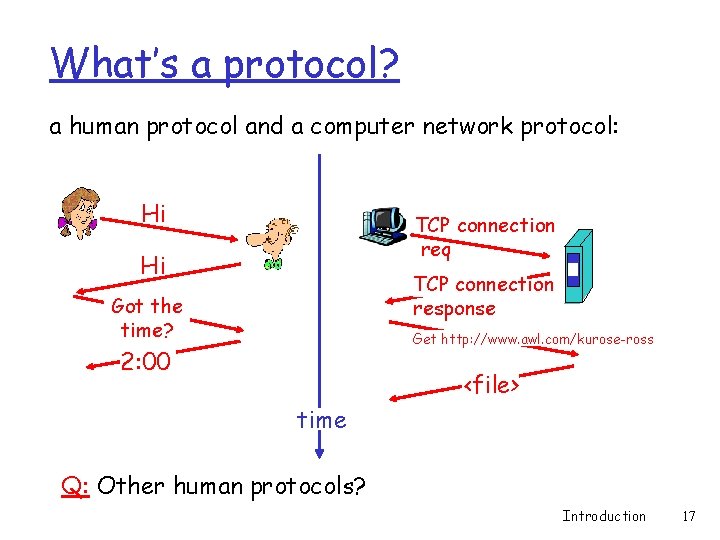
What’s a protocol? a human protocol and a computer network protocol: Hi TCP connection req Hi TCP connection response Got the time? Get http: //www. awl. com/kurose-ross 2: 00 <file> time Q: Other human protocols? Introduction 17
Chapter 1: roadmap 1. 1 What is the Internet? 1. 2 Network edge 1. 3 Network core 1. 4 Network access and physical media 1. 5 Internet structure and ISPs 1. 6 Delay & loss in packet-switched networks 1. 7 Protocol layers, service models 1. 8 History Introduction 18
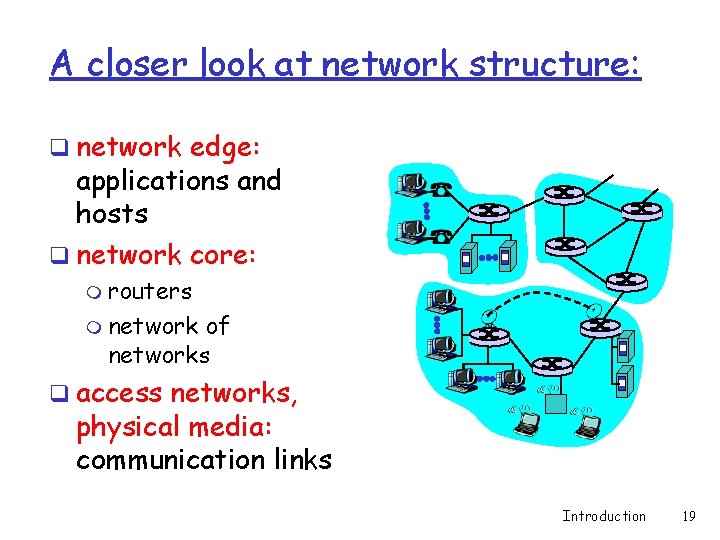
A closer look at network structure: q network edge: applications and hosts q network core: m routers m network of networks q access networks, physical media: communication links Introduction 19
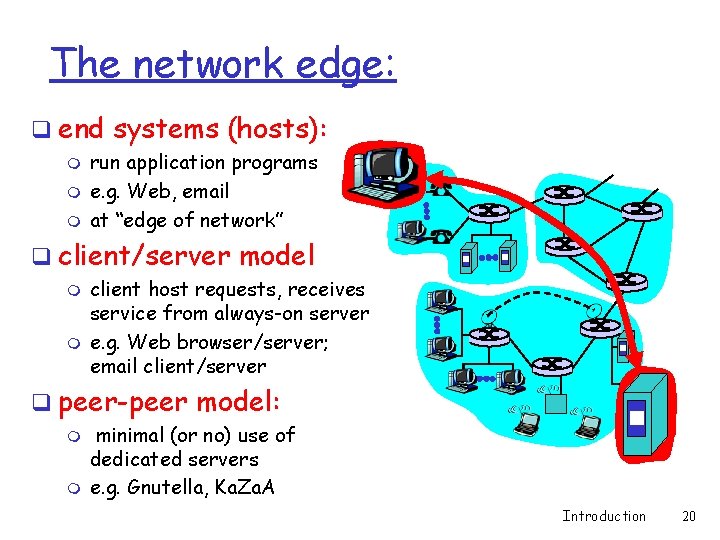
The network edge: q end systems (hosts): m m m run application programs e. g. Web, email at “edge of network” q client/server model m m client host requests, receives service from always-on server e. g. Web browser/server; email client/server q peer-peer model: m m minimal (or no) use of dedicated servers e. g. Gnutella, Ka. Za. A Introduction 20
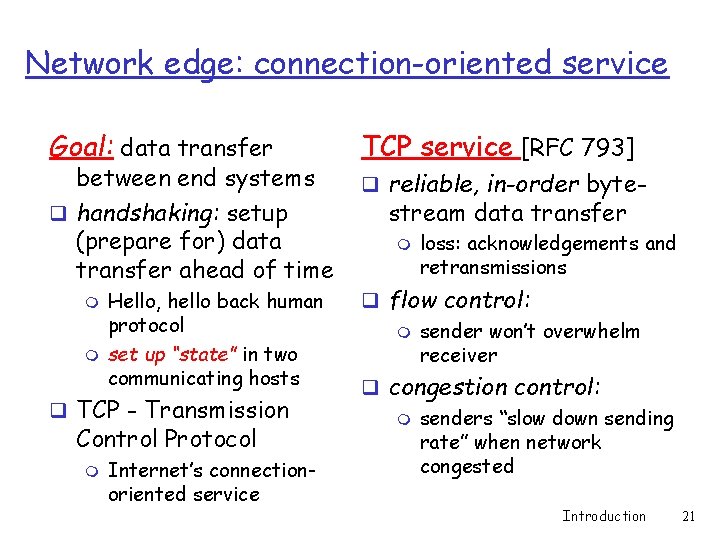
Network edge: connection-oriented service Goal: data transfer between end systems q handshaking: setup (prepare for) data transfer ahead of time m m Hello, hello back human protocol set up “state” in two communicating hosts q TCP - Transmission Control Protocol m Internet’s connectionoriented service TCP service [RFC 793] q reliable, in-order byte- stream data transfer m loss: acknowledgements and retransmissions q flow control: m sender won’t overwhelm receiver q congestion control: m senders “slow down sending rate” when network congested Introduction 21
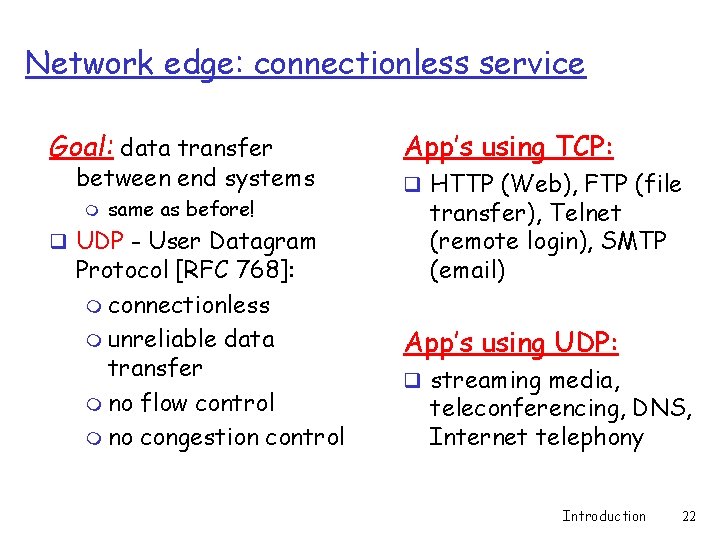
Network edge: connectionless service Goal: data transfer between end systems m same as before! q UDP - User Datagram Protocol [RFC 768]: m connectionless m unreliable data transfer m no flow control m no congestion control App’s using TCP: q HTTP (Web), FTP (file transfer), Telnet (remote login), SMTP (email) App’s using UDP: q streaming media, teleconferencing, DNS, Internet telephony Introduction 22
Chapter 1: roadmap 1. 1 What is the Internet? 1. 2 Network edge 1. 3 Network core 1. 4 Network access and physical media 1. 5 Internet structure and ISPs 1. 6 Delay & loss in packet-switched networks 1. 7 Protocol layers, service models 1. 8 History Introduction 23
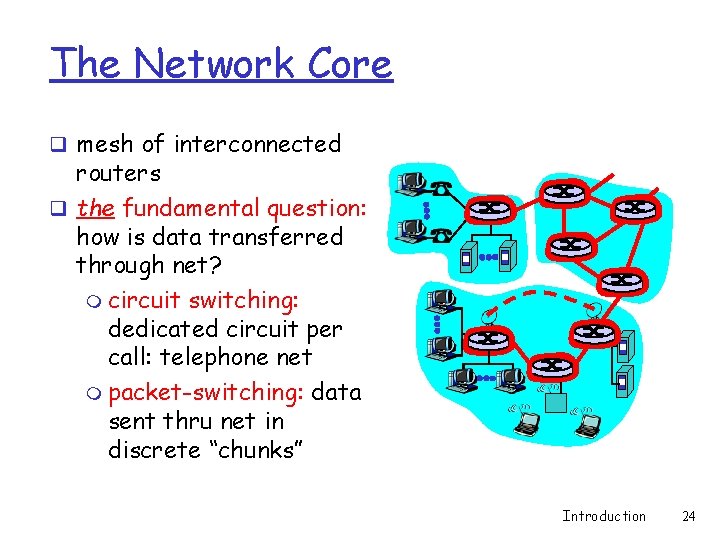
The Network Core q mesh of interconnected routers q the fundamental question: how is data transferred through net? m circuit switching: dedicated circuit per call: telephone net m packet-switching: data sent thru net in discrete “chunks” Introduction 24
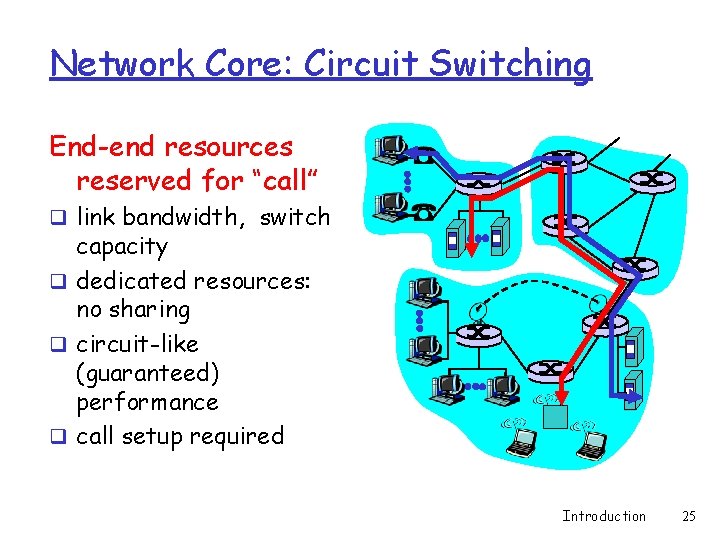
Network Core: Circuit Switching End-end resources reserved for “call” q link bandwidth, switch capacity q dedicated resources: no sharing q circuit-like (guaranteed) performance q call setup required Introduction 25
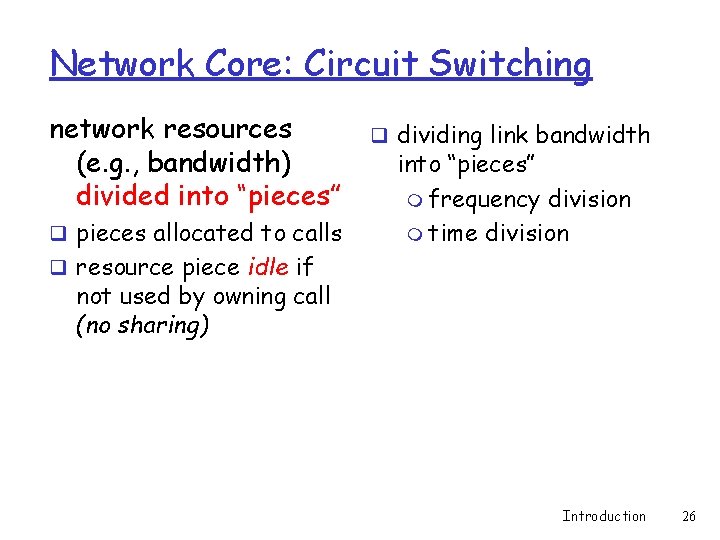
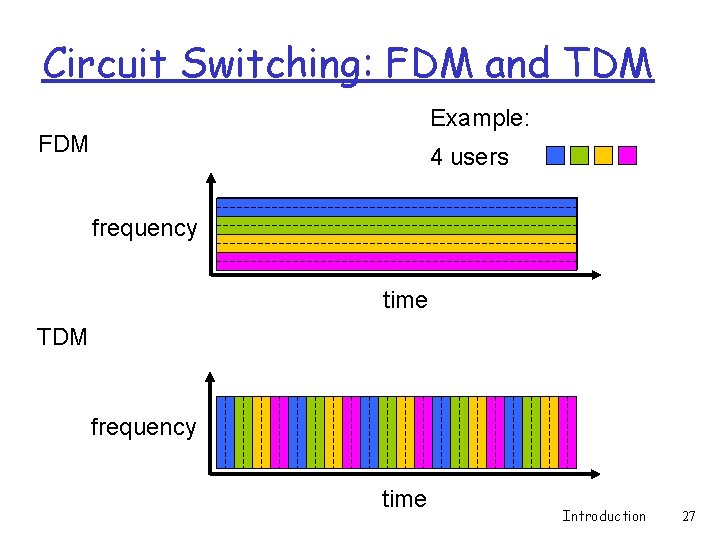
Network Core: Circuit Switching network resources (e. g. , bandwidth) divided into “pieces” q pieces allocated to calls q dividing link bandwidth into “pieces” m frequency division m time division q resource piece idle if not used by owning call (no sharing) Introduction 26
Circuit Switching: FDM and TDM Example: FDM 4 users frequency time TDM frequency time Introduction 27
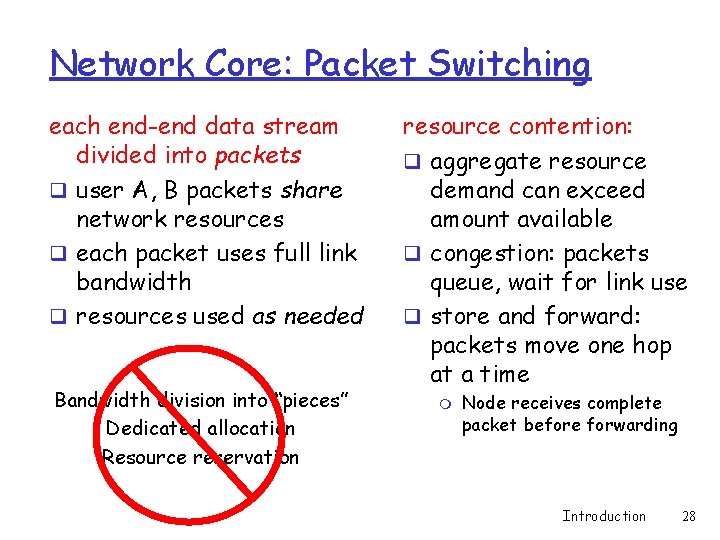
Network Core: Packet Switching each end-end data stream divided into packets q user A, B packets share network resources q each packet uses full link bandwidth q resources used as needed Bandwidth division into “pieces” Dedicated allocation Resource reservation resource contention: q aggregate resource demand can exceed amount available q congestion: packets queue, wait for link use q store and forward: packets move one hop at a time m Node receives complete packet before forwarding Introduction 28
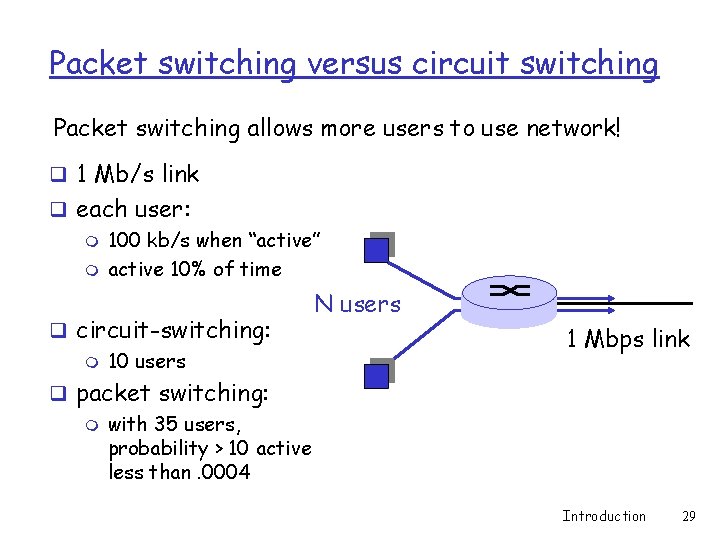
Packet switching versus circuit switching Packet switching allows more users to use network! q 1 Mb/s link q each user: m 100 kb/s when “active” m active 10% of time q circuit-switching: m 10 users N users 1 Mbps link q packet switching: m with 35 users, probability > 10 active less than. 0004 Introduction 29
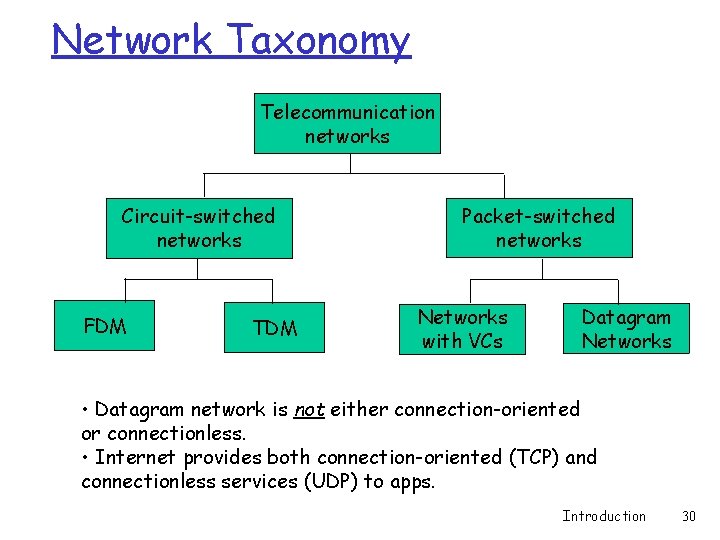
Network Taxonomy Telecommunication networks Circuit-switched networks FDM TDM Packet-switched networks Networks with VCs Datagram Networks • Datagram network is not either connection-oriented or connectionless. • Internet provides both connection-oriented (TCP) and connectionless services (UDP) to apps. Introduction 30
Chapter 1: roadmap 1. 1 What is the Internet? 1. 2 Network edge 1. 3 Network core 1. 4 Network access and physical media 1. 5 Internet structure and ISPs 1. 6 Delay & loss in packet-switched networks 1. 7 Protocol layers, service models 1. 8 History Introduction 31
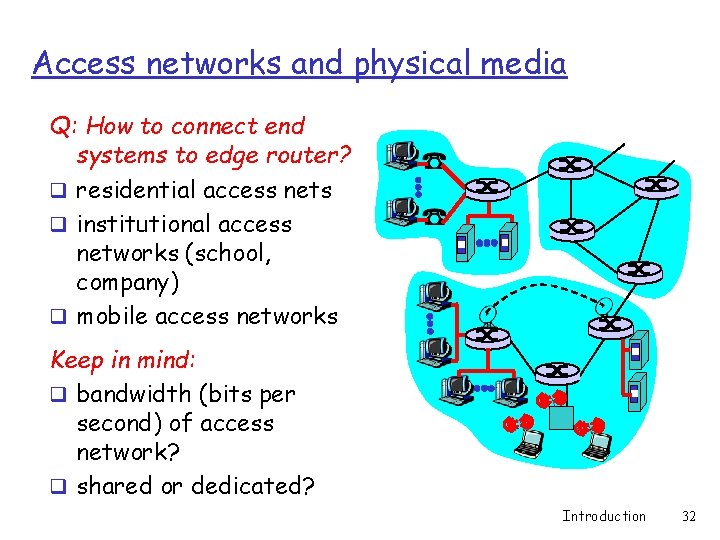
Access networks and physical media Q: How to connect end systems to edge router? q residential access nets q institutional access networks (school, company) q mobile access networks Keep in mind: q bandwidth (bits per second) of access network? q shared or dedicated? Introduction 32
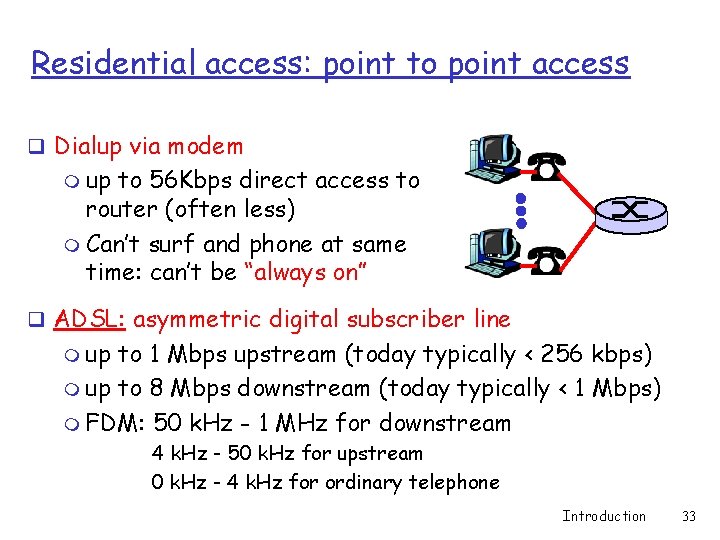
Residential access: point to point access q Dialup via modem m up to 56 Kbps direct access to router (often less) m Can’t surf and phone at same time: can’t be “always on” q ADSL: asymmetric digital subscriber line m up to 1 Mbps upstream (today typically < 256 kbps) m up to 8 Mbps downstream (today typically < 1 Mbps) m FDM: 50 k. Hz - 1 MHz for downstream 4 k. Hz - 50 k. Hz for upstream 0 k. Hz - 4 k. Hz for ordinary telephone Introduction 33
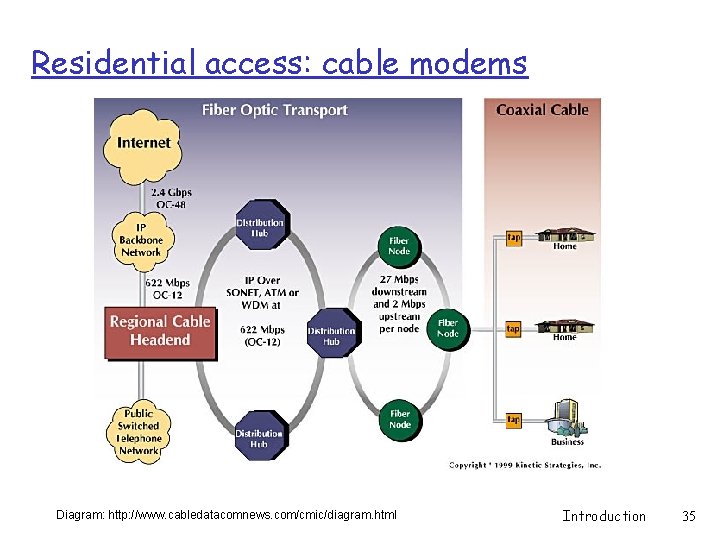
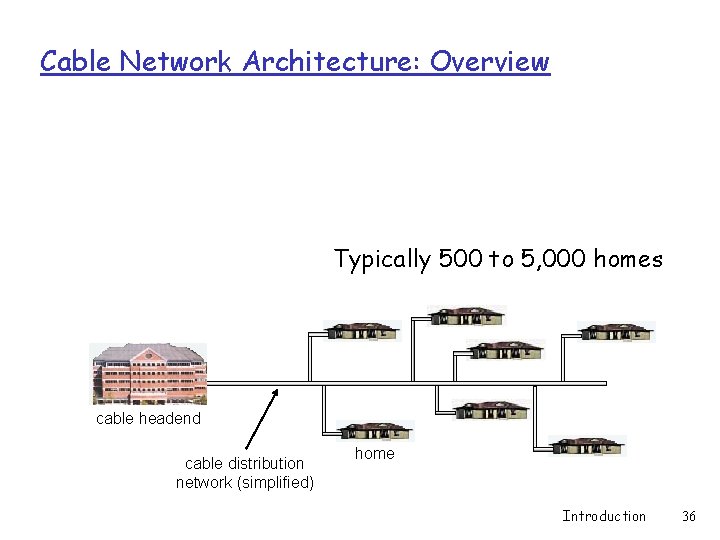
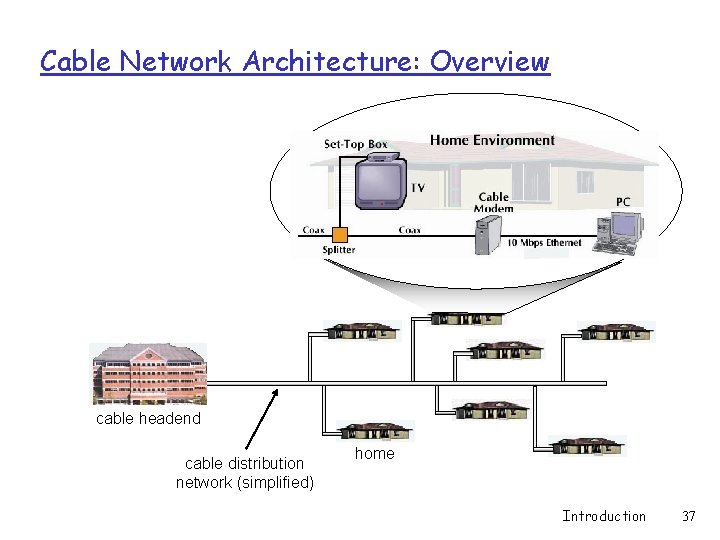
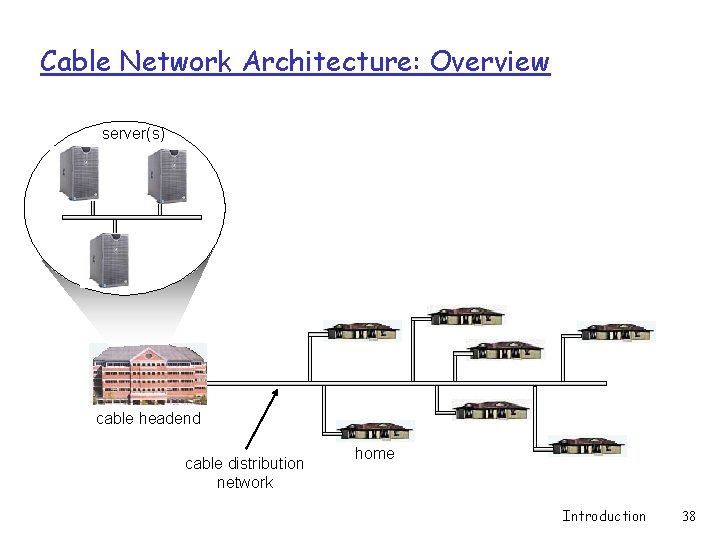
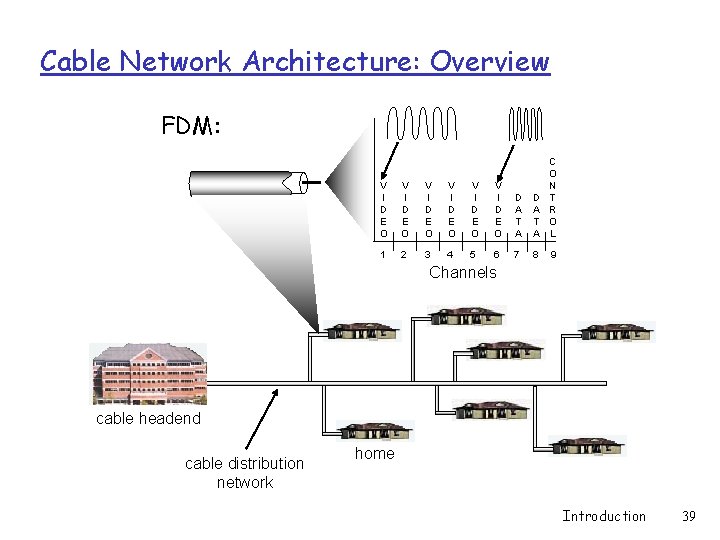
Residential access: cable modems q HFC: hybrid fiber coax m asymmetric: up to 30 Mbps downstream, 2 Mbps upstream q network of cable and fiber attaches homes to ISP router m homes share access to router q deployment: available via cable TV companies Introduction 34
Residential access: cable modems Diagram: http: //www. cabledatacomnews. com/cmic/diagram. html Introduction 35
Cable Network Architecture: Overview Typically 500 to 5, 000 homes cable headend cable distribution network (simplified) home Introduction 36
Cable Network Architecture: Overview cable headend cable distribution network (simplified) home Introduction 37
Cable Network Architecture: Overview server(s) cable headend cable distribution network home Introduction 38
Cable Network Architecture: Overview FDM: V I D E O V I D E O D A T A C O N T R O L 1 2 3 4 5 6 7 8 9 Channels cable headend cable distribution network home Introduction 39
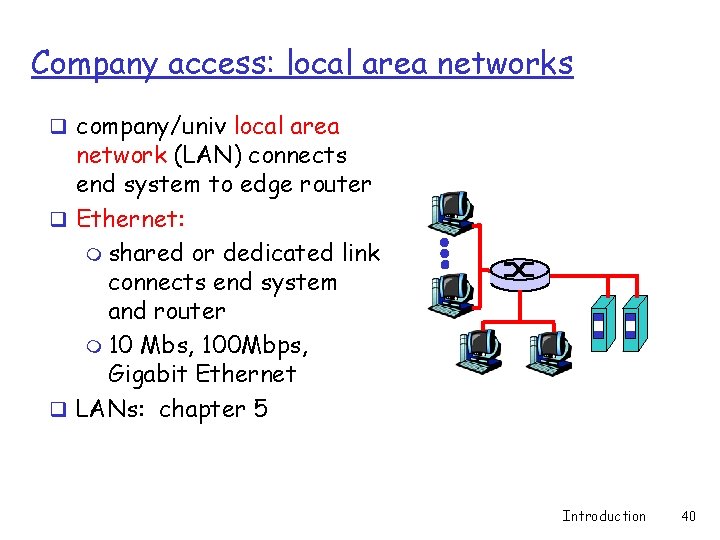
Company access: local area networks q company/univ local area network (LAN) connects end system to edge router q Ethernet: m shared or dedicated link connects end system and router m 10 Mbs, 100 Mbps, Gigabit Ethernet q LANs: chapter 5 Introduction 40
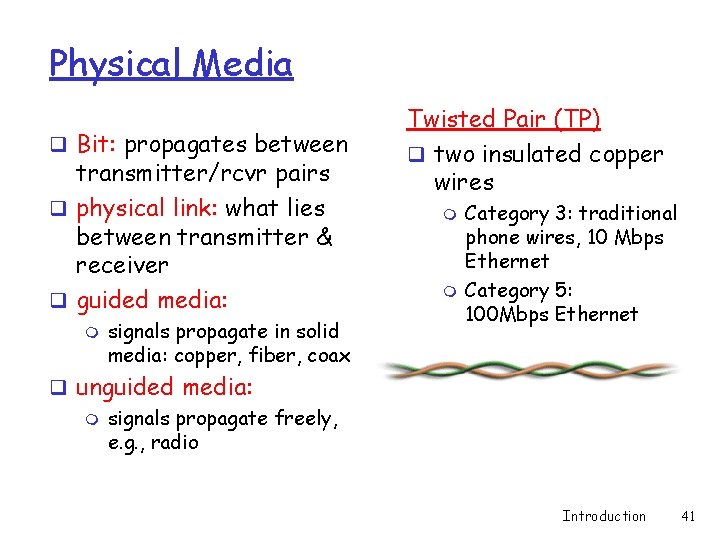
Physical Media q Bit: propagates between transmitter/rcvr pairs q physical link: what lies between transmitter & receiver q guided media: m signals propagate in solid media: copper, fiber, coax Twisted Pair (TP) q two insulated copper wires m m Category 3: traditional phone wires, 10 Mbps Ethernet Category 5: 100 Mbps Ethernet q unguided media: m signals propagate freely, e. g. , radio Introduction 41
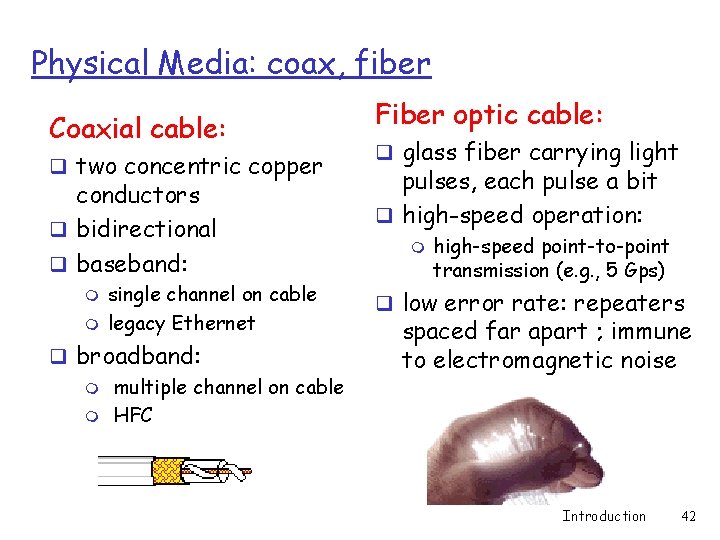
Physical Media: coax, fiber Coaxial cable: q two concentric copper conductors q bidirectional q baseband: m m single channel on cable legacy Ethernet q broadband: m multiple channel on cable m HFC Fiber optic cable: q glass fiber carrying light pulses, each pulse a bit q high-speed operation: m high-speed point-to-point transmission (e. g. , 5 Gps) q low error rate: repeaters spaced far apart ; immune to electromagnetic noise Introduction 42
Physical media: radio q signal carried in electromagnetic spectrum q no physical “wire” q bidirectional q propagation environment effects: m m m reflection obstruction by objects interference Radio link types: q terrestrial microwave m e. g. up to 45 Mbps channels q LAN (e. g. , Wifi) m 2 Mbps, 11 Mbps q wide-area (e. g. , cellular) m e. g. 3 G: hundreds of kbps q satellite m up to 50 Mbps channel (or multiple smaller channels) m 270 msec end-end delay m geosynchronous versus low altitude Introduction 43
Chapter 1: roadmap 1. 1 What is the Internet? 1. 2 Network edge 1. 3 Network core 1. 4 Network access and physical media 1. 5 Internet structure and ISPs 1. 6 Delay & loss in packet-switched networks 1. 7 Protocol layers, service models 1. 8 History Introduction 44
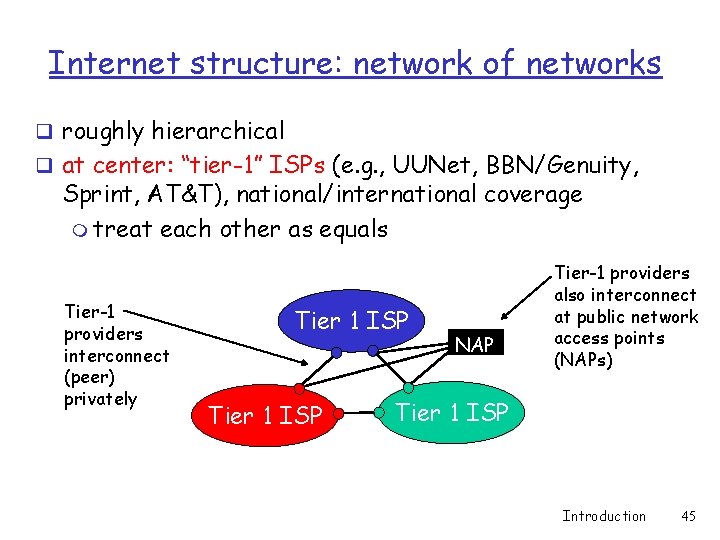
Internet structure: network of networks q roughly hierarchical q at center: “tier-1” ISPs (e. g. , UUNet, BBN/Genuity, Sprint, AT&T), national/international coverage m treat each other as equals Tier-1 providers interconnect (peer) privately Tier 1 ISP NAP Tier-1 providers also interconnect at public network access points (NAPs) Tier 1 ISP Introduction 45
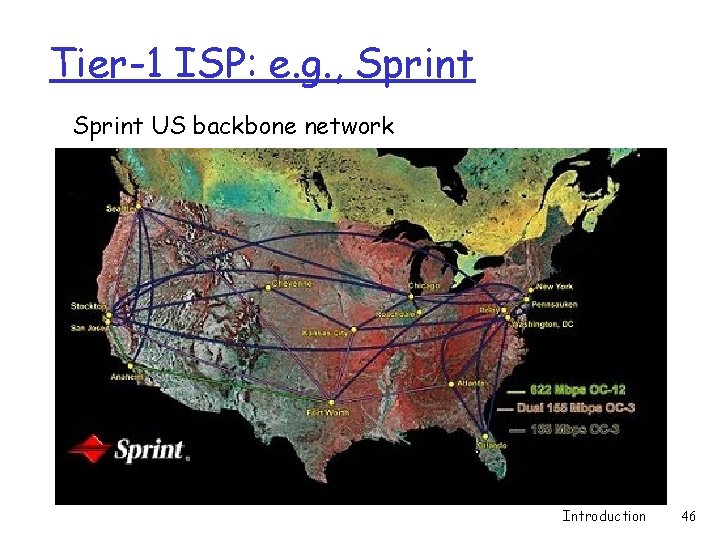
Tier-1 ISP: e. g. , Sprint US backbone network Introduction 46
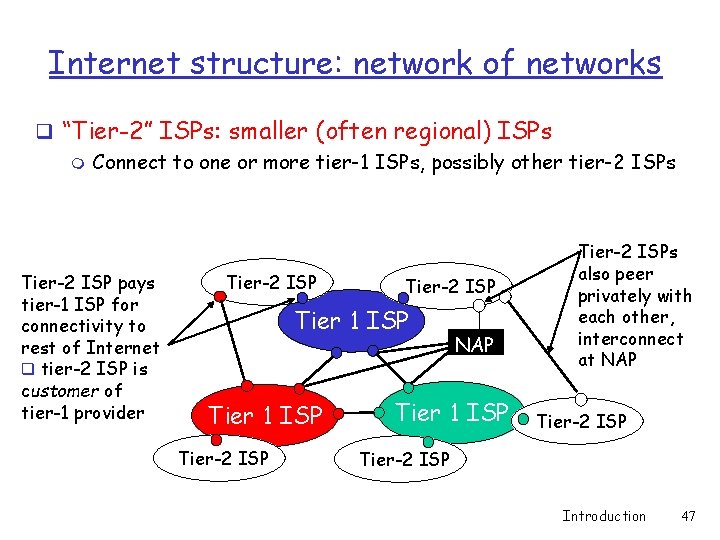
Internet structure: network of networks q “Tier-2” ISPs: smaller (often regional) ISPs m Connect to one or more tier-1 ISPs, possibly other tier-2 ISPs Tier-2 ISP pays tier-1 ISP for connectivity to rest of Internet q tier-2 ISP is customer of tier-1 provider Tier-2 ISP Tier 1 ISP Tier-2 ISP NAP Tier 1 ISP Tier-2 ISPs also peer privately with each other, interconnect at NAP Tier-2 ISP Introduction 47
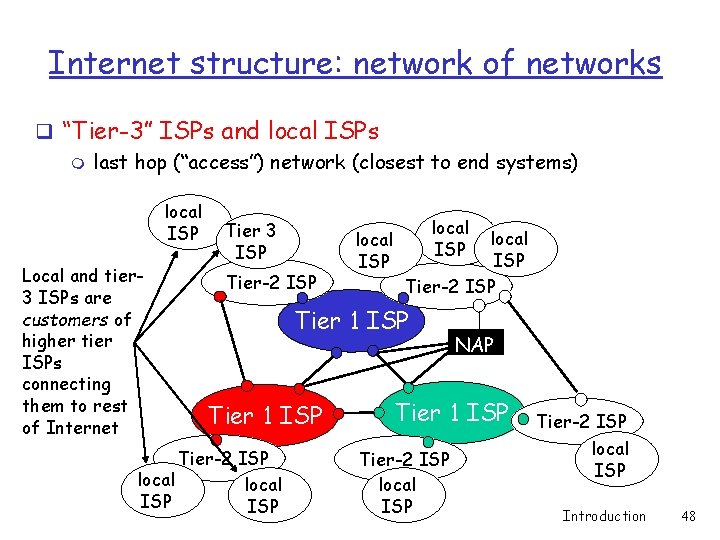
Internet structure: network of networks q “Tier-3” ISPs and local ISPs m last hop (“access”) network (closest to end systems) local ISP Local and tier 3 ISPs are customers of higher tier ISPs connecting them to rest of Internet Tier 3 ISP Tier-2 ISP local ISP Tier-2 ISP Tier 1 ISP Tier-2 ISP local ISP NAP Tier 1 ISP Tier-2 ISP local ISP Introduction 48
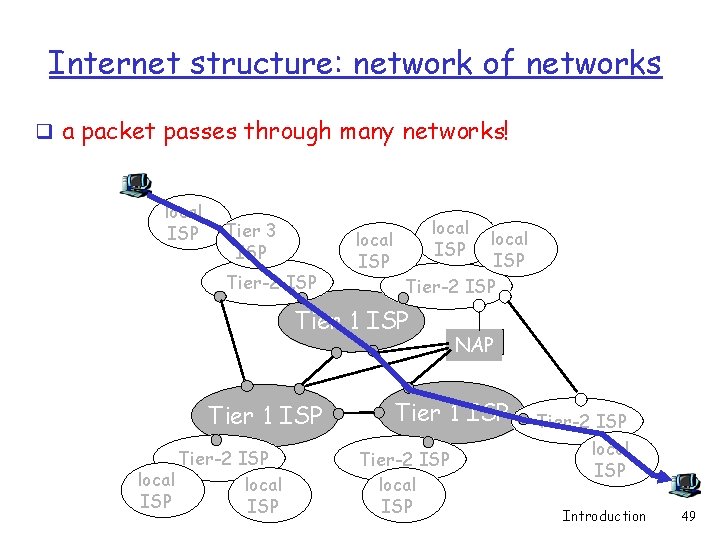
Internet structure: network of networks q a packet passes through many networks! local ISP Tier 3 ISP Tier-2 ISP local ISP Tier-2 ISP Tier 1 ISP Tier-2 ISP local ISP NAP Tier 1 ISP Tier-2 ISP local ISP Introduction 49
Chapter 1: roadmap 1. 1 What is the Internet? 1. 2 Network edge 1. 3 Network core 1. 4 Network access and physical media 1. 5 Internet structure and ISPs 1. 6 Delay & loss in packet-switched networks 1. 7 Protocol layers, service models 1. 8 History Introduction 50
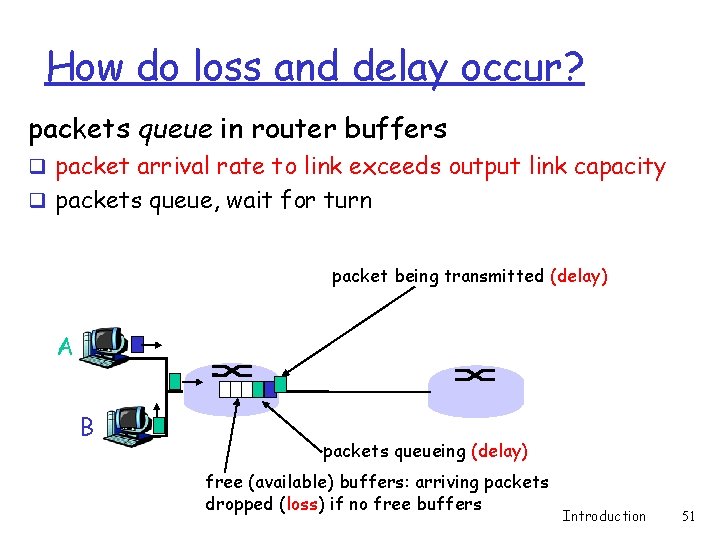
How do loss and delay occur? packets queue in router buffers q packet arrival rate to link exceeds output link capacity q packets queue, wait for turn packet being transmitted (delay) A B packets queueing (delay) free (available) buffers: arriving packets dropped (loss) if no free buffers Introduction 51
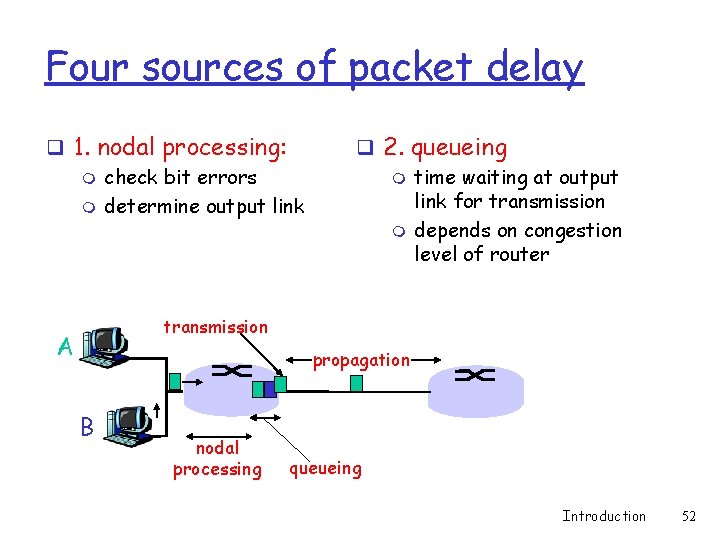
Four sources of packet delay q 1. nodal processing: m check bit errors m determine output link q 2. queueing m time waiting at output link for transmission m depends on congestion level of router transmission A propagation B nodal processing queueing Introduction 52
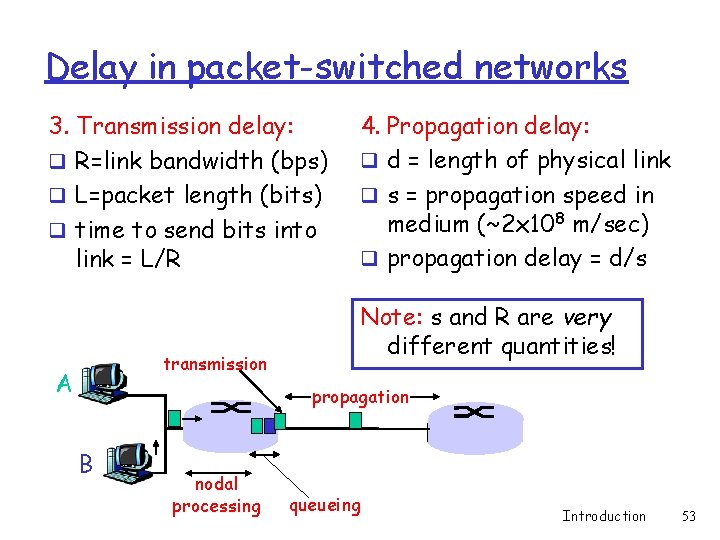
Delay in packet-switched networks 3. Transmission delay: q R=link bandwidth (bps) q L=packet length (bits) q time to send bits into link = L/R transmission A 4. Propagation delay: q d = length of physical link q s = propagation speed in medium (~2 x 10⁸ m/sec) q propagation delay = d/s Note: s and R are very different quantities! propagation B nodal processing queueing Introduction 53
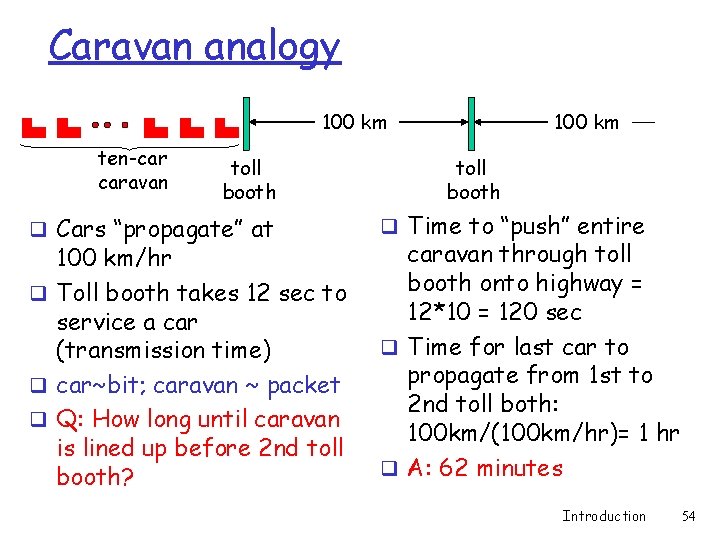
Caravan analogy 100 km ten-car caravan toll booth q Cars “propagate” at 100 km/hr q Toll booth takes 12 sec to service a car (transmission time) q car~bit; caravan ~ packet q Q: How long until caravan is lined up before 2 nd toll booth? 100 km toll booth q Time to “push” entire caravan through toll booth onto highway = 12*10 = 120 sec q Time for last car to propagate from 1 st to 2 nd toll both: 100 km/(100 km/hr)= 1 hr q A: 62 minutes Introduction 54
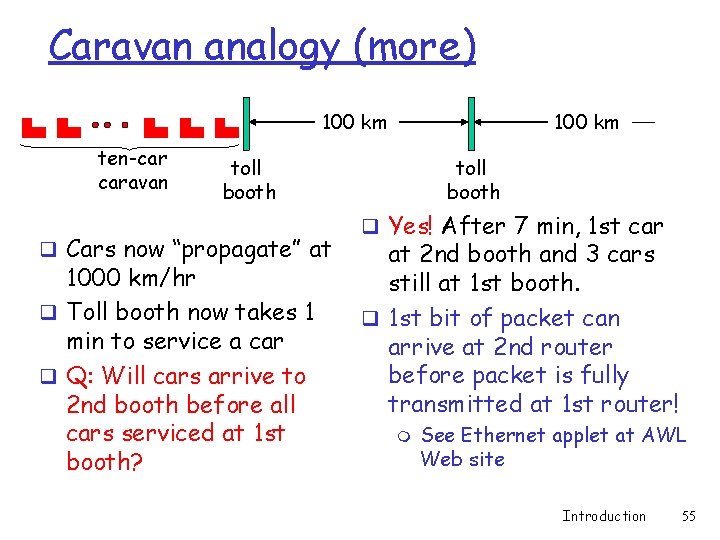
Caravan analogy (more) 100 km ten-car caravan 100 km toll booth q Cars now “propagate” at 1000 km/hr q Toll booth now takes 1 min to service a car q Q: Will cars arrive to 2 nd booth before all cars serviced at 1 st booth? toll booth q Yes! After 7 min, 1 st car at 2 nd booth and 3 cars still at 1 st booth. q 1 st bit of packet can arrive at 2 nd router before packet is fully transmitted at 1 st router! m See Ethernet applet at AWL Web site Introduction 55
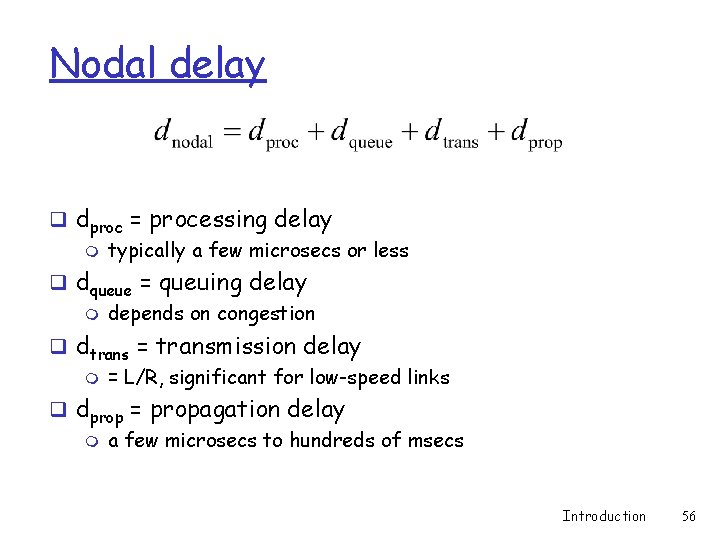
Nodal delay q dproc = processing delay m typically a few microsecs or less q dqueue = queuing delay m depends on congestion q dtrans = transmission delay m = L/R, significant for low-speed links q dprop = propagation delay m a few microsecs to hundreds of msecs Introduction 56
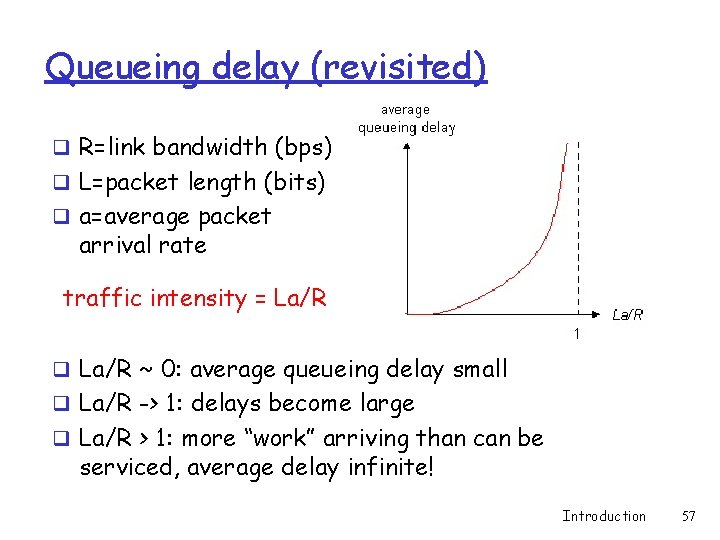
Queueing delay (revisited) q R=link bandwidth (bps) q L=packet length (bits) q a=average packet arrival rate traffic intensity = La/R q La/R ~ 0: average queueing delay small q La/R -> 1: delays become large q La/R > 1: more “work” arriving than can be serviced, average delay infinite! Introduction 57
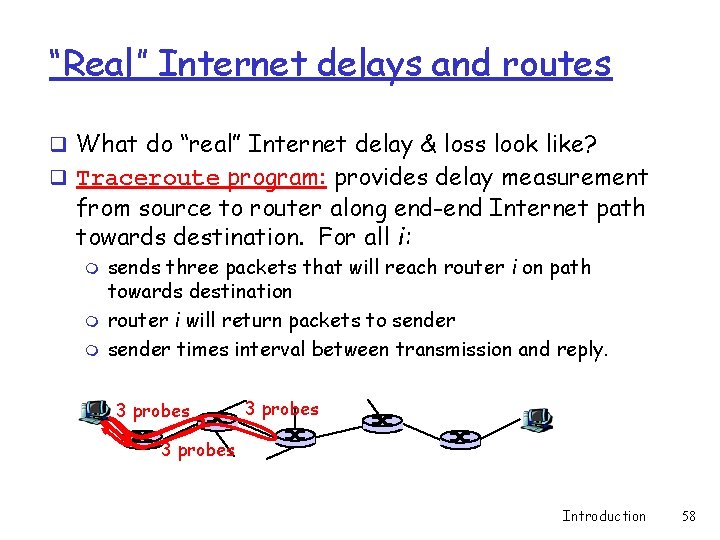
“Real” Internet delays and routes q What do “real” Internet delay & loss look like? q Traceroute program: provides delay measurement from source to router along end-end Internet path towards destination. For all i: m m m sends three packets that will reach router i on path towards destination router i will return packets to sender times interval between transmission and reply. 3 probes Introduction 58
Packet loss q queue (aka buffer) preceding link in buffer has finite capacity q when packet arrives to full queue, packet is dropped (aka lost) q lost packet may be retransmitted by previous node, by source end system, or not retransmitted at all Introduction 59
Chapter 1: roadmap 1. 1 What is the Internet? 1. 2 Network edge 1. 3 Network core 1. 4 Network access and physical media 1. 5 Internet structure and ISPs 1. 6 Delay & loss in packet-switched networks 1. 7 Protocol layers, service models 1. 8 History Introduction 60
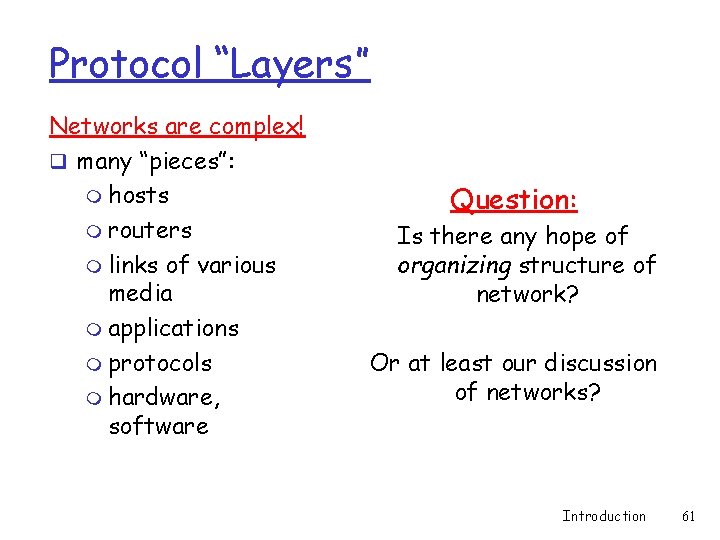
Protocol “Layers” Networks are complex! q many “pieces”: m hosts m routers m links of various media m applications m protocols m hardware, software Question: Is there any hope of organizing structure of network? Or at least our discussion of networks? Introduction 61
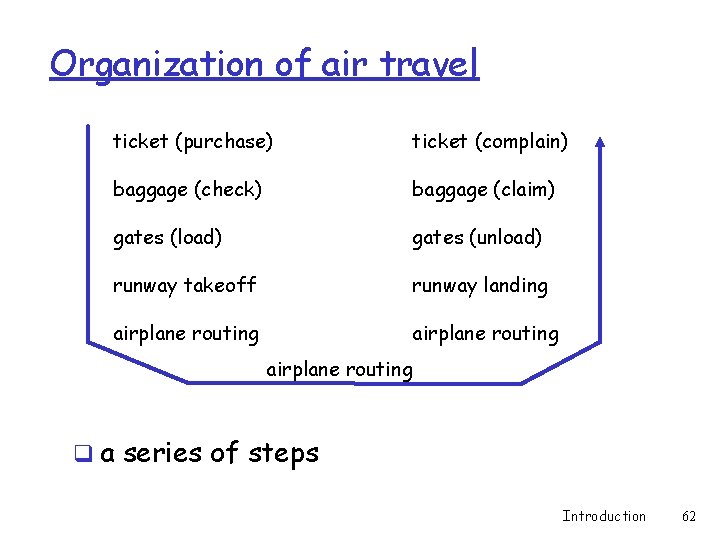
Organization of air travel ticket (purchase) ticket (complain) baggage (check) baggage (claim) gates (load) gates (unload) runway takeoff runway landing airplane routing q a series of steps Introduction 62
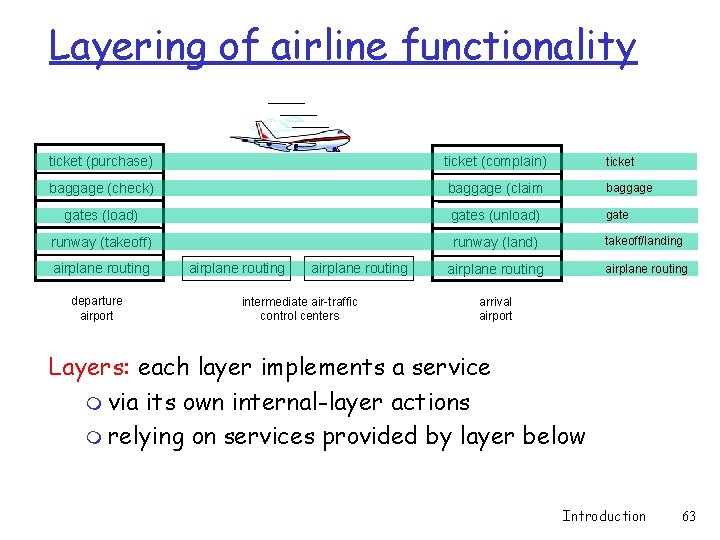
Layering of airline functionality ticket (purchase) ticket (complain) ticket baggage (check) baggage (claim baggage gates (load) gates (unload) gate runway (takeoff) runway (land) takeoff/landing airplane routing departure airport airplane routing intermediate air-traffic control centers arrival airport Layers: each layer implements a service m via its own internal-layer actions m relying on services provided by layer below Introduction 63
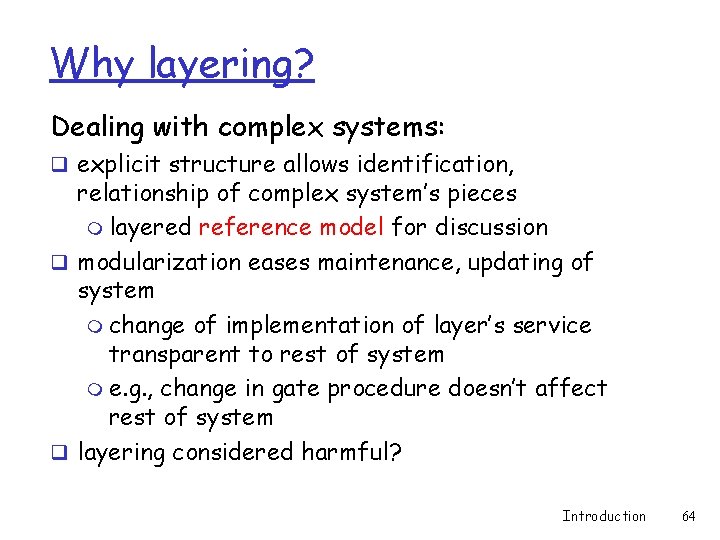
Why layering? Dealing with complex systems: q explicit structure allows identification, relationship of complex system’s pieces m layered reference model for discussion q modularization eases maintenance, updating of system m change of implementation of layer’s service transparent to rest of system m e. g. , change in gate procedure doesn’t affect rest of system q layering considered harmful? Introduction 64
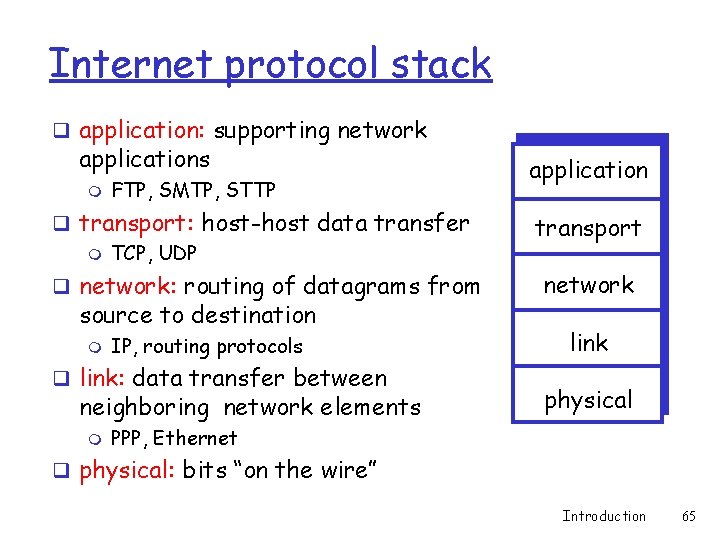
Internet protocol stack q application: supporting network applications m FTP, SMTP, STTP application q transport: host-host data transfer m TCP, UDP transport q network: routing of datagrams from network source to destination m IP, routing protocols q link: data transfer between neighboring network elements m link physical PPP, Ethernet q physical: bits “on the wire” Introduction 65
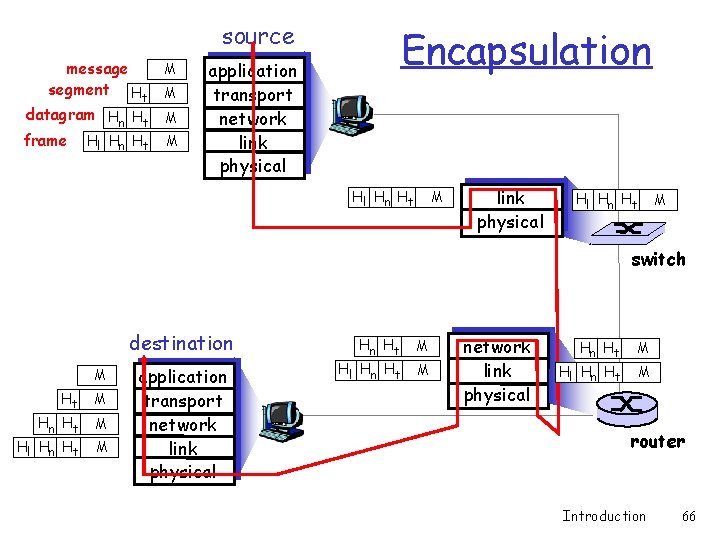
source message segment Ht datagram Hn Ht frame Hl Hn Ht M M Encapsulation application transport network link physical Hl Hn Ht M switch destination M Ht M Hn Ht Hl Hn Ht M M application transport network link physical Hn Ht Hl Hn Ht M M router Introduction 66
Chapter 1: roadmap 1. 1 What is the Internet? 1. 2 Network edge 1. 3 Network core 1. 4 Network access and physical media 1. 5 Internet structure and ISPs 1. 6 Delay & loss in packet-switched networks 1. 7 Protocol layers, service models 1. 8 History Introduction 67
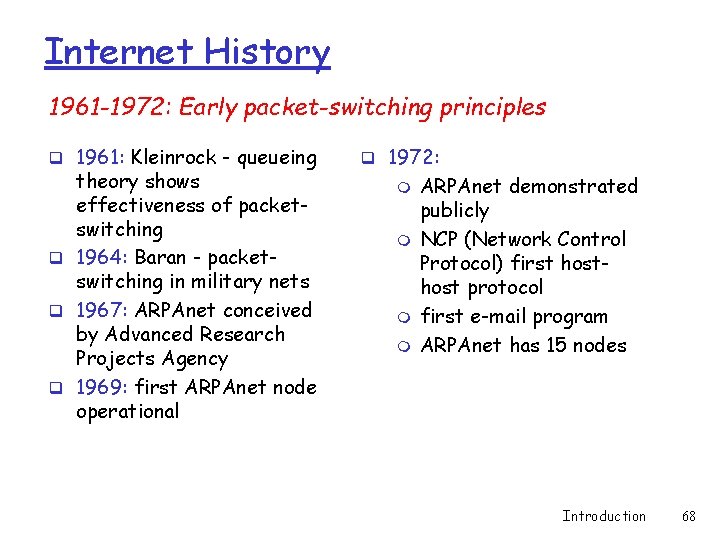
Internet History 1961 -1972: Early packet-switching principles q 1961: Kleinrock - queueing theory shows effectiveness of packetswitching q 1964: Baran - packetswitching in military nets q 1967: ARPAnet conceived by Advanced Research Projects Agency q 1969: first ARPAnet node operational q 1972: m m ARPAnet demonstrated publicly NCP (Network Control Protocol) first host protocol first e-mail program ARPAnet has 15 nodes Introduction 68
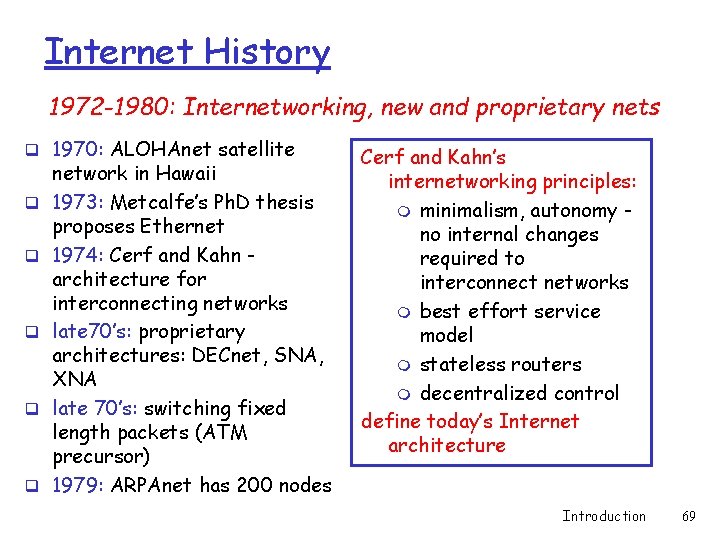
Internet History 1972 -1980: Internetworking, new and proprietary nets q 1970: ALOHAnet satellite q q q network in Hawaii 1973: Metcalfe’s Ph. D thesis proposes Ethernet 1974: Cerf and Kahn architecture for interconnecting networks late 70’s: proprietary architectures: DECnet, SNA, XNA late 70’s: switching fixed length packets (ATM precursor) 1979: ARPAnet has 200 nodes Cerf and Kahn’s internetworking principles: m minimalism, autonomy no internal changes required to interconnect networks m best effort service model m stateless routers m decentralized control define today’s Internet architecture Introduction 69
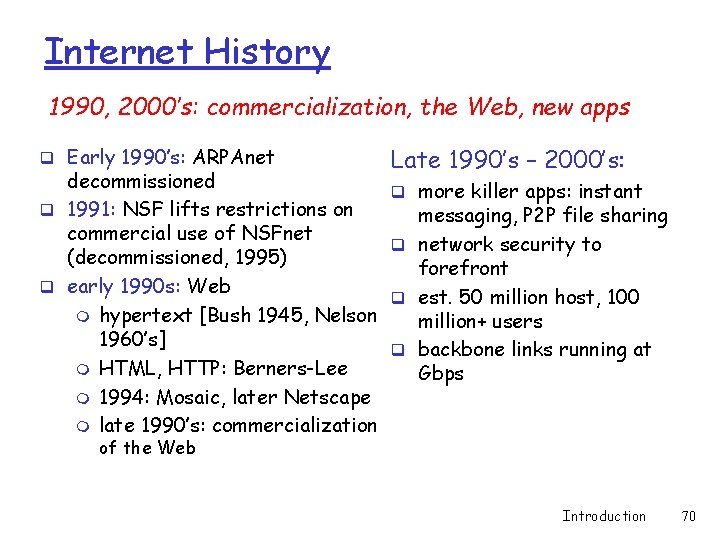
Internet History 1990, 2000’s: commercialization, the Web, new apps q Early 1990’s: ARPAnet decommissioned q 1991: NSF lifts restrictions on commercial use of NSFnet (decommissioned, 1995) q early 1990 s: Web m hypertext [Bush 1945, Nelson 1960’s] m HTML, HTTP: Berners-Lee m 1994: Mosaic, later Netscape m late 1990’s: commercialization Late 1990’s – 2000’s: q more killer apps: instant messaging, P 2 P file sharing q network security to forefront q est. 50 million host, 100 million+ users q backbone links running at Gbps of the Web Introduction 70
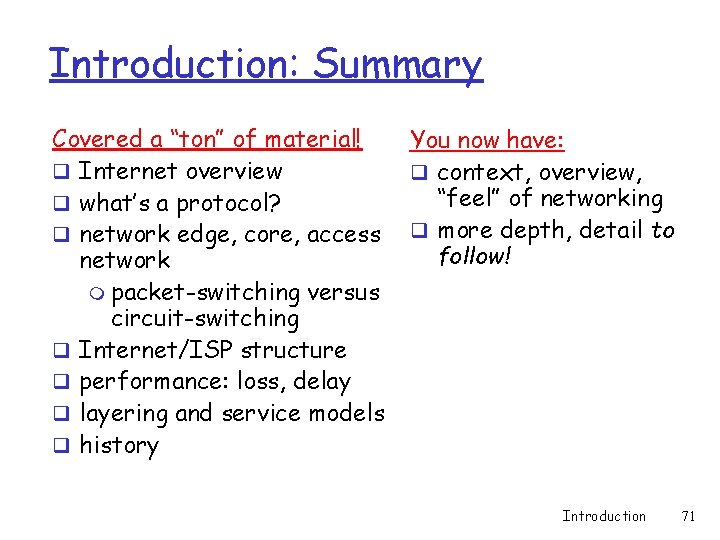
Introduction: Summary Covered a “ton” of material! q Internet overview q what’s a protocol? q network edge, core, access network m packet-switching versus circuit-switching q Internet/ISP structure q performance: loss, delay q layering and service models q history You now have: q context, overview, “feel” of networking q more depth, detail to follow! Introduction 71