
Wireless sensor networks http www eecs harvard edu
- Slides: 39
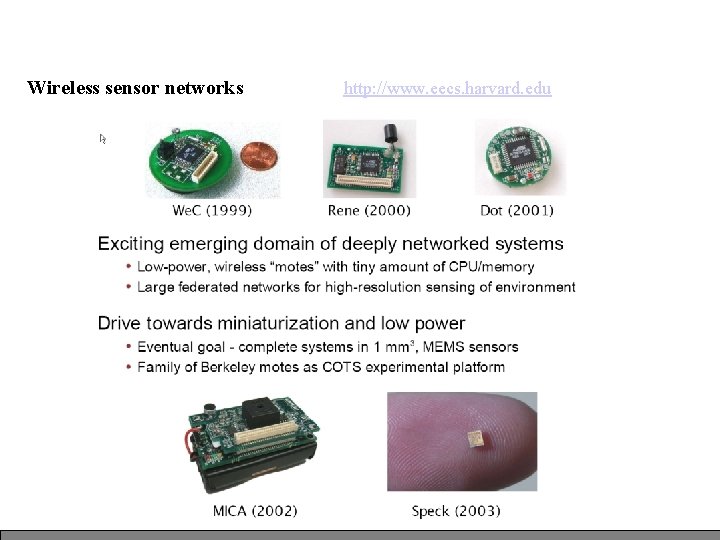
Wireless sensor networks http: //www. eecs. harvard. edu
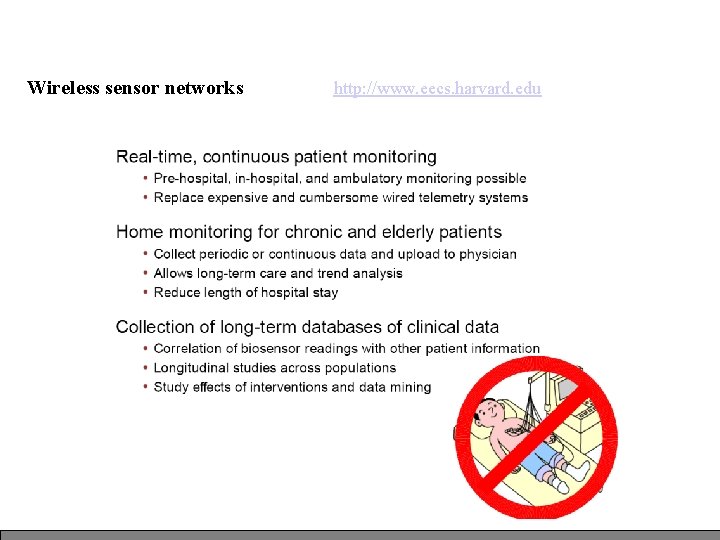
Wireless sensor networks http: //www. eecs. harvard. edu
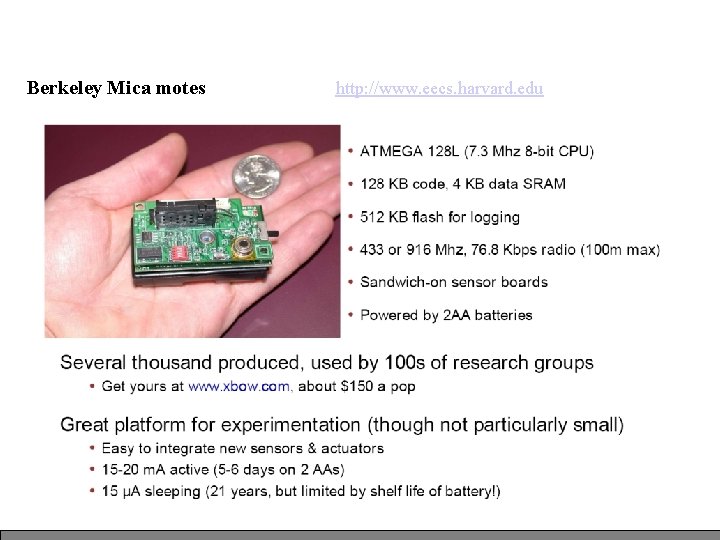
Berkeley Mica motes http: //www. eecs. harvard. edu
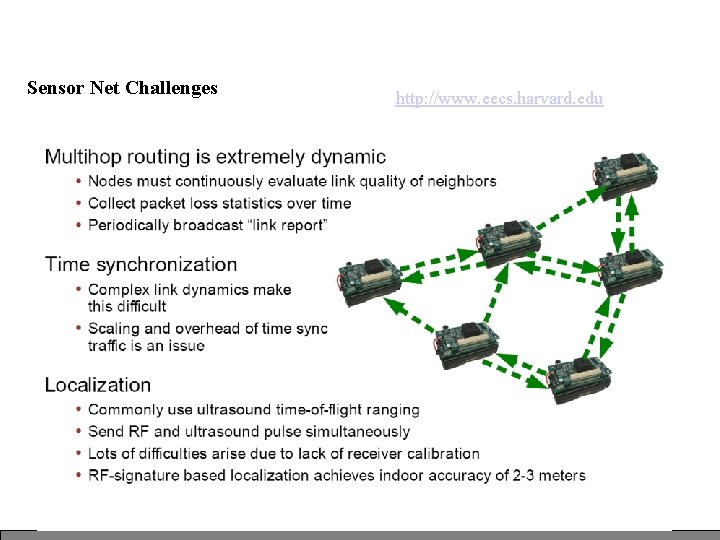
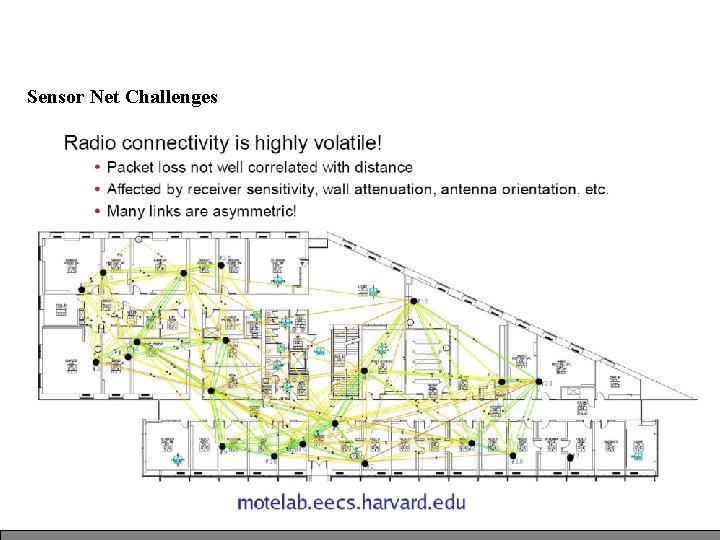
Sensor Net Challenges http: //www. eecs. harvard. edu
Sensor Net Challenges
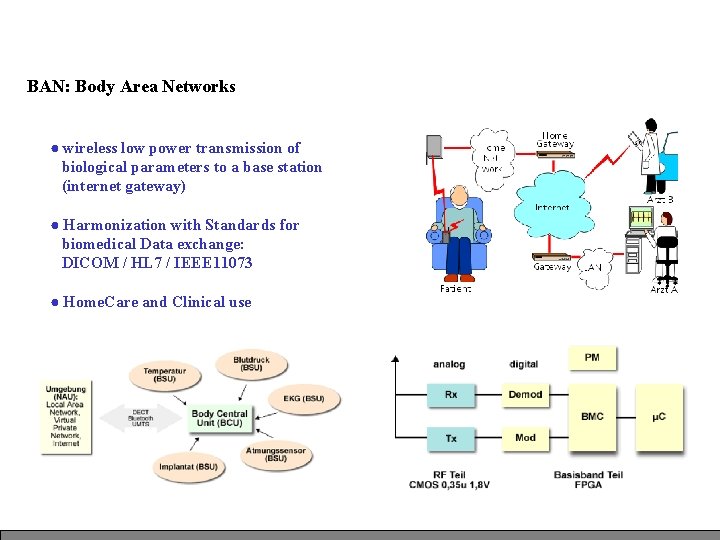
BAN: Body Area Networks ● wireless low power transmission of biological parameters to a base station (internet gateway) ● Harmonization with Standards for biomedical Data exchange: DICOM / HL 7 / IEEE 11073 ● Home. Care and Clinical use
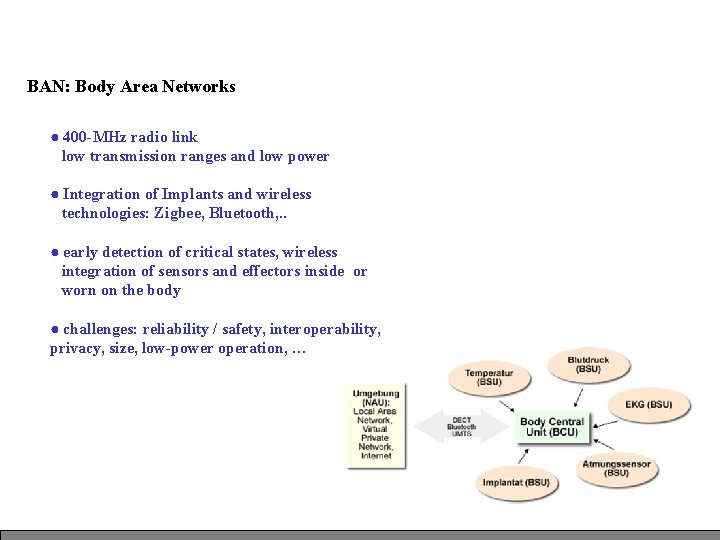
BAN: Body Area Networks ● 400 -MHz radio link low transmission ranges and low power ● Integration of Implants and wireless technologies: Zigbee, Bluetooth, . . ● early detection of critical states, wireless integration of sensors and effectors inside or worn on the body ● challenges: reliability / safety, interoperability, privacy, size, low-power operation, …
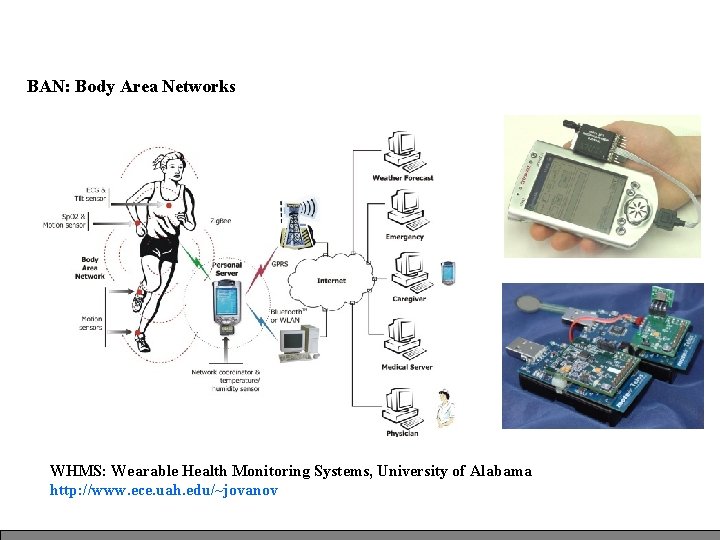
BAN: Body Area Networks WHMS: Wearable Health Monitoring Systems, University of Alabama http: //www. ece. uah. edu/~jovanov
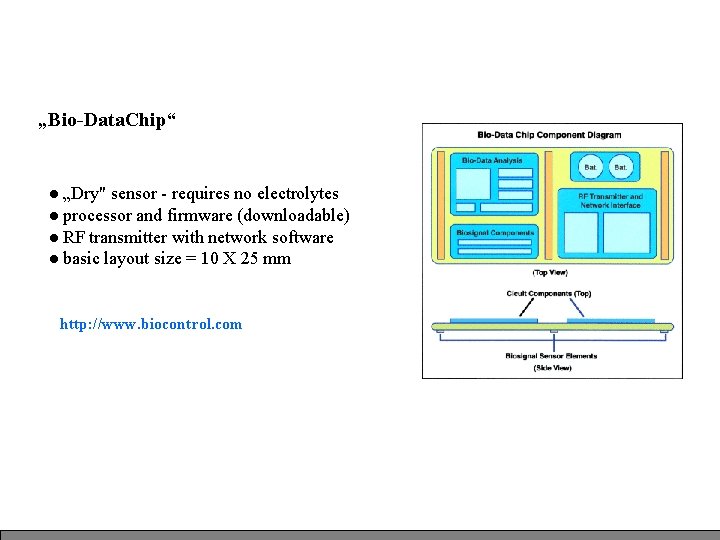
„Bio-Data. Chip“ ● „Dry" sensor - requires no electrolytes ● processor and firmware (downloadable) ● RF transmitter with network software ● basic layout size = 10 X 25 mm http: //www. biocontrol. com
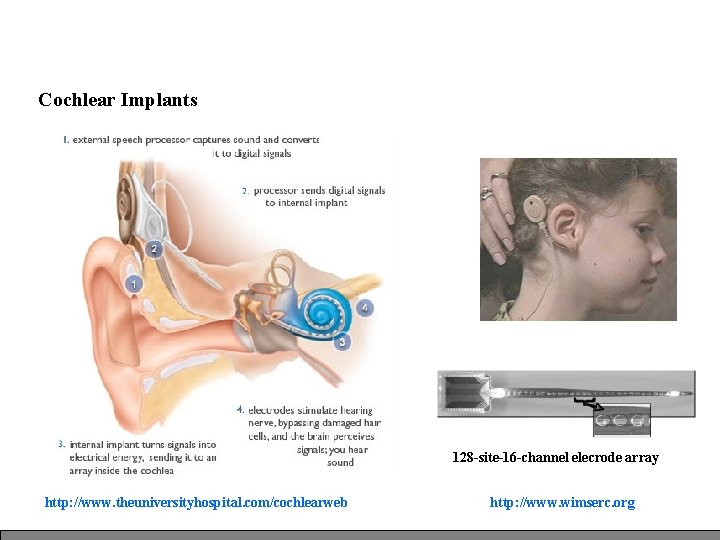
Cochlear Implants 128 -site-16 -channel elecrode array http: //www. theuniversityhospital. com/cochlearweb http: //www. wimserc. org
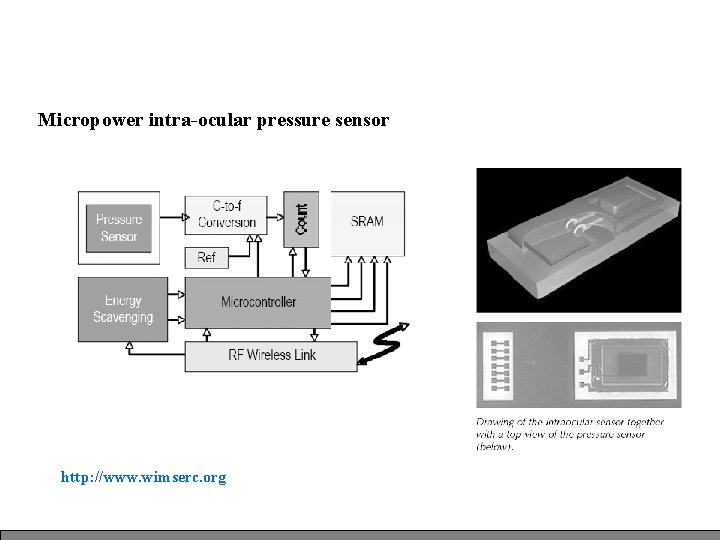
Micropower intra-ocular pressure sensor http: //www. wimserc. org
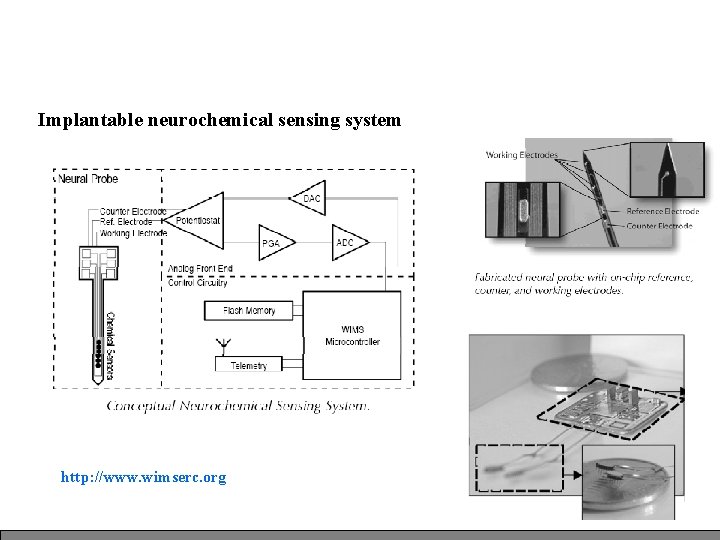
Implantable neurochemical sensing system http: //www. wimserc. org
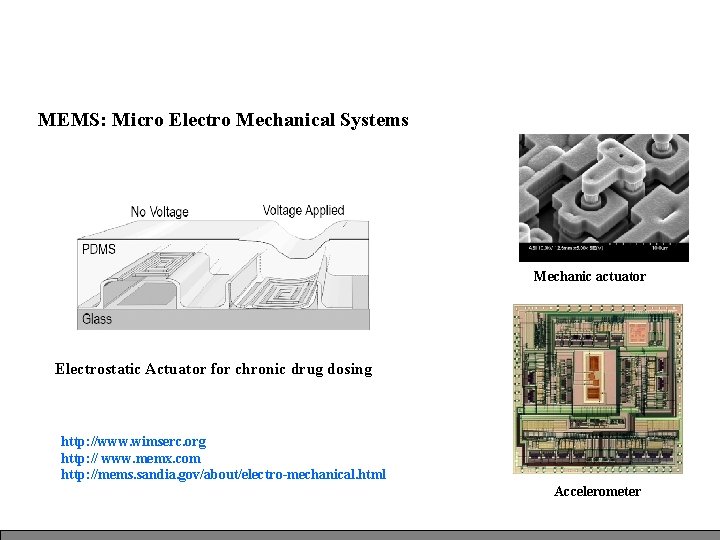
MEMS: Micro Electro Mechanical Systems Mechanic actuator Electrostatic Actuator for chronic drug dosing http: //www. wimserc. org http: // www. memx. com http: //mems. sandia. gov/about/electro-mechanical. html Accelerometer
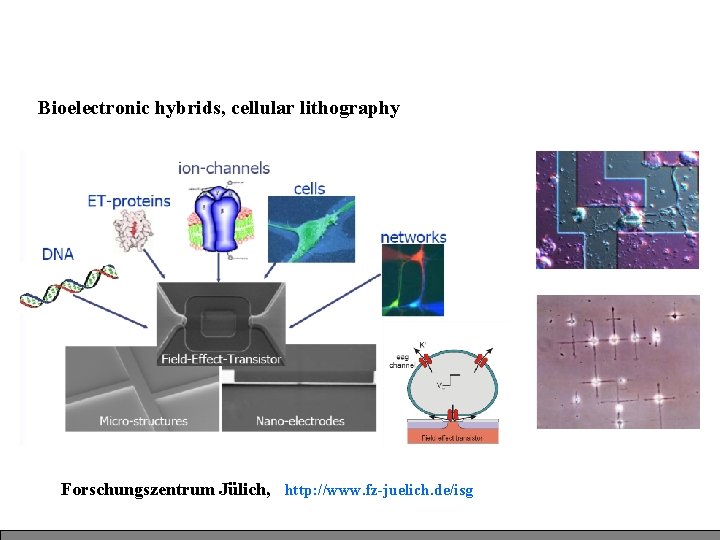
Bioelectronic hybrids, cellular lithography Forschungszentrum Jülich, http: //www. fz-juelich. de/isg
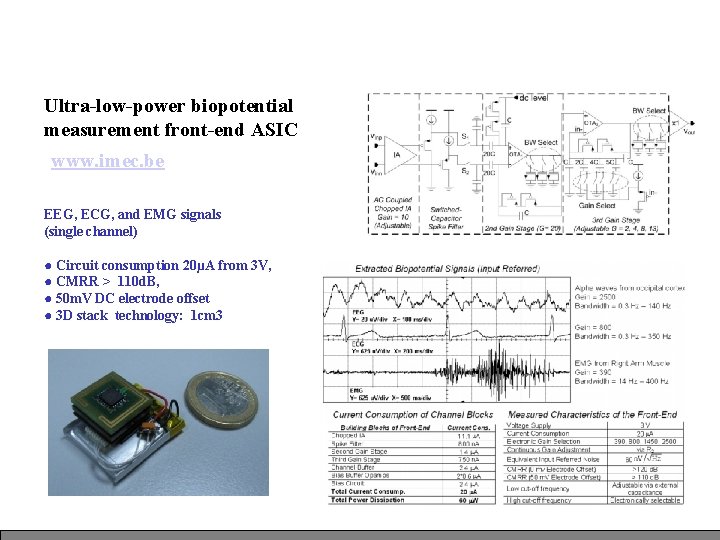
Ultra-low-power biopotential measurement front-end ASIC www. imec. be EEG, ECG, and EMG signals (single channel) ● Circuit consumption 20µA from 3 V, ● CMRR > 110 d. B, ● 50 m. V DC electrode offset ● 3 D stack technology: 1 cm 3
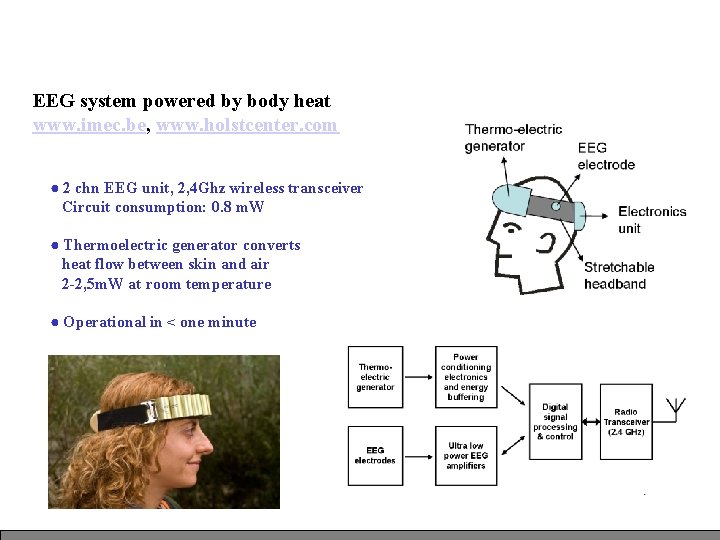
EEG system powered by body heat www. imec. be, www. holstcenter. com ● 2 chn EEG unit, 2, 4 Ghz wireless transceiver Circuit consumption: 0. 8 m. W ● Thermoelectric generator converts heat flow between skin and air 2 -2, 5 m. W at room temperature ● Operational in < one minute
In a medical Context: Dependability and Fault Tolerance are major issues. ● Failsafe: safe state after failure ● Fault recovery: normal operation can be restored ● Gracefully Degradation: system continues (restricted) work MTBF Mean Time Between Failure Environment conditions / Materials Redundant Hardware / Software makes sense here !
System Design and Integration: ● Hardware Selection for Development / Production ● Hardware and Software Co - Development ● System Modelling and Simulation, UML The earlier a design bug is found, the better !
History of Microprocessors • 1950 s - The beginning of the digital era and electronic computing • 1969 – Intel is a small startup company in Santa Clara with 12 employees – Fairchild, Motorola are large semiconductor companies; HP and Busicom make calculators • 1971 – Intel makes first microprocessor the 4 -bit 4004 series for Busicom calculators • 1972 – Intel makes the 8008 series, an 8 -bit microprocessor, – ATARI is a startup company – Creates a gaming console and releases PONG 19
History of Microprocessors • 1974 – the first real useful 8 -bit microprocessor is released by Intel – the 8080 – Motorola introduces the 6800 series – Zilog has the Z 80 • 1975 – GM and Ford begin to put microcontrollers in cars – Many cars today have over 100 microcontrollers – TI gets into the microprocessor business with calculators and digital watches • 1977 – Apple II is released using MOS 6502 (similar to motorola 6800). Apple II dominated from 1977 to 1983 • 1978 – Intel introduces the first 16 -bit processor, the 8086 – Motorola follows with the 68000 which is ultimately used in the first Apple Macintosh 20
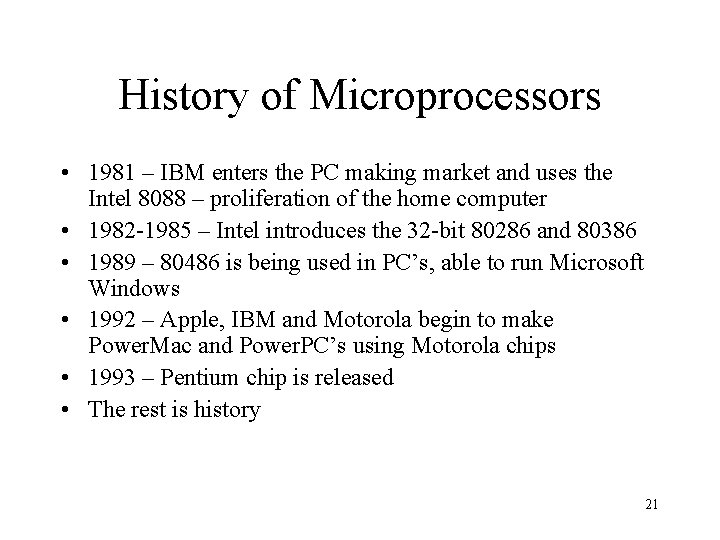
History of Microprocessors • 1981 – IBM enters the PC making market and uses the Intel 8088 – proliferation of the home computer • 1982 -1985 – Intel introduces the 32 -bit 80286 and 80386 • 1989 – 80486 is being used in PC’s, able to run Microsoft Windows • 1992 – Apple, IBM and Motorola begin to make Power. Mac and Power. PC’s using Motorola chips • 1993 – Pentium chip is released • The rest is history 21
Discussion • • What are some components of a computer? What is a Microprocessor? A Microcontroller? An Embedded System? 22
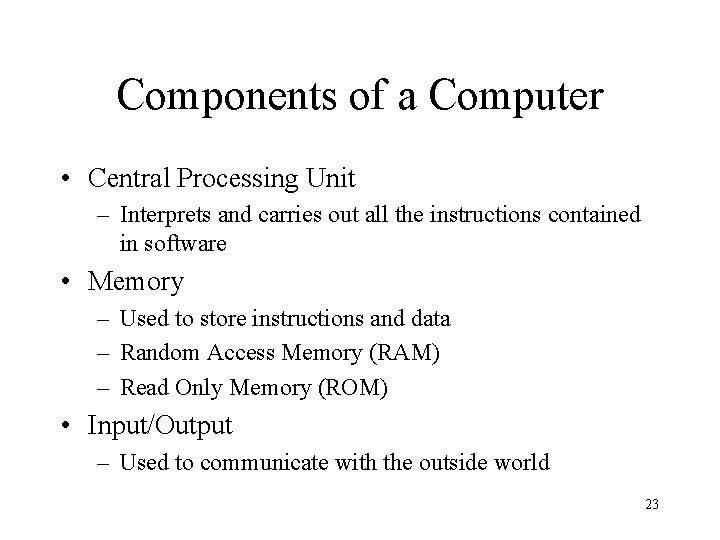
Components of a Computer • Central Processing Unit – Interprets and carries out all the instructions contained in software • Memory – Used to store instructions and data – Random Access Memory (RAM) – Read Only Memory (ROM) • Input/Output – Used to communicate with the outside world 23
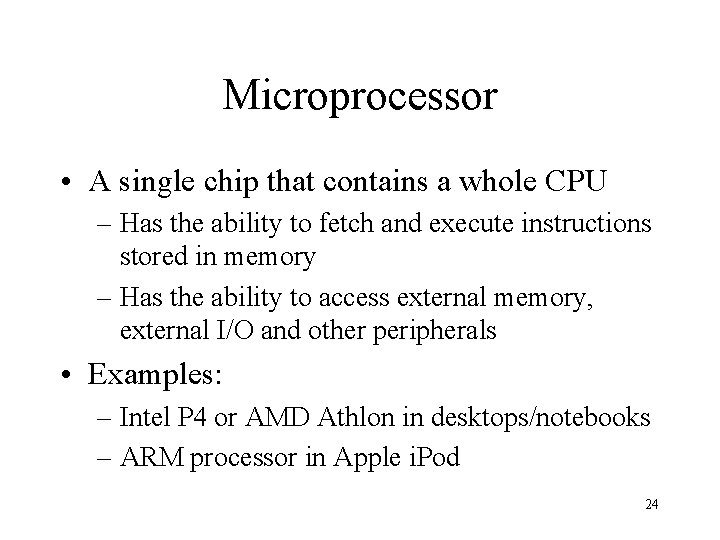
Microprocessor • A single chip that contains a whole CPU – Has the ability to fetch and execute instructions stored in memory – Has the ability to access external memory, external I/O and other peripherals • Examples: – Intel P 4 or AMD Athlon in desktops/notebooks – ARM processor in Apple i. Pod 24
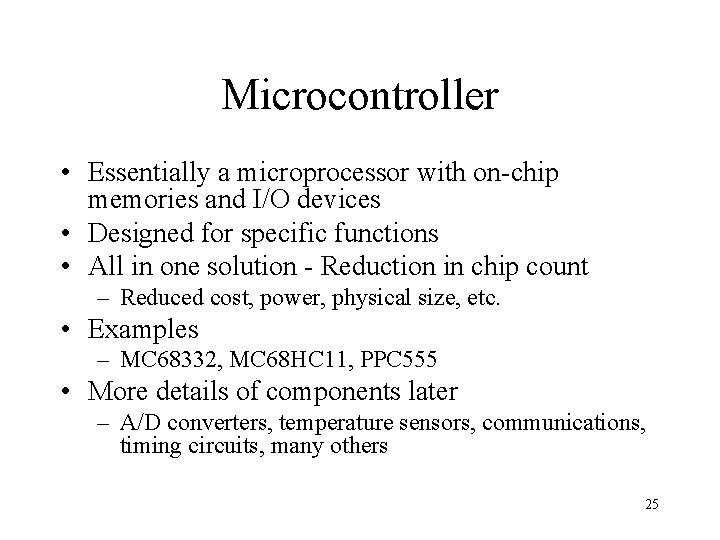
Microcontroller • Essentially a microprocessor with on-chip memories and I/O devices • Designed for specific functions • All in one solution - Reduction in chip count – Reduced cost, power, physical size, etc. • Examples – MC 68332, MC 68 HC 11, PPC 555 • More details of components later – A/D converters, temperature sensors, communications, timing circuits, many others 25
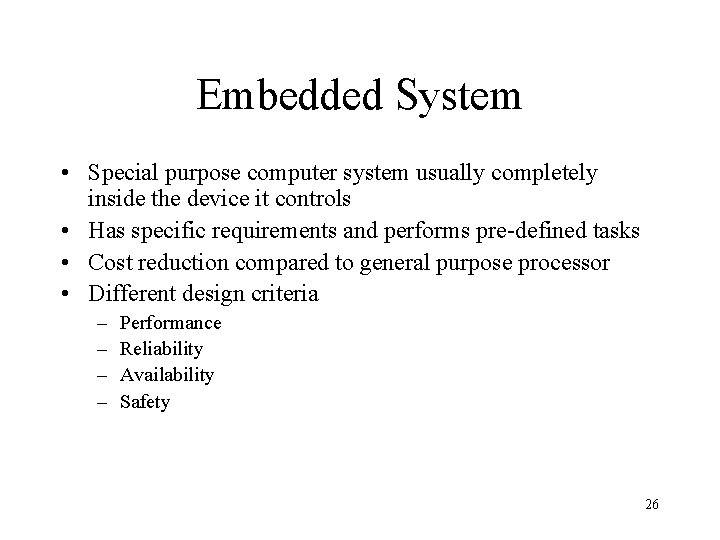
Embedded System • Special purpose computer system usually completely inside the device it controls • Has specific requirements and performs pre-defined tasks • Cost reduction compared to general purpose processor • Different design criteria – – Performance Reliability Availability Safety 26
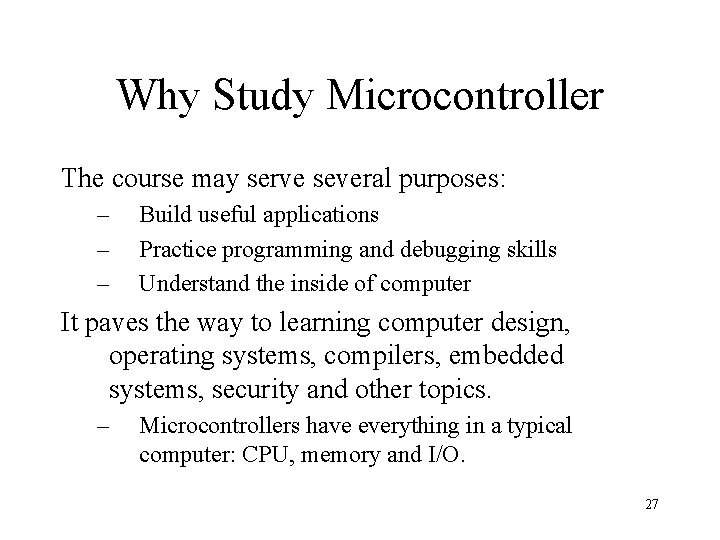
Why Study Microcontroller The course may serve several purposes: – – – Build useful applications Practice programming and debugging skills Understand the inside of computer It paves the way to learning computer design, operating systems, compilers, embedded systems, security and other topics. – Microcontrollers have everything in a typical computer: CPU, memory and I/O. 27
The 8051 Microcontroller and Embedded Systems CHAPTER 0 INTRODUCTION TO COMPUTING 28
The 8051 Microcontroller and Embedded Systems CHAPTER 1 THE 8051 MICROCONTROLLERS 29
The 8051 Microcontroller and Embedded Systems CHAPTER 2 8051 ASSEMBLY LANGUAGE PROGRAMMING 30
The 8051 Microcontroller and Embedded Systems CHAPTER 4 I/O PORT PROGRAMMING 31
The 8051 Microcontroller and Embedded Systems CHAPTER 5 8051 ADDRESSING MODES
The 8051 Microcontroller and Embedded Systems CHAPTER 6 ARITHMETIC, LOGIC INSTRUCTIONS, AND PROGRAMS 33
The 8051 Microcontroller and Embedded Systems CHAPTER 8 8051 HARDWARE CONNECTION AND INTEL HEX FILE 34
The 8051 Microcontroller and Embedded Systems CHAPTER 8 8051 HARDWARE CONNECTION AND INTEL HEX FILE 35
The 8051 Microcontroller and Embedded Systems CHAPTER 9 8051 TIMER PROGRAMMING IN ASSEMBLY 36
The 8051 Microcontroller and Embedded Systems CHAPTER 9 8051 TIMER PROGRAMMING IN ASSEMBLY 37
The 8051 Microcontroller and Embedded Systems CHAPTER 10 8051 SERIAL PORT PROGRAMMING IN ASSEMBLY 38
The 8051 Microcontroller and Embedded Systems CHAPTER 11 INTERRUPTS PROGRAMMING IN ASSEMBLY 39