Using Naviance at Rochester City School District RCSD



- Slides: 31
Using Naviance at Rochester City School District
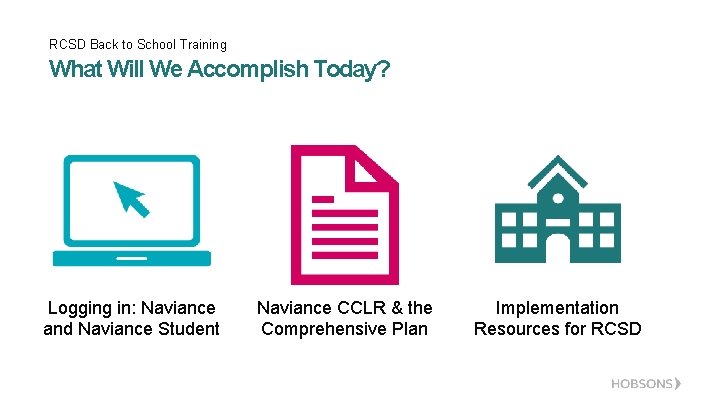
RCSD Back to School Training What Will We Accomplish Today? Logging in: Naviance and Naviance Student Naviance CCLR & the Comprehensive Plan Implementation Resources for RCSD
Student Log In Process
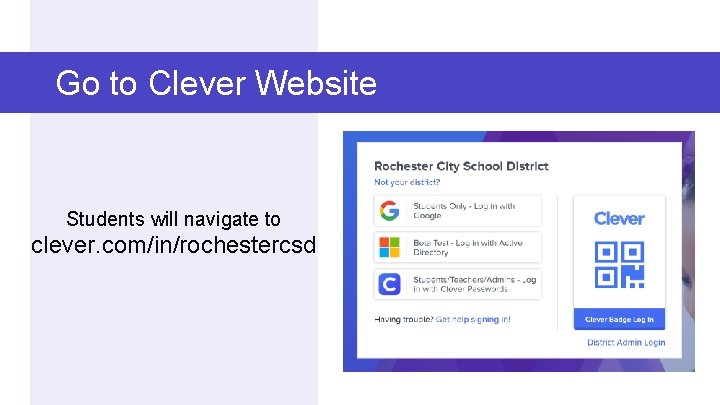
Go to Clever Website Students will navigate to clever. com/in/rochestercsd
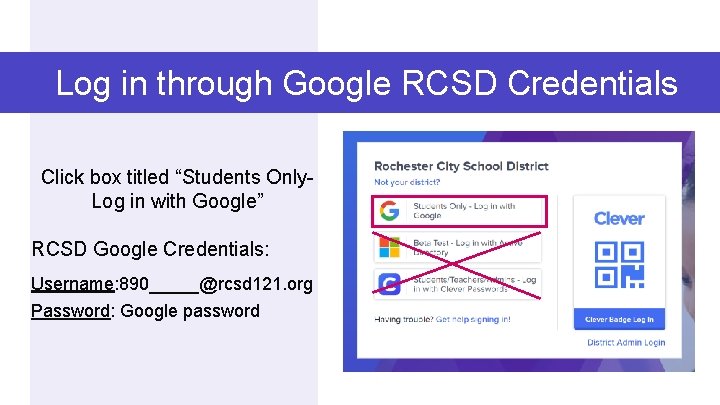
Log in through Google RCSD Credentials Click box titled “Students Only. Log in with Google” RCSD Google Credentials: Username: 890_____@rcsd 121. org Password: Google password
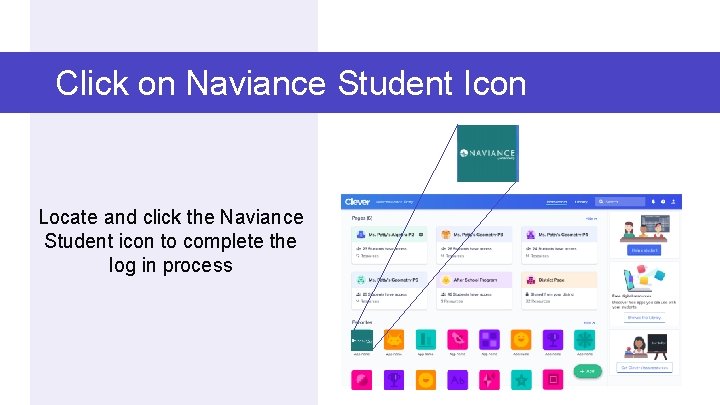
Click on Naviance Student Icon Locate and click the Naviance Student icon to complete the log in process
Staff Log In Process
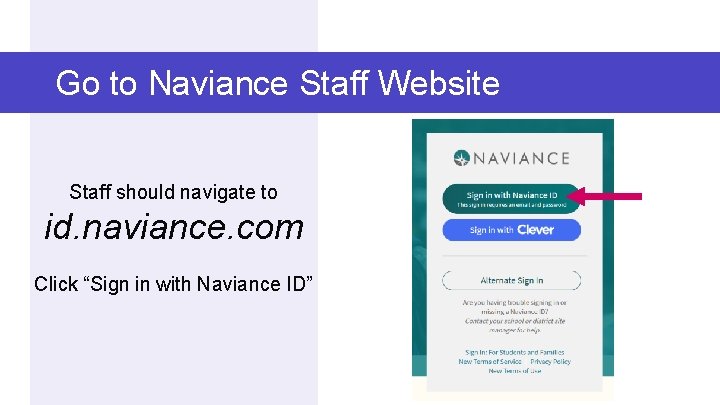
Go to Naviance Staff Website Staff should navigate to id. naviance. com Click “Sign in with Naviance ID”
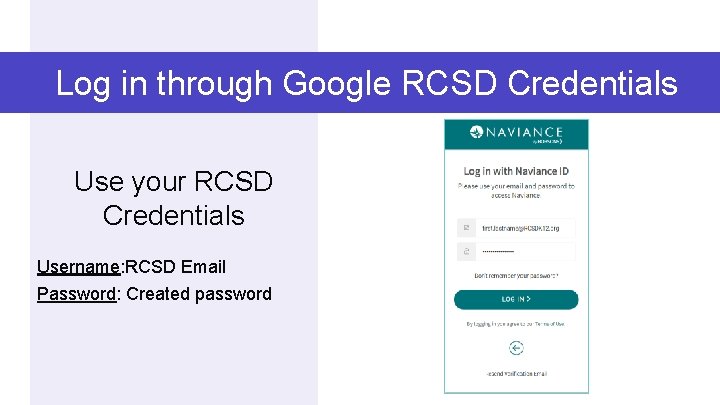
Log in through Google RCSD Credentials Use your RCSD Credentials Username: RCSD Email Password: Created password
Integrating the Naviance CCLR Guide
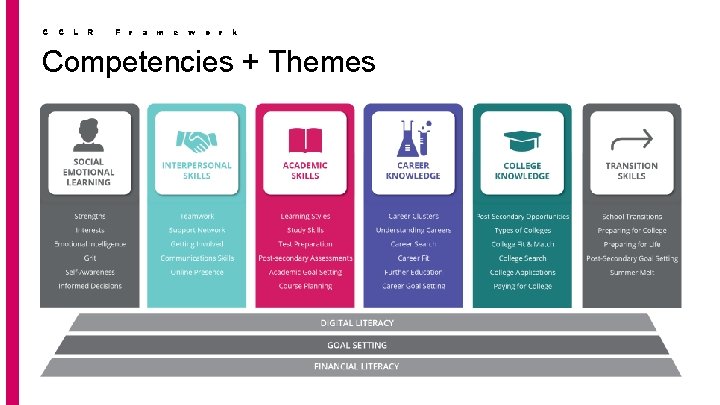
C C L R F r a m e w o r k Competencies + Themes
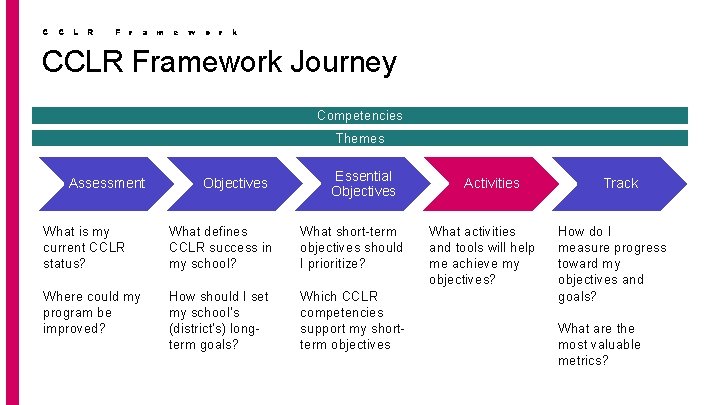
C C L R F r a m e w o r k CCLR Framework Journey Competencies Themes Assessment Objectives Essential Objectives What is my current CCLR status? What defines CCLR success in my school? What short-term objectives should I prioritize? Where could my program be improved? How should I set my school’s (district’s) longterm goals? Which CCLR competencies support my shortterm objectives Activities What activities and tools will help me achieve my objectives? Track How do I measure progress toward my objectives and goals? What are the most valuable metrics?
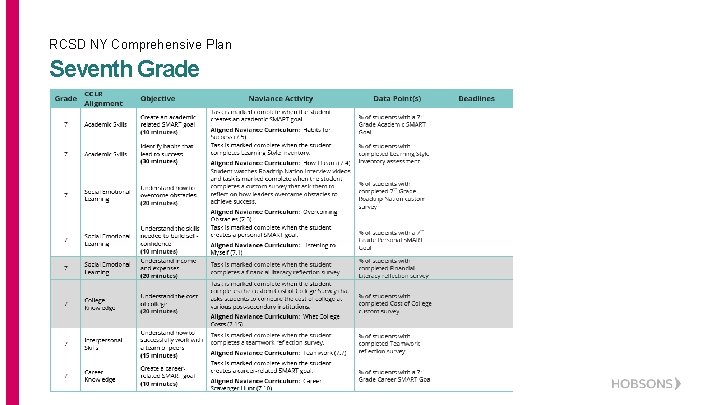
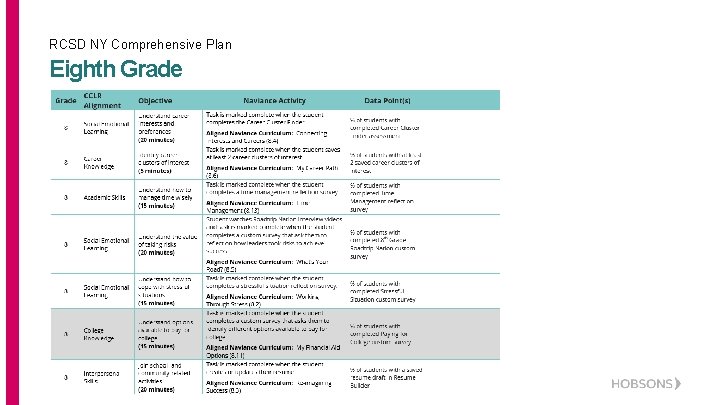
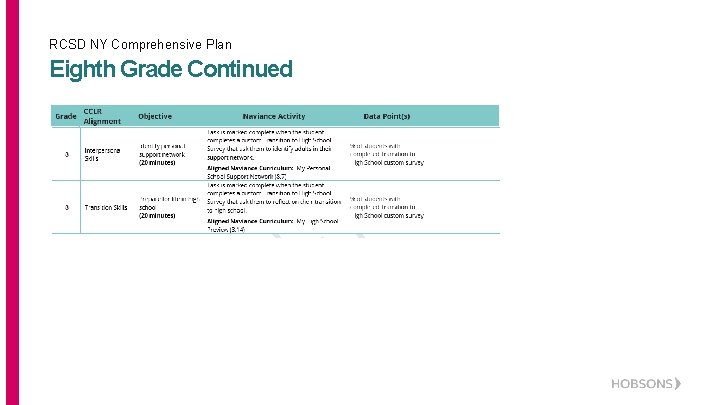
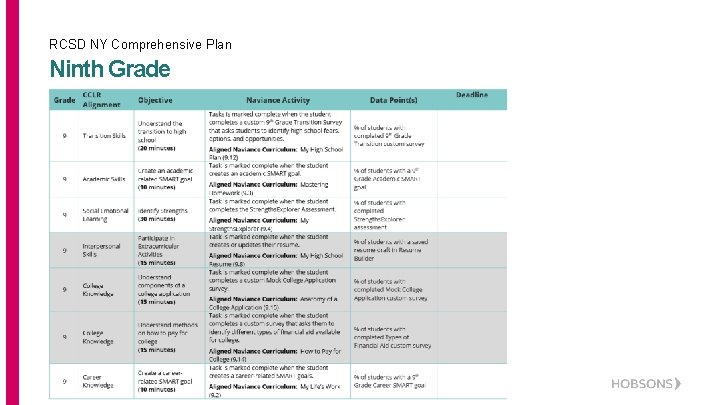
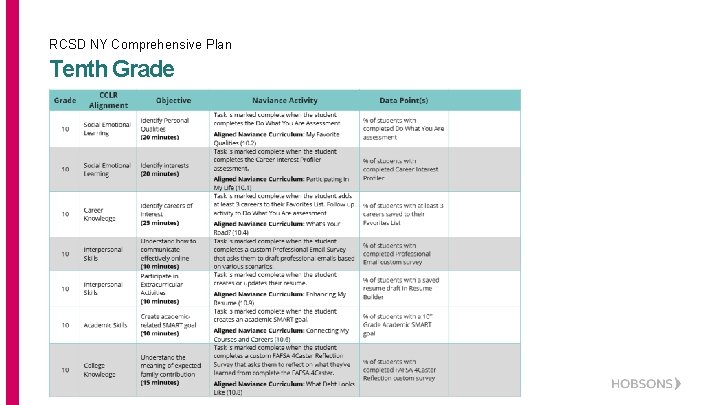
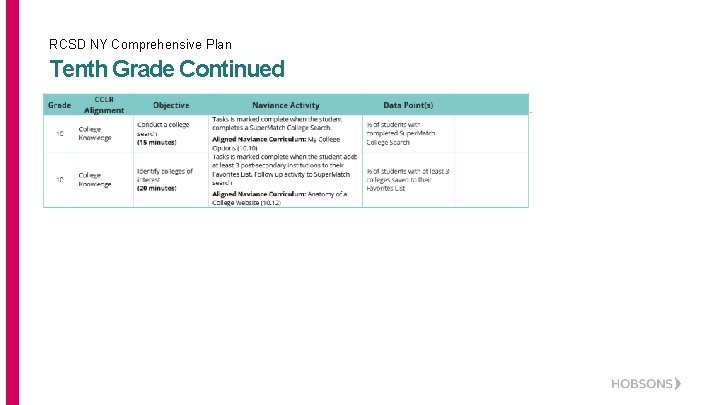
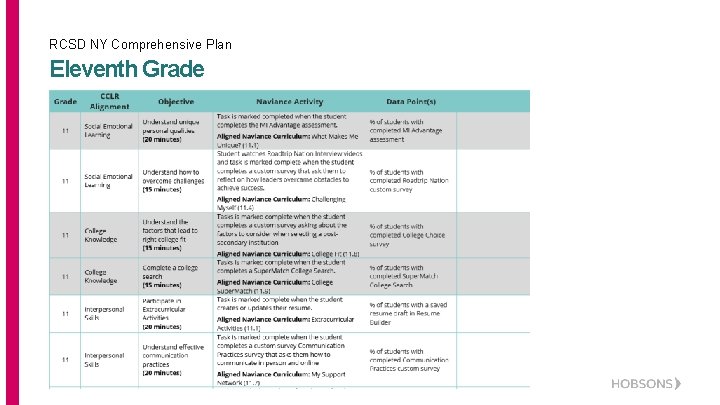
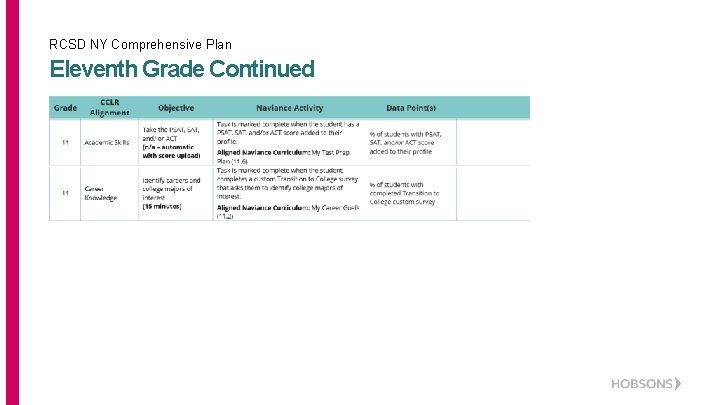
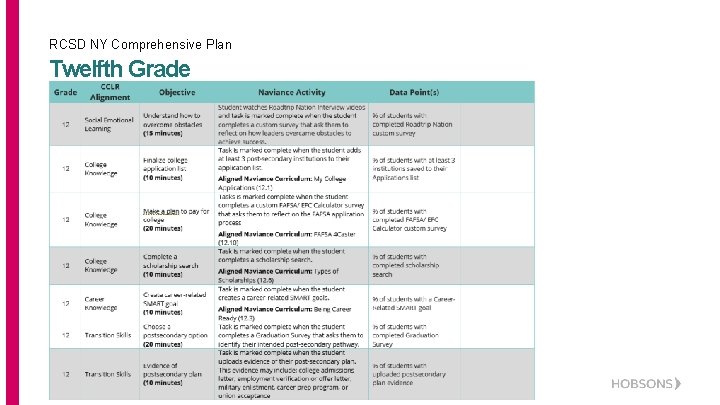
Putting it Together Now that you know more about what Naviance does and how we hope to integrate the Career, College, and Life Readiness (CCLR) Guide into your Naviance usage, it is time to plan for next steps. Rochester City School District leadership used their main goals and the goals outlined in the NY Comprehensive Plan to outline key performance indicators (KPIs) for each grade level. Those KPIs and the Naviance CCLR Framework have been used to align Naviance Student tasks to reach the goals you have set for your students, for each grade level. This has created the RCSD NY Comprehensive Plan.
RCSD NY Comprehensive Plan Seventh Grade
RCSD NY Comprehensive Plan Eighth Grade
RCSD NY Comprehensive Plan Eighth Grade Continued
RCSD NY Comprehensive Plan Ninth Grade
RCSD NY Comprehensive Plan Tenth Grade
RCSD NY Comprehensive Plan Tenth Grade Continued
RCSD NY Comprehensive Plan Eleventh Grade
RCSD NY Comprehensive Plan Eleventh Grade Continued
RCSD NY Comprehensive Plan Twelfth Grade
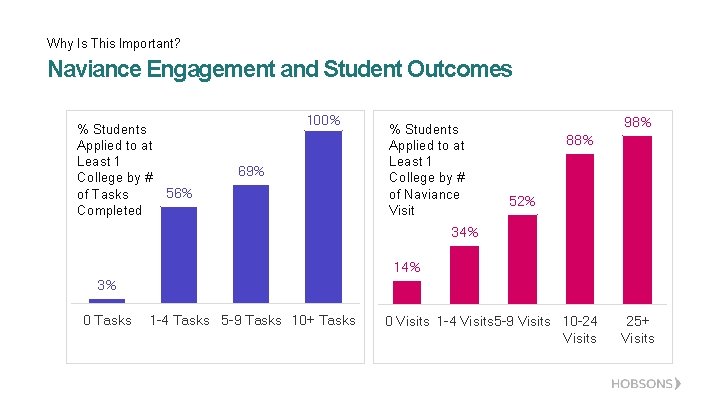
Why Is This Important? Naviance Engagement and Student Outcomes % Students Applied to at Least 1 College by # 56% of Tasks Completed 100% 69% % Students Applied to at Least 1 College by # of Naviance Visit 98% 88% 52% 34% 14% 3% 0 Tasks 1 -4 Tasks 5 -9 Tasks 10+ Tasks 0 Visits 1 -4 Visits 5 -9 Visits 10 -24 Visits 25+ Visits
Resources for Completing Naviance
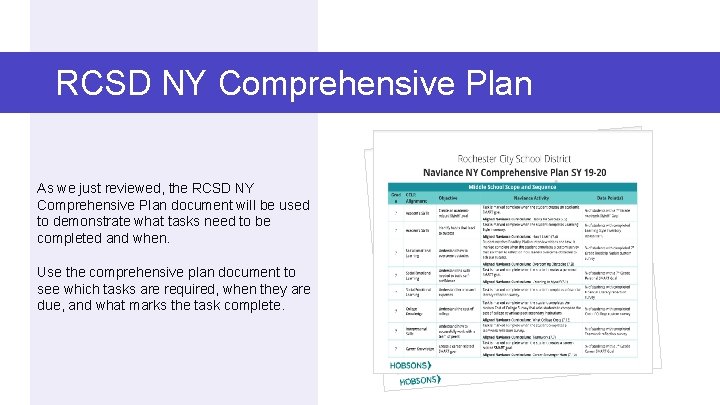
RCSD NY Comprehensive Plan As we just reviewed, the RCSD NY Comprehensive Plan document will be used to demonstrate what tasks need to be completed and when. Use the comprehensive plan document to see which tasks are required, when they are due, and what marks the task complete.
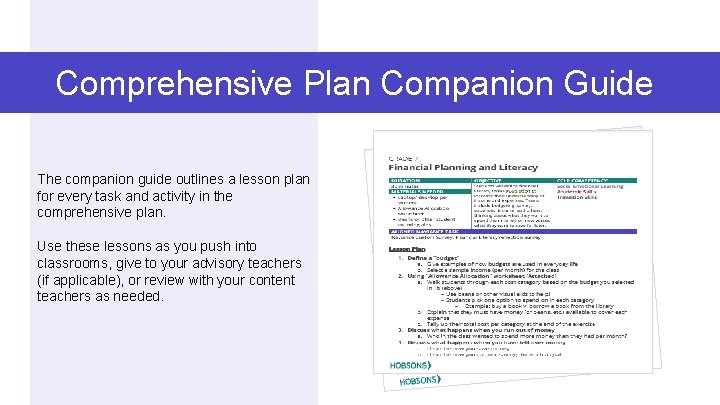
Comprehensive Plan Companion Guide The companion guide outlines a lesson plan for every task and activity in the comprehensive plan. Use these lessons as you push into classrooms, give to your advisory teachers (if applicable), or review with your content teachers as needed.
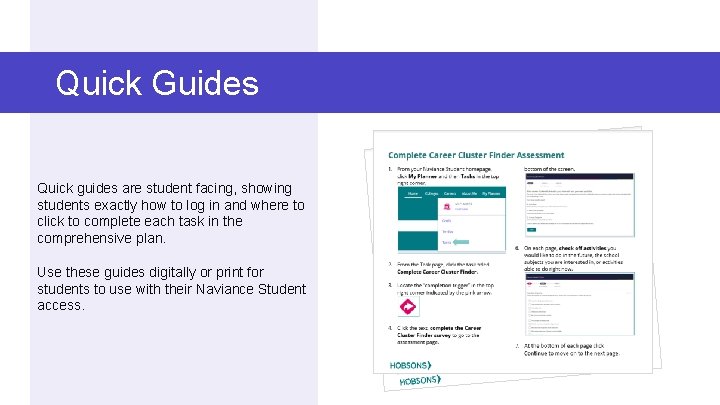
Quick Guides Quick guides are student facing, showing students exactly how to log in and where to click to complete each task in the comprehensive plan. Use these guides digitally or print for students to use with their Naviance Student access.
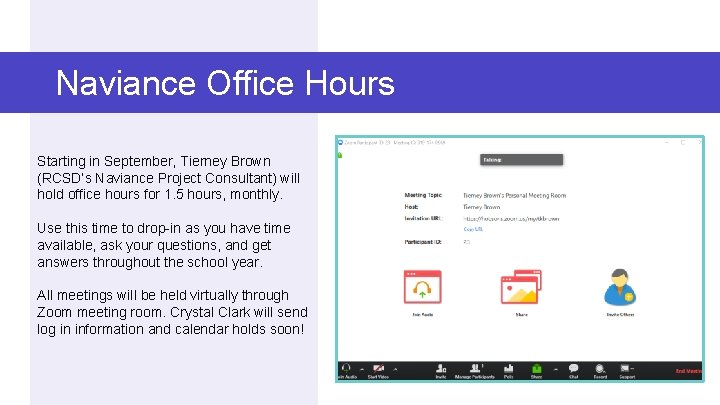
Naviance Office Hours Starting in September, Tierney Brown (RCSD’s Naviance Project Consultant) will hold office hours for 1. 5 hours, monthly. Use this time to drop-in as you have time available, ask your questions, and get answers throughout the school year. All meetings will be held virtually through Zoom meeting room. Crystal Clark will send log in information and calendar holds soon!
Demonstration Time!
Additional Resources Contact Support Services Email: support@naviance. com Phone: 866. 337. 0080, option#2 Hours: M-F, 8 AM-7 PM EST Help Library Read help articles written by Naviance Experts Naviance Contact Tierney Brown Tierney. Brown@Hobsons. com
Thank you | Questions