Uni Sim Design Suite Technical Support User Guide


- Slides: 17
Uni. Sim® Design Suite Technical Support – User Guide R 6 May 2018
How to get help with Uni. Sim® Design ? • This document describes how to get technical support for Uni. Sim Design and the other Uni. Sim Design Suite products • It includes information on how to use the Support Portal at honeywellprocess. com/support including How to access the Uni. Sim Design Knowledge Base and How to register • The latest version of this document can always be found at: https: //honeywellprocesscommunity. force. com/hpsservice/Search_Knowledge_Base#Uni. Sim. Design-Suite-Technical-Support-User-Guide
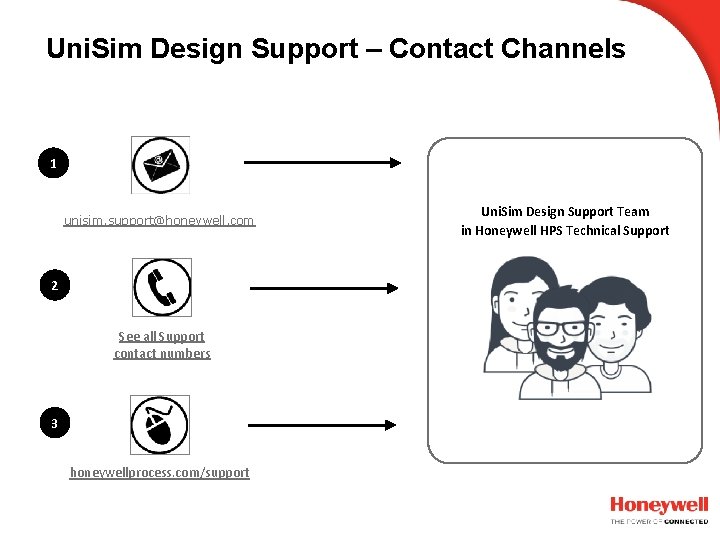
Uni. Sim Design Support – Contact Channels 1 unisim. support@honeywell. com 2 See all Support contact numbers 3 honeywellprocess. com/support Uni. Sim Design Support Team in Honeywell HPS Technical Support
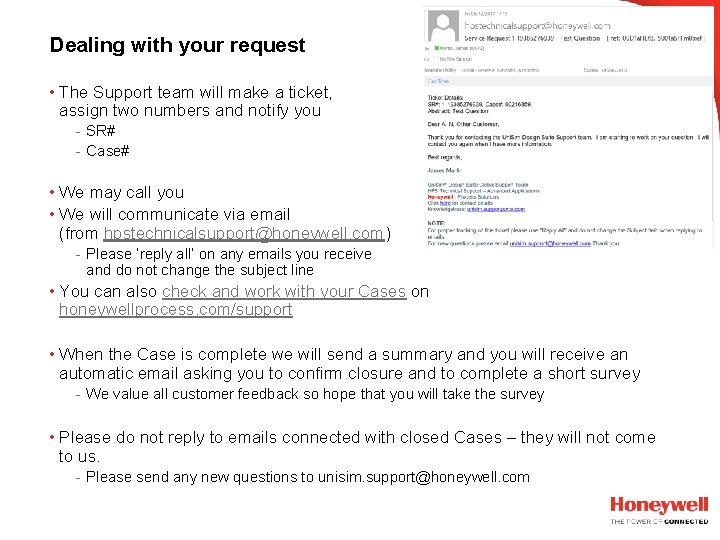
Dealing with your request • The Support team will make a ticket, assign two numbers and notify you - SR# - Case# • We may call you • We will communicate via email (from hpstechnicalsupport@honeywell. com) - Please ‘reply all’ on any emails you receive and do not change the subject line • You can also check and work with your Cases on honeywellprocess. com/support • When the Case is complete we will send a summary and you will receive an automatic email asking you to confirm closure and to complete a short survey - We value all customer feedback so hope that you will take the survey • Please do not reply to emails connected with closed Cases – they will not come to us. - Please send any new questions to unisim. support@honeywell. com
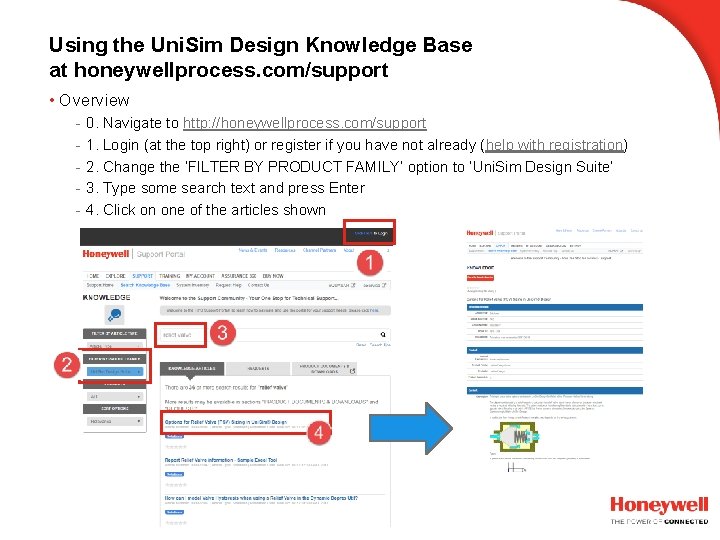
Using the Uni. Sim Design Knowledge Base at honeywellprocess. com/support • Overview - 0. Navigate to http: //honeywellprocess. com/support 1. Login (at the top right) or register if you have not already (help with registration) 2. Change the ‘FILTER BY PRODUCT FAMILY’ option to ‘Uni. Sim Design Suite’ 3. Type some search text and press Enter 4. Click on one of the articles shown
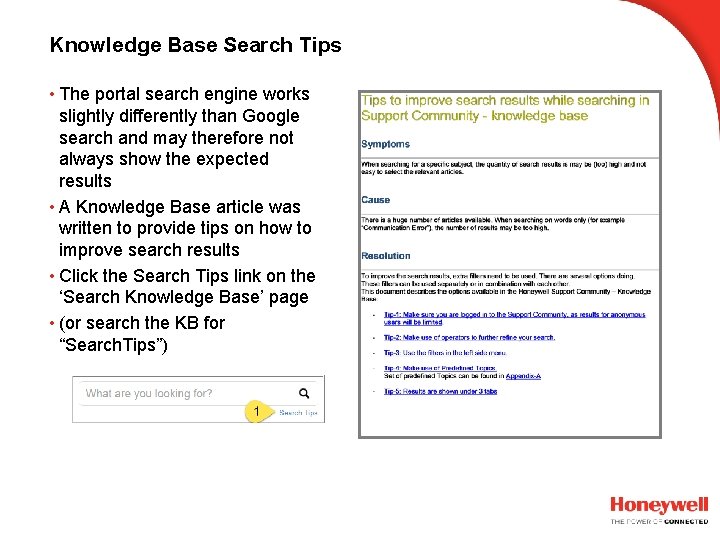
Knowledge Base Search Tips • The portal search engine works slightly differently than Google search and may therefore not always show the expected results • A Knowledge Base article was written to provide tips on how to improve search results • Click the Search Tips link on the ‘Search Knowledge Base’ page • (or search the KB for “Search. Tips”)
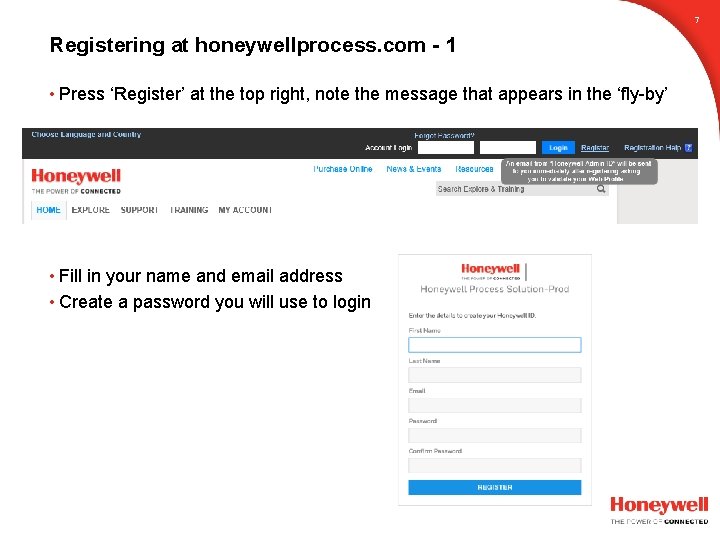
7 Registering at honeywellprocess. com - 1 • Press ‘Register’ at the top right, note the message that appears in the ‘fly-by’ • Fill in your name and email address • Create a password you will use to login
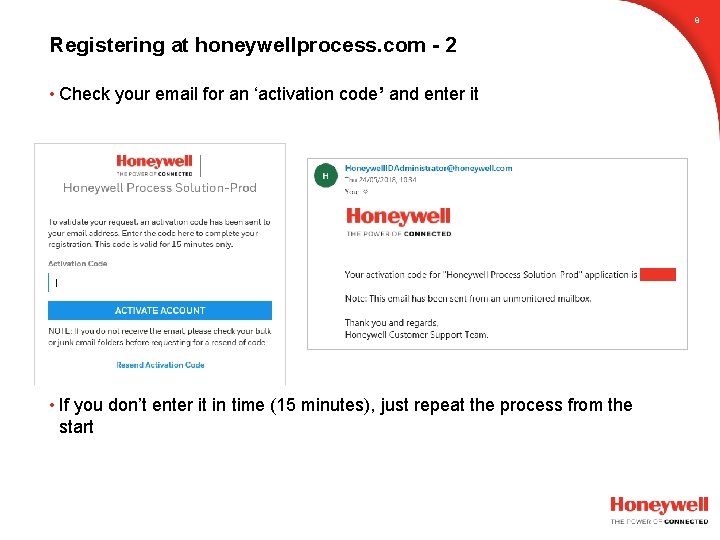
8 Registering at honeywellprocess. com - 2 • Check your email for an ‘activation code’ and enter it • If you don’t enter it in time (15 minutes), just repeat the process from the start
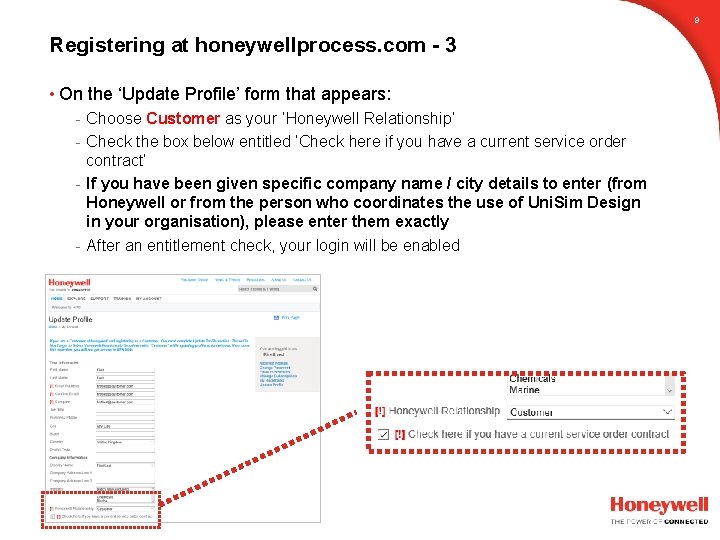
9 Registering at honeywellprocess. com - 3 • On the ‘Update Profile’ form that appears: - Choose Customer as your ‘Honeywell Relationship’ - Check the box below entitled ‘Check here if you have a current service order contract’ - If you have been given specific company name / city details to enter (from Honeywell or from the person who coordinates the use of Uni. Sim Design in your organisation), please enter them exactly - After an entitlement check, your login will be enabled
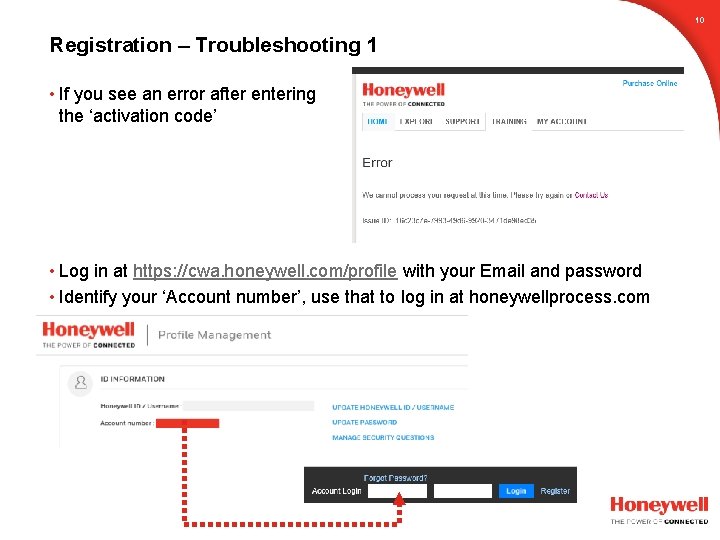
10 Registration – Troubleshooting 1 • If you see an error after entering the ‘activation code’ • Log in at https: //cwa. honeywell. com/profile with your Email and password • Identify your ‘Account number’, use that to log in at honeywellprocess. com
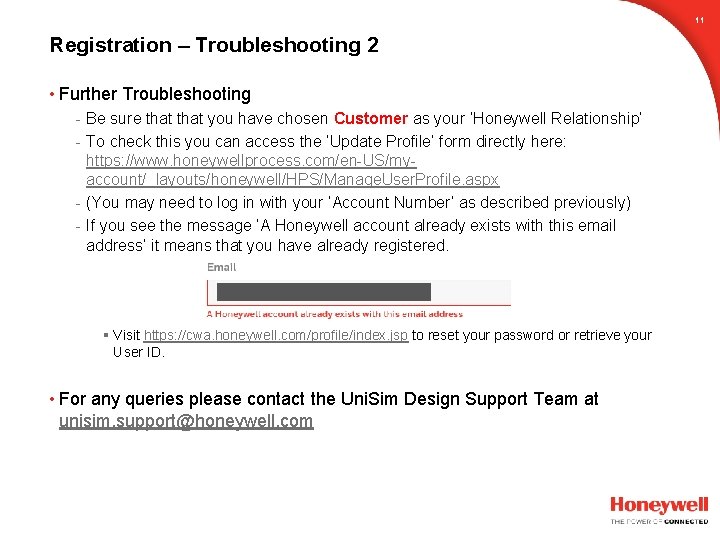
11 Registration – Troubleshooting 2 • Further Troubleshooting - Be sure that you have chosen Customer as your ‘Honeywell Relationship’ - To check this you can access the ‘Update Profile’ form directly here: https: //www. honeywellprocess. com/en-US/myaccount/_layouts/honeywell/HPS/Manage. User. Profile. aspx - (You may need to log in with your ‘Account Number’ as described previously) - If you see the message ‘A Honeywell account already exists with this email address’ it means that you have already registered. § Visit https: //cwa. honeywell. com/profile/index. jsp to reset your password or retrieve your User ID. • For any queries please contact the Uni. Sim Design Support Team at unisim. support@honeywell. com
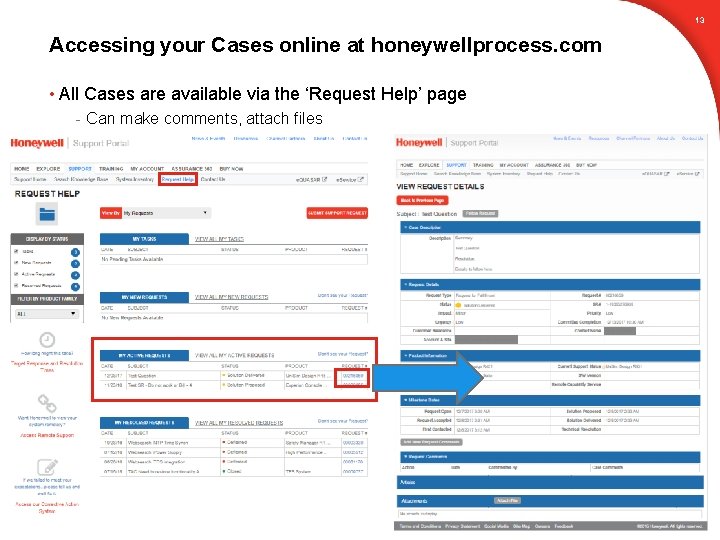
13 Accessing your Cases online at honeywellprocess. com • All Cases are available via the ‘Request Help’ page - Can make comments, attach files
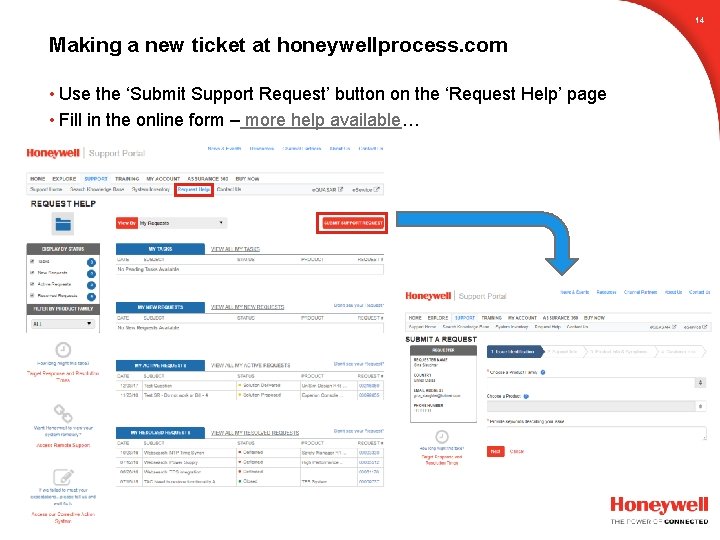
14 Making a new ticket at honeywellprocess. com • Use the ‘Submit Support Request’ button on the ‘Request Help’ page • Fill in the online form – more help available…
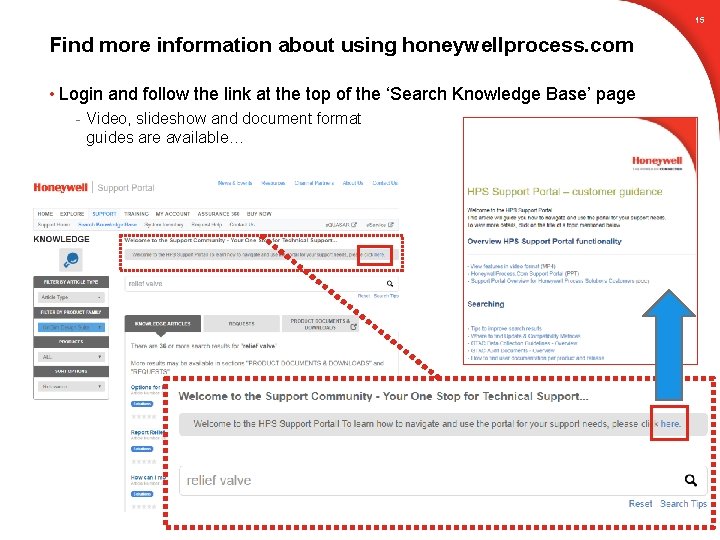
15 Find more information about using honeywellprocess. com • Login and follow the link at the top of the ‘Search Knowledge Base’ page - Video, slideshow and document format guides are available…
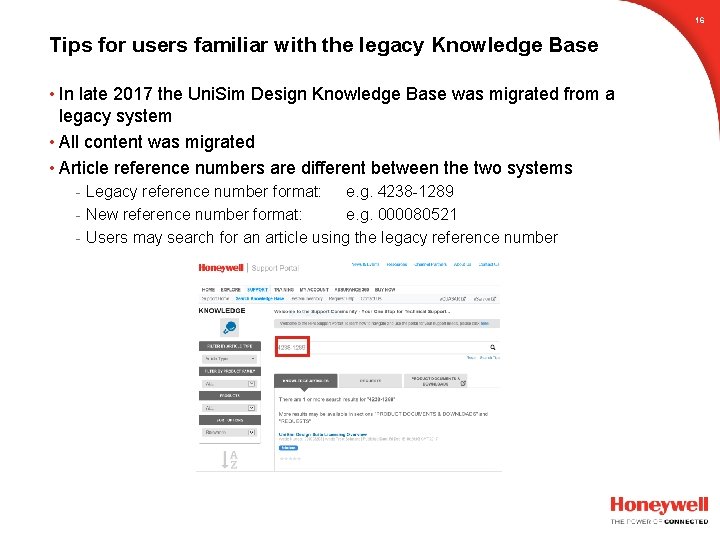
16 Tips for users familiar with the legacy Knowledge Base • In late 2017 the Uni. Sim Design Knowledge Base was migrated from a legacy system • All content was migrated • Article reference numbers are different between the two systems - Legacy reference number format: e. g. 4238 -1289 - New reference number format: e. g. 000080521 - Users may search for an article using the legacy reference number
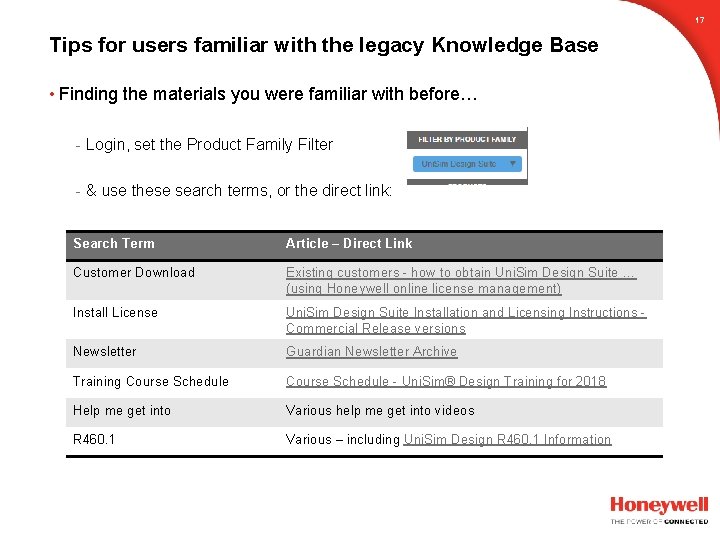
17 Tips for users familiar with the legacy Knowledge Base • Finding the materials you were familiar with before… - Login, set the Product Family Filter - & use these search terms, or the direct link: Search Term Article – Direct Link Customer Download Existing customers - how to obtain Uni. Sim Design Suite … (using Honeywell online license management) Install License Uni. Sim Design Suite Installation and Licensing Instructions Commercial Release versions Newsletter Guardian Newsletter Archive Training Course Schedule - Uni. Sim® Design Training for 2018 Help me get into Various help me get into videos R 460. 1 Various – including Uni. Sim Design R 460. 1 Information
18 Honeywell. Process. com/IIo. T