Leveraging Advances in ComputerAided Design Tools in 3
- Slides: 26
Leveraging Advances in Computer-Aided Design Tools in 3 D Printing Day 2: CAD Tools and Design Sponsored by: The largest trusted community of design engineering professionals
Introduction § The current generation of 3 D computer graphics software is easy-to-use, affordable for small businesses, and runs on desktop computers. Tools from Solid. Works and Autodesk are ubiquitous in offices, factories, studios, and classrooms. 3 D models are at the core of many businesses. § 3 D design tools and 3 D printing technology are interrelated, however the relationship is not necessarily mutually beneficial. 3 D printing technology relies on design software to generate content, but design tools were not built to fully utilize the capabilities of 3 D printing. Sponsored by: The largest trusted community of design engineering professionals
3 D Design Software #1 § 3 D design software can be split into two basic categories, CAD applications that design physical objects, and VFX applications that design digital content. § CAD tools are used by product designers and engineers. CAD generates realistic solid models, which are used for design, analysis, and manufacturing. § VFX tools are used by artists, animators, and game designers. VFX software creates a shell that represent the surface of an object. Sponsored by: The largest trusted community of design engineering professionals
3 D Design Software #2 § These classifications are somewhat imprecise. It is possible to design mechanical objects with VFX tools, and animated characters with CAD tools. Most likely these cases will require extraordinary effort and yield compromised results. § Some 3 D modeling programs incorporate elements CAD and VFX into a single workflow – these are frequently termed CAID (Computer Aided Industrial Design) tools. Sponsored by: The largest trusted community of design engineering professionals
Solid Modeling #1 § Solid modeling is the most popular type of 3 D CAD. Solid modeling programs are relatively user friendly, the software uses terms that are related to traditional manufacturing approaches that are familiar to engineers. Extrude, Cut, Chamfer, and Fillet. § In the 1990’s parametric history-based solid modeling became the industry standard, for the first time software would keep the history of iterations, and allow multiple configurations. Allowing designers to generate multiple concepts without starting from scratch or losing work. § Specialized CAD tools use freeform surface modeling to integrate organic, aesthetic, or ergonomic features into designs. Sponsored by: The largest trusted community of design engineering professionals
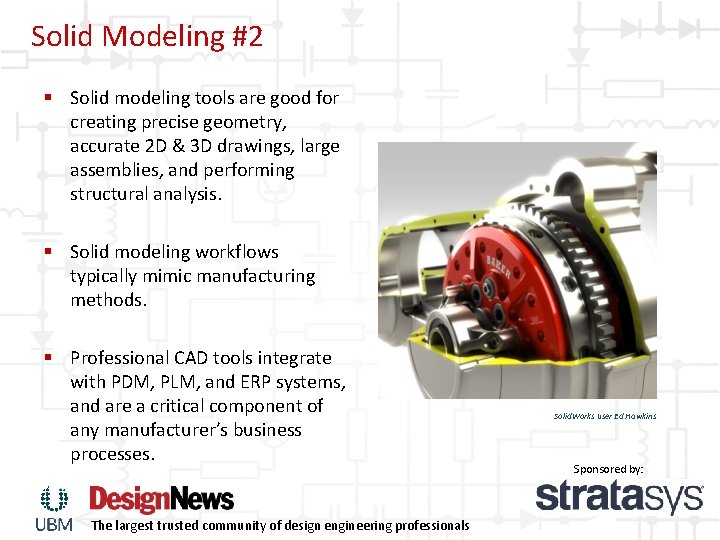
Solid Modeling #2 § Solid modeling tools are good for creating precise geometry, accurate 2 D & 3 D drawings, large assemblies, and performing structural analysis. § Solid modeling workflows typically mimic manufacturing methods. § Professional CAD tools integrate with PDM, PLM, and ERP systems, and are a critical component of any manufacturer’s business processes. The largest trusted community of design engineering professionals Solid. Works user Ed Hawkins Sponsored by:
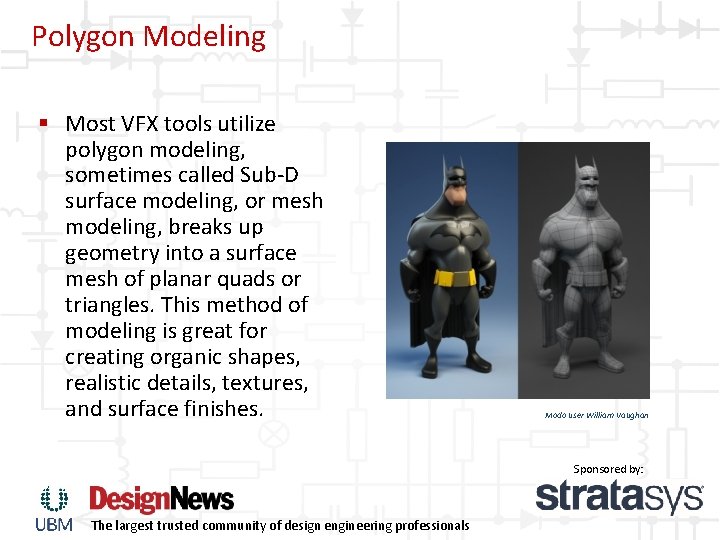
Polygon Modeling § Most VFX tools utilize polygon modeling, sometimes called Sub-D surface modeling, or mesh modeling, breaks up geometry into a surface mesh of planar quads or triangles. This method of modeling is great for creating organic shapes, realistic details, textures, and surface finishes. Modo user William Vaughan Sponsored by: The largest trusted community of design engineering professionals
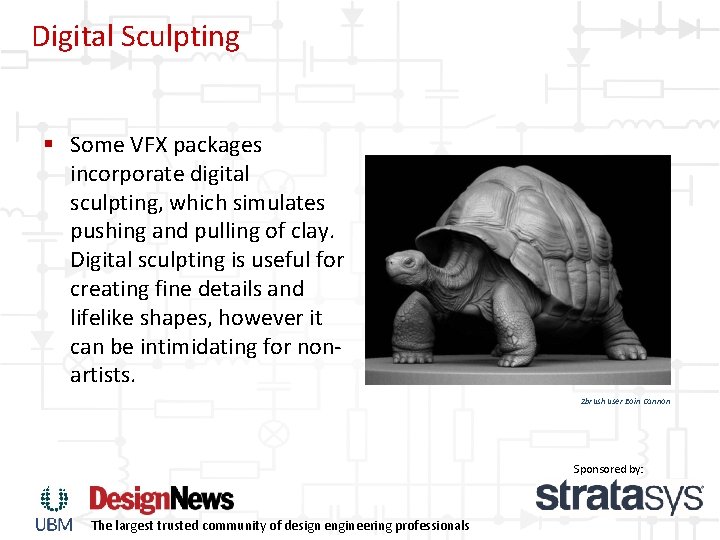
Digital Sculpting § Some VFX packages incorporate digital sculpting, which simulates pushing and pulling of clay. Digital sculpting is useful for creating fine details and lifelike shapes, however it can be intimidating for nonartists. Zbrush user Eoin Cannon Sponsored by: The largest trusted community of design engineering professionals
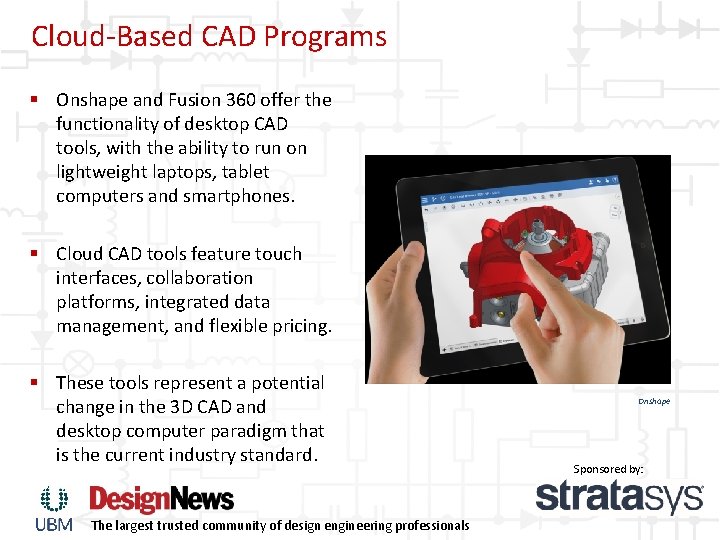
Cloud-Based CAD Programs § Onshape and Fusion 360 offer the functionality of desktop CAD tools, with the ability to run on lightweight laptops, tablet computers and smartphones. § Cloud CAD tools feature touch interfaces, collaboration platforms, integrated data management, and flexible pricing. § These tools represent a potential change in the 3 D CAD and desktop computer paradigm that is the current industry standard. The largest trusted community of design engineering professionals Onshape Sponsored by:
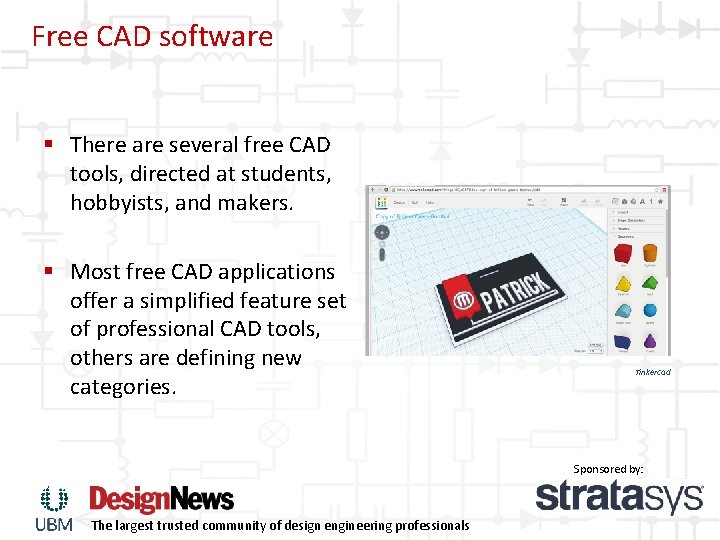
Free CAD software § There are several free CAD tools, directed at students, hobbyists, and makers. § Most free CAD applications offer a simplified feature set of professional CAD tools, others are defining new categories. Tinkercad Sponsored by: The largest trusted community of design engineering professionals
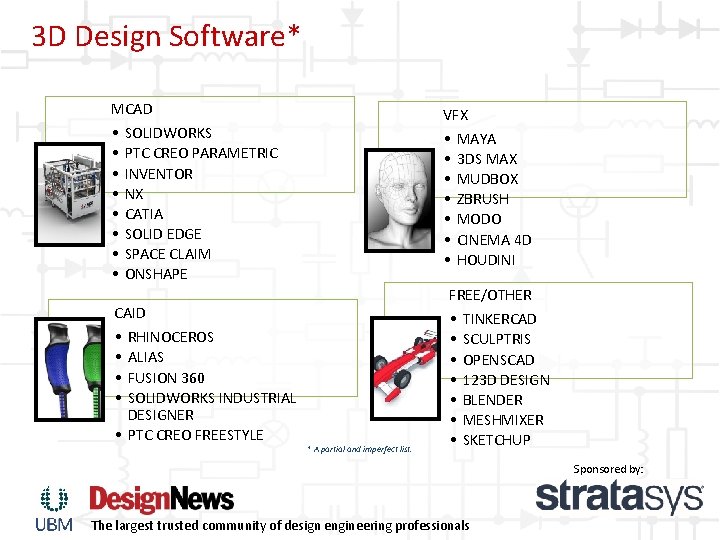
3 D Design Software* MCAD • SOLIDWORKS • PTC CREO PARAMETRIC • INVENTOR • NX • CATIA • SOLID EDGE • SPACE CLAIM • ONSHAPE CAID • RHINOCEROS • ALIAS • FUSION 360 • SOLIDWORKS INDUSTRIAL DESIGNER • PTC CREO FREESTYLE VFX • MAYA • 3 DS MAX • MUDBOX • ZBRUSH • MODO • CINEMA 4 D • HOUDINI * A partial and imperfect list. FREE/OTHER • TINKERCAD • SCULPTRIS • OPENSCAD • 123 D DESIGN • BLENDER • MESHMIXER • SKETCHUP Sponsored by: The largest trusted community of design engineering professionals
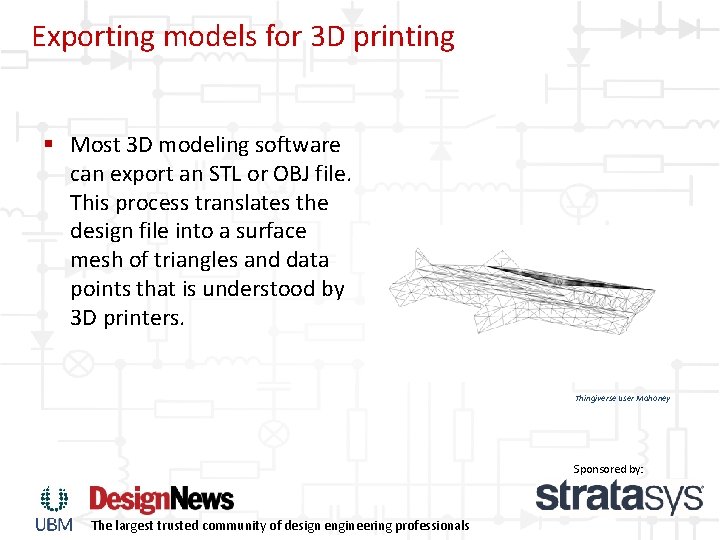
Exporting models for 3 D printing § Most 3 D modeling software can export an STL or OBJ file. This process translates the design file into a surface mesh of triangles and data points that is understood by 3 D printers. Thingiverse user Mahoney Sponsored by: The largest trusted community of design engineering professionals
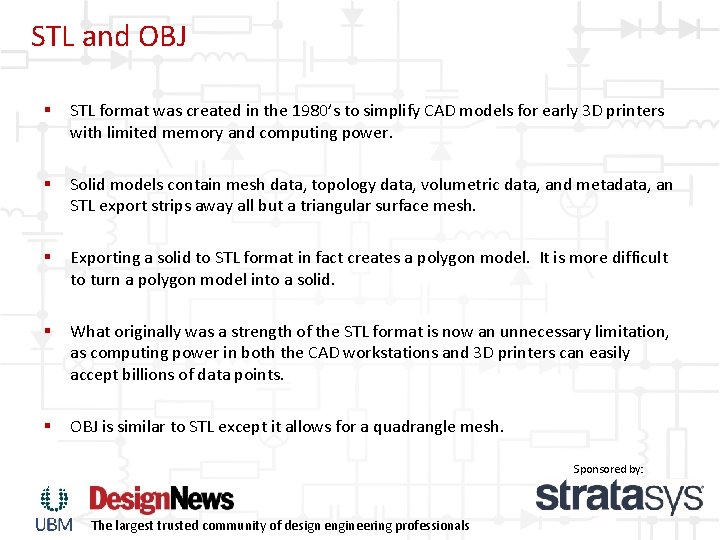
STL and OBJ § STL format was created in the 1980’s to simplify CAD models for early 3 D printers with limited memory and computing power. § Solid models contain mesh data, topology data, volumetric data, and metadata, an STL export strips away all but a triangular surface mesh. § Exporting a solid to STL format in fact creates a polygon model. It is more difficult to turn a polygon model into a solid. § What originally was a strength of the STL format is now an unnecessary limitation, as computing power in both the CAD workstations and 3 D printers can easily accept billions of data points. § OBJ is similar to STL except it allows for a quadrangle mesh. Sponsored by: The largest trusted community of design engineering professionals
3 MF and AMF § AMF and 3 MF are two new XML based 3 D printing formats. These formats still use the mesh data of an STL but also contain settings and information applicable to modern design software and 3 D printers. Colors, materials, infill, and plating options increase the digital information of part requirements § Neither of these formats is yet widely adopted, and overall additive manufacturing standards are still up for debate. Sponsored by: The largest trusted community of design engineering professionals
Take-aways § There’s not a one-size-fits-all 3 D modeling solution. Many projects require a combination of tools. § CAD and VFX are equally capable of creating 3 D printable content. § AMF and 3 MF formats will potentially make the CAD to 3 D printer workflow more efficient. Sponsored by: The largest trusted community of design engineering professionals
Design for 3 D printing concepts § Like any manufacturing process there are basic rules designers and engineers must follow. The rules for AM are often flexible, and very dependent on process and material. It is important to understand the capabilities of your particular process. § The same design built with FDM, Polyjet, SLA, or SLS processes will yield drastically different results. Sponsored by: The largest trusted community of design engineering professionals
CAD + 3 D printing software § CAD companies are partnering with 3 D printing companies to incorporate new features and functionality in the design software. § Many CAD tools allow 3 D printing directly from the design tool, bypassing the export step. § Likewise some 3 D printing software is allowing the import of native CAD files. Sponsored by: The largest trusted community of design engineering professionals
Iteration is cheap § 3 D parametric modeling allows engineers and designers to quickly create configurations and iterations of designs. PDM tools maintain version history and manage references to other files. § 3 D printing needs no tooling and waste less material. § Multiple design concepts can be generated daily, significantly speeding up the design process. § The best way to learn how to make quality prints is to try, fail, and try again. Sponsored by: The largest trusted community of design engineering professionals
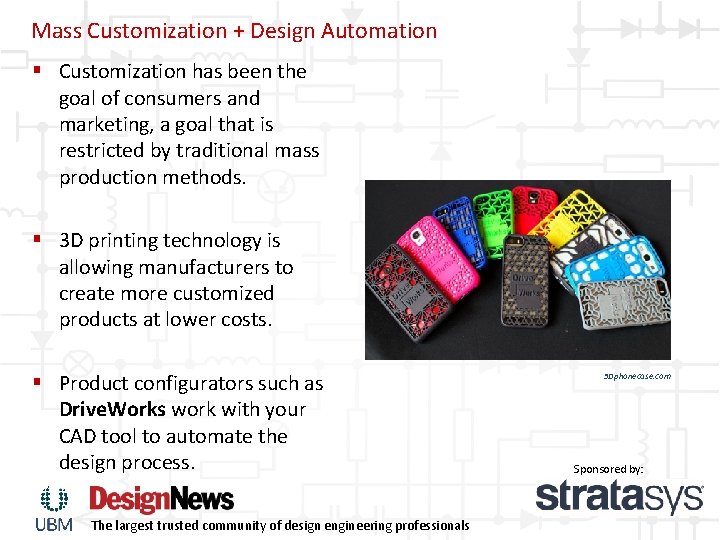
Mass Customization + Design Automation § Customization has been the goal of consumers and marketing, a goal that is restricted by traditional mass production methods. § 3 D printing technology is allowing manufacturers to create more customized products at lower costs. § Product configurators such as Drive. Works work with your CAD tool to automate the design process. The largest trusted community of design engineering professionals 3 Dphonecase. com Sponsored by:
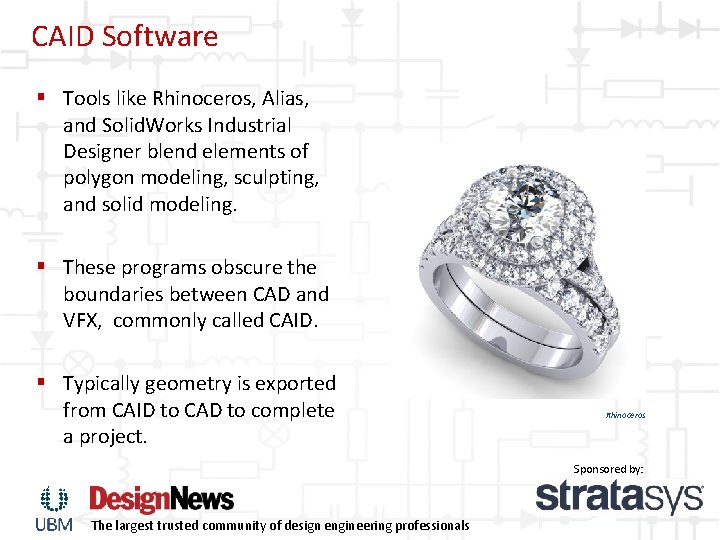
CAID Software § Tools like Rhinoceros, Alias, and Solid. Works Industrial Designer blend elements of polygon modeling, sculpting, and solid modeling. § These programs obscure the boundaries between CAD and VFX, commonly called CAID. § Typically geometry is exported from CAID to CAD to complete a project. Rhinoceros Sponsored by: The largest trusted community of design engineering professionals
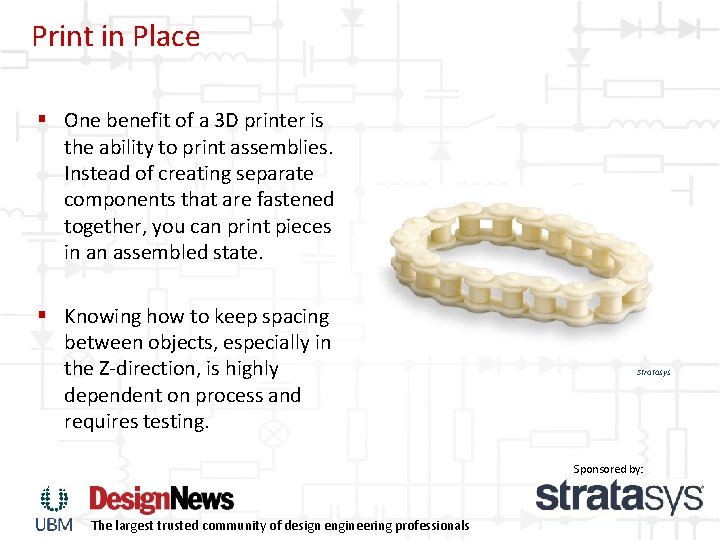
Print in Place § One benefit of a 3 D printer is the ability to print assemblies. Instead of creating separate components that are fastened together, you can print pieces in an assembled state. § Knowing how to keep spacing between objects, especially in the Z-direction, is highly dependent on process and requires testing. Stratasys Sponsored by: The largest trusted community of design engineering professionals
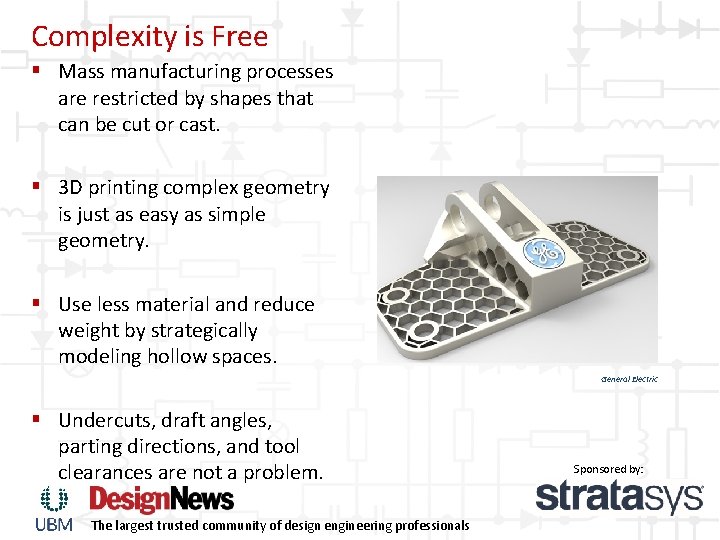
Complexity is Free § Mass manufacturing processes are restricted by shapes that can be cut or cast. § 3 D printing complex geometry is just as easy as simple geometry. § Use less material and reduce weight by strategically modeling hollow spaces. General Electric § Undercuts, draft angles, parting directions, and tool clearances are not a problem. The largest trusted community of design engineering professionals Sponsored by:
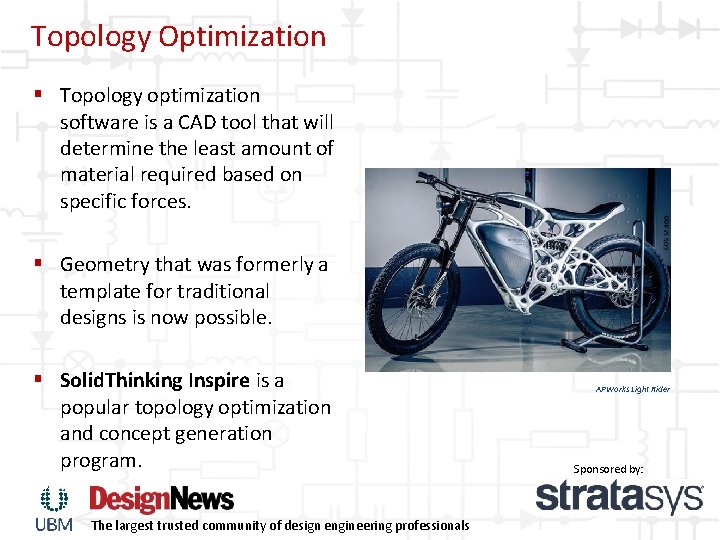
Topology Optimization § Topology optimization software is a CAD tool that will determine the least amount of material required based on specific forces. § Geometry that was formerly a template for traditional designs is now possible. § Solid. Thinking Inspire is a popular topology optimization and concept generation program. The largest trusted community of design engineering professionals APWorks Light Rider Sponsored by:
Limitations of 3 D CAD § Solid modeling was designed with traditional manufacturing in mind, and only recently started considering 3 D printing in the same terms as machining, molding, sheet metal, and assembly. § CAD tools were built for better performance on desktop PC’s and to be easy for engineers to use by making the most of prismatic shapes and Boolean operations. § CAD tools design products the way we historically manufacture products, one part at a time, and one material at a time, to be assembled in a separate step. § It is usually difficult or impossible to completely define complex geometries with solid modeling. 3 D printing can create shapes that traditional manufacturing cannot. § Polygon models are made up of a surface, and do not contain volume. It is impossible to control the insides of a design with polygon modeling Sponsored by: The largest trusted community of design engineering professionals
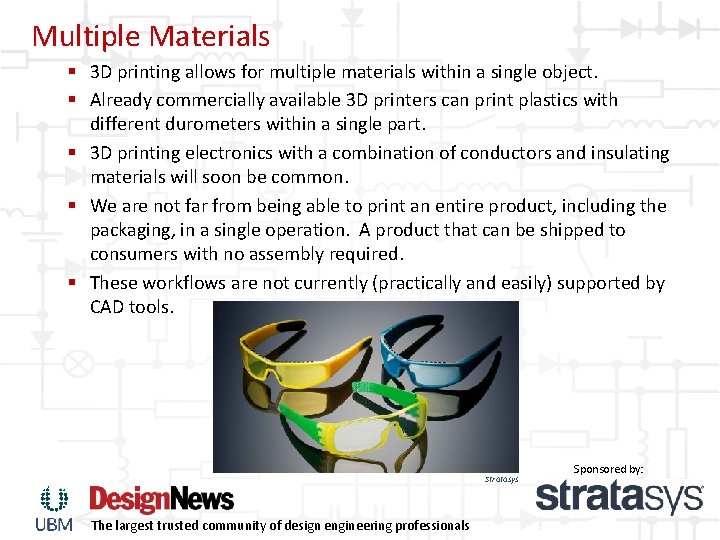
Multiple Materials § 3 D printing allows for multiple materials within a single object. § Already commercially available 3 D printers can print plastics with different durometers within a single part. § 3 D printing electronics with a combination of conductors and insulating materials will soon be common. § We are not far from being able to print an entire product, including the packaging, in a single operation. A product that can be shipped to consumers with no assembly required. § These workflows are not currently (practically and easily) supported by CAD tools. Stratasys The largest trusted community of design engineering professionals Sponsored by:
Conclusions § Current CAD software was built to satisfy traditional manufacturing, design software will continue to adapt to meet the demands of 3 D printing § CAD is gradually becoming more widespread and easier to use. Design tools formerly limited to mainframe computers and major industry are found on tablets and smartphones. § CAD tools will be more accessible, easier to use, and will mimic the way people think rather than be tied to traditional manufacturing methods. Sponsored by: The largest trusted community of design engineering professionals