Introduction to Software Engineering Tools and Environments Session
- Slides: 67
Introduction to Software Engineering: Tools and Environments Session 9 Oded Lachish Room: Mal 405 Visiting Hours: Wednesday 17: 00 to 20: 00 Email: oded@dcs. bbk. ac. uk Module URL: http: //www. dcs. bbk. ac. uk/~oded/Tools 2012 -2013/Web/Tools 2012 -2013. html 1
Previously • Introduction to Build Tools (Ant) Today’s session • Introduction to Documentation Tools • Doxygen • e. UML 2 • Build Tools revisited • Introduction to Integration Tools 2
Documentation Tools 3
Documentation Tools Extreme programmers believe that • • • “code is self documenting” Maintenance is usually the longest part of a software products life Regretfully there is a rumour that a large portion of the Hi-Tech jobs require the ability to do so. Now imagine that you have to do the job without any documentation Solution: Automation – dedicated tools 4
Documentation Tools What can documentation tools do for us? • • • Generate class diagrams (UML) – depicts the static relations between classes Collaboration diagrams (UML) – depicts classes and their interactions Search engine to code and much more When are these tools used? As soon as possible (definitely before you need reverse engineering). 5
Doxygen 6
Doxygen A documentation system for C++, C, Java, Objective C, Fortran, VHDL, PHP, C#. What can it do for us? • Generate on-line documents in HTML • Generate an off-line manual – latex, RTF (MS-Windows) What does that include? 7 • Dependency graphs • Inheritance diagrams • Collaboration diagrams • User specified information
Doxygen How does Doxygen generate all this information? 1. Doxygen can extract the code structure from the source files. 2. The user specified information is also generated from the source files, specifically from comments. The underlying approach is to minimize the documents you need to create and simplify the process of updating them. If you update the comments when you update the code then the documentations also get updated. 8
Doxygen Installation Regretfully Doxygen is not an Eclipse plug-in 1. Download from: http: //www. stack. nl/~dimitri/doxygen/download. html#latestsrc 2. Double click the downloaded file 3. The rest of the installation is standard 9
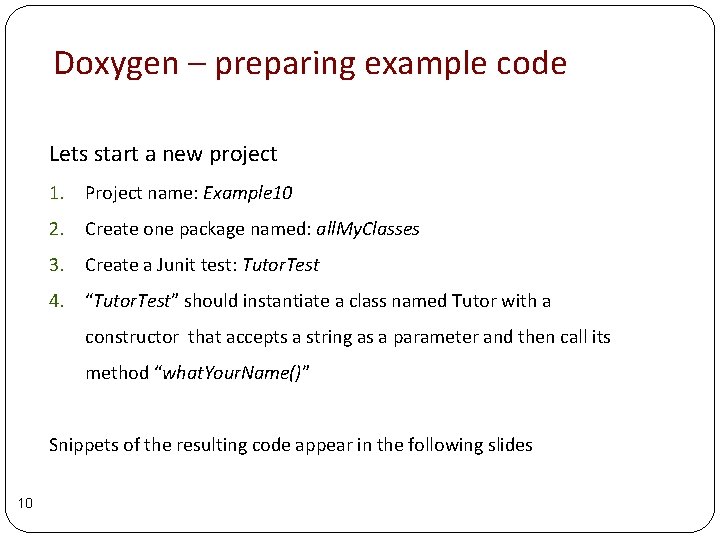
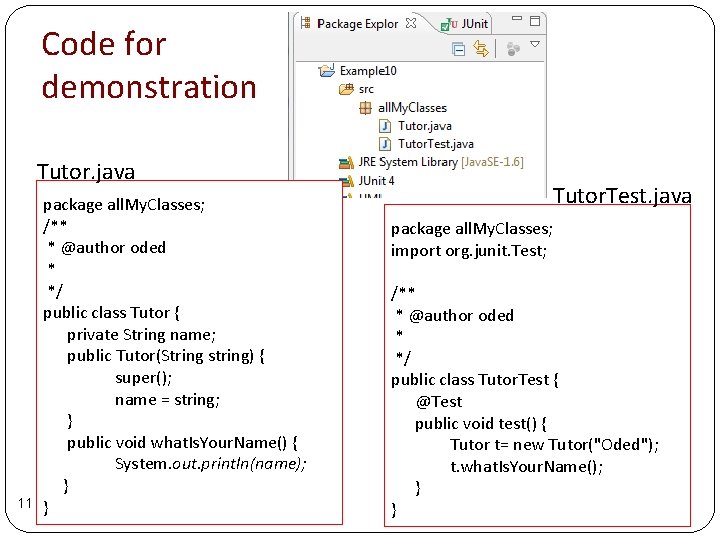
Doxygen – preparing example code Lets start a new project 1. Project name: Example 10 2. Create one package named: all. My. Classes 3. Create a Junit test: Tutor. Test 4. “Tutor. Test” should instantiate a class named Tutor with a constructor that accepts a string as a parameter and then call its method “what. Your. Name()” Snippets of the resulting code appear in the following slides 10
Code for demonstration Tutor. java 11 package all. My. Classes; /** * @author oded * */ public class Tutor { private String name; public Tutor(String string) { super(); name = string; } public void what. Is. Your. Name() { System. out. println(name); } } Tutor. Test. java package all. My. Classes; import org. junit. Test; /** * @author oded * */ public class Tutor. Test { @Test public void test() { Tutor t= new Tutor("Oded"); t. what. Is. Your. Name(); } }
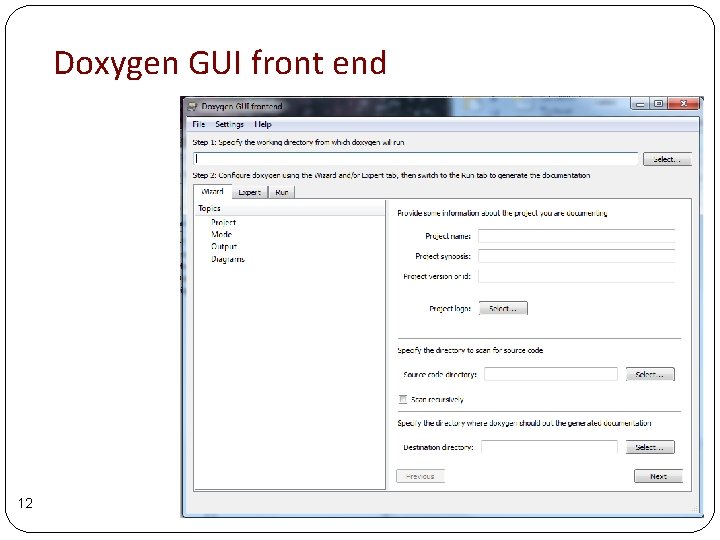
Doxygen GUI front end 12
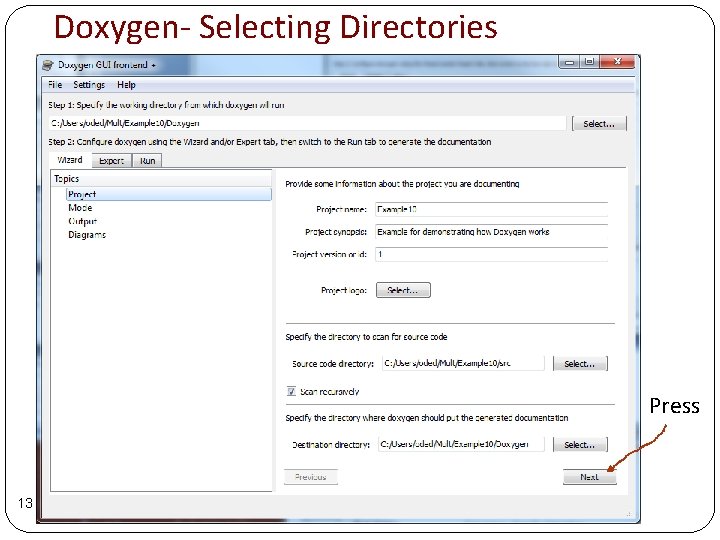
Doxygen- Selecting Directories Press 13
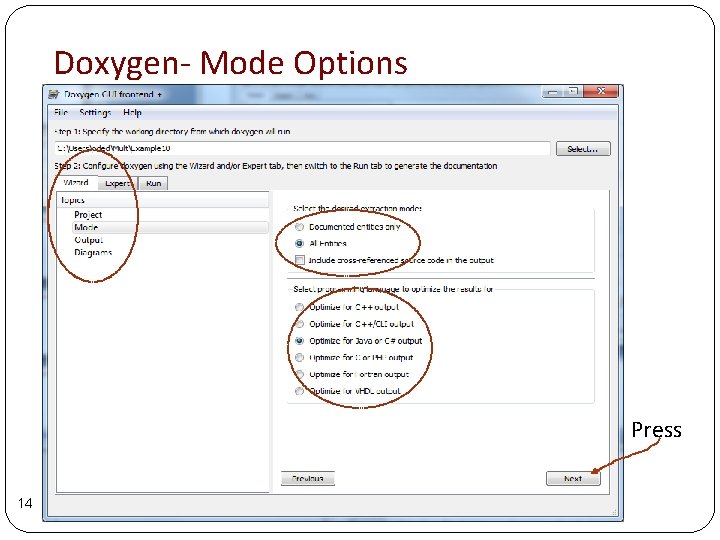
Doxygen- Mode Options Press 14
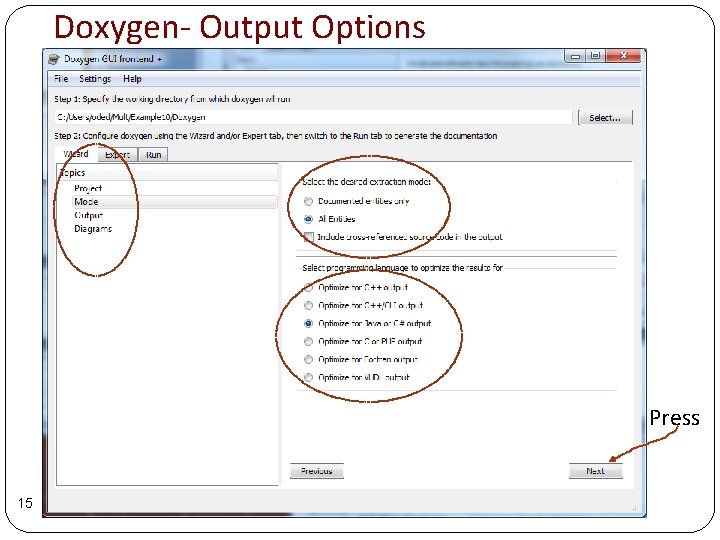
Doxygen- Output Options Press 15
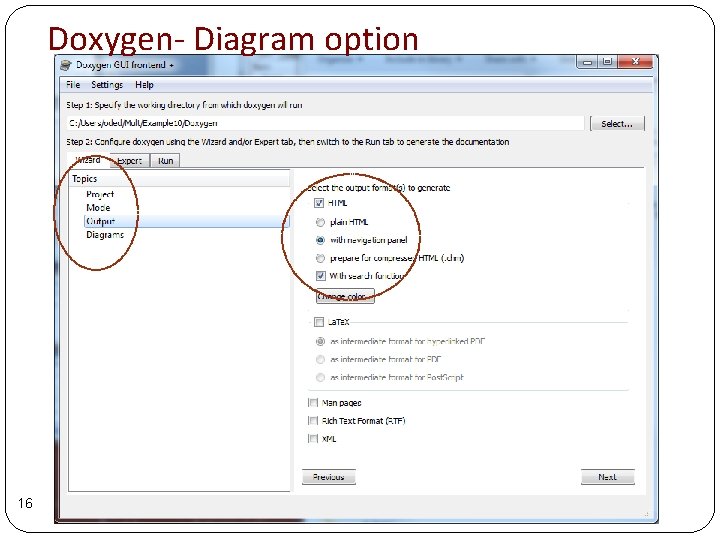
Doxygen- Diagram option 16
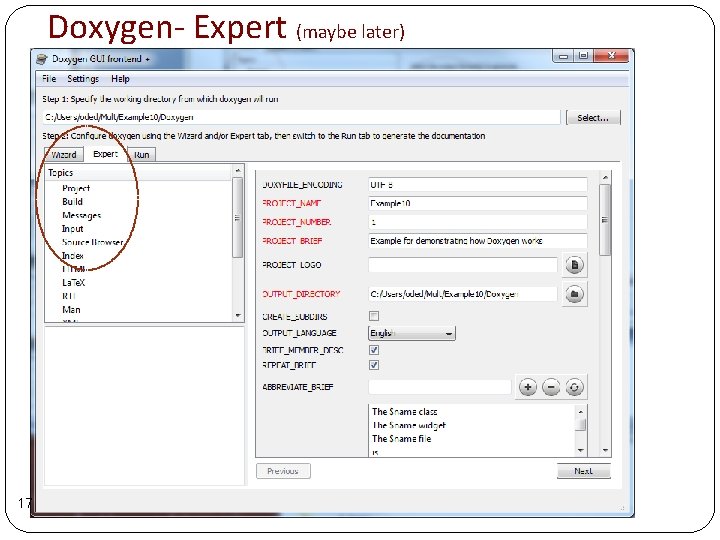
Doxygen- Expert (maybe later) 17
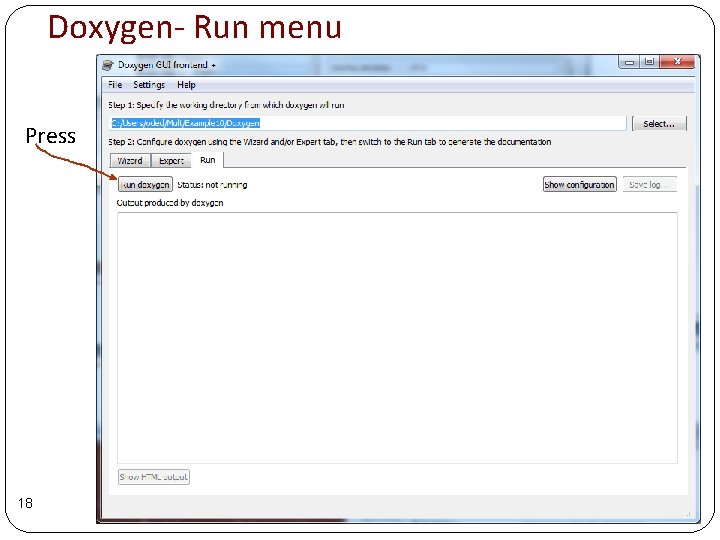
Doxygen- Run menu Press 18
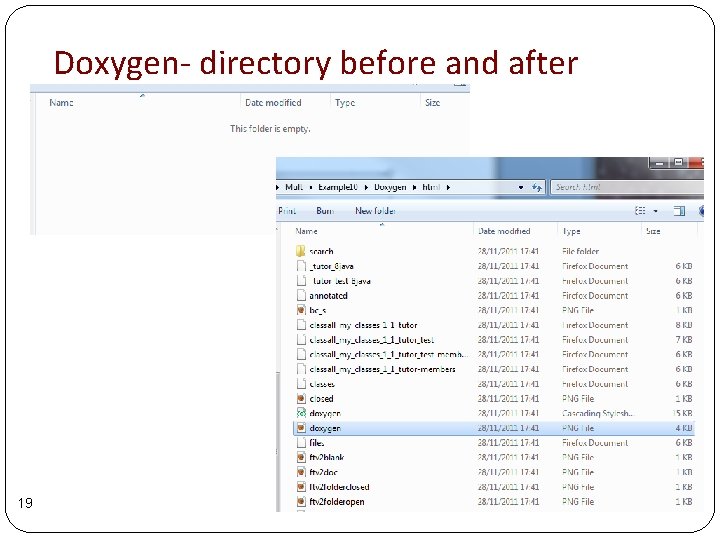
Doxygen- directory before and after 19
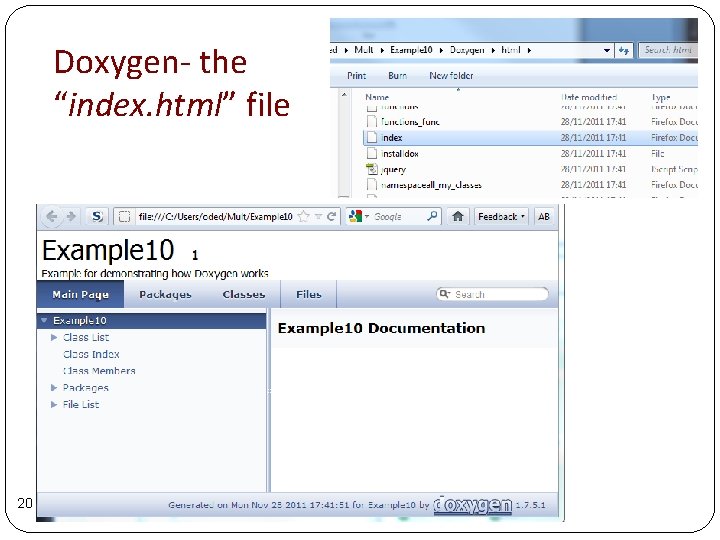
Doxygen- the “index. html” file 20
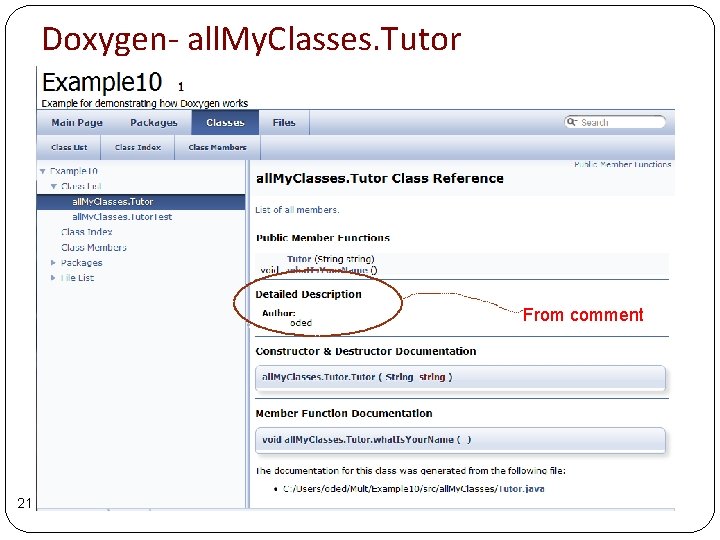
Doxygen- all. My. Classes. Tutor From comment 21
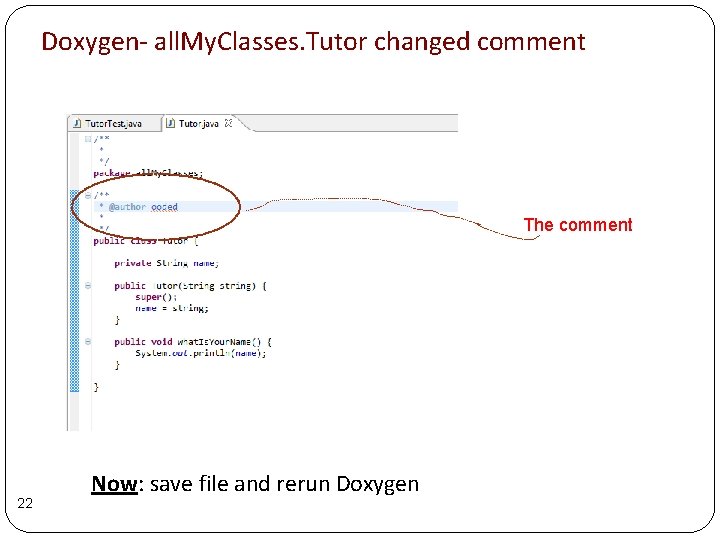
Doxygen- all. My. Classes. Tutor changed comment The comment 22 Now: save file and rerun Doxygen
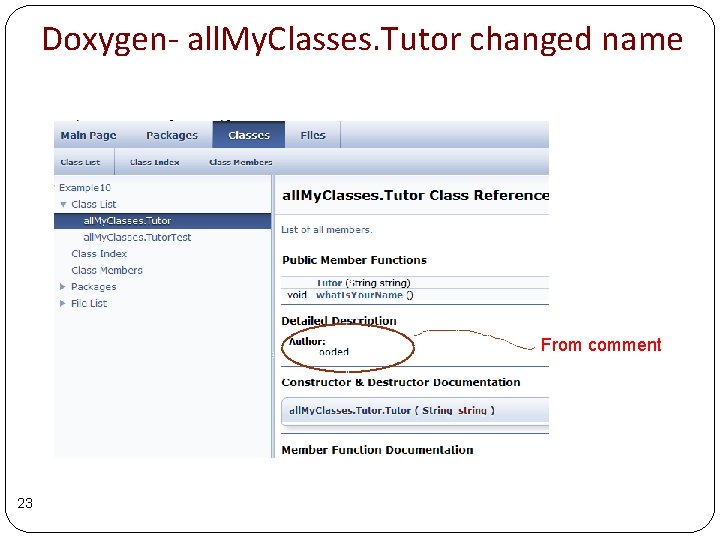
Doxygen- all. My. Classes. Tutor changed name From comment 23
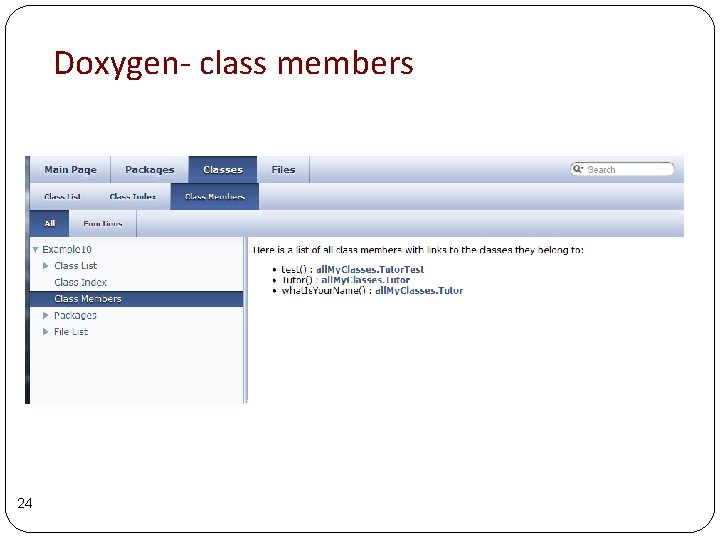
Doxygen- class members 24
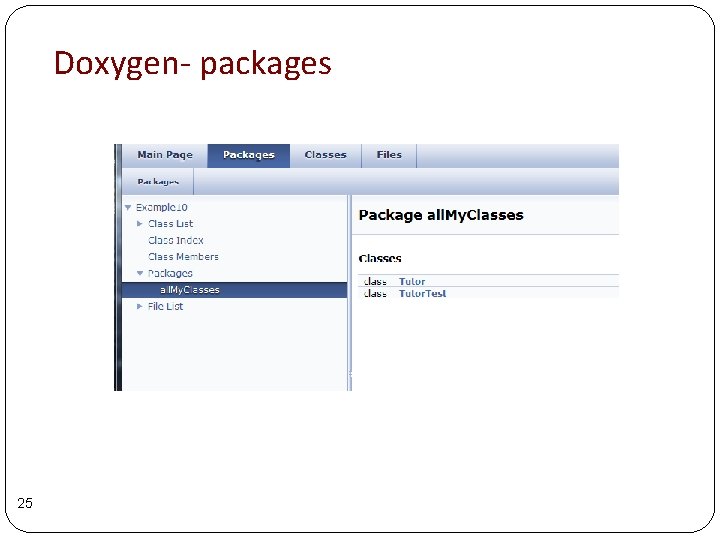
Doxygen- packages 25
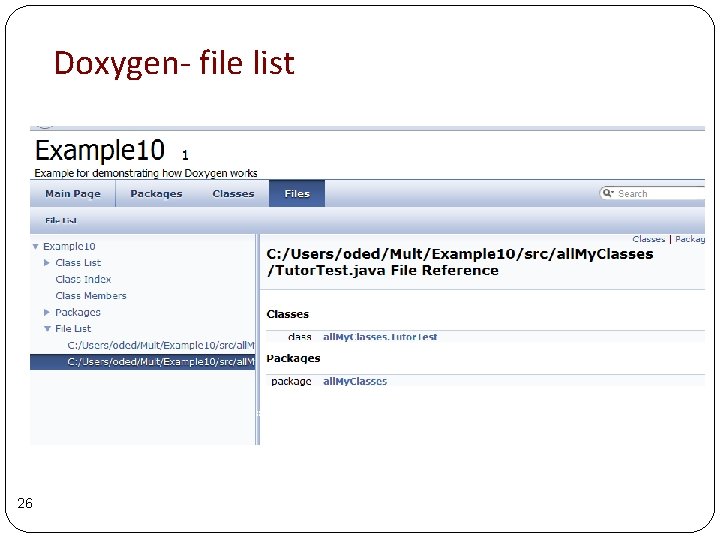
Doxygen- file list 26
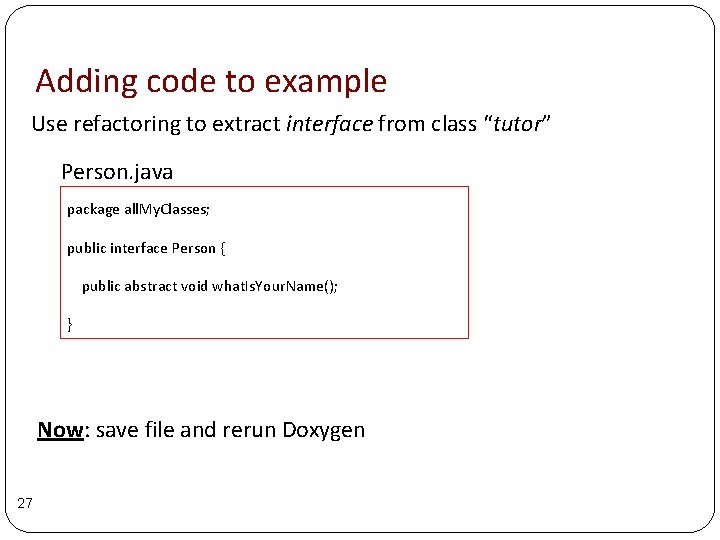
Adding code to example Use refactoring to extract interface from class “tutor” Person. java package all. My. Classes; public interface Person { public abstract void what. Is. Your. Name(); } Now: save file and rerun Doxygen 27
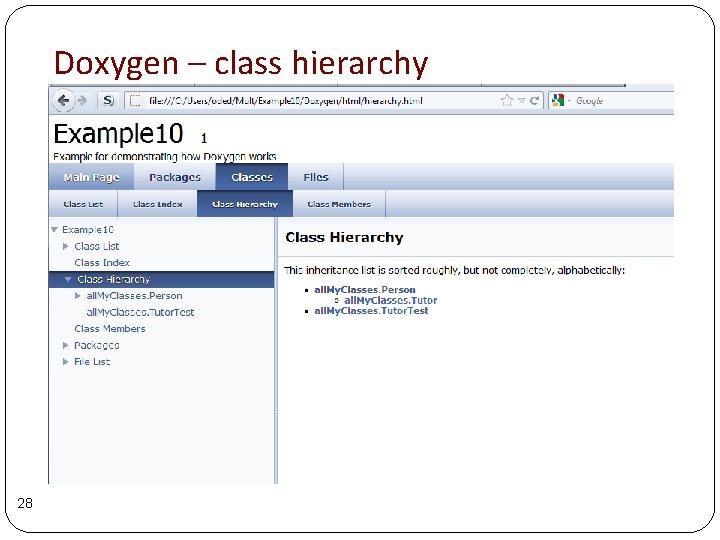
Doxygen – class hierarchy 28
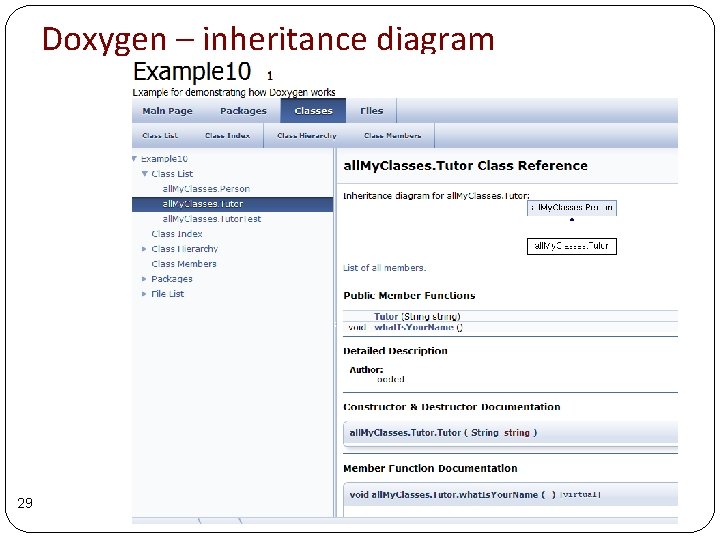
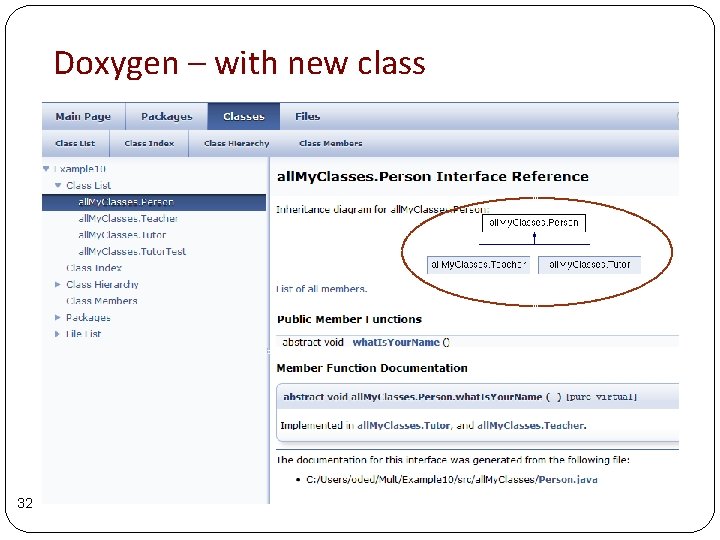
Doxygen – inheritance diagram 29
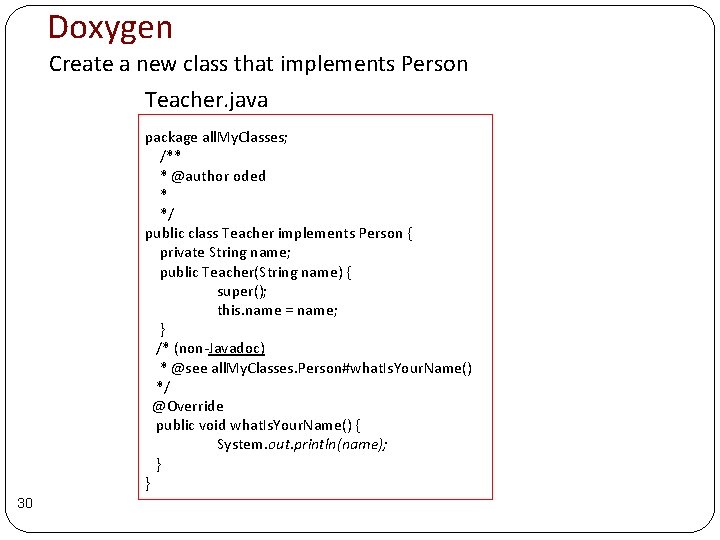
Doxygen Create a new class that implements Person Teacher. java package all. My. Classes; /** * @author oded * */ public class Teacher implements Person { private String name; public Teacher(String name) { super(); this. name = name; } /* (non-Javadoc) * @see all. My. Classes. Person#what. Is. Your. Name() */ @Override public void what. Is. Your. Name() { System. out. println(name); } } 30
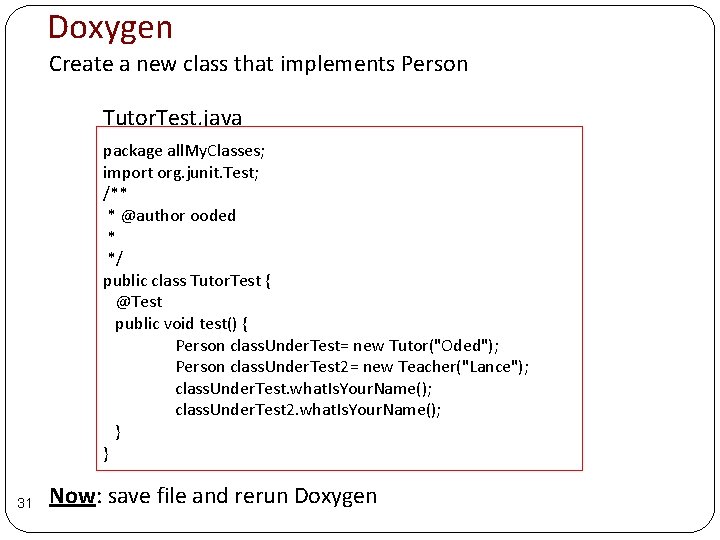
Doxygen Create a new class that implements Person Tutor. Test. java package all. My. Classes; import org. junit. Test; /** * @author ooded * */ public class Tutor. Test { @Test public void test() { Person class. Under. Test= new Tutor("Oded"); Person class. Under. Test 2= new Teacher("Lance"); class. Under. Test. what. Is. Your. Name(); class. Under. Test 2. what. Is. Your. Name(); } } 31 Now: save file and rerun Doxygen
Doxygen – with new class 32
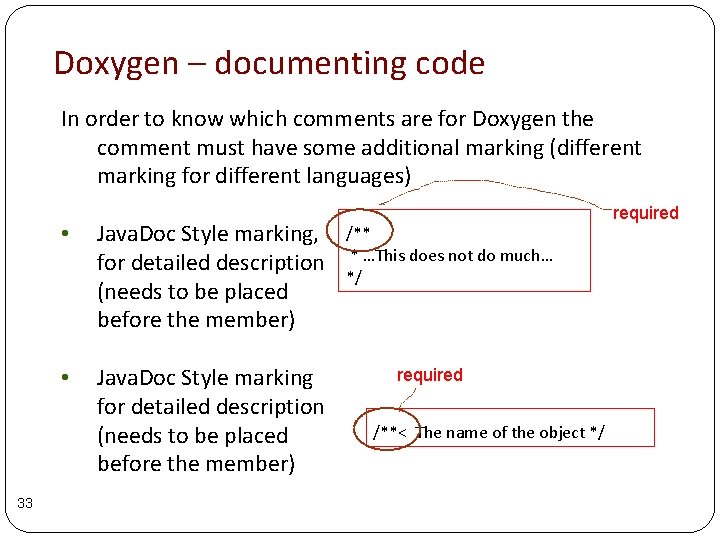
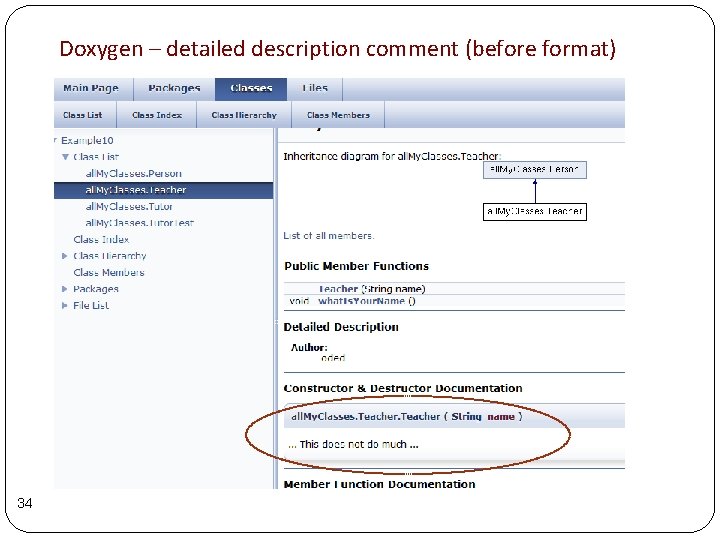
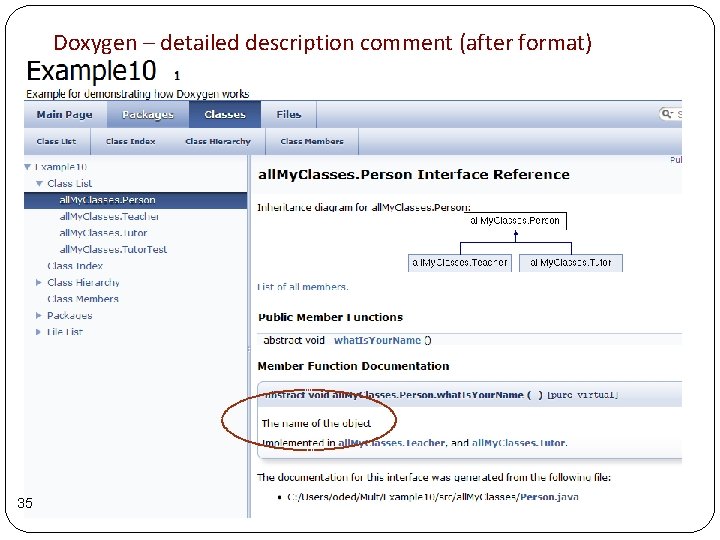
Doxygen – documenting code In order to know which comments are for Doxygen the comment must have some additional marking (different marking for different languages) 33 • Java. Doc Style marking, for detailed description (needs to be placed before the member) • Java. Doc Style marking for detailed description (needs to be placed before the member) /** * …This does not do much… */ required /**< The name of the object */ required
Doxygen – detailed description comment (before format) 34
Doxygen – detailed description comment (after format) 35
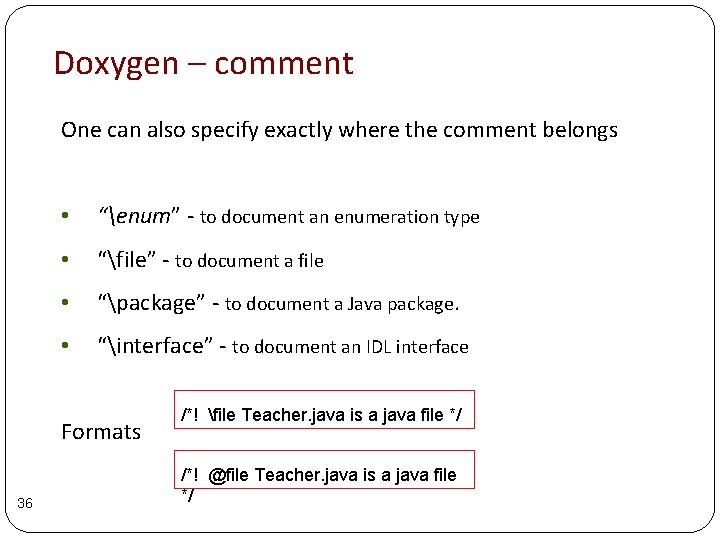
Doxygen – comment One can also specify exactly where the comment belongs • “enum” - to document an enumeration type • “file” - to document a file • “package” - to document a Java package. • “interface” - to document an IDL interface Formats 36 /*! file Teacher. java is a java file */ /*! @file Teacher. java is a java file */
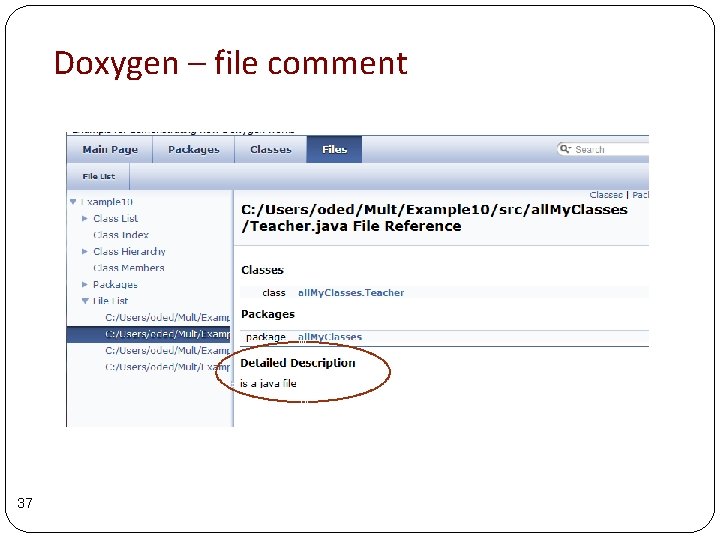
Doxygen – file comment 37
Doxygen – not just inheritance diagrams Regretfully this requires another tool graphviz needed to generate more advanced diagrams and graphs. (open-source, cross-platform graph drawing toolkit be http: //www. graphviz. org/ ) 38
Doxygen – other important features 39 • Searching • Linking to external documentation • Customizing output • How to add support for new languages • Automatic link generation • Including formulae
e. UML 2 40
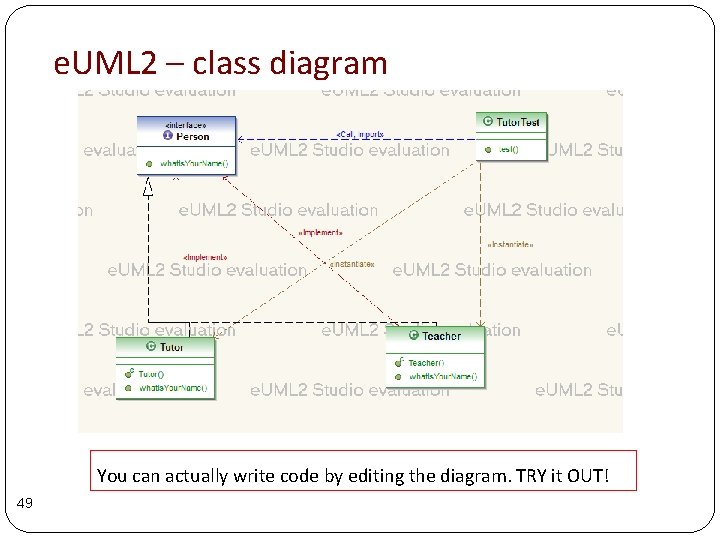
e. UML 2 UML – unified modeling language. Standardized general purpose modelling language for OO analysis and design. e. UML 2 – a UML 2 framework for eclipse 41
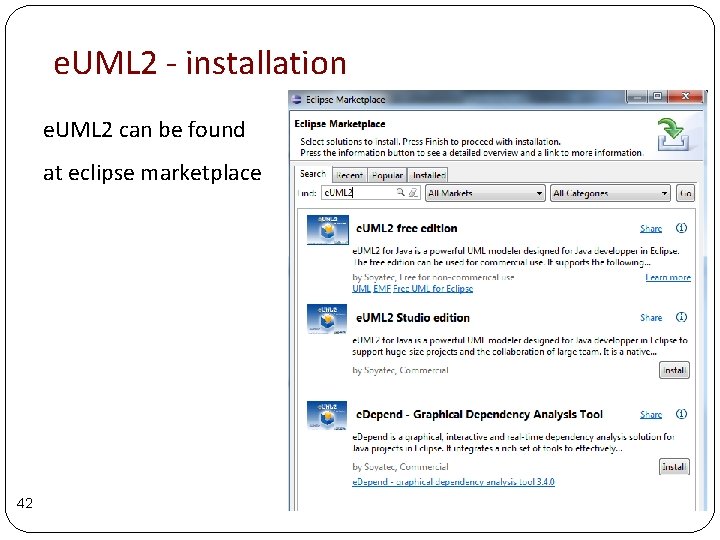
e. UML 2 - installation e. UML 2 can be found at eclipse marketplace 42
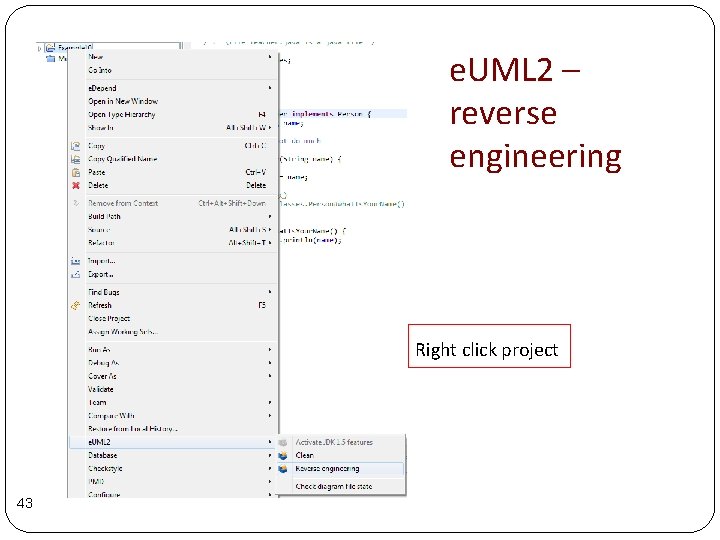
e. UML 2 – reverse engineering Right click project 43
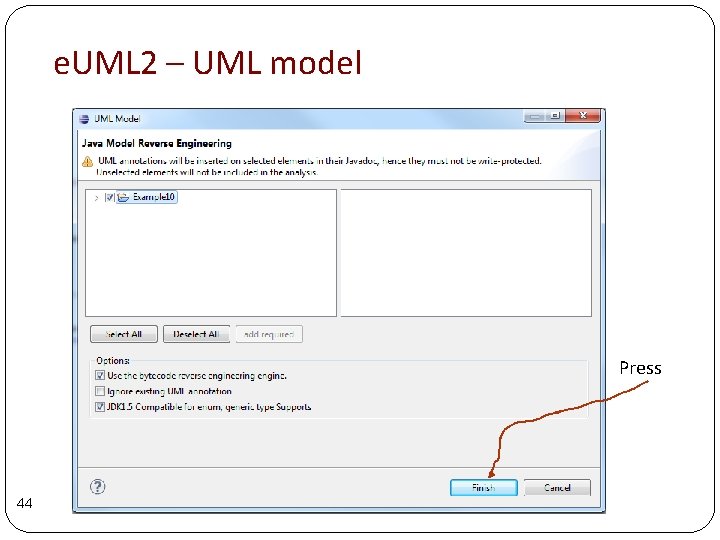
e. UML 2 – UML model Press 44
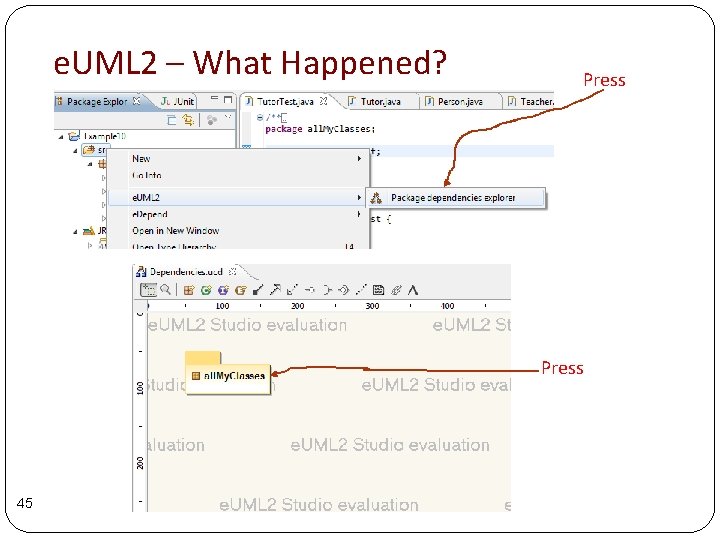
e. UML 2 – What Happened? Press 45
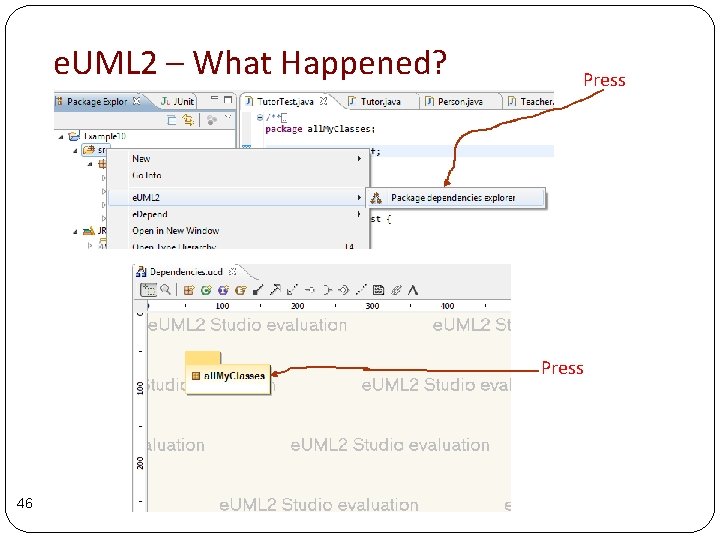
e. UML 2 – What Happened? Press 46
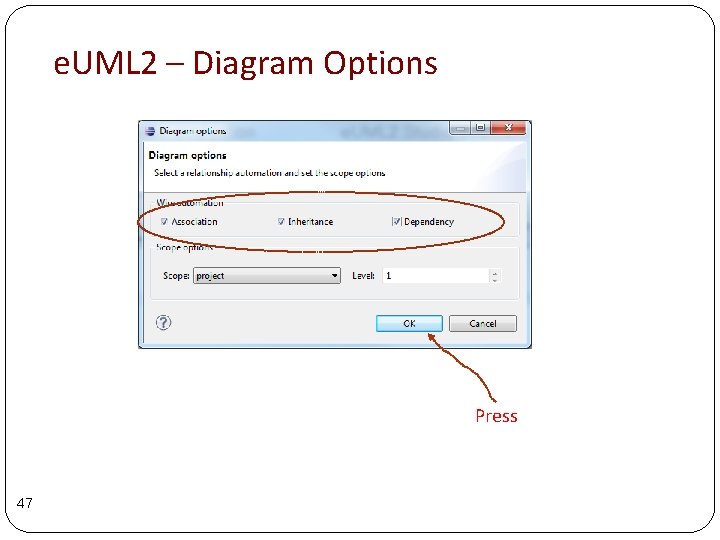
e. UML 2 – Diagram Options Press 47
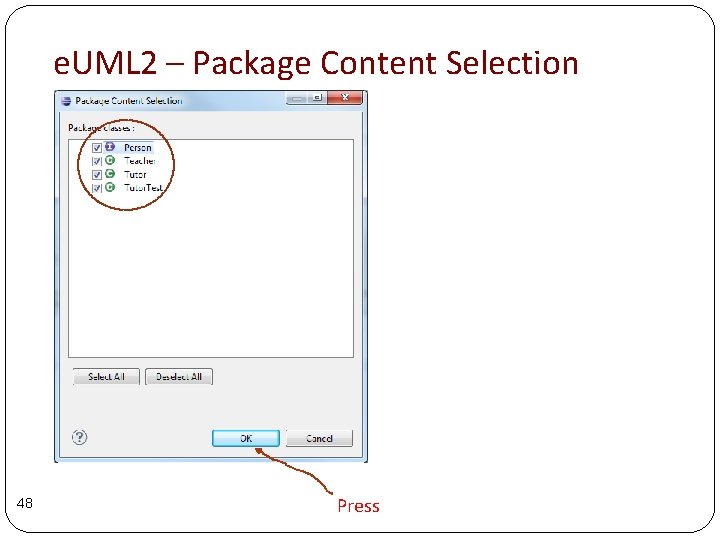
e. UML 2 – Package Content Selection 48 Press
e. UML 2 – class diagram You can actually write code by editing the diagram. TRY it OUT! 49
Build Tools Revisited 50
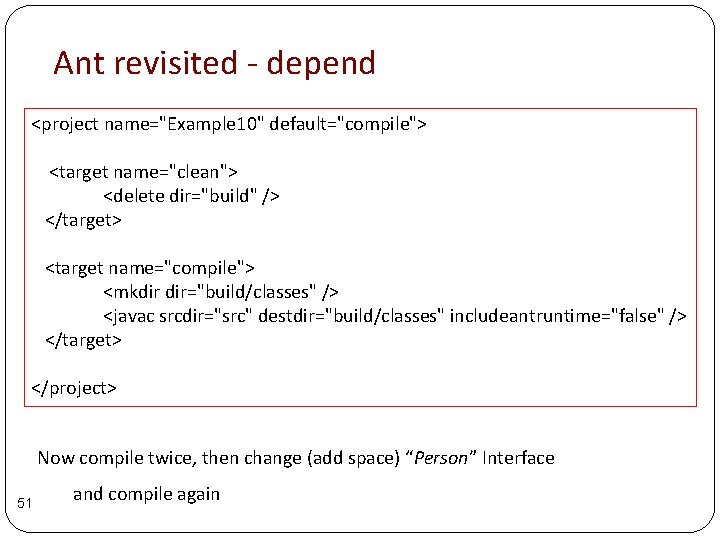
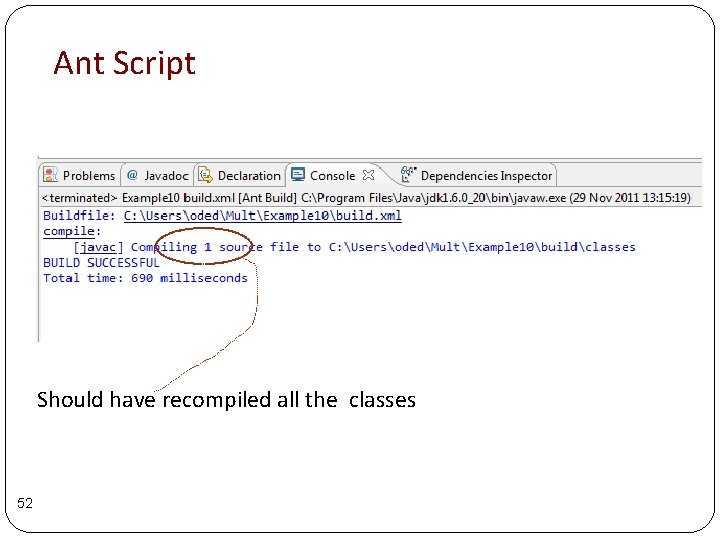
Ant revisited - depend <project name="Example 10" default="compile"> <target name="clean"> <delete dir="build" /> </target> <target name="compile"> <mkdir dir="build/classes" /> <javac srcdir="src" destdir="build/classes" includeantruntime="false" /> </target> </project> Now compile twice, then change (add space) “Person” Interface 51 and compile again
Ant Script Should have recompiled all the classes 52
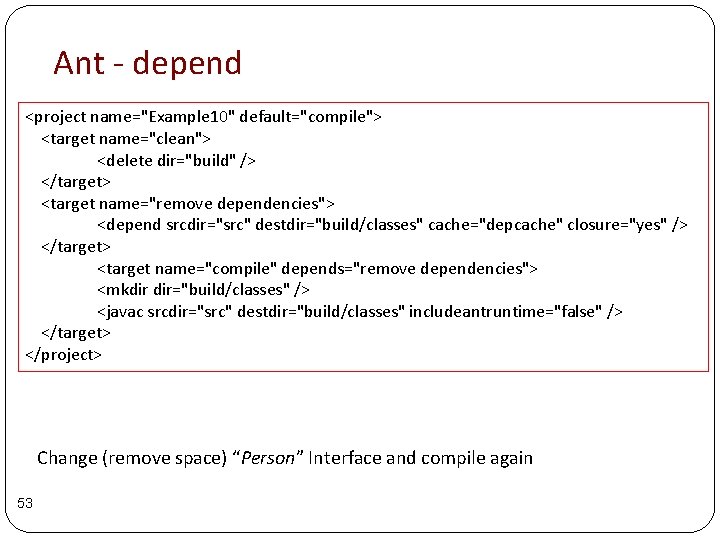
Ant - depend <project name="Example 10" default="compile"> <target name="clean"> <delete dir="build" /> </target> <target name="remove dependencies"> <depend srcdir="src" destdir="build/classes" cache="depcache" closure="yes" /> </target> <target name="compile" depends="remove dependencies"> <mkdir dir="build/classes" /> <javac srcdir="src" destdir="build/classes" includeantruntime="false" /> </target> </project> Change (remove space) “Person” Interface and compile again 53
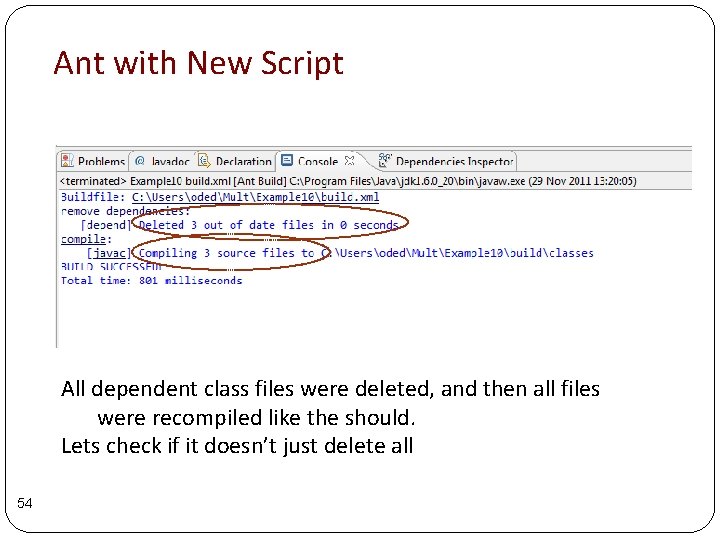
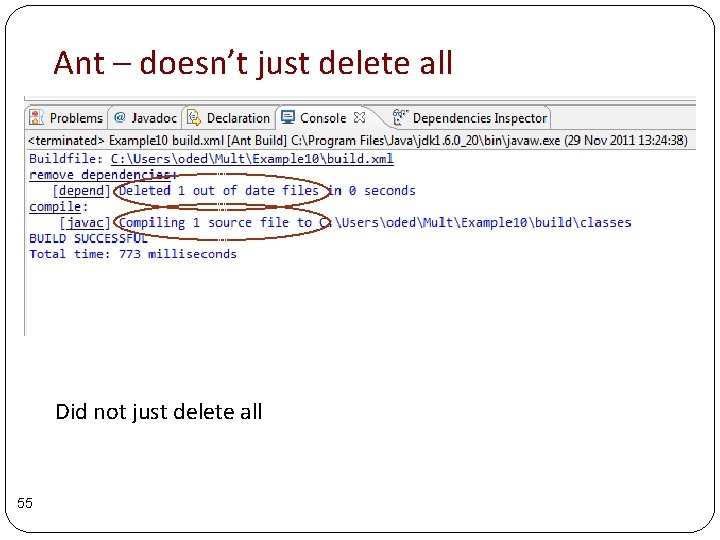
Ant with New Script All dependent class files were deleted, and then all files were recompiled like the should. Lets check if it doesn’t just delete all 54
Ant – doesn’t just delete all Did not just delete all 55
How does Ant know what to delete 1. Uses information inside class files in order to determine dependencies 2. Uses file time stamp to check whether java code is newer than compiled code 56
Why Ant is not Good for Large Projects 57 • Scalability problems – choice of XML is too restricted • Maintainability • Managing package dependencies
Next Stage 58
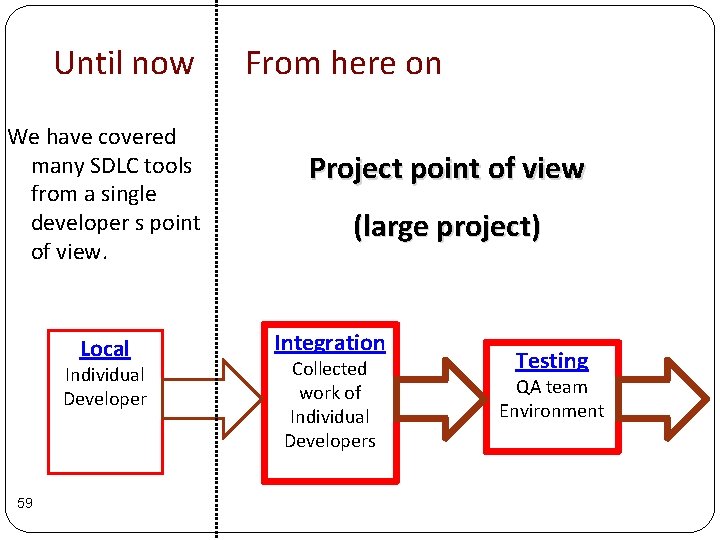
Until now We have covered many SDLC tools from a single developer s point of view. Local Individual Developer 59 From here on Project point of view (large project) Integration Collected work of Individual Developers Testing QA team Environment
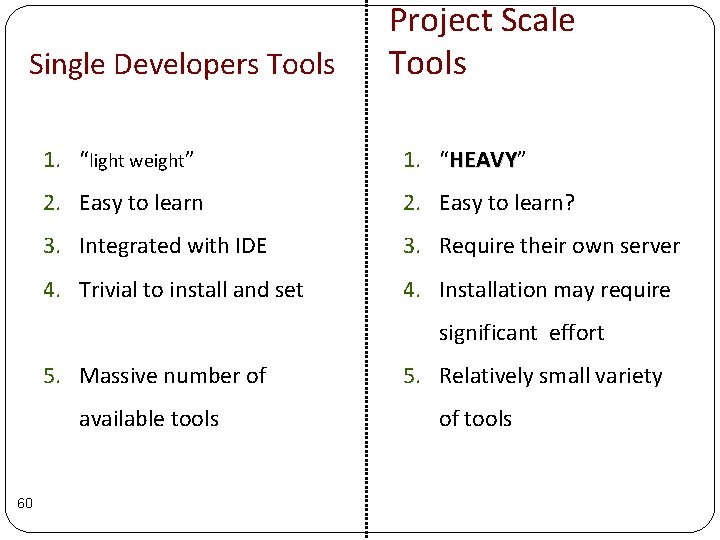
Single Developers Tools Project Scale Tools 1. “light weight” 1. “HEAVY” HEAVY 2. Easy to learn? 3. Integrated with IDE 3. Require their own server 4. Trivial to install and set 4. Installation may require significant effort 5. Massive number of available tools 60 5. Relatively small variety of tools
Continuous Integration 61
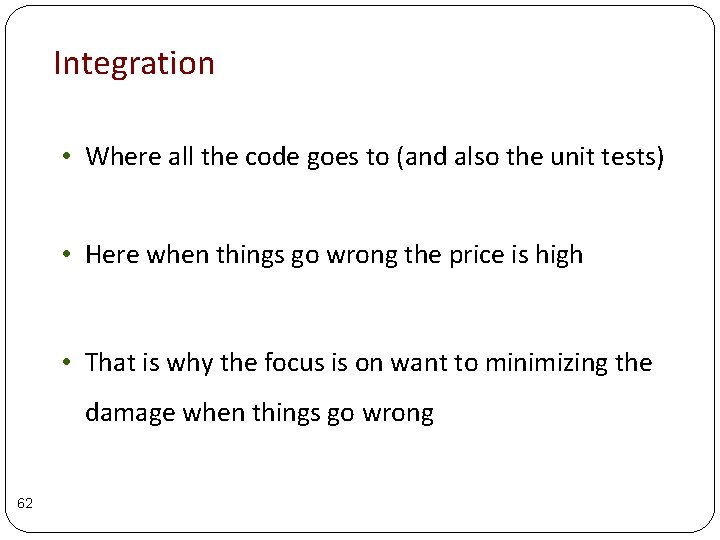
Integration • Where all the code goes to (and also the unit tests) • Here when things go wrong the price is high • That is why the focus is on want to minimizing the damage when things go wrong 62
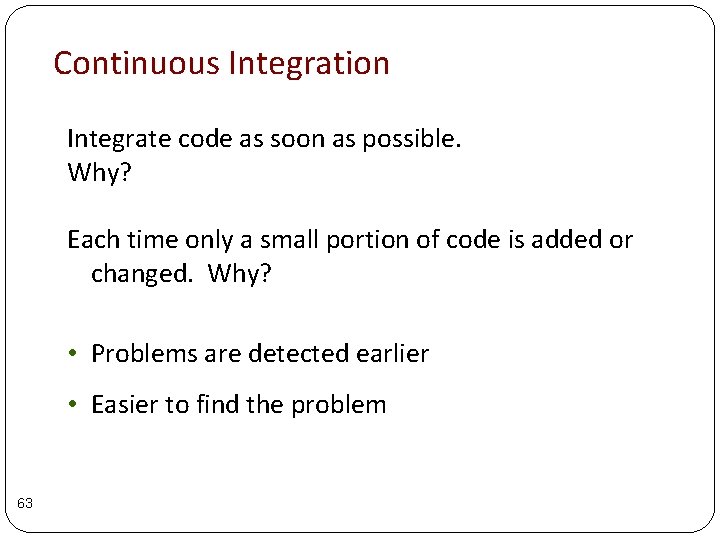
Continuous Integration Integrate code as soon as possible. Why? Each time only a small portion of code is added or changed. Why? • Problems are detected earlier • Easier to find the problem 63
Jenkins 64
What is Jenkins A crucial element in continuous integration with two main goals: 1. “Continuously” build and test software projects 2. Monitor externally run jobs 65
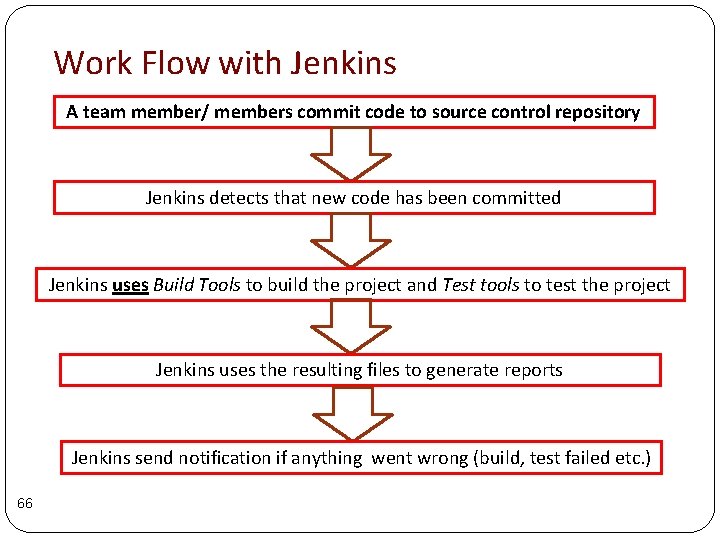
Work Flow with Jenkins A team member/ members commit code to source control repository Jenkins detects that new code has been committed Jenkins uses Build Tools to build the project and Test tools to test the project Jenkins uses the resulting files to generate reports Jenkins send notification if anything went wrong (build, test failed etc. ) 66
Jenkins as Part of the Big Picture An “easy” to configure tool that is responsible for the following: 1. Make sure that everything that should be executed is executed when and as soon as possible 2. Collect all the information and process it into coherent reports (imagine have 10 different tools each with its own report) 67