Introduction to MIS Chapter 4 Security Privacy Anonymity
- Slides: 42
Introduction to MIS Chapter 4 Security, Privacy, Anonymity Copyright © 1998 -2002 by Jerry Post Introduction to MIS 1
Outline Ø Ø Ø Threats to Information Physical Security and Disaster Planning Logical Security and Data Protection Virus Threats User Identification and Biometrics Access controls Encryption and Authentication Internet Security Issues Privacy Anonymity Cases: Healthcare Appendix: Server Security Certificates Introduction to MIS 2
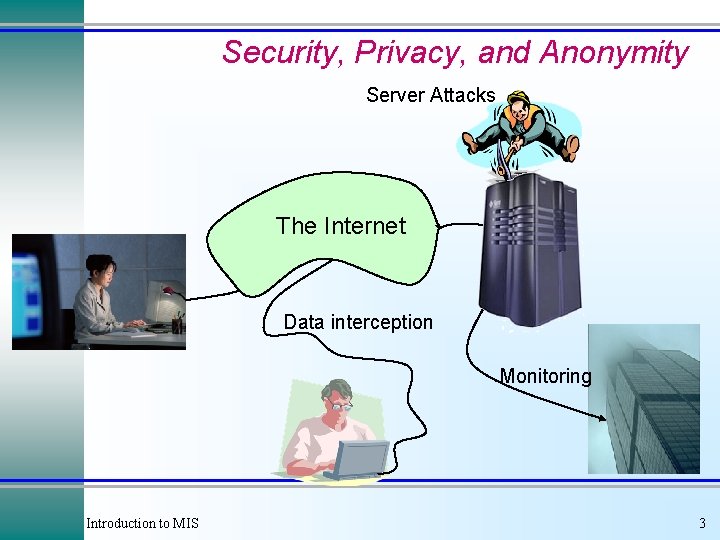
Security, Privacy, and Anonymity Server Attacks The Internet Data interception Monitoring Introduction to MIS 3
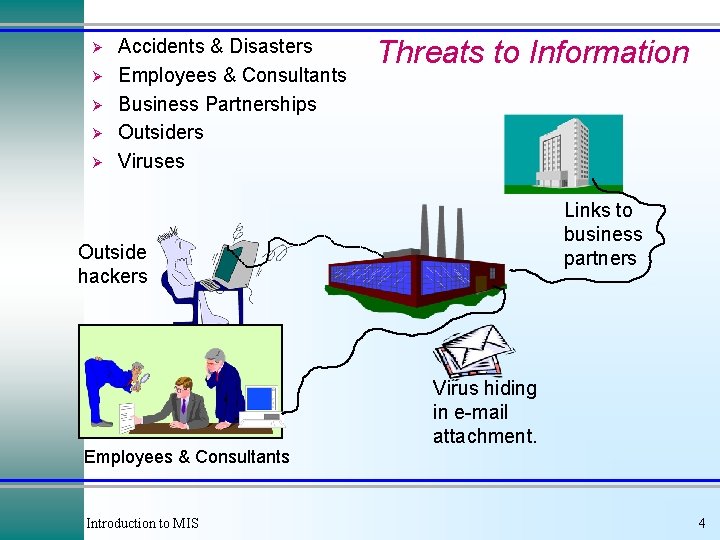
Ø Ø Ø Accidents & Disasters Employees & Consultants Business Partnerships Outsiders Viruses Threats to Information Links to business partners Outside hackers Employees & Consultants Introduction to MIS Virus hiding in e-mail attachment. 4
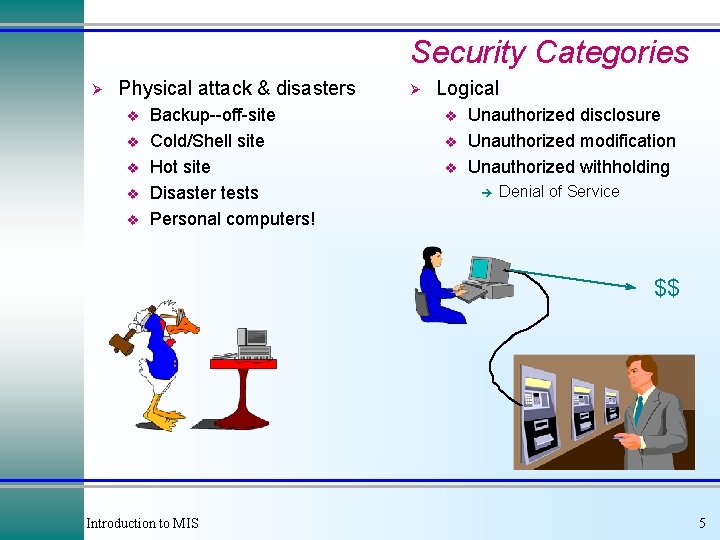
Security Categories Ø Physical attack & disasters v v v Backup--off-site Cold/Shell site Hot site Disaster tests Personal computers! Ø Logical v v v Unauthorized disclosure Unauthorized modification Unauthorized withholding è Denial of Service $$ Introduction to MIS 5
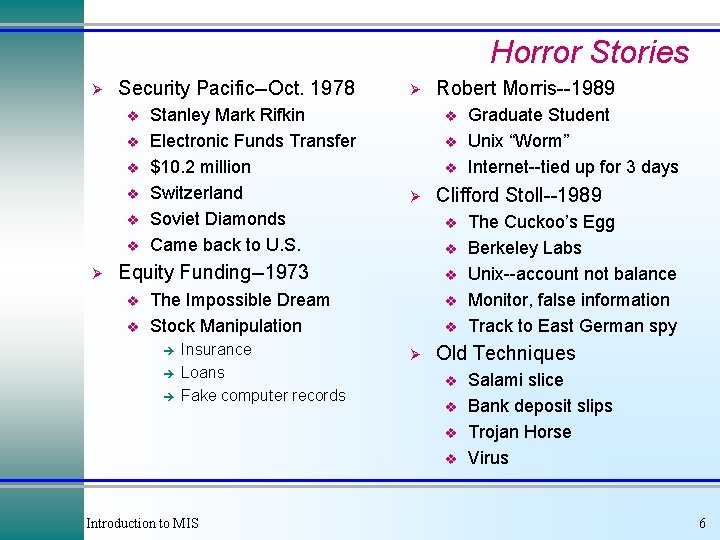
Horror Stories Ø Security Pacific--Oct. 1978 v v v Ø Stanley Mark Rifkin Electronic Funds Transfer $10. 2 million Switzerland Soviet Diamonds Came back to U. S. Ø v v v The Impossible Dream Stock Manipulation è è è Insurance Loans Fake computer records v v Ø The Cuckoo’s Egg Berkeley Labs Unix--account not balance Monitor, false information Track to East German spy Old Techniques v v Introduction to MIS Graduate Student Unix “Worm” Internet--tied up for 3 days Clifford Stoll--1989 v Equity Funding--1973 v Robert Morris--1989 Salami slice Bank deposit slips Trojan Horse Virus 6
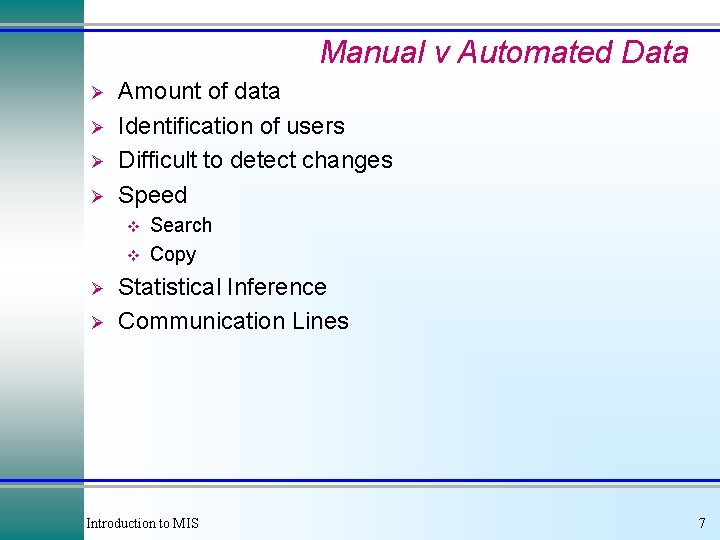
Manual v Automated Data Ø Ø Amount of data Identification of users Difficult to detect changes Speed v v Ø Ø Search Copy Statistical Inference Communication Lines Introduction to MIS 7
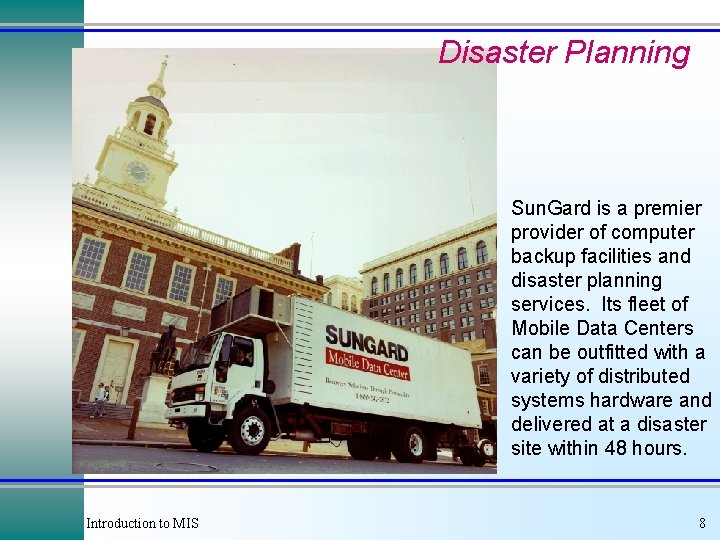
Disaster Planning Sun. Gard is a premier provider of computer backup facilities and disaster planning services. Its fleet of Mobile Data Centers can be outfitted with a variety of distributed systems hardware and delivered at a disaster site within 48 hours. Introduction to MIS 8
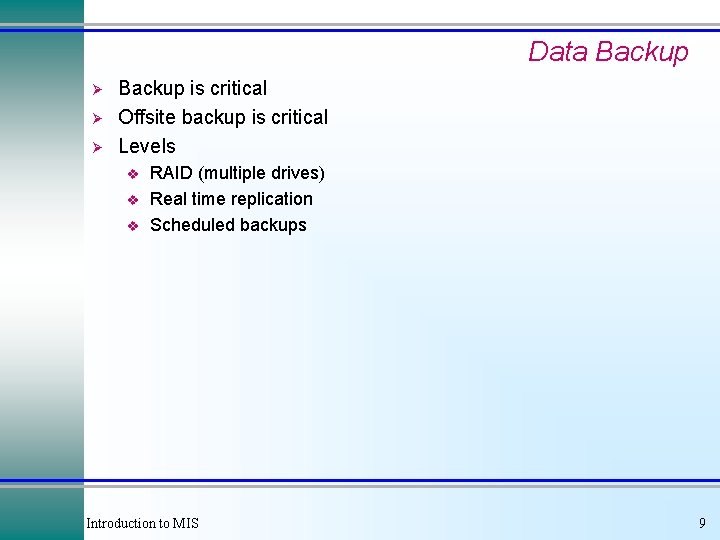
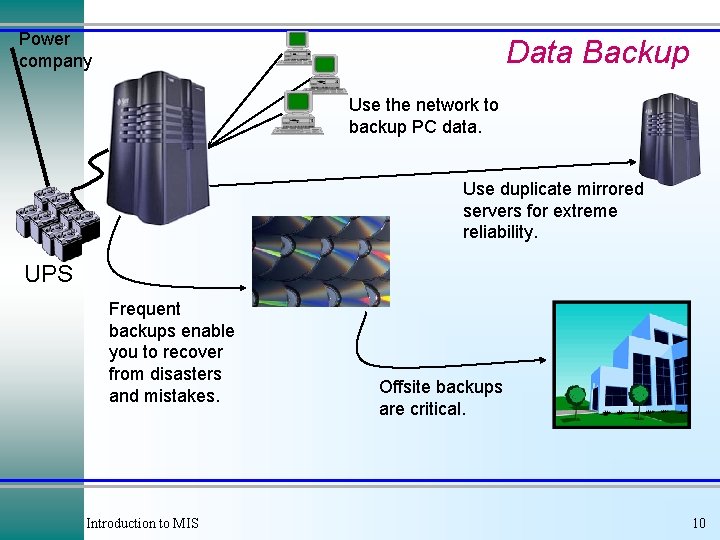
Data Backup Ø Ø Ø Backup is critical Offsite backup is critical Levels v v v RAID (multiple drives) Real time replication Scheduled backups Introduction to MIS 9
Power company Data Backup Use the network to backup PC data. Use duplicate mirrored servers for extreme reliability. UPS Frequent backups enable you to recover from disasters and mistakes. Introduction to MIS Offsite backups are critical. 10
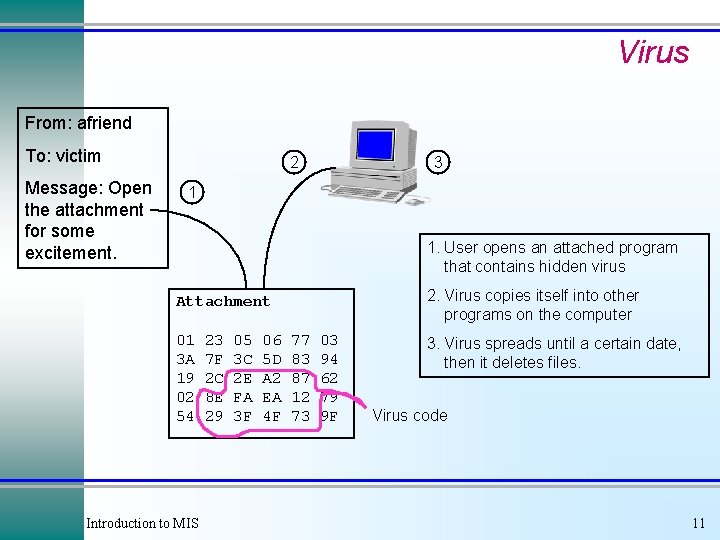
Virus From: afriend To: victim Message: Open the attachment for some excitement. 2 3 1 1. User opens an attached program that contains hidden virus 2. Virus copies itself into other programs on the computer Attachment 01 3 A 19 02 54 Introduction to MIS 23 7 F 2 C 8 E 29 05 3 C 2 E FA 3 F 06 5 D A 2 EA 4 F 77 83 87 12 73 03 94 62 79 9 F 3. Virus spreads until a certain date, then it deletes files. Virus code 11
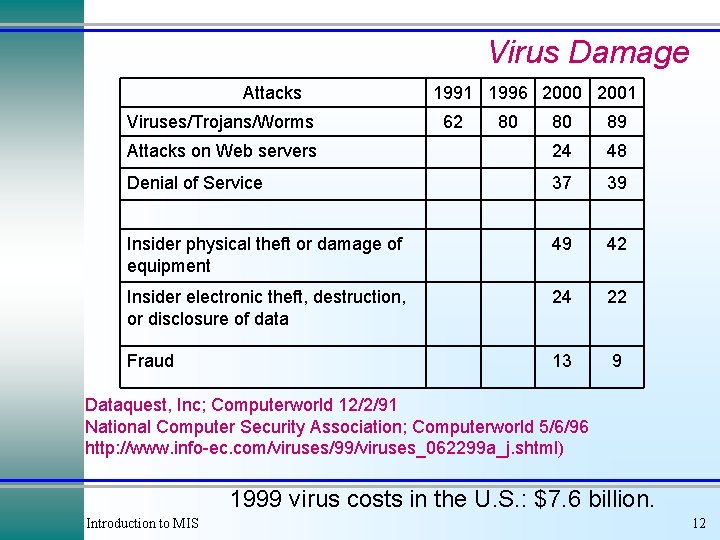
Virus Damage Attacks Viruses/Trojans/Worms 1991 1996 2000 2001 62 80 80 89 Attacks on Web servers 24 48 Denial of Service 37 39 Insider physical theft or damage of equipment 49 42 Insider electronic theft, destruction, or disclosure of data 24 22 Fraud 13 9 Dataquest, Inc; Computerworld 12/2/91 National Computer Security Association; Computerworld 5/6/96 http: //www. info-ec. com/viruses/99/viruses_062299 a_j. shtml) 1999 virus costs in the U. S. : $7. 6 billion. Introduction to MIS 12
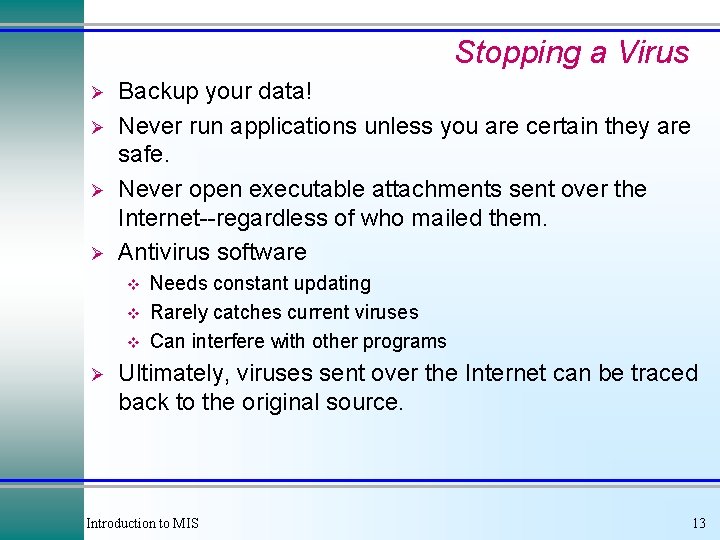
Stopping a Virus Ø Ø Backup your data! Never run applications unless you are certain they are safe. Never open executable attachments sent over the Internet--regardless of who mailed them. Antivirus software v v v Ø Needs constant updating Rarely catches current viruses Can interfere with other programs Ultimately, viruses sent over the Internet can be traced back to the original source. Introduction to MIS 13
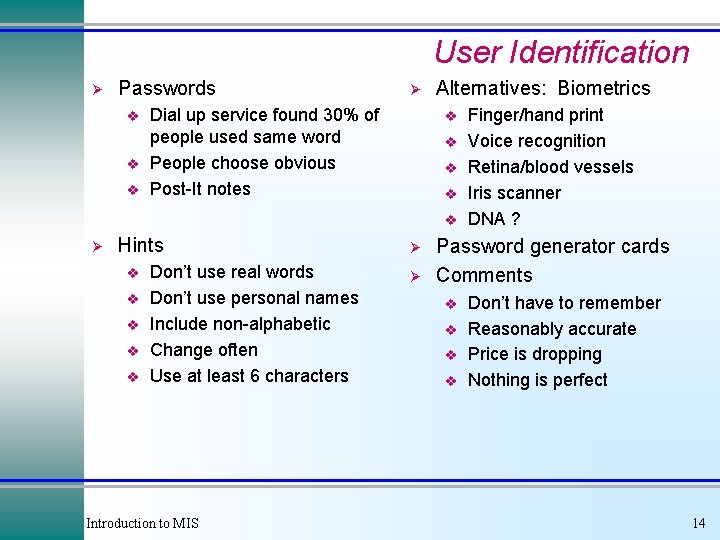
User Identification Ø Passwords v v v Ø Dial up service found 30% of people used same word People choose obvious Post-It notes Alternatives: Biometrics v v v Ø Hints v v v Don’t use real words Don’t use personal names Include non-alphabetic Change often Use at least 6 characters Introduction to MIS Ø Ø Finger/hand print Voice recognition Retina/blood vessels Iris scanner DNA ? Password generator cards Comments v v Don’t have to remember Reasonably accurate Price is dropping Nothing is perfect 14
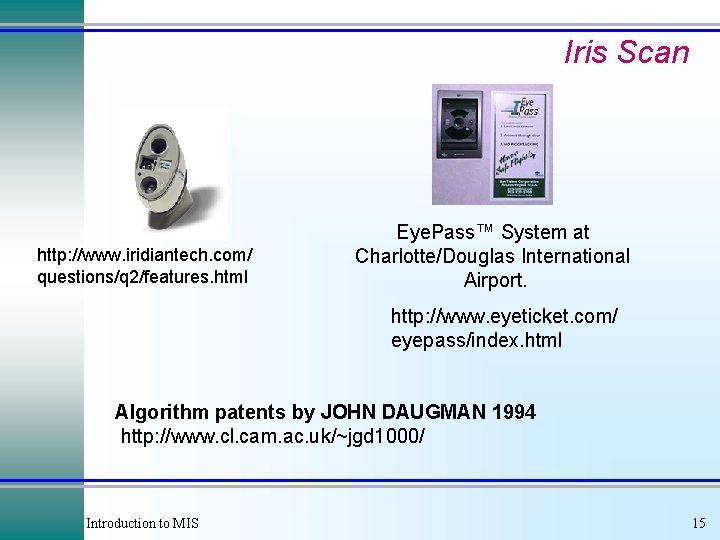
Iris Scan http: //www. iridiantech. com/ questions/q 2/features. html Eye. Pass™ System at Charlotte/Douglas International Airport. http: //www. eyeticket. com/ eyepass/index. html Algorithm patents by JOHN DAUGMAN 1994 http: //www. cl. cam. ac. uk/~jgd 1000/ Introduction to MIS 15
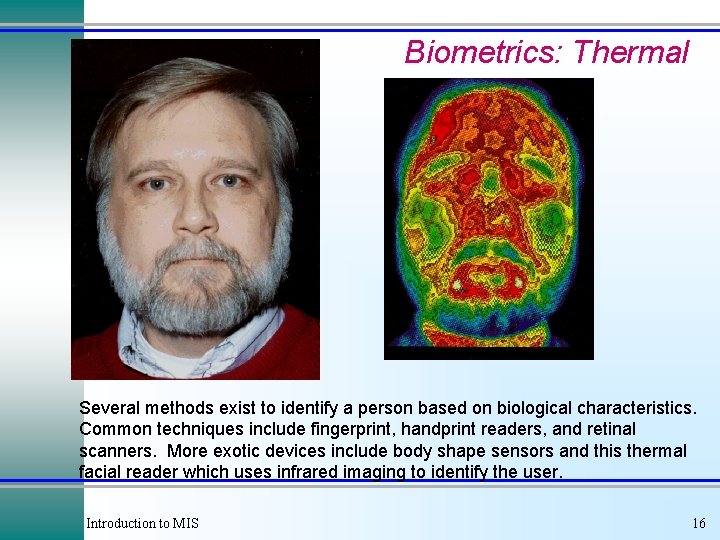
Biometrics: Thermal Several methods exist to identify a person based on biological characteristics. Common techniques include fingerprint, handprint readers, and retinal scanners. More exotic devices include body shape sensors and this thermal facial reader which uses infrared imaging to identify the user. Introduction to MIS 16
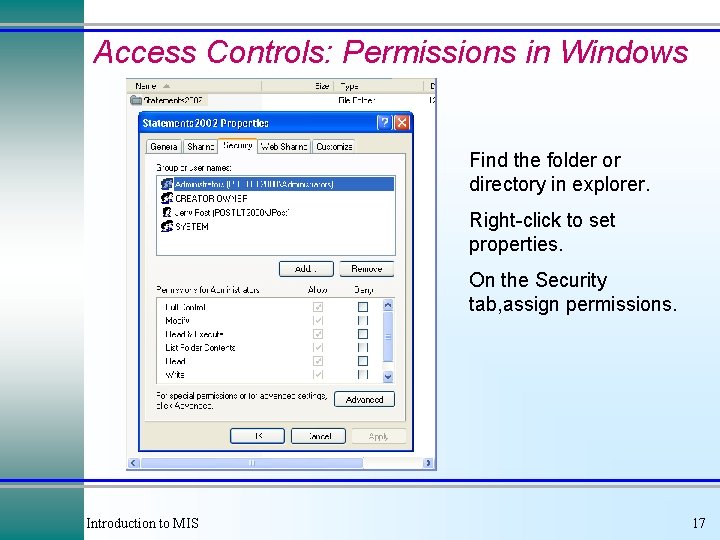
Access Controls: Permissions in Windows Find the folder or directory in explorer. Right-click to set properties. On the Security tab, assign permissions. Introduction to MIS 17
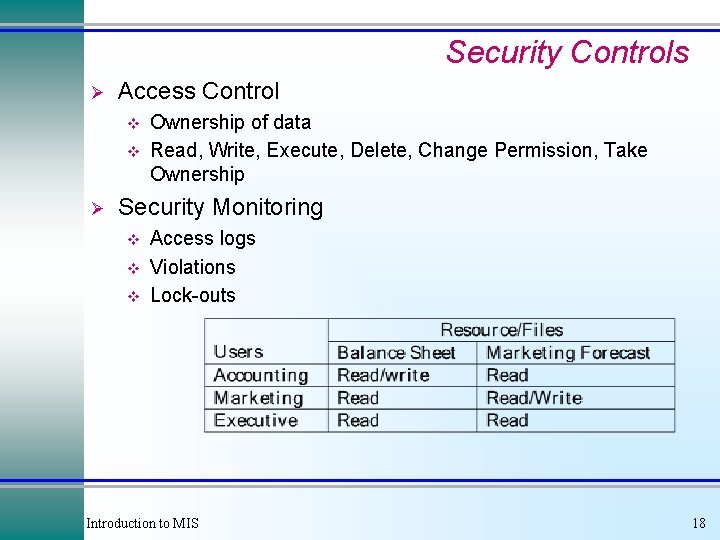
Security Controls Ø Access Control v v Ø Ownership of data Read, Write, Execute, Delete, Change Permission, Take Ownership Security Monitoring v v v Access logs Violations Lock-outs Introduction to MIS 18
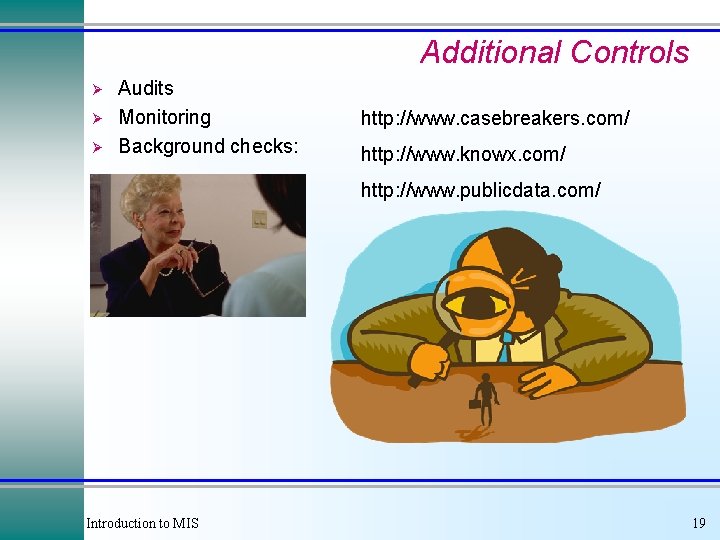
Additional Controls Ø Ø Ø Audits Monitoring Background checks: http: //www. casebreakers. com/ http: //www. knowx. com/ http: //www. publicdata. com/ Introduction to MIS 19
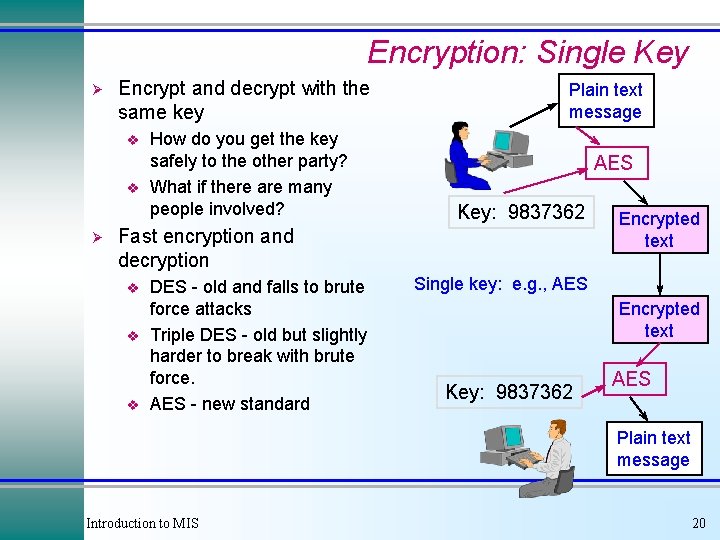
Encryption: Single Key Ø Encrypt and decrypt with the same key v v Ø How do you get the key safely to the other party? What if there are many people involved? Plain text message AES Key: 9837362 Fast encryption and decryption v v v DES - old and falls to brute force attacks Triple DES - old but slightly harder to break with brute force. AES - new standard Encrypted text Single key: e. g. , AES Encrypted text Key: 9837362 AES Plain text message Introduction to MIS 20
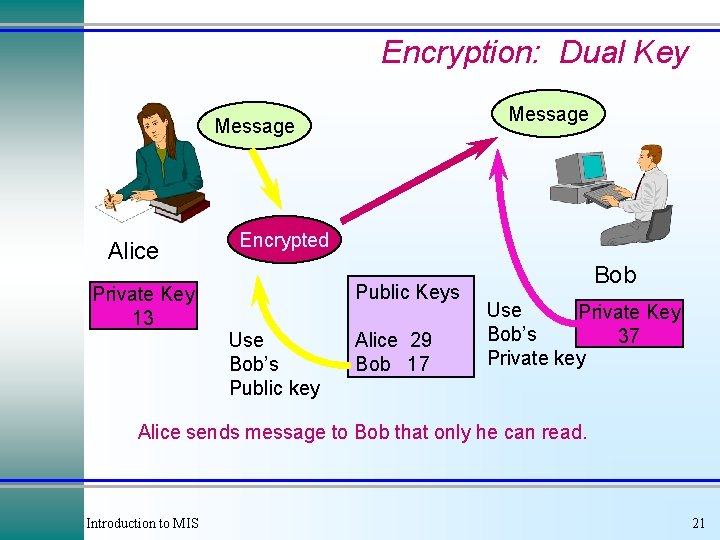
Encryption: Dual Key Message Alice Private Key 13 Encrypted Public Keys Use Bob’s Public key Alice 29 Bob 17 Bob Use Private Key Bob’s 37 Private key Alice sends message to Bob that only he can read. Introduction to MIS 21
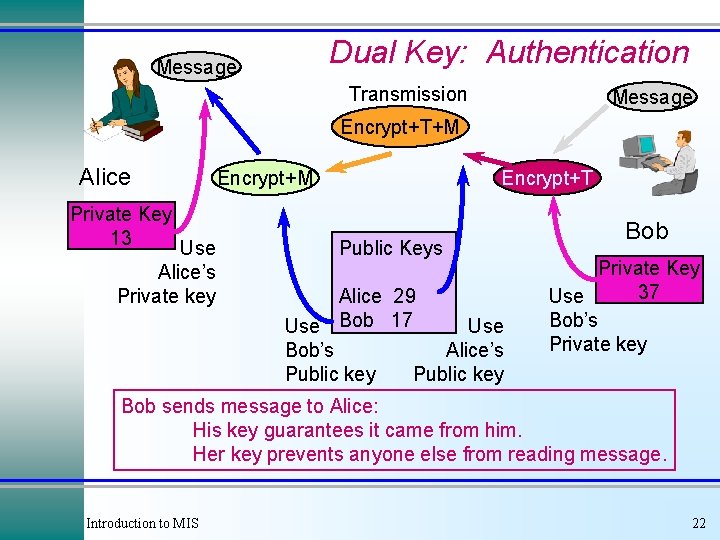
Dual Key: Authentication Message Transmission Message Encrypt+T+M Alice Private Key 13 Use Alice’s Private key Encrypt+M Encrypt+T Public Keys Alice 29 Use Bob 17 Use Bob’s Alice’s Public key Bob Private Key 37 Use Bob’s Private key Bob sends message to Alice: His key guarantees it came from him. Her key prevents anyone else from reading message. Introduction to MIS 22
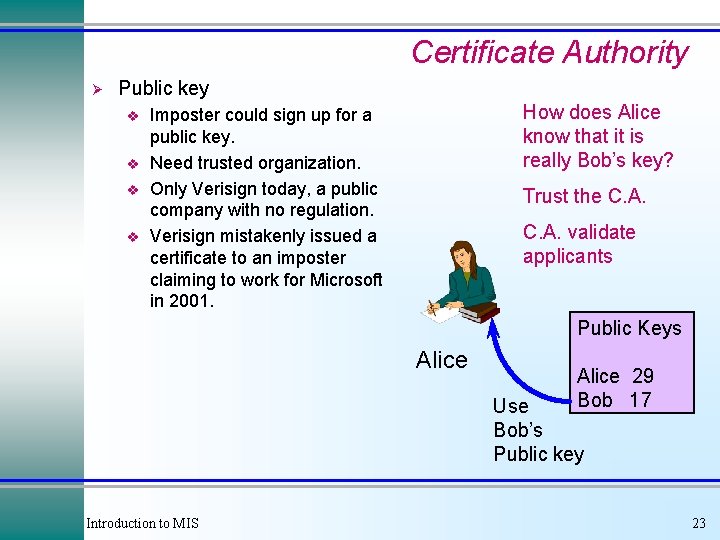
Certificate Authority Ø Public key v v How does Alice know that it is really Bob’s key? Imposter could sign up for a public key. Need trusted organization. Only Verisign today, a public company with no regulation. Verisign mistakenly issued a certificate to an imposter claiming to work for Microsoft in 2001. Trust the C. A. validate applicants Public Keys Alice 29 Bob 17 Use Bob’s Public key Introduction to MIS 23
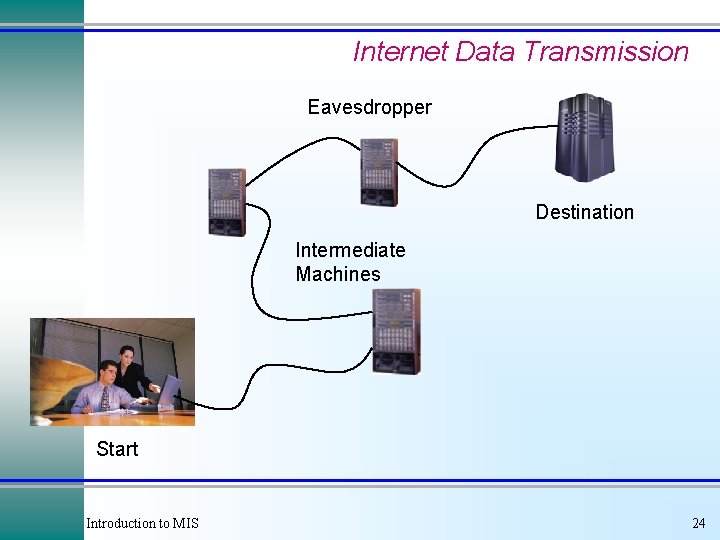
Internet Data Transmission Eavesdropper Destination Intermediate Machines Start Introduction to MIS 24
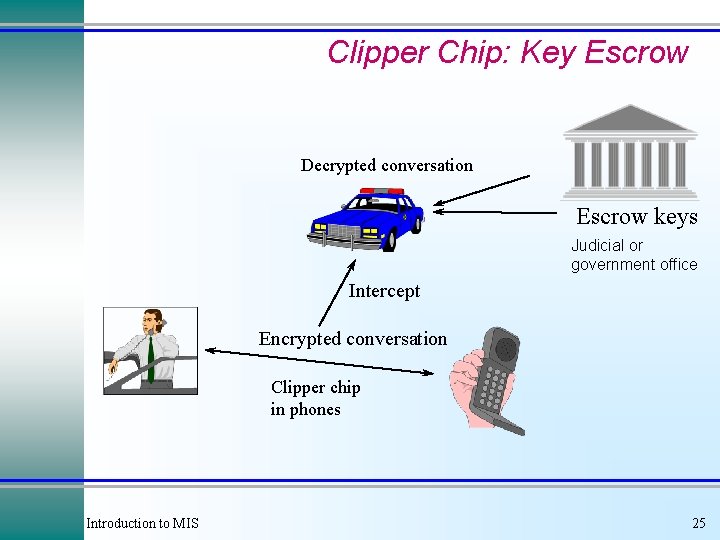
Clipper Chip: Key Escrow Decrypted conversation Escrow keys Judicial or government office Intercept Encrypted conversation Clipper chip in phones Introduction to MIS 25
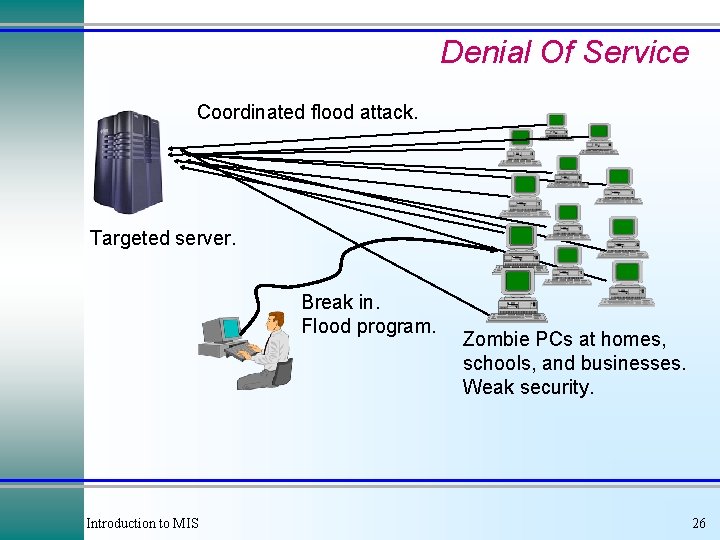
Denial Of Service Coordinated flood attack. Targeted server. Break in. Flood program. Introduction to MIS Zombie PCs at homes, schools, and businesses. Weak security. 26
Securing E-Commerce Servers 1. Install and maintain a working network firewall to protect data accessible via the Internet. 2. Keep security patches up-to-date. 3. Encrypt stored data. 4. Encrypt data sent across networks. 5. Use and regularly update anti-virus software. 6. Restrict access to data by business "need to know. " 7. Assign a unique ID to each person with computer access to data. 8. Don't use vendor-supplied defaults for system passwords and other security parameters. 9. Track access to data by unique ID. 10. Regularly test security systems and processes. 11. Maintain a policy that addresses information security for employees and contractors. 12. Restrict physical access to cardholder information. http: //www. visabrc. com/doc. phtml? 2, 64, 932 a_cisp. html Introduction to MIS 27
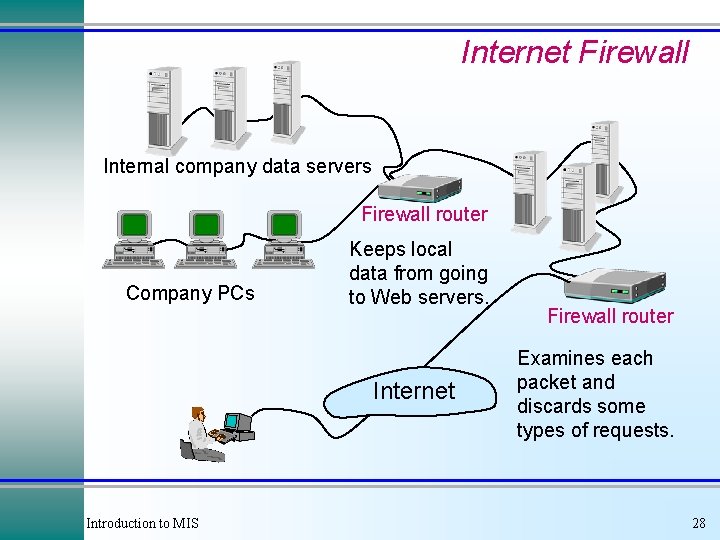
Internet Firewall Internal company data servers Firewall router Company PCs Keeps local data from going to Web servers. Internet Introduction to MIS Firewall router Examines each packet and discards some types of requests. 28
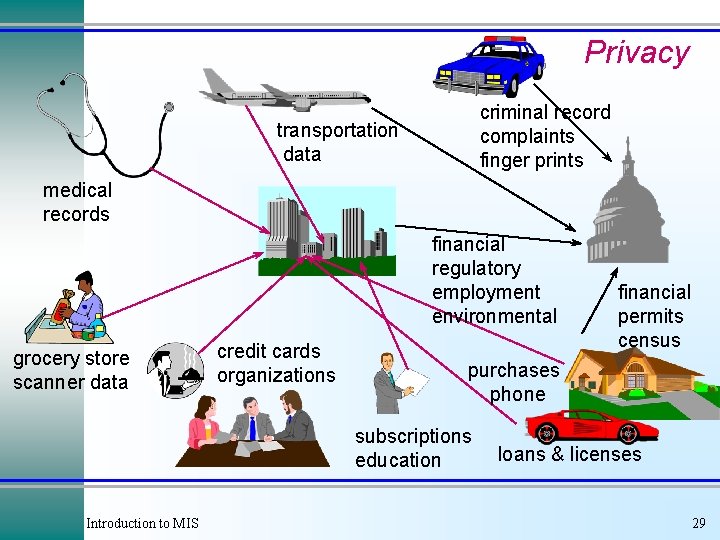
Privacy criminal record complaints finger prints transportation data medical records financial regulatory employment environmental grocery store scanner data credit cards organizations purchases phone subscriptions education Introduction to MIS financial permits census loans & licenses 29
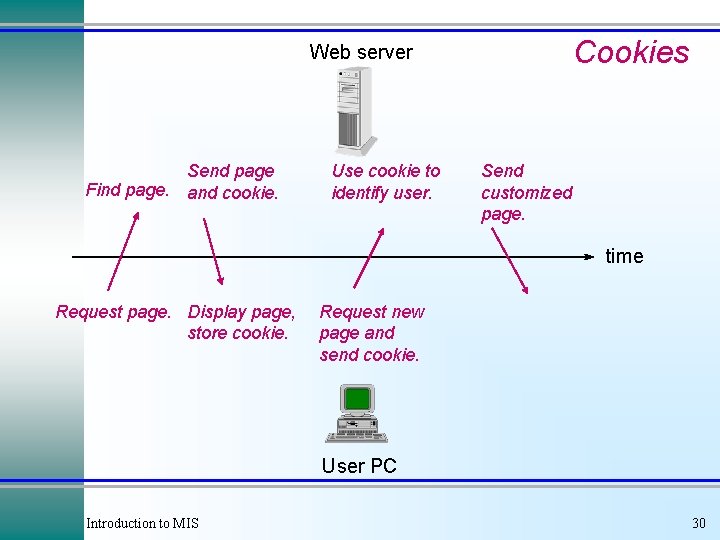
Cookies Web server Send page Find page. and cookie. Use cookie to identify user. Send customized page. time Request page. Display page, store cookie. Request new page and send cookie. User PC Introduction to MIS 30
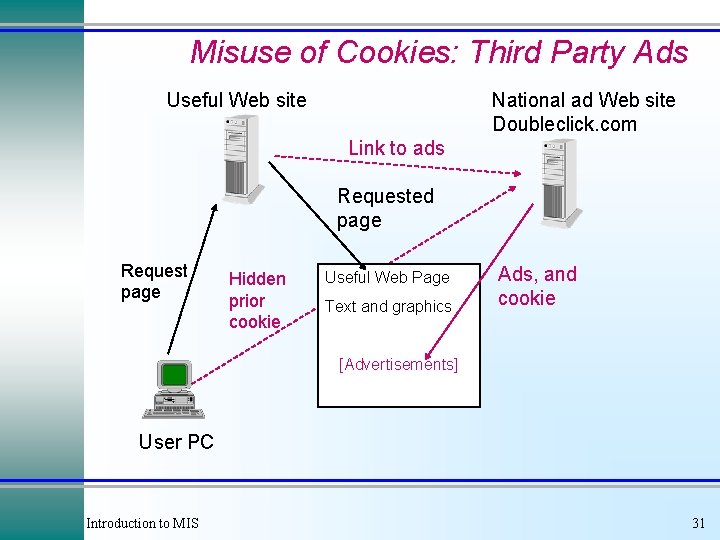
Misuse of Cookies: Third Party Ads Useful Web site National ad Web site Doubleclick. com Link to ads Requested page Request page Hidden prior cookie Useful Web Page Text and graphics Ads, and cookie [Advertisements] User PC Introduction to MIS 31
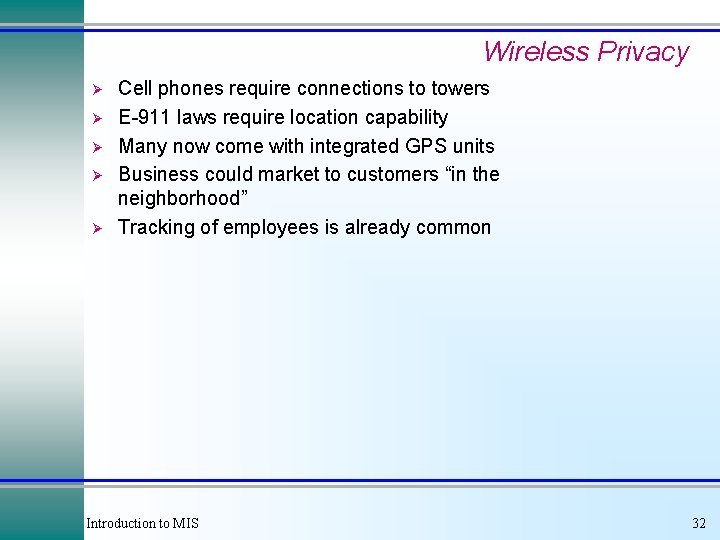
Wireless Privacy Ø Ø Ø Cell phones require connections to towers E-911 laws require location capability Many now come with integrated GPS units Business could market to customers “in the neighborhood” Tracking of employees is already common Introduction to MIS 32
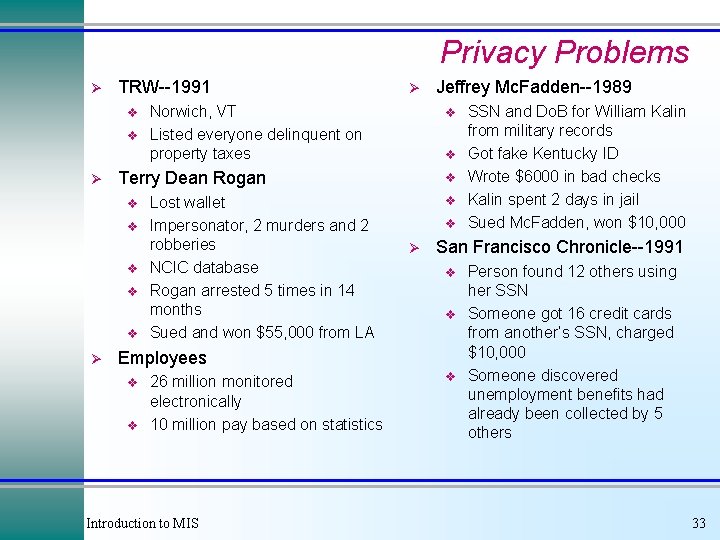
Privacy Problems Ø TRW--1991 v v Ø Norwich, VT Listed everyone delinquent on property taxes v v Lost wallet Impersonator, 2 murders and 2 robberies NCIC database Rogan arrested 5 times in 14 months Sued and won $55, 000 from LA Jeffrey Mc. Fadden--1989 v v Terry Dean Rogan v Ø Ø v v v Ø San Francisco Chronicle--1991 v v Employees v v 26 million monitored electronically 10 million pay based on statistics Introduction to MIS SSN and Do. B for William Kalin from military records Got fake Kentucky ID Wrote $6000 in bad checks Kalin spent 2 days in jail Sued Mc. Fadden, won $10, 000 v Person found 12 others using her SSN Someone got 16 credit cards from another’s SSN, charged $10, 000 Someone discovered unemployment benefits had already been collected by 5 others 33
Privacy Laws Ø Minimal in US v Credit reports Right to add comments è 1994 disputes settled in 30 days è 1994 some limits on access to data è v v Ø Bork Bill--can’t release video rental data Educational data--limited availability 1994 limits on selling state/local data 2001 rules on medical data Europe v v France and some other controls 1995 EU Privacy Controls Introduction to MIS 34
Primary U. S. Privacy Laws Ø Freedom of Information Act Family Educational Rights and Privacy Act Fair Credit Reporting Act Privacy Act of 1974 Privacy Protection Act of 1980 Electronic Communications Privacy Act of 1986 Video Privacy Act of 1988 Driver’s Privacy Protection Act of 1994 Ø 2001 Federal Medical Privacy rules (not a law) Ø Ø Ø Ø Introduction to MIS 35
Anonymity Ø Ø Anonymous servers: http: //www. zeroknowledge. com Dianetics church (L. Ron Hubbard) officials in the U. S. v v Ø Sued a former employee for leaking confidential documents over the Internet. He posted them through a Danish anonymous server. The church pressured police to obtain the name of the poster. Zero knowledge server is more secure Should we allow anonymity on the Internet? v v Protects privacy Can encourage flow of information Chinese dissenters è Government whistleblowers è v Can be used for criminal activity Introduction to MIS 36
Cases: Healthcare Introduction to MIS 37
Cases: Eli Lilly Owens & Minor, Inc. www. lilly. com www. owens-minor. com What is the company’s current status? What is the Internet strategy? How does the company use information technology? What are the prospects for the industry? Introduction to MIS 38
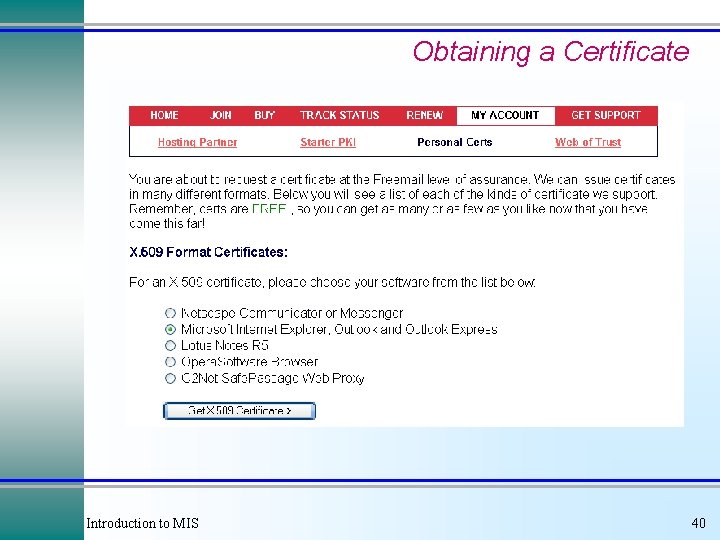
Appendix: Digital Security Certificates Ø Ø Digital security certificates are used to encrypt e-mail and to authenticate the sender. Obtain a certificate from a certificate authority v v Ø Ø Ø Verisign Thawte (owned by Verisign) Microsoft Your own company or agency Install the certificate in Outlook Select option boxes to encrypt or decrypt messages Install certificates sent by your friends and co-workers. Introduction to MIS 39
Obtaining a Certificate Introduction to MIS 40
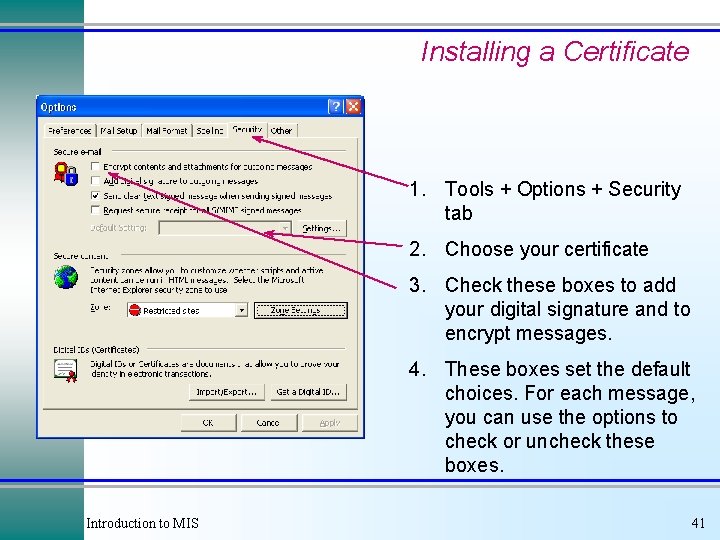
Installing a Certificate 1. Tools + Options + Security tab 2. Choose your certificate 3. Check these boxes to add your digital signature and to encrypt messages. 4. These boxes set the default choices. For each message, you can use the options to check or uncheck these boxes. Introduction to MIS 41
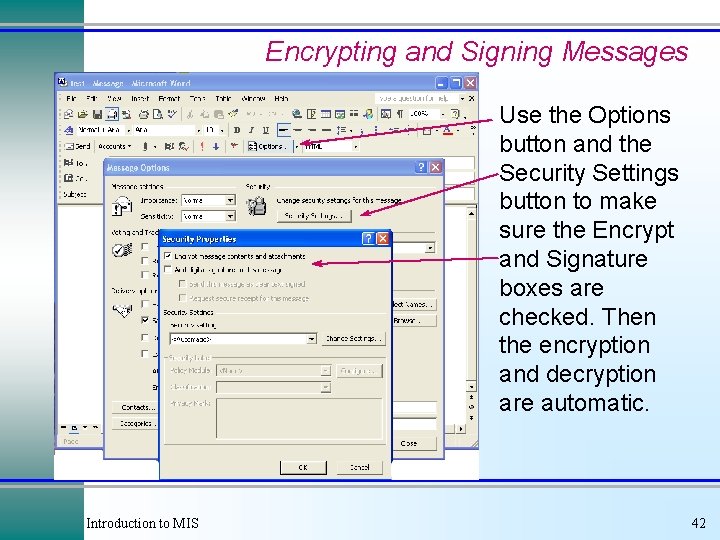
Encrypting and Signing Messages Use the Options button and the Security Settings button to make sure the Encrypt and Signature boxes are checked. Then the encryption and decryption are automatic. Introduction to MIS 42