Hardware and Software Chapter 2 Fundamentals of Information
- Slides: 57
Hardware and Software Chapter 2 Fundamentals of Information Systems, Second Edition 1
Learning Objectives – Identify and discuss the role of the essential hardware components of a computer system. – List and describe popular classes of computer systems and discuss the role of each. – Outline the role of the operating system and discuss how operating systems have evolved over time. – Identify and briefly describe the functions of the two basic kinds of software. Fundamentals of Information Systems, Second Edition 2
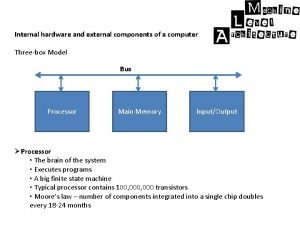
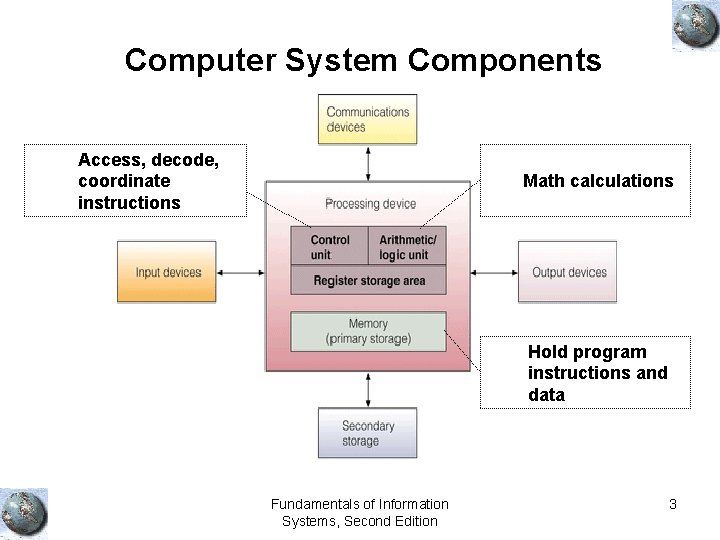
Computer System Components Access, decode, coordinate instructions Math calculations Hold program instructions and data Fundamentals of Information Systems, Second Edition 3
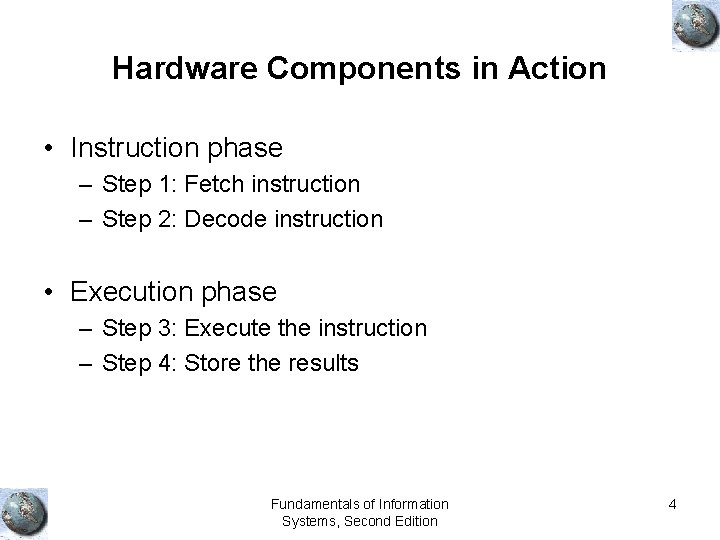
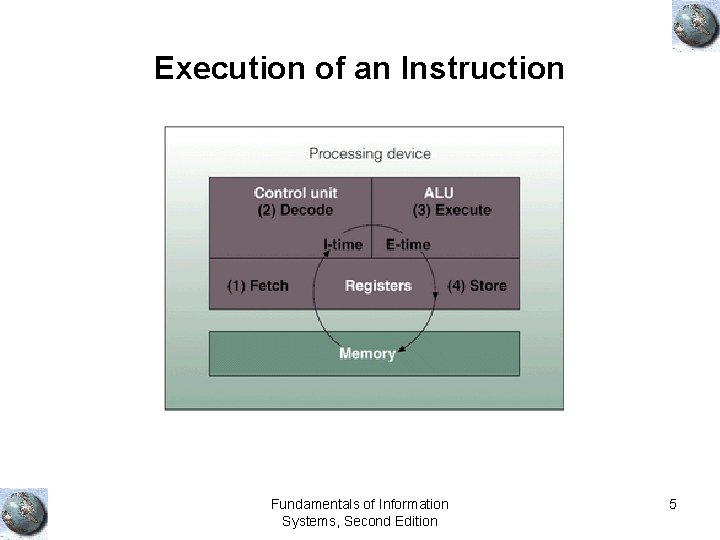
Hardware Components in Action • Instruction phase – Step 1: Fetch instruction – Step 2: Decode instruction • Execution phase – Step 3: Execute the instruction – Step 4: Store the results Fundamentals of Information Systems, Second Edition 4
Execution of an Instruction Fundamentals of Information Systems, Second Edition 5
Processing and Memory Devices Fundamentals of Information Systems, Second Edition 6
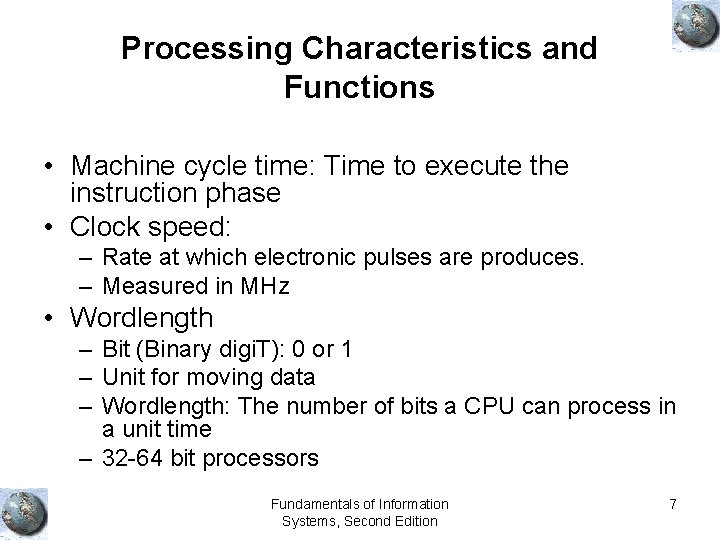
Processing Characteristics and Functions • Machine cycle time: Time to execute the instruction phase • Clock speed: – Rate at which electronic pulses are produces. – Measured in MHz • Wordlength – Bit (Binary digi. T): 0 or 1 – Unit for moving data – Wordlength: The number of bits a CPU can process in a unit time – 32 -64 bit processors Fundamentals of Information Systems, Second Edition 7
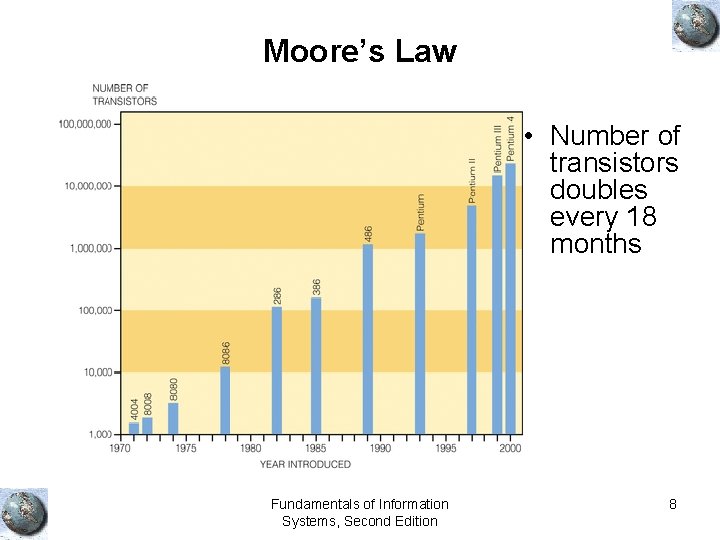
Moore’s Law • Number of transistors doubles every 18 months Fundamentals of Information Systems, Second Edition 8
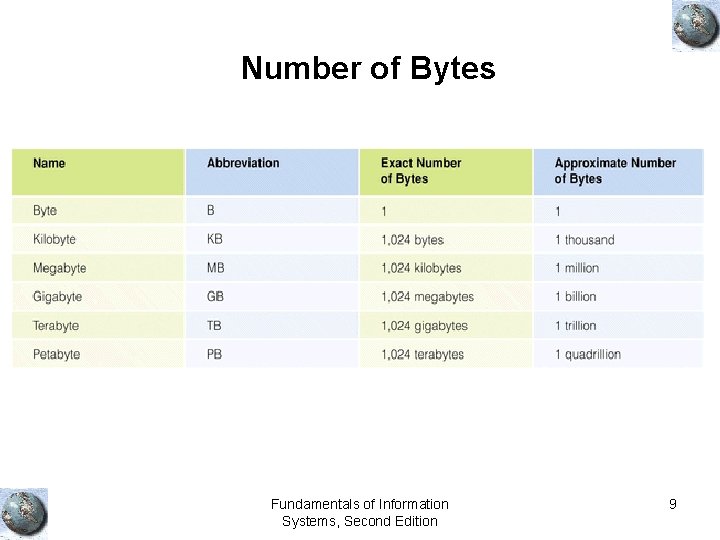
Number of Bytes Fundamentals of Information Systems, Second Edition 9
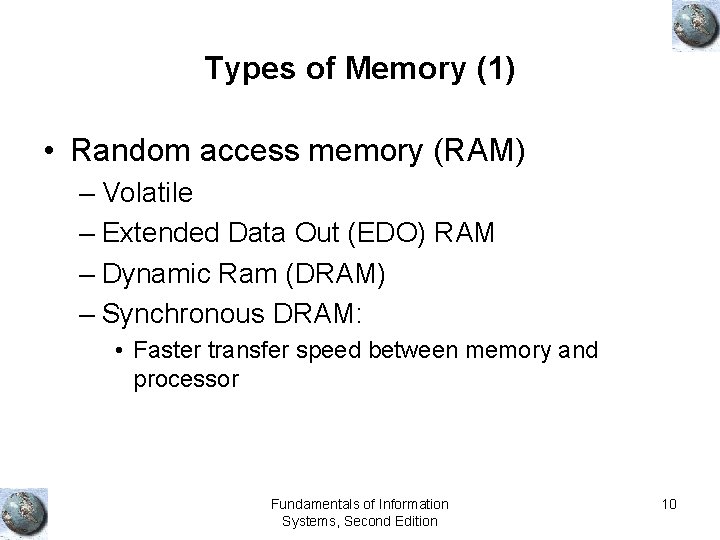
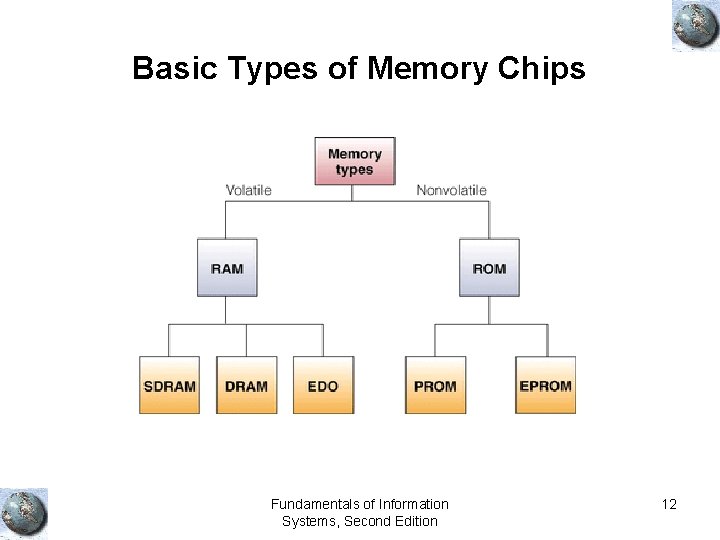
Types of Memory (1) • Random access memory (RAM) – Volatile – Extended Data Out (EDO) RAM – Dynamic Ram (DRAM) – Synchronous DRAM: • Faster transfer speed between memory and processor Fundamentals of Information Systems, Second Edition 10
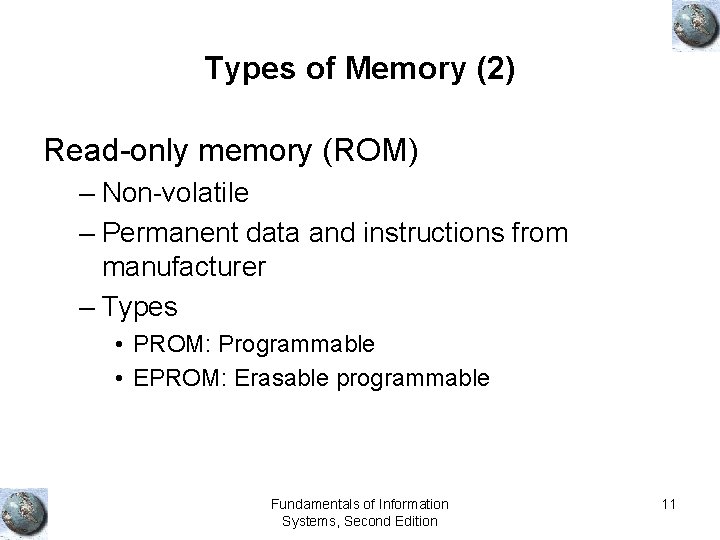
Types of Memory (2) Read-only memory (ROM) – Non-volatile – Permanent data and instructions from manufacturer – Types • PROM: Programmable • EPROM: Erasable programmable Fundamentals of Information Systems, Second Edition 11
Basic Types of Memory Chips Fundamentals of Information Systems, Second Edition 12
Secondary Storage and Output Devices Fundamentals of Information Systems, Second Edition 13
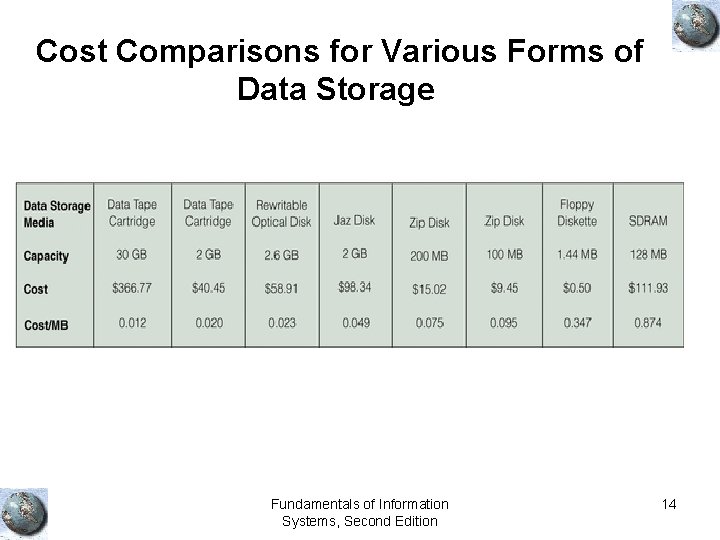
Cost Comparisons for Various Forms of Data Storage Fundamentals of Information Systems, Second Edition 14
Secondary Storage Access Methods • Sequential access – Access in the same order it was written – Ex: Need to access memory location 5. Then, you need to go through 1, 2, 3, and 4 first. • Direct access – Directly access the location – Faster than sequential access • Sequential access storage devices (SASD) • Direct access storage devices (DASD) Fundamentals of Information Systems, Second Edition 15
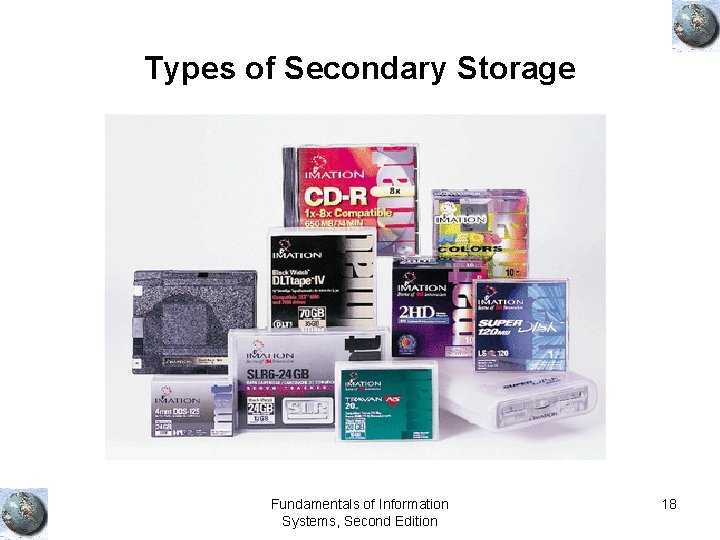
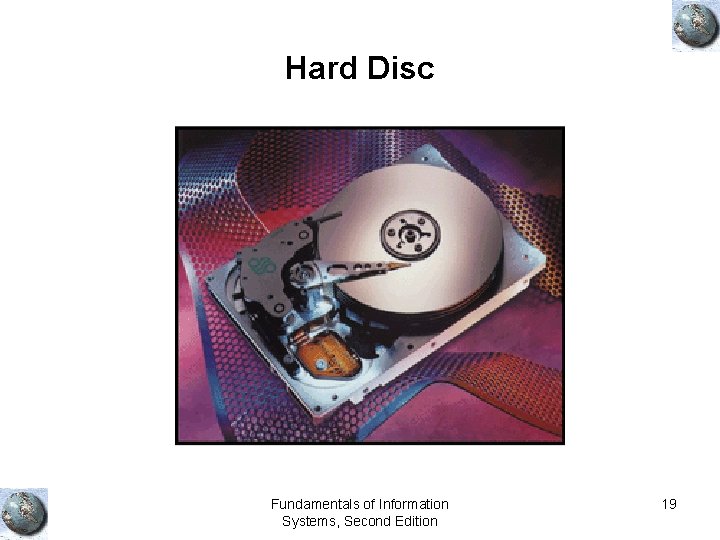
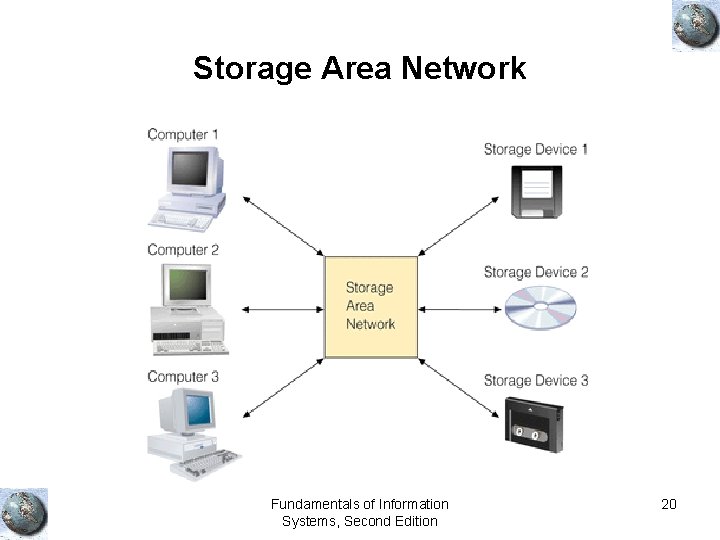
Secondary Storage Devices (1) • Magnetic tapes: Similar to audio tapes, SASD • Magnetic discs: Hard disk, DASD • RAID: Redundant array of independent inexpensive disks – Data stored more than once in one of the disks – Even if one disk fails, data can still be retrieved • SAN: Storage area network – Consist of many storage devices • Optical discs, DASD – CD-ROM Fundamentals of Information Systems, Second Edition 16
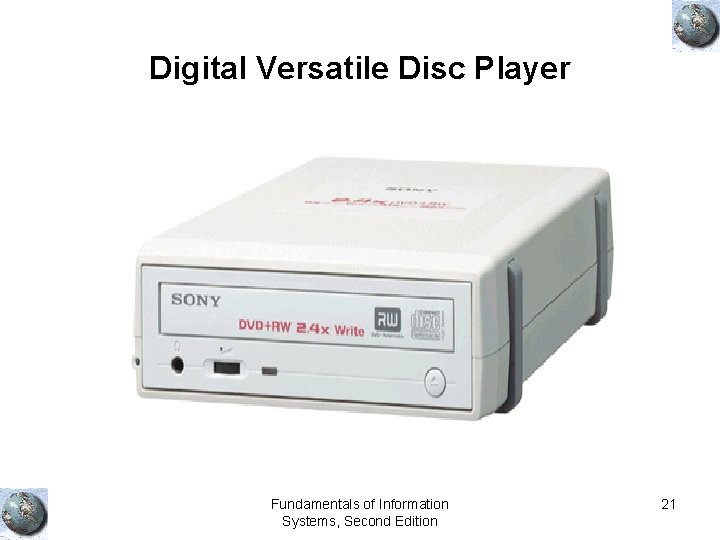
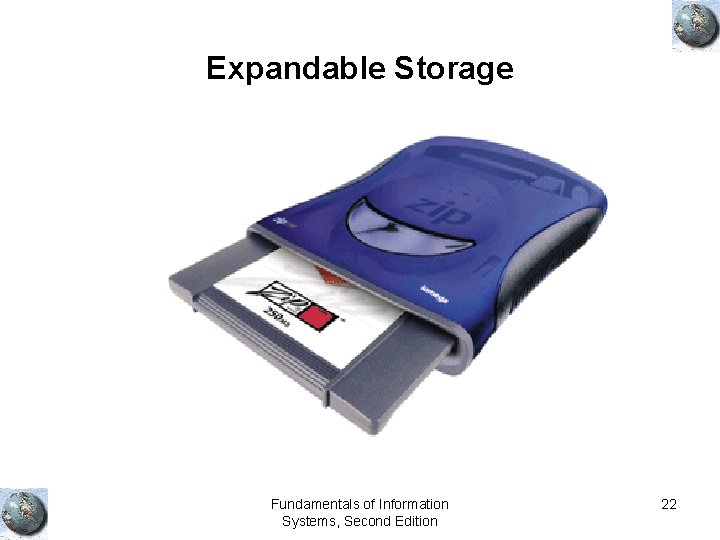
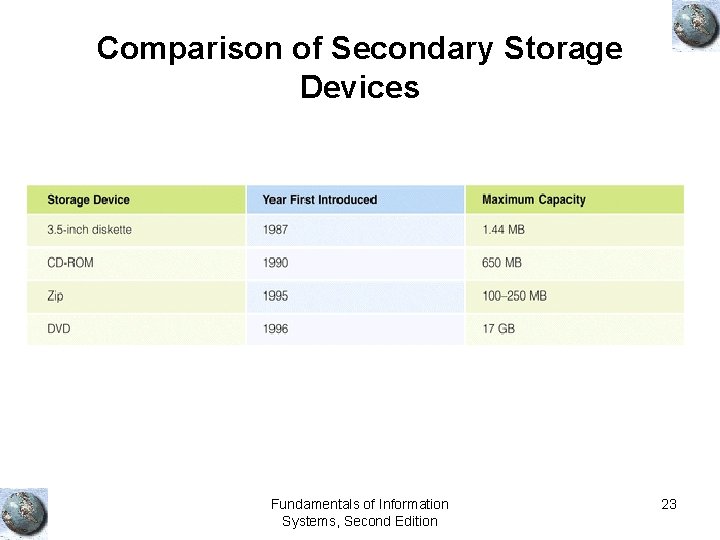
Secondary Storage Devices (2) • Magneto-optical discs • Digital versatile discs (DVD): Up to 17 GB storage • Memory cards – Installed in a slot – Portable • Expandable storage: Removable disk cartridges – Portable – Zip drives Fundamentals of Information Systems, Second Edition 17
Types of Secondary Storage Fundamentals of Information Systems, Second Edition 18
Hard Disc Fundamentals of Information Systems, Second Edition 19
Storage Area Network Fundamentals of Information Systems, Second Edition 20
Digital Versatile Disc Player Fundamentals of Information Systems, Second Edition 21
Expandable Storage Fundamentals of Information Systems, Second Edition 22
Comparison of Secondary Storage Devices Fundamentals of Information Systems, Second Edition 23
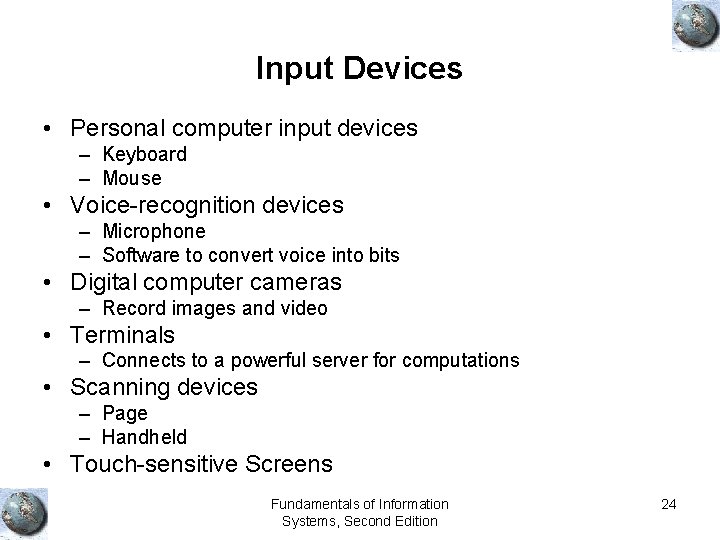
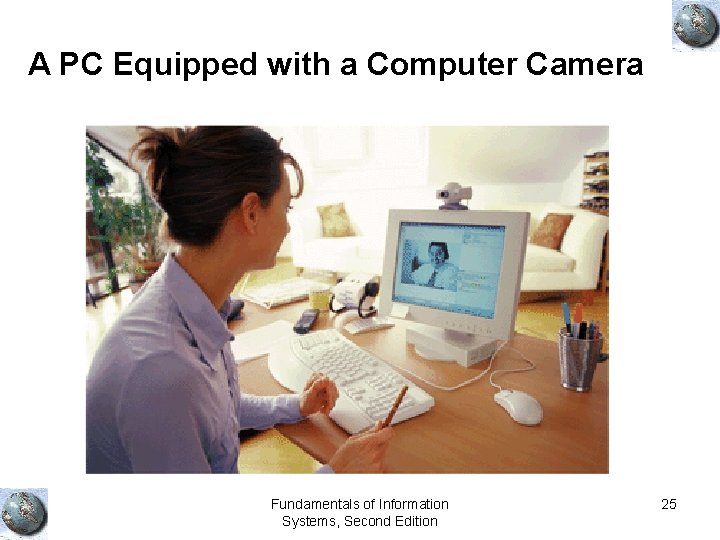
Input Devices • Personal computer input devices – Keyboard – Mouse • Voice-recognition devices – Microphone – Software to convert voice into bits • Digital computer cameras – Record images and video • Terminals – Connects to a powerful server for computations • Scanning devices – Page – Handheld • Touch-sensitive Screens Fundamentals of Information Systems, Second Edition 24
A PC Equipped with a Computer Camera Fundamentals of Information Systems, Second Edition 25
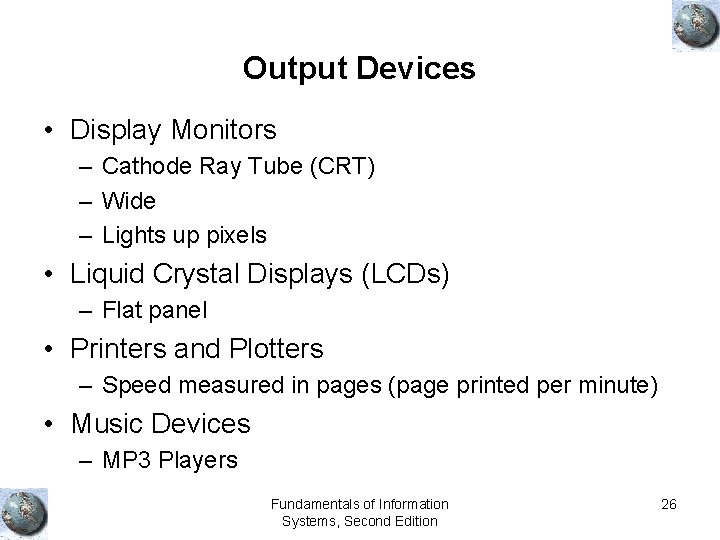
Output Devices • Display Monitors – Cathode Ray Tube (CRT) – Wide – Lights up pixels • Liquid Crystal Displays (LCDs) – Flat panel • Printers and Plotters – Speed measured in pages (page printed per minute) • Music Devices – MP 3 Players Fundamentals of Information Systems, Second Edition 26
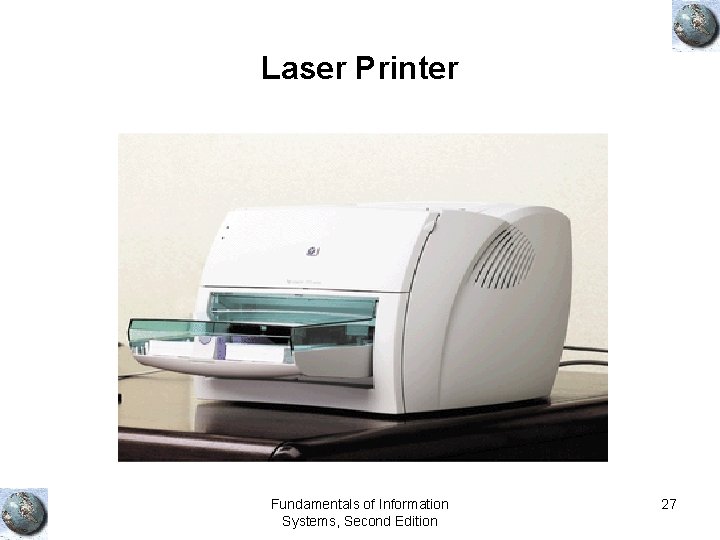
Laser Printer Fundamentals of Information Systems, Second Edition 27
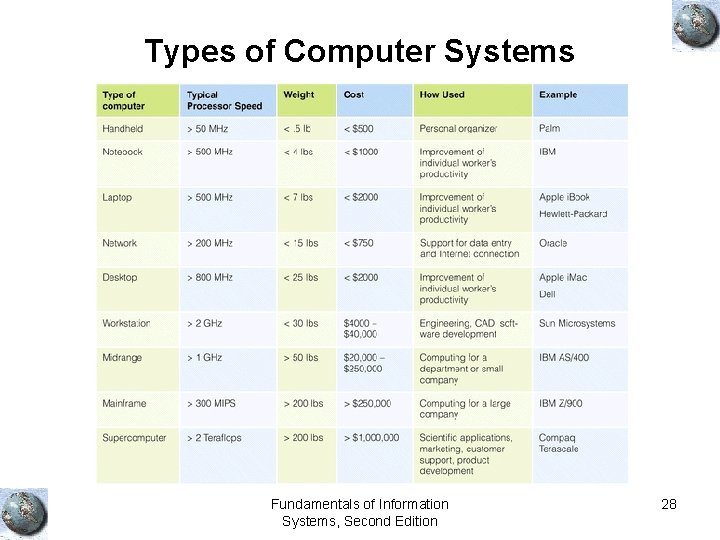
Types of Computer Systems Fundamentals of Information Systems, Second Edition 28
Overview of Software Fundamentals of Information Systems, Second Edition 29
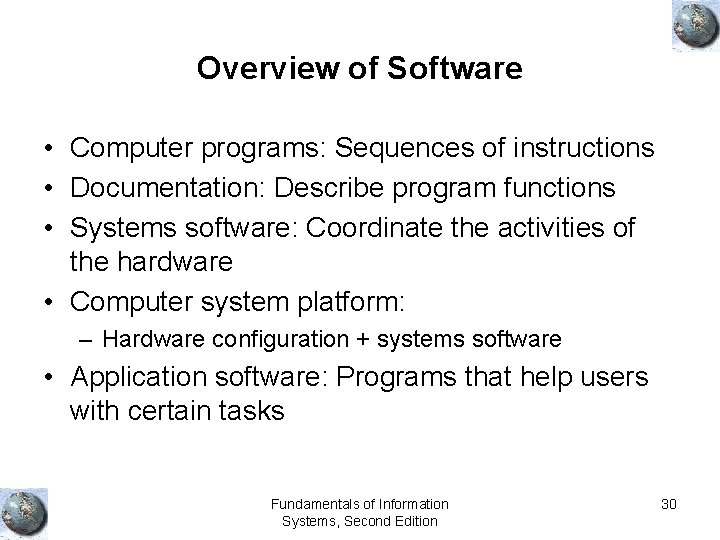
Overview of Software • Computer programs: Sequences of instructions • Documentation: Describe program functions • Systems software: Coordinate the activities of the hardware • Computer system platform: – Hardware configuration + systems software • Application software: Programs that help users with certain tasks Fundamentals of Information Systems, Second Edition 30
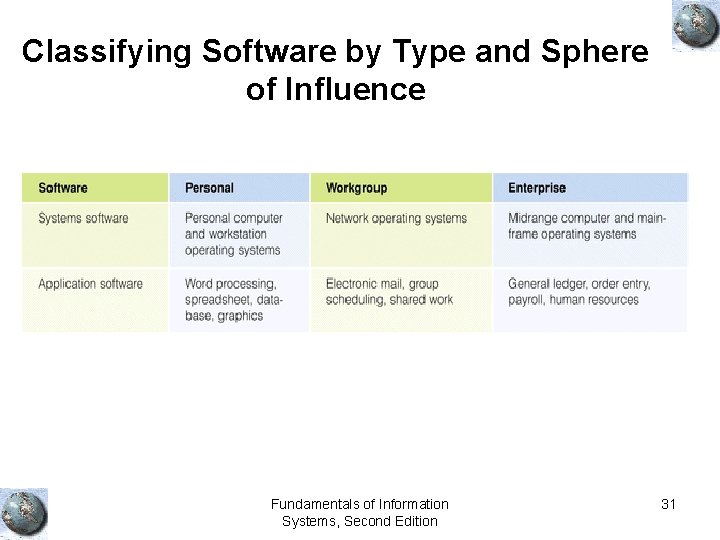
Classifying Software by Type and Sphere of Influence Fundamentals of Information Systems, Second Edition 31
Systems Software Fundamentals of Information Systems, Second Edition 32
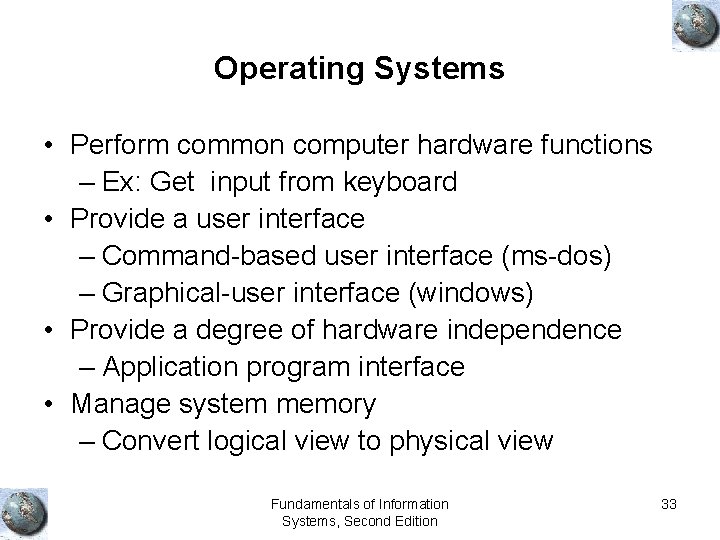
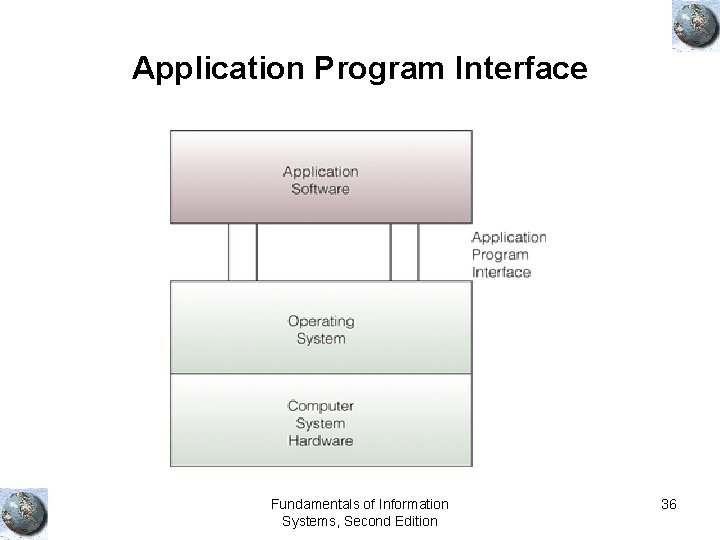
Operating Systems • Perform common computer hardware functions – Ex: Get input from keyboard • Provide a user interface – Command-based user interface (ms-dos) – Graphical-user interface (windows) • Provide a degree of hardware independence – Application program interface • Manage system memory – Convert logical view to physical view Fundamentals of Information Systems, Second Edition 33
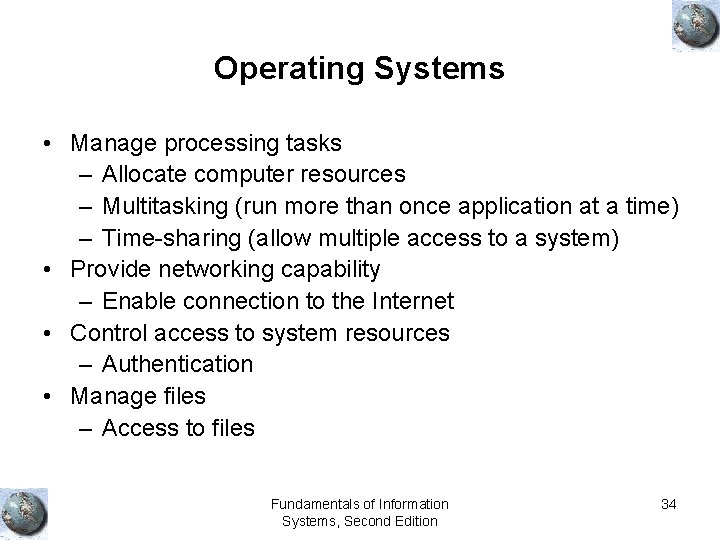
Operating Systems • Manage processing tasks – Allocate computer resources – Multitasking (run more than once application at a time) – Time-sharing (allow multiple access to a system) • Provide networking capability – Enable connection to the Internet • Control access to system resources – Authentication • Manage files – Access to files Fundamentals of Information Systems, Second Edition 34
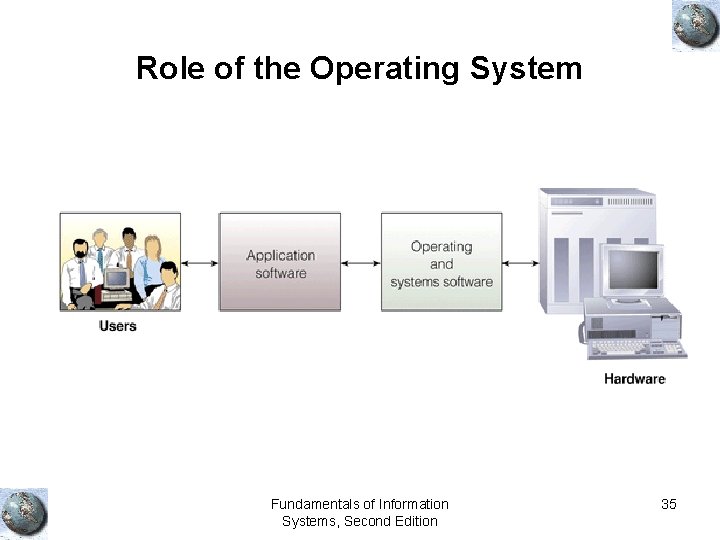
Role of the Operating System Fundamentals of Information Systems, Second Edition 35
Application Program Interface Fundamentals of Information Systems, Second Edition 36
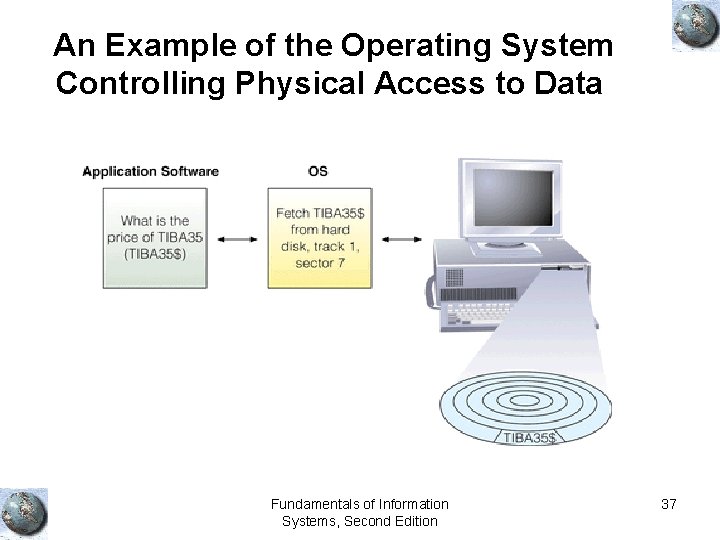
An Example of the Operating System Controlling Physical Access to Data Fundamentals of Information Systems, Second Edition 37
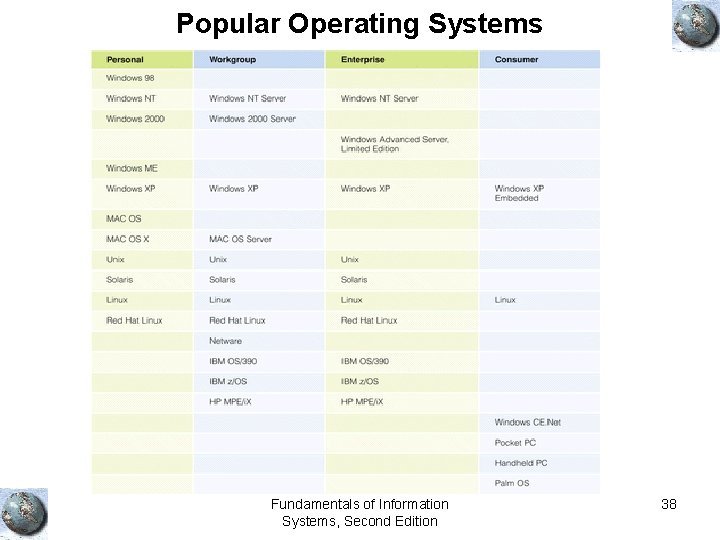
Popular Operating Systems Fundamentals of Information Systems, Second Edition 38
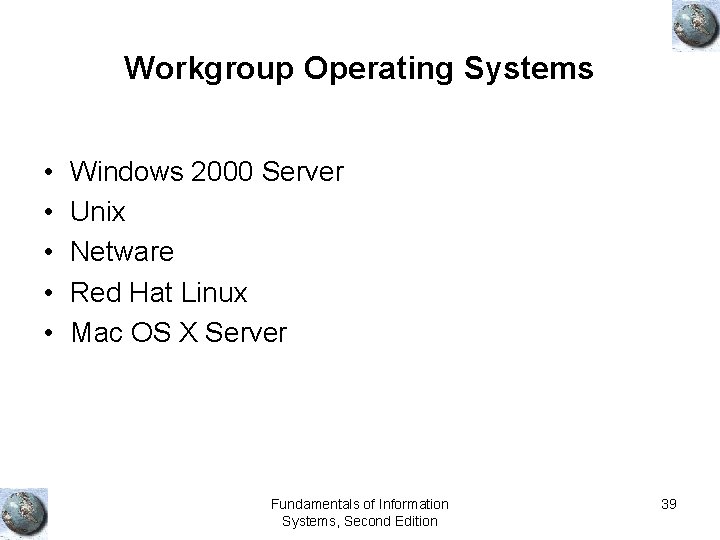
Workgroup Operating Systems • • • Windows 2000 Server Unix Netware Red Hat Linux Mac OS X Server Fundamentals of Information Systems, Second Edition 39
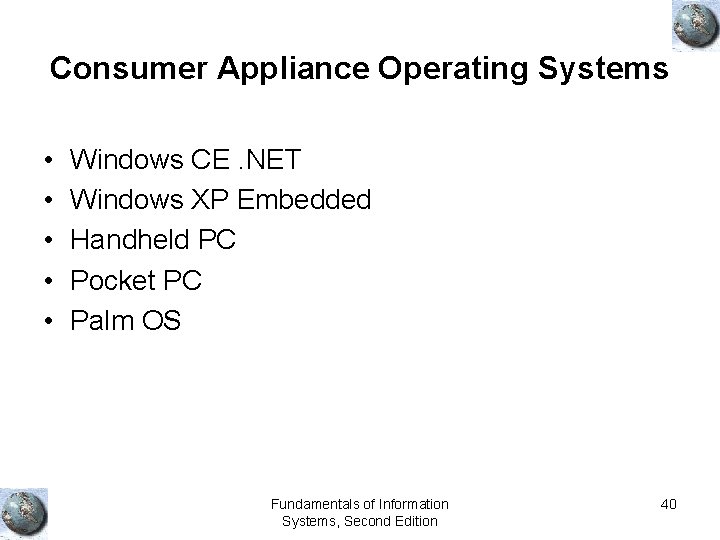
Consumer Appliance Operating Systems • • • Windows CE. NET Windows XP Embedded Handheld PC Pocket PC Palm OS Fundamentals of Information Systems, Second Edition 40
Application Software Fundamentals of Information Systems, Second Edition 41
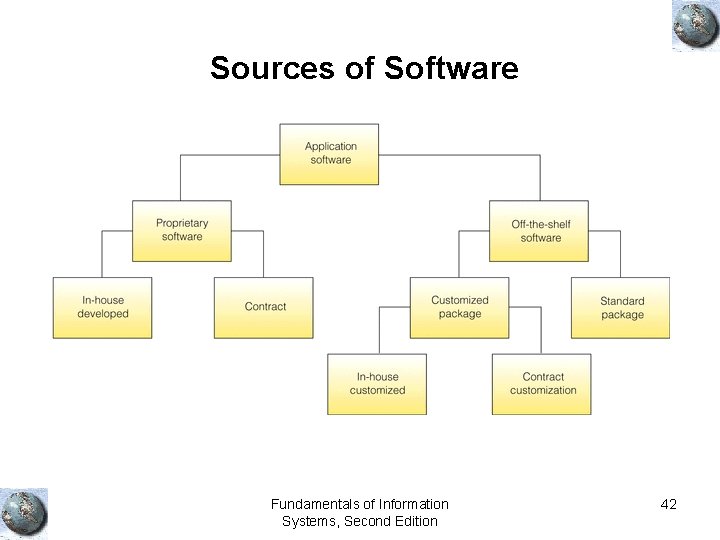
Sources of Software Fundamentals of Information Systems, Second Edition 42
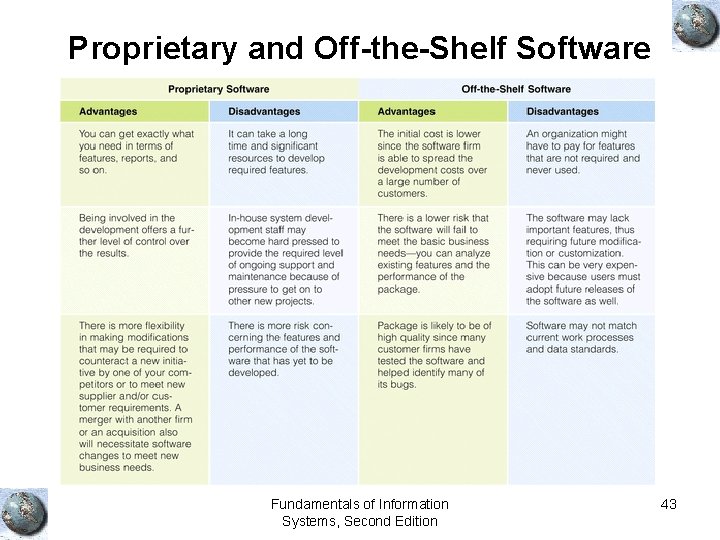
Proprietary and Off-the-Shelf Software Fundamentals of Information Systems, Second Edition 43
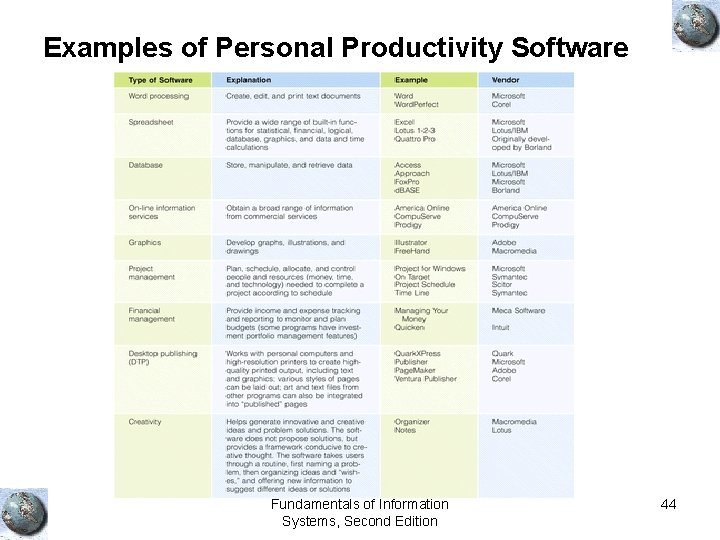
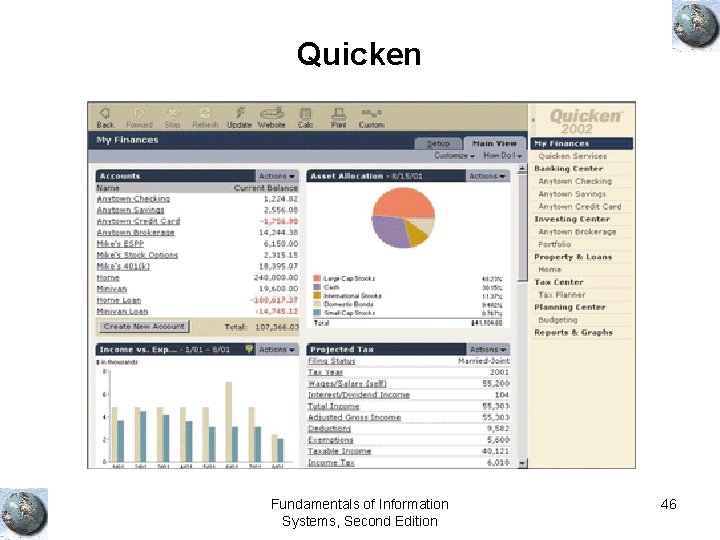
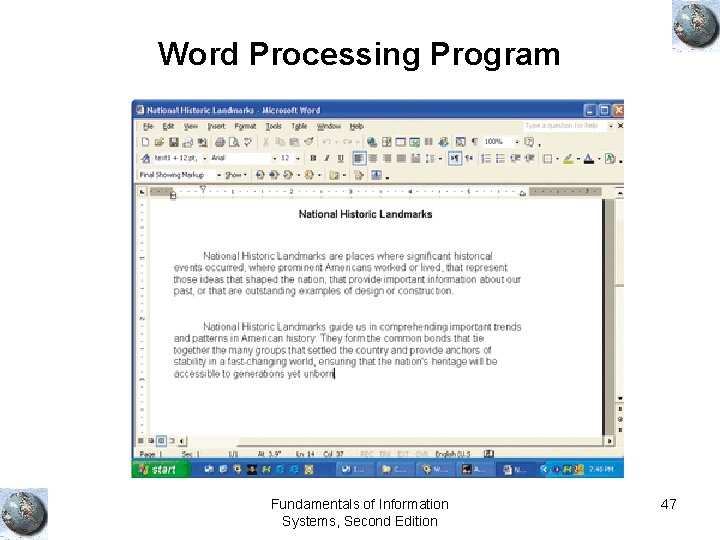
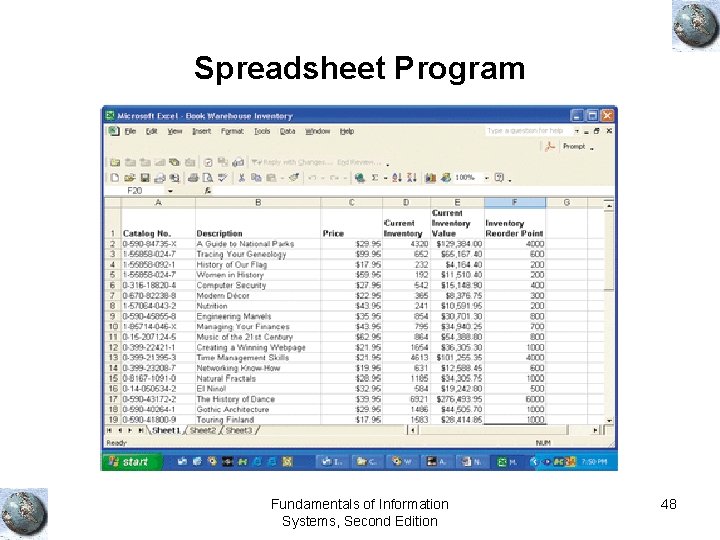
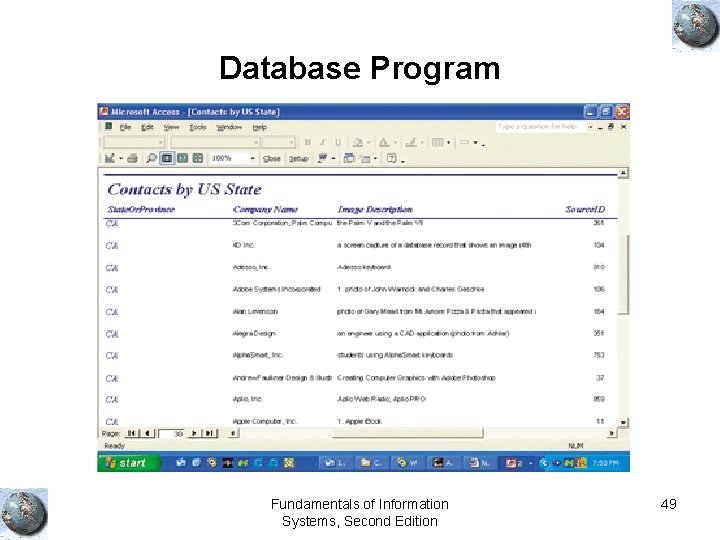
Examples of Personal Productivity Software Fundamentals of Information Systems, Second Edition 44
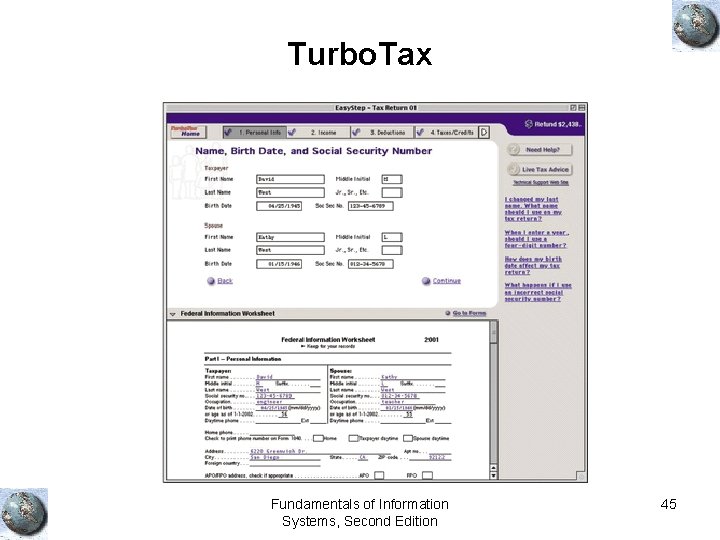
Turbo. Tax Fundamentals of Information Systems, Second Edition 45
Quicken Fundamentals of Information Systems, Second Edition 46
Word Processing Program Fundamentals of Information Systems, Second Edition 47
Spreadsheet Program Fundamentals of Information Systems, Second Edition 48
Database Program Fundamentals of Information Systems, Second Edition 49
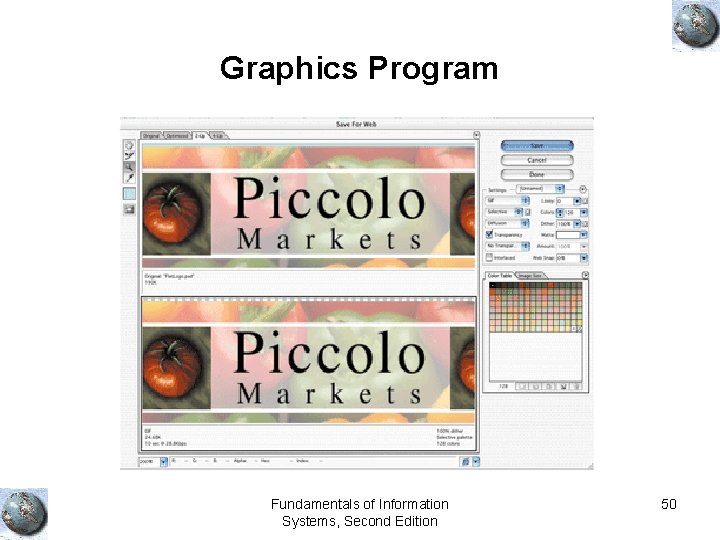
Graphics Program Fundamentals of Information Systems, Second Edition 50
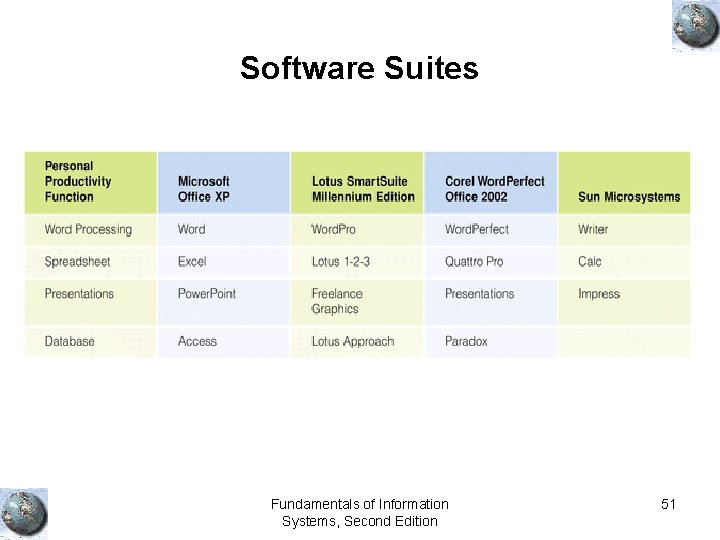
Software Suites Fundamentals of Information Systems, Second Edition 51
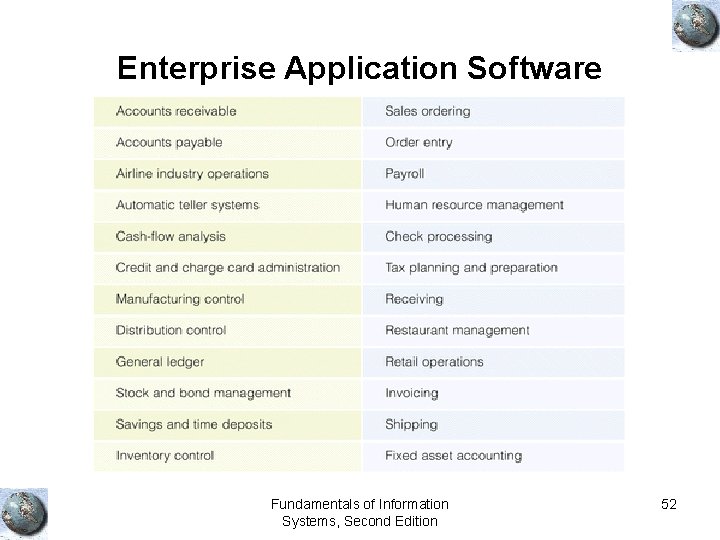
Enterprise Application Software Fundamentals of Information Systems, Second Edition 52
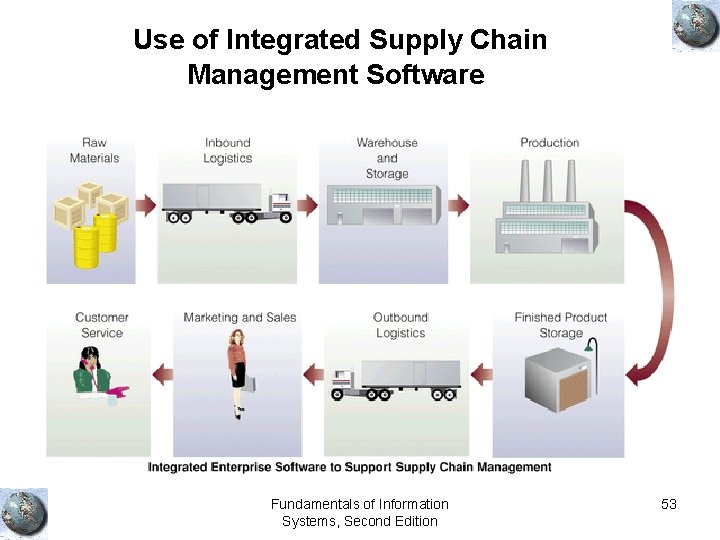
Use of Integrated Supply Chain Management Software Fundamentals of Information Systems, Second Edition 53
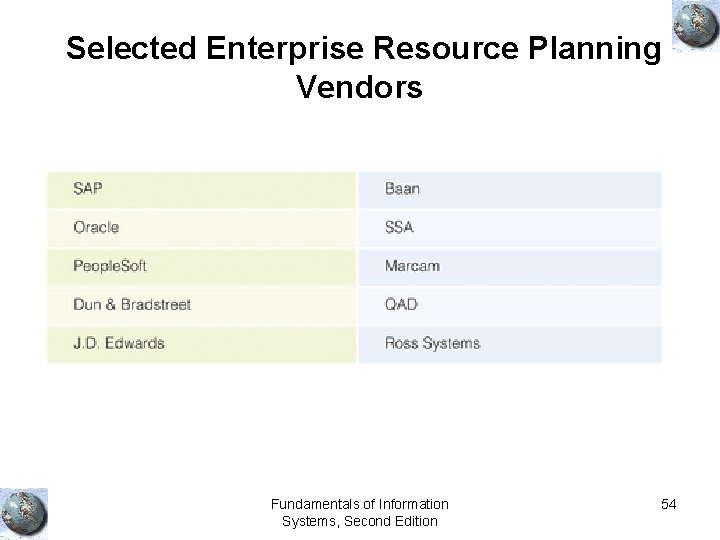
Selected Enterprise Resource Planning Vendors Fundamentals of Information Systems, Second Edition 54
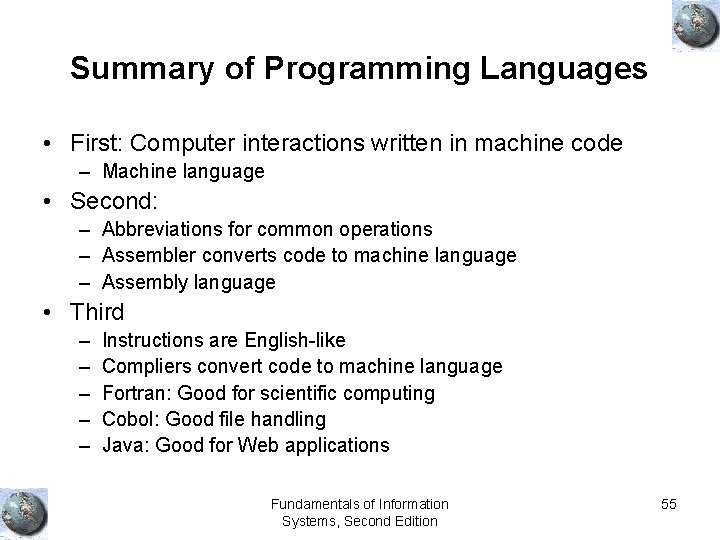
Summary of Programming Languages • First: Computer interactions written in machine code – Machine language • Second: – Abbreviations for common operations – Assembler converts code to machine language – Assembly language • Third – – – Instructions are English-like Compliers convert code to machine language Fortran: Good for scientific computing Cobol: Good file handling Java: Good for Web applications Fundamentals of Information Systems, Second Edition 55
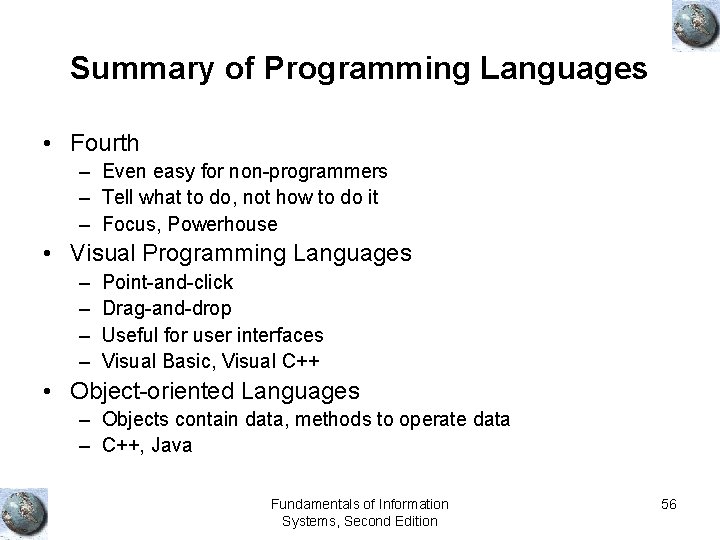
Summary of Programming Languages • Fourth – Even easy for non-programmers – Tell what to do, not how to do it – Focus, Powerhouse • Visual Programming Languages – – Point-and-click Drag-and-drop Useful for user interfaces Visual Basic, Visual C++ • Object-oriented Languages – Objects contain data, methods to operate data – C++, Java Fundamentals of Information Systems, Second Edition 56
Summary • Hardware devices work together to perform input, processing, data storage, and output. • There are two main categories of software: systems software and application software. • An operating system (OS) is a set of computer programs that controls the computer hardware to support users’ computing needs. • Application software may be proprietary or off-the-shelf. • There are five generations of programming languages, plus objectoriented programming languages. Fundamentals of Information Systems, Second Edition 57