EVM with Speech To Text Modular Messaging Intuity

- Slides: 25
EVM with Speech To Text (Modular Messaging, Intuity, Octel) For Grand Canyon Alliance of Avaya Users March 31, 2009 Linda Collins
Agenda • Mutare Software • EVM for Avaya Architecture • Speech To Text • Q & A
Mutare Software • • • 20 year developer of voice applications Platinum Member of Avaya’s Dev. Connect Program Ø Messaging Specialists (MM / IA 770 / INTUITY® / OCTEL®) Ø Many Avaya “Compliant Tested” solutions Delivered thousands of applications worldwide Reputation for outstanding service, support & stability Ø Responsive, easy to work with, quality throughout process Ø 100% customer satisfaction Focus on driving your bottom line results
Selected Mutare Customers
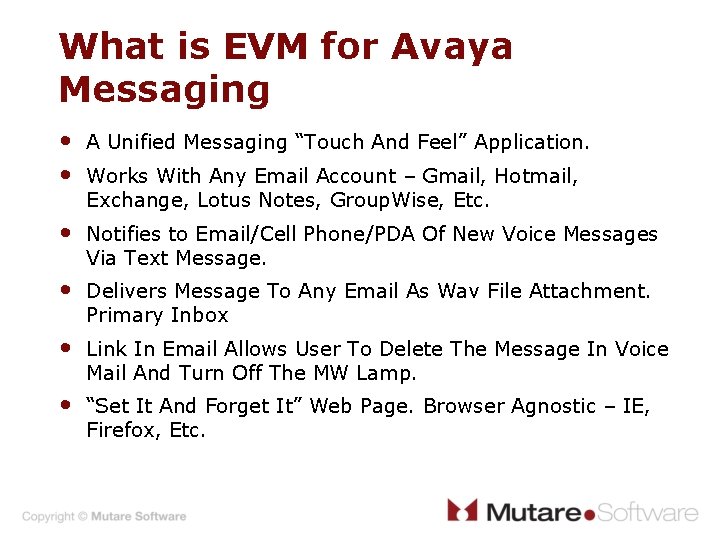
What is EVM for Avaya Messaging • • A Unified Messaging “Touch And Feel” Application. • Notifies to Email/Cell Phone/PDA Of New Voice Messages Via Text Message. • Delivers Message To Any Email As Wav File Attachment. Primary Inbox • Link In Email Allows User To Delete The Message In Voice Mail And Turn Off The MW Lamp. • “Set It And Forget It” Web Page. Browser Agnostic – IE, Firefox, Etc. Works With Any Email Account – Gmail, Hotmail, Exchange, Lotus Notes, Group. Wise, Etc.
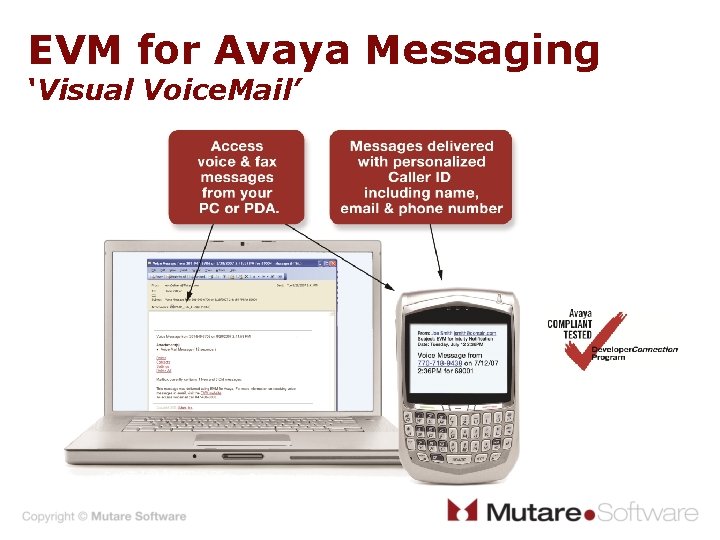
EVM for Avaya Messaging ‘Visual Voice. Mail’
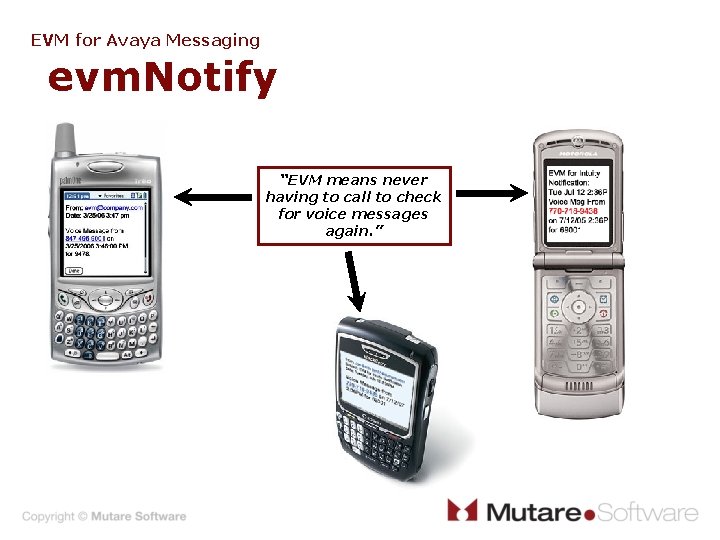
EVM for Avaya Messaging evm. Notify “EVM means never having to call to check for voice messages again. ”
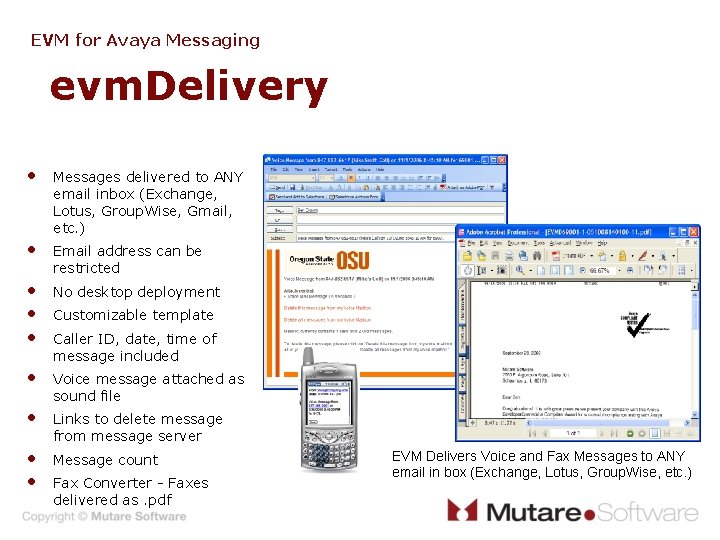
EVM for Avaya Messaging evm. Delivery • Messages delivered to ANY email inbox (Exchange, Lotus, Group. Wise, Gmail, etc. ) • Email address can be restricted • • • No desktop deployment • Voice message attached as sound file • Links to delete message from message server • • Message count Customizable template Caller ID, date, time of message included Fax Converter - Faxes delivered as. pdf EVM Delivers Voice and Fax Messages to ANY email in box (Exchange, Lotus, Group. Wise, etc. )
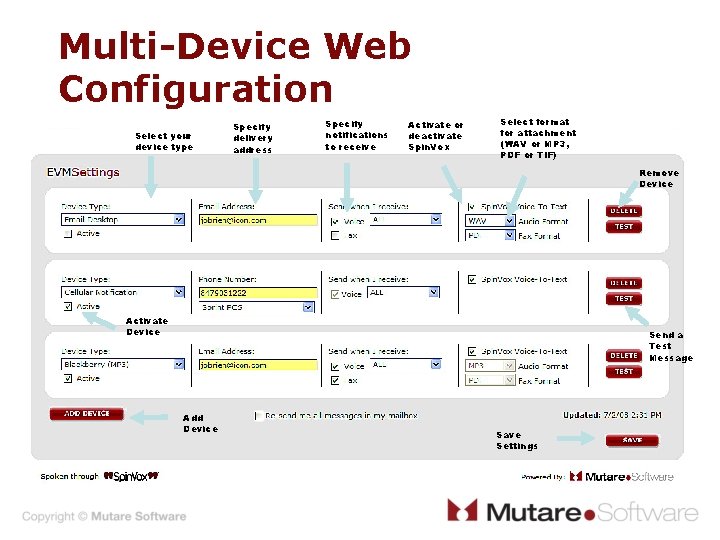
Multi-Device Web Configuration Select your device type Specify delivery address Specify notifications to receive Activate or deactivate Spin. Vox Select format for attachment (WAV or MP 3, PDF or TIF) Remove Device Activate Device Send a Test Message Add Device Save Settings
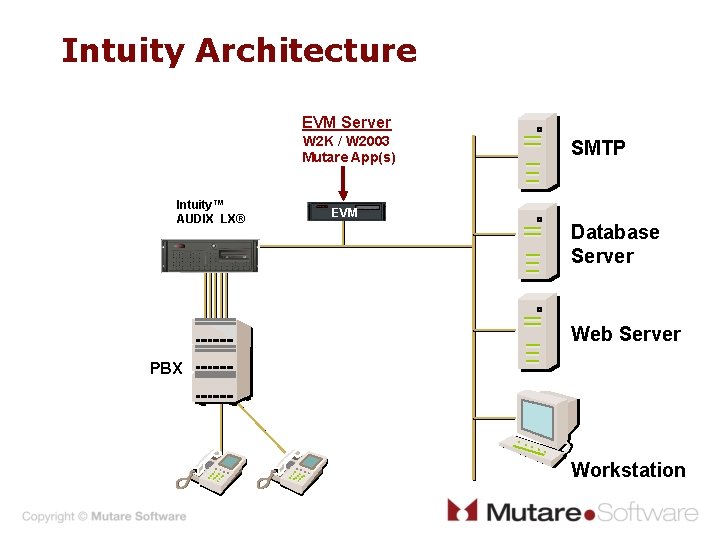
Intuity Architecture EVM Server W 2 K / W 2003 Mutare App(s) Intuity™ AUDIX LX® SMTP EVM Database Server Web Server PBX Workstation
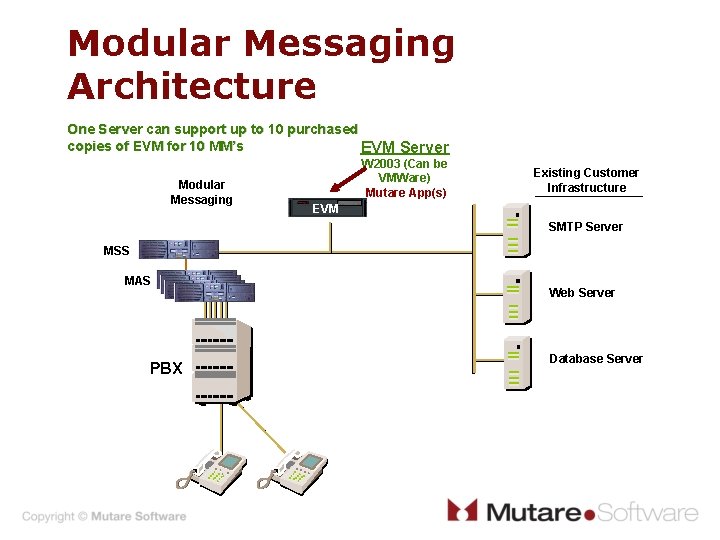
Modular Messaging Architecture One Server can support up to 10 purchased copies of EVM for 10 MM’s EVM Server Modular Messaging W 2003 (Can be VMWare) Mutare App(s) Existing Customer Infrastructure EVM SMTP Server MSS MAS PBX Web Server Database Server
Mutare EVM Demo try our Test Drive http: //www. mutare. com/evmtestdrive/
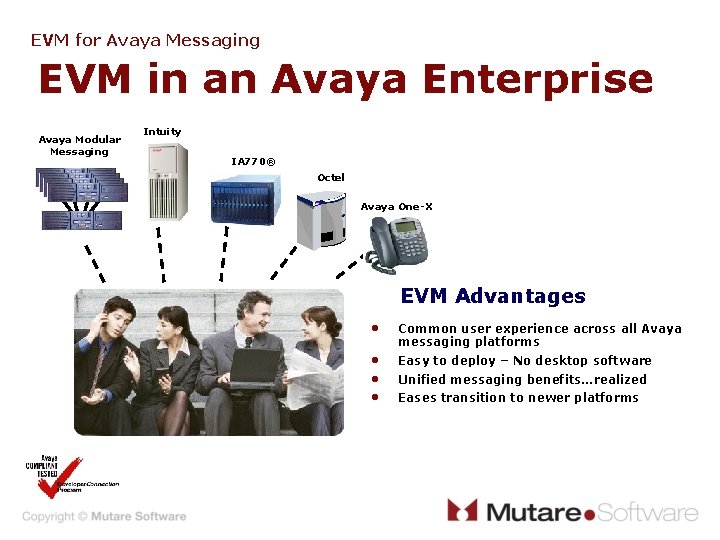
EVM for Avaya Messaging EVM in an Avaya Enterprise Avaya Modular Messaging Intuity IA 770® Octel Avaya One-X EVM Advantages • Common user experience across all Avaya messaging platforms • • • Easy to deploy – No desktop software Unified messaging benefits…realized Eases transition to newer platforms
EVM for Avaya Messaging EVM Benefits EVM Enhances Avaya Messaging Ø No desktop software deployment • IT embraces this approach Ø Works with ANY and ALL email systems • Exchange; Lotus; Group. Wise; Google; AOL; Hotmail; etc. Ø Leverages Mobile devices • Black. Berry; Treo; Q; Windows Mobile Ø Help in Large Implementations • Only uses 1 IMAP 4 client Ø Easy to Cost Justify
Recap • EVM Notifies me of new voice messages • EVM Delivers a copy of my voice mail to my email • What else can EVM help me with?
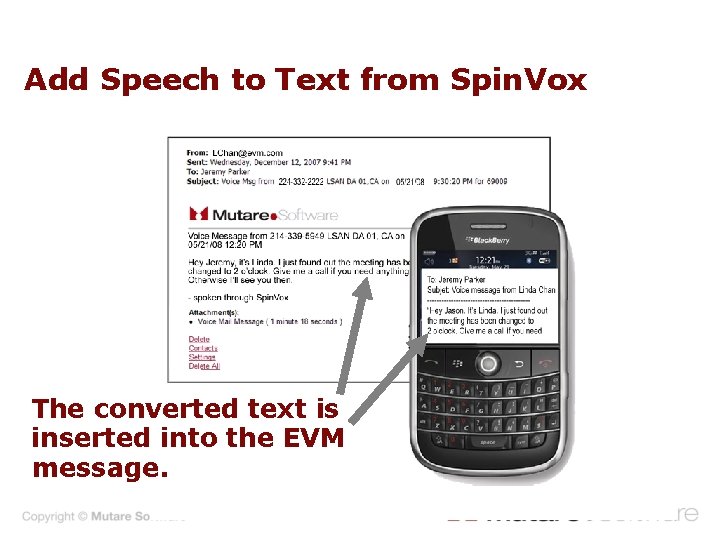
Add Speech to Text from Spin. Vox The converted text is inserted into the EVM message.
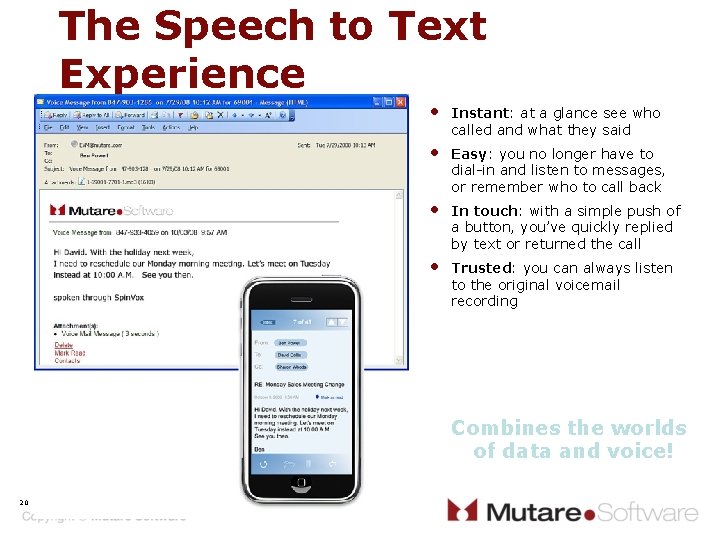
The Speech to Text Experience • Instant: at a glance see who called and what they said • Easy: you no longer have to dial-in and listen to messages, or remember who to call back • In touch: with a simple push of a button, you’ve quickly replied by text or returned the call • Trusted: you can always listen to the original voicemail recording Combines the worlds of data and voice! 20
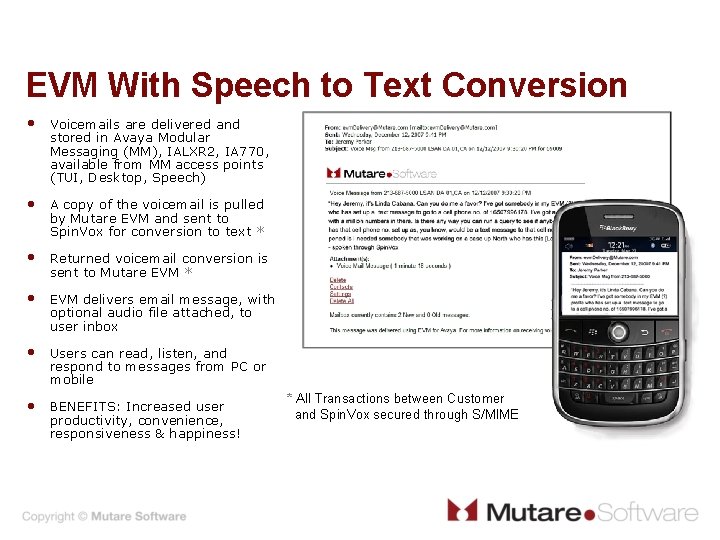
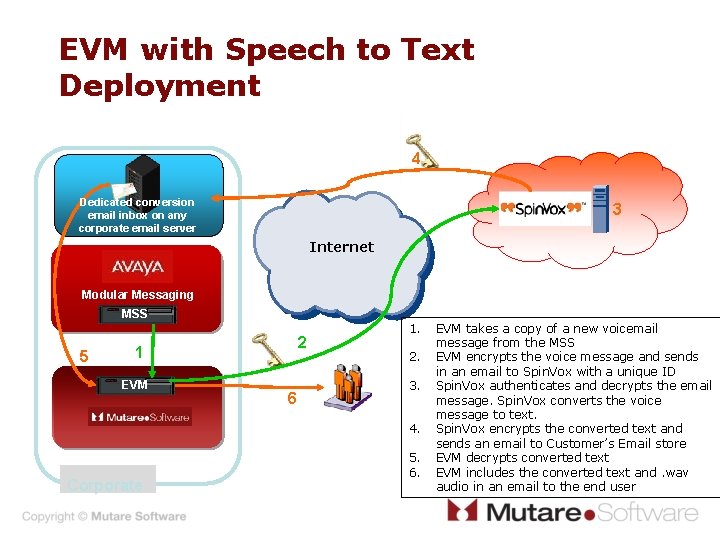
EVM With Speech to Text Conversion • Voicemails are delivered and stored in Avaya Modular Messaging (MM), IALXR 2, IA 770, available from MM access points (TUI, Desktop, Speech) • A copy of the voicemail is pulled by Mutare EVM and sent to Spin. Vox for conversion to text * • Returned voicemail conversion is sent to Mutare EVM * • EVM delivers email message, with optional audio file attached, to user inbox • Users can read, listen, and respond to messages from PC or mobile • BENEFITS: Increased user productivity, convenience, responsiveness & happiness! * All Transactions between Customer and Spin. Vox secured through S/MIME
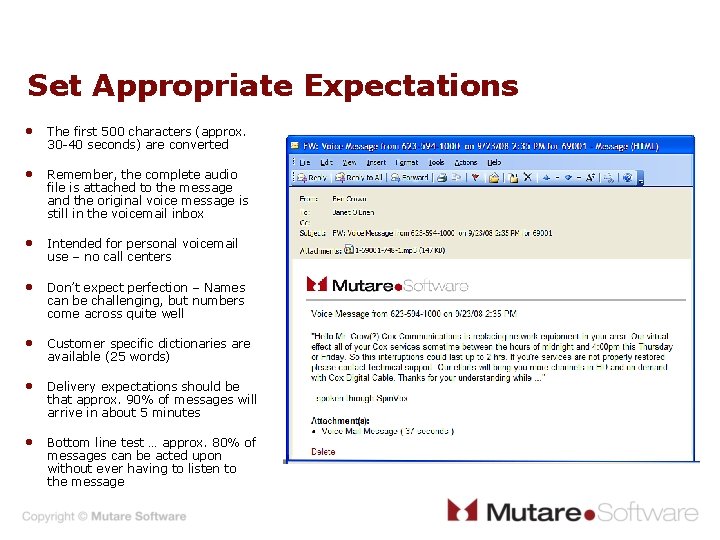
Set Appropriate Expectations • The first 500 characters (approx. 30 -40 seconds) are converted • Remember, the complete audio file is attached to the message and the original voice message is still in the voicemail inbox • Intended for personal voicemail use – no call centers • Don’t expect perfection – Names can be challenging, but numbers come across quite well • Customer specific dictionaries are available (25 words) • Delivery expectations should be that approx. 90% of messages will arrive in about 5 minutes • Bottom line test … approx. 80% of messages can be acted upon without ever having to listen to the message
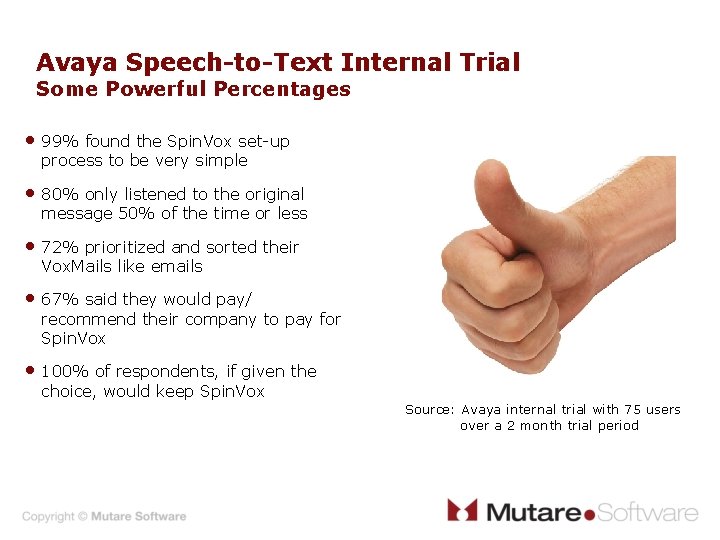
Avaya Speech-to-Text Internal Trial Some Powerful Percentages • 99% found the Spin. Vox set-up process to be very simple • 80% only listened to the original message 50% of the time or less • 72% prioritized and sorted their Vox. Mails like emails • 67% said they would pay/ recommend their company to pay for Spin. Vox • 100% of respondents, if given the choice, would keep Spin. Vox Source: Avaya internal trial with 75 users over a 2 month trial period
EVM with Speech to Text Deployment 4 Dedicated conversion email inbox on any corporate email server 3 Internet Modular Messaging MSS 5 2 1 EVM 6 1. 2. 3. 4. Corporate 5. 6. EVM takes a copy of a new voicemail message from the MSS EVM encrypts the voice message and sends in an email to Spin. Vox with a unique ID Spin. Vox authenticates and decrypts the email message. Spin. Vox converts the voice message to text. Spin. Vox encrypts the converted text and sends an email to Customer’s Email store EVM decrypts converted text EVM includes the converted text and. wav audio in an email to the end user
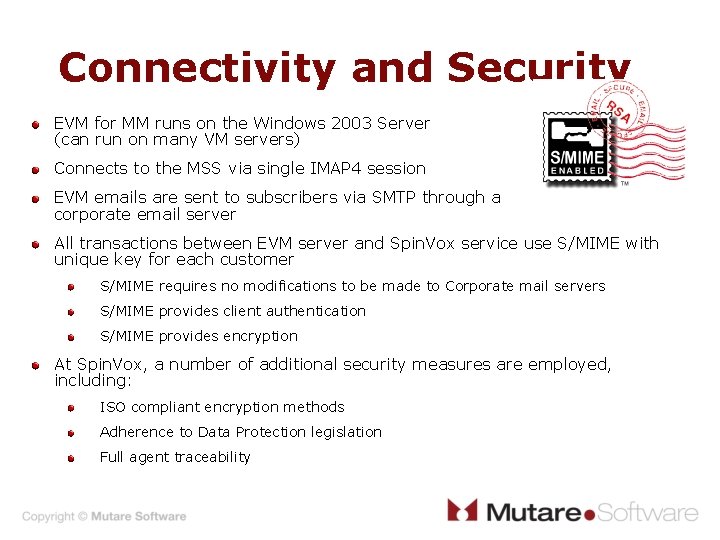
Connectivity and Security EVM for MM runs on the Windows 2003 Server (can run on many VM servers) Connects to the MSS via single IMAP 4 session EVM emails are sent to subscribers via SMTP through a corporate email server All transactions between EVM server and Spin. Vox service use S/MIME with unique key for each customer S/MIME requires no modifications to be made to Corporate mail servers S/MIME provides client authentication S/MIME provides encryption At Spin. Vox, a number of additional security measures are employed, including: ISO compliant encryption methods Adherence to Data Protection legislation Full agent traceability
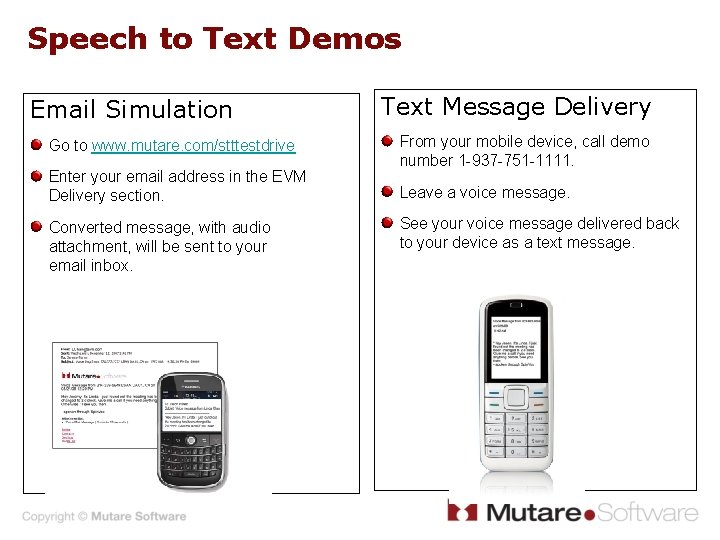
Speech to Text Demos Email Simulation Go to www. mutare. com/stttestdrive Enter your email address in the EVM Delivery section. Converted message, with audio attachment, will be sent to your email inbox. Text Message Delivery From your mobile device, call demo number 1 -937 -751 -1111. Leave a voice message. See your voice message delivered back to your device as a text message.
Changing Communications Thank You! Linda Collins 972. 820. 5779 lcollins@mutare. com