
EVM SERIES PRODUCTS Powerful Features multifunctions MultiApplication Notes


- Slides: 54
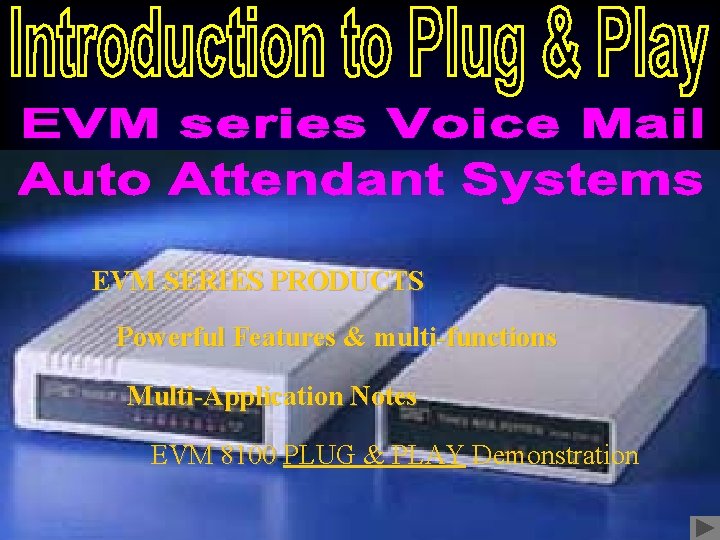
EVM SERIES PRODUCTS Powerful Features & multi-functions Multi-Application Notes EVM 8100 PLUG & PLAY Demonstration
The best choice of customized telecommunication systems for small and medium business • Real Plug & Play installation • All remote control programming and maintenance • High compatibility • Cost effective and excellent performance • Powerful features with multi-functions EVM Series • Low power consumption • Solid state and standalone • Voice Storage by Flash-EPROM • Durable quality for constantly running 10 years without broken down
EVM Series Products • EVM 8100/81002 Voice Mail System (4 ports/10 ~ 20 hours), Expandable to 8 ports • EVM 2045 Voice Mail System (2 ports/4. 5~5. 5 hours) • EVM 2020 Voice Mail System (2 ports/2~2. 5 hours) • EVM 2004 Auto Attendant System (2 ports/24 minutes) • EVM 2008 Auto Attendant System (2 ports/48 minutes)
Voice Mail System Auto-Attendant
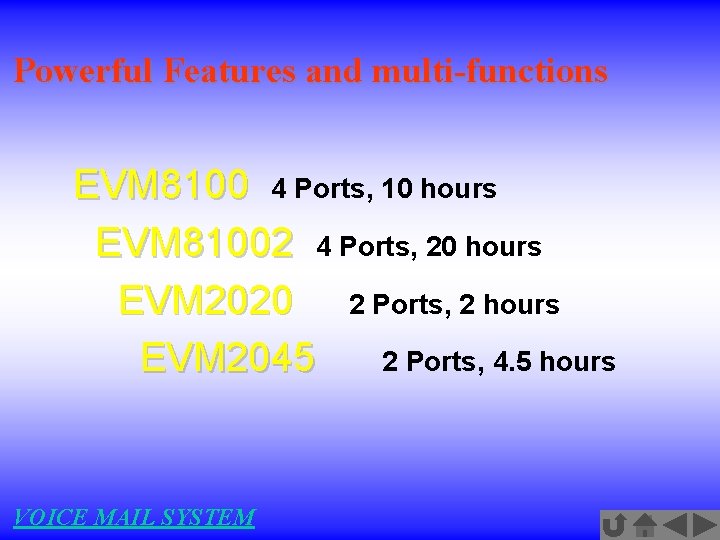
Powerful Features and multi-functions EVM 8100 4 Ports, 10 hours EVM 81002 4 Ports, 20 hours EVM 2020 2 Ports, 2 hours EVM 2045 2 Ports, 4. 5 hours VOICE MAIL SYSTEM
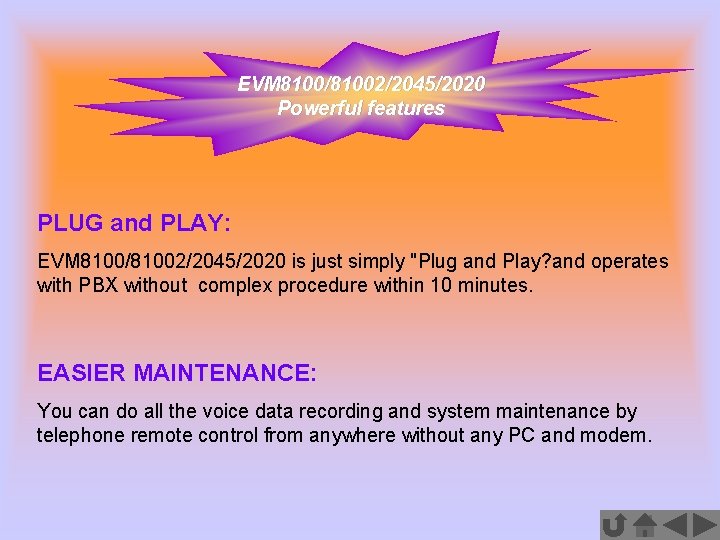
EVM 8100/81002/2045/2020 Powerful features PLUG and PLAY: EVM 8100/81002/2045/2020 is just simply "Plug and Play? and operates with PBX without complex procedure within 10 minutes. EASIER MAINTENANCE: You can do all the voice data recording and system maintenance by telephone remote control from anywhere without any PC and modem.
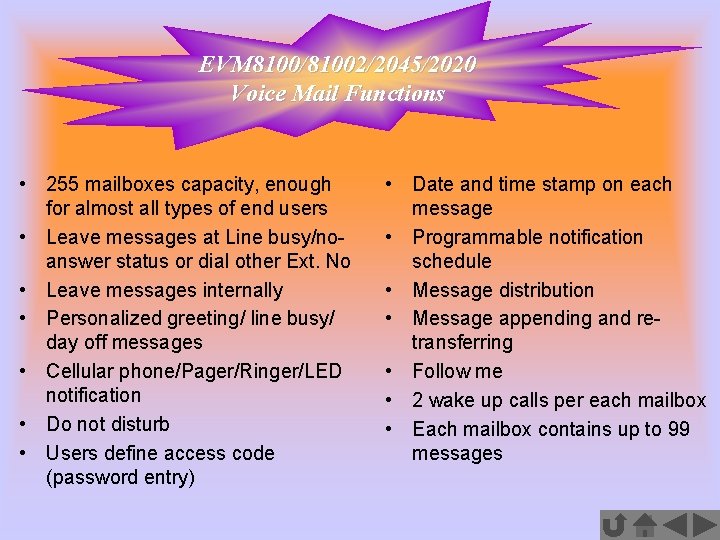
EVM 8100/81002/2045/2020 Voice Mail Functions • 255 mailboxes capacity, enough for almost all types of end users • Leave messages at Line busy/noanswer status or dial other Ext. No • Leave messages internally • Personalized greeting/ line busy/ day off messages • Cellular phone/Pager/Ringer/LED notification • Do not disturb • Users define access code (password entry) • Date and time stamp on each message • Programmable notification schedule • Message distribution • Message appending and retransferring • Follow me • 2 wake up calls per each mailbox • Each mailbox contains up to 99 messages
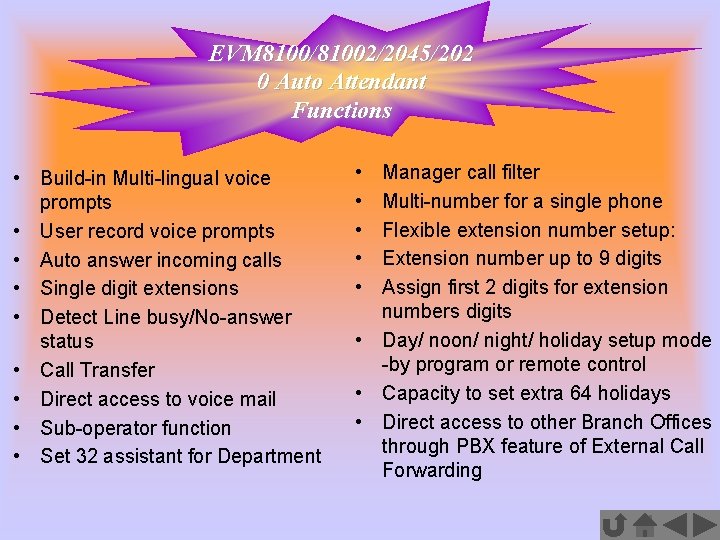
EVM 8100/81002/2045/202 0 Auto Attendant Functions • Build-in Multi-lingual voice prompts • User record voice prompts • Auto answer incoming calls • Single digit extensions • Detect Line busy/No-answer status • Call Transfer • Direct access to voice mail • Sub-operator function • Set 32 assistant for Department • • • Manager call filter Multi-number for a single phone Flexible extension number setup: Extension number up to 9 digits Assign first 2 digits for extension numbers digits • Day/ noon/ night/ holiday setup mode -by program or remote control • Capacity to set extra 64 holidays • Direct access to other Branch Offices through PBX feature of External Call Forwarding
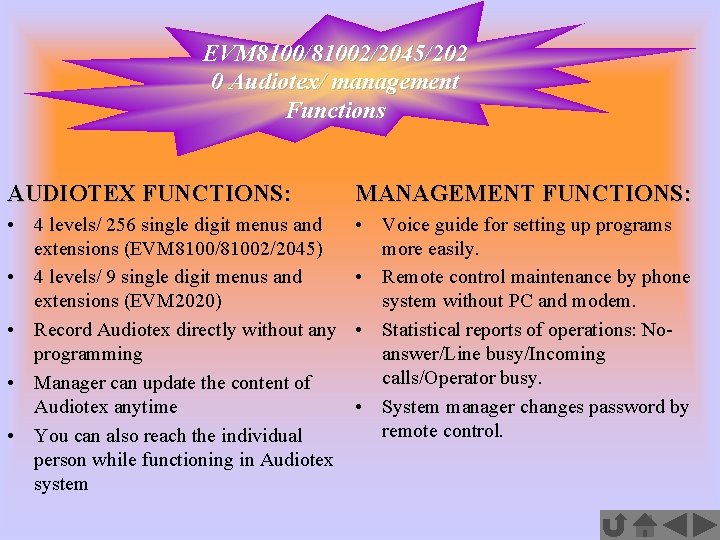
EVM 8100/81002/2045/202 0 Audiotex/ management Functions AUDIOTEX FUNCTIONS: MANAGEMENT FUNCTIONS: • 4 levels/ 256 single digit menus and extensions (EVM 8100/81002/2045) • 4 levels/ 9 single digit menus and extensions (EVM 2020) • Record Audiotex directly without any programming • Manager can update the content of Audiotex anytime • You can also reach the individual person while functioning in Audiotex system • Voice guide for setting up programs more easily. • Remote control maintenance by phone system without PC and modem. • Statistical reports of operations: Noanswer/Line busy/Incoming calls/Operator busy. • System manager changes password by remote control.
Powerful Features and multi-functions EVM 2004 2 Ports, 0. 4 hours EVM 2008 2 Ports, 0. 8 hours Auto-Attendant
EVM 2004/2008/1001 Powerful features PLUG and PLAY: EVM 2004/2008/1001 is just simply "Plug and Play? and operates with PBX without complex procedure within 10 minutes. EASIER MAINTENANCE: You can do all the voice data recording and system maintenance by telephone remote control from anywhere without any PC and modem.
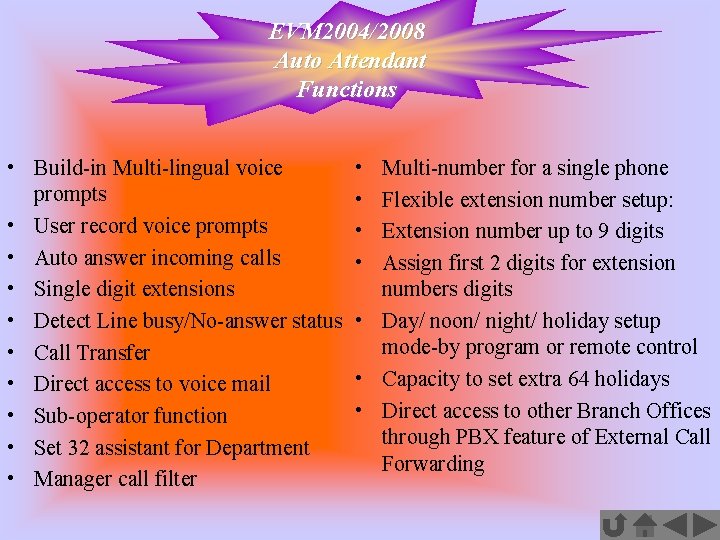
EVM 2004/2008 Auto Attendant Functions • Build-in Multi-lingual voice prompts • User record voice prompts • Auto answer incoming calls • Single digit extensions • Detect Line busy/No-answer status • Call Transfer • Direct access to voice mail • Sub-operator function • Set 32 assistant for Department • Manager call filter • • Multi-number for a single phone Flexible extension number setup: Extension number up to 9 digits Assign first 2 digits for extension numbers digits • Day/ noon/ night/ holiday setup mode-by program or remote control • Capacity to set extra 64 holidays • Direct access to other Branch Offices through PBX feature of External Call Forwarding
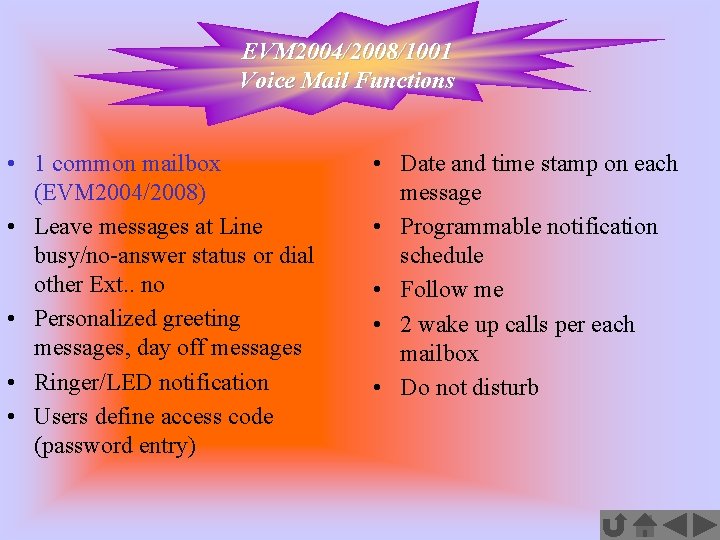
EVM 2004/2008/1001 Voice Mail Functions • 1 common mailbox (EVM 2004/2008) • Leave messages at Line busy/no-answer status or dial other Ext. . no • Personalized greeting messages, day off messages • Ringer/LED notification • Users define access code (password entry) • Date and time stamp on each message • Programmable notification schedule • Follow me • 2 wake up calls per each mailbox • Do not disturb
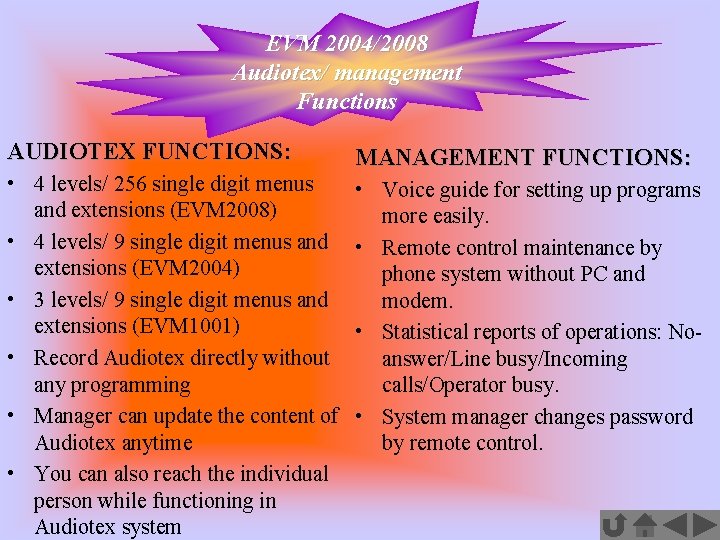
EVM 2004/2008 Audiotex/ management Functions AUDIOTEX FUNCTIONS: • 4 levels/ 256 single digit menus and extensions (EVM 2008) • 4 levels/ 9 single digit menus and extensions (EVM 2004) • 3 levels/ 9 single digit menus and extensions (EVM 1001) • Record Audiotex directly without any programming • Manager can update the content of Audiotex anytime • You can also reach the individual person while functioning in Audiotex system MANAGEMENT FUNCTIONS: • Voice guide for setting up programs more easily. • Remote control maintenance by phone system without PC and modem. • Statistical reports of operations: Noanswer/Line busy/Incoming calls/Operator busy. • System manager changes password by remote control.
Voice Mail Application Sample of banking industries Sample of Government Agencies Sample of educational fields: School Sample of entertainment industries: Travel Agencies
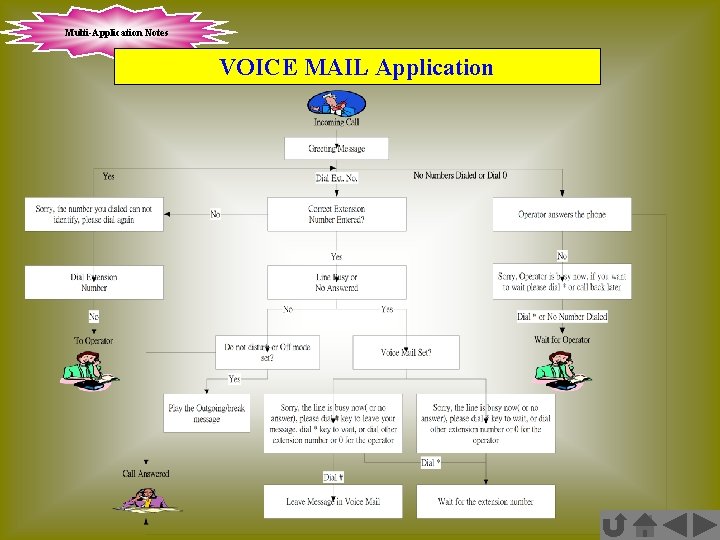
Multi-Application Notes VOICE MAIL Application
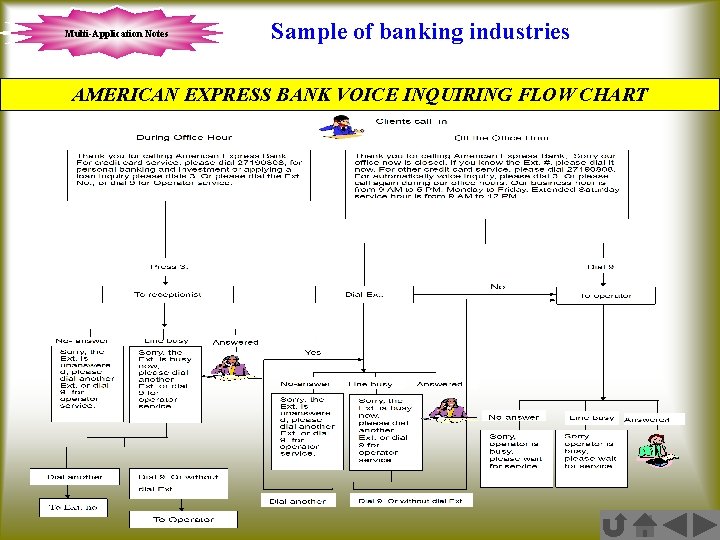
Multi-Application Notes Sample of banking industries AMERICAN EXPRESS BANK VOICE INQUIRING FLOW CHART
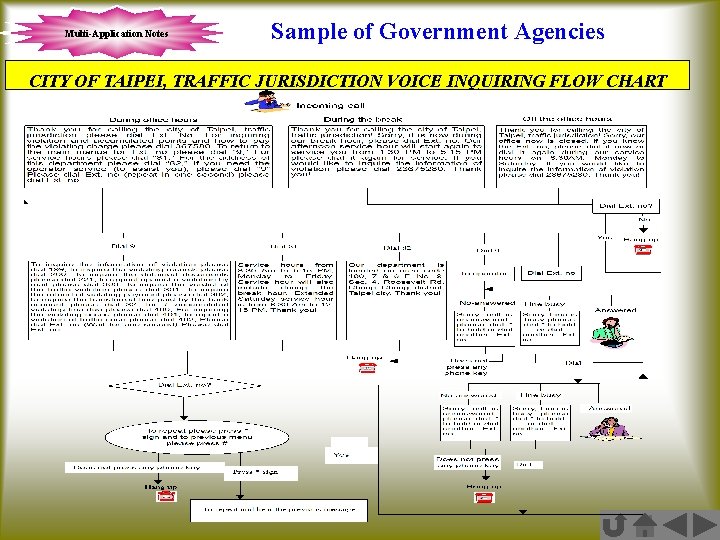
Multi-Application Notes Sample of Government Agencies CITY OF TAIPEI, TRAFFIC JURISDICTION VOICE INQUIRING FLOW CHART
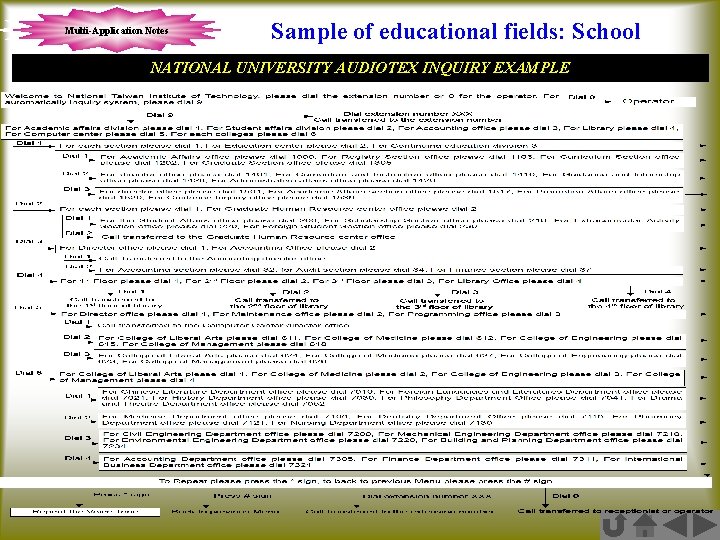
Multi-Application Notes Sample of educational fields: School NATIONAL UNIVERSITY AUDIOTEX INQUIRY EXAMPLE
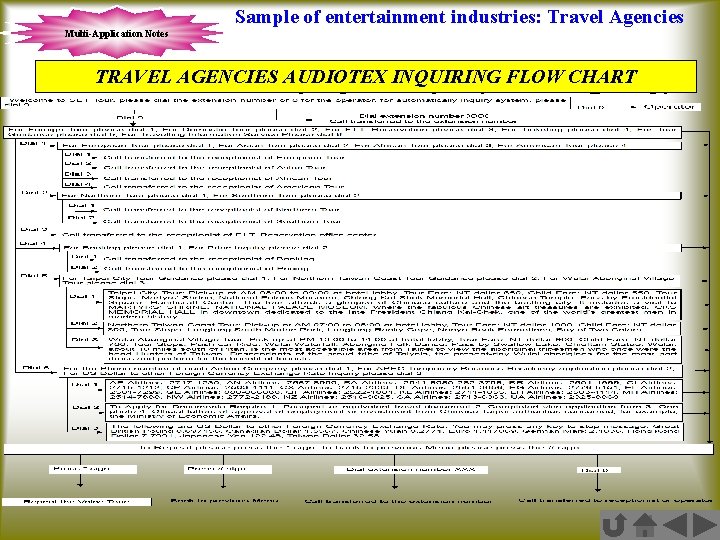
Sample of entertainment industries: Travel Agencies Multi-Application Notes TRAVEL AGENCIES AUDIOTEX INQUIRING FLOW CHART
Make sure everything is ready 3 Steps preparation and instruction for Demonstration Assumption for the Demonstration
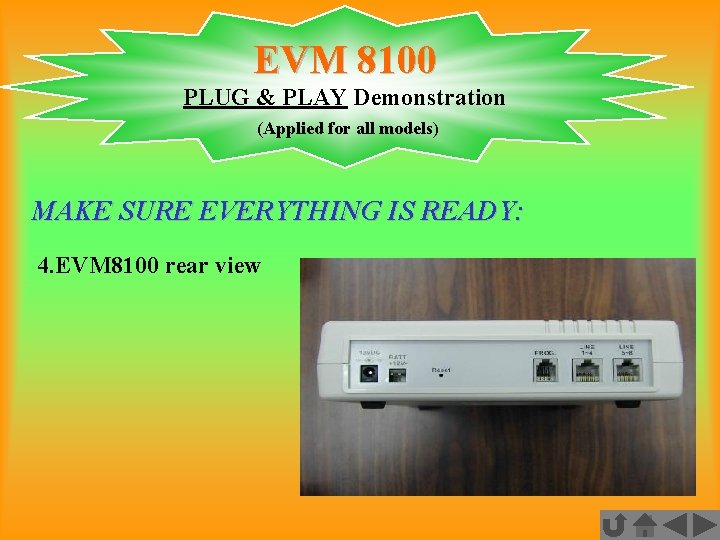
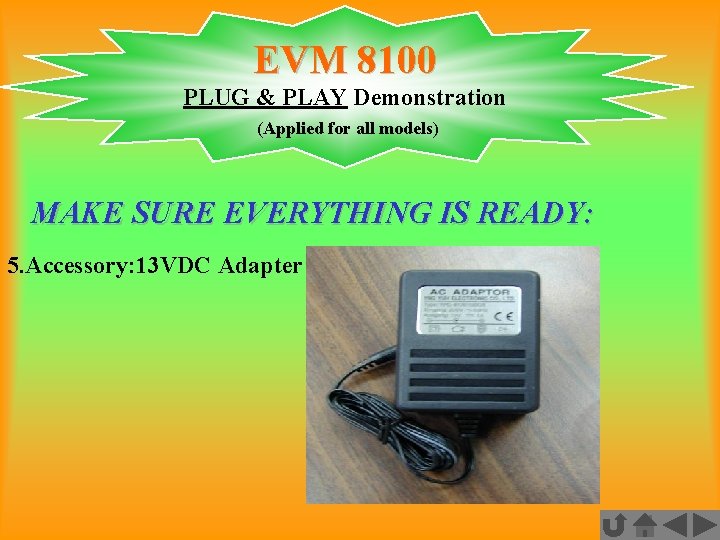
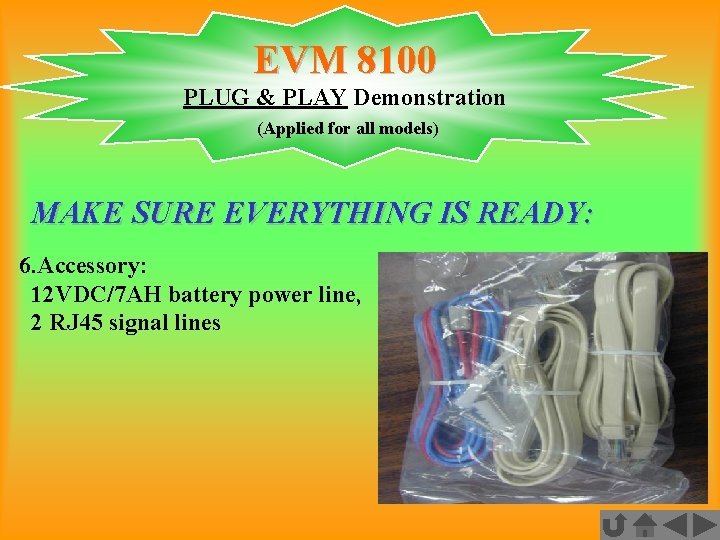
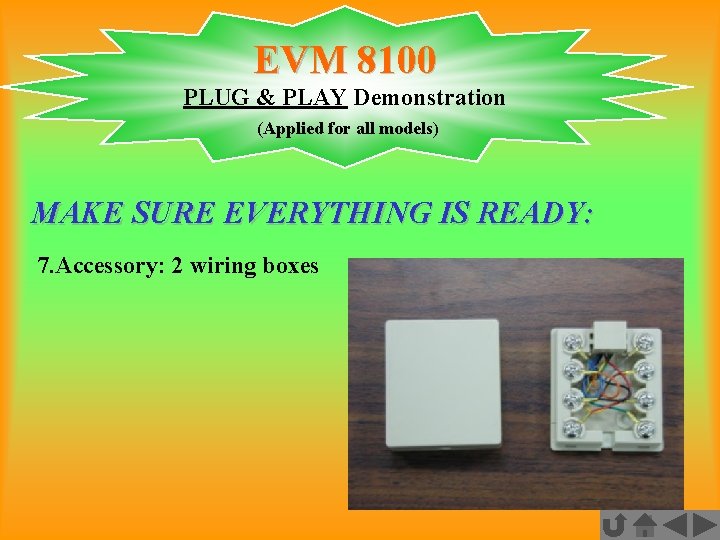
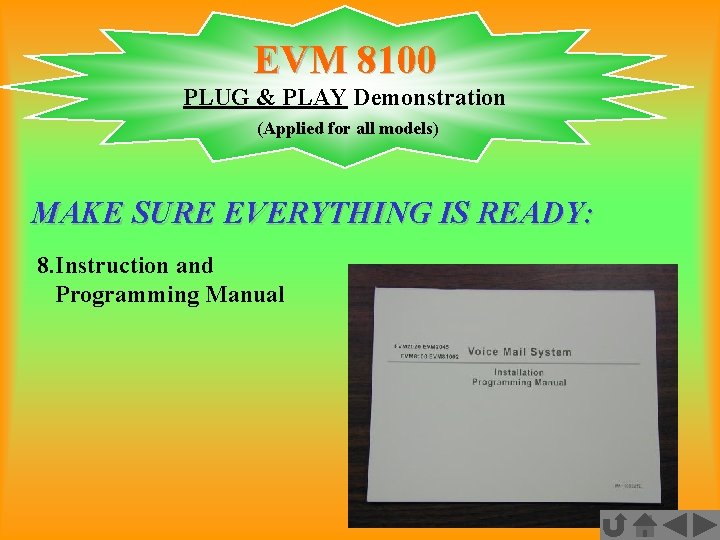
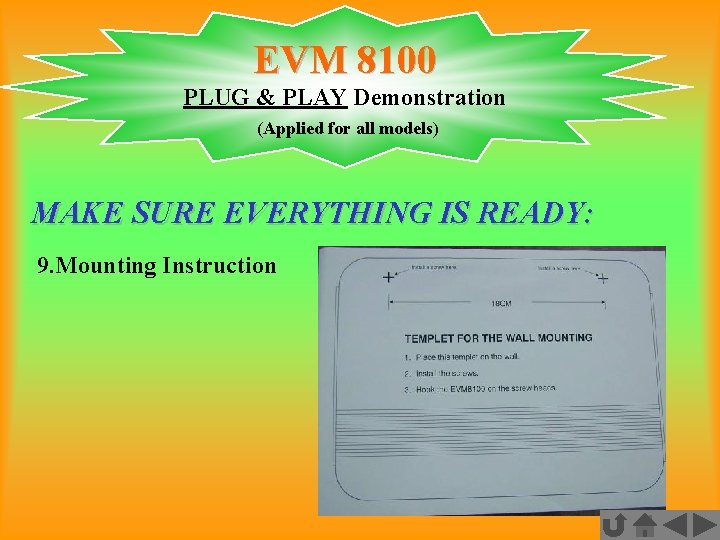
EVM 8100 PLUG & PLAY Demonstration (Applied for all models) MAKE SURE EVERYTHING IS READY: 1. The EVM-8100 Box 2. Total accessory inside 3. EVM 8100 front view 4. EVM 8100 rear view 5. Accessory: 13 VDC Adapter 6. Accessory: 12 VDC/7 AH battery power line, 2 RJ 45 signal lines 7. Accessory: 2 wiring boxes 8. Instruction and Programming Manual 9. Mounting Instruction
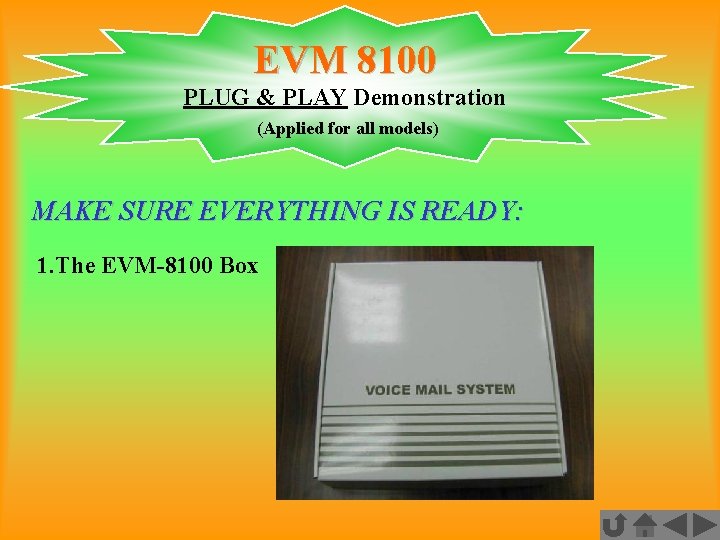
EVM 8100 PLUG & PLAY Demonstration (Applied for all models) MAKE SURE EVERYTHING IS READY: 1. The EVM-8100 Box
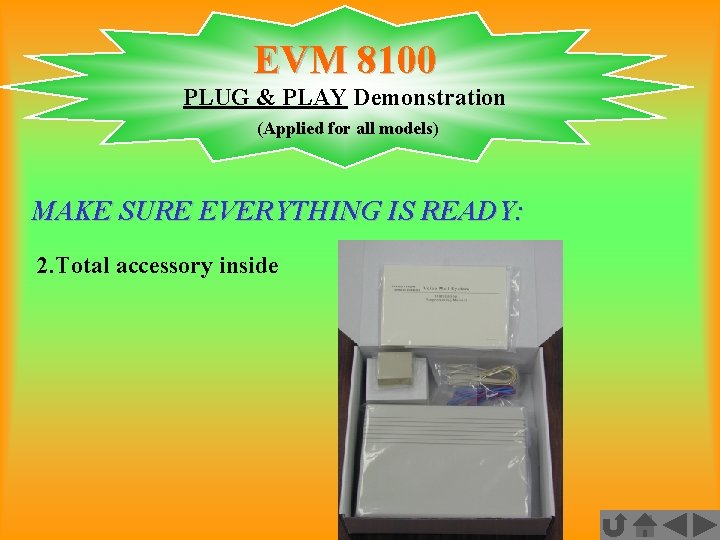
EVM 8100 PLUG & PLAY Demonstration (Applied for all models) MAKE SURE EVERYTHING IS READY: 2. Total accessory inside
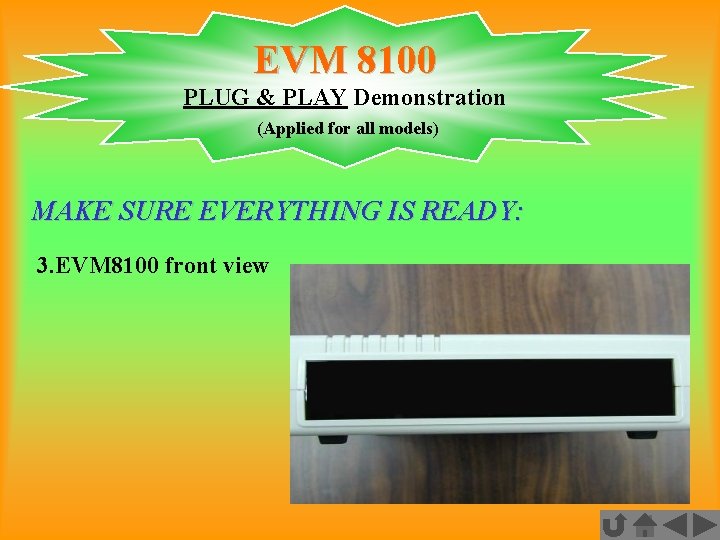
EVM 8100 PLUG & PLAY Demonstration (Applied for all models) MAKE SURE EVERYTHING IS READY: 3. EVM 8100 front view
EVM 8100 PLUG & PLAY Demonstration (Applied for all models) MAKE SURE EVERYTHING IS READY: 4. EVM 8100 rear view
EVM 8100 PLUG & PLAY Demonstration (Applied for all models) MAKE SURE EVERYTHING IS READY: 5. Accessory: 13 VDC Adapter
EVM 8100 PLUG & PLAY Demonstration (Applied for all models) MAKE SURE EVERYTHING IS READY: 6. Accessory: 12 VDC/7 AH battery power line, 2 RJ 45 signal lines
EVM 8100 PLUG & PLAY Demonstration (Applied for all models) MAKE SURE EVERYTHING IS READY: 7. Accessory: 2 wiring boxes
EVM 8100 PLUG & PLAY Demonstration (Applied for all models) MAKE SURE EVERYTHING IS READY: 8. Instruction and Programming Manual
EVM 8100 PLUG & PLAY Demonstration (Applied for all models) MAKE SURE EVERYTHING IS READY: 9. Mounting Instruction
EVM 8100 PLUG & PLAY Demonstration (Example is applied for all models) 3 Steps Preparation and Instruction for Demonstration: Connect to PBX: STEP 1 Connect to PBX: STEP 2 Connect to PBX: STEP 3
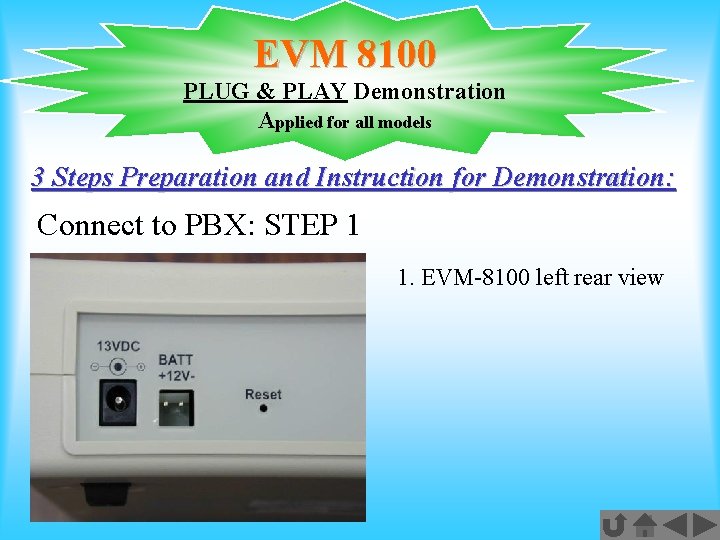
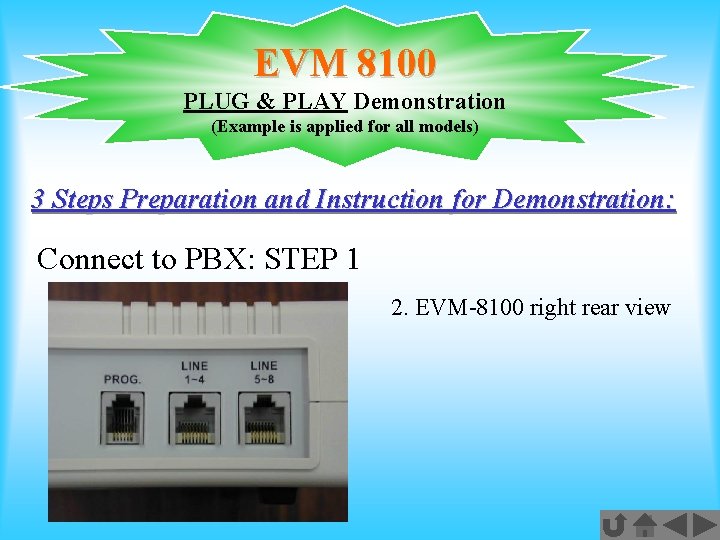
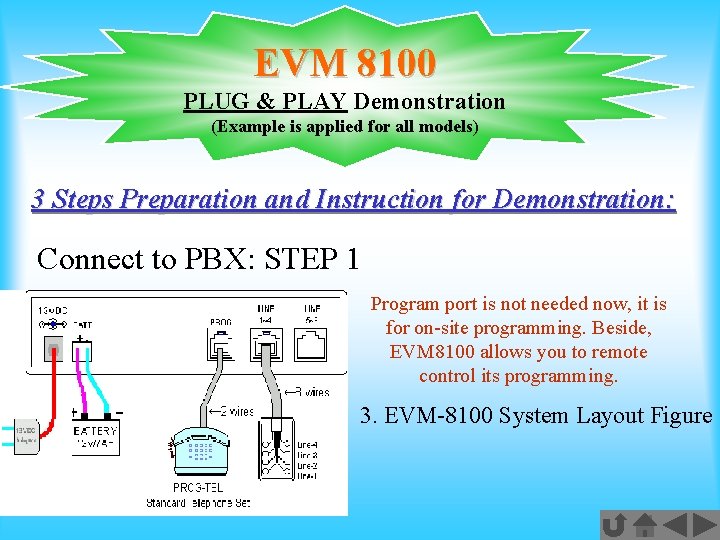
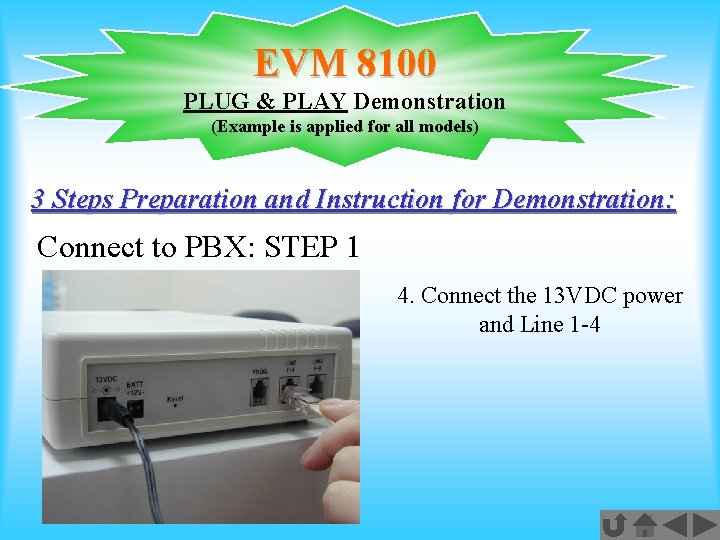
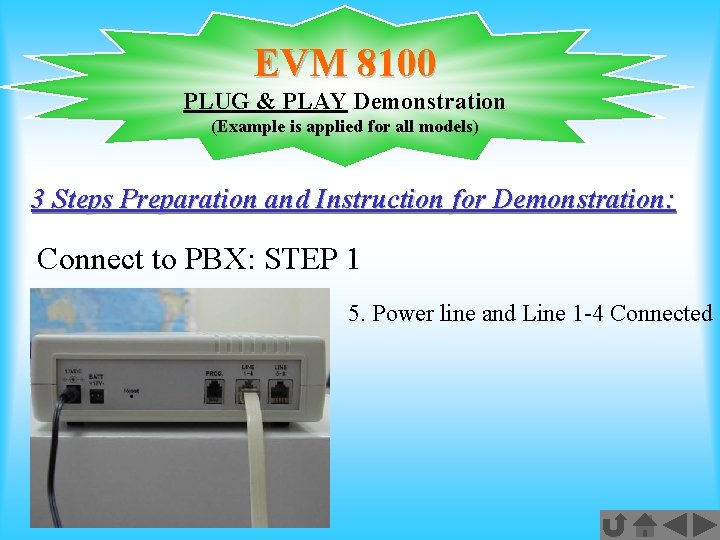
EVM 8100 PLUG & PLAY Demonstration (Example is applied for all models) 3 Steps Preparation and Instruction for Demonstration: Connect to PBX: STEP 1 1. EVM-8100 left rear view 2. EVM-8100 right rear view Program port is not needed now, it is for on-site programming. Beside, EVM 8100 allows you to remote control its programming. 3. EVM-8100 System Layout Figure 4. Connect the 13 VDC power and Line 1 -4 5. Power line and Line 1 -4 Connected
EVM 8100 PLUG & PLAY Demonstration Applied for all models 3 Steps Preparation and Instruction for Demonstration: Connect to PBX: STEP 1 1. EVM-8100 left rear view
EVM 8100 PLUG & PLAY Demonstration (Example is applied for all models) 3 Steps Preparation and Instruction for Demonstration: Connect to PBX: STEP 1 2. EVM-8100 right rear view
EVM 8100 PLUG & PLAY Demonstration (Example is applied for all models) 3 Steps Preparation and Instruction for Demonstration: Connect to PBX: STEP 1 Program port is not needed now, it is for on-site programming. Beside, EVM 8100 allows you to remote control its programming. 3. EVM-8100 System Layout Figure
EVM 8100 PLUG & PLAY Demonstration (Example is applied for all models) 3 Steps Preparation and Instruction for Demonstration: Connect to PBX: STEP 1 4. Connect the 13 VDC power and Line 1 -4
EVM 8100 PLUG & PLAY Demonstration (Example is applied for all models) 3 Steps Preparation and Instruction for Demonstration: Connect to PBX: STEP 1 5. Power line and Line 1 -4 Connected
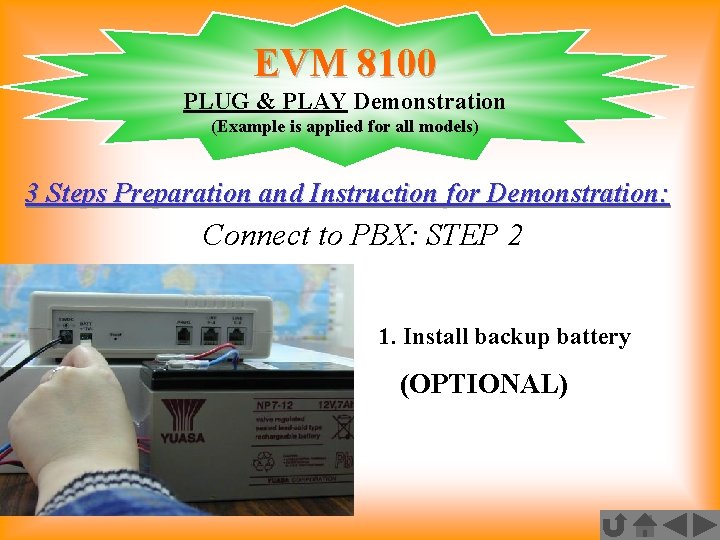
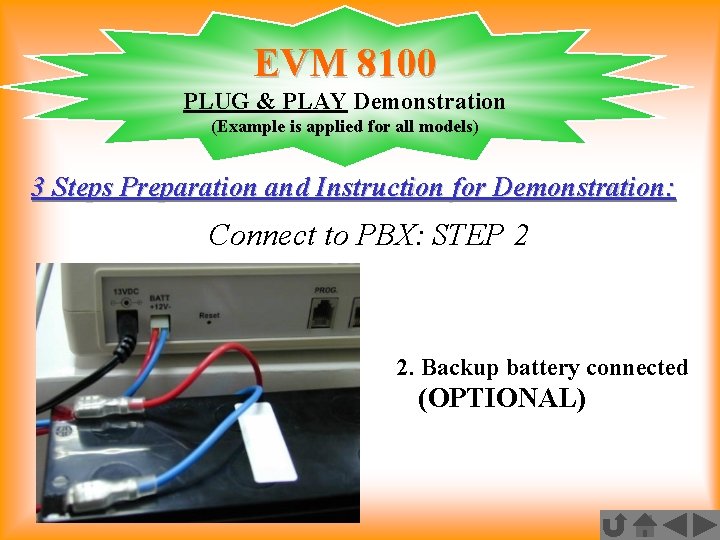
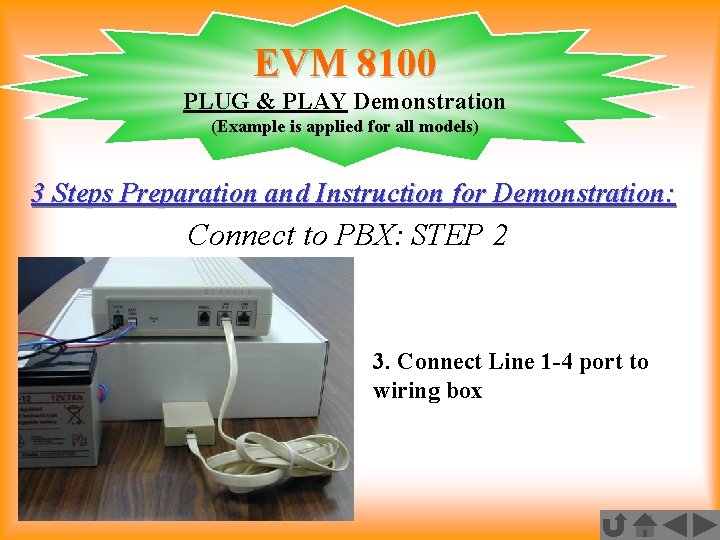
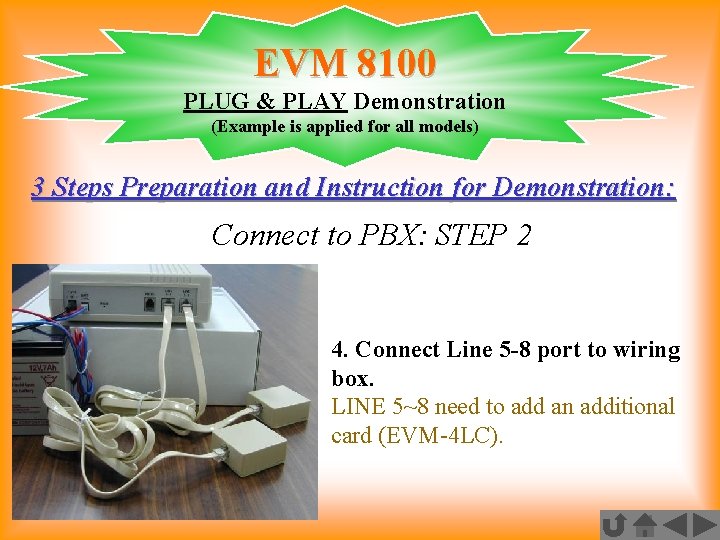
EVM 8100 PLUG & PLAY Demonstration (Example is applied for all models) 3 Steps Preparation and Instruction for Demonstration: Connect to PBX: STEP 2 1. Install backup battery (Optional) 2. Backup battery connected (Optional) 3. Connect Line 1 -4 port to wiring box 4. Connect Line 5 -8 port to wiring box LINE 5~8 need to add an additional card (EVM-4 LC).
EVM 8100 PLUG & PLAY Demonstration (Example is applied for all models) 3 Steps Preparation and Instruction for Demonstration: Connect to PBX: STEP 2 1. Install backup battery (OPTIONAL)
EVM 8100 PLUG & PLAY Demonstration (Example is applied for all models) 3 Steps Preparation and Instruction for Demonstration: Connect to PBX: STEP 2 2. Backup battery connected (OPTIONAL)
EVM 8100 PLUG & PLAY Demonstration (Example is applied for all models) 3 Steps Preparation and Instruction for Demonstration: Connect to PBX: STEP 2 3. Connect Line 1 -4 port to wiring box
EVM 8100 PLUG & PLAY Demonstration (Example is applied for all models) 3 Steps Preparation and Instruction for Demonstration: Connect to PBX: STEP 2 4. Connect Line 5 -8 port to wiring box. LINE 5~8 need to add an additional card (EVM-4 LC).
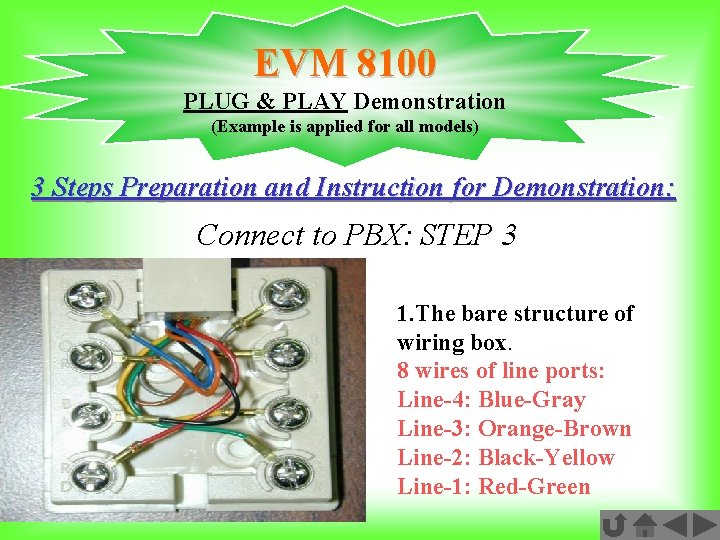
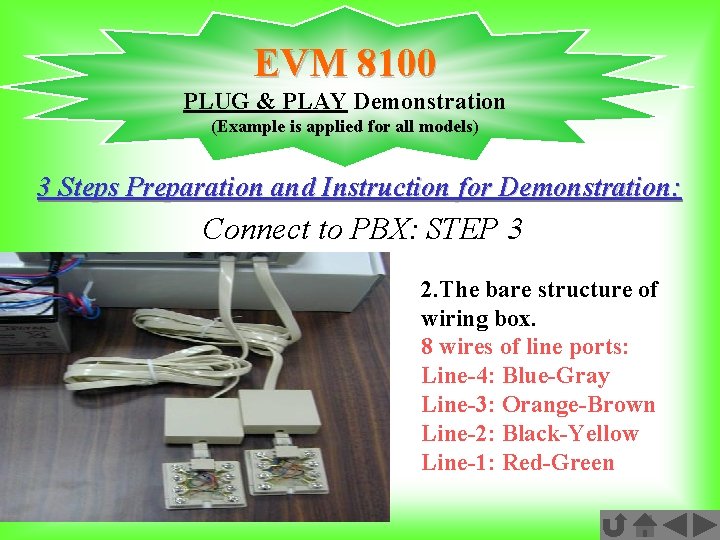
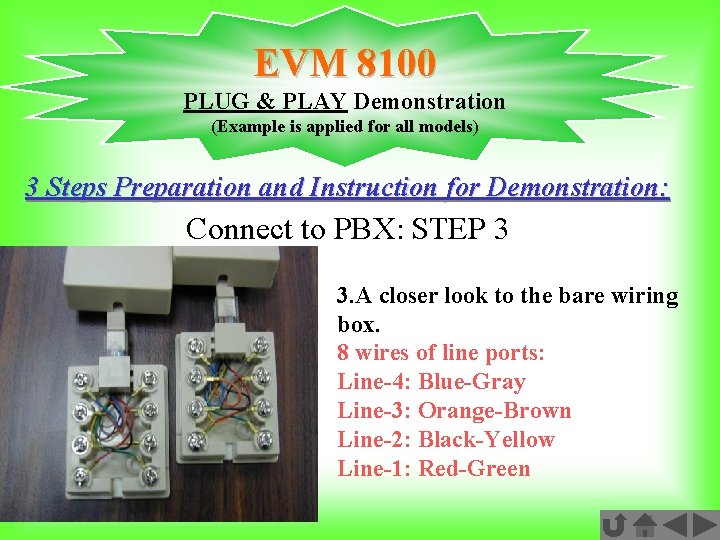
EVM 8100 PLUG & PLAY Demonstration (Example is applied for all models) 3 Steps Preparation and Instruction for Demonstration: Connect to PBX: STEP 3 1. The bare structure of wiring box 2. The bare structure of wiring box 3. A closer look to the bare wiring box 8 wires of line ports: Line-4: Blue-Gray Line-3: Orange-Brown Line-2: Black-Yellow Line-1: Red-Green
EVM 8100 PLUG & PLAY Demonstration (Example is applied for all models) 3 Steps Preparation and Instruction for Demonstration: Connect to PBX: STEP 3 1. The bare structure of wiring box. 8 wires of line ports: Line-4: Blue-Gray Line-3: Orange-Brown Line-2: Black-Yellow Line-1: Red-Green
EVM 8100 PLUG & PLAY Demonstration (Example is applied for all models) 3 Steps Preparation and Instruction for Demonstration: Connect to PBX: STEP 3 2. The bare structure of wiring box. 8 wires of line ports: Line-4: Blue-Gray Line-3: Orange-Brown Line-2: Black-Yellow Line-1: Red-Green
EVM 8100 PLUG & PLAY Demonstration (Example is applied for all models) 3 Steps Preparation and Instruction for Demonstration: Connect to PBX: STEP 3 3. A closer look to the bare wiring box. 8 wires of line ports: Line-4: Blue-Gray Line-3: Orange-Brown Line-2: Black-Yellow Line-1: Red-Green
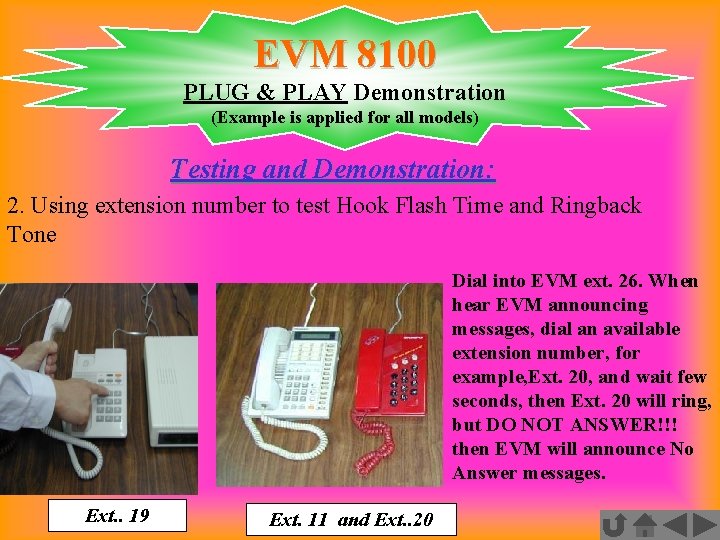
EVM 8100 PLUG & PLAY Demonstration (Example is applied for all models) Testing and Demonstration: Testing conduct from the external line or PBX internal line, EVM auto detect PBX Ringback tone and Hook-Flash time, EVM auto detect Busy Tone and Hook-Flash time 1. Assumption for the Demonstration 2. Using extension number to test Hook Flash Time and Ringback Tone 3. Using extension number to test Line Busy 4. Dial a busy extension number to test the busy tone and auto configuration Repeat the testing procedures from 2 to 4 for three times to get the best tone cycles samples for whole system. (Figure Domestication)
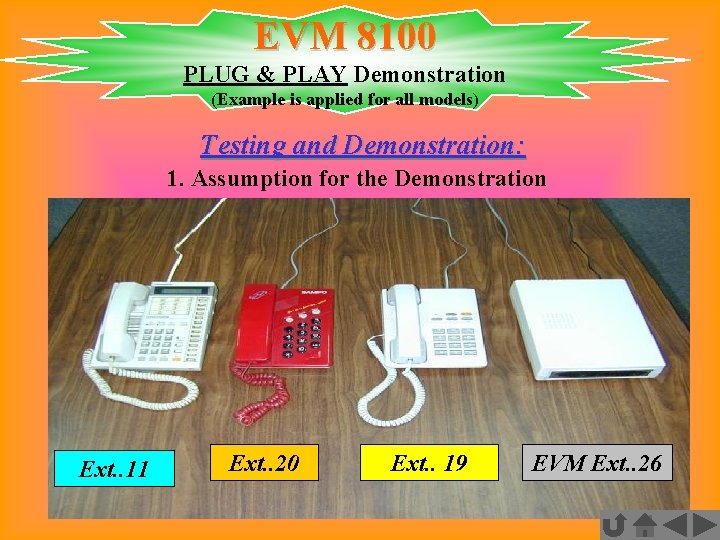
EVM 8100 PLUG & PLAY Demonstration (Example is applied for all models) Testing and Demonstration: 1. Assumption for the Demonstration Ext. . 11 Ext. . 20 Ext. . 19 EVM Ext. . 26
EVM 8100 PLUG & PLAY Demonstration (Example is applied for all models) Testing and Demonstration: 2. Using extension number to test Hook Flash Time and Ringback Tone Dial into EVM ext. 26. When hear EVM announcing messages, dial an available extension number, for example, Ext. 20, and wait few seconds, then Ext. 20 will ring, but DO NOT ANSWER!!! then EVM will announce No Answer messages. Ext. . 19 Ext. 11 and Ext. . 20
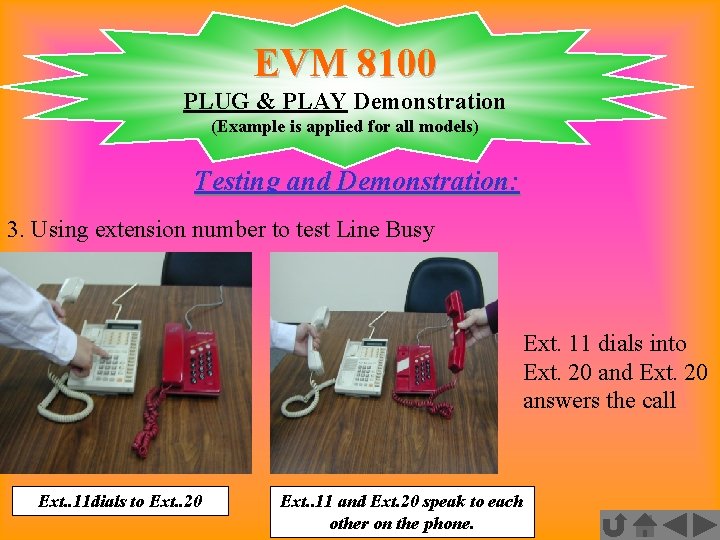
EVM 8100 PLUG & PLAY Demonstration (Example is applied for all models) Testing and Demonstration: 3. Using extension number to test Line Busy Ext. 11 dials into Ext. 20 and Ext. 20 answers the call Ext. . 11 dials to Ext. . 20 Ext. . 11 and Ext. 20 speak to each other on the phone.
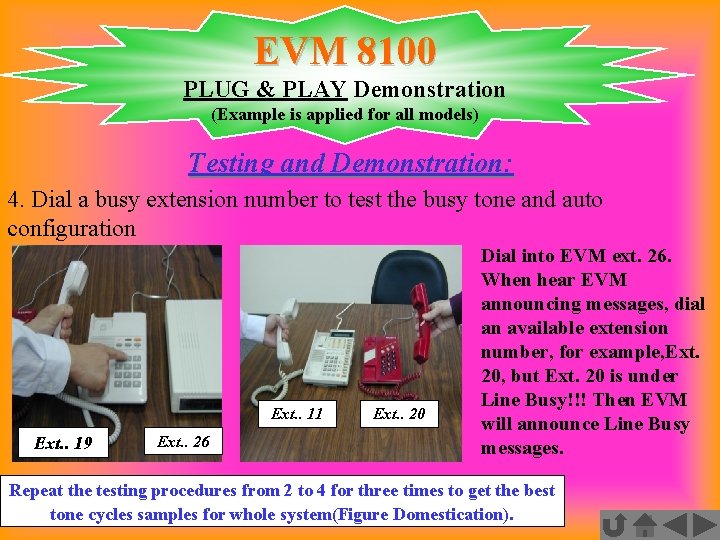
EVM 8100 PLUG & PLAY Demonstration (Example is applied for all models) Testing and Demonstration: 4. Dial a busy extension number to test the busy tone and auto configuration Ext. . 11 Ext. . 19 Ext. . 26 Ext. . 20 Dial into EVM ext. 26. When hear EVM announcing messages, dial an available extension number, for example, Ext. 20, but Ext. 20 is under Line Busy!!! Then EVM will announce Line Busy messages. Repeat the testing procedures from 2 to 4 for three times to get the best tone cycles samples for whole system(Figure Domestication).
All PRIMARY PLUG & PLAY IS COMPLETED NOW YOU CAN PROCEED TO ANY PROGRAMMING BY YOUR OWN DEMANDS
EVM takes great care for your customer services