Directory Structure 4 A collection of nodes containing
- Slides: 42
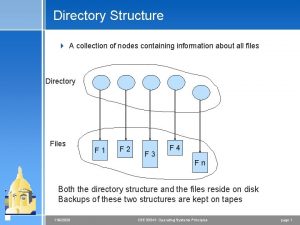
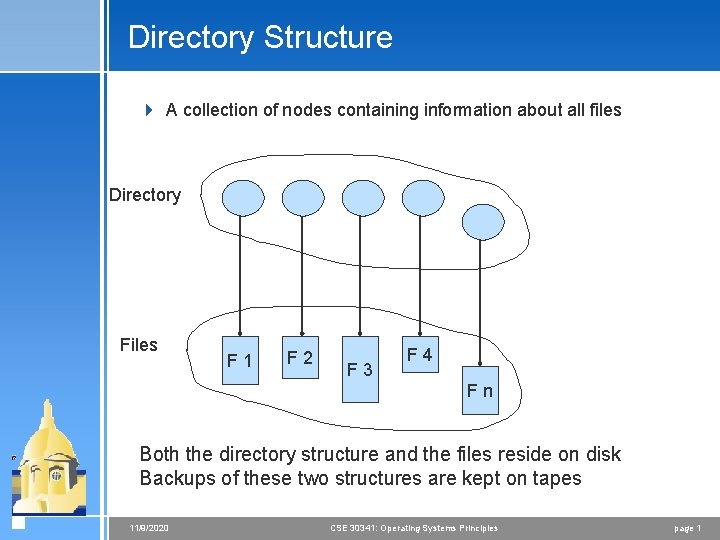
Directory Structure 4 A collection of nodes containing information about all files Directory Files F 1 F 2 F 3 F 4 Fn Both the directory structure and the files reside on disk Backups of these two structures are kept on tapes 11/9/2020 CSE 30341: Operating Systems Principles page 1
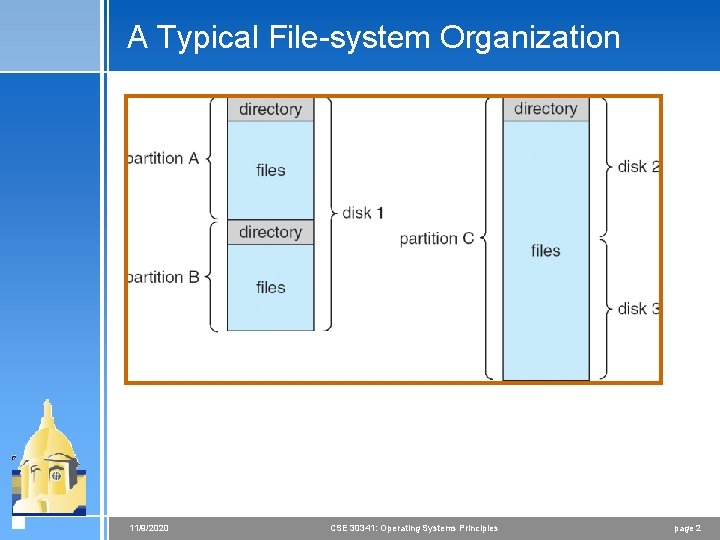
A Typical File-system Organization 11/9/2020 CSE 30341: Operating Systems Principles page 2
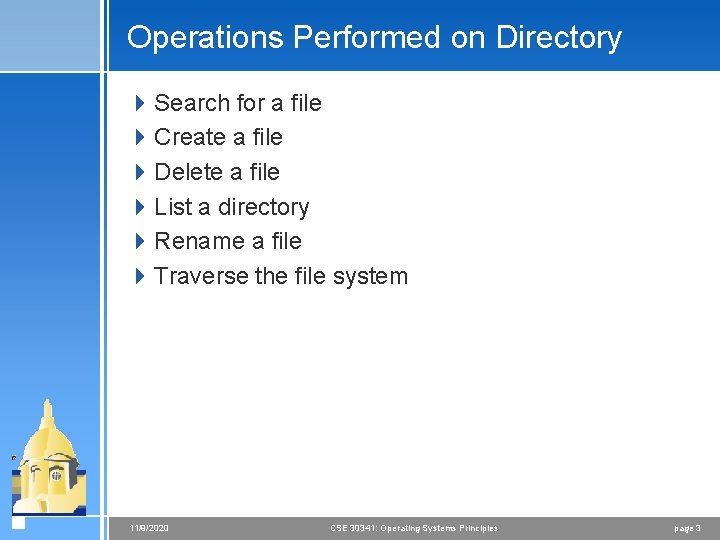
Operations Performed on Directory 4 Search for a file 4 Create a file 4 Delete a file 4 List a directory 4 Rename a file 4 Traverse the file system 11/9/2020 CSE 30341: Operating Systems Principles page 3
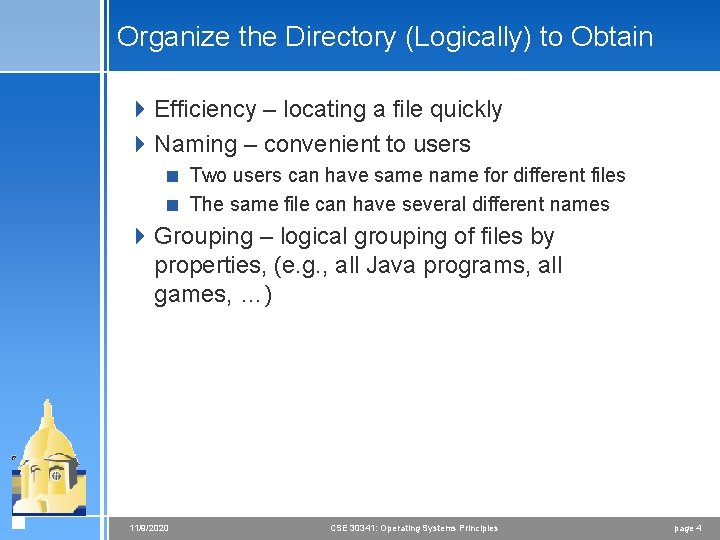
Organize the Directory (Logically) to Obtain 4 Efficiency – locating a file quickly 4 Naming – convenient to users < Two users can have same name for different files < The same file can have several different names 4 Grouping – logical grouping of files by properties, (e. g. , all Java programs, all games, …) 11/9/2020 CSE 30341: Operating Systems Principles page 4
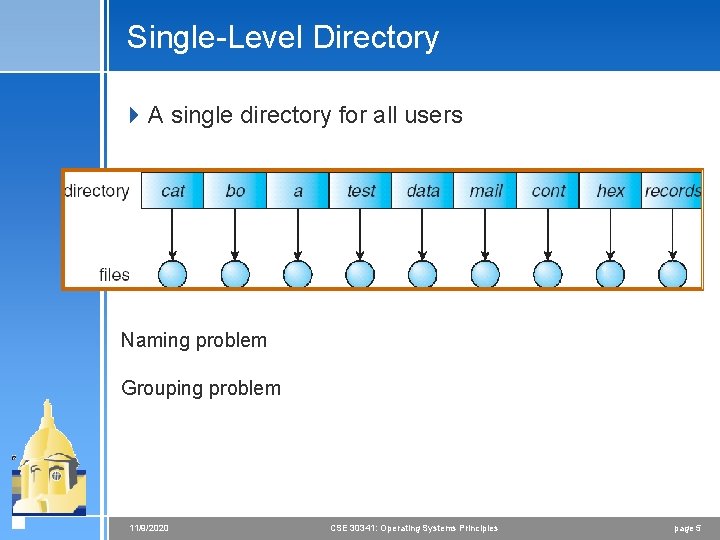
Single-Level Directory 4 A single directory for all users Naming problem Grouping problem 11/9/2020 CSE 30341: Operating Systems Principles page 5
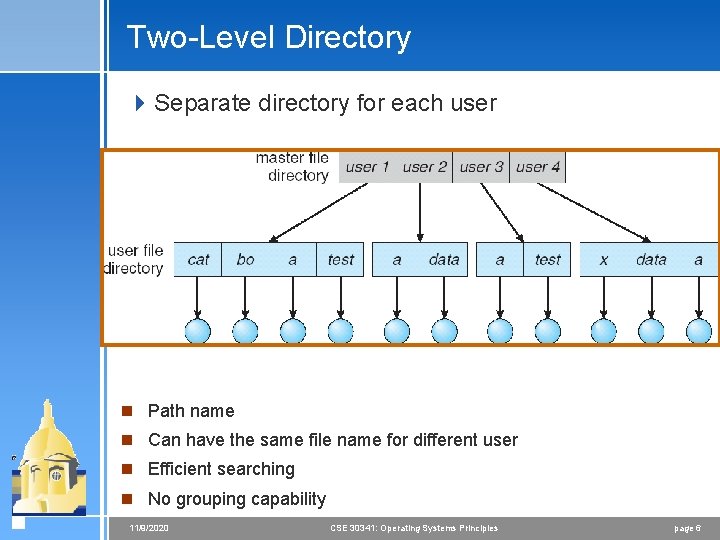
Two-Level Directory 4 Separate directory for each user n Path name n Can have the same file name for different user n Efficient searching n No grouping capability 11/9/2020 CSE 30341: Operating Systems Principles page 6
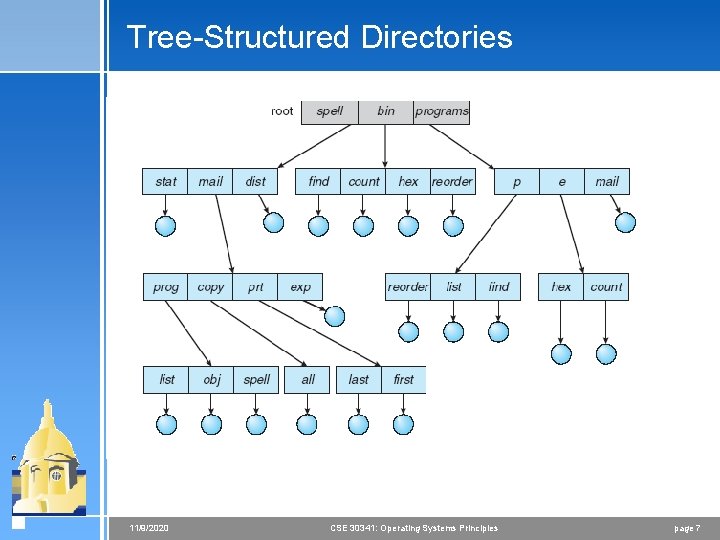
Tree-Structured Directories 11/9/2020 CSE 30341: Operating Systems Principles page 7
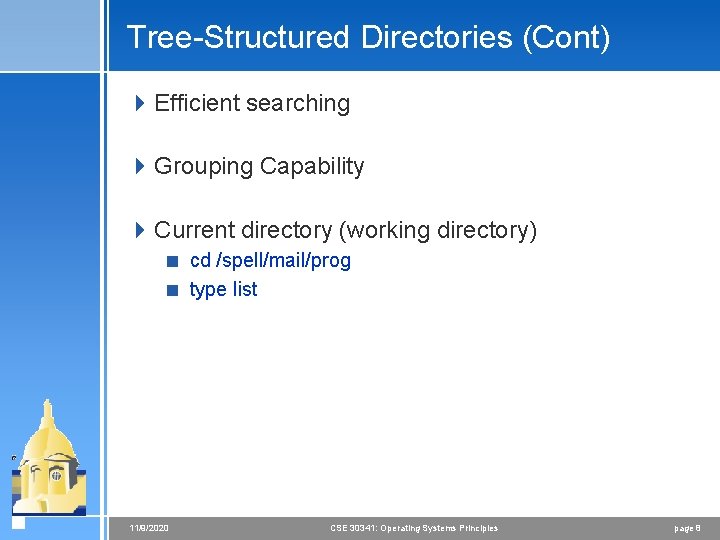
Tree-Structured Directories (Cont) 4 Efficient searching 4 Grouping Capability 4 Current directory (working directory) < cd /spell/mail/prog < type list 11/9/2020 CSE 30341: Operating Systems Principles page 8
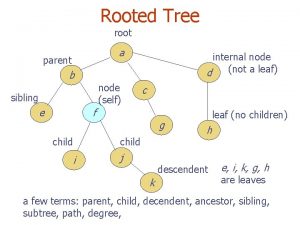
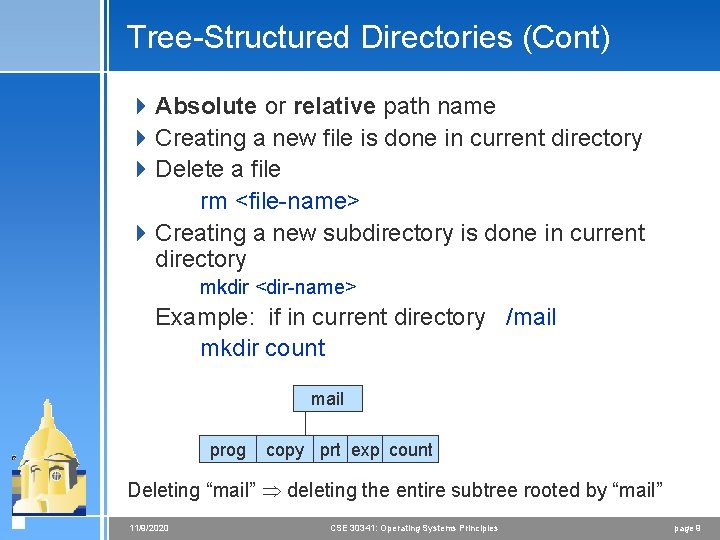
Tree-Structured Directories (Cont) 4 Absolute or relative path name 4 Creating a new file is done in current directory 4 Delete a file rm <file-name> 4 Creating a new subdirectory is done in current directory mkdir <dir-name> Example: if in current directory /mail mkdir count mail prog copy prt exp count Deleting “mail” deleting the entire subtree rooted by “mail” 11/9/2020 CSE 30341: Operating Systems Principles page 9
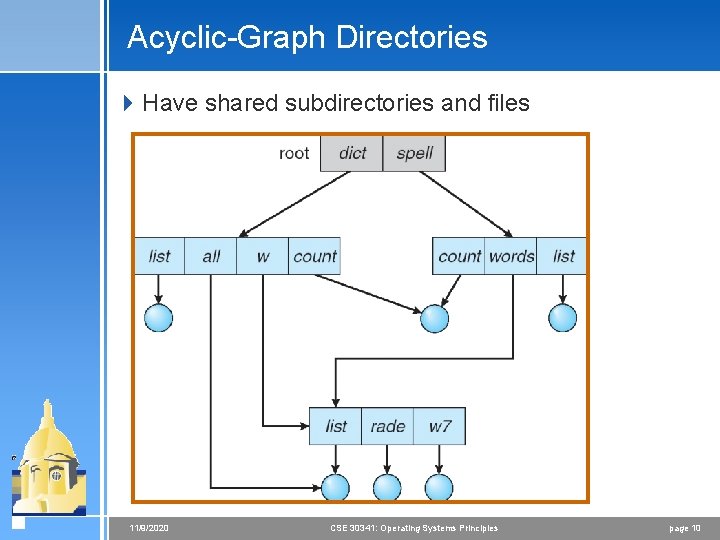
Acyclic-Graph Directories 4 Have shared subdirectories and files 11/9/2020 CSE 30341: Operating Systems Principles page 10
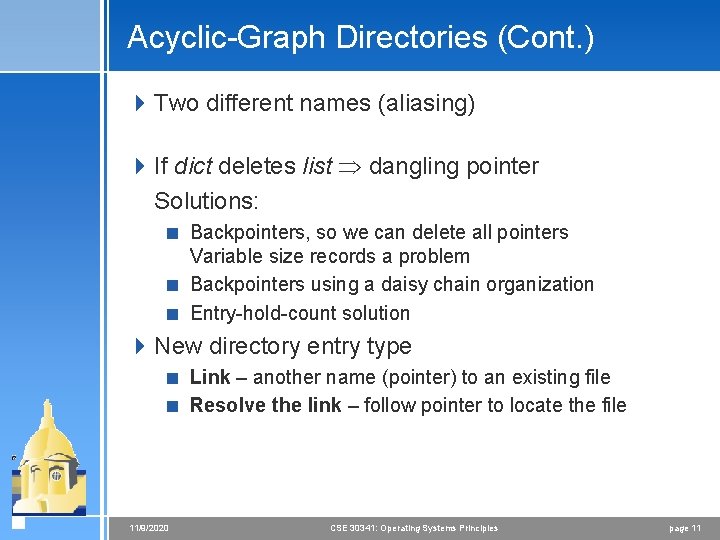
Acyclic-Graph Directories (Cont. ) 4 Two different names (aliasing) 4 If dict deletes list dangling pointer Solutions: < Backpointers, so we can delete all pointers Variable size records a problem < Backpointers using a daisy chain organization < Entry-hold-count solution 4 New directory entry type < Link – another name (pointer) to an existing file < Resolve the link – follow pointer to locate the file 11/9/2020 CSE 30341: Operating Systems Principles page 11
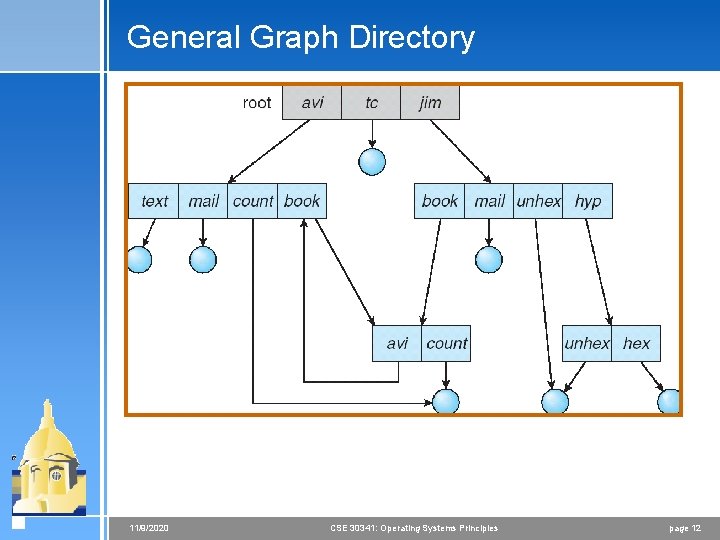
General Graph Directory 11/9/2020 CSE 30341: Operating Systems Principles page 12
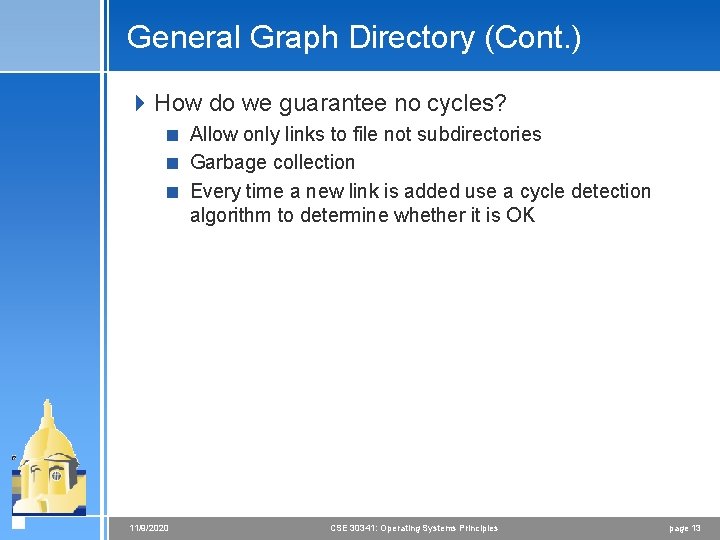
General Graph Directory (Cont. ) 4 How do we guarantee no cycles? < Allow only links to file not subdirectories < Garbage collection < Every time a new link is added use a cycle detection algorithm to determine whether it is OK 11/9/2020 CSE 30341: Operating Systems Principles page 13
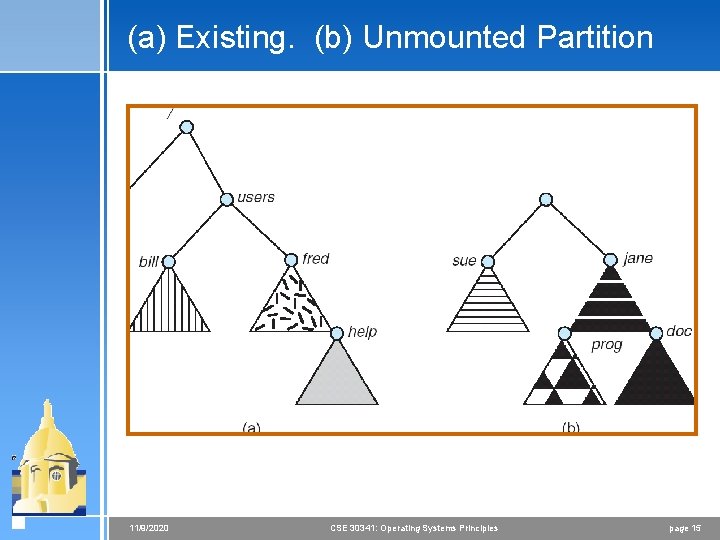
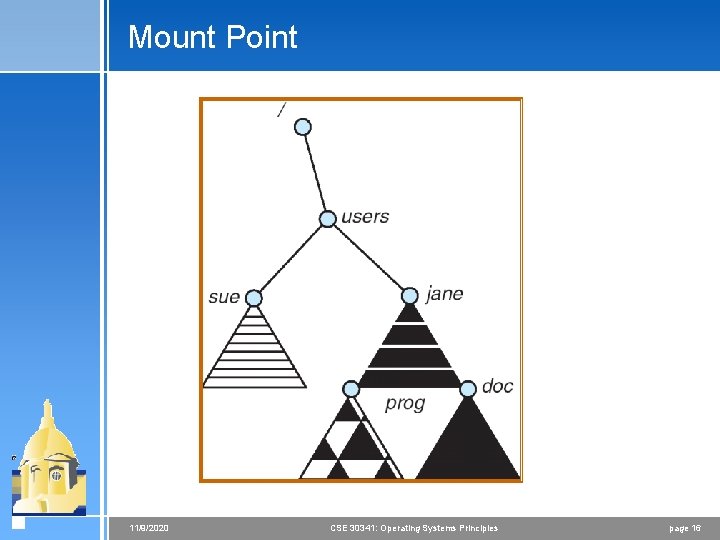
File System Mounting 4 A file system must be mounted before it can be accessed 4 A unmounted file system (i. e. Fig. 11 -11(b)) is mounted at a mount point 11/9/2020 CSE 30341: Operating Systems Principles page 14
(a) Existing. (b) Unmounted Partition 11/9/2020 CSE 30341: Operating Systems Principles page 15
Mount Point 11/9/2020 CSE 30341: Operating Systems Principles page 16
File Sharing 4 Sharing of files on multi-user systems is desirable 4 Sharing may be done through a protection scheme 4 On distributed systems, files may be shared across a network 4 Network File System (NFS) is a common distributed file-sharing method 11/9/2020 CSE 30341: Operating Systems Principles page 17
File Sharing – Multiple Users 4 User IDs identify users, allowing permissions and protections to be per-user 4 Group IDs allow users to be in groups, permitting group access rights 11/9/2020 CSE 30341: Operating Systems Principles page 18
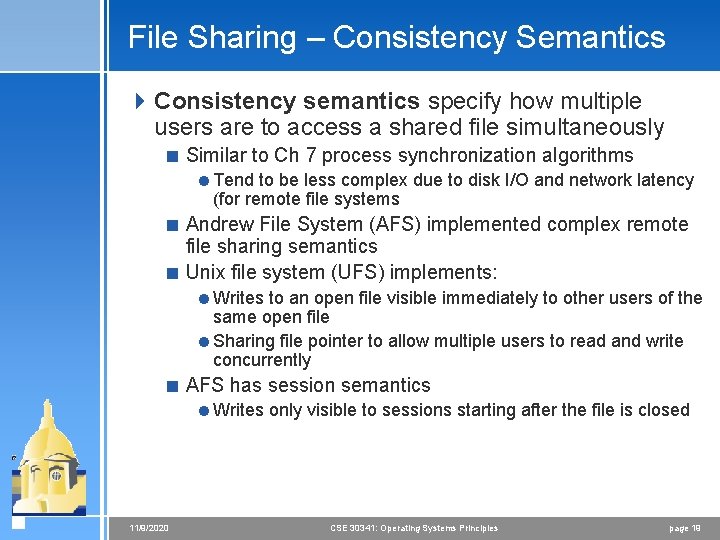
File Sharing – Consistency Semantics 4 Consistency semantics specify how multiple users are to access a shared file simultaneously < Similar to Ch 7 process synchronization algorithms =Tend to be less complex due to disk I/O and network latency (for remote file systems < Andrew File System (AFS) implemented complex remote file sharing semantics < Unix file system (UFS) implements: =Writes to an open file visible immediately to other users of the same open file =Sharing file pointer to allow multiple users to read and write concurrently < AFS has session semantics =Writes only visible to sessions starting after the file is closed 11/9/2020 CSE 30341: Operating Systems Principles page 19
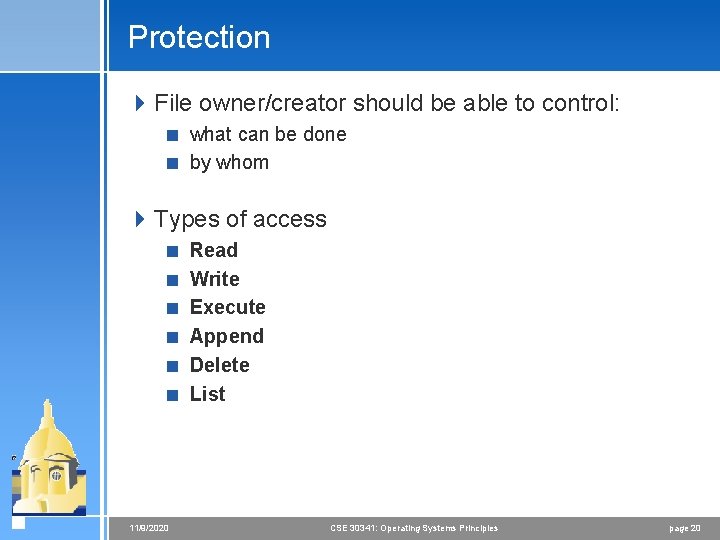
Protection 4 File owner/creator should be able to control: < what can be done < by whom 4 Types of access < Read < Write < Execute < Append < Delete < List 11/9/2020 CSE 30341: Operating Systems Principles page 20
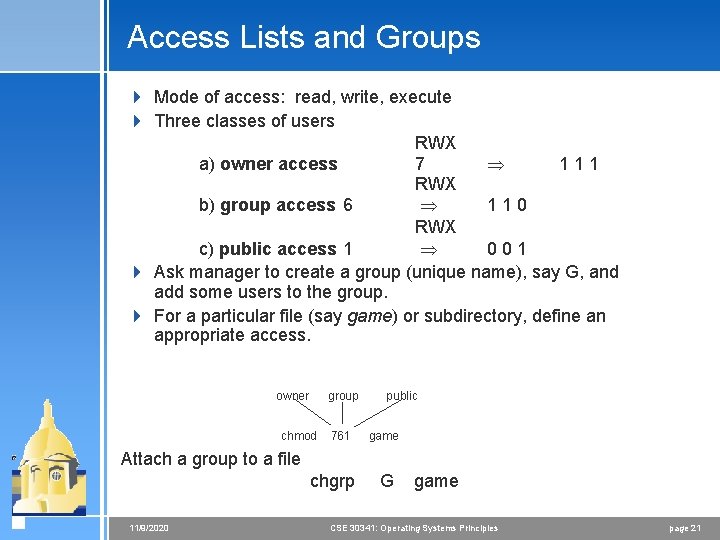
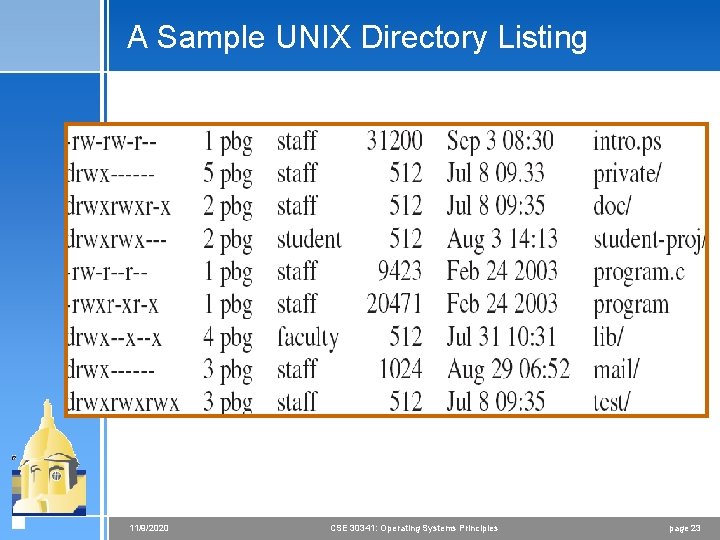
Access Lists and Groups 4 Mode of access: read, write, execute 4 Three classes of users RWX a) owner access 7 111 RWX b) group access 6 110 RWX c) public access 1 001 4 Ask manager to create a group (unique name), say G, and add some users to the group. 4 For a particular file (say game) or subdirectory, define an appropriate access. owner group chmod 761 public game Attach a group to a file chgrp 11/9/2020 G game CSE 30341: Operating Systems Principles page 21
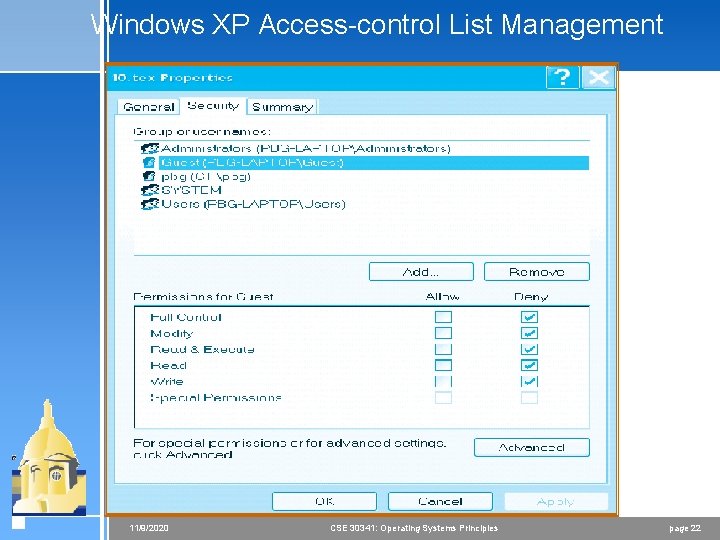
Windows XP Access-control List Management 11/9/2020 CSE 30341: Operating Systems Principles page 22
A Sample UNIX Directory Listing 11/9/2020 CSE 30341: Operating Systems Principles page 23
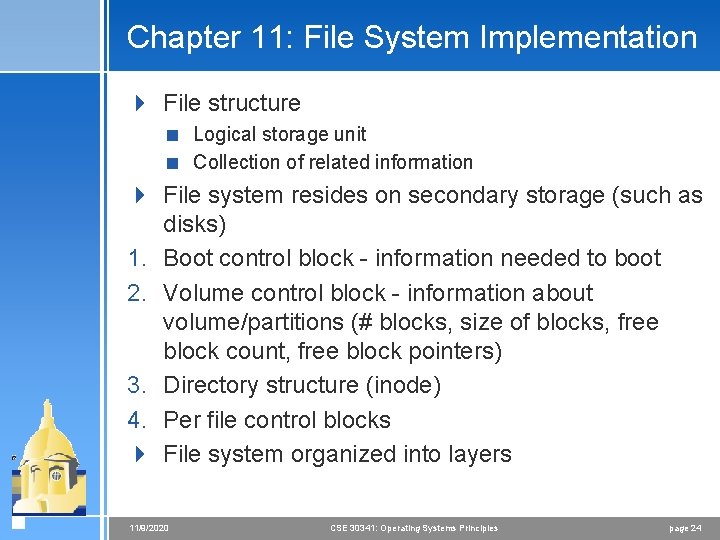
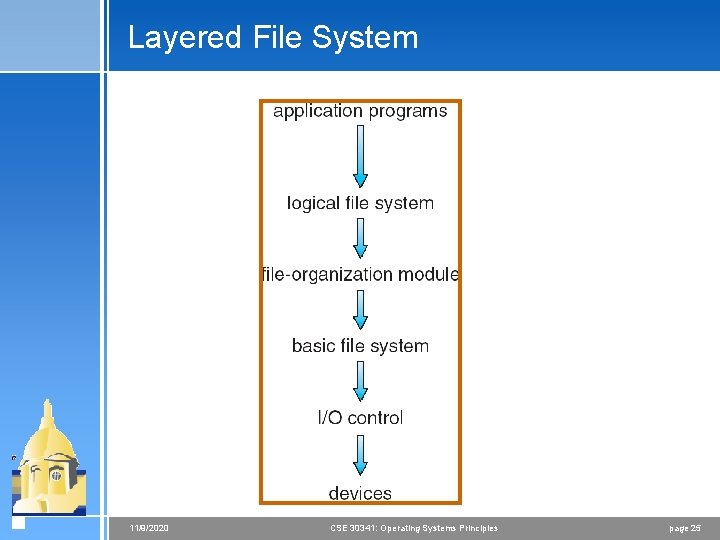
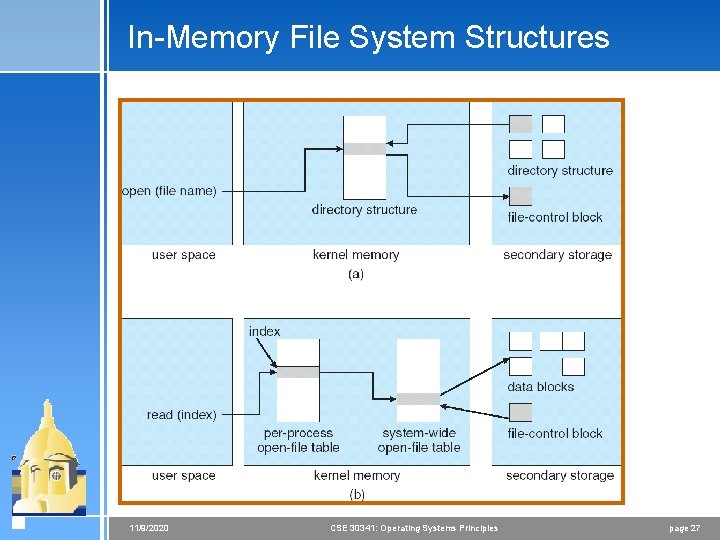
Chapter 11: File System Implementation 4 File structure < Logical storage unit < Collection of related information 4 File system resides on secondary storage (such as disks) 1. Boot control block - information needed to boot 2. Volume control block - information about volume/partitions (# blocks, size of blocks, free block count, free block pointers) 3. Directory structure (inode) 4. Per file control blocks 4 File system organized into layers 11/9/2020 CSE 30341: Operating Systems Principles page 24
Layered File System 11/9/2020 CSE 30341: Operating Systems Principles page 25
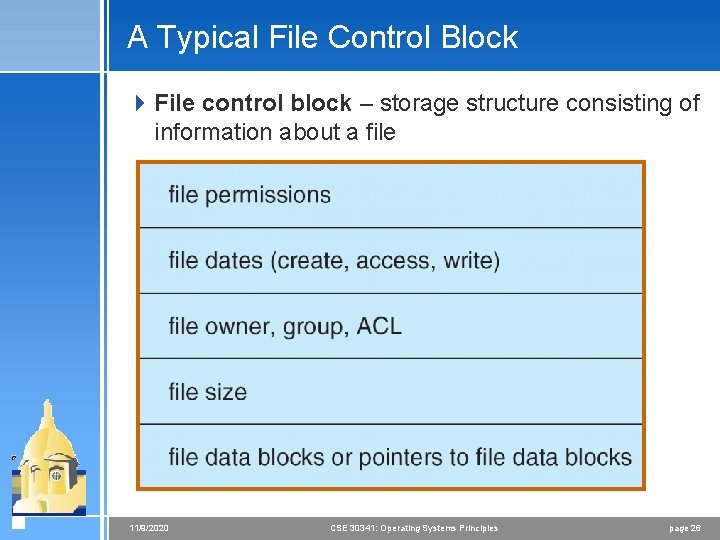
A Typical File Control Block 4 File control block – storage structure consisting of information about a file 11/9/2020 CSE 30341: Operating Systems Principles page 26
In-Memory File System Structures 11/9/2020 CSE 30341: Operating Systems Principles page 27
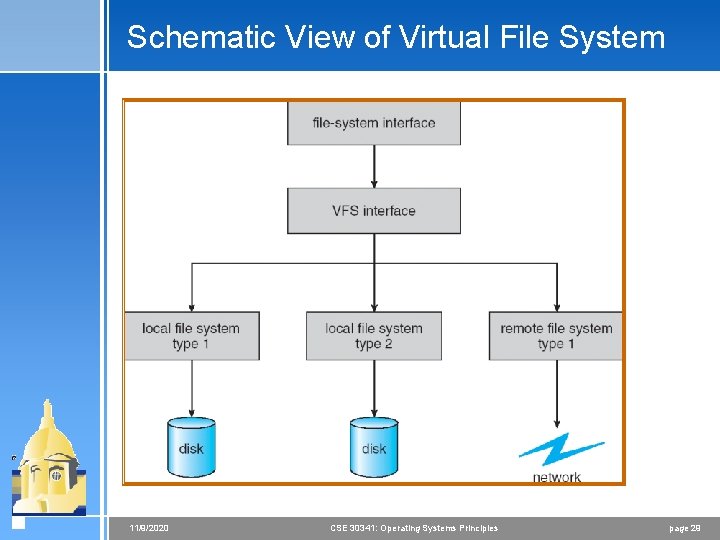
Virtual File Systems 4 There are many different file systems available on any operating systems < Windows: NTFS, FAT 32 < Linux: ext 2/ext 3, ufs, vfat, ramfs, tmpfs, reiserfs, xfs. . . 4 Virtual File Systems (VFS) provide an objectoriented way of implementing file systems 4 VFS allows the same system call interface (the API) to be used for different types of file systems 4 The API is to the VFS interface, rather than any specific type of file system 11/9/2020 CSE 30341: Operating Systems Principles page 28
Schematic View of Virtual File System 11/9/2020 CSE 30341: Operating Systems Principles page 29
Directory Implementation 4 Directories hold information about files 4 Linear list of file names with pointer to the data blocks. < simple to program < time-consuming to execute 4 Hash Table – linear list with hash data structure. < decreases directory search time < collisions – situations where two file names hash to the same location < fixed size 11/9/2020 CSE 30341: Operating Systems Principles page 30
Allocation Methods 4 An allocation method refers to how disk blocks are allocated for files: 4 Contiguous allocation 4 Linked allocation 4 Indexed allocation 11/9/2020 CSE 30341: Operating Systems Principles page 31
Contiguous Allocation 4 Each file occupies a set of contiguous blocks on the disk 4 Simple – only starting location (block #) and length (number of blocks) are required 4 Random access 4 Wasteful of space (dynamic storageallocation problem) 4 Files cannot grow 11/9/2020 CSE 30341: Operating Systems Principles page 32
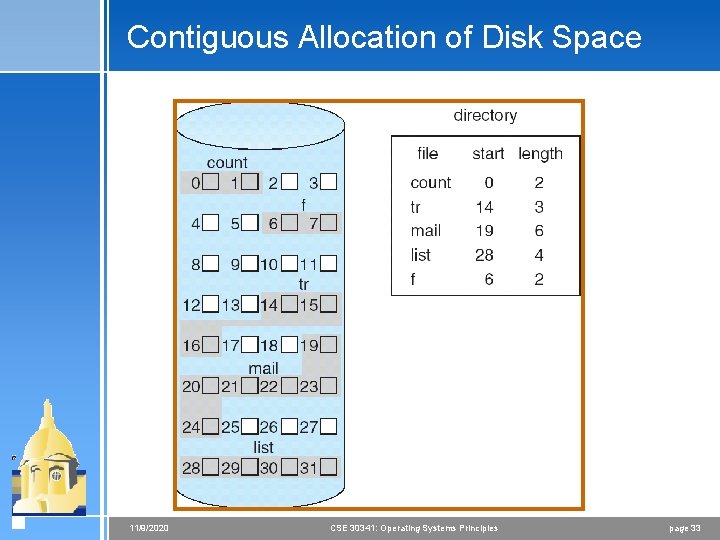
Contiguous Allocation of Disk Space 11/9/2020 CSE 30341: Operating Systems Principles page 33
Extent-Based Systems 4 Many newer file systems (I. e. Veritas File System) use a modified contiguous allocation scheme 4 Extent-based file systems allocate disk blocks in extents 4 An extent is a contiguous block of disks < Extents are allocated for file allocation < A file consists of one or more extents. 11/9/2020 CSE 30341: Operating Systems Principles page 34
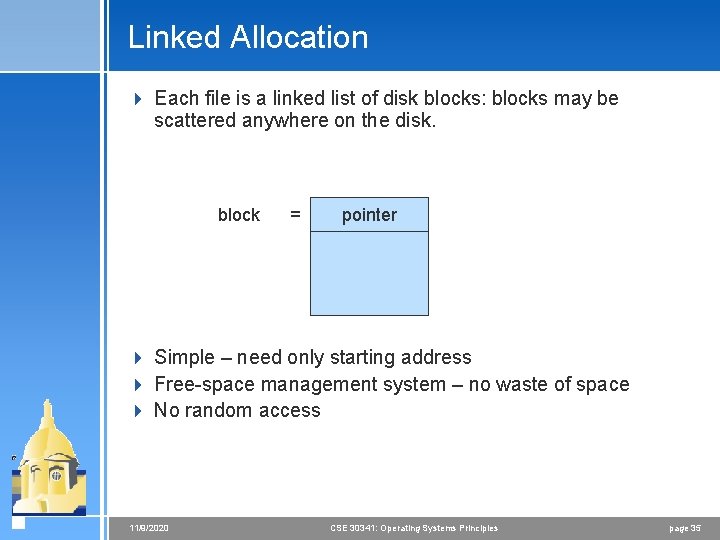
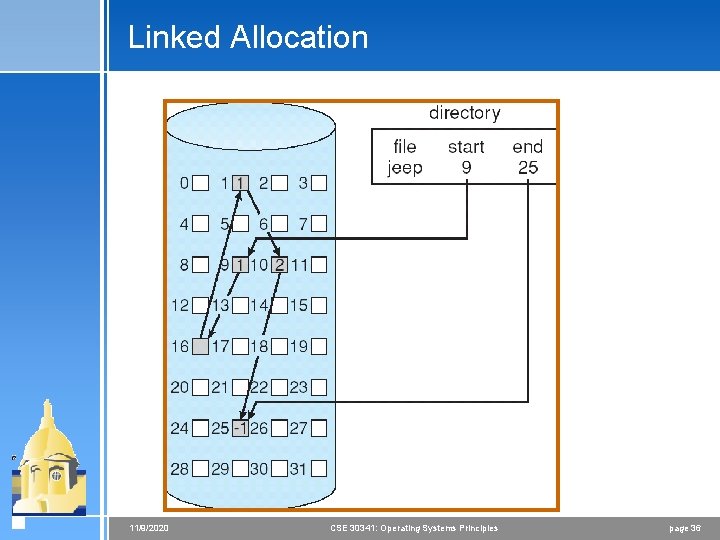
Linked Allocation 4 Each file is a linked list of disk blocks: blocks may be scattered anywhere on the disk. block = pointer 4 Simple – need only starting address 4 Free-space management system – no waste of space 4 No random access 11/9/2020 CSE 30341: Operating Systems Principles page 35
Linked Allocation 11/9/2020 CSE 30341: Operating Systems Principles page 36
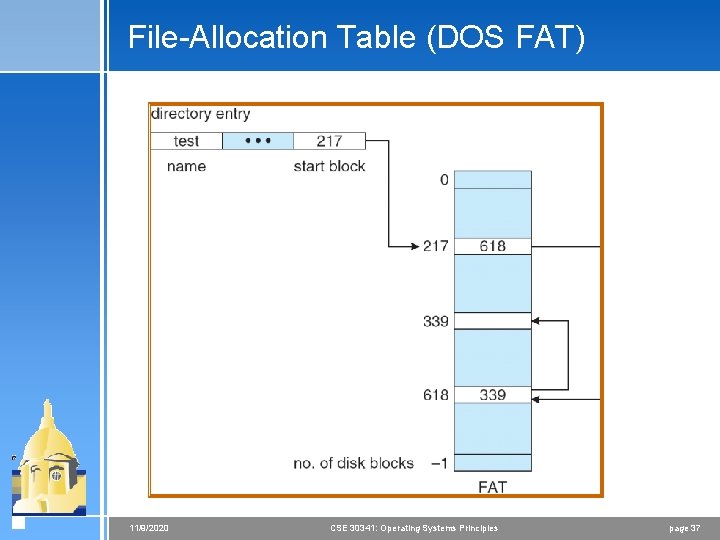
File-Allocation Table (DOS FAT) 11/9/2020 CSE 30341: Operating Systems Principles page 37
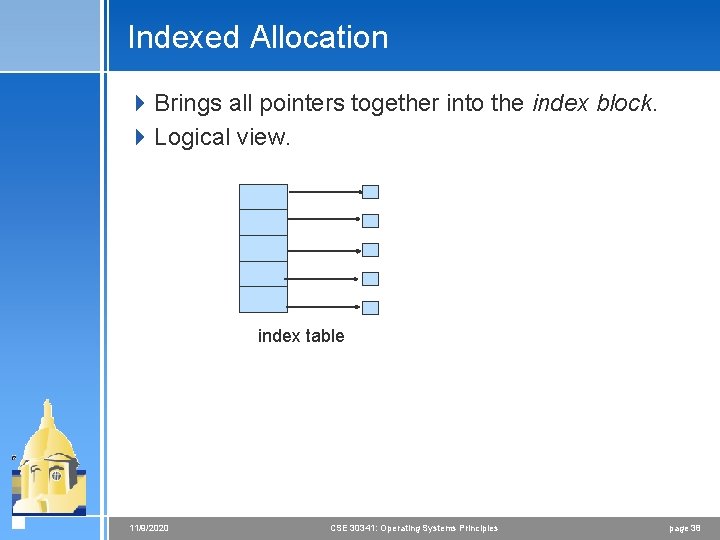
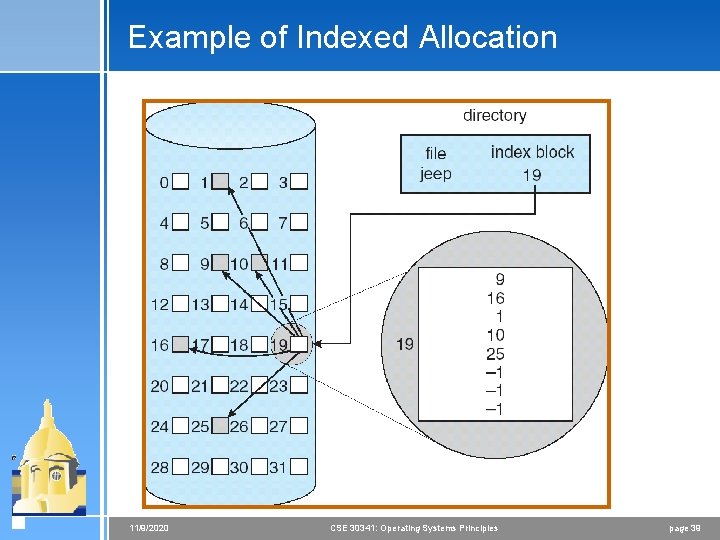
Indexed Allocation 4 Brings all pointers together into the index block. 4 Logical view. index table 11/9/2020 CSE 30341: Operating Systems Principles page 38
Example of Indexed Allocation 11/9/2020 CSE 30341: Operating Systems Principles page 39
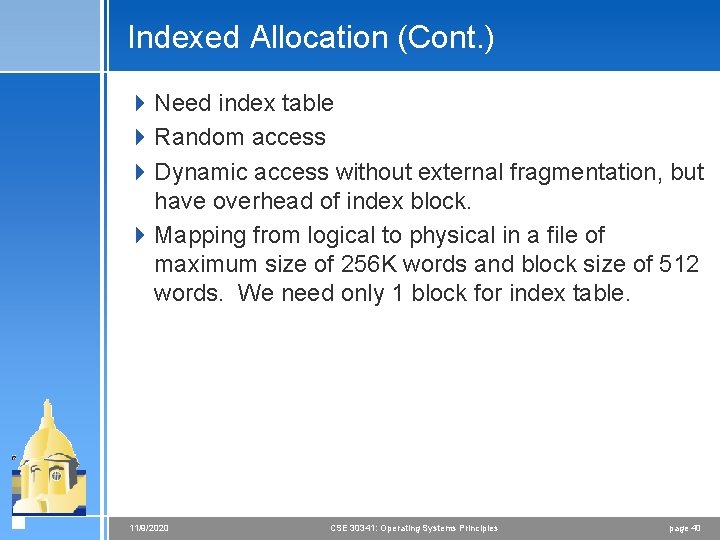
Indexed Allocation (Cont. ) 4 Need index table 4 Random access 4 Dynamic access without external fragmentation, but have overhead of index block. 4 Mapping from logical to physical in a file of maximum size of 256 K words and block size of 512 words. We need only 1 block for index table. 11/9/2020 CSE 30341: Operating Systems Principles page 40
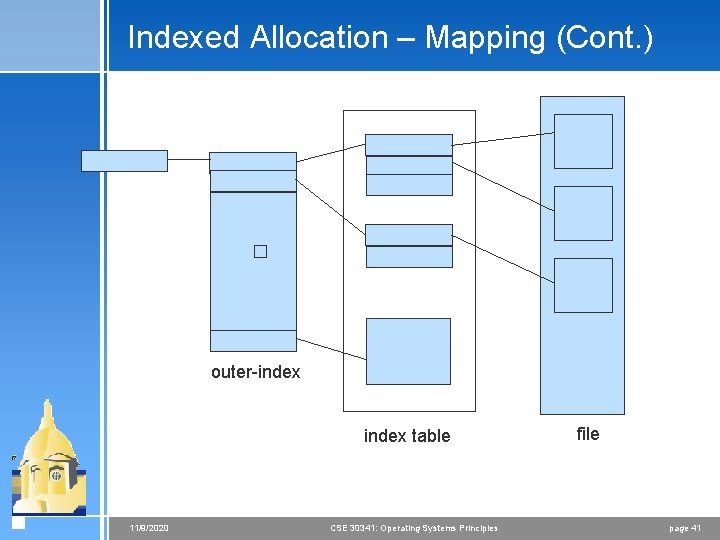
Indexed Allocation – Mapping (Cont. ) � outer-index table 11/9/2020 CSE 30341: Operating Systems Principles file page 41
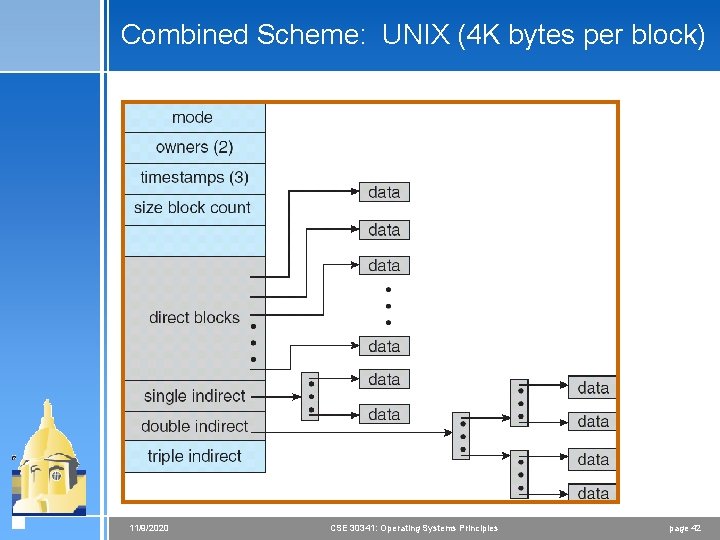
Combined Scheme: UNIX (4 K bytes per block) 11/9/2020 CSE 30341: Operating Systems Principles page 42