Class A Foam Pro 200020001 Direct Injection Proportioning

- Slides: 25
Class A Foam. Pro 2000/20001 Direct Injection Proportioning Systems Edition 1 May 2009
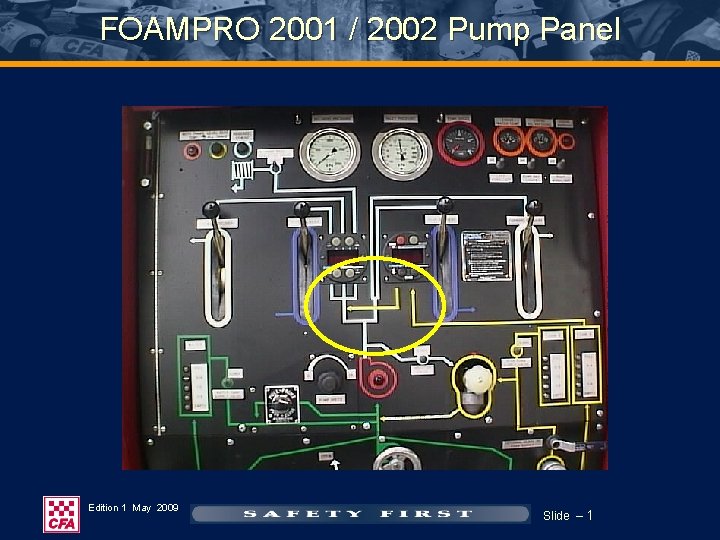
FOAMPRO 2001 / 2002 Pump Panel Edition 1 May 2009 Slide – 1
FOAMPRO 2001 / 2002 System Description Ø The Foam. Pro system 2001 / 2002 is an electric motor driven, flow based proportioning system. Ø The system will accurately deliver foam concentrate to the injection point from 0. 1 to 3. 0%. Ø A flow meter measures the water flow and sends a signal to the digital display control module. Ø Another sensor monitors the foam pump output. Ø Constant comparison of the two information signals ensures the selected proportioning ratio over flow rates of 20 – 2000 Lpm at all times. Edition 1 May 2009 Slide – 2
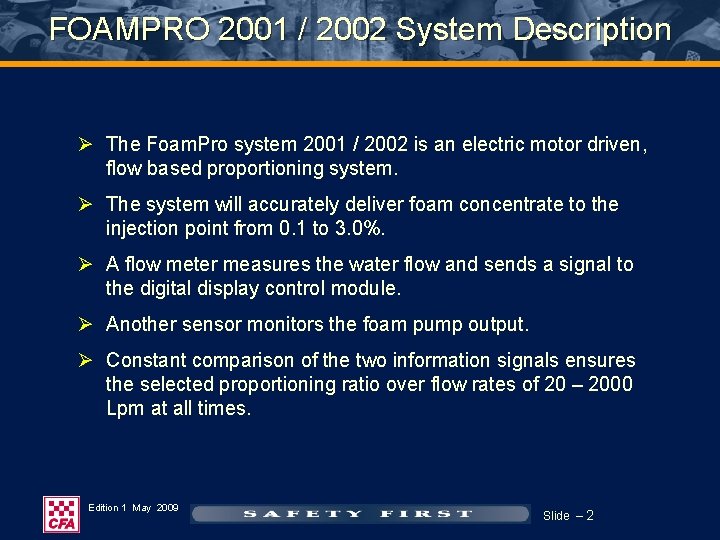
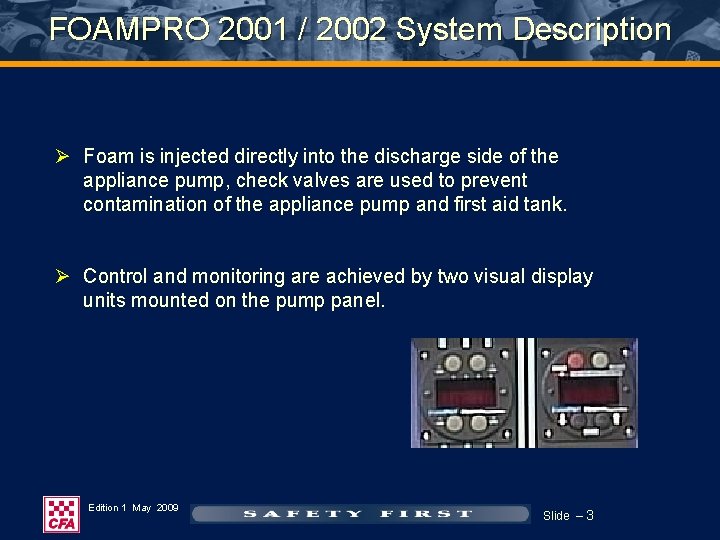
FOAMPRO 2001 / 2002 System Description Ø Foam is injected directly into the discharge side of the appliance pump, check valves are used to prevent contamination of the appliance pump and first aid tank. Ø Control and monitoring are achieved by two visual display units mounted on the pump panel. Edition 1 May 2009 Slide – 3
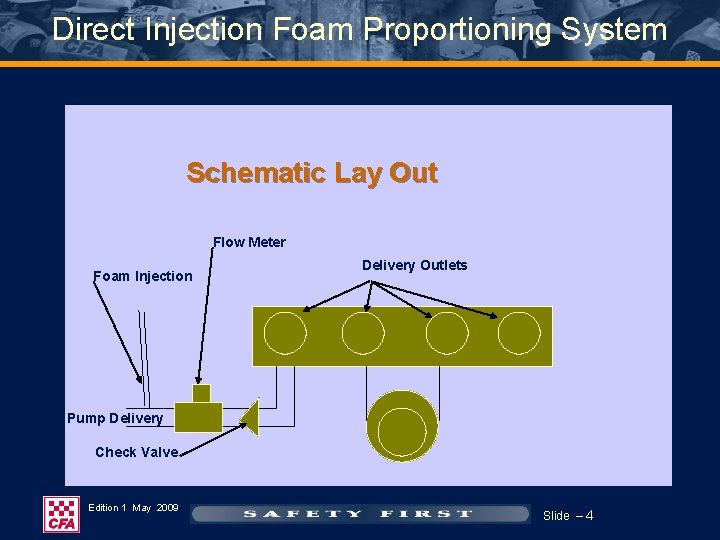
Direct Injection Foam Proportioning System Schematic Lay Out Flow Meter Foam Injection Delivery Outlets Pump Delivery Check Valve Edition 1 May 2009 Slide – 4
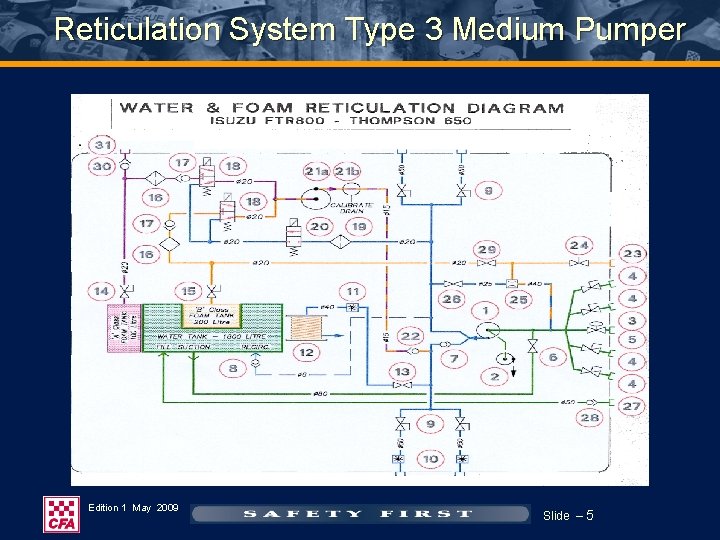
Reticulation System Type 3 Medium Pumper Edition 1 May 2009 Slide – 5
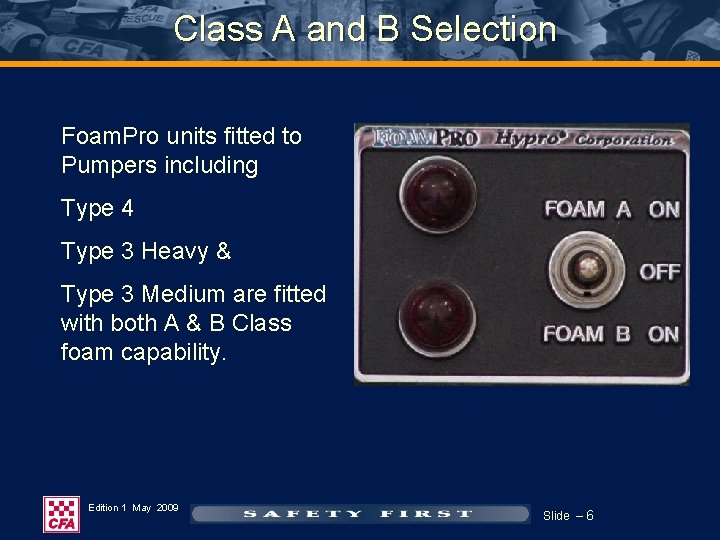
Class A and B Selection Foam. Pro units fitted to Pumpers including Type 4 Type 3 Heavy & Type 3 Medium are fitted with both A & B Class foam capability. Edition 1 May 2009 Slide – 6
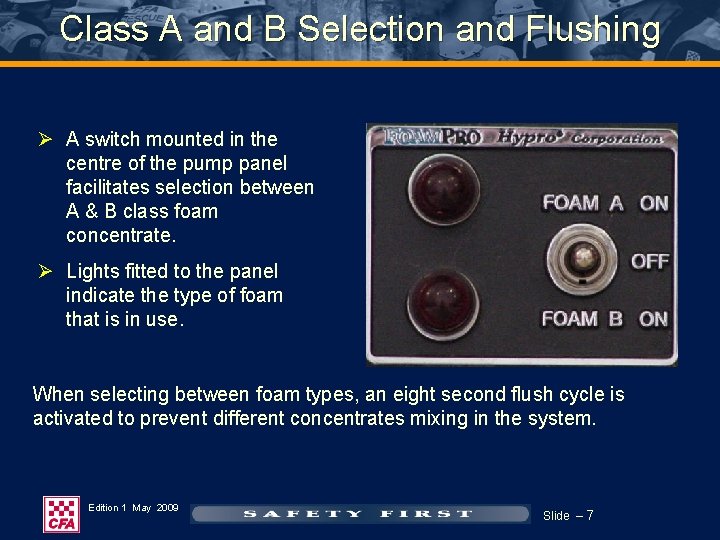
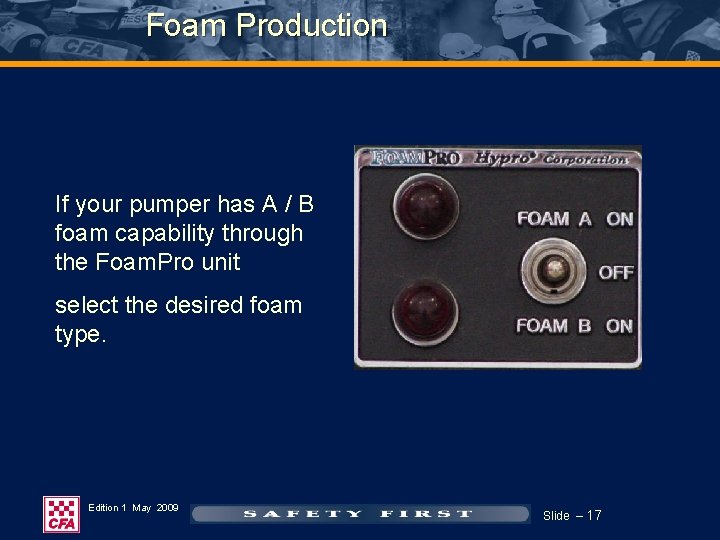
Class A and B Selection and Flushing Ø A switch mounted in the centre of the pump panel facilitates selection between A & B class foam concentrate. Ø Lights fitted to the panel indicate the type of foam that is in use. When selecting between foam types, an eight second flush cycle is activated to prevent different concentrates mixing in the system. Edition 1 May 2009 Slide – 7
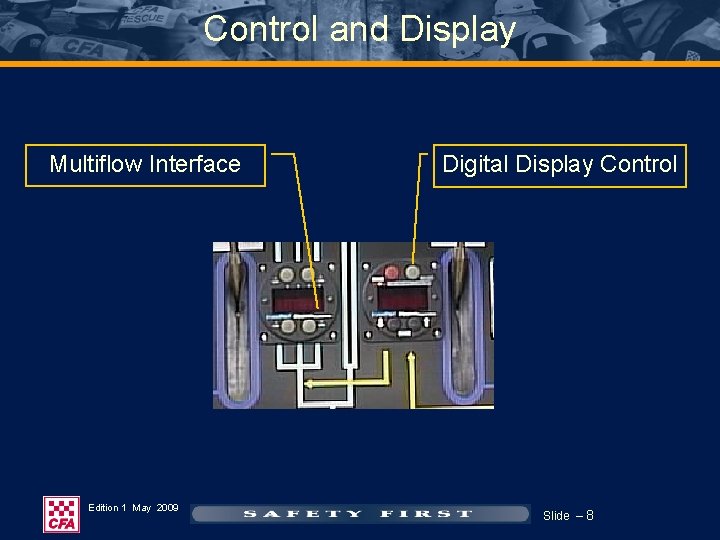
Control and Display Multiflow Interface Edition 1 May 2009 Digital Display Control Slide – 8
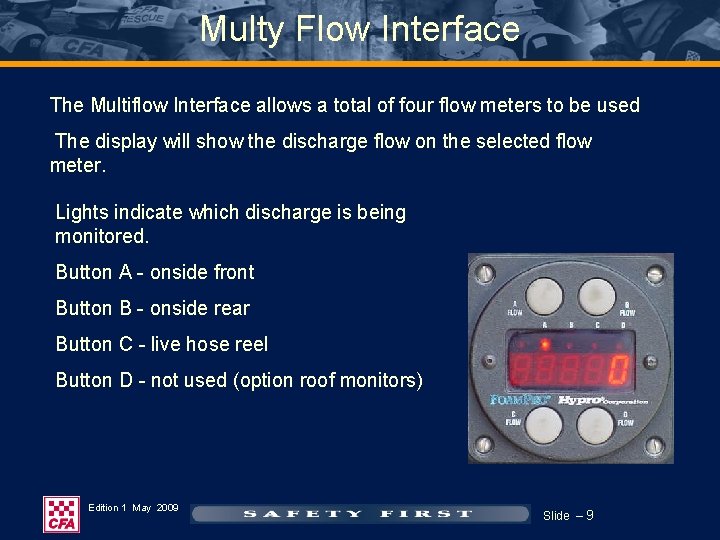
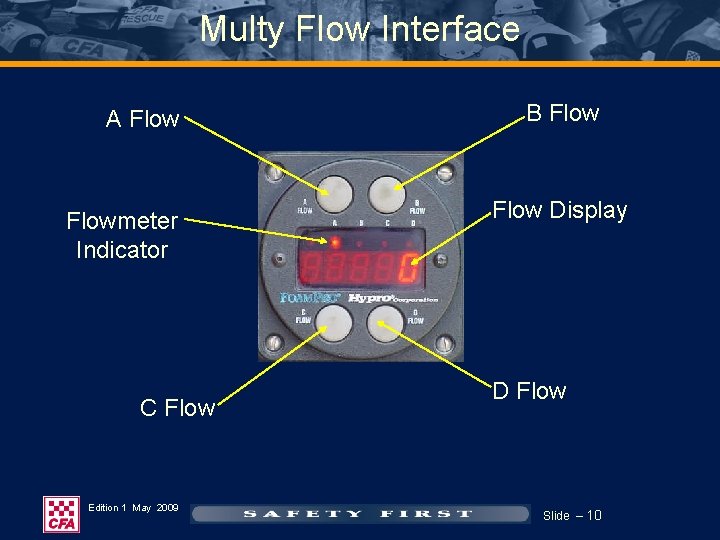
Multy Flow Interface The Multiflow Interface allows a total of four flow meters to be used The display will show the discharge flow on the selected flow meter. Lights indicate which discharge is being monitored. Button A - onside front Button B - onside rear Button C - live hose reel Button D - not used (option roof monitors) Edition 1 May 2009 Slide – 9
Multy Flow Interface A Flowmeter Indicator C Flow Edition 1 May 2009 B Flow Display D Flow Slide – 10
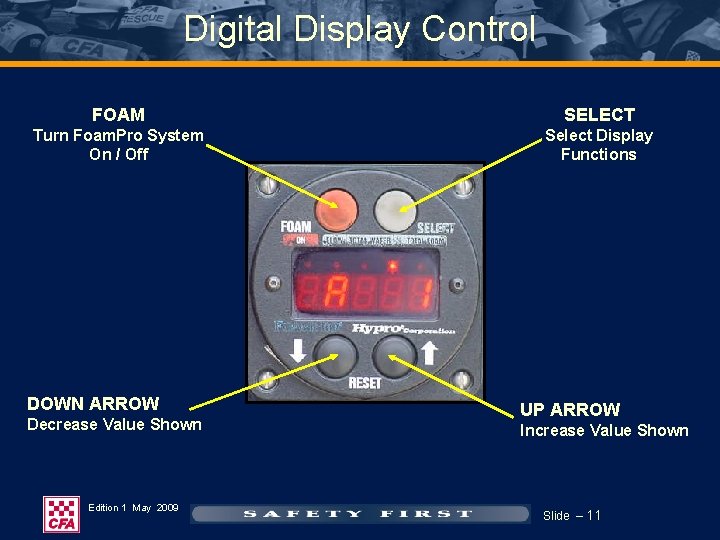
Digital Display Control FOAM SELECT Turn Foam. Pro System On / Off Select Display Functions DOWN ARROW Decrease Value Shown Edition 1 May 2009 UP ARROW Increase Value Shown Slide – 11
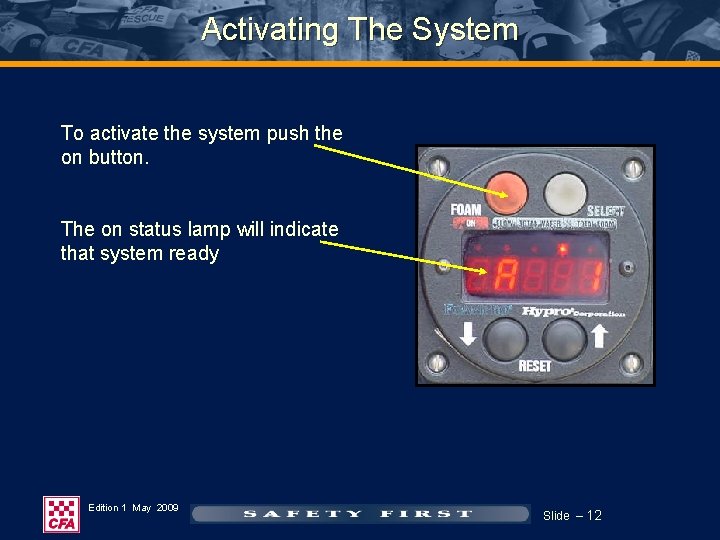
Activating The System To activate the system push the on button. The on status lamp will indicate that system ready Edition 1 May 2009 Slide – 12
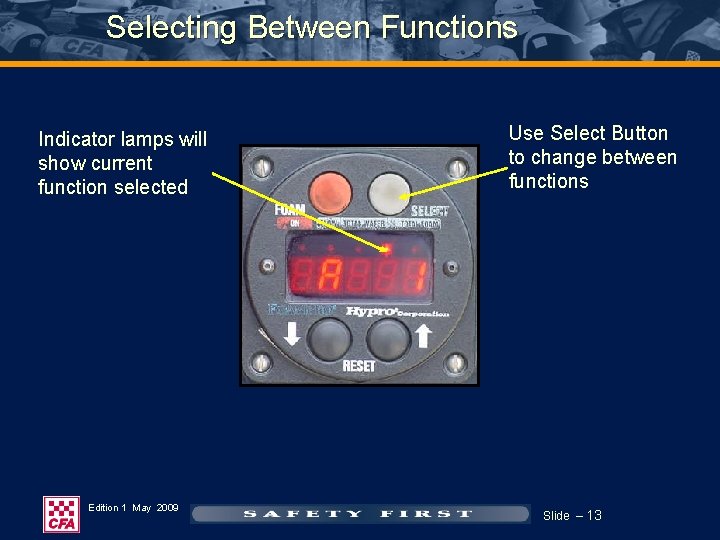
Selecting Between Functions Indicator lamps will show current function selected Edition 1 May 2009 Use Select Button to change between functions Slide – 13
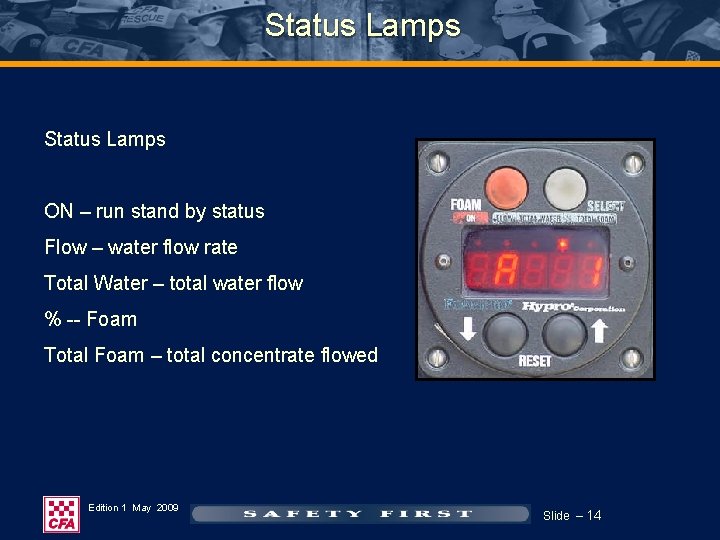
Status Lamps ON – run stand by status Flow – water flow rate Total Water – total water flow % -- Foam Total Foam – total concentrate flowed Edition 1 May 2009 Slide – 14
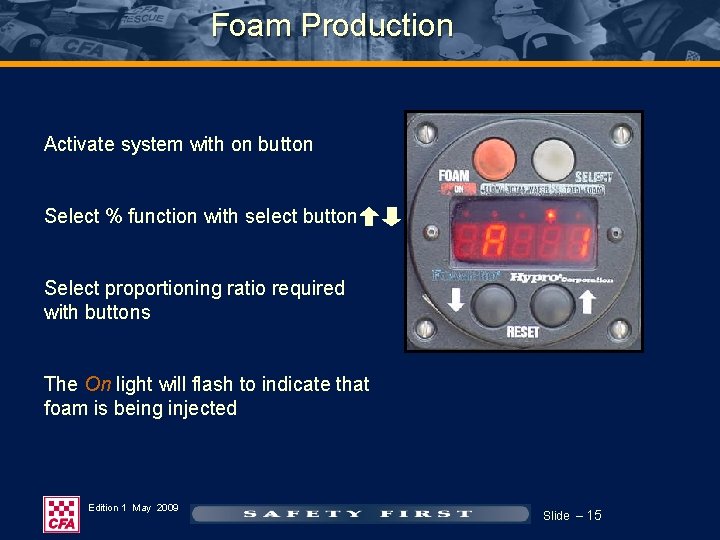
Foam Production Activate system with on button Select % function with select button Select proportioning ratio required with buttons The On light will flash to indicate that foam is being injected Edition 1 May 2009 Slide – 15
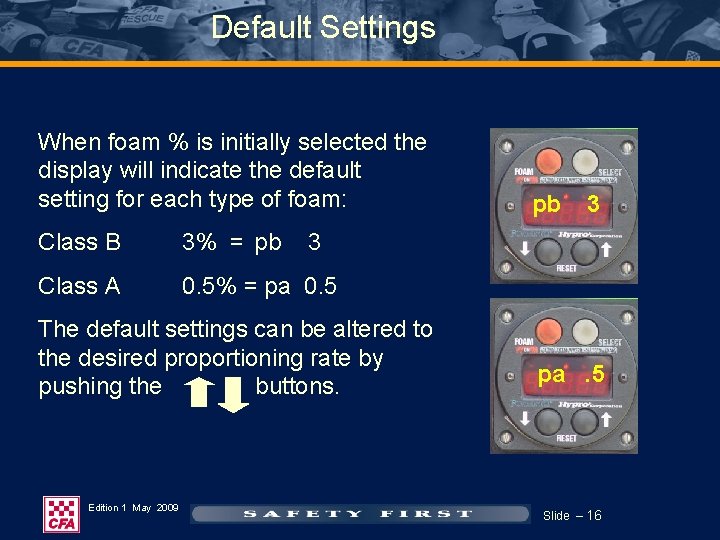
Default Settings When foam % is initially selected the display will indicate the default setting for each type of foam: Class B 3% = pb Class A 0. 5% = pa 0. 5 3 3 The default settings can be altered to the desired proportioning rate by pushing the buttons. Edition 1 May 2009 pb pa. 5 Slide – 16
Foam Production If your pumper has A / B foam capability through the Foam. Pro unit select the desired foam type. Edition 1 May 2009 Slide – 17
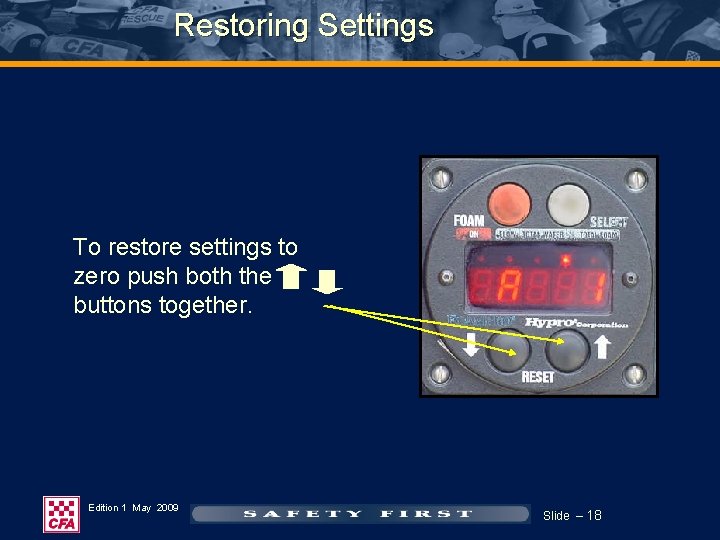
Restoring Settings To restore settings to zero push both the buttons together. Edition 1 May 2009 Slide – 18
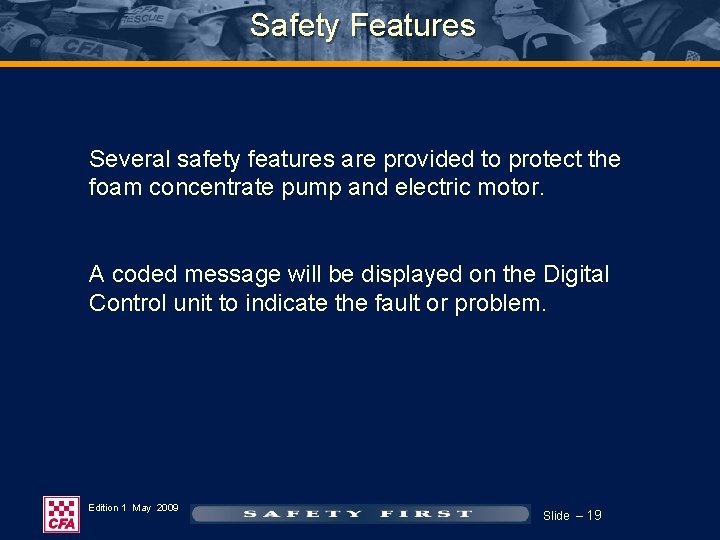
Safety Features Several safety features are provided to protect the foam concentrate pump and electric motor. A coded message will be displayed on the Digital Control unit to indicate the fault or problem. Edition 1 May 2009 Slide – 19
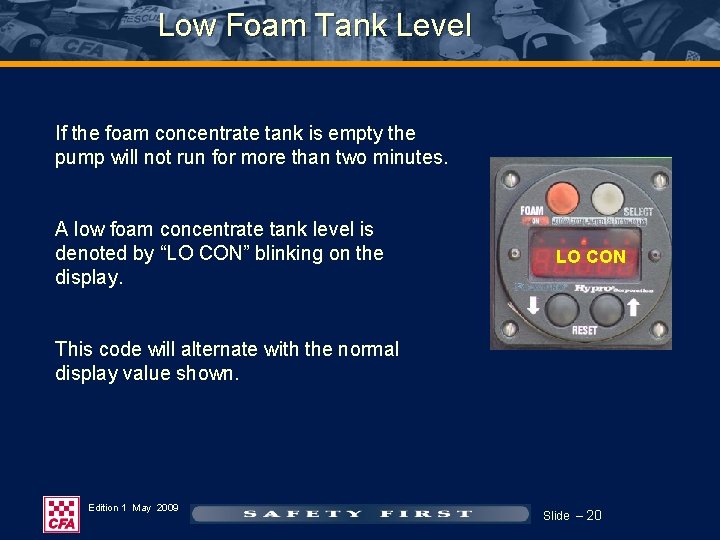
Low Foam Tank Level If the foam concentrate tank is empty the pump will not run for more than two minutes. A low foam concentrate tank level is denoted by “LO CON” blinking on the display. LO CON This code will alternate with the normal display value shown. Edition 1 May 2009 Slide – 20
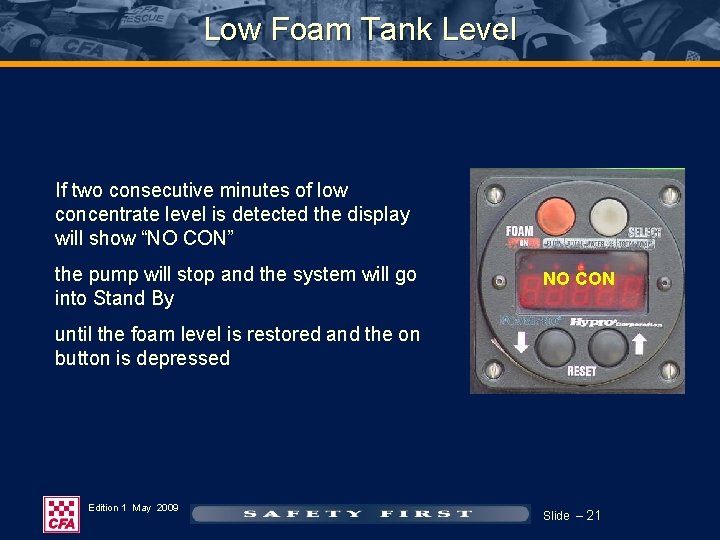
Low Foam Tank Level If two consecutive minutes of low concentrate level is detected the display will show “NO CON” the pump will stop and the system will go into Stand By NO CON until the foam level is restored and the on button is depressed Edition 1 May 2009 Slide – 21
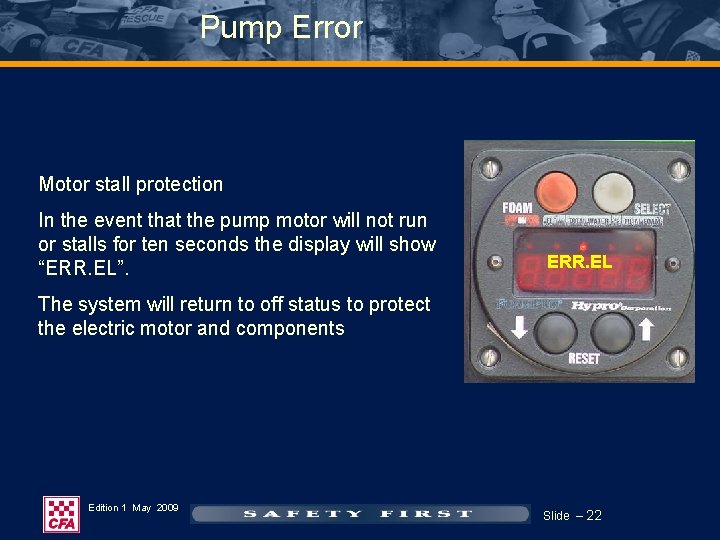
Pump Error Motor stall protection In the event that the pump motor will not run or stalls for ten seconds the display will show “ERR. EL”. ERR. EL The system will return to off status to protect the electric motor and components Edition 1 May 2009 Slide – 22
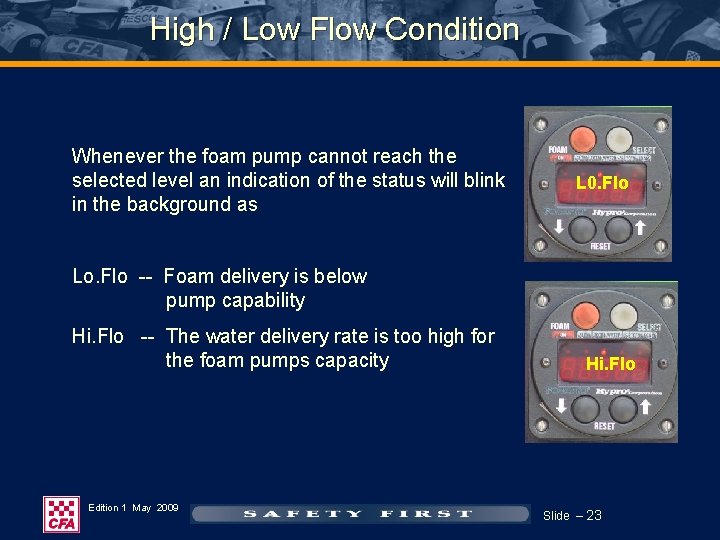
High / Low Flow Condition Whenever the foam pump cannot reach the selected level an indication of the status will blink in the background as L 0. Flo Lo. Flo -- Foam delivery is below pump capability Hi. Flo -- The water delivery rate is too high for the foam pumps capacity Edition 1 May 2009 Hi. Flo Slide – 23
Practical Skills Any further clarification required? Skills practice should be undertaken to ensure you are competent in the operation of this equipment Thank you Edition 1 May 2009 Slide – 24