Chapter 9 Virtual Memory Operating System Concepts 9
![Other Issues – Program Structure n Program structure l int[128, 128] data; Each row](https://slidetodoc.com/presentation_image/29e84433e4fa367043cc171ae7b48ec5/image-57.jpg "Other Issues – Program Structure n Program structure l int[128, 128] data; Each row")
- Slides: 59
Chapter 9: Virtual Memory Operating System Concepts – 9 th Edition Silberschatz, Galvin and Gagne © 2013
Chapter 9: Virtual Memory n Background n Demand Paging n Copy-on-Write n Page Replacement n Allocation of Frames n Thrashing n Memory-Mapped Files n Allocating Kernel Memory n Other Considerations n Operating-System Examples Operating System Concepts – 9 th Edition 9. 2 Silberschatz, Galvin and Gagne © 2013
Objectives n To describe the benefits of a virtual memory system n To explain the concepts of demand paging, page-replacement algorithms, and allocation of page frames n To discuss the principle of the working-set model n To examine the relationship between shared memory and memory-mapped files n To explore how kernel memory is managed Operating System Concepts – 9 th Edition 9. 3 Silberschatz, Galvin and Gagne © 2013
Background n Code needs to be in memory to execute, but entire program rarely used l Error code, unusual routines, large data structures n Entire program code not needed at same time n Consider ability to execute partially-loaded program l Program no longer constrained by limits of physical memory l Each program takes less memory while running -> more programs run at the same time 4 Increased CPU utilization and throughput with no increase in response time or turnaround time l Less I/O needed to load or swap programs into memory -> each user program runs faster Operating System Concepts – 9 th Edition 9. 4 Silberschatz, Galvin and Gagne © 2013
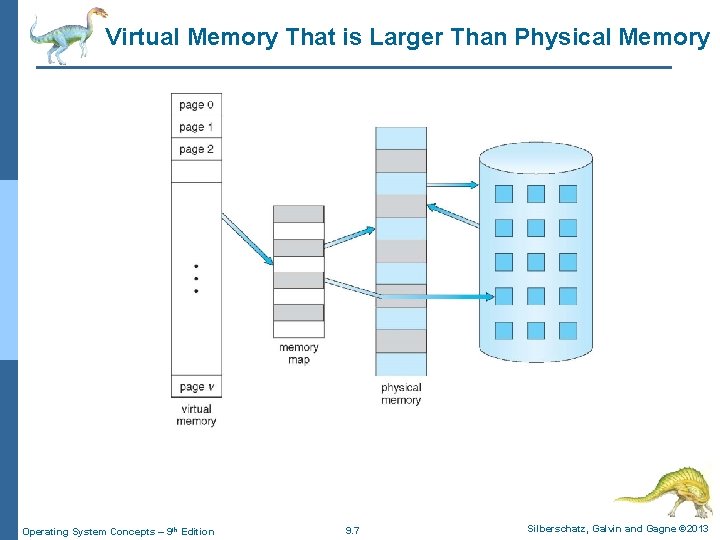
Background (Cont. ) n Virtual memory – separation of user logical memory from physical memory l Only part of the program needs to be in memory for execution l Logical address space can therefore be much larger than physical address space l Allows address spaces to be shared by several processes l Allows for more efficient process creation l More programs running concurrently l Less I/O needed to load or swap processes Operating System Concepts – 9 th Edition 9. 5 Silberschatz, Galvin and Gagne © 2013
Background (Cont. ) n Virtual address space – logical view of how process is stored in memory l Usually start at address 0, contiguous addresses until end of space l Meanwhile, physical memory organized in page frames l MMU must map logical to physical n Virtual memory can be implemented via: l Demand paging l Demand segmentation Operating System Concepts – 9 th Edition 9. 6 Silberschatz, Galvin and Gagne © 2013
Virtual Memory That is Larger Than Physical Memory Operating System Concepts – 9 th Edition 9. 7 Silberschatz, Galvin and Gagne © 2013
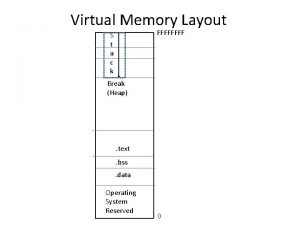
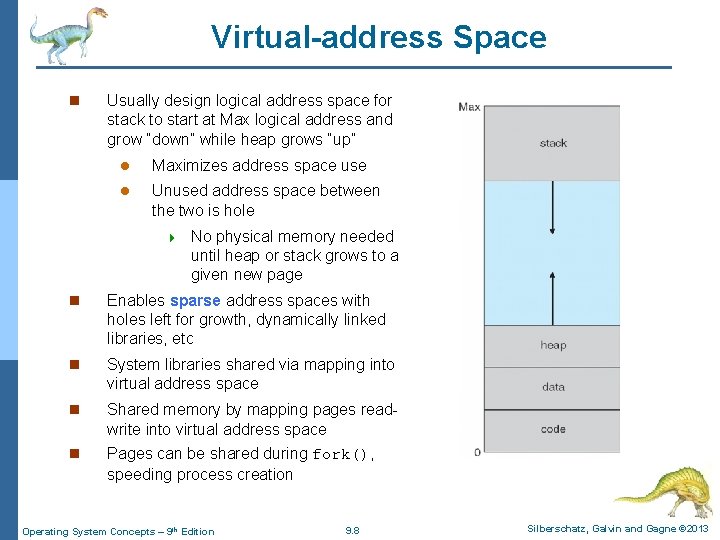
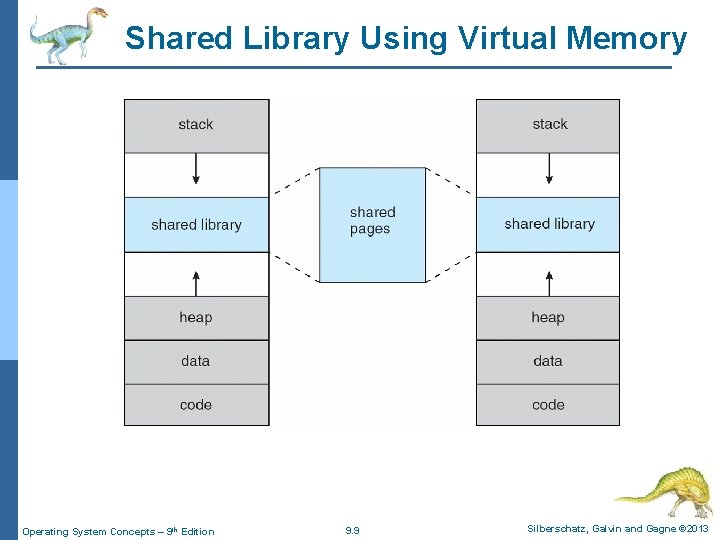
Virtual-address Space n Usually design logical address space for stack to start at Max logical address and grow “down” while heap grows “up” l Maximizes address space use l Unused address space between the two is hole 4 No physical memory needed until heap or stack grows to a given new page n Enables sparse address spaces with holes left for growth, dynamically linked libraries, etc n System libraries shared via mapping into virtual address space n Shared memory by mapping pages readwrite into virtual address space n Pages can be shared during fork(), speeding process creation Operating System Concepts – 9 th Edition 9. 8 Silberschatz, Galvin and Gagne © 2013
Shared Library Using Virtual Memory Operating System Concepts – 9 th Edition 9. 9 Silberschatz, Galvin and Gagne © 2013
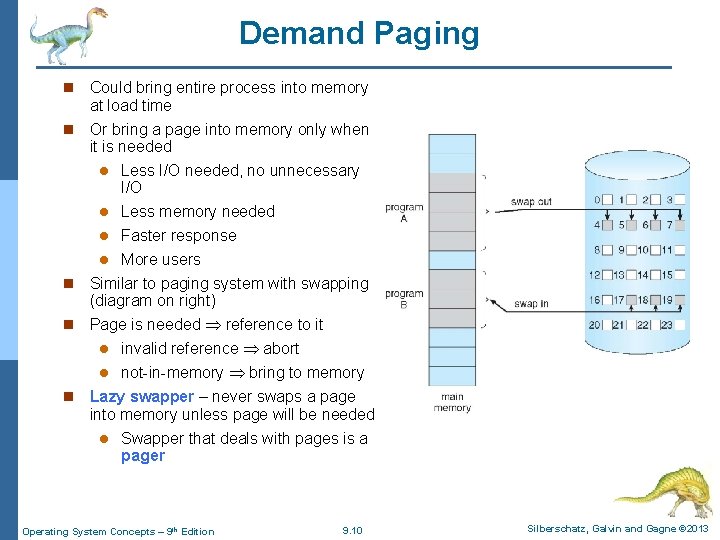
Demand Paging n Could bring entire process into memory at load time n Or bring a page into memory only when it is needed l Less I/O needed, no unnecessary I/O Less memory needed l Faster response l More users n Similar to paging system with swapping (diagram on right) n Page is needed reference to it l invalid reference abort l not-in-memory bring to memory n Lazy swapper – never swaps a page into memory unless page will be needed l Swapper that deals with pages is a pager l Operating System Concepts – 9 th Edition 9. 10 Silberschatz, Galvin and Gagne © 2013
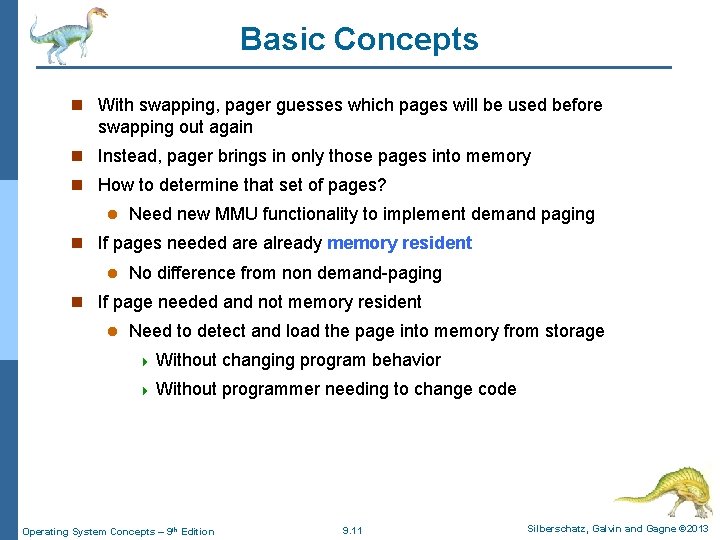
Basic Concepts n With swapping, pager guesses which pages will be used before swapping out again n Instead, pager brings in only those pages into memory n How to determine that set of pages? l Need new MMU functionality to implement demand paging n If pages needed are already memory resident l No difference from non demand-paging n If page needed and not memory resident l Need to detect and load the page into memory from storage 4 Without changing program behavior 4 Without programmer needing to change code Operating System Concepts – 9 th Edition 9. 11 Silberschatz, Galvin and Gagne © 2013
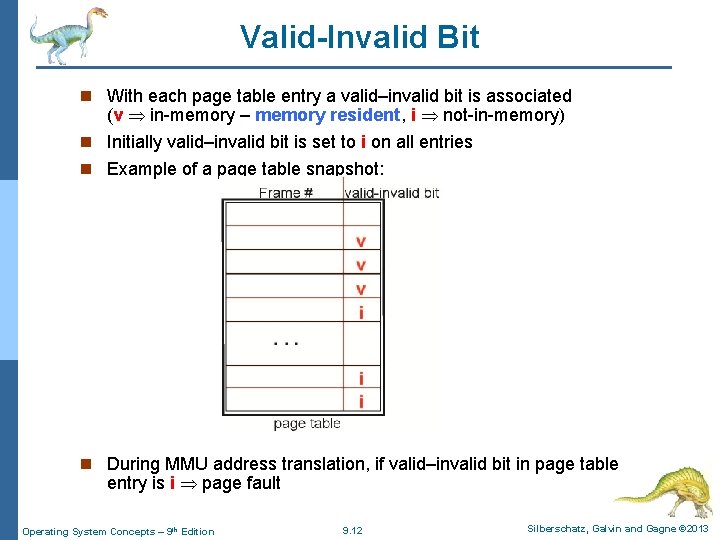
Valid-Invalid Bit n With each page table entry a valid–invalid bit is associated (v in-memory – memory resident, i not-in-memory) n Initially valid–invalid bit is set to i on all entries n Example of a page table snapshot: n During MMU address translation, if valid–invalid bit in page table entry is i page fault Operating System Concepts – 9 th Edition 9. 12 Silberschatz, Galvin and Gagne © 2013
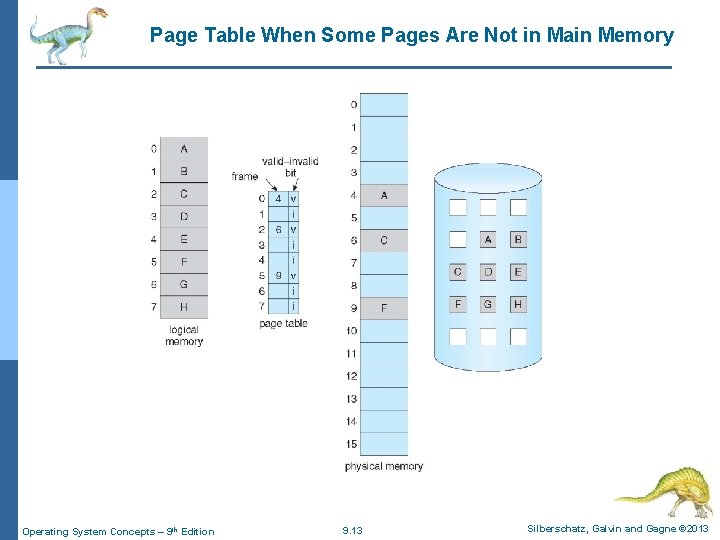
Page Table When Some Pages Are Not in Main Memory Operating System Concepts – 9 th Edition 9. 13 Silberschatz, Galvin and Gagne © 2013
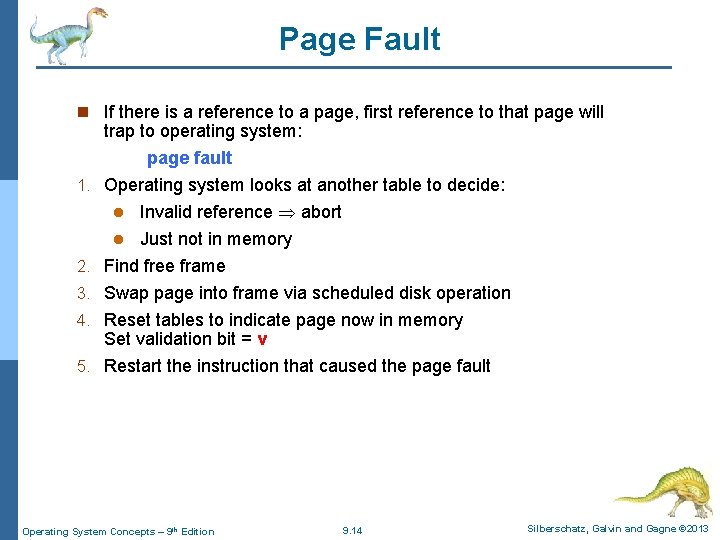
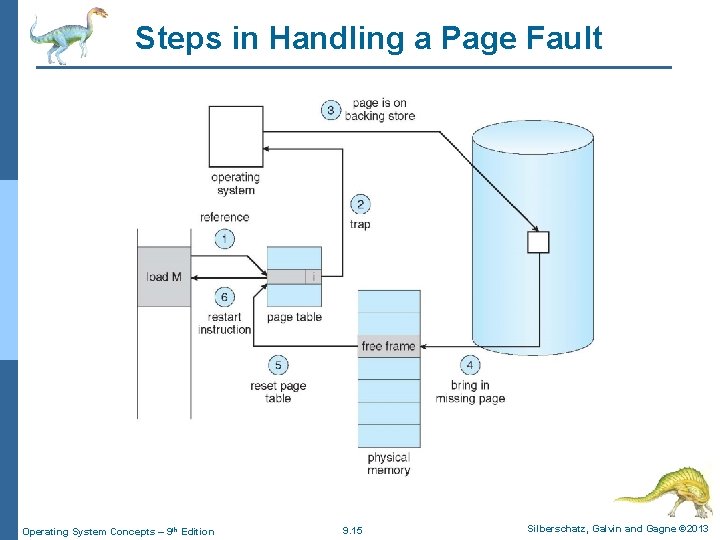
Page Fault n If there is a reference to a page, first reference to that page will 1. 2. 3. 4. 5. trap to operating system: page fault Operating system looks at another table to decide: l Invalid reference abort l Just not in memory Find free frame Swap page into frame via scheduled disk operation Reset tables to indicate page now in memory Set validation bit = v Restart the instruction that caused the page fault Operating System Concepts – 9 th Edition 9. 14 Silberschatz, Galvin and Gagne © 2013
Steps in Handling a Page Fault Operating System Concepts – 9 th Edition 9. 15 Silberschatz, Galvin and Gagne © 2013
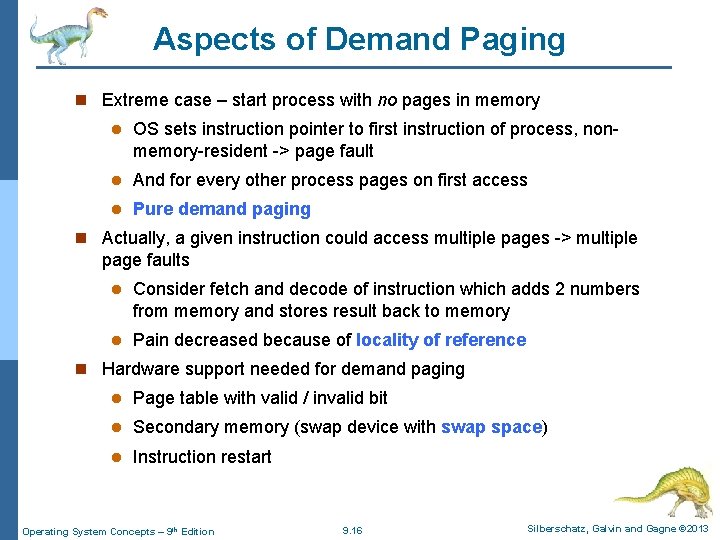
Aspects of Demand Paging n Extreme case – start process with no pages in memory l OS sets instruction pointer to first instruction of process, nonmemory-resident -> page fault l And for every other process pages on first access l Pure demand paging n Actually, a given instruction could access multiple pages -> multiple page faults l Consider fetch and decode of instruction which adds 2 numbers from memory and stores result back to memory l Pain decreased because of locality of reference n Hardware support needed for demand paging l Page table with valid / invalid bit l Secondary memory (swap device with swap space) l Instruction restart Operating System Concepts – 9 th Edition 9. 16 Silberschatz, Galvin and Gagne © 2013
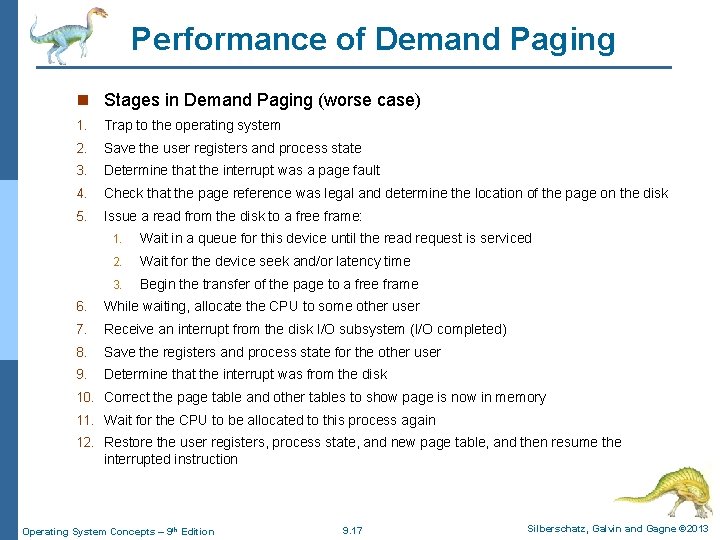
Performance of Demand Paging n Stages in Demand Paging (worse case) 1. Trap to the operating system 2. Save the user registers and process state 3. Determine that the interrupt was a page fault 4. Check that the page reference was legal and determine the location of the page on the disk 5. Issue a read from the disk to a free frame: 1. Wait in a queue for this device until the read request is serviced 2. Wait for the device seek and/or latency time 3. Begin the transfer of the page to a free frame 6. While waiting, allocate the CPU to some other user 7. Receive an interrupt from the disk I/O subsystem (I/O completed) 8. Save the registers and process state for the other user 9. Determine that the interrupt was from the disk 10. Correct the page table and other tables to show page is now in memory 11. Wait for the CPU to be allocated to this process again 12. Restore the user registers, process state, and new page table, and then resume the interrupted instruction Operating System Concepts – 9 th Edition 9. 17 Silberschatz, Galvin and Gagne © 2013
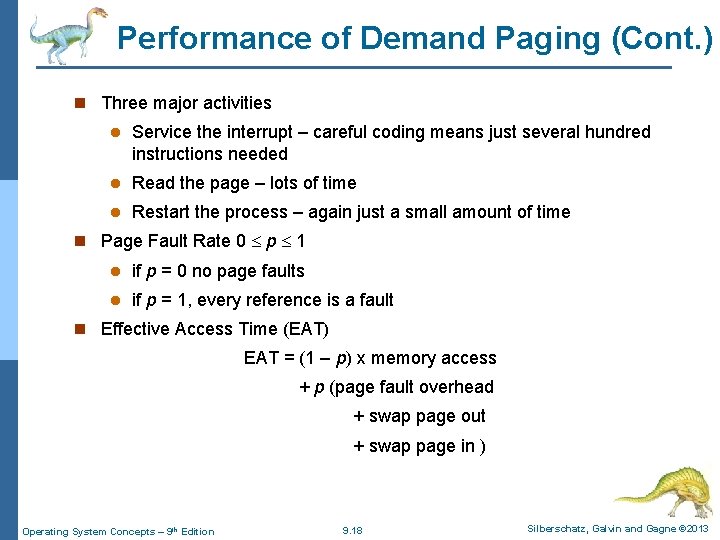
Performance of Demand Paging (Cont. ) n Three major activities l Service the interrupt – careful coding means just several hundred instructions needed l Read the page – lots of time l Restart the process – again just a small amount of time n Page Fault Rate 0 p 1 l if p = 0 no page faults l if p = 1, every reference is a fault n Effective Access Time (EAT) EAT = (1 – p) x memory access + p (page fault overhead + swap page out + swap page in ) Operating System Concepts – 9 th Edition 9. 18 Silberschatz, Galvin and Gagne © 2013
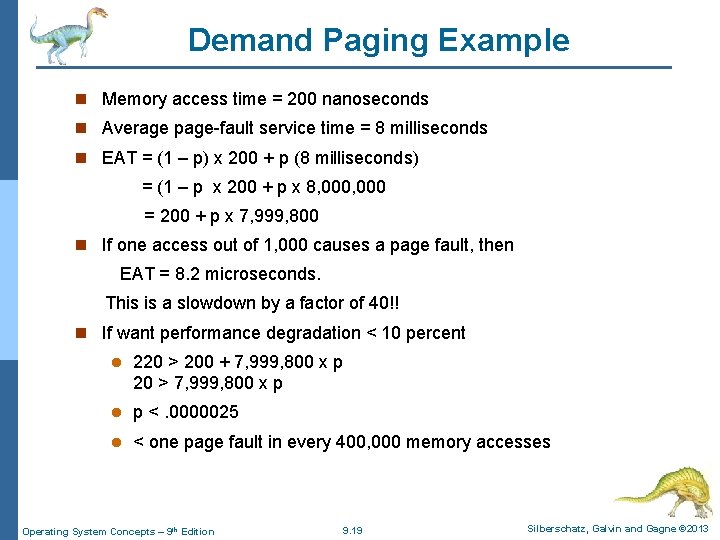
Demand Paging Example n Memory access time = 200 nanoseconds n Average page-fault service time = 8 milliseconds n EAT = (1 – p) x 200 + p (8 milliseconds) = (1 – p x 200 + p x 8, 000 = 200 + p x 7, 999, 800 n If one access out of 1, 000 causes a page fault, then EAT = 8. 2 microseconds. This is a slowdown by a factor of 40!! n If want performance degradation < 10 percent l 220 > 200 + 7, 999, 800 x p 20 > 7, 999, 800 x p l p <. 0000025 l < one page fault in every 400, 000 memory accesses Operating System Concepts – 9 th Edition 9. 19 Silberschatz, Galvin and Gagne © 2013
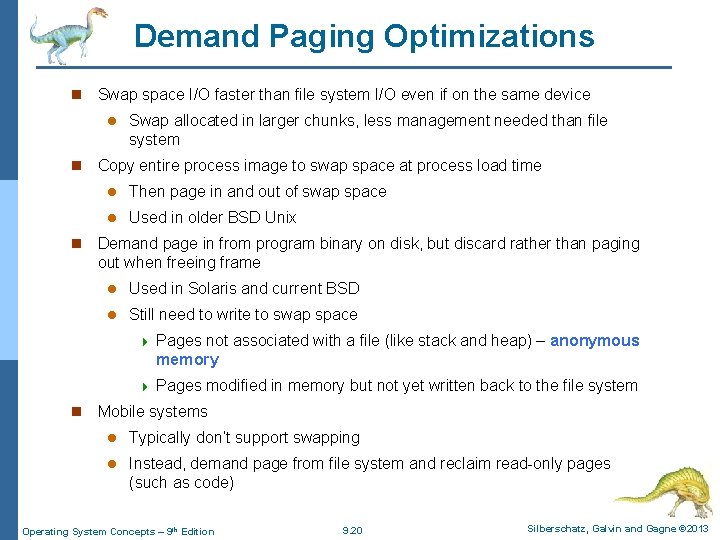
Demand Paging Optimizations n Swap space I/O faster than file system I/O even if on the same device l n n n Swap allocated in larger chunks, less management needed than file system Copy entire process image to swap space at process load time l Then page in and out of swap space l Used in older BSD Unix Demand page in from program binary on disk, but discard rather than paging out when freeing frame l Used in Solaris and current BSD l Still need to write to swap space 4 Pages not associated with a file (like stack and heap) – anonymous memory 4 Pages modified in memory but not yet written back to the file system Mobile systems l Typically don’t support swapping l Instead, demand page from file system and reclaim read-only pages (such as code) Operating System Concepts – 9 th Edition 9. 20 Silberschatz, Galvin and Gagne © 2013
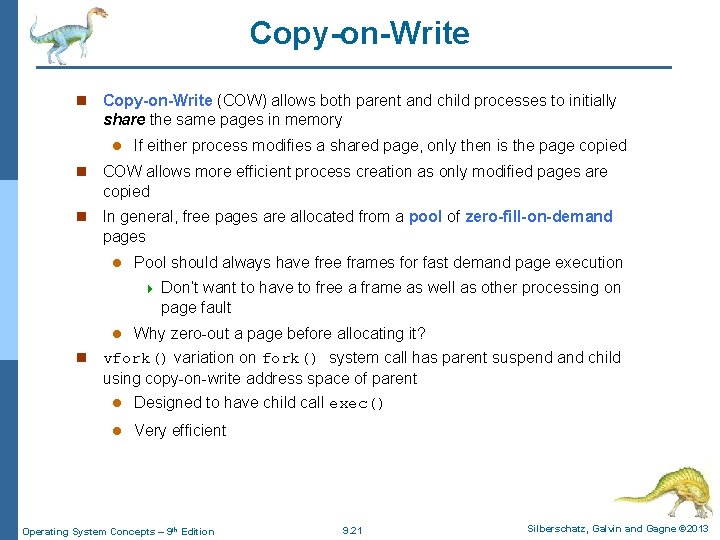
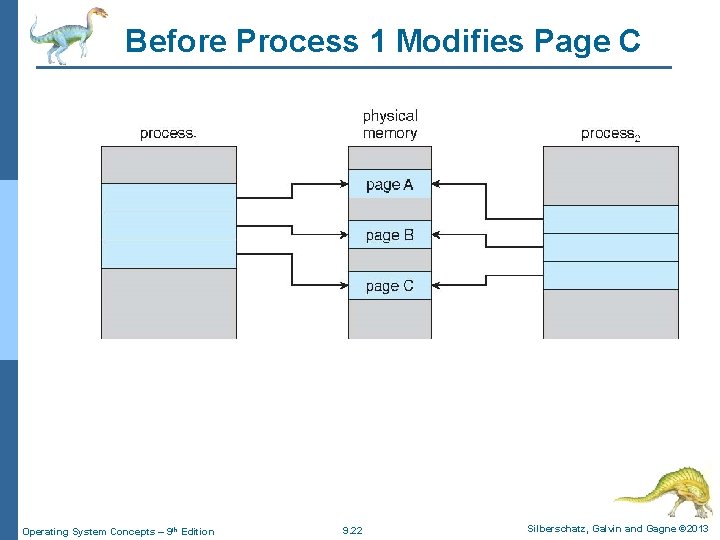
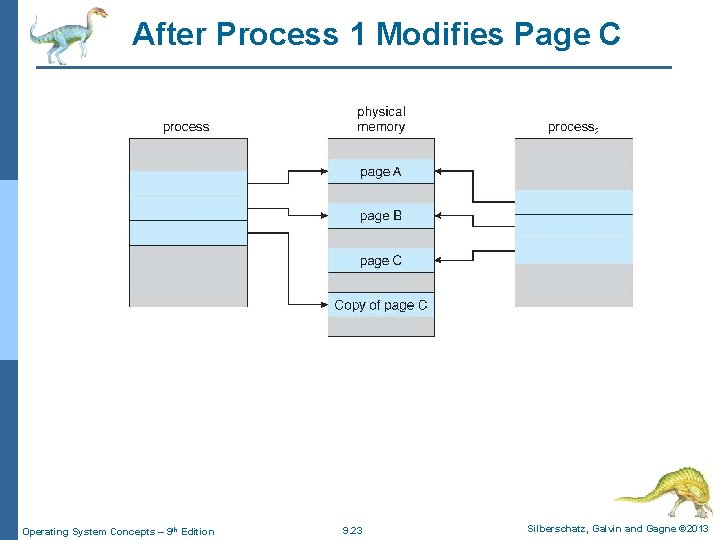
Copy-on-Write n Copy-on-Write (COW) allows both parent and child processes to initially share the same pages in memory l If either process modifies a shared page, only then is the page copied n COW allows more efficient process creation as only modified pages are copied n In general, free pages are allocated from a pool of zero-fill-on-demand pages l Pool should always have free frames for fast demand page execution 4 l n Don’t want to have to free a frame as well as other processing on page fault Why zero-out a page before allocating it? vfork() variation on fork() system call has parent suspend and child using copy-on-write address space of parent l Designed to have child call exec() l Very efficient Operating System Concepts – 9 th Edition 9. 21 Silberschatz, Galvin and Gagne © 2013
Before Process 1 Modifies Page C Operating System Concepts – 9 th Edition 9. 22 Silberschatz, Galvin and Gagne © 2013
After Process 1 Modifies Page C Operating System Concepts – 9 th Edition 9. 23 Silberschatz, Galvin and Gagne © 2013
What Happens if There is no Free Frame? n Used up by process pages n Also in demand from the kernel, I/O buffers, etc n How much to allocate to each? n Page replacement – find some page in memory, but not really in use, page it out l Algorithm – terminate? swap out? replace the page? l Performance – want an algorithm which will result in minimum number of page faults n Same page may be brought into memory several times Operating System Concepts – 9 th Edition 9. 24 Silberschatz, Galvin and Gagne © 2013
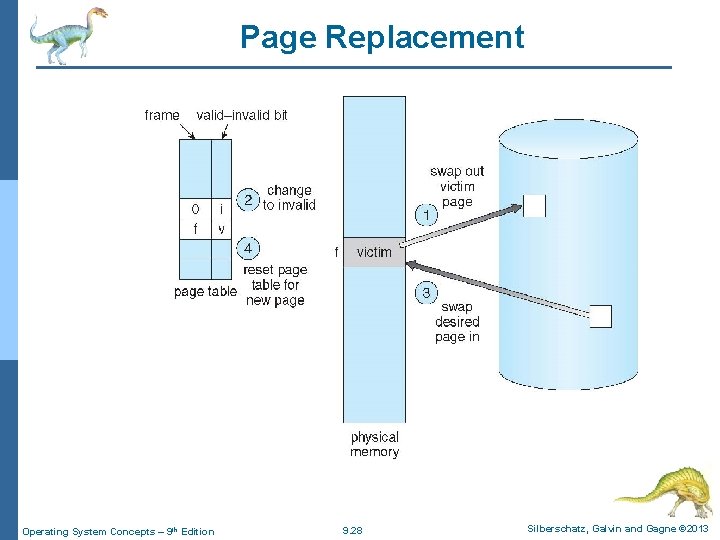
Page Replacement n Prevent over-allocation of memory by modifying page- fault service routine to include page replacement n Use modify (dirty) bit to reduce overhead of page transfers – only modified pages are written to disk n Page replacement completes separation between logical memory and physical memory – large virtual memory can be provided on a smaller physical memory Operating System Concepts – 9 th Edition 9. 25 Silberschatz, Galvin and Gagne © 2013
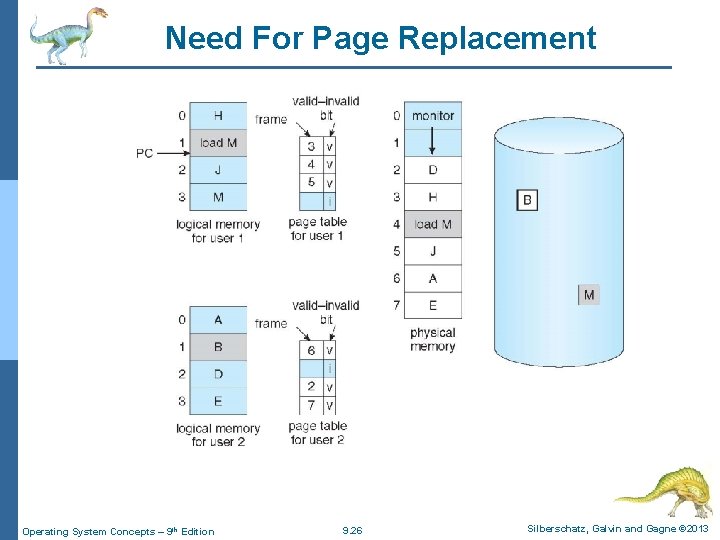
Need For Page Replacement Operating System Concepts – 9 th Edition 9. 26 Silberschatz, Galvin and Gagne © 2013
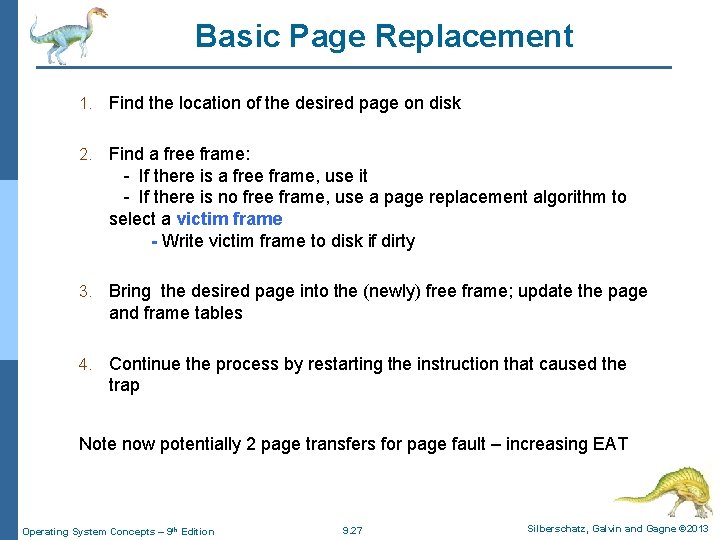
Basic Page Replacement 1. Find the location of the desired page on disk 2. Find a free frame: - If there is a free frame, use it - If there is no free frame, use a page replacement algorithm to select a victim frame - Write victim frame to disk if dirty 3. Bring the desired page into the (newly) free frame; update the page and frame tables 4. Continue the process by restarting the instruction that caused the trap Note now potentially 2 page transfers for page fault – increasing EAT Operating System Concepts – 9 th Edition 9. 27 Silberschatz, Galvin and Gagne © 2013
Page Replacement Operating System Concepts – 9 th Edition 9. 28 Silberschatz, Galvin and Gagne © 2013
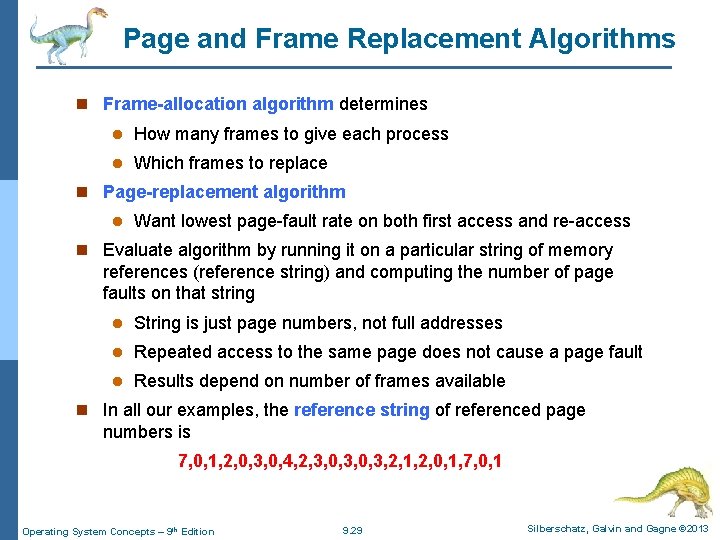
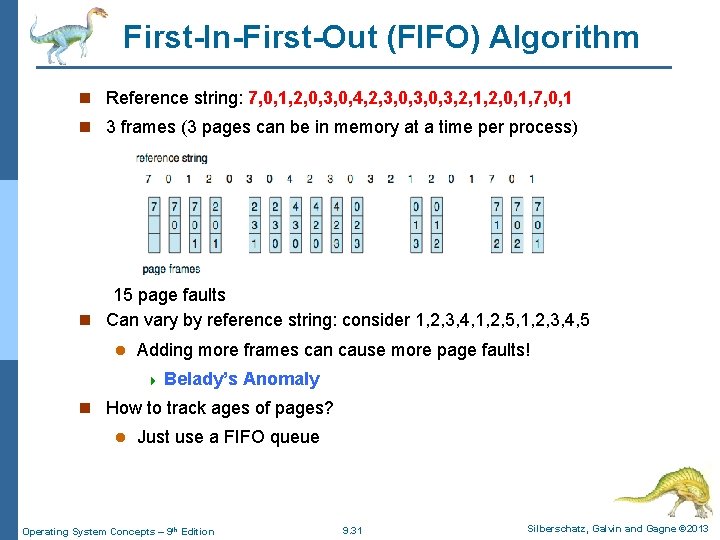
Page and Frame Replacement Algorithms n Frame-allocation algorithm determines l How many frames to give each process l Which frames to replace n Page-replacement algorithm l Want lowest page-fault rate on both first access and re-access n Evaluate algorithm by running it on a particular string of memory references (reference string) and computing the number of page faults on that string l String is just page numbers, not full addresses l Repeated access to the same page does not cause a page fault l Results depend on number of frames available n In all our examples, the reference string of referenced page numbers is 7, 0, 1, 2, 0, 3, 0, 4, 2, 3, 0, 3, 2, 1, 2, 0, 1, 7, 0, 1 Operating System Concepts – 9 th Edition 9. 29 Silberschatz, Galvin and Gagne © 2013
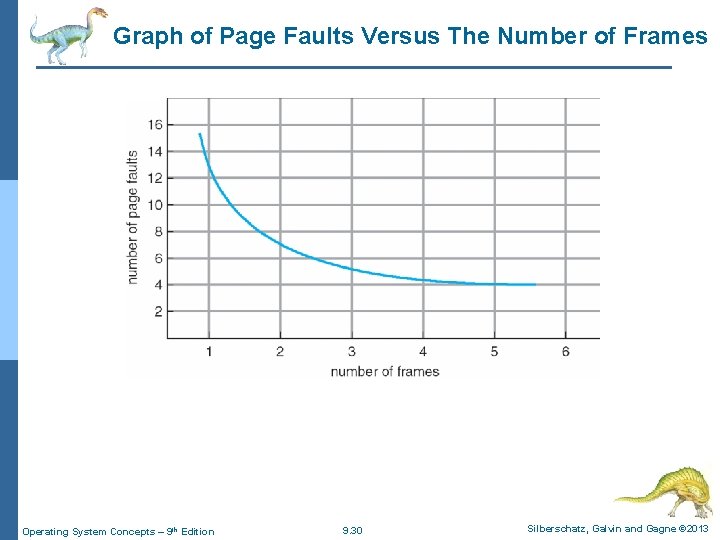
Graph of Page Faults Versus The Number of Frames Operating System Concepts – 9 th Edition 9. 30 Silberschatz, Galvin and Gagne © 2013
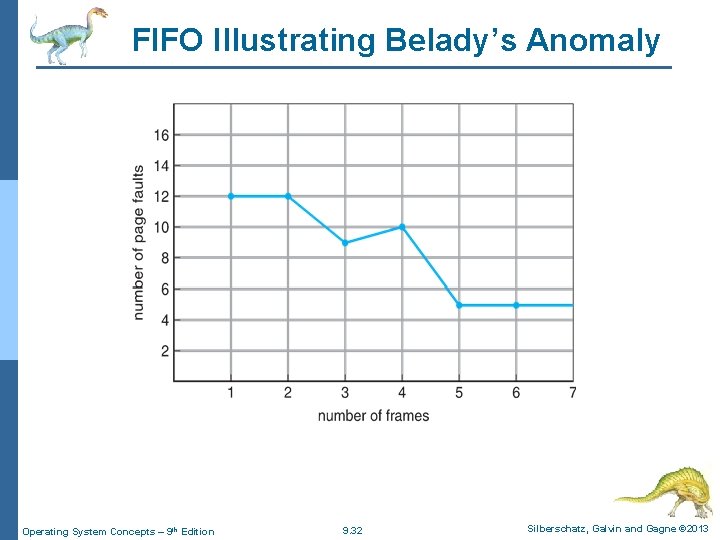
First-In-First-Out (FIFO) Algorithm n Reference string: 7, 0, 1, 2, 0, 3, 0, 4, 2, 3, 0, 3, 2, 1, 2, 0, 1, 7, 0, 1 n 3 frames (3 pages can be in memory at a time per process) 15 page faults n Can vary by reference string: consider 1, 2, 3, 4, 1, 2, 5, 1, 2, 3, 4, 5 l Adding more frames can cause more page faults! 4 Belady’s Anomaly n How to track ages of pages? l Just use a FIFO queue Operating System Concepts – 9 th Edition 9. 31 Silberschatz, Galvin and Gagne © 2013
FIFO Illustrating Belady’s Anomaly Operating System Concepts – 9 th Edition 9. 32 Silberschatz, Galvin and Gagne © 2013
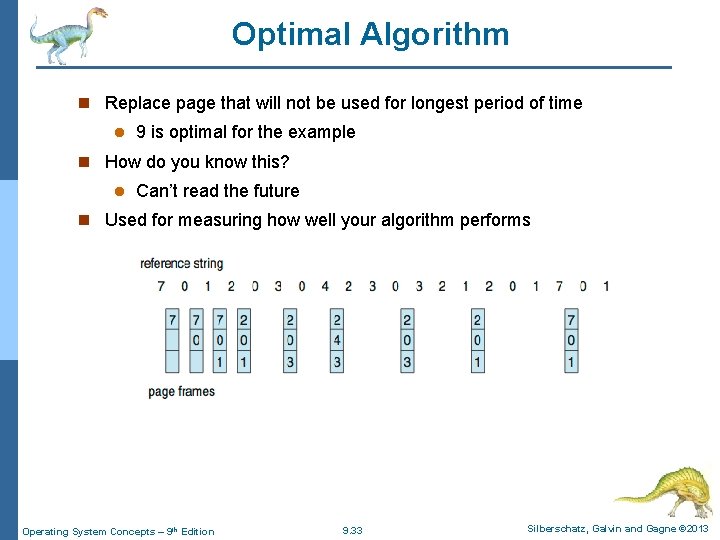
Optimal Algorithm n Replace page that will not be used for longest period of time l 9 is optimal for the example n How do you know this? l Can’t read the future n Used for measuring how well your algorithm performs Operating System Concepts – 9 th Edition 9. 33 Silberschatz, Galvin and Gagne © 2013
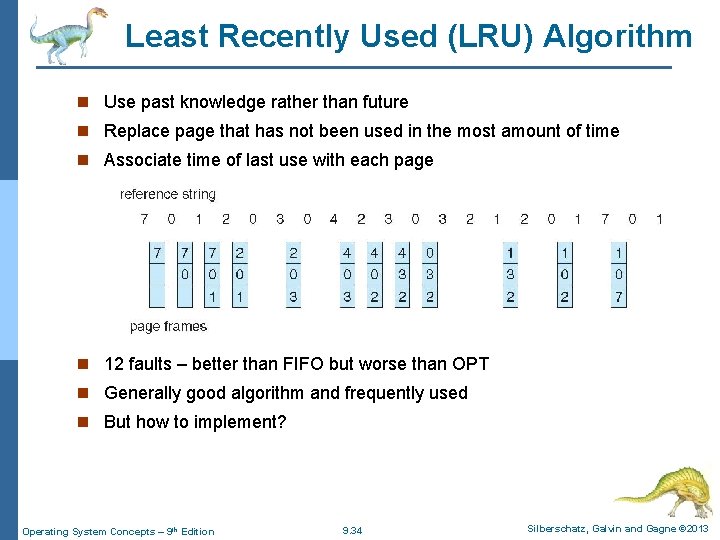
Least Recently Used (LRU) Algorithm n Use past knowledge rather than future n Replace page that has not been used in the most amount of time n Associate time of last use with each page n 12 faults – better than FIFO but worse than OPT n Generally good algorithm and frequently used n But how to implement? Operating System Concepts – 9 th Edition 9. 34 Silberschatz, Galvin and Gagne © 2013
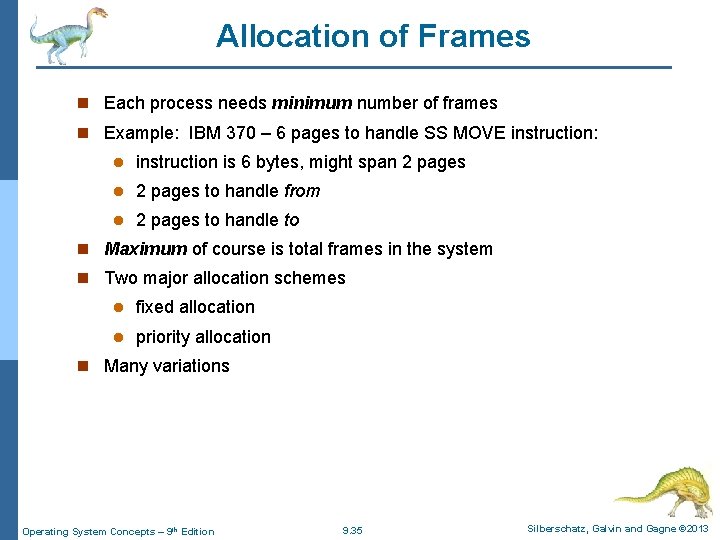
Allocation of Frames n Each process needs minimum number of frames n Example: IBM 370 – 6 pages to handle SS MOVE instruction: l instruction is 6 bytes, might span 2 pages l 2 pages to handle from l 2 pages to handle to n Maximum of course is total frames in the system n Two major allocation schemes l fixed allocation l priority allocation n Many variations Operating System Concepts – 9 th Edition 9. 35 Silberschatz, Galvin and Gagne © 2013
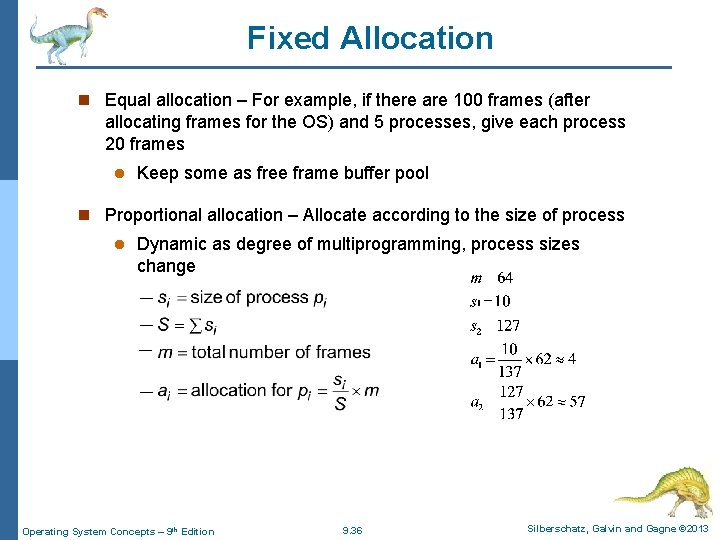
Fixed Allocation n Equal allocation – For example, if there are 100 frames (after allocating frames for the OS) and 5 processes, give each process 20 frames l Keep some as free frame buffer pool n Proportional allocation – Allocate according to the size of process l Dynamic as degree of multiprogramming, process sizes change Operating System Concepts – 9 th Edition 9. 36 Silberschatz, Galvin and Gagne © 2013
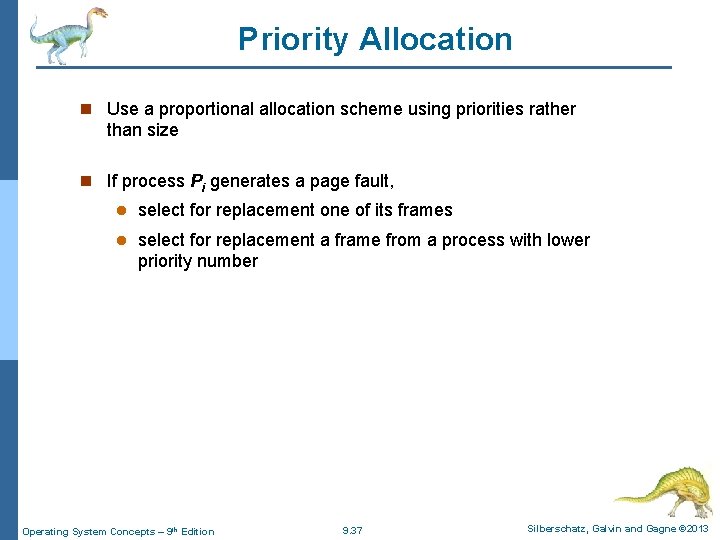
Priority Allocation n Use a proportional allocation scheme using priorities rather than size n If process Pi generates a page fault, l select for replacement one of its frames l select for replacement a frame from a process with lower priority number Operating System Concepts – 9 th Edition 9. 37 Silberschatz, Galvin and Gagne © 2013
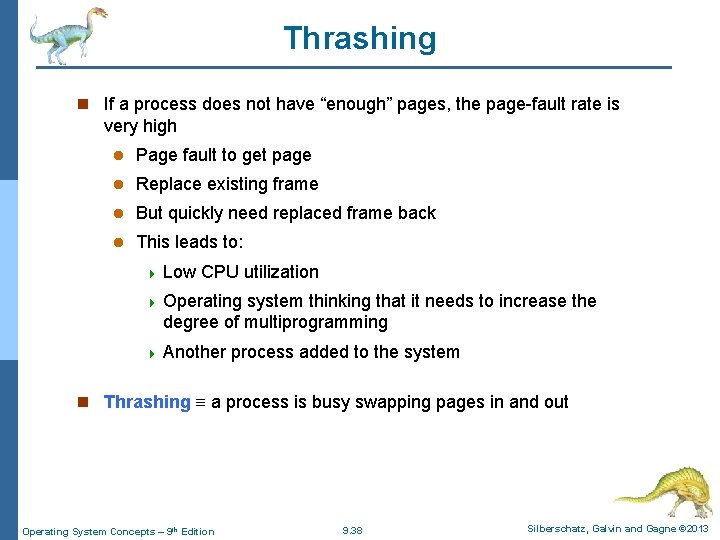
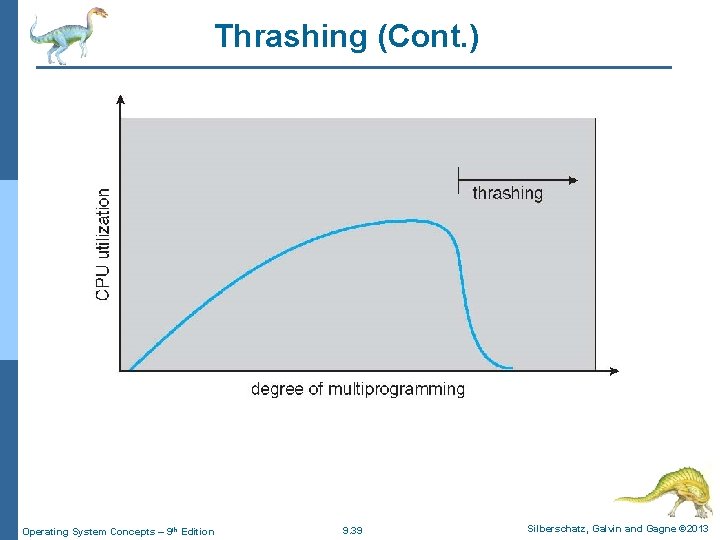
Thrashing n If a process does not have “enough” pages, the page-fault rate is very high l Page fault to get page l Replace existing frame l But quickly need replaced frame back l This leads to: 4 Low CPU utilization 4 Operating system thinking that it needs to increase the degree of multiprogramming 4 Another process added to the system n Thrashing a process is busy swapping pages in and out Operating System Concepts – 9 th Edition 9. 38 Silberschatz, Galvin and Gagne © 2013
Thrashing (Cont. ) Operating System Concepts – 9 th Edition 9. 39 Silberschatz, Galvin and Gagne © 2013
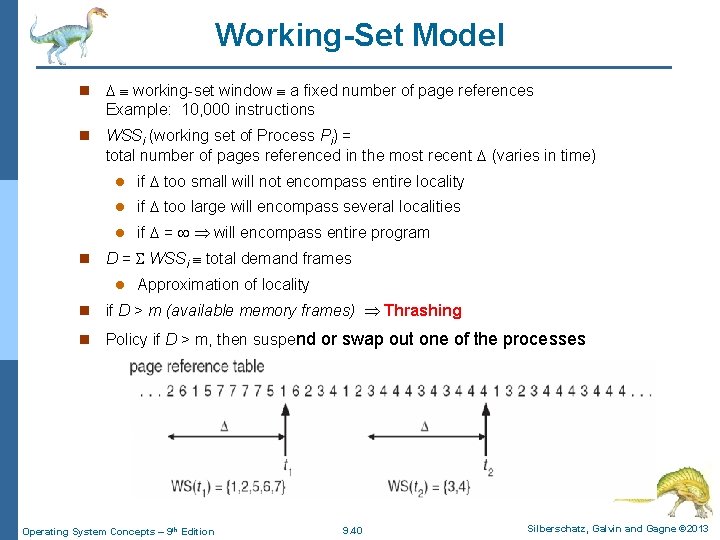
Working-Set Model n working-set window a fixed number of page references Example: 10, 000 instructions n WSSi (working set of Process Pi) = total number of pages referenced in the most recent (varies in time) n l if too small will not encompass entire locality l if too large will encompass several localities l if = will encompass entire program D = WSSi total demand frames l Approximation of locality n if D > m (available memory frames) Thrashing n Policy if D > m, then suspend or swap out one of the processes Operating System Concepts – 9 th Edition 9. 40 Silberschatz, Galvin and Gagne © 2013
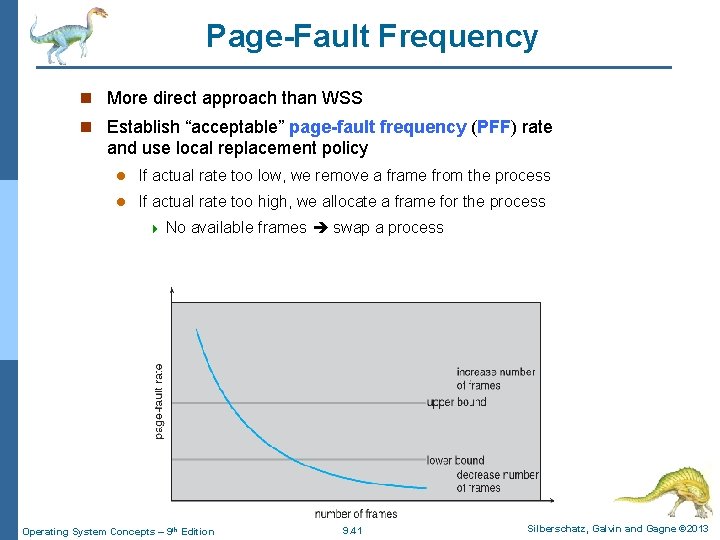
Page-Fault Frequency n More direct approach than WSS n Establish “acceptable” page-fault frequency (PFF) rate and use local replacement policy l If actual rate too low, we remove a frame from the process l If actual rate too high, we allocate a frame for the process 4 No available frames swap a process Operating System Concepts – 9 th Edition 9. 41 Silberschatz, Galvin and Gagne © 2013
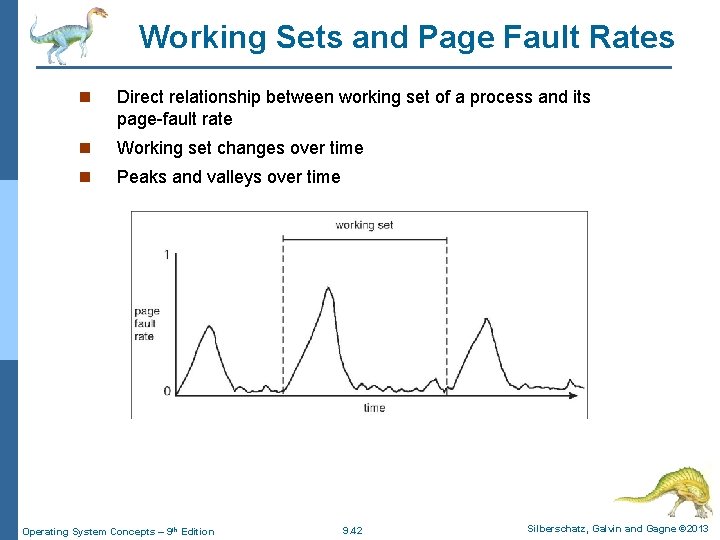
Working Sets and Page Fault Rates n Direct relationship between working set of a process and its page-fault rate n Working set changes over time n Peaks and valleys over time Operating System Concepts – 9 th Edition 9. 42 Silberschatz, Galvin and Gagne © 2013
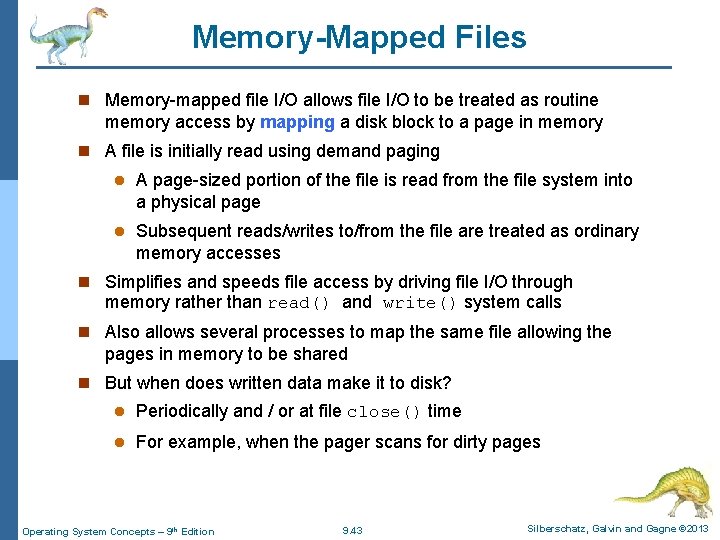
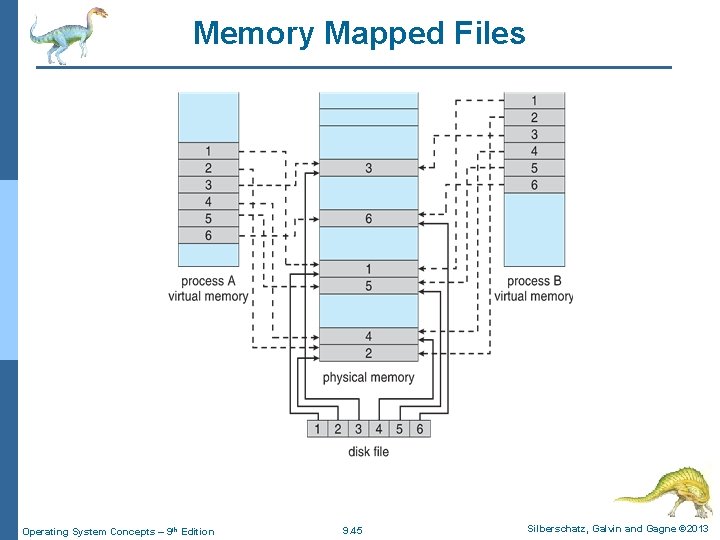
Memory-Mapped Files n Memory-mapped file I/O allows file I/O to be treated as routine memory access by mapping a disk block to a page in memory n A file is initially read using demand paging l A page-sized portion of the file is read from the file system into a physical page l Subsequent reads/writes to/from the file are treated as ordinary memory accesses n Simplifies and speeds file access by driving file I/O through memory rather than read() and write() system calls n Also allows several processes to map the same file allowing the pages in memory to be shared n But when does written data make it to disk? l Periodically and / or at file close() time l For example, when the pager scans for dirty pages Operating System Concepts – 9 th Edition 9. 43 Silberschatz, Galvin and Gagne © 2013
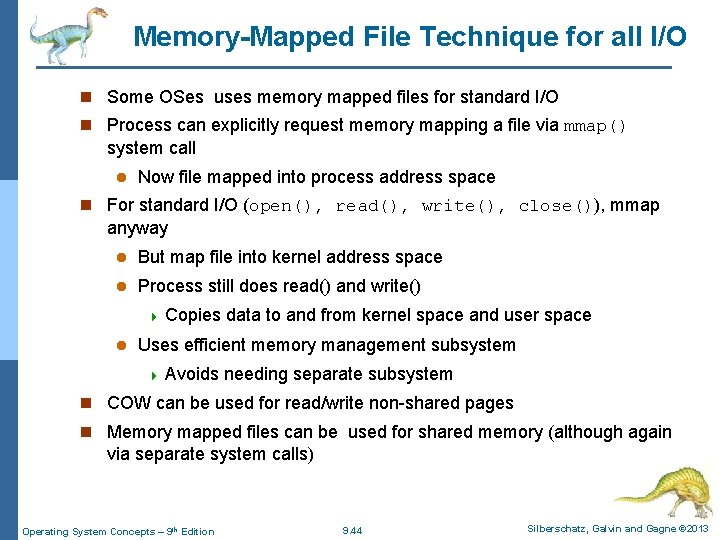
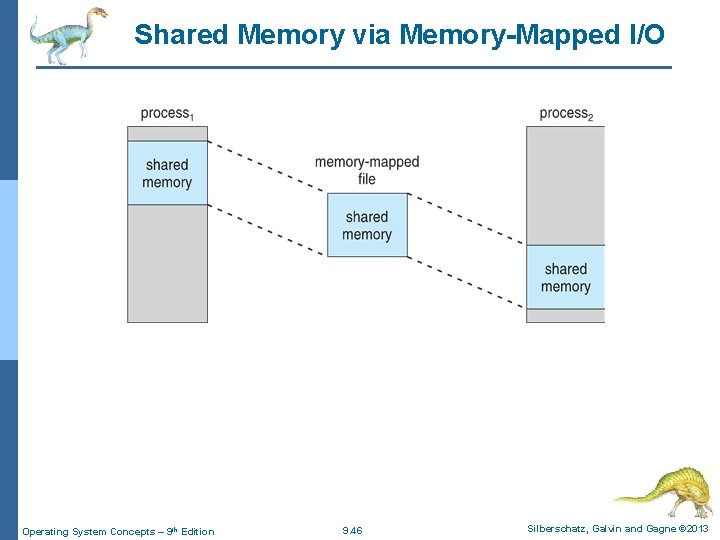
Memory-Mapped File Technique for all I/O n Some OSes uses memory mapped files for standard I/O n Process can explicitly request memory mapping a file via mmap() system call l Now file mapped into process address space n For standard I/O (open(), read(), write(), close()), mmap anyway l But map file into kernel address space l Process still does read() and write() 4 Copies l data to and from kernel space and user space Uses efficient memory management subsystem 4 Avoids needing separate subsystem n COW can be used for read/write non-shared pages n Memory mapped files can be used for shared memory (although again via separate system calls) Operating System Concepts – 9 th Edition 9. 44 Silberschatz, Galvin and Gagne © 2013
Memory Mapped Files Operating System Concepts – 9 th Edition 9. 45 Silberschatz, Galvin and Gagne © 2013
Shared Memory via Memory-Mapped I/O Operating System Concepts – 9 th Edition 9. 46 Silberschatz, Galvin and Gagne © 2013
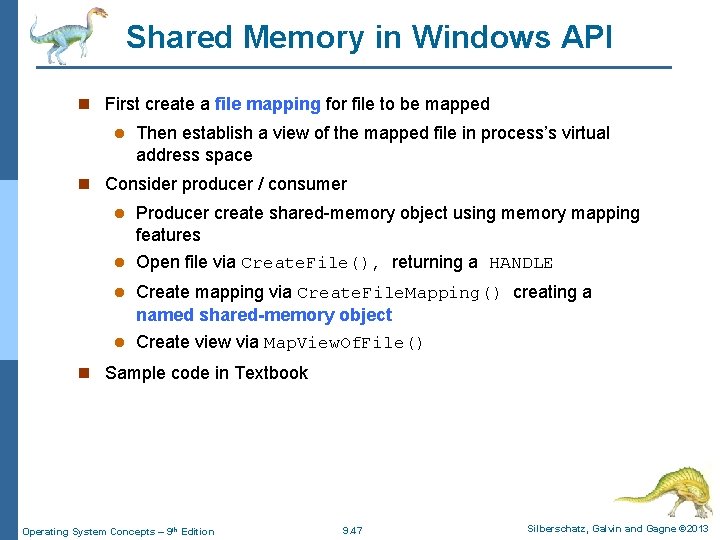
Shared Memory in Windows API n First create a file mapping for file to be mapped l Then establish a view of the mapped file in process’s virtual address space n Consider producer / consumer l Producer create shared-memory object using memory mapping features l Open file via Create. File(), returning a HANDLE l Create mapping via Create. File. Mapping() creating a named shared-memory object l Create view via Map. View. Of. File() n Sample code in Textbook Operating System Concepts – 9 th Edition 9. 47 Silberschatz, Galvin and Gagne © 2013
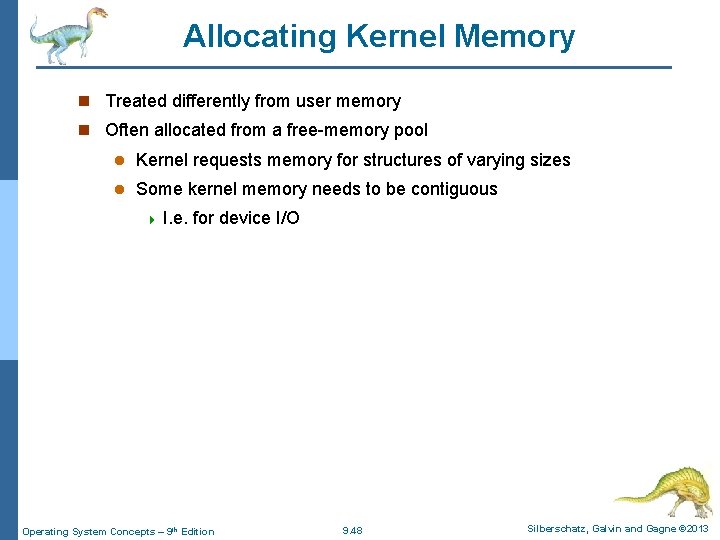
Allocating Kernel Memory n Treated differently from user memory n Often allocated from a free-memory pool l Kernel requests memory for structures of varying sizes l Some kernel memory needs to be contiguous 4 I. e. for device I/O Operating System Concepts – 9 th Edition 9. 48 Silberschatz, Galvin and Gagne © 2013
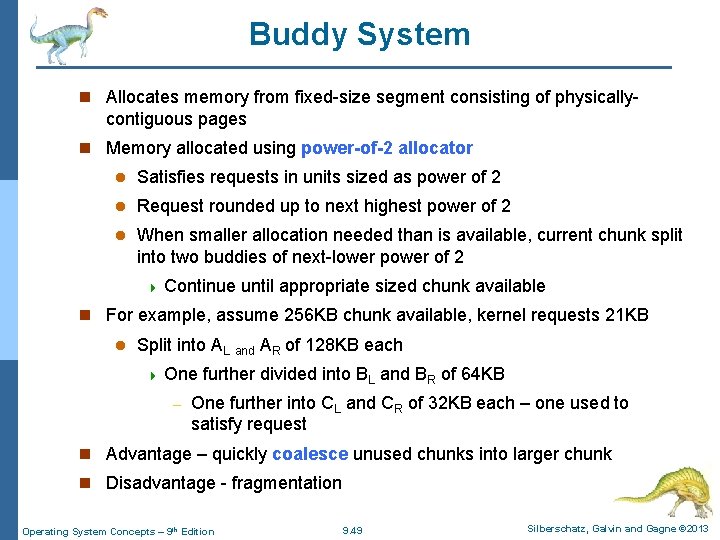
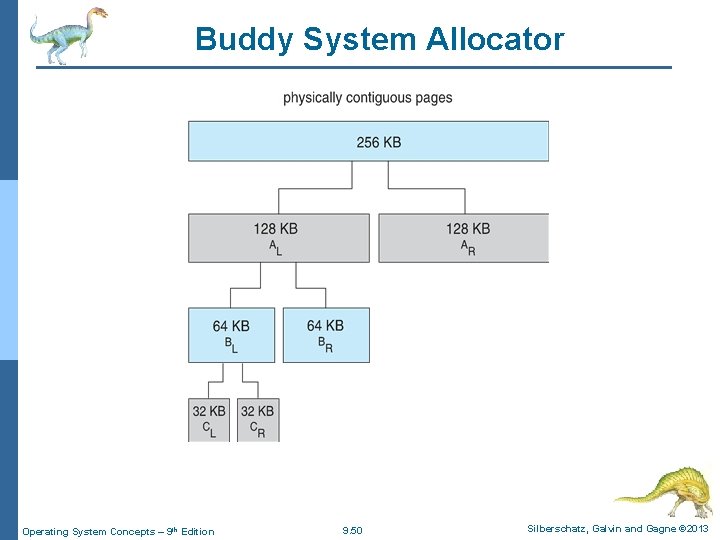
Buddy System n Allocates memory from fixed-size segment consisting of physically- contiguous pages n Memory allocated using power-of-2 allocator l Satisfies requests in units sized as power of 2 l Request rounded up to next highest power of 2 l When smaller allocation needed than is available, current chunk split into two buddies of next-lower power of 2 4 Continue until appropriate sized chunk available n For example, assume 256 KB chunk available, kernel requests 21 KB l Split into AL and AR of 128 KB each 4 One – further divided into BL and BR of 64 KB One further into CL and CR of 32 KB each – one used to satisfy request n Advantage – quickly coalesce unused chunks into larger chunk n Disadvantage - fragmentation Operating System Concepts – 9 th Edition 9. 49 Silberschatz, Galvin and Gagne © 2013
Buddy System Allocator Operating System Concepts – 9 th Edition 9. 50 Silberschatz, Galvin and Gagne © 2013
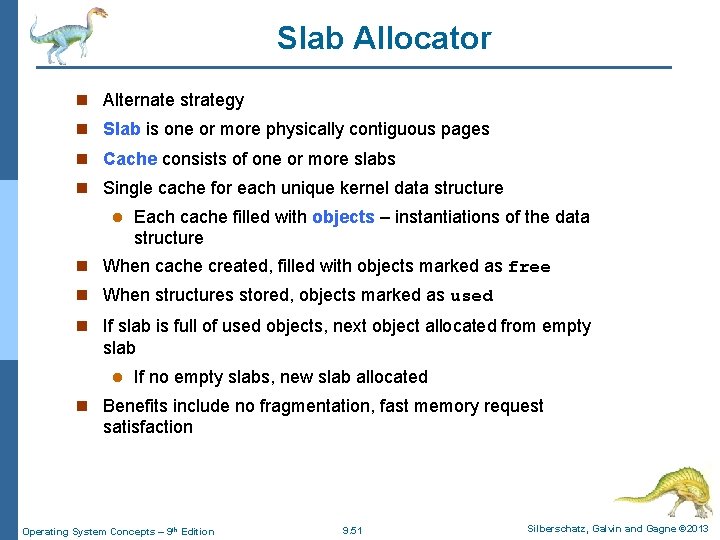
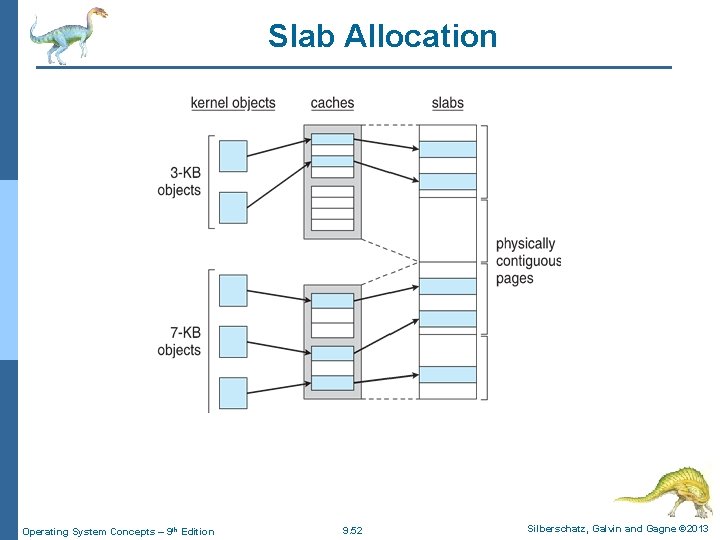
Slab Allocator n Alternate strategy n Slab is one or more physically contiguous pages n Cache consists of one or more slabs n Single cache for each unique kernel data structure l Each cache filled with objects – instantiations of the data structure n When cache created, filled with objects marked as free n When structures stored, objects marked as used n If slab is full of used objects, next object allocated from empty slab l If no empty slabs, new slab allocated n Benefits include no fragmentation, fast memory request satisfaction Operating System Concepts – 9 th Edition 9. 51 Silberschatz, Galvin and Gagne © 2013
Slab Allocation Operating System Concepts – 9 th Edition 9. 52 Silberschatz, Galvin and Gagne © 2013
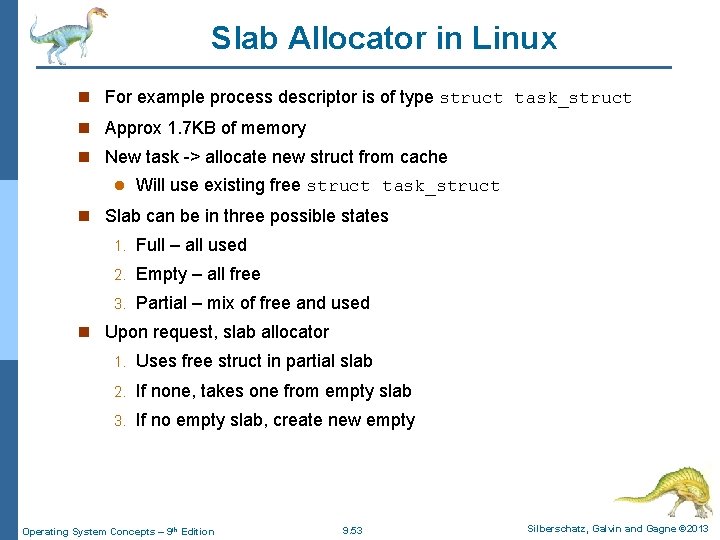
Slab Allocator in Linux n For example process descriptor is of type struct task_struct n Approx 1. 7 KB of memory n New task -> allocate new struct from cache l Will use existing free struct task_struct n Slab can be in three possible states 1. Full – all used 2. Empty – all free 3. Partial – mix of free and used n Upon request, slab allocator 1. Uses free struct in partial slab 2. If none, takes one from empty slab 3. If no empty slab, create new empty Operating System Concepts – 9 th Edition 9. 53 Silberschatz, Galvin and Gagne © 2013
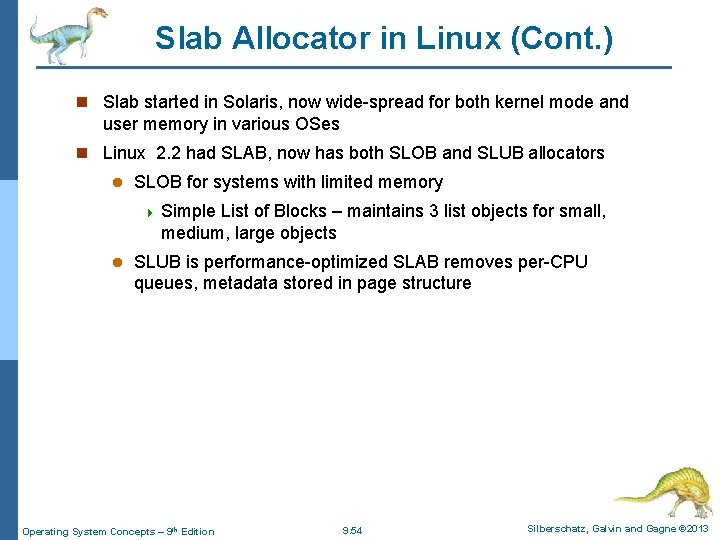
Slab Allocator in Linux (Cont. ) n Slab started in Solaris, now wide-spread for both kernel mode and user memory in various OSes n Linux 2. 2 had SLAB, now has both SLOB and SLUB allocators l SLOB for systems with limited memory 4 Simple List of Blocks – maintains 3 list objects for small, medium, large objects l SLUB is performance-optimized SLAB removes per-CPU queues, metadata stored in page structure Operating System Concepts – 9 th Edition 9. 54 Silberschatz, Galvin and Gagne © 2013
Other Considerations -- Prepaging n Prepaging l To reduce the large number of page faults that occurs at process startup l Prepage all or some of the pages a process will need, before they are referenced l But if prepaged pages are unused, I/O and memory wasted l Assume s pages are prepaged and α fraction of the pages is used 4 Is cost of s * α save pages faults (which would result if we haven’t done prepaging) greater than (or less than) than the cost of prepaging s * (1 - α) unnecessary pages? 4α near zero prepaging loses Operating System Concepts – 9 th Edition 9. 55 Silberschatz, Galvin and Gagne © 2013
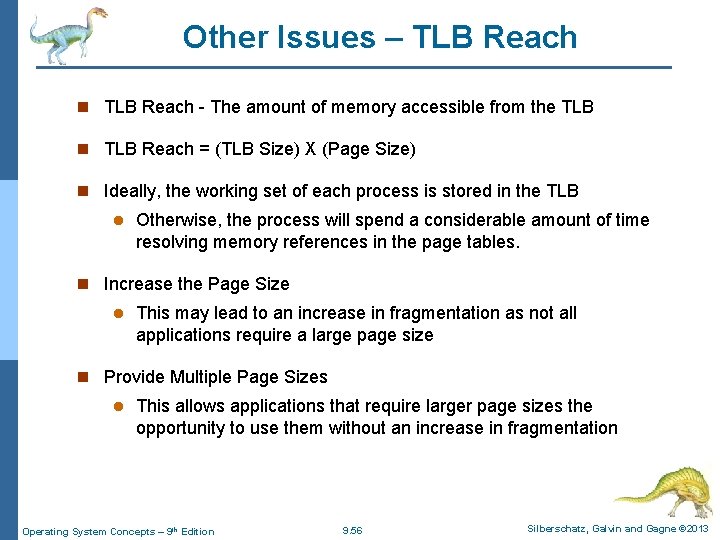
Other Issues – TLB Reach n TLB Reach - The amount of memory accessible from the TLB n TLB Reach = (TLB Size) X (Page Size) n Ideally, the working set of each process is stored in the TLB l Otherwise, the process will spend a considerable amount of time resolving memory references in the page tables. n Increase the Page Size l This may lead to an increase in fragmentation as not all applications require a large page size n Provide Multiple Page Sizes l This allows applications that require larger page sizes the opportunity to use them without an increase in fragmentation Operating System Concepts – 9 th Edition 9. 56 Silberschatz, Galvin and Gagne © 2013
Other Issues – Program Structure n Program structure l int[128, 128] data; Each row is stored in one page 4 Assume that the page size here is 128 words) and less that 128 frames are allocated for the process with LRU l Program 1 for (j = 0; j <128; j++) for (i = 0; i < 128; i++) data[i, j] = 0; l 128 x 128 = 16, 384 page faults l Program 2 for (i = 0; i < 128; i++) for (j = 0; j < 128; j++) data[i, j] = 0; 128 page faults Operating System Concepts – 9 th Edition 9. 57 Silberschatz, Galvin and Gagne © 2013
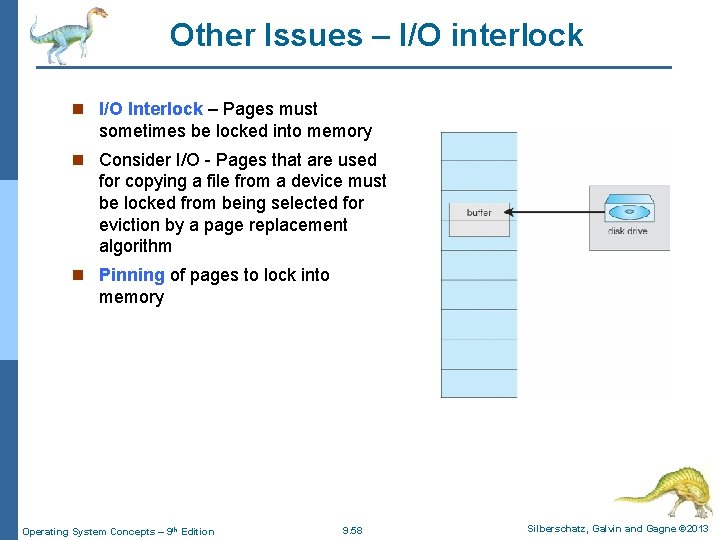
Other Issues – I/O interlock n I/O Interlock – Pages must sometimes be locked into memory n Consider I/O - Pages that are used for copying a file from a device must be locked from being selected for eviction by a page replacement algorithm n Pinning of pages to lock into memory Operating System Concepts – 9 th Edition 9. 58 Silberschatz, Galvin and Gagne © 2013
End of Chapter 9 Operating System Concepts – 9 th Edition Silberschatz, Galvin and Gagne © 2013