AUSTIN ALTERYX USER GROUP Q 4 2019 1172019

- Slides: 21
AUSTIN ALTERYX USER GROUP Q 4 2019 | 11/7/2019 WIFI PASSWORD: not needed with WFM_Guest © 2018 Alteryx, Inc.
LEADERSHIP TEAM: CHRIS BRANT MJ JOHN BLAKE Sr Data Analyst Whole Foods Market Information Systems Engineer Whole Foods Market Consultant / Senior Program Manager Eliassen Group & Texas Mutual Insurance Solutions Architect Ernst & Young Director AB Data Consulting *This meeting is being recorded and will be shared on the User Group page. © 2019 Alteryx, Inc. 2
AGENDA TIPS AND TRICKS! User Group Leaders NETWORKING TRIVIA TIME! User Group Leaders Q&A *This meeting is being recorded and will be shared on the User Group page. 2: 00 PM – 2: 45 PM – 3: 15 PM – 3: 45 PM – 4: 00 PM © 2019 Alteryx, Inc. 3
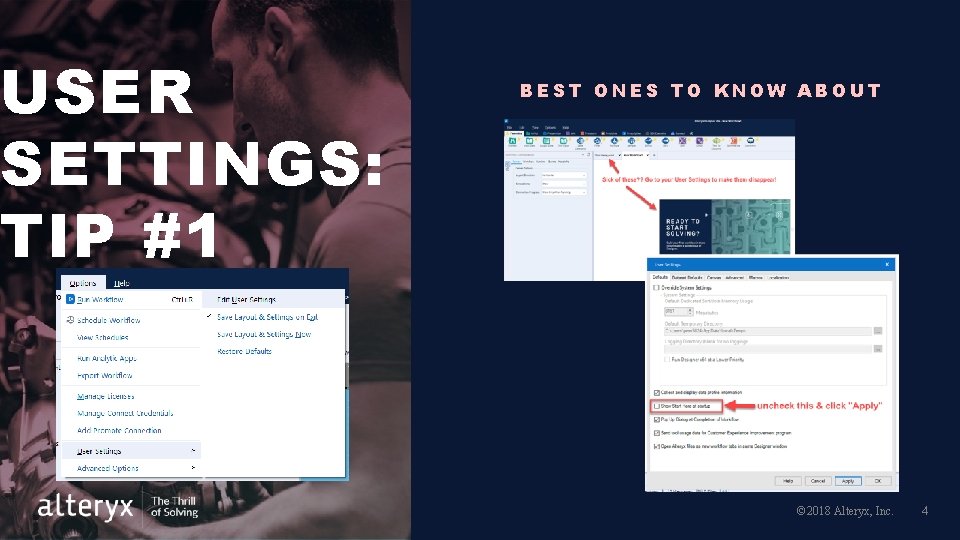
USER SETTINGS: TIP #1 BEST ONES TO KNOW ABOUT © 2018 Alteryx, Inc. 4
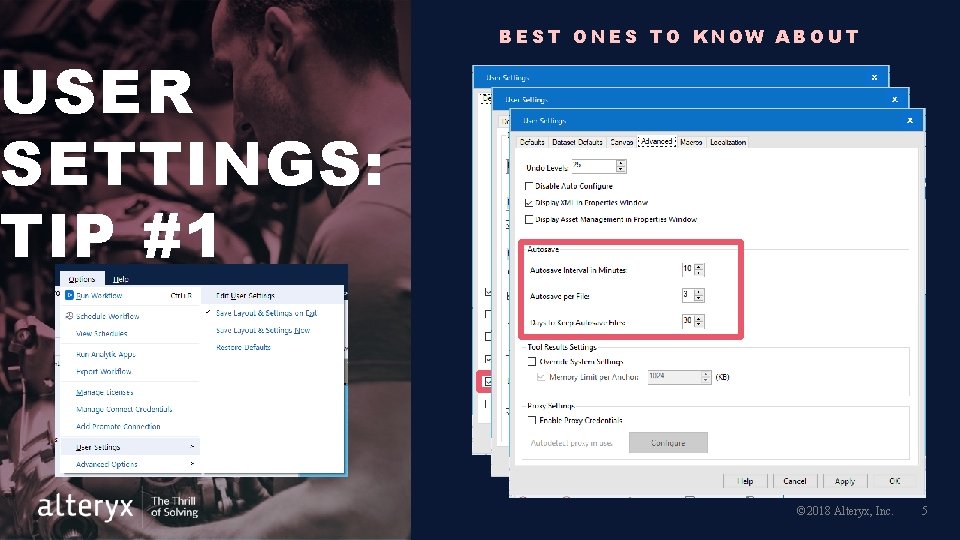
USER SETTINGS: TIP #1 BEST ONES TO KNOW ABOUT © 2018 Alteryx, Inc. 5
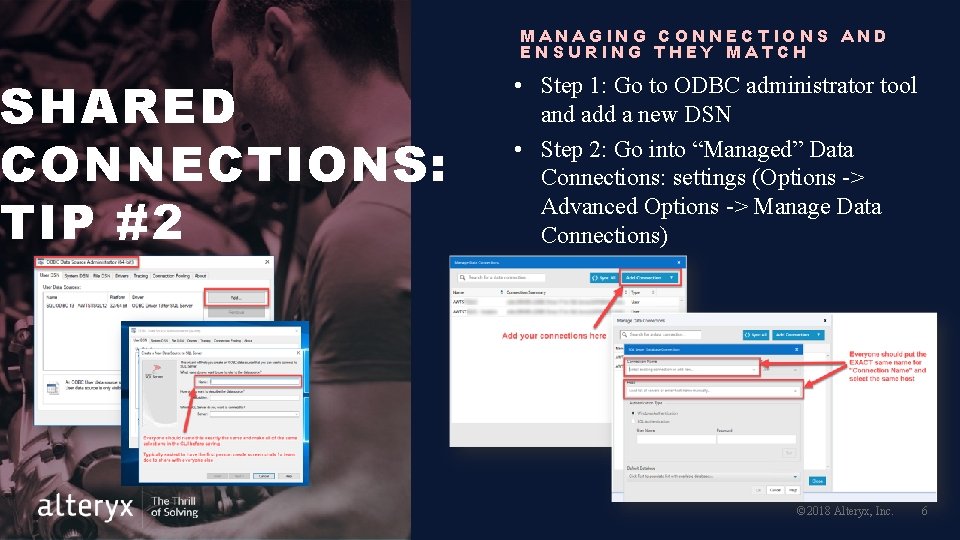
MANAGING CONNECTIONS AND ENSURING THEY MATCH SHARED CONNECTIONS: TIP #2 • Step 1: Go to ODBC administrator tool and add a new DSN • Step 2: Go into “Managed” Data Connections: settings (Options -> Advanced Options -> Manage Data Connections) © 2018 Alteryx, Inc. 6
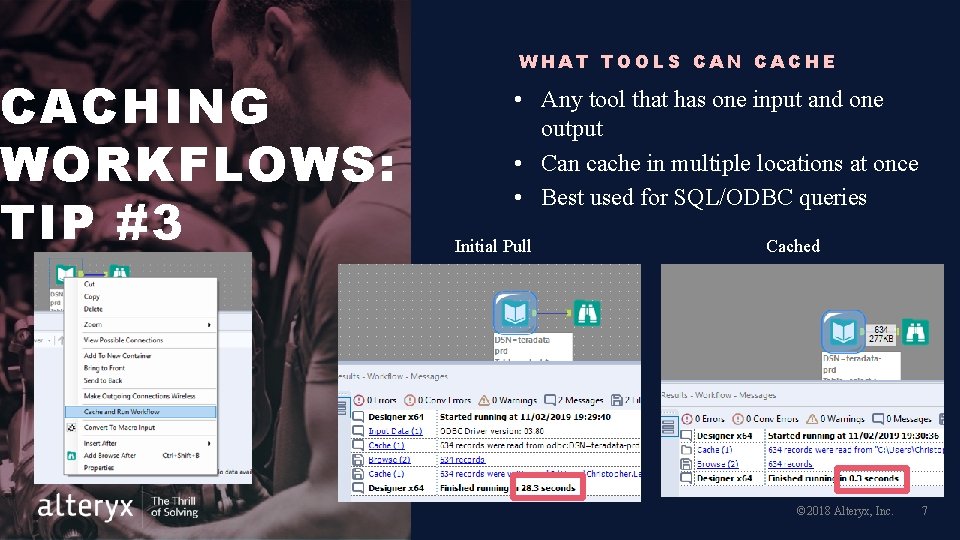
CACHING WORKFLOWS: TIP #3 WHAT TOOLS CAN CACHE • Any tool that has one input and one output • Can cache in multiple locations at once • Best used for SQL/ODBC queries Initial Pull Cached © 2018 Alteryx, Inc. 7
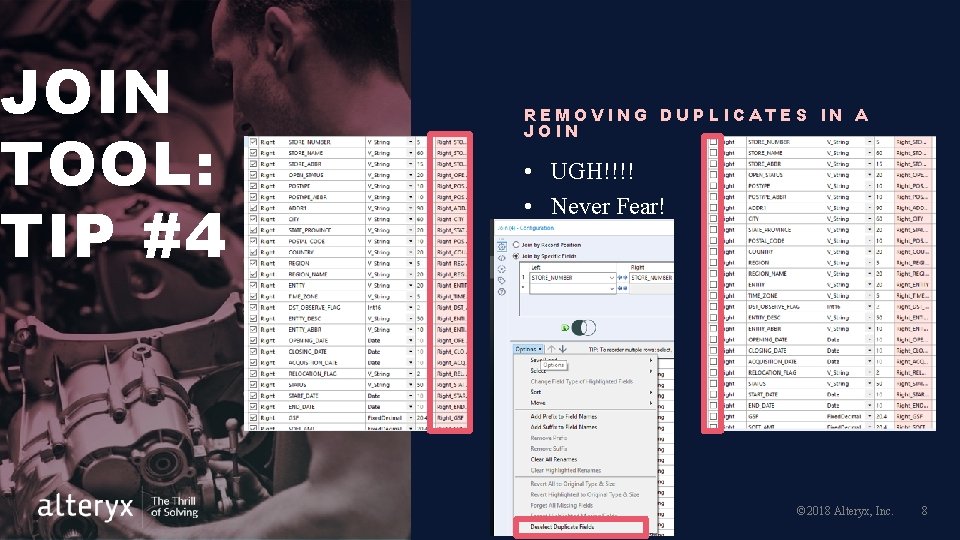
JOIN TOOL: TIP #4 REMOVING DUPLICATES IN A JOIN • UGH!!!! • Never Fear! © 2018 Alteryx, Inc. 8
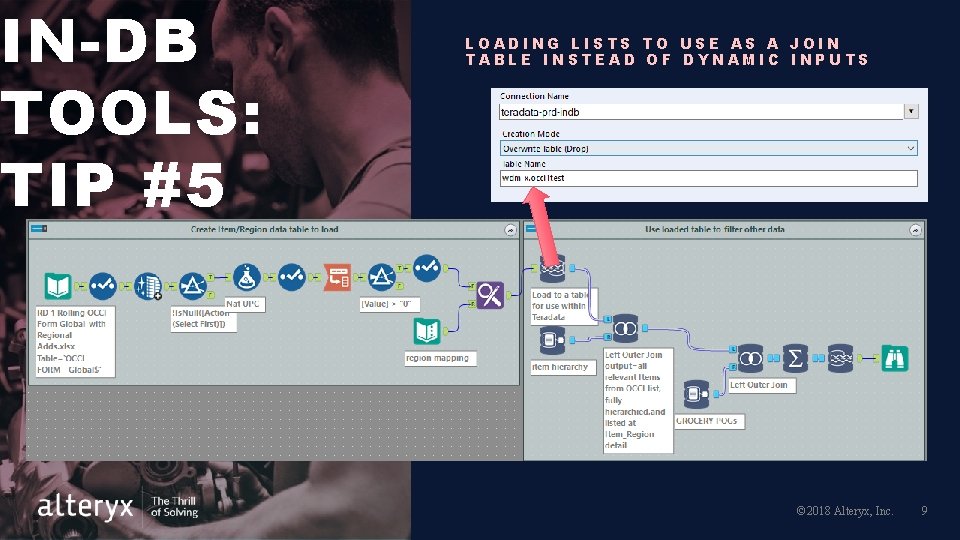
IN-DB TOOLS: TIP #5 LOADING LISTS TO USE AS A JOIN TABLE INSTEAD OF DYNAMIC INPUTS © 2018 Alteryx, Inc. 9
EXTRAS © 2018 Alteryx, Inc. 10
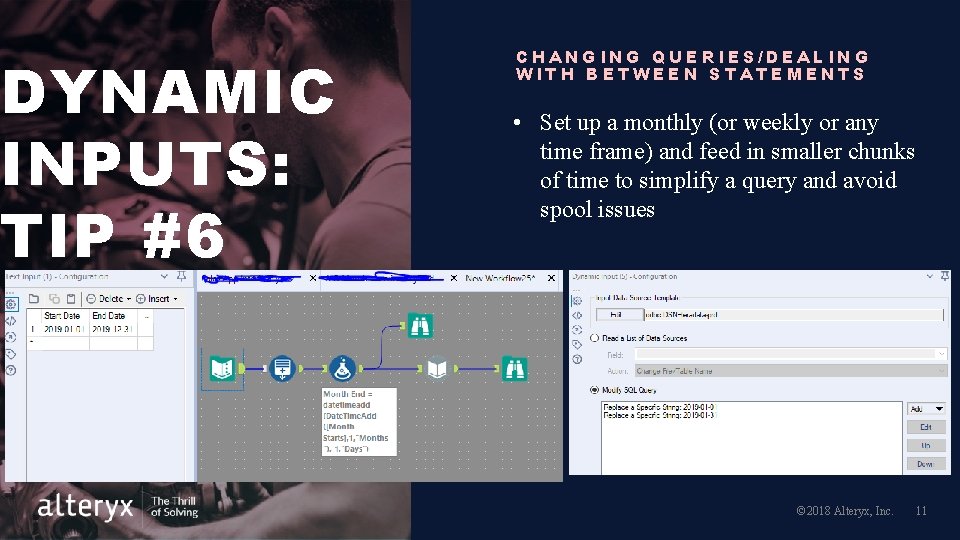
DYNAMIC INPUTS: TIP #6 CHANGING QUERIES/DEALING WITH BETWEEN STATEMENTS • Set up a monthly (or weekly or any time frame) and feed in smaller chunks of time to simplify a query and avoid spool issues © 2018 Alteryx, Inc. 11
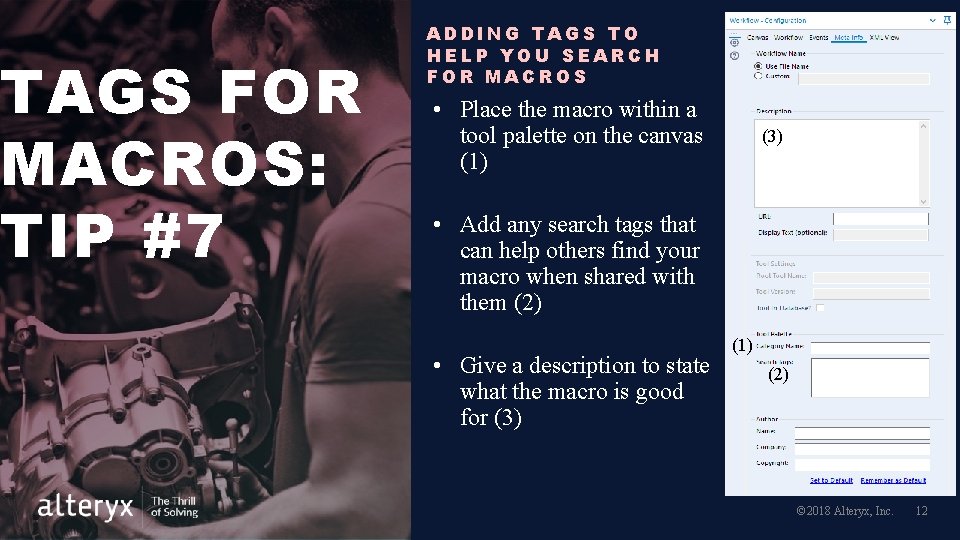
TAGS FOR MACROS: TIP #7 ADDING TAGS TO HELP YOU SEARCH FOR MACROS • Place the macro within a tool palette on the canvas (1) (3) • Add any search tags that can help others find your macro when shared with them (2) • Give a description to state what the macro is good for (3) (1) (2) © 2018 Alteryx, Inc. 12
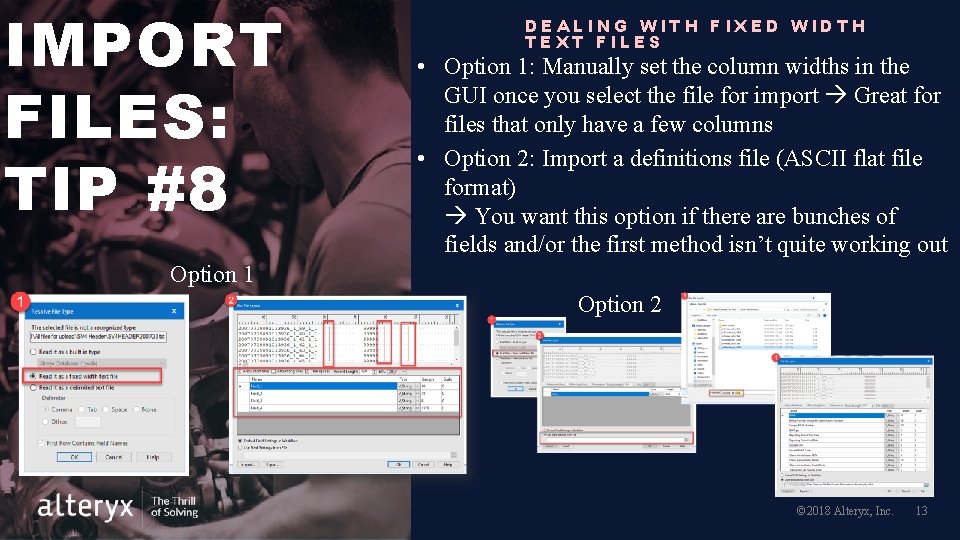
IMPORT FILES: TIP #8 DEALING WITH FIXED WIDTH TEXT FILES • Option 1: Manually set the column widths in the GUI once you select the file for import Great for files that only have a few columns • Option 2: Import a definitions file (ASCII flat file format) You want this option if there are bunches of fields and/or the first method isn’t quite working out Option 1 Option 2 © 2018 Alteryx, Inc. 13
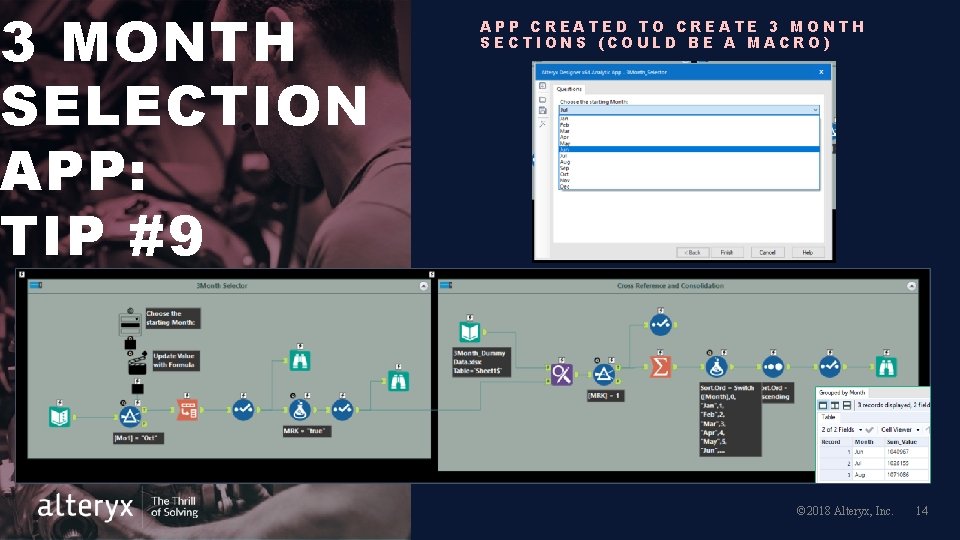
3 MONTH SELECTION APP: TIP #9 APP CREATED TO CREATE 3 MONTH SECTIONS (COULD BE A MACRO) © 2018 Alteryx, Inc. 14
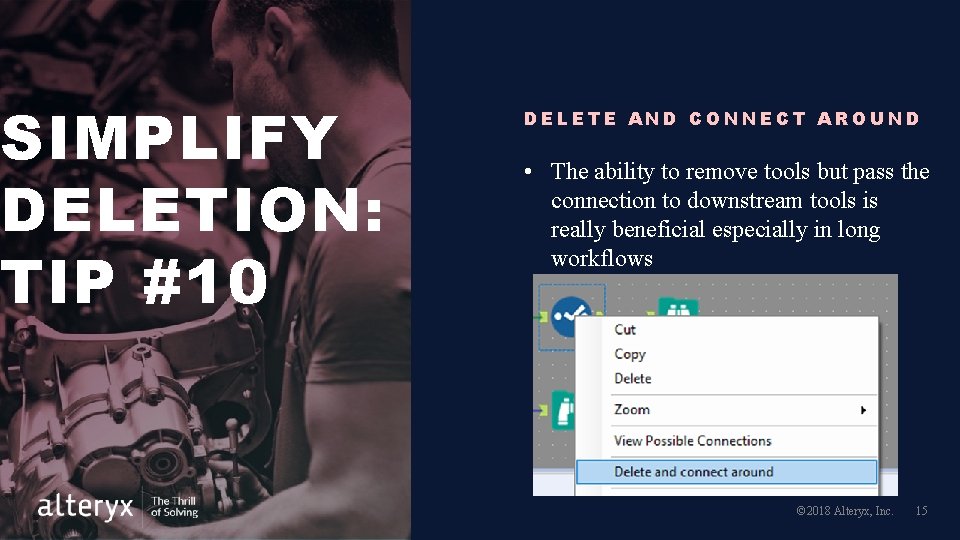
SIMPLIFY DELETION: TIP #10 DELETE AND CONNECT AROUND • The ability to remove tools but pass the connection to downstream tools is really beneficial especially in long workflows © 2018 Alteryx, Inc. 15
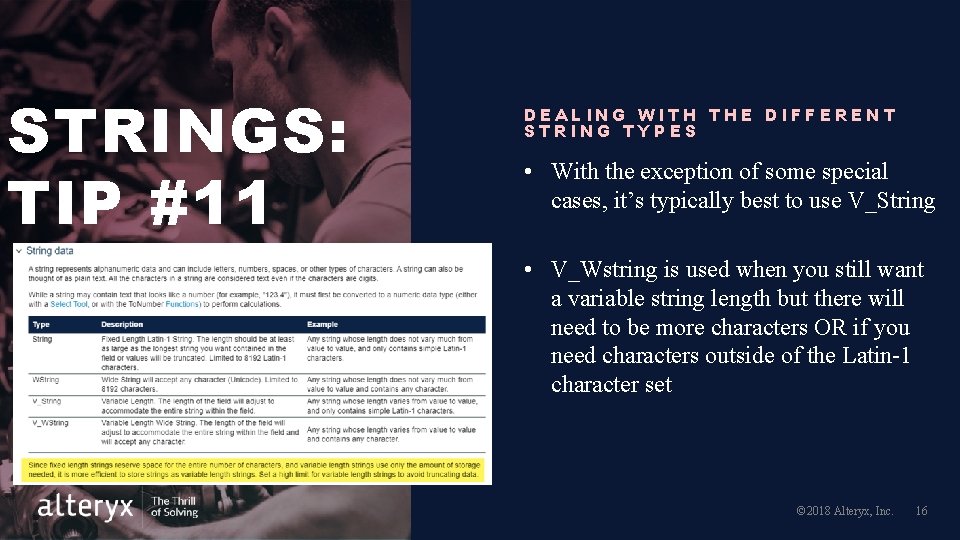
STRINGS: TIP #11 DEALING WITH THE DIFFERENT STRING TYPES • With the exception of some special cases, it’s typically best to use V_String • V_Wstring is used when you still want a variable string length but there will need to be more characters OR if you need characters outside of the Latin-1 character set © 2018 Alteryx, Inc. 16
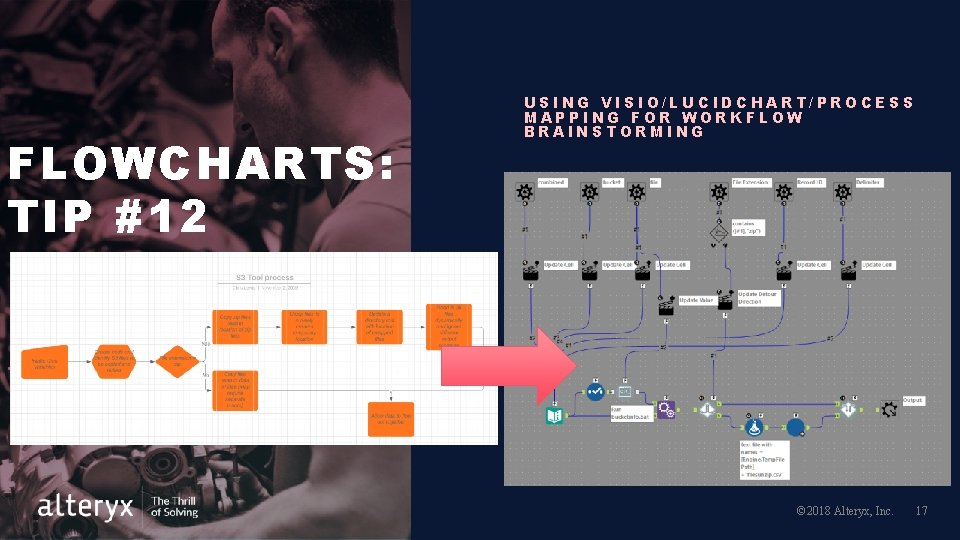
FLOWCHARTS: TIP #12 USING VISIO/LUCIDCHART/PROCESS MAPPING FOR WORKFLOW BRAINSTORMING © 2018 Alteryx, Inc. 17
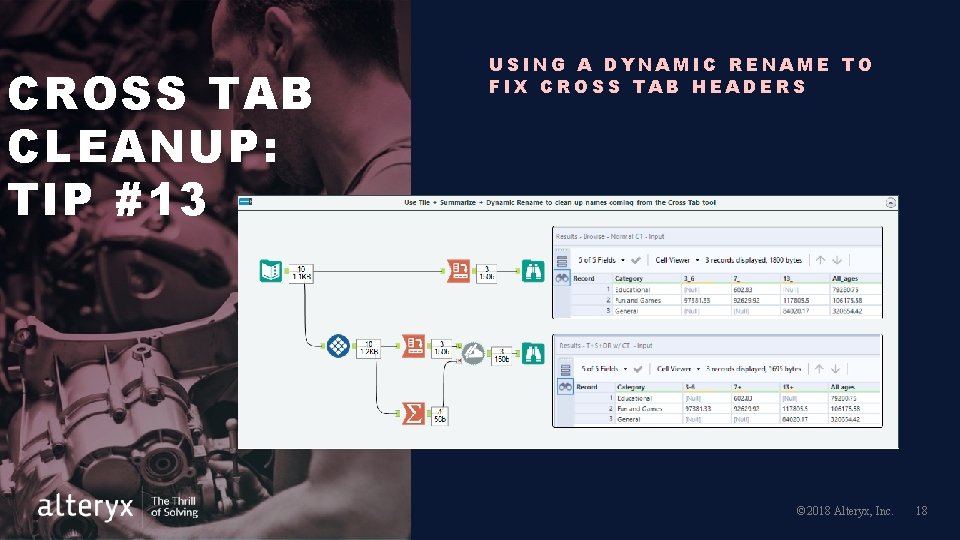
CROSS TAB CLEANUP: TIP #13 USING A DYNAMIC RENAME TO FIX CROSS TAB HEADERS © 2018 Alteryx, Inc. 18
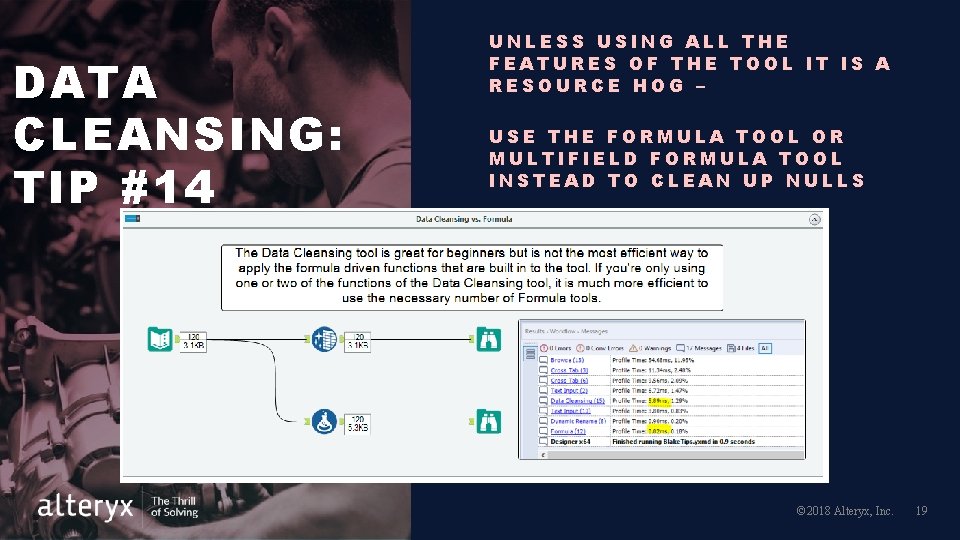
DATA CLEANSING: TIP #14 UNLESS USING ALL THE FEATURES OF THE TOOL IT IS A RESOURCE HOG – USE THE FORMULA TOOL OR MULTIFIELD FORMULA TOOL INSTEAD TO CLEAN UP NULLS © 2018 Alteryx, Inc. 19
NEXT STEPS Meeting dates: • Next meeting in Q 1 2020 will have a panel setting to answer your tough questions • Any volunteers please reach out to one of the leaders (find their emails in the recap on the community page) Be on the look out for the meeting recap! © 2019 Alteryx, Inc. 20
Q&A © 2019 Alteryx, Inc. 21