
Analytix Studio Alteryx Best Practices Keeping Your Workspace
Analytix Studio Alteryx Best Practices: Keeping Your Workspace Organized Prepared by: Michael Dyatchenko June 2017 June 29, 2017 Analytix Studio Inc. |
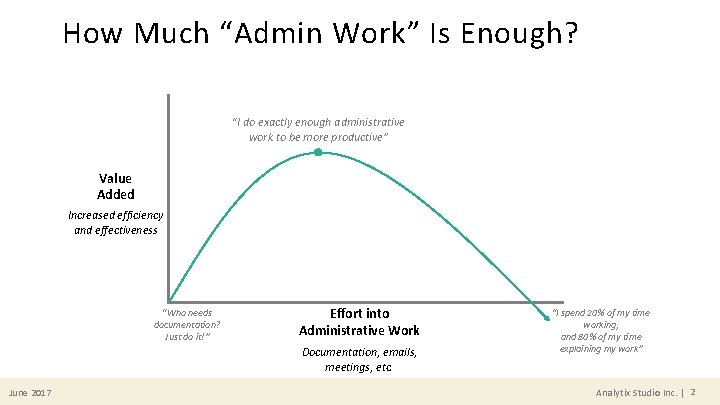
How Much “Admin Work” Is Enough? “I do exactly enough administrative work to be more productive” Value Added Increased efficiency and effectiveness “Who needs documentation? Just do it!” Effort into Administrative Work Documentation, emails, meetings, etc. June 2017 “I spend 20% of my time working, and 80% of my time explaining my work” Analytix Studio Inc. | 2
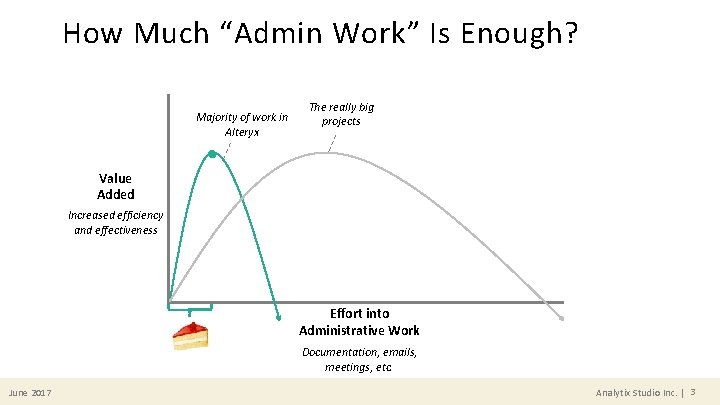
How Much “Admin Work” Is Enough? Majority of work in Alteryx The really big projects Value Added Increased efficiency and effectiveness Effort into Administrative Work Documentation, emails, meetings, etc. June 2017 Analytix Studio Inc. | 3
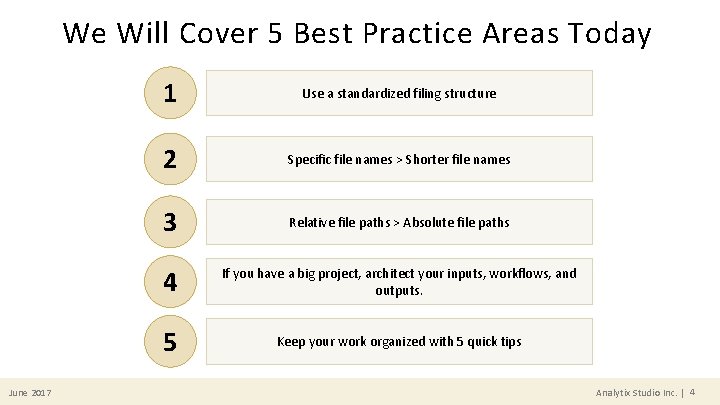
We Will Cover 5 Best Practice Areas Today June 2017 1 Use a standardized filing structure 2 Specific file names > Shorter file names 3 Relative file paths > Absolute file paths 4 If you have a big project, architect your inputs, workflows, and outputs. 5 Keep your work organized with 5 quick tips Analytix Studio Inc. | 4
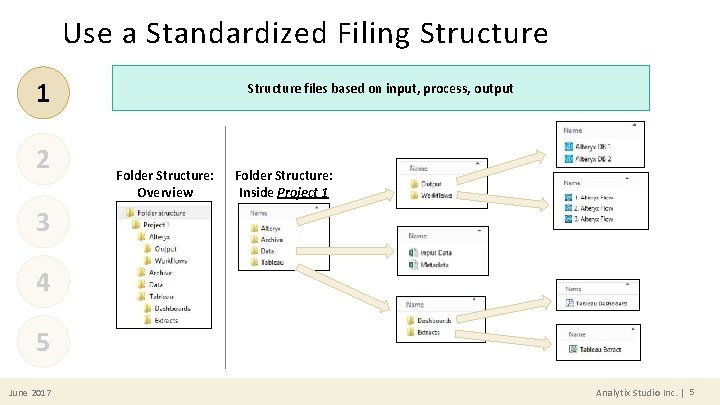
Use a Standardized Filing Structure 1 2 Structure files based on input, process, output Folder Structure: Overview Folder Structure: Inside Project 1 3 4 5 June 2017 Analytix Studio Inc. | 5
![File Names: Specific > Short 1 1. Name as “<verb> <noun>” or “<noun> <verb>[er]”](http://slidetodoc.com/presentation_image_h/822b214e30f603fc0ee8032e4f2a28bb/image-6.jpg "File Names: Specific > Short 1 1. Name as “<verb> <noun>” or “<noun> <verb>[er]”")
File Names: Specific > Short 1 1. Name as “<verb> <noun>” or “<noun> <verb>[er]” 2. Enumerate when there are dependencies 2 3 4 5 June 2017 1. 1 Clean Sales Data 1. 1 Sales Data Cleaner 1. 2 Clean Customer Data 1. 2 Customer Data Cleaner 2. Blend Sales & Customer Data -OR- 2. Sales & Customer Data Blender 3. Analyze Customer Behaviour 3. Customer Behaviour Analyzer 4. Create Outputs for Visualization 4. Visualization Output Creator Analytix Studio Inc. | 6
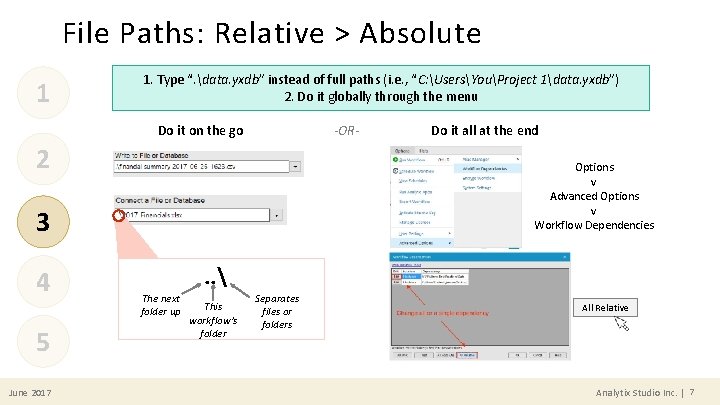
File Paths: Relative > Absolute 1 1. Type “. data. yxdb” instead of full paths (i. e. , “C: UsersYouProject 1data. yxdb”) 2. Do it globally through the menu -OR- Do it on the go 2 Options v Advanced Options v Workflow Dependencies 3 4 5 June 2017 Do it all at the end . . The next folder up This workflow’s folder Separates files or folders All Relative Analytix Studio Inc. | 7
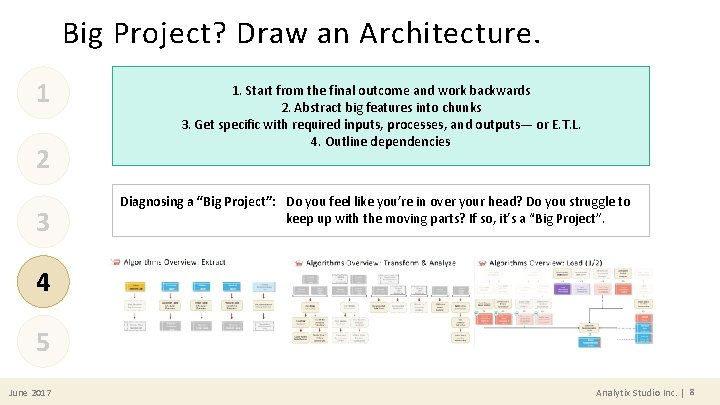
Big Project? Draw an Architecture. 1 2 3 1. Start from the final outcome and work backwards 2. Abstract big features into chunks 3. Get specific with required inputs, processes, and outputs— or E. T. L. 4. Outline dependencies Diagnosing a “Big Project”: Do you feel like you’re in over your head? Do you struggle to keep up with the moving parts? If so, it’s a “Big Project”. 4 5 June 2017 Analytix Studio Inc. | 8
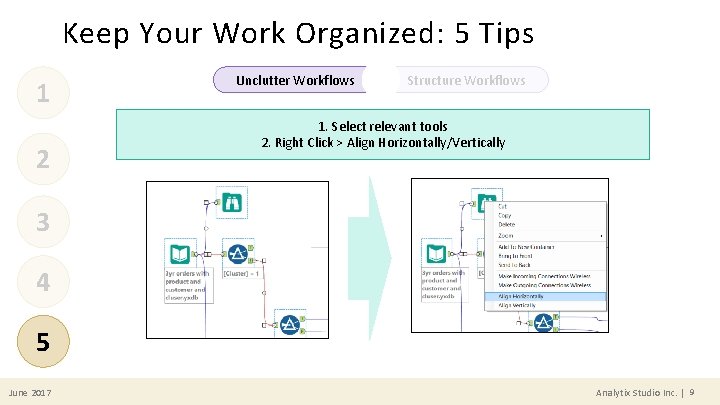
Keep Your Work Organized: 5 Tips 1 2 Unclutter Workflows Structure Workflows 1. Select relevant tools 2. Right Click > Align Horizontally/Vertically 3 4 5 June 2017 Analytix Studio Inc. | 9
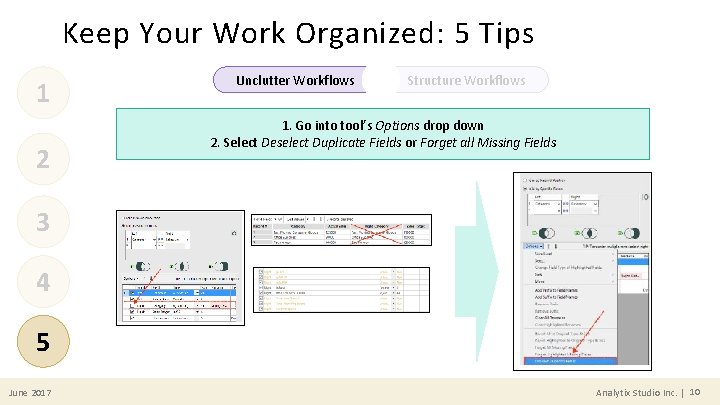
Keep Your Work Organized: 5 Tips 1 2 Unclutter Workflows Structure Workflows 1. Go into tool’s Options drop down 2. Select Deselect Duplicate Fields or Forget all Missing Fields 3 4 5 June 2017 Analytix Studio Inc. | 10
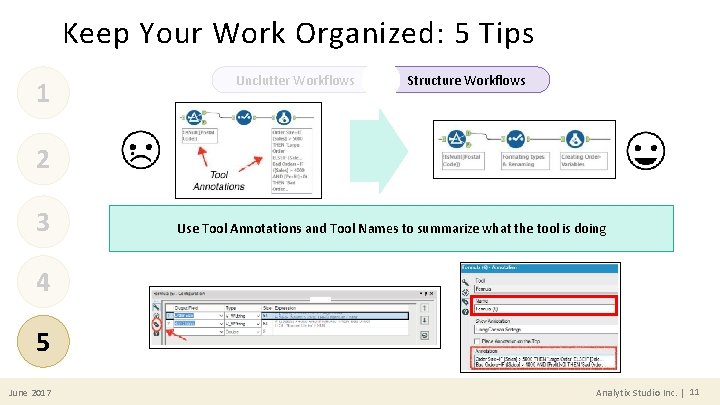
Keep Your Work Organized: 5 Tips 1 Unclutter Workflows Structure Workflows 2 3 Use Tool Annotations and Tool Names to summarize what the tool is doing 4 5 June 2017 Analytix Studio Inc. | 11
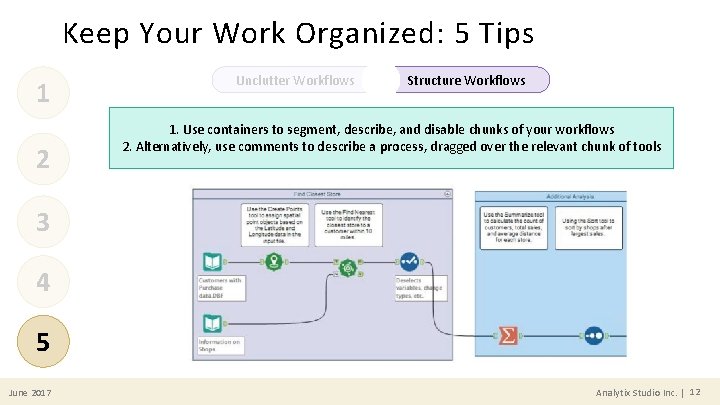
Keep Your Work Organized: 5 Tips 1 2 Unclutter Workflows Structure Workflows 1. Use containers to segment, describe, and disable chunks of your workflows 2. Alternatively, use comments to describe a process, dragged over the relevant chunk of tools 3 4 5 June 2017 Analytix Studio Inc. | 12
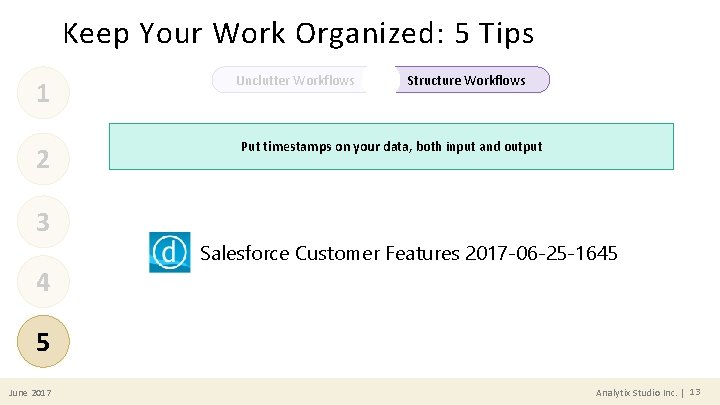
Keep Your Work Organized: 5 Tips 1 2 3 4 Unclutter Workflows Structure Workflows Put timestamps on your data, both input and output Salesforce Customer Features 2017 -06 -25 -1645 5 June 2017 Analytix Studio Inc. | 13
Thank You! Analytix Studio June 2017 Sources: Alteryx 24 Best Practices, Copenhagen Alteryx Super Use Group Analytix Studio Inc. | 14
- Slides: 14