Architectural Issues in Practice Android Security Sam Malek

![References • [1] Chin, et al. Analyzing Inter-Application Communication in Android (Links to an](https://slidetodoc.com/presentation_image_h/7b2004a65565a42c840e574715322680/image-40.jpg "References • [1] Chin, et al. Analyzing Inter-Application Communication in Android (Links to an")
- Slides: 40
Architectural Issues in Practice: Android Security Sam Malek Software Architecture INF 221 Fall 2016
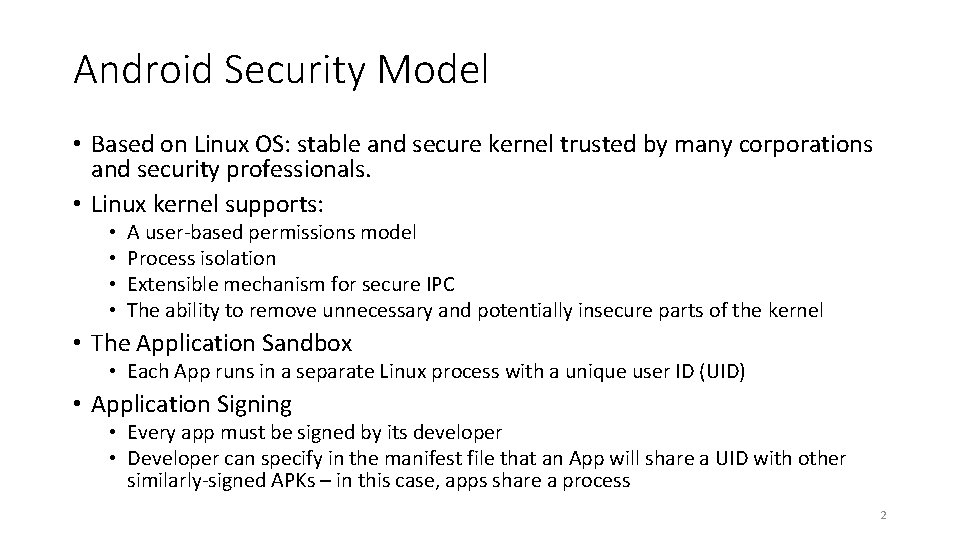
Android Security Model • Based on Linux OS: stable and secure kernel trusted by many corporations and security professionals. • Linux kernel supports: • • A user-based permissions model Process isolation Extensible mechanism for secure IPC The ability to remove unnecessary and potentially insecure parts of the kernel • The Application Sandbox • Each App runs in a separate Linux process with a unique user ID (UID) • Application Signing • Every app must be signed by its developer • Developer can specify in the manifest file that an App will share a UID with other similarly-signed APKs – in this case, apps share a process 2
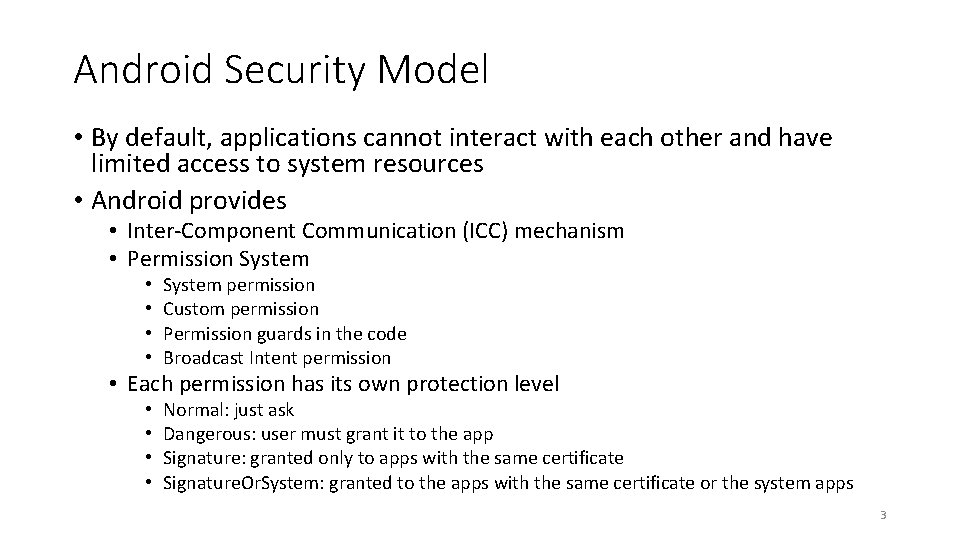
Android Security Model • By default, applications cannot interact with each other and have limited access to system resources • Android provides • Inter-Component Communication (ICC) mechanism • Permission System • • System permission Custom permission Permission guards in the code Broadcast Intent permission • Each permission has its own protection level • • Normal: just ask Dangerous: user must grant it to the app Signature: granted only to apps with the same certificate Signature. Or. System: granted to the apps with the same certificate or the system apps 3
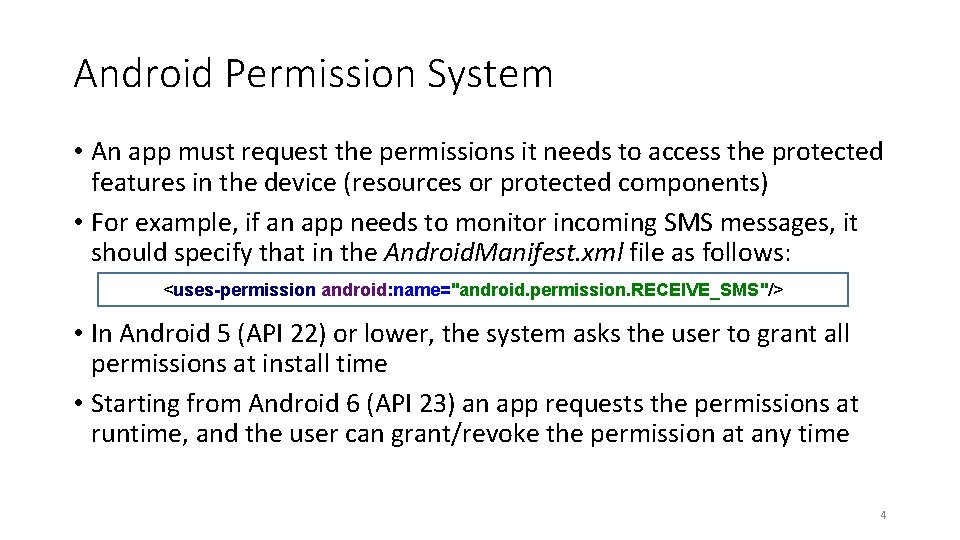
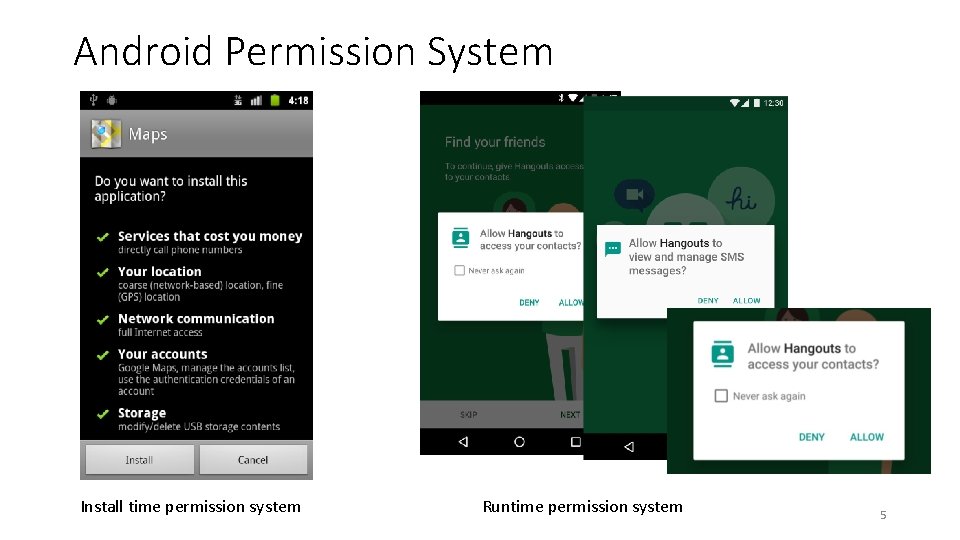
Android Permission System • An app must request the permissions it needs to access the protected features in the device (resources or protected components) • For example, if an app needs to monitor incoming SMS messages, it should specify that in the Android. Manifest. xml file as follows: <uses-permission android: name="android. permission. RECEIVE_SMS"/> • In Android 5 (API 22) or lower, the system asks the user to grant all permissions at install time • Starting from Android 6 (API 23) an app requests the permissions at runtime, and the user can grant/revoke the permission at any time 4
Android Permission System Install time permission system Runtime permission system 5
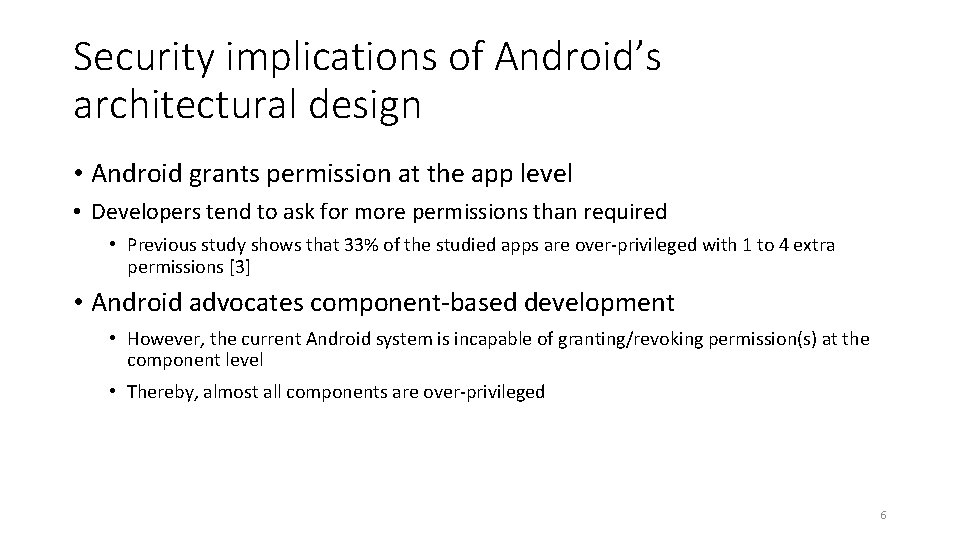
Security implications of Android’s architectural design • Android grants permission at the app level • Developers tend to ask for more permissions than required • Previous study shows that 33% of the studied apps are over-privileged with 1 to 4 extra permissions [3] • Android advocates component-based development • However, the current Android system is incapable of granting/revoking permission(s) at the component level • Thereby, almost all components are over-privileged 6
Security Attacks • ICC Attacks • Permission Re-Delegation Attack • Attacks through Hidden Code 7
Security Attacks • ICC Attacks • Permission Re-Delegation Attack • Attacks through Hidden Code 8
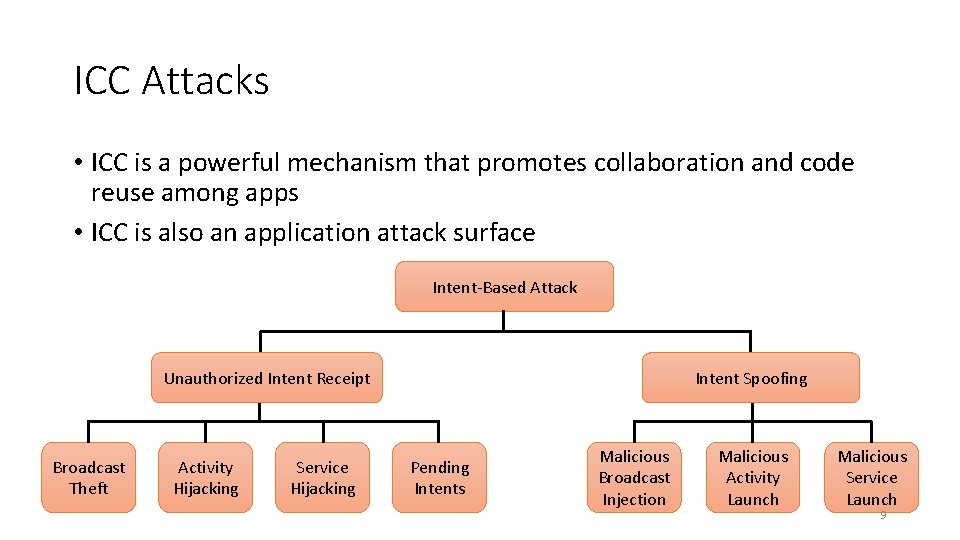
ICC Attacks • ICC is a powerful mechanism that promotes collaboration and code reuse among apps • ICC is also an application attack surface Intent-Based Attack Unauthorized Intent Receipt Broadcast Theft Activity Hijacking Service Hijacking Intent Spoofing Pending Intents Malicious Broadcast Injection Malicious Activity Launch Malicious Service Launch 9
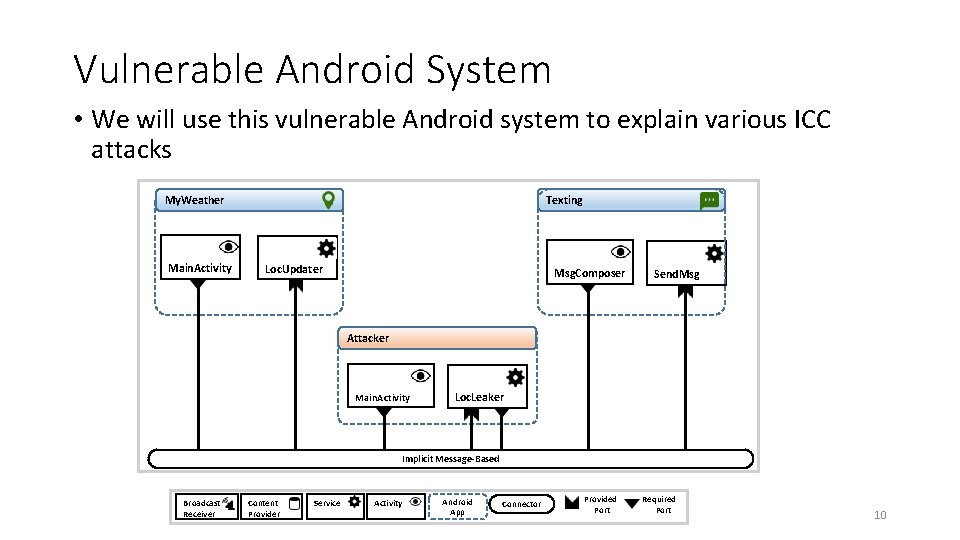
Vulnerable Android System • We will use this vulnerable Android system to explain various ICC attacks Texting My. Weather Main. Activity Loc. Updater Msg. Composer Send. Msg Attacker Main. Activity Loc. Leaker Implicit Message-Based Broadcast Receiver Content Provider Service Activity Android App Connector Provided Port Required Port 10
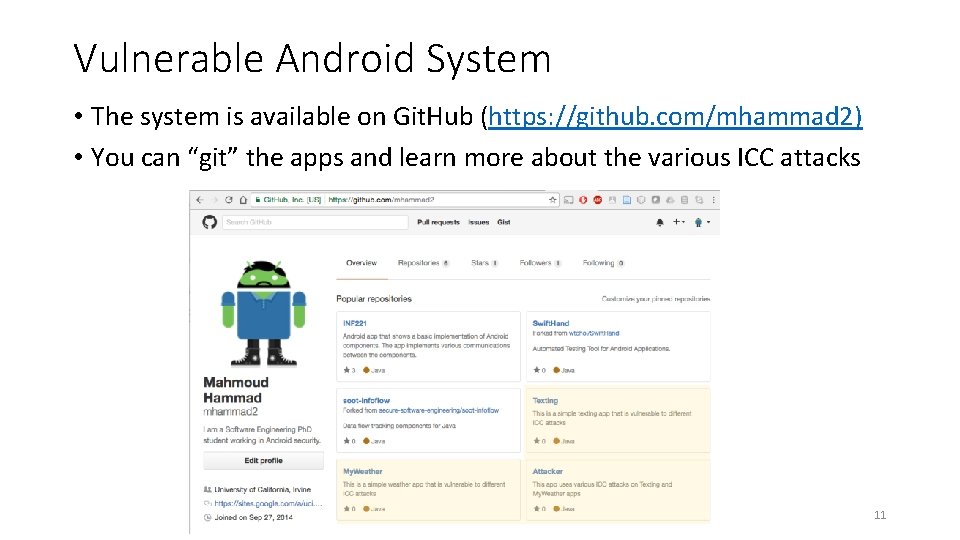
Vulnerable Android System • The system is available on Git. Hub (https: //github. com/mhammad 2) • You can “git” the apps and learn more about the various ICC attacks 11
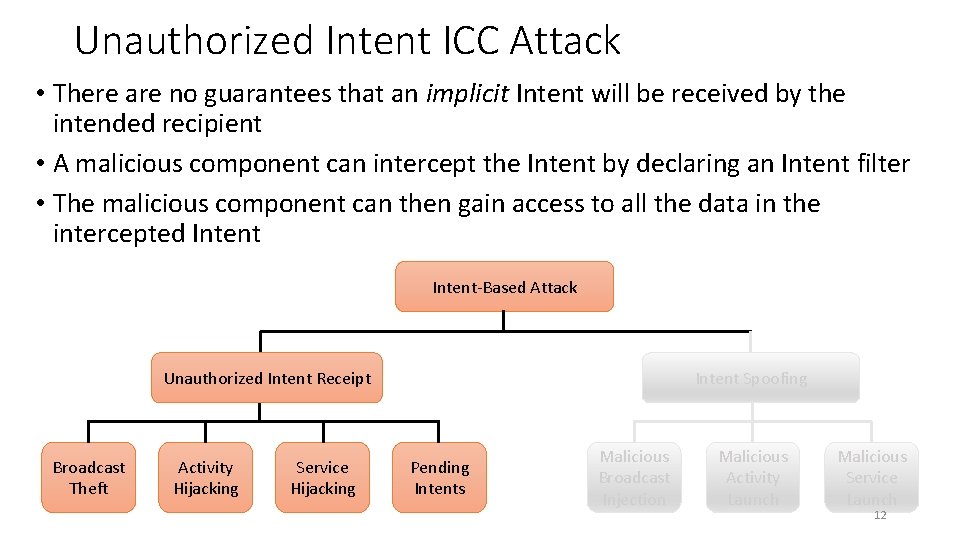
Unauthorized Intent ICC Attack • There are no guarantees that an implicit Intent will be received by the intended recipient • A malicious component can intercept the Intent by declaring an Intent filter • The malicious component can then gain access to all the data in the intercepted Intent-Based Attack Unauthorized Intent Receipt Broadcast Theft Activity Hijacking Service Hijacking Intent Spoofing Pending Intents Malicious Broadcast Injection Malicious Activity Launch Malicious Service Launch 12
Unauthorized Intent Receipt Broadcast Theft • Broadcasts are vulnerable to passive eavesdropping and active denial of service attack • A malicious broadcast receiver intercepts an Intent or prevents it from reaching other broadcast receivers • 12% of apps are vulnerable to this attack [1] 13
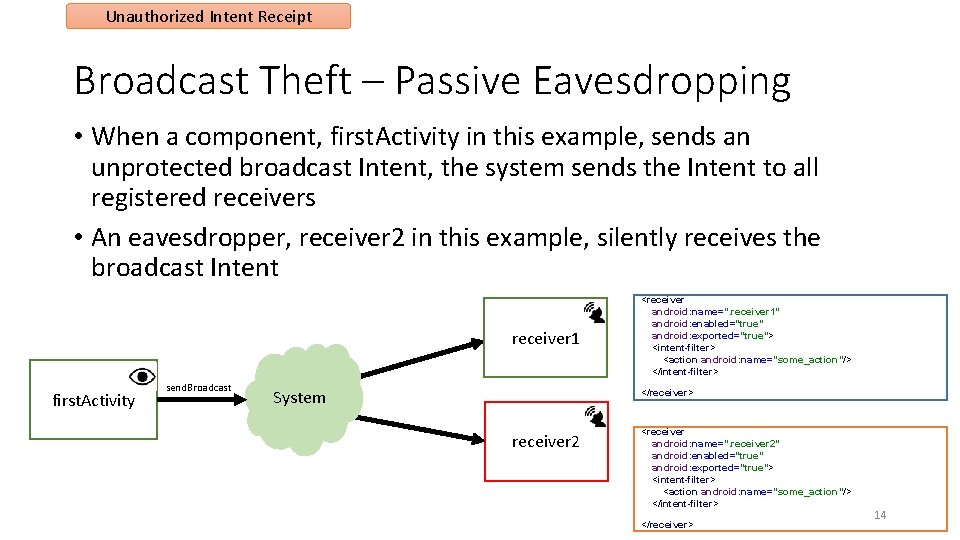
Unauthorized Intent Receipt Broadcast Theft – Passive Eavesdropping • When a component, first. Activity in this example, sends an unprotected broadcast Intent, the system sends the Intent to all registered receivers • An eavesdropper, receiver 2 in this example, silently receives the broadcast Intent receiver 1 first. Activity send. Broadcast System <receiver android: name=". receiver 1" android: enabled="true" android: exported="true"> <intent-filter> <action android: name="some_action"/> </intent-filter> </receiver> receiver 2 <receiver android: name=". receiver 2" android: enabled="true" android: exported="true"> <intent-filter> <action android: name="some_action"/> </intent-filter> </receiver> 14
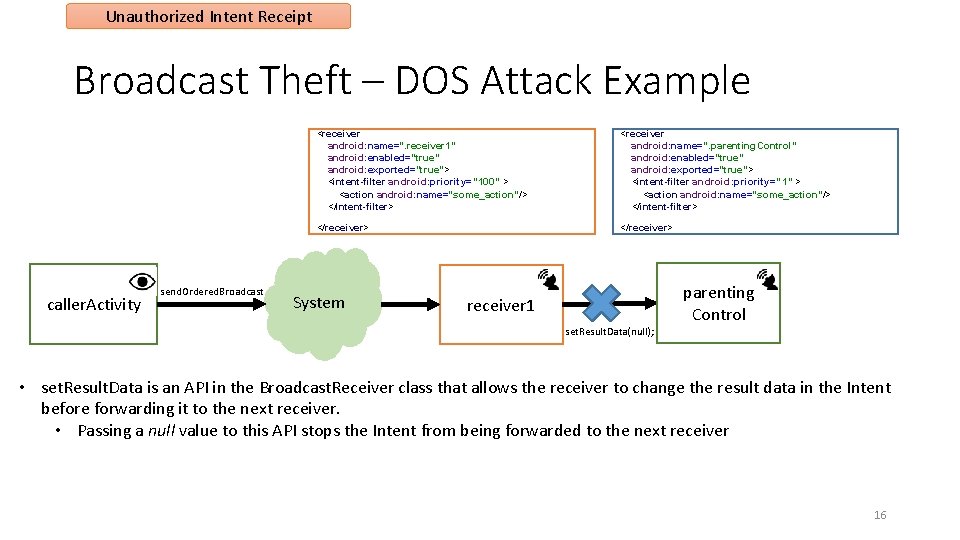
Unauthorized Intent Receipt Broadcast Theft – DOS Attack • An active attacker could launch a denial of service attack or data injection attacks on a broadcast receiver • Non-ordered broadcast Intents are sent to all registered receivers at the same time • One receiver cannot prevent others from receiving it, e. g. , BATTERY_LOW • Ordered broadcast Intents are delivered serially to broadcast receivers in order of descending priority • One receiver can prevent another receiver from receiving the Intent, e. g. , ACTION_NEW_OUTGOING_CALL 15
Unauthorized Intent Receipt Broadcast Theft – DOS Attack Example caller. Activity send. Ordered. Broadcast <receiver android: name=". receiver 1" android: enabled="true" android: exported="true"> <intent-filter android: priority="100" > <action android: name="some_action"/> </intent-filter> <receiver android: name=”. parenting. Control" android: enabled="true" android: exported="true"> <intent-filter android: priority=” 1" > <action android: name="some_action"/> </intent-filter> </receiver> System parenting Control receiver 1 set. Result. Data(null); • set. Result. Data is an API in the Broadcast. Receiver class that allows the receiver to change the result data in the Intent before forwarding it to the next receiver. • Passing a null value to this API stops the Intent from being forwarded to the next receiver 16
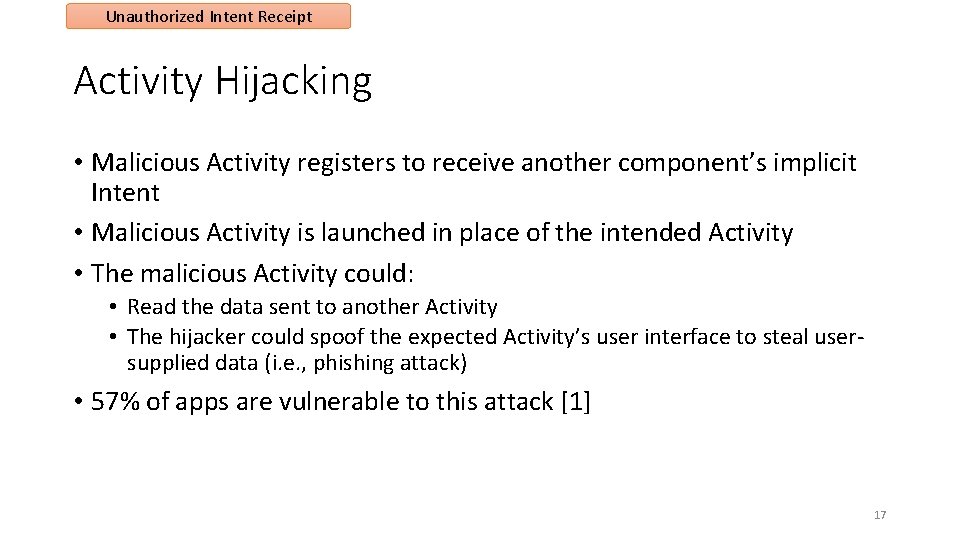
Unauthorized Intent Receipt Activity Hijacking • Malicious Activity registers to receive another component’s implicit Intent • Malicious Activity is launched in place of the intended Activity • The malicious Activity could: • Read the data sent to another Activity • The hijacker could spoof the expected Activity’s user interface to steal usersupplied data (i. e. , phishing attack) • 57% of apps are vulnerable to this attack [1] 17
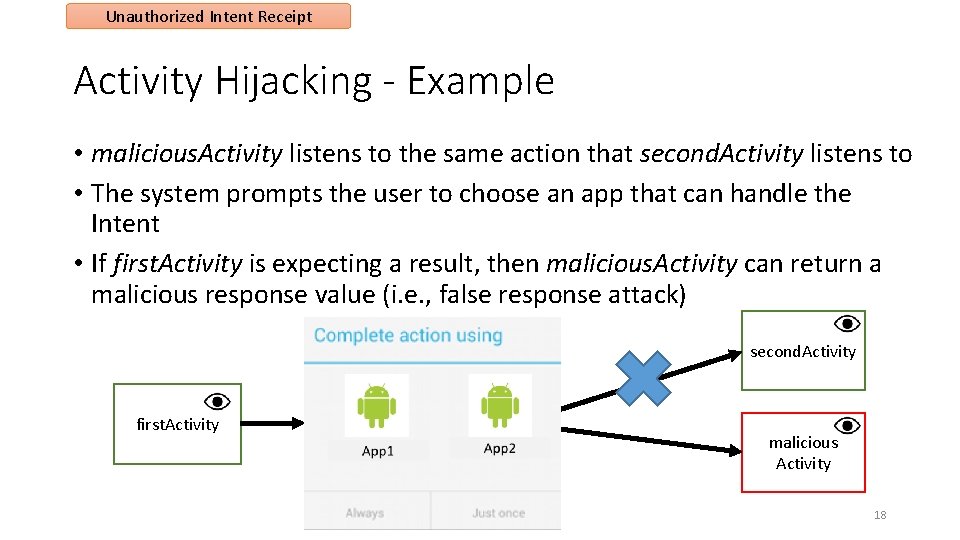
Unauthorized Intent Receipt Activity Hijacking - Example • malicious. Activity listens to the same action that second. Activity listens to • The system prompts the user to choose an app that can handle the Intent • If first. Activity is expecting a result, then malicious. Activity can return a malicious response value (i. e. , false response attack) second. Activity first. Activity result malicious Activity 18
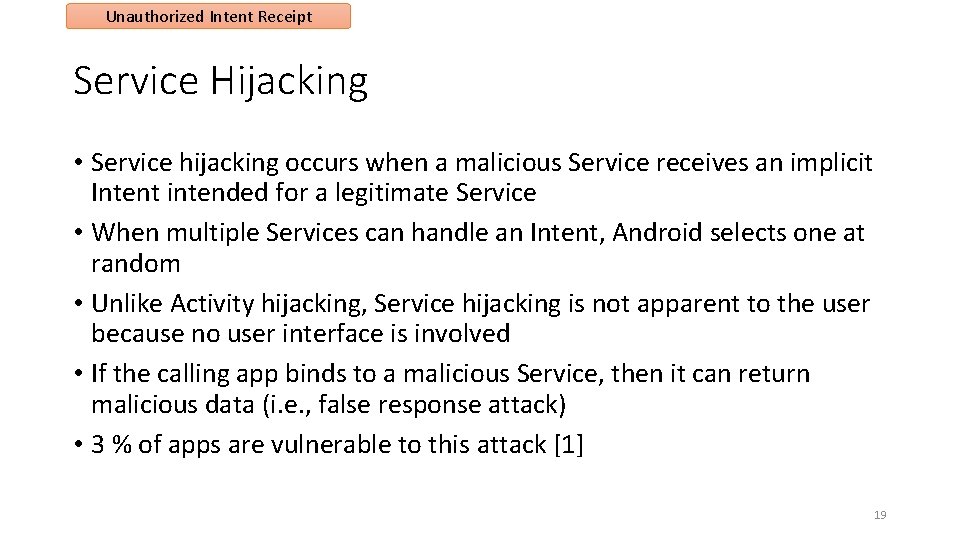
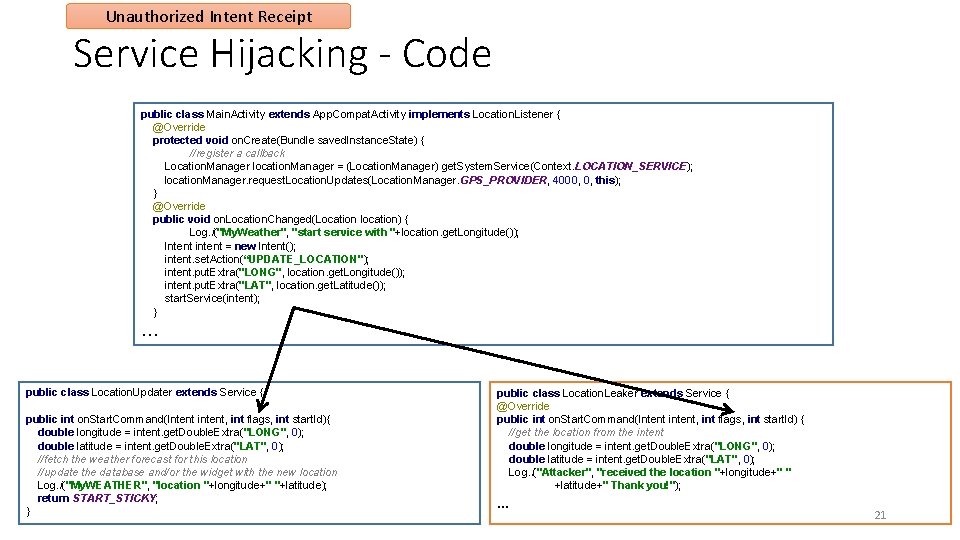
Unauthorized Intent Receipt Service Hijacking • Service hijacking occurs when a malicious Service receives an implicit Intent intended for a legitimate Service • When multiple Services can handle an Intent, Android selects one at random • Unlike Activity hijacking, Service hijacking is not apparent to the user because no user interface is involved • If the calling app binds to a malicious Service, then it can return malicious data (i. e. , false response attack) • 3 % of apps are vulnerable to this attack [1] 19
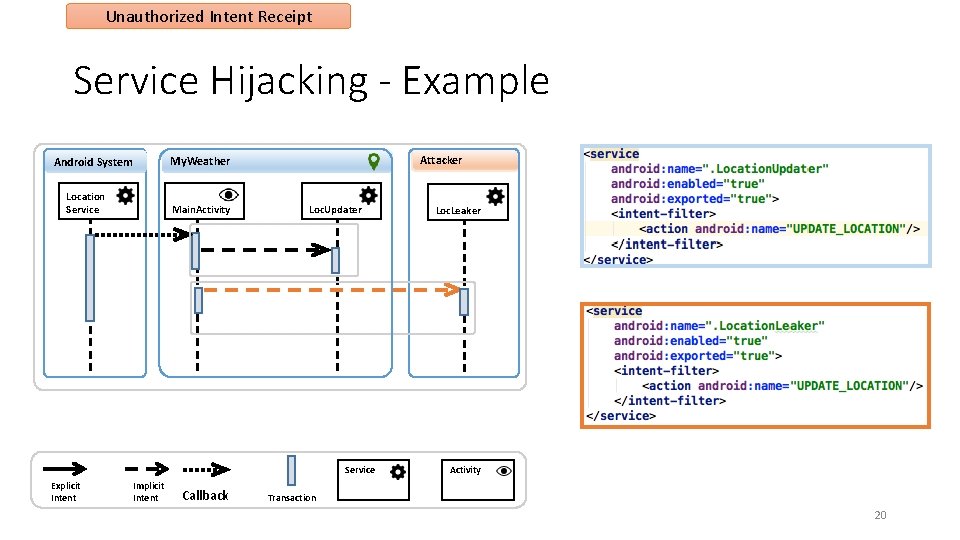
Unauthorized Intent Receipt Service Hijacking - Example Attacker My. Weather Android System Location Service Main. Activity Loc. Updater Service Explicit Intent Implicit Intent Callback Loc. Leaker Activity Transaction 20
Unauthorized Intent Receipt Service Hijacking - Code public class Main. Activity extends App. Compat. Activity implements Location. Listener { @Override protected void on. Create(Bundle saved. Instance. State) { //register a callback Location. Manager location. Manager = (Location. Manager) get. System. Service(Context. LOCATION_SERVICE); location. Manager. request. Location. Updates(Location. Manager. GPS_PROVIDER, 4000, 0, this); } @Override public void on. Location. Changed(Location location) { Log. i("My. Weather", "start service with "+location. get. Longitude()); Intent intent = new Intent(); intent. set. Action(“UPDATE_LOCATION"); intent. put. Extra("LONG", location. get. Longitude()); intent. put. Extra("LAT", location. get. Latitude()); start. Service(intent); } … public class Location. Updater extends Service { public int on. Start. Command(Intent intent, int flags, int start. Id){ double longitude = intent. get. Double. Extra("LONG", 0); double latitude = intent. get. Double. Extra("LAT", 0); //fetch the weather forecast for this location //update the database and/or the widget with the new location Log. i("My. WEATHER", "location "+longitude+" "+latitude); return START_STICKY; } public class Location. Leaker extends Service { @Override public int on. Start. Command(Intent intent, int flags, int start. Id) { //get the location from the intent double longitude = intent. get. Double. Extra("LONG", 0); double latitude = intent. get. Double. Extra("LAT", 0); Log. i("Attacker", "received the location "+longitude+" " +latitude+" Thank you!"); … 21
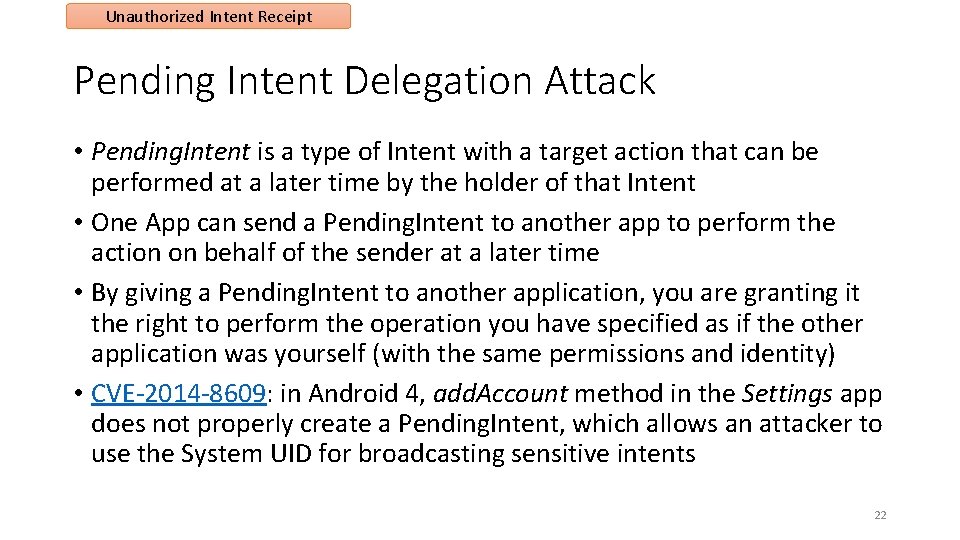
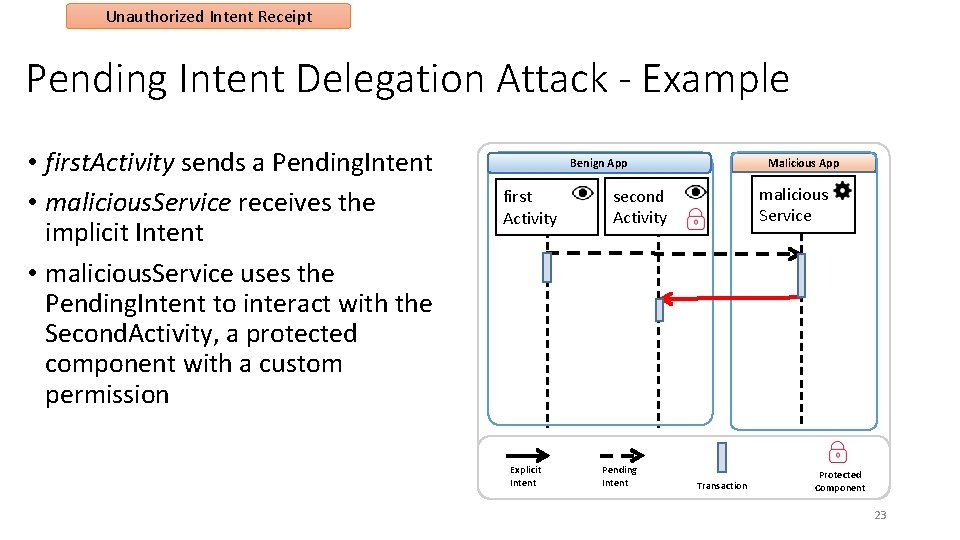
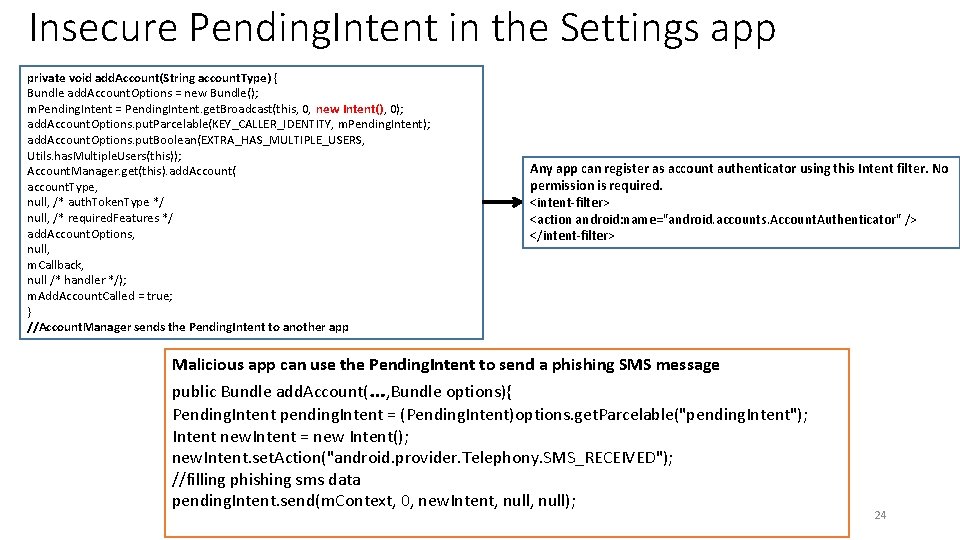
Unauthorized Intent Receipt Pending Intent Delegation Attack • Pending. Intent is a type of Intent with a target action that can be performed at a later time by the holder of that Intent • One App can send a Pending. Intent to another app to perform the action on behalf of the sender at a later time • By giving a Pending. Intent to another application, you are granting it the right to perform the operation you have specified as if the other application was yourself (with the same permissions and identity) • CVE-2014 -8609: in Android 4, add. Account method in the Settings app does not properly create a Pending. Intent, which allows an attacker to use the System UID for broadcasting sensitive intents 22
Unauthorized Intent Receipt Pending Intent Delegation Attack - Example • first. Activity sends a Pending. Intent • malicious. Service receives the implicit Intent • malicious. Service uses the Pending. Intent to interact with the Second. Activity, a protected component with a custom permission Malicious App Benign App first Activity Explicit Intent malicious Service second Activity Pending Intent Transaction Protected Component 23
Insecure Pending. Intent in the Settings app private void add. Account(String account. Type) { Bundle add. Account. Options = new Bundle(); m. Pending. Intent = Pending. Intent. get. Broadcast(this, 0, new Intent(), 0); add. Account. Options. put. Parcelable(KEY_CALLER_IDENTITY, m. Pending. Intent); add. Account. Options. put. Boolean(EXTRA_HAS_MULTIPLE_USERS, Utils. has. Multiple. Users(this)); Account. Manager. get(this). add. Account( account. Type, null, /* auth. Token. Type */ null, /* required. Features */ add. Account. Options, null, m. Callback, null /* handler */); m. Add. Account. Called = true; } //Account. Manager sends the Pending. Intent to another app Any app can register as account authenticator using this Intent filter. No permission is required. <intent-filter> <action android: name="android. accounts. Account. Authenticator" /> </intent-filter> Malicious app can use the Pending. Intent to send a phishing SMS message public Bundle add. Account(…, Bundle options){ Pending. Intent pending. Intent = (Pending. Intent)options. get. Parcelable("pending. Intent"); Intent new. Intent = new Intent(); new. Intent. set. Action("android. provider. Telephony. SMS_RECEIVED"); //filling phishing sms data pending. Intent. send(m. Context, 0, new. Intent, null); 24
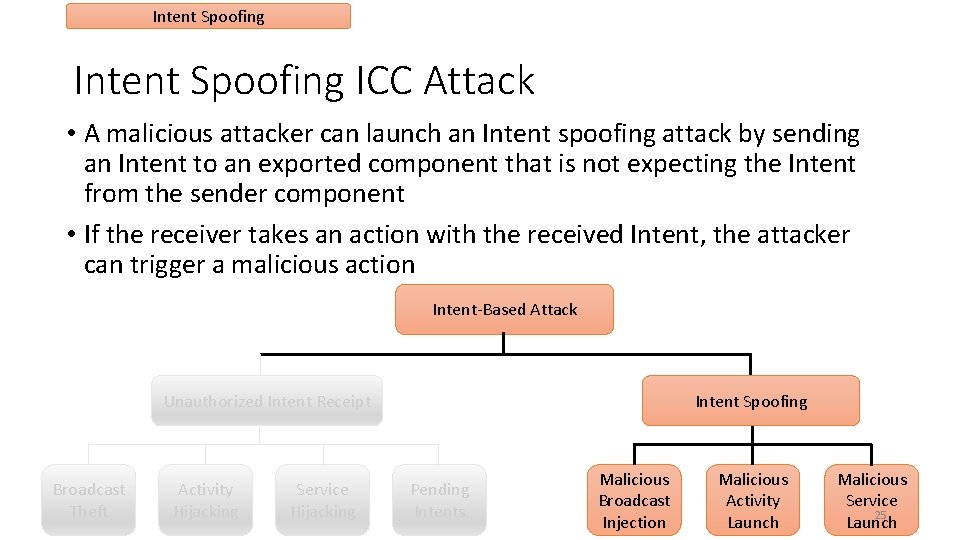
Intent Spoofing ICC Attack • A malicious attacker can launch an Intent spoofing attack by sending an Intent to an exported component that is not expecting the Intent from the sender component • If the receiver takes an action with the received Intent, the attacker can trigger a malicious action Intent-Based Attack Unauthorized Intent Receipt Broadcast Theft Activity Hijacking Service Hijacking Intent Spoofing Pending Intents Malicious Broadcast Injection Malicious Activity Launch Malicious Service 25 Launch
Intent Spoofing Malicious Broadcast Injection • Malicious component sends an Intent, either explicit or implicit, to an exported Broadcast Receiver • The Broadcast Receiver blindly trusts an incoming broadcast Intent, without checking the authenticity of the sender • Broadcast Receivers that listen to system broadcast Intents are particularly at risk • These broadcast receivers operate in response to system actions without checking to see if the system has sent the Intent • 14% of apps are vulnerable to this attack [1] 26
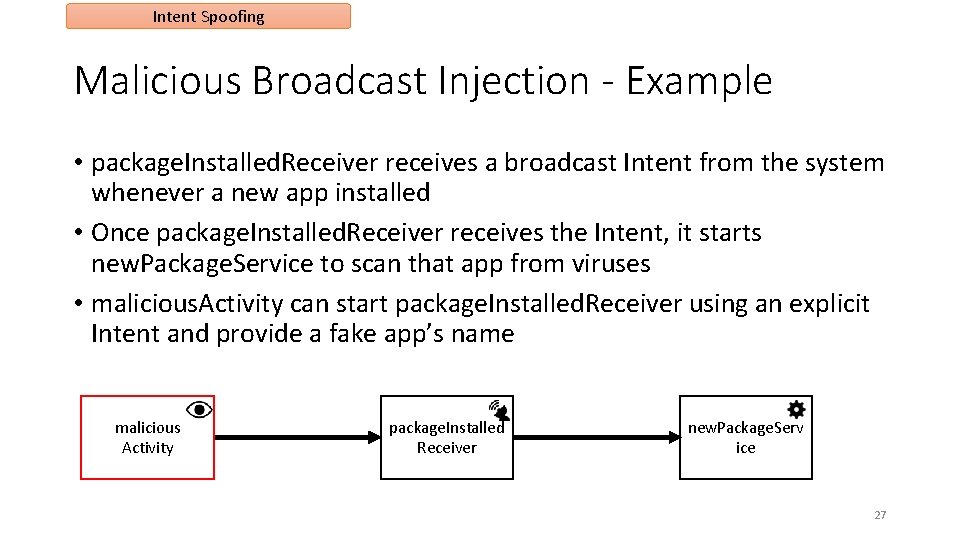
Intent Spoofing Malicious Broadcast Injection - Example • package. Installed. Receiver receives a broadcast Intent from the system whenever a new app installed • Once package. Installed. Receiver receives the Intent, it starts new. Package. Service to scan that app from viruses • malicious. Activity can start package. Installed. Receiver using an explicit Intent and provide a fake app’s name malicious Activity package. Installed Receiver new. Package. Serv ice 27
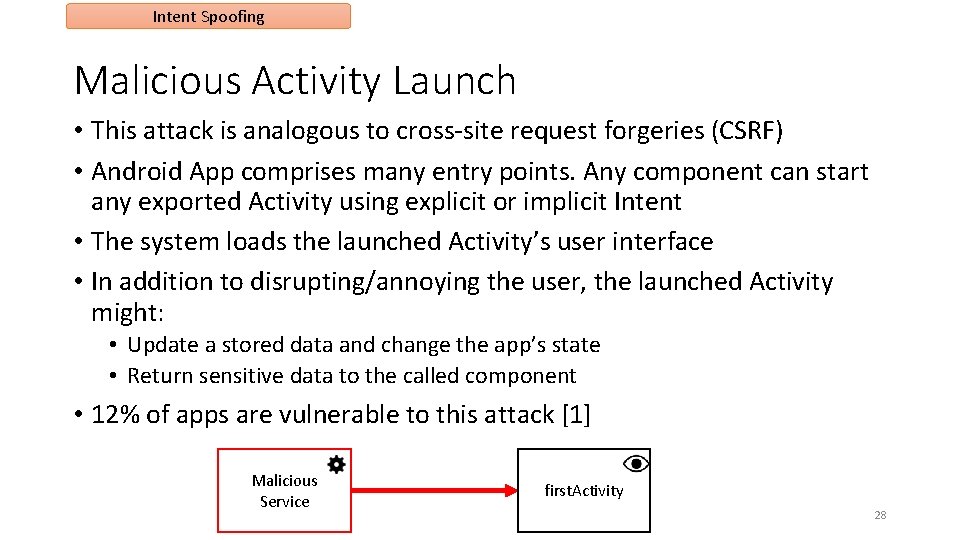
Intent Spoofing Malicious Activity Launch • This attack is analogous to cross-site request forgeries (CSRF) • Android App comprises many entry points. Any component can start any exported Activity using explicit or implicit Intent • The system loads the launched Activity’s user interface • In addition to disrupting/annoying the user, the launched Activity might: • Update a stored data and change the app’s state • Return sensitive data to the called component • 12% of apps are vulnerable to this attack [1] Malicious Service first. Activity 28
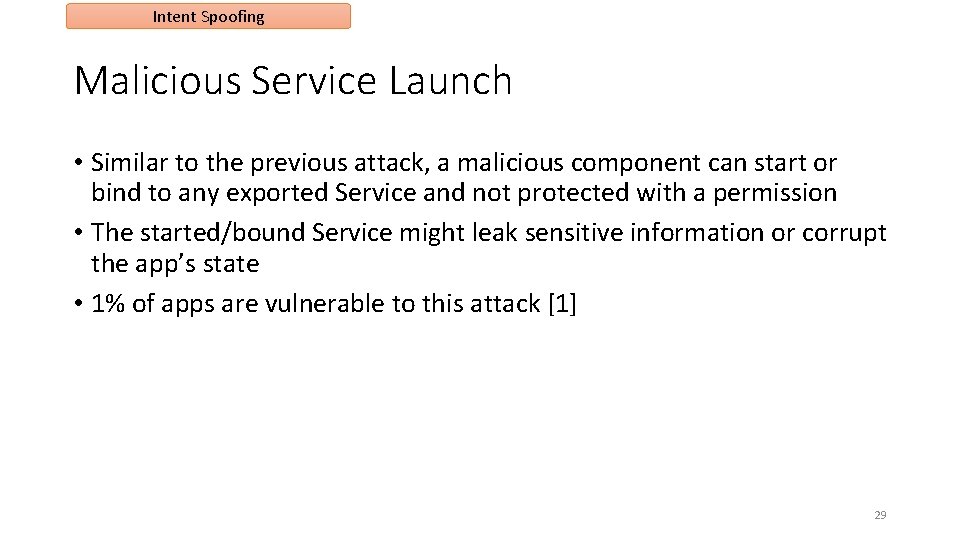
Intent Spoofing Malicious Service Launch • Similar to the previous attack, a malicious component can start or bind to any exported Service and not protected with a permission • The started/bound Service might leak sensitive information or corrupt the app’s state • 1% of apps are vulnerable to this attack [1] 29
Security Attacks • ICC Attacks • Permission Re-Delegation Attack • Attacks through Hidden Code 30
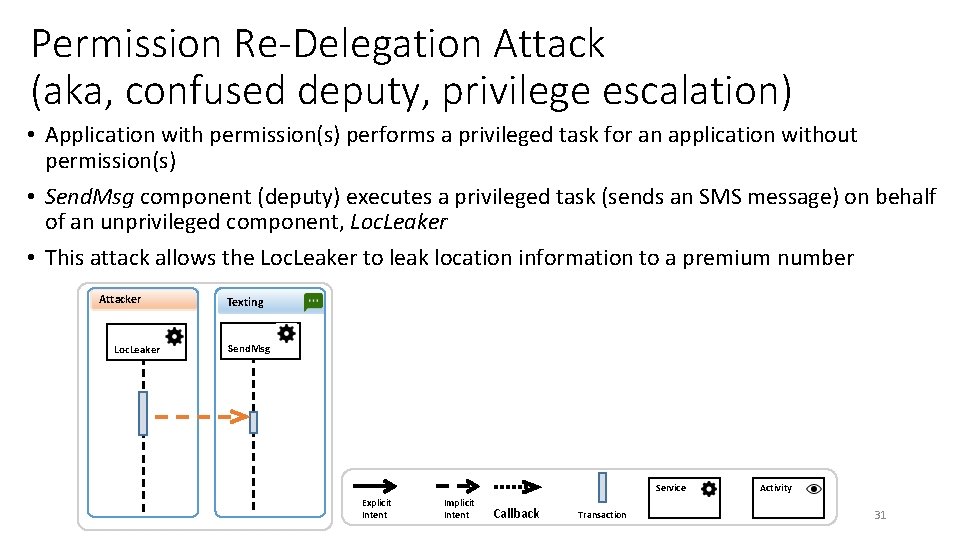
Permission Re-Delegation Attack (aka, confused deputy, privilege escalation) • Application with permission(s) performs a privileged task for an application without permission(s) • Send. Msg component (deputy) executes a privileged task (sends an SMS message) on behalf of an unprivileged component, Loc. Leaker • This attack allows the Loc. Leaker to leak location information to a premium number Attacker Loc. Leaker Texting Send. Msg Service Explicit Intent Implicit Intent Callback Transaction Activity 31
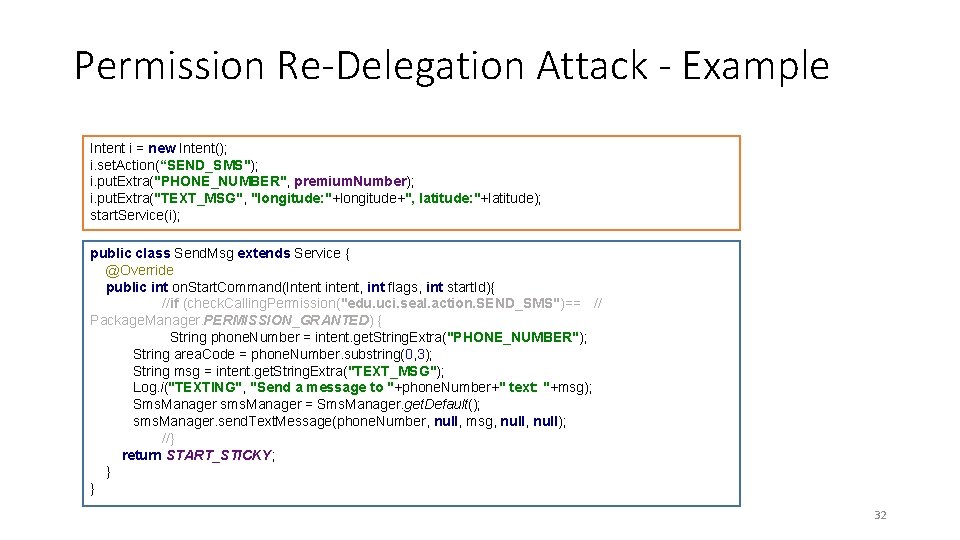
Permission Re-Delegation Attack - Example Intent i = new Intent(); i. set. Action(“SEND_SMS"); i. put. Extra("PHONE_NUMBER", premium. Number); i. put. Extra("TEXT_MSG", "longitude: "+longitude+", latitude: "+latitude); start. Service(i); public class Send. Msg extends Service { @Override public int on. Start. Command(Intent intent, int flags, int start. Id){ //if (check. Calling. Permission("edu. uci. seal. action. SEND_SMS")== // Package. Manager. PERMISSION_GRANTED) { String phone. Number = intent. get. String. Extra("PHONE_NUMBER"); String area. Code = phone. Number. substring(0, 3); String msg = intent. get. String. Extra("TEXT_MSG"); Log. i("TEXTING", "Send a message to "+phone. Number+" text: "+msg); Sms. Manager sms. Manager = Sms. Manager. get. Default(); sms. Manager. send. Text. Message(phone. Number, null, msg, null); //} return START_STICKY; } } 32
Security Attacks • ICC Attacks • Permission Re-Delegation Attack • Attacks through Hidden Code 33
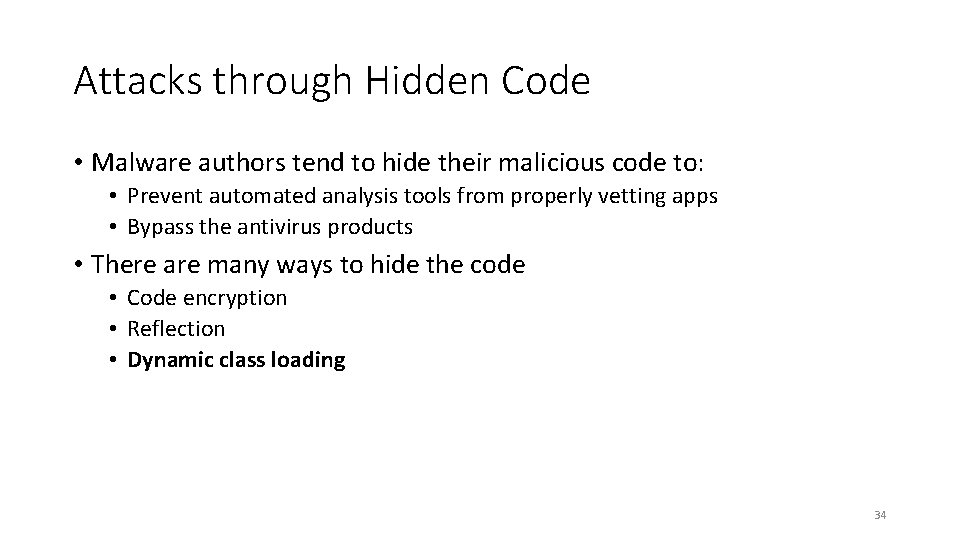
Attacks through Hidden Code • Malware authors tend to hide their malicious code to: • Prevent automated analysis tools from properly vetting apps • Bypass the antivirus products • There are many ways to hide the code • Code encryption • Reflection • Dynamic class loading 34
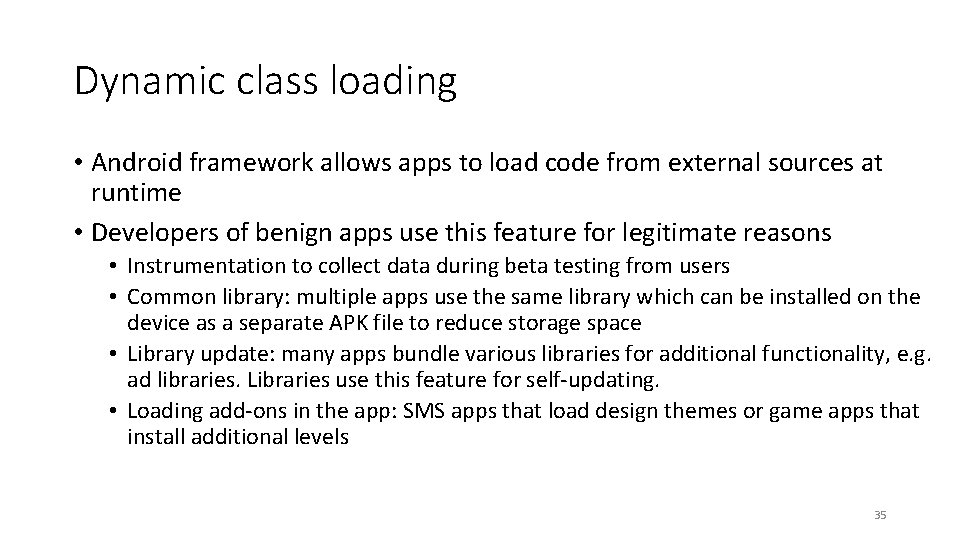
Dynamic class loading • Android framework allows apps to load code from external sources at runtime • Developers of benign apps use this feature for legitimate reasons • Instrumentation to collect data during beta testing from users • Common library: multiple apps use the same library which can be installed on the device as a separate APK file to reduce storage space • Library update: many apps bundle various libraries for additional functionality, e. g. ad libraries. Libraries use this feature for self-updating. • Loading add-ons in the app: SMS apps that load design themes or game apps that install additional levels 35
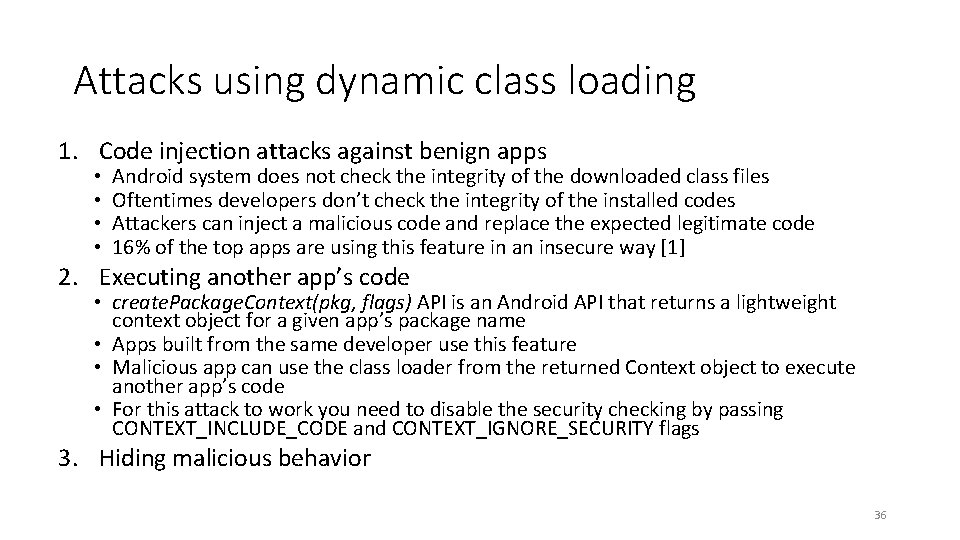
Attacks using dynamic class loading 1. Code injection attacks against benign apps • • Android system does not check the integrity of the downloaded class files Oftentimes developers don’t check the integrity of the installed codes Attackers can inject a malicious code and replace the expected legitimate code 16% of the top apps are using this feature in an insecure way [1] 2. Executing another app’s code • create. Package. Context(pkg, flags) API is an Android API that returns a lightweight context object for a given app’s package name • Apps built from the same developer use this feature • Malicious app can use the class loader from the returned Context object to execute another app’s code • For this attack to work you need to disable the security checking by passing CONTEXT_INCLUDE_CODE and CONTEXT_IGNORE_SECURITY flags 3. Hiding malicious behavior 36
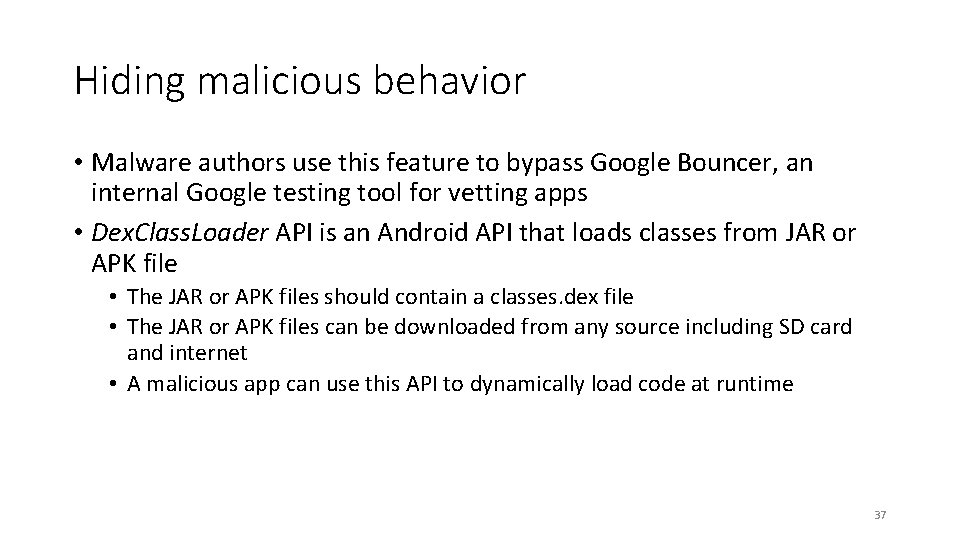
Hiding malicious behavior • Malware authors use this feature to bypass Google Bouncer, an internal Google testing tool for vetting apps • Dex. Class. Loader API is an Android API that loads classes from JAR or APK file • The JAR or APK files should contain a classes. dex file • The JAR or APK files can be downloaded from any source including SD card and internet • A malicious app can use this API to dynamically load code at runtime 37
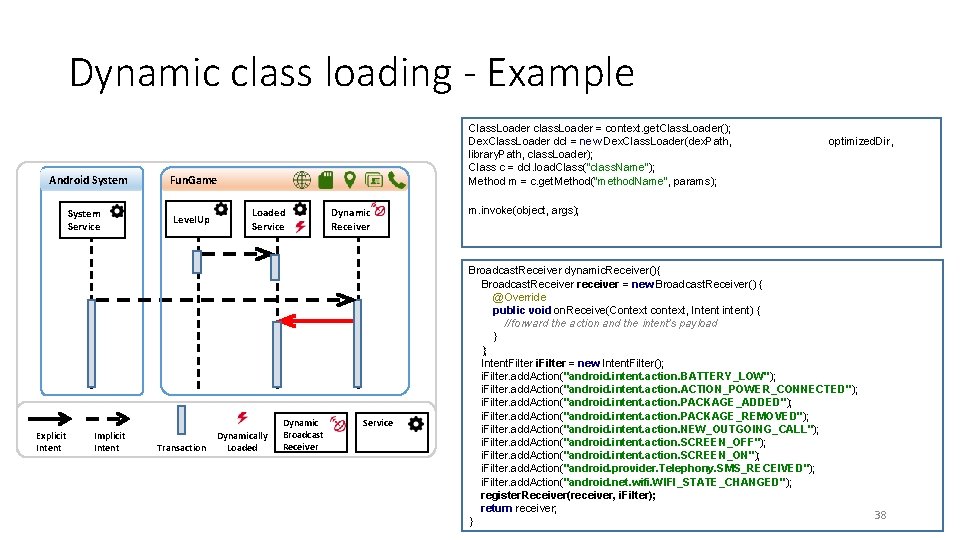
Dynamic class loading - Example Android System Service Explicit Intent Implicit Intent Class. Loader class. Loader = context. get. Class. Loader(); Dex. Class. Loader dcl = new Dex. Class. Loader(dex. Path, library. Path, class. Loader); Class c = dcl. load. Class("class. Name"); Method m = c. get. Method("method. Name", params); Fun. Game Level. Up Transaction Loaded Service Dynamically Loaded Dynamic Broadcast Receiver Dynamic Receiver Service optimized. Dir, m. invoke(object, args); Broadcast. Receiver dynamic. Receiver(){ Broadcast. Receiver receiver = new Broadcast. Receiver() { @Override public void on. Receive(Context context, Intent intent) { //forward the action and the intent's payload } }; Intent. Filter i. Filter = new Intent. Filter(); i. Filter. add. Action("android. intent. action. BATTERY_LOW"); i. Filter. add. Action("android. intent. action. ACTION_POWER_CONNECTED"); i. Filter. add. Action("android. intent. action. PACKAGE_ADDED"); i. Filter. add. Action("android. intent. action. PACKAGE_REMOVED"); i. Filter. add. Action("android. intent. action. NEW_OUTGOING_CALL"); i. Filter. add. Action("android. intent. action. SCREEN_OFF"); i. Filter. add. Action("android. intent. action. SCREEN_ON"); i. Filter. add. Action("android. provider. Telephony. SMS_RECEIVED"); i. Filter. add. Action("android. net. wifi. WIFI_STATE_CHANGED"); register. Receiver(receiver, i. Filter); return receiver; } 38
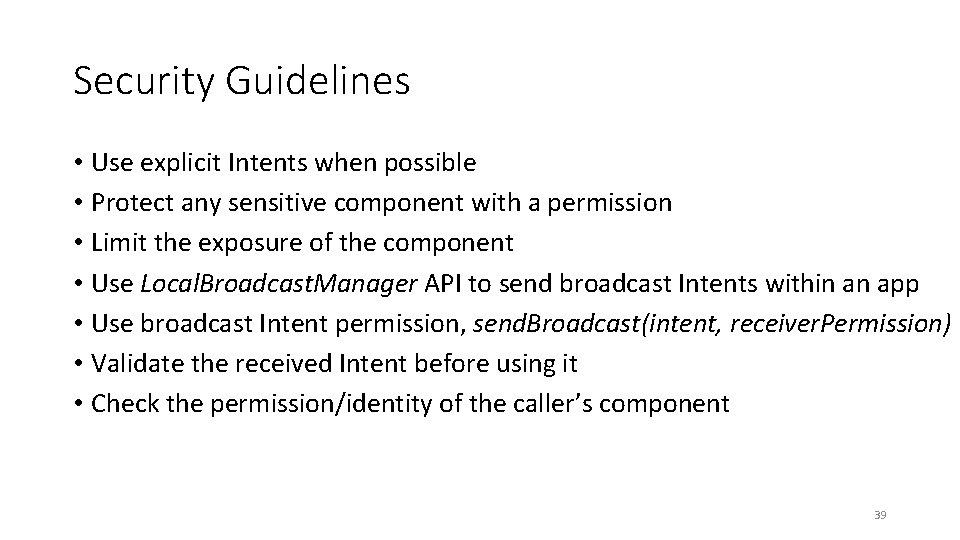
Security Guidelines • Use explicit Intents when possible • Protect any sensitive component with a permission • Limit the exposure of the component • Use Local. Broadcast. Manager API to send broadcast Intents within an app • Use broadcast Intent permission, send. Broadcast(intent, receiver. Permission) • Validate the received Intent before using it • Check the permission/identity of the caller’s component 39
References • [1] Chin, et al. Analyzing Inter-Application Communication in Android (Links to an external site. ). International Conference on Mobile Systems, Applications, and Services, Washington DC, June 2011 • [2] Hardy, Norm. "The Confused Deputy: (or why capabilities might have been invented). " ACM SIGOPS Operating Systems Review 22. 4 (1988): 36 -38 • [3] Felt, Adrienne Porter, et al. "Android permissions demystified. " Proceedings of the 18 th ACM conference on Computer and communications security. ACM, 2011. 40