3 rd Sea Data Net training course Ostende


- Slides: 49
3 rd Sea. Data. Net training course – Ostende – 16 -19 June 2008 OBSERVATIONS & PRÉVISIONS CÔTIÈRES Tools for data management in the frame of Sea. Data. Net project M. Fichaut www. seadatanet. org
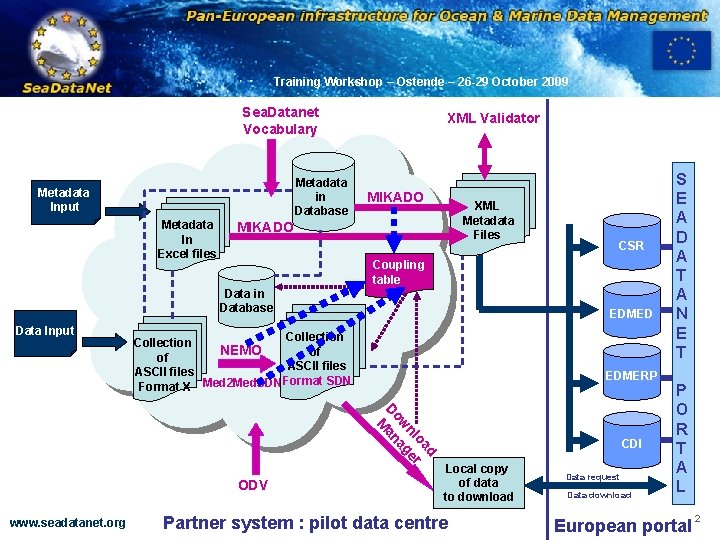
OBSERVATIONS & PRÉVISIONS CÔTIÈRES Training Workshop – Ostende – 26 -29 October 2009 Sea. Datanet Vocabulary Metadata in Database Metadata Input Metadata In Excel files XML Validator MIKADO XML Metadata Files MIKADO Coupling table Data in Database Data Input CSR EDMED Collection NEMO of of ASCII files Format SDN Format X Med 2 Med. SDN EDMERP M d oa nl ger ow na a D ODV www. seadatanet. org CDI Local copy of data to download Partner system : pilot data centre Data request Data download S E A D A T A N E T P O R T A L European portal 2
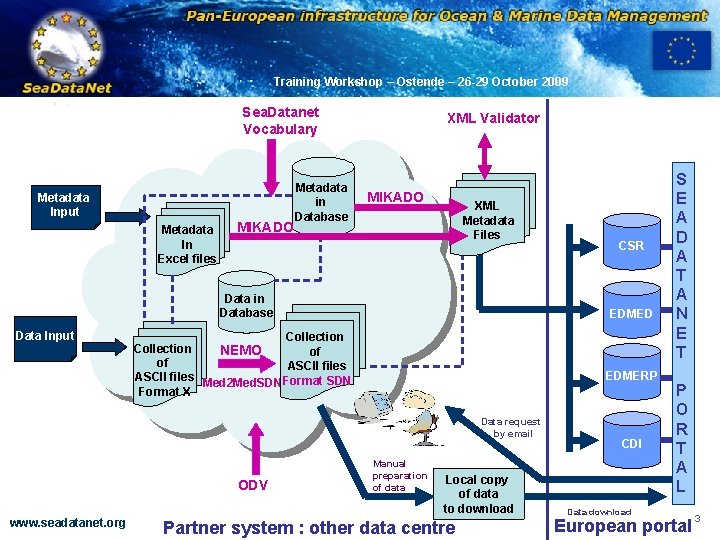
OBSERVATIONS & PRÉVISIONS CÔTIÈRES Training Workshop – Ostende – 26 -29 October 2009 Sea. Datanet Vocabulary Metadata Input Metadata In Excel files MIKADO Metadata in Database XML Validator MIKADO XML Metadata Files Data in Database Data Input EDMED Collection NEMO of of ASCII files Med 2 Med. SDNFormat SDN Format X EDMERP Data request by email ODV www. seadatanet. org CSR Manual preparation of data Local copy of data to download Partner system : other data centre CDI Data download S E A D A T A N E T P O R T A L European portal 3
OBSERVATIONS & PRÉVISIONS CÔTIÈRES Training Workshop – Ostende – 26 -29 October 2009 v Overview (1) • MIKADO • Objectives and technical characteristics of Mikado • Mikado’s main features • Manual input of metadata • Use of the common SDN vocabularies • Automatic XML generation • Connection to the local database • Query writing • Mapping to the local database • Batch mode • Coupling table for download manager • XML VALIDATION SERVICE www. seadatanet. org 4
OBSERVATIONS & PRÉVISIONS CÔTIÈRES Training Workshop – Ostende – 26 -29 October 2009 v Overview (2) • Med 2 Med. SDN • Objectives and main features • NEMO • Objectives, main features and principles of NEMO • Technical characteristics • Description of the different steps to follow to be able to reformat ASCII files to Sea. Data. Net format • Link between NEMO and MIKADO • Link between NEMO and SDN Download Manager – coupling table www. seadatanet. org 5
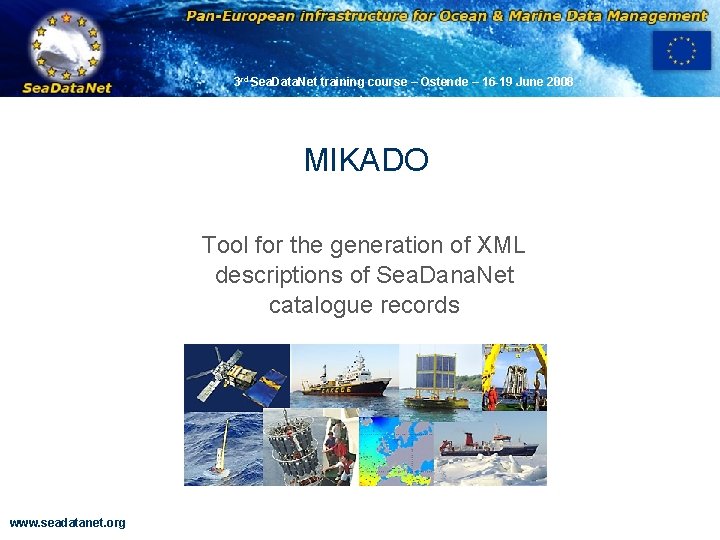
3 rd Sea. Data. Net training course – Ostende – 16 -19 June 2008 OBSERVATIONS & PRÉVISIONS CÔTIÈRES MIKADO Tool for the generation of XML descriptions of Sea. Dana. Net catalogue records www. seadatanet. org
OBSERVATIONS & PRÉVISIONS CÔTIÈRES Training Workshop – Ostende – 26 -29 October 2009 v Objective MIKADO is used to generate XML catalogue descriptions, it creates XML ISO-19115 files using SDN common vocabularies for metadata exchange of CSR - Cruise Summary Reports EDMED - Marine Environmental Data sets CDI - Common Data Index EDMERP - Marine Environmental Research Projects [EDIOS – Permanent Ocean-observing System] Is freely available on Sea. Data. Net Web site http: //www. seadatanet. org/standards_software/mikado www. seadatanet. org 7
OBSERVATIONS & PRÉVISIONS CÔTIÈRES Training Workshop – Ostende – 26 -29 October 2009 v Technical characteristics • Written in Java Language (Version >= 1. 6) • Available under multiple environments : • Microsoft : Windows 2000, XP, VISTA , APPLE • Unix - Solaris • Linux. • Use of the Sea. Data. Net common vocabularies web services to update lists of values • needs network connection in order to have up to date lists of values. • but Mikado works offline once the lists are up-to-date www. seadatanet. org 8
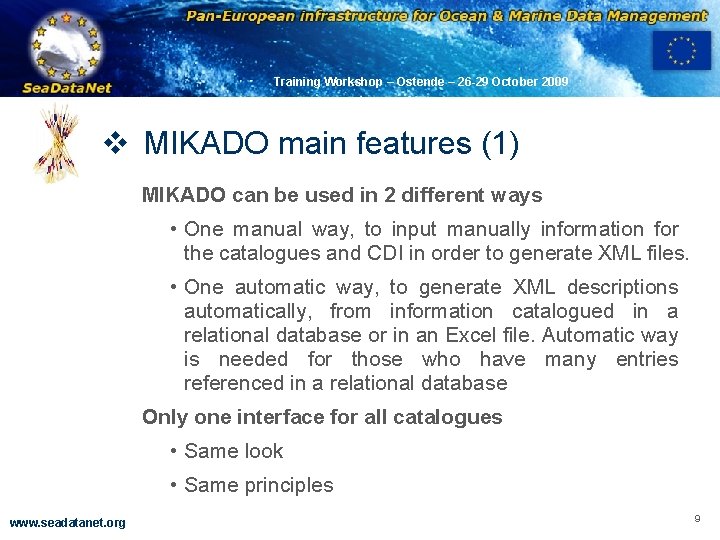
OBSERVATIONS & PRÉVISIONS CÔTIÈRES Training Workshop – Ostende – 26 -29 October 2009 v MIKADO main features (1) MIKADO can be used in 2 different ways • One manual way, to input manually information for the catalogues and CDI in order to generate XML files. • One automatic way, to generate XML descriptions automatically, from information catalogued in a relational database or in an Excel file. Automatic way is needed for those who have many entries referenced in a relational database Only one interface for all catalogues • Same look • Same principles www. seadatanet. org 9
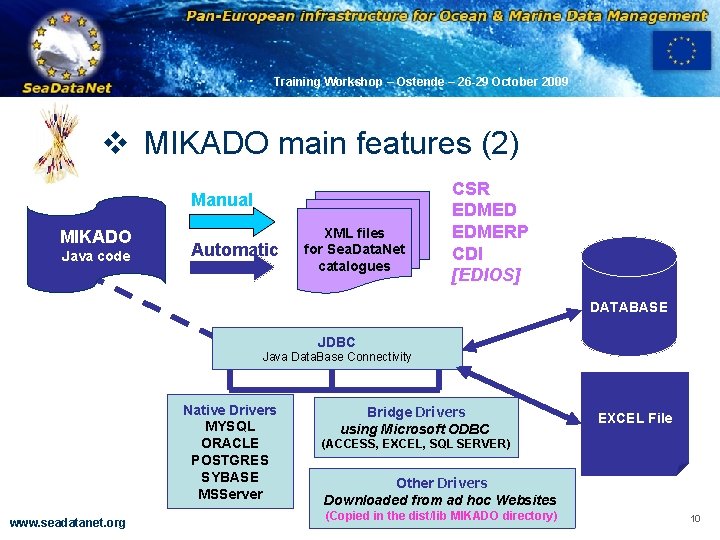
OBSERVATIONS & PRÉVISIONS CÔTIÈRES Training Workshop – Ostende – 26 -29 October 2009 v MIKADO main features (2) Manual MIKADO Java code Automatic XML files for Sea. Data. Net catalogues CSR EDMED EDMERP CDI [EDIOS] DATABASE JDBC Java Data. Base Connectivity Native Drivers MYSQL ORACLE POSTGRES SYBASE MSServer www. seadatanet. org Bridge Drivers using Microsoft ODBC EXCEL File (ACCESS, EXCEL, SQL SERVER) Other Drivers Downloaded from ad hoc Websites (Copied in the dist/lib MIKADO directory) 10
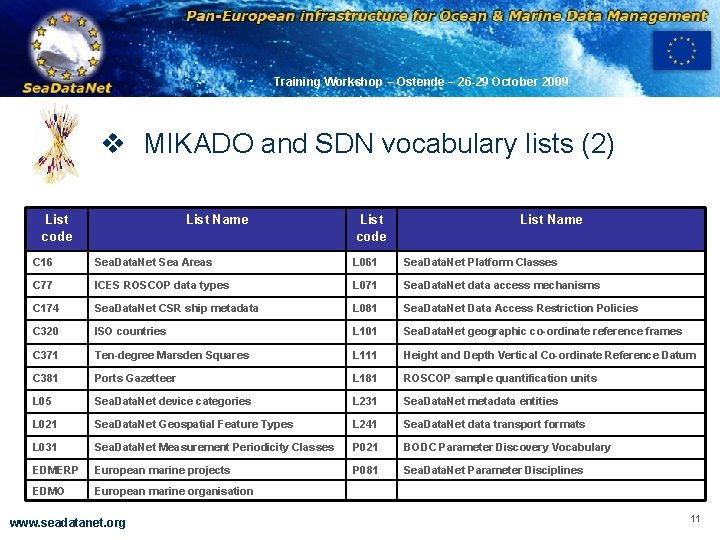
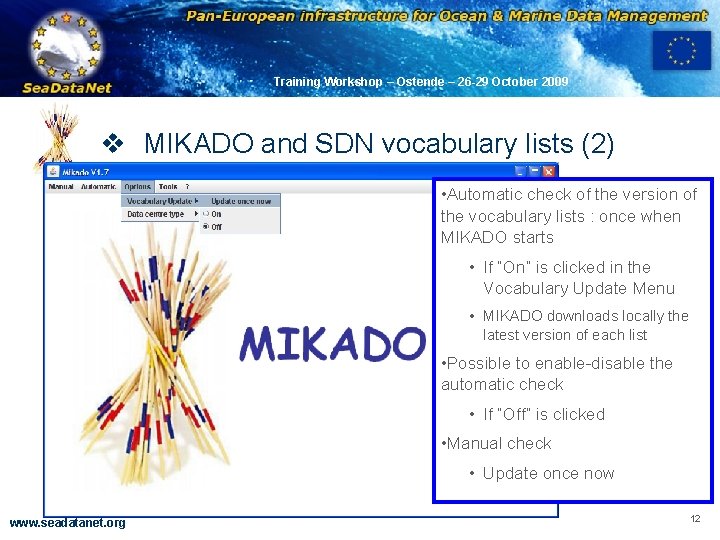
OBSERVATIONS & PRÉVISIONS CÔTIÈRES Training Workshop – Ostende – 26 -29 October 2009 v MIKADO and SDN vocabulary lists (2) List code List Name C 16 Sea. Data. Net Sea Areas L 061 Sea. Data. Net Platform Classes C 77 ICES ROSCOP data types L 071 Sea. Data. Net data access mechanisms C 174 Sea. Data. Net CSR ship metadata L 081 Sea. Data. Net Data Access Restriction Policies C 320 ISO countries L 101 Sea. Data. Net geographic co-ordinate reference frames C 371 Ten-degree Marsden Squares L 111 Height and Depth Vertical Co-ordinate Reference Datum C 381 Ports Gazetteer L 181 ROSCOP sample quantification units L 05 Sea. Data. Net device categories L 231 Sea. Data. Net metadata entities L 021 Sea. Data. Net Geospatial Feature Types L 241 Sea. Data. Net data transport formats L 031 Sea. Data. Net Measurement Periodicity Classes P 021 BODC Parameter Discovery Vocabulary EDMERP European marine projects P 081 Sea. Data. Net Parameter Disciplines EDMO European marine organisation www. seadatanet. org 11
OBSERVATIONS & PRÉVISIONS CÔTIÈRES Training Workshop – Ostende – 26 -29 October 2009 v MIKADO and SDN vocabulary lists (2) • Automatic check of the version of the vocabulary lists : once when MIKADO starts • If “On” is clicked in the Vocabulary Update Menu • MIKADO downloads locally the latest version of each list • Possible to enable-disable the automatic check • If “Off” is clicked • Manual check • Update once now www. seadatanet. org 12
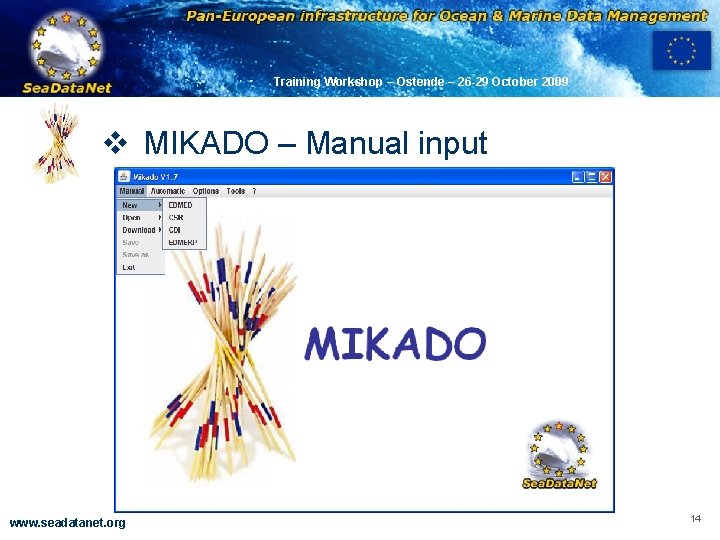
OBSERVATIONS & PRÉVISIONS CÔTIÈRES Training Workshop – Ostende – 26 -29 October 2009 v MIKADO – Manual input • Available for 4 catalogues : EDMED, CSR, CDI, EDMERP • Each input generates an XML file that can be sent to the central catalogue • For EDMERP and CSR : EDMERP CMS and CSR online can also be used, but MIKADO is useful • if you have problems with the NETWORK connection • if you want to keep locally an XML description of your catalogues • For EDMED and CDI, there is no online input tools. www. seadatanet. org 13
OBSERVATIONS & PRÉVISIONS CÔTIÈRES Training Workshop – Ostende – 26 -29 October 2009 v MIKADO – Manual input www. seadatanet. org 14
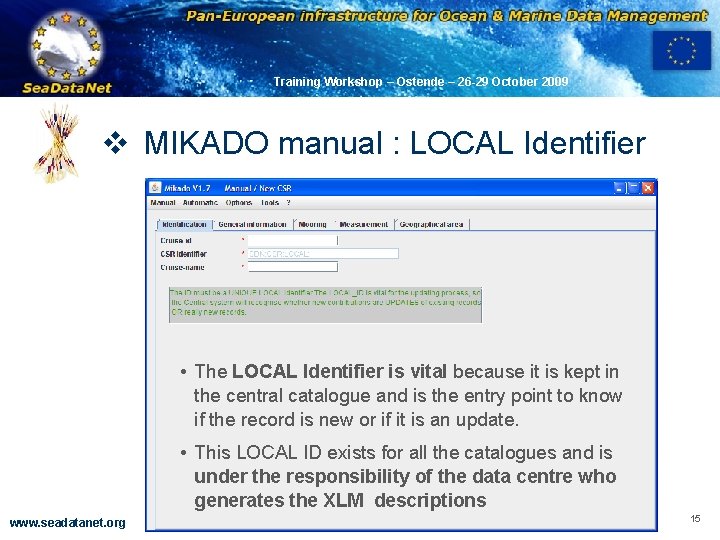
OBSERVATIONS & PRÉVISIONS CÔTIÈRES Training Workshop – Ostende – 26 -29 October 2009 v MIKADO manual : LOCAL Identifier • The LOCAL Identifier is vital because it is kept in the central catalogue and is the entry point to know if the record is new or if it is an update. • This LOCAL ID exists for all the catalogues and is under the responsibility of the data centre who generates the XLM descriptions www. seadatanet. org 15
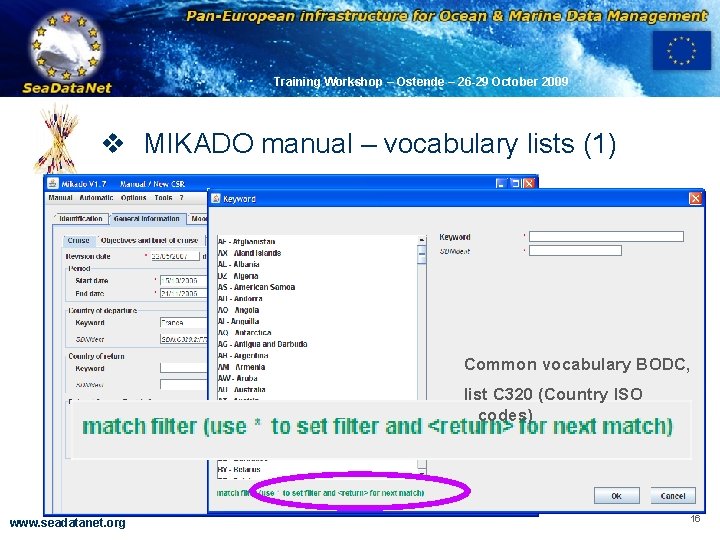
OBSERVATIONS & PRÉVISIONS CÔTIÈRES Training Workshop – Ostende – 26 -29 October 2009 v MIKADO manual – vocabulary lists (1) Common vocabulary BODC, list C 320 (Country ISO codes) www. seadatanet. org 16
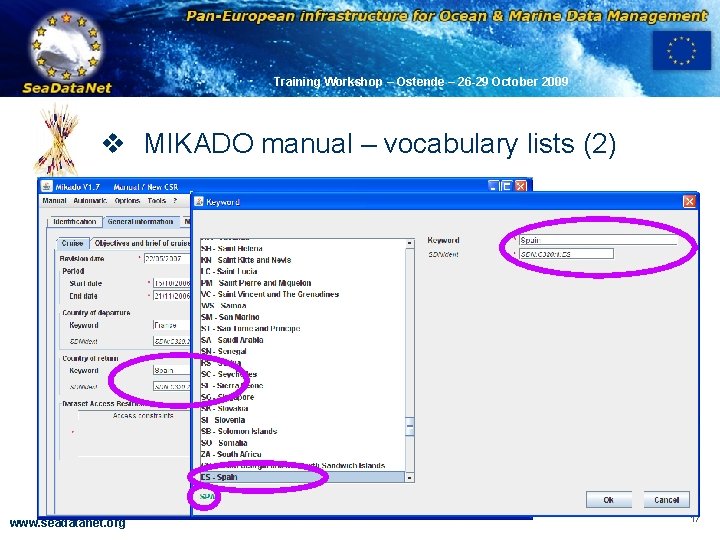
OBSERVATIONS & PRÉVISIONS CÔTIÈRES Training Workshop – Ostende – 26 -29 October 2009 v MIKADO manual – vocabulary lists (2) www. seadatanet. org 17
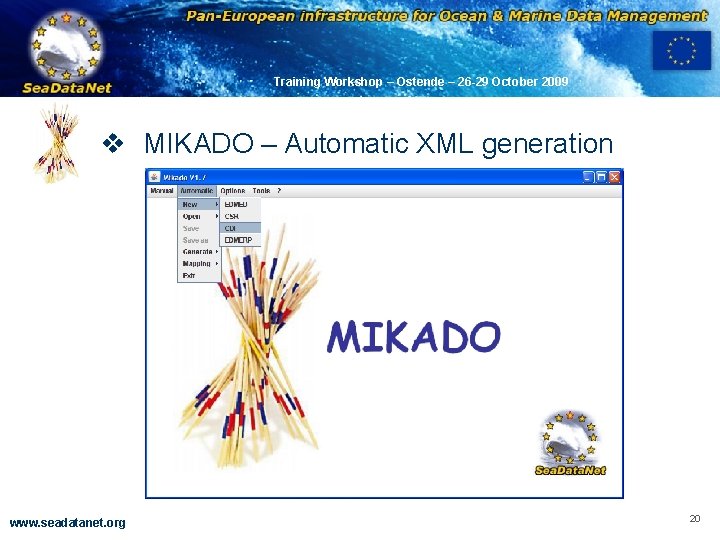
OBSERVATIONS & PRÉVISIONS CÔTIÈRES Training Workshop – Ostende – 26 -29 October 2009 v MIKADO – Automatic XML generation Principle • Read the information about CSR, EDMED, EDMERP or CDI in a database or in an Excel file • MIKADO has predefined variables which correspond to the XML tags definition for each catalogues • MIKADO helps user to write the SQL orders to fulfill these variables with the information available in the database or in the Excel file www. seadatanet. org 18
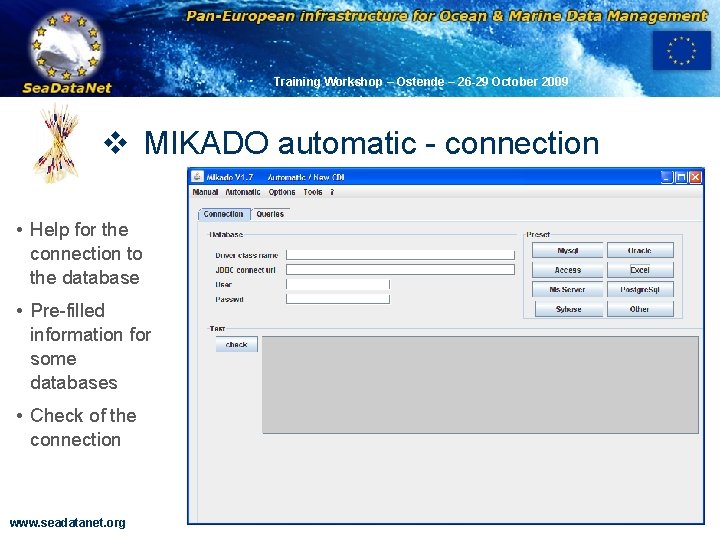
OBSERVATIONS & PRÉVISIONS CÔTIÈRES Training Workshop – Ostende – 26 -29 October 2009 v MIKADO – Automatic XML generation 4 STEPS • Connect to a database or an Excel file and test the connection • Write the queries to retrieve information in the database or in the Excel file, test the queries • Save the queries in a “Configuration file” • Generate the XML files using the “Configuration file” www. seadatanet. org 19
OBSERVATIONS & PRÉVISIONS CÔTIÈRES Training Workshop – Ostende – 26 -29 October 2009 v MIKADO – Automatic XML generation www. seadatanet. org 20
OBSERVATIONS & PRÉVISIONS CÔTIÈRES Training Workshop – Ostende – 26 -29 October 2009 v MIKADO automatic - connection • Help for the connection to the database • Pre-filled information for some databases • Check of the connection www. seadatanet. org 21
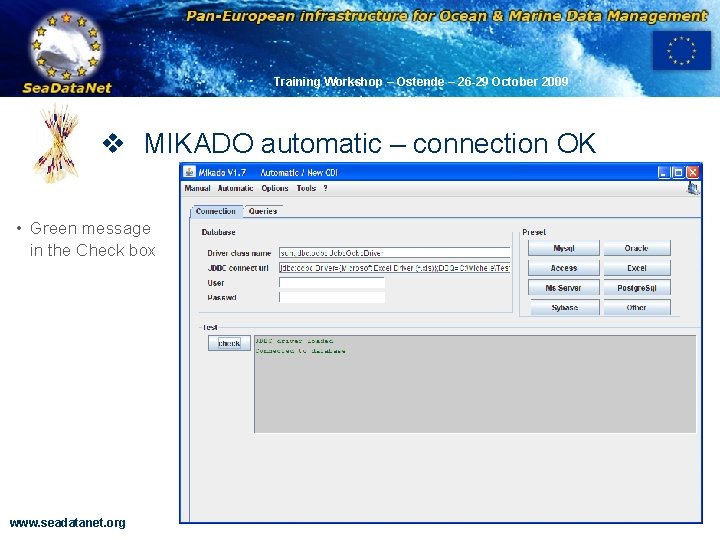
OBSERVATIONS & PRÉVISIONS CÔTIÈRES Training Workshop – Ostende – 26 -29 October 2009 v MIKADO automatic – connection OK • Green message in the Check box www. seadatanet. org 22
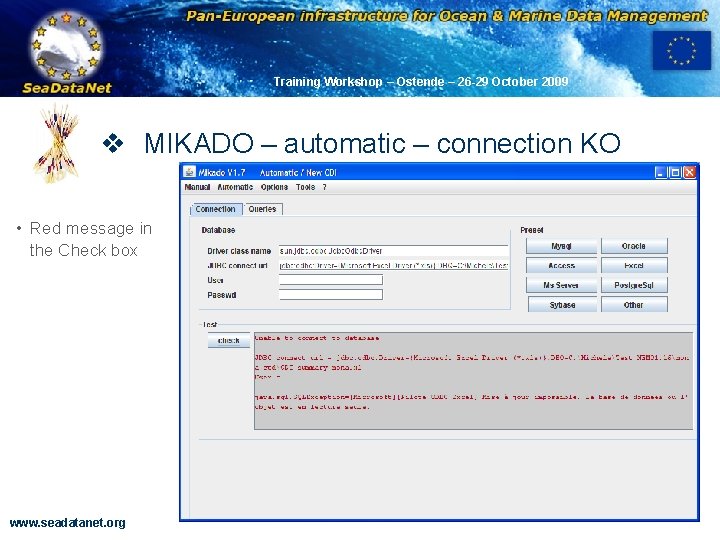
OBSERVATIONS & PRÉVISIONS CÔTIÈRES Training Workshop – Ostende – 26 -29 October 2009 v MIKADO – automatic – connection KO • Red message in the Check box www. seadatanet. org 23
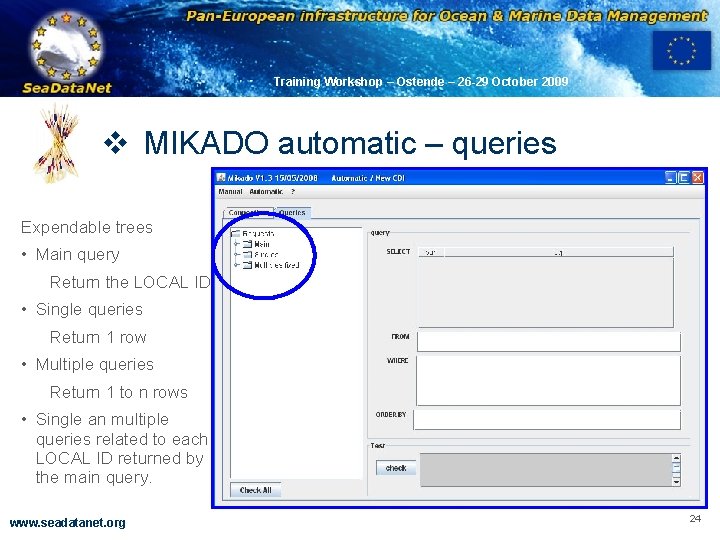
OBSERVATIONS & PRÉVISIONS CÔTIÈRES Training Workshop – Ostende – 26 -29 October 2009 v MIKADO automatic – queries Expendable trees • Main query Return the LOCAL ID • Single queries Return 1 row • Multiple queries Return 1 to n rows • Single an multiple queries related to each LOCAL ID returned by the main query. www. seadatanet. org 24
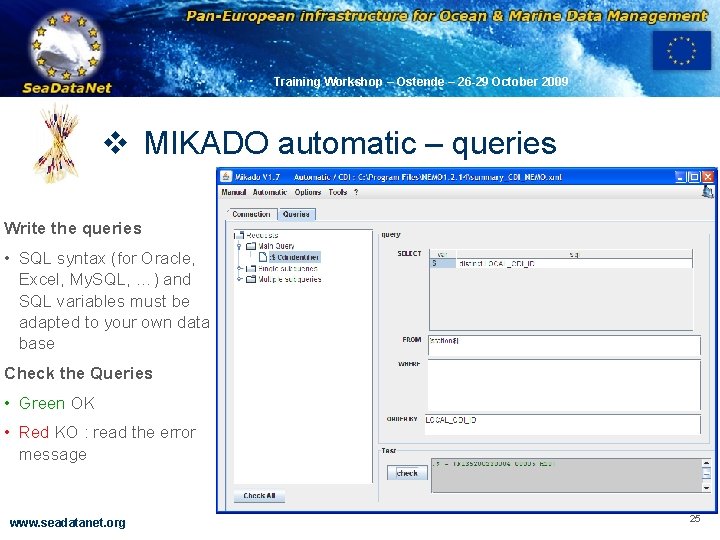
OBSERVATIONS & PRÉVISIONS CÔTIÈRES Training Workshop – Ostende – 26 -29 October 2009 v MIKADO automatic – queries Write the queries • SQL syntax (for Oracle, Excel, My. SQL, …) and SQL variables must be adapted to your own data base Check the Queries • Green OK • Red KO : read the error message www. seadatanet. org 25
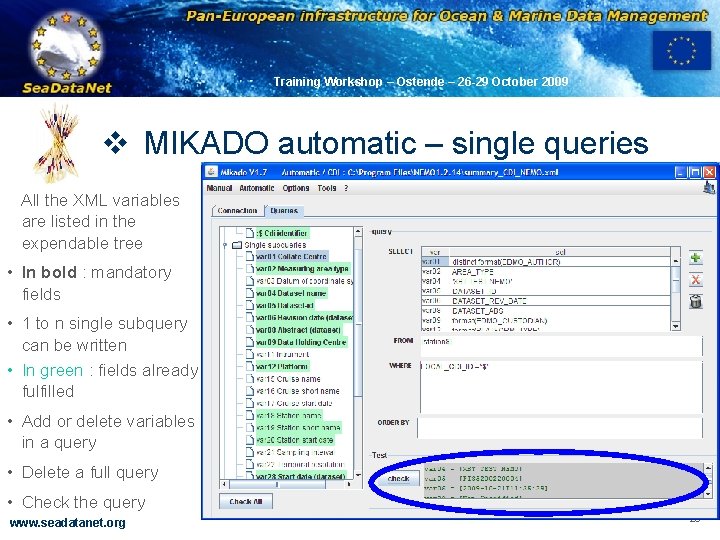
OBSERVATIONS & PRÉVISIONS CÔTIÈRES Training Workshop – Ostende – 26 -29 October 2009 v MIKADO automatic – single queries All the XML variables are listed in the expendable tree • In bold : mandatory fields • 1 to n single subquery can be written • In green : fields already fulfilled • Add or delete variables in a query • Delete a full query • Check the query www. seadatanet. org 26
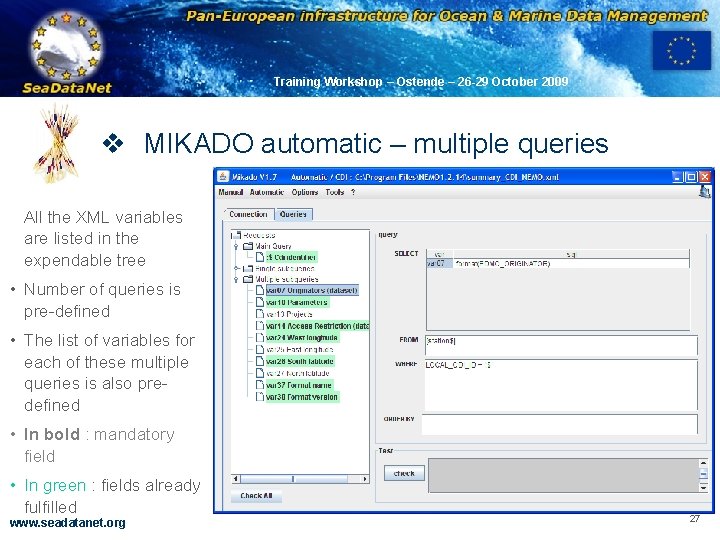
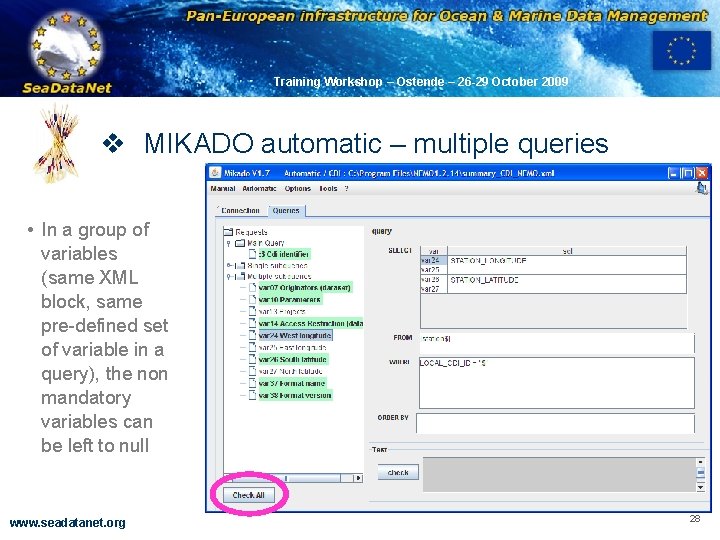
OBSERVATIONS & PRÉVISIONS CÔTIÈRES Training Workshop – Ostende – 26 -29 October 2009 v MIKADO automatic – multiple queries All the XML variables are listed in the expendable tree • Number of queries is pre-defined • The list of variables for each of these multiple queries is also predefined • In bold : mandatory field • In green : fields already fulfilled www. seadatanet. org 27
OBSERVATIONS & PRÉVISIONS CÔTIÈRES Training Workshop – Ostende – 26 -29 October 2009 v MIKADO automatic – multiple queries • In a group of variables (same XML block, same pre-defined set of variable in a query), the non mandatory variables can be left to null www. seadatanet. org 28
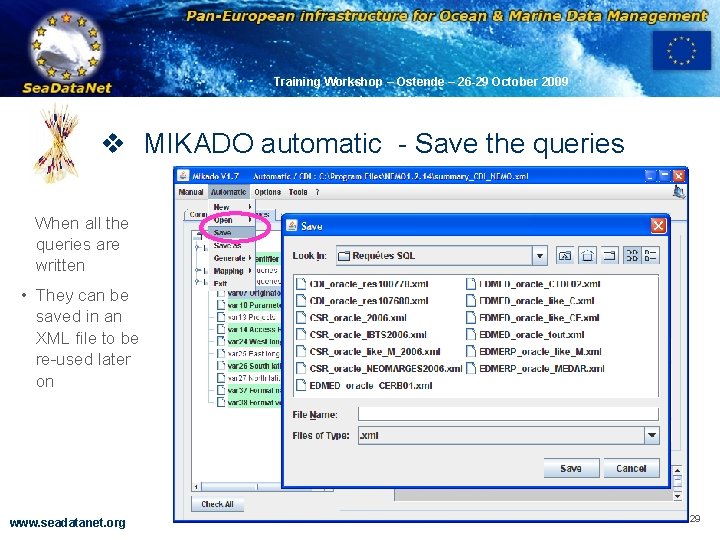
OBSERVATIONS & PRÉVISIONS CÔTIÈRES Training Workshop – Ostende – 26 -29 October 2009 v MIKADO automatic - Save the queries When all the queries are written • They can be saved in an XML file to be re-used later on www. seadatanet. org 29
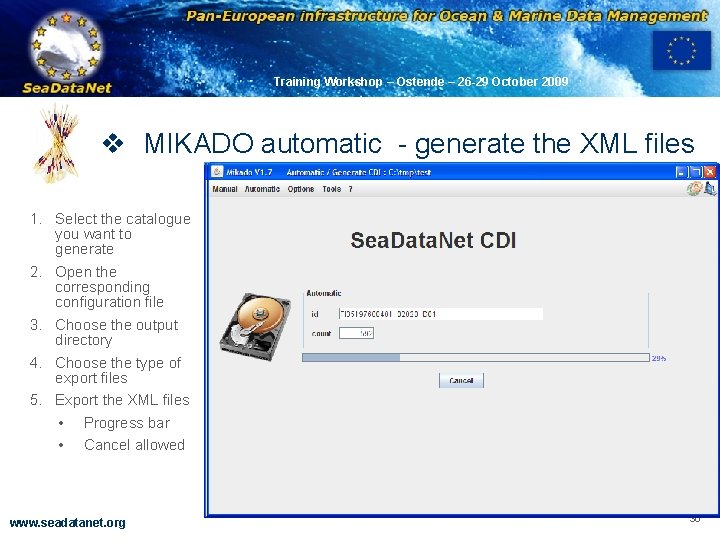
OBSERVATIONS & PRÉVISIONS CÔTIÈRES Training Workshop – Ostende – 26 -29 October 2009 v MIKADO automatic - generate the XML files 1. Select the catalogue you want to generate 2. Open the corresponding configuration file 3. Choose the output directory 4. Choose the type of export files 5. Export the XML files • Progress bar • Cancel allowed www. seadatanet. org 30
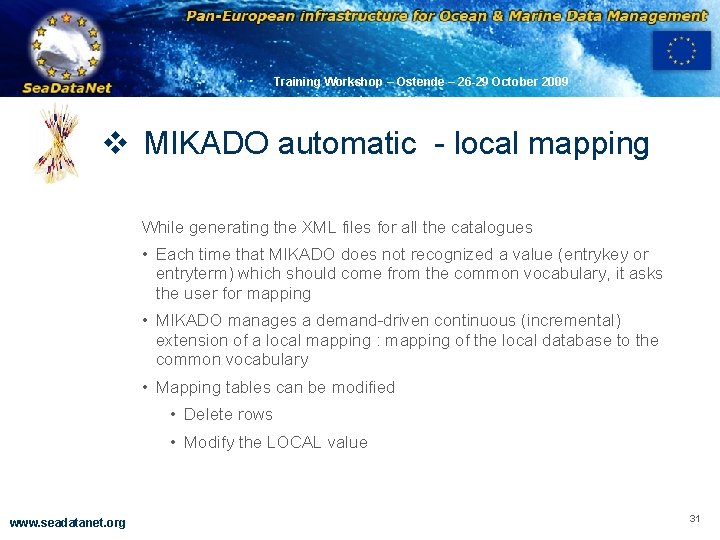
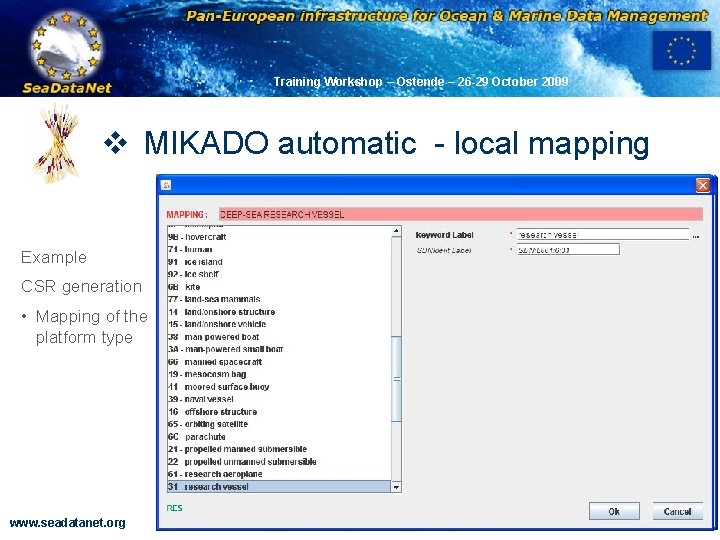
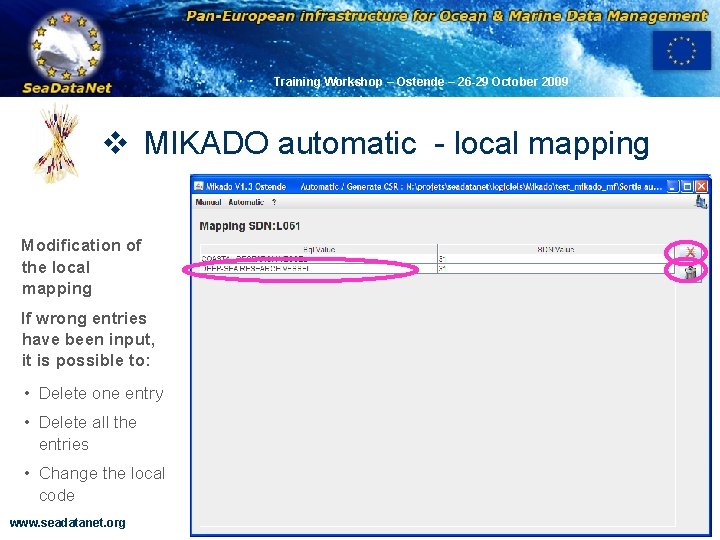
OBSERVATIONS & PRÉVISIONS CÔTIÈRES Training Workshop – Ostende – 26 -29 October 2009 v MIKADO automatic - local mapping While generating the XML files for all the catalogues • Each time that MIKADO does not recognized a value (entrykey or entryterm) which should come from the common vocabulary, it asks the user for mapping • MIKADO manages a demand-driven continuous (incremental) extension of a local mapping : mapping of the local database to the common vocabulary • Mapping tables can be modified • Delete rows • Modify the LOCAL value www. seadatanet. org 31
OBSERVATIONS & PRÉVISIONS CÔTIÈRES Training Workshop – Ostende – 26 -29 October 2009 v MIKADO automatic - local mapping Example CSR generation • Mapping of the platform type www. seadatanet. org 32
OBSERVATIONS & PRÉVISIONS CÔTIÈRES Training Workshop – Ostende – 26 -29 October 2009 v MIKADO automatic - local mapping Modification of the local mapping If wrong entries have been input, it is possible to: • Delete one entry • Delete all the entries • Change the local code www. seadatanet. org 33
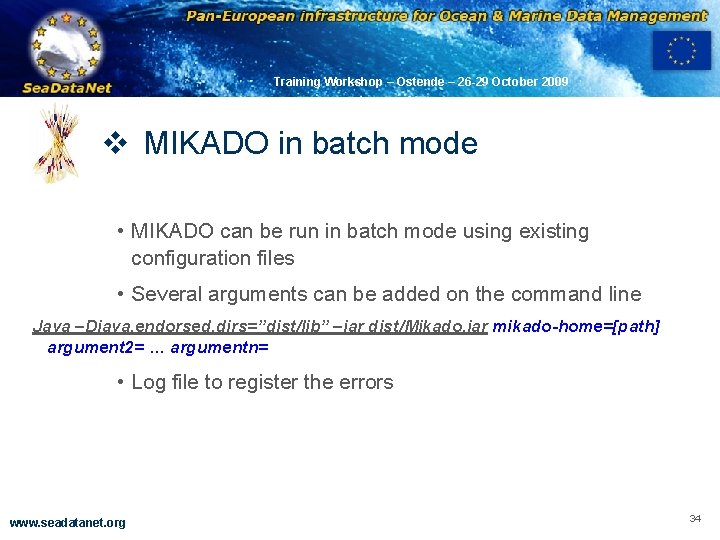
OBSERVATIONS & PRÉVISIONS CÔTIÈRES Training Workshop – Ostende – 26 -29 October 2009 v MIKADO in batch mode • MIKADO can be run in batch mode using existing configuration files • Several arguments can be added on the command line Java –Djava. endorsed. dirs=”dist/lib” –jar dist/Mikado. jar mikado-home=[path] argument 2= … argumentn= • Log file to register the errors www. seadatanet. org 34
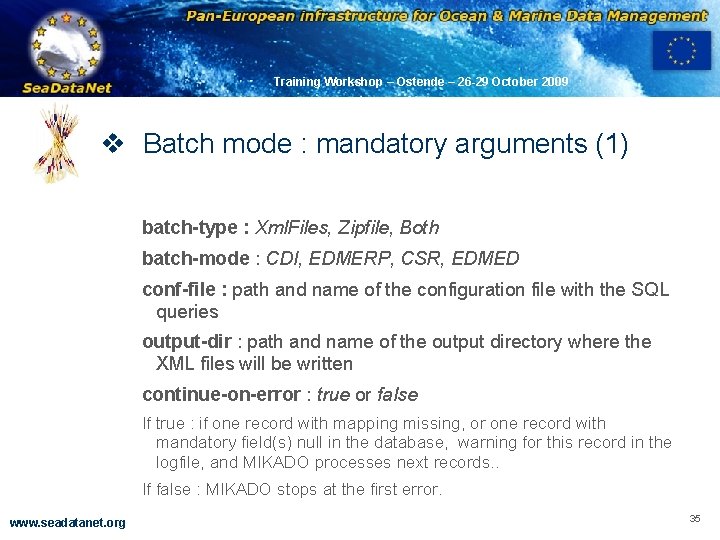
OBSERVATIONS & PRÉVISIONS CÔTIÈRES Training Workshop – Ostende – 26 -29 October 2009 v Batch mode : mandatory arguments (1) batch-type : Xml. Files, Zipfile, Both batch-mode : CDI, EDMERP, CSR, EDMED conf-file : path and name of the configuration file with the SQL queries output-dir : path and name of the output directory where the XML files will be written continue-on-error : true or false If true : if one record with mapping missing, or one record with mandatory field(s) null in the database, warning for this record in the logfile, and MIKADO processes next records. . If false : MIKADO stops at the first error. www. seadatanet. org 35
OBSERVATIONS & PRÉVISIONS CÔTIÈRES Training Workshop – Ostende – 26 -29 October 2009 v Batch mode : optional arguments (2) log-file : Path and name of the Log file of MIKADO. By default, mikado. log in Mikado home directory trace : to have a summary of the time response of each SQL query (useful for tuning of the queries bad if time responses) max-file-in-zip : number maximum of XML files per zip file generated by Mikado. By default, one zip file contains 1000 XML files. zip-prefix : To personalize the names of the Zip files generated by Mikado. By default the zip file name are Sea. Data. Net_[catalogue]_[x]. zip www. seadatanet. org 36
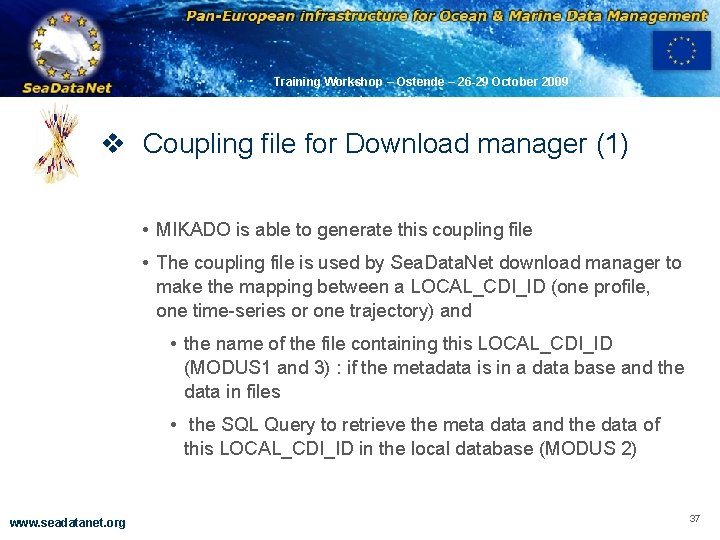
OBSERVATIONS & PRÉVISIONS CÔTIÈRES Training Workshop – Ostende – 26 -29 October 2009 v Coupling file for Download manager (1) • MIKADO is able to generate this coupling file • The coupling file is used by Sea. Data. Net download manager to make the mapping between a LOCAL_CDI_ID (one profile, one time-series or one trajectory) and • the name of the file containing this LOCAL_CDI_ID (MODUS 1 and 3) : if the metadata is in a data base and the data in files • the SQL Query to retrieve the meta data and the data of this LOCAL_CDI_ID in the local database (MODUS 2) www. seadatanet. org 37
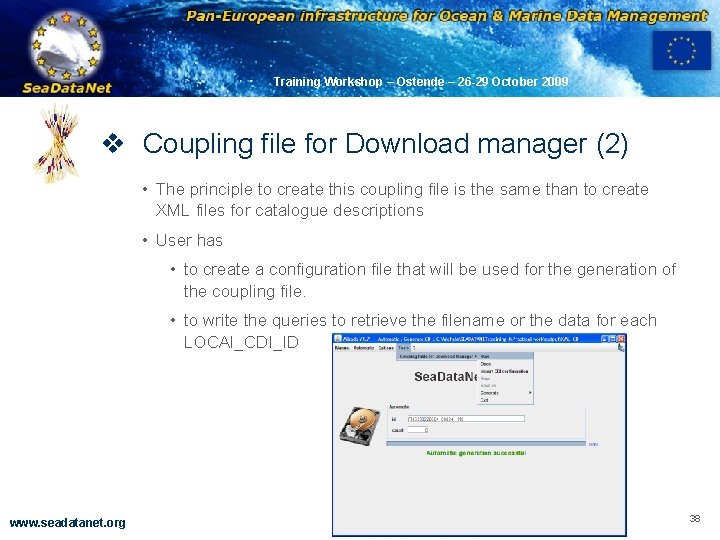
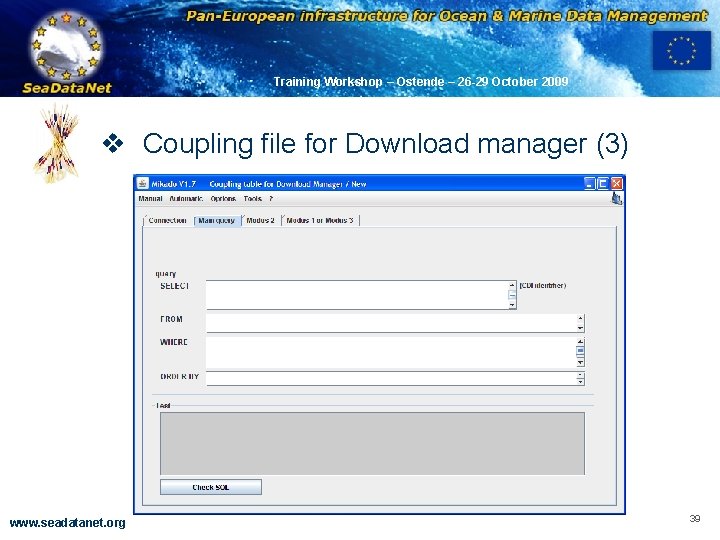
OBSERVATIONS & PRÉVISIONS CÔTIÈRES Training Workshop – Ostende – 26 -29 October 2009 v Coupling file for Download manager (2) • The principle to create this coupling file is the same than to create XML files for catalogue descriptions • User has • to create a configuration file that will be used for the generation of the coupling file. • to write the queries to retrieve the filename or the data for each LOCAl_CDI_ID www. seadatanet. org 38
OBSERVATIONS & PRÉVISIONS CÔTIÈRES Training Workshop – Ostende – 26 -29 October 2009 v Coupling file for Download manager (3) www. seadatanet. org 39
OBSERVATIONS & PRÉVISIONS CÔTIÈRES Training Workshop – Ostende – 26 -29 October 2009 v MIKADO – User manual is provided : File : SDN_MIKADO_User. Manual_v 1_1_4. pdf • Detailed explanation for MIKADO use, lots of snapshots www. seadatanet. org 40
OBSERVATIONS & PRÉVISIONS CÔTIÈRES Training Workshop – Ostende – 26 -29 October 2009 ANY QUESTION? www. seadatanet. org 41
OBSERVATIONS & PRÉVISIONS CÔTIÈRES Training Workshop – Ostende – 26 -29 October 2009 v VALIDATION of XML files • XML validation Services have been developed in the frame of Sea. Data. Net by the Russian NODC • It is a Web validation Service available at http: //www. seadatanet. org/validator www. seadatanet. org 42
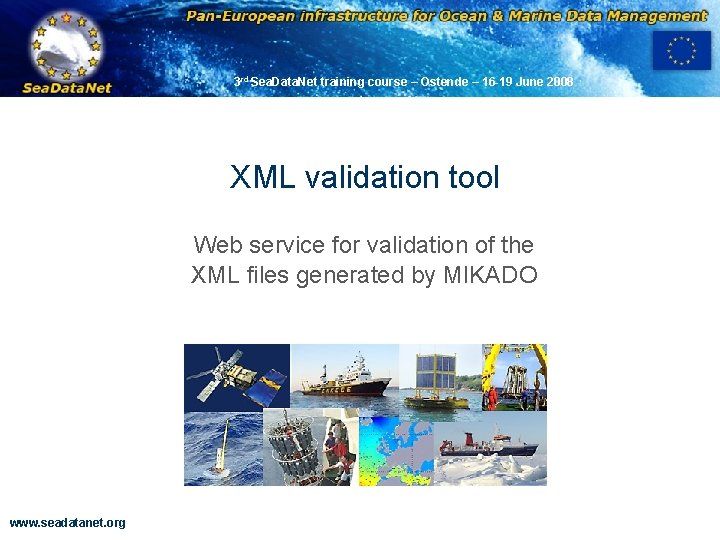
3 rd Sea. Data. Net training course – Ostende – 16 -19 June 2008 OBSERVATIONS & PRÉVISIONS CÔTIÈRES XML validation tool Web service for validation of the XML files generated by MIKADO www. seadatanet. org
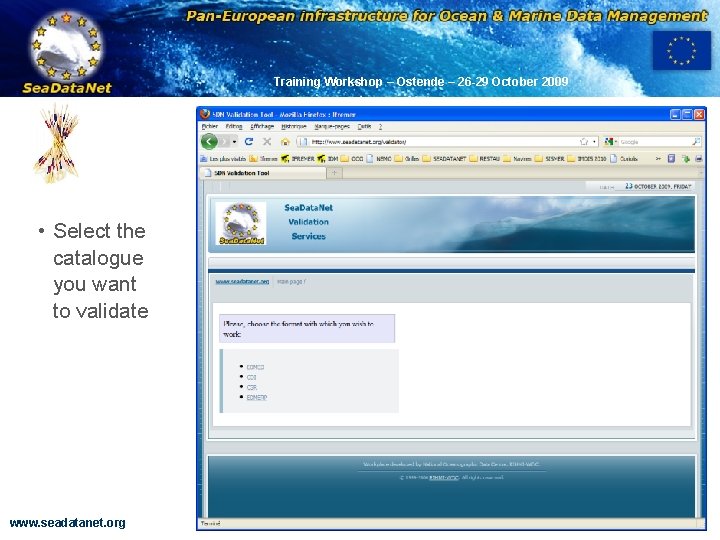
OBSERVATIONS & PRÉVISIONS CÔTIÈRES Training Workshop – Ostende – 26 -29 October 2009 • Select the catalogue you want to validate www. seadatanet. org 44
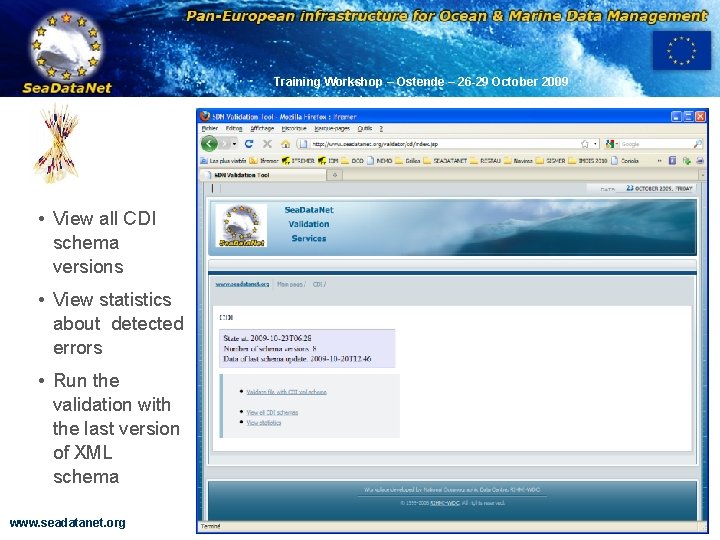
OBSERVATIONS & PRÉVISIONS CÔTIÈRES Training Workshop – Ostende – 26 -29 October 2009 • View all CDI schema versions • View statistics about detected errors • Run the validation with the last version of XML schema www. seadatanet. org 45
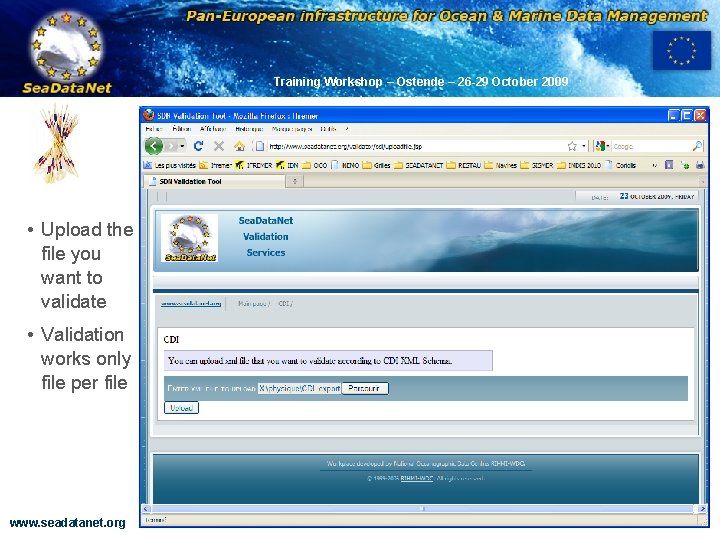
OBSERVATIONS & PRÉVISIONS CÔTIÈRES Training Workshop – Ostende – 26 -29 October 2009 • Upload the file you want to validate • Validation works only file per file www. seadatanet. org 46
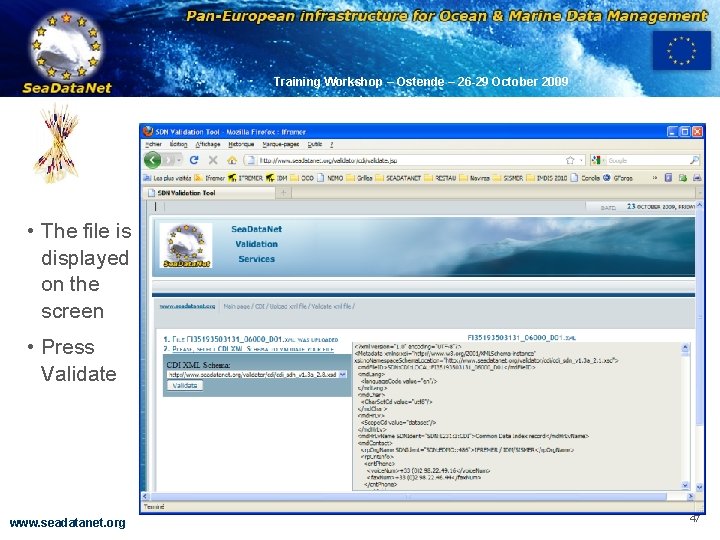
OBSERVATIONS & PRÉVISIONS CÔTIÈRES Training Workshop – Ostende – 26 -29 October 2009 • The file is displayed on the screen • Press Validate www. seadatanet. org 47
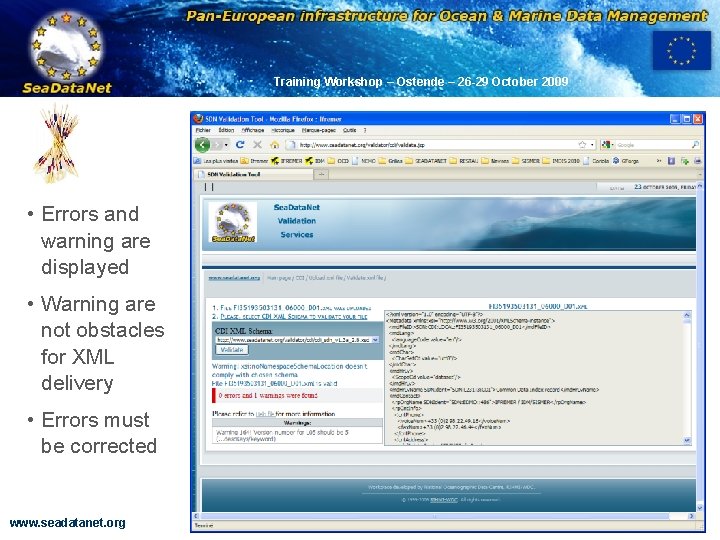
OBSERVATIONS & PRÉVISIONS CÔTIÈRES Training Workshop – Ostende – 26 -29 October 2009 • Errors and warning are displayed • Warning are not obstacles for XML delivery • Errors must be corrected www. seadatanet. org 48
OBSERVATIONS & PRÉVISIONS CÔTIÈRES Training Workshop – Ostende – 26 -29 October 2009 ANY QUESTION? www. seadatanet. org 49