05 773 A 4 Computer Science Perspectives in
- Slides: 48
05 -773 A 4: Computer Science Perspectives in HCI, (CS Mini), Spring, 2019, Mini 4 Brad Myers 1. Course overview, topics, and organization; and why hard © 2019 - Brad Myers 1
Course: l l l Tuesdays and Thursdays 10: 30 AM - 11: 50 AM in Gates 4301 Course web page: http: //www. cs. cmu. edu/~bam/uicourse/csmini 2019/ l Overview & Schedule: http: //www. cs. cmu. edu/~bam/uicourse/csmini 2019/schedule. html © 2019 - Brad Myers 2
Instructor l Brad Myers l l l l Secretary: Lauren Hardwig l l l Human Computer Interaction Institute Office: Newell-Simon Hall (NSH) 3517 Phone: x 8 -5150 E-mail: bam@cs. cmu. edu http: //www. cs. cmu. edu/~bam Office hours: By appointment or drop by NSH 3526 B 412 -268 -1638 No TA © 2019 - Brad Myers 3
What are we going to do day to day? l READING! l l l This is course is centered on the literature You are going to do a LOT of reading And Discussion l Started on-line, but mostly in class l l Which means you need to be here Especially because there are only 13 class meetings © 2019 - Brad Myers 4
Things you will need to do l Every class l Read the papers (Yes there a lot of them) l l There may be pop-quizzes on one or more of the required readings Be here and participate l l Some of you have commitments driven by your research, so… You get at most 1 excused “absence for professional reasons” § § § l l Must be approved in advance (talk to me soon) For professional reasons such as attending a conference Still need to do the readings and post your comments (on time) If you are legitimately ill, that’s ok (you will be excused) But beyond the 1 st excused absence, you may have to take an incomplete in the course with additional assignments as makeup for the missed work (unexcused absences may seriously hurt your grade) © 2019 - Brad Myers 5
Things you will need to do l Once l Paper summaries l Posted written summary (starting next week) § l l l Presentation Starting for next Tuesday’s lecture Sign up to be discussion leader using this Google. Doc § l A few people can do 2 for extra credit Literature Review – at end of course § l How decide who gets to pick first? – First come? Random? Each student will do 1 at some point (note: change from last time) § l Summary by discussion leader (posted by Sunday night for Tuesday’s class, by Tuesday night for Thursday’s class) On a topic approved by me based on a 1 page abstract Every class period l Comment on at least 2 of the required articles (By noon the day before class) l Every class, including the weeks you are presenting, you must comment on at least two of the course readings per lecture (in addition to any summary), even if you are absent for the lecture § l Can comment on the optional readings for extra credit Using Piazza: https: //piazza. com/class/jt 7 qgboypib 26 d § § Everyone should log in right away and make sure it works Invited you with your Andrew ID © 2019 - Brad Myers 6
Presentation responsibilities l l (See: http: //www. cs. cmu. edu/~bam/uicourse/csmini 2019/index. html#leading) Online summary of the paper by 2 days before Brief review of the paper in class (remember everyone should have read it!) Provide some intellectual context l l l Where did the ideas come from What ideas build off the ones in your article? Introduce discussion questions © 2019 - Brad Myers 7
Useful questions for discussion l l Why is the research question interesting? Do you believe the author’s conclusions? l l l Where the research methods rigorous enough? How does the intellectual or empirical approach compare to others? Online and in class © 2019 - Brad Myers 8
Papers l Similar to last year l l l Updated with feedback from last year’s class Coordination about what covered in other minis Focus on important historical papers l l l Highly cited Not survey papers since tend to be long and less interesting Not “ 1 old, 1 new” l l Want feedback on which papers to include (new / different) l l Previous students preferred the older, more cited & influential articles, rather than up-to-date ones – why added citation count Still can change this year’s papers Even new or different topics all together l Especially last lecture topic! © 2019 - Brad Myers 9
Note: Last topic TBD l 1 fewer lecture than last year, plus other suggested topics l l http: //www. cs. cmu. edu/~bam/uicourse/csmini 2019/schedule. html#othertopics Vote now: https: //goo. gl/forms/Ffwny. Pb 1 u. Cr 2 EF 163 l l l l Virtual Reality and Augmented Reality Gestures and Gesture Recognition Tools to help with Evaluation Human-robot interaction Usable privacy/security Crowd Sourcing Something else? ? © 2019 - Brad Myers 10
What is this course about? l l l Required “Depth Mini” for the HCII Ph. D program Purpose: Provide you with some understanding of the literature, methods, and research culture of technically oriented HCI Invention – expand what can be done, discover better ways to do things l l Use other areas of HCI to motivate, understand, design and evaluate the inventions Key research question: l l l “Does it work [well enough]? ” Typically requires building it. “Appropriate” validation, based on the claim © 2019 - Brad Myers 11
Choice of Topics l l l History of the field Important perspectives Sampling of important topics l From my perspective l l Disproportionate number of our papers Similar to last times I taught it (2013, 2015, 2017) Different from previous time’s by Scott Hudson or Jen Mankoff Neither Breadth nor Depth © 2019 - Brad Myers 12
Content l Topics that would be publishable at UIST: https: //uist. acm. org/ l Significantly novel enabling technologies such as innovative input devices, new interaction techniques, or new media that extend the boundaries of traditional interaction, such as natural user interfaces, augmented reality, mobile interaction, haptics and tactile interfaces, ubiquitous computing (including wearables), social software, and computer-supported collaborative work. Novel interactive hardware prototypes, prototype fabrication methods or tools, or processes for creating user experiences that involve physical devices, sensors, prototypes, or systems. Innovative user interfaces for difficult interaction contexts or challenging applications. Examples include managing large, complex information sets, usable privacy and security, multi-user interaction, crowdsourcing, fabrication, or techniques that span devices distributed in time and space. Breakthrough user experiences leveraging techniques such as machine learning, computer vision, computer graphics, speech processing, networking, or human perception and cognition. Innovative software architectures, toolkits, programming systems, development environments, tutorial and help systems that support the development and use of the above technologies in user interfaces. l l 13 © 2019 - Brad Myers
Why is Brad Myers Qualified to Teach This? l l Worked in the MIT Architecture Machine Group (now Media lab) when SDMS was created (1976 -79) Interned at Xerox PARC in the days of the Alto & Star (1977 -1980) l l Created one of the first commercial window managers at Three Rivers Computer – Perq (1980 -4) Ph. D with Bill Buxton, 1984 -87 on “Peridot” Created two influential toolkits in the 80’s and 90’s l l l “Incense” data visualization Garnet, Amulet Highly published at CHI and highly cited by UIST papers Have done research in almost all of the UIST topics 14 © 2019 - Brad Myers
Why is this topic important? l Because it’s ½ of the HCI = People + Computers picture l Because technology is changing society l l Because technology is where the rubber meets the road l l Rapidly, in big (and small) ways where your research can make the world a better place Because now is a critical time for technology & people © 2019 - Brad Myers 15
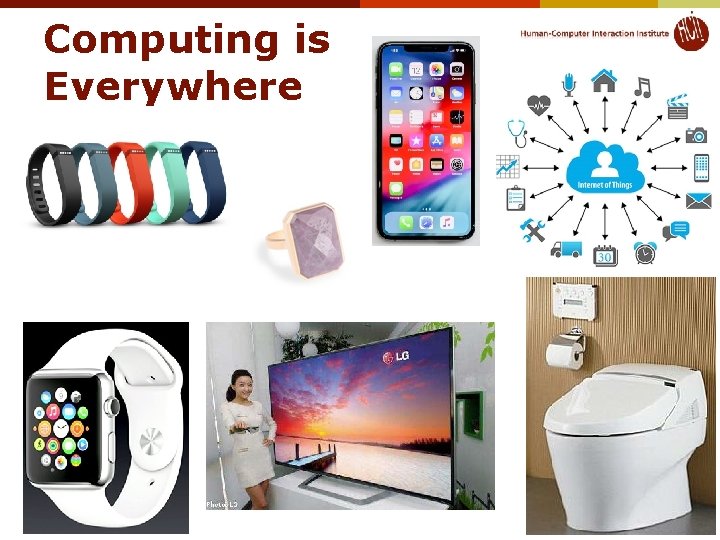
Computing is Everywhere © 2019 - Brad Myers 16
Technology Side of HCI has Affected Everyone l Our Interaction Techniques are used by everyone l l All software is built with descendents of our tools l l Scrolling, Copy-and-Paste, Window Managers, … UI Toolkits, Resource Editors, object-oriented programming, … We are researching the next set of interaction techniques and tools © 2019 - Brad Myers 17
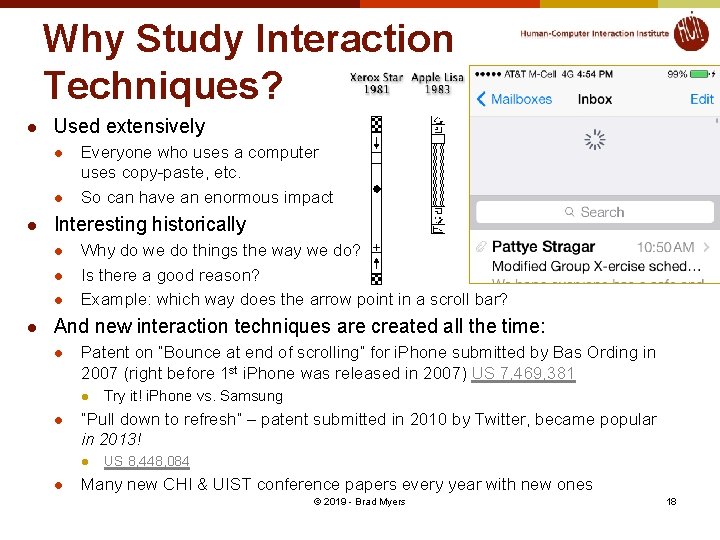
Why Study Interaction Techniques? l Used extensively l l l Interesting historically l l Everyone who uses a computer uses copy-paste, etc. So can have an enormous impact Why do we do things the way we do? Is there a good reason? Example: which way does the arrow point in a scroll bar? And new interaction techniques are created all the time: l Patent on “Bounce at end of scrolling” for i. Phone submitted by Bas Ording in 2007 (right before 1 st i. Phone was released in 2007) US 7, 469, 381 l l “Pull down to refresh” – patent submitted in 2010 by Twitter, became popular in 2013! l l Try it! i. Phone vs. Samsung US 8, 448, 084 Many new CHI & UIST conference papers every year with new ones © 2019 - Brad Myers 18
Why Study Interaction Techniques, cont. l Interaction Techniques have a high economic value l Often the subject of patents and lawsuits l l “Apple Wins Over Jury in Samsung Patent Dispute, Awarded $1. 05 Billion in Damages (Live Blog)” link “Jury orders Samsung to pay $290 M to Apple in patent case” link Need new ones l “Desktop metaphor” is getting tired l l Can’t patent overall look and feel Macs & PCs look and work pretty similar to each other and to the designs of the 1980’s (30 years ago) Text entry on smartphones is still a big barrier Selecting individual elements, characters on smartphones My course: 05 -640 Interaction Techniques (Spring 2019) © 2019 - Brad Myers 19
Why Hard? Brad Myers © 2019 - Brad Myers 20
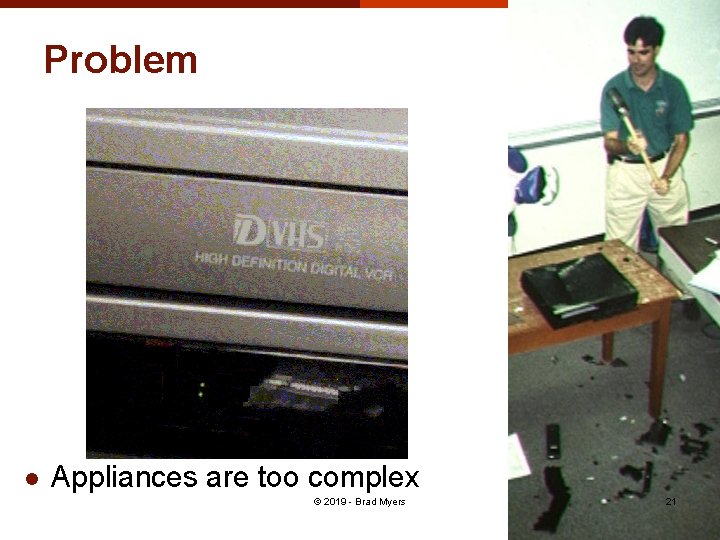
Problem l Appliances are too complex © 2019 - Brad Myers 21
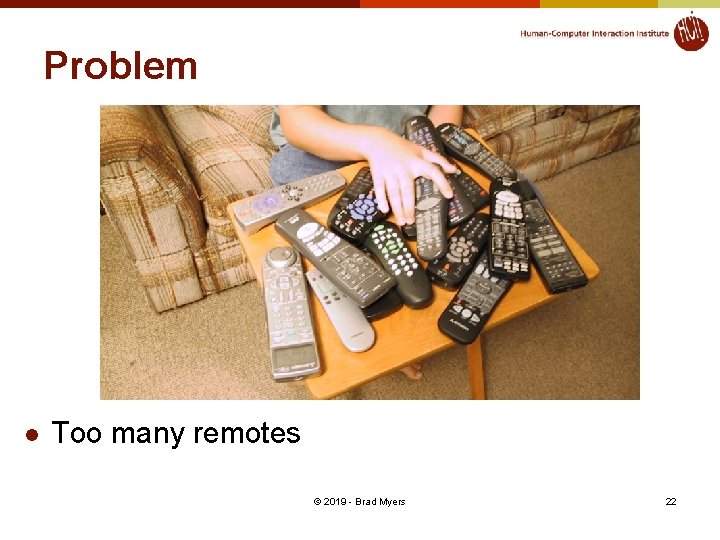
Problem l Too many remotes © 2019 - Brad Myers 22
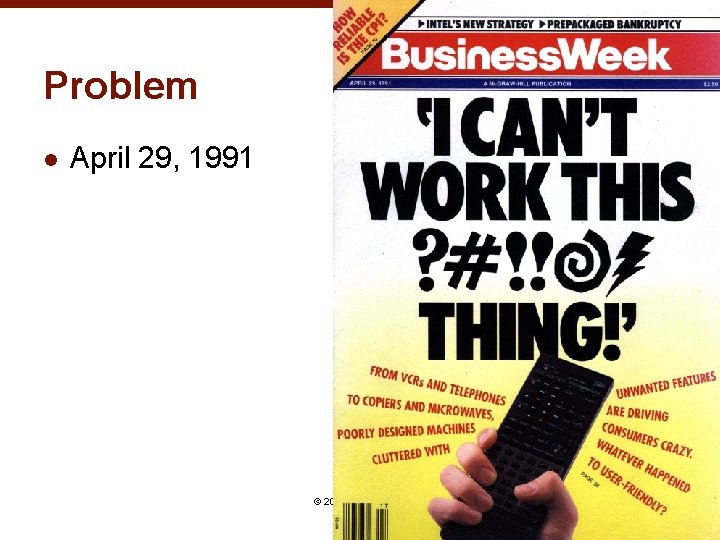
Problem l April 29, 1991 © 2019 - Brad Myers 23
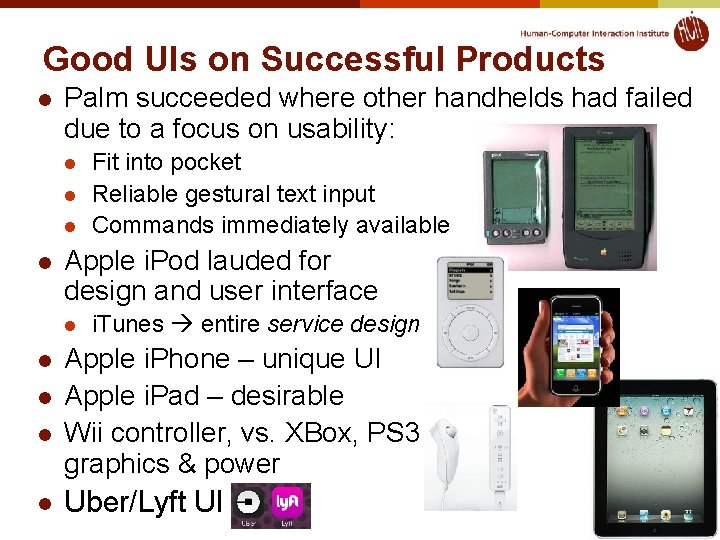
Good UIs on Successful Products l Palm succeeded where other handhelds had failed due to a focus on usability: l l Apple i. Pod lauded for design and user interface l l l Fit into pocket Reliable gestural text input Commands immediately available i. Tunes entire service design Apple i. Phone – unique UI Apple i. Pad – desirable Wii controller, vs. XBox, PS 3 graphics & power Uber/Lyft UI 24
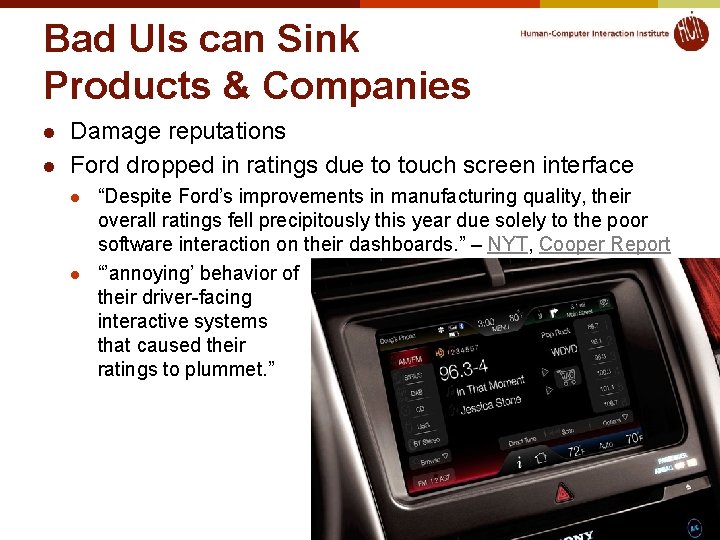
Bad UIs can Sink Products & Companies l l Damage reputations Ford dropped in ratings due to touch screen interface l l “Despite Ford’s improvements in manufacturing quality, their overall ratings fell precipitously this year due solely to the poor software interaction on their dashboards. ” – NYT, Cooper Report “’annoying’ behavior of their driver-facing interactive systems that caused their ratings to plummet. ” © 2019 - Brad Myers 25
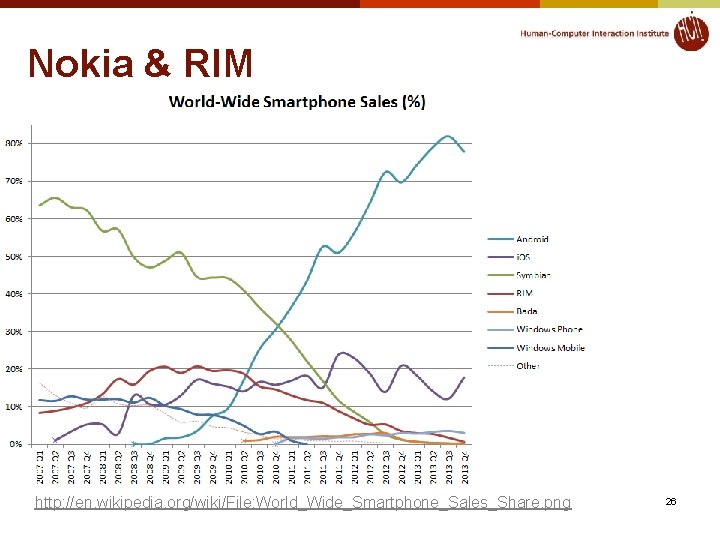
Nokia & RIM © 2019 - Brad Myers http: //en. wikipedia. org/wiki/File: World_Wide_Smartphone_Sales_Share. png 26
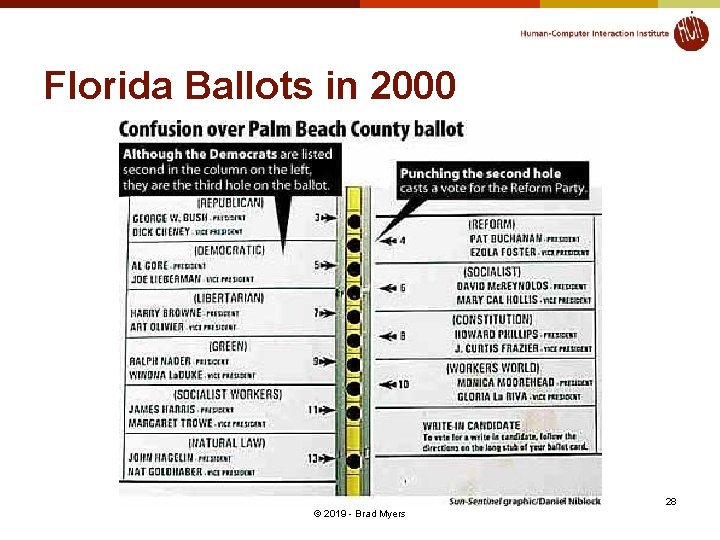
Bad UIs Can Cause Disasters l Aegis l July 4, 1988; Iranian Airbus shootdown by the Vincennes http: //www. washingtonpost. com/wp-srv/inatl/longterm/flight 801/stories/july 88 crash. htm http: //en. wikipedia. org/wiki/USS_Vincennes_%28 CG-49%29 l Deaths in kids: http: //pediatrics. aappublications. org/cgi/content/abstract/116/6/1506 l l “Unexpected Increased Mortality After Implementation of a Commercially Sold Computerized Physician Order Entry (CPOE) System” l Because it took so much longer, did not reduce errors overall Florida ballots (2000) http: //www. asktog. com/columns/042 Butterfly. Ballot. html © 2019 - Brad Myers 27
Florida Ballots in 2000 28 © 2019 - Brad Myers
Why are User Interfaces Difficult to Design? © 2019 - Brad Myers 29
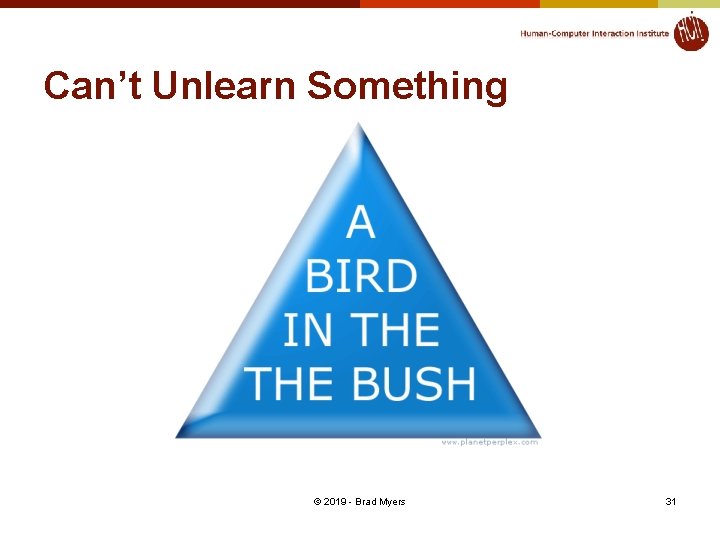
Why Hard to Design UIs? “It is easy to make things hard. It is hard to make things easy. ” l No silver bullet l Seems easy, common sense, but seldom done right l l l Once done right, however, seems “obvious” User Interface design is a creative process Designers have difficulty thinking like users l l Often need to understand task domain Can’t “unlearn” something © 2019 - Brad Myers 30
Can’t Unlearn Something © 2019 - Brad Myers 31
Why Difficult, 2 l Specifications are always wrong: l "Only slightly more than 30% of the code developed in application software development ever gets used as intended by end-users. The reason for this statistic may be a result of developers not understanding what their users need. " -- Hugh Beyer and Karen Holtzblatt, "Contextual Design: A Customer-Centric Approach to Systems Design, “ ACM Interactions, Sep+Oct, 1997, iv. 5, p. 62. l Need for prototyping and iteration © 2019 - Brad Myers 32
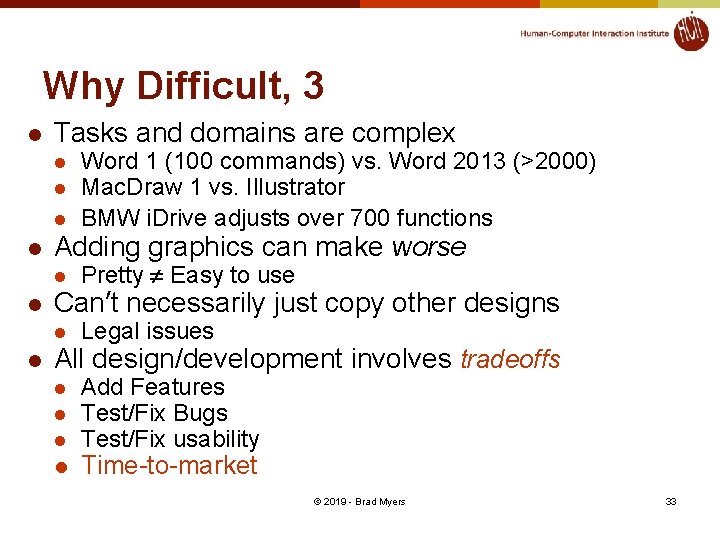
Why Difficult, 3 l Tasks and domains are complex l l Adding graphics can make worse l l Pretty Easy to use Can’t necessarily just copy other designs l l Word 1 (100 commands) vs. Word 2013 (>2000) Mac. Draw 1 vs. Illustrator BMW i. Drive adjusts over 700 functions Legal issues All design/development involves tradeoffs l l Add Features Test/Fix Bugs Test/Fix usability Time-to-market © 2019 - Brad Myers 33
Why are Interaction Techniques Difficult to Design? © 2019 - Brad Myers 34
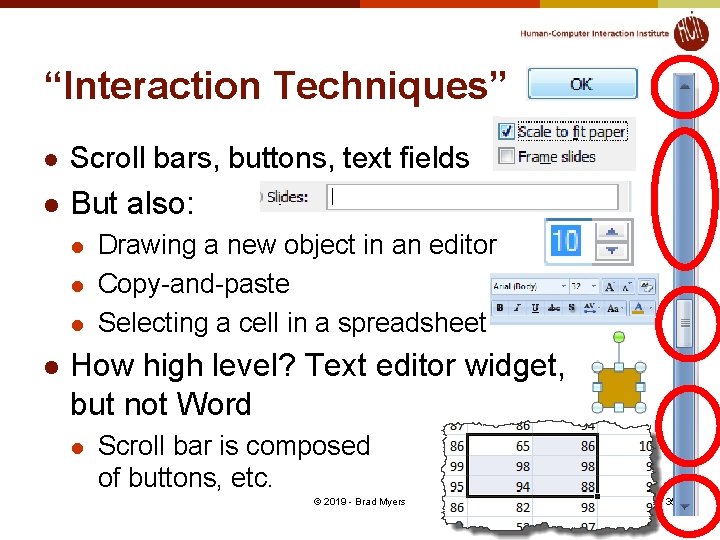
“Interaction Techniques” l Scroll bars, buttons, text fields l But also: l l Drawing a new object in an editor Copy-and-paste Selecting a cell in a spreadsheet How high level? Text editor widget, but not Word l Scroll bar is composed of buttons, etc. © 2019 - Brad Myers 35
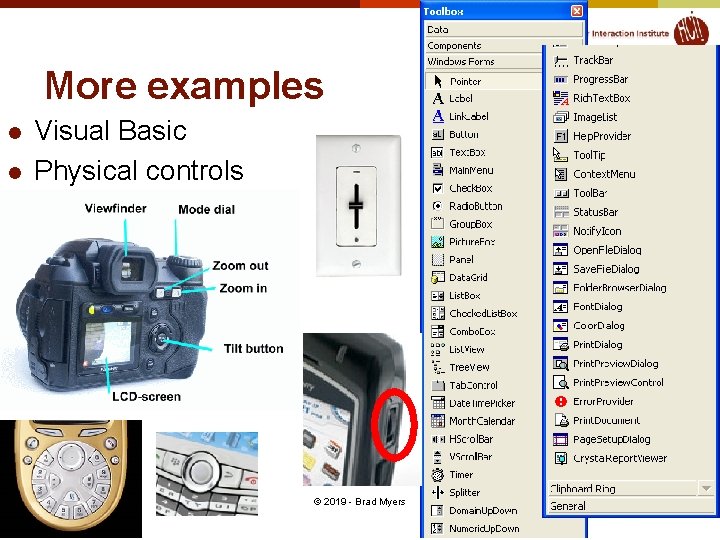
More examples l l Visual Basic Physical controls © 2019 - Brad Myers 36
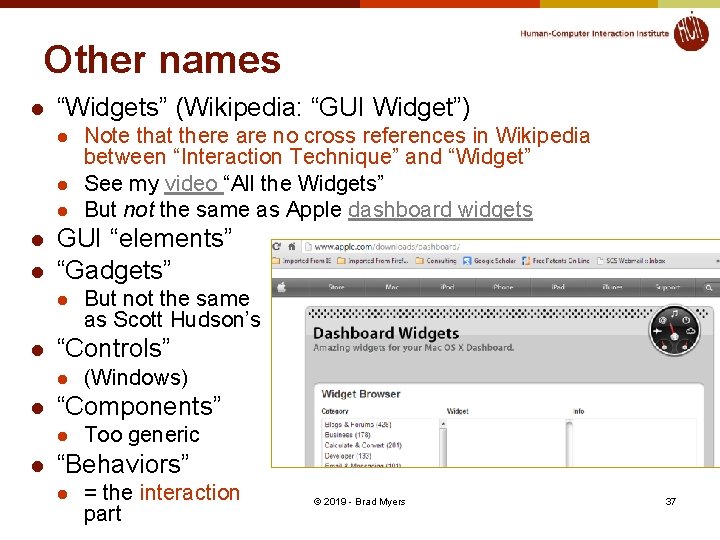
Other names l “Widgets” (Wikipedia: “GUI Widget”) l l l GUI “elements” “Gadgets” l l (Windows) “Components” l l But not the same as Scott Hudson’s “Controls” l l Note that there are no cross references in Wikipedia between “Interaction Technique” and “Widget” See my video “All the Widgets” But not the same as Apple dashboard widgets Too generic “Behaviors” l = the interaction part © 2019 - Brad Myers 37
Why are Interaction Techniques Hard to Design? l l l Surprisingly large number of design decisions Individual differences and preferences Lots of details that impact human performance l How far does the cursor move when you move the mouse 1 inch? l l l Trick question – depends on mouse speed Complex formula developed through experimentation How far does the content move on an i. Phone when you flick your finger? l l Needs to work for long distance, and highly accurate local movements Nokia phones released just after the i. Phone got this all wrong © 2019 - Brad Myers 38
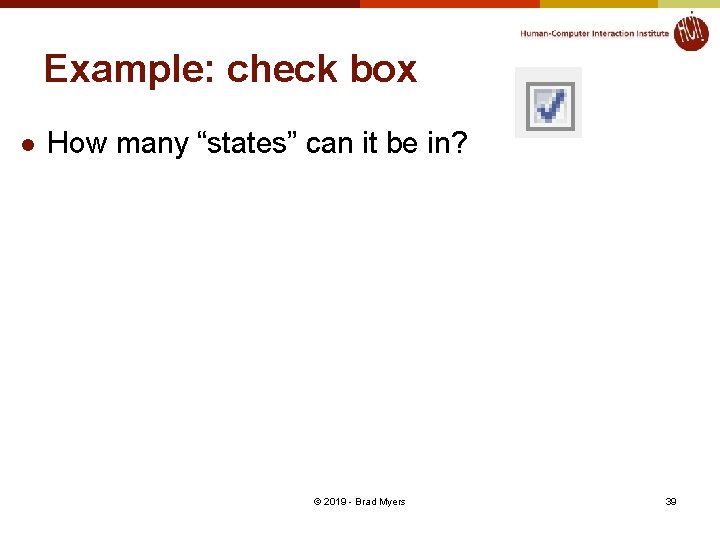
Example: check box l How many “states” can it be in? © 2019 - Brad Myers 39
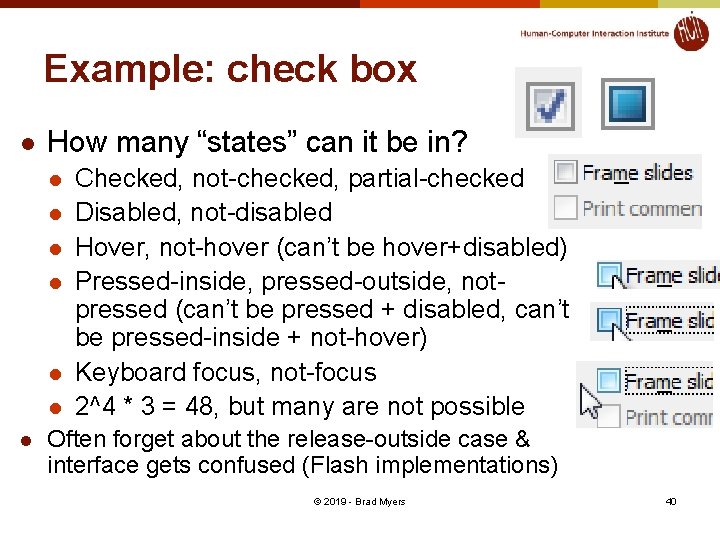
Example: check box l How many “states” can it be in? l l l l Checked, not-checked, partial-checked Disabled, not-disabled Hover, not-hover (can’t be hover+disabled) Pressed-inside, pressed-outside, notpressed (can’t be pressed + disabled, can’t be pressed-inside + not-hover) Keyboard focus, not-focus 2^4 * 3 = 48, but many are not possible Often forget about the release-outside case & interface gets confused (Flash implementations) © 2019 - Brad Myers 40
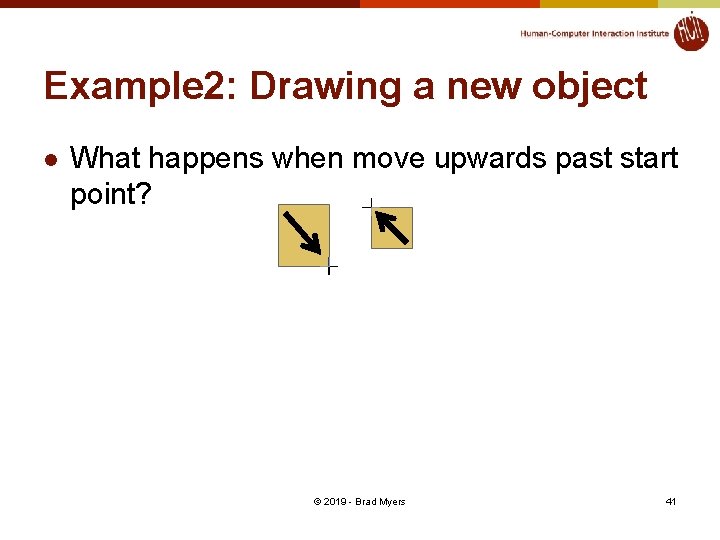
Example 2: Drawing a new object l What happens when move upwards past start point? © 2019 - Brad Myers 41
Why are User Interfaces Difficult to Implement? © 2019 - Brad Myers 42
What are the most difficult kinds of programs, in general? l What properties make a task difficult to program? © 2019 - Brad Myers 43
Why Are User Interfaces Hard to Implement? l They are hard to design, requiring iterative implementation l l They are reactive and are programmed from the "inside -out" l l l Not the waterfall model: specify, design, implement, test, deliver Event based programming More difficult to modularize They generally require multi-processing l l To deal with user typing; aborts Window refresh Window system as a different process Multiple input devices © 2019 - Brad Myers 44
Why Hard to Implement? cont. l There are real-time requirements for handling input events l l Output 60 times a second Keep up with mouse tracking Video, sound, multi-media Need for robustness l l No crashing, on any input Helpful error messages and recover gracefully Aborts Undo © 2019 - Brad Myers 45
Why Hard to Implement? cont. l Lower testability l l Little language support l l Primitives in computer languages make bad user interfaces Enormous, complex libraries Features like object-oriented, constraints, multi-processing Complexity of the tools l l l Few tools for regression testing Full bookshelf for documentation of user interface frameworks MFC, Java Swing, VB. Net, etc. Difficulty of Modularization © 2019 - Brad Myers 46
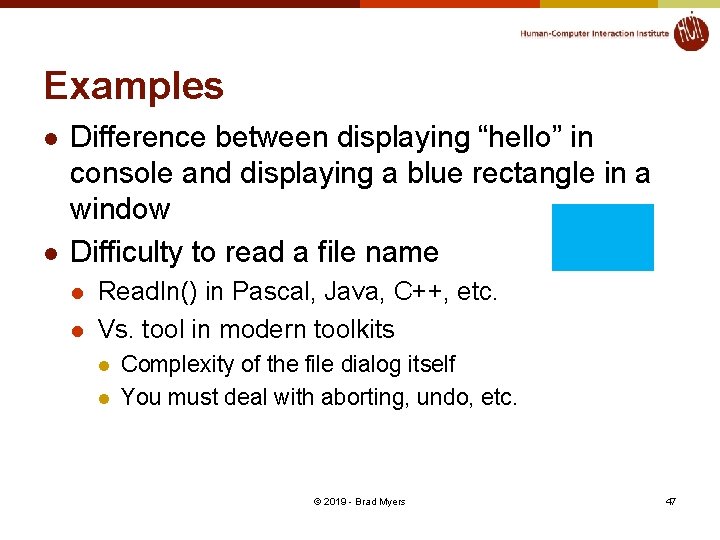
Examples l l Difference between displaying “hello” in console and displaying a blue rectangle in a window Difficulty to read a file name l l Readln() in Pascal, Java, C++, etc. Vs. tool in modern toolkits l l Complexity of the file dialog itself You must deal with aborting, undo, etc. © 2019 - Brad Myers 47
Success of Tools l Today’s tools are highly successful l Window Managers, Toolkits, Interface Builders ubiquitous Most software built using them Are based on many years of HCI research Brad A. Myers. “A Brief History of Human Computer Interaction Technology. ” ACM interactions. Vol. 5, no. 2, March, 1998. pp. 44 -54. © 2019 - Brad Myers 48