VRAY FOR 3 DS MAX VRay Material LESSON
- Slides: 24
V-RAY FOR 3 DS MAX V-Ray Material
LESSON INTRODUCTION Orientation • This presentation covers the commonly used settings of the V-Ray Material inside 3 ds Max • This lesson topic is approximately 50 minutes in length • This presentation covers all three learning cycles: Lecture, Demonstration and Activity
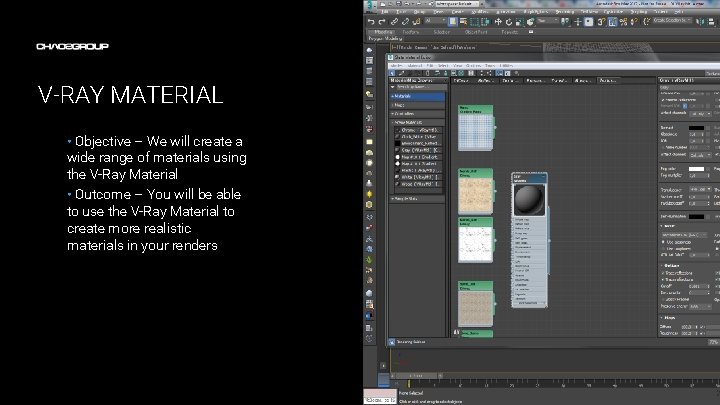
V-RAY MATERIAL • Objective – We will create a wide range of materials using the V-Ray Material • Outcome – You will be able to use the V-Ray Material to create more realistic materials in your renders Artwork by Name
TERMINOLOGY • These are some of the terms to be aware of when thinking about CG Materials – – – – – Material – in CG the term is used to describe a collection of definitions for the way a surface behaves when exposed to light Shader – a frame work for a material. The parameters in a shader allow you to describe a material Diffuse – a general term used to describe the color of an object Highlight – a reflection of a light source Fresnel – an algorithm that changes the amount of reflections based on the viewing angle Texture – an image or a pattern used to define parameters in a shader, i. e. diffuse color Refraction – the bending of light as it passes through a substance such as water or glass. This is different from opacity/transparency where the light passes directly without being bent. IOR – index of refraction is a physical term used to describe how much light is bent when passing through a substance Dispersion – the scattering of light into its component colors, as with a prism Translucency – the effect of light scattering inside a semi-transparent substance like milk, skin or wax
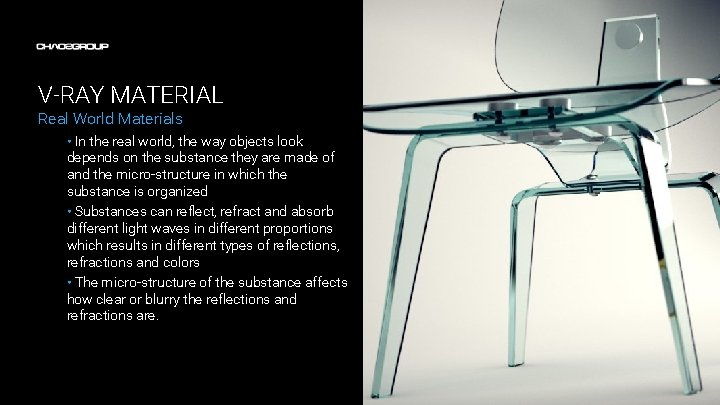
V-RAY MATERIAL Real World Materials • In the real world, the way objects look depends on the substance they are made of and the micro-structure in which the substance is organized • Substances can reflect, refract and absorb different light waves in different proportions which results in different types of reflections, refractions and colors • The micro-structure of the substance affects how clear or blurry the reflections and refractions are.
V-RAY MATERIAL CG Materials • In CG, materials use different parameters to describe the way objects look in the real-world • To optimize render times, extremely blurry reflections (matte surfaces like wood or concrete) can be calculated using a mathematical model to approximate the result. These kind of reflections are referred to as Diffuse Reflections or just Diffuse. • Specular Reflections require tracing one or more rays to evaluate the result. They can be clear or blurry depending on the roughness (micro-structure) of the surface. • Refractions can be clear or blurry depending on the internal micro-structure. • Texture maps can be used to control certain parameters like diffuse, reflections, refractions etc. Textures can be either a bitmap image or procedural textures (generated by mathematical rules)
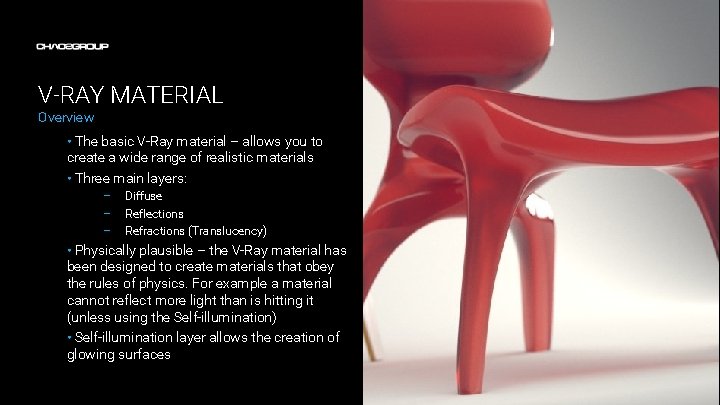
V-RAY MATERIAL Overview • The basic V-Ray material – allows you to create a wide range of realistic materials • Three main layers: – – – Diffuse Reflections Refractions (Translucency) • Physically plausible – the V-Ray material has been designed to create materials that obey the rules of physics. For example a material cannot reflect more light than is hitting it (unless using the Self-illumination) • Self-illumination layer allows the creation of glowing surfaces
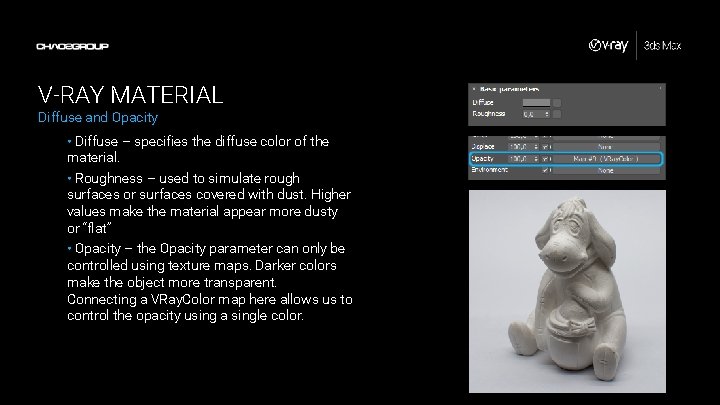
V-RAY MATERIAL Diffuse and Opacity • Diffuse – specifies the diffuse color of the material. • Roughness – used to simulate rough surfaces or surfaces covered with dust. Higher values make the material appear more dusty or “flat” • Opacity – the Opacity parameter can only be controlled using texture maps. Darker colors make the object more transparent. Connecting a VRay. Color map here allows us to control the opacity using a single color.
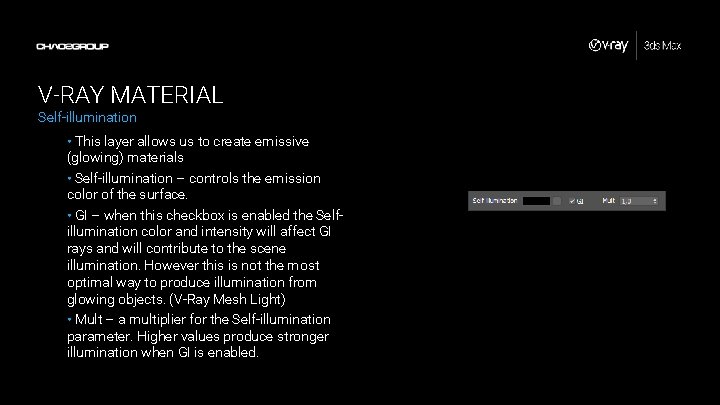
V-RAY MATERIAL Self-illumination • This layer allows us to create emissive (glowing) materials • Self-illumination – controls the emission color of the surface. • GI – when this checkbox is enabled the Selfillumination color and intensity will affect GI rays and will contribute to the scene illumination. However this is not the most optimal way to produce illumination from glowing objects. (V-Ray Mesh Light) • Mult – a multiplier for the Self-illumination parameter. Higher values produce stronger illumination when GI is enabled.
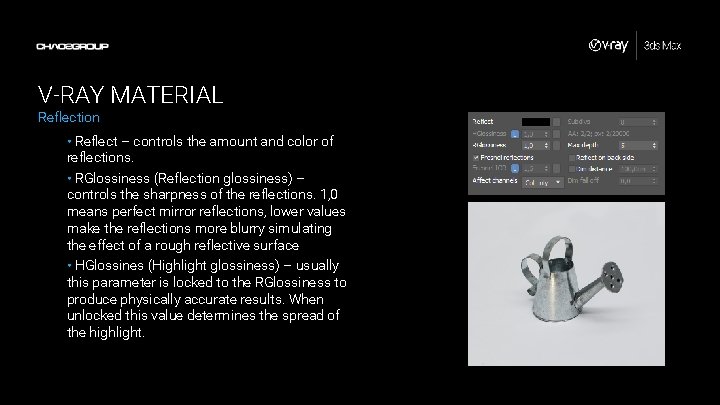
V-RAY MATERIAL Reflection • Reflect – controls the amount and color of reflections. • RGlossiness (Reflection glossiness) – controls the sharpness of the reflections. 1, 0 means perfect mirror reflections, lower values make the reflections more blurry simulating the effect of a rough reflective surface • HGlossines (Highlight glossiness) – usually this parameter is locked to the RGlossiness to produce physically accurate results. When unlocked this value determines the spread of the highlight.
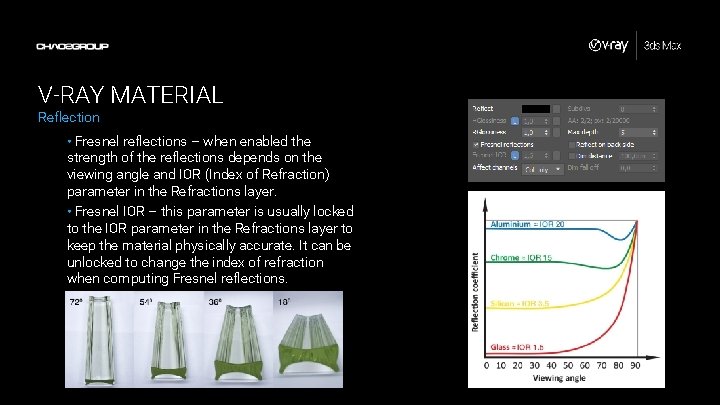
V-RAY MATERIAL Reflection • Fresnel reflections – when enabled the strength of the reflections depends on the viewing angle and IOR (Index of Refraction) parameter in the Refractions layer. • Fresnel IOR – this parameter is usually locked to the IOR parameter in the Refractions layer to keep the material physically accurate. It can be unlocked to change the index of refraction when computing Fresnel reflections.
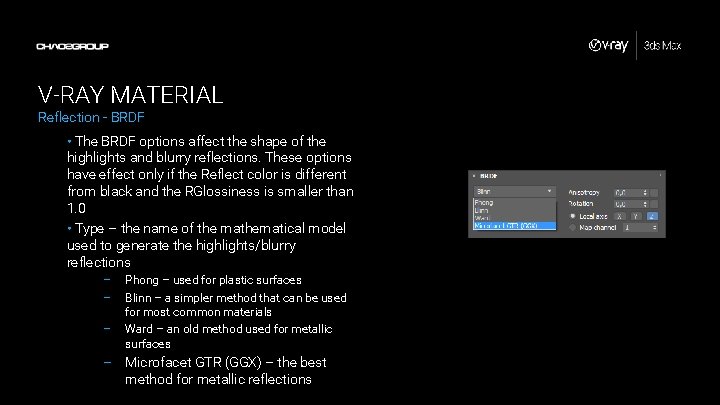
V-RAY MATERIAL Reflection - BRDF • The BRDF options affect the shape of the highlights and blurry reflections. These options have effect only if the Reflect color is different from black and the RGlossiness is smaller than 1. 0 • Type – the name of the mathematical model used to generate the highlights/blurry reflections – – – Phong – used for plastic surfaces Blinn – a simpler method that can be used for most common materials Ward – an old method used for metallic surfaces – Microfacet GTR (GGX) – the best method for metallic reflections
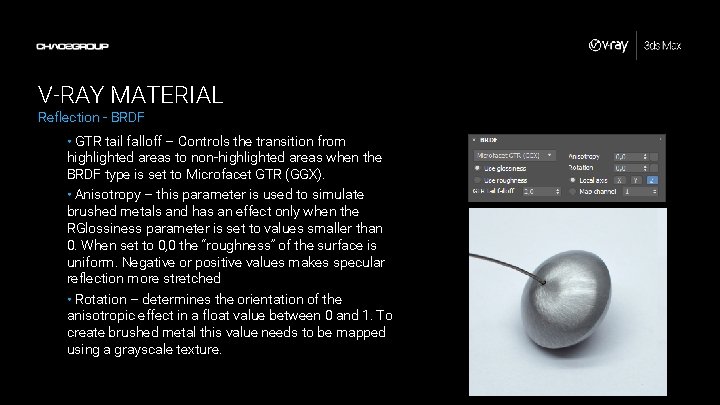
V-RAY MATERIAL Reflection - BRDF • GTR tail falloff – Controls the transition from highlighted areas to non-highlighted areas when the BRDF type is set to Microfacet GTR (GGX). • Anisotropy – this parameter is used to simulate brushed metals and has an effect only when the RGlossiness parameter is set to values smaller than 0. When set to 0, 0 the “roughness” of the surface is uniform. Negative or positive values makes specular reflection more stretched • Rotation – determines the orientation of the anisotropic effect in a float value between 0 and 1. To create brushed metal this value needs to be mapped using a grayscale texture.
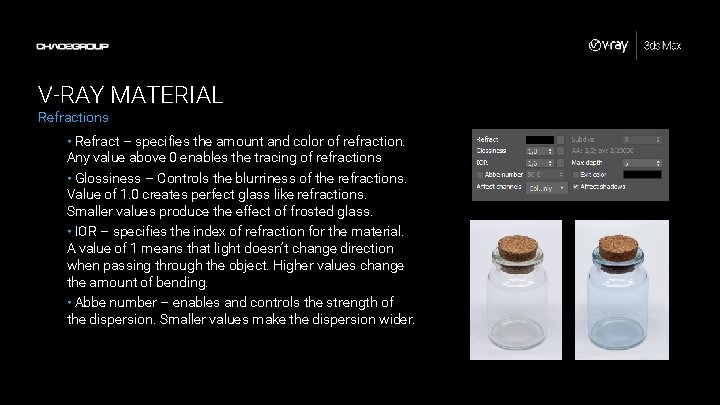
V-RAY MATERIAL Refractions • Refract – specifies the amount and color of refraction. Any value above 0 enables the tracing of refractions • Glossiness – Controls the blurriness of the refractions. Value of 1. 0 creates perfect glass like refractions. Smaller values produce the effect of frosted glass. • IOR – specifies the index of refraction for the material. A value of 1 means that light doesn’t change direction when passing through the object. Higher values change the amount of bending. • Abbe number – enables and controls the strength of the dispersion. Smaller values make the dispersion wider.
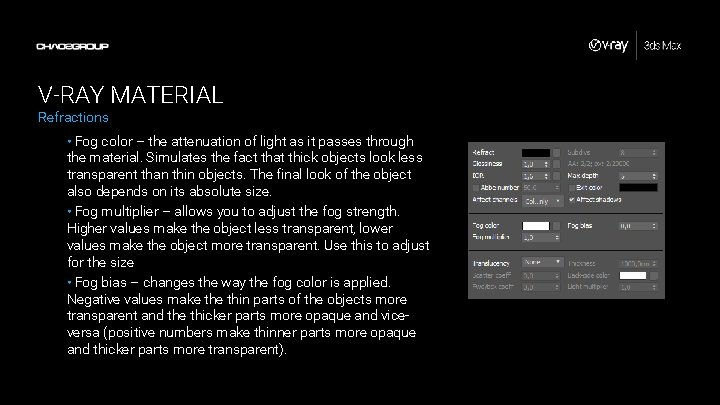
V-RAY MATERIAL Refractions • Fog color – the attenuation of light as it passes through the material. Simulates the fact that thick objects look less transparent than thin objects. The final look of the object also depends on its absolute size. • Fog multiplier – allows you to adjust the fog strength. Higher values make the object less transparent, lower values make the object more transparent. Use this to adjust for the size • Fog bias – changes the way the fog color is applied. Negative values make thin parts of the objects more transparent and the thicker parts more opaque and viceversa (positive numbers make thinner parts more opaque and thicker parts more transparent).
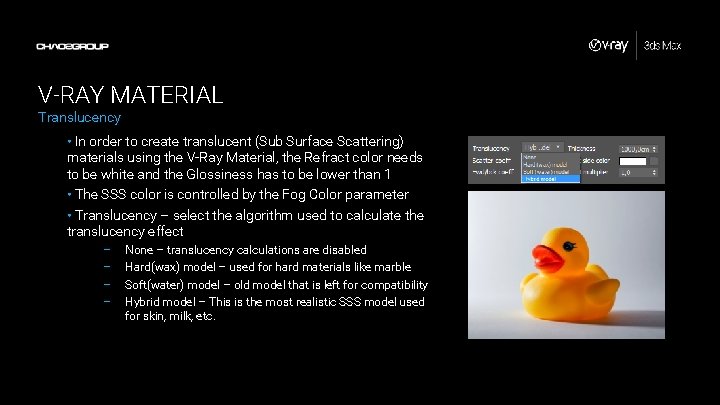
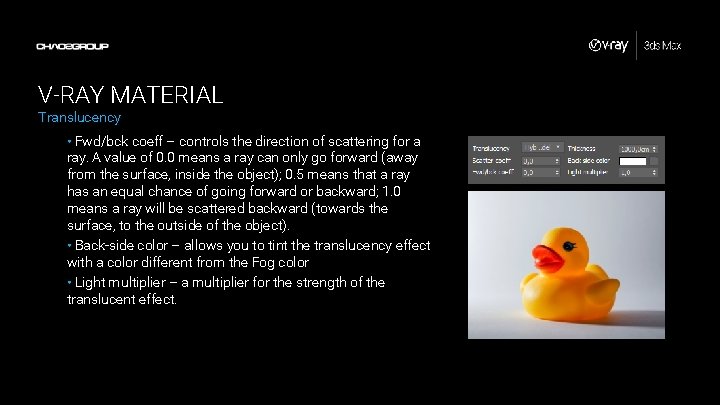
V-RAY MATERIAL Translucency • In order to create translucent (Sub Surface Scattering) materials using the V-Ray Material, the Refract color needs to be white and the Glossiness has to be lower than 1 • The SSS color is controlled by the Fog Color parameter • Translucency – select the algorithm used to calculate the translucency effect – – None – translucency calculations are disabled Hard(wax) model – used for hard materials like marble Soft(water) model – old model that is left for compatibility Hybrid model – This is the most realistic SSS model used for skin, milk, etc.
V-RAY MATERIAL Translucency • Fwd/bck coeff – controls the direction of scattering for a ray. A value of 0. 0 means a ray can only go forward (away from the surface, inside the object); 0. 5 means that a ray has an equal chance of going forward or backward; 1. 0 means a ray will be scattered backward (towards the surface, to the outside of the object). • Back-side color – allows you to tint the translucency effect with a color different from the Fog color • Light multiplier – a multiplier for the strength of the translucent effect.
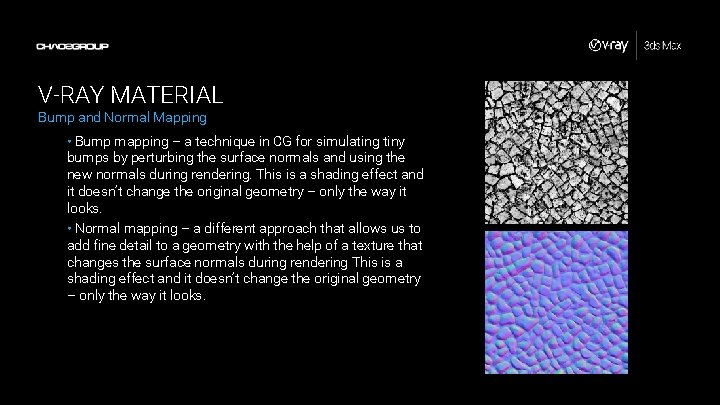
V-RAY MATERIAL Bump and Normal Mapping • Bump mapping – a technique in CG for simulating tiny bumps by perturbing the surface normals and using the new normals during rendering. This is a shading effect and it doesn’t change the original geometry – only the way it looks. • Normal mapping – a different approach that allows us to add fine detail to a geometry with the help of a texture that changes the surface normals during rendering This is a shading effect and it doesn’t change the original geometry – only the way it looks.
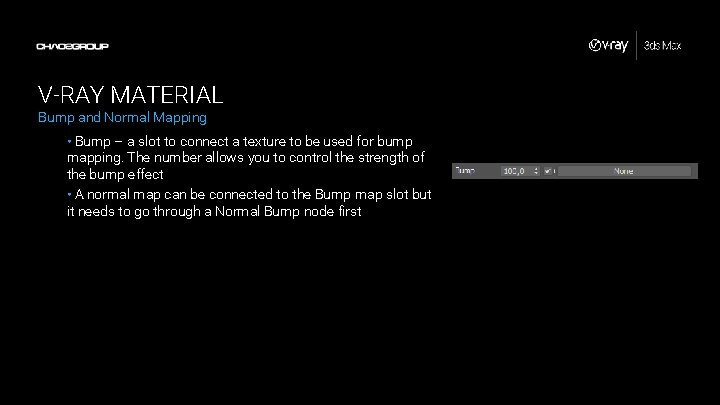
V-RAY MATERIAL Bump and Normal Mapping • Bump – a slot to connect a texture to be used for bump mapping. The number allows you to control the strength of the bump effect • A normal map can be connected to the Bump map slot but it needs to go through a Normal Bump node first
DEMONSTRATION V-Ray Material Sit back and watch as I demonstrate how to create different materials with the V-Ray Material…
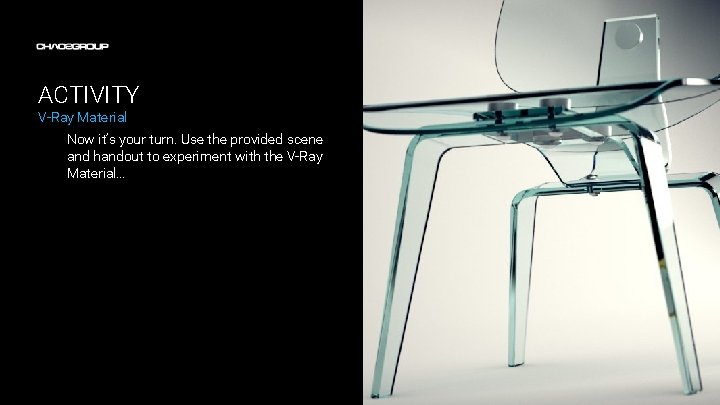
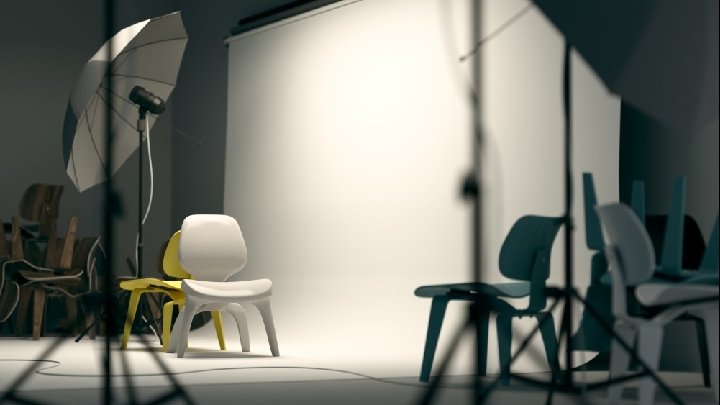
ACTIVITY V-Ray Material Now it’s your turn. Use the provided scene and handout to experiment with the V-Ray Material…