The Role of Modeling in Systems Integration and

- Slides: 29
The Role of Modeling in Systems Integration and Business Process Analysis Ben Constable Sparx Systems CIM Users Group Meeting, Prague 2011 www. sparxsystems. com © Sparx Systems Pty Ltd 2011
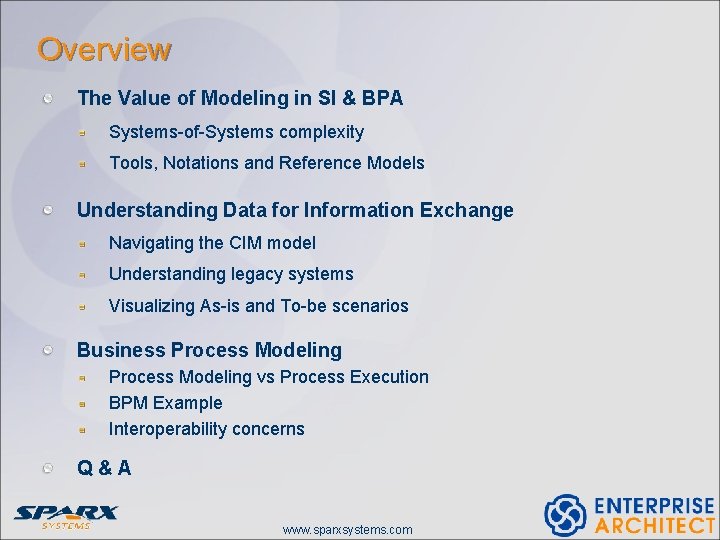
Overview The Value of Modeling in SI & BPA Systems-of-Systems complexity Tools, Notations and Reference Models Understanding Data for Information Exchange Navigating the CIM model Understanding legacy systems Visualizing As-is and To-be scenarios Business Process Modeling vs Process Execution BPM Example Interoperability concerns Q&A www. sparxsystems. com
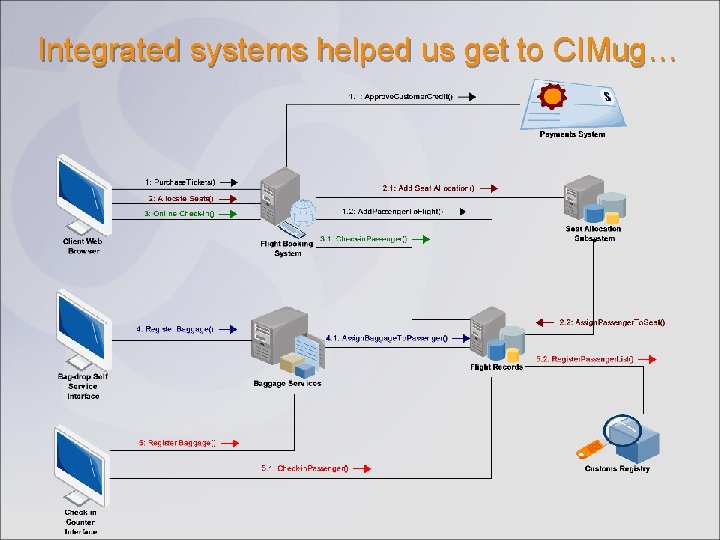
Integrated systems helped us get to CIMug…
The value of modeling Manage complexity Plan and mitigate risk Facilitate communication www. sparxsystems. com
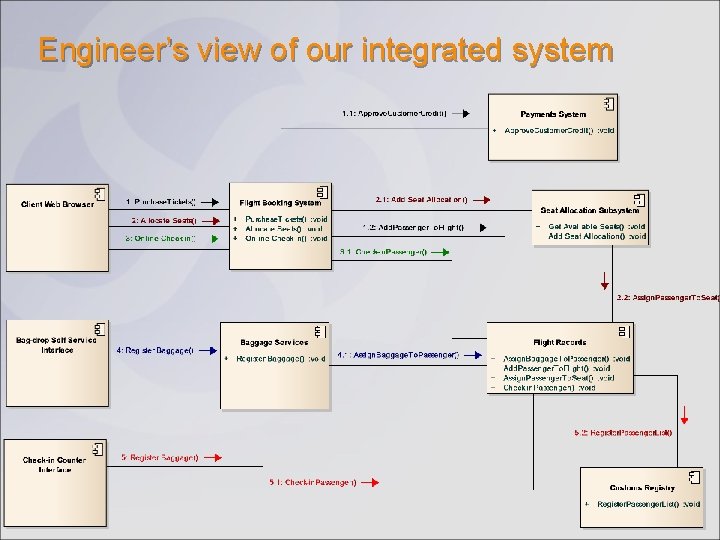
Engineer’s view of our integrated system
Tools, Notations and Reference Models Modeling Notations Provide suitable, formal language for communicating concepts Open industry standards by OMG, The Open Group etc. UML®, OMG Sys. ML™, BPMN™, Archi. Mate® etc. Reference Models Library of reusable domain concepts defined in standard notation (UML) Essential ingredient for defining interoperable system interfaces IEC CIM for utilities Modeling Tools Editing environment, notation support, navigation, plug-n’-play models Define reference models, system interfaces, trace, report Generative capability. Inputs to implementation and deployment tools Enterprise Architect www. sparxsystems. com
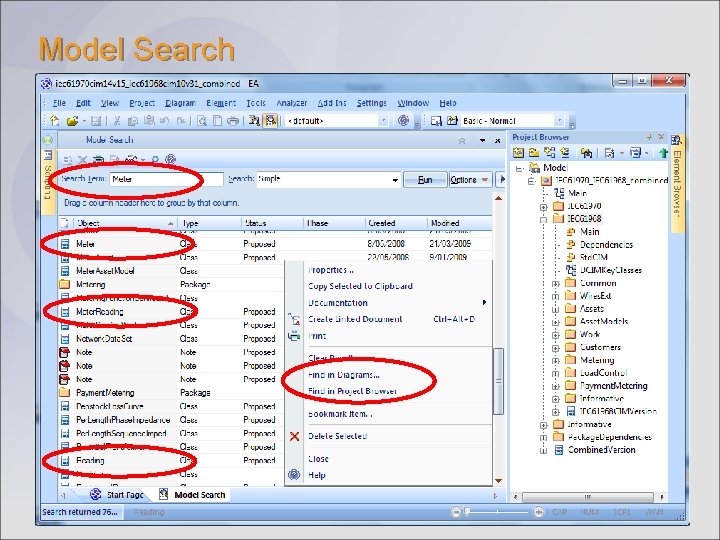
Understanding Data for Information Exchange Data model required (irrespective of messaging technology) CIM provides an excellent starting point Ask: Is this information already defined in the CIM? Locate: Use the modeling environment’s search facility Reuse: Link elements to your domain/data model. Locating CIM concepts in Enterprise Architect: Model Search Traceability View www. sparxsystems. com
Model Search
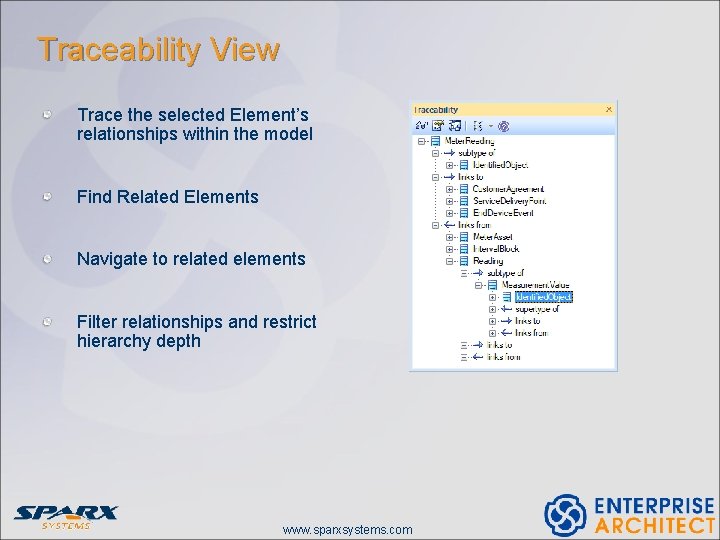
Traceability View Trace the selected Element’s relationships within the model Find Related Elements Navigate to related elements Filter relationships and restrict hierarchy depth www. sparxsystems. com
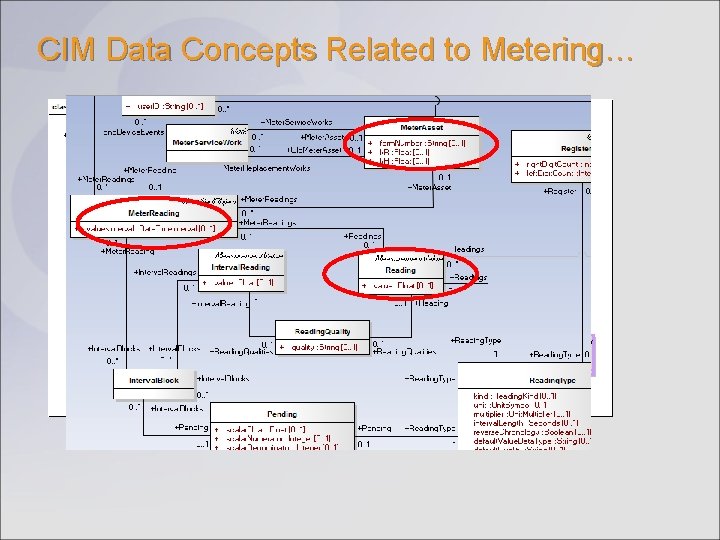
CIM Data Concepts Related to Metering…
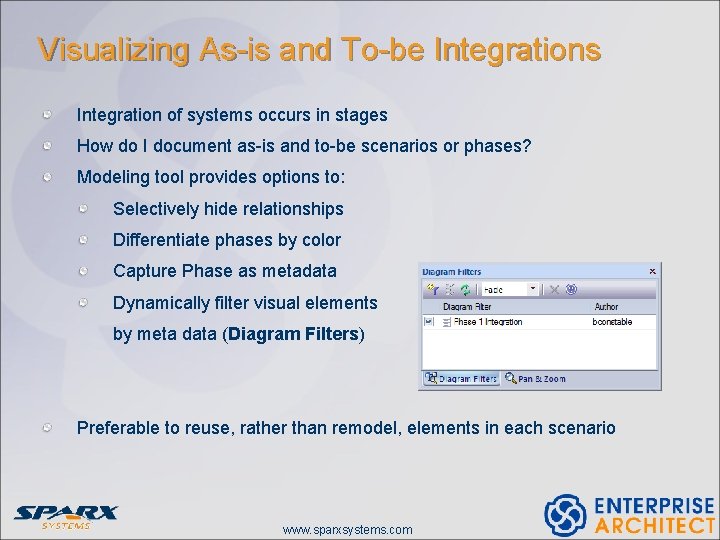
Visualizing As-is and To-be Integrations Integration of systems occurs in stages How do I document as-is and to-be scenarios or phases? Modeling tool provides options to: Selectively hide relationships Differentiate phases by color Capture Phase as metadata Dynamically filter visual elements by meta data (Diagram Filters) Preferable to reuse, rather than remodel, elements in each scenario www. sparxsystems. com
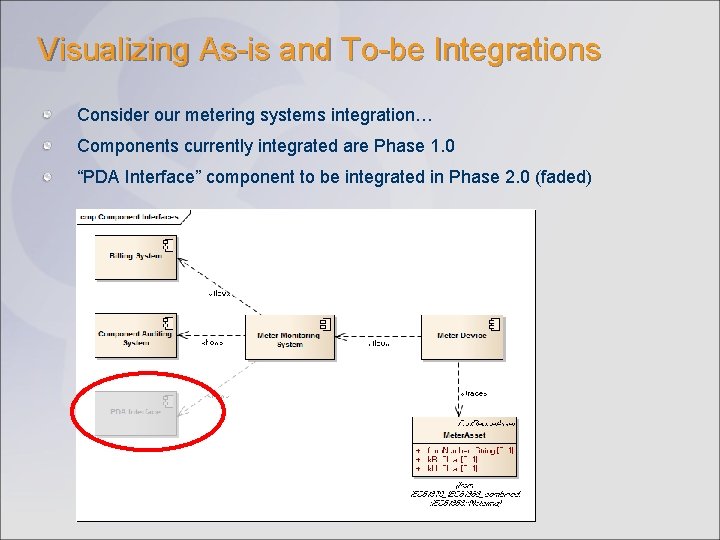
Visualizing As-is and To-be Integrations Consider our metering systems integration… Components currently integrated are Phase 1. 0 “PDA Interface” component to be integrated in Phase 2. 0 (faded)
Understanding Legacy Systems
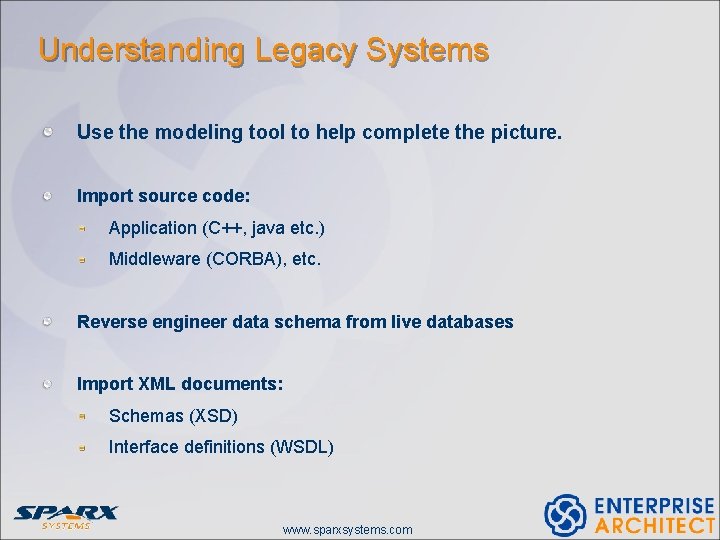
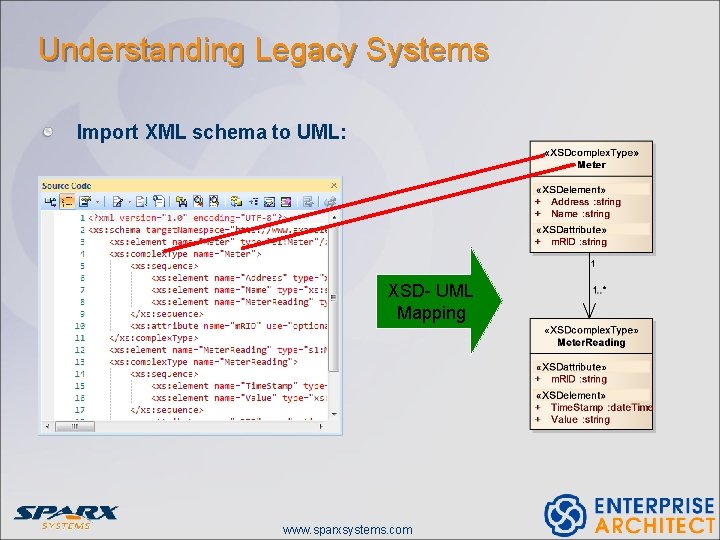
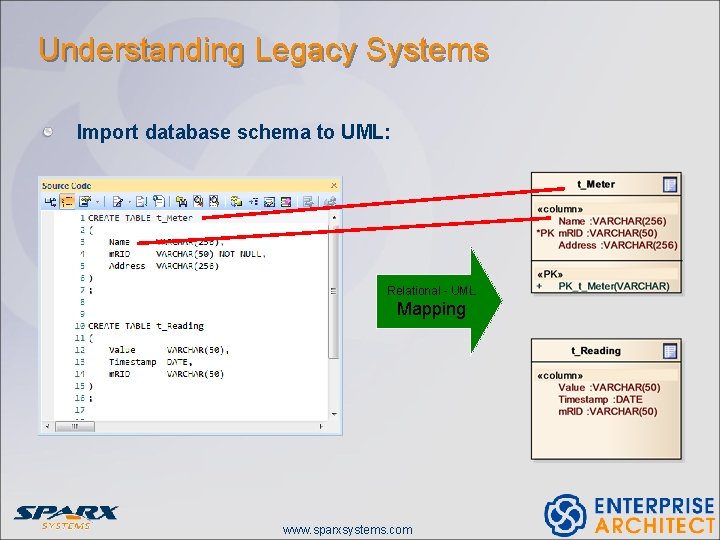
Understanding Legacy Systems Use the modeling tool to help complete the picture. Import source code: Application (C++, java etc. ) Middleware (CORBA), etc. Reverse engineer data schema from live databases Import XML documents: Schemas (XSD) Interface definitions (WSDL) www. sparxsystems. com
Understanding Legacy Systems Import XML schema to UML: XSD- UML Mapping www. sparxsystems. com
Understanding Legacy Systems Import database schema to UML: Relational - UML Mapping www. sparxsystems. com
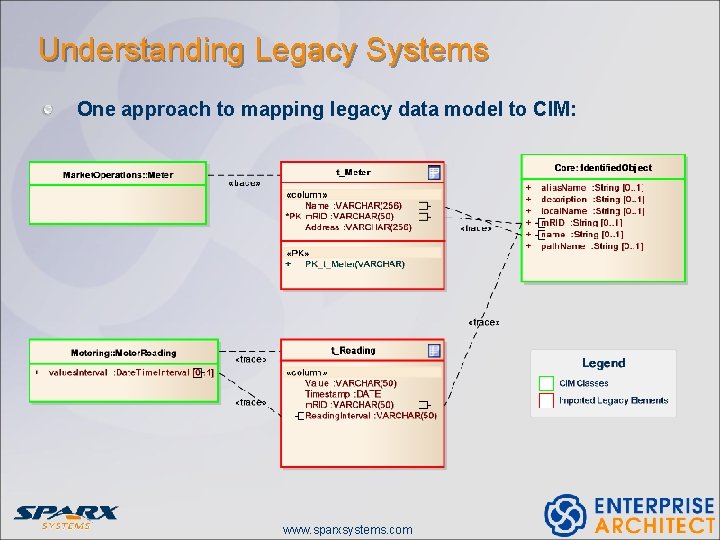
Understanding Legacy Systems One approach to mapping legacy data model to CIM: www. sparxsystems. com
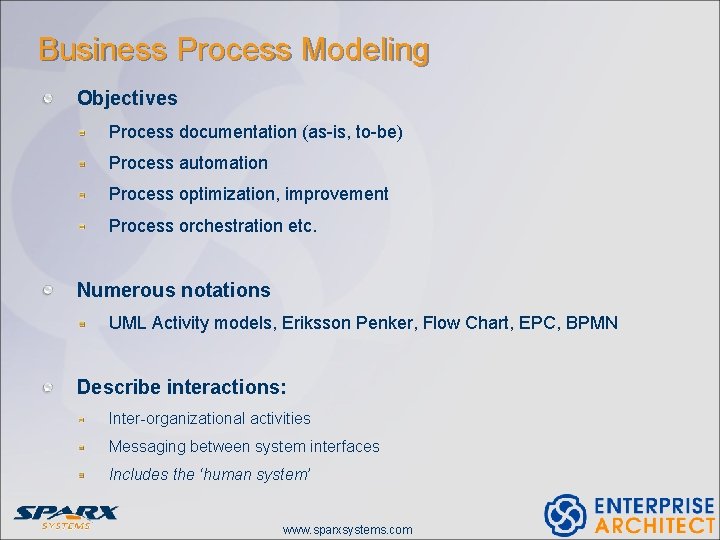
Business Process Modeling Objectives Process documentation (as-is, to-be) Process automation Process optimization, improvement Process orchestration etc. Numerous notations UML Activity models, Eriksson Penker, Flow Chart, EPC, BPMN Describe interactions: Inter-organizational activities Messaging between system interfaces Includes the ‘human system’ www. sparxsystems. com
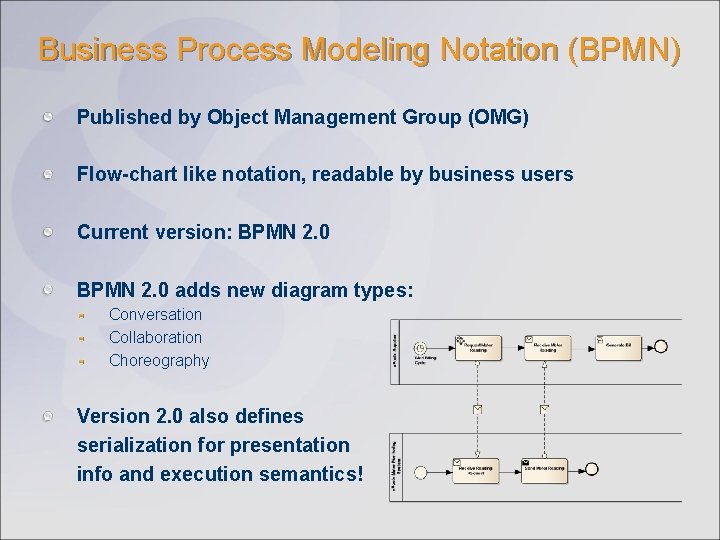
Business Process Modeling Notation (BPMN) Published by Object Management Group (OMG) Flow-chart like notation, readable by business users Current version: BPMN 2. 0 adds new diagram types: Conversation Collaboration Choreography Version 2. 0 also defines serialization for presentation info and execution semantics!
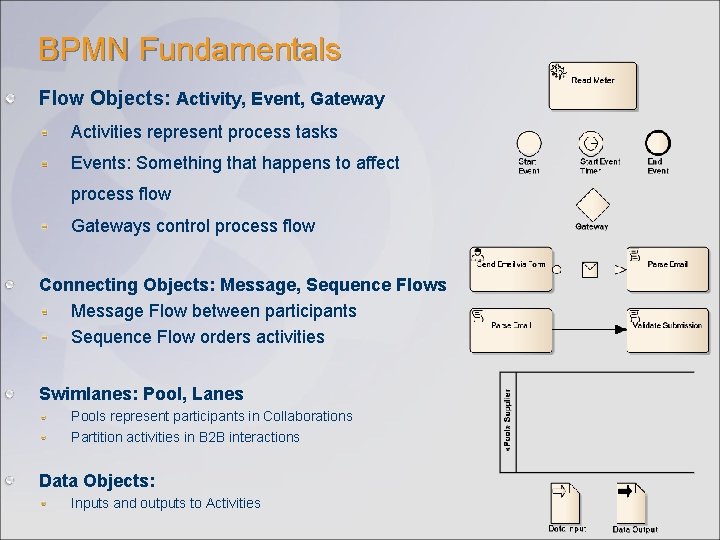
BPMN Fundamentals Flow Objects: Activity, Event, Gateway Activities represent process tasks Events: Something that happens to affect process flow Gateways control process flow Connecting Objects: Message, Sequence Flows Message Flow between participants Sequence Flow orders activities Swimlanes: Pool, Lanes Pools represent participants in Collaborations Partition activities in B 2 B interactions Data Objects: Inputs and outputs to Activities
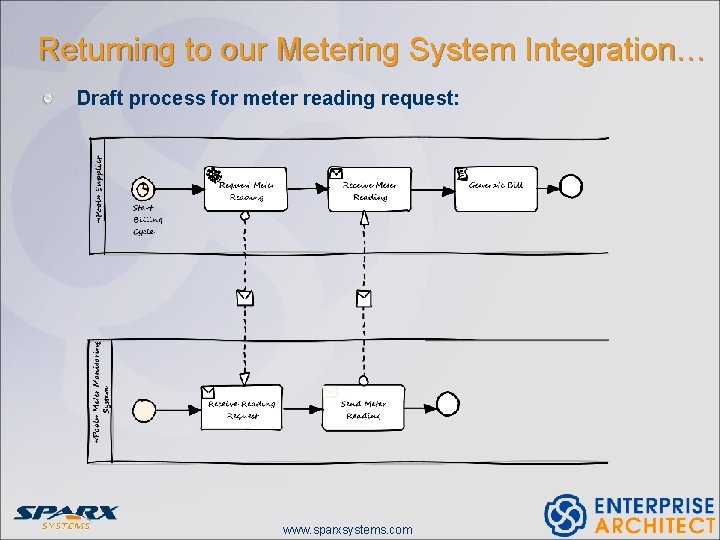
Returning to our Metering System Integration… Draft process for meter reading request: www. sparxsystems. com
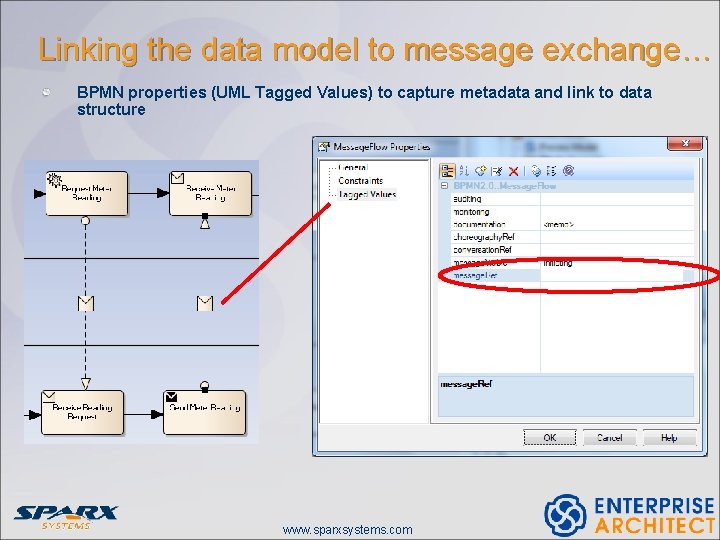
Linking the data model to message exchange… One approach: Use “message. Ref” and “item. Ref” values on Message Flows and Message elements respectively “message. Ref” refers to the Message element behind the flow. “item. Ref” refers to the item. Definition that defines the Message’s payload (Data Objects also contain item. Refs) BPEL implementations refer to data structures via Assignments For example, Data Objects refer to XML Schema (XSD) types Mapping from pure UML data models to XSD classes can be automated www. sparxsystems. com
Linking the data model to message exchange… BPMN properties (UML Tagged Values) to capture metadata and link to data structure www. sparxsystems. com
Process Modeling vs Process Execution Use the modeling tool to: Document and define processes Link and trace processes to upstream and downstream models (requirements, architecture, data model etc). Generate implementation artifacts (BPEL) Export to appropriate interchange format (XPDL, BPMN XML) Simulate processes, if supported. Use the execution engine to: Import modeled process (from BPEL, XPDL etc. ) Configure, implement and deploy processes www. sparxsystems. com
A note on tool interoperability Ideally: Seamlessly round-trip processes between modeling environment and execution environment. Some interchange inhibitors: Which exchange format: BPEL, XPDL, XMI? BPEL scripts lack presentation info – so diagrams get wiped out XPDL suffers too much variation among vendor implementations XMI not supported by execution platforms; too much variation among modeling tools Enter BPMN 2. 0 XML… Vendors of Execution engines appear to be developing support Notation and XML export supported in Enterprise Architect 9 Serialization of presentation and semantic info built into the BPMN 2. 0 spec www. sparxsystems. com
In Summary… Ensure that your models realize value: Don’t model everything from scratch Use industry standard reference models Use tools to visualize legacy systems and extract data models Avoid ‘picture only’ modeling. Understand capture metadata to: • Facilitate traceability between structural and process models • Enable generative modeling: UML -> XSD, BPMN -> XML, etc. • Maximise reusability of processes Standard modeling notations (UML, BPMN) help you to: • Maximise communication (wider audience) • Achieve reusability • Increase potential for tool interoperability www. sparxsystems. com
References UML, The OMG: http: //www. uml. org, www. omg. org BPMN Specification: http: //www. omg. org/spec/BPMN/2. 0 Enterprise Architect: http: //www. sparxsystems. com/products/ea IEC CIM UML Model: http: //cimug. ucaiug. org CIM Modeling and Enterprise Architect background: http: //cimug. ucaiug. org/Meetings/Milan 2010/Presentations/CIM%20 University/0 8%20 Extending%20 IEC%20 CIM%20 with%20 Enterprise%20 Architect. ppt www. sparxsystems. com
Questions? ? www. sparxsystems. com
Thank You