
TDC 461 Basic Communications Systems Class 4 24
TDC 461 Basic Communications Systems Class #4 24 April, 2001
Agenda • Computer Telephony Integration (CTI) • Cordless Telephones • Cellular Telephones • Satellite Systems
Announcements: • Midterm exam next week – You can bring one 8. 5”x 11” sheet of Exam will be multiple choice, true false, fill-in-the-blank, and short answer. You will have to diagram a solution to at least one problem, so be prepared. – Exam will last until 7: 30 pm. – Review guide on the web.
Computer Telephony Integration (CTI) • The concept: – Integrate PBX with computer services to – Integrate voice cabling with data cabling to save money
Why CTI?
PBX System Layout
LAN System Layout
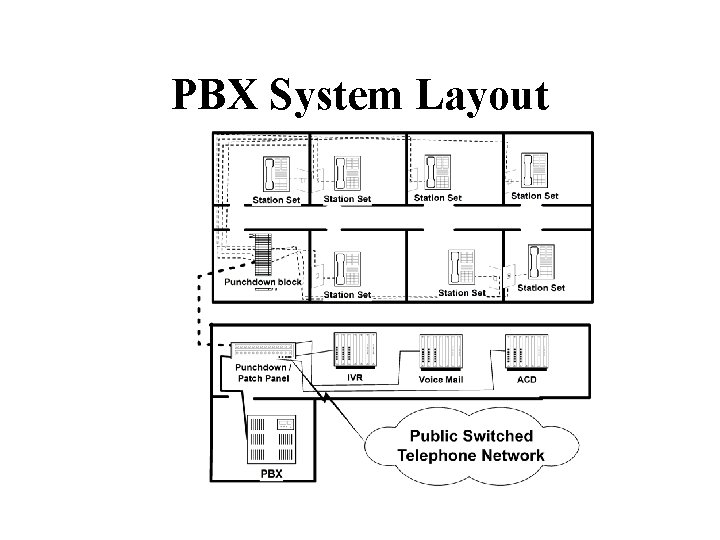
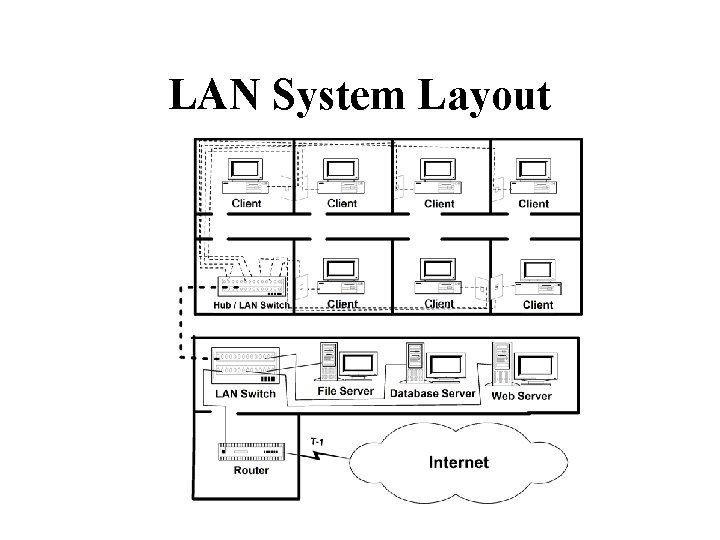
Shared Cabling • Voice Network Layout and Data Network Layout looks the same!!
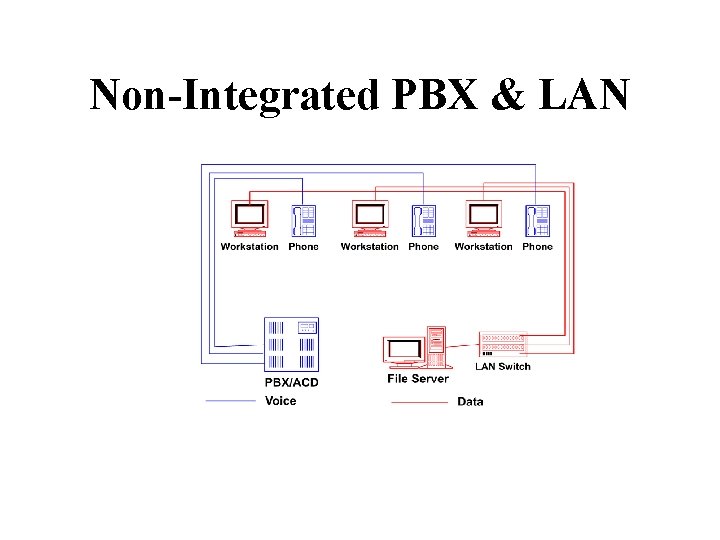
Non-Integrated PBX & LAN
Voice/Data Adjunct Services (with no PBX modifications) • Some voice/data convergence can be accomplished without PBX changes. • LAN servers can connect to PBX by standard voice trunks. • Examples
Unified Messaging • Users utilize a single desktop application to receive and send • Voice mail can be recorded/heard through PBX telephone set or PC microphone/speaker.
Unified Messaging
FAX Server
FAX Server
CTI Configuration • First Party Control – • Third Party Control – –
CTI First-Party Control Individual connections to desktops
CTI Third-Party Control Connect through CT Server
CTI Third-Party Control Alternative: Direct LAN Connection to PBX
CTI Applications • Intelligent Call Assignment for ACD • Data lookups triggered by calling number (ANI / DNIS) • Linking database records and PBX call records • Intelligent Voice Response Unit / Faxback • Control voice calls via PC applications
CTI Software Configuration • CTI Software required on: – – – • All CTI functions and messaging defined by CTI Applications Programming Interface (API)
CTI APIs • Telephony Services API (TSAPI) – – • Telephony API (TAPI) – – • Call. Path – • Java Telephony API (JTAPI) –
CTI Summary • Advantages – • Disadvantages –. –
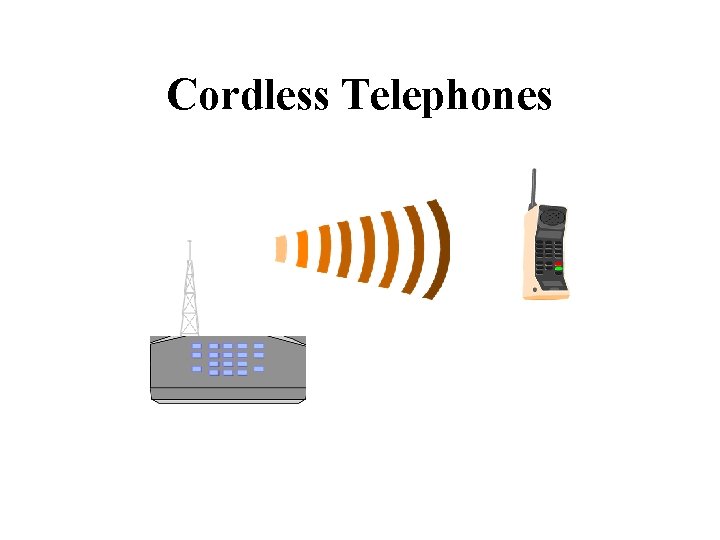
Cordless Telephones
Cordless Telephones · Base unit=> · Portable unit=> · Signaling carried between base and portable using out-of-band frequencies.
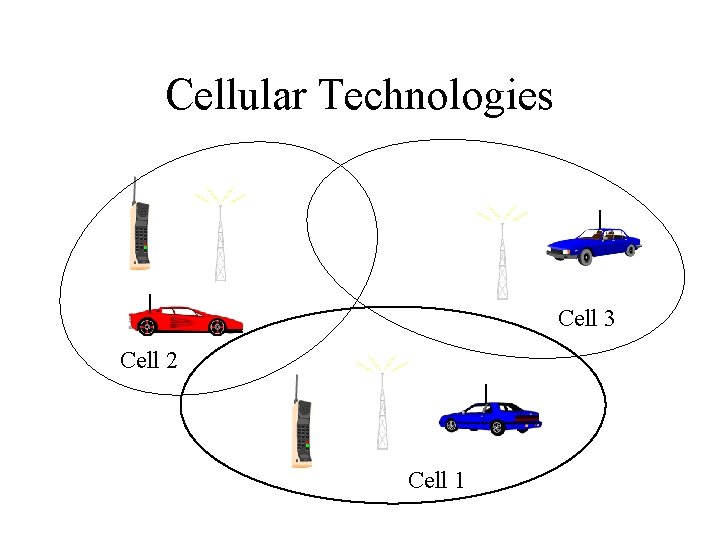
Cellular Technologies Cell 3 Cell 2 Cell 1
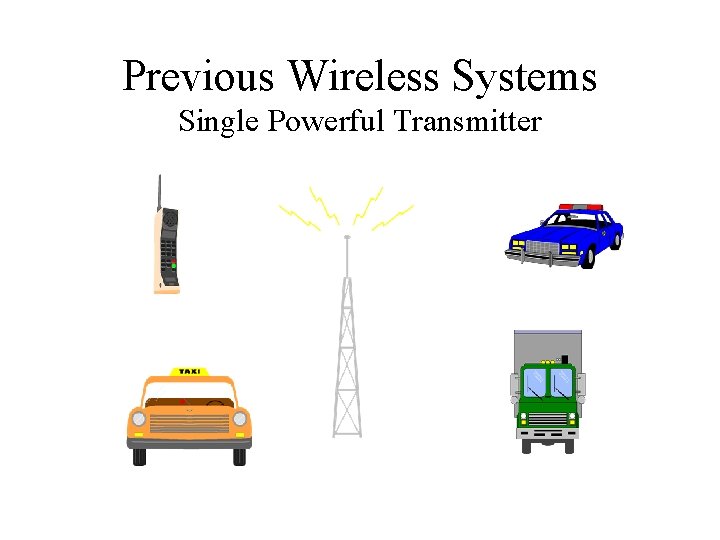
Previous Wireless Systems Single Powerful Transmitter
Wireless Before Cellular Problem: Limited Capacity • Before 1981: – FDM – Limited number of users: – Very limited capacity
Cellular Services • 728 Mobile Service Areas (MSAs) defined by the FCC in the United States. • 2 Cellular carriers in each MSA – A Carrier : – B Carrier : •
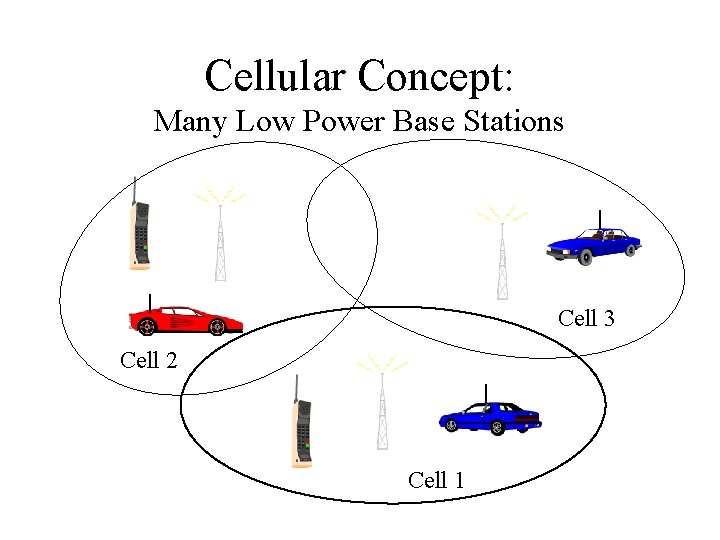
Cellular Concept: Many Low Power Base Stations Cell 3 Cell 2 Cell 1
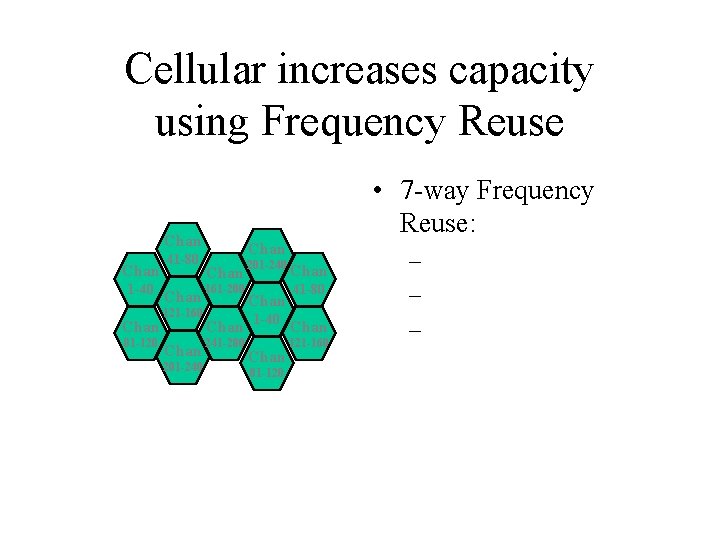
Cellular increases capacity using Frequency Reuse • 7 -way Frequency Reuse: Chan 1 -40 Chan 81 -120 41 -80 Chan 201 -240 Chan 41 -80 Chan 161 -200 121 -160 Chan 1 -40 Chan 241 -280 201 -240 Chan 81 -120 121 -160 – – –
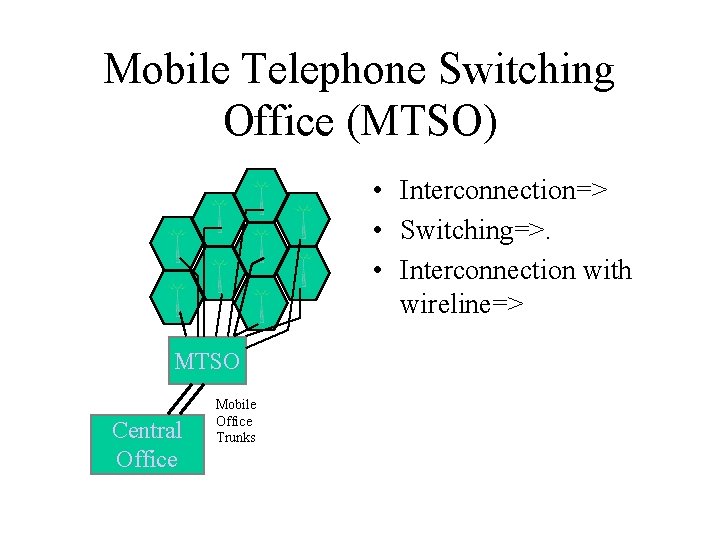
Mobile Telephone Switching Office (MTSO) • Interconnection=> • Switching=>. • Interconnection with wireline=> MTSO Central Office Mobile Office Trunks
Cellular Network Signaling • Registration – • Call Handoff – • Roaming –
Call Handoff • Caller moves from one cell to another:
Cellular Systems • Advanced Mobile Phone System (AMPS) • IS-54 B Digital Cellular (TDMA)
Personal Communications Systems (PCS) • Combines voice and data services • Intelligent network • Code Division Multiple Access (CDMA)
Personal Communications Systems (PCS) • Smart PCS equipment=>
How to Share Airwaves? • Frequency Division Multiple Access (FDMA) –
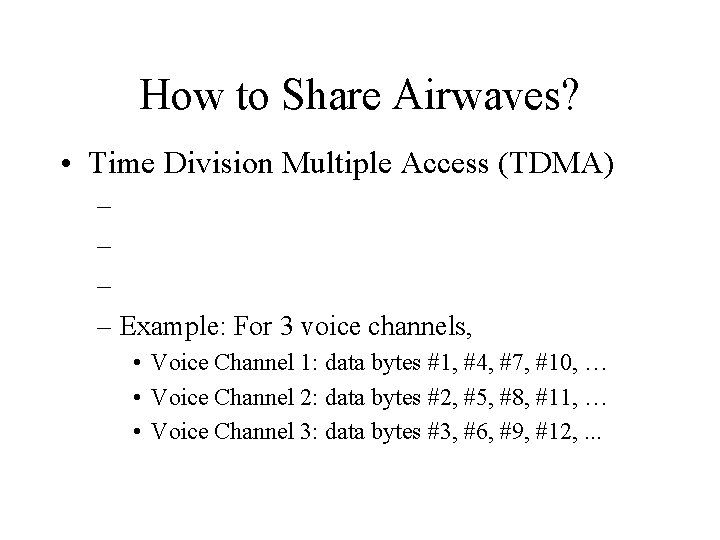
How to Share Airwaves? • Time Division Multiple Access (TDMA) – – Example: For 3 voice channels, • Voice Channel 1: data bytes #1, #4, #7, #10, … • Voice Channel 2: data bytes #2, #5, #8, #11, … • Voice Channel 3: data bytes #3, #6, #9, #12, . . .
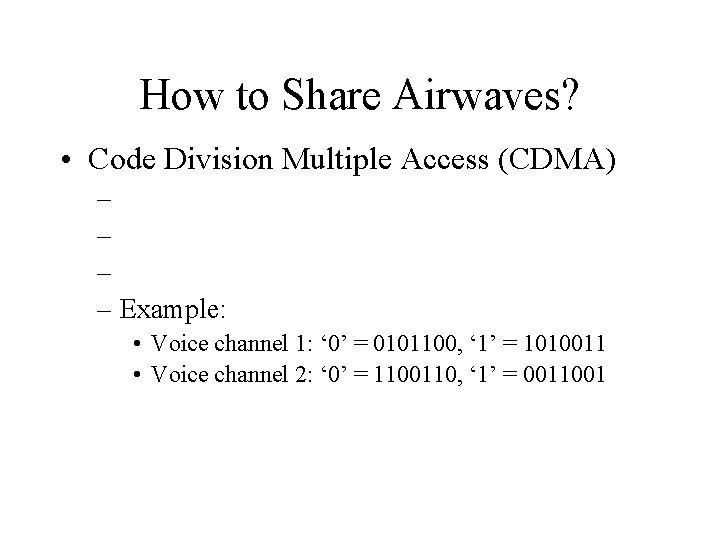
How to Share Airwaves? • Code Division Multiple Access (CDMA) – – Example: • Voice channel 1: ‘ 0’ = 0101100, ‘ 1’ = 1010011 • Voice channel 2: ‘ 0’ = 1100110, ‘ 1’ = 0011001
How to Share Airwaves? • Advantages: – FDMA: – TDMA: – CDMA:
Satellite Systems
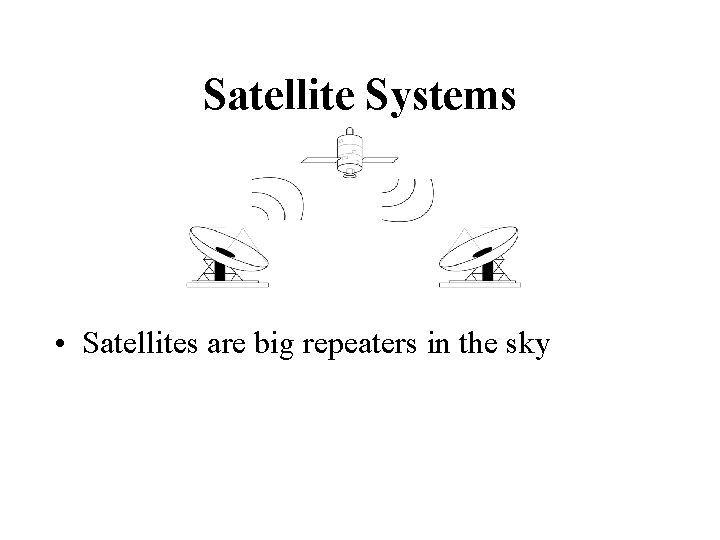
Satellite Systems • Satellites are big repeaters in the sky
Advantages to Satellites • Coverage – Geosynchronous satellite=> • Distance Insensitivity – • Scalability –
Disadvantages to Satellites • Propagation Delay – – • Weather –
Satellite Orbits • Geosynchronous Earth Orbit (GEO) – Orbits 22, 300 miles above earth – Appears to be motionless from Earth – Uses: TV, telephony, intelligence • Low Earth Orbit (LEO) – Orbits 100 -1000 miles above earth – Satellite rises and sets in ~15 minutes when viewed from Earth – Advantage: Much smaller propagation delay – Uses: New voice/data networks
Example: Iridium • Iridium is LEO network – Built by consortium lead by Motorola – Constellation of 66 LEO satellites • 11 satellites in each of 6 different polar orbits – Provides voice communications from anyplace to anyplace on Earth. – 12 Gateways provide interconnection to international public telephone networks – Commercial service started in Nov. 1998
- Slides: 46