SIA 317 Active Directory Virtualization Safeguards and Domain
- Slides: 38
SIA 317 Active Directory Virtualization Safeguards and Domain Controller Cloning with Windows Server 2012 Samuel Devasahayam Active Directory Product Group Microsoft
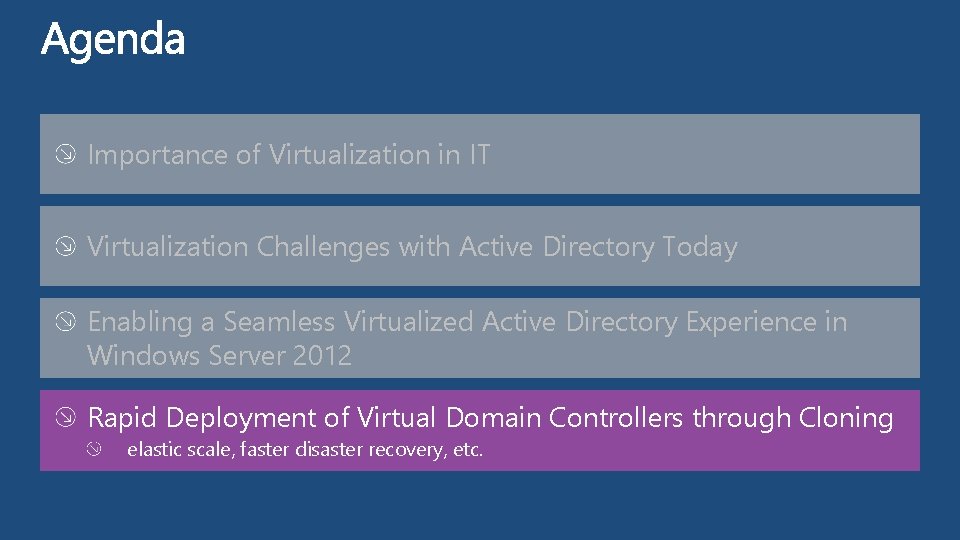
Importance of Virtualization in IT Virtualization Challenges with Active Directory Today Enabling a Seamless Virtualized Active Directory Experience in Windows Server 2012 Rapid Deployment of Virtual Domain Controllers through Cloning elastic scale, faster disaster recovery, etc.
Importance of Virtualization in IT Virtualization Challenges with Active Directory Today Enabling a Seamless Virtualized Active Directory Experience in Windows Server 2012 Rapid Deployment of Virtual Domain Controllers through Cloning elastic scale, faster disaster recovery, etc.
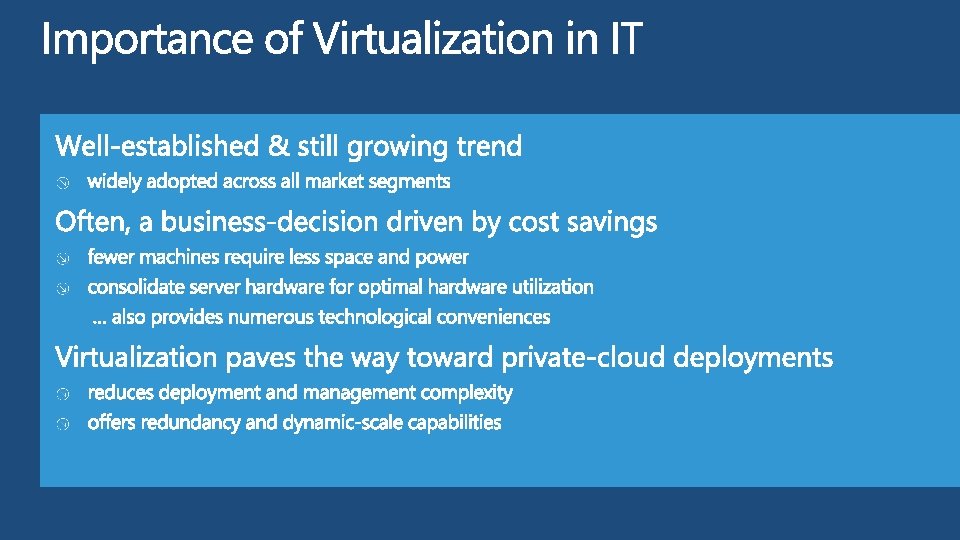
Importance of Virtualization in IT Virtualization Challenges with Active Directory Today Enabling a Seamless Virtualized Active Directory Experience in Windows Server 2012 Rapid Deployment of Virtual Domain Controllers through Cloning elastic scale, faster disaster recovery, etc.
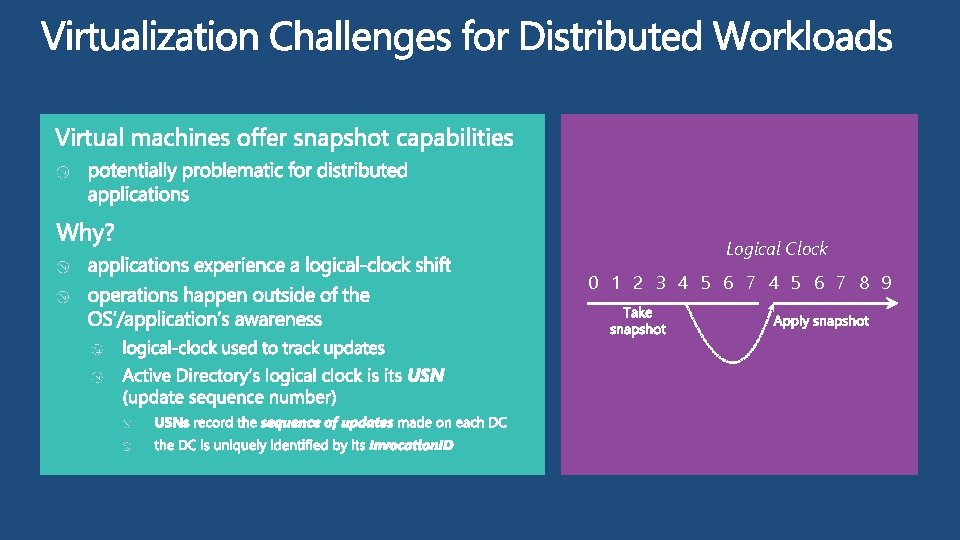
Logical Clock 0 1 2 3 4 5 6 7 8 9
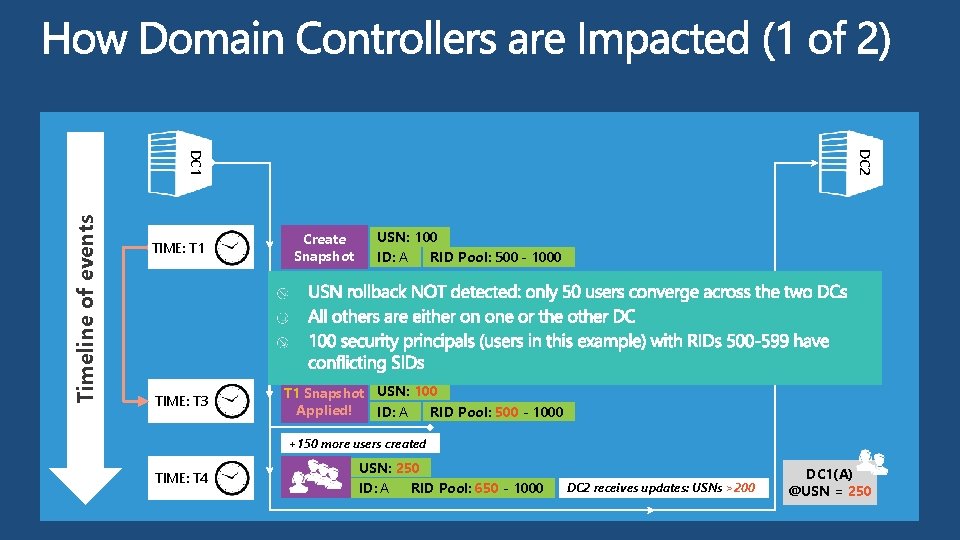
DC 2 Timeline of events DC 1 TIME: T 1 Create Snapshot USN: 100 ID: A RID Pool: 500 - 1000 +100 users added TIME: T 2 TIME: T 3 USN: 200 ID: A RID Pool: 600 - 1000 DC 2 receives updates: USNs >100 DC 1(A) @USN = 200 T 1 Snapshot USN: 100 Applied! ID: A RID Pool: 500 - 1000 +150 more users created TIME: T 4 USN: 250 ID: A RID Pool: 650 - 1000 DC 2 receives updates: USNs >200 DC 1(A) @USN = 250
Importance of Virtualization in IT Virtualization Challenges with Active Directory Today Enabling a Seamless Virtualized Active Directory Experience in Windows Server 2012 Rapid Deployment of Virtual Domain Controllers through Cloning elastic scale, faster disaster recovery, etc.
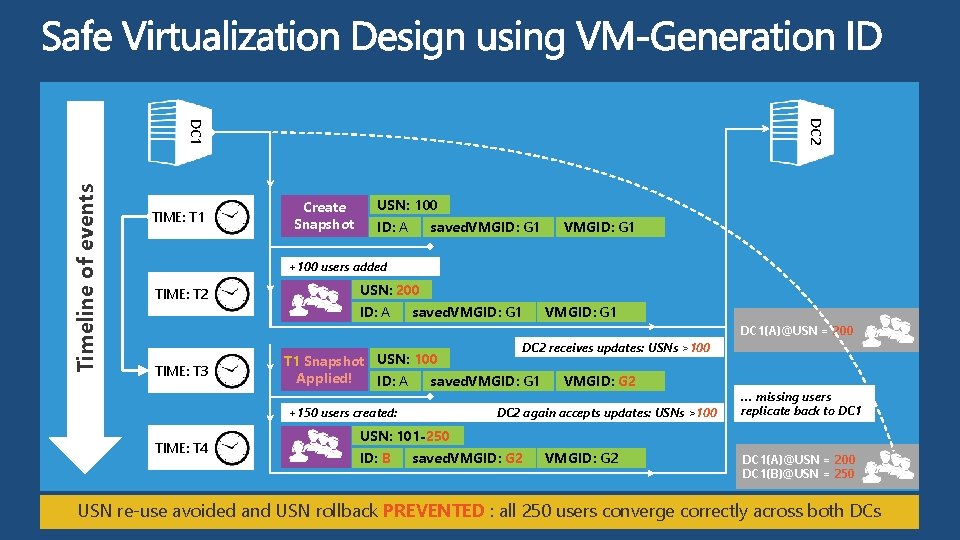
DC 2 Timeline of events DC 1 TIME: T 1 Create Snapshot USN: 100 ID: A saved. VMGID: G 1 +100 users added TIME: T 2 USN: 200 ID: A saved. VMGID: G 1 DC 1(A)@USN = 200 DC 2 receives updates: USNs >100 TIME: T 3 T 1 Snapshot USN: 100 Applied! ID: A saved. VMGID: G 1 VMGID: G 2 +150 users created: VM generation IDDC 2 difference again accepts detected: updates: EMPLOY USNs SAFETIES >100 TIME: T 4 … missing users replicate back to DC 1 USN: 101 -250 ID: B saved. VMGID: G 2 DC 1(A)@USN = 200 DC 1(B)@USN = 250 USN re-use avoided and USN rollback PREVENTED : all 250 users converge correctly across both DCs
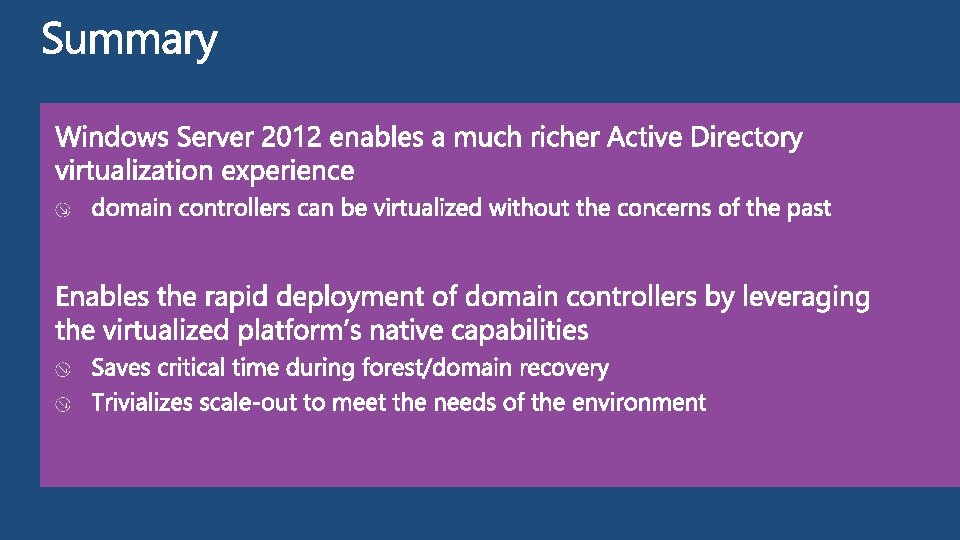
Importance of Virtualization in IT Virtualization Challenges with Active Directory Today Enabling a Seamless Virtualized Active Directory Experience in Windows Server 2012 Rapid Deployment of Virtual Domain Controllers through Cloning elastic scale, faster disaster recovery, etc.
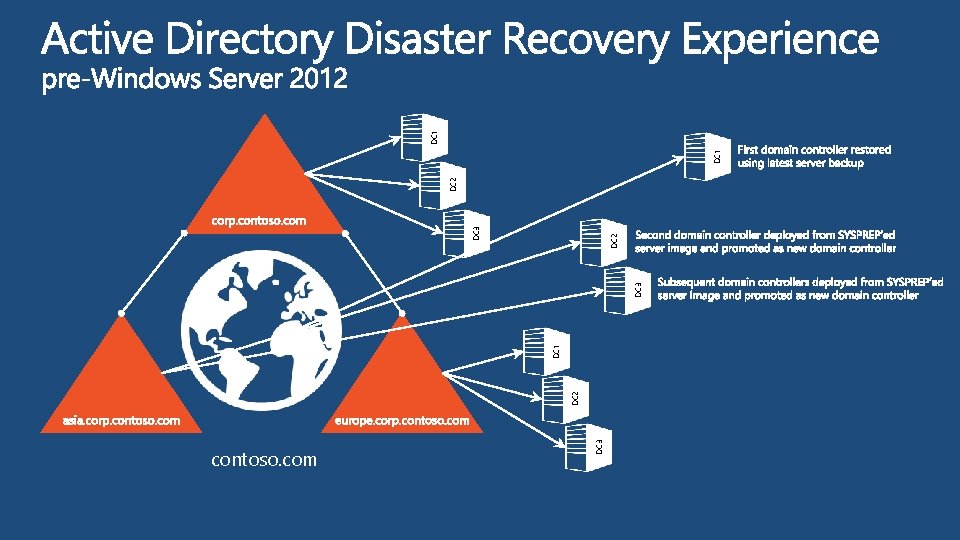
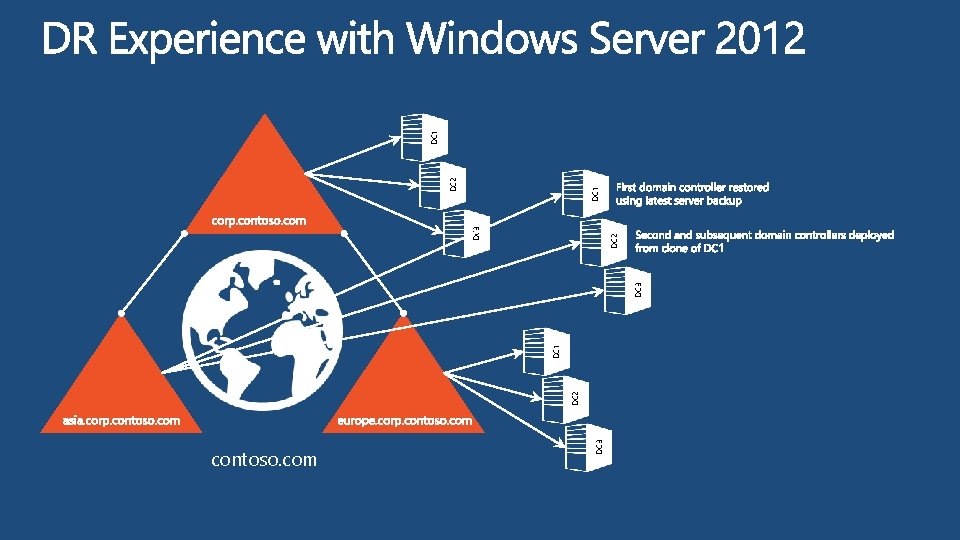
DC 3 contoso. com DC 2 DC 1 DC 3 DC 2 DC 1
DC 3 contoso. com DC 2 DC 1 DC 3 DC 2 DC 3 DC 1 DC 2 DC 1
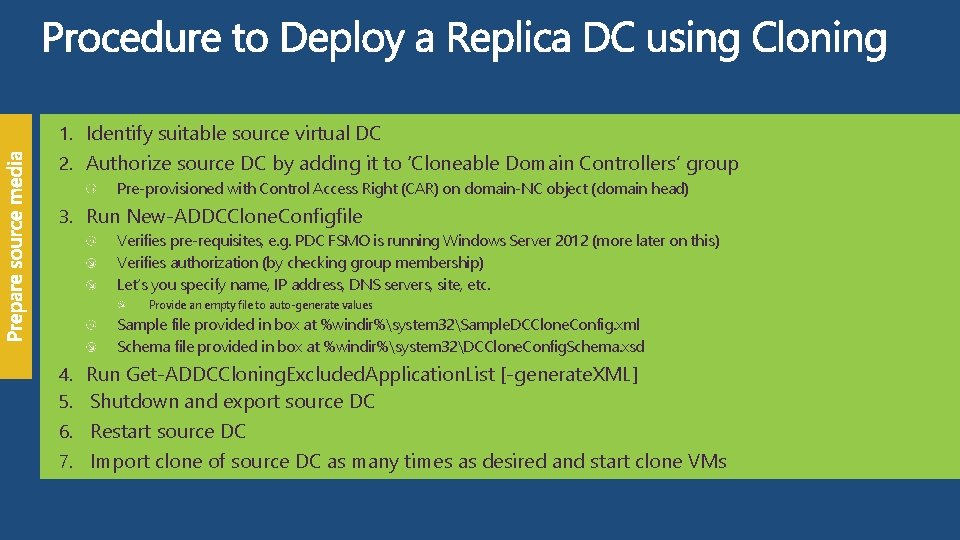
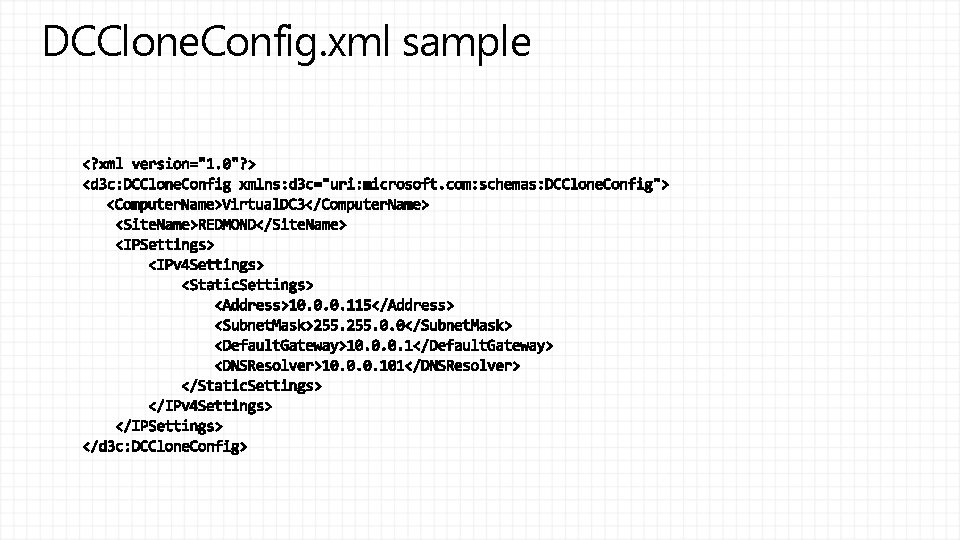
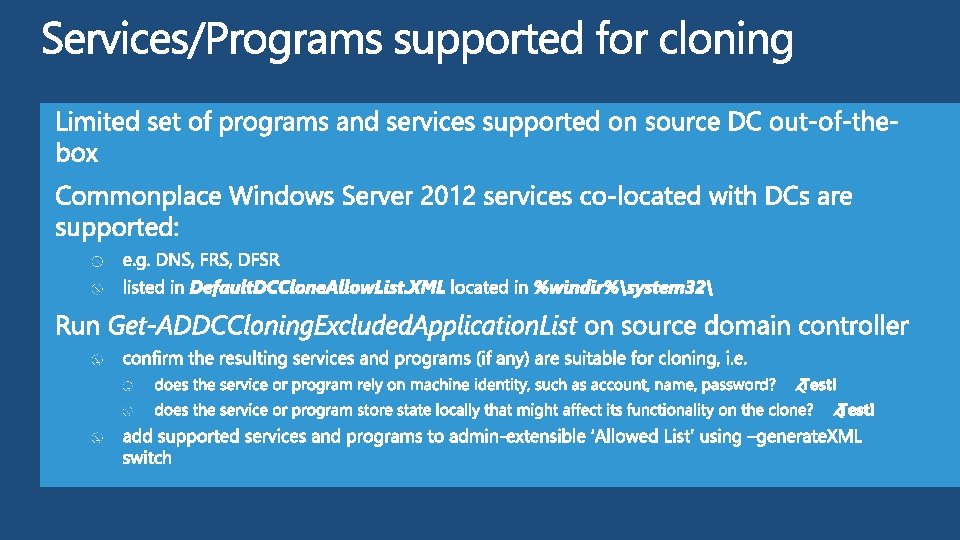
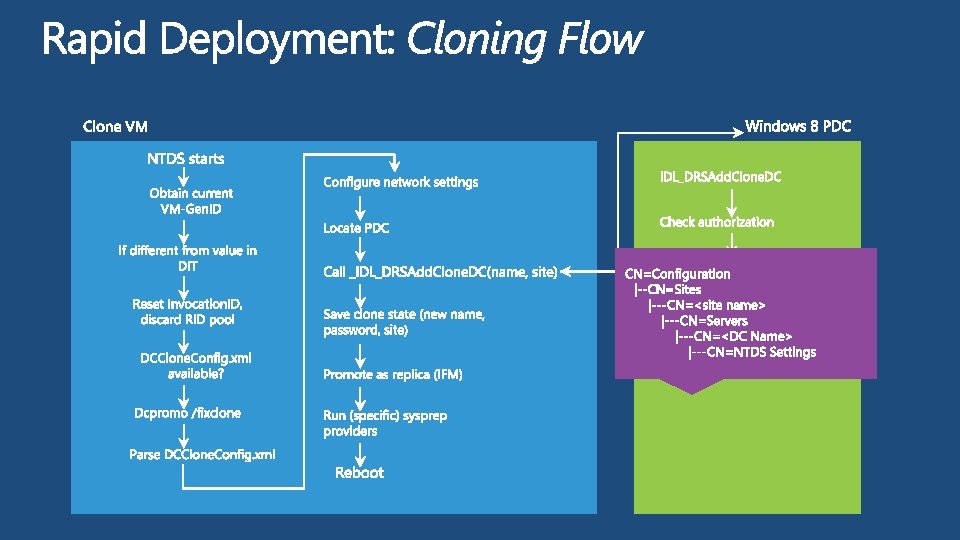
1. Identify suitable source virtual DC 2. Authorize source DC by adding it to ‘Cloneable Domain Controllers’ group Pre-provisioned with Control Access Right (CAR) on domain-NC object (domain head) 3. Run New-ADDCClone. Configfile Verifies pre-requisites, e. g. PDC FSMO is running Windows Server 2012 (more later on this) Verifies authorization (by checking group membership) Let’s you specify name, IP address, DNS servers, site, etc. Provide an empty file to auto-generate values Sample file provided in box at %windir%system 32Sample. DCClone. Config. xml Schema file provided in box at %windir%system 32DCClone. Config. Schema. xsd 4. Run Get-ADDCCloning. Excluded. Application. List [-generate. XML] 5. Shutdown and export source DC 6. Restart source DC 7. Import clone of source DC as many times as desired and start clone VMs
DCClone. Config. xml sample
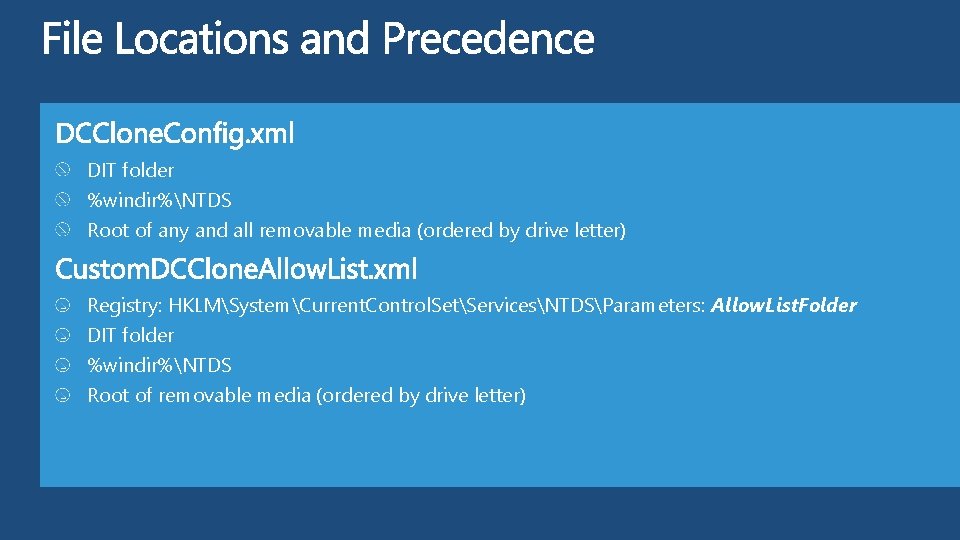
DIT folder %windir%NTDS Root of any and all removable media (ordered by drive letter) Registry: HKLMSystemCurrent. Control. SetServicesNTDSParameters: Allow. List. Folder DIT folder %windir%NTDS Root of removable media (ordered by drive letter)
demo Domain Controller Cloning
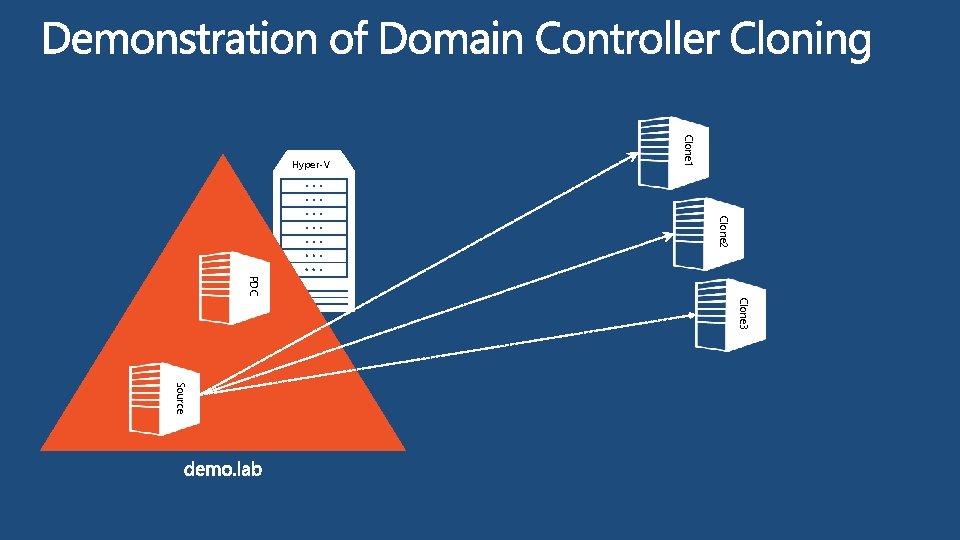
Clone 1 Hyper-V Clone 2 PDC Clone 3 Source
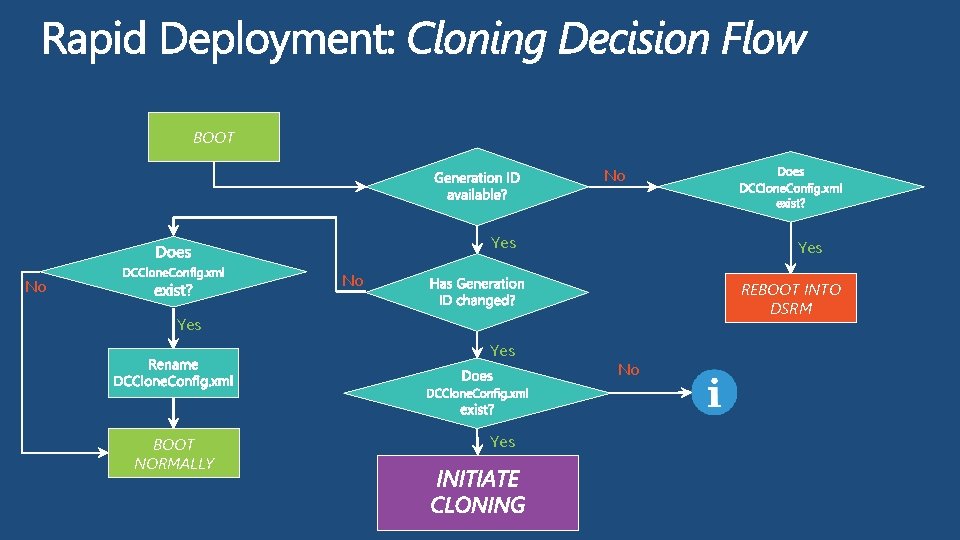
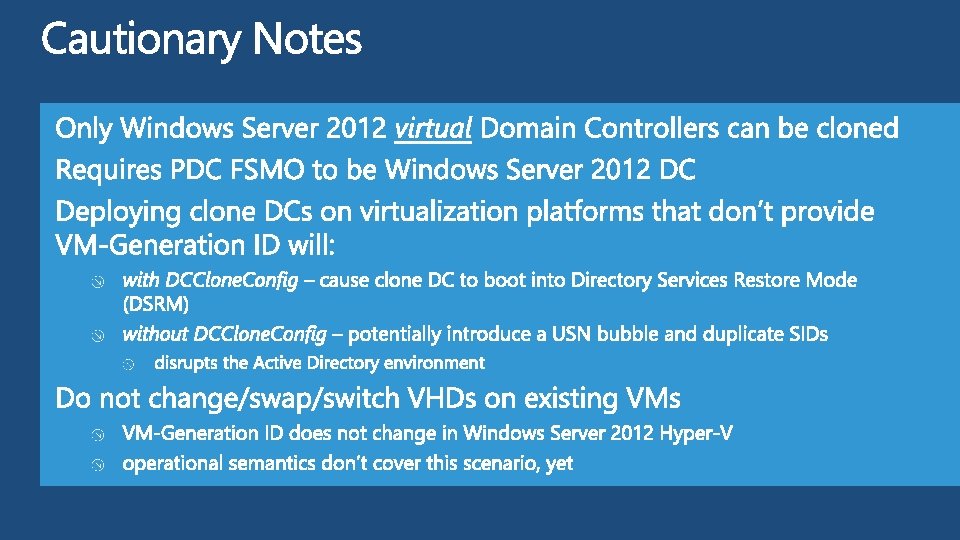
BOOT No Yes No No REBOOT INTO DSRM Yes BOOT NORMALLY Yes No
Questions? Thank you samueld@microsoft. com
#TESIA 317 Hands-On Labs Talk to our Experts at the TLC DOWNLOAD Windows Server 2012 Release Candidate DOWNLOAD Microsoft System Center 2012 Evaluation microsoft. com/windowsserver microsoft. com/systemcenter
Resources Learning Connect. Share. Discuss. Microsoft Certification & Training Resources http: //europe. msteched. com www. microsoft. com/learning Tech. Net Resources for IT Professionals Resources for Developers http: //microsoft. com/technet http: //microsoft. com/msdn
Evaluations Submit your evals online http: //europe. msteched. com/sessions