Secure Architecture Principles Isolation and Least Privilege Access
![Access control matrix [Lampson] Objects Subjects File 1 File 2 File 3 … File](https://slidetodoc.com/presentation_image_h/1a1e3f2dbdfb2bcb38bbc62130fc45ff/image-31.jpg "Access control matrix [Lampson] Objects Subjects File 1 File 2 File 3 … File")
- Slides: 69
Secure Architecture Principles • • Isolation and Least Privilege Access Control Concepts Operating Systems Browser Isolation and Least Privilege Original slides were created by Prof. John Mitchel 1
Secure Architecture Principles Isolation and Least Privilege 2
Principles of Secure Design 3
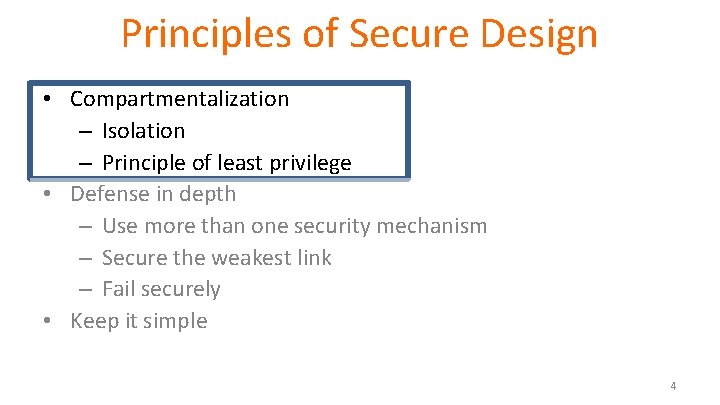
Principles of Secure Design • Compartmentalization – Isolation – Principle of least privilege • Defense in depth – Use more than one security mechanism – Secure the weakest link – Fail securely • Keep it simple 4
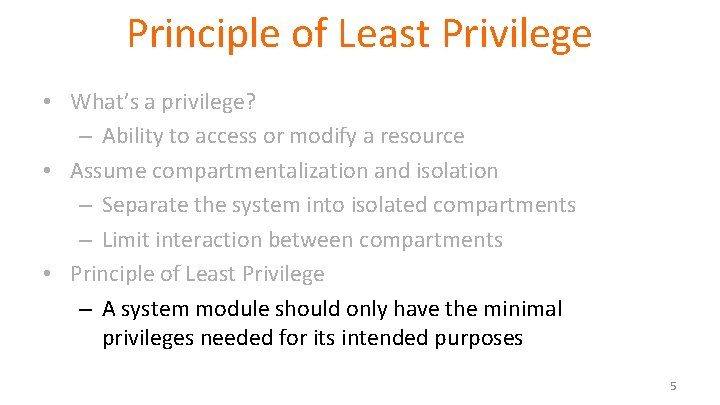
Principle of Least Privilege • What’s a privilege? – Ability to access or modify a resource • Assume compartmentalization and isolation – Separate the system into isolated compartments – Limit interaction between compartments • Principle of Least Privilege – A system module should only have the minimal privileges needed for its intended purposes 5
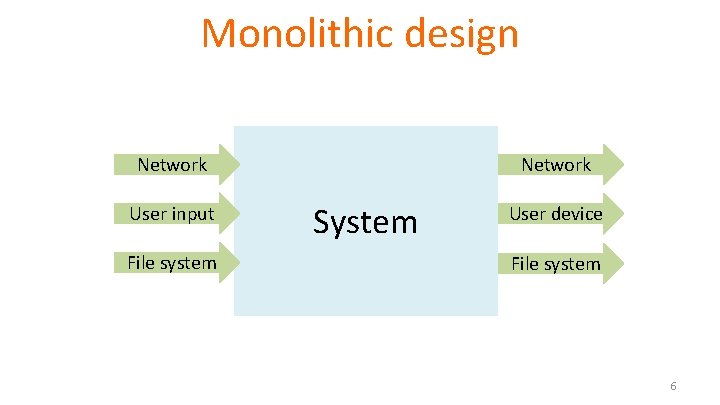
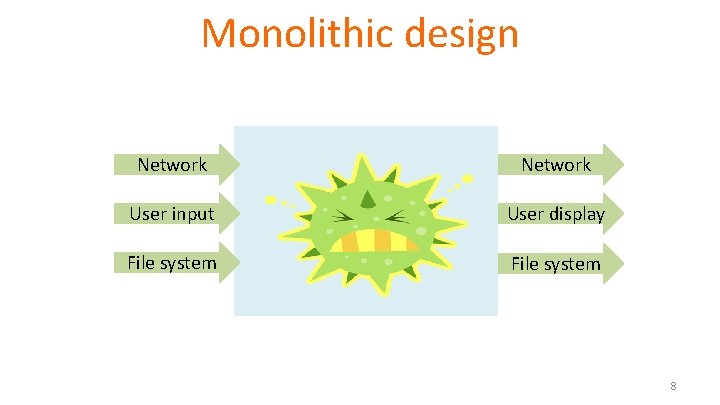
Monolithic design Network User input File system Network System User device File system 6
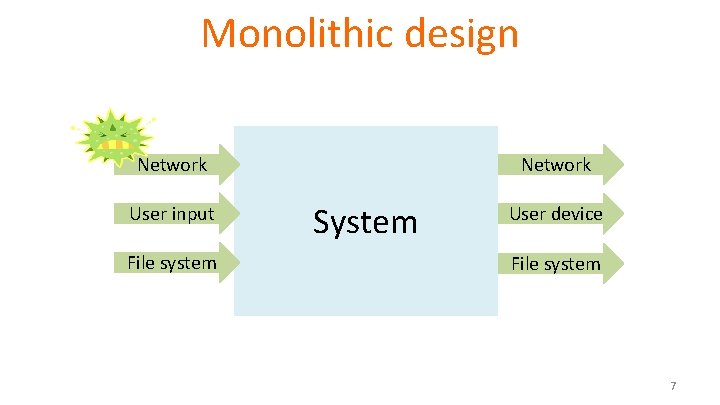
Monolithic design Network User input File system Network System User device File system 7
Monolithic design Network User input File system Network System User display File system 8
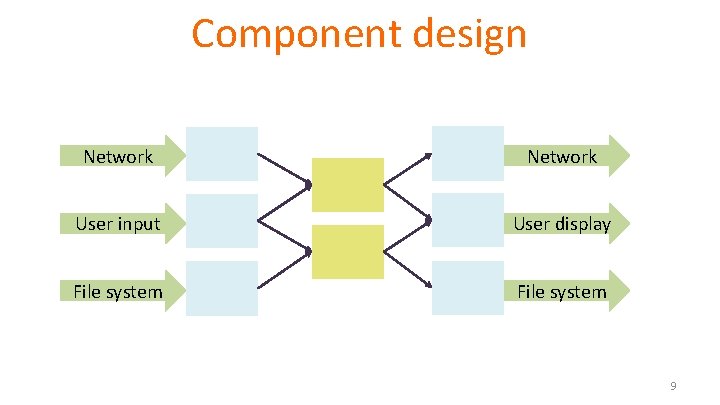
Component design Network User input User display File system 9
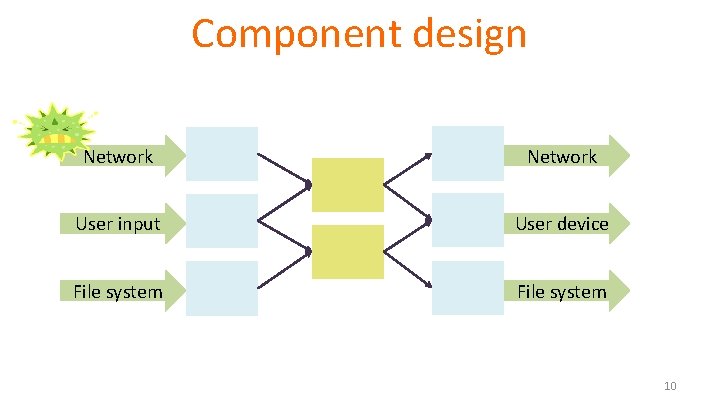
Component design Network User input User device File system 10
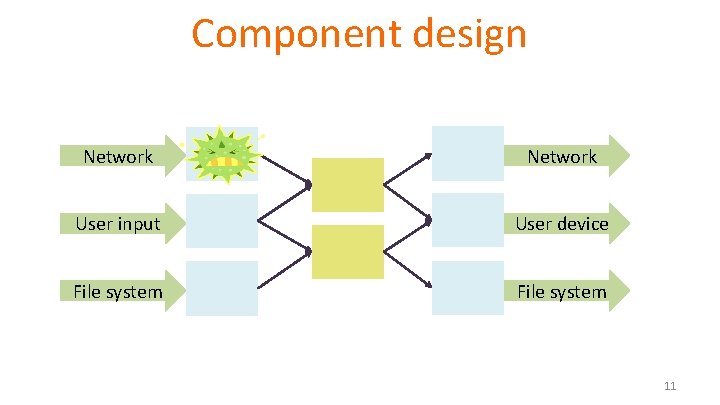
Component design Network User input User device File system 11
Principle of Least Privilege • What’s a privilege? – Ability to access or modify a resource • Assume compartmentalization and isolation – Separate the system into isolated compartments – Limit interaction between compartments • Principle of Least Privilege – A system module should only have the minimal privileges needed for its intended purposes 12
Example: Mail Agent • Requirements – Receive and send email over external network – Place incoming email into local user inbox files • Sendmail – Traditional Unix – Monolithic design – Historical source of many vulnerabilities • Qmail – Compartmentalized design 13
OS Basics (before examples) • Isolation between processes – Each process has a UID • Two processes with same UID have same permissions – A process may access files, network sockets, …. • Permission granted according to UID • Relation to previous terminology – Compartment defined by UID – Privileges defined by actions allowed on system resources 14
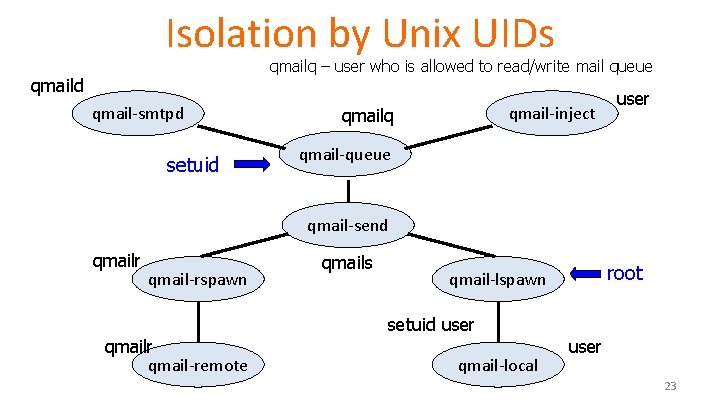
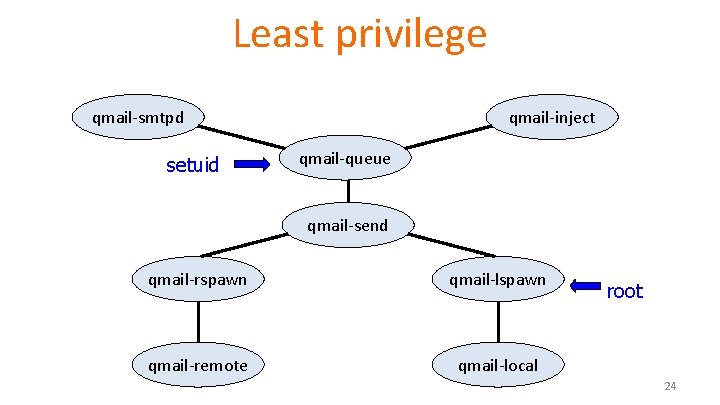
Qmail design • Isolation based on OS isolation – Separate modules run as separate “users” – Each user only has access to specific resources • Least privilege – Minimal privileges for each UID – Only one “setuid” program • setuid allows a program to run as different users – Only one “root” program • root program has all privileges 15
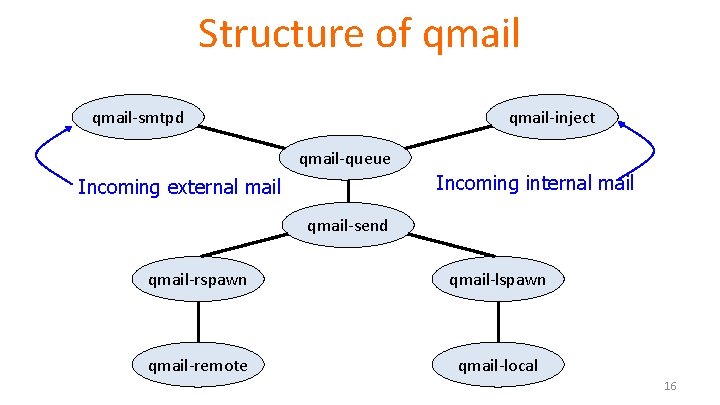
Structure of qmail-smtpd qmail-inject qmail-queue Incoming internal mail Incoming external mail qmail-send qmail-rspawn qmail-lspawn qmail-remote qmail-local 16
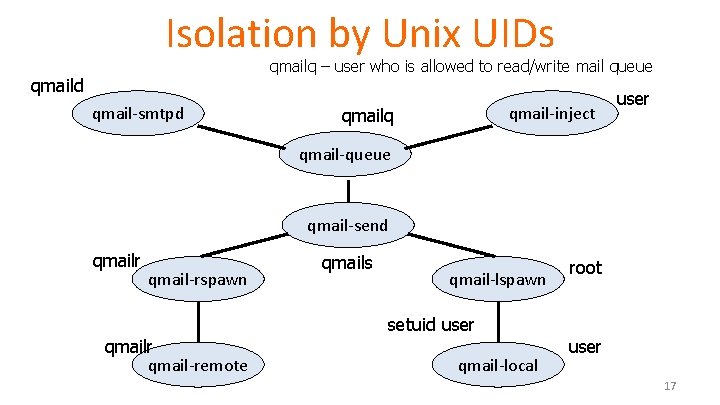
Isolation by Unix UIDs qmailq – user who is allowed to read/write mail queue qmaild qmail-smtpd qmail-inject qmailq user qmail-queue qmail-send qmailr qmail-rspawn qmailr qmail-remote qmails qmail-lspawn setuid user qmail-local root user 17
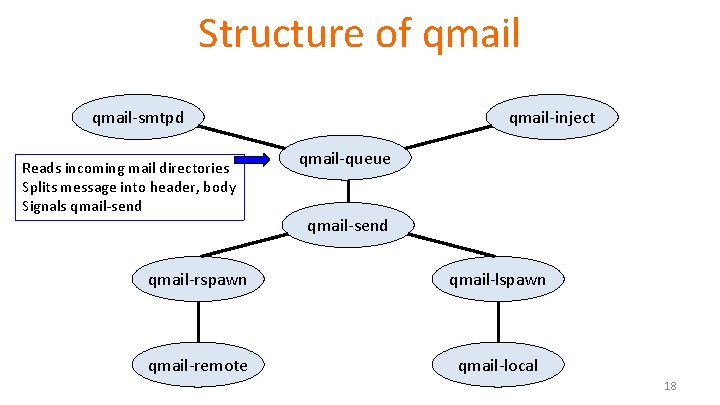
Structure of qmail-smtpd Reads incoming mail directories Splits message into header, body Signals qmail-send qmail-inject qmail-queue qmail-send qmail-rspawn qmail-lspawn qmail-remote qmail-local 18
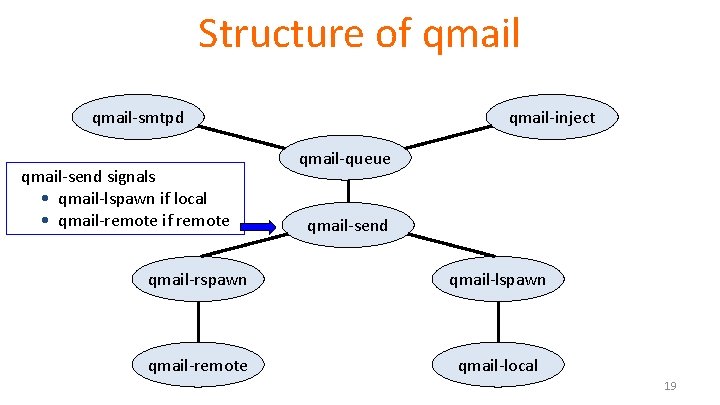
Structure of qmail-smtpd qmail-send signals • qmail-lspawn if local • qmail-remote if remote qmail-inject qmail-queue qmail-send qmail-rspawn qmail-lspawn qmail-remote qmail-local 19
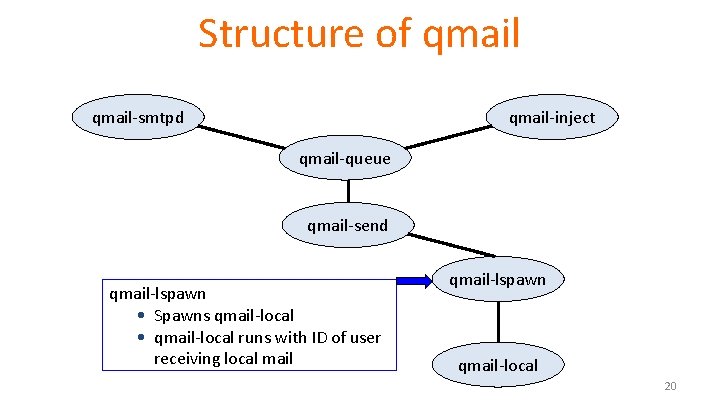
Structure of qmail-smtpd qmail-inject qmail-queue qmail-send qmail-lspawn • Spawns qmail-local • qmail-local runs with ID of user receiving local mail qmail-lspawn qmail-local 20
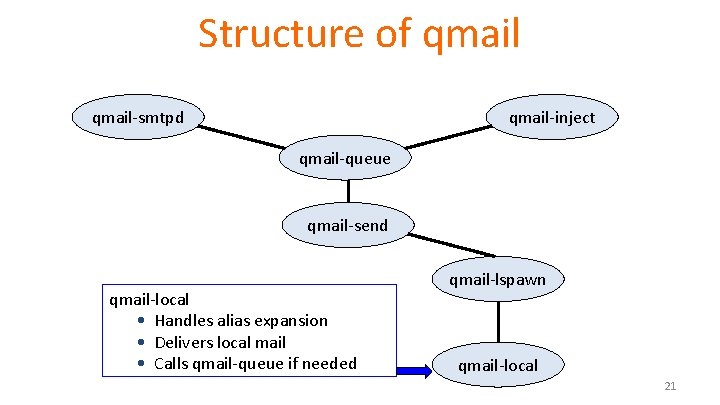
Structure of qmail-smtpd qmail-inject qmail-queue qmail-send qmail-local • Handles alias expansion • Delivers local mail • Calls qmail-queue if needed qmail-lspawn qmail-local 21
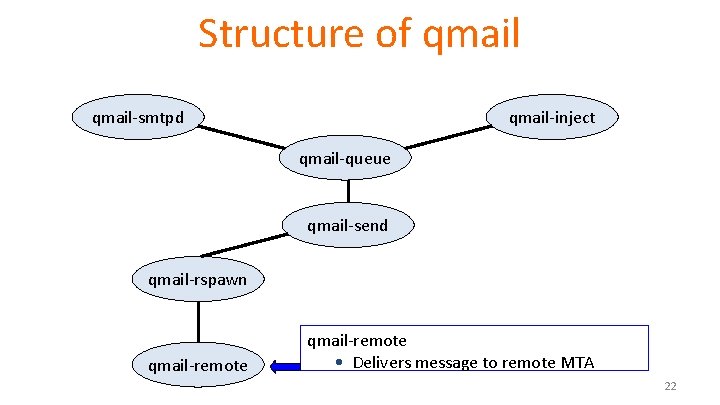
Structure of qmail-smtpd qmail-inject qmail-queue qmail-send qmail-rspawn qmail-remote • Delivers message to remote MTA 22
Isolation by Unix UIDs qmailq – user who is allowed to read/write mail queue qmaild qmail-smtpd setuid qmail-inject qmailq user qmail-queue qmail-send qmailr qmail-rspawn qmailr qmail-remote qmails qmail-lspawn setuid user qmail-local root user 23
Least privilege qmail-smtpd setuid qmail-inject qmail-queue qmail-send qmail-rspawn qmail-lspawn qmail-remote qmail-local root 24
Qmail summary • Security goal? • Threat model? • Mechanisms – Least privilege – Separation 25
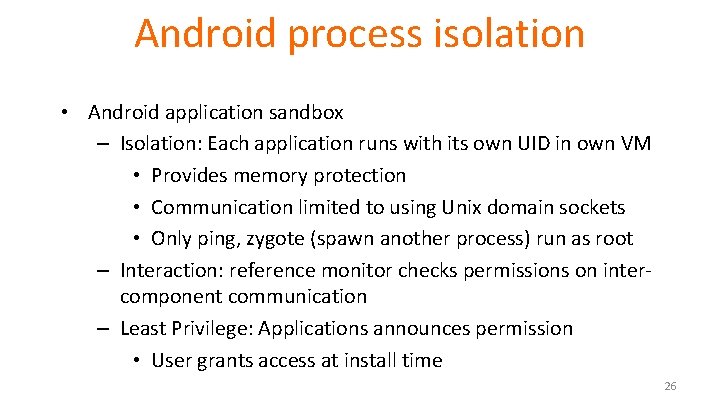
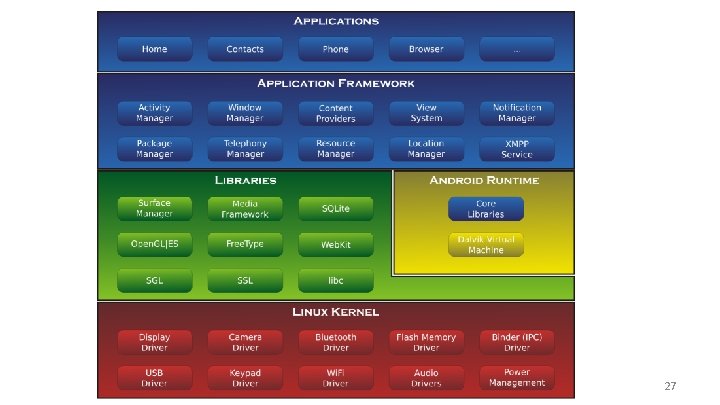
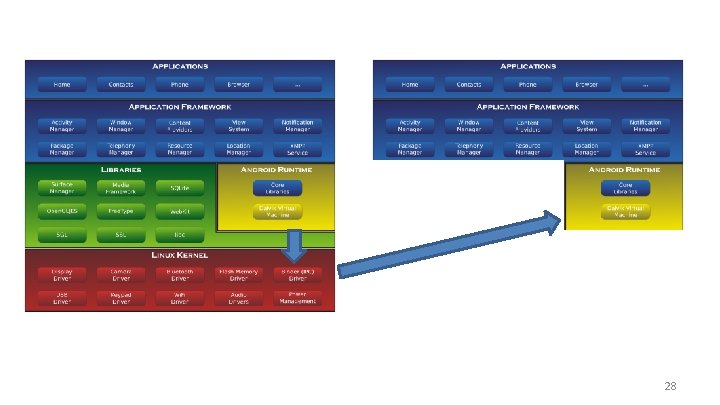
Android process isolation • Android application sandbox – Isolation: Each application runs with its own UID in own VM • Provides memory protection • Communication limited to using Unix domain sockets • Only ping, zygote (spawn another process) run as root – Interaction: reference monitor checks permissions on intercomponent communication – Least Privilege: Applications announces permission • User grants access at install time 26
27
28
Secure Architecture Principles Access Control Concepts 29
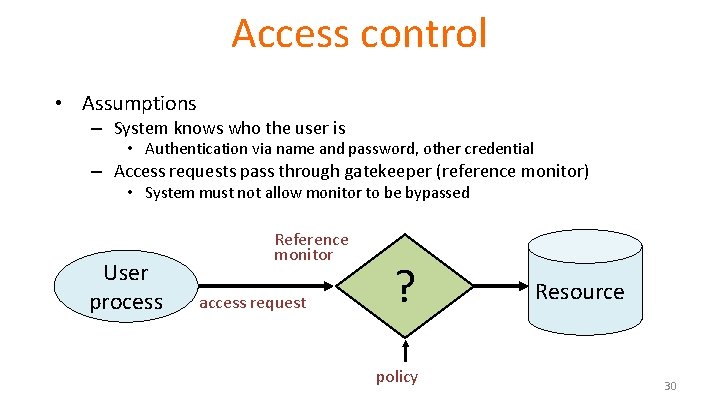
Access control • Assumptions – System knows who the user is • Authentication via name and password, other credential – Access requests pass through gatekeeper (reference monitor) • System must not allow monitor to be bypassed User process Reference monitor access request ? policy Resource 30
Access control matrix [Lampson] Objects Subjects File 1 File 2 File 3 … File n User 1 read write - - read User 2 write - - User 3 - - - read write read … User m 31
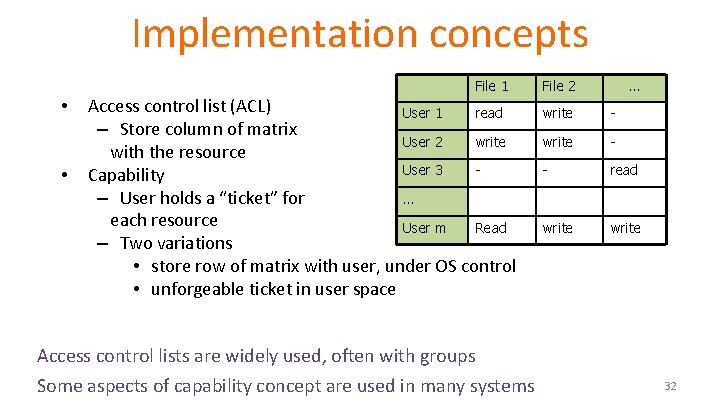
Implementation concepts File 1 • • Access control list (ACL) User 1 read – Store column of matrix User 2 write with the resource User 3 Capability – User holds a “ticket” for … each resource User m Read – Two variations • store row of matrix with user, under OS control • unforgeable ticket in user space File 2 … write - - read write Access control lists are widely used, often with groups Some aspects of capability concept are used in many systems 32
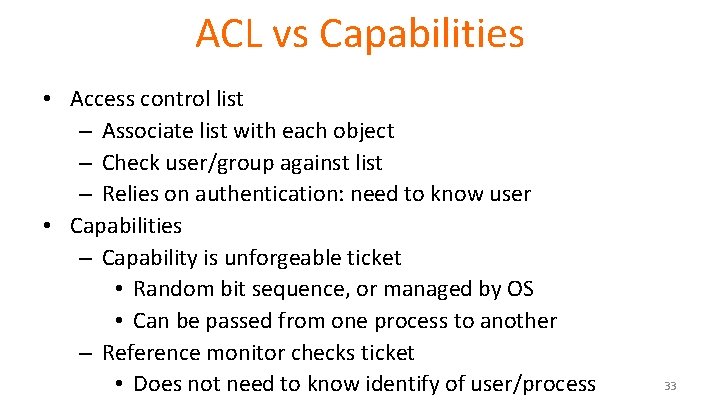
ACL vs Capabilities • Access control list – Associate list with each object – Check user/group against list – Relies on authentication: need to know user • Capabilities – Capability is unforgeable ticket • Random bit sequence, or managed by OS • Can be passed from one process to another – Reference monitor checks ticket • Does not need to know identify of user/process 33
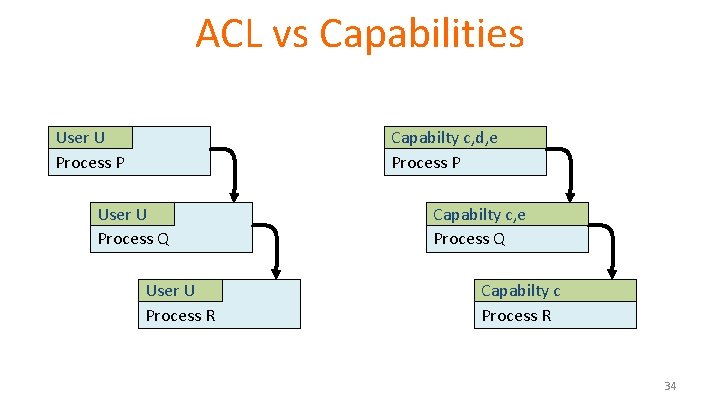
ACL vs Capabilities User U Process P Capabilty c, d, e Process P User U Process Q User U Process R Capabilty c, e Process Q Capabilty c Process R 34
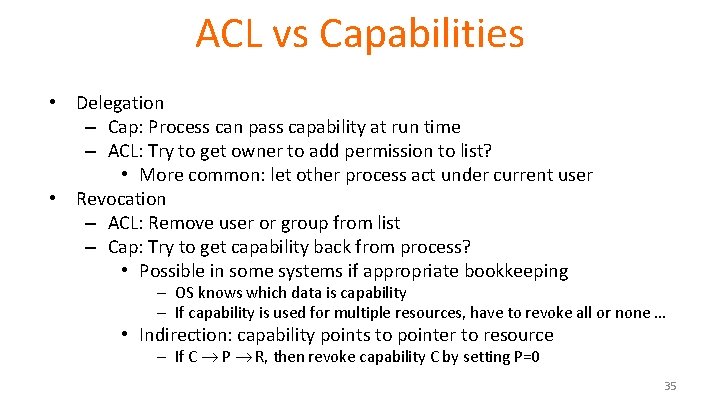
ACL vs Capabilities • Delegation – Cap: Process can pass capability at run time – ACL: Try to get owner to add permission to list? • More common: let other process act under current user • Revocation – ACL: Remove user or group from list – Cap: Try to get capability back from process? • Possible in some systems if appropriate bookkeeping – OS knows which data is capability – If capability is used for multiple resources, have to revoke all or none … • Indirection: capability points to pointer to resource – If C P R, then revoke capability C by setting P=0 35
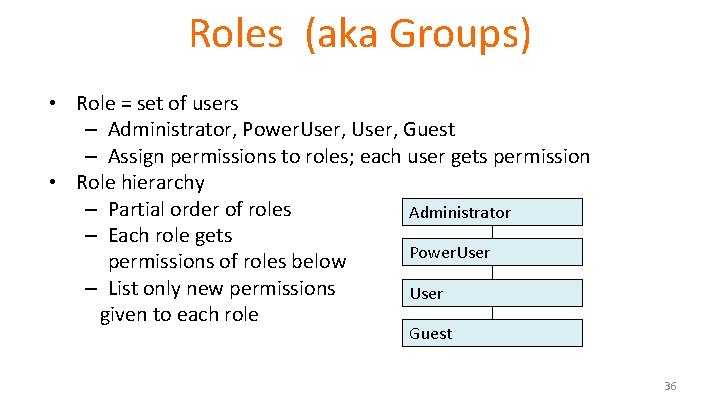
Roles (aka Groups) • Role = set of users – Administrator, Power. User, Guest – Assign permissions to roles; each user gets permission • Role hierarchy – Partial order of roles Administrator – Each role gets Power. User permissions of roles below – List only new permissions User given to each role Guest 36
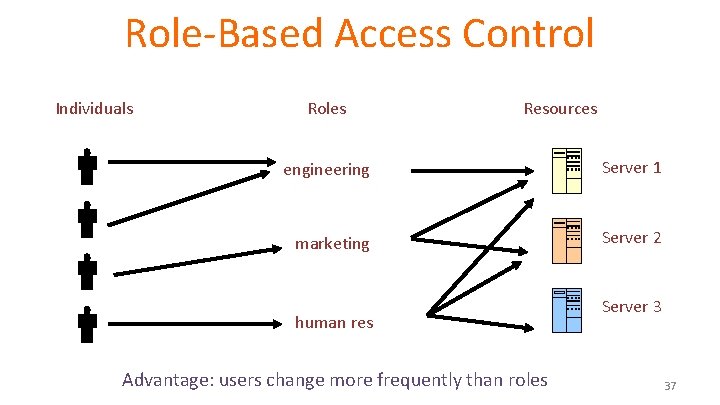
Role-Based Access Control Individuals Roles Resources engineering Server 1 marketing Server 2 human res Advantage: users change more frequently than roles Server 3 37
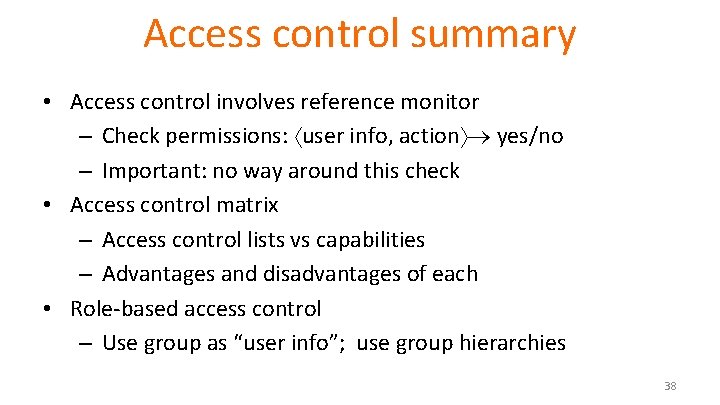
Access control summary • Access control involves reference monitor – Check permissions: user info, action yes/no – Important: no way around this check • Access control matrix – Access control lists vs capabilities – Advantages and disadvantages of each • Role-based access control – Use group as “user info”; use group hierarchies 38
Secure Architecture Principles Operating Systems 39
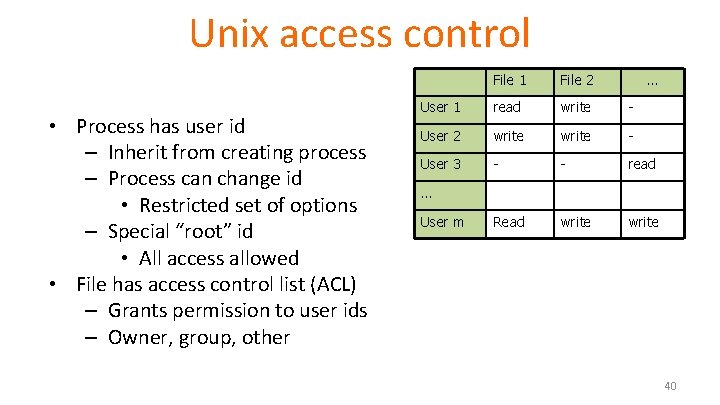
Unix access control • Process has user id – Inherit from creating process – Process can change id • Restricted set of options – Special “root” id • All access allowed • File has access control list (ACL) – Grants permission to user ids – Owner, group, other File 1 File 2 … User 1 read write - User 2 write - User 3 - - read Read write … User m 40
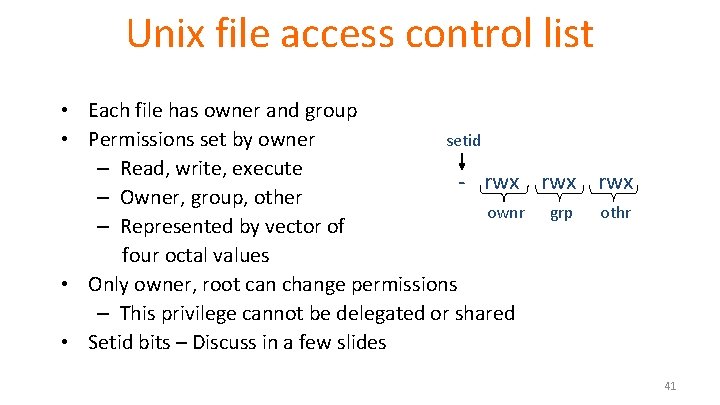
Unix file access control list • Each file has owner and group • Permissions set by owner setid – Read, write, execute - rwx rwx – Owner, group, other ownr grp othr – Represented by vector of four octal values • Only owner, root can change permissions – This privilege cannot be delegated or shared • Setid bits – Discuss in a few slides 41
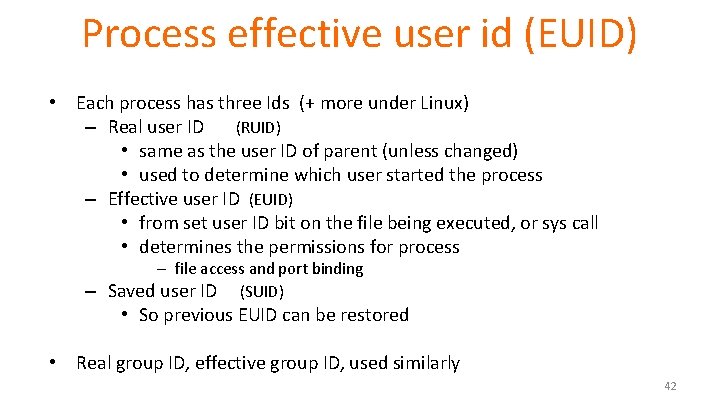
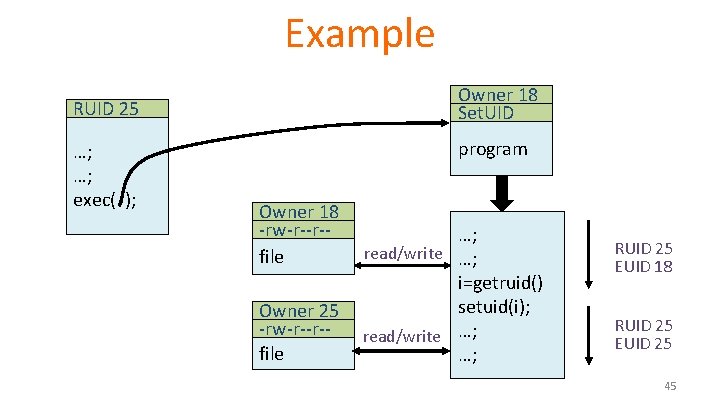
Process effective user id (EUID) • Each process has three Ids (+ more under Linux) – Real user ID (RUID) • same as the user ID of parent (unless changed) • used to determine which user started the process – Effective user ID (EUID) • from set user ID bit on the file being executed, or sys call • determines the permissions for process – file access and port binding – Saved user ID (SUID) • So previous EUID can be restored • Real group ID, effective group ID, used similarly 42
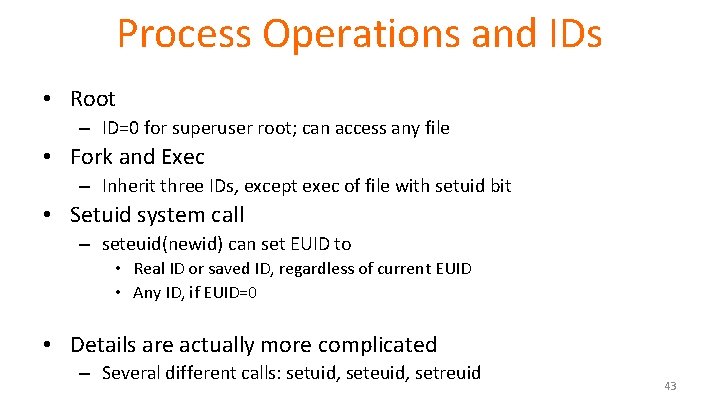
Process Operations and IDs • Root – ID=0 for superuser root; can access any file • Fork and Exec – Inherit three IDs, except exec of file with setuid bit • Setuid system call – seteuid(newid) can set EUID to • Real ID or saved ID, regardless of current EUID • Any ID, if EUID=0 • Details are actually more complicated – Several different calls: setuid, seteuid, setreuid 43
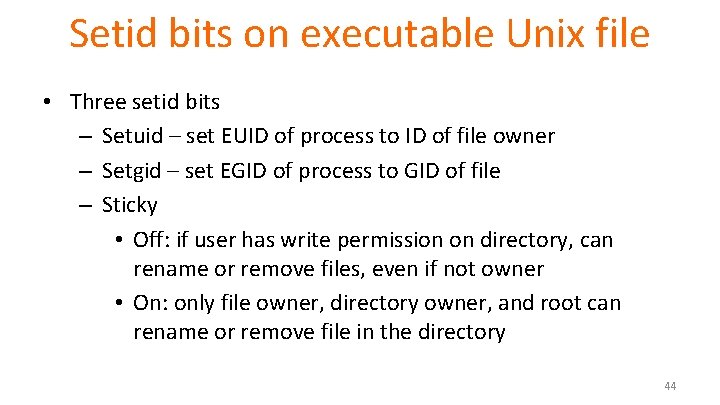
Setid bits on executable Unix file • Three setid bits – Setuid – set EUID of process to ID of file owner – Setgid – set EGID of process to GID of file – Sticky • Off: if user has write permission on directory, can rename or remove files, even if not owner • On: only file owner, directory owner, and root can rename or remove file in the directory 44
Example Owner 18 Set. UID RUID 25 …; …; exec( ); program Owner 18 -rw-r--r-file Owner 25 -rw-r--r-file …; read/write …; i=getruid() setuid(i); read/write …; …; RUID 25 EUID 18 RUID 25 EUID 25 45
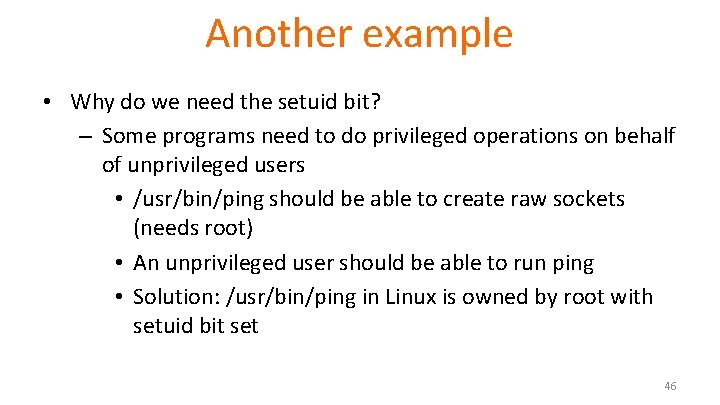
Another example • Why do we need the setuid bit? – Some programs need to do privileged operations on behalf of unprivileged users • /usr/bin/ping should be able to create raw sockets (needs root) • An unprivileged user should be able to run ping • Solution: /usr/bin/ping in Linux is owned by root with setuid bit set 46
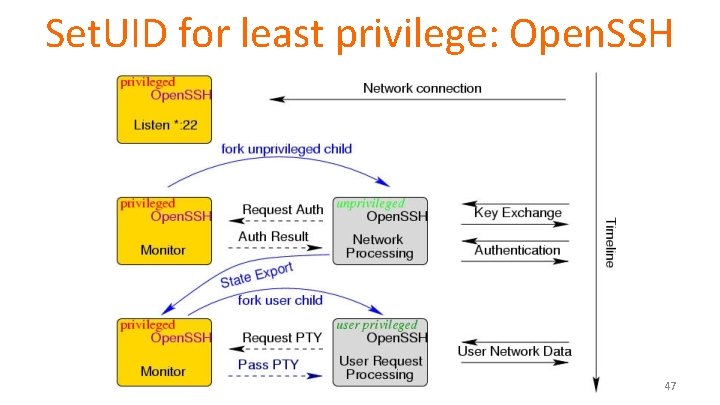
Set. UID for least privilege: Open. SSH 47
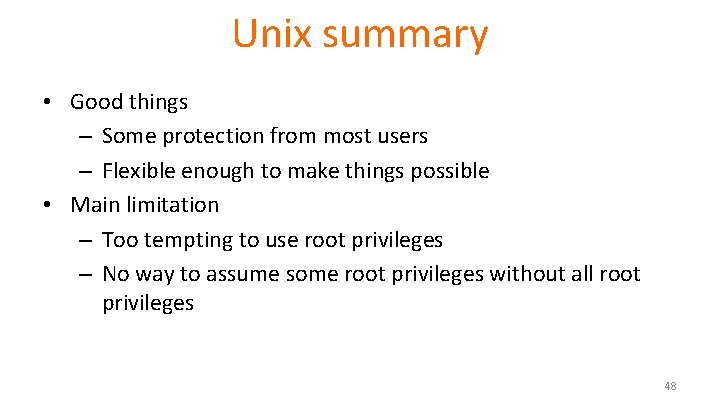
Unix summary • Good things – Some protection from most users – Flexible enough to make things possible • Main limitation – Too tempting to use root privileges – No way to assume some root privileges without all root privileges 48
Weakness in isolation, privileges • Network-facing Daemons – Root processes with network ports open to all remote parties, e. g. , sshd, ftpd, sendmail, … • How can you solve this? • Rootkits – System extension via dynamically loaded kernel modules • Environment Variables – System variables such as LD_LIBRARY_PATH that are shared state across applications. An attacker can change LD_LIBRARY_PATH to load an attacker-provided file as a dynamic library 49
Weakness in isolation, privileges • Shared Resources – Since any process can create files in /tmp directory, an untrusted process may create files that are used by arbitrary system processes • Time-of-Check-to-Time-of-Use (TOCTTOU) – Typically, a root process uses system call to determine if initiating user has permission to a particular file, e. g. /tmp/X. – After access is authorized and before the file open, user may change the file /tmp/X to a symbolic link to a target file /etc/shadow. 50
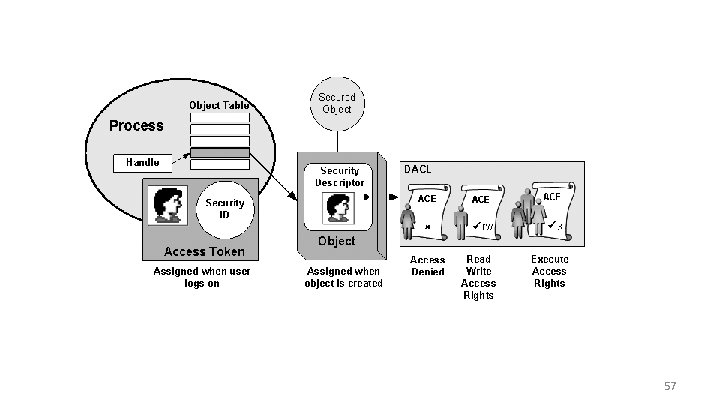
Access control in Windows • Some basic functionality similar to Unix – Specify access for groups and users • Read, modify, change owner, delete • Some additional concepts – Tokens – Security attributes • Generally – More flexible than Unix • Can define new permissions • Can give some but not all administrator privileges 51
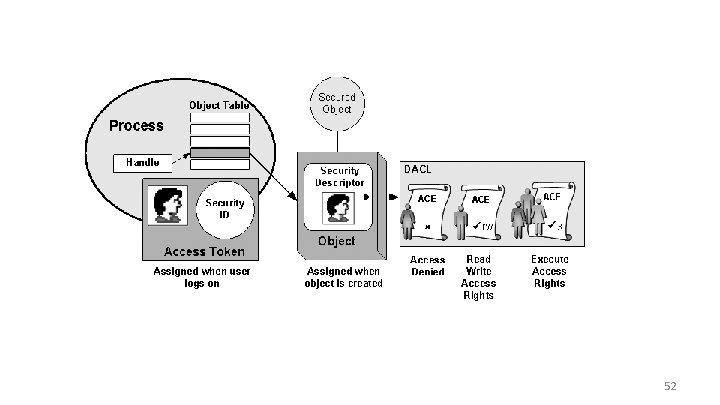
52
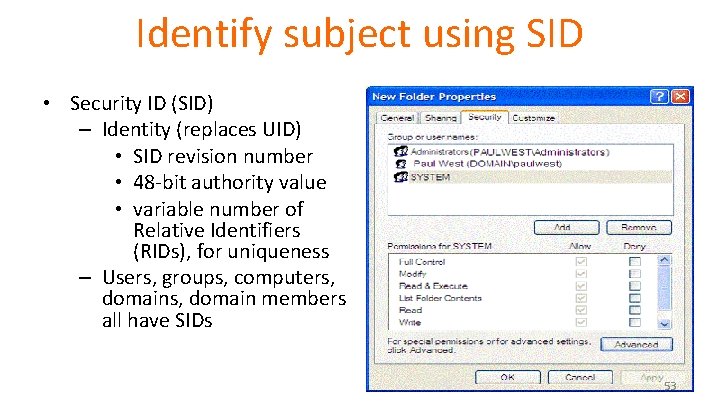
Identify subject using SID • Security ID (SID) – Identity (replaces UID) • SID revision number • 48 -bit authority value • variable number of Relative Identifiers (RIDs), for uniqueness – Users, groups, computers, domains, domain members all have SIDs 53
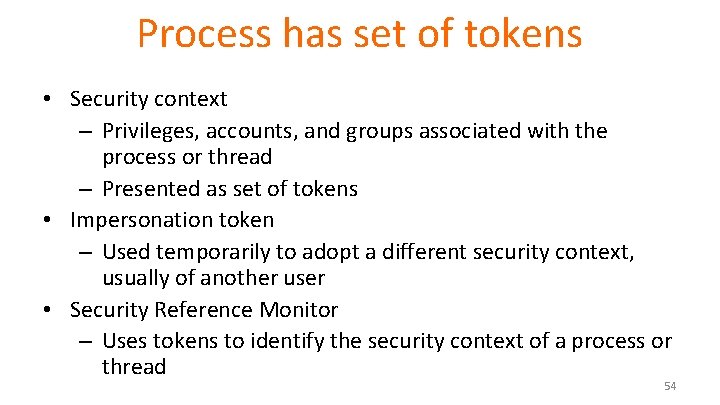
Process has set of tokens • Security context – Privileges, accounts, and groups associated with the process or thread – Presented as set of tokens • Impersonation token – Used temporarily to adopt a different security context, usually of another user • Security Reference Monitor – Uses tokens to identify the security context of a process or thread 54
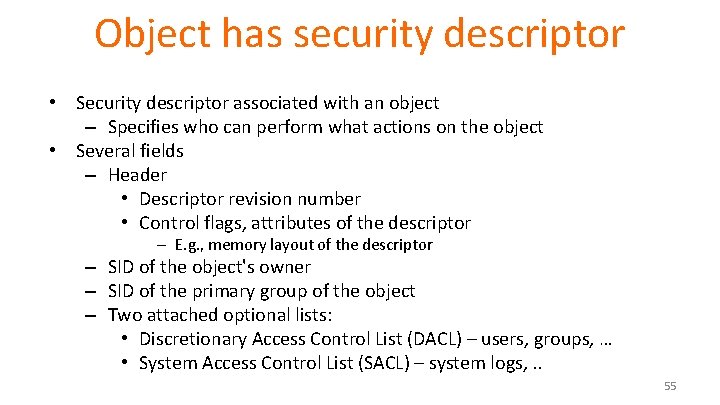
Object has security descriptor • Security descriptor associated with an object – Specifies who can perform what actions on the object • Several fields – Header • Descriptor revision number • Control flags, attributes of the descriptor – E. g. , memory layout of the descriptor – SID of the object's owner – SID of the primary group of the object – Two attached optional lists: • Discretionary Access Control List (DACL) – users, groups, … • System Access Control List (SACL) – system logs, . . 55
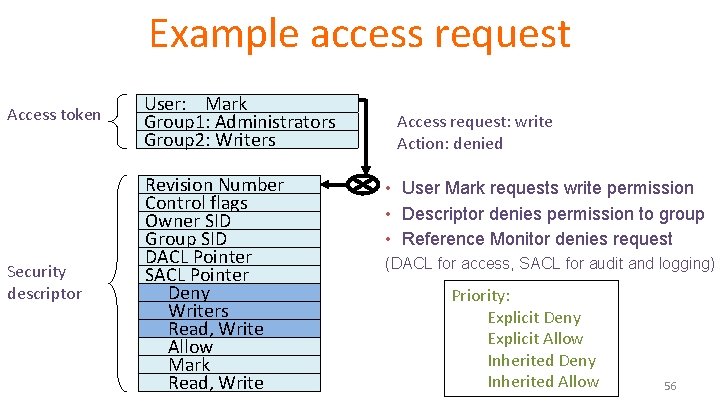
Example access request Access token User: Mark Group 1: Administrators Group 2: Writers Security descriptor Revision Number Control flags Owner SID Group SID DACL Pointer SACL Pointer Deny Writers Read, Write Allow Mark Read, Write Access request: write Action: denied • User Mark requests write permission • Descriptor denies permission to group • Reference Monitor denies request (DACL for access, SACL for audit and logging) Priority: Explicit Deny Explicit Allow Inherited Deny Inherited Allow 56
57
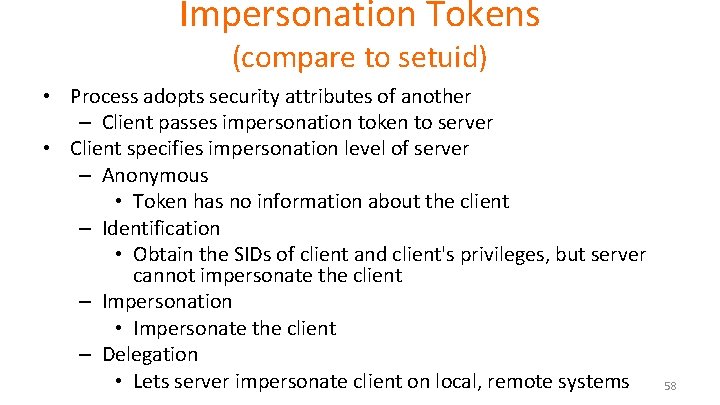
Impersonation Tokens (compare to setuid) • Process adopts security attributes of another – Client passes impersonation token to server • Client specifies impersonation level of server – Anonymous • Token has no information about the client – Identification • Obtain the SIDs of client and client's privileges, but server cannot impersonate the client – Impersonation • Impersonate the client – Delegation • Lets server impersonate client on local, remote systems 58
Weakness in isolation, privileges • Similar problems to Unix – E. g. , Rootkits leveraging dynamically loaded kernel modules • Windows Registry – Global hierarchical database to store data for all programs – Registry entry can be associated with a security context that limits access; common to be able to write sensitive entry • Enabled By Default – Historically, many Windows deployments also came with full permissions and functionality enabled 59
Secure Architecture Principles Browser Isolation and Least Privilege 60
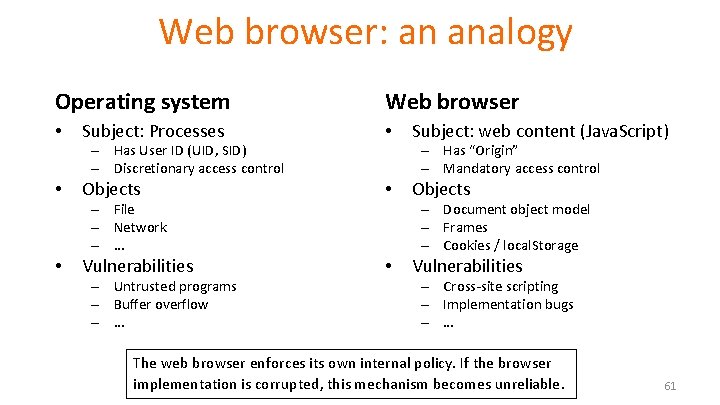
Web browser: an analogy Operating system • Web browser Subject: Processes • Objects • Vulnerabilities • – Has User ID (UID, SID) – Discretionary access control • – Has “Origin” – Mandatory access control – File – Network – … • – Untrusted programs – Buffer overflow – … Subject: web content (Java. Script) Objects – Document object model – Frames – Cookies / local. Storage Vulnerabilities – Cross-site scripting – Implementation bugs – … The web browser enforces its own internal policy. If the browser implementation is corrupted, this mechanism becomes unreliable. 61
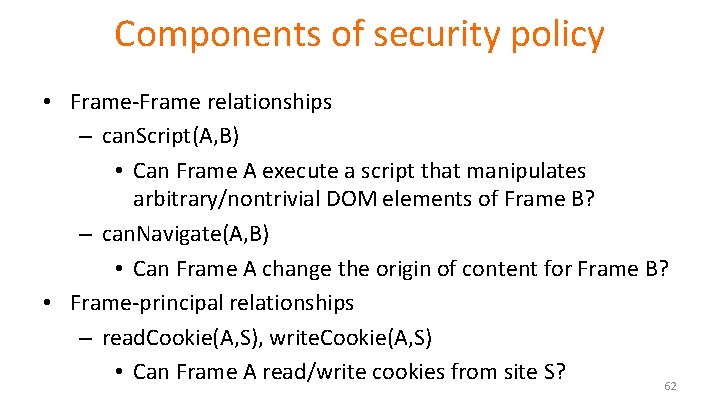
Components of security policy • Frame-Frame relationships – can. Script(A, B) • Can Frame A execute a script that manipulates arbitrary/nontrivial DOM elements of Frame B? – can. Navigate(A, B) • Can Frame A change the origin of content for Frame B? • Frame-principal relationships – read. Cookie(A, S), write. Cookie(A, S) • Can Frame A read/write cookies from site S? 62
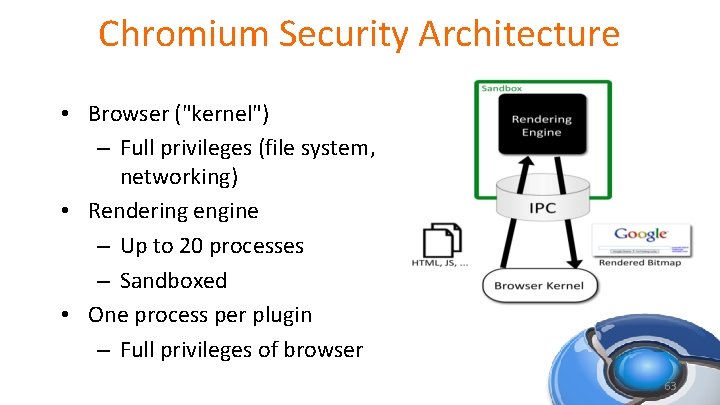
Chromium Security Architecture • Browser ("kernel") – Full privileges (file system, networking) • Rendering engine – Up to 20 processes – Sandboxed • One process per plugin – Full privileges of browser 63
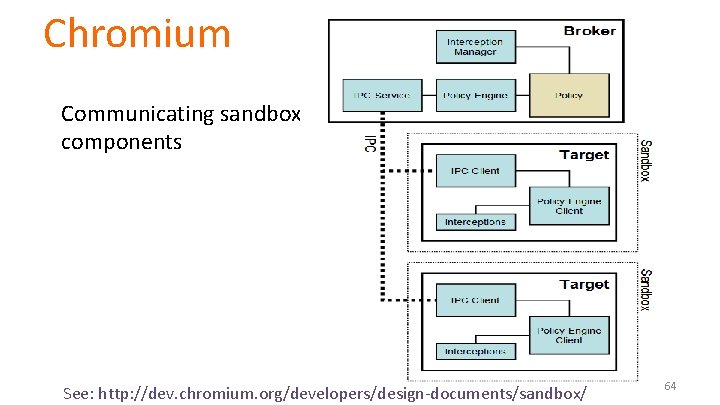
Chromium Communicating sandboxed components See: http: //dev. chromium. org/developers/design-documents/sandbox/ 64
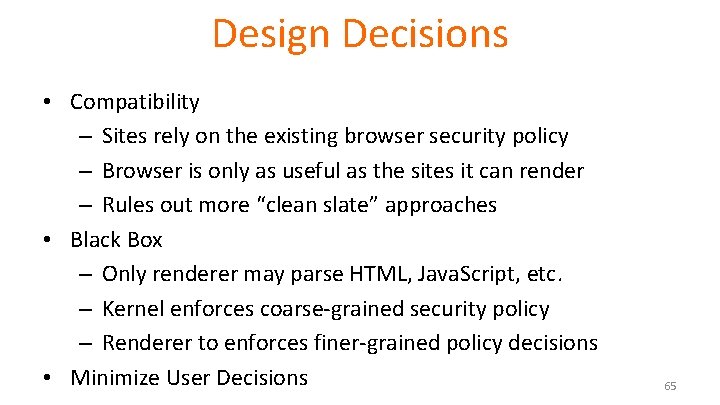
Design Decisions • Compatibility – Sites rely on the existing browser security policy – Browser is only as useful as the sites it can render – Rules out more “clean slate” approaches • Black Box – Only renderer may parse HTML, Java. Script, etc. – Kernel enforces coarse-grained security policy – Renderer to enforces finer-grained policy decisions • Minimize User Decisions 65
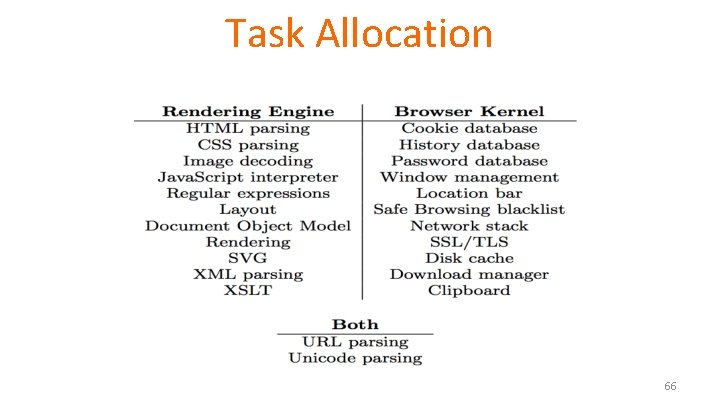
Task Allocation 66
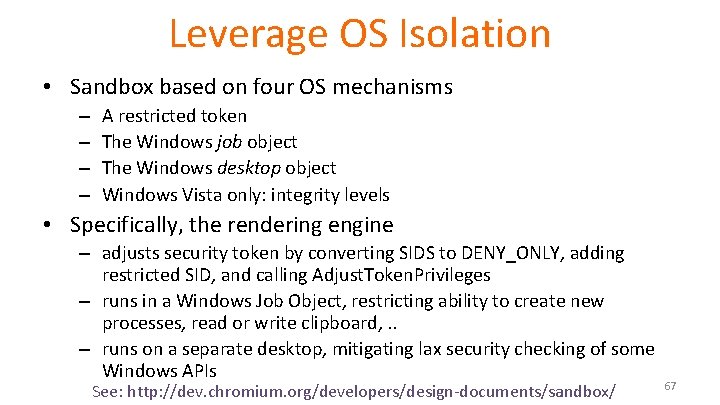
Leverage OS Isolation • Sandbox based on four OS mechanisms – – A restricted token The Windows job object The Windows desktop object Windows Vista only: integrity levels • Specifically, the rendering engine – adjusts security token by converting SIDS to DENY_ONLY, adding restricted SID, and calling Adjust. Token. Privileges – runs in a Windows Job Object, restricting ability to create new processes, read or write clipboard, . . – runs on a separate desktop, mitigating lax security checking of some Windows APIs See: http: //dev. chromium. org/developers/design-documents/sandbox/ 67
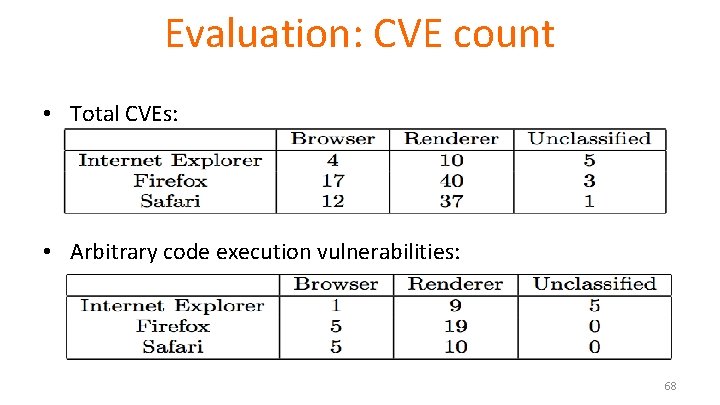
Evaluation: CVE count • Total CVEs: • Arbitrary code execution vulnerabilities: 68
Summary • Security principles – Isolation – Principle of Least Privilege – Qmail example • Access Control Concepts – Matrix, ACL, Capabilities • OS Mechanisms – Unix • File system, Setuid – Windows • File system, Tokens, EFS • Browser security architecture – Isolation and least privilege example 69