RAID Systems CS 537 Introduction to Operating Systems
- Slides: 24
RAID Systems CS 537 - Introduction to Operating Systems
Mass Storage • Many systems today need to store many terabytes of data • Don’t want to use single, large disk – too expensive – failures could be catastrophic • Would prefer to use many smaller disks
RAID • Redundant Array of Inexpensive Disks • Basic idea is to connect multiple disks together to provide – large storage capacity – faster access to reading data – redundant data • Many different levels of RAID systems – differing levels of redundancy, error checking, capacity, and cost
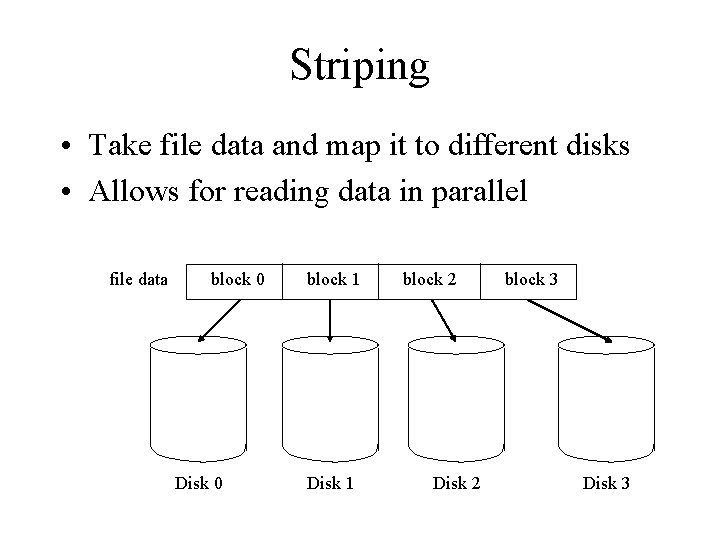
Striping • Take file data and map it to different disks • Allows for reading data in parallel file data block 0 Disk 0 block 1 Disk 1 block 2 Disk 2 block 3 Disk 3
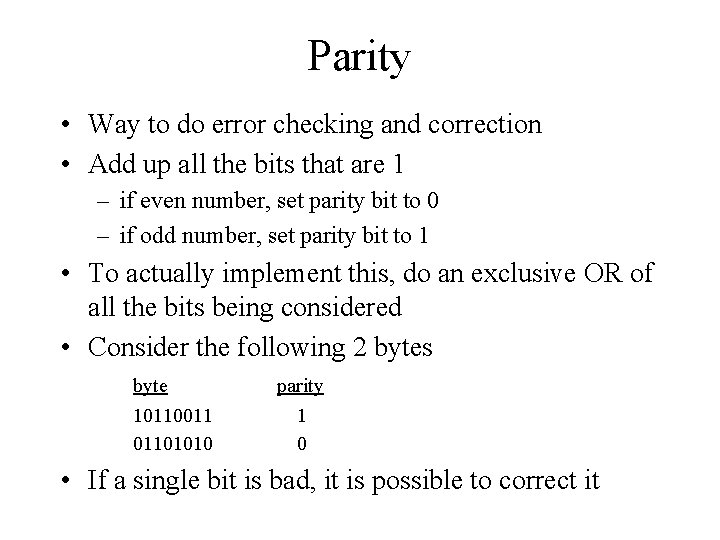
Parity • Way to do error checking and correction • Add up all the bits that are 1 – if even number, set parity bit to 0 – if odd number, set parity bit to 1 • To actually implement this, do an exclusive OR of all the bits being considered • Consider the following 2 bytes byte 10110011 01101010 parity 1 0 • If a single bit is bad, it is possible to correct it
Mirroring • Keep to copies of data on two separate disks • Gives good error recovery – if some data is lost, get it from the other source • Expensive – requires twice as many disks • Write performance can be slow – have to write data to two different spots • Read performance is enhanced – can read data from file in parallel
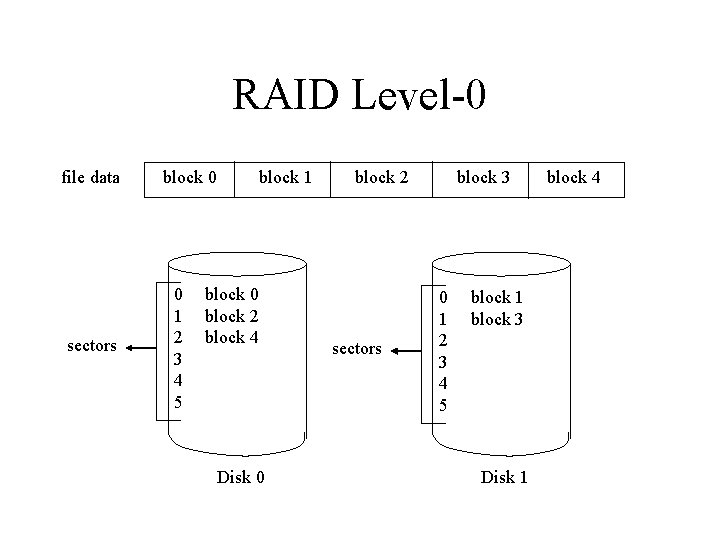
RAID Level-0 • • Often called striping Break a file into blocks of data Stripe the blocks across disks in the system Simple to implement – disk = file block % number of disks – sector = file block / number of disks • provides no redundancy or error detection – important to consider because lots of disks means low Mean Time To Failure (MTTF)
RAID Level-0 file data sectors block 0 0 1 2 3 4 5 block 1 block 0 block 2 block 4 Disk 0 block 2 sectors block 3 0 1 2 3 4 5 block 1 block 3 Disk 1 block 4
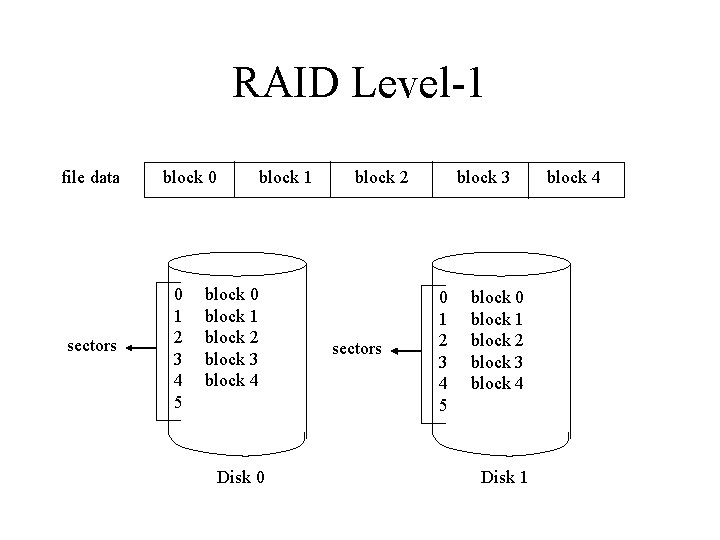
RAID Level-1 • • A complete file is stored on a single disk A second disk contains an exact copy of the file Provides complete redundancy of data Read performance can be improved – file data can be read in parallel • Write performance suffers – must write the data out twice • Most expensive RAID implementation – requires twice as much storage space
RAID Level-1 file data sectors block 0 0 1 2 3 4 5 block 1 block 0 block 1 block 2 block 3 block 4 Disk 0 block 2 sectors block 3 0 1 2 3 4 5 block 0 block 1 block 2 block 3 block 4 Disk 1 block 4
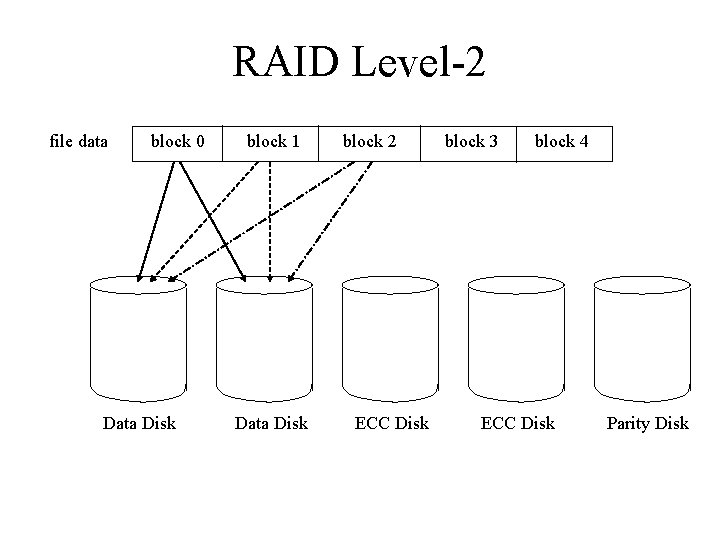
RAID Level-2 • Stripes data across disks similar to Level-0 – difference is data is bit interleaved instead of block interleaved • Uses ECC to monitor correctness of information on disk • Multiple disks record the ECC information to determine which disk is in fault • A parity disk is then used to reconstruct corrupted or lost data
RAID Level-2 file data block 0 Data Disk block 1 Data Disk block 2 ECC Disk block 3 block 4 ECC Disk Parity Disk
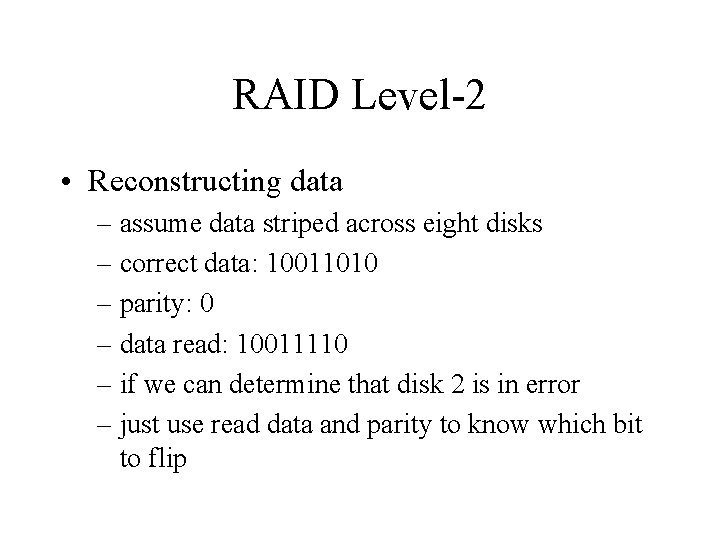
RAID Level-2 • Reconstructing data – assume data striped across eight disks – correct data: 10011010 – parity: 0 – data read: 10011110 – if we can determine that disk 2 is in error – just use read data and parity to know which bit to flip
RAID Level-2 • Requires fewer disks than Level-1 to provide redundancy • Still needs quite a few more disks – for 10 data disks need 4 check disks plus parity disk • Big problem is performance – must read data plus ECC code from other disks – for a write, have to modify data, ECC, and parity disks • Another big problem is only one read at a time – while a read of a single block can be done in parallel – multiple blocks from multiple files can’t be read because of the bit-interleaved placement of data
RAID Level-3 • One big problem with Level-2 are the disks needed to detect which disk had an error • Modern disks can already determine if there is an error – using ECC codes with each sector • So just need to include a parity disk – if a sector is bad, the disk itself tells us, and use the parity disk to correct it
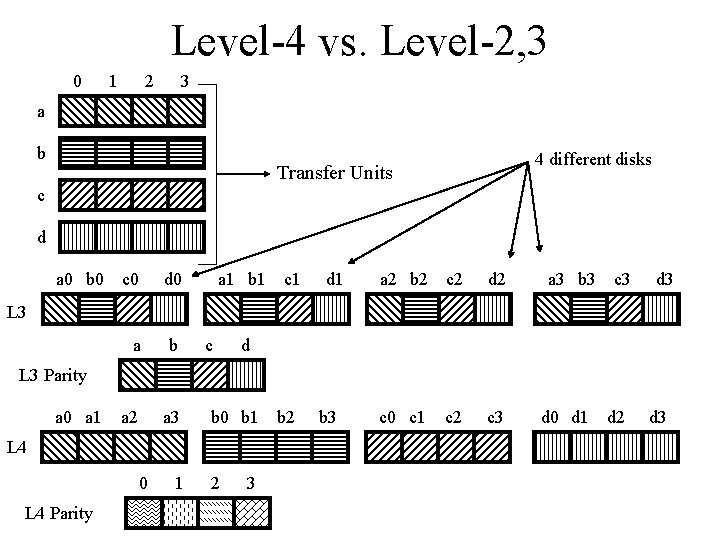
RAID Level-4 • Big problem with Level-2 and Level-3 is the bit interleavening – to access a single file block of data, must access all the disks – allows good parallelism for a single access but doesn’t allow multiple I/O’s • Level-4 interleaves file blocks – allows multiple small I/O’s to be done at once
RAID Level-4 • Still use a single disk for parity • Now the parity is calculated over data from multiple blocks – Level-2, 3 calculate it over a single block • If an error detected, need to read other blocks on other disks to reconstruct data
Level-4 vs. Level-2, 3 0 1 2 3 a b 4 different disks Transfer Units c d a 0 b 0 c 0 d 0 a b a 2 a 3 a 1 b 1 c 1 d 1 a 2 b 2 c 2 d 2 c 0 c 1 c 2 c 3 a 3 b 3 c 3 d 3 L 3 c d L 3 Parity a 0 a 1 b 0 b 1 L 4 0 L 4 Parity 1 2 3 b 2 b 3 d 0 d 1 d 2 d 3
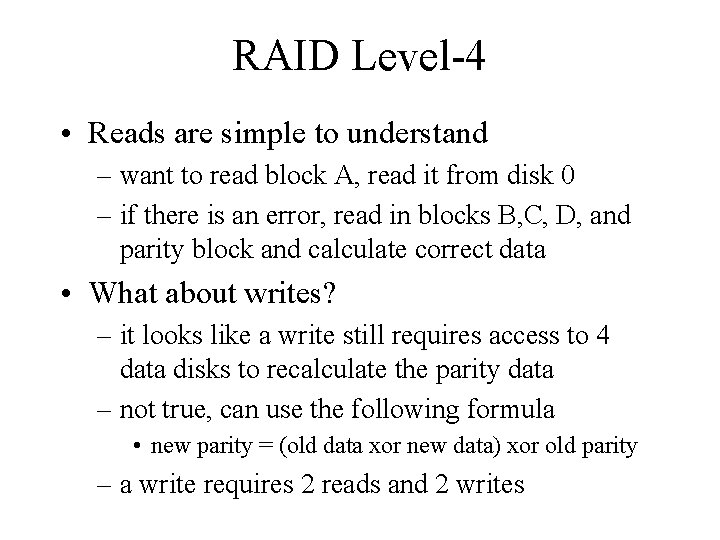
RAID Level-4 • Reads are simple to understand – want to read block A, read it from disk 0 – if there is an error, read in blocks B, C, D, and parity block and calculate correct data • What about writes? – it looks like a write still requires access to 4 data disks to recalculate the parity data – not true, can use the following formula • new parity = (old data xor new data) xor old parity – a write requires 2 reads and 2 writes
RAID Level-4 • Doing multiple small reads is now faster than before • However, writes are still very slow – this is because of calculating and writing the parity blocks • Also, only one write is allowed at a time – all writes must access the check disk so other writes have to wait
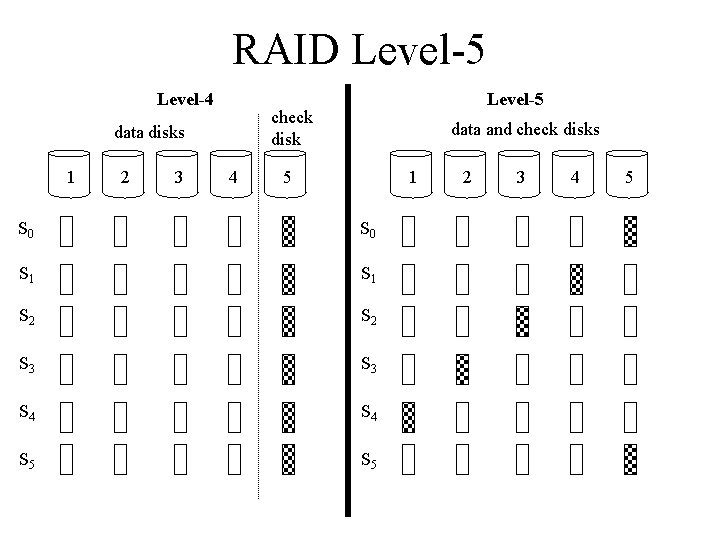
RAID Level-5 • Level-5 stripes file data and check data over all the disks – no longer a single check disk – no more write bottleneck • Drastically improves the performance of multiple writes – they can now be done in parallel • Slightly improves reads – one more disk to use for reading
RAID Level-5 Level-4 check disk data disks 1 2 3 Level-5 4 data and check disks 5 1 S 0 S 1 S 2 S 3 S 4 S 5 2 3 4 5
RAID Level-5 • Notice that for Level-4 a write to sector 0 on disk 2 and sector 1 on disk 3 both require a write to disk five for check information • In Level-5, a write to sector 0 on disk 2 and sector 1 on disk 3 require writes to different disks for check information (disks 5 and 4, respectively) • Best of all worlds – read and write performance close to that of RAID Level -1 – requires as much disk space as Levels-3, 4
RAID Level-10 • Combine Level-0 and Level-1 • Stripe a files data across multiple disks – gives great read/write performance • Mirror each strip onto a second disk – gives the best redundancy • The most high performance system • The most expensive system