
Memory Allocation CS 537 Introduction to Operating Systems



- Slides: 29
Memory Allocation CS 537 - Introduction to Operating Systems
Memory • What is memory? – huge linear array of storage • How is memory divided? – kernel space and user space • Who manages memory? – OS assigns memory to processes – processes manage the memory they’ve been assigned
Allocating Memory • Memory is requested and granted in contiguous blocks – think of memory as one huge array of bytes – malloc library call • • used to allocate and free memory finds sufficient contiguous memory reserves that memory returns the address of the first byte of the memory – free library call • give address of the first byte of memory to free • memory becomes available for reallocation – both malloc and free are implemented using the brk system call
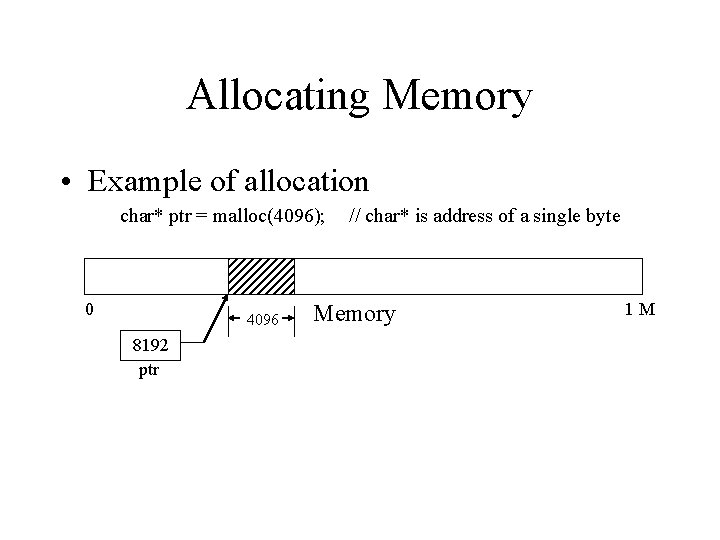
Allocating Memory • Example of allocation char* ptr = malloc(4096); 0 4096 8192 ptr // char* is address of a single byte Memory 1 M
Fragmentation • Segments of memory can become unusable – FRAGMENTATION – result of allocation scheme • Two types of fragmentation – external fragmentation • memory remains unallocated • variable allocation sizes – internal fragmentation • memory is allocated but unused • fixed allocation sizes
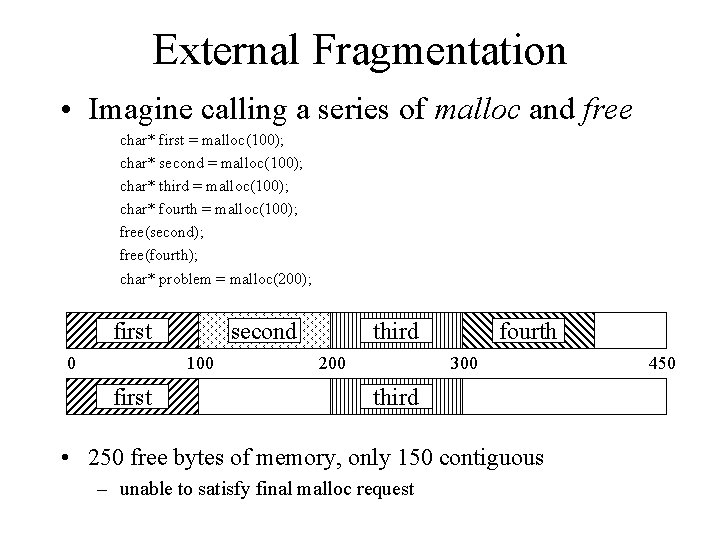
External Fragmentation • Imagine calling a series of malloc and free char* first = malloc(100); char* second = malloc(100); char* third = malloc(100); char* fourth = malloc(100); free(second); free(fourth); char* problem = malloc(200); first 0 second 100 first third 200 fourth 300 third • 250 free bytes of memory, only 150 contiguous – unable to satisfy final malloc request 450
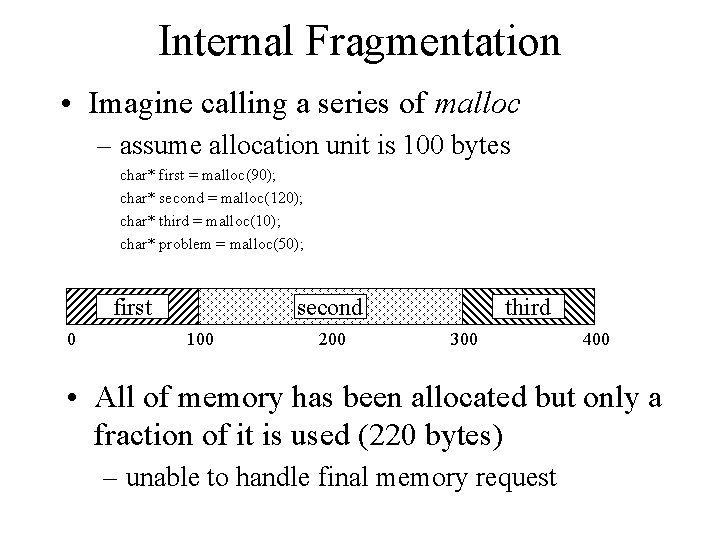
Internal Fragmentation • Imagine calling a series of malloc – assume allocation unit is 100 bytes char* first = malloc(90); char* second = malloc(120); char* third = malloc(10); char* problem = malloc(50); first 0 second 100 200 third 300 400 • All of memory has been allocated but only a fraction of it is used (220 bytes) – unable to handle final memory request
Internal vs. External Fragmentation • Externally fragmented memory can be compacted – lots of issues with compaction – more on this later • Fixed size allocation may lead to internal fragmentation, but less overhead – example • • 8192 byte area of free memory request for 8190 bytes if exact size allocated - 2 bytes left to keep track of if fixed size of 8192 used - 0 bytes to keep track of
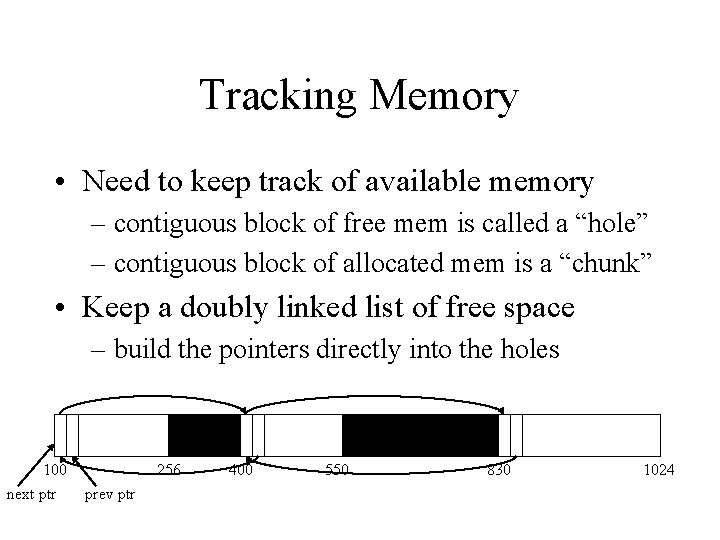
Tracking Memory • Need to keep track of available memory – contiguous block of free mem is called a “hole” – contiguous block of allocated mem is a “chunk” • Keep a doubly linked list of free space – build the pointers directly into the holes 100 next ptr 256 prev ptr 400 550 830 1024
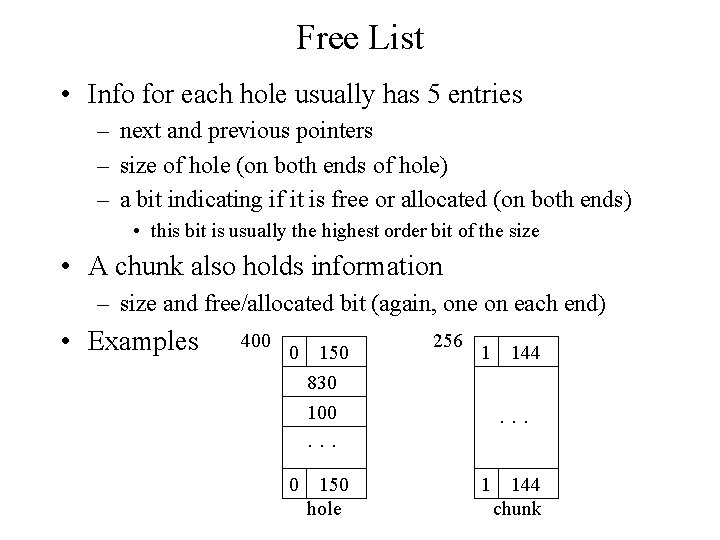
Free List • Info for each hole usually has 5 entries – next and previous pointers – size of hole (on both ends of hole) – a bit indicating if it is free or allocated (on both ends) • this bit is usually the highest order bit of the size • A chunk also holds information – size and free/allocated bit (again, one on each end) • Examples 400 0 150 830 100 256 1 . . . 0 150 hole 144 1 144 chunk
Free List • Prefer holes to be as large as possible – large hole can satisfy a small request • the opposite is not true – less overhead in tracking memory – fewer holes so faster search for available memory
Deallocating Memory • When memory is returned to system – place memory back in list • set next and previous pointers and change allocation bit to 0 (not allocated) – now check allocation bit of memory directly above • if 0, merge the two – then check the allocation bit of memory directly beneath • if 0, merge the two
Allocation Algorithms • Best Fit – pick smallest hole that will satisfy the request • Comments – have to search entire list every time – tends to leave lots of small holes • external fragmentation
Allocation Algorithms • Worst fit – pick the largest hole to satisfy request • Comments – have to search entire list – still leads to fragmentation issues – usually worse than best fit
Allocation Algorithms • First fit – pick the first hole large enough to satisfy the request • Comments – much faster than best or worst fit – has fragmentation issues similar to best fit • Next fit – exactly like first fit except start search from where last search left off – usually faster than first fit
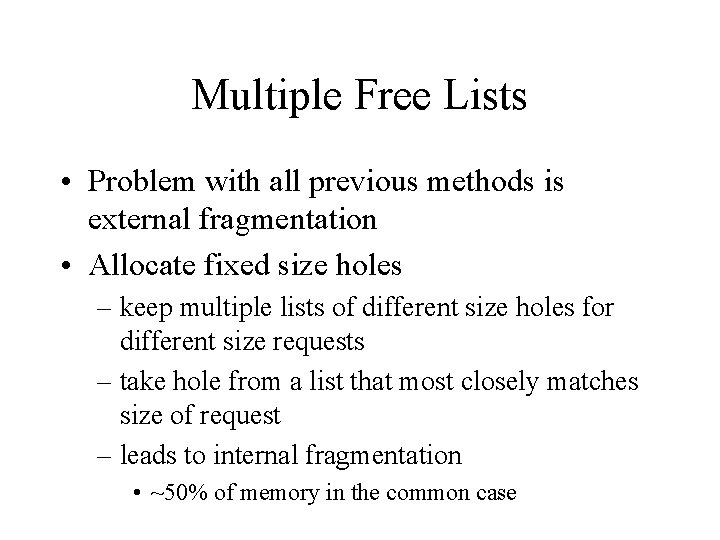
Multiple Free Lists • Problem with all previous methods is external fragmentation • Allocate fixed size holes – keep multiple lists of different size holes for different size requests – take hole from a list that most closely matches size of request – leads to internal fragmentation • ~50% of memory in the common case
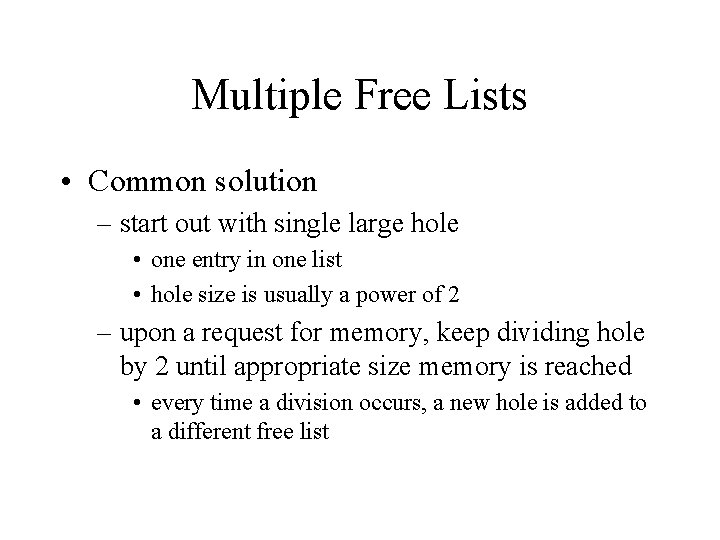
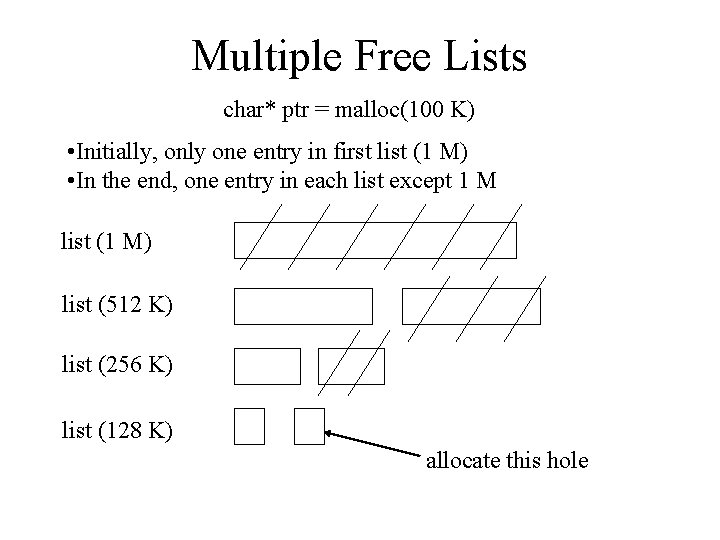
Multiple Free Lists • Common solution – start out with single large hole • one entry in one list • hole size is usually a power of 2 – upon a request for memory, keep dividing hole by 2 until appropriate size memory is reached • every time a division occurs, a new hole is added to a different free list
Multiple Free Lists char* ptr = malloc(100 K) • Initially, only one entry in first list (1 M) • In the end, one entry in each list except 1 M list (1 M) list (512 K) list (256 K) list (128 K) allocate this hole
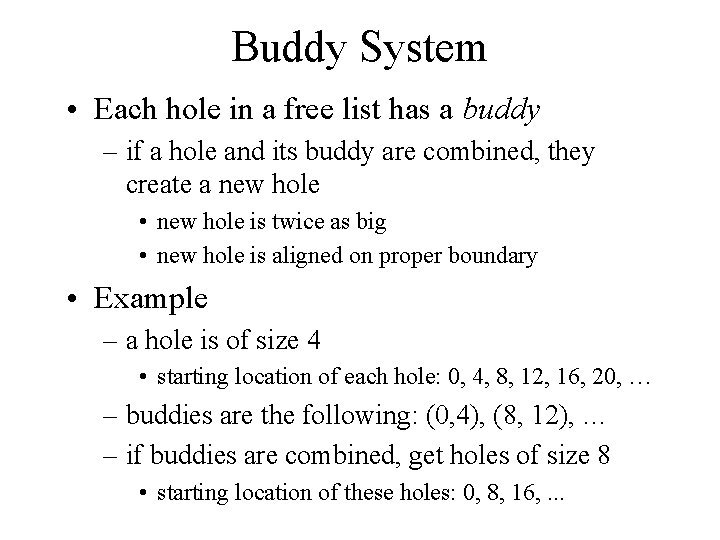
Buddy System • Each hole in a free list has a buddy – if a hole and its buddy are combined, they create a new hole • new hole is twice as big • new hole is aligned on proper boundary • Example – a hole is of size 4 • starting location of each hole: 0, 4, 8, 12, 16, 20, … – buddies are the following: (0, 4), (8, 12), … – if buddies are combined, get holes of size 8 • starting location of these holes: 0, 8, 16, . . .
Buddy System • When allocating memory – if list is empty, go up one level, take a hole and break it in 2 • these 2 new holes are buddies – now give one of these holes to the user • When freeing memory – if chunk just returned and its buddy are in the free list, merge them and move the new hole up one level
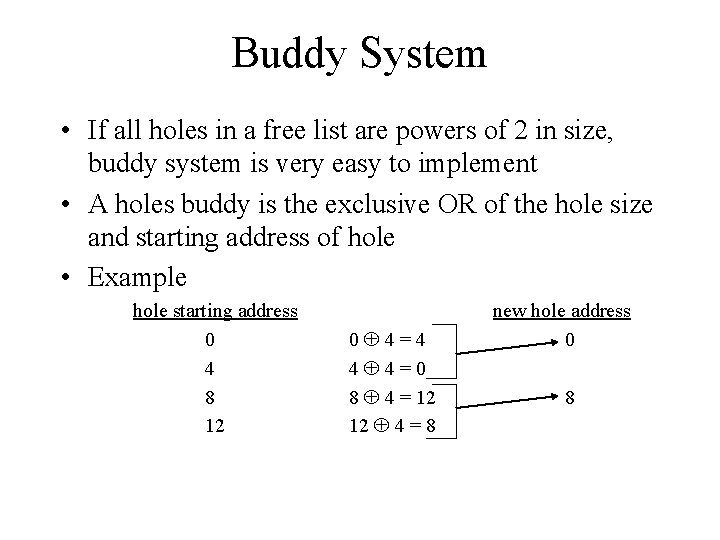
Buddy System • If all holes in a free list are powers of 2 in size, buddy system is very easy to implement • A holes buddy is the exclusive OR of the hole size and starting address of hole • Example hole starting address 0 4 8 12 0 4=4 4 4=0 8 4 = 12 12 4 = 8 new hole address 0 8
Slab Allocation • Yet one more method of allocating memory – used by Linux in conjunction with Buddy system • Motivation – many allocations occur repeatedly! • user program requests a new node in linked list • OS requests a new process descriptor – instead of searching free list for new memory, keep a cache of recently deallocated memory • call these allocation, deallocation units objects – on a new request, see if there is memory in the cache to allocate • much faster than searching through a free list
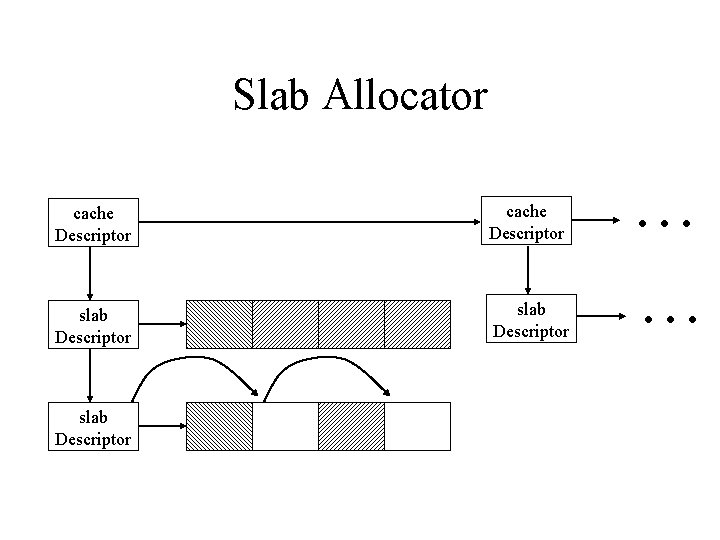
Cache Descriptor • Describes what is being cached – points to a slab descriptor • Each cache only contains memory objects of a specific size • All cache descriptors are stored in a linked list
Slab Descriptor • Contains pointers to the actual memory objects – some of them will be free, some will be in use – always keeps a pointer to the next free object • All slab descriptors for a specific object are stored in a linked list – cache descriptor points to the first element – each slab descriptor has a pointer to the next element
Object Descriptor Contains one of two things 1. if the object is free 1. pointer to the next free element in the slab 2. if the object is allocated 1. the data stored in the object • All of the object descriptors are stored in contiguous space in memory – similar to allocation scheme examined earlier – the cache and slab descriptors are probably not allocated contiguously in memory
Slab Allocator cache Descriptor slab Descriptor . . .
Compaction • To deal with internal fragmentation – use paging or segmentation – more on this later • To deal with external fragmentation – can do compaction
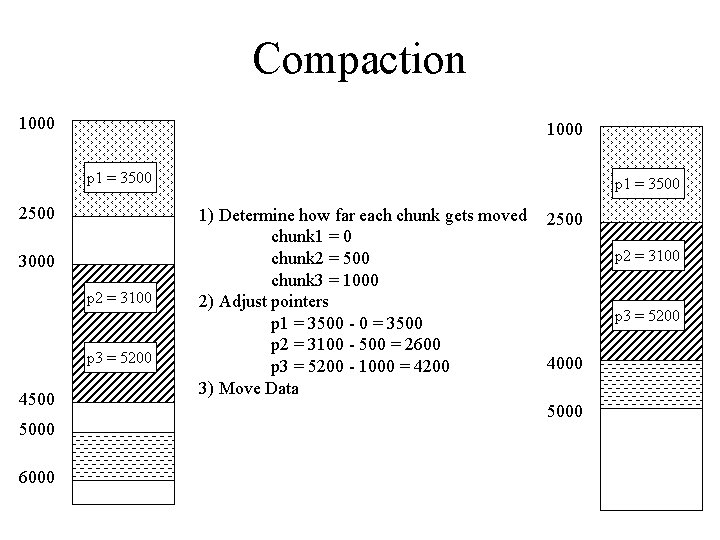
Compaction • Simple concept – move allocated memory locations to one end – combine all holes on the other end to form one large hole • Major problems – tremendous overhead to copy all data – must find and change all pointer values • this can be very difficult
Compaction 1000 p 1 = 3500 2500 3000 p 2 = 3100 p 3 = 5200 4500 5000 6000 p 1 = 3500 1) Determine how far each chunk gets moved chunk 1 = 0 chunk 2 = 500 chunk 3 = 1000 2) Adjust pointers p 1 = 3500 - 0 = 3500 p 2 = 3100 - 500 = 2600 p 3 = 5200 - 1000 = 4200 3) Move Data 2500 p 2 = 3100 p 3 = 5200 4000 5000