
File Systems Part II CS 537 Introduction to
![namei() int namei(int start. Dir. Loc, String [] path) { for(int i=0; i<path. length;](https://slidetodoc.com/presentation_image/ffdab28eeba1ea3a313de303dc6bc849/image-24.jpg "namei() int namei(int start. Dir. Loc, String [] path) { for(int i=0; i<path. length;")
- Slides: 32
File Systems - Part II CS 537 - Introduction to Operating Systems
Directory • A directory maps file names to disk locations • A single directory can contain files and other directories • A modern file system is made up of many directories
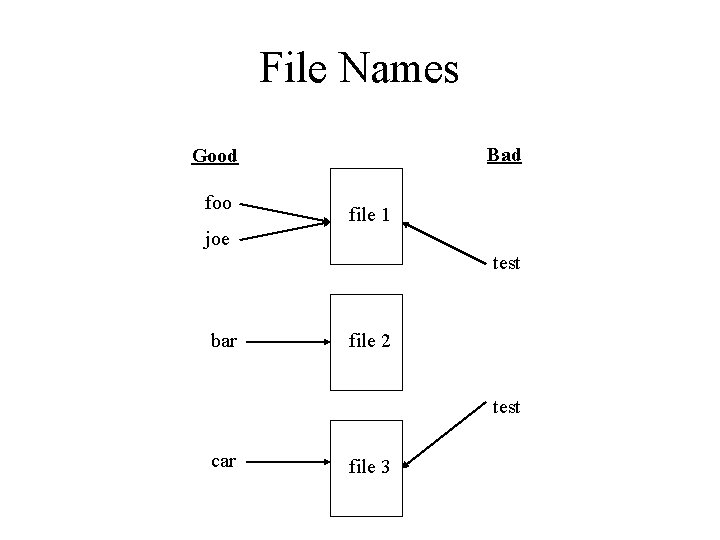
File Names • A file name is given as a path – a road map through the directory system to the files location in the directory • Relative path name – files location relative to the current directory • Absolute path name – files location from beginning of directory
File Names • Each file must have a unique path in the directory • A file can have more than one path name • The same path name cannot be used to represent multiple files
File Names Bad Good foo file 1 joe test bar file 2 test car file 3
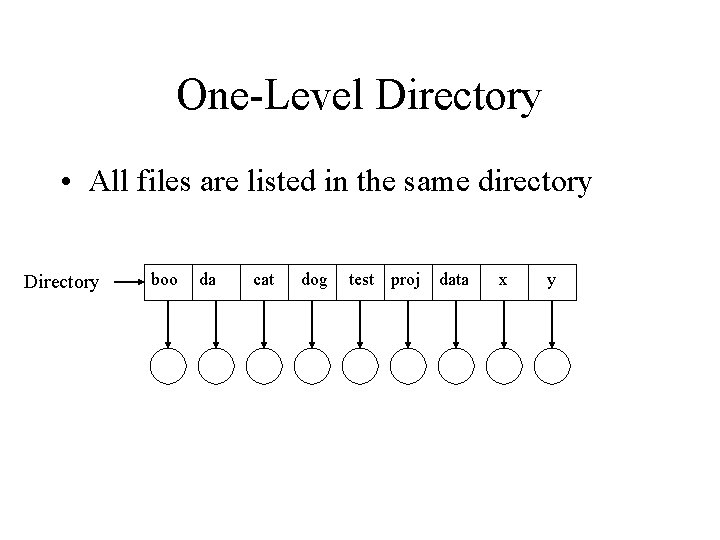
One-Level Directory • All files are listed in the same directory Directory boo da cat dog test proj data x y
One-Level Directory • Easy to implement • One major problem is the unique name requirement – imagine 2 users both doing project 2 • in single directory, they couldn’t both name it proj 2 – even for single user system it is difficult to keep track of the names of every file
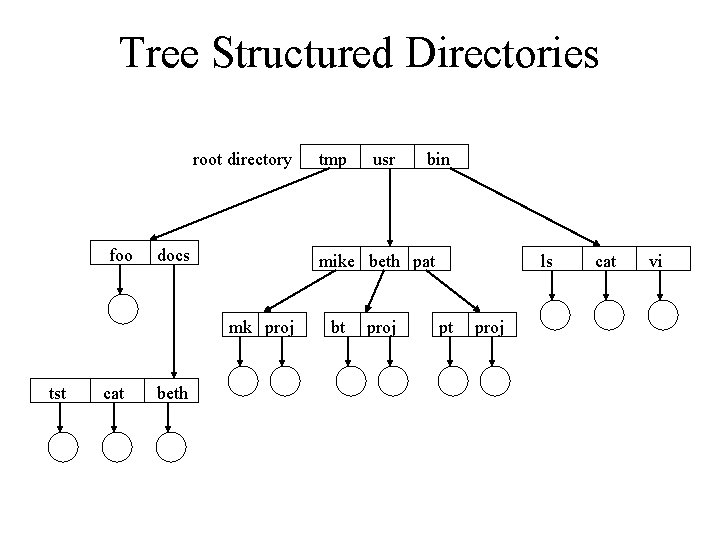
Tree Structured Directories • Directory structure is made up of nodes and leafs • A node is a directory • A leaf is a file • Each directory can contain files or subdirectories • Each node or leaf has only 1 parent
Tree Structured Directories root directory foo docs cat beth usr bin mike beth pat mk proj tst tmp bt proj ls pt proj cat vi
Tree Structured Directories • Allows users to have there own directories – users can create there own sub-directories • Different files can now have the same name – as long as the absolute path is different • A user has a current directory – directory the user is currently in
Tree Structured Directories • Traversing the tree can be done in two ways – absolute path • begin searching from the root ( /usr/beth/proj ) – relative path • begin searching from current directory • assume in usr directory and want to access beth’s project – beth/proj
Tree Structured Directories • Trees are fairly easy to traverse and maintain • One major problem is the sharing of files – remember, only one parent per node/leaf • Would like to be able to have multiple references to a file or directory
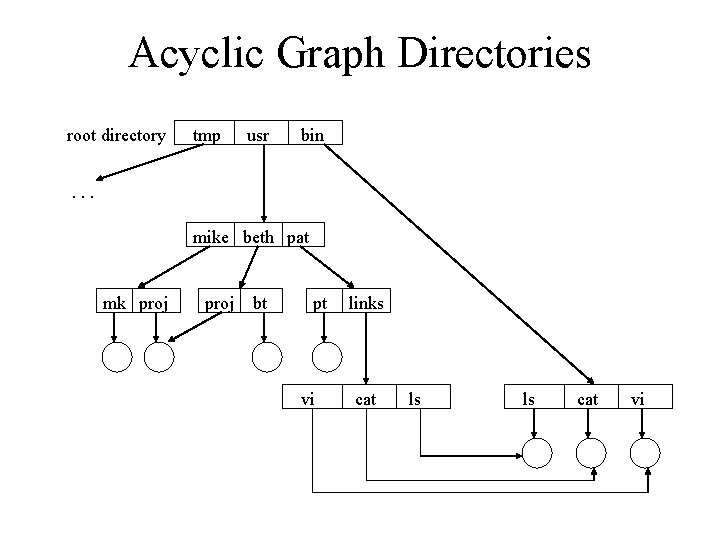
Acyclic Graph Directories • Similar to a tree except each node or leaf can have more than one parent • One requirement is that there can be no cycles – cycles can cause infinite search loops • File and directory sharing now becomes easy
Acyclic Graph Directories root directory tmp usr bin . . . mike beth pat mk proj bt pt vi links cat ls ls cat vi
Acyclic Graph Directories • Unix uses this structure • Reference from one directory to another directory or file is called a link • In Unix, a reference count is kept for each file (or directory) • When no more references to a file, it is deleted – notice, Unix has no explicit delete method – uses unlink to remove a reference to a file
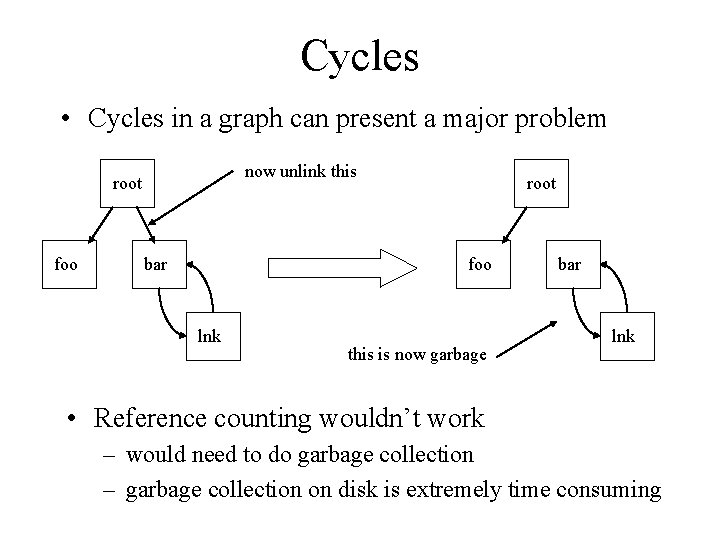
Cycles • Cycles in a graph can present a major problem now unlink this root foo bar root foo lnk this is now garbage bar lnk • Reference counting wouldn’t work – would need to do garbage collection – garbage collection on disk is extremely time consuming
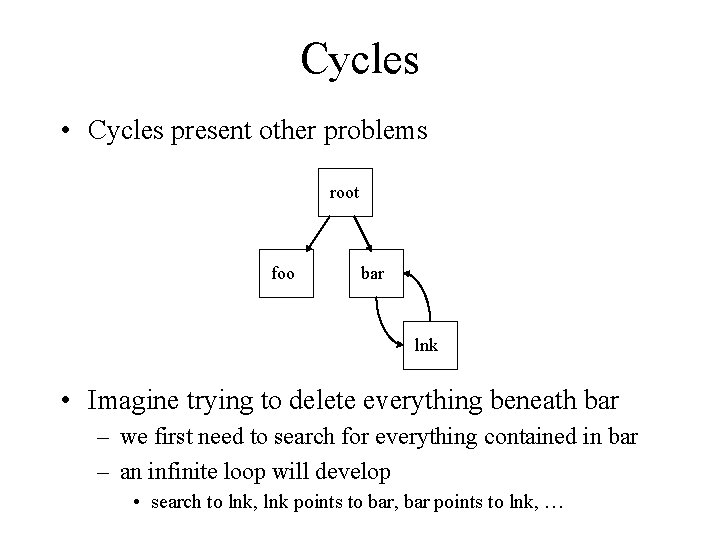
Cycles • Cycles present other problems root foo bar lnk • Imagine trying to delete everything beneath bar – we first need to search for everything contained in bar – an infinite loop will develop • search to lnk, lnk points to bar, bar points to lnk, …
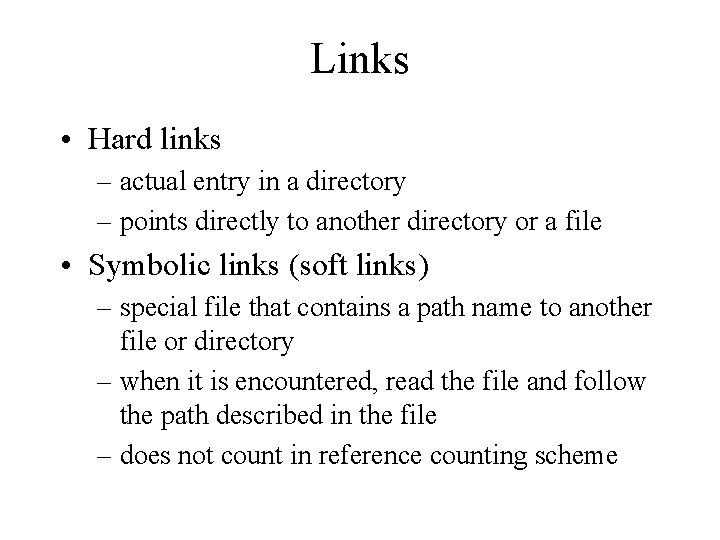
Links • Hard links – actual entry in a directory – points directly to another directory or a file • Symbolic links (soft links) – special file that contains a path name to another file or directory – when it is encountered, read the file and follow the path described in the file – does not count in reference counting scheme
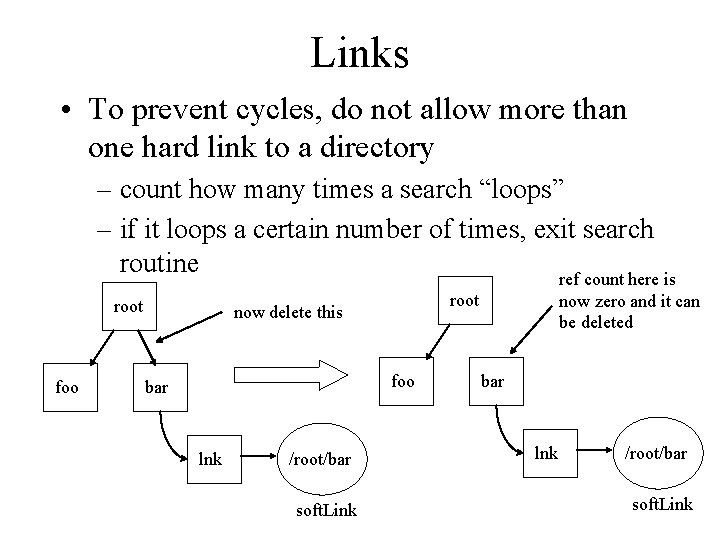
Links • To prevent cycles, do not allow more than one hard link to a directory – count how many times a search “loops” – if it loops a certain number of times, exit search routine ref count here is root foo root now delete this foo bar lnk /root/bar soft. Link now zero and it can be deleted bar lnk /root/bar soft. Link
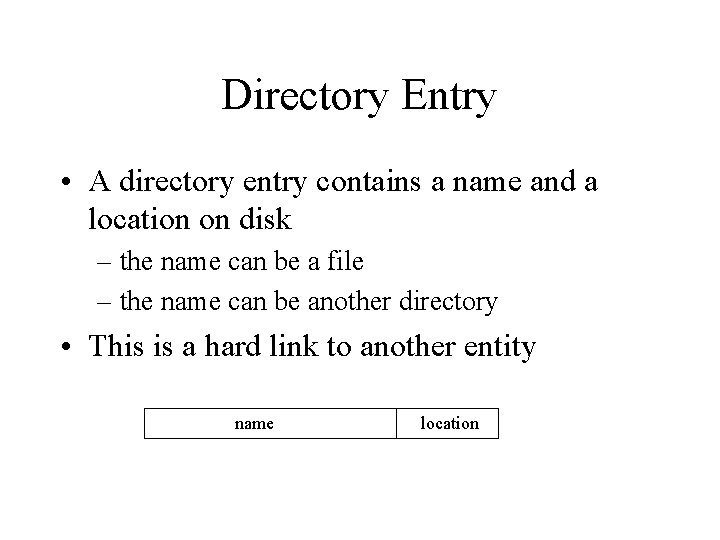
Directory Entry • A directory entry contains a name and a location on disk – the name can be a file – the name can be another directory • This is a hard link to another entity name location
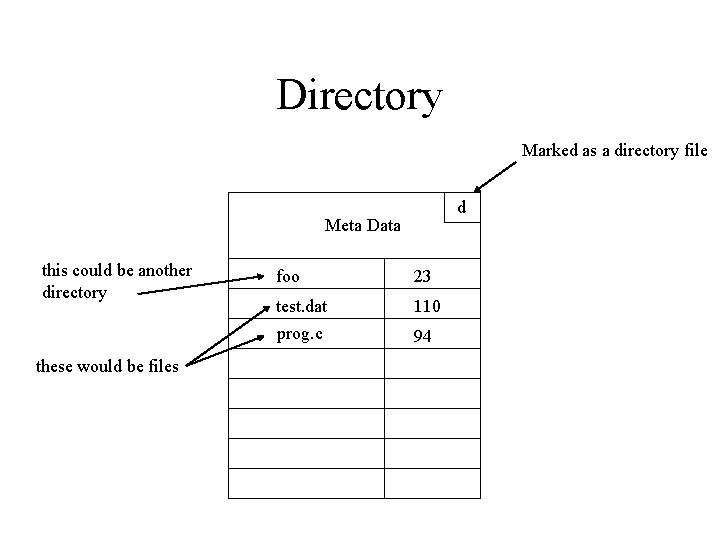
Directory • A directory is made up entries • In Unix, a directory is almost identical to a regular file • How does Unix know it is looking at a directory and not a regular file? – information in meta data marks it as a directory
Directory Marked as a directory file d Meta Data this could be another directory these would be files foo 23 test. dat prog. c 110 94
Searching the Directory • User gives an absolute or relative path name • A copy of the users current directory is cached memory • If user gives relative path, use this cache • If user gives absolute path, go to disk and find the root directory – continue search from there • Unix has a function called namei – namei does the actual directory search
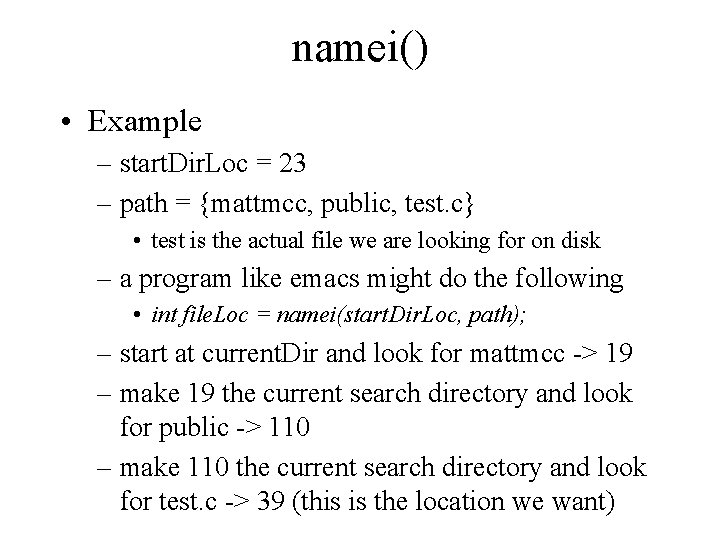
namei() int namei(int start. Dir. Loc, String [] path) { for(int i=0; i<path. length; i++) { if(start. Dir. Loc != directory. File) ERROR; start. Dir. Loc = get. Disk. Location(start. Dir. Loc, path[i]); if(start. Dir. Loc == 0) ERROR; } return start. Dir. Loc; }
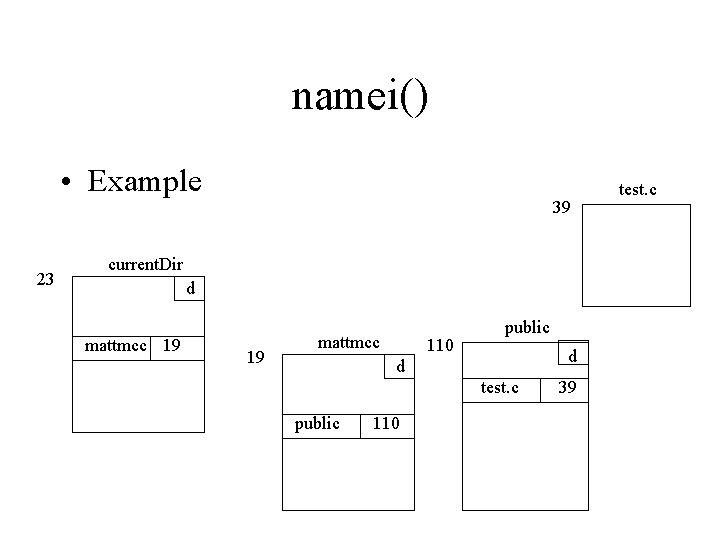
namei() • Example 23 39 current. Dir d mattmcc 19 19 mattmcc 110 public d d test. c public 110 39 test. c
namei() • Example – start. Dir. Loc = 23 – path = {mattmcc, public, test. c} • test is the actual file we are looking for on disk – a program like emacs might do the following • int file. Loc = namei(start. Dir. Loc, path); – start at current. Dir and look for mattmcc -> 19 – make 19 the current search directory and look for public -> 110 – make 110 the current search directory and look for test. c -> 39 (this is the location we want)
Protection • A good file system should provide a means of controlling access to files • In early systems with only a single user, this was not an issue • Today, almost anyone can access a computer either through a LAN or through the internet
Controlling Access • The user that creates a file should have all rights to that file – that user can read, write, and delete the file – the user should also be able to control access rights of other users to that file • For example – imagine a supervisor creates a work schedule – the supervisor should be able to read and modify that schedule – the workers should all be able to read the schedule • but they should not be able to modify it
Access Control List • For each file, the author could specify every other users access rights to the file – this is very flexible – this is very tedious for a user to do • Instead of specifying all users, system could have a default and only specific users to grant access to – still very flexible – much less work on the part of the file creator – default access may be read-only or no access at all • Problem with both of these approaches is the amount of space needed in meta data of file – have to record this information and it may vary (or grow over time)
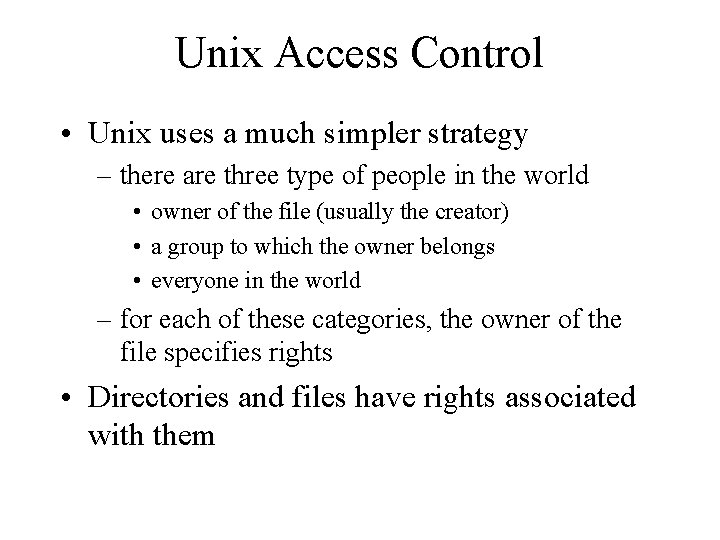
Unix Access Control • Unix uses a much simpler strategy – there are three type of people in the world • owner of the file (usually the creator) • a group to which the owner belongs • everyone in the world – for each of these categories, the owner of the file specifies rights • Directories and files have rights associated with them
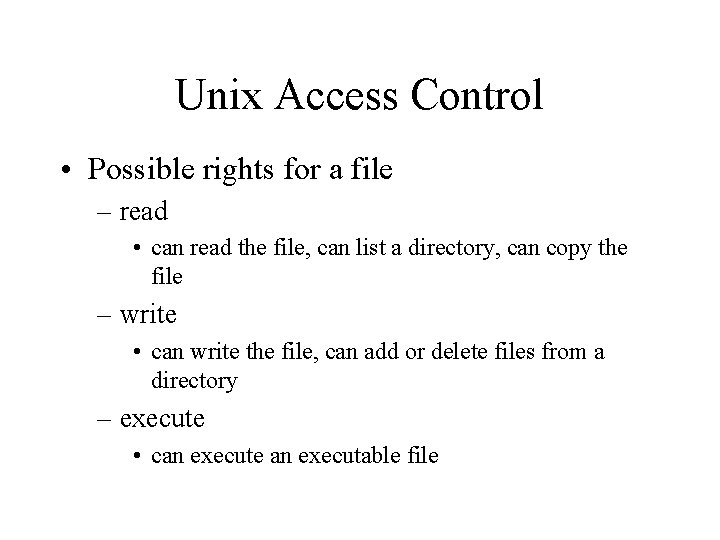
Unix Access Control • Possible rights for a file – read • can read the file, can list a directory, can copy the file – write • can write the file, can add or delete files from a directory – execute • can execute an executable file
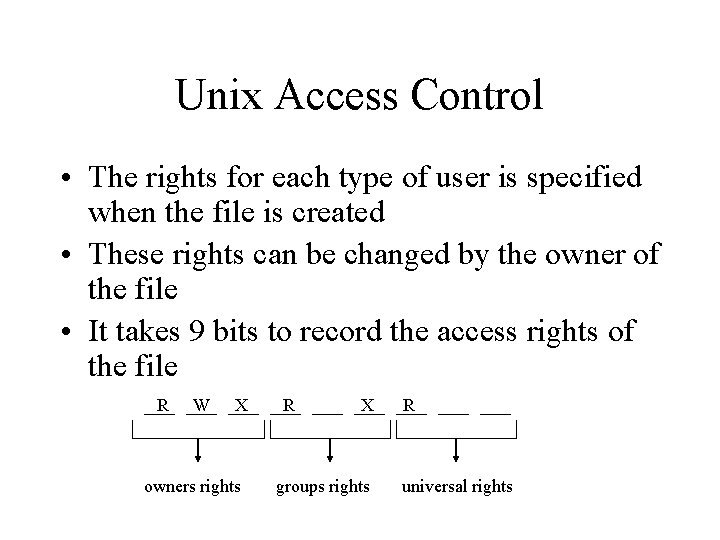
Unix Access Control • The rights for each type of user is specified when the file is created • These rights can be changed by the owner of the file • It takes 9 bits to record the access rights of the file R W X owners rights R X groups rights R universal rights