Multimedia Systems CS502 Operating Systems CS 502 Spring
- Slides: 46
Multimedia Systems CS-502 Operating Systems CS 502 Spring 2006 Multimedia Systems 1
Outline • Requirements and challenges for audio and video in computer systems • Systems for multimedia • Compression and bandwidth • Processor scheduling • File, disk, and network management Tanenbaum, Chapter 7 Silbershatz, Chapter 20 CS 502 Spring 2006 Multimedia Systems 2
What do we mean by “multimedia” • Audio and video within a computer system – CD’s & DVD’s – Computer hard drive • Live broadcast & web casts – Webcams, Skype, … • Video on demand – Pause, fast forward, reverse, etc. • Interactive meetings – Presentations with 2 -way audio – Teleconferencing • Interactive gaming • … CS 502 Spring 2006 Multimedia Systems 3
Requirements • “Smooth” audio and video – Deterioration in quality >> jerky playback – Note: human is more sensitive to jitter in audio than to jitter in video! • Audio/video on PC’s doing something else • Multiple concurrent streams – Video & multimedia servers – Ti. Vo, etc. • Wide range of network bandwidths CS 502 Spring 2006 Multimedia Systems 4
System and OS Challenges • Bandwidths and Compression • Jitter • Processor Scheduling • Disk Scheduling • Network Streaming CS 502 Spring 2006 Multimedia Systems 5
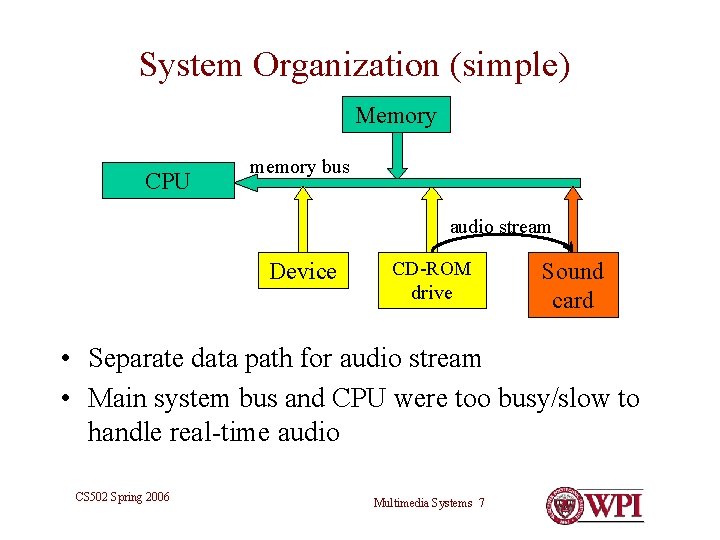
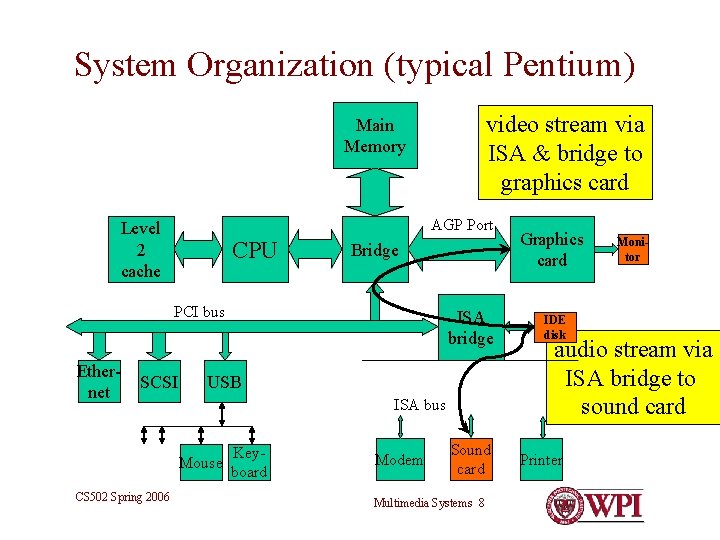
Some System Architectures • Simple: – Data paths for audio/video that are separate from computational data paths • Modern – Fast system bus, CPU, devices • Video server – Disk farm and multiple streams CS 502 Spring 2006 Multimedia Systems 6
System Organization (simple) Memory CPU memory bus audio stream Device CD-ROM drive Sound card • Separate data path for audio stream • Main system bus and CPU were too busy/slow to handle real-time audio CS 502 Spring 2006 Multimedia Systems 7
System Organization (typical Pentium) video stream via ISA & bridge to graphics card Main Memory AGP Port Level 2 cache CPU Bridge PCI bus Ethernet SCSI CS 502 Spring 2006 ISA bridge IDE disk Sound card Printer USB ISA bus Mouse Keyboard Modem Graphics card Multimedia Systems 8 Monitor audio stream via ISA bridge to sound card
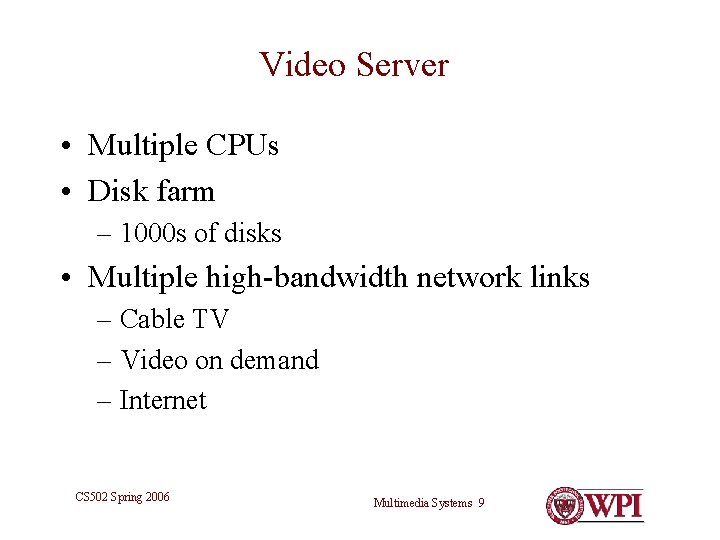
Video Server • Multiple CPUs • Disk farm – 1000 s of disks • Multiple high-bandwidth network links – Cable TV – Video on demand – Internet CS 502 Spring 2006 Multimedia Systems 9
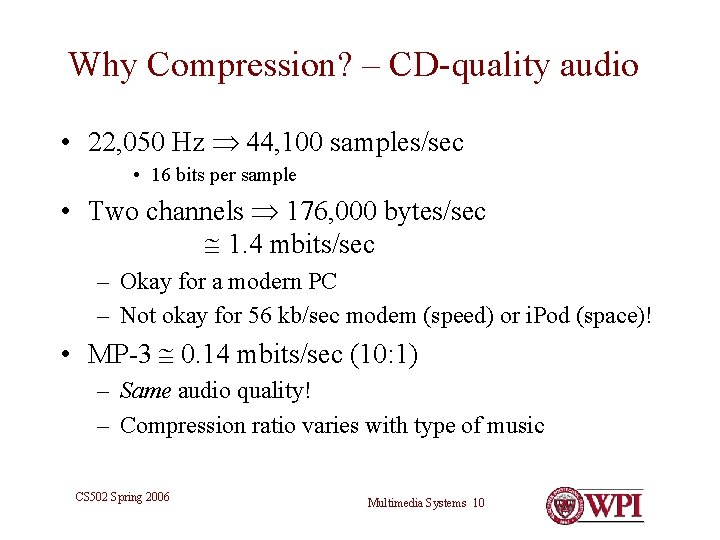
Why Compression? – CD-quality audio • 22, 050 Hz 44, 100 samples/sec • 16 bits per sample • Two channels 176, 000 bytes/sec 1. 4 mbits/sec – Okay for a modern PC – Not okay for 56 kb/sec modem (speed) or i. Pod (space)! • MP-3 0. 14 mbits/sec (10: 1) – Same audio quality! – Compression ratio varies with type of music CS 502 Spring 2006 Multimedia Systems 10
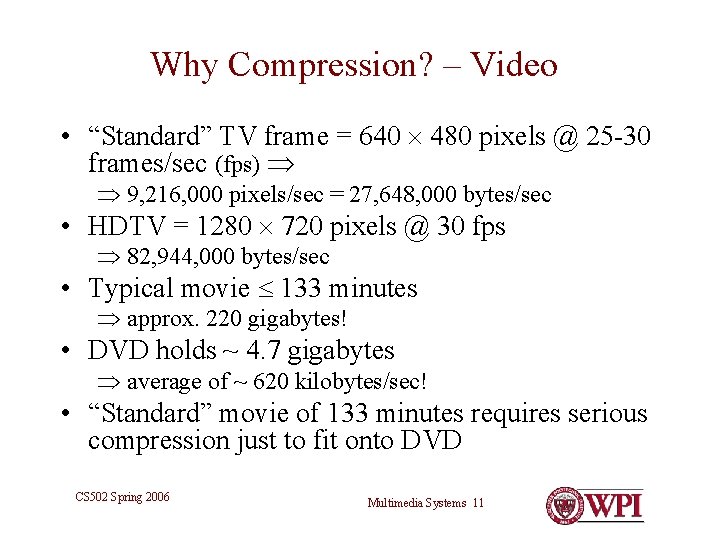
Why Compression? – Video • “Standard” TV frame = 640 480 pixels @ 25 -30 frames/sec (fps) 9, 216, 000 pixels/sec = 27, 648, 000 bytes/sec • HDTV = 1280 720 pixels @ 30 fps 82, 944, 000 bytes/sec • Typical movie 133 minutes approx. 220 gigabytes! • DVD holds ~ 4. 7 gigabytes average of ~ 620 kilobytes/sec! • “Standard” movie of 133 minutes requires serious compression just to fit onto DVD CS 502 Spring 2006 Multimedia Systems 11
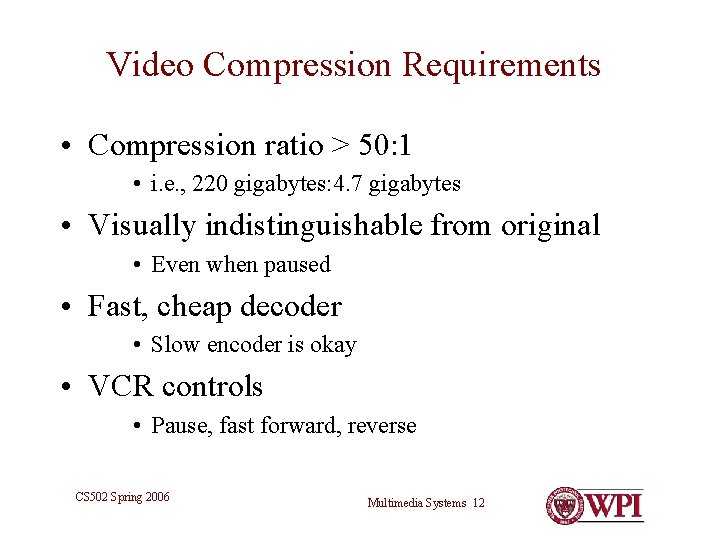
Video Compression Requirements • Compression ratio > 50: 1 • i. e. , 220 gigabytes: 4. 7 gigabytes • Visually indistinguishable from original • Even when paused • Fast, cheap decoder • Slow encoder is okay • VCR controls • Pause, fast forward, reverse CS 502 Spring 2006 Multimedia Systems 12
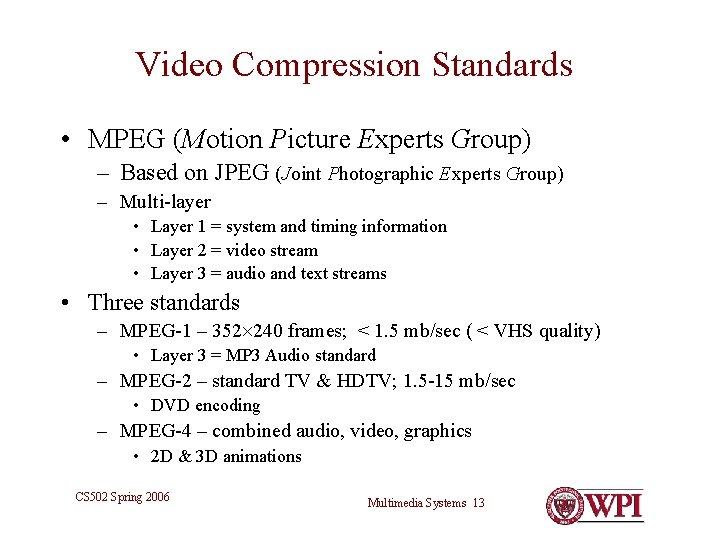
Video Compression Standards • MPEG (Motion Picture Experts Group) – Based on JPEG (Joint Photographic Experts Group) – Multi-layer • Layer 1 = system and timing information • Layer 2 = video stream • Layer 3 = audio and text streams • Three standards – MPEG-1 – 352 240 frames; < 1. 5 mb/sec ( < VHS quality) • Layer 3 = MP 3 Audio standard – MPEG-2 – standard TV & HDTV; 1. 5 -15 mb/sec • DVD encoding – MPEG-4 – combined audio, video, graphics • 2 D & 3 D animations CS 502 Spring 2006 Multimedia Systems 13
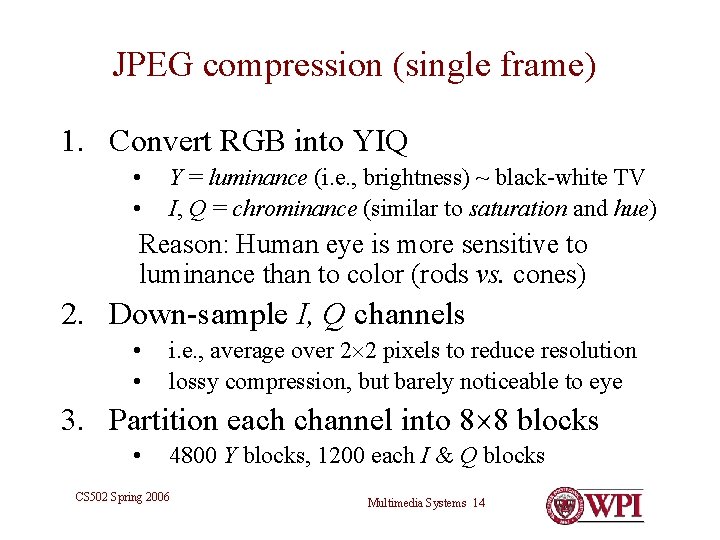
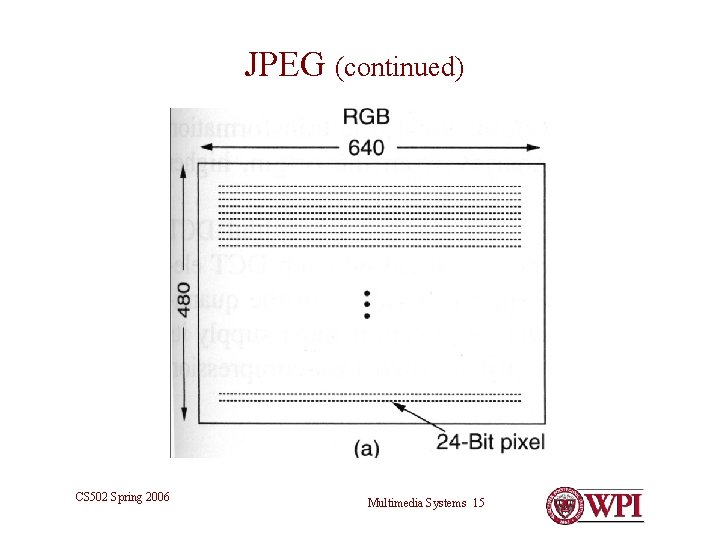
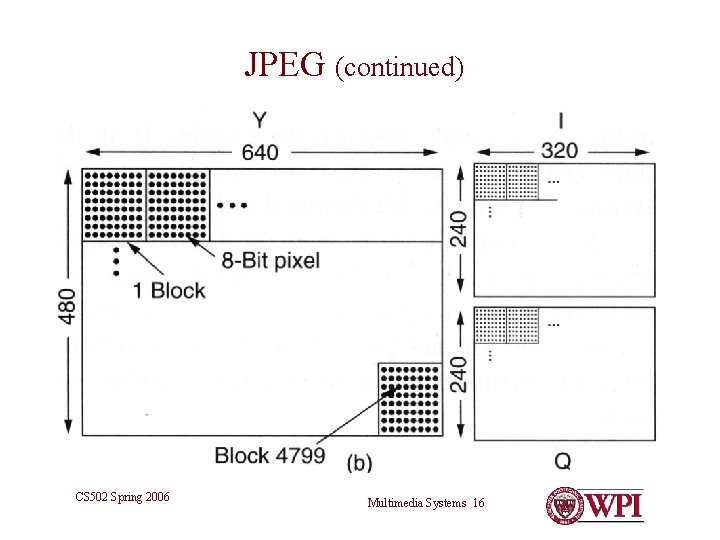
JPEG compression (single frame) 1. Convert RGB into YIQ • • Y = luminance (i. e. , brightness) ~ black-white TV I, Q = chrominance (similar to saturation and hue) Reason: Human eye is more sensitive to luminance than to color (rods vs. cones) 2. Down-sample I, Q channels • • i. e. , average over 2 2 pixels to reduce resolution lossy compression, but barely noticeable to eye 3. Partition each channel into 8 8 blocks • 4800 Y blocks, 1200 each I & Q blocks CS 502 Spring 2006 Multimedia Systems 14
JPEG (continued) CS 502 Spring 2006 Multimedia Systems 15
JPEG (continued) CS 502 Spring 2006 Multimedia Systems 16
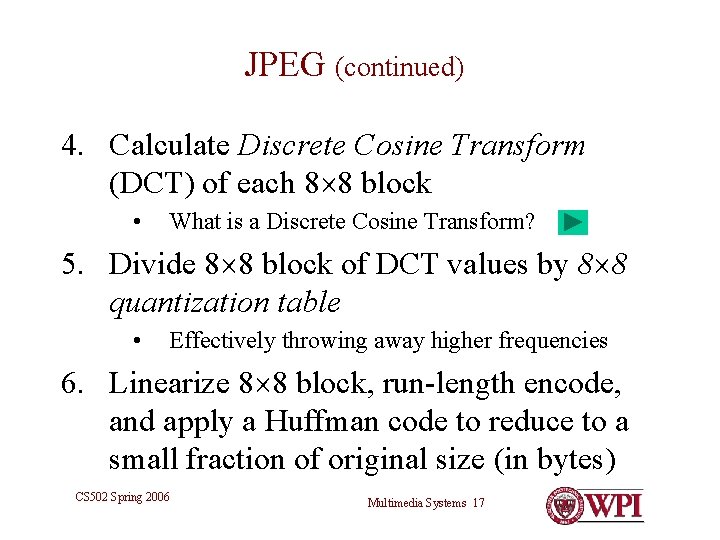
JPEG (continued) 4. Calculate Discrete Cosine Transform (DCT) of each 8 8 block • What is a Discrete Cosine Transform? 5. Divide 8 8 block of DCT values by 8 8 quantization table • Effectively throwing away higher frequencies 6. Linearize 8 8 block, run-length encode, and apply a Huffman code to reduce to a small fraction of original size (in bytes) CS 502 Spring 2006 Multimedia Systems 17
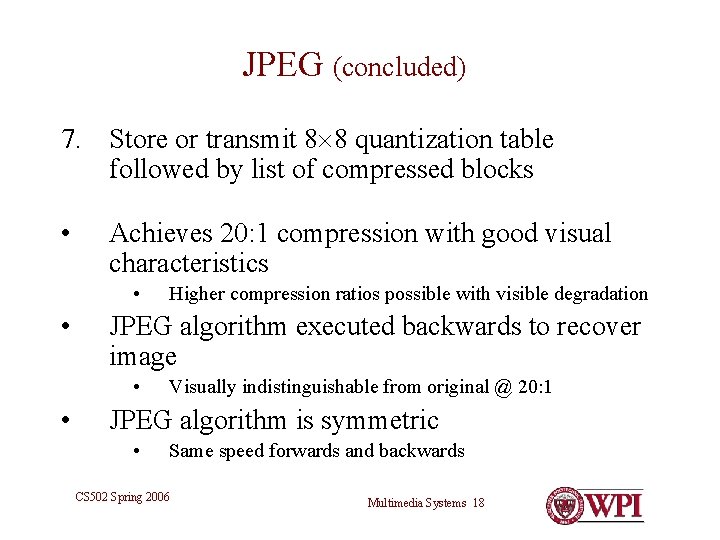
JPEG (concluded) 7. Store or transmit 8 8 quantization table followed by list of compressed blocks • Achieves 20: 1 compression with good visual characteristics • • JPEG algorithm executed backwards to recover image • • Higher compression ratios possible with visible degradation Visually indistinguishable from original @ 20: 1 JPEG algorithm is symmetric • Same speed forwards and backwards CS 502 Spring 2006 Multimedia Systems 18
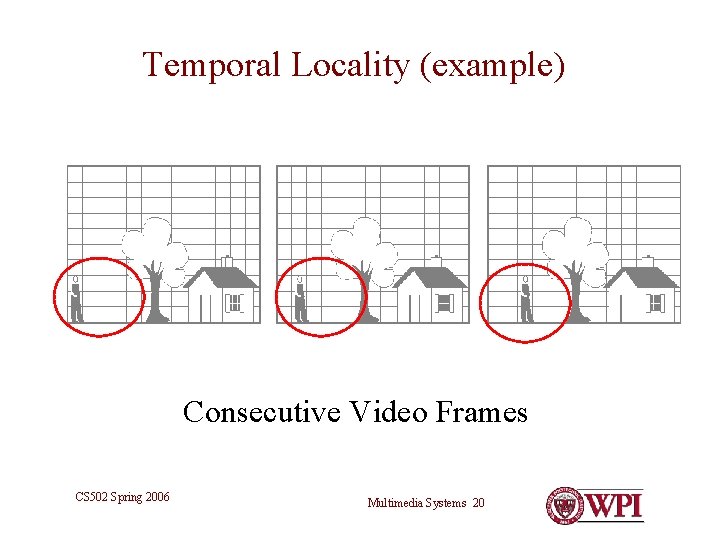
MPEG • JPEG-like encoding of each frame • Takes advantage of temporal locality • I. e. , each frame usually shares similarities with previous frame encode and transmit only differences • Sometimes an object moves relative to background find object in previous frame, calculate difference, apply motion vector CS 502 Spring 2006 Multimedia Systems 19
Temporal Locality (example) Consecutive Video Frames CS 502 Spring 2006 Multimedia Systems 20
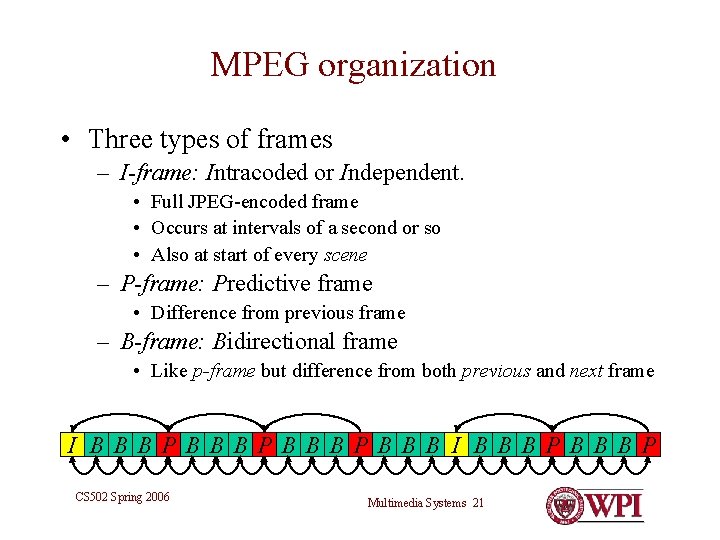
MPEG organization • Three types of frames – I-frame: Intracoded or Independent. • Full JPEG-encoded frame • Occurs at intervals of a second or so • Also at start of every scene – P-frame: Predictive frame • Difference from previous frame – B-frame: Bidirectional frame • Like p-frame but difference from both previous and next frame I BBBPBBBPBBB I BBBP CS 502 Spring 2006 Multimedia Systems 21
MPEG Characteristics • Non-uniform data rate! • Compression ratios of 50: 1 – 80: 1 are readily obtainable • Asymmetric algorithm – Fast decode (like JPEG) – Encode requires image search and analysis to get high quality differences • Decoding chips on graphics cards available CS 502 Spring 2006 Multimedia Systems 22
MPEG Problem – Fast Forward/Reverse • Cannot simply skip frames – Next desired frame might be B or P derived from a skipped frame • Options: – Separate fast forward and fast reverse files • MPEG encoding of every nth frame • See Tanenbaum § 7. 5. 1 – video-on-demand server – Display only I and P frames • If B frame is needed, derive from nearest I or P CS 502 Spring 2006 Multimedia Systems 23
“Movie” File Organization • One MPEG-2 video stream • Multiple audio streams • Multiple languages • Multiple text streams • Subtitles in multiple languages • All interleaved CS 502 Spring 2006 Multimedia Systems 24
Challenge • How to get the contents of a movie file from disk or DVD drive to video screen and speakers. – Fixed frame rate (25 or 30 fps) – Steady audio rate – Bounded jitter • Classical problem in real-time scheduling – Obscure niche become mainstream! – See Silbershatz, Chapter 19 CS 502 Spring 2006 Multimedia Systems 25
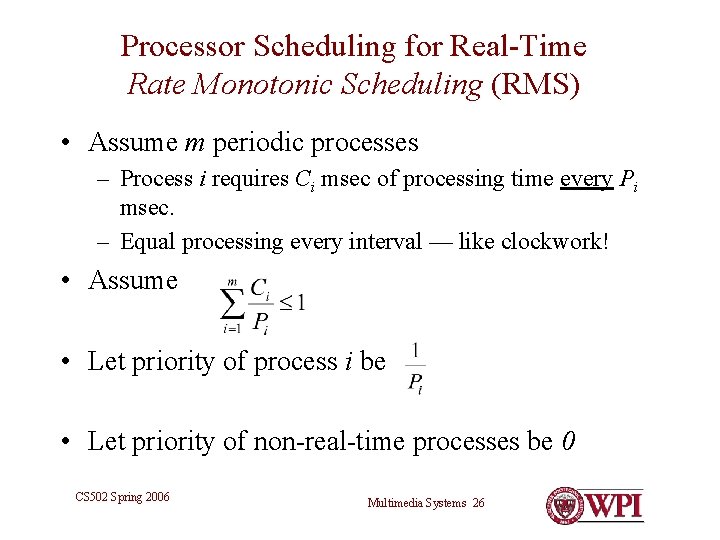
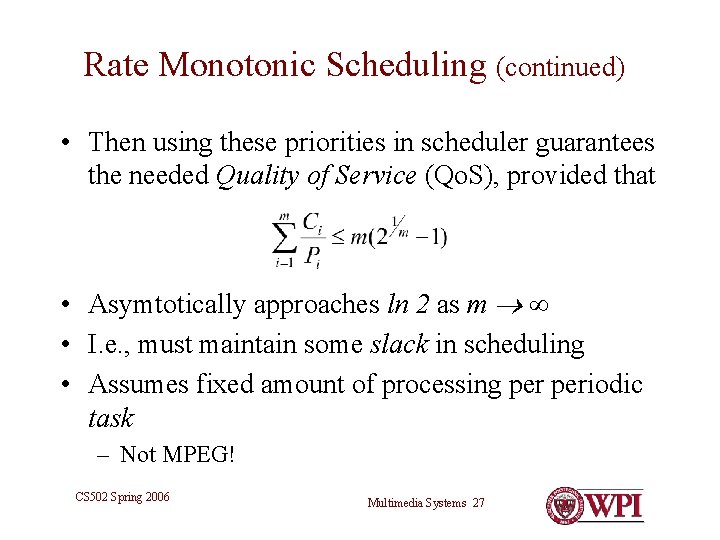
Processor Scheduling for Real-Time Rate Monotonic Scheduling (RMS) • Assume m periodic processes – Process i requires Ci msec of processing time every Pi msec. – Equal processing every interval — like clockwork! • Assume • Let priority of process i be • Let priority of non-real-time processes be 0 CS 502 Spring 2006 Multimedia Systems 26
Rate Monotonic Scheduling (continued) • Then using these priorities in scheduler guarantees the needed Quality of Service (Qo. S), provided that • Asymtotically approaches ln 2 as m • I. e. , must maintain some slack in scheduling • Assumes fixed amount of processing periodic task – Not MPEG! CS 502 Spring 2006 Multimedia Systems 27
Processor Scheduling for Real-Time Earliest Deadline First (EDF) Scheduling • When each process i become ready, it announces deadline Di for its next task. • Scheduler always assigns processor to process with earliest deadline. • May pre-empt other real-time processes CS 502 Spring 2006 Multimedia Systems 28
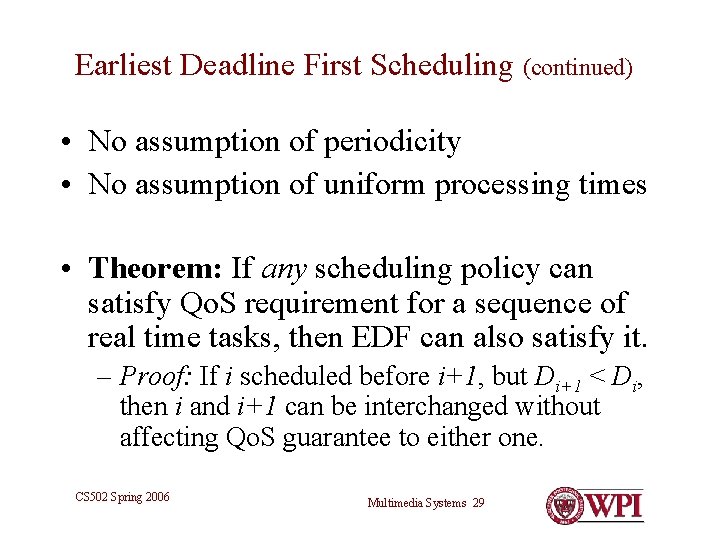
Earliest Deadline First Scheduling (continued) • No assumption of periodicity • No assumption of uniform processing times • Theorem: If any scheduling policy can satisfy Qo. S requirement for a sequence of real time tasks, then EDF can also satisfy it. – Proof: If i scheduled before i+1, but Di+1 < Di, then i and i+1 can be interchanged without affecting Qo. S guarantee to either one. CS 502 Spring 2006 Multimedia Systems 29
Earliest Deadline First Scheduling (continued) • EDF is more complex scheduling algorithm • Priorities are dynamically calculated • Processes must know deadlines for tasks • EDF can make higher use of processor than RMS • Up to 100% • However, it is usually a good idea to build in some slack CS 502 Spring 2006 Multimedia Systems 30
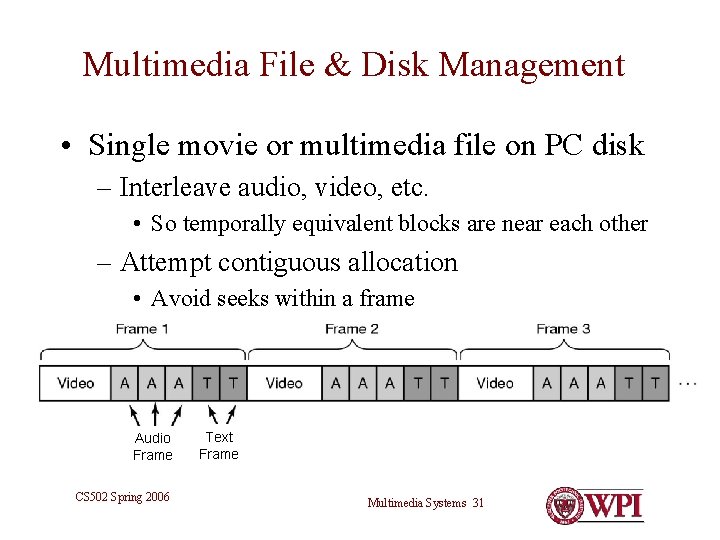
Multimedia File & Disk Management • Single movie or multimedia file on PC disk – Interleave audio, video, etc. • So temporally equivalent blocks are near each other – Attempt contiguous allocation • Avoid seeks within a frame Audio Frame CS 502 Spring 2006 Text Frame Multimedia Systems 31
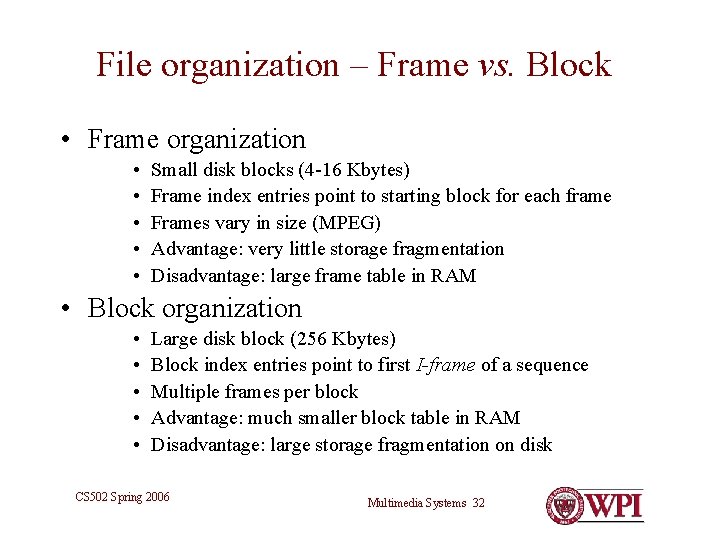
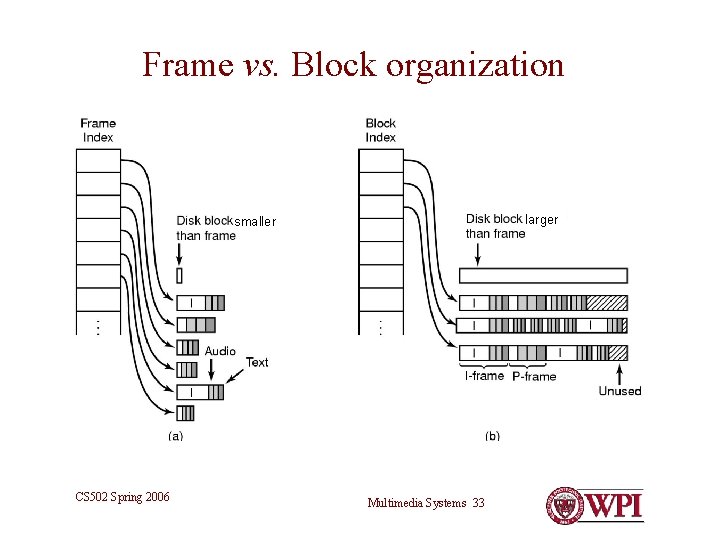
File organization – Frame vs. Block • Frame organization • • • Small disk blocks (4 -16 Kbytes) Frame index entries point to starting block for each frame Frames vary in size (MPEG) Advantage: very little storage fragmentation Disadvantage: large frame table in RAM • Block organization • • • Large disk block (256 Kbytes) Block index entries point to first I-frame of a sequence Multiple frames per block Advantage: much smaller block table in RAM Disadvantage: large storage fragmentation on disk CS 502 Spring 2006 Multimedia Systems 32
Frame vs. Block organization larger smaller CS 502 Spring 2006 Multimedia Systems 33
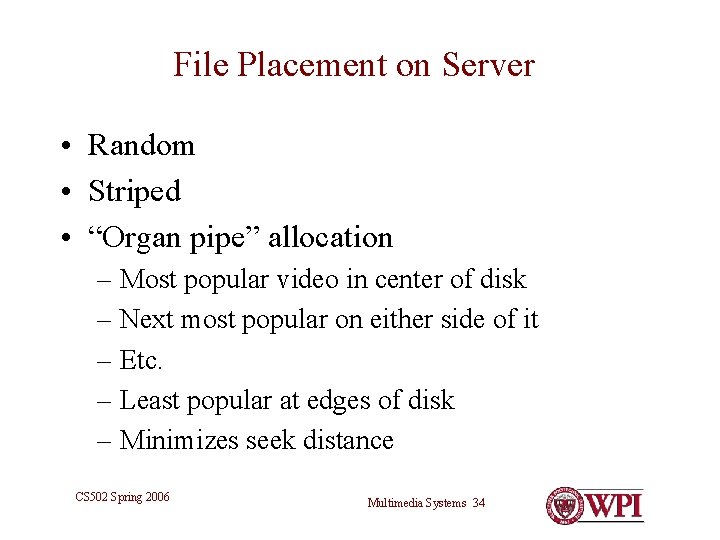
File Placement on Server • Random • Striped • “Organ pipe” allocation – Most popular video in center of disk – Next most popular on either side of it – Etc. – Least popular at edges of disk – Minimizes seek distance CS 502 Spring 2006 Multimedia Systems 34
Disk Scheduling (server) • Scheduling disk activity is just as important as scheduling processor activity • Advantage: – Predictability • Unlike disk activity of ordinary computing • In server, there will be multiple disk requests in each frame interval • One request per frame for each concurrent video stream CS 502 Spring 2006 Multimedia Systems 35
Disk Scheduling (continued) • SCAN (Elevator) algorithm for each frame interval • Sort by cylinder # • Complete in time for start of next frame interval • Variation – SCAN–EDF: • Sort requests by deadline • Group similar deadlines together, apply SCAN to group • Particularly useful for non-uniform block sizes and frame intervals CS 502 Spring 2006 Multimedia Systems 36
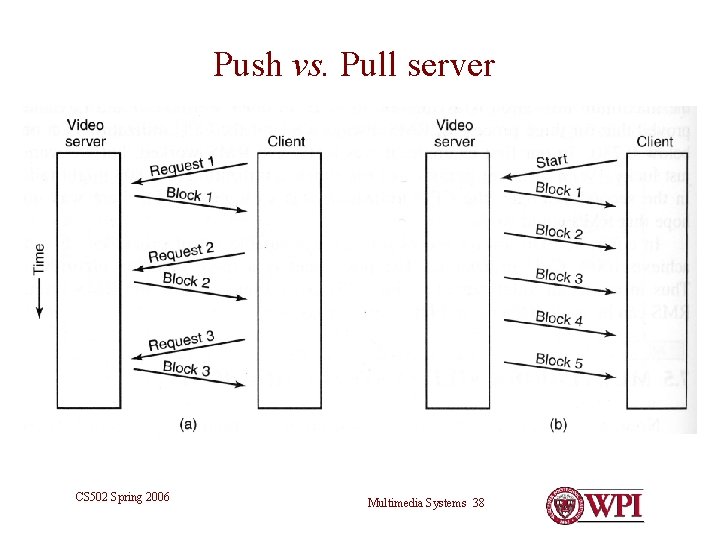
Network Streaming • Traditional HTTP • Stateless • Server responds to each request independently • Real-Time Streaming Protocol (RTSP) • Client initiates a “push” request for stream • Server provides media stream at frame rate CS 502 Spring 2006 Multimedia Systems 37
Push vs. Pull server CS 502 Spring 2006 Multimedia Systems 38
Bandwidth Negotiation • Client (or application) provides feedback to server to adjust bandwidth • E. g. , – Windows Media Player – Real. Player – Quicktime CS 502 Spring 2006 Multimedia Systems 39
Conclusion • Multimedia computing is challenging • Possible with modern computers • Compression is essential, especially for video • Real-time computing techniques move into mainstream • Processor and disk scheduling • There is much more to this subject than fits into one class CS 502 Spring 2006 Multimedia Systems 40
Break CS 502 Spring 2006 Multimedia Systems 41
Digression on Transforms • Fourier’s theorem: – – Every continuous periodic function can be reduced to the sum of a series of sine waves – The Fourier transform is a representation of that function in terms of the frequencies of those sine waves – Original function can be recovered from its Fourier transform • Fourier transforms occur frequently in nature! CS 502 Spring 2006 Multimedia Systems 42
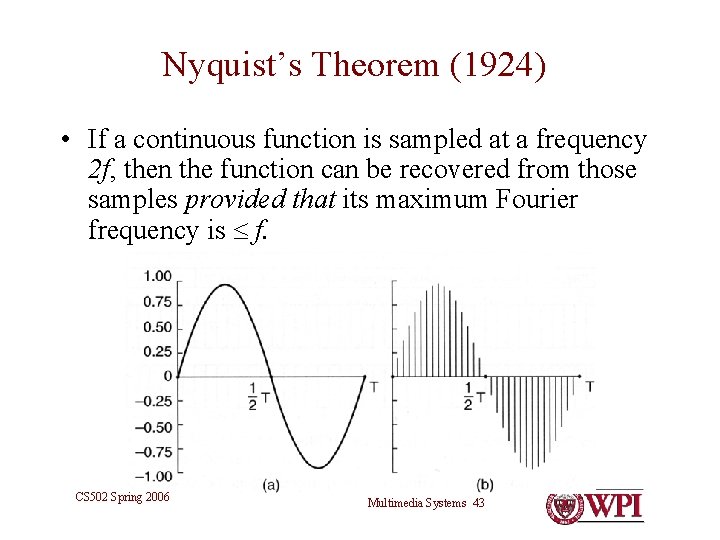
Nyquist’s Theorem (1924) • If a continuous function is sampled at a frequency 2 f, then the function can be recovered from those samples provided that its maximum Fourier frequency is f. CS 502 Spring 2006 Multimedia Systems 43
Discrete Cosine Transform • A form of the Fourier Transform • When applied to an 8 8 block of samples (i. e. pixel values) yields an 8 8 block of spatial frequencies • Original 8 8 block of samples can be recovered from its DCT. – Assuming infinite arithmetic precision CS 502 Spring 2006 Multimedia Systems 44
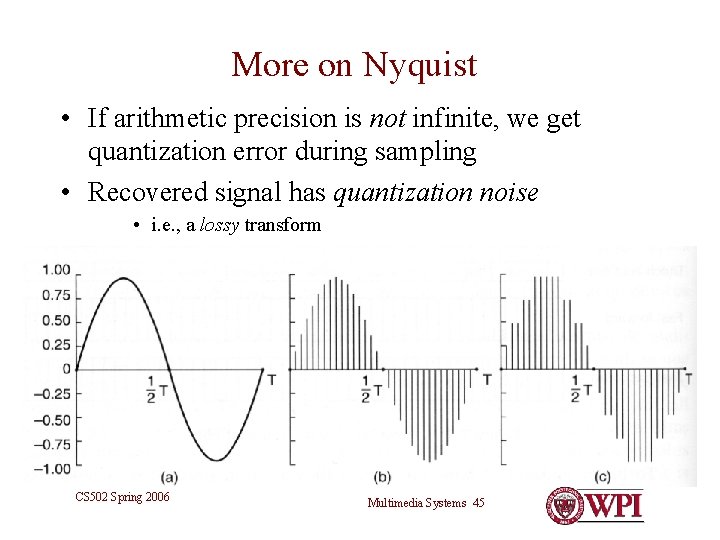
More on Nyquist • If arithmetic precision is not infinite, we get quantization error during sampling • Recovered signal has quantization noise • i. e. , a lossy transform CS 502 Spring 2006 Multimedia Systems 45
Return to JPEG CS 502 Spring 2006 Multimedia Systems 46